S
Computer Concepts
Hardware Basics
CSC 102 Intro to Technology
Topics:
 What are computers?
 Hardware/Software
 Information Processing
Cycle (IPOS)
 Input/Output Devices
 Processing (CPU & RAM)
 Storage (Magnetic)
Hard Drives
 Storage (Solid State)
Flash Drives
 Cloud (Web) Storage
 Optical Drives (CD, DVD)
 Bits & Bytes
What are Computers?
 Computers are data
processing devices.
Hardware/Software
 Hardware refers to objects that you can
actually touch, like disks, disk drives,
display screens, keyboards, printers,
boards, and chips.
 Software are instructions or data. Anything
that can be stored electronically is software.
Applications are software.
Information Processing
Cycle (IPOS)
 Computers perform 4 basic functions:
1. Input
2. Processing
3. Output
4. Storage
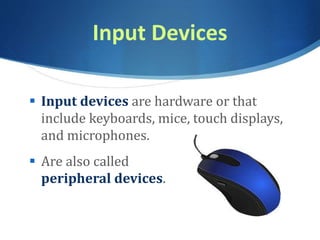
Input Devices
 Input devices are hardware or that
include keyboards, mice, touch displays,
and microphones.
 Are also called
peripheral devices.
Output Devices
 Output devices are hardware that
provides information to the user such as
monitors, speakers, and printers.
 Also are considered
peripheral devices.
Processing
(The Brains of the Computer)
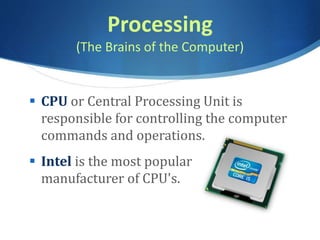
 CPU or Central Processing Unit is
responsible for controlling the computer
commands and operations.
 Intel is the most popular
manufacturer of CPU's.
Processing
(Short-term Memory)
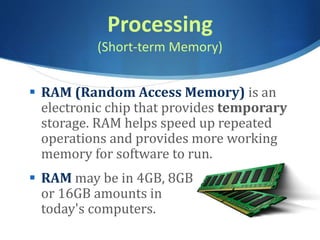
 RAM (Random Access Memory) is an
electronic chip that provides temporary
storage. RAM helps speed up repeated
operations and provides more working
memory for software to run.
 RAM may be in 4GB, 8GB
or 16GB amounts in
today's computers.
Storage
Internal Storage
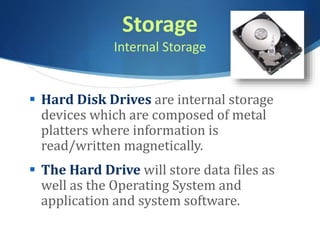
 Hard Disk Drives are internal storage
devices which are composed of metal
platters where information is
read/written magnetically.
 The Hard Drive will store data files as
well as the Operating System and
application and system software.
Storage
External Solid State Media/Flash Storage
 Solid State Media stores data
using electricity and retains
the data when the power
is turned off.
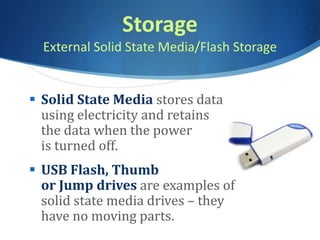
 USB Flash, Thumb
or Jump drives are examples of
solid state media drives – they
have no moving parts.
Cloud Storage
Web-based Storage
 Files are stored on a Web-server
and can be accessed anywhere
with an Internet connection.
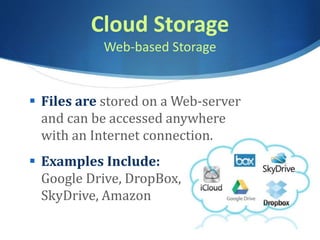
 Examples Include:
Google Drive, DropBox,
SkyDrive, Amazon
Optical Storage
CD, DVD, Blu-Ray
 CDs store @700 MB of data
 DVDs store @4-9 GB+
 HD-DVD store 15GB+
 Blu-Ray store 25GB+
S Note: Blu-Ray & DVD can have single or
double layered capacity.
Bits & Bytes
Digital Data - smaller
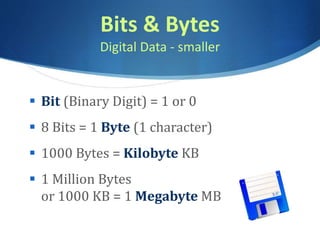
 Bit (Binary Digit) = 1 or 0
 8 Bits = 1 Byte (1 character)
 1000 Bytes = Kilobyte KB
 1 Million Bytes
or 1000 KB = 1 Megabyte MB
Bits & Bytes
Digital Data - larger
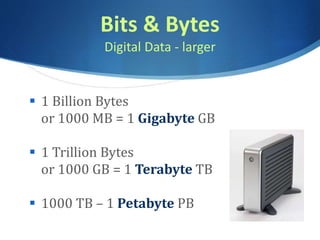
 1 Billion Bytes
or 1000 MB = 1 Gigabyte GB
 1 Trillion Bytes
or 1000 GB = 1 Terabyte TB
 1000 TB – 1 Petabyte PB
So….
If you have 10 megabit per second
(mbps) download speed
 You can download (at most)
1.25 MB per second
 MegaBITS are 1/8 a MegaBYTE
 Bits are not Bytes

CSC 102 Computer Intro

  • 1.
  • 2.
    Topics:  What arecomputers?  Hardware/Software  Information Processing Cycle (IPOS)  Input/Output Devices  Processing (CPU & RAM)  Storage (Magnetic) Hard Drives  Storage (Solid State) Flash Drives  Cloud (Web) Storage  Optical Drives (CD, DVD)  Bits & Bytes
  • 3.
    What are Computers? Computers are data processing devices.
  • 4.
    Hardware/Software  Hardware refersto objects that you can actually touch, like disks, disk drives, display screens, keyboards, printers, boards, and chips.  Software are instructions or data. Anything that can be stored electronically is software. Applications are software.
  • 5.
    Information Processing Cycle (IPOS) Computers perform 4 basic functions: 1. Input 2. Processing 3. Output 4. Storage
  • 6.
    Input Devices  Inputdevices are hardware or that include keyboards, mice, touch displays, and microphones.  Are also called peripheral devices.
  • 7.
    Output Devices  Outputdevices are hardware that provides information to the user such as monitors, speakers, and printers.  Also are considered peripheral devices.
  • 8.
    Processing (The Brains ofthe Computer)  CPU or Central Processing Unit is responsible for controlling the computer commands and operations.  Intel is the most popular manufacturer of CPU's.
  • 9.
    Processing (Short-term Memory)  RAM(Random Access Memory) is an electronic chip that provides temporary storage. RAM helps speed up repeated operations and provides more working memory for software to run.  RAM may be in 4GB, 8GB or 16GB amounts in today's computers.
  • 10.
    Storage Internal Storage  HardDisk Drives are internal storage devices which are composed of metal platters where information is read/written magnetically.  The Hard Drive will store data files as well as the Operating System and application and system software.
  • 11.
    Storage External Solid StateMedia/Flash Storage  Solid State Media stores data using electricity and retains the data when the power is turned off.  USB Flash, Thumb or Jump drives are examples of solid state media drives – they have no moving parts.
  • 12.
    Cloud Storage Web-based Storage Files are stored on a Web-server and can be accessed anywhere with an Internet connection.  Examples Include: Google Drive, DropBox, SkyDrive, Amazon
  • 13.
    Optical Storage CD, DVD,Blu-Ray  CDs store @700 MB of data  DVDs store @4-9 GB+  HD-DVD store 15GB+  Blu-Ray store 25GB+ S Note: Blu-Ray & DVD can have single or double layered capacity.
  • 14.
    Bits & Bytes DigitalData - smaller  Bit (Binary Digit) = 1 or 0  8 Bits = 1 Byte (1 character)  1000 Bytes = Kilobyte KB  1 Million Bytes or 1000 KB = 1 Megabyte MB
  • 15.
    Bits & Bytes DigitalData - larger  1 Billion Bytes or 1000 MB = 1 Gigabyte GB  1 Trillion Bytes or 1000 GB = 1 Terabyte TB  1000 TB – 1 Petabyte PB
  • 16.
    So…. If you have10 megabit per second (mbps) download speed  You can download (at most) 1.25 MB per second  MegaBITS are 1/8 a MegaBYTE  Bits are not Bytes