The document provides a comprehensive overview of the creation and management of a business group within an organization, detailing its role in handling employee information and organizational structures. It outlines the processes for setting up a business group in Oracle, including options for configuration and reasons for maintaining multiple business groups. Additionally, it covers the associated steps for engaging with Human Resources features and relevant database queries for verification.
Creating Business Grouphttp://gsbprogramming.blogspot.in/ Page 1 of 6
A business group is the highest level of organization and the largest grouping of employees across
which you may report. A Business Group holds a complete, self-contained set of information on work
structures, remuneration policies and employees. Each Business Group can have just one particular
set of segments defined for its Job, Position, Grade, Employee Group and Cost Allocation key flex
fields.
A business group is a basically Human Resources organization to which you assign employees. You
assign each operating unit to a business group in the financial options setup. You can assign the
same business group to different operating units including to operating units in different financial sets
of books. You can setup a separate business group for each operating unit if you want to segregate
and maintain each group of employees separately. Oracle provides one setup business group you can
use.
You set up the key flex fields for a Business Group before setting up the Business Group itself. Many
enterprises decide to use a single Business Group to hold 'live' information, so they can display, report
and manage information from all parts of the enterprise at the same time.
However, there are reasons for setting up multiple Business Groups in the same installation, such as
the following:
You want to have a copy of your live system with example records for training or testing purposes.
You are a holding company or a corporation with a number of subsidiary companies. Each
subsidiary has its own structures, employees, and compensation and benefit policies. If your
subsidiaries are in different countries you also have to deal with local legislative requirements.
You are acquiring a company or merging with another company, and you want to maintain
separate structures and compensation and benefits during the transition process.
Oracle Human Resources automatically creates a security profile with the business group name when
you define a new business group.
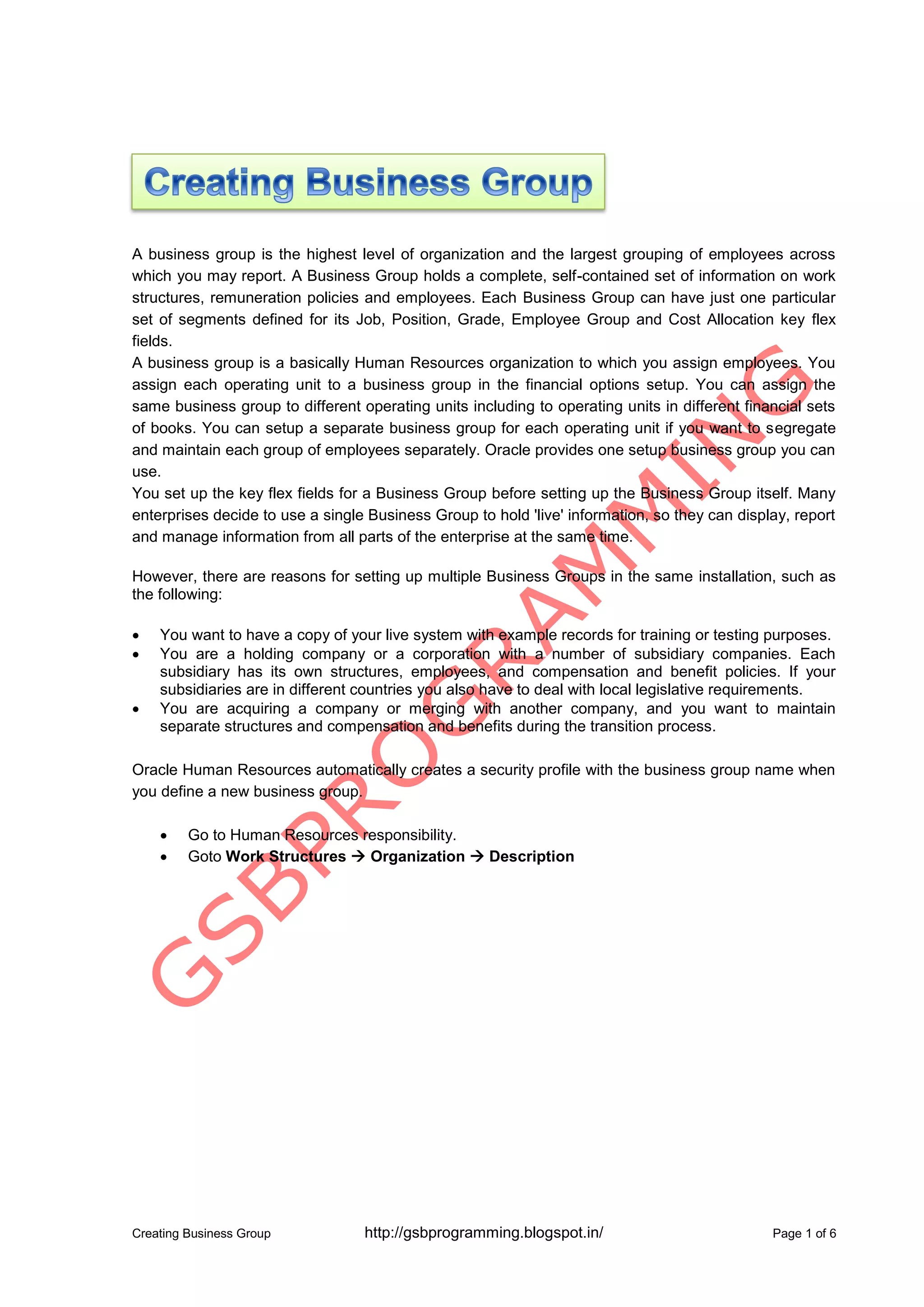
Go to Human Resources responsibility.
Goto Work Structures Organization Description
2.
Creating Business Grouphttp://gsbprogramming.blogspot.in/ Page 2 of 6
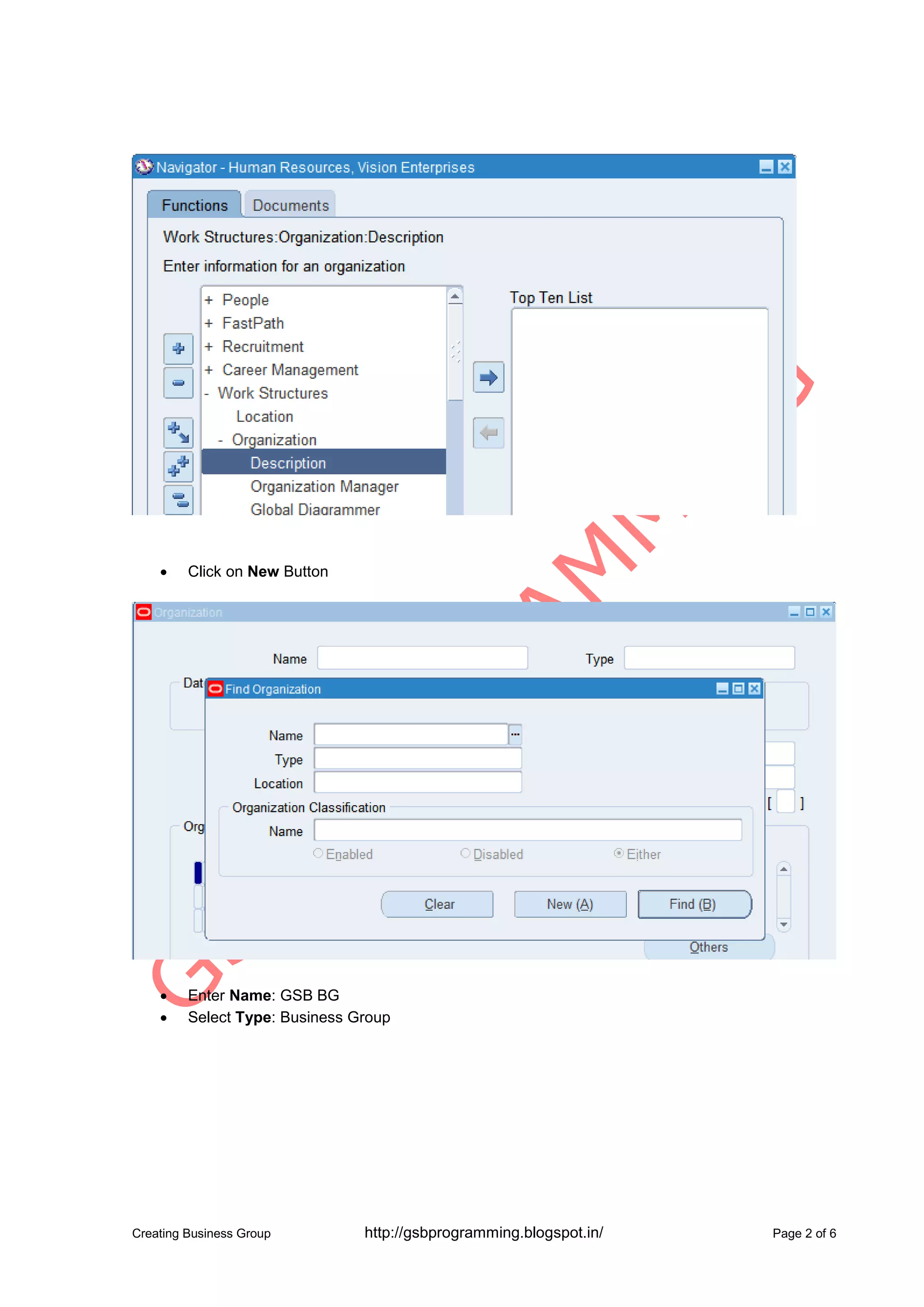
Click on New Button
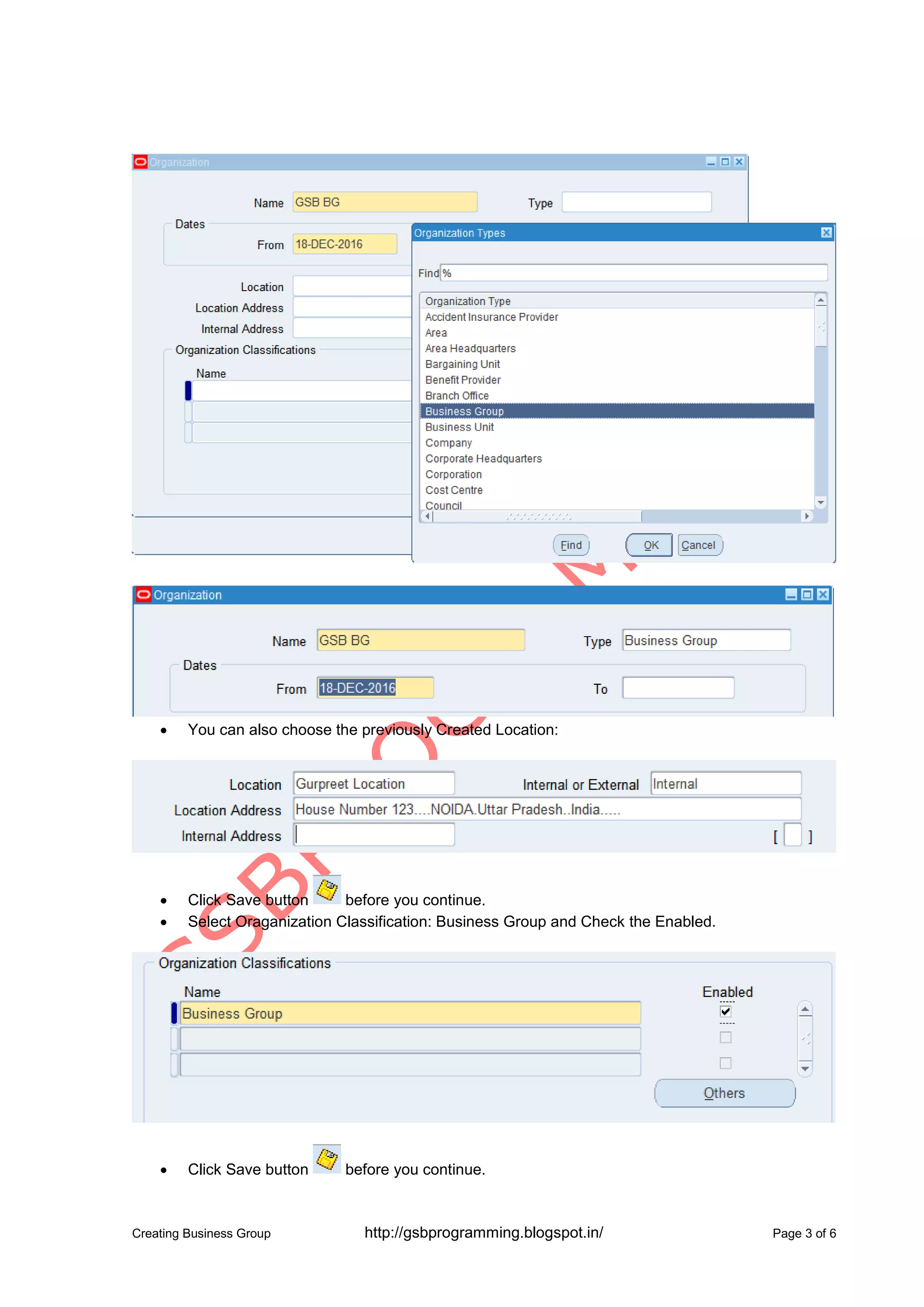
Enter Name: GSB BG
Select Type: Business Group
3.
Creating Business Grouphttp://gsbprogramming.blogspot.in/ Page 3 of 6
You can also choose the previously Created Location:
Click Save button before you continue.
Select Oraganization Classification: Business Group and Check the Enabled.
Click Save button before you continue.
4.
Creating Business Grouphttp://gsbprogramming.blogspot.in/ Page 4 of 6
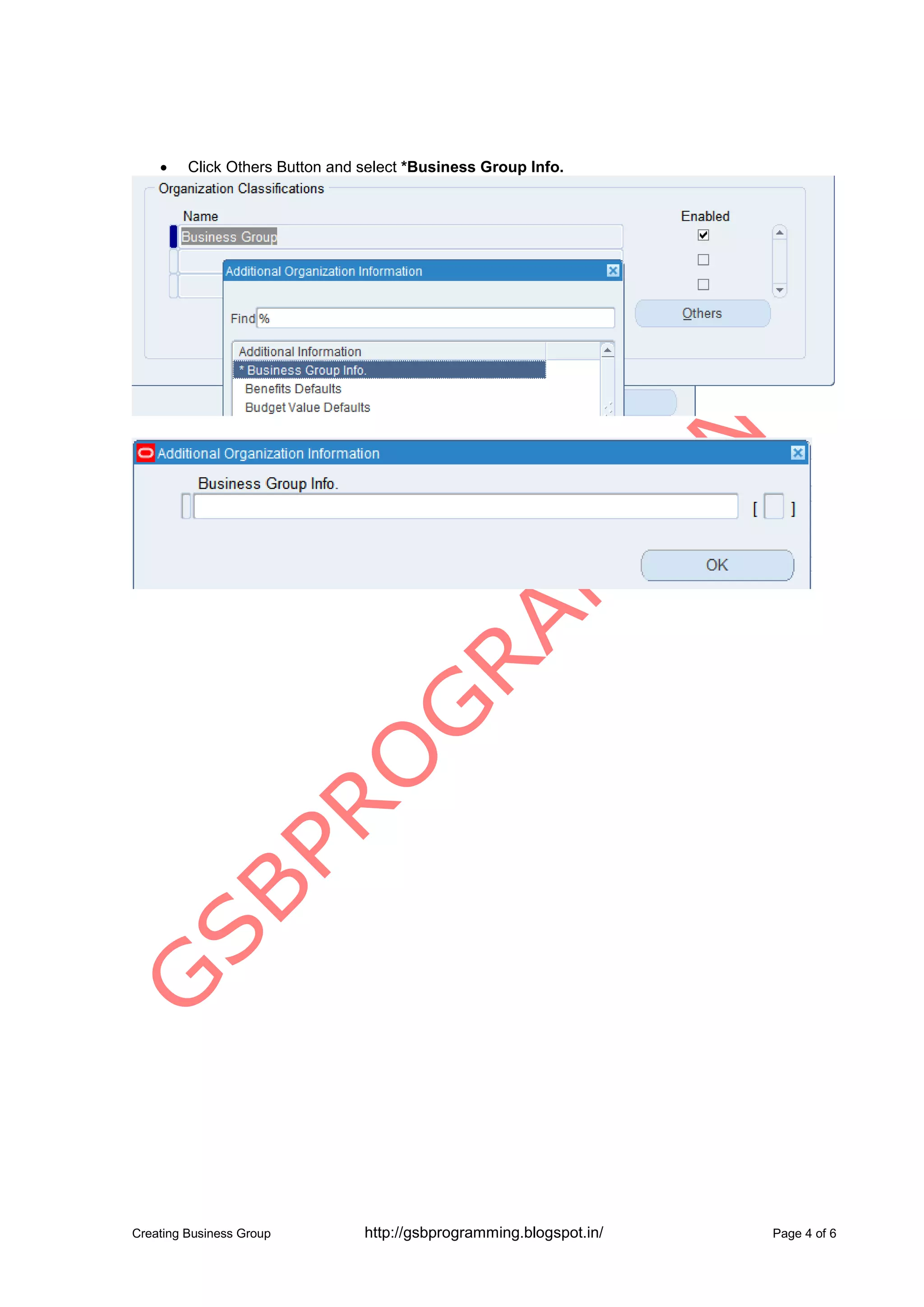
Click Others Button and select *Business Group Info.
5.
Creating Business Grouphttp://gsbprogramming.blogspot.in/ Page 5 of 6
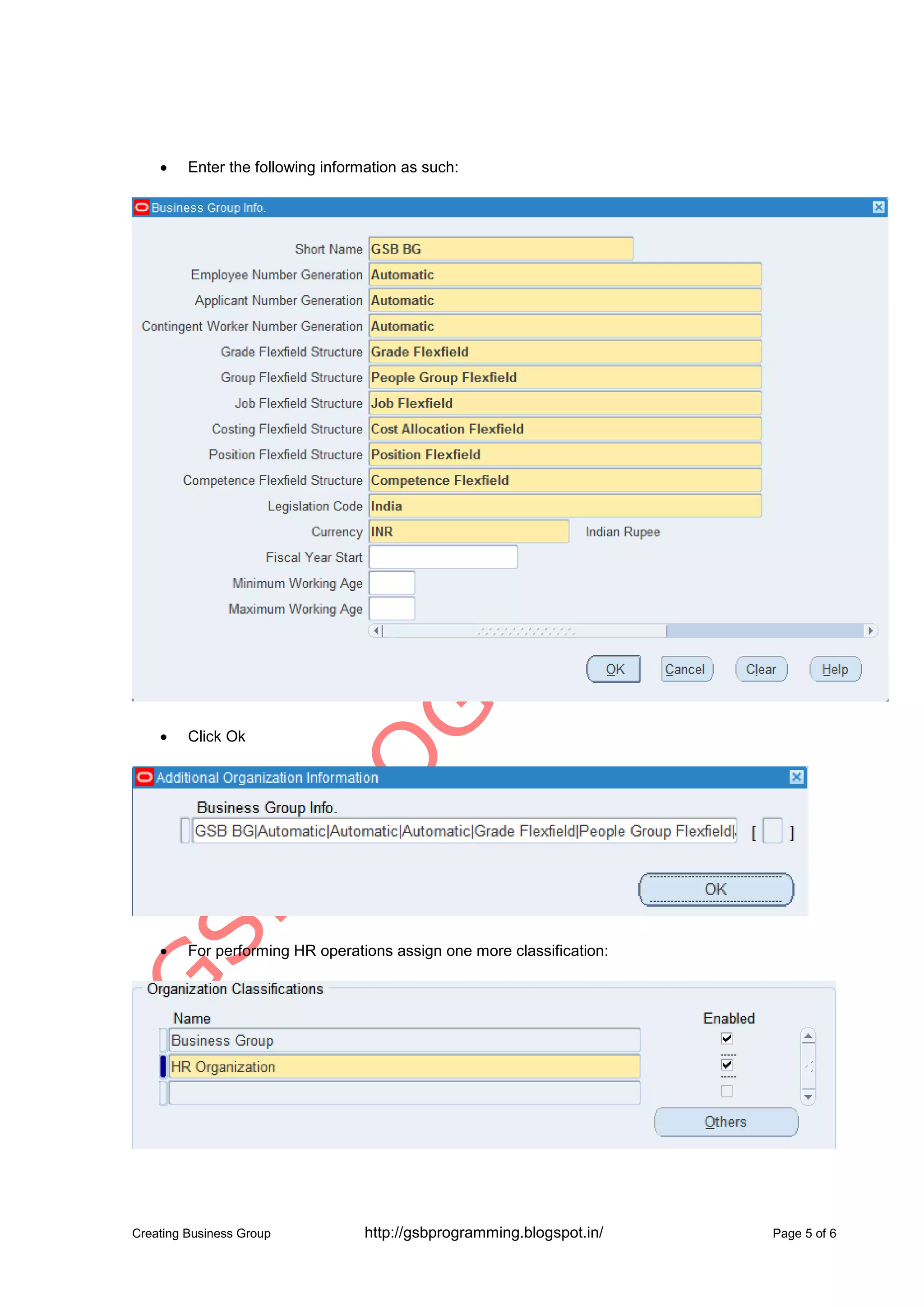
Enter the following information as such:
Click Ok
For performing HR operations assign one more classification:
6.
Creating Business Grouphttp://gsbprogramming.blogspot.in/ Page 6 of 6
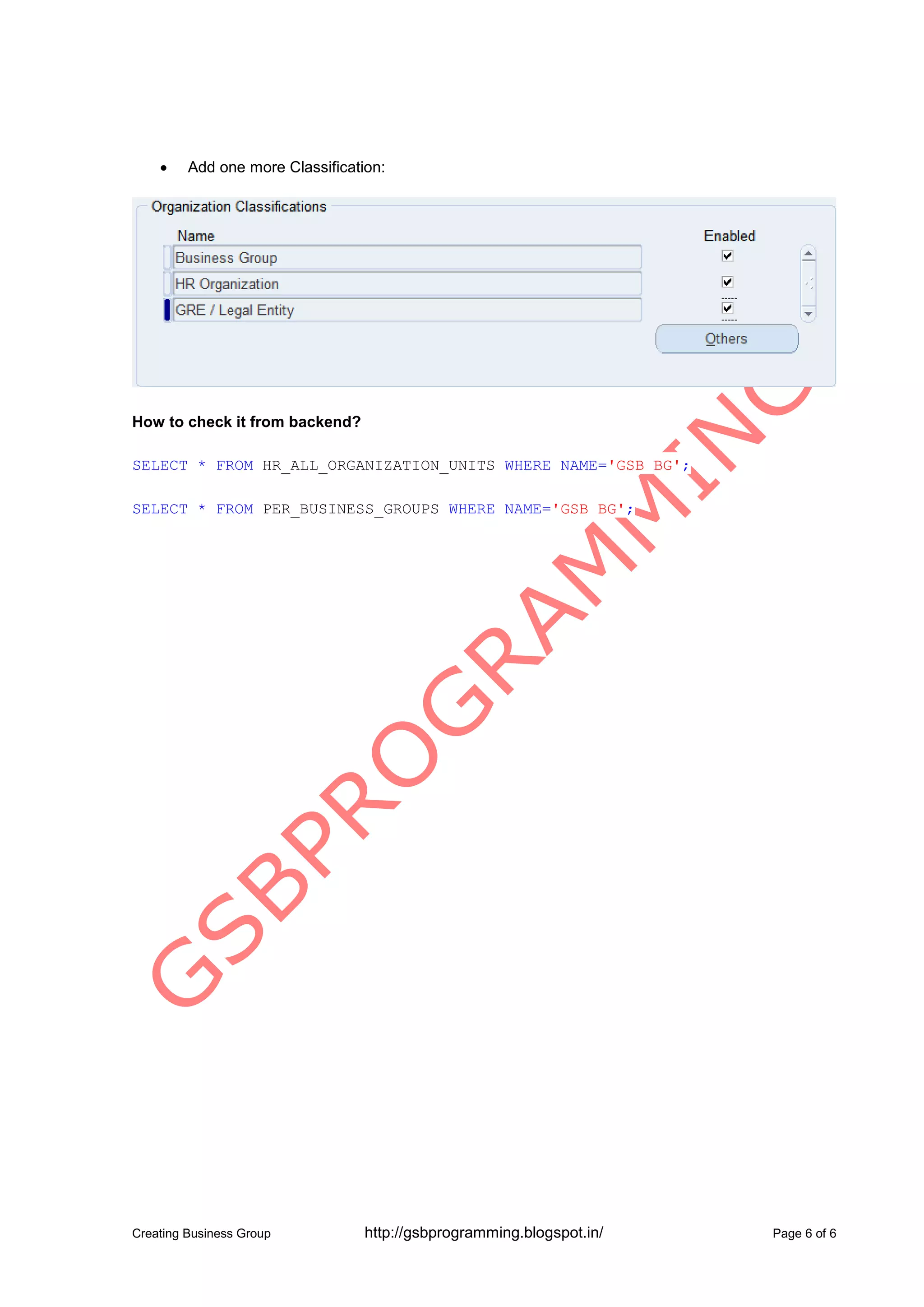
Add one more Classification:
How to check it from backend?
SELECT * FROM HR_ALL_ORGANIZATION_UNITS WHERE NAME='GSB BG';
SELECT * FROM PER_BUSINESS_GROUPS WHERE NAME='GSB BG';