The Academic
      Library


Heterick Memorial Library
What’s difference?
•   PURPOSE
•   SIZE or # of BUILDINGS
•   TYPES of MATERIALS
•   AGE and SCOPE of COLLECTION
Mission

• Public librarians often find
  information for you while an
  Academic librarian
  will teach you to find
  the material on your
  own.
• This prepares you for
  the work ahead
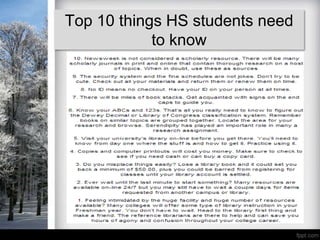
Top 10 things HS students need
            to know
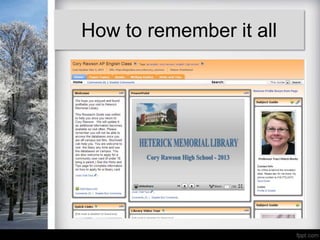
How to remember it all
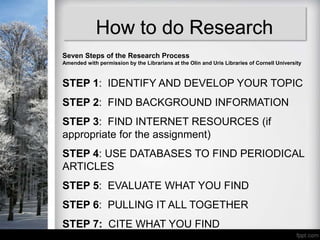
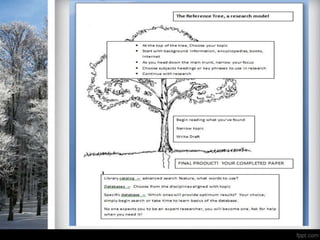
How to do Research
Seven Steps of the Research Process
Amended with permission by the Librarians at the Olin and Uris Libraries of Cornell University


STEP 1: IDENTIFY AND DEVELOP YOUR TOPIC
STEP 2: FIND BACKGROUND INFORMATION
STEP 3: FIND INTERNET RESOURCES (if
appropriate for the assignment)
STEP 4: USE DATABASES TO FIND PERIODICAL
ARTICLES
STEP 5: EVALUATE WHAT YOU FIND
STEP 6: PULLING IT ALL TOGETHER
STEP 7: CITE WHAT YOU FIND
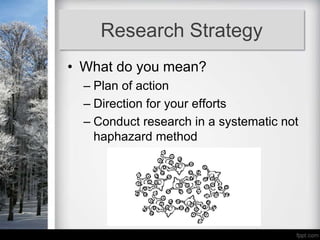
Research Strategy
• What do you mean?
  – Plan of action
  – Direction for your efforts
  – Conduct research in a systematic not
    haphazard method
Research Strategy
•Start big doing background
reading
•Narrow your topic for a more
focused product
•Research narrowed topic using
subject specific databases
•Keep track of bibliographic
citations to avoid trouble down
the road.

        Ask a question
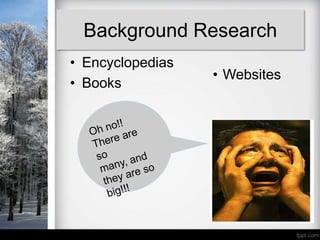
Background Research
• Encyclopedias
                  • Websites
• Books
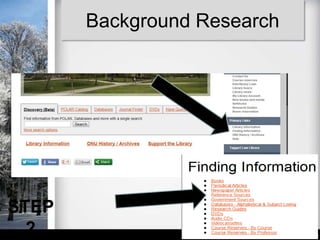
Background Research


STEP
  2
Background Research

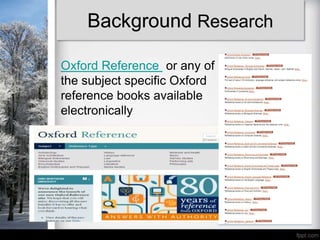
Oxford Reference or any of
the subject specific Oxford
reference books available
electronically
Critically evaluating
                     website
• Currency              • Timeliness of the
                          information

• Relevance/Coverage
                        • Depth and importance of
                          the information.
• Authority
                        • Source of the information.
• Accuracy
                        • Reliability of the information
• Purpose/Objectivity
                        • Possible bias present in the
                          information.
Catalogs: For locating
books, audiovisual
materials, government
documents, etc
Databases: Usually for locating
periodical and newspaper articles
but may cover other materials as
well.
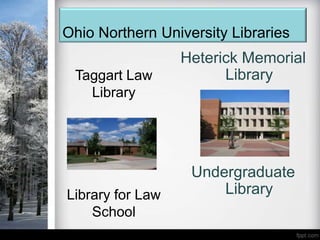
Ohio Northern University Libraries
                  Heterick Memorial
 Taggart Law            Library
   Library


                   Undergraduate
Library for Law        Library
    School
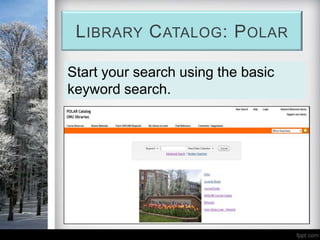
L IBRARY C ATALOG : P OLAR

Start your search using the basic
keyword search.
Library Catalog: Polar
Keyword Search
•Looks in several locations (usually
subject, article title, abstracts or contents)
•Does not require an exact match
•Generates comparatively large number of
hits (not precise)
•Good if you are not familiar with
terminology
•Look for the same or similar words which
keep appearing
LIBRARY CATALOG: POLAR

Subject Search
•Looks in one place – subject
•Usually requires an exact match
between your term and a pre-set list of
terms
•Precise (motion pictures -- review)
•Can be used after keyword search
has identified specific subjects
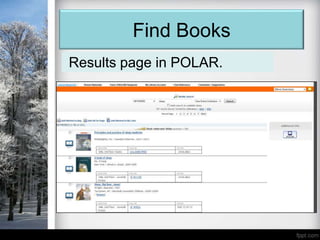
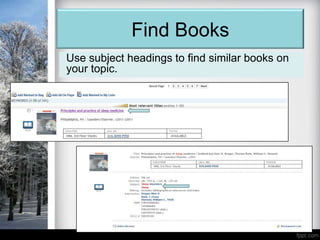
Find Books
Results page in POLAR.
Find Books
Use subject headings to find similar books on
your topic.
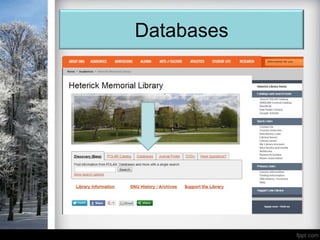
Databases
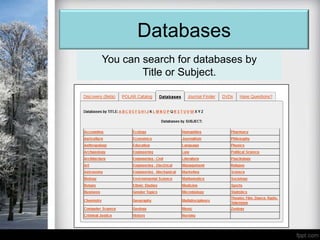
Databases
You can search for databases by
        Title or Subject.
Databases

• Often tools for locating journal and
  newspaper articles
• Most are subject-specific – some
  multi-disciplinary
• Many give access to full text of
  articles
• Heterick Libraryhas over 250
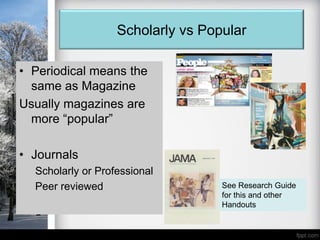
Scholarly vs Popular

• Periodical means the
  same as Magazine
Usually magazines are
  more “popular”

• Journals
  Scholarly or Professional
  Peer reviewed                    See Research Guide
                                   for this and other
                                   Handouts
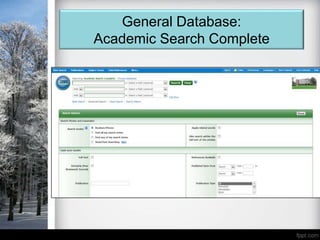
General Database:
Academic Search Complete
Finding Articles: General
          Database
Boolean Operators
AND – use to narrow your search,
Ozone layer and greenhouse gases

OR – use to expand your search,
Ocean or sea

NOT – use to exclude a search term
Cloning not sheep
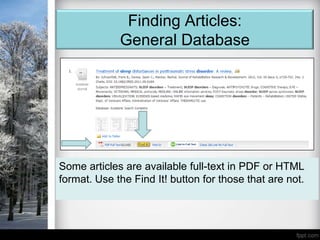
Finding Articles:
             General Database


Some articles are available full-text in PDF or HTML
format. Use the Find It! button for those that are not.
Finding Articles:
         General Database
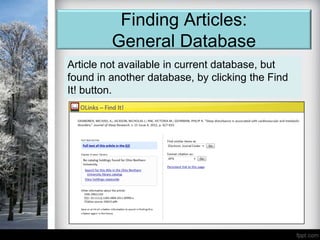
Article not available in current database, but
found in another database, by clicking the Find
It! button.
Finding Articles:
           General Database
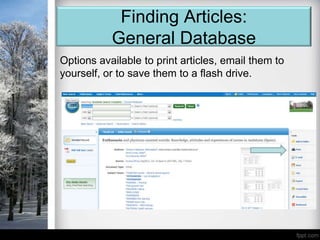
Options available to print articles, email them to
yourself, or to save them to a flash drive.
Finding Articles:
          Subject Databases
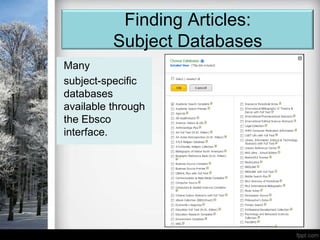
Many
subject-specific
databases
available through
the Ebsco
interface.
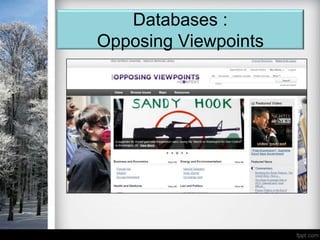
Databases :
Opposing Viewpoints
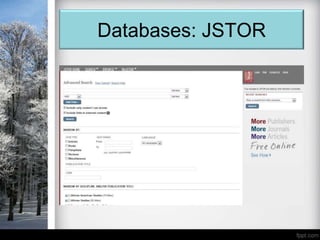
Databases: JSTOR
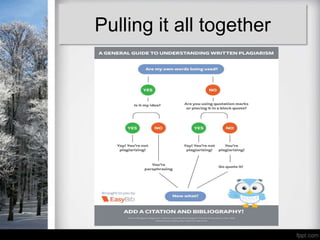
Pulling it all together
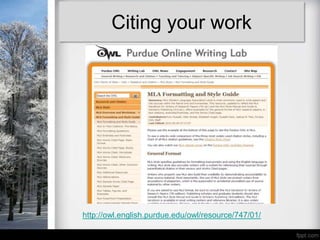
Citing your work


http://owl.english.purdue.edu/owl/resource/747/01/
Good Luck with your
    Research!

Cory rawson 2013

  • 1.
    The Academic Library Heterick Memorial Library
  • 2.
    What’s difference? • PURPOSE • SIZE or # of BUILDINGS • TYPES of MATERIALS • AGE and SCOPE of COLLECTION
  • 3.
    Mission • Public librariansoften find information for you while an Academic librarian will teach you to find the material on your own. • This prepares you for the work ahead
  • 4.
    Top 10 thingsHS students need to know
  • 5.
  • 6.
    How to doResearch Seven Steps of the Research Process Amended with permission by the Librarians at the Olin and Uris Libraries of Cornell University STEP 1: IDENTIFY AND DEVELOP YOUR TOPIC STEP 2: FIND BACKGROUND INFORMATION STEP 3: FIND INTERNET RESOURCES (if appropriate for the assignment) STEP 4: USE DATABASES TO FIND PERIODICAL ARTICLES STEP 5: EVALUATE WHAT YOU FIND STEP 6: PULLING IT ALL TOGETHER STEP 7: CITE WHAT YOU FIND
  • 7.
    Research Strategy • Whatdo you mean? – Plan of action – Direction for your efforts – Conduct research in a systematic not haphazard method
  • 8.
    Research Strategy •Start bigdoing background reading •Narrow your topic for a more focused product •Research narrowed topic using subject specific databases •Keep track of bibliographic citations to avoid trouble down the road. Ask a question
  • 10.
    Background Research • Encyclopedias • Websites • Books
  • 11.
  • 12.
    Background Research Oxford Referenceor any of the subject specific Oxford reference books available electronically
  • 13.
    Critically evaluating website • Currency • Timeliness of the information • Relevance/Coverage • Depth and importance of the information. • Authority • Source of the information. • Accuracy • Reliability of the information • Purpose/Objectivity • Possible bias present in the information.
  • 14.
    Catalogs: For locating books,audiovisual materials, government documents, etc Databases: Usually for locating periodical and newspaper articles but may cover other materials as well.
  • 15.
    Ohio Northern UniversityLibraries Heterick Memorial Taggart Law Library Library Undergraduate Library for Law Library School
  • 16.
    L IBRARY CATALOG : P OLAR Start your search using the basic keyword search.
  • 17.
    Library Catalog: Polar KeywordSearch •Looks in several locations (usually subject, article title, abstracts or contents) •Does not require an exact match •Generates comparatively large number of hits (not precise) •Good if you are not familiar with terminology •Look for the same or similar words which keep appearing
  • 18.
    LIBRARY CATALOG: POLAR SubjectSearch •Looks in one place – subject •Usually requires an exact match between your term and a pre-set list of terms •Precise (motion pictures -- review) •Can be used after keyword search has identified specific subjects
  • 19.
  • 20.
    Find Books Use subjectheadings to find similar books on your topic.
  • 21.
  • 22.
    Databases You can searchfor databases by Title or Subject.
  • 23.
    Databases • Often toolsfor locating journal and newspaper articles • Most are subject-specific – some multi-disciplinary • Many give access to full text of articles • Heterick Libraryhas over 250
  • 24.
    Scholarly vs Popular •Periodical means the same as Magazine Usually magazines are more “popular” • Journals Scholarly or Professional Peer reviewed See Research Guide for this and other Handouts
  • 25.
  • 26.
    Finding Articles: General Database Boolean Operators AND – use to narrow your search, Ozone layer and greenhouse gases OR – use to expand your search, Ocean or sea NOT – use to exclude a search term Cloning not sheep
  • 27.
    Finding Articles: General Database Some articles are available full-text in PDF or HTML format. Use the Find It! button for those that are not.
  • 28.
    Finding Articles: General Database Article not available in current database, but found in another database, by clicking the Find It! button.
  • 29.
    Finding Articles: General Database Options available to print articles, email them to yourself, or to save them to a flash drive.
  • 30.
    Finding Articles: Subject Databases Many subject-specific databases available through the Ebsco interface.
  • 31.
  • 32.
  • 33.
  • 34.
  • 35.
    Good Luck withyour Research!

Editor's Notes

  • #3 An academic library's purpose is to support the teaching and research of the college or university. Most academic libraries are much larger than public libraries. Generally, non-academic material is not found in an academic library. Differences exist between academic libraries. Larger academic institutions may have subject-specific libraries, like a science library, a law library, and a medical library. Make sure you know that the building you're heading to is where your resources are held.Does a library ever throw things away? Rarely. But sometimes little-used items are stored in a storage area within the library or off-site so other, more heavily-used books, can be placed in the stacks.On-site items will be indicated in the catalog as "Storage." Off-site items will be indicated in the catalog as either Repository or Remote Storage. They can be ordered by making a request at the Circulation Desk.