Linux Containers and 
Dockers 
Quando, vantaggi e svantaggi 
Ciao 
ciao 
Vai a fare 
Dr. Fabio Fumarola 
ciao ciao
Contents 
• The Evolution of IT 
• The Solutions: Virtual Machines vs Vagrant vs Docker 
• Differences 
• Examples 
– Vagrant 
– Docker 
• P.S. CoreOS 
2
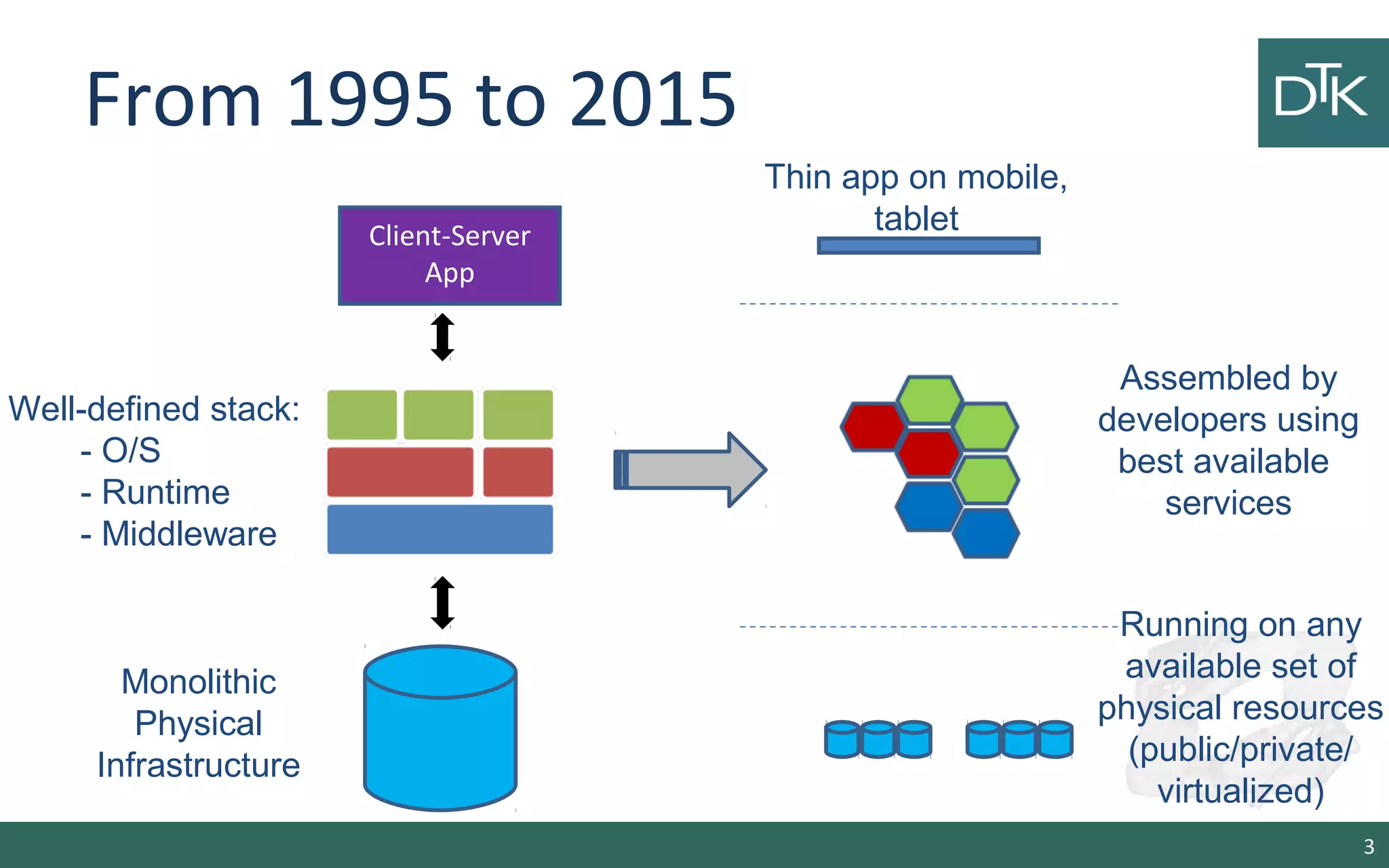
From 1995 to 2015 
3 
Client-Server 
App 
Well-defined stack: 
- O/S 
- Runtime 
- Middleware 
Monolithic 
Physical 
Infrastructure 
Thin app on mobile, 
tablet 
Assembled by 
developers using 
best available 
services 
Running on any 
available set of 
physical resources 
(public/private/ 
virtualized)
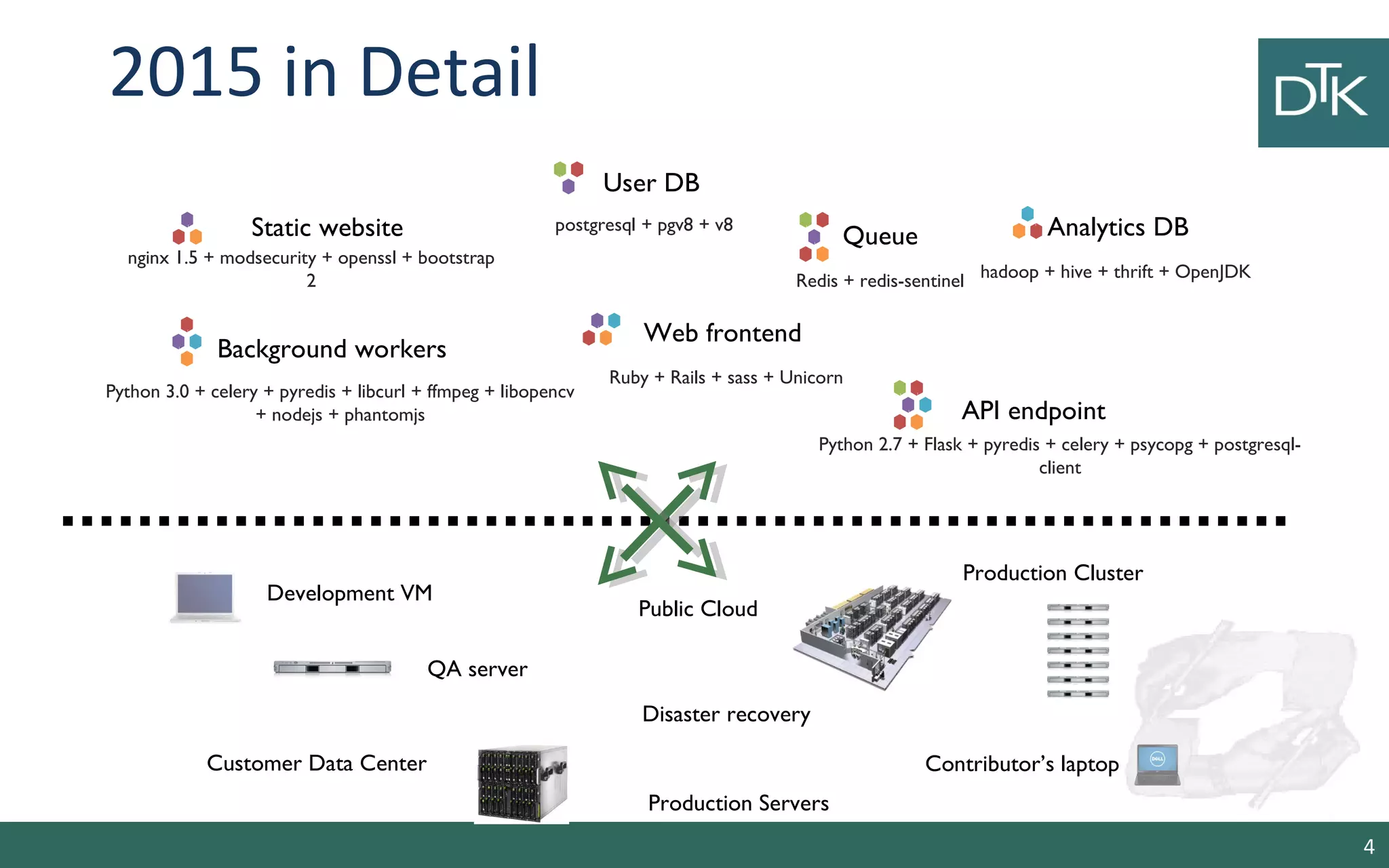
Static website 
User DB 
Redis + redis-sentinel 
Web frontend 
Queue Analytics DB 
Background workers 
API endpoint 
nginx 1.5 + modsecurity + openssl + bootstrap 
2 
postgresql + pgv8 + v8 
hadoop + hive + thrift + OpenJDK 
Ruby + Rails + sass + Unicorn 
Python 3.0 + celery + pyredis + libcurl + ffmpeg + libopencv 
+ nodejs + phantomjs 
Python 2.7 + Flask + pyredis + celery + psycopg + postgresql-client 
Development VM 
QA server 
Public Cloud 
Disaster recovery 
Contributor’s laptop 
Production Servers 
2015 in Detail 
Production Cluster 
Customer Data Center 
4
Challenges 
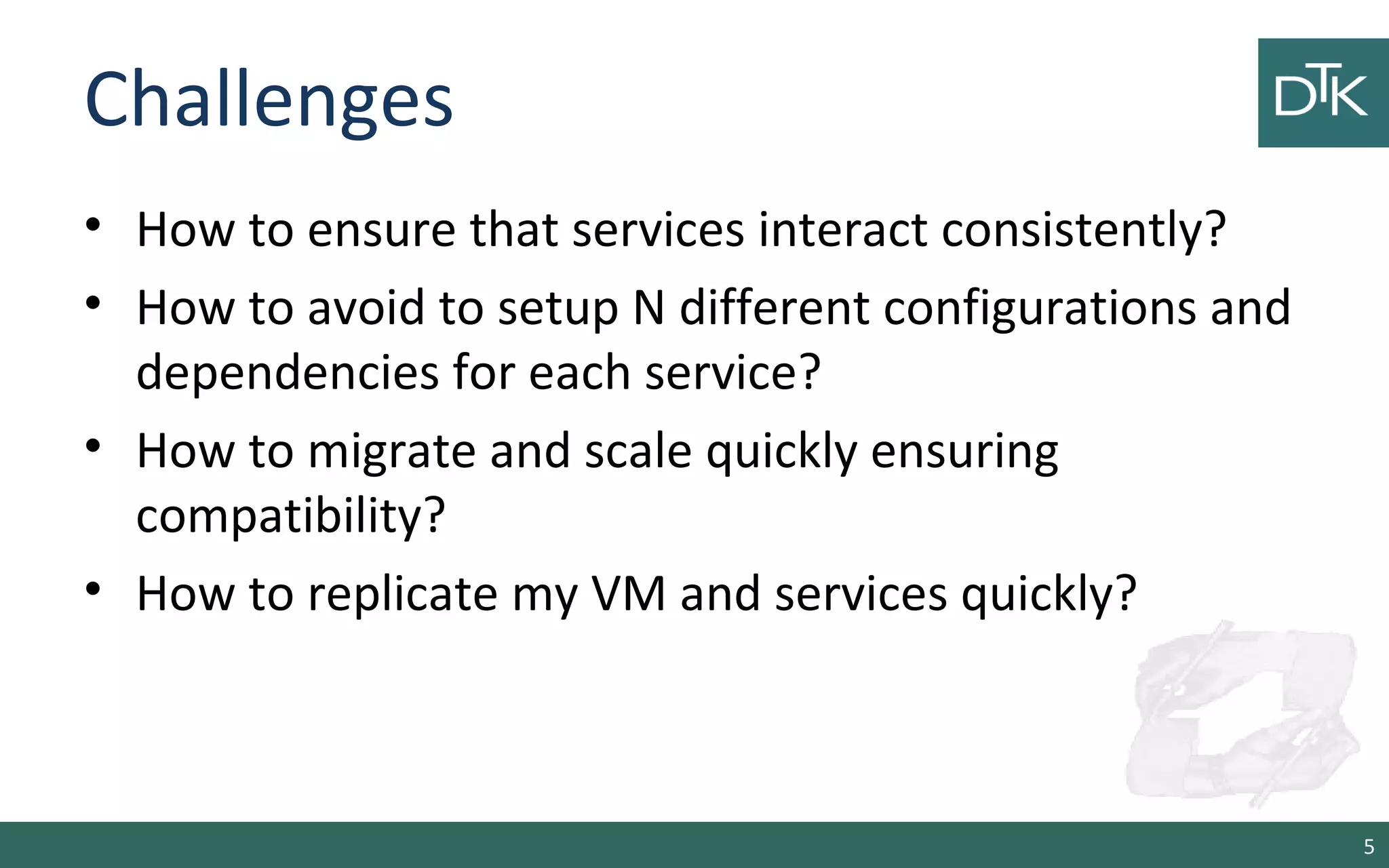
• How to ensure that services interact consistently? 
• How to avoid to setup N different configurations and 
dependencies for each service? 
• How to migrate and scale quickly ensuring 
compatibility? 
• How to replicate my VM and services quickly? 
5
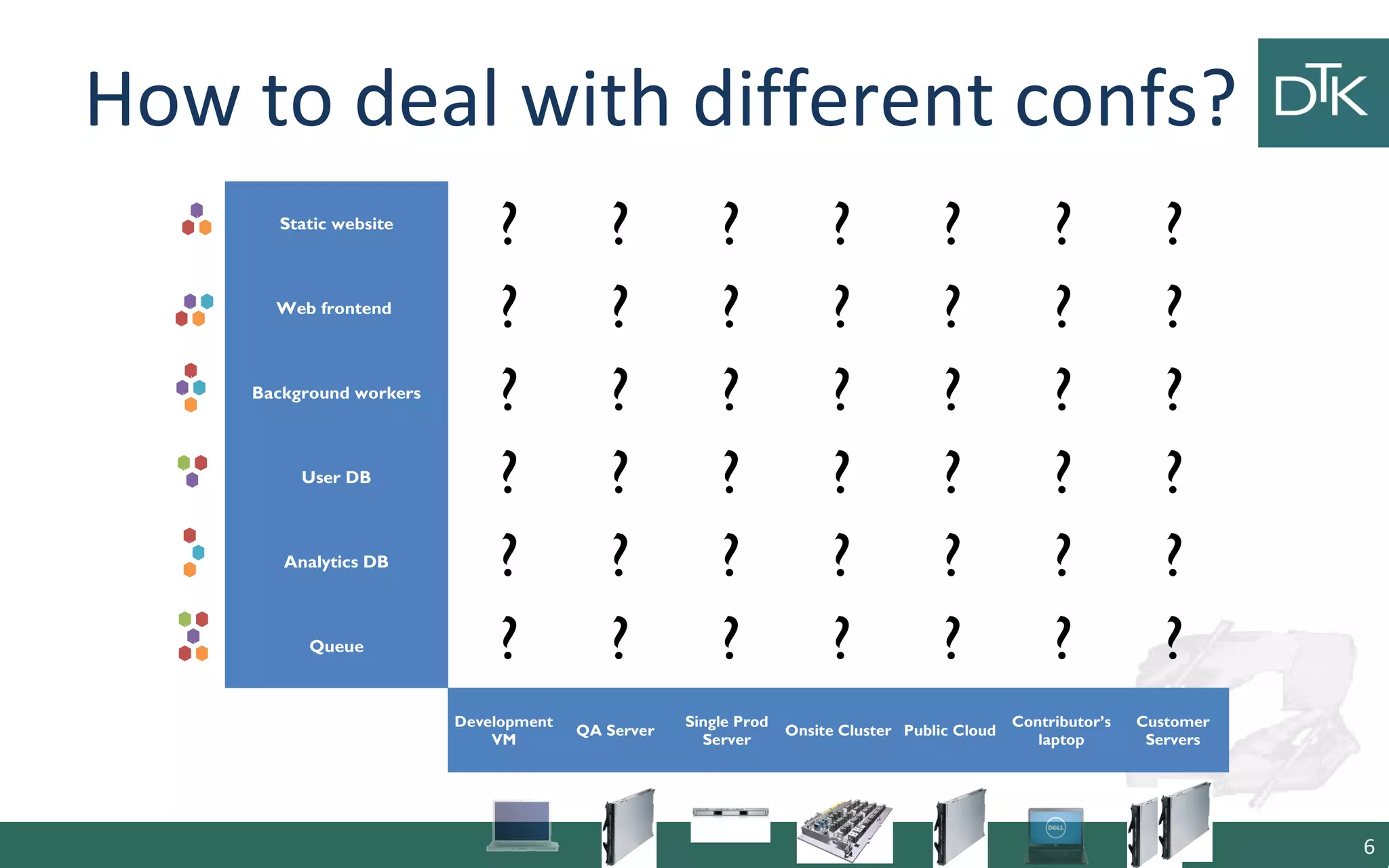
How to deal with different confs? 
6 
Static website 
Web frontend 
Background workers 
User DB 
Analytics DB 
Queue 
? ? ? ? ? ? ? 
? ? ? ? ? ? ? 
? ? ? ? ? ? ? 
? ? ? ? ? ? ? 
? ? ? ? ? ? ? 
? ? ? ? ? ? ? 
Development 
VM QA Server Single Prod 
Server Onsite Cluster Public Cloud Contributor’s 
laptop 
Customer 
Servers 
6
1. Virtual Machines 
7
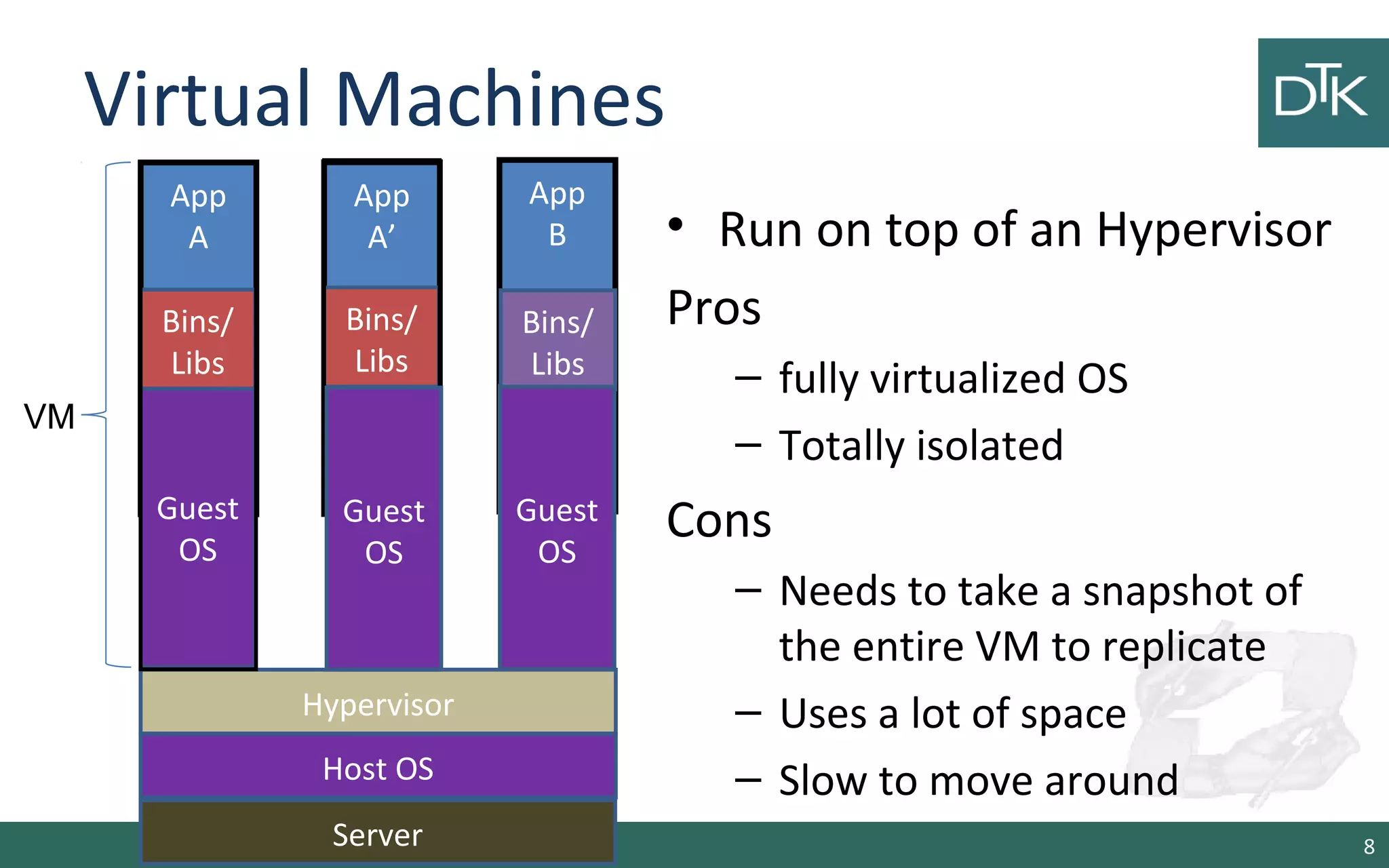
Virtual Machines 
• Run on top of an Hypervisor 
Pros 
– fully virtualized OS 
– Totally isolated 
Cons 
– Needs to take a snapshot of 
the entire VM to replicate 
– Uses a lot of space 
– Slow to move around 
8 
App 
A 
Bins/ 
Libs 
Hypervisor 
Host OS 
Server 
Bins/ 
Libs 
Guest 
OS 
App 
A’ 
Guest 
OS 
App 
B 
Bins/ 
Libs 
Guest 
OS 
Guest 
OS 
Guest 
OS 
VM
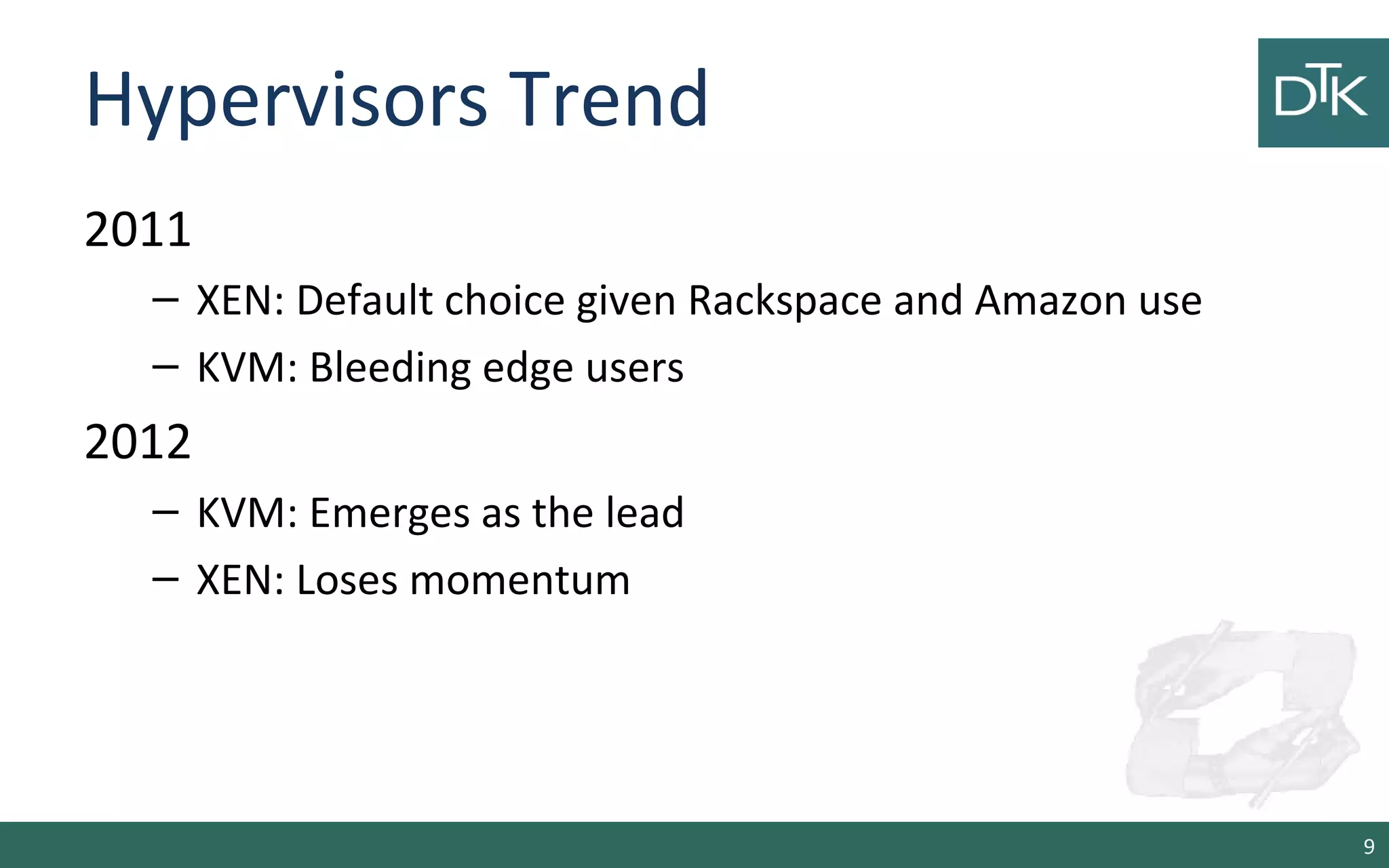
Hypervisors Trend 
2011 
– XEN: Default choice given Rackspace and Amazon use 
– KVM: Bleeding edge users 
2012 
– KVM: Emerges as the lead 
– XEN: Loses momentum 
9
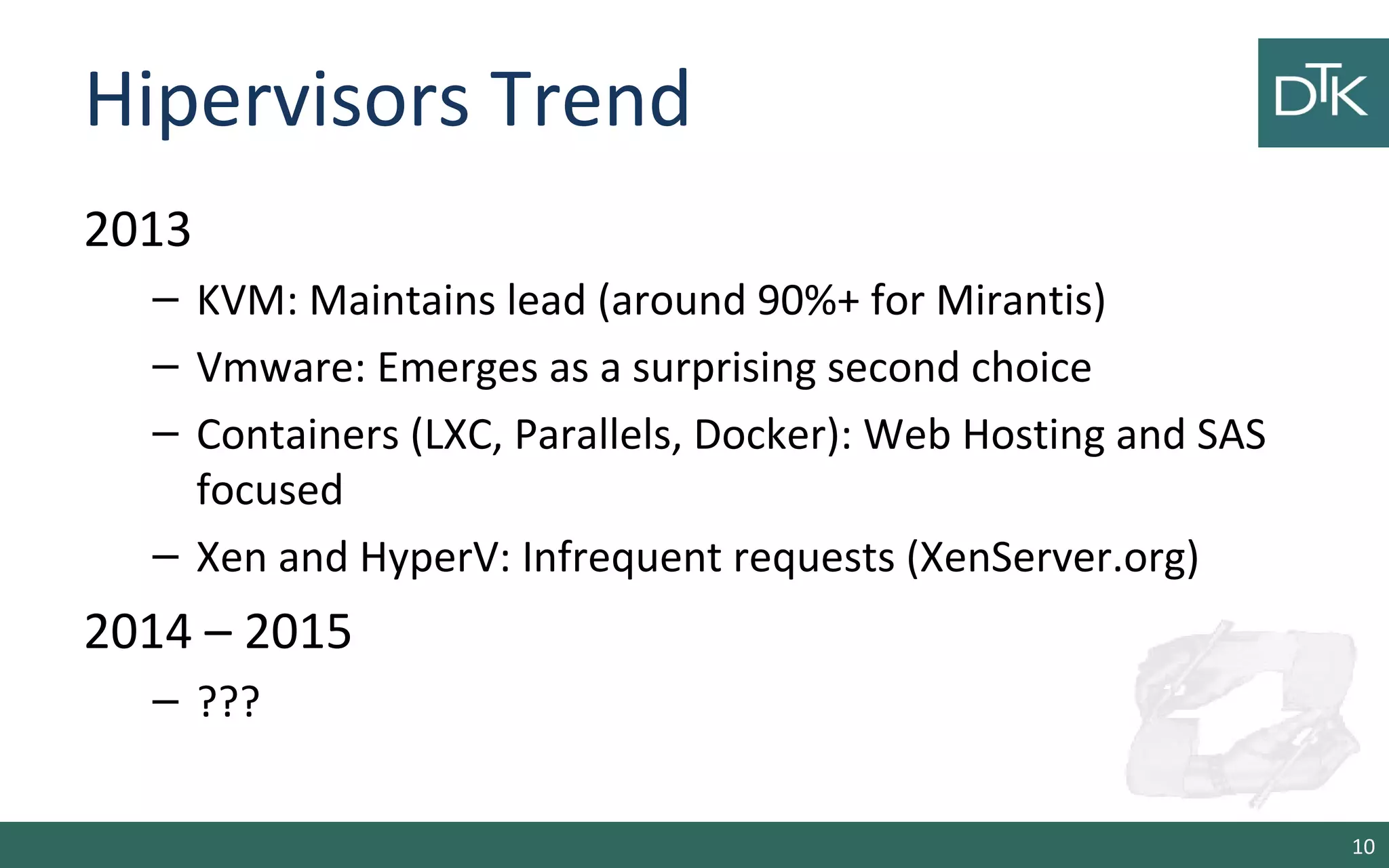
Hipervisors Trend 
2013 
– KVM: Maintains lead (around 90%+ for Mirantis) 
– Vmware: Emerges as a surprising second choice 
– Containers (LXC, Parallels, Docker): Web Hosting and SAS 
focused 
– Xen and HyperV: Infrequent requests (XenServer.org) 
2014 – 2015 
– ??? 
10
2. Vagrant 
11
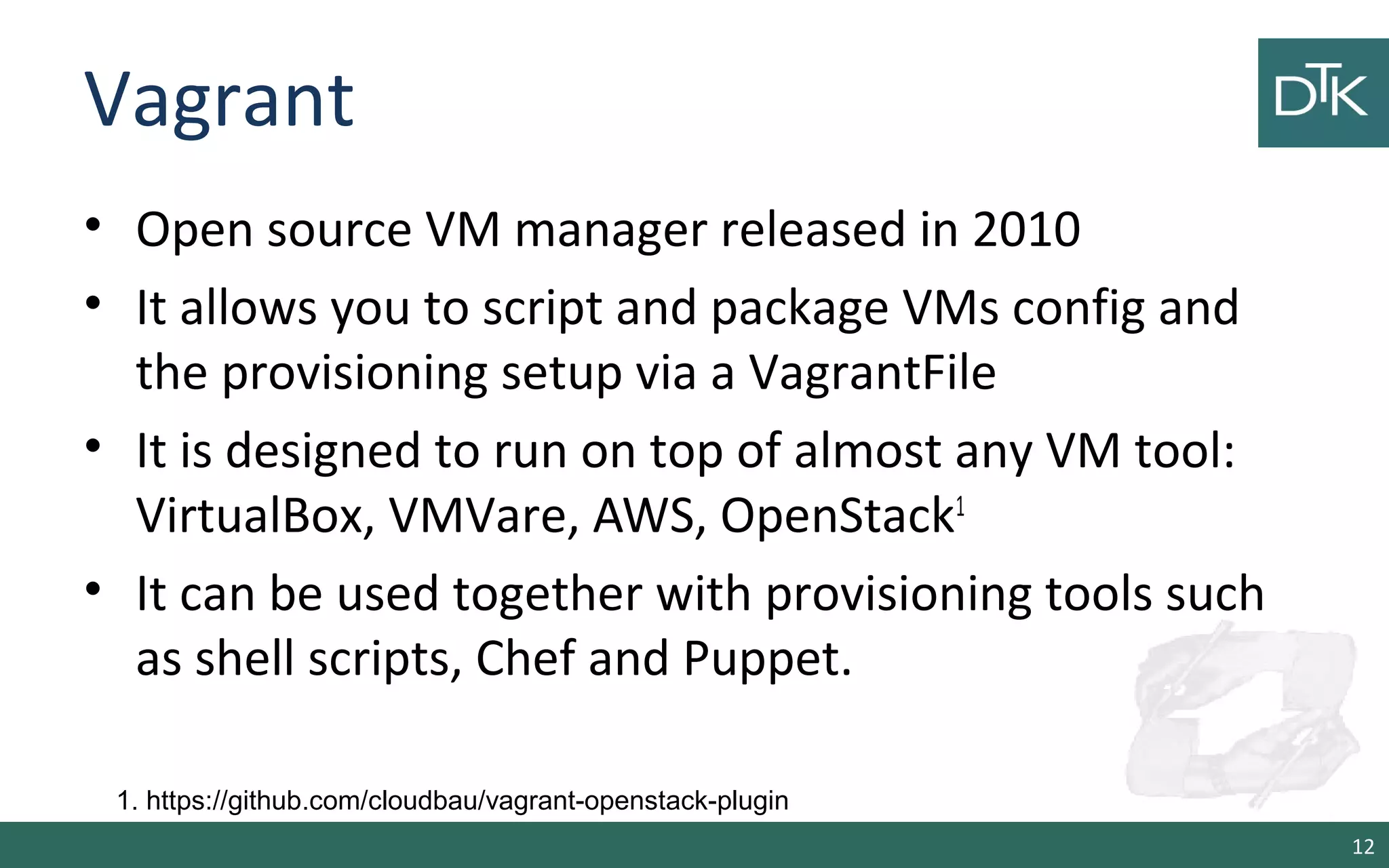
Vagrant 
• Open source VM manager released in 2010 
• It allows you to script and package VMs config and 
the provisioning setup via a VagrantFile 
• It is designed to run on top of almost any VM tool: 
VirtualBox, VMVare, AWS, OpenStack1 
• It can be used together with provisioning tools such 
as shell scripts, Chef and Puppet. 
12 
1. https://github.com/cloudbau/vagrant-openstack-plugin
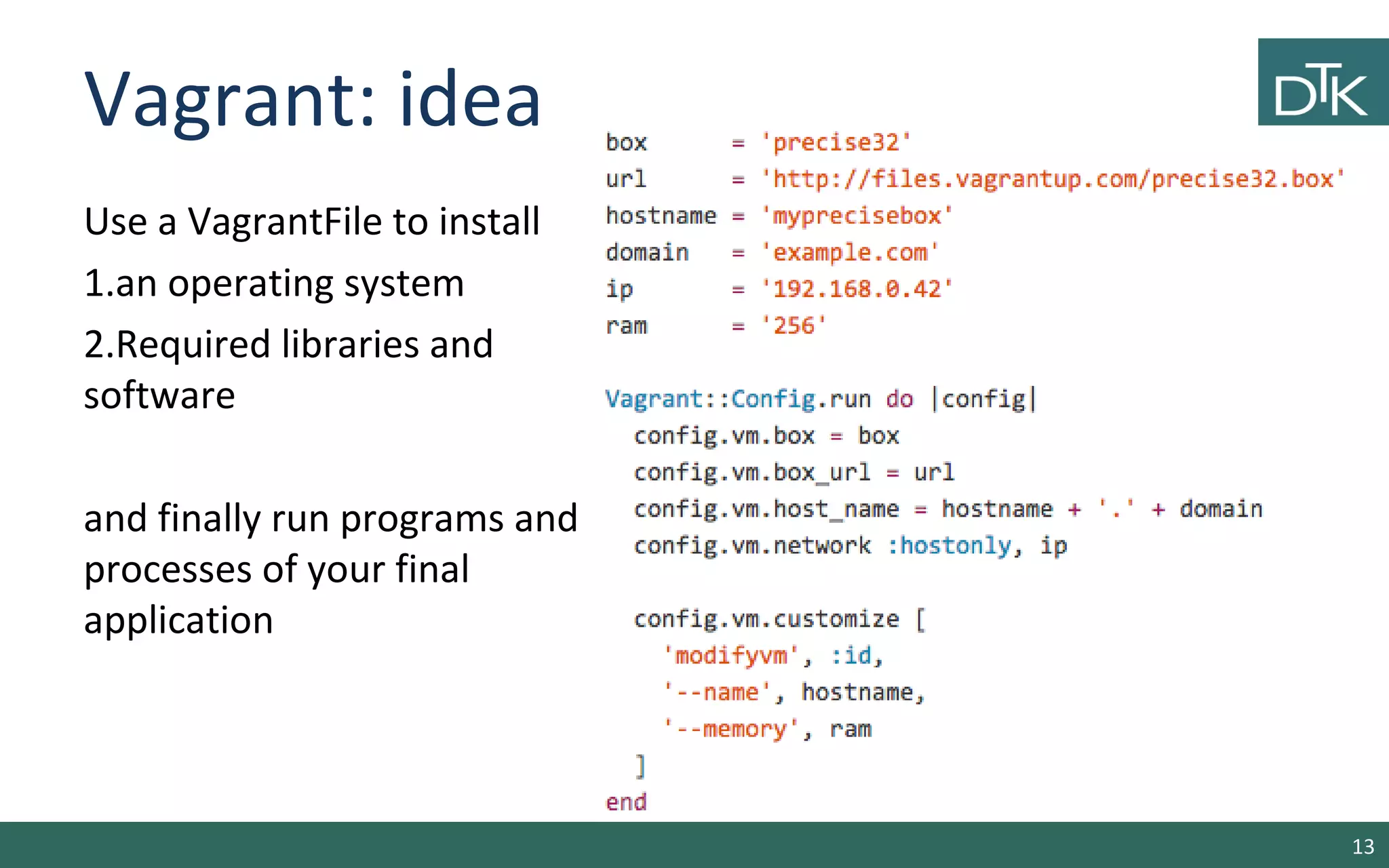
Vagrant: idea 
Use a VagrantFile to install 
1.an operating system 
2.Required libraries and 
software 
and finally run programs and 
processes of your final 
application 
13
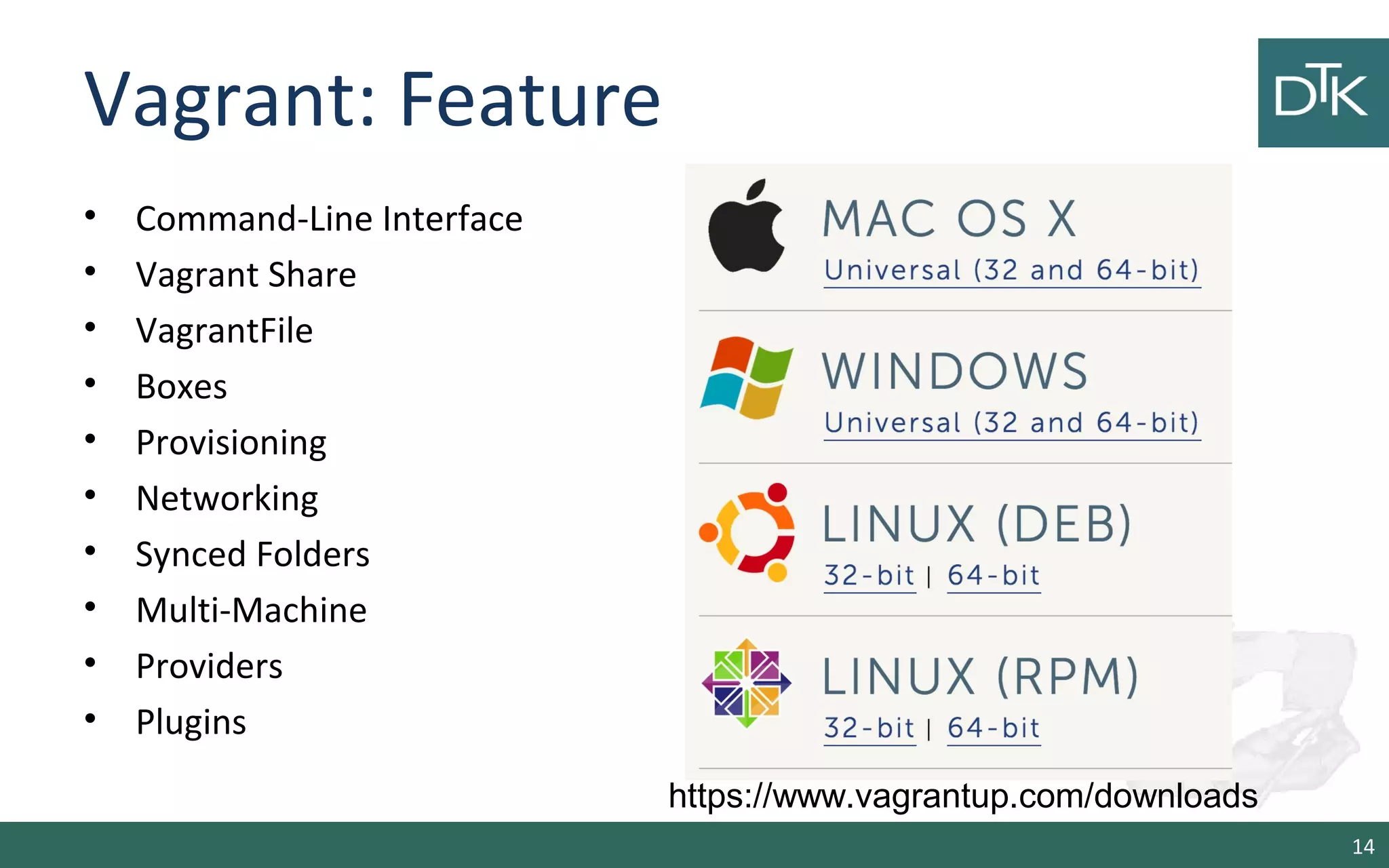
Vagrant: Feature 
• Command-Line Interface 
• Vagrant Share 
• VagrantFile 
• Boxes 
• Provisioning 
• Networking 
• Synced Folders 
• Multi-Machine 
• Providers 
• Plugins 
14 
https://www.vagrantup.com/downloads
Vagrant: Demo 
• It allows us to interact with Vagrant 
• It offers the following commands: box, connect, 
destroy, halt, init, login, package a vm, rdp, … 
https://docs.vagrantup.com/v2/cli/index.html 
15
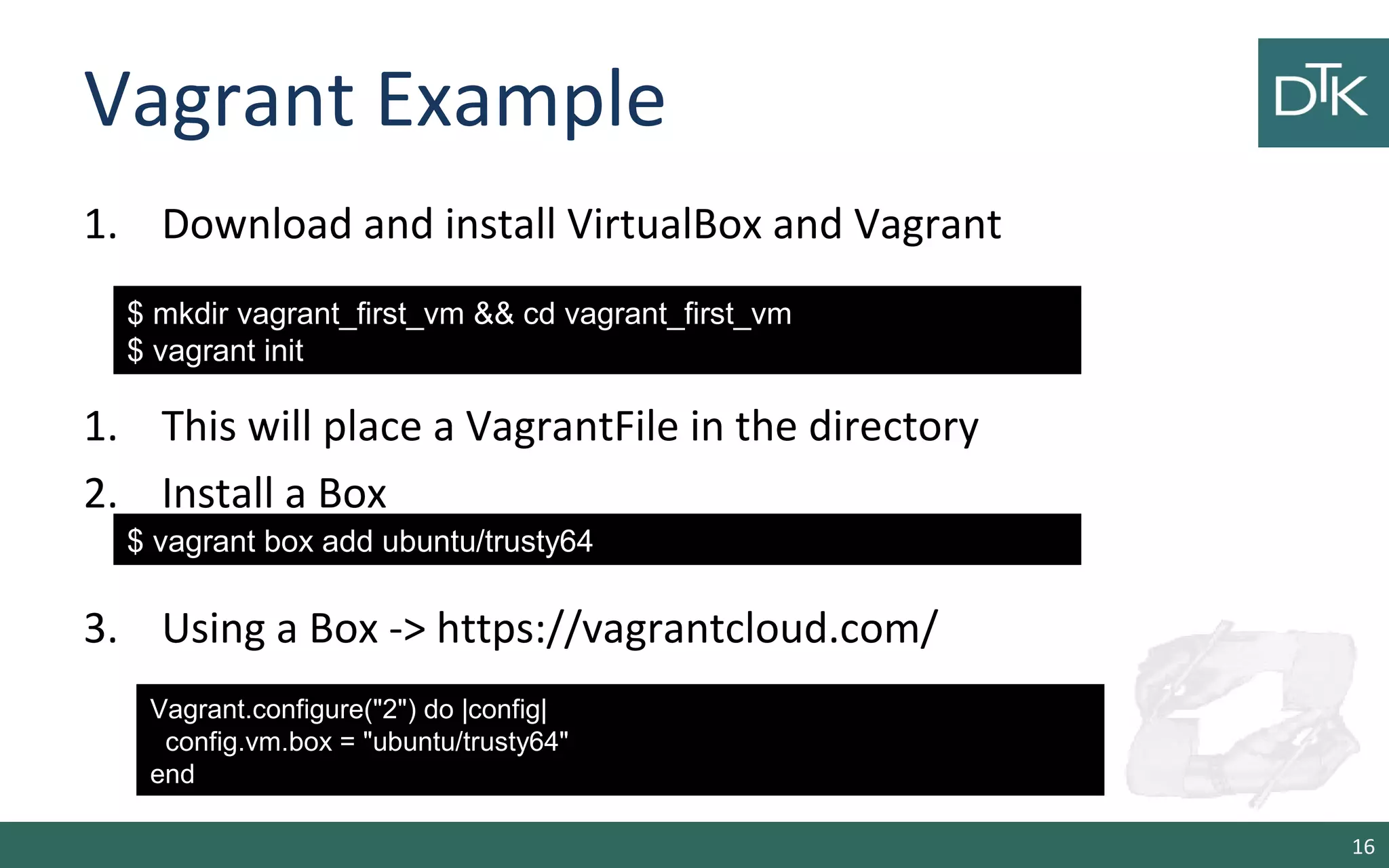
Vagrant Example 
1. Download and install VirtualBox and Vagrant 
1. This will place a VagrantFile in the directory 
2. Install a Box 
3. Using a Box -> https://vagrantcloud.com/ 
16 
$ mkdir vagrant_first_vm && cd vagrant_first_vm 
$ vagrant init 
$ vagrant box add ubuntu/trusty64 
Vagrant.configure("2") do |config| 
config.vm.box = "ubuntu/trusty64" 
end
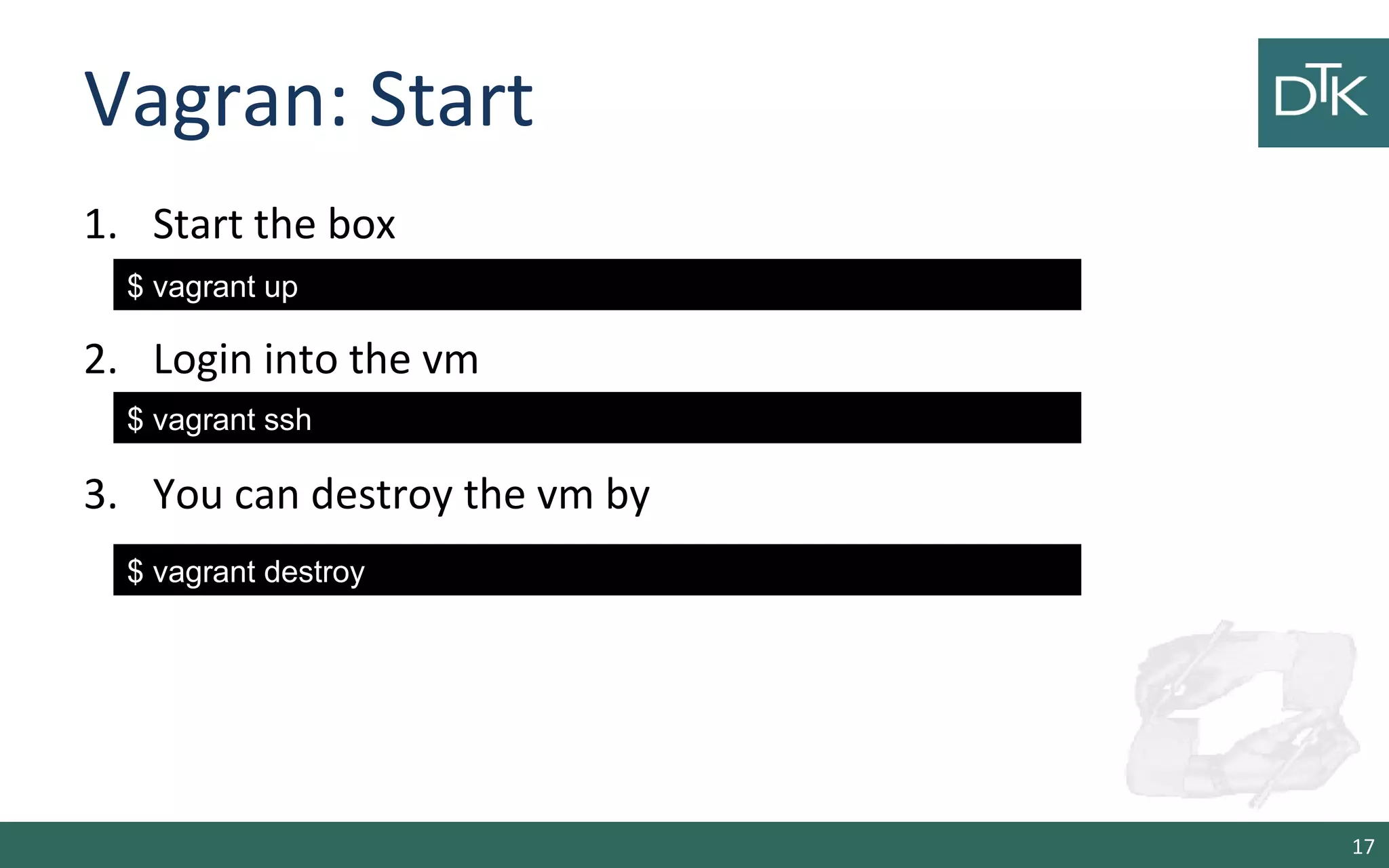
Vagran: Start 
1. Start the box 
2. Login into the vm 
3. You can destroy the vm by 
17 
$ vagrant up 
$ vagrant ssh 
$ vagrant destroy
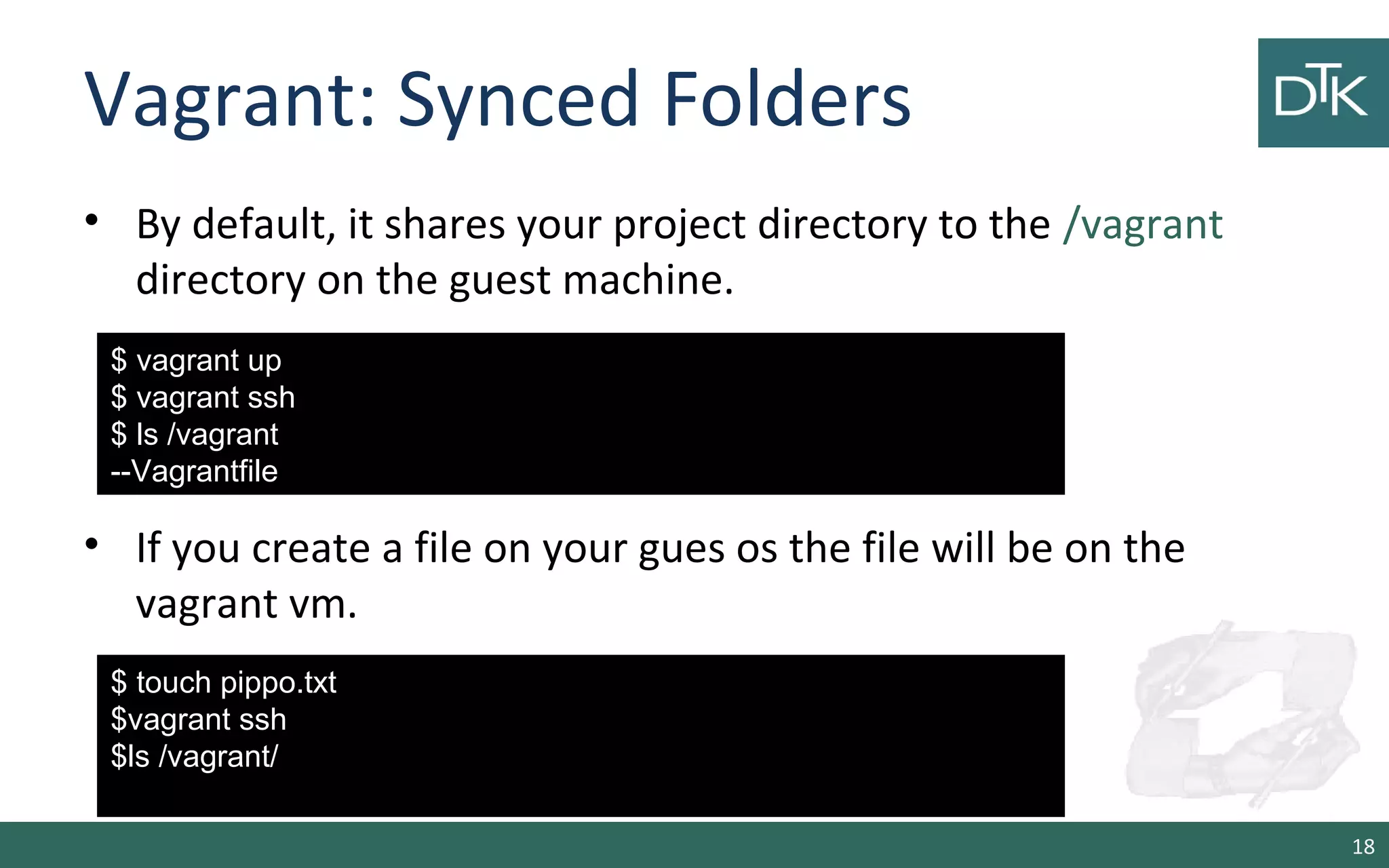
Vagrant: Synced Folders 
• By default, it shares your project directory to the /vagrant 
directory on the guest machine. 
• If you create a file on your gues os the file will be on the 
vagrant vm. 
18 
$ vagrant up 
$ vagrant ssh 
$ ls /vagrant 
--Vagrantfile 
$ touch pippo.txt 
$vagrant ssh 
$ls /vagrant/
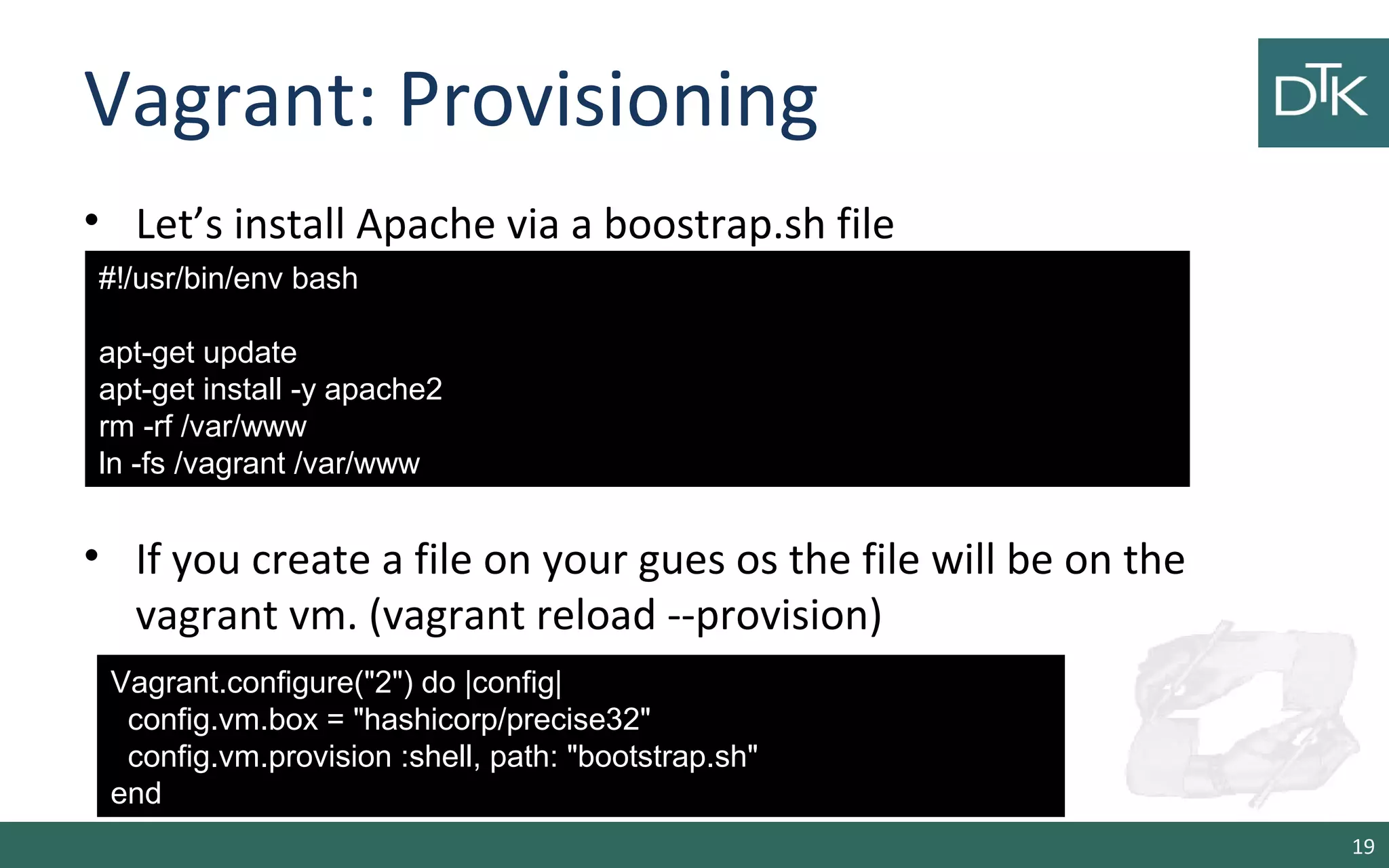
Vagrant: Provisioning 
• Let’s install Apache via a boostrap.sh file 
• If you create a file on your gues os the file will be on the 
vagrant vm. (vagrant reload --provision) 
19 
#!/usr/bin/env bash 
apt-get update 
apt-get install -y apache2 
rm -rf /var/www 
ln -fs /vagrant /var/www 
Vagrant.configure("2") do |config| 
config.vm.box = "hashicorp/precise32" 
config.vm.provision :shell, path: "bootstrap.sh" 
end
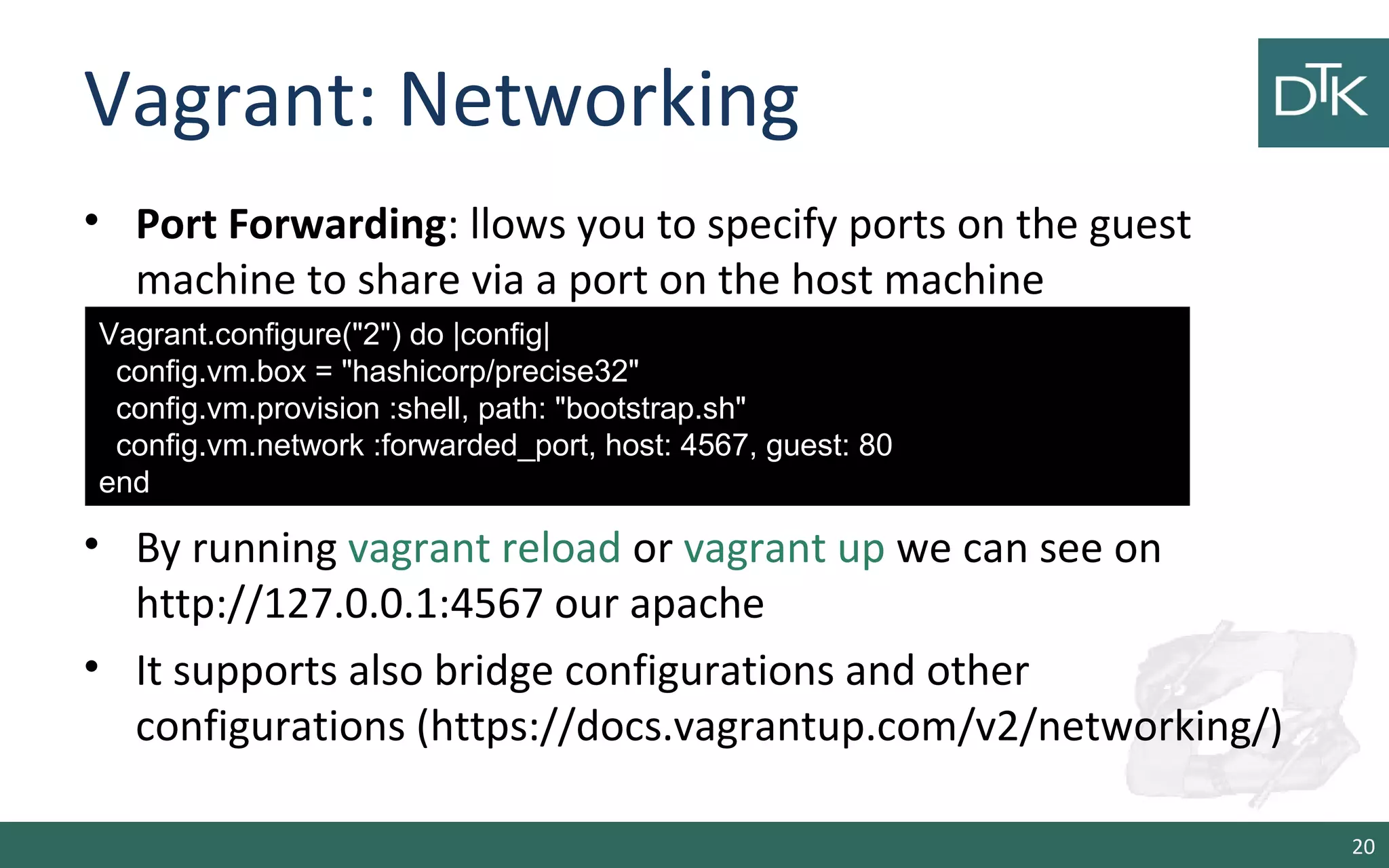
Vagrant: Networking 
• Port Forwarding: llows you to specify ports on the guest 
machine to share via a port on the host machine 
• By running vagrant reload or vagrant up we can see on 
http://127.0.0.1:4567 our apache 
• It supports also bridge configurations and other 
configurations (https://docs.vagrantup.com/v2/networking/) 
20 
Vagrant.configure("2") do |config| 
config.vm.box = "hashicorp/precise32" 
config.vm.provision :shell, path: "bootstrap.sh" 
config.vm.network :forwarded_port, host: 4567, guest: 80 
end
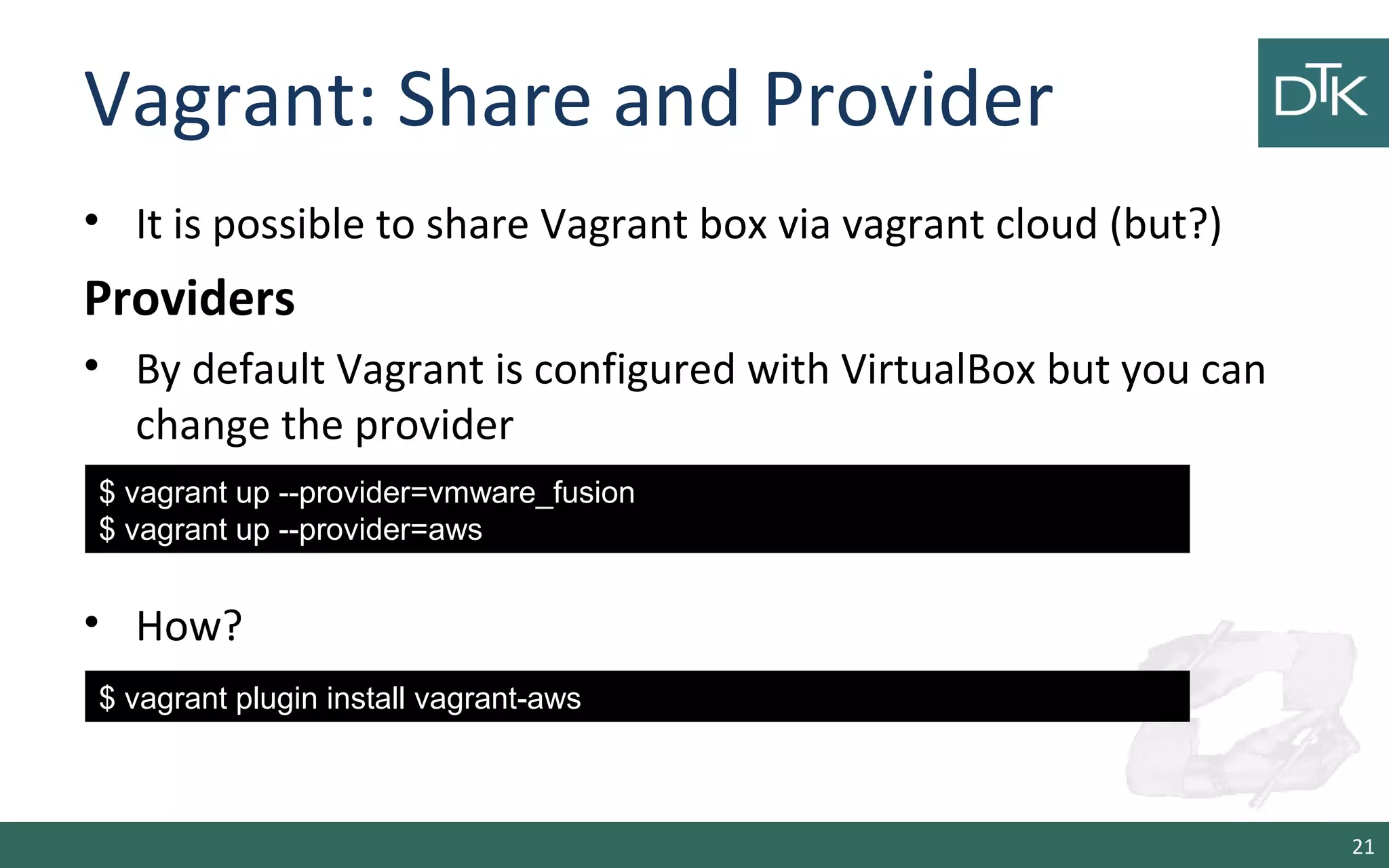
Vagrant: Share and Provider 
• It is possible to share Vagrant box via vagrant cloud (but?) 
Providers 
• By default Vagrant is configured with VirtualBox but you can 
change the provider 
• How? 
21 
$ vagrant up --provider=vmware_fusion 
$ vagrant up --provider=aws 
$ vagrant plugin install vagrant-aws
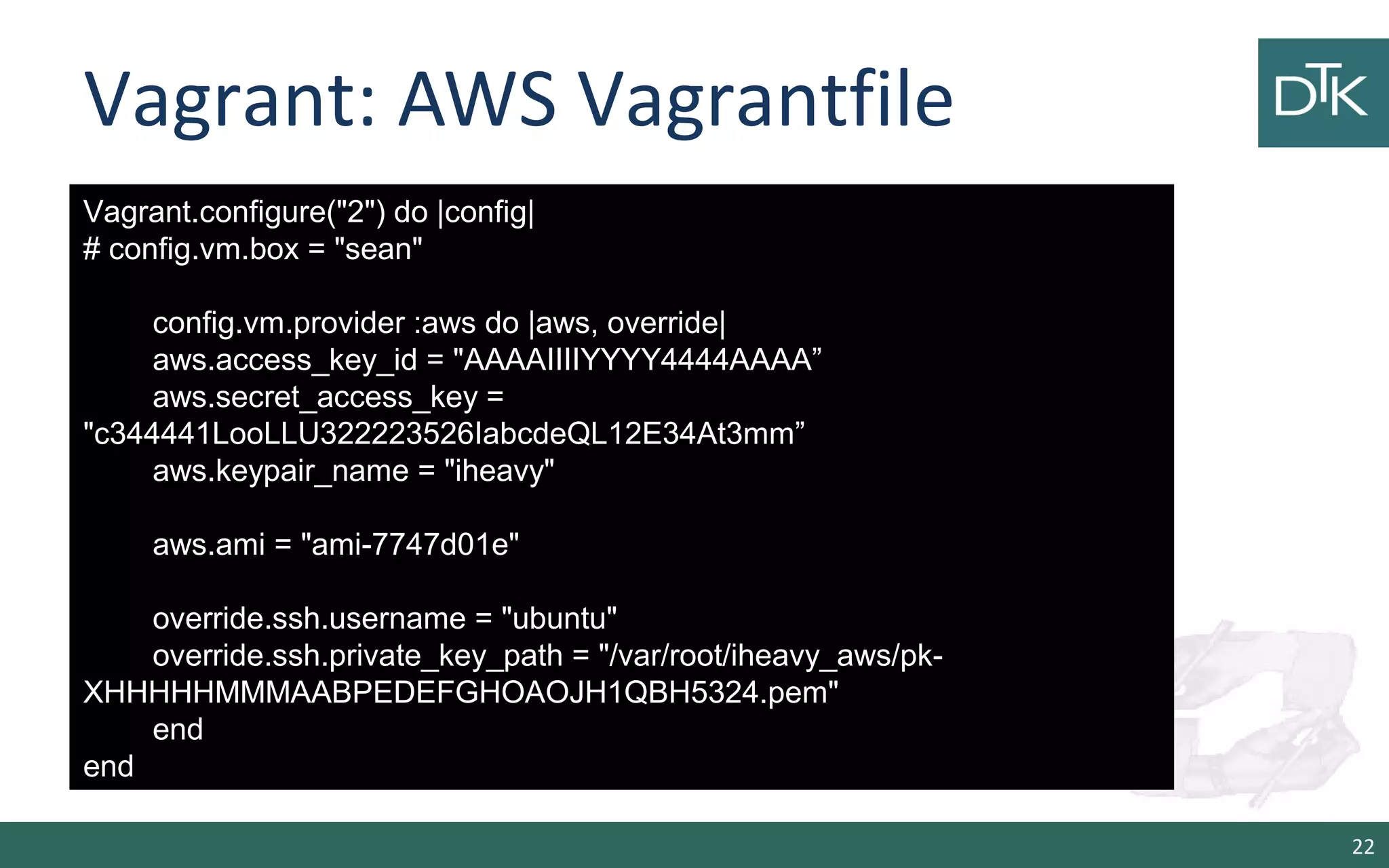
Vagrant: AWS Vagrantfile 
22 
Vagrant.configure("2") do |config| 
# config.vm.box = "sean" 
config.vm.provider :aws do |aws, override| 
aws.access_key_id = "AAAAIIIIYYYY4444AAAA” 
aws.secret_access_key = 
"c344441LooLLU322223526IabcdeQL12E34At3mm” 
aws.keypair_name = "iheavy" 
aws.ami = "ami-7747d01e" 
override.ssh.username = "ubuntu" 
override.ssh.private_key_path = "/var/root/iheavy_aws/pk- 
XHHHHHMMMAABPEDEFGHOAOJH1QBH5324.pem" 
end 
end
3. Docker 
23
Quick Survey 
• How many people have heard of Docker before this 
Seminar? 
• How many people have tried Docker ? 
• How many people are using Docker in production ? 
24
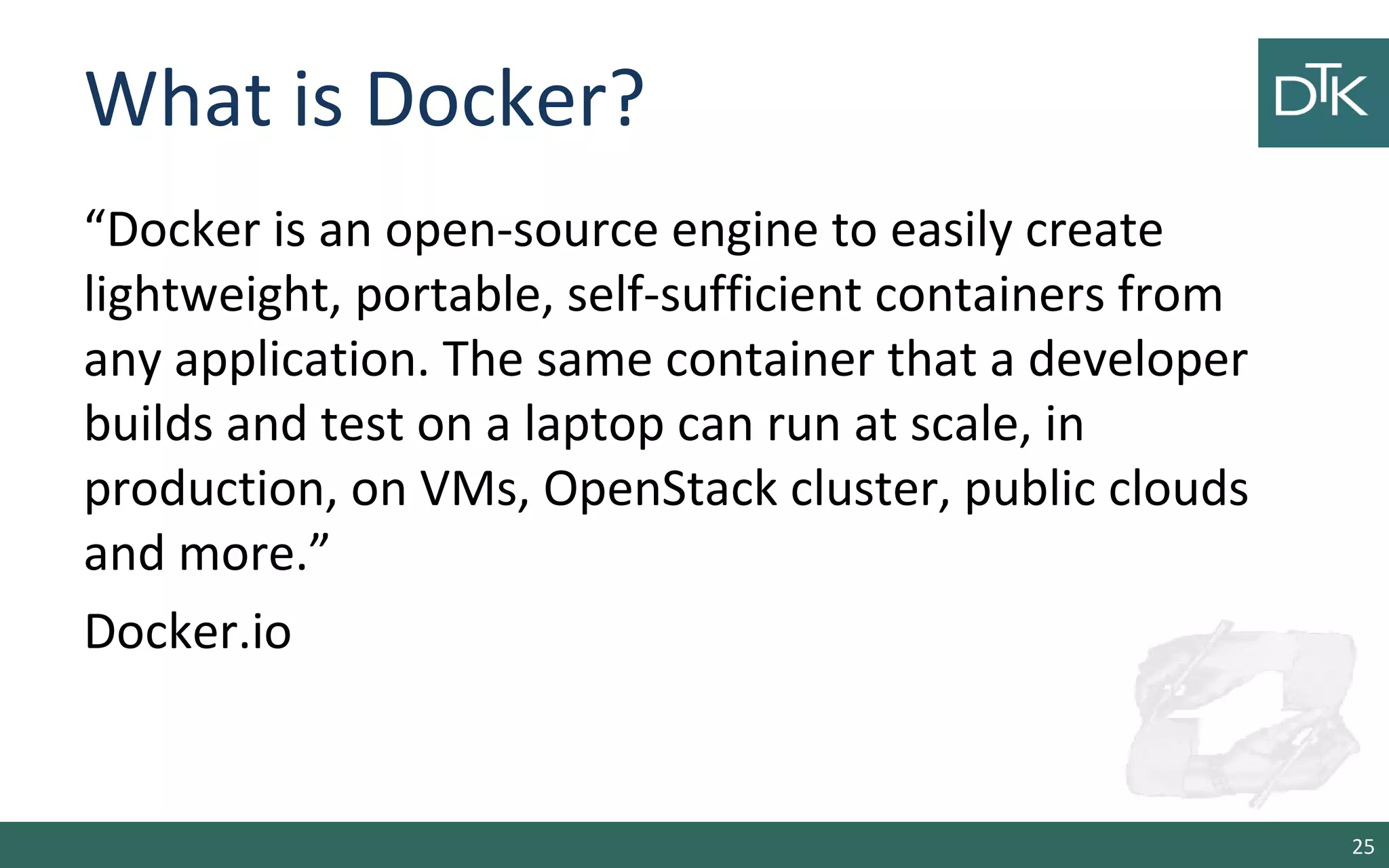
What is Docker? 
“Docker is an open-source engine to easily create 
lightweight, portable, self-sufficient containers from 
any application. The same container that a developer 
builds and test on a laptop can run at scale, in 
production, on VMs, OpenStack cluster, public clouds 
and more.” 
Docker.io 
25
Docker in simple words 
• It is a technology that allow you running applications 
inside containers (not VM) 
• This assures that libraries and package needed by the 
application you run are always the same. 
• This means you can make a container for Memcache 
and another for Redis and they will work the same in 
any OS (also in Vagrant). 
26
How does docker work? 
• LinuX Containers (LXC) 
• Control Groups & Namespaces (CGroups) 
• AUFS 
• Client – Server with an HTTP API 
27
LXC- Linux Containers 
• It is a user-space interface for the Linux kernel containment 
features 
• Through a powerful API and simple tools, it lets Linux users easily 
create and manage system or application containers. 
• Currently LXC can apply the following kernel features to contain 
processes: 
– Kernel namespaces (ipc, uts, mount, pid, network and user) 
– Apparmor and SELinux profiles 
– Seccomp policies 
– Chroots (using pivot_root) 
– Kernel capabilities & Control groups (cgroups) 
28
cgroups 
• Control groups is a Linux kernel feature to limit, account and 
isolate resource usage (CPU, memory, disk I/O, etc) of process 
groups. 
• Features: 
– Resource limitation: limit CPU, memory… 
– Prioritization: assign more CPU etc to some groups. 
– Accounting: to measure the resource usage. 
– Control: freezing groups or check-pointing and restarting. 
29
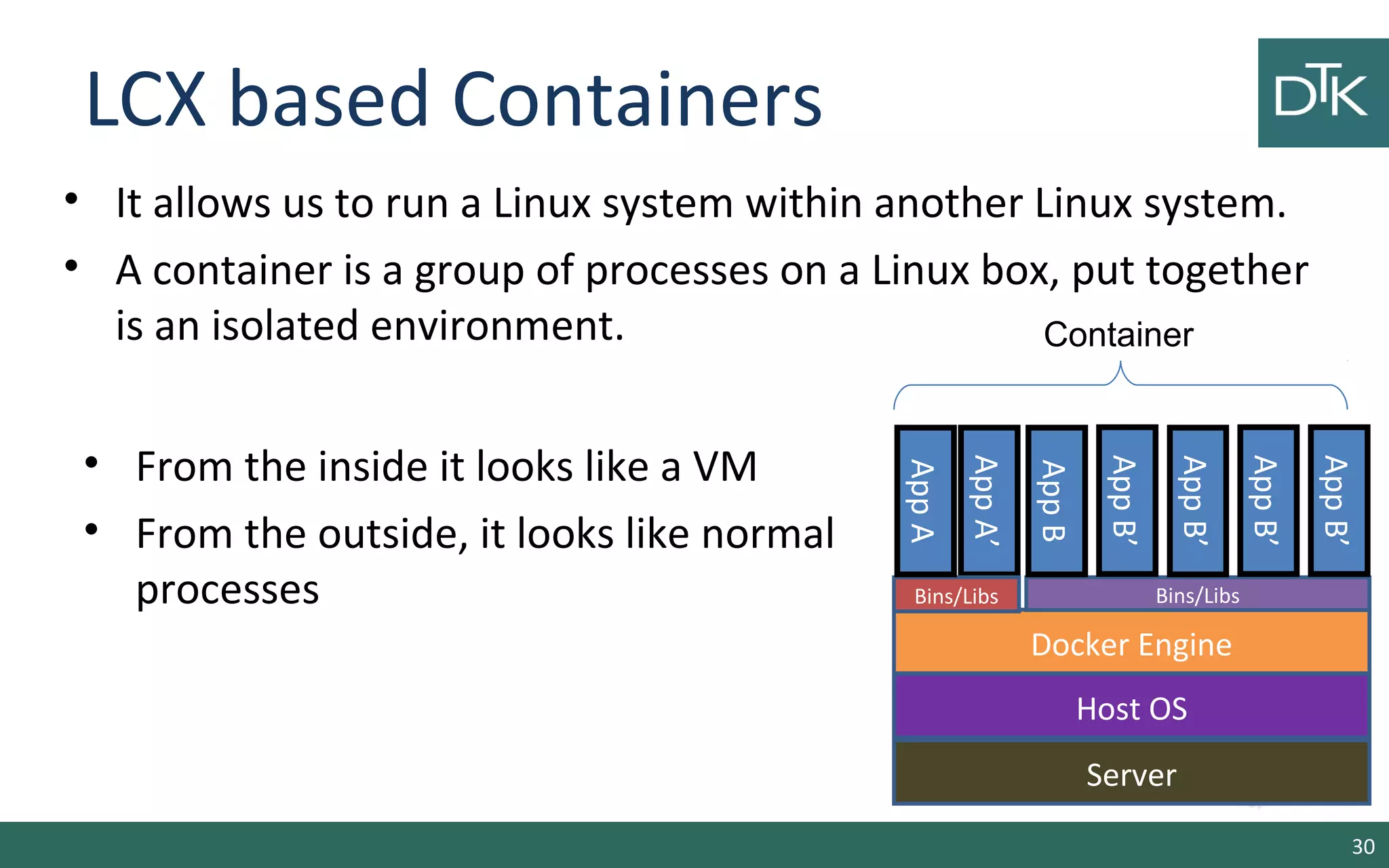
LCX based Containers 
• It allows us to run a Linux system within another Linux system. 
• A container is a group of processes on a Linux box, put together 
is an isolated environment. 
30 
App A’ 
Docker Engine 
Host OS 
Server 
App A 
Bins/Libs 
Bins/Libs 
App B 
App B’ 
App B’ 
App B’ 
App B’ 
Container 
• From the inside it looks like a VM 
• From the outside, it looks like normal 
processes
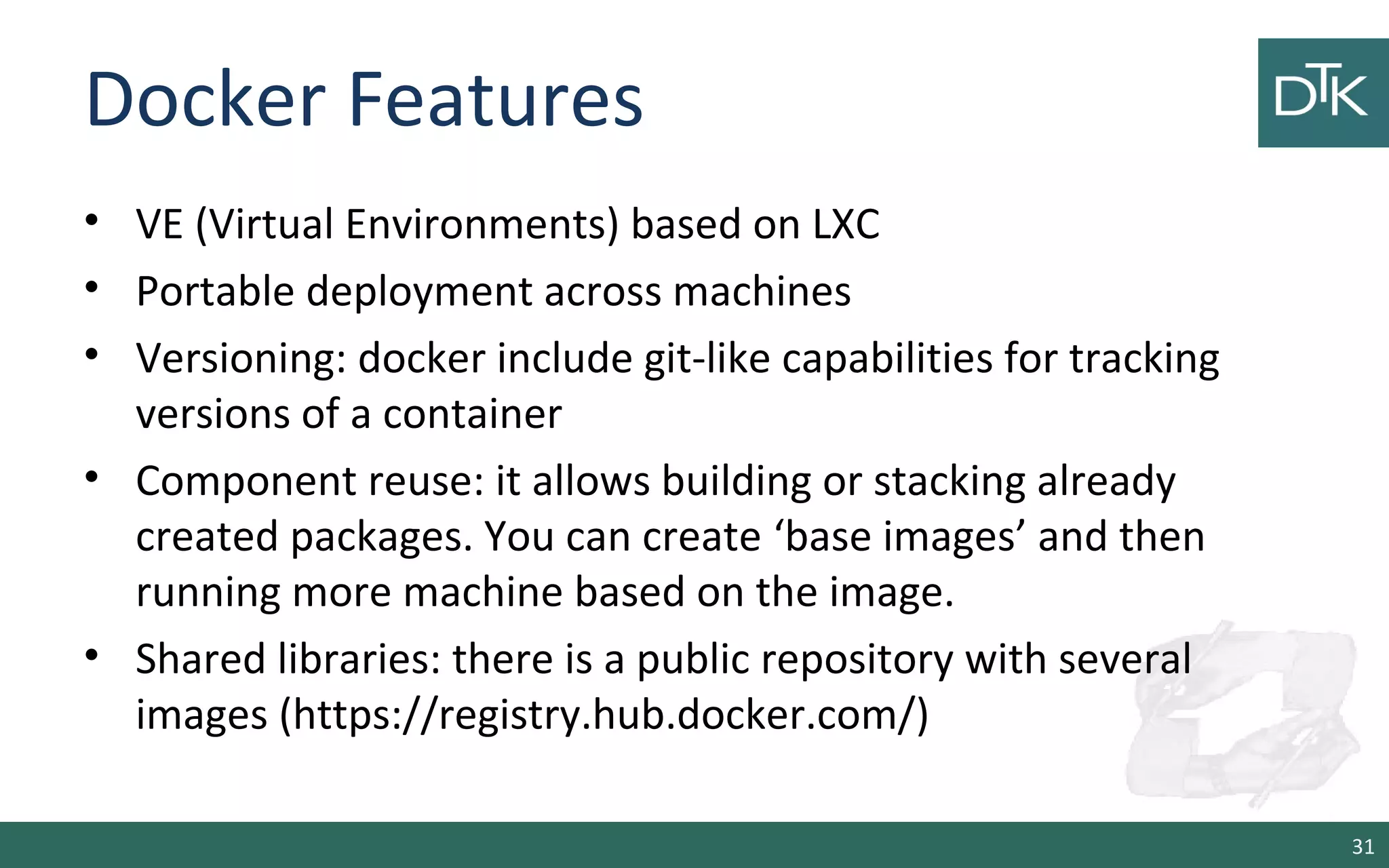
Docker Features 
• VE (Virtual Environments) based on LXC 
• Portable deployment across machines 
• Versioning: docker include git-like capabilities for tracking 
versions of a container 
• Component reuse: it allows building or stacking already 
created packages. You can create ‘base images’ and then 
running more machine based on the image. 
• Shared libraries: there is a public repository with several 
images (https://registry.hub.docker.com/) 
31
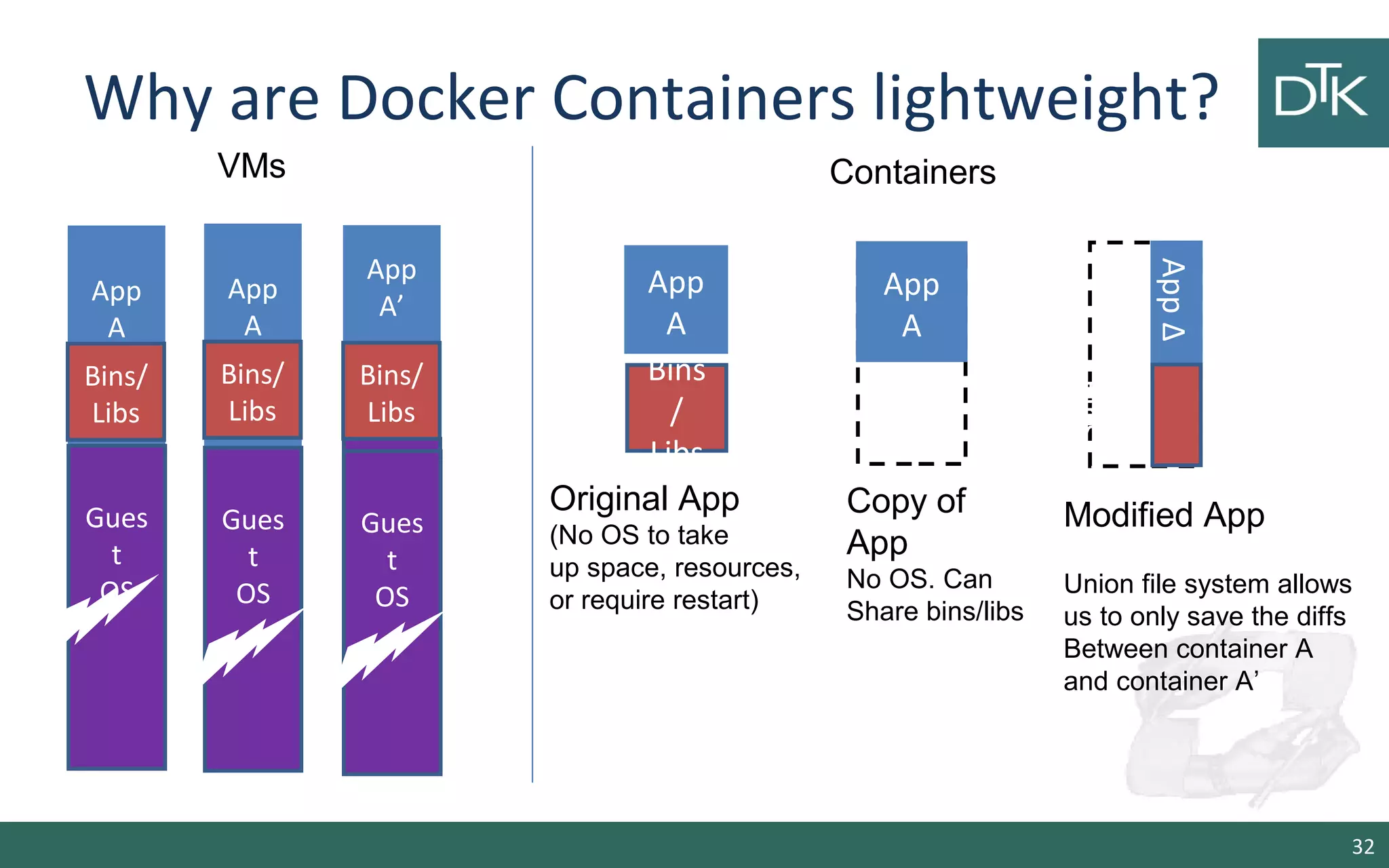
Why are Docker Containers lightweight? 
32 
App 
A 
Bins 
/ 
Libs 
Original App 
(No OS to take 
up space, resources, 
or require restart) 
App Δ 
Bins/ 
App 
A 
Bins/ 
Libs 
App 
A’ 
Bins/ 
Libs 
Gues 
t 
OS 
Modified App 
Union file system allows 
us to only save the diffs 
Between container A 
and container A’ 
VMs 
App 
A 
Bins/ 
Libs 
Gues 
t 
OS 
App 
A 
Copy of 
App 
No OS. Can 
Share bins/libs 
Gues 
t 
OS 
Gues 
t 
OS 
Containers
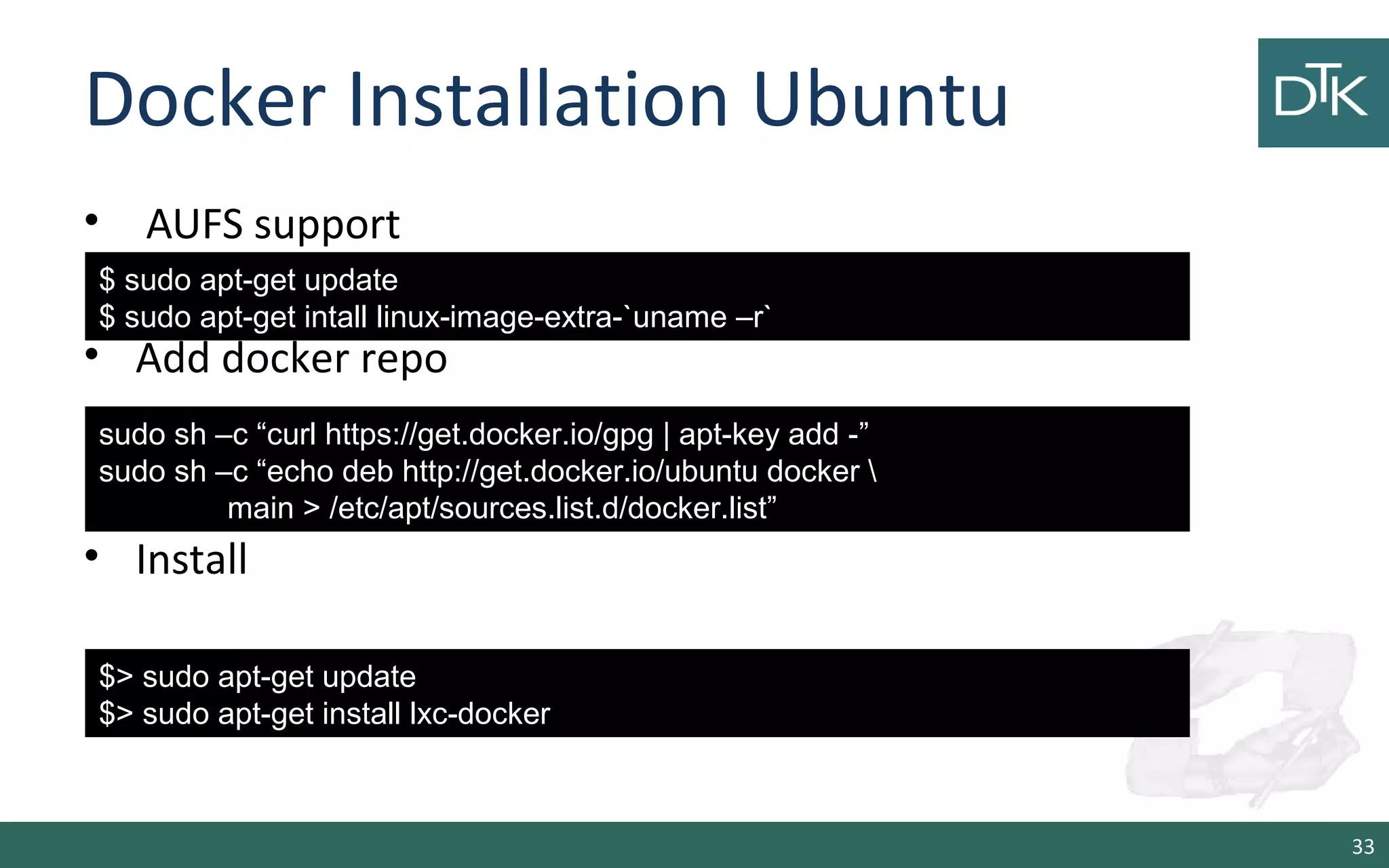
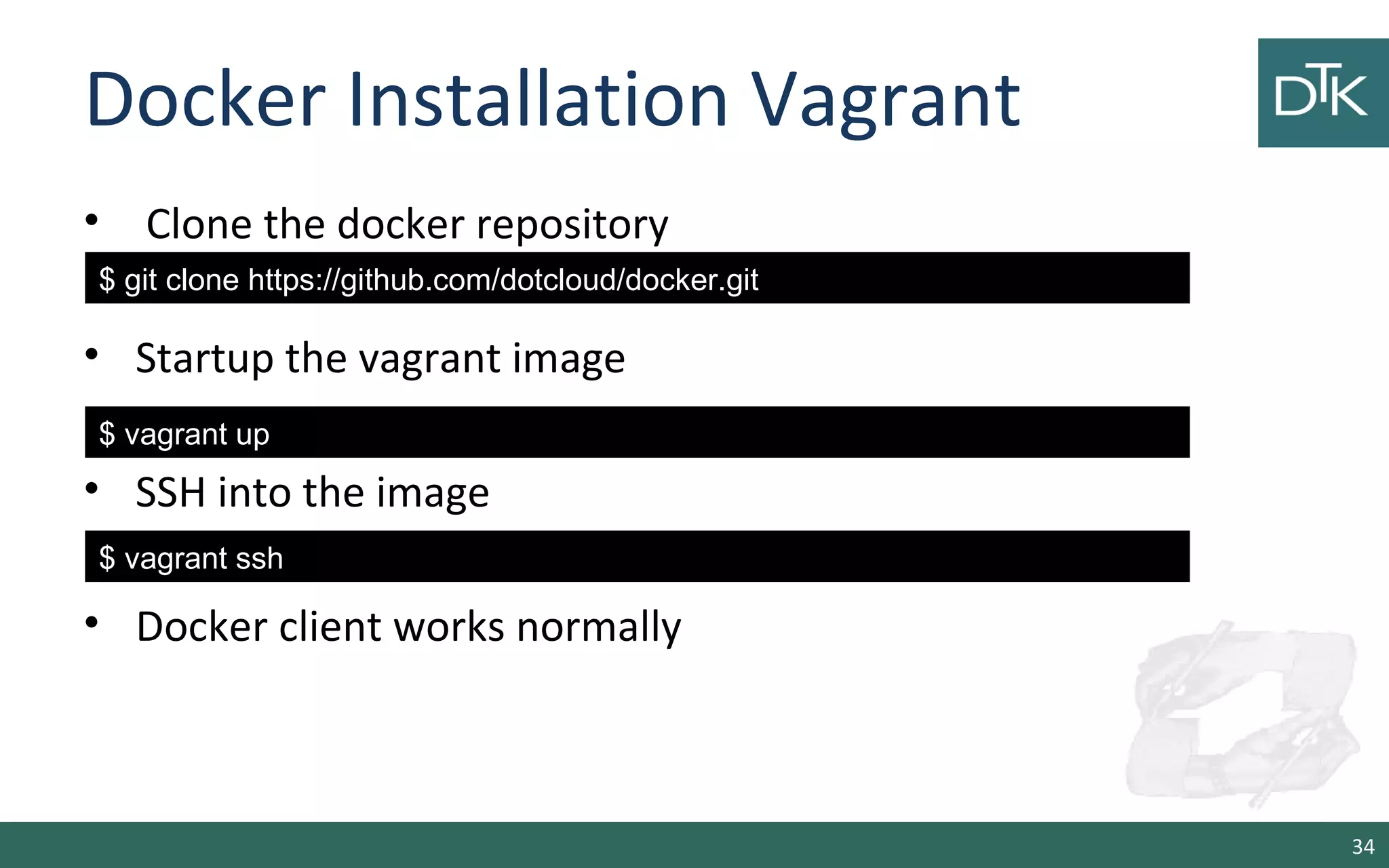
Docker Installation Ubuntu 
• AUFS support 
• Add docker repo 
• Install 
33 
$ sudo apt-get update 
$ sudo apt-get intall linux-image-extra-`uname –r` 
sudo sh –c “curl https://get.docker.io/gpg | apt-key add -” 
sudo sh –c “echo deb http://get.docker.io/ubuntu docker  
main > /etc/apt/sources.list.d/docker.list” 
$> sudo apt-get update 
$> sudo apt-get install lxc-docker
Docker Installation Vagrant 
• Clone the docker repository 
• Startup the vagrant image 
• SSH into the image 
• Docker client works normally 
34 
$ git clone https://github.com/dotcloud/docker.git 
$ vagrant up 
$ vagrant ssh
Base Commands 
35
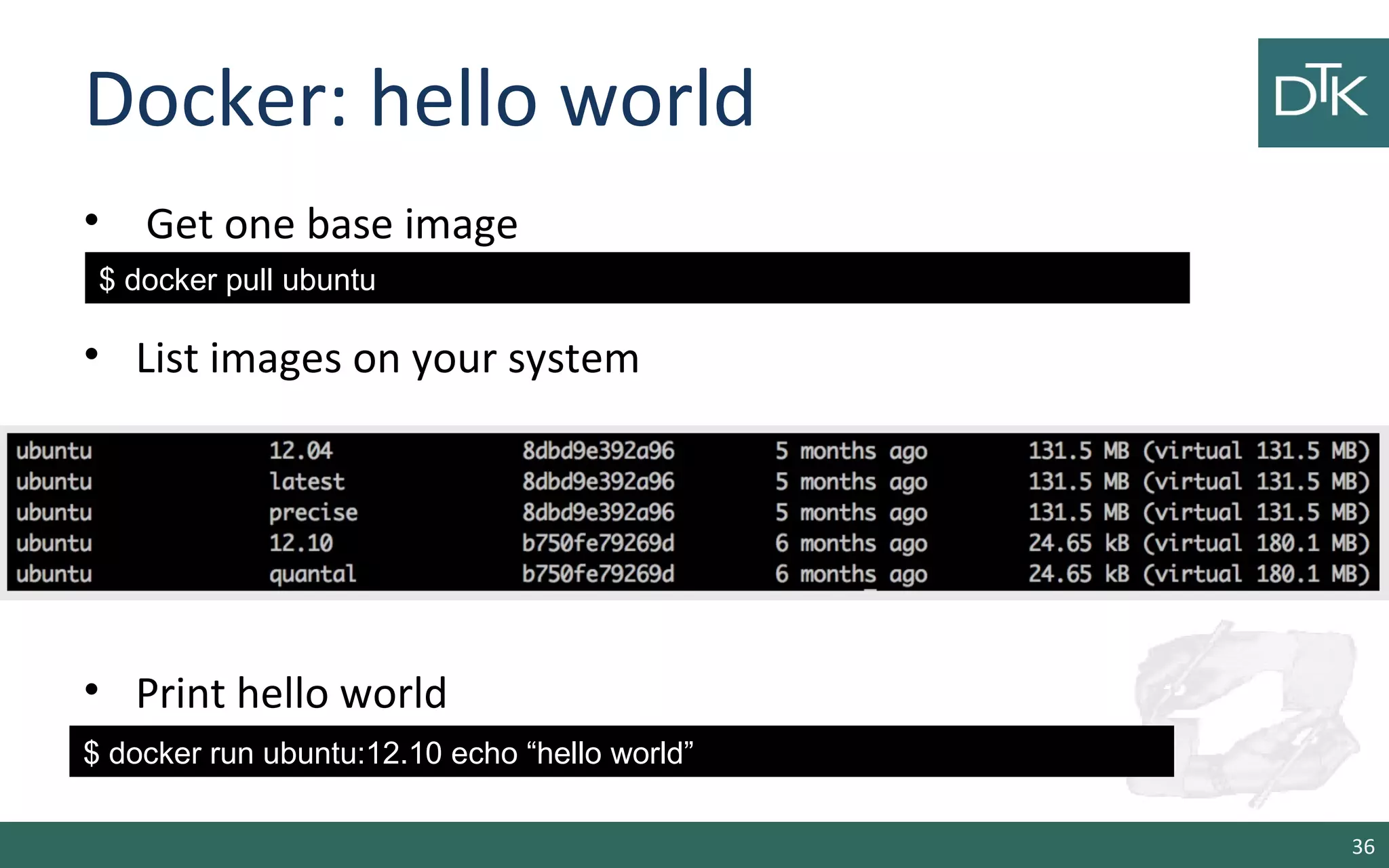
Docker: hello world 
• Get one base image 
• List images on your system 
• Print hello world 
36 
$ docker pull ubuntu 
$ docker run ubuntu:12.10 echo “hello world”
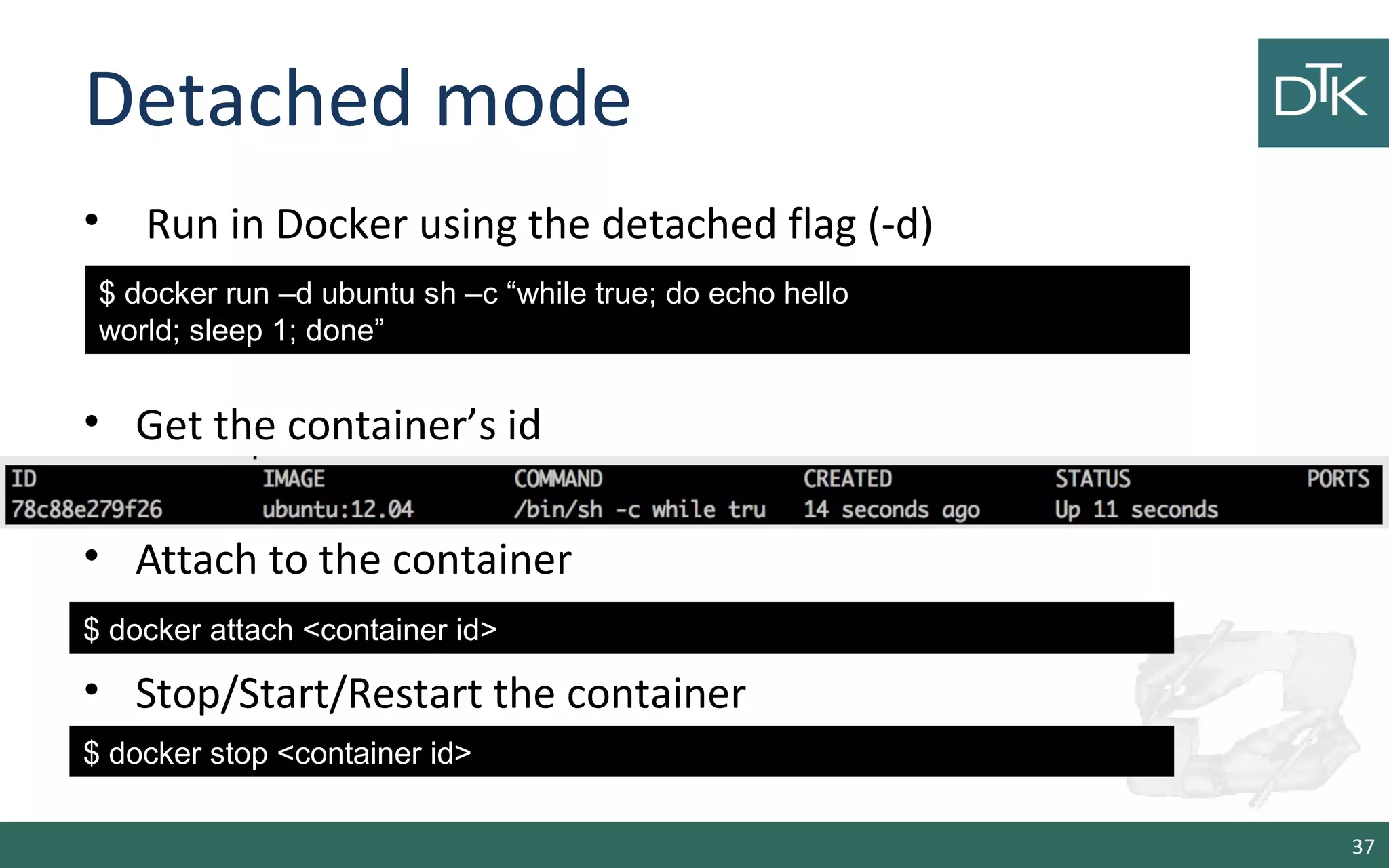
Detached mode 
• Run in Docker using the detached flag (-d) 
• Get the container’s id 
• Attach to the container 
• Stop/Start/Restart the container 
37 
$ docker run –d ubuntu sh –c “while true; do echo hello 
world; sleep 1; done” 
$ docker attach <container id> 
$ docker stop <container id>
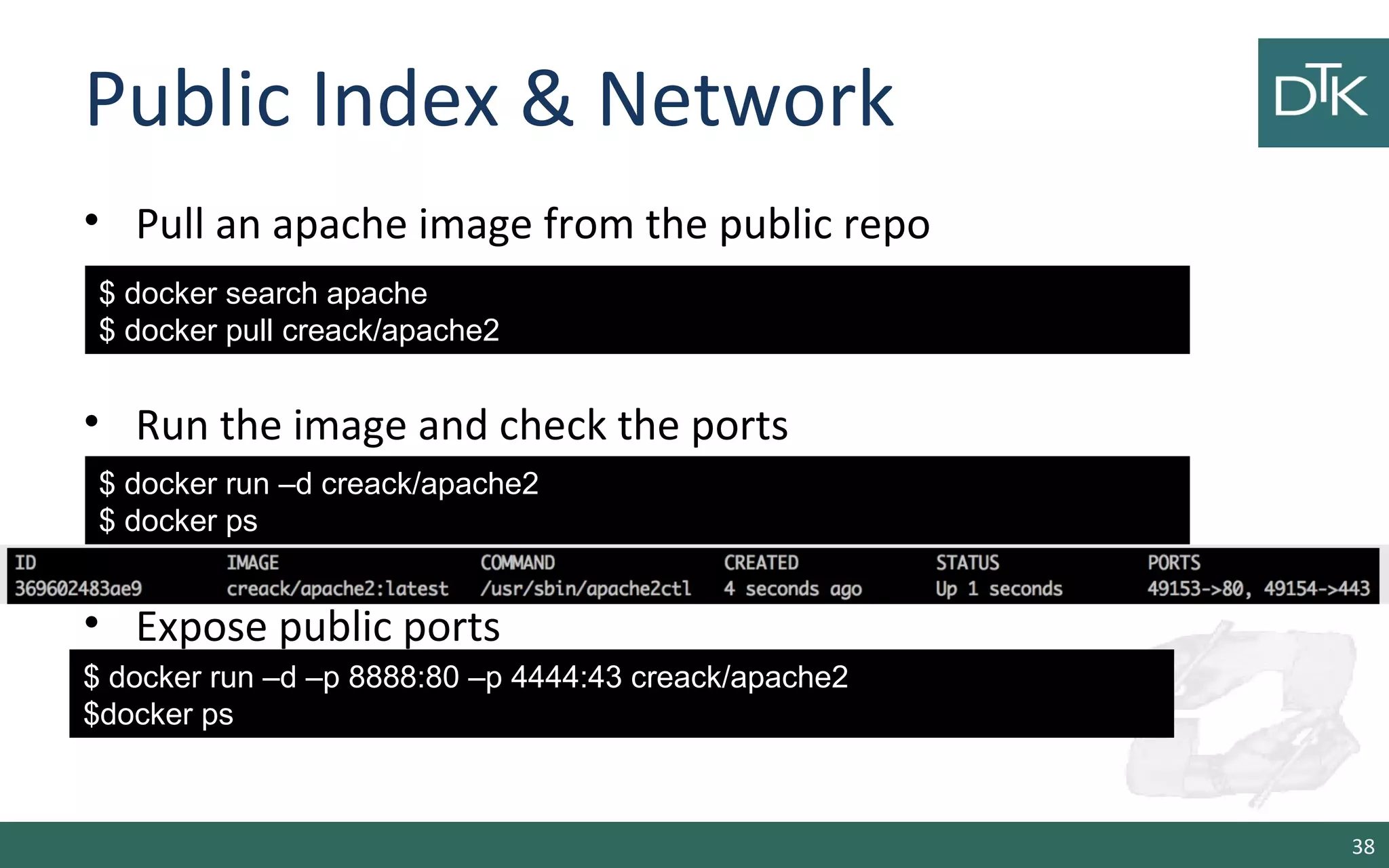
Public Index & Network 
• Pull an apache image from the public repo 
• Run the image and check the ports 
$ docker run –d creack/apache2 
$ docker ps 
• Expose public ports 
38 
$ docker search apache 
$ docker pull creack/apache2 
$ docker run –d –p 8888:80 –p 4444:43 creack/apache2 
$docker ps
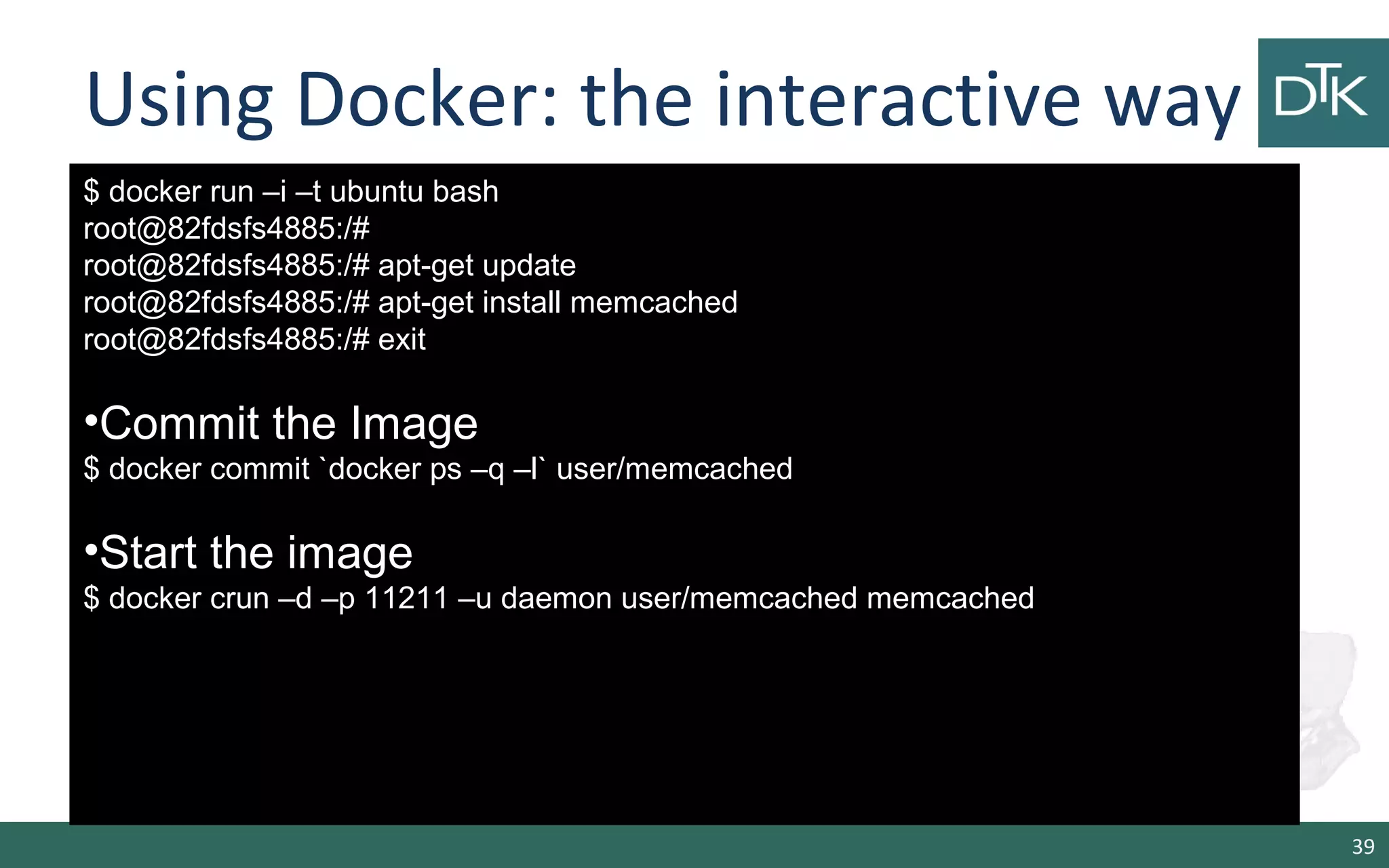
Using Docker: the interactive way 
39 
$ docker run –i –t ubuntu bash 
root@82fdsfs4885:/# 
root@82fdsfs4885:/# apt-get update 
root@82fdsfs4885:/# apt-get install memcached 
root@82fdsfs4885:/# exit 
•Commit the Image 
$ docker commit `docker ps –q –l` user/memcached 
•Start the image 
$ docker crun –d –p 11211 –u daemon user/memcached memcached
Docker: app using scripts 
• Write a Dockerfile 
• Build and Start the image 
40 
# Memcached 
FROM ubuntu 
MAINTAINER Fabio Fumarola 
RUN apt-get update 
RUN apt-get install –y memcached 
ENTRYPOINT [“memcached”] 
USER daemon 
EXPOSE 11211 
$ docker build –t=fabio/memcached 
$ docker run –d fabio/memcached memcached
Other Commands 
• Docker cp: copy a file from container to host 
• Docker diff: print container changes 
• Docker top: display running processes in a container 
• Docker rm /rmi: delete container/image 
• Docker wait: wait until container stop and print exit code 
More on: http://docs.docker.io/en/latest/commandline/cli 
41
Docker vs Vagrant? 
• Less memory for Dockers w.r.t VMs 
• With a VM you get more isolation, but is much heavier. 
Indeed you can run 1000 of Dockers in a machine but not 
thousand of VMs with Xen. 
• A VM requires minutes to start a Docker seconds 
There are pros and cons for each type. 
• If you want full isolation with guaranteed resources a full VM 
is the way to go. 
• If you want hundred of isolate processes into a reasonably 
sized host then Docker might be the best solution 
42
Core OS 
43
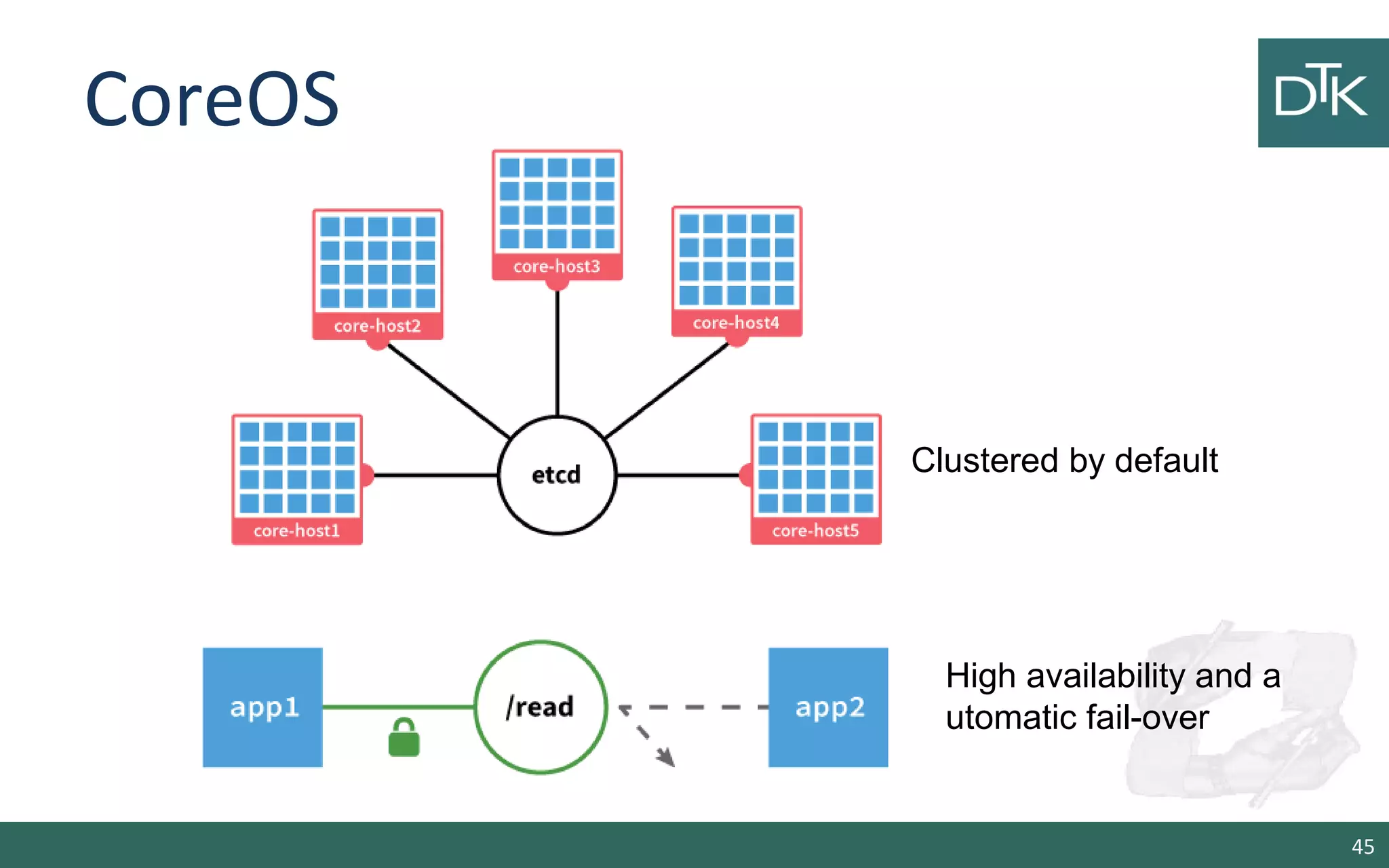
CoreOS 
• A minimal operating system 
• Painless updating: utilizes active/passive scheme to update 
the OS as single unit instead of package by package. 
• Docker container 
• Clustered by default 
• Distributed System tools: etcd key-value store 
• Service discovery: easily locate where service are running in 
the cluster 
• High availability and automatic fail-over 
44
CoreOS 
45 
Clustered by default 
High availability and a 
utomatic fail-over
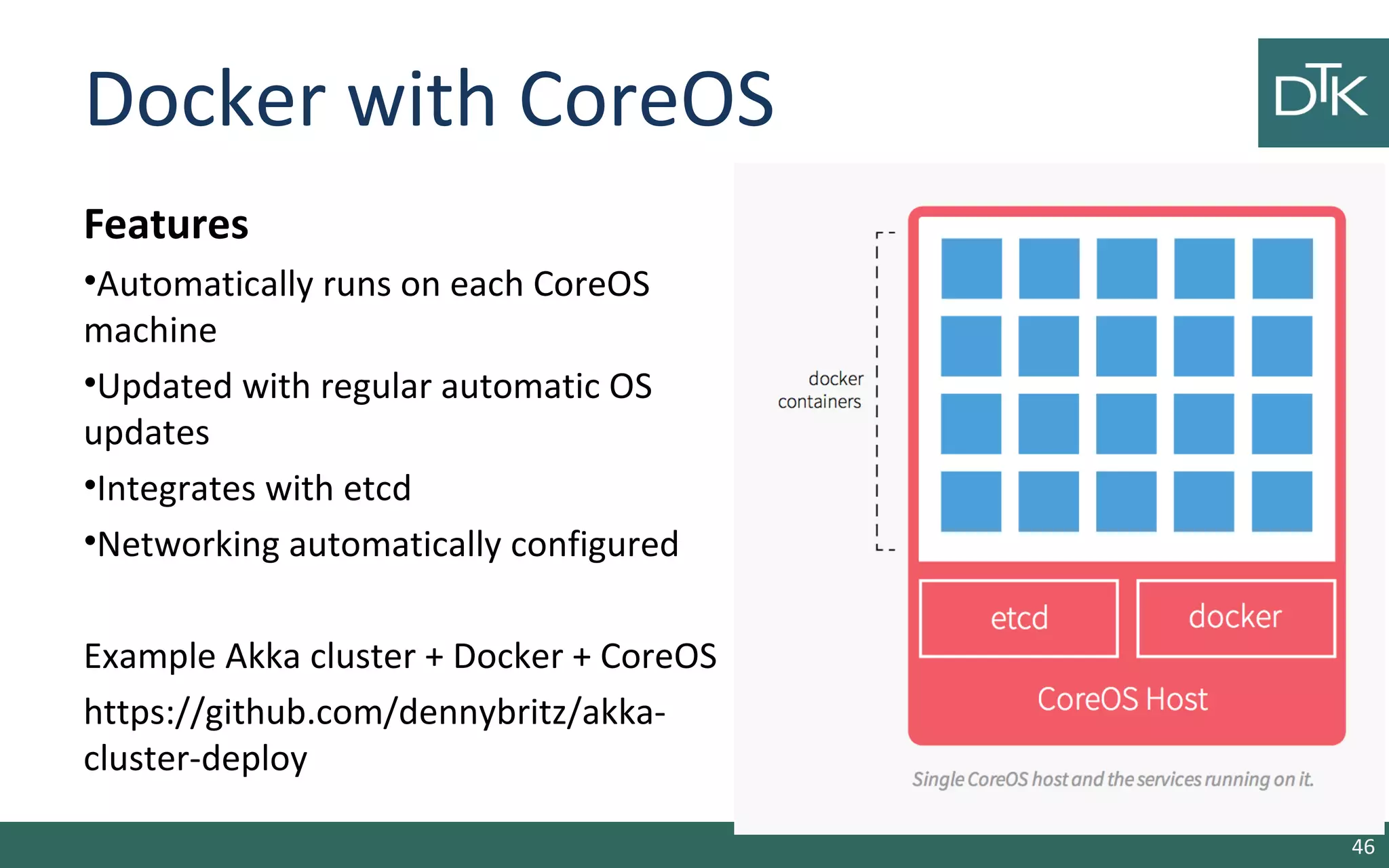
Docker with CoreOS 
Features 
•Automatically runs on each CoreOS 
machine 
•Updated with regular automatic OS 
updates 
•Integrates with etcd 
•Networking automatically configured 
Example Akka cluster + Docker + CoreOS 
https://github.com/dennybritz/akka-cluster- 
deploy 
46
References 
• http://www.iheavy.com/2014/01/16/how-to-deploy-on-amazon-ec2- 
with-vagrant/ 
• https://docs.vagrantup.com/v2/ 
• Vagrant: Up and Running Paperback – June 15, 2013 
• https://github.com/patrickdlee/vagrant-examples 
• https://linuxcontainers.org/ LXC 
• https://www.kernel.org/doc/Documentation/cgroups/ 
• http://lamejournal.com/2014/09/19/vagrant-vs-docker-osx-tales-front/ 
• https://medium.com/@_marcos_otero/docker-vs-vagrant-582135beb623 
• https://coreos.com/using-coreos/docker/ 
47

Linux containers and docker

  • 1.
    Linux Containers and Dockers Quando, vantaggi e svantaggi Ciao ciao Vai a fare Dr. Fabio Fumarola ciao ciao
  • 2.
    Contents • TheEvolution of IT • The Solutions: Virtual Machines vs Vagrant vs Docker • Differences • Examples – Vagrant – Docker • P.S. CoreOS 2
  • 3.
    From 1995 to2015 3 Client-Server App Well-defined stack: - O/S - Runtime - Middleware Monolithic Physical Infrastructure Thin app on mobile, tablet Assembled by developers using best available services Running on any available set of physical resources (public/private/ virtualized)
  • 4.
    Static website UserDB Redis + redis-sentinel Web frontend Queue Analytics DB Background workers API endpoint nginx 1.5 + modsecurity + openssl + bootstrap 2 postgresql + pgv8 + v8 hadoop + hive + thrift + OpenJDK Ruby + Rails + sass + Unicorn Python 3.0 + celery + pyredis + libcurl + ffmpeg + libopencv + nodejs + phantomjs Python 2.7 + Flask + pyredis + celery + psycopg + postgresql-client Development VM QA server Public Cloud Disaster recovery Contributor’s laptop Production Servers 2015 in Detail Production Cluster Customer Data Center 4
  • 5.
    Challenges • Howto ensure that services interact consistently? • How to avoid to setup N different configurations and dependencies for each service? • How to migrate and scale quickly ensuring compatibility? • How to replicate my VM and services quickly? 5
  • 6.
    How to dealwith different confs? 6 Static website Web frontend Background workers User DB Analytics DB Queue ? ? ? ? ? ? ? ? ? ? ? ? ? ? ? ? ? ? ? ? ? ? ? ? ? ? ? ? ? ? ? ? ? ? ? ? ? ? ? ? ? ? Development VM QA Server Single Prod Server Onsite Cluster Public Cloud Contributor’s laptop Customer Servers 6
  • 7.
  • 8.
    Virtual Machines •Run on top of an Hypervisor Pros – fully virtualized OS – Totally isolated Cons – Needs to take a snapshot of the entire VM to replicate – Uses a lot of space – Slow to move around 8 App A Bins/ Libs Hypervisor Host OS Server Bins/ Libs Guest OS App A’ Guest OS App B Bins/ Libs Guest OS Guest OS Guest OS VM
  • 9.
    Hypervisors Trend 2011 – XEN: Default choice given Rackspace and Amazon use – KVM: Bleeding edge users 2012 – KVM: Emerges as the lead – XEN: Loses momentum 9
  • 10.
    Hipervisors Trend 2013 – KVM: Maintains lead (around 90%+ for Mirantis) – Vmware: Emerges as a surprising second choice – Containers (LXC, Parallels, Docker): Web Hosting and SAS focused – Xen and HyperV: Infrequent requests (XenServer.org) 2014 – 2015 – ??? 10
  • 11.
  • 12.
    Vagrant • Opensource VM manager released in 2010 • It allows you to script and package VMs config and the provisioning setup via a VagrantFile • It is designed to run on top of almost any VM tool: VirtualBox, VMVare, AWS, OpenStack1 • It can be used together with provisioning tools such as shell scripts, Chef and Puppet. 12 1. https://github.com/cloudbau/vagrant-openstack-plugin
  • 13.
    Vagrant: idea Usea VagrantFile to install 1.an operating system 2.Required libraries and software and finally run programs and processes of your final application 13
  • 14.
    Vagrant: Feature •Command-Line Interface • Vagrant Share • VagrantFile • Boxes • Provisioning • Networking • Synced Folders • Multi-Machine • Providers • Plugins 14 https://www.vagrantup.com/downloads
  • 15.
    Vagrant: Demo •It allows us to interact with Vagrant • It offers the following commands: box, connect, destroy, halt, init, login, package a vm, rdp, … https://docs.vagrantup.com/v2/cli/index.html 15
  • 16.
    Vagrant Example 1.Download and install VirtualBox and Vagrant 1. This will place a VagrantFile in the directory 2. Install a Box 3. Using a Box -> https://vagrantcloud.com/ 16 $ mkdir vagrant_first_vm && cd vagrant_first_vm $ vagrant init $ vagrant box add ubuntu/trusty64 Vagrant.configure("2") do |config| config.vm.box = "ubuntu/trusty64" end
  • 17.
    Vagran: Start 1.Start the box 2. Login into the vm 3. You can destroy the vm by 17 $ vagrant up $ vagrant ssh $ vagrant destroy
  • 18.
    Vagrant: Synced Folders • By default, it shares your project directory to the /vagrant directory on the guest machine. • If you create a file on your gues os the file will be on the vagrant vm. 18 $ vagrant up $ vagrant ssh $ ls /vagrant --Vagrantfile $ touch pippo.txt $vagrant ssh $ls /vagrant/
  • 19.
    Vagrant: Provisioning •Let’s install Apache via a boostrap.sh file • If you create a file on your gues os the file will be on the vagrant vm. (vagrant reload --provision) 19 #!/usr/bin/env bash apt-get update apt-get install -y apache2 rm -rf /var/www ln -fs /vagrant /var/www Vagrant.configure("2") do |config| config.vm.box = "hashicorp/precise32" config.vm.provision :shell, path: "bootstrap.sh" end
  • 20.
    Vagrant: Networking •Port Forwarding: llows you to specify ports on the guest machine to share via a port on the host machine • By running vagrant reload or vagrant up we can see on http://127.0.0.1:4567 our apache • It supports also bridge configurations and other configurations (https://docs.vagrantup.com/v2/networking/) 20 Vagrant.configure("2") do |config| config.vm.box = "hashicorp/precise32" config.vm.provision :shell, path: "bootstrap.sh" config.vm.network :forwarded_port, host: 4567, guest: 80 end
  • 21.
    Vagrant: Share andProvider • It is possible to share Vagrant box via vagrant cloud (but?) Providers • By default Vagrant is configured with VirtualBox but you can change the provider • How? 21 $ vagrant up --provider=vmware_fusion $ vagrant up --provider=aws $ vagrant plugin install vagrant-aws
  • 22.
    Vagrant: AWS Vagrantfile 22 Vagrant.configure("2") do |config| # config.vm.box = "sean" config.vm.provider :aws do |aws, override| aws.access_key_id = "AAAAIIIIYYYY4444AAAA” aws.secret_access_key = "c344441LooLLU322223526IabcdeQL12E34At3mm” aws.keypair_name = "iheavy" aws.ami = "ami-7747d01e" override.ssh.username = "ubuntu" override.ssh.private_key_path = "/var/root/iheavy_aws/pk- XHHHHHMMMAABPEDEFGHOAOJH1QBH5324.pem" end end
  • 23.
  • 24.
    Quick Survey •How many people have heard of Docker before this Seminar? • How many people have tried Docker ? • How many people are using Docker in production ? 24
  • 25.
    What is Docker? “Docker is an open-source engine to easily create lightweight, portable, self-sufficient containers from any application. The same container that a developer builds and test on a laptop can run at scale, in production, on VMs, OpenStack cluster, public clouds and more.” Docker.io 25
  • 26.
    Docker in simplewords • It is a technology that allow you running applications inside containers (not VM) • This assures that libraries and package needed by the application you run are always the same. • This means you can make a container for Memcache and another for Redis and they will work the same in any OS (also in Vagrant). 26
  • 27.
    How does dockerwork? • LinuX Containers (LXC) • Control Groups & Namespaces (CGroups) • AUFS • Client – Server with an HTTP API 27
  • 28.
    LXC- Linux Containers • It is a user-space interface for the Linux kernel containment features • Through a powerful API and simple tools, it lets Linux users easily create and manage system or application containers. • Currently LXC can apply the following kernel features to contain processes: – Kernel namespaces (ipc, uts, mount, pid, network and user) – Apparmor and SELinux profiles – Seccomp policies – Chroots (using pivot_root) – Kernel capabilities & Control groups (cgroups) 28
  • 29.
    cgroups • Controlgroups is a Linux kernel feature to limit, account and isolate resource usage (CPU, memory, disk I/O, etc) of process groups. • Features: – Resource limitation: limit CPU, memory… – Prioritization: assign more CPU etc to some groups. – Accounting: to measure the resource usage. – Control: freezing groups or check-pointing and restarting. 29
  • 30.
    LCX based Containers • It allows us to run a Linux system within another Linux system. • A container is a group of processes on a Linux box, put together is an isolated environment. 30 App A’ Docker Engine Host OS Server App A Bins/Libs Bins/Libs App B App B’ App B’ App B’ App B’ Container • From the inside it looks like a VM • From the outside, it looks like normal processes
  • 31.
    Docker Features •VE (Virtual Environments) based on LXC • Portable deployment across machines • Versioning: docker include git-like capabilities for tracking versions of a container • Component reuse: it allows building or stacking already created packages. You can create ‘base images’ and then running more machine based on the image. • Shared libraries: there is a public repository with several images (https://registry.hub.docker.com/) 31
  • 32.
    Why are DockerContainers lightweight? 32 App A Bins / Libs Original App (No OS to take up space, resources, or require restart) App Δ Bins/ App A Bins/ Libs App A’ Bins/ Libs Gues t OS Modified App Union file system allows us to only save the diffs Between container A and container A’ VMs App A Bins/ Libs Gues t OS App A Copy of App No OS. Can Share bins/libs Gues t OS Gues t OS Containers
  • 33.
    Docker Installation Ubuntu • AUFS support • Add docker repo • Install 33 $ sudo apt-get update $ sudo apt-get intall linux-image-extra-`uname –r` sudo sh –c “curl https://get.docker.io/gpg | apt-key add -” sudo sh –c “echo deb http://get.docker.io/ubuntu docker main > /etc/apt/sources.list.d/docker.list” $> sudo apt-get update $> sudo apt-get install lxc-docker
  • 34.
    Docker Installation Vagrant • Clone the docker repository • Startup the vagrant image • SSH into the image • Docker client works normally 34 $ git clone https://github.com/dotcloud/docker.git $ vagrant up $ vagrant ssh
  • 35.
  • 36.
    Docker: hello world • Get one base image • List images on your system • Print hello world 36 $ docker pull ubuntu $ docker run ubuntu:12.10 echo “hello world”
  • 37.
    Detached mode •Run in Docker using the detached flag (-d) • Get the container’s id • Attach to the container • Stop/Start/Restart the container 37 $ docker run –d ubuntu sh –c “while true; do echo hello world; sleep 1; done” $ docker attach <container id> $ docker stop <container id>
  • 38.
    Public Index &Network • Pull an apache image from the public repo • Run the image and check the ports $ docker run –d creack/apache2 $ docker ps • Expose public ports 38 $ docker search apache $ docker pull creack/apache2 $ docker run –d –p 8888:80 –p 4444:43 creack/apache2 $docker ps
  • 39.
    Using Docker: theinteractive way 39 $ docker run –i –t ubuntu bash root@82fdsfs4885:/# root@82fdsfs4885:/# apt-get update root@82fdsfs4885:/# apt-get install memcached root@82fdsfs4885:/# exit •Commit the Image $ docker commit `docker ps –q –l` user/memcached •Start the image $ docker crun –d –p 11211 –u daemon user/memcached memcached
  • 40.
    Docker: app usingscripts • Write a Dockerfile • Build and Start the image 40 # Memcached FROM ubuntu MAINTAINER Fabio Fumarola RUN apt-get update RUN apt-get install –y memcached ENTRYPOINT [“memcached”] USER daemon EXPOSE 11211 $ docker build –t=fabio/memcached $ docker run –d fabio/memcached memcached
  • 41.
    Other Commands •Docker cp: copy a file from container to host • Docker diff: print container changes • Docker top: display running processes in a container • Docker rm /rmi: delete container/image • Docker wait: wait until container stop and print exit code More on: http://docs.docker.io/en/latest/commandline/cli 41
  • 42.
    Docker vs Vagrant? • Less memory for Dockers w.r.t VMs • With a VM you get more isolation, but is much heavier. Indeed you can run 1000 of Dockers in a machine but not thousand of VMs with Xen. • A VM requires minutes to start a Docker seconds There are pros and cons for each type. • If you want full isolation with guaranteed resources a full VM is the way to go. • If you want hundred of isolate processes into a reasonably sized host then Docker might be the best solution 42
  • 43.
  • 44.
    CoreOS • Aminimal operating system • Painless updating: utilizes active/passive scheme to update the OS as single unit instead of package by package. • Docker container • Clustered by default • Distributed System tools: etcd key-value store • Service discovery: easily locate where service are running in the cluster • High availability and automatic fail-over 44
  • 45.
    CoreOS 45 Clusteredby default High availability and a utomatic fail-over
  • 46.
    Docker with CoreOS Features •Automatically runs on each CoreOS machine •Updated with regular automatic OS updates •Integrates with etcd •Networking automatically configured Example Akka cluster + Docker + CoreOS https://github.com/dennybritz/akka-cluster- deploy 46
  • 47.
    References • http://www.iheavy.com/2014/01/16/how-to-deploy-on-amazon-ec2- with-vagrant/ • https://docs.vagrantup.com/v2/ • Vagrant: Up and Running Paperback – June 15, 2013 • https://github.com/patrickdlee/vagrant-examples • https://linuxcontainers.org/ LXC • https://www.kernel.org/doc/Documentation/cgroups/ • http://lamejournal.com/2014/09/19/vagrant-vs-docker-osx-tales-front/ • https://medium.com/@_marcos_otero/docker-vs-vagrant-582135beb623 • https://coreos.com/using-coreos/docker/ 47

Editor's Notes