Computers Tools for an information Age   Chapter 1 B.M.H
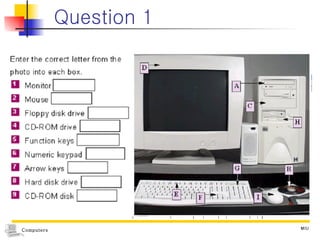
Question 1
Index What is a computer? The beginning of Computer
What is a computer? In a dictionary before 1940,  Compute + er computer : a person who performs calculations. The modern definition emerged in 1940s, when the first electronic computing devices were developed
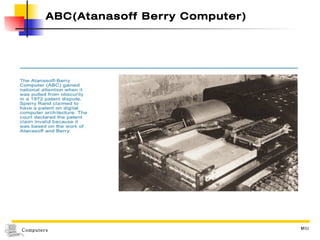
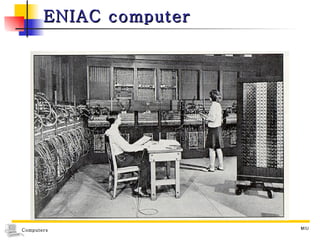
The beginning of Computer ABC (Atanasoff-Berry Computer) 1942, John Atanasoff and Clifford Berry - 1st Electronic digital computer MARK-1 1944, Howard Aiken ENIAC (Electronic Numerical Integrator and Calculator) 1946, John W. Mauchly and J.Presper Eckert, Jr. - 1 st  Large scale electronic digital computer EDSAC (Electronic Delay Storage Automatic Calculator) Maurice Wilkes UNIVAC-I (UNIVersal Automatic Computer) John W. Mauchly and J.Presper Eckert, Jr. EDVAC (Electronic Discrete Variable Automatic Computer)
ABC(Atanasoff Berry Computer)
ENIAC computer
EDVAC When : in 1952 Where : in the United States Who : a team of engineers on a secret military project Why : as a response to World War II military needs.  (to process complex calculation automatically) How :  2000 multiplication in one second  addition or subtraction 100,000 times in the same period Its memory : 1,024 numbers of 12 decimal places each
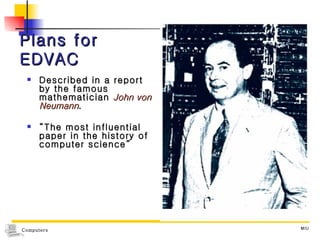
Plans for EDVAC Described in a report by the famous mathematician  John von Neumann . “ The most influential paper in the history of computer science”
What is a computer? Von Neumann’s report define the components of a computer and describe their functions used the term “automatic computing system” Today, just “computer”, or “computer system.
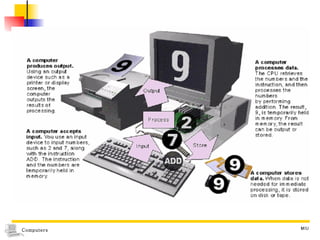
A computer is… Based on the concepts presented in von Neumann’s paper Computer : a device that  1) accepts input,  2) processes data,  3) stores data,  4) and produces output.    page 1-12,13
1) A computer accepts input Computer input : whatever is put into a computer system. Examples words and symbols in a document numbers for a calculation,  pictures, temperatures, audio signals Main input device : keyboard
2) A computer processes data Data :  symbols that represent facts and ideas. processing :  data manipulation  of  computer Process :  a systematic series of actions that a computer uses to manipulate data Some of the ways :  performing calculations,  sorting lists of words or numbers,  modifying documents and pictures  drawing graphs. A device :  central processing unit (CPU)
3) A computer stores data A computer stores data for processing Places for storing data  Memory : an area of a computer that holds data that is waiting to be processed Ex) RAM, ROM Storage : the area where data can be left on a permanent basis while it is not needed for processing ex) diskette, CD-ROM,HDD
4) A computer produces output Computer output :  the results produced by a computer ex) reports, documents, music, graphs, and pictures Output device :  the device  that  displays, prints, or transmits the results of processing. ex) monitor, printer
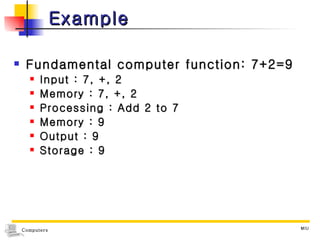
Example Fundamental computer function: 7+2=9 Input : 7, +, 2 Memory : 7, +, 2 Processing : Add 2 to 7 Memory : 9 Output : 9 Storage : 9
 
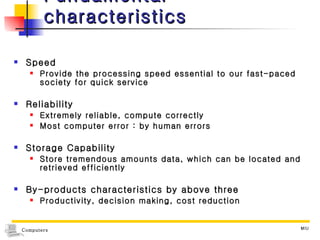
Fundamental characteristics Speed Provide the processing speed essential to our fast-paced society for quick service Reliability Extremely reliable, compute correctly Most computer error : by human errors Storage Capability Store tremendous amounts data, which can be located and retrieved efficiently By-products characteristics by above three Productivity, decision making, cost reduction
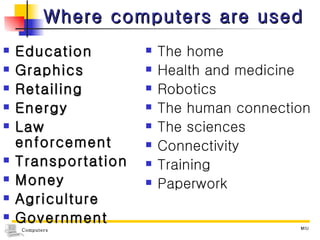
Where computers are used Education Graphics Retailing Energy Law enforcement Transportation Money Agriculture Government The home Health and medicine Robotics The human connection The sciences Connectivity Training Paperwork
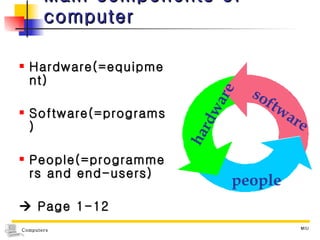
Main components of computer Hardware(=equipment) Software(=programs) People(=programmers and end-users)    Page 1-12 hardware software people
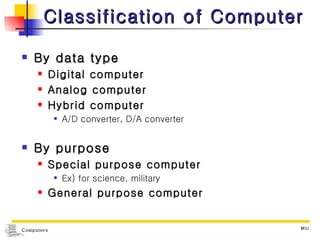
Classification of Computer By data type Digital computer Analog computer Hybrid computer A/D converter, D/A converter By purpose Special purpose computer Ex) for science, military General purpose computer
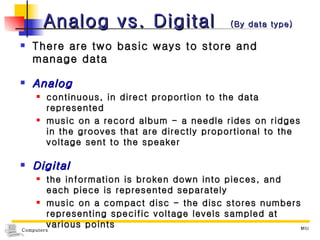
Analog vs. Digital  (By data type) There are two basic ways to store and manage data Analog continuous, in direct proportion to the data represented music on a record album - a needle rides on ridges in the grooves that are directly proportional to the voltage sent to the speaker Digital the information is broken down into pieces, and each piece is represented separately music on a compact disc - the disc stores numbers representing specific voltage levels sampled at various points
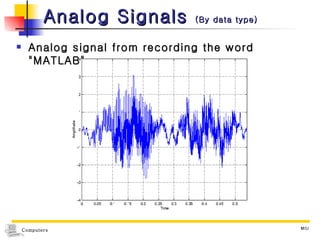
Analog Signals  (By data type) Analog signal from recording the word "MATLAB"
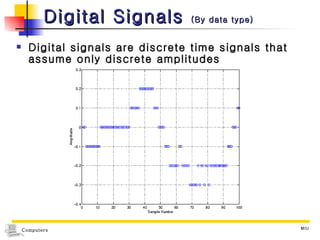
Digital Signals  (By data type) Digital signals are discrete time signals that assume only discrete amplitudes
Digital Information  (By data type) Computers store all information digitally numbers text graphics and images audio video program instructions In some way, all information is  digitized   - broken down into pieces and represented as numbers
Classification of Computer By processing capabilities  Microcomputers Minicomputers Mainframe computers Supercomputers
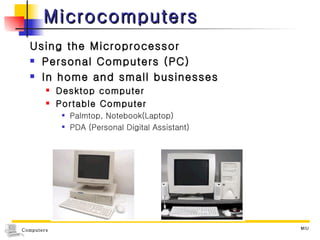
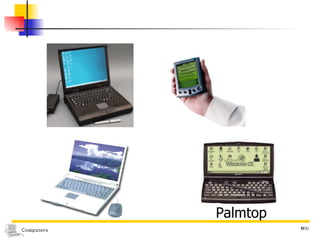
Microcomputers Using the Microprocessor Personal Computers (PC) In home and small businesses Desktop computer Portable Computer Palmtop, Notebook(Laptop) PDA (Personal Digital Assistant)
Palmtop
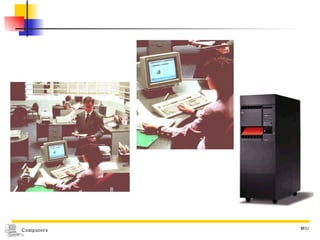
Minicomputer More powerful than microcomputer Stores data for all users in one centralized location Used in school or small company  Ex) VAX, MV 4000, MV 8000, SSM 032
 
Mainframes Large, fast and fairly expensive computers Used by business or government  to provide centralized storage EX) IBM 4381, 9300, 3090, Cyber 180
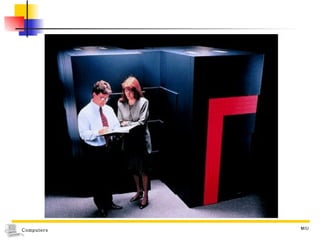
Supercomputers The fastest and most expensive type of computer Used for code breaking, weather prediction and molecular modeling The first : CRAY-1 Intel’s ASCI Red, SGI’s ASCI Blue Mountain, IBM’s ASCI Blue Pacific
 

Computers Ch1

  • 1.
    Computers Tools foran information Age Chapter 1 B.M.H
  • 2.
  • 3.
    Index What isa computer? The beginning of Computer
  • 4.
    What is acomputer? In a dictionary before 1940, Compute + er computer : a person who performs calculations. The modern definition emerged in 1940s, when the first electronic computing devices were developed
  • 5.
    The beginning ofComputer ABC (Atanasoff-Berry Computer) 1942, John Atanasoff and Clifford Berry - 1st Electronic digital computer MARK-1 1944, Howard Aiken ENIAC (Electronic Numerical Integrator and Calculator) 1946, John W. Mauchly and J.Presper Eckert, Jr. - 1 st Large scale electronic digital computer EDSAC (Electronic Delay Storage Automatic Calculator) Maurice Wilkes UNIVAC-I (UNIVersal Automatic Computer) John W. Mauchly and J.Presper Eckert, Jr. EDVAC (Electronic Discrete Variable Automatic Computer)
  • 6.
  • 7.
  • 8.
    EDVAC When :in 1952 Where : in the United States Who : a team of engineers on a secret military project Why : as a response to World War II military needs. (to process complex calculation automatically) How : 2000 multiplication in one second addition or subtraction 100,000 times in the same period Its memory : 1,024 numbers of 12 decimal places each
  • 9.
    Plans for EDVACDescribed in a report by the famous mathematician John von Neumann . “ The most influential paper in the history of computer science”
  • 10.
    What is acomputer? Von Neumann’s report define the components of a computer and describe their functions used the term “automatic computing system” Today, just “computer”, or “computer system.
  • 11.
    A computer is…Based on the concepts presented in von Neumann’s paper Computer : a device that 1) accepts input, 2) processes data, 3) stores data, 4) and produces output.  page 1-12,13
  • 12.
    1) A computeraccepts input Computer input : whatever is put into a computer system. Examples words and symbols in a document numbers for a calculation, pictures, temperatures, audio signals Main input device : keyboard
  • 13.
    2) A computerprocesses data Data : symbols that represent facts and ideas. processing : data manipulation of computer Process : a systematic series of actions that a computer uses to manipulate data Some of the ways : performing calculations, sorting lists of words or numbers, modifying documents and pictures drawing graphs. A device : central processing unit (CPU)
  • 14.
    3) A computerstores data A computer stores data for processing Places for storing data Memory : an area of a computer that holds data that is waiting to be processed Ex) RAM, ROM Storage : the area where data can be left on a permanent basis while it is not needed for processing ex) diskette, CD-ROM,HDD
  • 15.
    4) A computerproduces output Computer output : the results produced by a computer ex) reports, documents, music, graphs, and pictures Output device : the device that displays, prints, or transmits the results of processing. ex) monitor, printer
  • 16.
    Example Fundamental computerfunction: 7+2=9 Input : 7, +, 2 Memory : 7, +, 2 Processing : Add 2 to 7 Memory : 9 Output : 9 Storage : 9
  • 17.
  • 18.
    Fundamental characteristics SpeedProvide the processing speed essential to our fast-paced society for quick service Reliability Extremely reliable, compute correctly Most computer error : by human errors Storage Capability Store tremendous amounts data, which can be located and retrieved efficiently By-products characteristics by above three Productivity, decision making, cost reduction
  • 19.
    Where computers areused Education Graphics Retailing Energy Law enforcement Transportation Money Agriculture Government The home Health and medicine Robotics The human connection The sciences Connectivity Training Paperwork
  • 20.
    Main components ofcomputer Hardware(=equipment) Software(=programs) People(=programmers and end-users)  Page 1-12 hardware software people
  • 21.
    Classification of ComputerBy data type Digital computer Analog computer Hybrid computer A/D converter, D/A converter By purpose Special purpose computer Ex) for science, military General purpose computer
  • 22.
    Analog vs. Digital (By data type) There are two basic ways to store and manage data Analog continuous, in direct proportion to the data represented music on a record album - a needle rides on ridges in the grooves that are directly proportional to the voltage sent to the speaker Digital the information is broken down into pieces, and each piece is represented separately music on a compact disc - the disc stores numbers representing specific voltage levels sampled at various points
  • 23.
    Analog Signals (By data type) Analog signal from recording the word "MATLAB"
  • 24.
    Digital Signals (By data type) Digital signals are discrete time signals that assume only discrete amplitudes
  • 25.
    Digital Information (By data type) Computers store all information digitally numbers text graphics and images audio video program instructions In some way, all information is digitized - broken down into pieces and represented as numbers
  • 26.
    Classification of ComputerBy processing capabilities Microcomputers Minicomputers Mainframe computers Supercomputers
  • 27.
    Microcomputers Using theMicroprocessor Personal Computers (PC) In home and small businesses Desktop computer Portable Computer Palmtop, Notebook(Laptop) PDA (Personal Digital Assistant)
  • 28.
  • 29.
    Minicomputer More powerfulthan microcomputer Stores data for all users in one centralized location Used in school or small company Ex) VAX, MV 4000, MV 8000, SSM 032
  • 30.
  • 31.
    Mainframes Large, fastand fairly expensive computers Used by business or government to provide centralized storage EX) IBM 4381, 9300, 3090, Cyber 180
  • 32.
    Supercomputers The fastestand most expensive type of computer Used for code breaking, weather prediction and molecular modeling The first : CRAY-1 Intel’s ASCI Red, SGI’s ASCI Blue Mountain, IBM’s ASCI Blue Pacific
  • 33.