www.oeclib.in
Submitted By:
Odisha Electronics Control Library
Seminar
On
Computer Virus
 Introduction
 What is Computer Virus
 Types of Infection
 Viruses
 E-mail viruses
 Worms
 Trojan horses
 Types of Computer Virus
 Difference between Virus and Worm
 Signs of a Computer Virus
 Preventions
 Top Seven Antiviral Program
 Conclusion
 Reference
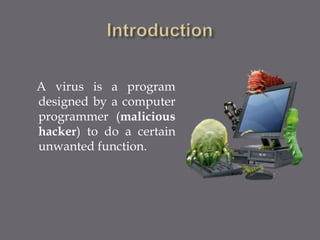
A virus is a program
designed by a computer
programmer (malicious
hacker) to do a certain
unwanted function.
 Computer virus refers to a program which
damages computer systems and/or destroys or
erases data files.
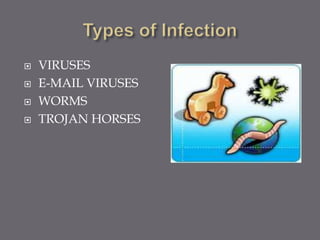
 VIRUSES
 E-MAIL VIRUSES
 WORMS
 TROJAN HORSES
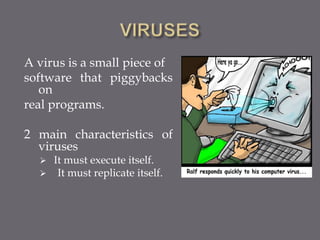
A virus is a small piece of
software that piggybacks
on
real programs.
2 main characteristics of
viruses
 It must execute itself.
 It must replicate itself.
 Moves around in e-mail messages.
 Usually replicate itself by automatically
mailing itself to dozens of people in the
victim’s email address book.
 Example “MELISSA VIRUS”
 Example “I LOVE YOU VIRUS”
Melissa virus spread in Microsoft Word
documents sent via e-mail.
How it works ?
 Created the virus as word document
 Uploaded to an internet newsgroup
 Anyone who download the document and
opened it would trigger the virus.
 Send friendly email messages to first 50 people
in person’s address book.
 Melissa Virus was the fastest spreading virus
ever seen.
 Forced a number of large companies to shut
down their e-mail systems.
 Contained a piece of code as an attachment.
 Double Click on the attachment triggered the
code.
 Sent copies of itself to everyone in the victim’s
address book
 Started corrupting files on the victim’s
machine.
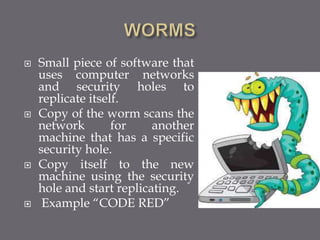
 Small piece of software that
uses computer networks
and security holes to
replicate itself.
 Copy of the worm scans the
network for another
machine that has a specific
security hole.
 Copy itself to the new
machine using the security
hole and start replicating.
 Example “CODE RED”
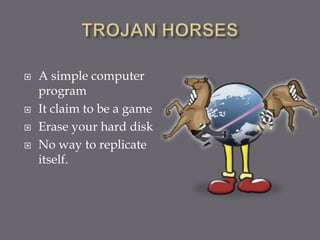
 A simple computer
program
 It claim to be a game
 Erase your hard disk
 No way to replicate
itself.
 Time Bomb
 Logical Bomb
 Boot Sector Virus
 Macros Virus
 Script Virus
 Time Bomb
A time bomb is a virus program that performs
an activity on a particular date .
 Logical Bomb
A logical bomb is a destructive program that
performs an activity when a certain action has
occurred.
 Boot Sector Virus
A boot sector virus infects boot sector of
computers. During system boot, boot sector
virus is loaded into main memory and destroys
data stored in hard disk.
 Macros Virus
A macro virus is associated with application
software like word and excel. When opening
the infected document, macro virus is loaded
into main memory and destroys the data stored
in hard disk.
 Script Virus
Commonly found script viruses are written
using the Visual Basic Scripting edition (VBS)
and the JavaScript programming languages.
 The difference between a worm and a virus is
that a virus does not have a propagation
vector. i.e., it will only effect one host and does
not propagate to other hosts.
 Worms propagate and infect other computers.
Majority of threats are actually worms that
propagate to other hosts.
 Computer viruses cause a huge amount of
damage worldwide.
 Damages from just one virus (The I Love You Virus)
are estimated at $10 billion dollars. It is also
estimated that 45 million people worldwide were
affected.
 Costs come from restoring damaged systems,
replacing lost information, steps taken to
prevent attacks and steps taken to prepare to
recover from attacks.
 Jason, a 16 year old honor student, wrote a
computer virus that causes 4 billion dollars of
damage and impacted countless home and
business computers. The authorities traced the
virus to him. Jason says that he is very sorry
and didn’t mean for it to get so out of hand. He
said he was just fooling around to see if he
could do it.
 Computer runs slower then usual
 Computer no longer boots up
 Screen sometimes flicker
 PC speaker beeps periodically
 System crashes for no reason
 Files/directories sometimes disappear
 Denial of Service (DoS)
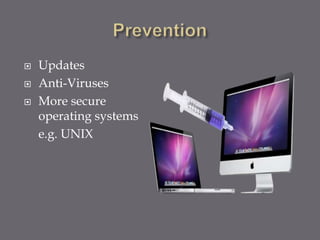
 Updates
 Anti-Viruses
 More secure
operating systems
e.g. UNIX
 Kespersky Antivirus
 Data fellows E-Plot
 Mcafee Antivirus
 Symantec Norton Antivirus
 Bit Defender 2010
 Quick Heal Antivirus
 ESaSS ThunderBYTE
 Be aware of the new infections out there.
 Take precaution measures.
 Always backup your data.
 Keep up-to-date on new Anti virus software.
 Simply avoid programs from unknown
sources.
 www.google.com
 www.wikipedia.com
 www.oeclib.in
Computer Virus

Computer Virus

  • 1.
    www.oeclib.in Submitted By: Odisha ElectronicsControl Library Seminar On Computer Virus
  • 2.
     Introduction  Whatis Computer Virus  Types of Infection  Viruses  E-mail viruses  Worms  Trojan horses  Types of Computer Virus  Difference between Virus and Worm  Signs of a Computer Virus  Preventions  Top Seven Antiviral Program  Conclusion  Reference
  • 3.
    A virus isa program designed by a computer programmer (malicious hacker) to do a certain unwanted function.
  • 4.
     Computer virusrefers to a program which damages computer systems and/or destroys or erases data files.
  • 5.
     VIRUSES  E-MAILVIRUSES  WORMS  TROJAN HORSES
  • 6.
    A virus isa small piece of software that piggybacks on real programs. 2 main characteristics of viruses  It must execute itself.  It must replicate itself.
  • 7.
     Moves aroundin e-mail messages.  Usually replicate itself by automatically mailing itself to dozens of people in the victim’s email address book.  Example “MELISSA VIRUS”  Example “I LOVE YOU VIRUS”
  • 8.
    Melissa virus spreadin Microsoft Word documents sent via e-mail. How it works ?  Created the virus as word document  Uploaded to an internet newsgroup  Anyone who download the document and opened it would trigger the virus.  Send friendly email messages to first 50 people in person’s address book.
  • 9.
     Melissa Viruswas the fastest spreading virus ever seen.  Forced a number of large companies to shut down their e-mail systems.
  • 10.
     Contained apiece of code as an attachment.  Double Click on the attachment triggered the code.  Sent copies of itself to everyone in the victim’s address book  Started corrupting files on the victim’s machine.
  • 11.
     Small pieceof software that uses computer networks and security holes to replicate itself.  Copy of the worm scans the network for another machine that has a specific security hole.  Copy itself to the new machine using the security hole and start replicating.  Example “CODE RED”
  • 12.
     A simplecomputer program  It claim to be a game  Erase your hard disk  No way to replicate itself.
  • 13.
     Time Bomb Logical Bomb  Boot Sector Virus  Macros Virus  Script Virus
  • 14.
     Time Bomb Atime bomb is a virus program that performs an activity on a particular date .  Logical Bomb A logical bomb is a destructive program that performs an activity when a certain action has occurred.
  • 15.
     Boot SectorVirus A boot sector virus infects boot sector of computers. During system boot, boot sector virus is loaded into main memory and destroys data stored in hard disk.
  • 16.
     Macros Virus Amacro virus is associated with application software like word and excel. When opening the infected document, macro virus is loaded into main memory and destroys the data stored in hard disk.  Script Virus Commonly found script viruses are written using the Visual Basic Scripting edition (VBS) and the JavaScript programming languages.
  • 17.
     The differencebetween a worm and a virus is that a virus does not have a propagation vector. i.e., it will only effect one host and does not propagate to other hosts.  Worms propagate and infect other computers. Majority of threats are actually worms that propagate to other hosts.
  • 18.
     Computer virusescause a huge amount of damage worldwide.  Damages from just one virus (The I Love You Virus) are estimated at $10 billion dollars. It is also estimated that 45 million people worldwide were affected.  Costs come from restoring damaged systems, replacing lost information, steps taken to prevent attacks and steps taken to prepare to recover from attacks.
  • 19.
     Jason, a16 year old honor student, wrote a computer virus that causes 4 billion dollars of damage and impacted countless home and business computers. The authorities traced the virus to him. Jason says that he is very sorry and didn’t mean for it to get so out of hand. He said he was just fooling around to see if he could do it.
  • 20.
     Computer runsslower then usual  Computer no longer boots up  Screen sometimes flicker  PC speaker beeps periodically  System crashes for no reason  Files/directories sometimes disappear  Denial of Service (DoS)
  • 21.
     Updates  Anti-Viruses More secure operating systems e.g. UNIX
  • 22.
     Kespersky Antivirus Data fellows E-Plot  Mcafee Antivirus  Symantec Norton Antivirus  Bit Defender 2010  Quick Heal Antivirus  ESaSS ThunderBYTE
  • 23.
     Be awareof the new infections out there.  Take precaution measures.  Always backup your data.  Keep up-to-date on new Anti virus software.  Simply avoid programs from unknown sources.
  • 24.

Editor's Notes