Introduction 
 Computer virus have become today’s 
headline news. 
 With the increasing use of the internet, it 
has become easier for virus to spread. 
 Virus show us loopholes in software. 
 Most virus are targeted at the MS 
Windows OS.
What is a Virus ? 
 A virus is just a computer program. Like any 
other program, it contains instructions that 
tell your computer what to do. 
 But unlike an application, a virus usually 
tells your computer to do something you 
don't want it to do, and it can usually spread 
itself to other files on your computer -- and 
other people's computers.
 In some cases, a virus will execute only a 
gentle "personality quirk," such as causing 
your computer to make seemingly random 
bleeps. 
 But a virus can be very destructive; it could 
format your hard drive, overwrite your hard 
drive boot sector, or delete files and render 
your machine inoperable.
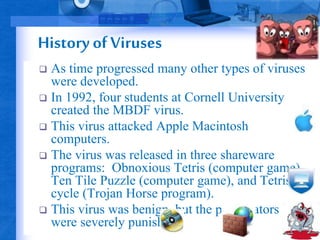
History of Viruses 
 As time progressed many other types of viruses 
were developed. 
 In 1992, four students at Cornell University 
created the MBDF virus. 
 This virus attacked Apple Macintosh 
computers. 
 The virus was released in three shareware 
programs: Obnoxious Tetris (computer game), 
Ten Tile Puzzle (computer game), and Tetris 
cycle (Trojan Horse program). 
 This virus was benign, but the perpetrators 
were severely punished.
General virus types 
 Boot Sector Virus 
 Macro Virus 
 Multipartite Virus 
 Polymorphic Virus 
 Worms 
 Trojan horses 
 E-mail viruses 
 Stealth Virus
How They Spread ? 
 Early viruses were pieces of code attached to 
a common program like a popular game or a 
popular word processor. 
 A person might download an infected game 
from the internet or copy it from a floppy 
disk and run it. 
 A virus like this is a small piece of code 
embedded in a larger, legitimate program. 
Any virus is designed to run first when the 
legitimate program gets executed.
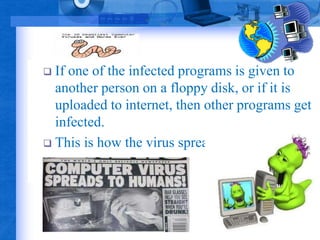
 If one of the infected programs is given to 
another person on a floppy disk, or if it is 
uploaded to internet, then other programs get 
infected. 
 This is how the virus spreads.
The impact of viruses 
 ICSA Labs estimates that the cost of a 
virus disaster is between $50,000 and 
$500,000 
 Average server downtime for a virus 
is 14 hours
The impact of viruses
Examples of risky file types 
 The following file types should never be 
opened: 
 .EXE 
 .PIF 
 .BAT 
 .VBS 
 .COM
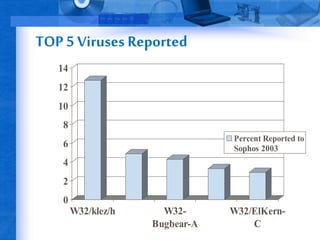
TOP 5 Viruses Reported 
14 
12 
10 
8 
6 
4 
2 
0 
W32/klez/h W32- 
Bugbear-A 
Percent Reported to 
Sophos 2003 
W32/ElKern- 
C
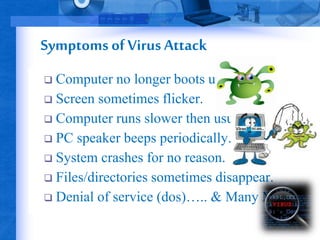
Symptoms of Virus Attack 
 Computer no longer boots up. 
 Screen sometimes flicker. 
 Computer runs slower then usual. 
 PC speaker beeps periodically. 
 System crashes for no reason. 
 Files/directories sometimes disappear. 
 Denial of service (dos)….. & Many More.
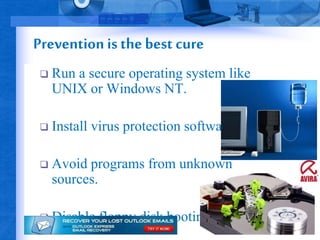
Prevention is the best cure 
 Run a secure operating system like 
UNIX or Windows NT. 
 Install virus protection software. 
 Avoid programs from unknown 
sources. 
 Disable floppy disk booting
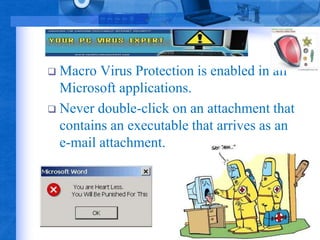
 Macro Virus Protection is enabled in all 
Microsoft applications. 
 Never double-click on an attachment that 
contains an executable that arrives as an 
e-mail attachment.
Protect Yourself from Computer Viruses 
 AVIEN & AVI-EWS 
 CERT 
 STOPzilla 
 GFI Mail Security for 
Exchange 
 Anti Virus eScan 2003 
 CIAC 
 Cyber notes 
 ICSA 
 Information Security 
Magazine 
 NIPC (National 
Infrastructure Protection 
Ctr) 
 SANS Institute 
 Virus Bulletin
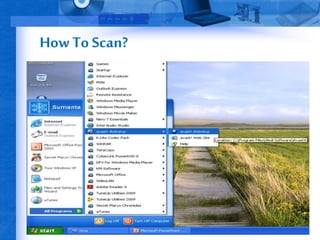
How To Scan?
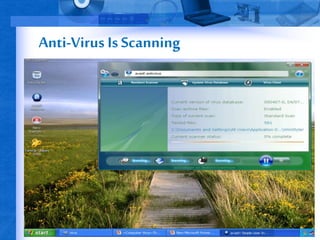
Anti-Virus Is Scanning
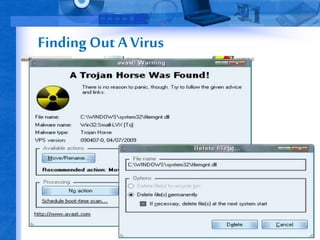
Finding Out A Virus
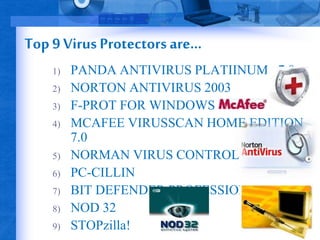
Top 9 Virus Protectors are... 
1) PANDA ANTIVIRUS PLATIINUM v7.0 
2) NORTON ANTIVIRUS 2003 
3) F-PROT FOR WINDOWS 
4) MCAFEE VIRUSSCAN HOME EDITION 
7.0 
5) NORMAN VIRUS CONTROL 
6) PC-CILLIN 
7) BIT DEFENDER PROFESSIONAL v6.5 
8) NOD 32 
9) STOPzilla!
Computer virus

Computer virus

  • 2.
    Introduction  Computervirus have become today’s headline news.  With the increasing use of the internet, it has become easier for virus to spread.  Virus show us loopholes in software.  Most virus are targeted at the MS Windows OS.
  • 3.
    What is aVirus ?  A virus is just a computer program. Like any other program, it contains instructions that tell your computer what to do.  But unlike an application, a virus usually tells your computer to do something you don't want it to do, and it can usually spread itself to other files on your computer -- and other people's computers.
  • 4.
     In somecases, a virus will execute only a gentle "personality quirk," such as causing your computer to make seemingly random bleeps.  But a virus can be very destructive; it could format your hard drive, overwrite your hard drive boot sector, or delete files and render your machine inoperable.
  • 5.
    History of Viruses  As time progressed many other types of viruses were developed.  In 1992, four students at Cornell University created the MBDF virus.  This virus attacked Apple Macintosh computers.  The virus was released in three shareware programs: Obnoxious Tetris (computer game), Ten Tile Puzzle (computer game), and Tetris cycle (Trojan Horse program).  This virus was benign, but the perpetrators were severely punished.
  • 6.
    General virus types  Boot Sector Virus  Macro Virus  Multipartite Virus  Polymorphic Virus  Worms  Trojan horses  E-mail viruses  Stealth Virus
  • 7.
    How They Spread?  Early viruses were pieces of code attached to a common program like a popular game or a popular word processor.  A person might download an infected game from the internet or copy it from a floppy disk and run it.  A virus like this is a small piece of code embedded in a larger, legitimate program. Any virus is designed to run first when the legitimate program gets executed.
  • 8.
     If oneof the infected programs is given to another person on a floppy disk, or if it is uploaded to internet, then other programs get infected.  This is how the virus spreads.
  • 9.
    The impact ofviruses  ICSA Labs estimates that the cost of a virus disaster is between $50,000 and $500,000  Average server downtime for a virus is 14 hours
  • 10.
  • 11.
    Examples of riskyfile types  The following file types should never be opened:  .EXE  .PIF  .BAT  .VBS  .COM
  • 12.
    TOP 5 VirusesReported 14 12 10 8 6 4 2 0 W32/klez/h W32- Bugbear-A Percent Reported to Sophos 2003 W32/ElKern- C
  • 13.
    Symptoms of VirusAttack  Computer no longer boots up.  Screen sometimes flicker.  Computer runs slower then usual.  PC speaker beeps periodically.  System crashes for no reason.  Files/directories sometimes disappear.  Denial of service (dos)….. & Many More.
  • 14.
    Prevention is thebest cure  Run a secure operating system like UNIX or Windows NT.  Install virus protection software.  Avoid programs from unknown sources.  Disable floppy disk booting
  • 15.
     Macro VirusProtection is enabled in all Microsoft applications.  Never double-click on an attachment that contains an executable that arrives as an e-mail attachment.
  • 16.
    Protect Yourself fromComputer Viruses  AVIEN & AVI-EWS  CERT  STOPzilla  GFI Mail Security for Exchange  Anti Virus eScan 2003  CIAC  Cyber notes  ICSA  Information Security Magazine  NIPC (National Infrastructure Protection Ctr)  SANS Institute  Virus Bulletin
  • 17.
  • 18.
  • 19.
  • 20.
    Top 9 VirusProtectors are... 1) PANDA ANTIVIRUS PLATIINUM v7.0 2) NORTON ANTIVIRUS 2003 3) F-PROT FOR WINDOWS 4) MCAFEE VIRUSSCAN HOME EDITION 7.0 5) NORMAN VIRUS CONTROL 6) PC-CILLIN 7) BIT DEFENDER PROFESSIONAL v6.5 8) NOD 32 9) STOPzilla!