Computer Systems II
log on to www.dailyict.com
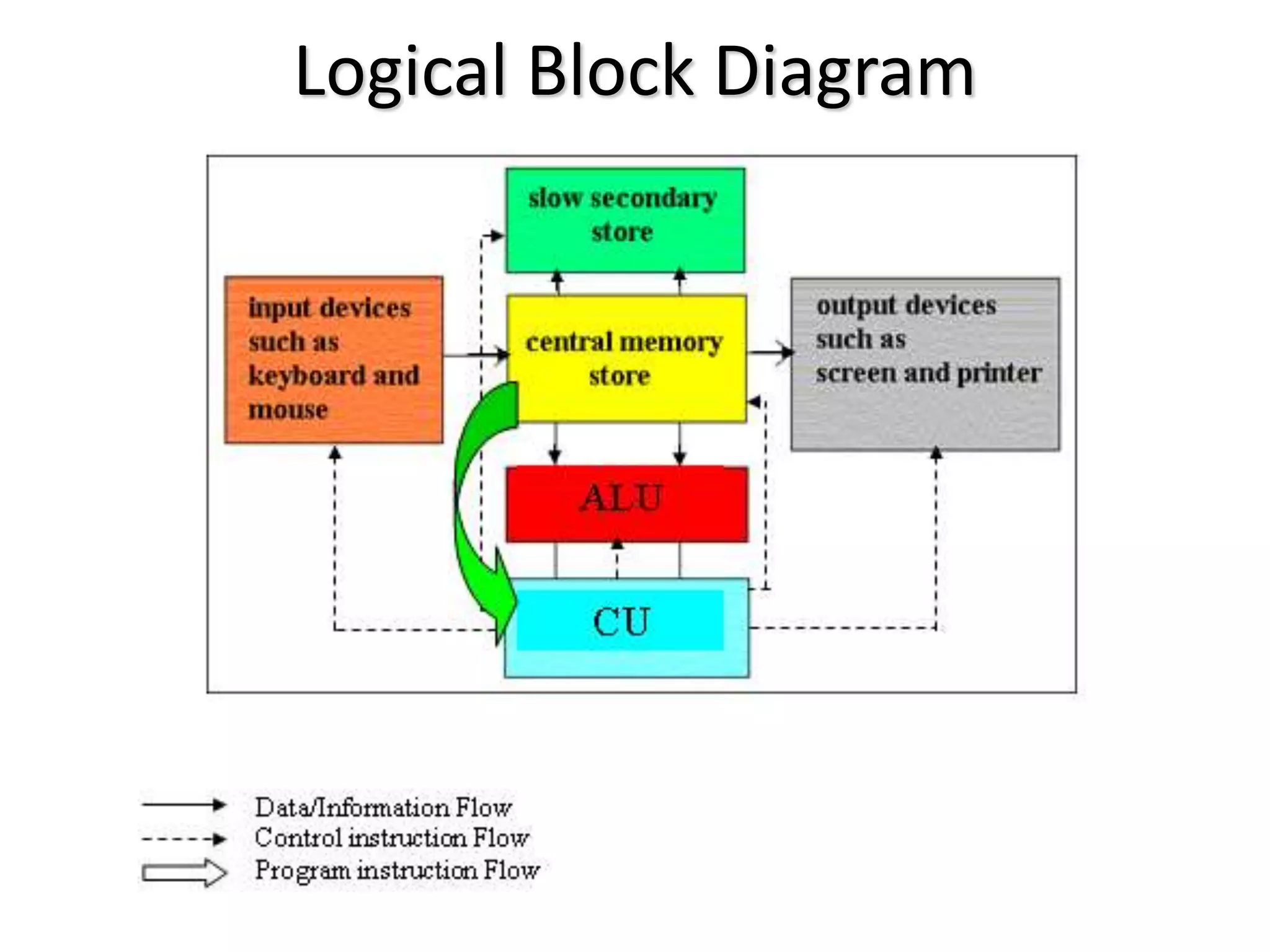
Logical Block Diagram
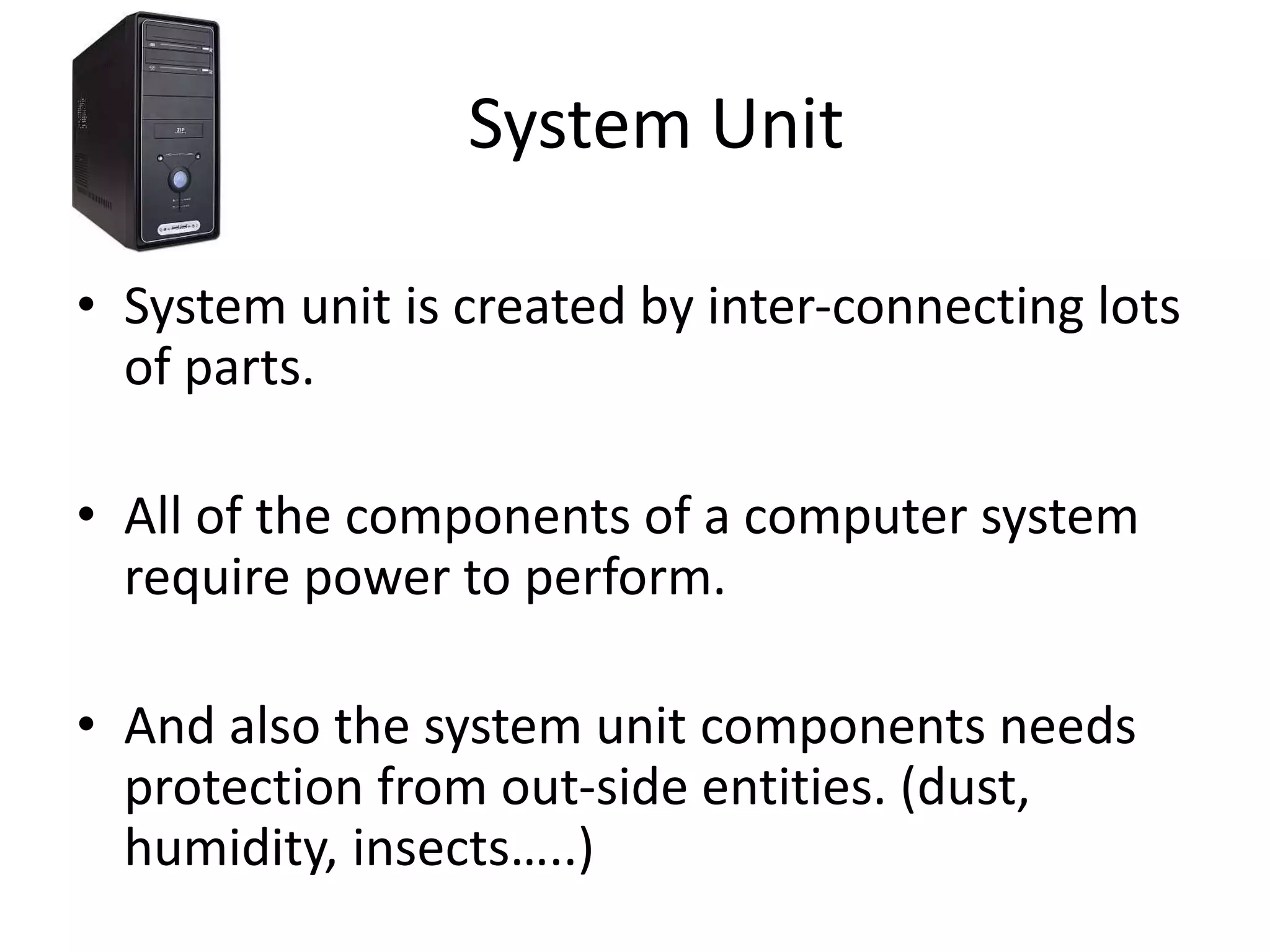
System Unit
• System unit is created by inter-connecting lots
of parts.
• All of the components of a computer system
require power to perform.
• And also the system unit components needs
protection from out-side entities. (dust,
humidity, insects…..)
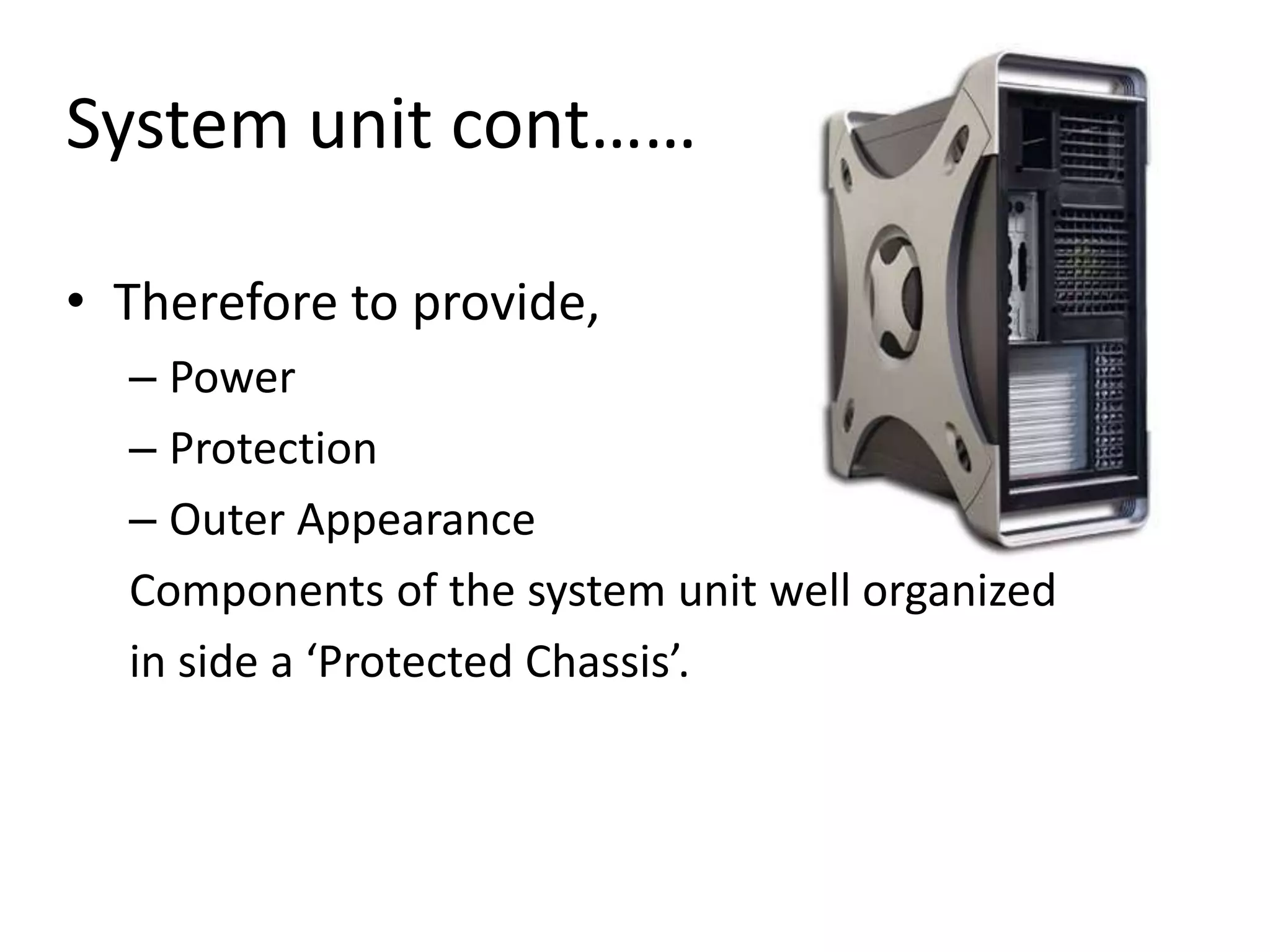
System unit cont……
• Therefore to provide,
– Power
– Protection
– Outer Appearance
Components of the system unit well organized
in side a ‘Protected Chassis’.
Chassis
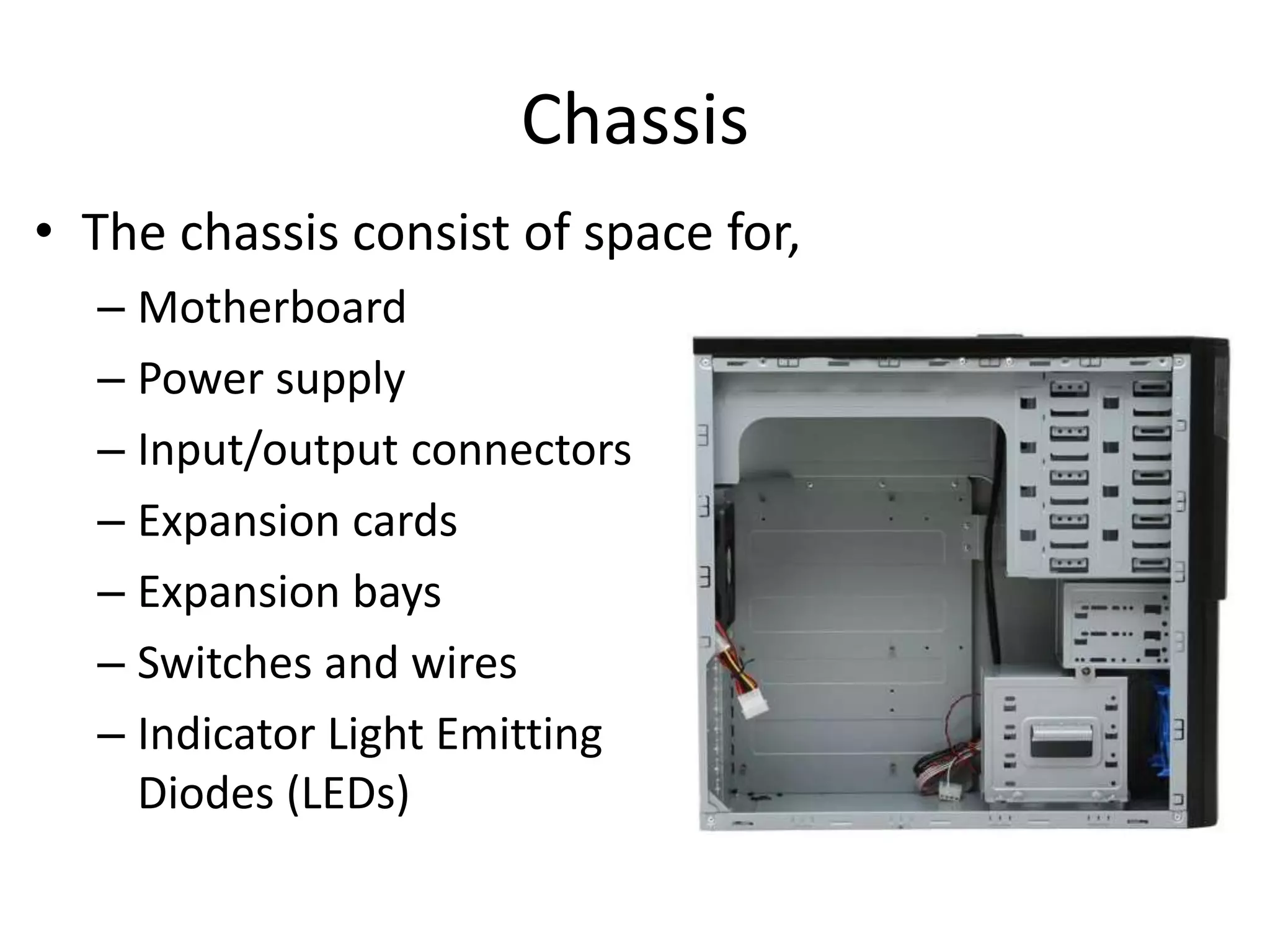
• The chassis consist of space for,
– Motherboard
– Power supply
– Input/output connectors
– Expansion cards
– Expansion bays
– Switches and wires
– Indicator Light Emitting
Diodes (LEDs)
Chassis Types
• According to the outer appearance and the
device organization inside, chassis are differs.
• Mainly there are two types of Chassis using.
– Tower Chassis
– Flat-bed Chassis
Tower Chassis
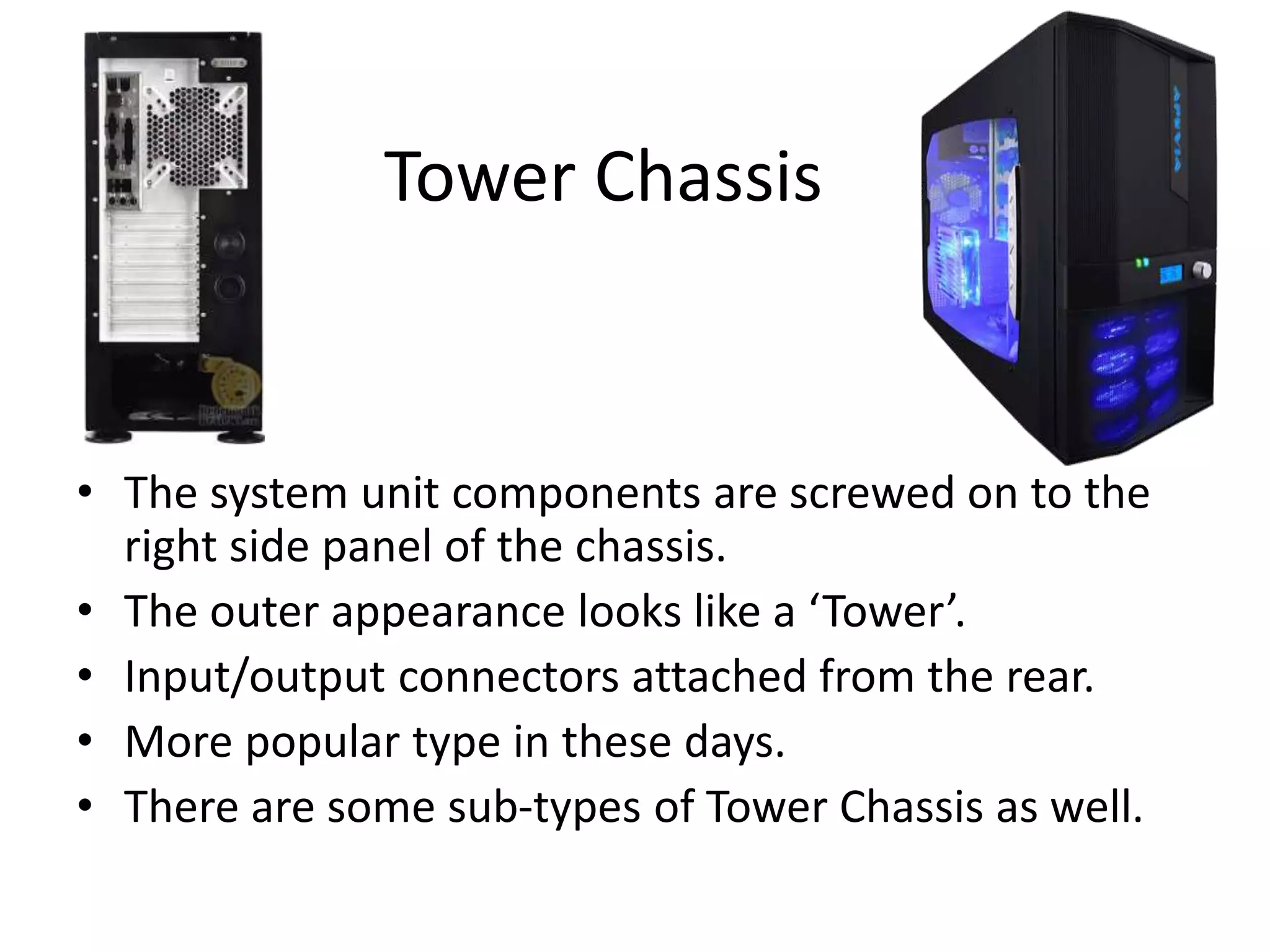
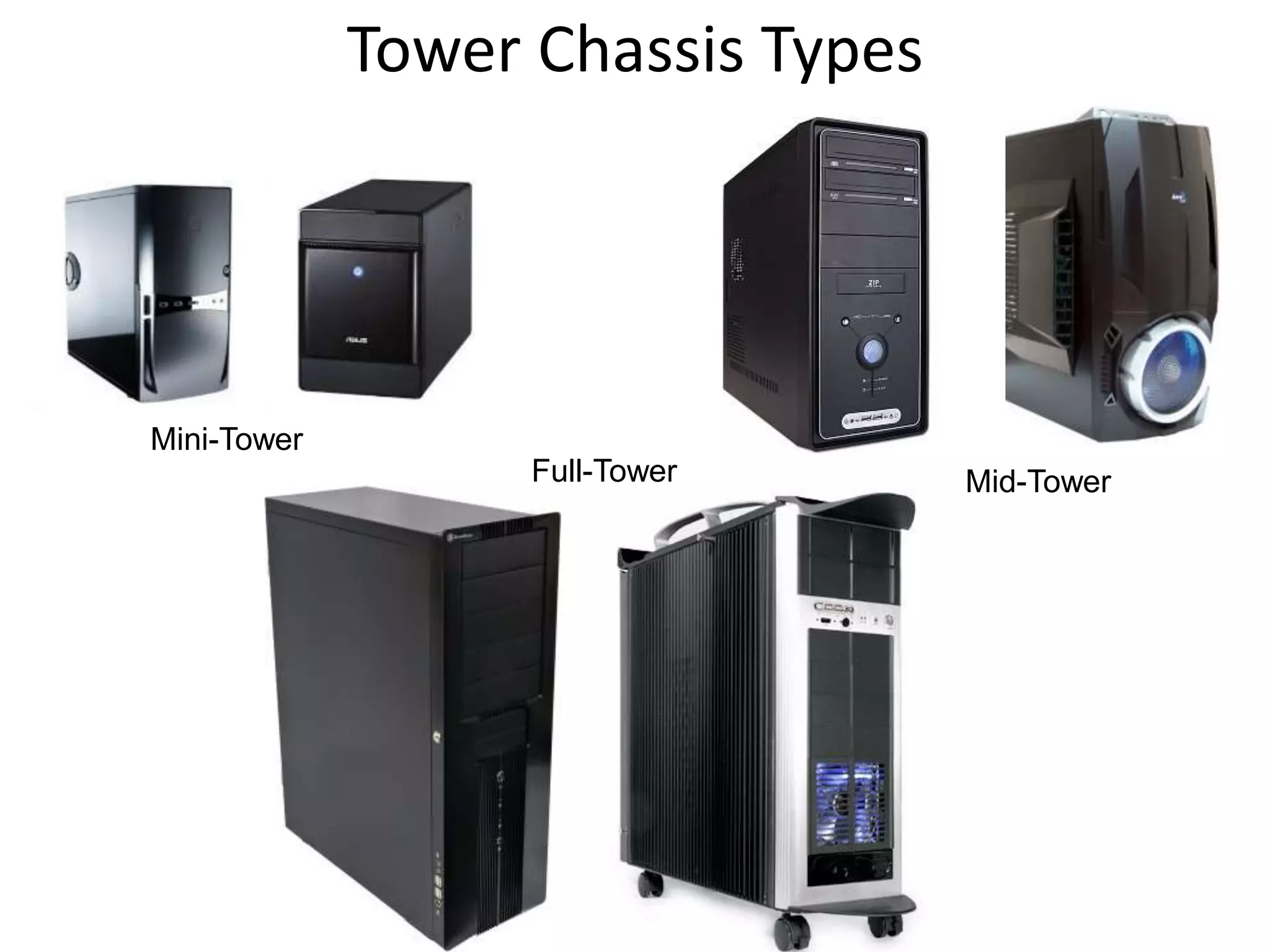
• The system unit components are screwed on to the
right side panel of the chassis.
• The outer appearance looks like a ‘Tower’.
• Input/output connectors attached from the rear.
• More popular type in these days.
• There are some sub-types of Tower Chassis as well.
Tower Chassis Types
Mini-Tower
Mid-TowerFull-Tower
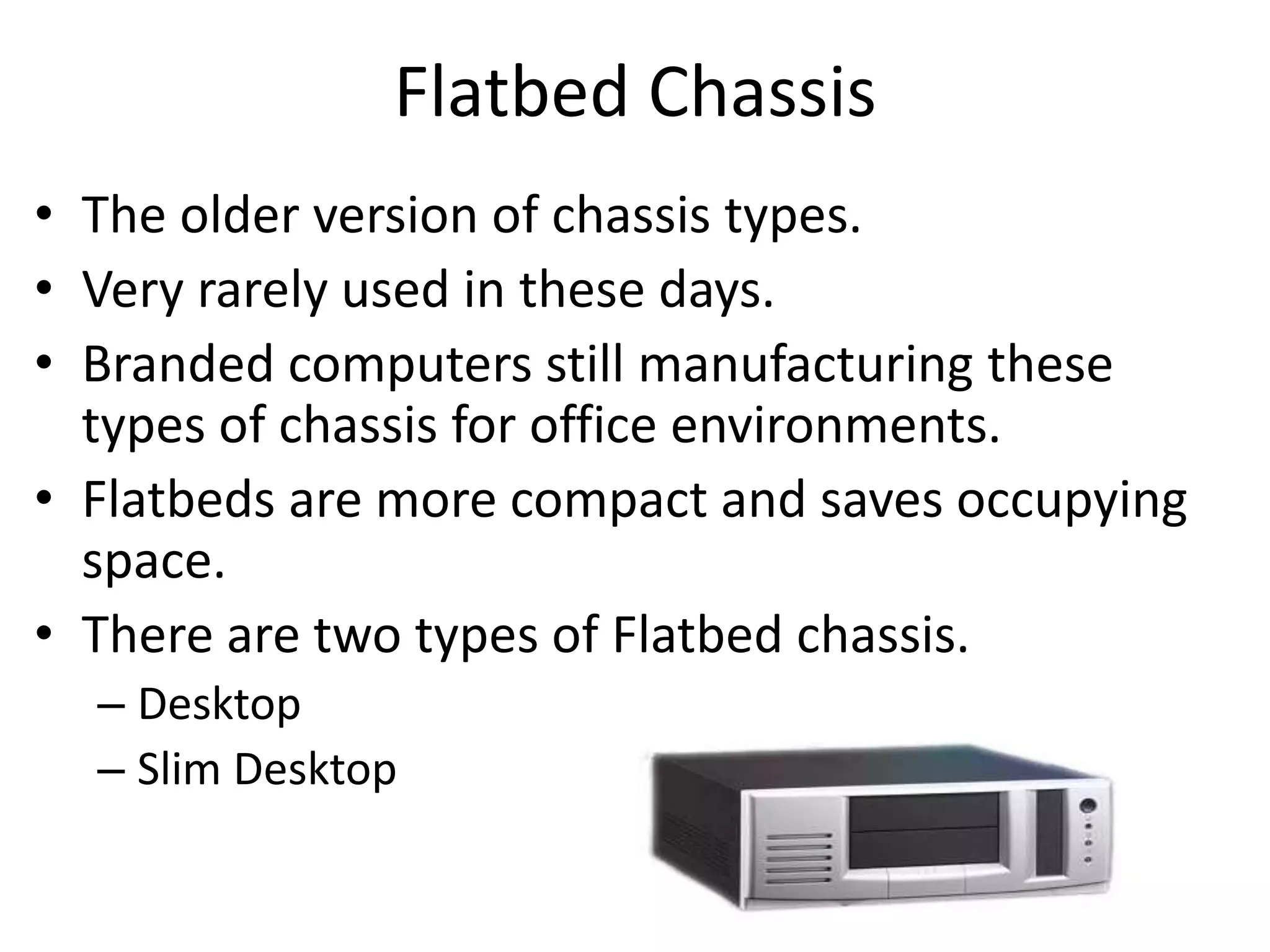
Flatbed Chassis
• The older version of chassis types.
• Very rarely used in these days.
• Branded computers still manufacturing these
types of chassis for office environments.
• Flatbeds are more compact and saves occupying
space.
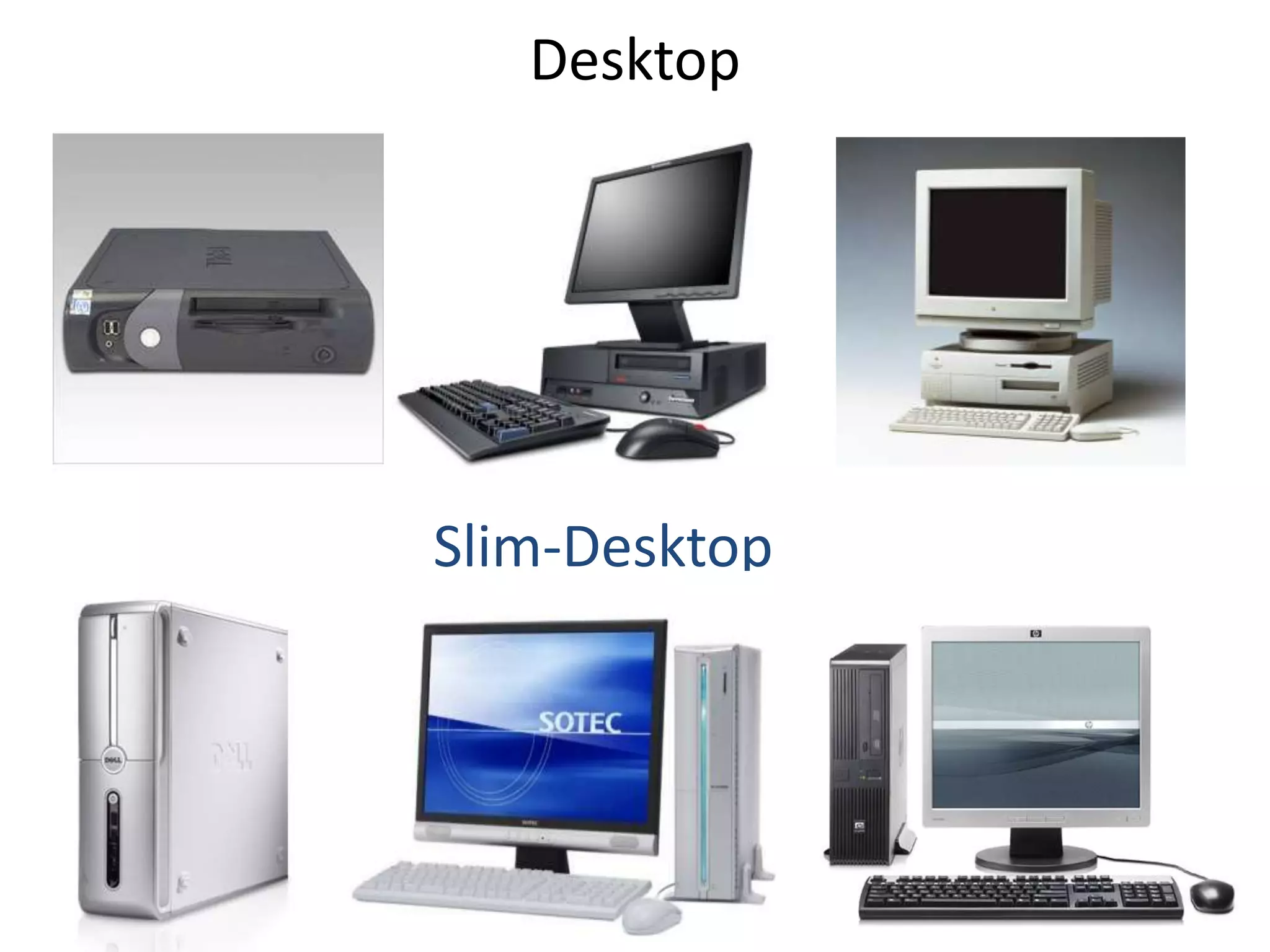
• There are two types of Flatbed chassis.
– Desktop
– Slim Desktop
Desktop
Slim-Desktop
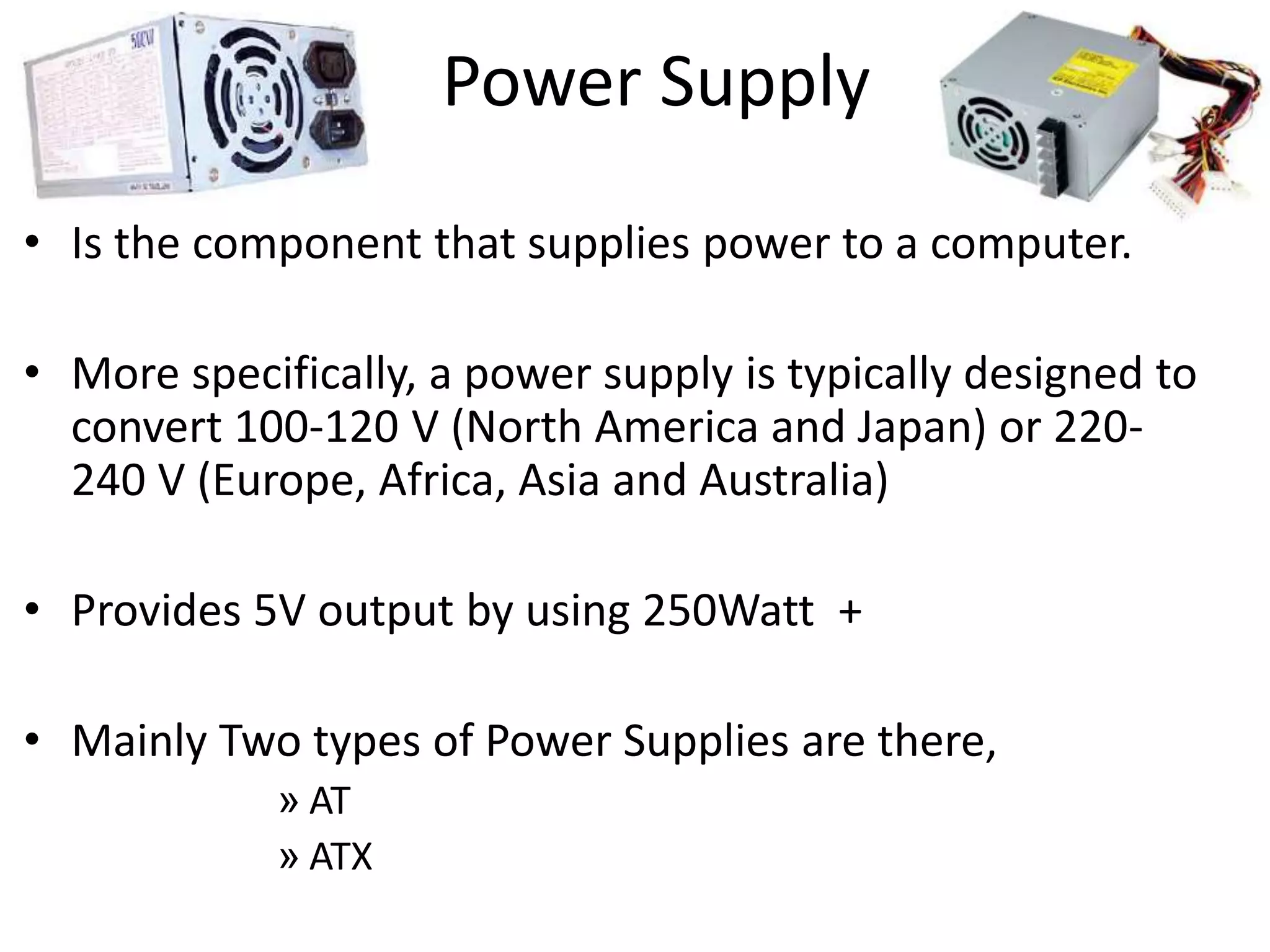
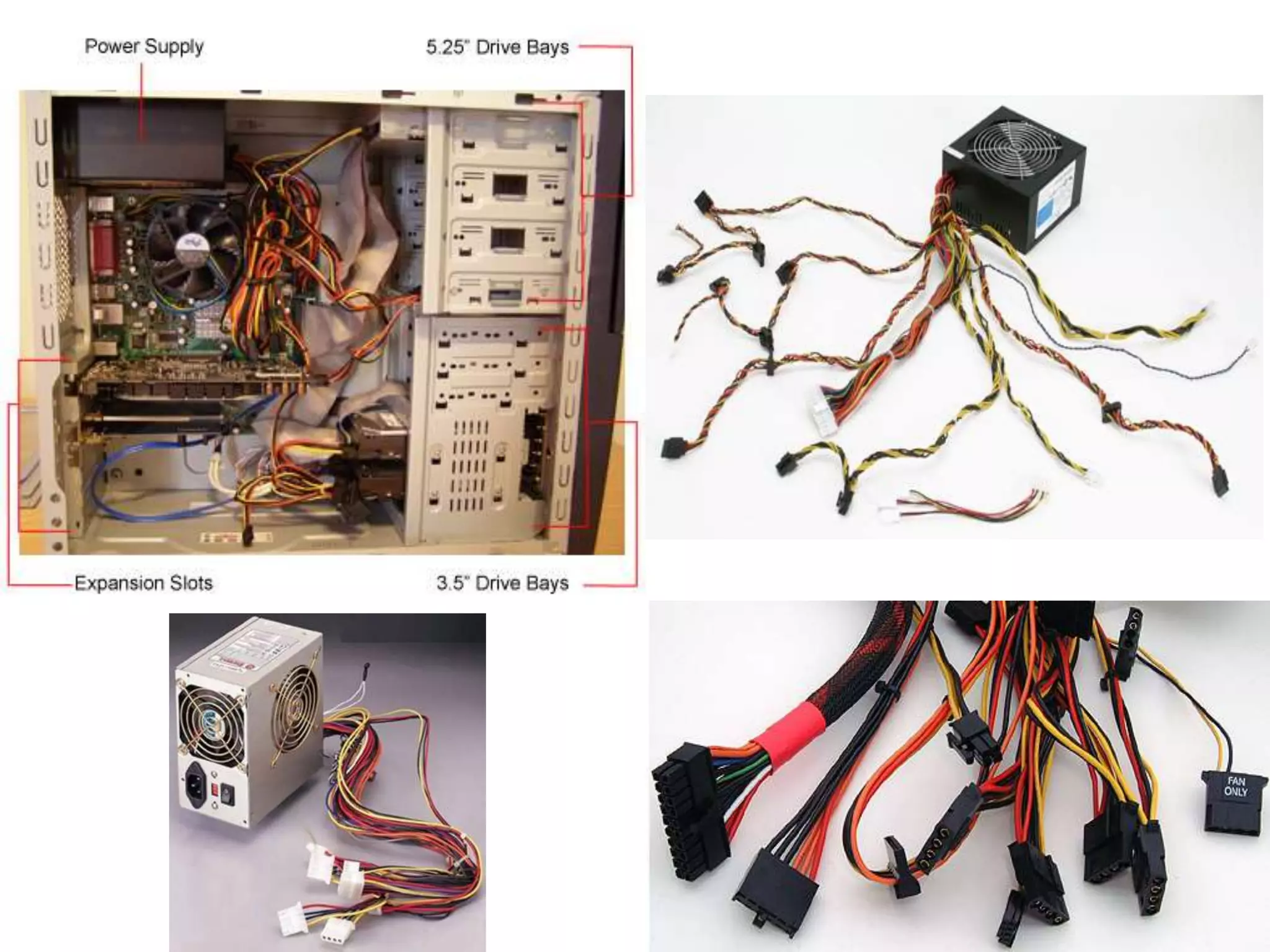
Power Supply
• Is the component that supplies power to a computer.
• More specifically, a power supply is typically designed to
convert 100-120 V (North America and Japan) or 220-
240 V (Europe, Africa, Asia and Australia)
• Provides 5V output by using 250Watt +
• Mainly Two types of Power Supplies are there,
» AT
» ATX
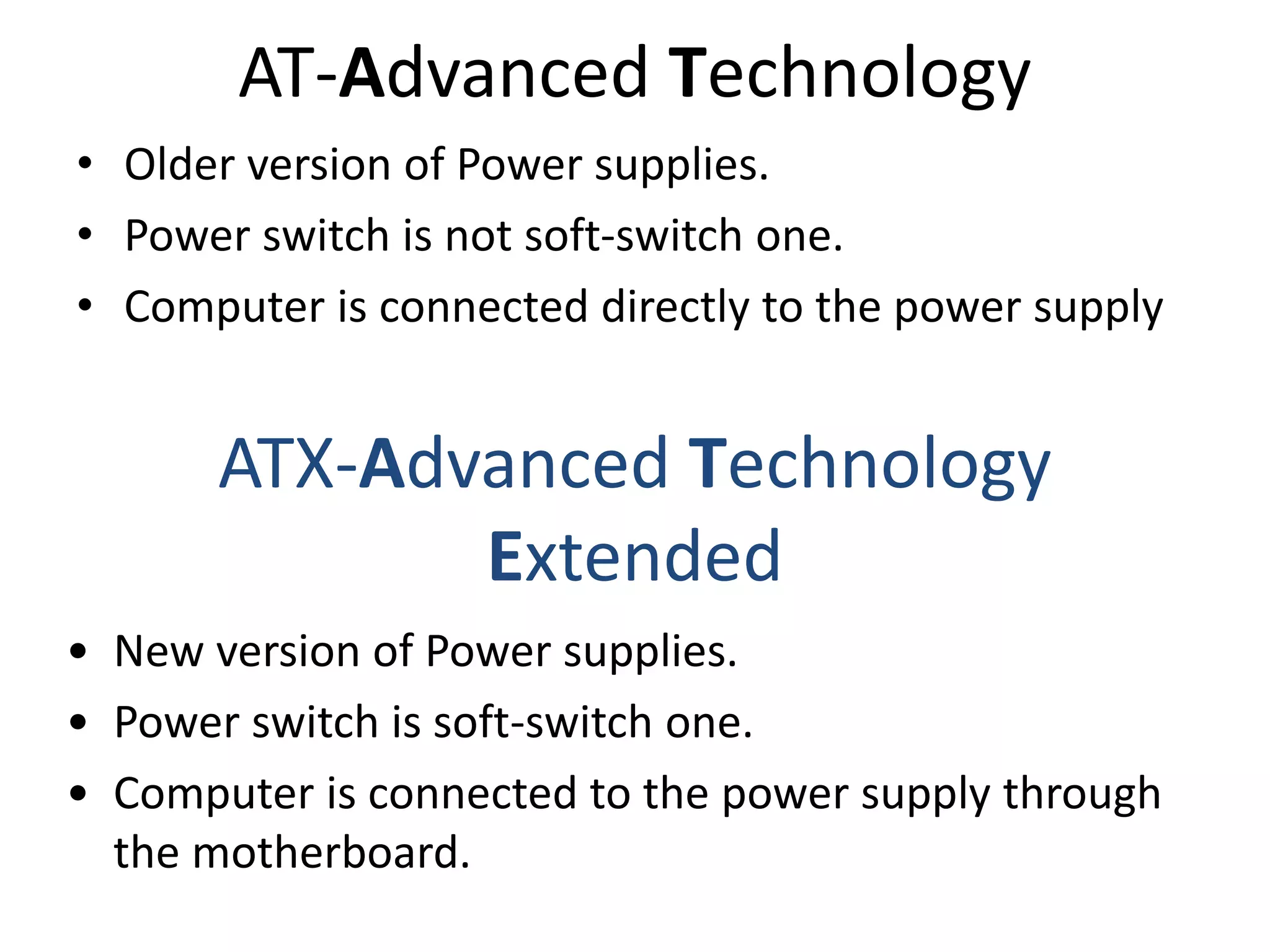
AT-Advanced Technology
• Older version of Power supplies.
• Power switch is not soft-switch one.
• Computer is connected directly to the power supply
ATX-Advanced Technology
Extended
• New version of Power supplies.
• Power switch is soft-switch one.
• Computer is connected to the power supply through
the motherboard.
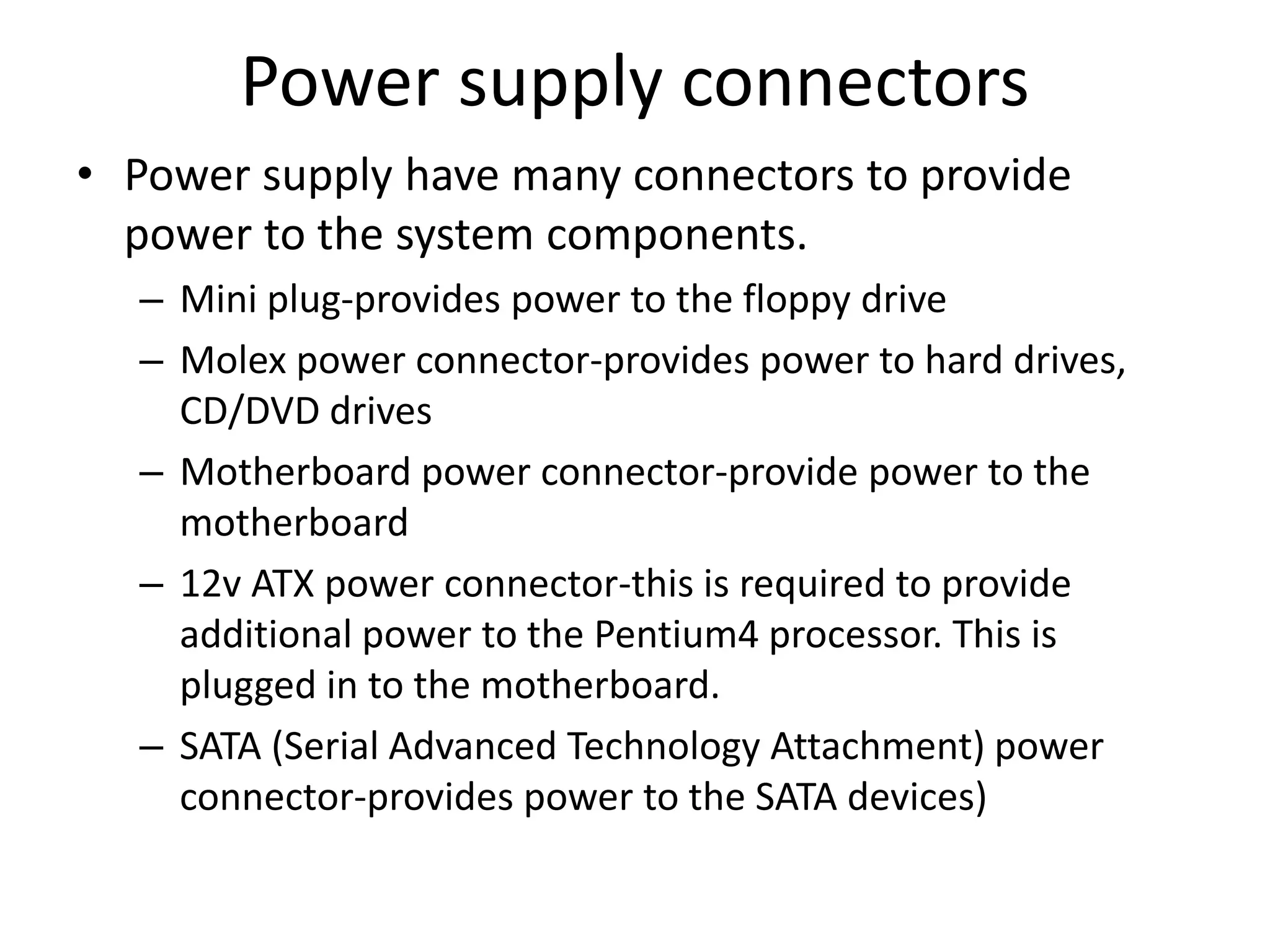
Power supply connectors
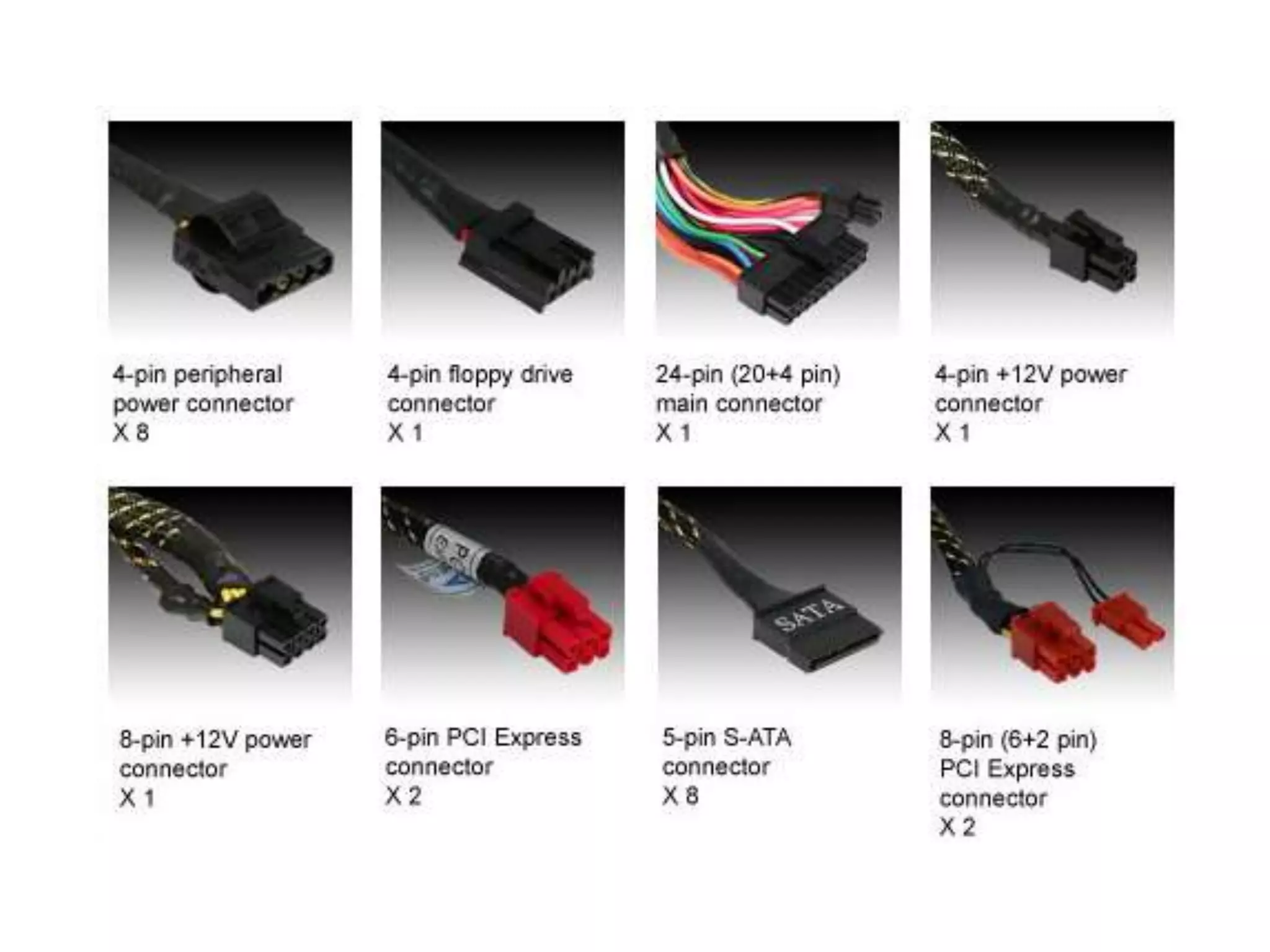
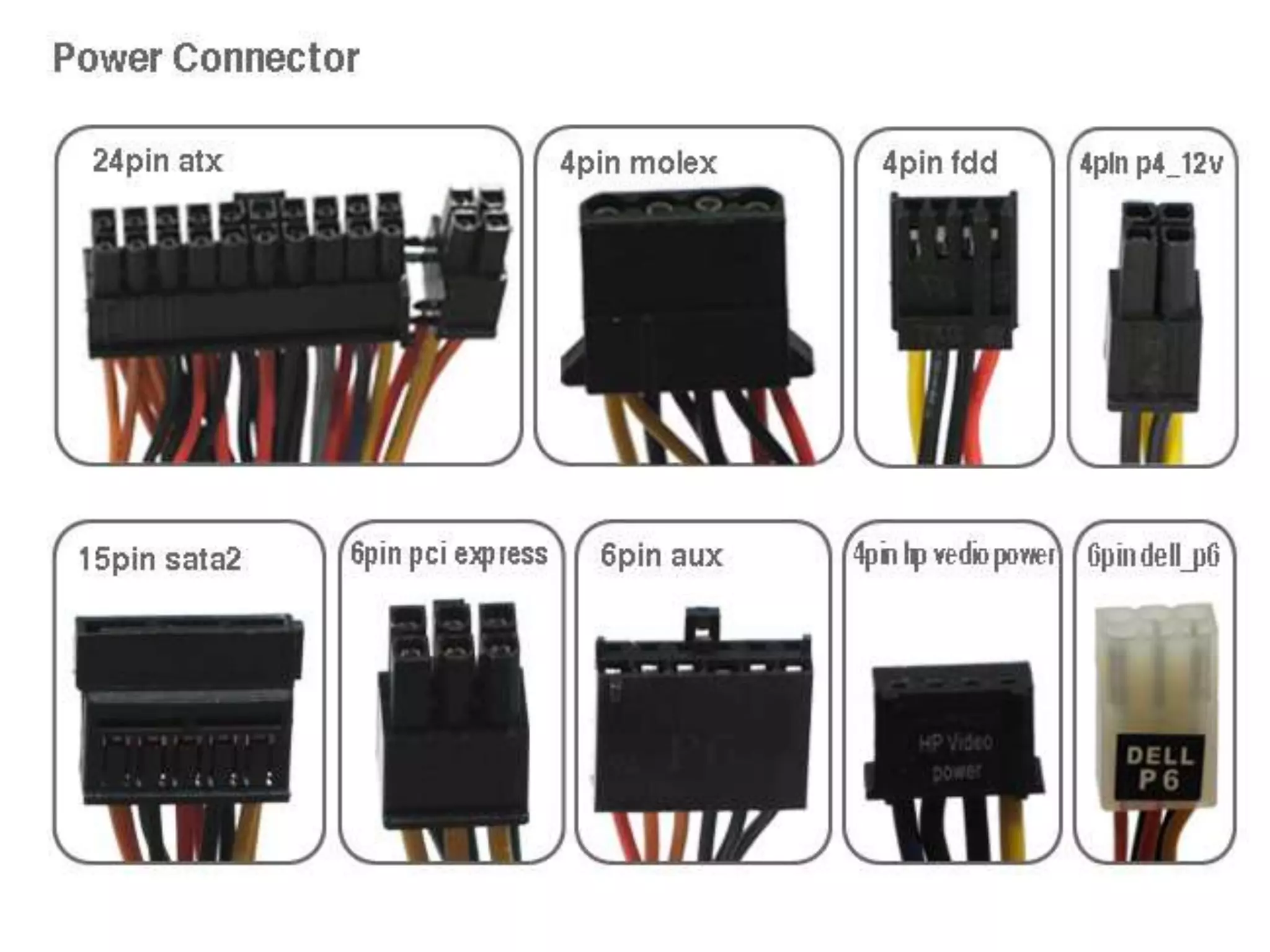
• Power supply have many connectors to provide
power to the system components.
– Mini plug-provides power to the floppy drive
– Molex power connector-provides power to hard drives,
CD/DVD drives
– Motherboard power connector-provide power to the
motherboard
– 12v ATX power connector-this is required to provide
additional power to the Pentium4 processor. This is
plugged in to the motherboard.
– SATA (Serial Advanced Technology Attachment) power
connector-provides power to the SATA devices)
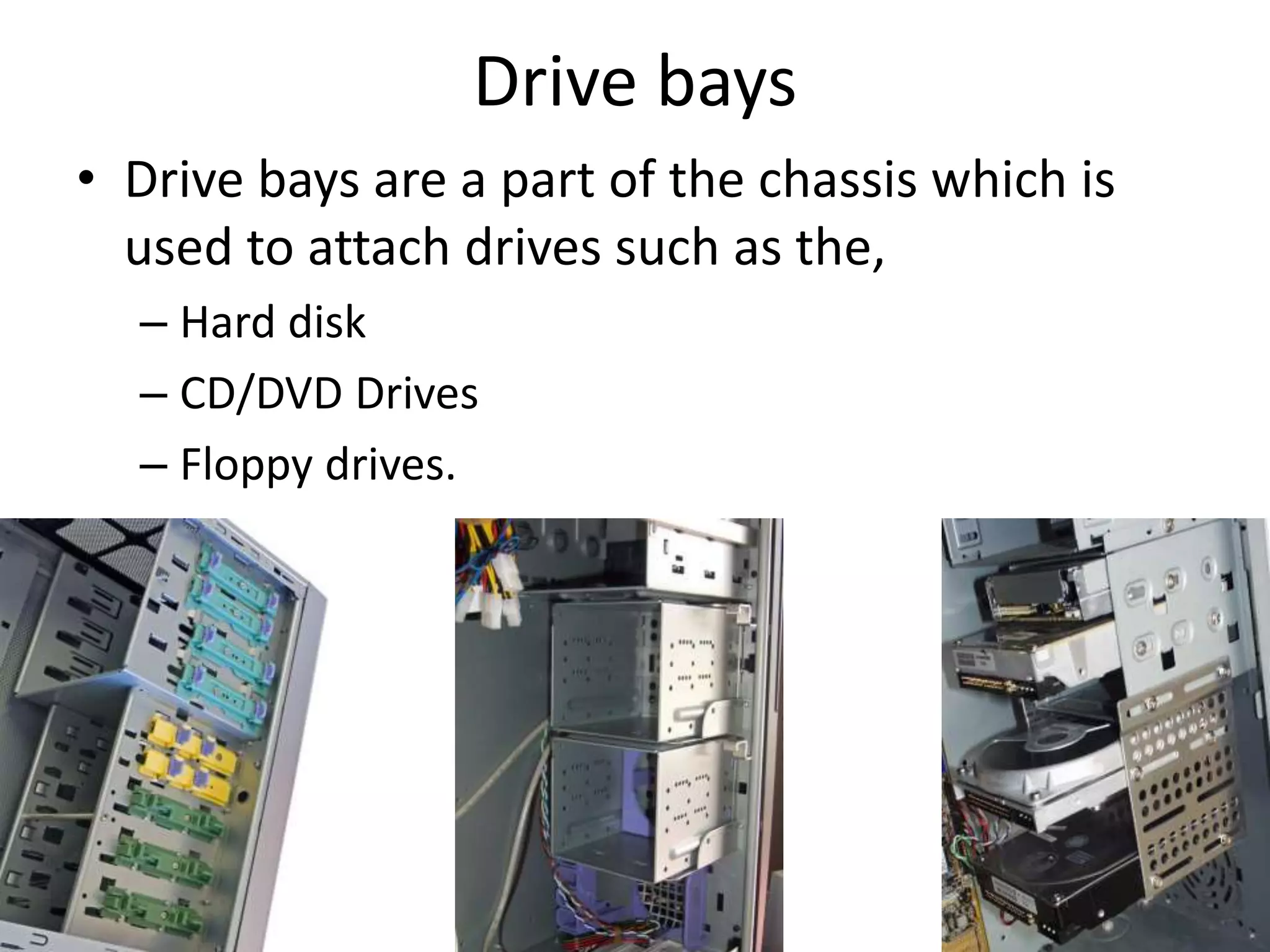
Drive bays
• Drive bays are a part of the chassis which is
used to attach drives such as the,
– Hard disk
– CD/DVD Drives
– Floppy drives.
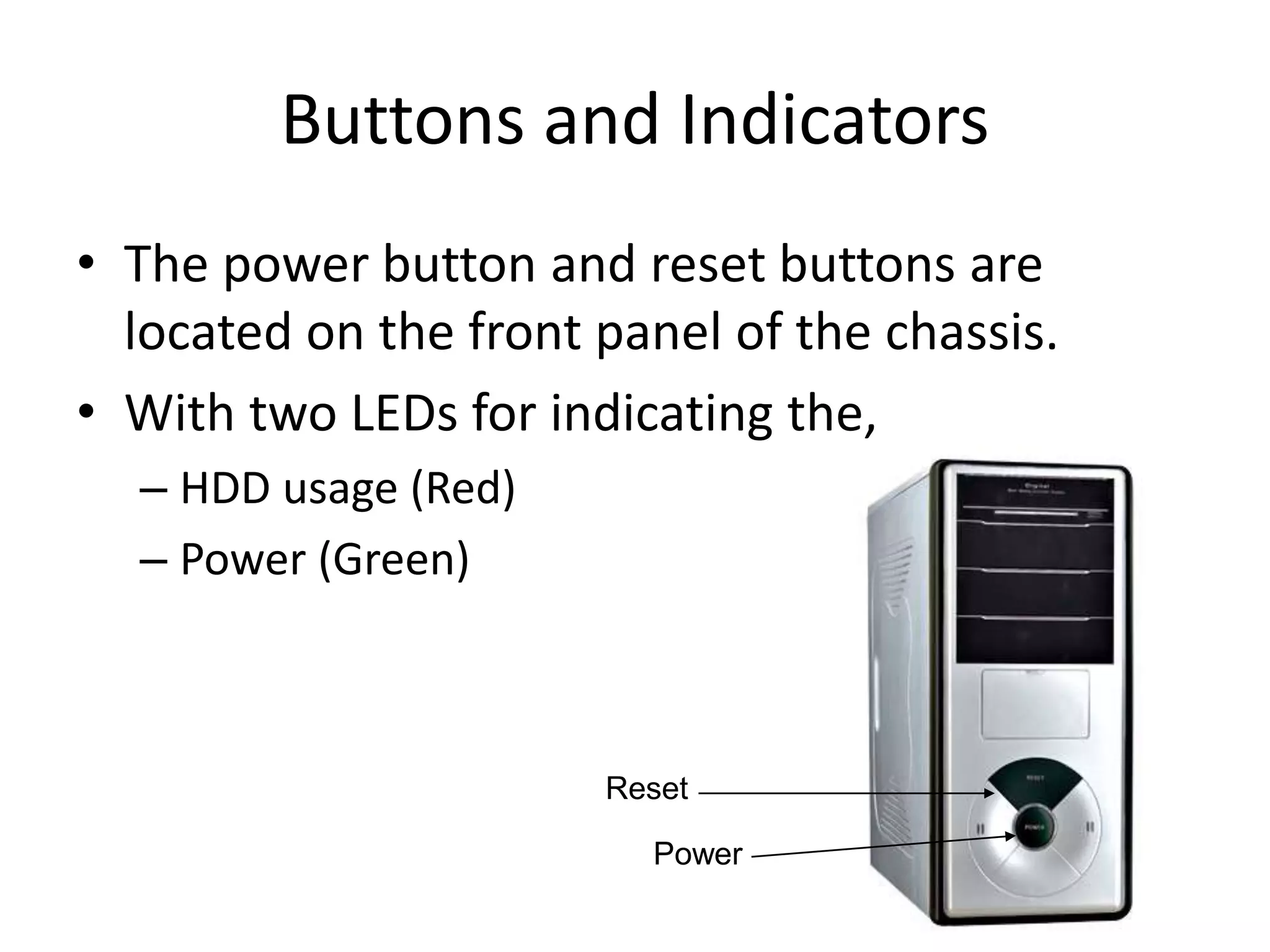
Buttons and Indicators
• The power button and reset buttons are
located on the front panel of the chassis.
• With two LEDs for indicating the,
– HDD usage (Red)
– Power (Green)
Power
Reset
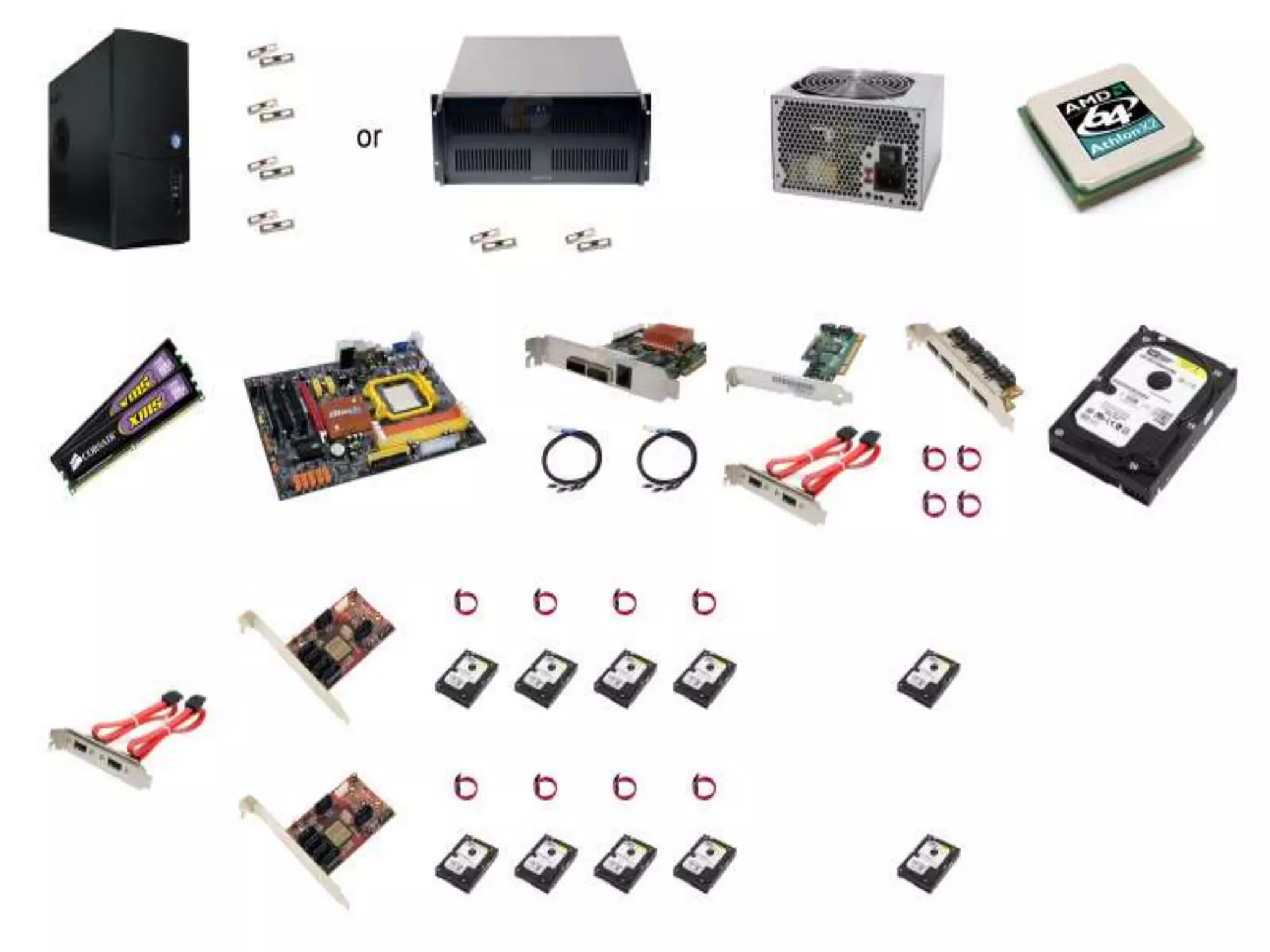
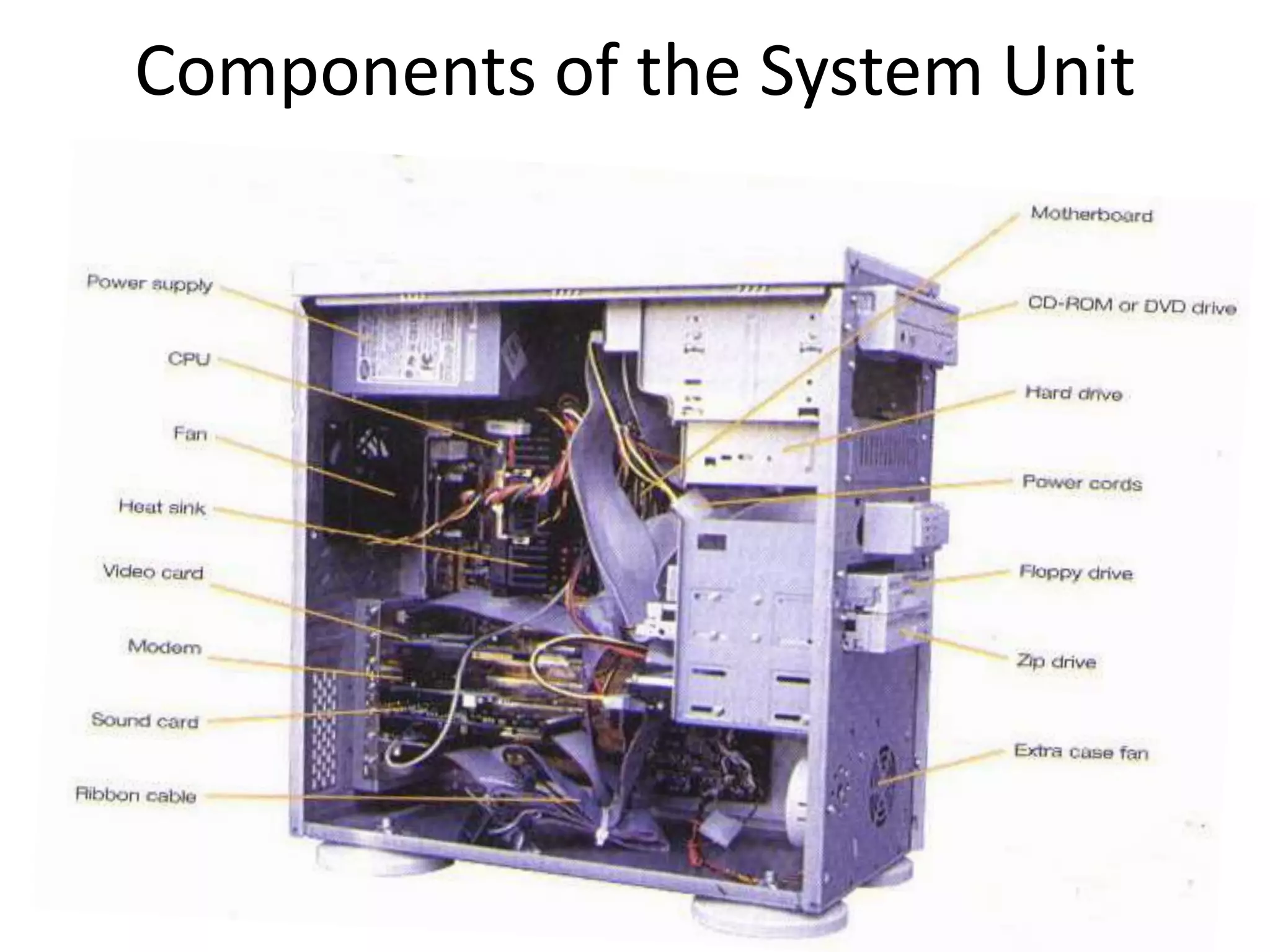
Components of the System Unit
Thank You !
Read more articles
log onto www.dailyict.com

Computer systems ii

  • 1.
    Computer Systems II logon to www.dailyict.com
  • 2.
  • 3.
    System Unit • Systemunit is created by inter-connecting lots of parts. • All of the components of a computer system require power to perform. • And also the system unit components needs protection from out-side entities. (dust, humidity, insects…..)
  • 5.
    System unit cont…… •Therefore to provide, – Power – Protection – Outer Appearance Components of the system unit well organized in side a ‘Protected Chassis’.
  • 6.
    Chassis • The chassisconsist of space for, – Motherboard – Power supply – Input/output connectors – Expansion cards – Expansion bays – Switches and wires – Indicator Light Emitting Diodes (LEDs)
  • 7.
    Chassis Types • Accordingto the outer appearance and the device organization inside, chassis are differs. • Mainly there are two types of Chassis using. – Tower Chassis – Flat-bed Chassis
  • 8.
    Tower Chassis • Thesystem unit components are screwed on to the right side panel of the chassis. • The outer appearance looks like a ‘Tower’. • Input/output connectors attached from the rear. • More popular type in these days. • There are some sub-types of Tower Chassis as well.
  • 9.
  • 10.
    Flatbed Chassis • Theolder version of chassis types. • Very rarely used in these days. • Branded computers still manufacturing these types of chassis for office environments. • Flatbeds are more compact and saves occupying space. • There are two types of Flatbed chassis. – Desktop – Slim Desktop
  • 11.
  • 12.
    Power Supply • Isthe component that supplies power to a computer. • More specifically, a power supply is typically designed to convert 100-120 V (North America and Japan) or 220- 240 V (Europe, Africa, Asia and Australia) • Provides 5V output by using 250Watt + • Mainly Two types of Power Supplies are there, » AT » ATX
  • 13.
    AT-Advanced Technology • Olderversion of Power supplies. • Power switch is not soft-switch one. • Computer is connected directly to the power supply ATX-Advanced Technology Extended • New version of Power supplies. • Power switch is soft-switch one. • Computer is connected to the power supply through the motherboard.
  • 14.
    Power supply connectors •Power supply have many connectors to provide power to the system components. – Mini plug-provides power to the floppy drive – Molex power connector-provides power to hard drives, CD/DVD drives – Motherboard power connector-provide power to the motherboard – 12v ATX power connector-this is required to provide additional power to the Pentium4 processor. This is plugged in to the motherboard. – SATA (Serial Advanced Technology Attachment) power connector-provides power to the SATA devices)
  • 18.
    Drive bays • Drivebays are a part of the chassis which is used to attach drives such as the, – Hard disk – CD/DVD Drives – Floppy drives.
  • 19.
    Buttons and Indicators •The power button and reset buttons are located on the front panel of the chassis. • With two LEDs for indicating the, – HDD usage (Red) – Power (Green) Power Reset
  • 20.
    Components of theSystem Unit
  • 21.
    Thank You ! Readmore articles log onto www.dailyict.com