Borough of West ChesterTechnology TrainingWilliam MannInformation Technology ManagerAgenda:Track-ItTech Blog1. Passwords2. Viruses3. Trojan Horses4. Worms5. SpamInformation TechnologyTraining ProgramSession 1: SecurityDecember 21, 2010
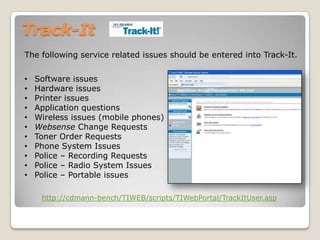
Track-ItThe following service related issues should be entered into Track-It. Software issues
Hardware issues
Printer issues
Application questions
Wireless issues (mobile phones)
Websense Change Requests
Toner Order Requests
Phone System Issues
Police – Recording Requests
Police – Radio System Issues
Police – Portable issueshttp://cdmann-bench/TIWEB/scripts/TIWebPortal/TrackItUser.asp
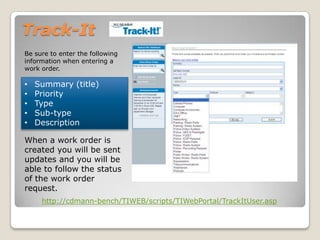
Track-ItBe sure to enter the following information when entering a work order.Summary (title)
Priority
Type
Sub-type
DescriptionWhen a work order is created you will be sent updates and you will be able to follow the status of the work order request.http://cdmann-bench/TIWEB/scripts/TIWebPortal/TrackItUser.asp
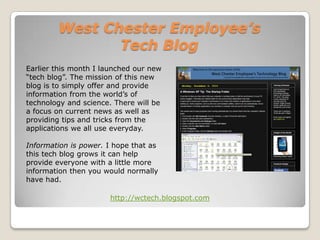
West Chester Employee’s Tech BlogEarlier this month I launched our new “tech blog”. The mission of this new blog is to simply offer and provide information from the world’s of technology and science. There will be a focus on current news as well as providing tips and tricks from the applications we all use everyday.Information is power. I hope that as this tech blog grows it can help provide everyone with a little more information then you would normally have had.http://wctech.blogspot.com
Network SecurityNetwork security is critical to everyone. Most of the information we deal with can not be released to the publicand must be secure.Network security is everyone’s responsibility.There are many simple things you can do to help secure information.
Network SecurityPasswordsPasswords are not an “option” or “suggested.Using passwords is Borough policy. Passwords help protect not only the employee, but the borough as well.
Network SecurityPasswordsHere are some suggestions for coming up with some good passwords.Make sure your password does not contain words from ANY dictionary (forwards or backwards) - Most "Brute Force" programs use a list of common words and terms which they use to generate a list of possible passwords. Commonly, dictionaries from multiple languages and technical terms are used.Use letters, numbers, AND symbols - Simply adding a string of numbers at the end of the password is typically not enough to guarantee security. The use of number and symbols through-out the password will strengthen it against "Brute Force" programs.
Network SecurityPasswordsMake your password at least 8 characters long - The longer the password, the more tries it takes to guess the password. Keeping your password over 8 characters will increase the difficulty in guessing your password.Avoid common number/letter replacements. (i.e. 1 and I, 3 and e) - Most "Brute Force" programs are aware of these replacements, and it uses them when creating a list of possible passwords to use.Do not use any keyboard sequences (i.e. qwerty) - Keyboard strings are common in many passwords, and for this reason many "Brute Force" programs use them as well.
Network SecurityPasswordsDo not use your own name - Using your own name in your password, even if it is followed by other words or numbers, increases the chance that a hacker can guess your password. Avoid repeating small sequences of characters (i.e. abcabc) - Most "Brute Force" programs have a list of common sequences that they use when trying to generate a list of possible passwords.
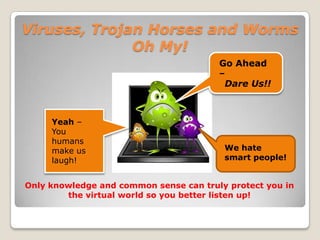
Viruses, Trojan Horses and Worms Oh My!Go Ahead – Dare Us!!Yeah – You humans make us laugh!We hate smart people!Only knowledge and common sense can truly protect you in the virtual world so you better listen up!
Viruses, Trojan Horses and Worms Oh My!Just like in the real world, threats come in all shapes and sizes and most don’t announce themselves or their intentions before striking. Just like in the real world, you need to protect yourself using common sense.You can go a long way in protecting yourself from these virtual bad guys by simply not opening any attachment you did not specifically ask for and by avoiding “questionable” websites.
Viruses, Trojan Horses and Worms Oh My!YES!Are there different types of Viruses?Unfortunately there are many types just like in the real world! Here are some of them.Boot viruses:These viruses infect floppy disk boot records or master boot records in hard disks. They replace the boot record program (which is responsible for loading the operating system in memory) copying it elsewhere on the disk or overwriting it. Boot viruses load into memory if the computer tries to read the disk while it is booting.Program viruses:These infect executable program files, such as those with extensions like .BIN, .COM, .EXE, .OVL, .DRV (driver) and .SYS (device driver). These programs are loaded in memory during execution, taking the virus with them. The virus becomes active in memory, making copies of itself and infecting files on disk
Viruses, Trojan Horses and Worms Oh My!Multipartite viruses:A hybrid of Boot and Program viruses. They infect program files and when the infected program is executed, these viruses infect the boot record. When you boot the computer next time the virus from the boot record loads in memory and then starts infecting other program files on disk.Stealth viruses:These viruses use certain techniques to avoid detection. They may either redirect the disk head to read another sector instead of the one in which they reside or they may alter the reading of the infected file’s size shown in the directory listing. For instance, the Whale virus adds 9216 bytes to an infected file; then the virus subtracts the same number of bytes (9216) from the size given in the directory.
Viruses, Trojan Horses and Worms Oh My!Polymorphic viruses:A virus that can encrypt its code in different ways so that it appears differently in each infection. These viruses are more difficult to detect.Macro Viruses:A macro virus is a new type of computer virus that infects the macros within a document or template. When you open a word processing or spreadsheet document, the macro virus is activated and it infects the Normal template (Normal.dot)-a general purpose file that stores default document formatting settings. Every document you open refers to the Normal template, and hence gets infected with the macro virus. Since this virus attaches itself to documents, the infection can spread if such documents are opened on other computers.
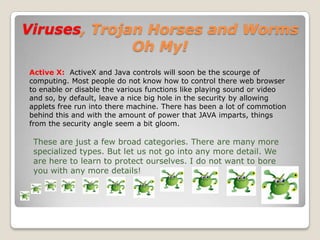
Viruses, Trojan Horses and Worms Oh My!Active X: ActiveX and Java controls will soon be the scourge of computing. Most people do not know how to control there web browser to enable or disable the various functions like playing sound or video and so, by default, leave a nice big hole in the security by allowing applets free run into there machine. There has been a lot of commotion behind this and with the amount of power that JAVA imparts, things from the security angle seem a bit gloom. These are just a few broad categories. There are many more specialized types. But let us not go into any more detail. We are here to learn to protect ourselves. I do not want to bore you with any more details!
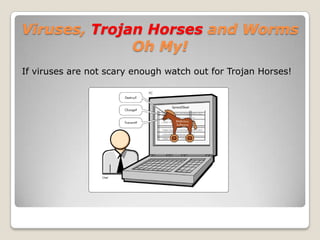
Viruses, Trojan Horses and Worms Oh My!If viruses are not scary enough watch out for Trojan Horses!
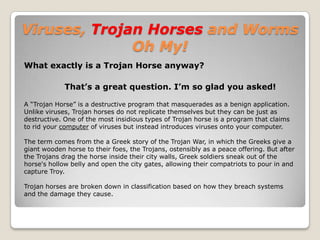
Viruses, Trojan Horses and Worms Oh My!What exactly is a Trojan Horse anyway?That’s a great question. I’m so glad you asked!A “Trojan Horse” is a destructive program that masquerades as a benign application. Unlike viruses, Trojan horses do not replicate themselves but they can be just as destructive. One of the most insidious types of Trojan horse is a program that claims to rid your computer of viruses but instead introduces viruses onto your computer. The term comes from the a Greek story of the Trojan War, in which the Greeks give a giant wooden horse to their foes, the Trojans, ostensibly as a peace offering. But after the Trojans drag the horse inside their city walls, Greek soldiers sneak out of the horse's hollow belly and open the city gates, allowing their compatriots to pour in and capture Troy. Trojan horses are broken down in classification based on how they breach systems and the damage they cause.
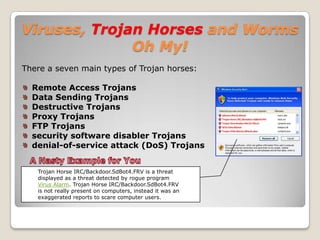
Viruses, Trojan Horses and Worms Oh My!There a seven main types of Trojan horses:Remote Access TrojansData Sending TrojansDestructive TrojansProxy TrojansFTP Trojanssecurity software disabler Trojansdenial-of-service attack (DoS) Trojans A Nasty Example for YouTrojan Horse IRC/Backdoor.SdBot4.FRV is a threat displayed as a threat detected by rogue program Virus Alarm. Trojan Horse IRC/Backdoor.SdBot4.FRV is not really present on computers, instead it was an exaggerated reports to scare computer users.

Computer Security

  • 1.
    Borough of WestChesterTechnology TrainingWilliam MannInformation Technology ManagerAgenda:Track-ItTech Blog1. Passwords2. Viruses3. Trojan Horses4. Worms5. SpamInformation TechnologyTraining ProgramSession 1: SecurityDecember 21, 2010
  • 2.
    Track-ItThe following servicerelated issues should be entered into Track-It. Software issues
  • 3.
  • 4.
  • 5.
  • 6.
  • 7.
  • 8.
  • 9.
  • 10.
  • 11.
    Police – RadioSystem Issues
  • 12.
    Police – Portableissueshttp://cdmann-bench/TIWEB/scripts/TIWebPortal/TrackItUser.asp
  • 13.
    Track-ItBe sure toenter the following information when entering a work order.Summary (title)
  • 14.
  • 15.
  • 16.
  • 17.
    DescriptionWhen a workorder is created you will be sent updates and you will be able to follow the status of the work order request.http://cdmann-bench/TIWEB/scripts/TIWebPortal/TrackItUser.asp
  • 18.
    West Chester Employee’sTech BlogEarlier this month I launched our new “tech blog”. The mission of this new blog is to simply offer and provide information from the world’s of technology and science. There will be a focus on current news as well as providing tips and tricks from the applications we all use everyday.Information is power. I hope that as this tech blog grows it can help provide everyone with a little more information then you would normally have had.http://wctech.blogspot.com
  • 19.
    Network SecurityNetwork securityis critical to everyone. Most of the information we deal with can not be released to the publicand must be secure.Network security is everyone’s responsibility.There are many simple things you can do to help secure information.
  • 20.
    Network SecurityPasswordsPasswords arenot an “option” or “suggested.Using passwords is Borough policy. Passwords help protect not only the employee, but the borough as well.
  • 21.
    Network SecurityPasswordsHere aresome suggestions for coming up with some good passwords.Make sure your password does not contain words from ANY dictionary (forwards or backwards) - Most "Brute Force" programs use a list of common words and terms which they use to generate a list of possible passwords. Commonly, dictionaries from multiple languages and technical terms are used.Use letters, numbers, AND symbols - Simply adding a string of numbers at the end of the password is typically not enough to guarantee security. The use of number and symbols through-out the password will strengthen it against "Brute Force" programs.
  • 22.
    Network SecurityPasswordsMake yourpassword at least 8 characters long - The longer the password, the more tries it takes to guess the password. Keeping your password over 8 characters will increase the difficulty in guessing your password.Avoid common number/letter replacements. (i.e. 1 and I, 3 and e) - Most "Brute Force" programs are aware of these replacements, and it uses them when creating a list of possible passwords to use.Do not use any keyboard sequences (i.e. qwerty) - Keyboard strings are common in many passwords, and for this reason many "Brute Force" programs use them as well.
  • 23.
    Network SecurityPasswordsDo notuse your own name - Using your own name in your password, even if it is followed by other words or numbers, increases the chance that a hacker can guess your password. Avoid repeating small sequences of characters (i.e. abcabc) - Most "Brute Force" programs have a list of common sequences that they use when trying to generate a list of possible passwords.
  • 24.
    Viruses, Trojan Horsesand Worms Oh My!Go Ahead – Dare Us!!Yeah – You humans make us laugh!We hate smart people!Only knowledge and common sense can truly protect you in the virtual world so you better listen up!
  • 25.
    Viruses, Trojan Horsesand Worms Oh My!Just like in the real world, threats come in all shapes and sizes and most don’t announce themselves or their intentions before striking. Just like in the real world, you need to protect yourself using common sense.You can go a long way in protecting yourself from these virtual bad guys by simply not opening any attachment you did not specifically ask for and by avoiding “questionable” websites.
  • 26.
    Viruses, Trojan Horsesand Worms Oh My!YES!Are there different types of Viruses?Unfortunately there are many types just like in the real world! Here are some of them.Boot viruses:These viruses infect floppy disk boot records or master boot records in hard disks. They replace the boot record program (which is responsible for loading the operating system in memory) copying it elsewhere on the disk or overwriting it. Boot viruses load into memory if the computer tries to read the disk while it is booting.Program viruses:These infect executable program files, such as those with extensions like .BIN, .COM, .EXE, .OVL, .DRV (driver) and .SYS (device driver). These programs are loaded in memory during execution, taking the virus with them. The virus becomes active in memory, making copies of itself and infecting files on disk
  • 27.
    Viruses, Trojan Horsesand Worms Oh My!Multipartite viruses:A hybrid of Boot and Program viruses. They infect program files and when the infected program is executed, these viruses infect the boot record. When you boot the computer next time the virus from the boot record loads in memory and then starts infecting other program files on disk.Stealth viruses:These viruses use certain techniques to avoid detection. They may either redirect the disk head to read another sector instead of the one in which they reside or they may alter the reading of the infected file’s size shown in the directory listing. For instance, the Whale virus adds 9216 bytes to an infected file; then the virus subtracts the same number of bytes (9216) from the size given in the directory.
  • 28.
    Viruses, Trojan Horsesand Worms Oh My!Polymorphic viruses:A virus that can encrypt its code in different ways so that it appears differently in each infection. These viruses are more difficult to detect.Macro Viruses:A macro virus is a new type of computer virus that infects the macros within a document or template. When you open a word processing or spreadsheet document, the macro virus is activated and it infects the Normal template (Normal.dot)-a general purpose file that stores default document formatting settings. Every document you open refers to the Normal template, and hence gets infected with the macro virus. Since this virus attaches itself to documents, the infection can spread if such documents are opened on other computers.
  • 29.
    Viruses, Trojan Horsesand Worms Oh My!Active X: ActiveX and Java controls will soon be the scourge of computing. Most people do not know how to control there web browser to enable or disable the various functions like playing sound or video and so, by default, leave a nice big hole in the security by allowing applets free run into there machine. There has been a lot of commotion behind this and with the amount of power that JAVA imparts, things from the security angle seem a bit gloom. These are just a few broad categories. There are many more specialized types. But let us not go into any more detail. We are here to learn to protect ourselves. I do not want to bore you with any more details!
  • 30.
    Viruses, Trojan Horsesand Worms Oh My!If viruses are not scary enough watch out for Trojan Horses!
  • 31.
    Viruses, Trojan Horsesand Worms Oh My!What exactly is a Trojan Horse anyway?That’s a great question. I’m so glad you asked!A “Trojan Horse” is a destructive program that masquerades as a benign application. Unlike viruses, Trojan horses do not replicate themselves but they can be just as destructive. One of the most insidious types of Trojan horse is a program that claims to rid your computer of viruses but instead introduces viruses onto your computer. The term comes from the a Greek story of the Trojan War, in which the Greeks give a giant wooden horse to their foes, the Trojans, ostensibly as a peace offering. But after the Trojans drag the horse inside their city walls, Greek soldiers sneak out of the horse's hollow belly and open the city gates, allowing their compatriots to pour in and capture Troy. Trojan horses are broken down in classification based on how they breach systems and the damage they cause.
  • 32.
    Viruses, Trojan Horsesand Worms Oh My!There a seven main types of Trojan horses:Remote Access TrojansData Sending TrojansDestructive TrojansProxy TrojansFTP Trojanssecurity software disabler Trojansdenial-of-service attack (DoS) Trojans A Nasty Example for YouTrojan Horse IRC/Backdoor.SdBot4.FRV is a threat displayed as a threat detected by rogue program Virus Alarm. Trojan Horse IRC/Backdoor.SdBot4.FRV is not really present on computers, instead it was an exaggerated reports to scare computer users.