HARDWARE AND PERIPHERALS
HARDWARE A computer’s hardware include all the physical parts of the computer. These are the parts that can actually see and touch.
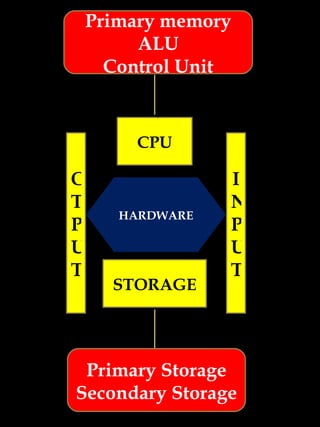
HARDWARE CPU STORAGE I N P U T O T P U T Primary memory ALU Control Unit Primary Storage Secondary Storage
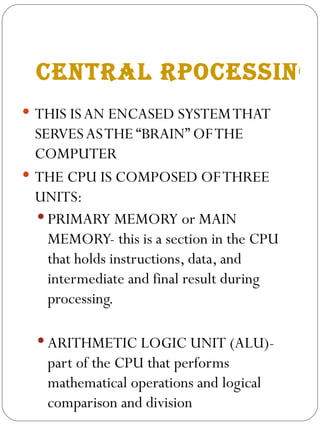
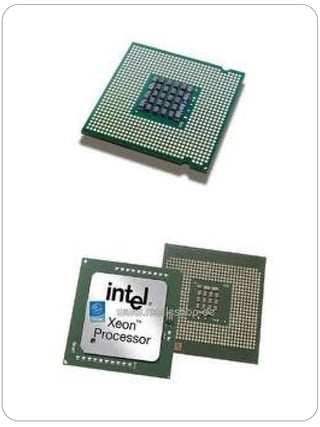
CENTRAL RPOCESSING UNIT THIS IS AN ENCASED SYSTEM THAT SERVES AS THE “BRAIN” OF THE COMPUTER THE CPU IS COMPOSED OF THREE  UNITS: PRIMARY MEMORY or MAIN MEMORY- this is a section in the CPU that holds instructions, data, and intermediate and final result during processing. ARITHMETIC LOGIC UNIT (ALU)- part of the CPU that performs mathematical operations and logical comparison and division
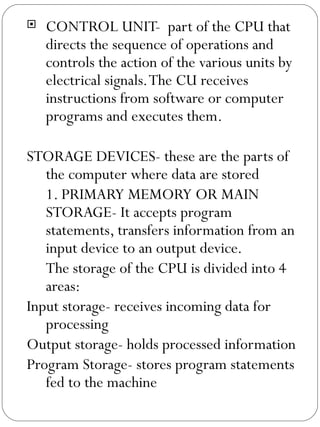
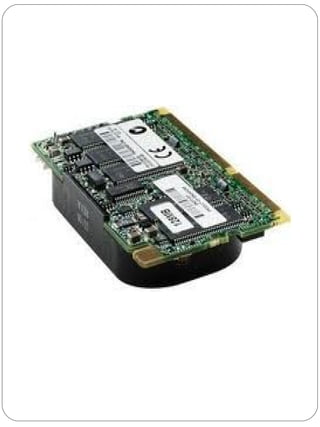
CONTROL UNIT-  part of the CPU that directs the sequence of operations and controls the action of the various units by electrical signals. The CU receives instructions from software or computer programs and executes them. STORAGE DEVICES- these are the parts of the computer where data are stored 1. PRIMARY MEMORY OR MAIN STORAGE- It accepts program statements, transfers information from an input device to an output device. The storage of the CPU is divided into 4 areas: Input storage- receives incoming data for processing Output storage- holds processed information Program Storage- stores program statements fed to the machine
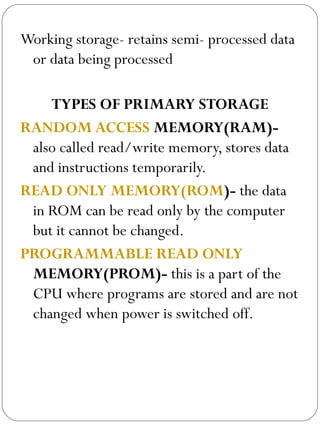
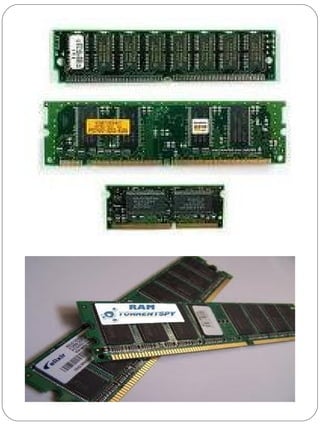
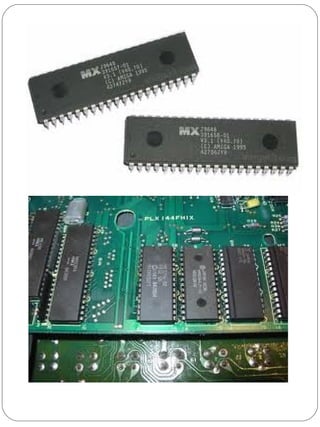
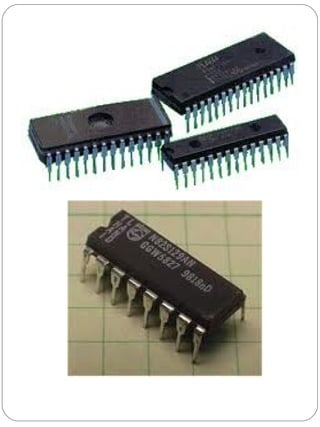
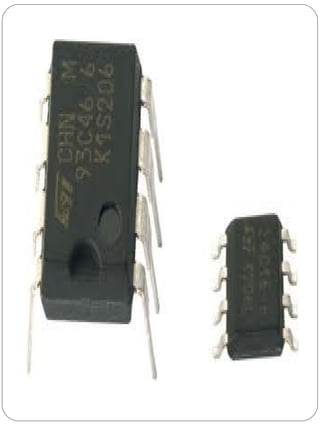
Working storage- retains semi- processed data or data being processed TYPES OF PRIMARY STORAGE RANDOM ACCESS  MEMORY(RAM)-  also called read/write memory, stores data and instructions temporarily.  READ ONLY MEMORY(ROM )-  the data in ROM can be read only by the computer but it cannot be changed. PROGRAMMABLE READ ONLY  MEMORY(PROM)-  this is a part of the CPU where programs are stored and are not changed when power is switched off.
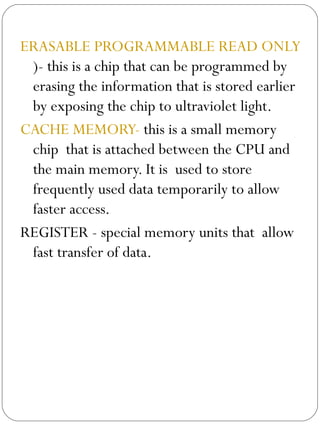
ERASABLE PROGRAMMABLE READ ONLY MEMORY(EPROM )- this is a chip that can be programmed by erasing the information that is stored earlier by exposing the chip to ultraviolet light. CACHE MEMORY-  this is a small memory chip  that is attached between the CPU and the main memory. It is  used to store frequently used data temporarily to allow faster access.  REGISTER - special memory units that  allow fast transfer of data.
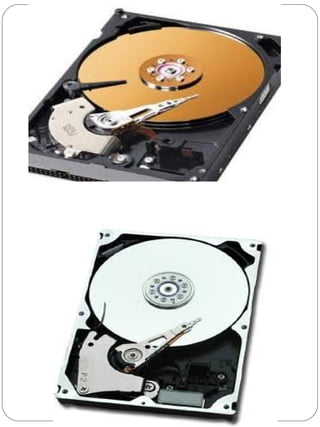
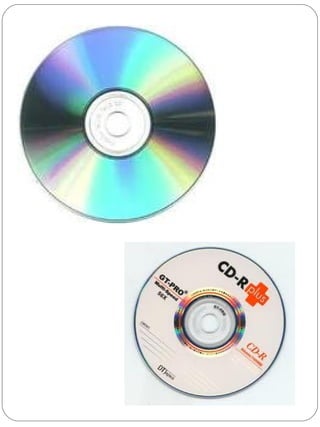
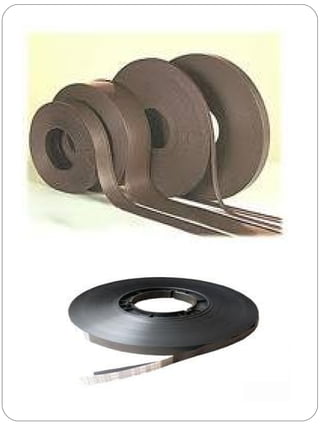
SECONDARY MEMORY OR SECONDARY STORAGE HARD DIS K-  it stores your computer’s OS(operating system), the programs that are installed in your computer and most of your files. The hard disk is often labeled as drive C. OPTICAL DISKS(CD- ROM & DVD-ROM )- these are removable discs that can store large amount s of information. They are read by a CR- ROM or DVD ROM drive. MAGNETIC TAPE-  it is a recording medium that consists of a thin tape with a coating of fine magnetic material.
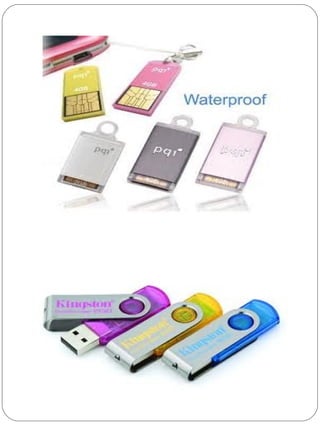
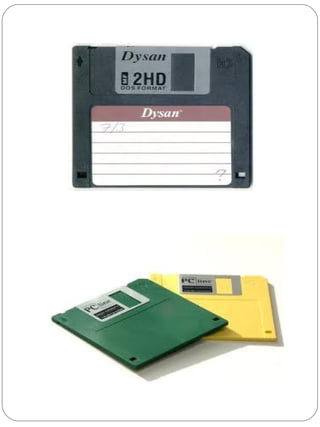
FLASH DRIVE-   also called jump drive, pen drive, and thumb drive, it is a small flash memory drive with the USB(Universal Serial Bus) connection. FLOPPY DISK-  Also called diskette, this contains a flexible magnetic disc that holds data.
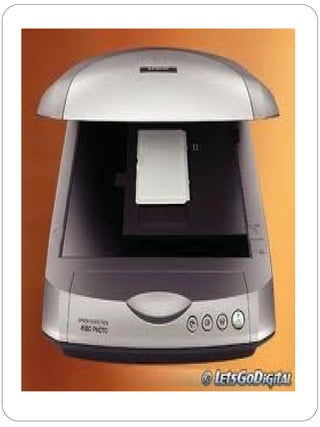
INPUT DEVICES Allows you to communicate with the computer by “reading “programs and data. They convert data into computer- readable forms by changing information or instructions  into electrical pulses. KEYBOARD-it converts letters, numbers, and other characters to signals that the computer can understand. MOUSE- acts as a pointing device that is used to choose and open programs and data files.  SCANNER- it copies images and texts on a piece of paper and converts them into digital signal that a computer can store and process
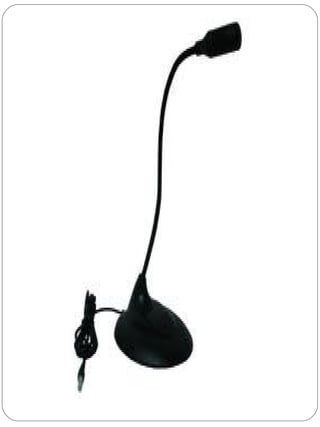
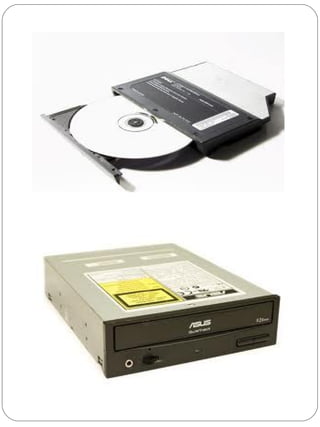
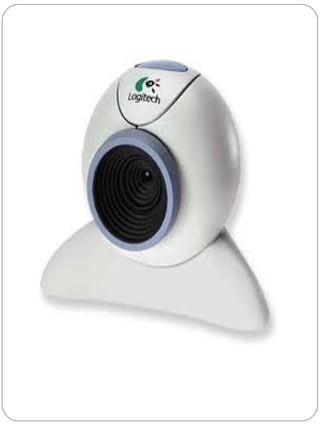
OUTPUT DEVICES MICROPHONE - this is a voice and sound input device that allows your voice to be  recorded into and processed by the computer. CD- ROM OR DVD- ROM DRIVE-  component that reads and record data in CDs and DVDs. WEB CAMERA-  also called webcam, it functions like a digital camera or video camera which allows you to take images and videos and store them directly into the computer.  These components allows you to read what the computer has processed by transforming the processed data into human- readable items or output medium.
PRINTER- it is a computer output device that produces printed copies of documents and other data in a paper. MONITOR- it is a visual device that displays the information, commands and actions that you command your computer to process. SPEAKER- device that makes sounds, clips and any audio materials be heard. HEADPHONE- another version of speaker that is worn in or over the ears  to hear audio sounds DATA PROJECTOR- it allows the information to be displayed on a big screen so that the projected information can be seen in larger image.


DO YOU UNDERSTAND? Explain why computer components we have just discussed are called “hardware”?
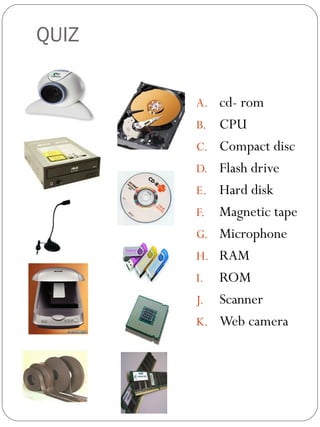
QUIZ cd- rom  CPU Compact disc Flash drive Hard disk Magnetic tape Microphone RAM ROM Scanner Web camera 1 2 3 4 5 MATCHING TYPE. IDENTIFY THE PICTURES BY MATCHING COLUMN A TO COLUMN B. WRITE THE LEETERS OF THE CORRECT ANSWER. 6 7 8 9 10

Hardware and peripherals3

  • 1.
  • 2.
    HARDWARE A computer’shardware include all the physical parts of the computer. These are the parts that can actually see and touch.
  • 3.
    HARDWARE CPU STORAGEI N P U T O T P U T Primary memory ALU Control Unit Primary Storage Secondary Storage
  • 4.
    CENTRAL RPOCESSING UNITTHIS IS AN ENCASED SYSTEM THAT SERVES AS THE “BRAIN” OF THE COMPUTER THE CPU IS COMPOSED OF THREE UNITS: PRIMARY MEMORY or MAIN MEMORY- this is a section in the CPU that holds instructions, data, and intermediate and final result during processing. ARITHMETIC LOGIC UNIT (ALU)- part of the CPU that performs mathematical operations and logical comparison and division
  • 5.
    CONTROL UNIT- part of the CPU that directs the sequence of operations and controls the action of the various units by electrical signals. The CU receives instructions from software or computer programs and executes them. STORAGE DEVICES- these are the parts of the computer where data are stored 1. PRIMARY MEMORY OR MAIN STORAGE- It accepts program statements, transfers information from an input device to an output device. The storage of the CPU is divided into 4 areas: Input storage- receives incoming data for processing Output storage- holds processed information Program Storage- stores program statements fed to the machine
  • 6.
    Working storage- retainssemi- processed data or data being processed TYPES OF PRIMARY STORAGE RANDOM ACCESS MEMORY(RAM)- also called read/write memory, stores data and instructions temporarily. READ ONLY MEMORY(ROM )- the data in ROM can be read only by the computer but it cannot be changed. PROGRAMMABLE READ ONLY MEMORY(PROM)- this is a part of the CPU where programs are stored and are not changed when power is switched off.
  • 7.
    ERASABLE PROGRAMMABLE READONLY MEMORY(EPROM )- this is a chip that can be programmed by erasing the information that is stored earlier by exposing the chip to ultraviolet light. CACHE MEMORY- this is a small memory chip that is attached between the CPU and the main memory. It is used to store frequently used data temporarily to allow faster access. REGISTER - special memory units that allow fast transfer of data.
  • 8.
    SECONDARY MEMORY ORSECONDARY STORAGE HARD DIS K- it stores your computer’s OS(operating system), the programs that are installed in your computer and most of your files. The hard disk is often labeled as drive C. OPTICAL DISKS(CD- ROM & DVD-ROM )- these are removable discs that can store large amount s of information. They are read by a CR- ROM or DVD ROM drive. MAGNETIC TAPE- it is a recording medium that consists of a thin tape with a coating of fine magnetic material.
  • 9.
    FLASH DRIVE- also called jump drive, pen drive, and thumb drive, it is a small flash memory drive with the USB(Universal Serial Bus) connection. FLOPPY DISK- Also called diskette, this contains a flexible magnetic disc that holds data.
  • 10.
    INPUT DEVICES Allowsyou to communicate with the computer by “reading “programs and data. They convert data into computer- readable forms by changing information or instructions into electrical pulses. KEYBOARD-it converts letters, numbers, and other characters to signals that the computer can understand. MOUSE- acts as a pointing device that is used to choose and open programs and data files. SCANNER- it copies images and texts on a piece of paper and converts them into digital signal that a computer can store and process
  • 11.
    OUTPUT DEVICES MICROPHONE- this is a voice and sound input device that allows your voice to be recorded into and processed by the computer. CD- ROM OR DVD- ROM DRIVE- component that reads and record data in CDs and DVDs. WEB CAMERA- also called webcam, it functions like a digital camera or video camera which allows you to take images and videos and store them directly into the computer. These components allows you to read what the computer has processed by transforming the processed data into human- readable items or output medium.
  • 12.
    PRINTER- it isa computer output device that produces printed copies of documents and other data in a paper. MONITOR- it is a visual device that displays the information, commands and actions that you command your computer to process. SPEAKER- device that makes sounds, clips and any audio materials be heard. HEADPHONE- another version of speaker that is worn in or over the ears to hear audio sounds DATA PROJECTOR- it allows the information to be displayed on a big screen so that the projected information can be seen in larger image.
  • 13.
  • 14.
  • 15.
  • 16.
  • 17.
  • 18.
  • 19.
  • 20.
  • 21.
  • 22.
  • 23.
  • 24.
  • 25.
  • 26.
  • 27.
  • 28.
    DO YOU UNDERSTAND?Explain why computer components we have just discussed are called “hardware”?
  • 29.
    QUIZ cd- rom CPU Compact disc Flash drive Hard disk Magnetic tape Microphone RAM ROM Scanner Web camera 1 2 3 4 5 MATCHING TYPE. IDENTIFY THE PICTURES BY MATCHING COLUMN A TO COLUMN B. WRITE THE LEETERS OF THE CORRECT ANSWER. 6 7 8 9 10