PREVENTING VIRUSES
AND OTHER MALICIOUS
CODE
WHAT IS COMPUTER
VIRUS?
Lesson 1
COMPUTER VIRUS
 is a type of computer program that, when executed, replicates itself
by modifying other computer programs and inserting its own code. If
this replication succeeds, the affected areas are then said to be
"infected" with a computer virus, a metaphor derived from biological
viruses.
 Computer viruses generally require a host program. The virus writes
its own code into the host program. When the program runs, the
written virus program is executed first, causing infection and damage.
 Computer viruses cause billions of dollars' worth of economic
damage each year.
COMPUTER VIRUS
 A computer virus is a self-spreading piece of software. The viruses
disrupt the normal functioning of a computer, damaging its software
or stealing its data.
 The first computer virus was created in 1971 to test whether
computer software could self-replicate.
BIOLOGICAL VIRUS
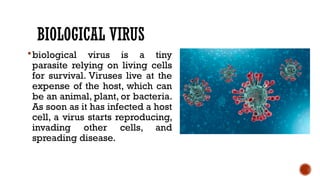
biological virus is a tiny
parasite relying on living cells
for survival. Viruses live at the
expense of the host, which can
be an animal, plant, or bacteria.
As soon as it has infected a host
cell, a virus starts reproducing,
invading other cells, and
spreading disease.
BIOLOGICAL VIRUS
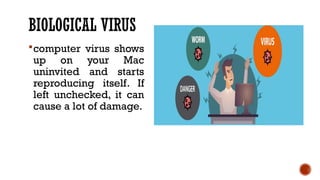
computer virus shows
up on your Mac
uninvited and starts
reproducing itself. If
left unchecked, it can
cause a lot of damage.
WHAT ARE THE
SYMPTOMS OF A
COMPUTER VIRUSES?
1.YOUR COMPUTER SLOWS DOWN
One of the most common computer virus symptoms is slow
down. You can know that your computer has been affected
by malware if your operating system, computer
applications, and internet speed begin to slow down. If you
note such a tendency and you’re not running heavy
applications or programs, there may be cause for alarm.
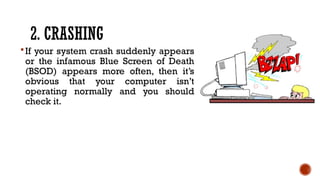
2. CRASHING
If your system crash suddenly appears
or the infamous Blue Screen of Death
(BSOD) appears more often, then it’s
obvious that your computer isn’t
operating normally and you should
check it.
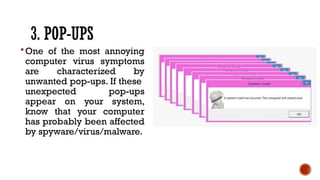
3. POP-UPS
One of the most annoying
computer virus symptoms
are characterized by
unwanted pop-ups. If these
unexpected pop-ups
appear on your system,
know that your computer
has probably been affected
by spyware/virus/malware.
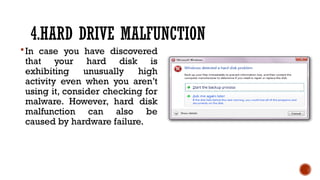
4.HARD DRIVE MALFUNCTION
In case you have discovered
that your hard disk is
exhibiting unusually high
activity even when you aren’t
using it, consider checking for
malware. However, hard disk
malfunction can also be
caused by hardware failure.
5.RUNNING OUT OF STORAGE SPACE
Computer virus symptoms can be triggered by
numerous malicious software through different methods
to fill your storage space and may eventually cause it to
crash.
6.UNWANTED PROGRAMS OR MESSAGES
THAT START AUTOMATICALLY
Some of the warning signs that you should be suspicious about
include:
• Windows shutting down suddenly without reason
• Programs opening or closing automatically
• Strange windows as you boot
• Message from windows that you lost access to your drive
7. DISABLED SECURITY SOLUTION
In case your antivirus doesn’t seem to work or if your update
module all of a sudden is disabled, make sure that you check
what has happened as soon as possible. There are some types
of malware that are built to disable computer security solutions
and leave your machine defenseless.access to your drive
8.SENDING STRANGE MESSAGES
AUTOMATICALLY
The first step is to confirm whether the messages were sent
from your account. However, if you discover that you
weren’t the sender, then the messages were sent by an
uncontrollable application.
9.UNUSUAL NETWORK ACTIVITY
Sometimes you may not be connected to the internet, and
you aren’t running any applications that can connect
themselves to the internet, but you still observe high
network activity. Such computer virus symptoms can be
confirmed by using a good antivirus.
10. APPLICATIONS
If you have tried to start applications from the start menu or
desktop of your computer and nothing happens, then your
computer may be infected.
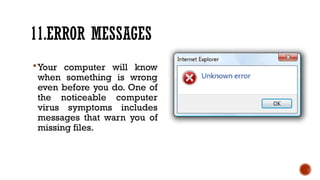
11.ERROR MESSAGES
Your computer will know
when something is wrong
even before you do. One of
the noticeable computer
virus symptoms includes
messages that warn you of
missing files.
12.ADVERTISEMENTS
Ads are common when
browsing. However, when
you see them when not
browsing, this could be a
sign of a virus.
13.HARDWARE AND ACCESSORY PROBLEMS
In case you have problems with your
computer display, for instance color
problems or mixing pixels, this can be an
indication of malware in your computer.
Sometimes network printers also
malfunction if they become infected.
14.SENT EMAILS
Viruses can be spread via emails. Therefore, if
you note that there are emails in your outbox
that you never sent or you receive suspicious
emails from a friend, they may be infected.
15.COMPUTER MALFUNCTION
Computer viruses can cause your computer to
do all kind of strange things. When your
computer starts to open files on its own, or
acts like keys have been clicked, then you may
be experiencing computer virus symptoms.
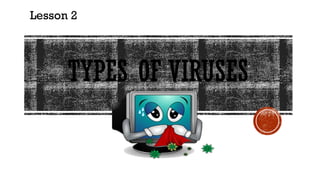
TYPES OF VIRUSES
Lesson 2
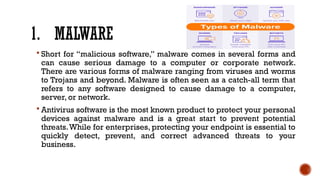
1. MALWARE
 Short for “malicious software,” malware comes in several forms and
can cause serious damage to a computer or corporate network.
There are various forms of malware ranging from viruses and worms
to Trojans and beyond. Malware is often seen as a catch-all term that
refers to any software designed to cause damage to a computer,
server, or network.
 Antivirus software is the most known product to protect your personal
devices against malware and is a great start to prevent potential
threats.While for enterprises, protecting your endpoint is essential to
quickly detect, prevent, and correct advanced threats to your
business.
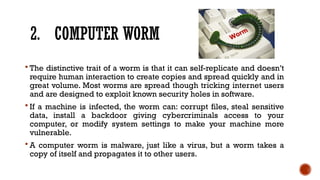
2. COMPUTER WORM
 The distinctive trait of a worm is that it can self-replicate and doesn’t
require human interaction to create copies and spread quickly and in
great volume. Most worms are spread though tricking internet users
and are designed to exploit known security holes in software.
 If a machine is infected, the worm can: corrupt files, steal sensitive
data, install a backdoor giving cybercriminals access to your
computer, or modify system settings to make your machine more
vulnerable.
 A computer worm is malware, just like a virus, but a worm takes a
copy of itself and propagates it to other users.
3. SPAM
 Spam refers to unsolicited messages in your email inbox. From the
sender’s perspective, spam is a great way to get their message across
in an efficient and cost-effective way. While spam is usually
considered harmless, some can include links that will install
malicious software on your computer if the recipient clicks on it.
4. PHISHING
 Created by cybercriminals attempting to
solicit private or sensitive information,
phishing schemes tend to be the starting
point of nearly all successful cyberattacks.
 Phishing schemes can disguise itself in many
forms, whether its posing as your bank or a
common web service, with the sole purpose
to lure you in by clicking links and asking
you to verify account details, personal
information, or passwords.
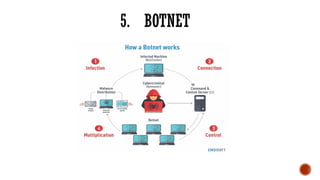
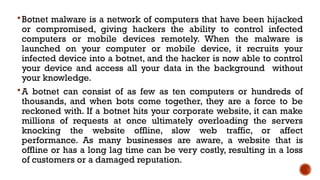
5. BOTNET
Botnet malware is a network of computers that have been hijacked
or compromised, giving hackers the ability to control infected
computers or mobile devices remotely. When the malware is
launched on your computer or mobile device, it recruits your
infected device into a botnet, and the hacker is now able to control
your device and access all your data in the background without
your knowledge.
A botnet can consist of as few as ten computers or hundreds of
thousands, and when bots come together, they are a force to be
reckoned with. If a botnet hits your corporate website, it can make
millions of requests at once ultimately overloading the servers
knocking the website offline, slow web traffic, or affect
performance. As many businesses are aware, a website that is
offline or has a long lag time can be very costly, resulting in a loss
of customers or a damaged reputation.
WHAT CAUSES COMPUTER
VIRUSES?
Computer viruses are standard programs; only
instead of offering useful resources, these programs
can damage your device.
For a threat actor to execute a virus on your
machine, you must initiate execution. In some
cases, an attacker can execute malicious code
through your browser or remotely from another
network computer. Modern browsers have defenses
against local machine code execution, but third-
party software installed on the browser could have
vulnerabilities that allow viruses to run locally.
WHAT DOES A
COMPUTER VIRUS DO?
The way a computer virus acts depends on how it’s
coded. It could be something as simple as a prank
that doesn’t cause any damage, or it could be
sophisticated, leading to criminal activity and fraud.
Many viruses only affect a local device, but others
spread across a network environment to find other
vulnerable hosts.
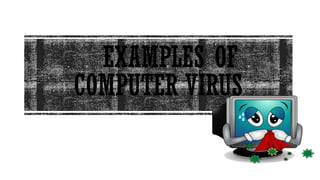
EXAMPLES OF
COMPUTER VIRUS
1. MORRIS WORM
Morris Worm or the “Great Worm”, which is
believed to be the pioneer among computer worms
distributed through the internet. Created to
highlight security flaws in Unix systems, its founder
Robert Morris, made a fatal error that transformed
the worm from a potentially harmless software to a
denial-of-service (DDoS) attack machine.
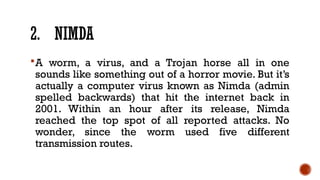
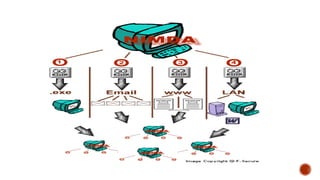
2. NIMDA
A worm, a virus, and a Trojan horse all in one
sounds like something out of a horror movie. But it’s
actually a computer virus known as Nimda (admin
spelled backwards) that hit the internet back in
2001. Within an hour after its release, Nimda
reached the top spot of all reported attacks. No
wonder, since the worm used five different
transmission routes.
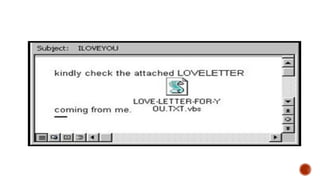
3. ILOVEYOU
The virus used emails as a transmission channel,
disguising itself as a love letter from one of its victim’s
contacts. The malware was hidden in the attachment
called “LOVE-LETTER-FOR-YOU.TXT.vbs”. Clicking
on it activated a Visual Basic script (a programming
language which allows programmers to modify code),
and the worm started overwriting random files on the
user’s PC. The worm also sent copies of itself to all
contacts in the user’s address book.
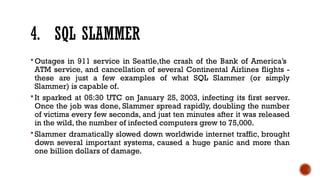
4. SQL SLAMMER
 Outages in 911 service in Seattle,the crash of the Bank of America’s
ATM service, and cancellation of several Continental Airlines flights -
these are just a few examples of what SQL Slammer (or simply
Slammer) is capable of.
 It sparked at 05:30 UTC on January 25, 2003, infecting its first server.
Once the job was done, Slammer spread rapidly, doubling the number
of victims every few seconds, and just ten minutes after it was released
in the wild, the number of infected computers grew to 75,000.
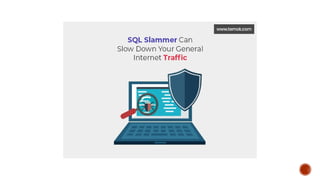
 Slammer dramatically slowed down worldwide internet traffic, brought
down several important systems, caused a huge panic and more than
one billion dollars of damage.
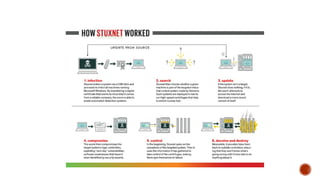
5. STUXNET
The destructive power of computer viruses can
make them weapons of mass digital destruction,
and Stuxnet became the first one. Unlike any other
virus or malware of that time, Stuxnet was
developed by the US and Israeli government
engineers to disrupt Iran’s nuclear program. Spread
via a USB thumb drive, it targeted Siemens
industrial control systems, causing centrifuges to
mysteriously fail and self-destroy at a record rate.
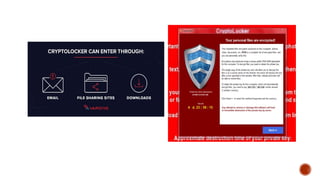
6. CRYPTOLOCKER
CryptoLocker is not like a typical computer virus that
causes harm and spreads itself. It’s ransomware: a kind
of malware that takes your files hostage, holding them
for ransom. CryptoLocker used a trojan disguised as a
PDF file that was spread through email attachments.
Surprisingly enough, CryptoLocker caused no harm to
the computer itself and didn’t show up until the
encryption was done. If you haven’t backed up your files,
the only way to restore them was by paying a ransom.
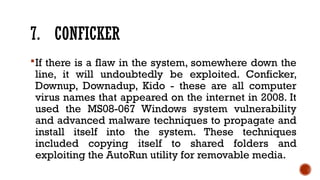
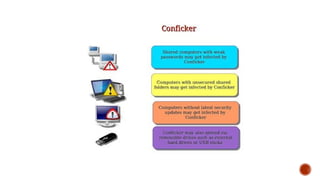
7. CONFICKER
If there is a flaw in the system, somewhere down the
line, it will undoubtedly be exploited. Conficker,
Downup, Downadup, Kido - these are all computer
virus names that appeared on the internet in 2008. It
used the MS08-067 Windows system vulnerability
and advanced malware techniques to propagate and
install itself into the system. These techniques
included copying itself to shared folders and
exploiting the AutoRun utility for removable media.
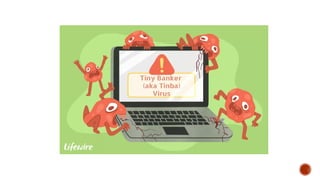
8. TINBA
Tinba is the pet name for the Tiny Banker Trojan that
hit the headlines in 2016. As the name suggests, its
main target was financial institution websites. Tinba
used man-in-the-browser attacks and network
sniffing to get users’ banking information.
9. SHLAYER
Shlayer disguised itself as updates for Adobe Flash
Player (that’s where its name comes from). When
launched, it ran a series of shell scripts to proliferate
various adware or potentially unwanted applications.
In most cases, users got the Shlayer virus when
visiting untrustworthy Torrent websites, clicking on
the advertisements, or downloading shady files.
HOW TO PREVENT
COMPUTER VIRUSES?
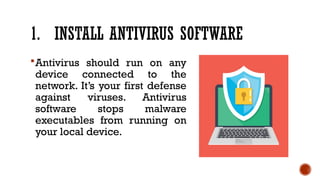
1. INSTALL ANTIVIRUS SOFTWARE
Antivirus should run on any
device connected to the
network. It’s your first defense
against viruses. Antivirus
software stops malware
executables from running on
your local device.
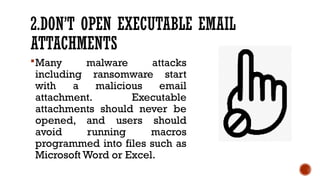
2.DON’T OPEN EXECUTABLE EMAIL
ATTACHMENTS
Many malware attacks
including ransomware start
with a malicious email
attachment. Executable
attachments should never be
opened, and users should
avoid running macros
programmed into files such as
Microsoft Word or Excel.
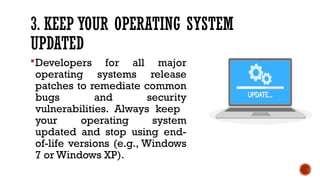
3. KEEP YOUR OPERATING SYSTEM
UPDATED
Developers for all major
operating systems release
patches to remediate common
bugs and security
vulnerabilities. Always keep
your operating system
updated and stop using end-
of-life versions (e.g., Windows
7 or Windows XP).
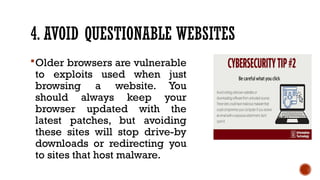
4. AVOID QUESTIONABLE WEBSITES
Older browsers are vulnerable
to exploits used when just
browsing a website. You
should always keep your
browser updated with the
latest patches, but avoiding
these sites will stop drive-by
downloads or redirecting you
to sites that host malware.
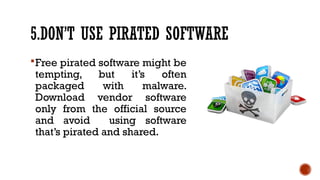
5.DON’T USE PIRATED SOFTWARE
Free pirated software might be
tempting, but it’s often
packaged with malware.
Download vendor software
only from the official source
and avoid using software
that’s pirated and shared.
5.DON’T USE PIRATED SOFTWARE
Free pirated software might be
tempting, but it’s often
packaged with malware.
Download vendor software
only from the official source
and avoid using software
that’s pirated and shared.
ANTI-VIRUS SOFTWARE
Anti-Virus Software that is created specifically to help
detect, prevent and remove malware (malicious software).
Antivirus is a kind of software used to prevent, scan, detect
and delete viruses from a computer. Once installed, most
antivirus software runs automatically in the background to
provide real-time protection against virus attacks.
1. AVAST! FREE ANTIVIRUS
Avast Antivirus is a family of cross-platform internet
security applications developed by Avast for
Microsoft Windows, macOS, Android and iOS. ... It is
a cross-platform solution that includes antivirus
protection, web threat scanning, browser
protection, and a cloud management console.
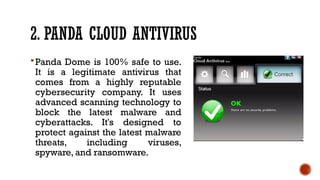
2. PANDA CLOUD ANTIVIRUS
Panda Dome is 100% safe to use.
It is a legitimate antivirus that
comes from a highly reputable
cybersecurity company. It uses
advanced scanning technology to
block the latest malware and
cyberattacks. It's designed to
protect against the latest malware
threats, including viruses,
spyware, and ransomware.
3. MICROSOFT SECURITY ESSENTIALS
Microsoft Security Essentials is an
antivirus software product that
provides protection against
different types of malicious
software, such as computer
viruses, spyware, rootkits, and
trojan horses.
4. AVIRA ANTIVIR PERSONAL EDITION
All versions of Avira Antivirus
offer Real-time protection against
malware. This feature monitors
and scans all the files you access,
copy, or otherwise interact with,
letting you know if they are safe
or infected. In case of danger,
Avira Antivirus won't let the
suspicious file make changes to
your device
5. AVG ANTI-VIRUS FREE EDITION
AVG AntiVirus for Android guards
your mobile phone against
malware attacks and threats to
your privacy. We give you on-the-
go protection against unsafe
apps, anti-theft locker & tracker,
and plenty more security and
performance features.
6. COMODO ANTIVIRUS
Comodo Antivirus is a fairly good
antivirus program. Prevents
viruses and malware from causing
harm to your computer before it's
too late. Cloud-based antivirus
scanning helps users scan and
identify malicious files even if
they are not equipped with up-to-
date virus definitions.
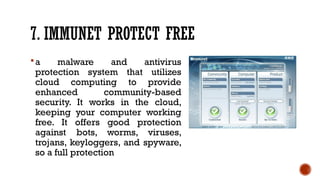
7. IMMUNET PROTECT FREE
a malware and antivirus
protection system that utilizes
cloud computing to provide
enhanced community-based
security. It works in the cloud,
keeping your computer working
free. It offers good protection
against bots, worms, viruses,
trojans, keyloggers, and spyware,
so a full protection
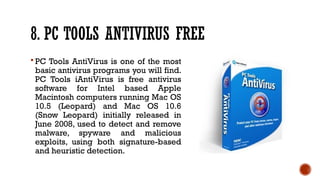
8. PC TOOLS ANTIVIRUS FREE
 PC Tools AntiVirus is one of the most
basic antivirus programs you will find.
PC Tools iAntiVirus is free antivirus
software for Intel based Apple
Macintosh computers running Mac OS
10.5 (Leopard) and Mac OS 10.6
(Snow Leopard) initially released in
June 2008, used to detect and remove
malware, spyware and malicious
exploits, using both signature-based
and heuristic detection.
9. MALWAREBYTES
Malwarebytes offers one of the
best antivirus programs to protect
computers against malware,
hacks, viruses, ransomware, and
other ever-evolving threats to
help support a safe online
antivirus experience. ... It
removes all traces of malware,
blocks the latest threats, and is a
fast virus scanner.
10. CLAMWIN FREE ANTIVIRUS
An open-source program
ClamWin, is reasonably good
protection for your computer. The
users receive several useful
features free of charge.
Specifically, using ClamWin
antivirus, you have an opportunity
to scan your device, protect it
against viruses and malware.

Preventing Viruses and other Malicious Code.pptx

  • 1.
  • 2.
  • 3.
    COMPUTER VIRUS  isa type of computer program that, when executed, replicates itself by modifying other computer programs and inserting its own code. If this replication succeeds, the affected areas are then said to be "infected" with a computer virus, a metaphor derived from biological viruses.  Computer viruses generally require a host program. The virus writes its own code into the host program. When the program runs, the written virus program is executed first, causing infection and damage.  Computer viruses cause billions of dollars' worth of economic damage each year.
  • 4.
    COMPUTER VIRUS  Acomputer virus is a self-spreading piece of software. The viruses disrupt the normal functioning of a computer, damaging its software or stealing its data.  The first computer virus was created in 1971 to test whether computer software could self-replicate.
  • 5.
    BIOLOGICAL VIRUS biological virusis a tiny parasite relying on living cells for survival. Viruses live at the expense of the host, which can be an animal, plant, or bacteria. As soon as it has infected a host cell, a virus starts reproducing, invading other cells, and spreading disease.
  • 6.
    BIOLOGICAL VIRUS computer virusshows up on your Mac uninvited and starts reproducing itself. If left unchecked, it can cause a lot of damage.
  • 7.
    WHAT ARE THE SYMPTOMSOF A COMPUTER VIRUSES?
  • 8.
    1.YOUR COMPUTER SLOWSDOWN One of the most common computer virus symptoms is slow down. You can know that your computer has been affected by malware if your operating system, computer applications, and internet speed begin to slow down. If you note such a tendency and you’re not running heavy applications or programs, there may be cause for alarm.
  • 9.
    2. CRASHING If yoursystem crash suddenly appears or the infamous Blue Screen of Death (BSOD) appears more often, then it’s obvious that your computer isn’t operating normally and you should check it.
  • 10.
    3. POP-UPS One ofthe most annoying computer virus symptoms are characterized by unwanted pop-ups. If these unexpected pop-ups appear on your system, know that your computer has probably been affected by spyware/virus/malware.
  • 11.
    4.HARD DRIVE MALFUNCTION Incase you have discovered that your hard disk is exhibiting unusually high activity even when you aren’t using it, consider checking for malware. However, hard disk malfunction can also be caused by hardware failure.
  • 12.
    5.RUNNING OUT OFSTORAGE SPACE Computer virus symptoms can be triggered by numerous malicious software through different methods to fill your storage space and may eventually cause it to crash.
  • 13.
    6.UNWANTED PROGRAMS ORMESSAGES THAT START AUTOMATICALLY Some of the warning signs that you should be suspicious about include: • Windows shutting down suddenly without reason • Programs opening or closing automatically • Strange windows as you boot • Message from windows that you lost access to your drive
  • 14.
    7. DISABLED SECURITYSOLUTION In case your antivirus doesn’t seem to work or if your update module all of a sudden is disabled, make sure that you check what has happened as soon as possible. There are some types of malware that are built to disable computer security solutions and leave your machine defenseless.access to your drive
  • 15.
    8.SENDING STRANGE MESSAGES AUTOMATICALLY Thefirst step is to confirm whether the messages were sent from your account. However, if you discover that you weren’t the sender, then the messages were sent by an uncontrollable application.
  • 16.
    9.UNUSUAL NETWORK ACTIVITY Sometimesyou may not be connected to the internet, and you aren’t running any applications that can connect themselves to the internet, but you still observe high network activity. Such computer virus symptoms can be confirmed by using a good antivirus.
  • 17.
    10. APPLICATIONS If youhave tried to start applications from the start menu or desktop of your computer and nothing happens, then your computer may be infected.
  • 18.
    11.ERROR MESSAGES Your computerwill know when something is wrong even before you do. One of the noticeable computer virus symptoms includes messages that warn you of missing files.
  • 19.
    12.ADVERTISEMENTS Ads are commonwhen browsing. However, when you see them when not browsing, this could be a sign of a virus.
  • 20.
    13.HARDWARE AND ACCESSORYPROBLEMS In case you have problems with your computer display, for instance color problems or mixing pixels, this can be an indication of malware in your computer. Sometimes network printers also malfunction if they become infected.
  • 21.
    14.SENT EMAILS Viruses canbe spread via emails. Therefore, if you note that there are emails in your outbox that you never sent or you receive suspicious emails from a friend, they may be infected.
  • 22.
    15.COMPUTER MALFUNCTION Computer virusescan cause your computer to do all kind of strange things. When your computer starts to open files on its own, or acts like keys have been clicked, then you may be experiencing computer virus symptoms.
  • 23.
  • 24.
    1. MALWARE  Shortfor “malicious software,” malware comes in several forms and can cause serious damage to a computer or corporate network. There are various forms of malware ranging from viruses and worms to Trojans and beyond. Malware is often seen as a catch-all term that refers to any software designed to cause damage to a computer, server, or network.  Antivirus software is the most known product to protect your personal devices against malware and is a great start to prevent potential threats.While for enterprises, protecting your endpoint is essential to quickly detect, prevent, and correct advanced threats to your business.
  • 25.
    2. COMPUTER WORM The distinctive trait of a worm is that it can self-replicate and doesn’t require human interaction to create copies and spread quickly and in great volume. Most worms are spread though tricking internet users and are designed to exploit known security holes in software.  If a machine is infected, the worm can: corrupt files, steal sensitive data, install a backdoor giving cybercriminals access to your computer, or modify system settings to make your machine more vulnerable.  A computer worm is malware, just like a virus, but a worm takes a copy of itself and propagates it to other users.
  • 26.
    3. SPAM  Spamrefers to unsolicited messages in your email inbox. From the sender’s perspective, spam is a great way to get their message across in an efficient and cost-effective way. While spam is usually considered harmless, some can include links that will install malicious software on your computer if the recipient clicks on it.
  • 27.
    4. PHISHING  Createdby cybercriminals attempting to solicit private or sensitive information, phishing schemes tend to be the starting point of nearly all successful cyberattacks.  Phishing schemes can disguise itself in many forms, whether its posing as your bank or a common web service, with the sole purpose to lure you in by clicking links and asking you to verify account details, personal information, or passwords.
  • 28.
  • 29.
    Botnet malware isa network of computers that have been hijacked or compromised, giving hackers the ability to control infected computers or mobile devices remotely. When the malware is launched on your computer or mobile device, it recruits your infected device into a botnet, and the hacker is now able to control your device and access all your data in the background without your knowledge. A botnet can consist of as few as ten computers or hundreds of thousands, and when bots come together, they are a force to be reckoned with. If a botnet hits your corporate website, it can make millions of requests at once ultimately overloading the servers knocking the website offline, slow web traffic, or affect performance. As many businesses are aware, a website that is offline or has a long lag time can be very costly, resulting in a loss of customers or a damaged reputation.
  • 30.
  • 31.
    Computer viruses arestandard programs; only instead of offering useful resources, these programs can damage your device. For a threat actor to execute a virus on your machine, you must initiate execution. In some cases, an attacker can execute malicious code through your browser or remotely from another network computer. Modern browsers have defenses against local machine code execution, but third- party software installed on the browser could have vulnerabilities that allow viruses to run locally.
  • 32.
  • 33.
    The way acomputer virus acts depends on how it’s coded. It could be something as simple as a prank that doesn’t cause any damage, or it could be sophisticated, leading to criminal activity and fraud. Many viruses only affect a local device, but others spread across a network environment to find other vulnerable hosts.
  • 34.
  • 35.
    1. MORRIS WORM MorrisWorm or the “Great Worm”, which is believed to be the pioneer among computer worms distributed through the internet. Created to highlight security flaws in Unix systems, its founder Robert Morris, made a fatal error that transformed the worm from a potentially harmless software to a denial-of-service (DDoS) attack machine.
  • 37.
    2. NIMDA A worm,a virus, and a Trojan horse all in one sounds like something out of a horror movie. But it’s actually a computer virus known as Nimda (admin spelled backwards) that hit the internet back in 2001. Within an hour after its release, Nimda reached the top spot of all reported attacks. No wonder, since the worm used five different transmission routes.
  • 39.
    3. ILOVEYOU The virusused emails as a transmission channel, disguising itself as a love letter from one of its victim’s contacts. The malware was hidden in the attachment called “LOVE-LETTER-FOR-YOU.TXT.vbs”. Clicking on it activated a Visual Basic script (a programming language which allows programmers to modify code), and the worm started overwriting random files on the user’s PC. The worm also sent copies of itself to all contacts in the user’s address book.
  • 41.
    4. SQL SLAMMER Outages in 911 service in Seattle,the crash of the Bank of America’s ATM service, and cancellation of several Continental Airlines flights - these are just a few examples of what SQL Slammer (or simply Slammer) is capable of.  It sparked at 05:30 UTC on January 25, 2003, infecting its first server. Once the job was done, Slammer spread rapidly, doubling the number of victims every few seconds, and just ten minutes after it was released in the wild, the number of infected computers grew to 75,000.  Slammer dramatically slowed down worldwide internet traffic, brought down several important systems, caused a huge panic and more than one billion dollars of damage.
  • 43.
    5. STUXNET The destructivepower of computer viruses can make them weapons of mass digital destruction, and Stuxnet became the first one. Unlike any other virus or malware of that time, Stuxnet was developed by the US and Israeli government engineers to disrupt Iran’s nuclear program. Spread via a USB thumb drive, it targeted Siemens industrial control systems, causing centrifuges to mysteriously fail and self-destroy at a record rate.
  • 45.
    6. CRYPTOLOCKER CryptoLocker isnot like a typical computer virus that causes harm and spreads itself. It’s ransomware: a kind of malware that takes your files hostage, holding them for ransom. CryptoLocker used a trojan disguised as a PDF file that was spread through email attachments. Surprisingly enough, CryptoLocker caused no harm to the computer itself and didn’t show up until the encryption was done. If you haven’t backed up your files, the only way to restore them was by paying a ransom.
  • 47.
    7. CONFICKER If thereis a flaw in the system, somewhere down the line, it will undoubtedly be exploited. Conficker, Downup, Downadup, Kido - these are all computer virus names that appeared on the internet in 2008. It used the MS08-067 Windows system vulnerability and advanced malware techniques to propagate and install itself into the system. These techniques included copying itself to shared folders and exploiting the AutoRun utility for removable media.
  • 49.
    8. TINBA Tinba isthe pet name for the Tiny Banker Trojan that hit the headlines in 2016. As the name suggests, its main target was financial institution websites. Tinba used man-in-the-browser attacks and network sniffing to get users’ banking information.
  • 51.
    9. SHLAYER Shlayer disguiseditself as updates for Adobe Flash Player (that’s where its name comes from). When launched, it ran a series of shell scripts to proliferate various adware or potentially unwanted applications. In most cases, users got the Shlayer virus when visiting untrustworthy Torrent websites, clicking on the advertisements, or downloading shady files.
  • 52.
  • 53.
    1. INSTALL ANTIVIRUSSOFTWARE Antivirus should run on any device connected to the network. It’s your first defense against viruses. Antivirus software stops malware executables from running on your local device.
  • 54.
    2.DON’T OPEN EXECUTABLEEMAIL ATTACHMENTS Many malware attacks including ransomware start with a malicious email attachment. Executable attachments should never be opened, and users should avoid running macros programmed into files such as Microsoft Word or Excel.
  • 55.
    3. KEEP YOUROPERATING SYSTEM UPDATED Developers for all major operating systems release patches to remediate common bugs and security vulnerabilities. Always keep your operating system updated and stop using end- of-life versions (e.g., Windows 7 or Windows XP).
  • 56.
    4. AVOID QUESTIONABLEWEBSITES Older browsers are vulnerable to exploits used when just browsing a website. You should always keep your browser updated with the latest patches, but avoiding these sites will stop drive-by downloads or redirecting you to sites that host malware.
  • 57.
    5.DON’T USE PIRATEDSOFTWARE Free pirated software might be tempting, but it’s often packaged with malware. Download vendor software only from the official source and avoid using software that’s pirated and shared.
  • 58.
    5.DON’T USE PIRATEDSOFTWARE Free pirated software might be tempting, but it’s often packaged with malware. Download vendor software only from the official source and avoid using software that’s pirated and shared.
  • 59.
  • 60.
    Anti-Virus Software thatis created specifically to help detect, prevent and remove malware (malicious software). Antivirus is a kind of software used to prevent, scan, detect and delete viruses from a computer. Once installed, most antivirus software runs automatically in the background to provide real-time protection against virus attacks.
  • 61.
    1. AVAST! FREEANTIVIRUS Avast Antivirus is a family of cross-platform internet security applications developed by Avast for Microsoft Windows, macOS, Android and iOS. ... It is a cross-platform solution that includes antivirus protection, web threat scanning, browser protection, and a cloud management console.
  • 62.
    2. PANDA CLOUDANTIVIRUS Panda Dome is 100% safe to use. It is a legitimate antivirus that comes from a highly reputable cybersecurity company. It uses advanced scanning technology to block the latest malware and cyberattacks. It's designed to protect against the latest malware threats, including viruses, spyware, and ransomware.
  • 63.
    3. MICROSOFT SECURITYESSENTIALS Microsoft Security Essentials is an antivirus software product that provides protection against different types of malicious software, such as computer viruses, spyware, rootkits, and trojan horses.
  • 64.
    4. AVIRA ANTIVIRPERSONAL EDITION All versions of Avira Antivirus offer Real-time protection against malware. This feature monitors and scans all the files you access, copy, or otherwise interact with, letting you know if they are safe or infected. In case of danger, Avira Antivirus won't let the suspicious file make changes to your device
  • 65.
    5. AVG ANTI-VIRUSFREE EDITION AVG AntiVirus for Android guards your mobile phone against malware attacks and threats to your privacy. We give you on-the- go protection against unsafe apps, anti-theft locker & tracker, and plenty more security and performance features.
  • 66.
    6. COMODO ANTIVIRUS ComodoAntivirus is a fairly good antivirus program. Prevents viruses and malware from causing harm to your computer before it's too late. Cloud-based antivirus scanning helps users scan and identify malicious files even if they are not equipped with up-to- date virus definitions.
  • 67.
    7. IMMUNET PROTECTFREE a malware and antivirus protection system that utilizes cloud computing to provide enhanced community-based security. It works in the cloud, keeping your computer working free. It offers good protection against bots, worms, viruses, trojans, keyloggers, and spyware, so a full protection
  • 68.
    8. PC TOOLSANTIVIRUS FREE  PC Tools AntiVirus is one of the most basic antivirus programs you will find. PC Tools iAntiVirus is free antivirus software for Intel based Apple Macintosh computers running Mac OS 10.5 (Leopard) and Mac OS 10.6 (Snow Leopard) initially released in June 2008, used to detect and remove malware, spyware and malicious exploits, using both signature-based and heuristic detection.
  • 69.
    9. MALWAREBYTES Malwarebytes offersone of the best antivirus programs to protect computers against malware, hacks, viruses, ransomware, and other ever-evolving threats to help support a safe online antivirus experience. ... It removes all traces of malware, blocks the latest threats, and is a fast virus scanner.
  • 70.
    10. CLAMWIN FREEANTIVIRUS An open-source program ClamWin, is reasonably good protection for your computer. The users receive several useful features free of charge. Specifically, using ClamWin antivirus, you have an opportunity to scan your device, protect it against viruses and malware.

Editor's Notes

  • #3 In response, an industry of antivirus software has cropped up, selling or freely distributing virus protection to users of various operating systems.
  • #5 As you may know
  • #6 In the same vein,
  • #27 Many people still associate phishing threats with emails, but the threat has evolved beyond your inbox. Hackers are now employing text messages, phone calls, phony apps, and social media quizzes to trick an unwitting victim.
  • #33 A virus that infects a host device will continue delivering a payload until it’s removed. Most antivirus vendors have small removal programs that eliminate the virus. Polymorphic viruses make it difficult for removal because they change their footprint consistently. The payload could be stealing data, destroying data, or interrupting services on the network or the local device.
  • #34 The web contains millions of computer viruses, but only a few have gained popularity and infect record numbers of machines. Some examples of widespread computer viruses include:
  • #35 The worm was supposed to ask whether there was already a copy running on the computer but instead it just continuously made copies of itself, slowing the system down. Finally, it caused crashes and made the computer completely useless. It’s believed that Morris Worm infected around 6,000 major Unix machines, causing up to ten million US dollars of damage.
  • #39 Romantic as it sounds, the ILOVEYOU virus is not the kind of a gift you’d want to receive on Valentine’s Day.
  • #52 Computer viruses can damage your PC, send sensitive data to attackers, and cause downtime until the system is repaired. You can avoid becoming the next computer virus victim by following a few best practices:
  • #61 Free Antivirus Software for Windows