NAME : HARIKRISHNAN U
DEPT : III - DCE
Seminar
On
Computer Hardware
And servicing
CONTENT
 What is Computer Hardware?
 Components of Computer
 Computer Input Devices
 Computer Output Devices
 The Central Processing Unit
 Motherboard
 Computer Memory
 Floppy Drive
 Hard Disks
WHAT IS COMPUTER HARDWARE?
 Computer Hardware
is the physical part of
the computer
system, the
machinery and
equipment.
COMPONENTS OF COMPUTER
COMPUTER INPUT DEVICES
 Computer Devices
that input
information in the
computer
Examples
 Key Board
 Mouse
 Scanner
 Digital Camera
COMPUTER OUTPUT DEVICES
 Computer Devices
that output
information from the
computer.
Examples
 Monitor
 Printer
THE CENTRAL PROCESSING UNIT
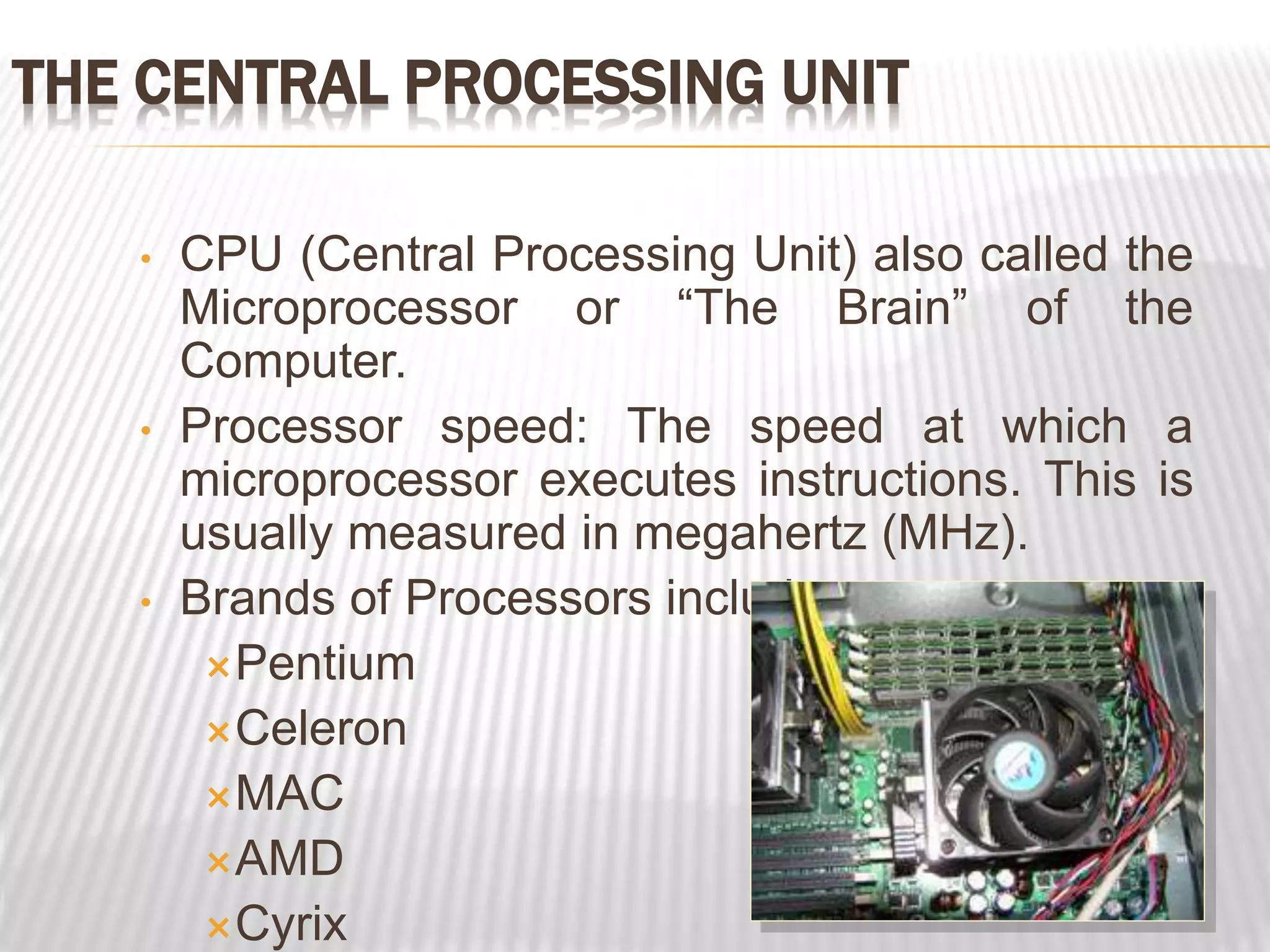
• CPU (Central Processing Unit) also called the
Microprocessor or “The Brain” of the
Computer.
• Processor speed: The speed at which a
microprocessor executes instructions. This is
usually measured in megahertz (MHz).
• Brands of Processors include:
Pentium
Celeron
MAC
AMD
Cyrix
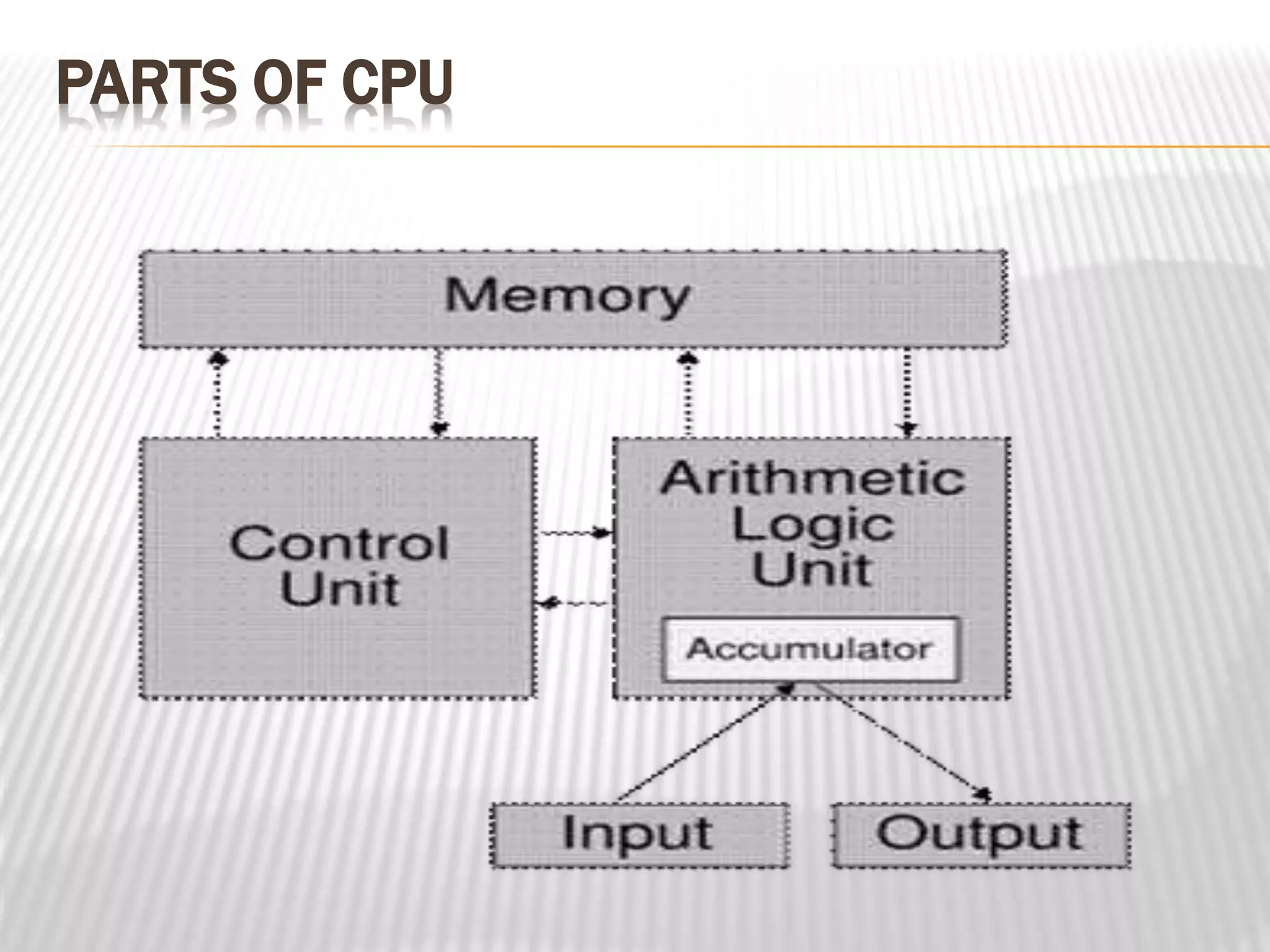
PARTS OF CPU
MOTHERBOARD
 Here we see a
diagram and a
photo of a
motherboard (or
main circuit board).
This one is suitable
for a Pentium CPU
 Main circuit board
inside your
computer is called a
motherboard
COMPUTER MEMORY: (RAM)
 Before your CPU can process any
instructions you give it, those instructions
must be stored somewhere, in preparation
for access by the microprocessor
 The more memory that is available in a
machine, the more instructions and data
that can be stored at one time.
COMPUTER MEMORY: (RAM)
 If the computer does not have enough RAM to run
an application than pieces of the running
application will be stored on the Hard Drive
temporarily in a method known as “Virtual
Memory” and the CPU will then have to retrieve
information from the virtual memory causing a
bottleneck in the system.
 RAM is measured in bytes.
FLOPPY DRIVE
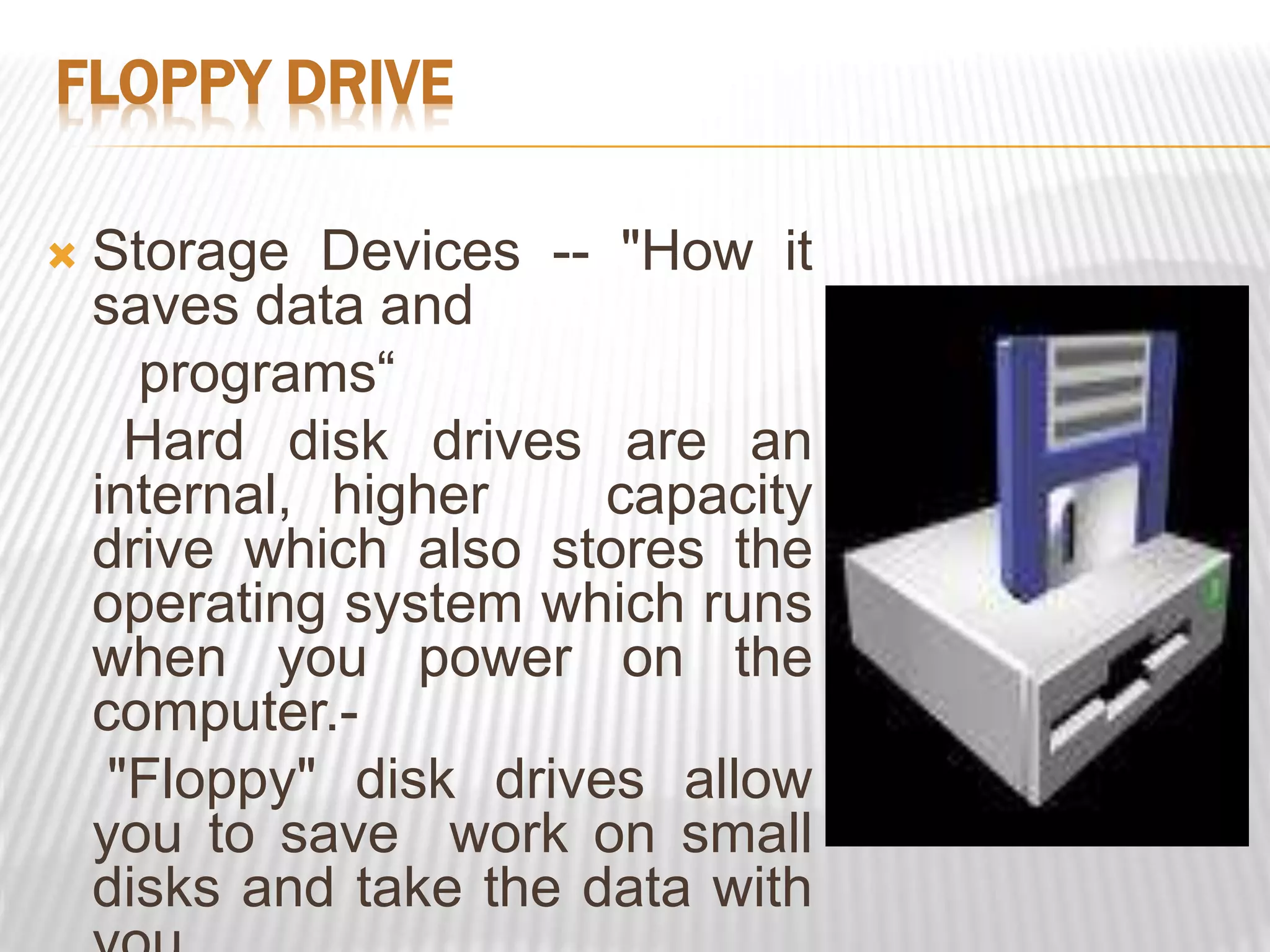
 Storage Devices -- "How it
saves data and
programs“
Hard disk drives are an
internal, higher capacity
drive which also stores the
operating system which runs
when you power on the
computer.-
"Floppy" disk drives allow
you to save work on small
disks and take the data with
FEATURES:- FLOPPY DISK
Diskettes (Floppy
Disks)
Speed:
Very slow!
Capacity:
Normally 1.44 Mbytes.
Cost:
Very cheap.
HARD DISKS
 Speed: Very fast!
The speed of a hard disk is
often quoted as "average
access time" speed,
measured in milliseconds.
The smaller this number the
faster the disk.
 Capacity:
Enormous! Often 40/80
Gigabytes. A Gigabyte is
equivalent to 1024
Megabytes.
THANKS

Computer Hardware and servicing.pptx

  • 1.
    NAME : HARIKRISHNANU DEPT : III - DCE Seminar On Computer Hardware And servicing
  • 2.
    CONTENT  What isComputer Hardware?  Components of Computer  Computer Input Devices  Computer Output Devices  The Central Processing Unit  Motherboard  Computer Memory  Floppy Drive  Hard Disks
  • 3.
    WHAT IS COMPUTERHARDWARE?  Computer Hardware is the physical part of the computer system, the machinery and equipment.
  • 4.
  • 5.
    COMPUTER INPUT DEVICES Computer Devices that input information in the computer Examples  Key Board  Mouse  Scanner  Digital Camera
  • 6.
    COMPUTER OUTPUT DEVICES Computer Devices that output information from the computer. Examples  Monitor  Printer
  • 7.
    THE CENTRAL PROCESSINGUNIT • CPU (Central Processing Unit) also called the Microprocessor or “The Brain” of the Computer. • Processor speed: The speed at which a microprocessor executes instructions. This is usually measured in megahertz (MHz). • Brands of Processors include: Pentium Celeron MAC AMD Cyrix
  • 8.
  • 9.
    MOTHERBOARD  Here wesee a diagram and a photo of a motherboard (or main circuit board). This one is suitable for a Pentium CPU  Main circuit board inside your computer is called a motherboard
  • 10.
    COMPUTER MEMORY: (RAM) Before your CPU can process any instructions you give it, those instructions must be stored somewhere, in preparation for access by the microprocessor  The more memory that is available in a machine, the more instructions and data that can be stored at one time.
  • 11.
    COMPUTER MEMORY: (RAM) If the computer does not have enough RAM to run an application than pieces of the running application will be stored on the Hard Drive temporarily in a method known as “Virtual Memory” and the CPU will then have to retrieve information from the virtual memory causing a bottleneck in the system.  RAM is measured in bytes.
  • 12.
    FLOPPY DRIVE  StorageDevices -- "How it saves data and programs“ Hard disk drives are an internal, higher capacity drive which also stores the operating system which runs when you power on the computer.- "Floppy" disk drives allow you to save work on small disks and take the data with
  • 13.
    FEATURES:- FLOPPY DISK Diskettes(Floppy Disks) Speed: Very slow! Capacity: Normally 1.44 Mbytes. Cost: Very cheap.
  • 14.
    HARD DISKS  Speed:Very fast! The speed of a hard disk is often quoted as "average access time" speed, measured in milliseconds. The smaller this number the faster the disk.  Capacity: Enormous! Often 40/80 Gigabytes. A Gigabyte is equivalent to 1024 Megabytes.
  • 15.