Components of Computer Harry Hayward
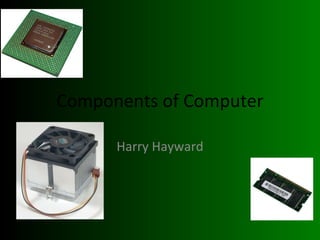
The CPU The CPU is the brain of the computer CPU stands for Central Processing Unit It tells all of the computer’s components what to do It is attached to the motherboard via a ZIF (Zero Insertion Force) socket Above it is the Heat Sink (Fan) which attached via thermal compound
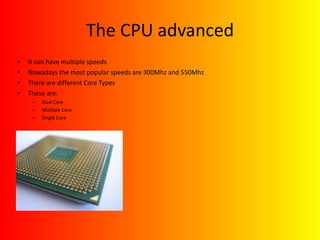
The CPU advanced It can have multiple speeds Nowadays the most popular speeds are 300Mhz and 550Mhz There are different Core Types These are: Dual Core Multiple Core Single Core
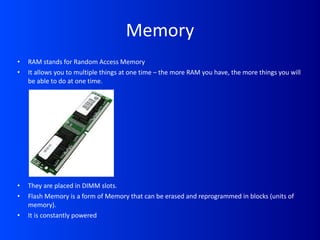
Memory RAM stands for Random Access Memory It allows you to multiple things at one time – the more RAM you have, the more things you will be able to do at one time. They are placed in DIMM slots. Flash Memory is a form of Memory that can be erased and reprogrammed in blocks (units of memory). It is constantly powered
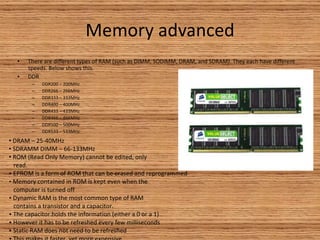
Memory advanced There are different types of RAM (such as DIMM, SODIMM, DRAM, and SDRAM). They each have different speeds. Below shows this. DDR DDR200 – 200MHz DDR266 – 266MHz DDR333 – 333MHz DDR400 – 400MHz DDR433 – 433MHz DDR466 – 466MHz DDR500 – 500MHz DDR533 – 533MHz DRAM – 25-40MHz SDRAMM DIMM – 66-133MHz ROM (Read Only Memory) cannot be edited, only  read. EPROM is a form of ROM that can be erased and reprogrammed Memory contained in ROM is kept even when the  computer is turned off Dynamic RAM is the most common type of RAM contains a transistor and a capacitor. The capacitor holds the information (either a 0 or a 1) However it has to be refreshed every few milliseconds Static RAM does not need to be refreshed This makes it faster, yet more expensive
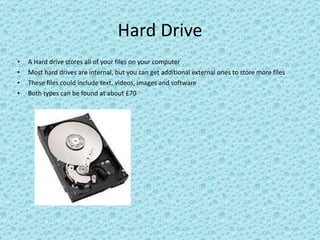
Hard Drive A Hard drive stores all of your files on your computer Most hard drives are internal, but you can get additional external ones to store more files These files could include text, videos, images and software Both types can be found at about £70
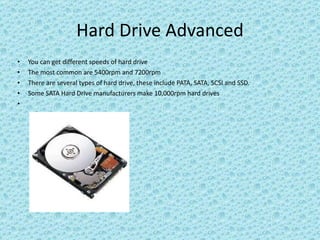
Hard Drive Advanced You can get different speeds of hard drive The most common are 5400rpm and 7200rpm There are several types of hard drive, these include PATA, SATA, SCSI and SSD. Some SATA Hard Drive manufacturers make 10,000rpm hard drives
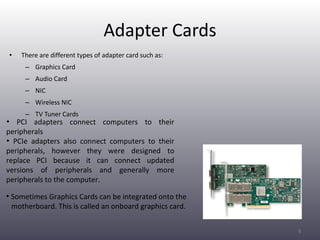
Adapter Cards There are different types of adapter card such as: Graphics Card Audio Card NIC Wireless NIC TV Tuner Cards PCI adapters connect computers to their peripherals PCIe adapters also connect computers to their peripherals, however they were designed to replace PCI because it can connect updated versions of peripherals and generally more peripherals to the computer. Sometimes Graphics Cards can be integrated onto the  motherboard. This is called an onboard graphics card.
Adapter cards advanced PCMCIA is an organization that specializes in developing and manufacturing PC Cards.  They have expanded their standards several times, which means that they are now compatible with many more devices.  A cardbus is the standard of PC card that PCMCIA currently develop.  It is 32-bit
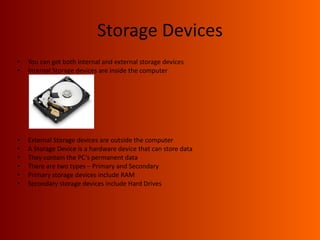
Storage Devices You can get both internal and external storage devices Internal Storage devices are inside the computer External Storage devices are outside the computer A Storage Device is a hardware device that can store data They contain the PC’s permanent data There are two types – Primary and Secondary Primary storage devices include RAM Secondary storage devices include Hard Drives
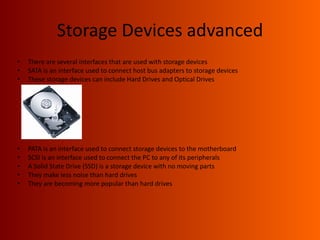
Storage Devices advanced There are several interfaces that are used with storage devices SATA is an interface used to connect host bus adapters to storage devices These storage devices can include Hard Drives and Optical Drives PATA is an interface used to connect storage devices to the motherboard SCSI is an interface used to connect the PC to any of its peripherals A Solid State Drive (SSD) is a storage device with no moving parts They make less noise than hard drives They are becoming more popular than hard drives
Different types of Hard Drive PATA Hard drive: Latest version’s cables have 80 wires Older versions had 40 wires 40-pin connector SATA Hard drive: Consume less power than PATA HDDs Data interface is slower than PATA SDD Hard drive: No Moving Parts Semiconductors move the disk Less likely to break down Processing Speed is Faster SCSI Hard drive: Spin faster than the other types of hard drive More likely to break down than the other types of hard drive
Input Devices Touchscreen is a graphic that can be operated by touch rather than with a mouse of keypad. A graphics tablet is similar to touchscreen It can be operated using a stylus or pen A games controller is an input device that can be plugged in to play games on the PC.  Can be connected via USB cables. A microphone can be connected to the computer for recording purposes Can be connected via USB  cables or TRS connector (jack plug). A keyboard can be plugged in to type emails, letters, reports etc Can be connected via USB or PS2 cables.
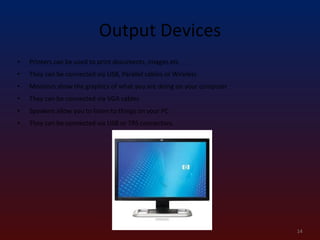
Output Devices Printers can be used to print documents, images etc They can be connected via USB, Parallel cables or Wireless Monitors show the graphics of what you are doing on your computer They can be connected via VGA cables Speakers allow you to listen to things on your PC They can be connected via USB or TRS connectors.
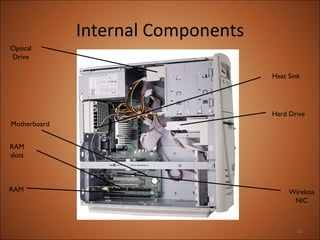
Internal Components Hard Drive RAM Wireless NIC RAM slots Motherboard Optical Drive Heat Sink

Components of a computer presentation

  • 1.
  • 2.
    The CPU TheCPU is the brain of the computer CPU stands for Central Processing Unit It tells all of the computer’s components what to do It is attached to the motherboard via a ZIF (Zero Insertion Force) socket Above it is the Heat Sink (Fan) which attached via thermal compound
  • 3.
    The CPU advancedIt can have multiple speeds Nowadays the most popular speeds are 300Mhz and 550Mhz There are different Core Types These are: Dual Core Multiple Core Single Core
  • 4.
    Memory RAM standsfor Random Access Memory It allows you to multiple things at one time – the more RAM you have, the more things you will be able to do at one time. They are placed in DIMM slots. Flash Memory is a form of Memory that can be erased and reprogrammed in blocks (units of memory). It is constantly powered
  • 5.
    Memory advanced Thereare different types of RAM (such as DIMM, SODIMM, DRAM, and SDRAM). They each have different speeds. Below shows this. DDR DDR200 – 200MHz DDR266 – 266MHz DDR333 – 333MHz DDR400 – 400MHz DDR433 – 433MHz DDR466 – 466MHz DDR500 – 500MHz DDR533 – 533MHz DRAM – 25-40MHz SDRAMM DIMM – 66-133MHz ROM (Read Only Memory) cannot be edited, only read. EPROM is a form of ROM that can be erased and reprogrammed Memory contained in ROM is kept even when the computer is turned off Dynamic RAM is the most common type of RAM contains a transistor and a capacitor. The capacitor holds the information (either a 0 or a 1) However it has to be refreshed every few milliseconds Static RAM does not need to be refreshed This makes it faster, yet more expensive
  • 6.
    Hard Drive AHard drive stores all of your files on your computer Most hard drives are internal, but you can get additional external ones to store more files These files could include text, videos, images and software Both types can be found at about £70
  • 7.
    Hard Drive AdvancedYou can get different speeds of hard drive The most common are 5400rpm and 7200rpm There are several types of hard drive, these include PATA, SATA, SCSI and SSD. Some SATA Hard Drive manufacturers make 10,000rpm hard drives
  • 8.
    Adapter Cards Thereare different types of adapter card such as: Graphics Card Audio Card NIC Wireless NIC TV Tuner Cards PCI adapters connect computers to their peripherals PCIe adapters also connect computers to their peripherals, however they were designed to replace PCI because it can connect updated versions of peripherals and generally more peripherals to the computer. Sometimes Graphics Cards can be integrated onto the motherboard. This is called an onboard graphics card.
  • 9.
    Adapter cards advancedPCMCIA is an organization that specializes in developing and manufacturing PC Cards. They have expanded their standards several times, which means that they are now compatible with many more devices. A cardbus is the standard of PC card that PCMCIA currently develop. It is 32-bit
  • 10.
    Storage Devices Youcan get both internal and external storage devices Internal Storage devices are inside the computer External Storage devices are outside the computer A Storage Device is a hardware device that can store data They contain the PC’s permanent data There are two types – Primary and Secondary Primary storage devices include RAM Secondary storage devices include Hard Drives
  • 11.
    Storage Devices advancedThere are several interfaces that are used with storage devices SATA is an interface used to connect host bus adapters to storage devices These storage devices can include Hard Drives and Optical Drives PATA is an interface used to connect storage devices to the motherboard SCSI is an interface used to connect the PC to any of its peripherals A Solid State Drive (SSD) is a storage device with no moving parts They make less noise than hard drives They are becoming more popular than hard drives
  • 12.
    Different types ofHard Drive PATA Hard drive: Latest version’s cables have 80 wires Older versions had 40 wires 40-pin connector SATA Hard drive: Consume less power than PATA HDDs Data interface is slower than PATA SDD Hard drive: No Moving Parts Semiconductors move the disk Less likely to break down Processing Speed is Faster SCSI Hard drive: Spin faster than the other types of hard drive More likely to break down than the other types of hard drive
  • 13.
    Input Devices Touchscreenis a graphic that can be operated by touch rather than with a mouse of keypad. A graphics tablet is similar to touchscreen It can be operated using a stylus or pen A games controller is an input device that can be plugged in to play games on the PC. Can be connected via USB cables. A microphone can be connected to the computer for recording purposes Can be connected via USB cables or TRS connector (jack plug). A keyboard can be plugged in to type emails, letters, reports etc Can be connected via USB or PS2 cables.
  • 14.
    Output Devices Printerscan be used to print documents, images etc They can be connected via USB, Parallel cables or Wireless Monitors show the graphics of what you are doing on your computer They can be connected via VGA cables Speakers allow you to listen to things on your PC They can be connected via USB or TRS connectors.
  • 15.
    Internal Components HardDrive RAM Wireless NIC RAM slots Motherboard Optical Drive Heat Sink