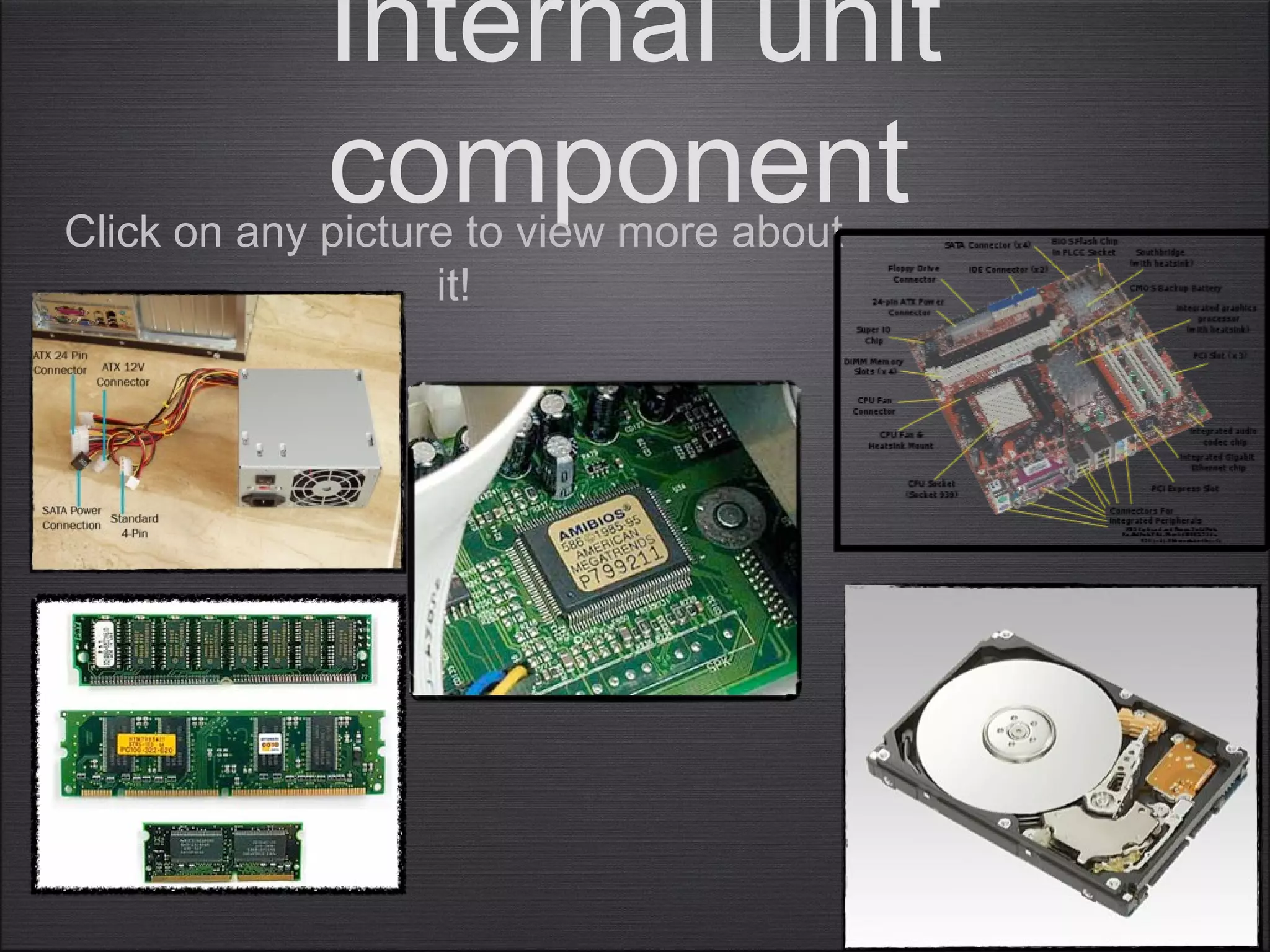
Internal unit
componentClick on any picture to view more about
it!
Power supply
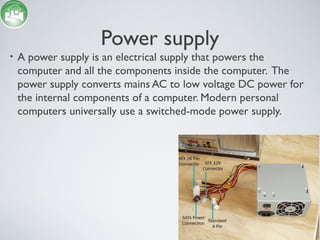
• A power supply is an electrical supply that powers the
computer and all the components inside the computer. The
power supply converts mains AC to low voltage DC power for
the internal components of a computer. Modern personal
computers universally use a switched-mode power supply.
Motherboard
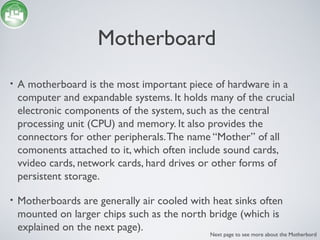
• A motherboard is the most important piece of hardware in a
computer and expandable systems. It holds many of the crucial
electronic components of the system, such as the central
processing unit (CPU) and memory. It also provides the
connectors for other peripherals.The name “Mother” of all
comonents attached to it, which often include sound cards,
vvideo cards, network cards, hard drives or other forms of
persistent storage.
• Motherboards are generally air cooled with heat sinks often
mounted on larger chips such as the north bridge (which is
explained on the next page).
Next page to see more about the Motherbord
south bridge and north bridge
(motherboard
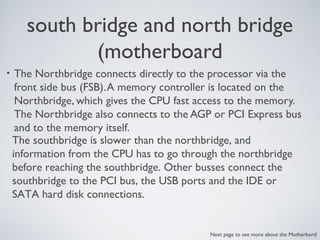
• The Northbridge connects directly to the processor via the
front side bus (FSB).A memory controller is located on the
Northbridge, which gives the CPU fast access to the memory.
The Northbridge also connects to the AGP or PCI Express bus
and to the memory itself.
The southbridge is slower than the northbridge, and
information from the CPU has to go through the northbridge
before reaching the southbridge. Other busses connect the
southbridge to the PCI bus, the USB ports and the IDE or
SATA hard disk connections.
Next page to see more about the Motherbord
What are the three major components in the
motherboard?
• CPU - The CPU (central Processing Unit) is often seen in the
motherboard as it is the main core of every computer.
• BIOS - BIOS is the Basic Input Output System which is a non-volatile
memory that includes configuration details about the computer. It
includes all the system required for the cpu to converse with the
keyboard, mouse video display, hard drives and also other connections
devices.
• RTC - RTC means Real Time Clock or it is mostly called as CMOS chip
which maintains the date, day and time in a 24 hour format just like a
watch.The computer uses this clock to ‘time stamp’ files as they are
produces and customised.
Next page to see more about the Motherbord
RAM
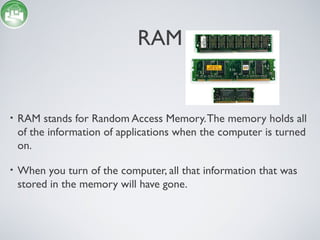
• RAM stands for Random Access Memory.The memory holds all
of the information of applications when the computer is turned
on.
• When you turn of the computer, all that information that was
stored in the memory will have gone.
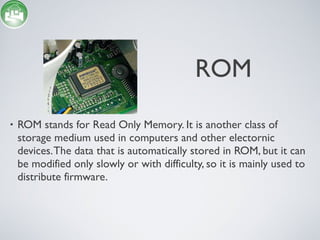
• ROM stands for Read Only Memory. It is another class of
storage medium used in computers and other electornic
devices.The data that is automatically stored in ROM, but it can
be modified only slowly or with difficulty, so it is mainly used to
distribute firmware.
ROM
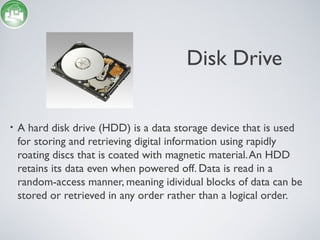
Disk Drive
• A hard disk drive (HDD) is a data storage device that is used
for storing and retrieving digital information using rapidly
roating discs that is coated with magnetic material.An HDD
retains its data even when powered off. Data is read in a
random-access manner, meaning idividual blocks of data can be
stored or retrieved in any order rather than a logical order.
Disc Drives (Continued)
• There are multiple discs or other hardware that can read
information.They are:
• Floppy Drives
• CD-ROM
• DVD-ROM
CD RoM
• A CD-ROM is a pre-pressed compact disc which contains data.
The name is an acronym which stands for “Compact Disc Read-
only Memory”. Computers can read CD-ROMs, but cannot
write on them. CD ROMs are very popular when distributing
computer software or PC games.
DVD-ROM
• DVD is another type of portable memory that can hold a
minimum of 4.7GB, enough for a full-length movie.
• The DVD-ROM specification supports disks with capacities of
from 4.7GB to 17GB and access rates of 600KBps to 1.3 MBps.
One of the best features of DVD-ROM drives is that they are
backward-comaptible with CD-ROMs.This means that DVD-
ROM players can play old CD-ROMs, CD-I disks, and video
CDs, as well as new DVD-ROMs. Newer DVD plays can also
read CD-R disks.
A peripheral is a device attached to ahost computer, but not part of it, andis more or less dependent on the host.
Peripherals
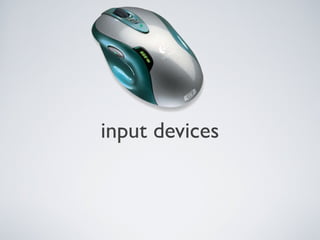
input devices
Storage
Data storage is often called storage or
memory.
You can get different methods of
peripherals storage. For example,
portable hard-drives, memory sticks and
floppy drives. (But, floppy drives are no
longer used.)
input devices(keyboard)
Keyboards are a human interface device that allows the
user to input letters into a computer. each key has a letter
on it that can call a command or type that letter into a
word document, search engine, etc...
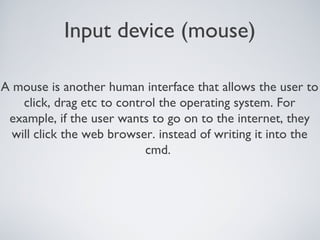
Input device (mouse)
A mouse is another human interface that allows the user to
click, drag etc to control the operating system. For
example, if the user wants to go on to the internet, they
will click the web browser. instead of writing it into the
cmd.
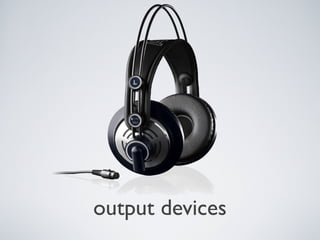
output devices
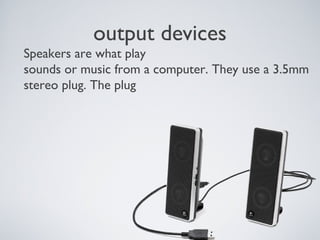
output devices
Speakers are what play
sounds or music from a computer. They use a 3.5mm
stereo plug. The plug
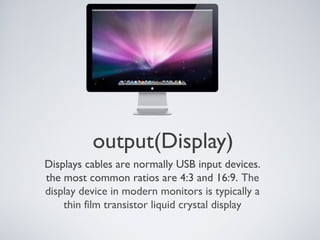
output(Display)
Displays cables are normally USB input devices.
the most common ratios are 4:3 and 16:9. The
display device in modern monitors is typically a
thin film transistor liquid crystal display
Storage devices
About storage devices
Computer data storage is what computer components and
recording media use to retain digital data. It is a core piece
of hardware that is in every computer. The CPU is what
handles all the transferring of the data and manipulates data
by performing computations. In practice, almost all
computers use a storage hierarchy which puts fast but
expensive and small storage options close to the CPU and
slower by larger and cheaper options father away.
Memory sticks
Memory sticks are wildly used for easy to use portable devices.The
information on memory sticks are stored on flash memory. You can get
memory sticks that hold up to 64GB of space. Most people use them for
storing Photos, documents or movies.
The memory stick was launched by Sony in October 1998, and is also
used in general to describe the whole family of Memory Stick.
Hard disk drive
Hard disk drives are commonly used computers and laptops to
hold information. For example, it holds, pictures, movies,
operating system files, word processing documents, etc... hard
disk drives can go up to 7200-rpm but most are normally 5400-
rpm. Hard Drives can hold up to 2TB.
Solid state drive
Solid state drives are fairly new and are most common in
netbooks. Unlike Hard Disk Drives, solid state drives do not
have any moving parts. they are less noisy and and are more
money per GB. Solid state drives are a lot faster than hard
disk drives because they hold the memory even without
power. Solid state drives can hold up to as much as 2TB but
it is a lot more money than having a 2TB hard drive.

Cisco task 1 power point

  • 1.
    Internal unit componentClick onany picture to view more about it!
  • 2.
    Power supply • Apower supply is an electrical supply that powers the computer and all the components inside the computer. The power supply converts mains AC to low voltage DC power for the internal components of a computer. Modern personal computers universally use a switched-mode power supply.
  • 3.
    Motherboard • A motherboardis the most important piece of hardware in a computer and expandable systems. It holds many of the crucial electronic components of the system, such as the central processing unit (CPU) and memory. It also provides the connectors for other peripherals.The name “Mother” of all comonents attached to it, which often include sound cards, vvideo cards, network cards, hard drives or other forms of persistent storage. • Motherboards are generally air cooled with heat sinks often mounted on larger chips such as the north bridge (which is explained on the next page). Next page to see more about the Motherbord
  • 4.
    south bridge andnorth bridge (motherboard • The Northbridge connects directly to the processor via the front side bus (FSB).A memory controller is located on the Northbridge, which gives the CPU fast access to the memory. The Northbridge also connects to the AGP or PCI Express bus and to the memory itself. The southbridge is slower than the northbridge, and information from the CPU has to go through the northbridge before reaching the southbridge. Other busses connect the southbridge to the PCI bus, the USB ports and the IDE or SATA hard disk connections. Next page to see more about the Motherbord
  • 5.
    What are thethree major components in the motherboard? • CPU - The CPU (central Processing Unit) is often seen in the motherboard as it is the main core of every computer. • BIOS - BIOS is the Basic Input Output System which is a non-volatile memory that includes configuration details about the computer. It includes all the system required for the cpu to converse with the keyboard, mouse video display, hard drives and also other connections devices. • RTC - RTC means Real Time Clock or it is mostly called as CMOS chip which maintains the date, day and time in a 24 hour format just like a watch.The computer uses this clock to ‘time stamp’ files as they are produces and customised. Next page to see more about the Motherbord
  • 6.
    RAM • RAM standsfor Random Access Memory.The memory holds all of the information of applications when the computer is turned on. • When you turn of the computer, all that information that was stored in the memory will have gone.
  • 7.
    • ROM standsfor Read Only Memory. It is another class of storage medium used in computers and other electornic devices.The data that is automatically stored in ROM, but it can be modified only slowly or with difficulty, so it is mainly used to distribute firmware. ROM
  • 8.
    Disk Drive • Ahard disk drive (HDD) is a data storage device that is used for storing and retrieving digital information using rapidly roating discs that is coated with magnetic material.An HDD retains its data even when powered off. Data is read in a random-access manner, meaning idividual blocks of data can be stored or retrieved in any order rather than a logical order.
  • 9.
    Disc Drives (Continued) •There are multiple discs or other hardware that can read information.They are: • Floppy Drives • CD-ROM • DVD-ROM
  • 10.
    CD RoM • ACD-ROM is a pre-pressed compact disc which contains data. The name is an acronym which stands for “Compact Disc Read- only Memory”. Computers can read CD-ROMs, but cannot write on them. CD ROMs are very popular when distributing computer software or PC games.
  • 11.
    DVD-ROM • DVD isanother type of portable memory that can hold a minimum of 4.7GB, enough for a full-length movie. • The DVD-ROM specification supports disks with capacities of from 4.7GB to 17GB and access rates of 600KBps to 1.3 MBps. One of the best features of DVD-ROM drives is that they are backward-comaptible with CD-ROMs.This means that DVD- ROM players can play old CD-ROMs, CD-I disks, and video CDs, as well as new DVD-ROMs. Newer DVD plays can also read CD-R disks.
  • 12.
    A peripheral isa device attached to ahost computer, but not part of it, andis more or less dependent on the host. Peripherals
  • 13.
  • 14.
    Storage Data storage isoften called storage or memory. You can get different methods of peripherals storage. For example, portable hard-drives, memory sticks and floppy drives. (But, floppy drives are no longer used.)
  • 15.
    input devices(keyboard) Keyboards area human interface device that allows the user to input letters into a computer. each key has a letter on it that can call a command or type that letter into a word document, search engine, etc...
  • 16.
    Input device (mouse) Amouse is another human interface that allows the user to click, drag etc to control the operating system. For example, if the user wants to go on to the internet, they will click the web browser. instead of writing it into the cmd.
  • 17.
  • 18.
    output devices Speakers arewhat play sounds or music from a computer. They use a 3.5mm stereo plug. The plug
  • 19.
    output(Display) Displays cables arenormally USB input devices. the most common ratios are 4:3 and 16:9. The display device in modern monitors is typically a thin film transistor liquid crystal display
  • 20.
  • 21.
    About storage devices Computerdata storage is what computer components and recording media use to retain digital data. It is a core piece of hardware that is in every computer. The CPU is what handles all the transferring of the data and manipulates data by performing computations. In practice, almost all computers use a storage hierarchy which puts fast but expensive and small storage options close to the CPU and slower by larger and cheaper options father away.
  • 22.
    Memory sticks Memory sticksare wildly used for easy to use portable devices.The information on memory sticks are stored on flash memory. You can get memory sticks that hold up to 64GB of space. Most people use them for storing Photos, documents or movies. The memory stick was launched by Sony in October 1998, and is also used in general to describe the whole family of Memory Stick.
  • 23.
    Hard disk drive Harddisk drives are commonly used computers and laptops to hold information. For example, it holds, pictures, movies, operating system files, word processing documents, etc... hard disk drives can go up to 7200-rpm but most are normally 5400- rpm. Hard Drives can hold up to 2TB.
  • 24.
    Solid state drive Solidstate drives are fairly new and are most common in netbooks. Unlike Hard Disk Drives, solid state drives do not have any moving parts. they are less noisy and and are more money per GB. Solid state drives are a lot faster than hard disk drives because they hold the memory even without power. Solid state drives can hold up to as much as 2TB but it is a lot more money than having a 2TB hard drive.