BUSINESS COMMUNICATION
AND THE TECHNOLOGY
CONTEXT
Rahila Khan
Lecturer English
GGPC Quetta Cantt
Introduction to E-mail
E-Mail - (Electronic Mail)
 Send mail electronically via the Internet
 Requires an account on a mail server and
supporting software on your PC
 The username and password will allow you
to access your account
 All e-mail programs allow you to Send,
Compose, Reply, and Forward mail
Obtaining an E-mail Account
 You will need an e-mail server (post office) in
order to send and receive e-mail.
 You can obtain an account in school
 You can pay for an account through an ISP
such as AOL
 You can get free accounts:
 www.hotmail.com
 www.yahoo.com
 www.gmail.com
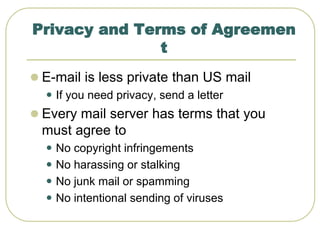
Privacy and Terms of Agreemen
t
 E-mail is less private than US mail
 If you need privacy, send a letter
 Every mail server has terms that you
must agree to
 No copyright infringements
 No harassing or stalking
 No junk mail or spamming
 No intentional sending of viruses
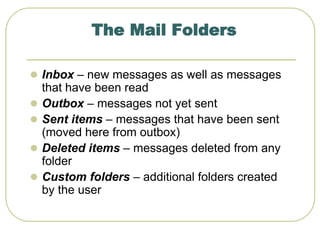
The Mail Folders
 Inbox – new messages as well as messages
that have been read
 Outbox – messages not yet sent
 Sent items – messages that have been sent
(moved here from outbox)
 Deleted items – messages deleted from any
folder
 Custom folders – additional folders created
by the user
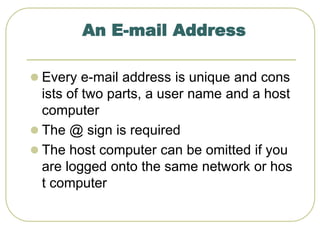
An E-mail Address
 Every e-mail address is unique and cons
ists of two parts, a user name and a host
computer
 The @ sign is required
 The host computer can be omitted if you
are logged onto the same network or hos
t computer
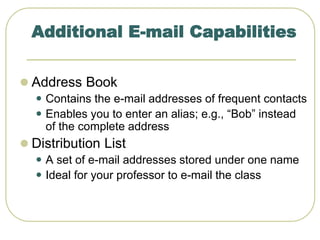
Additional E-mail Capabilities
 Address Book
 Contains the e-mail addresses of frequent contacts
 Enables you to enter an alias; e.g., “Bob” instead
of the complete address
 Distribution List
 A set of e-mail addresses stored under one name
 Ideal for your professor to e-mail the class
Other Communication
Technologies
Other Communication Techn
olohies
 Voice Mail
 Groupware
 CD-DROM databases
 Teleconferences
 Faxes
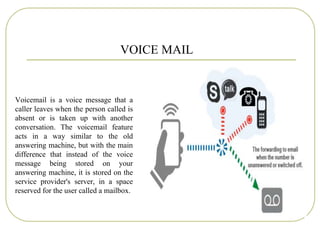
Voicemail is a voice message that a
caller leaves when the person called is
absent or is taken up with another
conversation. The voicemail feature
acts in a way similar to the old
answering machine, but with the main
difference that instead of the voice
message being stored on your
answering machine, it is stored on the
service provider's server, in a space
reserved for the user called a mailbox.
VOICE MAIL
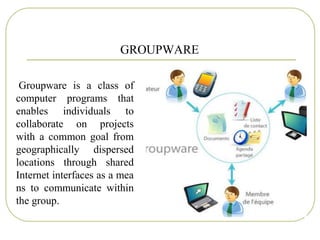
GROUPWARE
Groupware is a class of
computer programs that
enables individuals to
collaborate on projects
with a common goal from
geographically dispersed
locations through shared
Internet interfaces as a mea
ns to communicate within
the group.
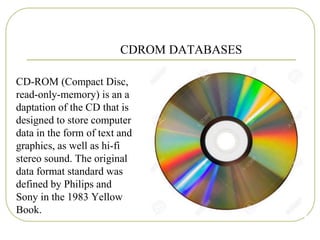
CDROM DATABASES
CD-ROM (Compact Disc,
read-only-memory) is an a
daptation of the CD that is
designed to store computer
data in the form of text and
graphics, as well as hi-fi
stereo sound. The original
data format standard was
defined by Philips and
Sony in the 1983 Yellow
Book.
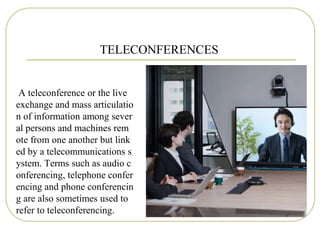
TELECONFERENCES
A teleconference or the live
exchange and mass articulatio
n of information among sever
al persons and machines rem
ote from one another but link
ed by a telecommunications s
ystem. Terms such as audio c
onferencing, telephone confer
encing and phone conferencin
g are also sometimes used to
refer to teleconferencing.
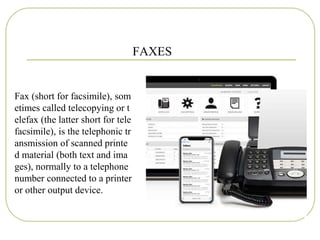
FAXES
Fax (short for facsimile), som
etimes called telecopying or t
elefax (the latter short for tele
facsimile), is the telephonic tr
ansmission of scanned printe
d material (both text and ima
ges), normally to a telephone
number connected to a printer
or other output device.
communication and technology

communication and technology

  • 1.
    BUSINESS COMMUNICATION AND THETECHNOLOGY CONTEXT Rahila Khan Lecturer English GGPC Quetta Cantt
  • 2.
  • 3.
    E-Mail - (ElectronicMail)  Send mail electronically via the Internet  Requires an account on a mail server and supporting software on your PC  The username and password will allow you to access your account  All e-mail programs allow you to Send, Compose, Reply, and Forward mail
  • 4.
    Obtaining an E-mailAccount  You will need an e-mail server (post office) in order to send and receive e-mail.  You can obtain an account in school  You can pay for an account through an ISP such as AOL  You can get free accounts:  www.hotmail.com  www.yahoo.com  www.gmail.com
  • 5.
    Privacy and Termsof Agreemen t  E-mail is less private than US mail  If you need privacy, send a letter  Every mail server has terms that you must agree to  No copyright infringements  No harassing or stalking  No junk mail or spamming  No intentional sending of viruses
  • 6.
    The Mail Folders Inbox – new messages as well as messages that have been read  Outbox – messages not yet sent  Sent items – messages that have been sent (moved here from outbox)  Deleted items – messages deleted from any folder  Custom folders – additional folders created by the user
  • 7.
    An E-mail Address Every e-mail address is unique and cons ists of two parts, a user name and a host computer  The @ sign is required  The host computer can be omitted if you are logged onto the same network or hos t computer
  • 8.
    Additional E-mail Capabilities Address Book  Contains the e-mail addresses of frequent contacts  Enables you to enter an alias; e.g., “Bob” instead of the complete address  Distribution List  A set of e-mail addresses stored under one name  Ideal for your professor to e-mail the class
  • 9.
  • 10.
    Other Communication Techn olohies Voice Mail  Groupware  CD-DROM databases  Teleconferences  Faxes
  • 11.
    Voicemail is avoice message that a caller leaves when the person called is absent or is taken up with another conversation. The voicemail feature acts in a way similar to the old answering machine, but with the main difference that instead of the voice message being stored on your answering machine, it is stored on the service provider's server, in a space reserved for the user called a mailbox. VOICE MAIL
  • 12.
    GROUPWARE Groupware is aclass of computer programs that enables individuals to collaborate on projects with a common goal from geographically dispersed locations through shared Internet interfaces as a mea ns to communicate within the group.
  • 13.
    CDROM DATABASES CD-ROM (CompactDisc, read-only-memory) is an a daptation of the CD that is designed to store computer data in the form of text and graphics, as well as hi-fi stereo sound. The original data format standard was defined by Philips and Sony in the 1983 Yellow Book.
  • 14.
    TELECONFERENCES A teleconference orthe live exchange and mass articulatio n of information among sever al persons and machines rem ote from one another but link ed by a telecommunications s ystem. Terms such as audio c onferencing, telephone confer encing and phone conferencin g are also sometimes used to refer to teleconferencing.
  • 15.
    FAXES Fax (short forfacsimile), som etimes called telecopying or t elefax (the latter short for tele facsimile), is the telephonic tr ansmission of scanned printe d material (both text and ima ges), normally to a telephone number connected to a printer or other output device.