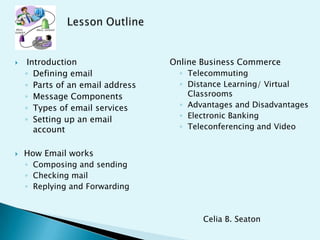
 Introduction
◦ Defining email
◦ Parts of an email address
◦ Message Components
◦ Types of email services
◦ Setting up an email
account
 How Email works
◦ Composing and sending
◦ Checking mail
◦ Replying and Forwarding
Online Business Commerce
◦ Telecommuting
◦ Distance Learning/ Virtual
Classrooms
◦ Advantages and Disadvantages
◦ Electronic Banking
◦ Teleconferencing and Video
Celia B. Seaton
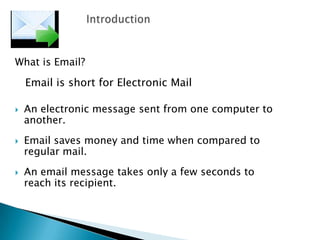
What is Email?
Email is short for Electronic Mail
 An electronic message sent from one computer to
another.
 Email saves money and time when compared to
regular mail.
 An email message takes only a few seconds to
reach its recipient.
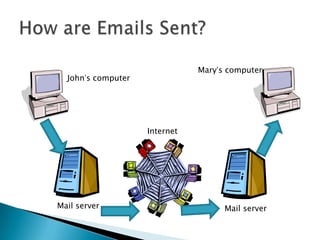
How does Email Work?
 Email travels via the Internet
from one computer to another.
 Computers known as mail
servers direct outgoing mail and
store incoming the mail.
 Once email reaches your mail
server, it waits in an electronic
mail box, known as "Inbox” for
you to collect it.
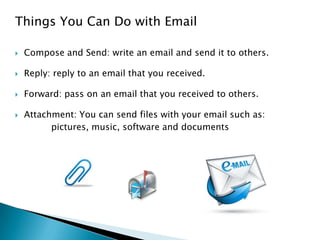
Things You Can Do with Email
 Compose and Send: write an email and send it to others.
 Reply: reply to an email that you received.
 Forward: pass on an email that you received to others.
 Attachment: You can send files with your email such as:
pictures, music, software and documents
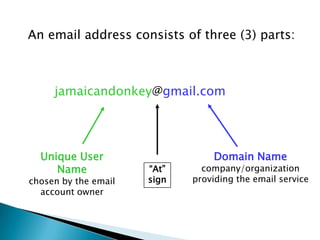
An email address consists of three (3) parts:
Unique User
Name
chosen by the email
account owner
Domain Name
company/organization
providing the email service
jamaicandonkey@gmail.com
“At”
sign
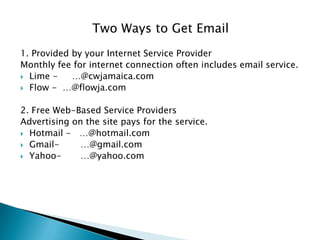
Two Ways to Get Email
1. Provided by your Internet Service Provider
Monthly fee for internet connection often includes email service.
 Lime - …@cwjamaica.com
 Flow - …@flowja.com
2. Free Web-Based Service Providers
Advertising on the site pays for the service.
 Hotmail - …@hotmail.com
 Gmail- …@gmail.com
 Yahoo- …@yahoo.com
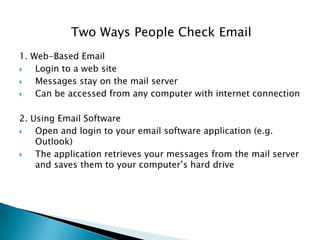
Two Ways People Check Email
1. Web-Based Email
 Login to a web site
 Messages stay on the mail server
 Can be accessed from any computer with internet connection
2. Using Email Software
 Open and login to your email software application (e.g.
Outlook)
 The application retrieves your messages from the mail server
and saves them to your computer’s hard drive
John’s computer
Mary’s computer
Mail server
Internet
Mail server
Three Exercises
1. Create a Gmail account.
2. Send a message to your class partner.
3. Read received message and reply.
4. Further Reading in your spare time
http://www.webfoot.com/advice/email.top.php#intro
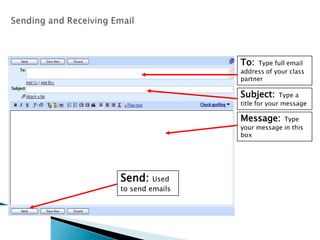
To: Type full email
address of your class
partner
Subject: Type a
title for your message
Message: Type
your message in this
box
Send: Used
to send emails
 CC : carbon copy
 BCC : BLIND carbon copy – is anonymous
 Subject : the topic of your email – very important
 Body : the message of your email
 Attachments : the paperclip symbol - files or photos
Sending and Receiving Email
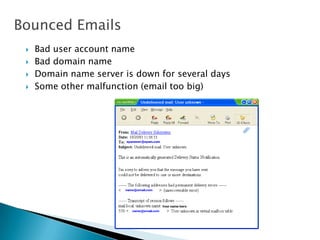
 Bad user account name
 Bad domain name
 Domain name server is down for several days
 Some other malfunction (email too big)
Bounced Emails
Email Security
 Always sign out, especially if you are using a public computer!
 Never send your PIN or bank account number by email.
 Beware of messages that:
◦ Ask for your bank account information, even if they say they want to put
money into your account (e.g. The lotto Scam, Nigerian Scam, etc.)
◦ Ask you to click on a link, login and verify personal information (e.g.
Phishing bank scams)
◦ inform you that you have won a prize/money and ask for personal
information in order to give you your prize
Chatting
• This is real-time communication with no delay.
Usually done with those you know online.
• Be selective who you chat with, as with spam and
phishing, scams can occur with chatting as well.
Email Security
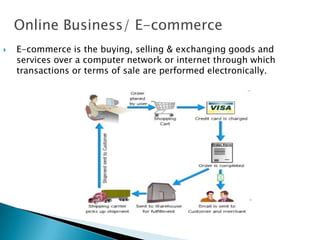
Online Business/ E-commerce
 E-commerce is the buying, selling & exchanging goods and
services over a computer network or internet through which
transactions or terms of sale are performed electronically.
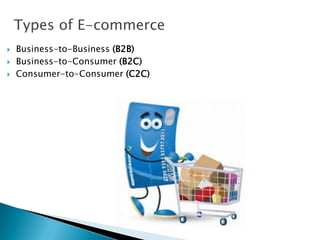
Types of E-commerce
 Business-to-Business (B2B)
 Business-to-Consumer (B2C)
 Consumer-to-Consumer (C2C)
Types of E-commerce
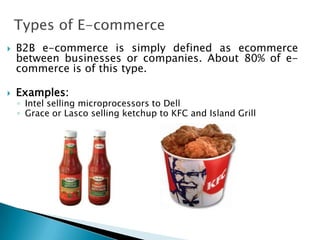
 B2B e-commerce is simply defined as ecommerce
between businesses or companies. About 80% of e-
commerce is of this type.
 Examples:
◦ Intel selling microprocessors to Dell
◦ Grace or Lasco selling ketchup to KFC and Island Grill
Types of E-commerce
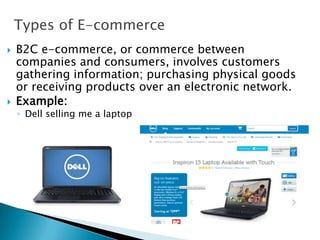
 B2C e-commerce, or commerce between
companies and consumers, involves customers
gathering information; purchasing physical goods
or receiving products over an electronic network.
 Example:
◦ Dell selling me a laptop
Types of E-commerce
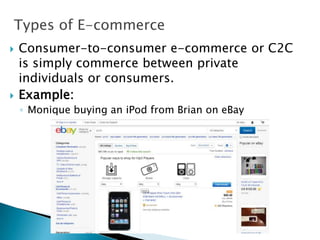
 Consumer-to-consumer e-commerce or C2C
is simply commerce between private
individuals or consumers.
 Example:
◦ Monique buying an iPod from Brian on eBay
Advantages of E-commerce
 Faster buying/selling procedure, as well as easy to find products.
 Buying/selling 24/7.
 More reach to customers, there is no theoretical geographic
limitations.
 Low operational costs and better quality of services.
 No need of physical company set-ups.
 Easy to start and manage a business.
 Customers can easily select products from different providers
without moving around physically
Disadvantages of E-commerce
 Consumers are unable to examine products personally.
 Not everyone is connected to the Internet.
 There is the possibility of credit card number theft.
 Mechanical failures can cause unpredictable effects on the total
processes.
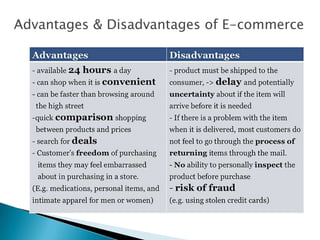
Advantages & Disadvantages of E-commerce
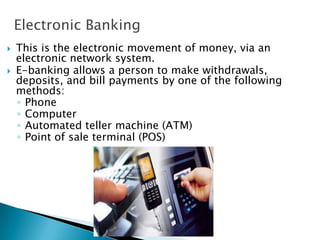
Electronic Banking
 This is the electronic movement of money, via an
electronic network system.
 E-banking allows a person to make withdrawals,
deposits, and bill payments by one of the following
methods:
◦ Phone
◦ Computer
◦ Automated teller machine (ATM)
◦ Point of sale terminal (POS)
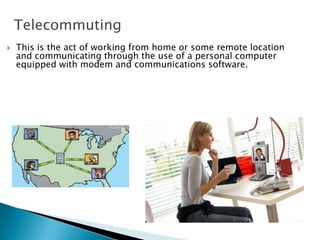
Telecommuting
 This is the act of working from home or some remote location
and communicating through the use of a personal computer
equipped with modem and communications software.
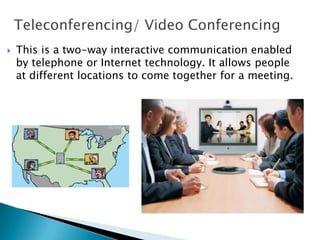
Teleconferencing/ Video Conferencing
 This is a two-way interactive communication enabled
by telephone or Internet technology. It allows people
at different locations to come together for a meeting.
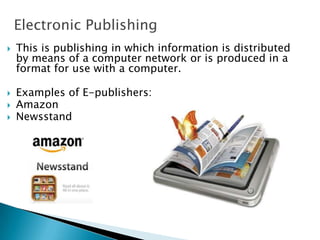
Electronic Publishing
 This is publishing in which information is distributed
by means of a computer network or is produced in a
format for use with a computer.
 Examples of E-publishers:
 Amazon
 Newsstand
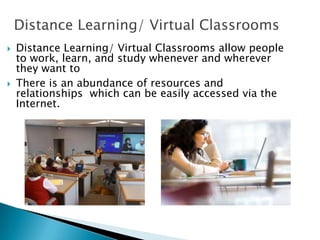
Distance Learning/ Virtual Classrooms
 Distance Learning/ Virtual Classrooms allow people
to work, learn, and study whenever and wherever
they want to..
 There is an abundance of resources and
relationships which can be easily accessed via the
Internet.
Distance Learning- Communication
 Asynchronous:
◦ Telephone - individual
◦ Email – individual or group
◦ Print – group
◦ Web page - group
◦ Electronic Bulletin Boards or Computer Moderated
Conferencing – group
 Synchronous:
◦ Chat rooms - all participants log on at once
Distance Learning- Examples
 MOOC’s- Massive Open Online Course
Many participants can be engaged simultaneously,
any where in the world through MOOC’s
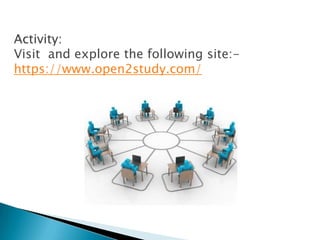
Activity:
Visit and explore the following site:-
https://www.open2study.com/
Discussion:
What do you see as the future of online
education at Mico?
What are the advantages and disadvantages of
Distance Learning?
Advantages of Distance Learning
• Convenience- courses can be accessed anytime and anywhere.
• Students take responsibility for their own learning.
• Encourages collaboration through group chats, online
communities, etc.
• Distance learning can accommodate different learning styles.
• Reduces travel time and travel costs for off-campus students.
• Successful completion not only improves knowledge but builds
self confidence and technology skills.
Disadvantages of Distance Learning
• Distance education students often feel very isolated.
• It can be difficult to organise across time zones.
• Discussions may lack depth due to keyboard skills.
• The facilitator needs to be skilled in planning the session and
controlling the discussion.
• Learners with low motivation or bad study habits may fall
behind.
• Bad Internet connection can affect classroom simulation.
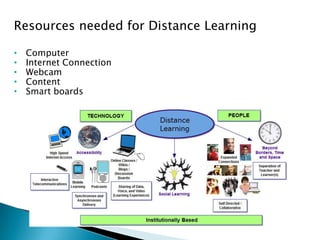
Resources needed for Distance Learning
• Computer
• Internet Connection
• Webcam
• Content
• Smart boards
General Internet Services

General Internet Services

  • 1.
     Introduction ◦ Definingemail ◦ Parts of an email address ◦ Message Components ◦ Types of email services ◦ Setting up an email account  How Email works ◦ Composing and sending ◦ Checking mail ◦ Replying and Forwarding Online Business Commerce ◦ Telecommuting ◦ Distance Learning/ Virtual Classrooms ◦ Advantages and Disadvantages ◦ Electronic Banking ◦ Teleconferencing and Video Celia B. Seaton
  • 2.
    What is Email? Emailis short for Electronic Mail  An electronic message sent from one computer to another.  Email saves money and time when compared to regular mail.  An email message takes only a few seconds to reach its recipient.
  • 3.
    How does EmailWork?  Email travels via the Internet from one computer to another.  Computers known as mail servers direct outgoing mail and store incoming the mail.  Once email reaches your mail server, it waits in an electronic mail box, known as "Inbox” for you to collect it.
  • 4.
    Things You CanDo with Email  Compose and Send: write an email and send it to others.  Reply: reply to an email that you received.  Forward: pass on an email that you received to others.  Attachment: You can send files with your email such as: pictures, music, software and documents
  • 5.
    An email addressconsists of three (3) parts: Unique User Name chosen by the email account owner Domain Name company/organization providing the email service jamaicandonkey@gmail.com “At” sign
  • 6.
    Two Ways toGet Email 1. Provided by your Internet Service Provider Monthly fee for internet connection often includes email service.  Lime - …@cwjamaica.com  Flow - …@flowja.com 2. Free Web-Based Service Providers Advertising on the site pays for the service.  Hotmail - …@hotmail.com  Gmail- …@gmail.com  Yahoo- …@yahoo.com
  • 7.
    Two Ways PeopleCheck Email 1. Web-Based Email  Login to a web site  Messages stay on the mail server  Can be accessed from any computer with internet connection 2. Using Email Software  Open and login to your email software application (e.g. Outlook)  The application retrieves your messages from the mail server and saves them to your computer’s hard drive
  • 8.
    John’s computer Mary’s computer Mailserver Internet Mail server
  • 9.
    Three Exercises 1. Createa Gmail account. 2. Send a message to your class partner. 3. Read received message and reply. 4. Further Reading in your spare time http://www.webfoot.com/advice/email.top.php#intro
  • 10.
    To: Type fullemail address of your class partner Subject: Type a title for your message Message: Type your message in this box Send: Used to send emails
  • 11.
     CC :carbon copy  BCC : BLIND carbon copy – is anonymous  Subject : the topic of your email – very important  Body : the message of your email  Attachments : the paperclip symbol - files or photos Sending and Receiving Email
  • 12.
     Bad useraccount name  Bad domain name  Domain name server is down for several days  Some other malfunction (email too big) Bounced Emails
  • 13.
    Email Security  Alwayssign out, especially if you are using a public computer!  Never send your PIN or bank account number by email.  Beware of messages that: ◦ Ask for your bank account information, even if they say they want to put money into your account (e.g. The lotto Scam, Nigerian Scam, etc.) ◦ Ask you to click on a link, login and verify personal information (e.g. Phishing bank scams) ◦ inform you that you have won a prize/money and ask for personal information in order to give you your prize
  • 14.
    Chatting • This isreal-time communication with no delay. Usually done with those you know online. • Be selective who you chat with, as with spam and phishing, scams can occur with chatting as well. Email Security
  • 15.
    Online Business/ E-commerce E-commerce is the buying, selling & exchanging goods and services over a computer network or internet through which transactions or terms of sale are performed electronically.
  • 16.
    Types of E-commerce Business-to-Business (B2B)  Business-to-Consumer (B2C)  Consumer-to-Consumer (C2C)
  • 17.
    Types of E-commerce B2B e-commerce is simply defined as ecommerce between businesses or companies. About 80% of e- commerce is of this type.  Examples: ◦ Intel selling microprocessors to Dell ◦ Grace or Lasco selling ketchup to KFC and Island Grill
  • 18.
    Types of E-commerce B2C e-commerce, or commerce between companies and consumers, involves customers gathering information; purchasing physical goods or receiving products over an electronic network.  Example: ◦ Dell selling me a laptop
  • 19.
    Types of E-commerce Consumer-to-consumer e-commerce or C2C is simply commerce between private individuals or consumers.  Example: ◦ Monique buying an iPod from Brian on eBay
  • 20.
    Advantages of E-commerce Faster buying/selling procedure, as well as easy to find products.  Buying/selling 24/7.  More reach to customers, there is no theoretical geographic limitations.  Low operational costs and better quality of services.  No need of physical company set-ups.  Easy to start and manage a business.  Customers can easily select products from different providers without moving around physically
  • 21.
    Disadvantages of E-commerce Consumers are unable to examine products personally.  Not everyone is connected to the Internet.  There is the possibility of credit card number theft.  Mechanical failures can cause unpredictable effects on the total processes.
  • 22.
  • 23.
    Electronic Banking  Thisis the electronic movement of money, via an electronic network system.  E-banking allows a person to make withdrawals, deposits, and bill payments by one of the following methods: ◦ Phone ◦ Computer ◦ Automated teller machine (ATM) ◦ Point of sale terminal (POS)
  • 24.
    Telecommuting  This isthe act of working from home or some remote location and communicating through the use of a personal computer equipped with modem and communications software.
  • 25.
    Teleconferencing/ Video Conferencing This is a two-way interactive communication enabled by telephone or Internet technology. It allows people at different locations to come together for a meeting.
  • 26.
    Electronic Publishing  Thisis publishing in which information is distributed by means of a computer network or is produced in a format for use with a computer.  Examples of E-publishers:  Amazon  Newsstand
  • 27.
    Distance Learning/ VirtualClassrooms  Distance Learning/ Virtual Classrooms allow people to work, learn, and study whenever and wherever they want to..  There is an abundance of resources and relationships which can be easily accessed via the Internet.
  • 28.
    Distance Learning- Communication Asynchronous: ◦ Telephone - individual ◦ Email – individual or group ◦ Print – group ◦ Web page - group ◦ Electronic Bulletin Boards or Computer Moderated Conferencing – group  Synchronous: ◦ Chat rooms - all participants log on at once
  • 29.
    Distance Learning- Examples MOOC’s- Massive Open Online Course Many participants can be engaged simultaneously, any where in the world through MOOC’s
  • 30.
    Activity: Visit and explorethe following site:- https://www.open2study.com/
  • 31.
    Discussion: What do yousee as the future of online education at Mico? What are the advantages and disadvantages of Distance Learning?
  • 32.
    Advantages of DistanceLearning • Convenience- courses can be accessed anytime and anywhere. • Students take responsibility for their own learning. • Encourages collaboration through group chats, online communities, etc. • Distance learning can accommodate different learning styles. • Reduces travel time and travel costs for off-campus students. • Successful completion not only improves knowledge but builds self confidence and technology skills.
  • 33.
    Disadvantages of DistanceLearning • Distance education students often feel very isolated. • It can be difficult to organise across time zones. • Discussions may lack depth due to keyboard skills. • The facilitator needs to be skilled in planning the session and controlling the discussion. • Learners with low motivation or bad study habits may fall behind. • Bad Internet connection can affect classroom simulation.
  • 34.
    Resources needed forDistance Learning • Computer • Internet Connection • Webcam • Content • Smart boards