Tools and Techniques June 5, 2008


New Tools, New Techniques
 
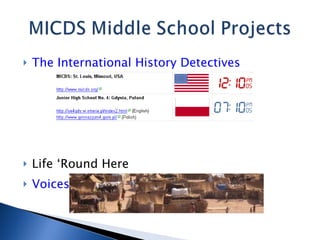
The International History Detectives Life ‘Round Here Voices for Darfur
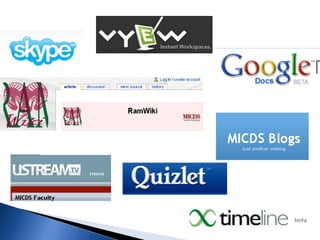
Blog :  a website that allows readers to comment on the content WordPress MU  (internal blog): blogs.micds.org Public but only MICDS students/faculty can comment Every student and teacher has a blog Students post to their specific classes WordPress can accept text, images, audio and video
Wiki : a webpage that can be viewed and edited by multiple authors Media Wiki (internal): wiki.micds.org Public but only MICDS students & faculty can edit Requires some knowledge of wiki syntax WikiSpaces  (external): wikispaces.com Public, Protected, or Private No syntax necessary; accepts multimedia
Google Docs : free web-based word processor and spreadsheet which allow you share and collaborate online. Users must have a Google account Can upload Word/Excel/PowerPoint files or start from scratch (Office 2003 only) Spreadsheets can be turned into forms for collecting information
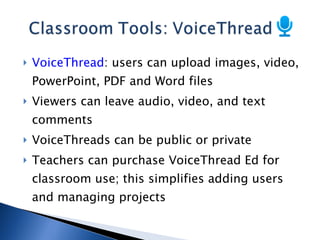
VoiceThread : users can upload images, video, PowerPoint, PDF and Word files Viewers can leave audio, video, and text comments VoiceThreads can be public or private Teachers can purchase VoiceThread Ed for classroom use; this simplifies adding users and managing projects
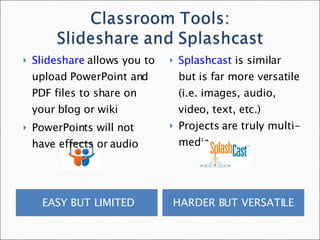
EASY BUT LIMITED HARDER BUT VERSATILE  Slideshare  allows you to upload PowerPoint and PDF files to share on your blog or wiki PowerPoints will not have effects or audio Splashcast  is similar but is far more versatile (i.e. images, audio, video, text, etc.) Projects are truly multi-media
Skype  is a free service for making VoIP audio and video calls Ning  social networks exist for all personal and professional interests Delicious  is a social bookmarking tool ePals  is an email-based system for finding schools/teachers for collaboration Twitter  is a tool for creating a PLN (personal learning network)

Comm Collaboration

  • 1.
  • 2.
  • 3.
  • 4.
  • 5.
  • 6.
    New Tools, NewTechniques
  • 7.
  • 8.
    The International HistoryDetectives Life ‘Round Here Voices for Darfur
  • 9.
    Blog : a website that allows readers to comment on the content WordPress MU (internal blog): blogs.micds.org Public but only MICDS students/faculty can comment Every student and teacher has a blog Students post to their specific classes WordPress can accept text, images, audio and video
  • 10.
    Wiki : awebpage that can be viewed and edited by multiple authors Media Wiki (internal): wiki.micds.org Public but only MICDS students & faculty can edit Requires some knowledge of wiki syntax WikiSpaces (external): wikispaces.com Public, Protected, or Private No syntax necessary; accepts multimedia
  • 11.
    Google Docs :free web-based word processor and spreadsheet which allow you share and collaborate online. Users must have a Google account Can upload Word/Excel/PowerPoint files or start from scratch (Office 2003 only) Spreadsheets can be turned into forms for collecting information
  • 12.
    VoiceThread : userscan upload images, video, PowerPoint, PDF and Word files Viewers can leave audio, video, and text comments VoiceThreads can be public or private Teachers can purchase VoiceThread Ed for classroom use; this simplifies adding users and managing projects
  • 13.
    EASY BUT LIMITEDHARDER BUT VERSATILE Slideshare allows you to upload PowerPoint and PDF files to share on your blog or wiki PowerPoints will not have effects or audio Splashcast is similar but is far more versatile (i.e. images, audio, video, text, etc.) Projects are truly multi-media
  • 14.
    Skype isa free service for making VoIP audio and video calls Ning social networks exist for all personal and professional interests Delicious is a social bookmarking tool ePals is an email-based system for finding schools/teachers for collaboration Twitter is a tool for creating a PLN (personal learning network)