June 12, 2008
 
Blog :  a website that allows readers to comment on the content WordPress MU  (internal blog): blogs.micds.org Public but only MICDS students/faculty can comment Every student and teacher has a blog Students post to their specific classes WordPress can accept text, images, audio and video
Google Reader : RSS aggregator that automatically checks your favorite news sites and blogs for new content.  Shows you all of your favorite sites in one convenient place. Users must have a Google account Items can quickly and easily be shared via the public page
Wiki : a webpage that can be viewed and edited by multiple authors Media Wiki  (internal): wiki.micds.org Public but only MICDS students & faculty can edit Requires some knowledge of wiki syntax WikiSpaces  (external): wikispaces.com Public, Protected, or Private No syntax necessary; accepts multimedia
Google Docs : free web-based word processor and spreadsheet which allow you share and collaborate online. Users must have a Google account Can upload Word/Excel/PowerPoint files or start from scratch (Office 2003 only) Spreadsheets can be turned into forms for collecting information
Acrobat.com : free sharing and storage, PDF converter, online word processor, and web conferencing from Adobe Share : send files to others Buzzword : online document collaboration My Files : store Word, Excel, PDF and images ConnectNow : meet live on the web and share your screen
Delicious :  web-based social bookmarking tool All MICDS teachers and 1:1 students will have a Delicious account Sites are saved/organized with tags instead of folders Easy to share sites with those in your network Subscribing to tags is a good way to locate sites of interest
Flickr :  free photo sharing site from Yahoo! Anyone can browse; uploading requires an account Images can be made public or private, organized into sets, and shared with groups FlickrStorm  and  CreativeCommons  are good tools for finding images for classroom use Use the  Flickr Uploader  for managing large numbers of images
Mixbook :  site for creating electronic books (free) which can be printed (not free) Photos can be uploaded from your computer or photo-sharing sites like Flickr Books can be public or private, printed or embedded, collaborative or individual The MixBook  tutorial  offers step-by-step instructions for beginners
Sketchcast :  site for creating simple sketches with narration Final sketches can be emailed, embedded, or viewed on the Sketchcast site All published sketches are public; no privacy options Viewers can leave comments if viewing from the Sketchcast website
Kerpoof :  create simple illustrations, animations, cards and stories Final products can be shared as links or published to the Kerpoof website Membership is NOT required to use the site The  Teacher Page  has good ideas for classroom use
VoiceThread : users can upload images, video, PowerPoint, PDF and Word files Viewers can leave audio, video, and text comments VoiceThreads can be public or private Teachers can purchase VoiceThread Ed for classroom use; this simplifies adding users and managing projects
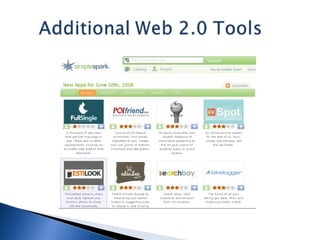
ccMixter:  CreativeCommons remix Gogofrog: 3D web content Historic Tale Construction Kit: historical tales Mogopop : iPod multimedia Scribd : online publishing ToonDoo : comic strips Xtimeline : timelines Zcubes : web content
 
 
Web 2.0 isn’t about any one tool; it’s the collective power of the read/write web. Structure learning experiences around the task(s) the resource can facilitate rather than on the resource itself. Public means public.  Students need to be aware of their audience. Web 3.0  (the semantic web) on the way!

Web 2oh

  • 1.
  • 2.
  • 3.
    Blog : a website that allows readers to comment on the content WordPress MU (internal blog): blogs.micds.org Public but only MICDS students/faculty can comment Every student and teacher has a blog Students post to their specific classes WordPress can accept text, images, audio and video
  • 4.
    Google Reader :RSS aggregator that automatically checks your favorite news sites and blogs for new content. Shows you all of your favorite sites in one convenient place. Users must have a Google account Items can quickly and easily be shared via the public page
  • 5.
    Wiki : awebpage that can be viewed and edited by multiple authors Media Wiki (internal): wiki.micds.org Public but only MICDS students & faculty can edit Requires some knowledge of wiki syntax WikiSpaces (external): wikispaces.com Public, Protected, or Private No syntax necessary; accepts multimedia
  • 6.
    Google Docs :free web-based word processor and spreadsheet which allow you share and collaborate online. Users must have a Google account Can upload Word/Excel/PowerPoint files or start from scratch (Office 2003 only) Spreadsheets can be turned into forms for collecting information
  • 7.
    Acrobat.com : freesharing and storage, PDF converter, online word processor, and web conferencing from Adobe Share : send files to others Buzzword : online document collaboration My Files : store Word, Excel, PDF and images ConnectNow : meet live on the web and share your screen
  • 8.
    Delicious : web-based social bookmarking tool All MICDS teachers and 1:1 students will have a Delicious account Sites are saved/organized with tags instead of folders Easy to share sites with those in your network Subscribing to tags is a good way to locate sites of interest
  • 9.
    Flickr : free photo sharing site from Yahoo! Anyone can browse; uploading requires an account Images can be made public or private, organized into sets, and shared with groups FlickrStorm and CreativeCommons are good tools for finding images for classroom use Use the Flickr Uploader for managing large numbers of images
  • 10.
    Mixbook : site for creating electronic books (free) which can be printed (not free) Photos can be uploaded from your computer or photo-sharing sites like Flickr Books can be public or private, printed or embedded, collaborative or individual The MixBook tutorial offers step-by-step instructions for beginners
  • 11.
    Sketchcast : site for creating simple sketches with narration Final sketches can be emailed, embedded, or viewed on the Sketchcast site All published sketches are public; no privacy options Viewers can leave comments if viewing from the Sketchcast website
  • 12.
    Kerpoof : create simple illustrations, animations, cards and stories Final products can be shared as links or published to the Kerpoof website Membership is NOT required to use the site The Teacher Page has good ideas for classroom use
  • 13.
    VoiceThread : userscan upload images, video, PowerPoint, PDF and Word files Viewers can leave audio, video, and text comments VoiceThreads can be public or private Teachers can purchase VoiceThread Ed for classroom use; this simplifies adding users and managing projects
  • 14.
    ccMixter: CreativeCommonsremix Gogofrog: 3D web content Historic Tale Construction Kit: historical tales Mogopop : iPod multimedia Scribd : online publishing ToonDoo : comic strips Xtimeline : timelines Zcubes : web content
  • 15.
  • 16.
  • 17.
    Web 2.0 isn’tabout any one tool; it’s the collective power of the read/write web. Structure learning experiences around the task(s) the resource can facilitate rather than on the resource itself. Public means public. Students need to be aware of their audience. Web 3.0 (the semantic web) on the way!