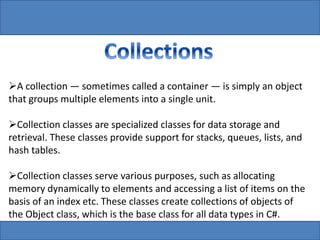
A collection — sometimes called a container — is simply an object 
that groups multiple elements into a single unit. 
Collection classes are specialized classes for data storage and 
retrieval. These classes provide support for stacks, queues, lists, and 
hash tables. 
Collection classes serve various purposes, such as allocating 
memory dynamically to elements and accessing a list of items on the 
basis of an index etc. These classes create collections of objects of 
the Object class, which is the base class for all data types in C#.
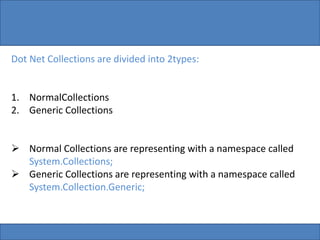
Dot Net Collections are divided into 2types: 
1. NormalCollections 
2. Generic Collections 
 Normal Collections are representing with a namespace called 
System.Collections; 
 Generic Collections are representing with a namespace called 
System.Collection.Generic;
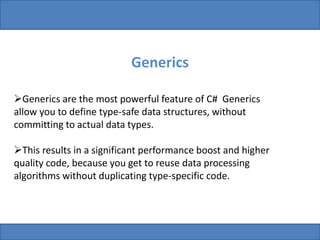
Generics 
Generics are the most powerful feature of C# Generics 
allow you to define type-safe data structures, without 
committing to actual data types. 
This results in a significant performance boost and higher 
quality code, because you get to reuse data processing 
algorithms without duplicating type-specific code.
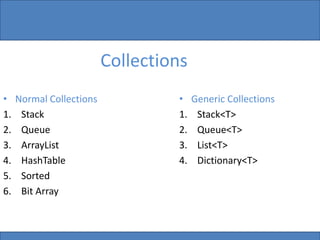
Collections 
• Normal Collections 
1. Stack 
2. Queue 
3. ArrayList 
4. HashTable 
5. Sorted 
6. Bit Array 
• Generic Collections 
1. Stack<T> 
2. Queue<T> 
3. List<T> 
4. Dictionary<T>
Stack: 
Stack<Data type> name = new Stack<Data type>(); 
Queue: 
Queue <Data type> name = new Queue <Data type>(); 
ArrayList or List: 
ArrayList <Data type> name = new ArrayList <Data type>(); 
HashTable or Dictionary: 
HashTable <Data type, Data type> name= new 
HashTable<Data type, Data type>(); 
BitArray: 
BitSet<Data type> bs = new BitSet(); 
Data type Get[data type, Index]; 
These are the some of important collection classes in the 
collections Namespace
Generics - Prototype 
class Stack<T> 
{ 
T[ ] data; 
void Push(T top) { …} 
T Pop() { … } 
} 
Stack<string> ss = new Stack<string>; 
ss.Push(“Hello”); 
Stack<int> si = new Stack<int>; 
ss.Push(4);
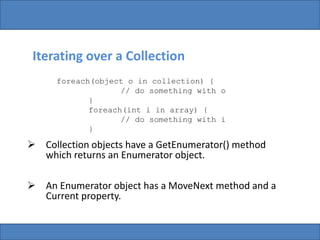
Iterating over a Collection 
foreach(object o in collection) { 
// do something with o 
} 
foreach(int i in array) { 
// do something with i 
} 
 Collection objects have a GetEnumerator() method 
which returns an Enumerator object. 
 An Enumerator object has a MoveNext method and a 
Current property.
IEnumerable 
Collections in .NET use the Iterator Design Pattern, hence 
they do not implement IEnumerator. 
Instead they implement IEnumerable. 
Creates a new instance of an IEnumerator and returns it. 
public interface IEnumerable { 
IEnumerator GetEnumerator(); 
}
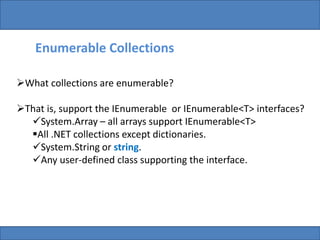
Enumerable Collections 
What collections are enumerable? 
That is, support the IEnumerable or IEnumerable<T> interfaces? 
System.Array – all arrays support IEnumerable<T> 
All .NET collections except dictionaries. 
System.String or string. 
Any user-defined class supporting the interface.
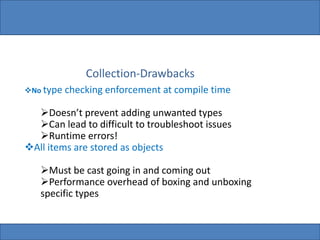
Collection-Drawbacks 
No type checking enforcement at compile time 
Doesn’t prevent adding unwanted types 
Can lead to difficult to troubleshoot issues 
Runtime errors! 
All items are stored as objects 
Must be cast going in and coming out 
Performance overhead of boxing and unboxing 
specific types
 collections

collections

  • 1.
    A collection —sometimes called a container — is simply an object that groups multiple elements into a single unit. Collection classes are specialized classes for data storage and retrieval. These classes provide support for stacks, queues, lists, and hash tables. Collection classes serve various purposes, such as allocating memory dynamically to elements and accessing a list of items on the basis of an index etc. These classes create collections of objects of the Object class, which is the base class for all data types in C#.
  • 2.
    Dot Net Collectionsare divided into 2types: 1. NormalCollections 2. Generic Collections  Normal Collections are representing with a namespace called System.Collections;  Generic Collections are representing with a namespace called System.Collection.Generic;
  • 3.
    Generics Generics arethe most powerful feature of C# Generics allow you to define type-safe data structures, without committing to actual data types. This results in a significant performance boost and higher quality code, because you get to reuse data processing algorithms without duplicating type-specific code.
  • 4.
    Collections • NormalCollections 1. Stack 2. Queue 3. ArrayList 4. HashTable 5. Sorted 6. Bit Array • Generic Collections 1. Stack<T> 2. Queue<T> 3. List<T> 4. Dictionary<T>
  • 5.
    Stack: Stack<Data type>name = new Stack<Data type>(); Queue: Queue <Data type> name = new Queue <Data type>(); ArrayList or List: ArrayList <Data type> name = new ArrayList <Data type>(); HashTable or Dictionary: HashTable <Data type, Data type> name= new HashTable<Data type, Data type>(); BitArray: BitSet<Data type> bs = new BitSet(); Data type Get[data type, Index]; These are the some of important collection classes in the collections Namespace
  • 6.
    Generics - Prototype class Stack<T> { T[ ] data; void Push(T top) { …} T Pop() { … } } Stack<string> ss = new Stack<string>; ss.Push(“Hello”); Stack<int> si = new Stack<int>; ss.Push(4);
  • 7.
    Iterating over aCollection foreach(object o in collection) { // do something with o } foreach(int i in array) { // do something with i }  Collection objects have a GetEnumerator() method which returns an Enumerator object.  An Enumerator object has a MoveNext method and a Current property.
  • 8.
    IEnumerable Collections in.NET use the Iterator Design Pattern, hence they do not implement IEnumerator. Instead they implement IEnumerable. Creates a new instance of an IEnumerator and returns it. public interface IEnumerable { IEnumerator GetEnumerator(); }
  • 9.
    Enumerable Collections Whatcollections are enumerable? That is, support the IEnumerable or IEnumerable<T> interfaces? System.Array – all arrays support IEnumerable<T> All .NET collections except dictionaries. System.String or string. Any user-defined class supporting the interface.
  • 11.
    Collection-Drawbacks No typechecking enforcement at compile time Doesn’t prevent adding unwanted types Can lead to difficult to troubleshoot issues Runtime errors! All items are stored as objects Must be cast going in and coming out Performance overhead of boxing and unboxing specific types