Reflection: 
============= 
For the attributes in the metadata to be useful, you need a way to access them-- 
ideally during runtime. The classes in the Reflection namespace, along with the 
System.Type and System.TypedReference classes, provide support for examining and 
interacting with the metadata. 
Reflection is generally used for any of four tasks: 
1.Viewing metadata 
=================== 
This might be used by tools and utilities that wish to display metadata. 
2.Performing type discovery 
=========================== 
This allows you to examine the types in an assembly and interact with or 
instantiate those types. This can be useful in creating custom scripts. For 
example, you might want to allow your users to interact with your program using 
a script language, such as JavaScript, or a scripting language you create 
yourself. 
3.Late binding to methods and properties 
======================================== 
This allows the programmer to invoke properties and methods on objects 
dynamically instantiated based on type discovery. This is also known as dynamic 
invocation. 
4.Creating types at runtime (Reflection Emit) 
============================================= 
The ultimate use of reflection is to create new types at runtime and then to use 
those types to perform tasks. You might do this when a custom class, created at 
runtime, will run significantly faster than more generic code created at compile 
time. An example is offered later in this chapter. 
Viewing MetaData 
In this section, you will use the C# Reflection support to read the metadata in 
the MyMath class. 
You start by initializing an object of the type MemberInfo. This object, in the 
System.Reflection namespace, is provided to discover the attributes of a member 
and to provide access to the metadata: 
System.Reflection.MemberInfo inf = typeof(MyMath); 
You call the typeof operator on the MyMath type, which returns an object of type 
Type, which derives from MemberInfo. 
TIP: The Type class is the root of the reflection classes. Type encapsulates a 
representation of the type of an object. The Type class is the primary way to 
access metadata. MemberInfo derives from Type and encapsulates information about 
the members of a class (e.g., methods, properties, fields, events, etc.). 
The next step is to call GetCustomAttributes on this MemberInfo object, passing 
in the type of the attribute you want to find. What you get back is an array of 
objects, each of type BugFixAttribute: 
object[] attributes; 
attributes = 
inf.GetCustomAttributes(typeof(BugFixAttribute),false); 
You can now iterate through this array, printing out the properties of the 
BugFixAttribute object. Example 18-2 replaces the Tester class from Example 18- 
1. 
Example 18-2: Using Reflection
public static void Main( ) 
{ 
MyMath mm = new MyMath( ); 
Console.WriteLine("Calling DoFunc(7). Result: {0}", 
mm.DoFunc1(7)); 
// get the member information and use it to 
// retrieve the custom attributes 
System.Reflection.MemberInfo inf = typeof(MyMath); 
object[] attributes; 
attributes = 
inf.GetCustomAttributes( 
typeof(BugFixAttribute), false); 
// iterate through the attributes, retrieving the 
// properties 
foreach(Object attribute in attributes) 
{ 
BugFixAttribute bfa = (BugFixAttribute) attribute; 
Console.WriteLine("nBugID: {0}", bfa.BugID); 
Console.WriteLine("Programmer: {0}", bfa.Programmer); 
Console.WriteLine("Date: {0}", bfa.Date); 
Console.WriteLine("Comment: {0}", bfa.Comment); 
} 
} 
Output: 
Calling DoFunc(7). Result: 9.3333333333333339 
BugID: 121 
Programmer: Jesse Liberty 
Date: 01/03/05 
Comment: 
BugID: 107 
Programmer: Jesse Liberty 
Date: 01/04/05 
Comment: Fixed off by one errors 
When you put this replacement code into Example 18-1 and run it, you can see the 
metadata printed as you'd expect. 
Type Discovery 
You can use reflection to explore and examine the contents of an assembly. You 
can find the types associated with a module; the methods, fields, properties, 
and events associated with a type, as well as the signatures of each of the 
type's methods; the interfaces supported by the type; and the type's base class. 
To start, load an assembly dynamically with the Assembly.Load static method. The 
Assembly class encapsulates the actual assembly itself, for purposes of 
reflection. The signature for the Load method is: 
public static Assembly.Load(AssemblyName) 
For the next example, pass in the Core Library to the Load method. MsCorLib.dll 
has the core classes of the .NET Framework: 
Assembly a = Assembly.Load("Mscorlib.dll"); 
Once the assembly is loaded, you can call GetTypes( ) to return an array of Type 
objects. The Type object is the heart of reflection. Type represents type 
declarations: classes, interfaces, arrays, values, and enumerations: 
Type[] types = a.GetTypes( ); 
The assembly returns an array of types that you can display in a foreach loop,
as shown in Example 18-3. Because this listing uses the Type class, you will 
want to add a using statement for the System.Reflection namespace. 
Example 18-3: Reflecting on an assembly 
namespace Programming_CSharp 
{ 
using System; 
using System.Reflection; 
public class Tester 
{ 
public static void Main( ) 
{ 
// what is in the assembly 
Assembly a = Assembly.Load("Mscorlib.dll"); 
Type[] types = a.GetTypes( ); 
foreach(Type t in types) 
{ 
Console.WriteLine("Type is {0}", t); 
} 
Console.WriteLine( 
"{0} types found", types.Length); 
} 
} 
} 
The output from this would fill many pages. Here is a short excerpt: 
Type is System.TypeCode 
Type is System.Security.Util.StringExpressionSet 
Type is System.Runtime.InteropServices.COMException 
Type is System.Runtime.InteropServices.SEHException 
Type is System.Reflection.TargetParameterCountException 
Type is System.Text.UTF7Encoding 
Type is System.Text.UTF7Encoding$Decoder 
Type is System.Text.UTF7Encoding$Encoder 
Type is System.ArgIterator 
Type is System.Runtime.Remoting.JITLookupTable 
Type is System.Runtime.Remoting.IComponentServices 
Type is System.Runtime.Remoting.ComponentServices 
1429 types found 
This example obtained an array filled with the types from the Core Library and 
printed them one by one. The array contained 1,429 entries on my machine. 
Reflecting on a Type 
You can reflect on a single type in the mscorlib assembly as well. To do so, you 
extract a type from the assembly with the GetType( ) method, as shown in Example 
18-4. 
Example 18-4: Reflecting on a type 
namespace Programming_CSharp 
{ 
using System; 
using System.Reflection; 
public class Tester 
{ 
public static void Main( ) 
{ 
// examine a single object 
Type theType = 
Type.GetType(
"System.Reflection.Assembly"); 
Console.WriteLine( 
"nSingle Type is {0}n", theType); 
} 
} 
} 
Output: 
Single Type is System.Reflection.Assembly 
Finding all type members 
You can ask the Assembly type for all its members using the GetMembers( ) method 
of the Type class, which lists all the methods, properties, and fields, as shown 
in Example 18-5. 
Example 18-5: Reflecting on the members of a type 
namespace Programming_CSharp 
{ 
using System; 
using System.Reflection; 
public class Tester 
{ 
public static void Main( ) 
{ 
// examine a single object 
Type theType = 
Type.GetType( 
"System.Reflection.Assembly"); 
Console.WriteLine( 
"nSingle Type is {0}n", theType); 
// get all the members 
MemberInfo[] mbrInfoArray = 
theType.GetMembers( ); 
foreach (MemberInfo mbrInfo in mbrInfoArray ) 
{ 
Console.WriteLine("{0} is a {1}", 
mbrInfo, mbrInfo.MemberType); 
} 
} 
} 
} 
Once again the output is quite lengthy, but within the output you see fields, 
methods, constructors, and properties, as shown in this excerpt: 
System.String s_localFilePrefix is a Field 
Boolean IsDefined(System.Type) is a Method 
Void .ctor( ) is a Constructor 
System.String CodeBase is a Property 
System.String CopiedCodeBase is a Property 
Finding type methods 
You might want to focus on methods only, excluding the fields, properties, and 
so forth. To do so, you remove the call to GetMembers( ): 
MemberInfo[] mbrInfoArray = 
theType.GetMembers(BindingFlags.LookupAll); 
and add a call to GetMethods( ): 
mbrInfoArray = theType.GetMethods( ); 
The output now is nothing but the methods:
Output (excerpt): 
Boolean Equals(System.Object) is a Method 
System.String ToString( ) is a Method 
System.String CreateQualifiedName( 
System.String, System.String) is a Method 
System.Reflection.MethodInfo get_EntryPoint( ) is a Method 
Finding particular type members 
Finally, to narrow it down even further, you can use the FindMembers method to 
find particular members of the type. For example, you can narrow your search to 
methods whose names begin with the letters Get. 
To narrow the search, you use the FindMembers method, which takes four 
parameters: MemberTypes, BindingFlags, MemberFilter, and object. 
MemberTypes 
A MemberTypes object that indicates the type of the member to search for. These 
include All, Constructor, Custom, Event, Field, Method, Nestedtype, Property, 
and TypeInfo. You will also use the MemberTypes.Method to find a method. 
BindingFlags 
An enumeration that controls the way searches are conducted by reflection. There 
are a great many BindingFlag values, including IgnoreCase, Instance, Public, 
Static, and so forth. The BindingFlags default member indicates no binding flag, 
which is what you want because you do not want to restrict the binding. 
MemberFilter 
A delegate (see Chapter 12) that is used to filter the list of members in the 
MemberInfo array of objects. The filter you'll use is Type.FilterName, a field 
of the Type class used for filtering on a name. 
Object 
A string value that will be used by the filter. In this case you'll pass in 
"Get*" to match only those methods that begin with the letters Get. 
The complete listing for filtering on these methods is shown in Example 18-6. 
Example 18-6: Finding particular members 
namespace Programming_CSharp 
{ 
using System; 
using System.Reflection; 
public class Tester 
{ 
public static void Main( ) 
{ 
// examine a single object 
Type theType = Type.GetType( 
"System.Reflection.Assembly"); 
// just members which are methods beginning with Get 
MemberInfo[] mbrInfoArray = 
theType.FindMembers(MemberTypes.Method, 
BindingFlags.Default, 
Type.FilterName, "Get*"); 
foreach (MemberInfo mbrInfo in mbrInfoArray ) 
{ 
Console.WriteLine("{0} is a {1}", 
mbrInfo, mbrInfo.MemberType); 
} 
} 
} 
Output (excerpt): 
System.Type[] GetTypes( ) is a Method 
System.Type[] GetExportedTypes( ) is a Method
System.Type GetType(System.String, Boolean) is a Method 
System.Type GetType(System.String) is a Method 
System.Reflection.AssemblyName GetName(Boolean) is a Method 
System.Reflection.AssemblyName GetName( ) is a Method 
Int32 GetHashCode( ) is a Method 
Late Binding 
Once you have discovered a method, it's possible to invoke it using reflection. 
For example, you might like to invoke the Cos( ) method of System.Math, which 
returns the cosine of an angle. 
TIP: You could, of course, call Cos( ) in the normal course of your code, but 
reflection allows you to bind to that method at runtime. This is called late-binding 
and offers the flexibility of choosing at runtime which object you will 
bind to and invoking it programmatically. This can be useful when creating a 
custom script to be run by the user or when working with objects that might not 
be available at compile time. For example, by using late-binding, your program 
can interact with the spellchecker or other components of a running commercial 
word processing program such as Microsoft Word. 
To invoke Cos( ), you will first get the Type information for the System.Math 
class: 
Type theMathType = Type.GetType("System.Math"); 
With that type information, you can dynamically load an instance of that class 
by using a static method of the Activator class. 
The Activator class contains four methods, all static, which you can use to 
create objects locally or remotely or to obtain references to existing objects. 
The four methods are: CreateComInstanceFrom, CreateInstanceFrom, GetObject, and 
CreateInstance: 
CreateComInstanceFrom 
Used to create instances of COM objects. 
CreateInstanceFrom 
Used to create a reference to an object from a particular assembly and type 
name. 
GetObject 
Used when marshaling objects. Marshaling is discussed in detail in Chapter 19. 
CreateInstance 
Used to create local or remote instances of an object. You'll use this method to 
instantiate an object of the System.Math class. 
Object theObj = Activator.CreateInstance(theMathType); 
You now have two objects in hand: a Type object named TheMathType, which you 
created by calling GetType, and an instance of the System.Math class named 
theObj, which you instantiated by calling CreateInstance. 
Before you can invoke a method on the object, you must get the method you need 
from the Type object, theMathType. To do so, you'll call GetMethod(), and you'll 
pass in the signature of the Cos method. 
The signature, you will remember, is the name of the method (Cos) and its 
parameter types. In the case of Cos(), there is only one parameter: a double. 
Whereas, Type.GetMethod takes two parameters: the first represents the name of 
the method you want, and the second represents the parameters. The name is 
passed as a string; the parameters are passed as an array of types: 
MethodInfo CosineInfo = 
theMathType.GetMethod("Cos",paramTypes); 
Before calling GetMethod, you must prepare the array of types: 
Type[] paramTypes = new Type[1]; 
paramTypes[0]= Type.GetType("System.Double");
This code declares the array of Type objects and then fills the first element 
(paramTypes[0]) with a Type representing a double. You obtain that type 
representing a double by calling the static method Type.GetType(), passing in 
the string "System.Double". 
You now have an object of type MethodInfo on which you can invoke the method. To 
do so, you must pass in the actual value of the parameters, again in an array: 
Object[] parameters = new Object[1]; 
parameters[0] = 45; 
Object returnVal = CosineInfo.Invoke(theObj,parameters); 
TIP: Note that you've created two arrays. The first, paramTypes, holds the 
type of the parameters. The second, parameters, holds the actual value. If the 
method had taken two arguments, you'd have declared these arrays to hold two 
values. If the method took no values, you still would create the array, but you 
would give it a size of zero! 
Type[] paramTypes = new Type[0]; 
Odd as this looks, it is correct. 
Example 18-7 illustrates dynamically calling the Cos( ) method. 
Example 18-7: Dynamically invoking a method 
namespace Programming_CSharp 
{ 
using System; 
using System.Reflection; 
public class Tester 
{ 
public static void Main( ) 
{ 
Type theMathType = Type.GetType("System.Math"); 
Object theObj = 
Activator.CreateInstance(theMathType); 
// array with one member 
Type[] paramTypes = new Type[1]; 
paramTypes[0]= Type.GetType("System.Double"); 
// Get method info for Cos( ) 
MethodInfo CosineInfo = 
theMathType.GetMethod("Cos",paramTypes); 
// fill an array with the actual parameters 
Object[] parameters = new Object[1]; 
parameters[0] = 45; 
Object returnVal = 
CosineInfo.Invoke(theObj,parameters); 
Console.WriteLine( 
"The cosine of a 45 degree angle {0}", 
returnVal); 
} 
} 
} 
That was a lot of work just to invoke a single method. The power, however, is 
that you can use reflection to discover an assembly on the user's machine, use 
reflection to query what methods are available, and then use reflection to 
invoke one of those members dynamically! 
Reflection Emit
So far we've seen reflection used for three purposes: viewing metadata, type 
discovery, and dynamic invocation. You might use these techniques when building 
tools (such as a development environment) or when processing scripts. The most 
powerful use of reflection, however, is with reflection emit. 
Reflection emit supports the dynamic creation of new types at runtime. You can 
define an assembly to run dynamically or to save itself to disk, and you can 
define modules and new types with methods that you can then invoke. 
TIP: The use of dynamic invocation and reflection emit should be considered an 
advanced topic. Most developers will never have need to use reflection emit. 
This demonstration is based on an example provided at the Microsoft Author's 
Summit, Fall 2000. 
To understand the power of reflection emit, you must first consider a slightly 
more complicated example of dynamic invocation. 
Problems can have general solutions that are relatively slow and specific 
solutions that are fast. To keep things manageably simple, consider a DoSum( ) 
method, which provides the sum of a string of integers from 1...n, where n will 
be supplied by the user. 
Thus, DoSum(3) is equal to 1+2+3, or 6. DoSum(10) is 55. Writing this in C# is 
very simple: 
public int DoSum1(int n) 
{ 
int result = 0; 
for(int i = 1;i <= n; i++) 
{ 
result += i; 
} 
return result; 
} 
The method simply loops, adding the requisite number. If you pass in 3, the 
method adds 1 + 2 + 3 and returns an answer of 6. 
With large numbers, and when run many times, this might be a bit slow. Given the 
value 20, this method would be considerably faster if you removed the loop: 
public int DoSum2( ) 
{ 
return 1+2+3+4+5+6+7+8+9+10+11+12+13+14+15+16+17+18+19+20; 
} 
DoSum2 runs more quickly than DoSum1 does. How much more quickly? To find out, 
you'll need to put a timer on both methods. To do so, you'll use a DateTime 
object to mark the start time and a TimeSpan object to compute the elapsed time. 
For this experiment, you need to create two DoSum( ) methods; the first will use 
the loop and the second will not. You will call each 1,000,000 times. (Computers 
are very fast, so to see a difference you have to work hard!) You'll then 
compare the times. Example 18-8 illustrates the entire test program. 
Example 18-8: Comparing loop to brute force 
namespace Programming_CSharp 
{ 
using System; 
using System.Diagnostics; 
using System.Threading; 
public class MyMath 
{ 
// sum numbers with a loop
public int DoSum(int n) 
{ 
int result = 0; 
for(int i = 1; i <= n; i++) 
{ 
result += i; 
} 
return result; 
} 
// brute force by hand 
public int DoSum2( ) 
{ 
return 1+2+3+4+5+6+7+8+9+10+11 
+12+13+14+15+16+17+18+19+20; 
} 
} 
public class TestDriver 
{ 
public static void Main( ) 
{ 
const int val = 20; // val to sum 
// 1,000,000 iterations 
const int iterations = 1000000; 
// hold the answer 
int result = 0; 
MyMath m = new MyMath( ); 
// mark the start time 
DateTime startTime = DateTime.Now; 
// run the experiment 
for (int i = 0;i < iterations;i++) 
{ 
result = m.DoSum(val); 
} 
// mark the elapsed time 
TimeSpan elapsed = 
DateTime.Now - startTime; 
// display the results 
Console.WriteLine( 
"Loop: Sum of ({0}) = {1}", 
val, result); 
Console.WriteLine( 
"The elapsed time in milliseconds is: " + 
elapsed.TotalMilliseconds.ToString( )); 
// mark a new start time 
startTime = DateTime.Now; 
// run the experiment 
for (int i = 0;i < iterations;i++) 
{ 
result = m.DoSum2( ); 
} 
// mark the new elapsed time
elapsed = DateTime.Now - startTime; 
// display the results 
Console.WriteLine( 
"Brute Force: Sum of ({0}) = {1}", 
val, result); 
Console.WriteLine( 
"The elapsed time in milliseconds is: " + 
elapsed.TotalMilliseconds); 
} 
} 
} 
Output: 
Loop: Sum of (20) = 210 
The elapsed time in milliseconds is: 187.5 
Brute Force: Sum of (20) = 210 
The elapsed time in milliseconds is: 31.25 
As you can see, both methods returned the same answer (one million times!), but 
the brute-force method was six times faster. 
Is there a way to avoid the loop and still provide a general solution? In 
traditional programming, the answer would be no, but with reflection you do have 
one other option. You can, at runtime, take the value the user wants (20, in 
this case) and write out to disk a class that implements the brute-force 
solution. You can then use dynamic invocation to invoke that method. 
There are at least three ways to achieve this result, each increasingly elegant. 
The third, reflection emit, is the best, but a close look at two other 
techniques is instructive. If you are pressed for time, you might wish to jump 
ahead to the section entitled "Dynamic Invocation with Reflection Emit," later 
in this chapter. 
Dynamic Invocation with InvokeMember( ) 
The first approach will be to create a class named BruteForceSums dynamically, 
at runtime. The BruteForceSums class will contain a method, ComputeSum( ), that 
implements the brute-force approach. You'll write that class to disk, compile 
it, and then use dynamic invocation to invoke its brute-force method by means of 
the InvokeMember( ) method of the Type class. The key point is that 
BruteForceSums.cs won't exist until you run the program. You'll create it when 
you need it and supply its arguments then. 
To accomplish this, you'll create a new class named ReflectionTest. The job of 
the ReflectionTest class is to create the BruteForceSums class, write it to 
disk, and compile it. ReflectionTest has only two methods: DoSum and 
GenerateCode. 
ReflectionTest.DoSum is a public method that returns the sum, given a value. 
That is, if you pass in 10, it returns the sum of 1+2+3+4+5+6+7+8+9+10. It does 
this by creating the BruteForceSums class and delegating the job to its 
ComputeSum method. 
ReflectionTest has two private fields: 
Type theType = null; 
object theClass = null; 
The first is an object of type Type, which you use to load your class from disk, 
and the second is an object of type object, which you use to dynamically invoke 
the ComputeSums( ) method of the BruteForceSums class you'll create. 
The driver program instantiates an instance of ReflectionTest and calls its 
DoSum method, passing in the value. For this version of the program, the value 
is increased to 200.
The DoSum method checks whether theType is null; if it is, the class has not 
been created yet. DoSum calls the helper method GenerateCode to generate the 
code for the BruteForceSums class and the class's ComputeSums method. 
GenerateCode then writes this newly created code to a .cs file on disk and runs 
the compiler to turn it into an assembly on disk. Once this is completed, DoSum 
can call the method using reflection. 
Once the class and method are created, you load the assembly from disk and 
assign the class type information to theType, and DoSum can use that to invoke 
the method dynamically to get the correct answer. 
You begin by creating a constant for the value to which you'll sum: 
const int val = 200; 
Each time you compute a sum, it will be the sum of the values 1 to 200. 
Before you create the dynamic class, you need to go back and re-create MyMath: 
MyMath m = new MyMath( ); 
Give MyMath a method DoSumLooping, much as you did in the previous example: 
public int DoSumLooping (int initialVal) 
{ 
int result = 0; 
for(int i = 1;i <=initialVal;i++) 
{ 
result += i; 
} 
return result; 
} 
This serves as a benchmark against which you can compare the performance of the 
brute-force method. 
Now you're ready to create the dynamic class and compare its performance with 
the looping version. First, instantiate an object of type ReflectionTest and 
invoke the DoSum( ) method on that object: 
ReflectionTest t = new ReflectionTest( ); 
result = t.DoSum(val); 
ReflectionTest.DoSum checks to see if its Type field, theType, is null. If it 
is, you haven't yet created and compiled the BruteForceSums class and must do so 
now: 
if (theType == null) 
{ 
GenerateCode(theValue); 
} 
The GenerateCode method takes the value (in this case, 200) as a parameter to 
know how many values to add. 
GenerateCode begins by creating a file on disk. The details of file I/O will be 
covered in Chapter 21. For now, I'll walk you through this quickly. First, call 
the static method File.Open, and pass in the filename and a flag indicating that 
you want to create the file. File.Open returns a Stream object: 
string fileName = "BruteForceSums"; 
Stream s = File.Open(fileName + ".cs", FileMode.Create); 
Once you have the Stream, you can create a StreamWriter so that you can write 
into that file: 
StreamWriter wrtr = new StreamWriter(s); 
You can now use the WriteLine methods of StreamWriter to write lines of text 
into the file. Begin the new file with a comment:
wrtr.WriteLine("// Dynamically created BruteForceSums class"); 
This writes the text: 
// Dynamically created BruteForceSums class 
to the file you've just created (BruteForceSums.cs). Next, write out the class 
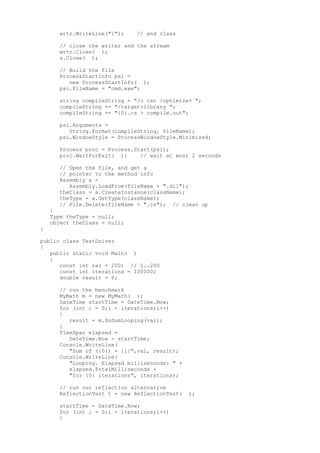
declaration: 
string className = "BruteForceSums"; 
wrtr.WriteLine("class {0}", className); 
wrtr.WriteLine("{"); 
Within the braces of the class, you create the ComputeSum method: 
wrtr.WriteLine("tpublic double ComputeSum( )"); 
wrtr.WriteLine("t{"); 
wrtr.WriteLine("t// Brute force sum method"); 
wrtr.WriteLine("t// For value = {0}", theVal); 
Now it is time to write out the addition statements. When you are done, you want 
the file to have this line: 
return 0+1+2+3+4+5+6+7+8+9... 
continuing up to value (in this case, 200): 
wrtr.Write("treturn 0"); 
for (int i = 1;i<=theVal;i++) 
{ 
wrtr.Write("+ {0}",i); 
} 
Notice how this works. What will be written to the file is: 
treturn 0+ 1+ 2+ 3+... 
The initial t causes the code to be indented in the source file. 
When the loop completes, you end the return statement with a semicolon and then 
close the method and the class: 
wrtr.WriteLine(";"); 
wrtr.WriteLine("t}"); 
wrtr.WriteLine("}"); 
Close the streamWriter and the stream, thus closing the file: 
wrtr.Close( ); 
s.Close( ); 
When this runs, the BruteForceSums.cs file will be written to disk. It will look 
like this: 
// Dynamically created BruteForceSums class 
class BruteForceSums 
{ 
public double ComputeSum( ) 
{ 
// Brute force sum method 
// For value = 200 
return 0+ 1+ 2+ 3+ 4+ 5+ 6+ 7+ 8+ 9+ 10+ 
11+ 12+ 13+ 14+ 15+ 16+ 17+ 18+ 19+ 20+ 21+ 
22+ 23+ 24+ 25+ 26+ 27+ 28+ 29+ 30+ 31+ 32+ 
33+ 34+ 35+ 36+ 37+ 38+ 39+ 40+ 41+ 42+ 43+ 
44+ 45+ 46+ 47+ 48+ 49+ 50+ 51+ 52+ 53+ 54+ 
55+ 56+ 57+ 58+ 59+ 60+ 61+ 62+ 63+ 64+ 65+ 
66+ 67+ 68+ 69+ 70+ 71+ 72+ 73+ 74+ 75+ 76+ 
77+ 78+ 79+ 80+ 81+ 82+ 83+ 84+ 85+ 86+ 87+ 
88+ 89+ 90+ 91+ 92+ 93+ 94+ 95+ 96+ 97+ 98+ 
99+ 100+ 101+ 102+ 103+ 104+ 105+ 106+ 107+ 
108+ 109+ 110+ 111+ 112+ 113+ 114+ 115+ 116+
117+ 118+ 119+ 120+ 121+ 122+ 123+ 124+ 125+ 
126+ 127+ 128+ 129+ 130+ 131+ 132+ 133+ 134+ 
135+ 136+ 137+ 138+ 139+ 140+ 141+ 142+ 143+ 
144+ 145+ 146+ 147+ 148+ 149+ 150+ 151+ 152+ 
153+ 154+ 155+ 156+ 157+ 158+ 159+ 160+ 161+ 
162+ 163+ 164+ 165+ 166+ 167+ 168+ 169+ 170+ 
171+ 172+ 173+ 174+ 175+ 176+ 177+ 178+ 179+ 
180+ 181+ 182+ 183+ 184+ 185+ 186+ 187+ 188+ 
189+ 190+ 191+ 192+ 193+ 194+ 195+ 196+ 197+ 
198+ 199+ 200; 
} 
} 
This accomplishes the goal of dynamically creating a class with a method that 
finds the sum through brute force. 
The only remaining task is to build the file and then use the method. To build 
the file, you must start a new process (processes are explained in some detail 
in Chapter 20). The best way to launch this process is with a ProcessStartInfo 
structure that will hold the command line. Instantiate a ProcessStartInfo and 
set its filename to cmd.exe: 
ProcessStartInfo psi = new ProcessStartInfo( ); 
psi.FileName = "cmd.exe"; 
You need to pass in the string you want to invoke at the command line. The 
ProcessStartInfo.Arguments property specifies the command-line arguments to use 
when starting the program. The command-line argument to the cmd.exe program will 
be /c to tell cmd.exe to exit after it executes the command, and then the 
command for cmd.exe. The command for cmd.exe is the command-line compile: 
string compileString = "/c csc /optimize+ "; 
compileString += " /target:library "; 
compileString += "{0}.cs > compile.out"; 
The string compileString will invoke the C# compiler (csc), telling it to 
optimize the code (after all, you're doing this to gain performance) and to 
build a dynamic link library (DLL) file (/target:library). You redirect the 
output of the compile to a file named compile.out so that you can examine it if 
there are errors. 
You combine compileString with the filename, using the static method Format of 
the string class, and assign the combined string to psi.Arguments: 
psi.Arguments = String.Format(compileString, fileName); 
The effect of all this is to set the Arguments property of the ProcessStartInfo 
object psi to: 
/c csc /optimize+ /target:library 
BruteForceSums.cs > compile.out 
Before invoking cmd.exe, you set the WindowStyle property of psi to Minimized so 
that when the command executes, the window does not flicker onto and then off of 
the user's display: 
psi.WindowStyle = ProcessWindowStyle.Minimized; 
You are now ready to start the cmd.exe process, and you will wait until it 
finishes before proceeding with the rest of the GenerateCode method: 
Process proc = Process.Start(psi); 
proc.WaitForExit( ); 
Once the process is done, you can get the assembly, and from the assembly, you 
can get the class you've created. Finally, you can ask that class for its type 
and assign that to your theType member variable: 
Assembly a = Assembly.LoadFrom(fileName + ".dll"); 
theClass = a.CreateInstance(className); 
theType = a.GetType(className);
You can now delete the .cs file you generated: 
File.Delete(fileName + ".cs"); 
You've now filled theType, and you're ready to return to DoSum to invoke the 
ComputeSum method dynamically. The Type object has a method InvokeMember( ), 
which can be used to invoke a member of the class described by the Type object. 
The InvokeMember method is overloaded; the version you'll use takes five 
arguments: 
public object InvokeMember( 
string name, 
BindingFlags invokeAttr, 
Binder binder, 
object target, 
object[] args 
); 
name 
Is the name of the method you wish to invoke. 
invokeAttr 
Is a bit mask of BindingFlags that specify how the search of the object is 
conducted. In this case, you'll use the InvokeMethod flag OR'd with the Default 
flag. These are the standard flags for invoking a method dynamically. 
binder 
Is used to assist in type conversions. By passing in null, you'll specify that 
you want the default binder. 
target 
Is the object on which you'll invoke the method. In this case, you'll pass in 
theClass, which is the class you just created from the assembly you just built. 
args 
Is an array of arguments to pass to the method you're invoking. 
The complete invocation of InvokeMember looks like this: 
object[] arguments = new object[0]; 
object retVal = 
theType.InvokeMember("ComputeSum", 
BindingFlags.Default | 
BindingFlags.InvokeMethod, 
null, 
theClass, 
arguments); 
return (double) retVal; 
The result of invoking this method is assigned to the local variable retVal, 
which is then returned, as a double, to the driver program. The complete listing 
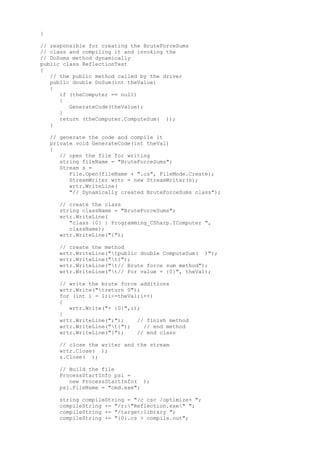
is shown in Example 18-9. 
Example 18-9: Dynamic invocation with Type and InvokeMethod( ) 
namespace Programming_CSharp 
{ 
using System; 
using System.Diagnostics; 
using System.IO; 
using System.Reflection; 
// used to benchmark the looping approach 
public class MyMath 
{ 
// sum numbers with a loop 
public int DoSumLooping(int initialVal) 
{ 
int result = 0; 
for(int i = 1;i <=initialVal;i++) 
{ 
result += i;
} 
return result; 
} 
} 
// responsible for creating the BruteForceSums 
// class and compiling it and invoking the 
// DoSums method dynamically 
public class ReflectionTest 
{ 
// the public method called by the driver 
public double DoSum(int theValue) 
{ 
// if you don't have a reference 
// to the dynamically created class 
// create it 
if (theType == null) 
{ 
GenerateCode(theValue); 
} 
// with the reference to the dynamically 
// created class you can invoke the method 
object[] arguments = new object[0]; 
object retVal = 
theType.InvokeMember("ComputeSum", 
BindingFlags.Default | 
BindingFlags.InvokeMethod, 
null, 
theClass, 
arguments); 
return (double) retVal; 
} 
// generate the code and compile it 
private void GenerateCode(int theVal) 
{ 
// open the file for writing 
string fileName = "BruteForceSums"; 
Stream s = 
File.Open(fileName + ".cs", FileMode.Create); 
StreamWriter wrtr = new StreamWriter(s); 
wrtr.WriteLine( 
"// Dynamically created BruteForceSums class"); 
// create the class 
string className = "BruteForceSums"; 
wrtr.WriteLine("class {0}", className); 
WriteLine("{"); 
// create the method 
wrtr.WriteLine("tpublic double ComputeSum( )"); 
wrtr.WriteLine("t{"); 
wrtr.WriteLine("t// Brute force sum method"); 
wrtr.WriteLine("t// For value = {0}", theVal); 
// write the brute force additions 
wrtr.Write("treturn 0"); 
for (int i = 1;i<=theVal;i++) 
{ 
wrtr.Write("+ {0}",i); 
} 
wrtr.WriteLine(";"); // finish method 
wrtr.WriteLine("t}"); // end method
wrtr.WriteLine("}"); // end class 
// close the writer and the stream 
wrtr.Close( ); 
s.Close( ); 
// Build the file 
ProcessStartInfo psi = 
new ProcessStartInfo( ); 
psi.FileName = "cmd.exe"; 
string compileString = "/c csc /optimize+ "; 
compileString += "/target:library "; 
compileString += "{0}.cs > compile.out"; 
psi.Arguments = 
String.Format(compileString, fileName); 
psi.WindowStyle = ProcessWindowStyle.Minimized; 
Process proc = Process.Start(psi); 
proc.WaitForExit( ); // wait at most 2 seconds 
// Open the file, and get a 
// pointer to the method info 
Assembly a = 
Assembly.LoadFrom(fileName + ".dll"); 
theClass = a.CreateInstance(className); 
theType = a.GetType(className); 
// File.Delete(fileName + ".cs"); // clean up 
} 
Type theType = null; 
object theClass = null; 
} 
public class TestDriver 
{ 
public static void Main( ) 
{ 
const int val = 200; // 1..200 
const int iterations = 100000; 
double result = 0; 
// run the benchmark 
MyMath m = new MyMath( ); 
DateTime startTime = DateTime.Now; 
for (int i = 0;i < iterations;i++) 
{ 
result = m.DoSumLooping(val); 
} 
TimeSpan elapsed = 
DateTime.Now - startTime; 
Console.WriteLine( 
"Sum of ({0}) = {1}",val, result); 
Console.WriteLine( 
"Looping. Elapsed milliseconds: " + 
elapsed.TotalMilliseconds + 
"for {0} iterations", iterations); 
// run our reflection alternative 
ReflectionTest t = new ReflectionTest( ); 
startTime = DateTime.Now; 
for (int i = 0;i < iterations;i++) 
{
result = t.DoSum(val); 
} 
elapsed = DateTime.Now - startTime; 
Console.WriteLine( 
"Sum of ({0}) = {1}",val, result); 
Console.WriteLine( 
"Brute Force. Elapsed milliseconds: " + 
elapsed.TotalMilliseconds + 
"for {0} iterations", iterations); 
} 
} 
} 
Output: 
Sum of (200) = 20100 
Looping. Elapsed milliseconds: 
78.125 for 100000 iterations 
Sum of (200) = 20100 
Brute Force. Elapsed milliseconds: 
3843.75 for 100000 iterations 
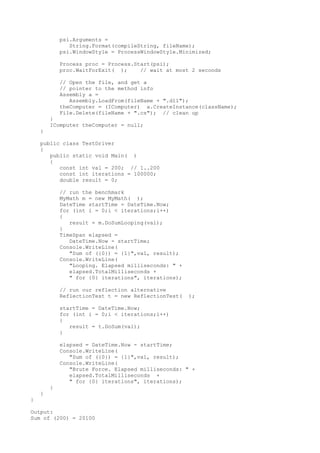
Notice that the dynamically invoked method is far slower than the loop. This is 
not a surprise; writing the file to disk, compiling it, reading it from disk, 
and invoking the method all bring significant overhead. You accomplished your 
goal, but it was a pyrrhic victory. 
Dynamic Invocation with Interfaces 
It turns out that dynamic invocation is particularly slow. You want to maintain 
the general approach of writing the class at runtime and compiling it on the 
fly. But rather than using dynamic invocation, you'd just like to call the 
method. One way to speed things up is to use an interface to call the 
ComputeSums( ) method directly. 
To accomplish this, you need to change ReflectionTest.DoSum( ) from: 
public double DoSum(int theValue) 
{ 
if (theType == null) 
{ 
GenerateCode(theValue); 
} 
object[] arguments = new object[0]; 
object retVal = 
theType.InvokeMember("ComputeSum", 
BindingFlags.Default | BindingFlags.InvokeMethod, 
null, 
theFunction, 
arguments); 
return (double) retVal; 
} 
to the following: 
public double DoSum(int theValue) 
{ 
if (theComputer == null) 
{ 
GenerateCode(theValue); 
} 
return (theComputer.ComputeSum( )); 
} 
In this example, theComputer is an interface to an object of type BruteForceSum. 
It must be an interface and not an object because when you compile this program, 
theComputer won't yet exist; you'll create it dynamically.
Remove the declarations for thetype and theFunction and replace them with: 
IComputer theComputer = null; 
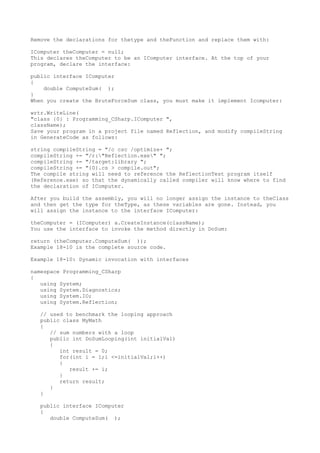
This declares theComputer to be an IComputer interface. At the top of your 
program, declare the interface: 
public interface IComputer 
{ 
double ComputeSum( ); 
} 
When you create the BruteForceSum class, you must make it implement Icomputer: 
wrtr.WriteLine( 
"class {0} : Programming_CSharp.IComputer ", 
className); 
Save your program in a project file named Reflection, and modify compileString 
in GenerateCode as follows: 
string compileString = "/c csc /optimize+ "; 
compileString += "/r:"Reflection.exe" "; 
compileString += "/target:library "; 
compileString += "{0}.cs > compile.out"; 
The compile string will need to reference the ReflectionTest program itself 
(Reference.exe) so that the dynamically called compiler will know where to find 
the declaration of IComputer. 
After you build the assembly, you will no longer assign the instance to theClass 
and then get the type for theType, as these variables are gone. Instead, you 
will assign the instance to the interface IComputer: 
theComputer = (IComputer) a.CreateInstance(className); 
You use the interface to invoke the method directly in DoSum: 
return (theComputer.ComputeSum( )); 
Example 18-10 is the complete source code. 
Example 18-10: Dynamic invocation with interfaces 
namespace Programming_CSharp 
{ 
using System; 
using System.Diagnostics; 
using System.IO; 
using System.Reflection; 
// used to benchmark the looping approach 
public class MyMath 
{ 
// sum numbers with a loop 
public int DoSumLooping(int initialVal) 
{ 
int result = 0; 
for(int i = 1;i <=initialVal;i++) 
{ 
result += i; 
} 
return result; 
} 
} 
public interface IComputer 
{ 
double ComputeSum( );
} 
// responsible for creating the BruteForceSums 
// class and compiling it and invoking the 
// DoSums method dynamically 
public class ReflectionTest 
{ 
// the public method called by the driver 
public double DoSum(int theValue) 
{ 
if (theComputer == null) 
{ 
GenerateCode(theValue); 
} 
return (theComputer.ComputeSum( )); 
} 
// generate the code and compile it 
private void GenerateCode(int theVal) 
{ 
// open the file for writing 
string fileName = "BruteForceSums"; 
Stream s = 
File.Open(fileName + ".cs", FileMode.Create); 
StreamWriter wrtr = new StreamWriter(s); 
wrtr.WriteLine( 
"// Dynamically created BruteForceSums class"); 
// create the class 
string className = "BruteForceSums"; 
wrtr.WriteLine( 
"class {0} : Programming_CSharp.IComputer ", 
className); 
wrtr.WriteLine("{"); 
// create the method 
wrtr.WriteLine("tpublic double ComputeSum( )"); 
wrtr.WriteLine("t{"); 
wrtr.WriteLine("t// Brute force sum method"); 
wrtr.WriteLine("t// For value = {0}", theVal); 
// write the brute force additions 
wrtr.Write("treturn 0"); 
for (int i = 1;i<=theVal;i++) 
{ 
wrtr.Write("+ {0}",i); 
} 
wrtr.WriteLine(";"); // finish method 
wrtr.WriteLine("t}"); // end method 
wrtr.WriteLine("}"); // end class 
// close the writer and the stream 
wrtr.Close( ); 
s.Close( ); 
// Build the file 
ProcessStartInfo psi = 
new ProcessStartInfo( ); 
psi.FileName = "cmd.exe"; 
string compileString = "/c csc /optimize+ "; 
compileString += "/r:"Reflection.exe" "; 
compileString += "/target:library "; 
compileString += "{0}.cs > compile.out";
psi.Arguments = 
String.Format(compileString, fileName); 
psi.WindowStyle = ProcessWindowStyle.Minimized; 
Process proc = Process.Start(psi); 
proc.WaitForExit( ); // wait at most 2 seconds 
// Open the file, and get a 
// pointer to the method info 
Assembly a = 
Assembly.LoadFrom(fileName + ".dll"); 
theComputer = (IComputer) a.CreateInstance(className); 
File.Delete(fileName + ".cs"); // clean up 
} 
IComputer theComputer = null; 
} 
public class TestDriver 
{ 
public static void Main( ) 
{ 
const int val = 200; // 1..200 
const int iterations = 100000; 
double result = 0; 
// run the benchmark 
MyMath m = new MyMath( ); 
DateTime startTime = DateTime.Now; 
for (int i = 0;i < iterations;i++) 
{ 
result = m.DoSumLooping(val); 
} 
TimeSpan elapsed = 
DateTime.Now - startTime; 
Console.WriteLine( 
"Sum of ({0}) = {1}",val, result); 
Console.WriteLine( 
"Looping. Elapsed milliseconds: " + 
elapsed.TotalMilliseconds + 
" for {0} iterations", iterations); 
// run our reflection alternative 
ReflectionTest t = new ReflectionTest( ); 
startTime = DateTime.Now; 
for (int i = 0;i < iterations;i++) 
{ 
result = t.DoSum(val); 
} 
elapsed = DateTime.Now - startTime; 
Console.WriteLine( 
"Sum of ({0}) = {1}",val, result); 
Console.WriteLine( 
"Brute Force. Elapsed milliseconds: " + 
elapsed.TotalMilliseconds + 
" for {0} iterations", iterations); 
} 
} 
} 
Output: 
Sum of (200) = 20100
Looping. Elapsed milliseconds: 
140.625 for 100000 iterations 
Sum of (200) = 20100 
Brute Force. Elapsed milliseconds: 
875 for 100000 iterations 
This output is much more satisfying; our dynamically created brute-force method 
now runs nearly twice as fast as the loop does. But you can do a lot better than 
that with reflection emit. 
Dynamic Invocation with Reflection Emit 
So far you've created an assembly on the fly by writing its source code to disk 
and then compiling that source code. You then dynamically invoked the method you 
wanted to use from that assembly, which was compiled on disk. That brings a lot 
of overhead, and what have you accomplished? When you're done with writing the 
file to disk, you have source code you can compile, and when you're done 
compiling, you have IL (Intermediate Language) op codes on disk you can ask 
the .NET Framework to run. 
Reflection emit allows you to skip a few steps and just "emit" the op codes 
directly. This is writing assembly code directly from your C# program and then 
invoking the result. It just doesn't get any cooler than that. 
You start much as you did in the previous examples. You create a constant for 
the number to add to (200) and the number of iterations (1,000,000). You then 
re-create the myMath class as a benchmark. 
Once again you have a ReflectionTest class, and once again you call DoSum, 
passing in the value: 
ReflectionTest t = new ReflectionTest( ); 
result = t.DoSum(val); 
DoSum itself is virtually unchanged: 
public double DoSum(int theValue) 
{ 
if (theComputer == null) 
{ 
GenerateCode(theValue); 
} 
// call the method through the interface 
return (theComputer.ComputeSum( )); 
} 
As you can see, you will use an interface again, but this time you are not going 
to write a file to disk. 
GenerateCode is quite different now. You no longer write the file to disk and 
compile it; instead you call the helper method EmitAssembly and get back an 
assembly. You then create an instance from that assembly and cast that instance 
to your interface. 
public void GenerateCode(int theValue) 
{ 
Assembly theAssembly = EmitAssembly(theValue); 
theComputer = (IComputer) 
theAssembly.CreateInstance("BruteForceSums"); 
} 
As you might have guessed, the magic is stashed away in the EmitAssembly method: 
private Assembly EmitAssembly(int theValue) 
The value you pass in is the sum you want to compute. To see the power of 
reflection emit, you'll increase that value from 200 to 2,000.
The first thing to do in EmitAssembly is to create an object of type 
AssemblyName and give that AssemblyName object the name "DoSumAssembly": 
AssemblyName assemblyName = new AssemblyName( ); 
assemblyName.Name = "DoSumAssembly"; 
An AssemblyName is an object that fully describes an assembly's unique identity. 
As discussed in Chapter 13, an assembly's identity consists of a simple name 
(DoSumAssembly), a version number, a cryptographic key pair, and a supported 
culture. 
With this object in hand, you can create a new AssemblyBuilder object. To do so, 
you call DefineDynamicAssembly on the current domain, which you get by calling 
the static GetDomain( ) method of the Thread object. Domains are discussed in 
detail in Chapter 19. 
The parameters to the GetDomain( )method are the AssemblyName object you just 
created and an AssemblyBuilderAccess enumeration value (one of Run, RunandSave, 
or Save). You'll use Run in this case to indicate that the assembly can be run 
but not saved: 
AssemblyBuilder newAssembly = 
Thread.GetDomain( ).DefineDynamicAssembly(assemblyName, 
AssemblyBuilderAccess.Run); 
With this newly created AssemblyBuilder object, you are ready to create a 
ModuleBuilder object. The job of the ModuleBuilder, not surprisingly, is to 
build a module dynamically. Modules are discussed in Chapter 17. You call the 
DefineDynamicModule method, passing in the name of the method you want to 
create: 
ModuleBuilder newModule = 
newAssembly.DefineDynamicModule("Sum"); 
Now, given that module, you can define a public class and get back a TypeBuilder 
object. TypeBuilder is the root class used to control the dynamic creation of 
classes. With a TypeBuilder object, you can define classes and add methods and 
fields: 
TypeBuilder myType = 
newModule.DefineType("BruteForceSums", TypeAttributes.Public); 
You are now ready to mark the new class as implementing the IComputer interface: 
myType.AddInterfaceImplementation(typeof(IComputer)); 
You're almost ready to create the ComputeSum method, but first you must set up 
the array of parameters. Because you have no parameters at all, you create an 
array of zero length: 
Type[] paramTypes = new Type[0]; 
You then create a Type object to hold the return type for your method: 
Type returnType = typeof(int); 
You're ready to create the method. The DefineMethod( ) method of TypeBuilder 
will both create the method and return an object of type MethodBuilder, which 
you will use to generate the IL code: 
MethodBuilder simpleMethod = 
myType.DefineMethod("ComputeSum", 
MethodAttributes.Public | 
MethodAttributes.Virtual, 
returnType, 
paramTypes); 
You pass in the name of the method, the flags you want (public and virtual), the 
return type (int), and the paramTypes (the zero length array). 
You then use the MethodBuilder object you created to get an ILGenerator object:
ILGenerator generator = simpleMethod.GetILGenerator( ); 
With your precious ILGenerator object in hand, you are ready to emit the op 
codes. These are the very op codes that the C# compiler would have created. (In 
fact, the best way to get the op codes is to write a small C# program, compile 
it, and then examine the op codes in ILDasm!) 
First emit the value 0 to the stack. Then loop through the number values you 
want to add (1 through 200), adding each to the stack in turn, adding the 
previous sum to the new number and leaving the result on the stack: 
generator.Emit(OpCodes.Ldc_I4, 0); 
for (int i = 1; i <= theValue;i++) 
{ 
generator.Emit(OpCodes.Ldc_I4, i); 
generator.Emit(OpCodes.Add); 
} 
The value that remains on the stack is the sum you want, so you'll return it: 
generator.Emit(OpCodes.Ret); 
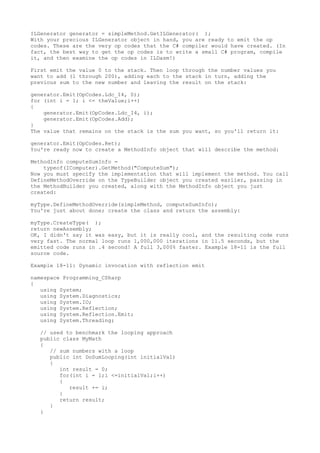
You're ready now to create a MethodInfo object that will describe the method: 
MethodInfo computeSumInfo = 
typeof(IComputer).GetMethod("ComputeSum"); 
Now you must specify the implementation that will implement the method. You call 
DefineMethodOverride on the TypeBuilder object you created earlier, passing in 
the MethodBuilder you created, along with the MethodInfo object you just 
created: 
myType.DefineMethodOverride(simpleMethod, computeSumInfo); 
You're just about done; create the class and return the assembly: 
myType.CreateType( ); 
return newAssembly; 
OK, I didn't say it was easy, but it is really cool, and the resulting code runs 
very fast. The normal loop runs 1,000,000 iterations in 11.5 seconds, but the 
emitted code runs in .4 second! A full 3,000% faster. Example 18-11 is the full 
source code. 
Example 18-11: Dynamic invocation with reflection emit 
namespace Programming_CSharp 
{ 
using System; 
using System.Diagnostics; 
using System.IO; 
using System.Reflection; 
using System.Reflection.Emit; 
using System.Threading; 
// used to benchmark the looping approach 
public class MyMath 
{ 
// sum numbers with a loop 
public int DoSumLooping(int initialVal) 
{ 
int result = 0; 
for(int i = 1;i <=initialVal;i++) 
{ 
result += i; 
} 
return result; 
} 
}
// declare the interface 
public interface IComputer 
{ 
int ComputeSum( ); 
} 
public class ReflectionTest 
{ 
// the private method which emits the assembly 
// using op codes 
private Assembly EmitAssembly(int theValue) 
{ 
// Create an assembly name 
AssemblyName assemblyName = 
new AssemblyName( ); 
assemblyName.Name = "DoSumAssembly"; 
// Create a new assembly with one module 
AssemblyBuilder newAssembly = 
Thread.GetDomain( ).DefineDynamicAssembly( 
assemblyName, AssemblyBuilderAccess.Run); 
ModuleBuilder newModule = 
newAssembly.DefineDynamicModule("Sum"); 
// Define a public class named "BruteForceSums " 
// in the assembly. 
TypeBuilder myType = 
newModule.DefineType( 
"BruteForceSums", TypeAttributes.Public); 
// Mark the class as implementing IComputer. 
myType.AddInterfaceImplementation( 
typeof(IComputer)); 
// Define a method on the type to call. Pass an 
// array that defines the types of the parameters, 
// the type of the return type, the name of the 
// method, and the method attributes. 
Type[] paramTypes = new Type[0]; 
Type returnType = typeof(int); 
MethodBuilder simpleMethod = 
myType.DefineMethod( 
"ComputeSum", 
MethodAttributes.Public | 
MethodAttributes.Virtual, 
returnType, 
paramTypes); 
// Get an ILGenerator. This is used 
// to emit the IL that you want. 
ILGenerator generator = 
simpleMethod.GetILGenerator( ); 
// Emit the IL that you'd get if you 
// compiled the code example 
// and then ran ILDasm on the output. 
// Push zero onto the stack. For each 'i' 
// less than 'theValue', 
// push 'i' onto the stack as a constant 
// add the two values at the top of the stack. 
// The sum is left on the stack. 
generator.Emit(OpCodes.Ldc_I4, 0); 
for (int i = 1; i <= theValue;i++)
{ 
generator.Emit(OpCodes.Ldc_I4, i); 
generator.Emit(OpCodes.Add); 
} 
// return the value 
generator.Emit(OpCodes.Ret); 
//Encapsulate information about the method and 
//provide access to the method's metadata 
MethodInfo computeSumInfo = 
typeof(IComputer).GetMethod("ComputeSum"); 
// specify the method implementation. 
// Pass in the MethodBuilder that was returned 
// by calling DefineMethod and the methodInfo 
// just created 
myType.DefineMethodOverride(simpleMethod, computeSumInfo); 
// Create the type. 
myType.CreateType( ); 
return newAssembly; 
} 
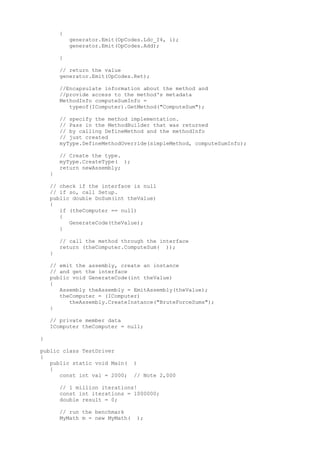
// check if the interface is null 
// if so, call Setup. 
public double DoSum(int theValue) 
{ 
if (theComputer == null) 
{ 
GenerateCode(theValue); 
} 
// call the method through the interface 
return (theComputer.ComputeSum( )); 
} 
// emit the assembly, create an instance 
// and get the interface 
public void GenerateCode(int theValue) 
{ 
Assembly theAssembly = EmitAssembly(theValue); 
theComputer = (IComputer) 
theAssembly.CreateInstance("BruteForceSums"); 
} 
// private member data 
IComputer theComputer = null; 
} 
public class TestDriver 
{ 
public static void Main( ) 
{ 
const int val = 2000; // Note 2,000 
// 1 million iterations! 
const int iterations = 1000000; 
double result = 0; 
// run the benchmark 
MyMath m = new MyMath( );
DateTime startTime = DateTime.Now; 
for (int i = 0;i < iterations;i++) 
result = m.DoSumLooping(val); 
} 
TimeSpan elapsed = 
DateTime.Now - startTime; 
Console.WriteLine( 
"Sum of ({0}) = {1}",val, result); 
Console.WriteLine( 
"Looping. Elapsed milliseconds: " + 
elapsed.TotalMilliseconds + 
" for {0} iterations", iterations); 
// run our reflection alternative 
ReflectionTest t = new ReflectionTest( ); 
startTime = DateTime.Now; 
for (int i = 0;i < iterations;i++) 
{ 
result = t.DoSum(val); 
} 
elapsed = DateTime.Now - startTime; 
Console.WriteLine( 
"Sum of ({0}) = {1}",val, result); 
Console.WriteLine( 
"Brute Force. Elapsed milliseconds: " + 
elapsed.TotalMilliseconds + 
" for {0} iterations", iterations); 
} 
} 
} 
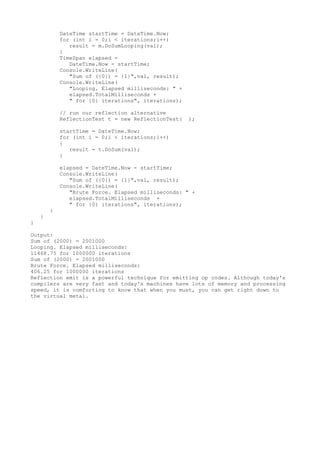
Output: 
Sum of (2000) = 2001000 
Looping. Elapsed milliseconds: 
11468.75 for 1000000 iterations 
Sum of (2000) = 2001000 
Brute Force. Elapsed milliseconds: 
406.25 for 1000000 iterations 
Reflection emit is a powerful technique for emitting op codes. Although today's 
compilers are very fast and today's machines have lots of memory and processing 
speed, it is comforting to know that when you must, you can get right down to 
the virtual metal.

Reflection

  • 1.
    Reflection: ============= Forthe attributes in the metadata to be useful, you need a way to access them-- ideally during runtime. The classes in the Reflection namespace, along with the System.Type and System.TypedReference classes, provide support for examining and interacting with the metadata. Reflection is generally used for any of four tasks: 1.Viewing metadata =================== This might be used by tools and utilities that wish to display metadata. 2.Performing type discovery =========================== This allows you to examine the types in an assembly and interact with or instantiate those types. This can be useful in creating custom scripts. For example, you might want to allow your users to interact with your program using a script language, such as JavaScript, or a scripting language you create yourself. 3.Late binding to methods and properties ======================================== This allows the programmer to invoke properties and methods on objects dynamically instantiated based on type discovery. This is also known as dynamic invocation. 4.Creating types at runtime (Reflection Emit) ============================================= The ultimate use of reflection is to create new types at runtime and then to use those types to perform tasks. You might do this when a custom class, created at runtime, will run significantly faster than more generic code created at compile time. An example is offered later in this chapter. Viewing MetaData In this section, you will use the C# Reflection support to read the metadata in the MyMath class. You start by initializing an object of the type MemberInfo. This object, in the System.Reflection namespace, is provided to discover the attributes of a member and to provide access to the metadata: System.Reflection.MemberInfo inf = typeof(MyMath); You call the typeof operator on the MyMath type, which returns an object of type Type, which derives from MemberInfo. TIP: The Type class is the root of the reflection classes. Type encapsulates a representation of the type of an object. The Type class is the primary way to access metadata. MemberInfo derives from Type and encapsulates information about the members of a class (e.g., methods, properties, fields, events, etc.). The next step is to call GetCustomAttributes on this MemberInfo object, passing in the type of the attribute you want to find. What you get back is an array of objects, each of type BugFixAttribute: object[] attributes; attributes = inf.GetCustomAttributes(typeof(BugFixAttribute),false); You can now iterate through this array, printing out the properties of the BugFixAttribute object. Example 18-2 replaces the Tester class from Example 18- 1. Example 18-2: Using Reflection
  • 2.
    public static voidMain( ) { MyMath mm = new MyMath( ); Console.WriteLine("Calling DoFunc(7). Result: {0}", mm.DoFunc1(7)); // get the member information and use it to // retrieve the custom attributes System.Reflection.MemberInfo inf = typeof(MyMath); object[] attributes; attributes = inf.GetCustomAttributes( typeof(BugFixAttribute), false); // iterate through the attributes, retrieving the // properties foreach(Object attribute in attributes) { BugFixAttribute bfa = (BugFixAttribute) attribute; Console.WriteLine("nBugID: {0}", bfa.BugID); Console.WriteLine("Programmer: {0}", bfa.Programmer); Console.WriteLine("Date: {0}", bfa.Date); Console.WriteLine("Comment: {0}", bfa.Comment); } } Output: Calling DoFunc(7). Result: 9.3333333333333339 BugID: 121 Programmer: Jesse Liberty Date: 01/03/05 Comment: BugID: 107 Programmer: Jesse Liberty Date: 01/04/05 Comment: Fixed off by one errors When you put this replacement code into Example 18-1 and run it, you can see the metadata printed as you'd expect. Type Discovery You can use reflection to explore and examine the contents of an assembly. You can find the types associated with a module; the methods, fields, properties, and events associated with a type, as well as the signatures of each of the type's methods; the interfaces supported by the type; and the type's base class. To start, load an assembly dynamically with the Assembly.Load static method. The Assembly class encapsulates the actual assembly itself, for purposes of reflection. The signature for the Load method is: public static Assembly.Load(AssemblyName) For the next example, pass in the Core Library to the Load method. MsCorLib.dll has the core classes of the .NET Framework: Assembly a = Assembly.Load("Mscorlib.dll"); Once the assembly is loaded, you can call GetTypes( ) to return an array of Type objects. The Type object is the heart of reflection. Type represents type declarations: classes, interfaces, arrays, values, and enumerations: Type[] types = a.GetTypes( ); The assembly returns an array of types that you can display in a foreach loop,
  • 3.
    as shown inExample 18-3. Because this listing uses the Type class, you will want to add a using statement for the System.Reflection namespace. Example 18-3: Reflecting on an assembly namespace Programming_CSharp { using System; using System.Reflection; public class Tester { public static void Main( ) { // what is in the assembly Assembly a = Assembly.Load("Mscorlib.dll"); Type[] types = a.GetTypes( ); foreach(Type t in types) { Console.WriteLine("Type is {0}", t); } Console.WriteLine( "{0} types found", types.Length); } } } The output from this would fill many pages. Here is a short excerpt: Type is System.TypeCode Type is System.Security.Util.StringExpressionSet Type is System.Runtime.InteropServices.COMException Type is System.Runtime.InteropServices.SEHException Type is System.Reflection.TargetParameterCountException Type is System.Text.UTF7Encoding Type is System.Text.UTF7Encoding$Decoder Type is System.Text.UTF7Encoding$Encoder Type is System.ArgIterator Type is System.Runtime.Remoting.JITLookupTable Type is System.Runtime.Remoting.IComponentServices Type is System.Runtime.Remoting.ComponentServices 1429 types found This example obtained an array filled with the types from the Core Library and printed them one by one. The array contained 1,429 entries on my machine. Reflecting on a Type You can reflect on a single type in the mscorlib assembly as well. To do so, you extract a type from the assembly with the GetType( ) method, as shown in Example 18-4. Example 18-4: Reflecting on a type namespace Programming_CSharp { using System; using System.Reflection; public class Tester { public static void Main( ) { // examine a single object Type theType = Type.GetType(
  • 4.
    "System.Reflection.Assembly"); Console.WriteLine( "nSingleType is {0}n", theType); } } } Output: Single Type is System.Reflection.Assembly Finding all type members You can ask the Assembly type for all its members using the GetMembers( ) method of the Type class, which lists all the methods, properties, and fields, as shown in Example 18-5. Example 18-5: Reflecting on the members of a type namespace Programming_CSharp { using System; using System.Reflection; public class Tester { public static void Main( ) { // examine a single object Type theType = Type.GetType( "System.Reflection.Assembly"); Console.WriteLine( "nSingle Type is {0}n", theType); // get all the members MemberInfo[] mbrInfoArray = theType.GetMembers( ); foreach (MemberInfo mbrInfo in mbrInfoArray ) { Console.WriteLine("{0} is a {1}", mbrInfo, mbrInfo.MemberType); } } } } Once again the output is quite lengthy, but within the output you see fields, methods, constructors, and properties, as shown in this excerpt: System.String s_localFilePrefix is a Field Boolean IsDefined(System.Type) is a Method Void .ctor( ) is a Constructor System.String CodeBase is a Property System.String CopiedCodeBase is a Property Finding type methods You might want to focus on methods only, excluding the fields, properties, and so forth. To do so, you remove the call to GetMembers( ): MemberInfo[] mbrInfoArray = theType.GetMembers(BindingFlags.LookupAll); and add a call to GetMethods( ): mbrInfoArray = theType.GetMethods( ); The output now is nothing but the methods:
  • 5.
    Output (excerpt): BooleanEquals(System.Object) is a Method System.String ToString( ) is a Method System.String CreateQualifiedName( System.String, System.String) is a Method System.Reflection.MethodInfo get_EntryPoint( ) is a Method Finding particular type members Finally, to narrow it down even further, you can use the FindMembers method to find particular members of the type. For example, you can narrow your search to methods whose names begin with the letters Get. To narrow the search, you use the FindMembers method, which takes four parameters: MemberTypes, BindingFlags, MemberFilter, and object. MemberTypes A MemberTypes object that indicates the type of the member to search for. These include All, Constructor, Custom, Event, Field, Method, Nestedtype, Property, and TypeInfo. You will also use the MemberTypes.Method to find a method. BindingFlags An enumeration that controls the way searches are conducted by reflection. There are a great many BindingFlag values, including IgnoreCase, Instance, Public, Static, and so forth. The BindingFlags default member indicates no binding flag, which is what you want because you do not want to restrict the binding. MemberFilter A delegate (see Chapter 12) that is used to filter the list of members in the MemberInfo array of objects. The filter you'll use is Type.FilterName, a field of the Type class used for filtering on a name. Object A string value that will be used by the filter. In this case you'll pass in "Get*" to match only those methods that begin with the letters Get. The complete listing for filtering on these methods is shown in Example 18-6. Example 18-6: Finding particular members namespace Programming_CSharp { using System; using System.Reflection; public class Tester { public static void Main( ) { // examine a single object Type theType = Type.GetType( "System.Reflection.Assembly"); // just members which are methods beginning with Get MemberInfo[] mbrInfoArray = theType.FindMembers(MemberTypes.Method, BindingFlags.Default, Type.FilterName, "Get*"); foreach (MemberInfo mbrInfo in mbrInfoArray ) { Console.WriteLine("{0} is a {1}", mbrInfo, mbrInfo.MemberType); } } } Output (excerpt): System.Type[] GetTypes( ) is a Method System.Type[] GetExportedTypes( ) is a Method
  • 6.
    System.Type GetType(System.String, Boolean)is a Method System.Type GetType(System.String) is a Method System.Reflection.AssemblyName GetName(Boolean) is a Method System.Reflection.AssemblyName GetName( ) is a Method Int32 GetHashCode( ) is a Method Late Binding Once you have discovered a method, it's possible to invoke it using reflection. For example, you might like to invoke the Cos( ) method of System.Math, which returns the cosine of an angle. TIP: You could, of course, call Cos( ) in the normal course of your code, but reflection allows you to bind to that method at runtime. This is called late-binding and offers the flexibility of choosing at runtime which object you will bind to and invoking it programmatically. This can be useful when creating a custom script to be run by the user or when working with objects that might not be available at compile time. For example, by using late-binding, your program can interact with the spellchecker or other components of a running commercial word processing program such as Microsoft Word. To invoke Cos( ), you will first get the Type information for the System.Math class: Type theMathType = Type.GetType("System.Math"); With that type information, you can dynamically load an instance of that class by using a static method of the Activator class. The Activator class contains four methods, all static, which you can use to create objects locally or remotely or to obtain references to existing objects. The four methods are: CreateComInstanceFrom, CreateInstanceFrom, GetObject, and CreateInstance: CreateComInstanceFrom Used to create instances of COM objects. CreateInstanceFrom Used to create a reference to an object from a particular assembly and type name. GetObject Used when marshaling objects. Marshaling is discussed in detail in Chapter 19. CreateInstance Used to create local or remote instances of an object. You'll use this method to instantiate an object of the System.Math class. Object theObj = Activator.CreateInstance(theMathType); You now have two objects in hand: a Type object named TheMathType, which you created by calling GetType, and an instance of the System.Math class named theObj, which you instantiated by calling CreateInstance. Before you can invoke a method on the object, you must get the method you need from the Type object, theMathType. To do so, you'll call GetMethod(), and you'll pass in the signature of the Cos method. The signature, you will remember, is the name of the method (Cos) and its parameter types. In the case of Cos(), there is only one parameter: a double. Whereas, Type.GetMethod takes two parameters: the first represents the name of the method you want, and the second represents the parameters. The name is passed as a string; the parameters are passed as an array of types: MethodInfo CosineInfo = theMathType.GetMethod("Cos",paramTypes); Before calling GetMethod, you must prepare the array of types: Type[] paramTypes = new Type[1]; paramTypes[0]= Type.GetType("System.Double");
  • 7.
    This code declaresthe array of Type objects and then fills the first element (paramTypes[0]) with a Type representing a double. You obtain that type representing a double by calling the static method Type.GetType(), passing in the string "System.Double". You now have an object of type MethodInfo on which you can invoke the method. To do so, you must pass in the actual value of the parameters, again in an array: Object[] parameters = new Object[1]; parameters[0] = 45; Object returnVal = CosineInfo.Invoke(theObj,parameters); TIP: Note that you've created two arrays. The first, paramTypes, holds the type of the parameters. The second, parameters, holds the actual value. If the method had taken two arguments, you'd have declared these arrays to hold two values. If the method took no values, you still would create the array, but you would give it a size of zero! Type[] paramTypes = new Type[0]; Odd as this looks, it is correct. Example 18-7 illustrates dynamically calling the Cos( ) method. Example 18-7: Dynamically invoking a method namespace Programming_CSharp { using System; using System.Reflection; public class Tester { public static void Main( ) { Type theMathType = Type.GetType("System.Math"); Object theObj = Activator.CreateInstance(theMathType); // array with one member Type[] paramTypes = new Type[1]; paramTypes[0]= Type.GetType("System.Double"); // Get method info for Cos( ) MethodInfo CosineInfo = theMathType.GetMethod("Cos",paramTypes); // fill an array with the actual parameters Object[] parameters = new Object[1]; parameters[0] = 45; Object returnVal = CosineInfo.Invoke(theObj,parameters); Console.WriteLine( "The cosine of a 45 degree angle {0}", returnVal); } } } That was a lot of work just to invoke a single method. The power, however, is that you can use reflection to discover an assembly on the user's machine, use reflection to query what methods are available, and then use reflection to invoke one of those members dynamically! Reflection Emit
  • 8.
    So far we'veseen reflection used for three purposes: viewing metadata, type discovery, and dynamic invocation. You might use these techniques when building tools (such as a development environment) or when processing scripts. The most powerful use of reflection, however, is with reflection emit. Reflection emit supports the dynamic creation of new types at runtime. You can define an assembly to run dynamically or to save itself to disk, and you can define modules and new types with methods that you can then invoke. TIP: The use of dynamic invocation and reflection emit should be considered an advanced topic. Most developers will never have need to use reflection emit. This demonstration is based on an example provided at the Microsoft Author's Summit, Fall 2000. To understand the power of reflection emit, you must first consider a slightly more complicated example of dynamic invocation. Problems can have general solutions that are relatively slow and specific solutions that are fast. To keep things manageably simple, consider a DoSum( ) method, which provides the sum of a string of integers from 1...n, where n will be supplied by the user. Thus, DoSum(3) is equal to 1+2+3, or 6. DoSum(10) is 55. Writing this in C# is very simple: public int DoSum1(int n) { int result = 0; for(int i = 1;i <= n; i++) { result += i; } return result; } The method simply loops, adding the requisite number. If you pass in 3, the method adds 1 + 2 + 3 and returns an answer of 6. With large numbers, and when run many times, this might be a bit slow. Given the value 20, this method would be considerably faster if you removed the loop: public int DoSum2( ) { return 1+2+3+4+5+6+7+8+9+10+11+12+13+14+15+16+17+18+19+20; } DoSum2 runs more quickly than DoSum1 does. How much more quickly? To find out, you'll need to put a timer on both methods. To do so, you'll use a DateTime object to mark the start time and a TimeSpan object to compute the elapsed time. For this experiment, you need to create two DoSum( ) methods; the first will use the loop and the second will not. You will call each 1,000,000 times. (Computers are very fast, so to see a difference you have to work hard!) You'll then compare the times. Example 18-8 illustrates the entire test program. Example 18-8: Comparing loop to brute force namespace Programming_CSharp { using System; using System.Diagnostics; using System.Threading; public class MyMath { // sum numbers with a loop
  • 9.
    public int DoSum(intn) { int result = 0; for(int i = 1; i <= n; i++) { result += i; } return result; } // brute force by hand public int DoSum2( ) { return 1+2+3+4+5+6+7+8+9+10+11 +12+13+14+15+16+17+18+19+20; } } public class TestDriver { public static void Main( ) { const int val = 20; // val to sum // 1,000,000 iterations const int iterations = 1000000; // hold the answer int result = 0; MyMath m = new MyMath( ); // mark the start time DateTime startTime = DateTime.Now; // run the experiment for (int i = 0;i < iterations;i++) { result = m.DoSum(val); } // mark the elapsed time TimeSpan elapsed = DateTime.Now - startTime; // display the results Console.WriteLine( "Loop: Sum of ({0}) = {1}", val, result); Console.WriteLine( "The elapsed time in milliseconds is: " + elapsed.TotalMilliseconds.ToString( )); // mark a new start time startTime = DateTime.Now; // run the experiment for (int i = 0;i < iterations;i++) { result = m.DoSum2( ); } // mark the new elapsed time
  • 10.
    elapsed = DateTime.Now- startTime; // display the results Console.WriteLine( "Brute Force: Sum of ({0}) = {1}", val, result); Console.WriteLine( "The elapsed time in milliseconds is: " + elapsed.TotalMilliseconds); } } } Output: Loop: Sum of (20) = 210 The elapsed time in milliseconds is: 187.5 Brute Force: Sum of (20) = 210 The elapsed time in milliseconds is: 31.25 As you can see, both methods returned the same answer (one million times!), but the brute-force method was six times faster. Is there a way to avoid the loop and still provide a general solution? In traditional programming, the answer would be no, but with reflection you do have one other option. You can, at runtime, take the value the user wants (20, in this case) and write out to disk a class that implements the brute-force solution. You can then use dynamic invocation to invoke that method. There are at least three ways to achieve this result, each increasingly elegant. The third, reflection emit, is the best, but a close look at two other techniques is instructive. If you are pressed for time, you might wish to jump ahead to the section entitled "Dynamic Invocation with Reflection Emit," later in this chapter. Dynamic Invocation with InvokeMember( ) The first approach will be to create a class named BruteForceSums dynamically, at runtime. The BruteForceSums class will contain a method, ComputeSum( ), that implements the brute-force approach. You'll write that class to disk, compile it, and then use dynamic invocation to invoke its brute-force method by means of the InvokeMember( ) method of the Type class. The key point is that BruteForceSums.cs won't exist until you run the program. You'll create it when you need it and supply its arguments then. To accomplish this, you'll create a new class named ReflectionTest. The job of the ReflectionTest class is to create the BruteForceSums class, write it to disk, and compile it. ReflectionTest has only two methods: DoSum and GenerateCode. ReflectionTest.DoSum is a public method that returns the sum, given a value. That is, if you pass in 10, it returns the sum of 1+2+3+4+5+6+7+8+9+10. It does this by creating the BruteForceSums class and delegating the job to its ComputeSum method. ReflectionTest has two private fields: Type theType = null; object theClass = null; The first is an object of type Type, which you use to load your class from disk, and the second is an object of type object, which you use to dynamically invoke the ComputeSums( ) method of the BruteForceSums class you'll create. The driver program instantiates an instance of ReflectionTest and calls its DoSum method, passing in the value. For this version of the program, the value is increased to 200.
  • 11.
    The DoSum methodchecks whether theType is null; if it is, the class has not been created yet. DoSum calls the helper method GenerateCode to generate the code for the BruteForceSums class and the class's ComputeSums method. GenerateCode then writes this newly created code to a .cs file on disk and runs the compiler to turn it into an assembly on disk. Once this is completed, DoSum can call the method using reflection. Once the class and method are created, you load the assembly from disk and assign the class type information to theType, and DoSum can use that to invoke the method dynamically to get the correct answer. You begin by creating a constant for the value to which you'll sum: const int val = 200; Each time you compute a sum, it will be the sum of the values 1 to 200. Before you create the dynamic class, you need to go back and re-create MyMath: MyMath m = new MyMath( ); Give MyMath a method DoSumLooping, much as you did in the previous example: public int DoSumLooping (int initialVal) { int result = 0; for(int i = 1;i <=initialVal;i++) { result += i; } return result; } This serves as a benchmark against which you can compare the performance of the brute-force method. Now you're ready to create the dynamic class and compare its performance with the looping version. First, instantiate an object of type ReflectionTest and invoke the DoSum( ) method on that object: ReflectionTest t = new ReflectionTest( ); result = t.DoSum(val); ReflectionTest.DoSum checks to see if its Type field, theType, is null. If it is, you haven't yet created and compiled the BruteForceSums class and must do so now: if (theType == null) { GenerateCode(theValue); } The GenerateCode method takes the value (in this case, 200) as a parameter to know how many values to add. GenerateCode begins by creating a file on disk. The details of file I/O will be covered in Chapter 21. For now, I'll walk you through this quickly. First, call the static method File.Open, and pass in the filename and a flag indicating that you want to create the file. File.Open returns a Stream object: string fileName = "BruteForceSums"; Stream s = File.Open(fileName + ".cs", FileMode.Create); Once you have the Stream, you can create a StreamWriter so that you can write into that file: StreamWriter wrtr = new StreamWriter(s); You can now use the WriteLine methods of StreamWriter to write lines of text into the file. Begin the new file with a comment:
  • 12.
    wrtr.WriteLine("// Dynamically createdBruteForceSums class"); This writes the text: // Dynamically created BruteForceSums class to the file you've just created (BruteForceSums.cs). Next, write out the class declaration: string className = "BruteForceSums"; wrtr.WriteLine("class {0}", className); wrtr.WriteLine("{"); Within the braces of the class, you create the ComputeSum method: wrtr.WriteLine("tpublic double ComputeSum( )"); wrtr.WriteLine("t{"); wrtr.WriteLine("t// Brute force sum method"); wrtr.WriteLine("t// For value = {0}", theVal); Now it is time to write out the addition statements. When you are done, you want the file to have this line: return 0+1+2+3+4+5+6+7+8+9... continuing up to value (in this case, 200): wrtr.Write("treturn 0"); for (int i = 1;i<=theVal;i++) { wrtr.Write("+ {0}",i); } Notice how this works. What will be written to the file is: treturn 0+ 1+ 2+ 3+... The initial t causes the code to be indented in the source file. When the loop completes, you end the return statement with a semicolon and then close the method and the class: wrtr.WriteLine(";"); wrtr.WriteLine("t}"); wrtr.WriteLine("}"); Close the streamWriter and the stream, thus closing the file: wrtr.Close( ); s.Close( ); When this runs, the BruteForceSums.cs file will be written to disk. It will look like this: // Dynamically created BruteForceSums class class BruteForceSums { public double ComputeSum( ) { // Brute force sum method // For value = 200 return 0+ 1+ 2+ 3+ 4+ 5+ 6+ 7+ 8+ 9+ 10+ 11+ 12+ 13+ 14+ 15+ 16+ 17+ 18+ 19+ 20+ 21+ 22+ 23+ 24+ 25+ 26+ 27+ 28+ 29+ 30+ 31+ 32+ 33+ 34+ 35+ 36+ 37+ 38+ 39+ 40+ 41+ 42+ 43+ 44+ 45+ 46+ 47+ 48+ 49+ 50+ 51+ 52+ 53+ 54+ 55+ 56+ 57+ 58+ 59+ 60+ 61+ 62+ 63+ 64+ 65+ 66+ 67+ 68+ 69+ 70+ 71+ 72+ 73+ 74+ 75+ 76+ 77+ 78+ 79+ 80+ 81+ 82+ 83+ 84+ 85+ 86+ 87+ 88+ 89+ 90+ 91+ 92+ 93+ 94+ 95+ 96+ 97+ 98+ 99+ 100+ 101+ 102+ 103+ 104+ 105+ 106+ 107+ 108+ 109+ 110+ 111+ 112+ 113+ 114+ 115+ 116+
  • 13.
    117+ 118+ 119+120+ 121+ 122+ 123+ 124+ 125+ 126+ 127+ 128+ 129+ 130+ 131+ 132+ 133+ 134+ 135+ 136+ 137+ 138+ 139+ 140+ 141+ 142+ 143+ 144+ 145+ 146+ 147+ 148+ 149+ 150+ 151+ 152+ 153+ 154+ 155+ 156+ 157+ 158+ 159+ 160+ 161+ 162+ 163+ 164+ 165+ 166+ 167+ 168+ 169+ 170+ 171+ 172+ 173+ 174+ 175+ 176+ 177+ 178+ 179+ 180+ 181+ 182+ 183+ 184+ 185+ 186+ 187+ 188+ 189+ 190+ 191+ 192+ 193+ 194+ 195+ 196+ 197+ 198+ 199+ 200; } } This accomplishes the goal of dynamically creating a class with a method that finds the sum through brute force. The only remaining task is to build the file and then use the method. To build the file, you must start a new process (processes are explained in some detail in Chapter 20). The best way to launch this process is with a ProcessStartInfo structure that will hold the command line. Instantiate a ProcessStartInfo and set its filename to cmd.exe: ProcessStartInfo psi = new ProcessStartInfo( ); psi.FileName = "cmd.exe"; You need to pass in the string you want to invoke at the command line. The ProcessStartInfo.Arguments property specifies the command-line arguments to use when starting the program. The command-line argument to the cmd.exe program will be /c to tell cmd.exe to exit after it executes the command, and then the command for cmd.exe. The command for cmd.exe is the command-line compile: string compileString = "/c csc /optimize+ "; compileString += " /target:library "; compileString += "{0}.cs > compile.out"; The string compileString will invoke the C# compiler (csc), telling it to optimize the code (after all, you're doing this to gain performance) and to build a dynamic link library (DLL) file (/target:library). You redirect the output of the compile to a file named compile.out so that you can examine it if there are errors. You combine compileString with the filename, using the static method Format of the string class, and assign the combined string to psi.Arguments: psi.Arguments = String.Format(compileString, fileName); The effect of all this is to set the Arguments property of the ProcessStartInfo object psi to: /c csc /optimize+ /target:library BruteForceSums.cs > compile.out Before invoking cmd.exe, you set the WindowStyle property of psi to Minimized so that when the command executes, the window does not flicker onto and then off of the user's display: psi.WindowStyle = ProcessWindowStyle.Minimized; You are now ready to start the cmd.exe process, and you will wait until it finishes before proceeding with the rest of the GenerateCode method: Process proc = Process.Start(psi); proc.WaitForExit( ); Once the process is done, you can get the assembly, and from the assembly, you can get the class you've created. Finally, you can ask that class for its type and assign that to your theType member variable: Assembly a = Assembly.LoadFrom(fileName + ".dll"); theClass = a.CreateInstance(className); theType = a.GetType(className);
  • 14.
    You can nowdelete the .cs file you generated: File.Delete(fileName + ".cs"); You've now filled theType, and you're ready to return to DoSum to invoke the ComputeSum method dynamically. The Type object has a method InvokeMember( ), which can be used to invoke a member of the class described by the Type object. The InvokeMember method is overloaded; the version you'll use takes five arguments: public object InvokeMember( string name, BindingFlags invokeAttr, Binder binder, object target, object[] args ); name Is the name of the method you wish to invoke. invokeAttr Is a bit mask of BindingFlags that specify how the search of the object is conducted. In this case, you'll use the InvokeMethod flag OR'd with the Default flag. These are the standard flags for invoking a method dynamically. binder Is used to assist in type conversions. By passing in null, you'll specify that you want the default binder. target Is the object on which you'll invoke the method. In this case, you'll pass in theClass, which is the class you just created from the assembly you just built. args Is an array of arguments to pass to the method you're invoking. The complete invocation of InvokeMember looks like this: object[] arguments = new object[0]; object retVal = theType.InvokeMember("ComputeSum", BindingFlags.Default | BindingFlags.InvokeMethod, null, theClass, arguments); return (double) retVal; The result of invoking this method is assigned to the local variable retVal, which is then returned, as a double, to the driver program. The complete listing is shown in Example 18-9. Example 18-9: Dynamic invocation with Type and InvokeMethod( ) namespace Programming_CSharp { using System; using System.Diagnostics; using System.IO; using System.Reflection; // used to benchmark the looping approach public class MyMath { // sum numbers with a loop public int DoSumLooping(int initialVal) { int result = 0; for(int i = 1;i <=initialVal;i++) { result += i;
  • 15.
    } return result; } } // responsible for creating the BruteForceSums // class and compiling it and invoking the // DoSums method dynamically public class ReflectionTest { // the public method called by the driver public double DoSum(int theValue) { // if you don't have a reference // to the dynamically created class // create it if (theType == null) { GenerateCode(theValue); } // with the reference to the dynamically // created class you can invoke the method object[] arguments = new object[0]; object retVal = theType.InvokeMember("ComputeSum", BindingFlags.Default | BindingFlags.InvokeMethod, null, theClass, arguments); return (double) retVal; } // generate the code and compile it private void GenerateCode(int theVal) { // open the file for writing string fileName = "BruteForceSums"; Stream s = File.Open(fileName + ".cs", FileMode.Create); StreamWriter wrtr = new StreamWriter(s); wrtr.WriteLine( "// Dynamically created BruteForceSums class"); // create the class string className = "BruteForceSums"; wrtr.WriteLine("class {0}", className); WriteLine("{"); // create the method wrtr.WriteLine("tpublic double ComputeSum( )"); wrtr.WriteLine("t{"); wrtr.WriteLine("t// Brute force sum method"); wrtr.WriteLine("t// For value = {0}", theVal); // write the brute force additions wrtr.Write("treturn 0"); for (int i = 1;i<=theVal;i++) { wrtr.Write("+ {0}",i); } wrtr.WriteLine(";"); // finish method wrtr.WriteLine("t}"); // end method
  • 16.
    wrtr.WriteLine("}"); // endclass // close the writer and the stream wrtr.Close( ); s.Close( ); // Build the file ProcessStartInfo psi = new ProcessStartInfo( ); psi.FileName = "cmd.exe"; string compileString = "/c csc /optimize+ "; compileString += "/target:library "; compileString += "{0}.cs > compile.out"; psi.Arguments = String.Format(compileString, fileName); psi.WindowStyle = ProcessWindowStyle.Minimized; Process proc = Process.Start(psi); proc.WaitForExit( ); // wait at most 2 seconds // Open the file, and get a // pointer to the method info Assembly a = Assembly.LoadFrom(fileName + ".dll"); theClass = a.CreateInstance(className); theType = a.GetType(className); // File.Delete(fileName + ".cs"); // clean up } Type theType = null; object theClass = null; } public class TestDriver { public static void Main( ) { const int val = 200; // 1..200 const int iterations = 100000; double result = 0; // run the benchmark MyMath m = new MyMath( ); DateTime startTime = DateTime.Now; for (int i = 0;i < iterations;i++) { result = m.DoSumLooping(val); } TimeSpan elapsed = DateTime.Now - startTime; Console.WriteLine( "Sum of ({0}) = {1}",val, result); Console.WriteLine( "Looping. Elapsed milliseconds: " + elapsed.TotalMilliseconds + "for {0} iterations", iterations); // run our reflection alternative ReflectionTest t = new ReflectionTest( ); startTime = DateTime.Now; for (int i = 0;i < iterations;i++) {
  • 17.
    result = t.DoSum(val); } elapsed = DateTime.Now - startTime; Console.WriteLine( "Sum of ({0}) = {1}",val, result); Console.WriteLine( "Brute Force. Elapsed milliseconds: " + elapsed.TotalMilliseconds + "for {0} iterations", iterations); } } } Output: Sum of (200) = 20100 Looping. Elapsed milliseconds: 78.125 for 100000 iterations Sum of (200) = 20100 Brute Force. Elapsed milliseconds: 3843.75 for 100000 iterations Notice that the dynamically invoked method is far slower than the loop. This is not a surprise; writing the file to disk, compiling it, reading it from disk, and invoking the method all bring significant overhead. You accomplished your goal, but it was a pyrrhic victory. Dynamic Invocation with Interfaces It turns out that dynamic invocation is particularly slow. You want to maintain the general approach of writing the class at runtime and compiling it on the fly. But rather than using dynamic invocation, you'd just like to call the method. One way to speed things up is to use an interface to call the ComputeSums( ) method directly. To accomplish this, you need to change ReflectionTest.DoSum( ) from: public double DoSum(int theValue) { if (theType == null) { GenerateCode(theValue); } object[] arguments = new object[0]; object retVal = theType.InvokeMember("ComputeSum", BindingFlags.Default | BindingFlags.InvokeMethod, null, theFunction, arguments); return (double) retVal; } to the following: public double DoSum(int theValue) { if (theComputer == null) { GenerateCode(theValue); } return (theComputer.ComputeSum( )); } In this example, theComputer is an interface to an object of type BruteForceSum. It must be an interface and not an object because when you compile this program, theComputer won't yet exist; you'll create it dynamically.
  • 18.
    Remove the declarationsfor thetype and theFunction and replace them with: IComputer theComputer = null; This declares theComputer to be an IComputer interface. At the top of your program, declare the interface: public interface IComputer { double ComputeSum( ); } When you create the BruteForceSum class, you must make it implement Icomputer: wrtr.WriteLine( "class {0} : Programming_CSharp.IComputer ", className); Save your program in a project file named Reflection, and modify compileString in GenerateCode as follows: string compileString = "/c csc /optimize+ "; compileString += "/r:"Reflection.exe" "; compileString += "/target:library "; compileString += "{0}.cs > compile.out"; The compile string will need to reference the ReflectionTest program itself (Reference.exe) so that the dynamically called compiler will know where to find the declaration of IComputer. After you build the assembly, you will no longer assign the instance to theClass and then get the type for theType, as these variables are gone. Instead, you will assign the instance to the interface IComputer: theComputer = (IComputer) a.CreateInstance(className); You use the interface to invoke the method directly in DoSum: return (theComputer.ComputeSum( )); Example 18-10 is the complete source code. Example 18-10: Dynamic invocation with interfaces namespace Programming_CSharp { using System; using System.Diagnostics; using System.IO; using System.Reflection; // used to benchmark the looping approach public class MyMath { // sum numbers with a loop public int DoSumLooping(int initialVal) { int result = 0; for(int i = 1;i <=initialVal;i++) { result += i; } return result; } } public interface IComputer { double ComputeSum( );
  • 19.
    } // responsiblefor creating the BruteForceSums // class and compiling it and invoking the // DoSums method dynamically public class ReflectionTest { // the public method called by the driver public double DoSum(int theValue) { if (theComputer == null) { GenerateCode(theValue); } return (theComputer.ComputeSum( )); } // generate the code and compile it private void GenerateCode(int theVal) { // open the file for writing string fileName = "BruteForceSums"; Stream s = File.Open(fileName + ".cs", FileMode.Create); StreamWriter wrtr = new StreamWriter(s); wrtr.WriteLine( "// Dynamically created BruteForceSums class"); // create the class string className = "BruteForceSums"; wrtr.WriteLine( "class {0} : Programming_CSharp.IComputer ", className); wrtr.WriteLine("{"); // create the method wrtr.WriteLine("tpublic double ComputeSum( )"); wrtr.WriteLine("t{"); wrtr.WriteLine("t// Brute force sum method"); wrtr.WriteLine("t// For value = {0}", theVal); // write the brute force additions wrtr.Write("treturn 0"); for (int i = 1;i<=theVal;i++) { wrtr.Write("+ {0}",i); } wrtr.WriteLine(";"); // finish method wrtr.WriteLine("t}"); // end method wrtr.WriteLine("}"); // end class // close the writer and the stream wrtr.Close( ); s.Close( ); // Build the file ProcessStartInfo psi = new ProcessStartInfo( ); psi.FileName = "cmd.exe"; string compileString = "/c csc /optimize+ "; compileString += "/r:"Reflection.exe" "; compileString += "/target:library "; compileString += "{0}.cs > compile.out";
  • 20.
    psi.Arguments = String.Format(compileString,fileName); psi.WindowStyle = ProcessWindowStyle.Minimized; Process proc = Process.Start(psi); proc.WaitForExit( ); // wait at most 2 seconds // Open the file, and get a // pointer to the method info Assembly a = Assembly.LoadFrom(fileName + ".dll"); theComputer = (IComputer) a.CreateInstance(className); File.Delete(fileName + ".cs"); // clean up } IComputer theComputer = null; } public class TestDriver { public static void Main( ) { const int val = 200; // 1..200 const int iterations = 100000; double result = 0; // run the benchmark MyMath m = new MyMath( ); DateTime startTime = DateTime.Now; for (int i = 0;i < iterations;i++) { result = m.DoSumLooping(val); } TimeSpan elapsed = DateTime.Now - startTime; Console.WriteLine( "Sum of ({0}) = {1}",val, result); Console.WriteLine( "Looping. Elapsed milliseconds: " + elapsed.TotalMilliseconds + " for {0} iterations", iterations); // run our reflection alternative ReflectionTest t = new ReflectionTest( ); startTime = DateTime.Now; for (int i = 0;i < iterations;i++) { result = t.DoSum(val); } elapsed = DateTime.Now - startTime; Console.WriteLine( "Sum of ({0}) = {1}",val, result); Console.WriteLine( "Brute Force. Elapsed milliseconds: " + elapsed.TotalMilliseconds + " for {0} iterations", iterations); } } } Output: Sum of (200) = 20100
  • 21.
    Looping. Elapsed milliseconds: 140.625 for 100000 iterations Sum of (200) = 20100 Brute Force. Elapsed milliseconds: 875 for 100000 iterations This output is much more satisfying; our dynamically created brute-force method now runs nearly twice as fast as the loop does. But you can do a lot better than that with reflection emit. Dynamic Invocation with Reflection Emit So far you've created an assembly on the fly by writing its source code to disk and then compiling that source code. You then dynamically invoked the method you wanted to use from that assembly, which was compiled on disk. That brings a lot of overhead, and what have you accomplished? When you're done with writing the file to disk, you have source code you can compile, and when you're done compiling, you have IL (Intermediate Language) op codes on disk you can ask the .NET Framework to run. Reflection emit allows you to skip a few steps and just "emit" the op codes directly. This is writing assembly code directly from your C# program and then invoking the result. It just doesn't get any cooler than that. You start much as you did in the previous examples. You create a constant for the number to add to (200) and the number of iterations (1,000,000). You then re-create the myMath class as a benchmark. Once again you have a ReflectionTest class, and once again you call DoSum, passing in the value: ReflectionTest t = new ReflectionTest( ); result = t.DoSum(val); DoSum itself is virtually unchanged: public double DoSum(int theValue) { if (theComputer == null) { GenerateCode(theValue); } // call the method through the interface return (theComputer.ComputeSum( )); } As you can see, you will use an interface again, but this time you are not going to write a file to disk. GenerateCode is quite different now. You no longer write the file to disk and compile it; instead you call the helper method EmitAssembly and get back an assembly. You then create an instance from that assembly and cast that instance to your interface. public void GenerateCode(int theValue) { Assembly theAssembly = EmitAssembly(theValue); theComputer = (IComputer) theAssembly.CreateInstance("BruteForceSums"); } As you might have guessed, the magic is stashed away in the EmitAssembly method: private Assembly EmitAssembly(int theValue) The value you pass in is the sum you want to compute. To see the power of reflection emit, you'll increase that value from 200 to 2,000.
  • 22.
    The first thingto do in EmitAssembly is to create an object of type AssemblyName and give that AssemblyName object the name "DoSumAssembly": AssemblyName assemblyName = new AssemblyName( ); assemblyName.Name = "DoSumAssembly"; An AssemblyName is an object that fully describes an assembly's unique identity. As discussed in Chapter 13, an assembly's identity consists of a simple name (DoSumAssembly), a version number, a cryptographic key pair, and a supported culture. With this object in hand, you can create a new AssemblyBuilder object. To do so, you call DefineDynamicAssembly on the current domain, which you get by calling the static GetDomain( ) method of the Thread object. Domains are discussed in detail in Chapter 19. The parameters to the GetDomain( )method are the AssemblyName object you just created and an AssemblyBuilderAccess enumeration value (one of Run, RunandSave, or Save). You'll use Run in this case to indicate that the assembly can be run but not saved: AssemblyBuilder newAssembly = Thread.GetDomain( ).DefineDynamicAssembly(assemblyName, AssemblyBuilderAccess.Run); With this newly created AssemblyBuilder object, you are ready to create a ModuleBuilder object. The job of the ModuleBuilder, not surprisingly, is to build a module dynamically. Modules are discussed in Chapter 17. You call the DefineDynamicModule method, passing in the name of the method you want to create: ModuleBuilder newModule = newAssembly.DefineDynamicModule("Sum"); Now, given that module, you can define a public class and get back a TypeBuilder object. TypeBuilder is the root class used to control the dynamic creation of classes. With a TypeBuilder object, you can define classes and add methods and fields: TypeBuilder myType = newModule.DefineType("BruteForceSums", TypeAttributes.Public); You are now ready to mark the new class as implementing the IComputer interface: myType.AddInterfaceImplementation(typeof(IComputer)); You're almost ready to create the ComputeSum method, but first you must set up the array of parameters. Because you have no parameters at all, you create an array of zero length: Type[] paramTypes = new Type[0]; You then create a Type object to hold the return type for your method: Type returnType = typeof(int); You're ready to create the method. The DefineMethod( ) method of TypeBuilder will both create the method and return an object of type MethodBuilder, which you will use to generate the IL code: MethodBuilder simpleMethod = myType.DefineMethod("ComputeSum", MethodAttributes.Public | MethodAttributes.Virtual, returnType, paramTypes); You pass in the name of the method, the flags you want (public and virtual), the return type (int), and the paramTypes (the zero length array). You then use the MethodBuilder object you created to get an ILGenerator object:
  • 23.
    ILGenerator generator =simpleMethod.GetILGenerator( ); With your precious ILGenerator object in hand, you are ready to emit the op codes. These are the very op codes that the C# compiler would have created. (In fact, the best way to get the op codes is to write a small C# program, compile it, and then examine the op codes in ILDasm!) First emit the value 0 to the stack. Then loop through the number values you want to add (1 through 200), adding each to the stack in turn, adding the previous sum to the new number and leaving the result on the stack: generator.Emit(OpCodes.Ldc_I4, 0); for (int i = 1; i <= theValue;i++) { generator.Emit(OpCodes.Ldc_I4, i); generator.Emit(OpCodes.Add); } The value that remains on the stack is the sum you want, so you'll return it: generator.Emit(OpCodes.Ret); You're ready now to create a MethodInfo object that will describe the method: MethodInfo computeSumInfo = typeof(IComputer).GetMethod("ComputeSum"); Now you must specify the implementation that will implement the method. You call DefineMethodOverride on the TypeBuilder object you created earlier, passing in the MethodBuilder you created, along with the MethodInfo object you just created: myType.DefineMethodOverride(simpleMethod, computeSumInfo); You're just about done; create the class and return the assembly: myType.CreateType( ); return newAssembly; OK, I didn't say it was easy, but it is really cool, and the resulting code runs very fast. The normal loop runs 1,000,000 iterations in 11.5 seconds, but the emitted code runs in .4 second! A full 3,000% faster. Example 18-11 is the full source code. Example 18-11: Dynamic invocation with reflection emit namespace Programming_CSharp { using System; using System.Diagnostics; using System.IO; using System.Reflection; using System.Reflection.Emit; using System.Threading; // used to benchmark the looping approach public class MyMath { // sum numbers with a loop public int DoSumLooping(int initialVal) { int result = 0; for(int i = 1;i <=initialVal;i++) { result += i; } return result; } }
  • 24.
    // declare theinterface public interface IComputer { int ComputeSum( ); } public class ReflectionTest { // the private method which emits the assembly // using op codes private Assembly EmitAssembly(int theValue) { // Create an assembly name AssemblyName assemblyName = new AssemblyName( ); assemblyName.Name = "DoSumAssembly"; // Create a new assembly with one module AssemblyBuilder newAssembly = Thread.GetDomain( ).DefineDynamicAssembly( assemblyName, AssemblyBuilderAccess.Run); ModuleBuilder newModule = newAssembly.DefineDynamicModule("Sum"); // Define a public class named "BruteForceSums " // in the assembly. TypeBuilder myType = newModule.DefineType( "BruteForceSums", TypeAttributes.Public); // Mark the class as implementing IComputer. myType.AddInterfaceImplementation( typeof(IComputer)); // Define a method on the type to call. Pass an // array that defines the types of the parameters, // the type of the return type, the name of the // method, and the method attributes. Type[] paramTypes = new Type[0]; Type returnType = typeof(int); MethodBuilder simpleMethod = myType.DefineMethod( "ComputeSum", MethodAttributes.Public | MethodAttributes.Virtual, returnType, paramTypes); // Get an ILGenerator. This is used // to emit the IL that you want. ILGenerator generator = simpleMethod.GetILGenerator( ); // Emit the IL that you'd get if you // compiled the code example // and then ran ILDasm on the output. // Push zero onto the stack. For each 'i' // less than 'theValue', // push 'i' onto the stack as a constant // add the two values at the top of the stack. // The sum is left on the stack. generator.Emit(OpCodes.Ldc_I4, 0); for (int i = 1; i <= theValue;i++)
  • 25.
    { generator.Emit(OpCodes.Ldc_I4, i); generator.Emit(OpCodes.Add); } // return the value generator.Emit(OpCodes.Ret); //Encapsulate information about the method and //provide access to the method's metadata MethodInfo computeSumInfo = typeof(IComputer).GetMethod("ComputeSum"); // specify the method implementation. // Pass in the MethodBuilder that was returned // by calling DefineMethod and the methodInfo // just created myType.DefineMethodOverride(simpleMethod, computeSumInfo); // Create the type. myType.CreateType( ); return newAssembly; } // check if the interface is null // if so, call Setup. public double DoSum(int theValue) { if (theComputer == null) { GenerateCode(theValue); } // call the method through the interface return (theComputer.ComputeSum( )); } // emit the assembly, create an instance // and get the interface public void GenerateCode(int theValue) { Assembly theAssembly = EmitAssembly(theValue); theComputer = (IComputer) theAssembly.CreateInstance("BruteForceSums"); } // private member data IComputer theComputer = null; } public class TestDriver { public static void Main( ) { const int val = 2000; // Note 2,000 // 1 million iterations! const int iterations = 1000000; double result = 0; // run the benchmark MyMath m = new MyMath( );
  • 26.
    DateTime startTime =DateTime.Now; for (int i = 0;i < iterations;i++) result = m.DoSumLooping(val); } TimeSpan elapsed = DateTime.Now - startTime; Console.WriteLine( "Sum of ({0}) = {1}",val, result); Console.WriteLine( "Looping. Elapsed milliseconds: " + elapsed.TotalMilliseconds + " for {0} iterations", iterations); // run our reflection alternative ReflectionTest t = new ReflectionTest( ); startTime = DateTime.Now; for (int i = 0;i < iterations;i++) { result = t.DoSum(val); } elapsed = DateTime.Now - startTime; Console.WriteLine( "Sum of ({0}) = {1}",val, result); Console.WriteLine( "Brute Force. Elapsed milliseconds: " + elapsed.TotalMilliseconds + " for {0} iterations", iterations); } } } Output: Sum of (2000) = 2001000 Looping. Elapsed milliseconds: 11468.75 for 1000000 iterations Sum of (2000) = 2001000 Brute Force. Elapsed milliseconds: 406.25 for 1000000 iterations Reflection emit is a powerful technique for emitting op codes. Although today's compilers are very fast and today's machines have lots of memory and processing speed, it is comforting to know that when you must, you can get right down to the virtual metal.