Collaborative Learning using
Google Tools
Joshua C. Elliott, Ed.D.
Teacher candidates have a lot to
learn!
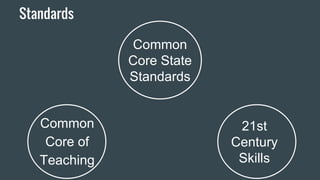
Common
Core State
Standards
Common
Core of
Teaching
Standards
21st
Century
Skills
Common Core State Standards
Divisions:
Math: categorized by skill domains
English-Language Arts (ELA)
Four Anchor Standards
Reading
Writing
Speaking & Listening
Language
Google Docs and Common Core
Anchor Standards:
● Develop and strengthen writing as needed by planning,
revising, editing, rewriting, or trying a new approach.
● Use technology, including the Internet, to produce and
publish writing and to interact and collaborate with others.
Common Core of Teaching
Domain 2: Teachers promote student engagement,
independence, and interdependence in learning by facilitating a
positive learning community
Domain 3: Teachers plan instruction in order to engage students
in rigorous and relevant learning and to promote their curiosity
about the world at large
Domain 4: Teachers implement instruction in order to engage
students in rigorous and relevant learning and to promote their
curiosity about the world at large
Domain 5: Teachers use multiple measures to analyze student
performance and to inform subsequent planning and instruction
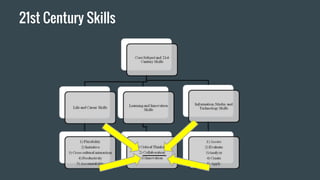
21st Century Skills
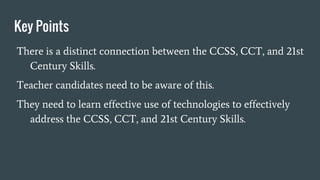
Key Points
There is a distinct connection between the CCSS, CCT, and 21st
Century Skills.
Teacher candidates need to be aware of this.
They need to learn effective use of technologies to effectively
address the CCSS, CCT, and 21st Century Skills.
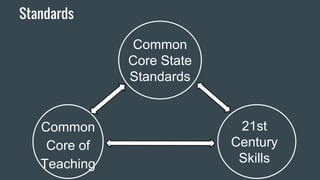
Common
Core State
Standards
Common
Core of
Teaching
Standards
21st
Century
Skills
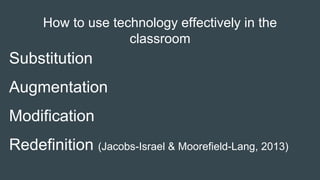
How to use technology effectively in the
classroom
Substitution
Augmentation
Modification
Redefinition (Jacobs-Israel & Moorefield-Lang, 2013)
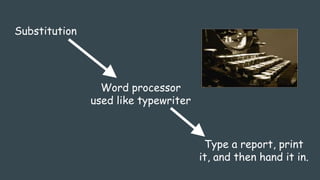
Substitution
Type a report, print
it, and then hand it in.
Word processor
used like typewriter
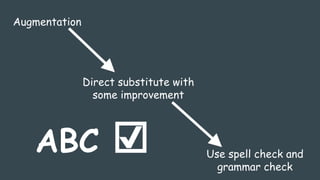
Augmentation
Direct substitute with
some improvement
Use spell check and
grammar check
ABC ☑
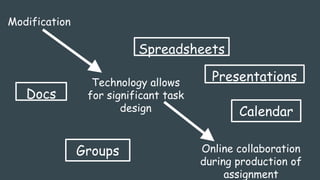
Modification
Technology allows
for significant task
design
Online collaboration
during production of
assignment
Docs
Presentations
Spreadsheets
Groups
Calendar
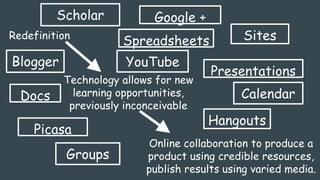
Redefinition
Technology allows for new
learning opportunities,
previously inconceivable
Online collaboration to produce a
product using credible resources,
publish results using varied media.
Spreadsheets
Presentations
CalendarDocs
Groups
Sites
Scholar
YouTube
Picasa
Blogger
Hangouts
Google +
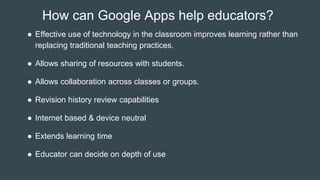
How can Google Apps help educators?
● Effective use of technology in the classroom improves learning rather than
replacing traditional teaching practices.
● Allows sharing of resources with students.
● Allows collaboration across classes or groups.
● Revision history review capabilities
● Internet based & device neutral
● Extends learning time
● Educator can decide on depth of use
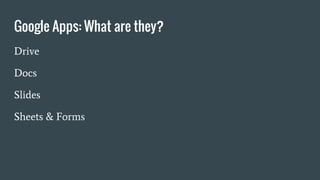
Google Apps: What are they?
Drive
Docs
Slides
Sheets & Forms
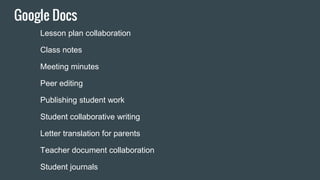
Google Docs
Lesson plan collaboration
Class notes
Meeting minutes
Peer editing
Publishing student work
Student collaborative writing
Letter translation for parents
Teacher document collaboration
Student journals
Forms
Sign-up sheets
Data collection
Formative & summative
assessments
Flubaroo
Form emailer
Surveys
Rubrics
Online reading records
Collecting any data
Book review
Reflection or debriefing
Exit ticket
Flipped Lessons
Templates
Collaborative notetaking: Jigsaw Template
Learning Team Charter: Charter
Lesson Plan Template: Template
Chalkboard Template
Rubric for Oral Presentation
Group Peer Evaluation
Credibility Form
Team Work Log
Thank You!
Joshua C Elliott, Ed.D.
Isabelle Farrington College of
Education
joshuacelliott1@gmail.com
www.techinpedagogy.com
References
Jacobs-Israel, M. & Moorefield-Lang, H. (2013). Redefining technology in libraries and schools: AASL
best apps, best websites, and the SAMR model. Teacher Librarian, 41(2), 16-18. Retrieved from
http://search.proquest.com/docview/1470785965?accountid=35812

Collaborative Learning using Google Tools

  • 1.
    Collaborative Learning using GoogleTools Joshua C. Elliott, Ed.D.
  • 2.
    Teacher candidates havea lot to learn!
  • 3.
  • 4.
    Common Core StateStandards Divisions: Math: categorized by skill domains English-Language Arts (ELA) Four Anchor Standards Reading Writing Speaking & Listening Language
  • 5.
    Google Docs andCommon Core Anchor Standards: ● Develop and strengthen writing as needed by planning, revising, editing, rewriting, or trying a new approach. ● Use technology, including the Internet, to produce and publish writing and to interact and collaborate with others.
  • 6.
    Common Core ofTeaching Domain 2: Teachers promote student engagement, independence, and interdependence in learning by facilitating a positive learning community Domain 3: Teachers plan instruction in order to engage students in rigorous and relevant learning and to promote their curiosity about the world at large Domain 4: Teachers implement instruction in order to engage students in rigorous and relevant learning and to promote their curiosity about the world at large Domain 5: Teachers use multiple measures to analyze student performance and to inform subsequent planning and instruction
  • 7.
  • 8.
    Key Points There isa distinct connection between the CCSS, CCT, and 21st Century Skills. Teacher candidates need to be aware of this. They need to learn effective use of technologies to effectively address the CCSS, CCT, and 21st Century Skills.
  • 9.
  • 10.
    How to usetechnology effectively in the classroom Substitution Augmentation Modification Redefinition (Jacobs-Israel & Moorefield-Lang, 2013)
  • 11.
    Substitution Type a report,print it, and then hand it in. Word processor used like typewriter
  • 12.
    Augmentation Direct substitute with someimprovement Use spell check and grammar check ABC ☑
  • 13.
    Modification Technology allows for significanttask design Online collaboration during production of assignment Docs Presentations Spreadsheets Groups Calendar
  • 14.
    Redefinition Technology allows fornew learning opportunities, previously inconceivable Online collaboration to produce a product using credible resources, publish results using varied media. Spreadsheets Presentations CalendarDocs Groups Sites Scholar YouTube Picasa Blogger Hangouts Google +
  • 15.
    How can GoogleApps help educators? ● Effective use of technology in the classroom improves learning rather than replacing traditional teaching practices. ● Allows sharing of resources with students. ● Allows collaboration across classes or groups. ● Revision history review capabilities ● Internet based & device neutral ● Extends learning time ● Educator can decide on depth of use
  • 18.
    Google Apps: Whatare they? Drive Docs Slides Sheets & Forms
  • 19.
    Google Docs Lesson plancollaboration Class notes Meeting minutes Peer editing Publishing student work Student collaborative writing Letter translation for parents Teacher document collaboration Student journals
  • 20.
    Forms Sign-up sheets Data collection Formative& summative assessments Flubaroo Form emailer Surveys Rubrics Online reading records Collecting any data Book review Reflection or debriefing Exit ticket Flipped Lessons
  • 21.
    Templates Collaborative notetaking: JigsawTemplate Learning Team Charter: Charter Lesson Plan Template: Template Chalkboard Template Rubric for Oral Presentation Group Peer Evaluation Credibility Form Team Work Log
  • 22.
    Thank You! Joshua CElliott, Ed.D. Isabelle Farrington College of Education joshuacelliott1@gmail.com www.techinpedagogy.com
  • 23.
    References Jacobs-Israel, M. &Moorefield-Lang, H. (2013). Redefining technology in libraries and schools: AASL best apps, best websites, and the SAMR model. Teacher Librarian, 41(2), 16-18. Retrieved from http://search.proquest.com/docview/1470785965?accountid=35812

Editor's Notes

  • #8 Drive is similar to Microsoft Office. However, it has several strengths.
  • #11 SAMR: Technology should be used to improve learning. Otherwise, what is the point?
  • #12 You can use a computer, but does it improve learning?
  • #13 This could help.
  • #14 Ok, here we go. We have a benefit from at least five apps.
  • #15 Now lets add Scholar, Google +, Sites, Blogger, YouTube, Hangouts, Picasa. The point here is that you now have options for creating learning opportunities that did not exist previously. Not everyone will want to do this, but the option is there. This pd program offers educators training to help them do more with Google Apps. Specifically related to the Common Core, but with their teaching in general.(ie calendar) In other words, use these great resources for improved learning instead of just for the sake of using it. We make it approachable Word: type as is Google: collaborate
  • #16 Drive is similar to Microsoft Office. However, it has several strengths. Technology is a tool Provides transparency Make it approachable Bold or subtle Syncs many apps together really well