Intro to Arduino 
The Basics of Open Hardware and Circuits 
Code4LibDC 2014 
Jason Griffey 
Evenly Distributed LLC 
http://evenlydistributed.net
SSID: LibraryBox - Free Content! 
Connect to wifi signal, then launch/refresh any browser 
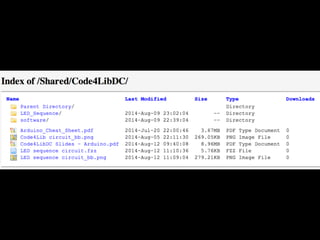
Folder: Code4LibDC 
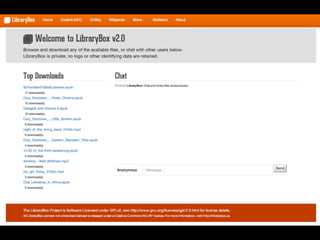
http://librarybox.us
Software install?
Let’s Plug In
Open Source Hardware
Moore’s Law 
Photo by Marcin Wichary - http://flic.kr/p/4v4DSq
Koomey’s Law 
Photo by LisaW123 - http://flic.kr/p/7eiqaq
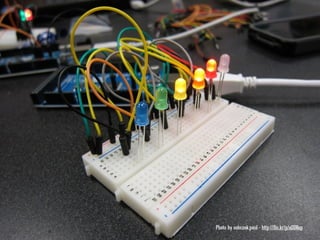
Photo by sobczak.paul - http://flic.kr/p/aDD8ep
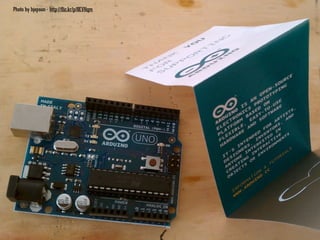
Arduino
Photo by bjepson - http://flic.kr/p/8EVHqm
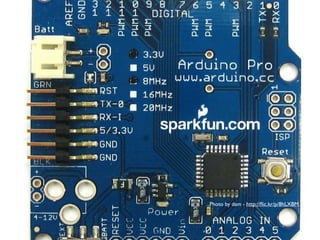
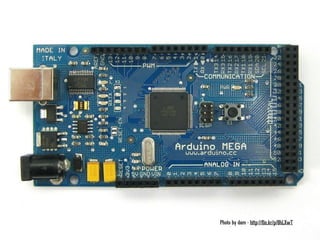
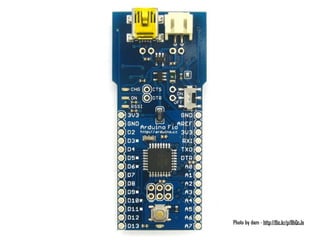
Why Arduino?
Open Hardware
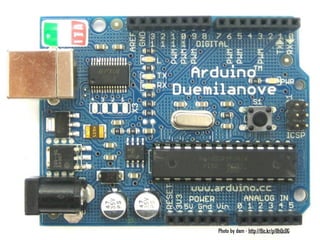
Photo by dam - http://flic.kr/p/8hLXBM
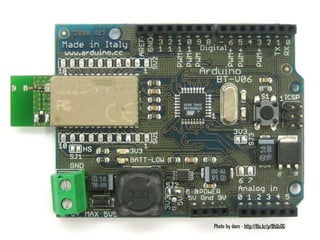
Photo by dam - http://flic.kr/p/8hLXwT
Photo by dam - http://flic.kr/p/8hQcJs
Photo by dam - http://flic.kr/p/8hQcDG
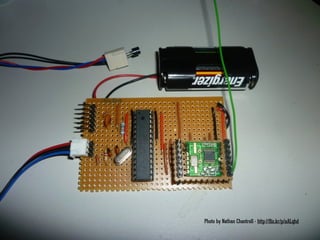
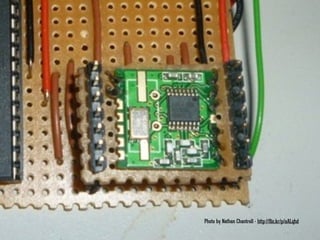
Photo by Nathan Chantrell - http://flic.kr/p/aALqhd
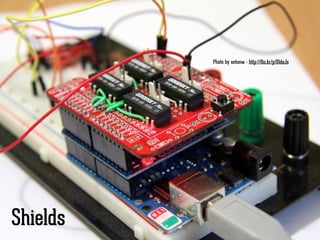
Photo by antonw - http://flic.kr/p/91daJe 
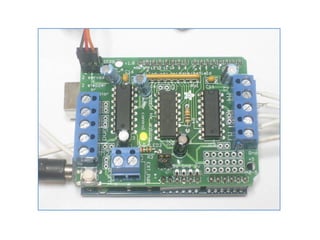
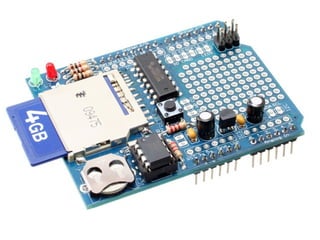
Shields
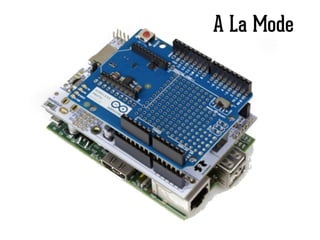
A La Mode
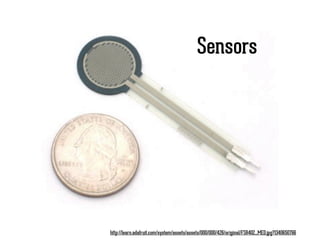
Sensors 
http://learn.adafruit.com/system/assets/assets/000/000/426/original/FSR402_MED.jpg?1340650766
Arduino Software
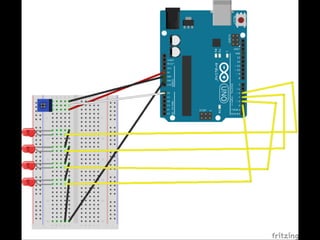
Our Hardware
Fritzing
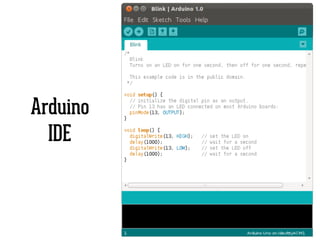
Arduino 
IDE
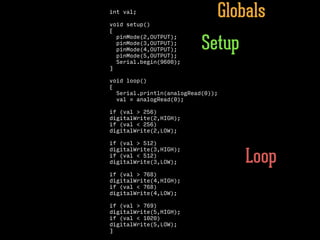
Our Sketch
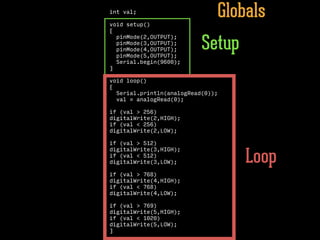
int val; 
! 
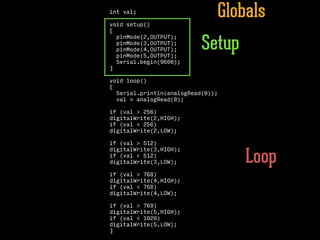
void setup() 
{ 
pinMode(2,OUTPUT); 
pinMode(3,OUTPUT); 
pinMode(4,OUTPUT); 
pinMode(5,OUTPUT); 
Serial.begin(9600); 
} 
! 
void loop() 
{ 
Serial.println(analogRead(0)); 
val = analogRead(0); 
! 
if (val > 256) 
digitalWrite(2,HIGH); 
if (val < 256) 
digitalWrite(2,LOW); 
if (val > 512) 
digitalWrite(3,HIGH); 
if (val < 512) 
digitalWrite(3,LOW); 
! 
if (val > 768) 
digitalWrite(4,HIGH); 
if (val < 768) 
digitalWrite(4,LOW); 
! 
if (val > 769) 
digitalWrite(5,HIGH); 
if (val < 1020) 
digitalWrite(5,LOW); 
} 
Globals 
Setup 
Loop
int val; 
! 
void setup() 
{ 
pinMode(2,OUTPUT); 
pinMode(3,OUTPUT); 
pinMode(4,OUTPUT); 
pinMode(5,OUTPUT); 
Serial.begin(9600); 
} 
! 
void loop() 
{ 
Serial.println(analogRead(0)); 
val = analogRead(0); 
! 
if (val > 256) 
digitalWrite(2,HIGH); 
if (val < 256) 
digitalWrite(2,LOW); 
if (val > 512) 
digitalWrite(3,HIGH); 
if (val < 512) 
digitalWrite(3,LOW); 
! 
if (val > 768) 
digitalWrite(4,HIGH); 
if (val < 768) 
digitalWrite(4,LOW); 
! 
if (val > 769) 
digitalWrite(5,HIGH); 
if (val < 1020) 
digitalWrite(5,LOW); 
} 
Globals 
Setup 
Loop
int val; 
! 
void setup() 
{ 
pinMode(2,OUTPUT); 
pinMode(3,OUTPUT); 
pinMode(4,OUTPUT); 
pinMode(5,OUTPUT); 
Serial.begin(9600); 
} 
! 
void loop() 
{ 
Serial.println(analogRead(0)); 
val = analogRead(0); 
! 
if (val > 256) 
digitalWrite(2,HIGH); 
if (val < 256) 
digitalWrite(2,LOW); 
if (val > 512) 
digitalWrite(3,HIGH); 
if (val < 512) 
digitalWrite(3,LOW); 
! 
if (val > 768) 
digitalWrite(4,HIGH); 
if (val < 768) 
digitalWrite(4,LOW); 
! 
if (val > 769) 
digitalWrite(5,HIGH); 
if (val < 1020) 
digitalWrite(5,LOW); 
} 
Globals 
Setup 
Loop
int val; 
! 
void setup() 
{ 
pinMode(2,OUTPUT); 
pinMode(3,OUTPUT); 
pinMode(4,OUTPUT); 
pinMode(5,OUTPUT); 
Serial.begin(9600); 
} 
! 
void loop() 
{ 
Serial.println(analogRead(0)); 
val = analogRead(0); 
! 
if (val > 256) 
digitalWrite(2,HIGH); 
if (val < 256) 
digitalWrite(2,LOW); 
if (val > 512) 
digitalWrite(3,HIGH); 
if (val < 512) 
digitalWrite(3,LOW); 
! 
if (val > 768) 
digitalWrite(4,HIGH); 
if (val < 768) 
digitalWrite(4,LOW); 
! 
if (val > 769) 
digitalWrite(5,HIGH); 
if (val < 1020) 
digitalWrite(5,LOW); 
} 
Globals 
Setup 
Loop
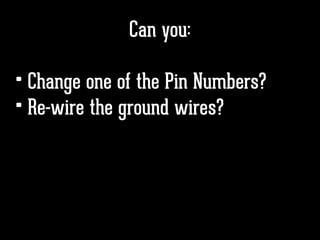
Can you:
Can you: 
• Change one of the Pin Numbers?
Can you: 
• Change one of the Pin Numbers? 
• Re-wire the ground wires?
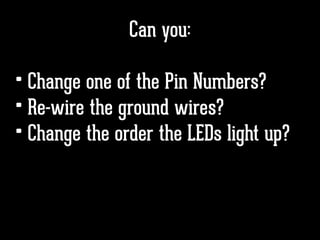
Can you: 
• Change one of the Pin Numbers? 
• Re-wire the ground wires? 
• Change the order the LEDs light up?
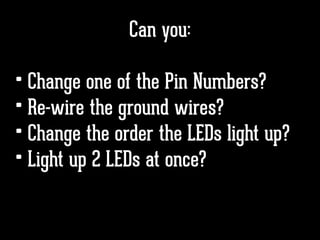
Can you: 
• Change one of the Pin Numbers? 
• Re-wire the ground wires? 
• Change the order the LEDs light up? 
• Light up 2 LEDs at once?
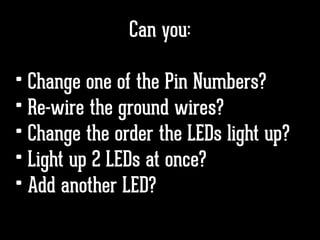
Can you: 
• Change one of the Pin Numbers? 
• Re-wire the ground wires? 
• Change the order the LEDs light up? 
• Light up 2 LEDs at once? 
• Add another LED?
Can you: 
• Change one of the Pin Numbers? 
• Re-wire the ground wires? 
• Change the order the LEDs light up? 
• Light up 2 LEDs at once? 
• Add another LED? 
• Swap the sensor?
Structure 
/* Each Arduino sketch must contain the 
following two functions. */ 
void setup() 
{ 
/* this code runs once at the beginning of 
the code execution. */ 
} 
void loop() 
{ 
/* this code runs repeatedly over and over 
as long as the board is powered. */ 
} 
Comments 
// this is a single line 
/* this is 
a multiline */ 
Setup 
pinMode(pin, [INPUT  OUTPUT  INPUT_PULLUP]); 
/* Sets the mode of the digital I/O pin. 
It can be set as an input, output, or an 
input with an internal pull-up resistor. 
*/ 
Control Structures 
if(condition) 
{ 
// if condition is TRUE, do something here 
} 
else 
{ 
// otherwise, do this 
} 
for(initialization; condition; increment) 
{ 
// do this 
} 
/* The ‘for’ statement is used to repeat 
a block of statements enclosed in curly 
braces. An increment counter is usually 
used to increment and terminate the loop. 
*/ 
Digital I/O 
digitalWrite(pin, val); 
/* val = HIGH or LOW. Sets the 
digital pin to either ON or OFF. */ 
int var = digitalRead(pin); 
/* Reads the voltage from a digital 
pin. Returns either HIGH or LOW. */ 
int var = digitalRead(pin); 
/* Reads the value from a specified digital 
pin, either HIGH or LOW. */ 
Analog I/O 
analogWrite(pin, val); 
/* Writes an analog voltage to a pin. 
val = integer value from 0 to 255 */ 
int var = analogRead(pin); 
/* Reads the voltage from the specified 
analog pin. */ 
int var = analogRead(pin); 
/* Reads the value from the specified 
analog pin. */ 
Time 
delay(time_ms); 
/* Pauses the program for the amount of time 
(in milliseconds). */ 
delayMicroseconds(time_us); 
/* Pauses the program for the amount of time 
(in microseconds). */ 
millis(); 
/* Returns the number of milliseconds since 
the board began running the current program. 
max: 4,294,967,295 */ 
micros(); 
/* Returns the number of microseconds since 
the board began running the current program. 
max: 4,294,967,295 */ 
Serial Communication 
Serial.begin(baudrate); 
/* Sets the data rate in bits per second 
(baud) for serial data transmission. */ 
Serial.print(""); 
/* Sets the data rate in bits per second 
(baud) for serial data transmission. */ 
Serial.print("Hello World!!"); 
/* Sends a string "Hello World!!" to the 
serial bus. This will be seen on the Serial 
Monitor in Arduino. */ 
Serial.println("Hello World!"); 
/* Identical to Serial.print(), but this 
also adds a carriage-return / line-feed to 
advance to the next line. */ 
Serial.println(""); 
/* Identical to Serial.print(), but this 
also adds a carriage-return / line-feed to 
advance to the next line. */ 
boolean Serial.available() 
/* Serial.available() returns TRUE if there 
is data available on the Serial bus. */ 
int Serial.read(); 
/* Returns a single byte of data available 
from the Serial buffer. */ 
int Serial.read(); 
/* Returns a single byte of data available 
from the Serial buffer. */ 
Data Types 
void // nothing is returned 
boolean // 0, 1, false, true 
char // 8 bits: ASCII character 
byte // 8 bits: 0 to 255, unsigned 
int // 16 bits: 32,768 to 32,767, signed 
long /* 32 bits: 2,147,483,648 
to 2,147,483,647, signed */ 
float // 32 bits, signed decimal 
Constants 
HIGH  LOW 
INPUT  OUTPUT 
true  false 
Mathematical Operators 
= // assignment 
+ // addition 
- // subtraction 
* // multiplication 
/ // division 
% // modulus 
Logical Operators 
== // boolean equal to 
!= // not equal to 
< // less than 
> // greater than 
<= // less than or equal to 
>= // greater than or equal to 
&& // Boolean AND 
|| // Boolean OR 
! // Boolean NOT 
Bitwise Operators 
& // bitwise AND 
| // bitwise OR 
^ // bitwise XOR 
~ // bitwise INVERT 
var << n // bitwise shift left by n bits 
var >> n // bitwise shift right by n bits 
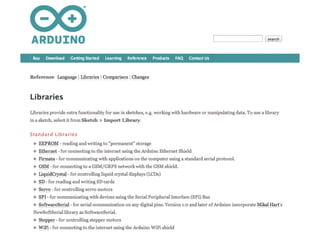
Libraries 
#include <libraryname.h> 
/* this provides access to special 
additional functions for things such as 
servo motors, SD card, wifi, or bluetooth. 
*/ 
Advanced I/O 
tone(pin, freq); 
/* Generates a square wave of the specified 
frequency to a pin. Pin must be one of the 
PWM (~) pins. */ 
tone(pin, freq, duration); 
/* Generates a square wave of the specified 
frequency to a pin for a duration in 
milliseconds. Pin must be one of the PWM (~) 
pins. */ 
noTone(pin); 
// Turns off the tone on the pin. 
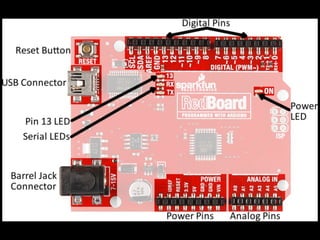
RedBoard: 
Power In 
LilyPad ProtoSnap Simple: 
Digital I/O 
PWM(3,5,6,9,10,11) 
ATmega328 
Microcontroller 
Temperature 
Sensor 
(Pin A1) 
Vibe Motor 
(Pin 3) 
RGB LED 
(Pins R=9, 
G=11, B=10) 
Button 
(Pin A5) 
Switch 
(Pin 2) 
Light 
Sensor 
(Pin A6) 
Buzzer/ 
Speaker 
(Pin 7) 
LEDs 
(Light Emitting Diodes) 
(Pins 5, 6, A2, A4, A3) 
Power 
5V / 3.3 / GND 
USB to Computer 
Reset 
Analog 
Inputs 
SCL/SDA 
(I2C Bus) 
ATmega328 
Microcontroller
Building Your Own Hardware
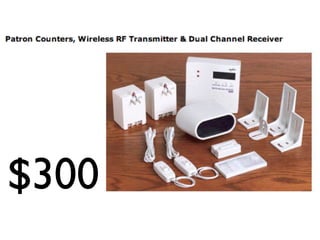
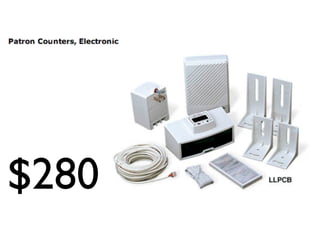
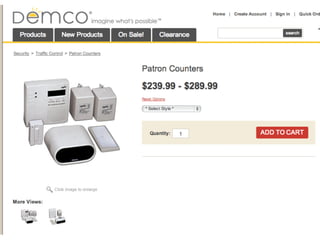
Patron Counters
$300
$280
Build One Yourself
Build One Yourself 
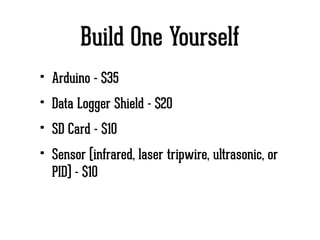
• Arduino - $35
Build One Yourself 
• Arduino - $35 
• Data Logger Shield - $20
Build One Yourself 
• Arduino - $35 
• Data Logger Shield - $20 
• SD Card - $10
Build One Yourself 
• Arduino - $35 
• Data Logger Shield - $20 
• SD Card - $10 
• Sensor (infrared, laser tripwire, ultrasonic, or 
PID) - $10
Build One Yourself 
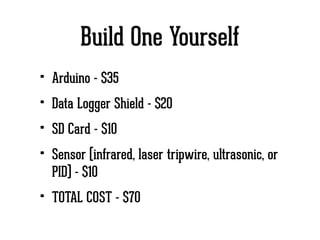
• Arduino - $35 
• Data Logger Shield - $20 
• SD Card - $10 
• Sensor (infrared, laser tripwire, ultrasonic, or 
PID) - $10 
• TOTAL COST - $70
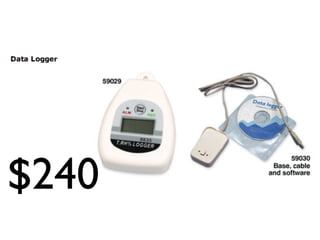
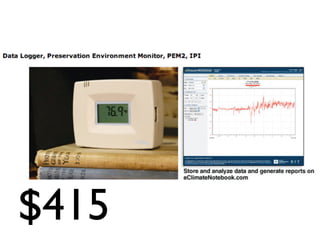
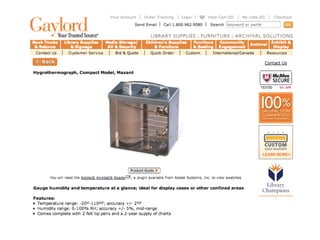
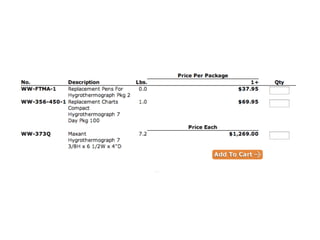
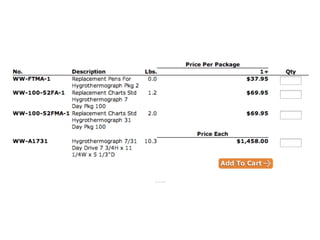
Temperature/Humidity 
Loggers
$240
$415
Build One Yourself
Build One Yourself 
• Arduino - $35
Build One Yourself 
• Arduino - $35 
• Data Logger Shield - $20
Build One Yourself 
• Arduino - $35 
• Data Logger Shield - $20 
• SD Card - $10
Build One Yourself 
• Arduino - $35 
• Data Logger Shield - $20 
• SD Card - $10 
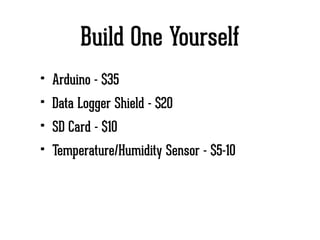
• Temperature/Humidity Sensor - $5-10
Build One Yourself 
• Arduino - $35 
• Data Logger Shield - $20 
• SD Card - $10 
• Temperature/Humidity Sensor - $5-10 
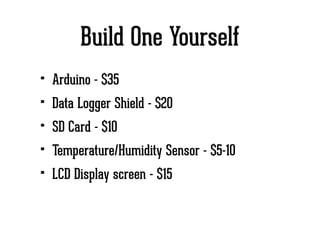
• LCD Display screen - $15
Build One Yourself 
• Arduino - $35 
• Data Logger Shield - $20 
• SD Card - $10 
• Temperature/Humidity Sensor - $5-10 
• LCD Display screen - $15 
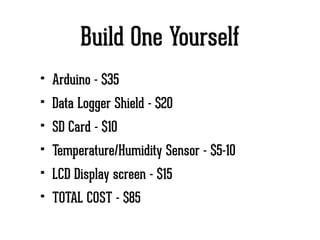
• TOTAL COST - $85
Other Possibilities
Other Possibilities 
• RFID Reader
Other Possibilities 
• RFID Reader 
• Barcode Scanner
Other Possibilities 
• RFID Reader 
• Barcode Scanner 
• Seat usage detector
Other Possibilities 
• RFID Reader 
• Barcode Scanner 
• Seat usage detector 
• What else?
Go Build Stuff!
Jason Griffey 
Email: griffey@gmail.com 
Site: jasongriffey.net 
gVoice: 423-443-4770 
Twitter: @griffey 
http://librarybox.us 
http://evenlydistributed.net 
! 
Founder & Principal Consultant 
http://pinboard.in/u:griffey/ Evenly Distributed LLC

Introduction to Arduino and Circuits

  • 1.
    Intro to Arduino The Basics of Open Hardware and Circuits Code4LibDC 2014 Jason Griffey Evenly Distributed LLC http://evenlydistributed.net
  • 3.
    SSID: LibraryBox -Free Content! Connect to wifi signal, then launch/refresh any browser Folder: Code4LibDC http://librarybox.us
  • 7.
  • 8.
  • 9.
  • 10.
    Moore’s Law Photoby Marcin Wichary - http://flic.kr/p/4v4DSq
  • 11.
    Koomey’s Law Photoby LisaW123 - http://flic.kr/p/7eiqaq
  • 12.
    Photo by sobczak.paul- http://flic.kr/p/aDD8ep
  • 13.
  • 14.
    Photo by bjepson- http://flic.kr/p/8EVHqm
  • 16.
  • 17.
  • 18.
    Photo by dam- http://flic.kr/p/8hLXBM
  • 19.
    Photo by dam- http://flic.kr/p/8hLXwT
  • 20.
    Photo by dam- http://flic.kr/p/8hQcJs
  • 21.
    Photo by dam- http://flic.kr/p/8hQcDG
  • 22.
    Photo by dam- http://flic.kr/p/8hQcDG
  • 23.
    Photo by NathanChantrell - http://flic.kr/p/aALqhd
  • 24.
    Photo by NathanChantrell - http://flic.kr/p/aALqhd
  • 27.
    Photo by antonw- http://flic.kr/p/91daJe Shields
  • 31.
  • 32.
  • 35.
  • 44.
  • 64.
  • 66.
  • 67.
  • 68.
    int val; ! void setup() { pinMode(2,OUTPUT); pinMode(3,OUTPUT); pinMode(4,OUTPUT); pinMode(5,OUTPUT); Serial.begin(9600); } ! void loop() { Serial.println(analogRead(0)); val = analogRead(0); ! if (val > 256) digitalWrite(2,HIGH); if (val < 256) digitalWrite(2,LOW); if (val > 512) digitalWrite(3,HIGH); if (val < 512) digitalWrite(3,LOW); ! if (val > 768) digitalWrite(4,HIGH); if (val < 768) digitalWrite(4,LOW); ! if (val > 769) digitalWrite(5,HIGH); if (val < 1020) digitalWrite(5,LOW); } Globals Setup Loop
  • 69.
    int val; ! void setup() { pinMode(2,OUTPUT); pinMode(3,OUTPUT); pinMode(4,OUTPUT); pinMode(5,OUTPUT); Serial.begin(9600); } ! void loop() { Serial.println(analogRead(0)); val = analogRead(0); ! if (val > 256) digitalWrite(2,HIGH); if (val < 256) digitalWrite(2,LOW); if (val > 512) digitalWrite(3,HIGH); if (val < 512) digitalWrite(3,LOW); ! if (val > 768) digitalWrite(4,HIGH); if (val < 768) digitalWrite(4,LOW); ! if (val > 769) digitalWrite(5,HIGH); if (val < 1020) digitalWrite(5,LOW); } Globals Setup Loop
  • 70.
    int val; ! void setup() { pinMode(2,OUTPUT); pinMode(3,OUTPUT); pinMode(4,OUTPUT); pinMode(5,OUTPUT); Serial.begin(9600); } ! void loop() { Serial.println(analogRead(0)); val = analogRead(0); ! if (val > 256) digitalWrite(2,HIGH); if (val < 256) digitalWrite(2,LOW); if (val > 512) digitalWrite(3,HIGH); if (val < 512) digitalWrite(3,LOW); ! if (val > 768) digitalWrite(4,HIGH); if (val < 768) digitalWrite(4,LOW); ! if (val > 769) digitalWrite(5,HIGH); if (val < 1020) digitalWrite(5,LOW); } Globals Setup Loop
  • 71.
    int val; ! void setup() { pinMode(2,OUTPUT); pinMode(3,OUTPUT); pinMode(4,OUTPUT); pinMode(5,OUTPUT); Serial.begin(9600); } ! void loop() { Serial.println(analogRead(0)); val = analogRead(0); ! if (val > 256) digitalWrite(2,HIGH); if (val < 256) digitalWrite(2,LOW); if (val > 512) digitalWrite(3,HIGH); if (val < 512) digitalWrite(3,LOW); ! if (val > 768) digitalWrite(4,HIGH); if (val < 768) digitalWrite(4,LOW); ! if (val > 769) digitalWrite(5,HIGH); if (val < 1020) digitalWrite(5,LOW); } Globals Setup Loop
  • 73.
  • 74.
    Can you: •Change one of the Pin Numbers?
  • 75.
    Can you: •Change one of the Pin Numbers? • Re-wire the ground wires?
  • 76.
    Can you: •Change one of the Pin Numbers? • Re-wire the ground wires? • Change the order the LEDs light up?
  • 77.
    Can you: •Change one of the Pin Numbers? • Re-wire the ground wires? • Change the order the LEDs light up? • Light up 2 LEDs at once?
  • 78.
    Can you: •Change one of the Pin Numbers? • Re-wire the ground wires? • Change the order the LEDs light up? • Light up 2 LEDs at once? • Add another LED?
  • 79.
    Can you: •Change one of the Pin Numbers? • Re-wire the ground wires? • Change the order the LEDs light up? • Light up 2 LEDs at once? • Add another LED? • Swap the sensor?
  • 80.
    Structure /* EachArduino sketch must contain the following two functions. */ void setup() { /* this code runs once at the beginning of the code execution. */ } void loop() { /* this code runs repeatedly over and over as long as the board is powered. */ } Comments // this is a single line /* this is a multiline */ Setup pinMode(pin, [INPUT OUTPUT INPUT_PULLUP]); /* Sets the mode of the digital I/O pin. It can be set as an input, output, or an input with an internal pull-up resistor. */ Control Structures if(condition) { // if condition is TRUE, do something here } else { // otherwise, do this } for(initialization; condition; increment) { // do this } /* The ‘for’ statement is used to repeat a block of statements enclosed in curly braces. An increment counter is usually used to increment and terminate the loop. */ Digital I/O digitalWrite(pin, val); /* val = HIGH or LOW. Sets the digital pin to either ON or OFF. */ int var = digitalRead(pin); /* Reads the voltage from a digital pin. Returns either HIGH or LOW. */ int var = digitalRead(pin); /* Reads the value from a specified digital pin, either HIGH or LOW. */ Analog I/O analogWrite(pin, val); /* Writes an analog voltage to a pin. val = integer value from 0 to 255 */ int var = analogRead(pin); /* Reads the voltage from the specified analog pin. */ int var = analogRead(pin); /* Reads the value from the specified analog pin. */ Time delay(time_ms); /* Pauses the program for the amount of time (in milliseconds). */ delayMicroseconds(time_us); /* Pauses the program for the amount of time (in microseconds). */ millis(); /* Returns the number of milliseconds since the board began running the current program. max: 4,294,967,295 */ micros(); /* Returns the number of microseconds since the board began running the current program. max: 4,294,967,295 */ Serial Communication Serial.begin(baudrate); /* Sets the data rate in bits per second (baud) for serial data transmission. */ Serial.print(""); /* Sets the data rate in bits per second (baud) for serial data transmission. */ Serial.print("Hello World!!"); /* Sends a string "Hello World!!" to the serial bus. This will be seen on the Serial Monitor in Arduino. */ Serial.println("Hello World!"); /* Identical to Serial.print(), but this also adds a carriage-return / line-feed to advance to the next line. */ Serial.println(""); /* Identical to Serial.print(), but this also adds a carriage-return / line-feed to advance to the next line. */ boolean Serial.available() /* Serial.available() returns TRUE if there is data available on the Serial bus. */ int Serial.read(); /* Returns a single byte of data available from the Serial buffer. */ int Serial.read(); /* Returns a single byte of data available from the Serial buffer. */ Data Types void // nothing is returned boolean // 0, 1, false, true char // 8 bits: ASCII character byte // 8 bits: 0 to 255, unsigned int // 16 bits: 32,768 to 32,767, signed long /* 32 bits: 2,147,483,648 to 2,147,483,647, signed */ float // 32 bits, signed decimal Constants HIGH LOW INPUT OUTPUT true false Mathematical Operators = // assignment + // addition - // subtraction * // multiplication / // division % // modulus Logical Operators == // boolean equal to != // not equal to < // less than > // greater than <= // less than or equal to >= // greater than or equal to && // Boolean AND || // Boolean OR ! // Boolean NOT Bitwise Operators & // bitwise AND | // bitwise OR ^ // bitwise XOR ~ // bitwise INVERT var << n // bitwise shift left by n bits var >> n // bitwise shift right by n bits Libraries #include <libraryname.h> /* this provides access to special additional functions for things such as servo motors, SD card, wifi, or bluetooth. */ Advanced I/O tone(pin, freq); /* Generates a square wave of the specified frequency to a pin. Pin must be one of the PWM (~) pins. */ tone(pin, freq, duration); /* Generates a square wave of the specified frequency to a pin for a duration in milliseconds. Pin must be one of the PWM (~) pins. */ noTone(pin); // Turns off the tone on the pin. RedBoard: Power In LilyPad ProtoSnap Simple: Digital I/O PWM(3,5,6,9,10,11) ATmega328 Microcontroller Temperature Sensor (Pin A1) Vibe Motor (Pin 3) RGB LED (Pins R=9, G=11, B=10) Button (Pin A5) Switch (Pin 2) Light Sensor (Pin A6) Buzzer/ Speaker (Pin 7) LEDs (Light Emitting Diodes) (Pins 5, 6, A2, A4, A3) Power 5V / 3.3 / GND USB to Computer Reset Analog Inputs SCL/SDA (I2C Bus) ATmega328 Microcontroller
  • 81.
  • 82.
  • 83.
  • 84.
  • 86.
  • 87.
    Build One Yourself • Arduino - $35
  • 88.
    Build One Yourself • Arduino - $35 • Data Logger Shield - $20
  • 89.
    Build One Yourself • Arduino - $35 • Data Logger Shield - $20 • SD Card - $10
  • 90.
    Build One Yourself • Arduino - $35 • Data Logger Shield - $20 • SD Card - $10 • Sensor (infrared, laser tripwire, ultrasonic, or PID) - $10
  • 91.
    Build One Yourself • Arduino - $35 • Data Logger Shield - $20 • SD Card - $10 • Sensor (infrared, laser tripwire, ultrasonic, or PID) - $10 • TOTAL COST - $70
  • 92.
  • 93.
  • 94.
  • 99.
  • 100.
    Build One Yourself • Arduino - $35
  • 101.
    Build One Yourself • Arduino - $35 • Data Logger Shield - $20
  • 102.
    Build One Yourself • Arduino - $35 • Data Logger Shield - $20 • SD Card - $10
  • 103.
    Build One Yourself • Arduino - $35 • Data Logger Shield - $20 • SD Card - $10 • Temperature/Humidity Sensor - $5-10
  • 104.
    Build One Yourself • Arduino - $35 • Data Logger Shield - $20 • SD Card - $10 • Temperature/Humidity Sensor - $5-10 • LCD Display screen - $15
  • 105.
    Build One Yourself • Arduino - $35 • Data Logger Shield - $20 • SD Card - $10 • Temperature/Humidity Sensor - $5-10 • LCD Display screen - $15 • TOTAL COST - $85
  • 106.
  • 107.
  • 108.
    Other Possibilities •RFID Reader • Barcode Scanner
  • 109.
    Other Possibilities •RFID Reader • Barcode Scanner • Seat usage detector
  • 110.
    Other Possibilities •RFID Reader • Barcode Scanner • Seat usage detector • What else?
  • 111.
  • 112.
    Jason Griffey Email:griffey@gmail.com Site: jasongriffey.net gVoice: 423-443-4770 Twitter: @griffey http://librarybox.us http://evenlydistributed.net ! Founder & Principal Consultant http://pinboard.in/u:griffey/ Evenly Distributed LLC