








Understanding and Applying
Cloud Hybrid Search
@jefffried
Jeff Fried
CTO, BA Insight
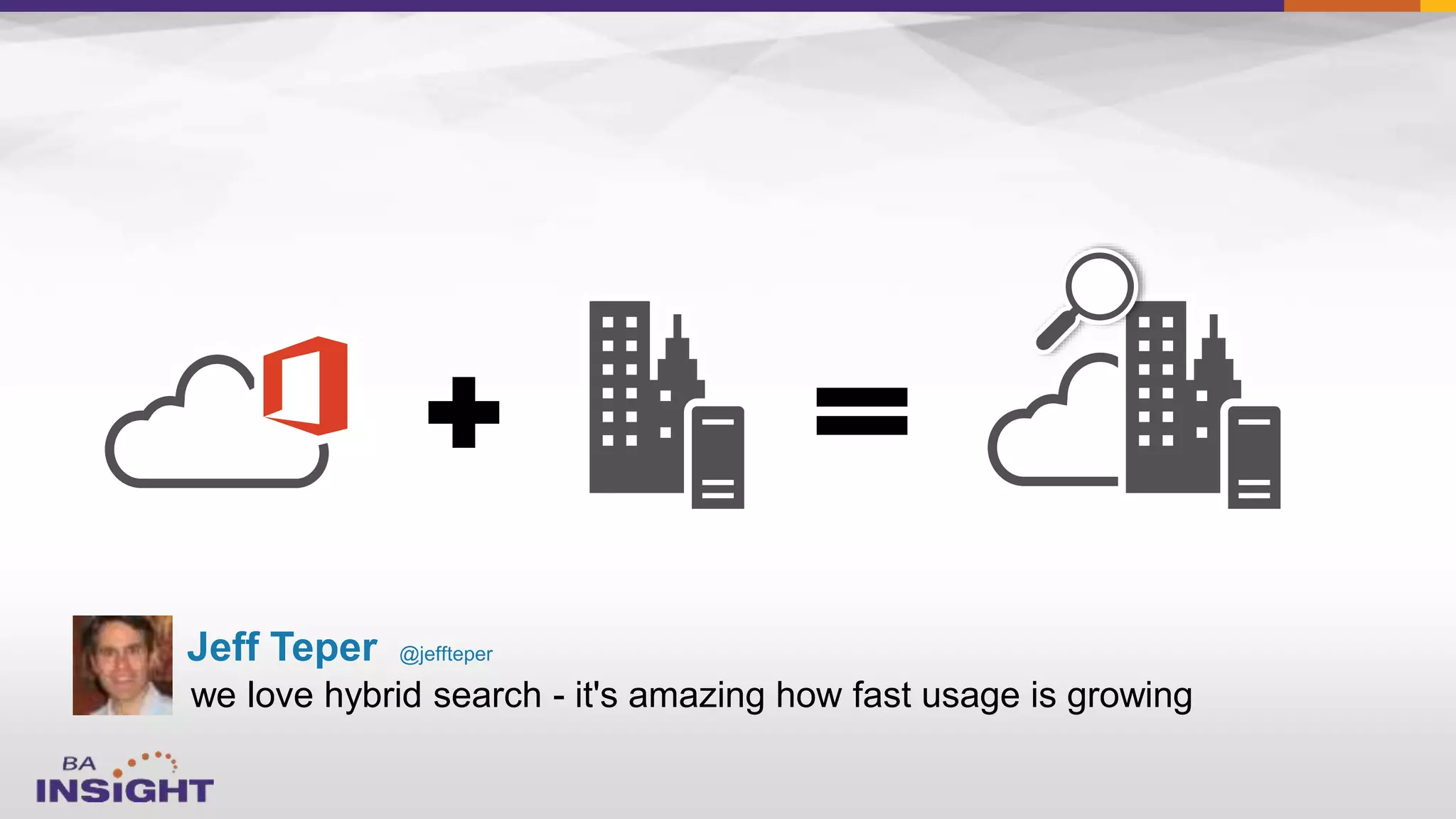
we love hybrid search - it's amazing how fast usage is growing
Jeff Teper @jeffteper
Today’s Session
Focused on Search and
SharePoint since 2004
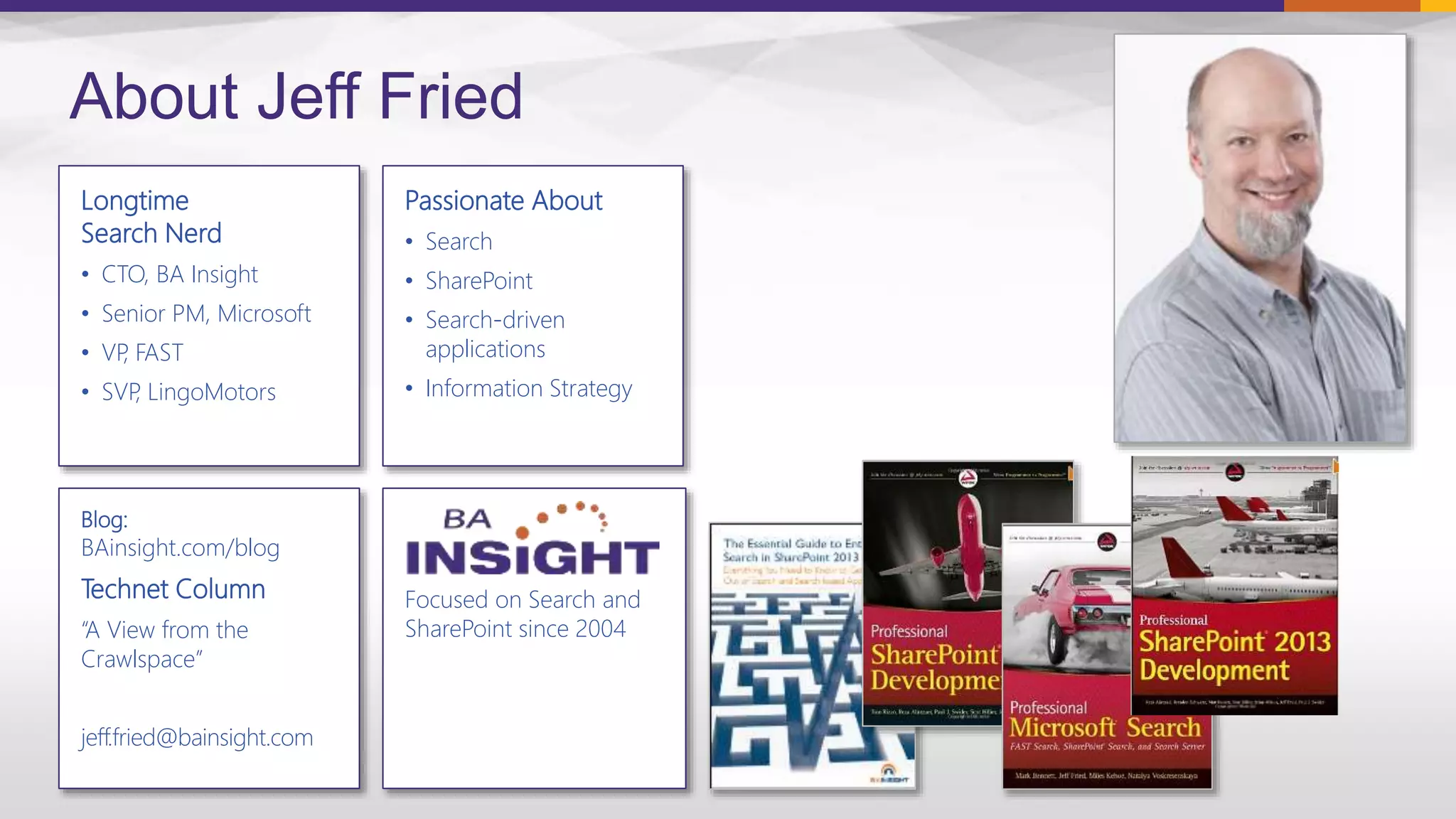
Longtime
Search Nerd
• CTO, BA Insight
• Senior PM, Microsoft
• VP, FAST
• SVP, LingoMotors
About Jeff Fried
Passionate About
• Search
• SharePoint
• Search-driven
applications
• Information Strategy
Blog:
BAinsight.com/blog
Technet Column
“A View from the
Crawlspace”
jeff.fried@bainsight.com
About BA Insight


– Connectivity
– Applications -
– Classification -
– Analytics

6
Demo
9
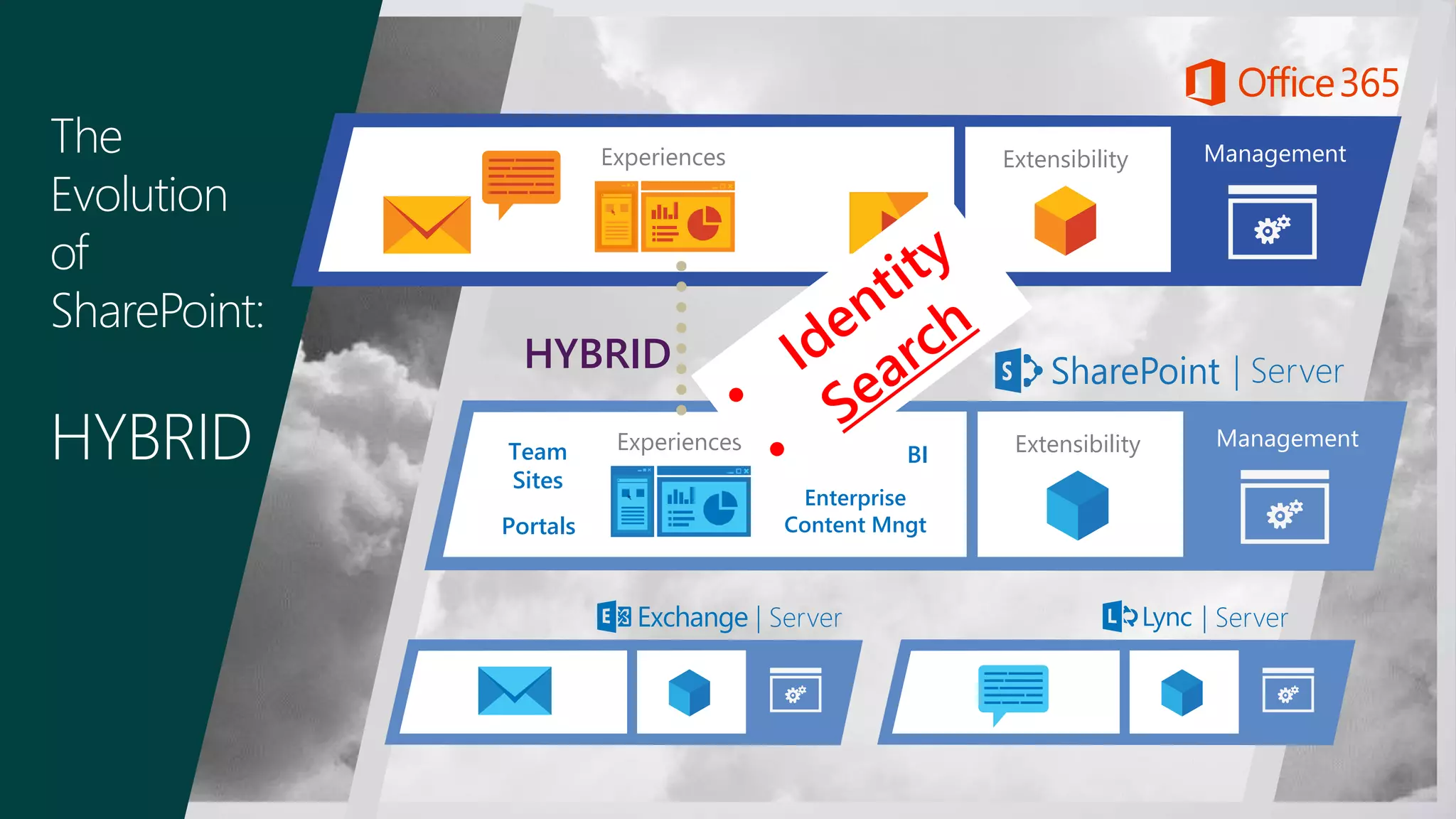
The
Evolution
of
SharePoint:
HYBRID ManagementExtensibilityExperiences
| Server
Experiences ManagementExtensibility
| Server | Server
HYBRID
Team
Sites
Portals
Enterprise
Content Mngt
BI

–
–

–

–

–
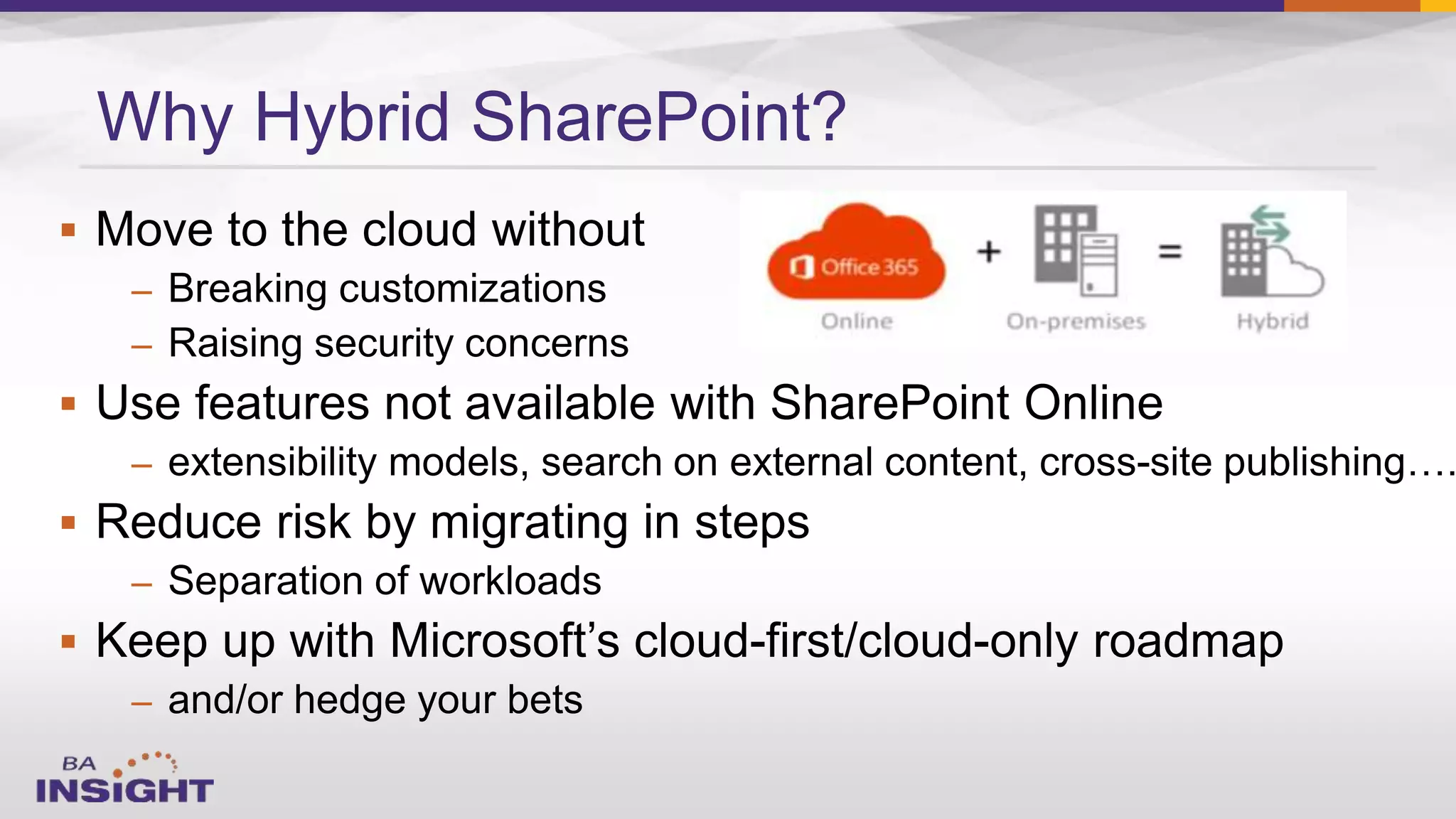
Why Hybrid SharePoint?
The Future of SharePoint Search, with Expert Jeff Fried
by Christian Buckley. March 23, 2015
Today’s Session
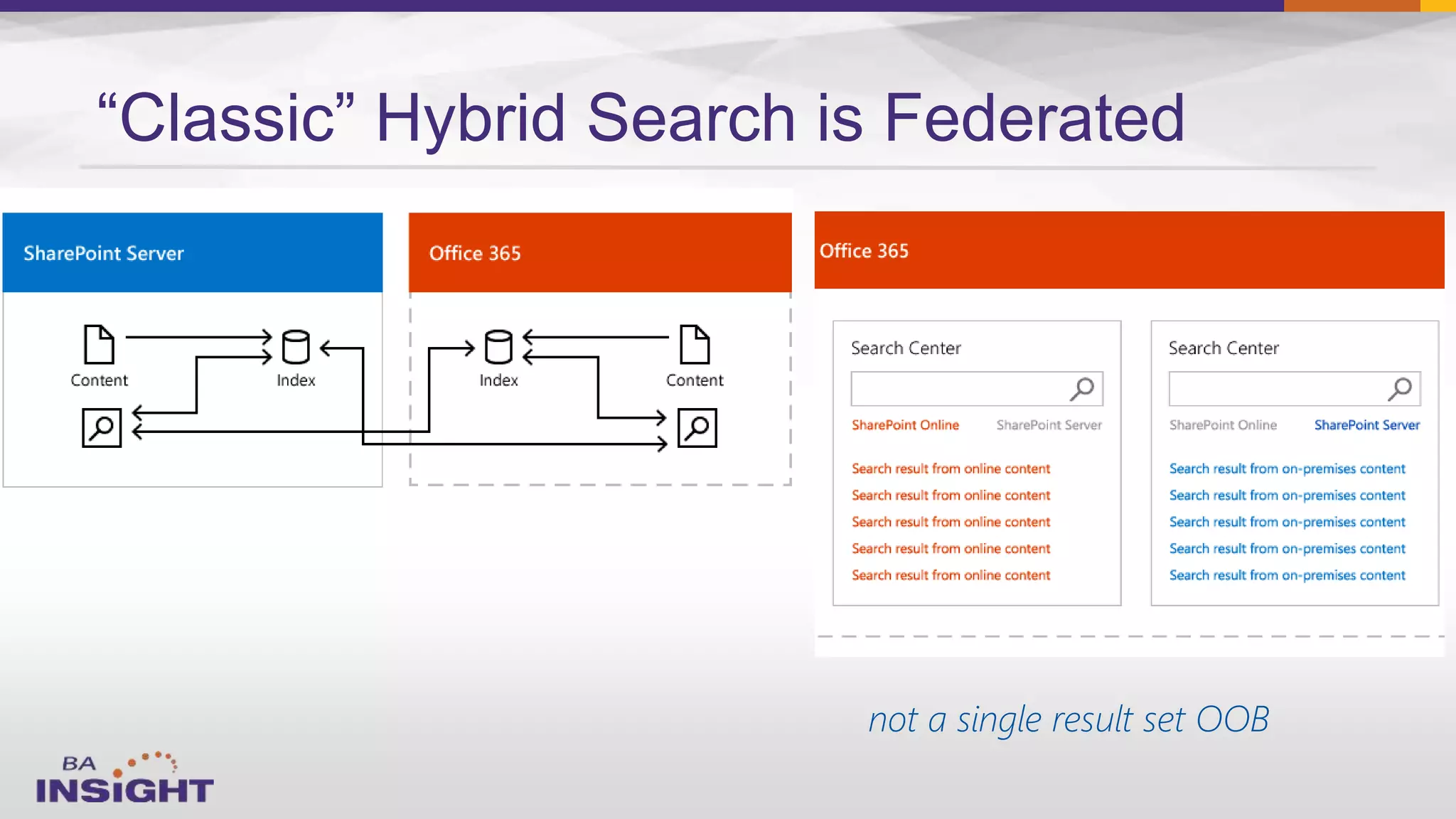
“Classic” Hybrid Search is Federated
not a single result set OOB
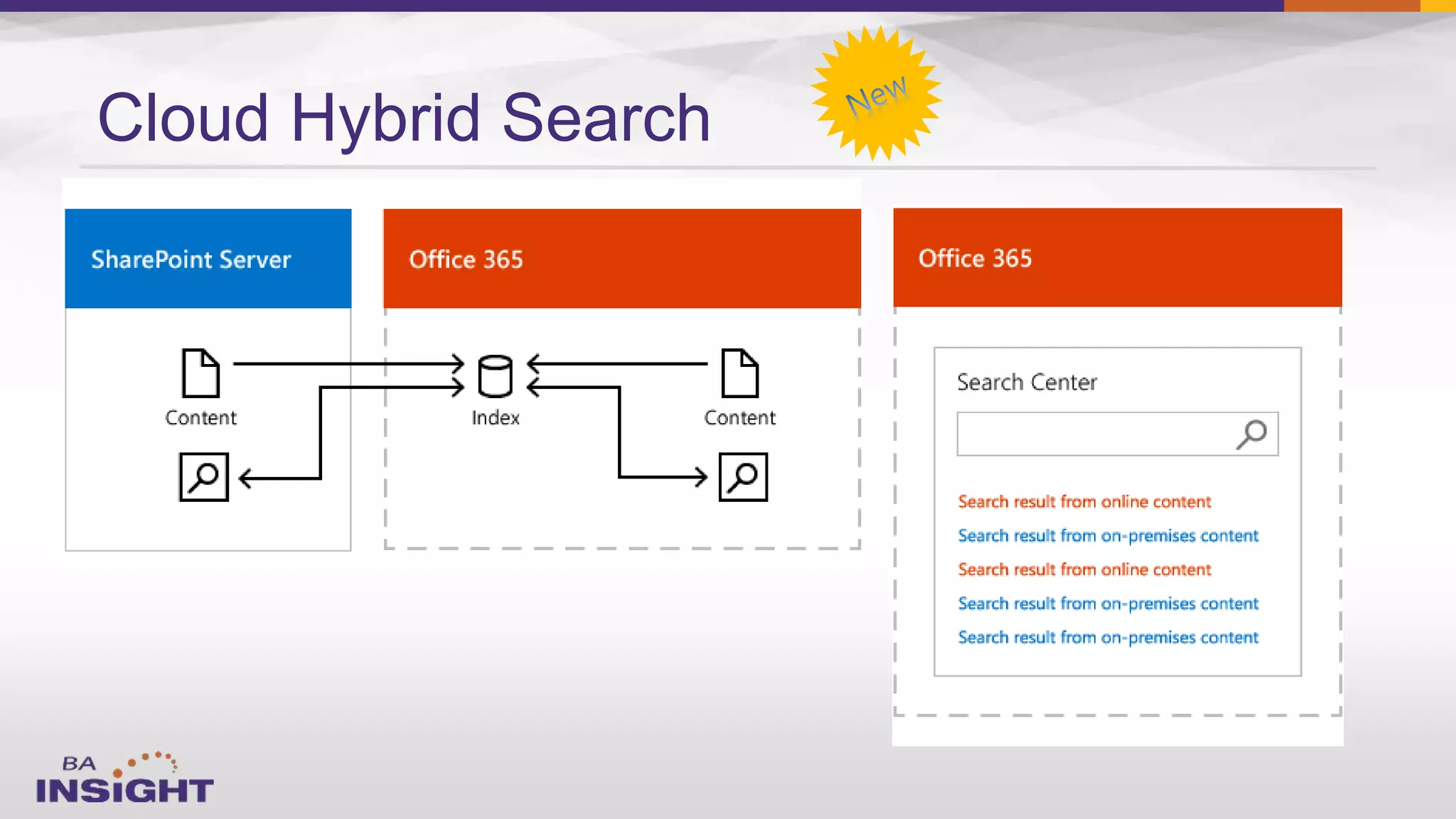
Cloud Hybrid Search
 Access anywhere
 Consistent user experience
 Unified search results
 No upgrades
 No infrastructure mgt
 Index storage scalable
Benefits of
Cloud Hybrid Search
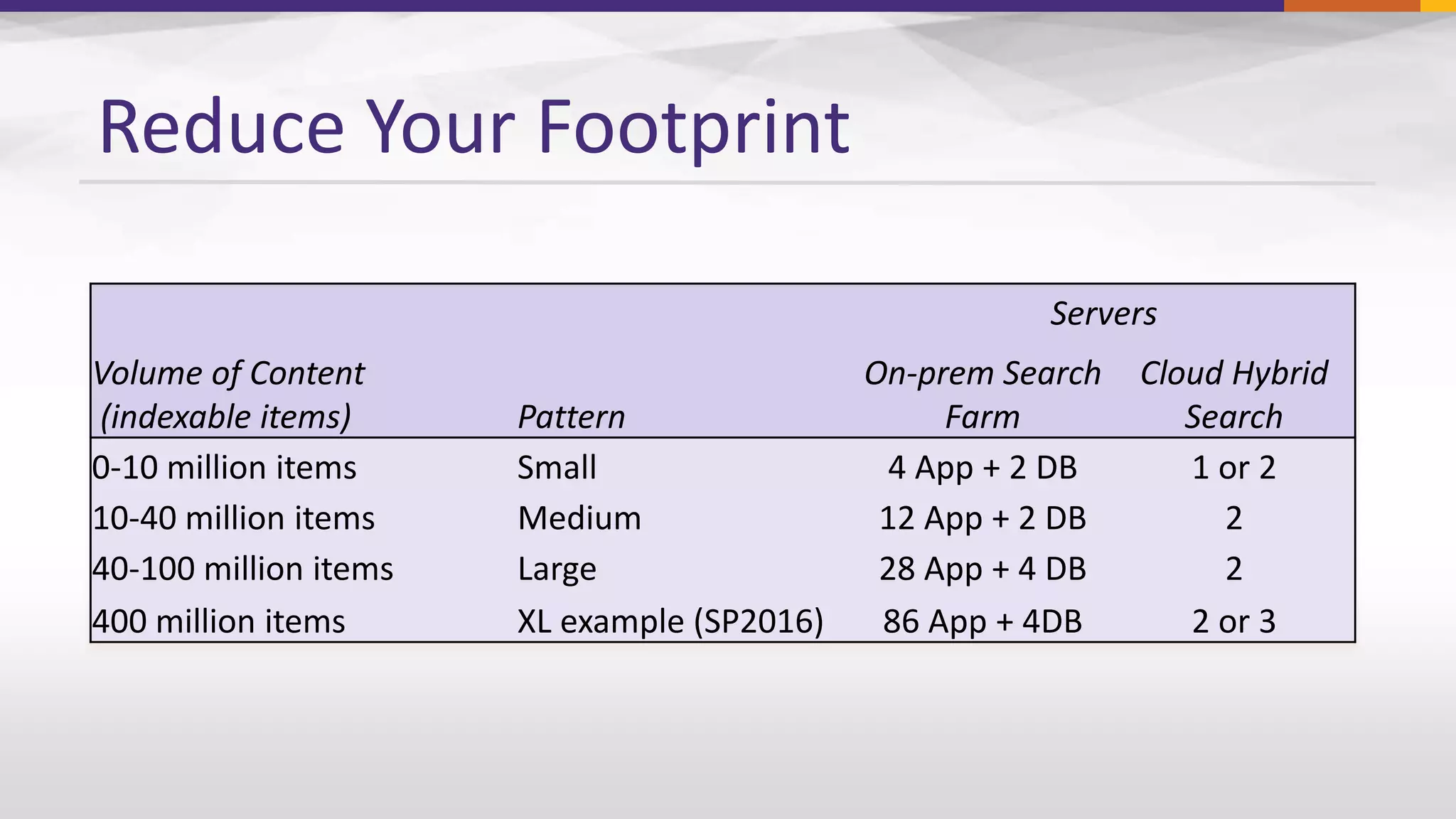
Reduce Your Footprint
Servers
Volume of Content
(indexable items) Pattern
On-prem Search
Farm
Cloud Hybrid
Search
0-10 million items Small 4 App + 2 DB 1 or 2
10-40 million items Medium 12 App + 2 DB 2
40-100 million items Large 28 App + 4 DB 2
400 million items XL example (SP2016) 86 App + 4DB 2 or 3
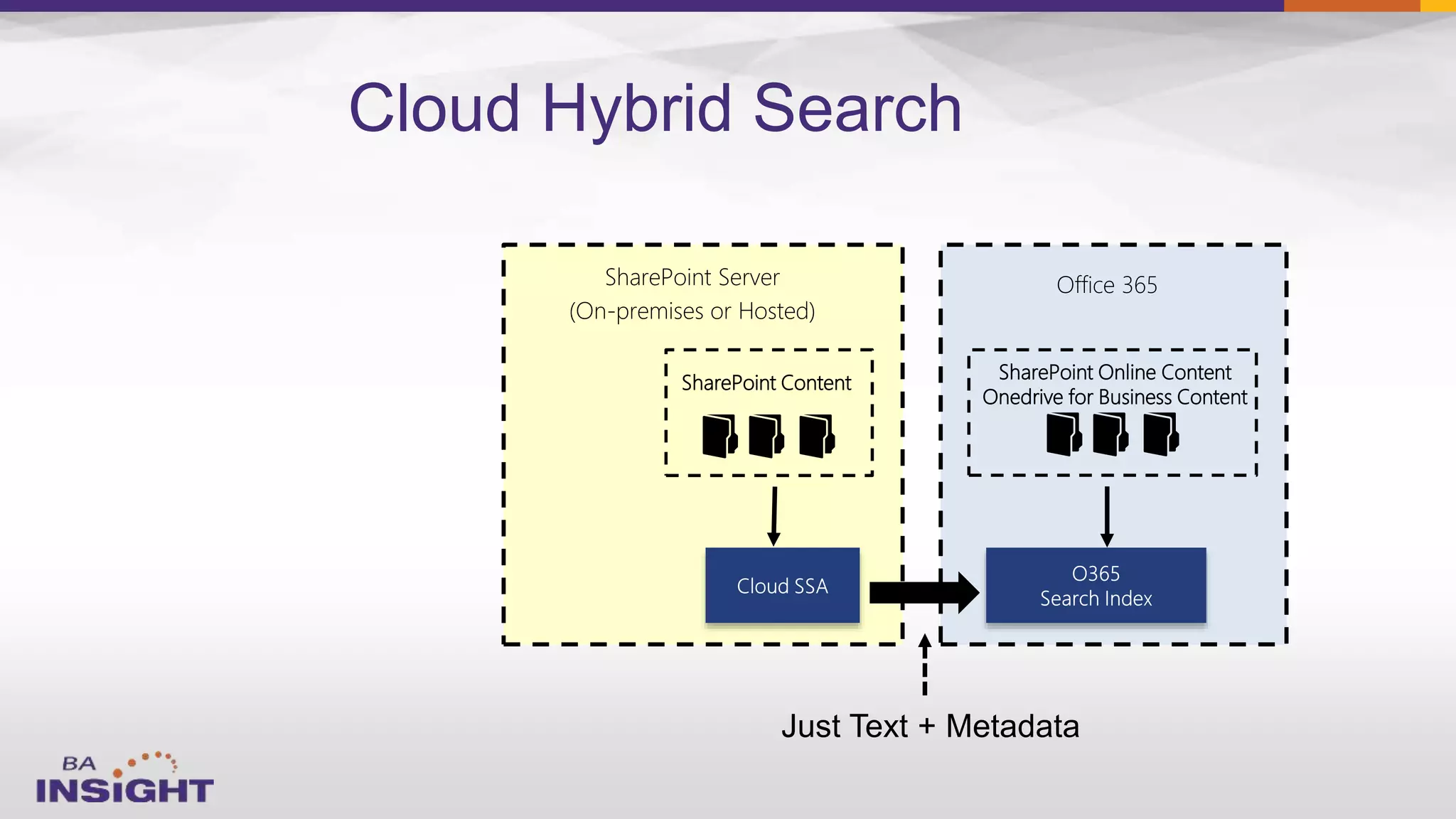
SharePoint Server
(On-premises or Hosted)
Office 365
SharePoint Online Content
Onedrive for Business Content
SharePoint Content
Cloud Hybrid Search
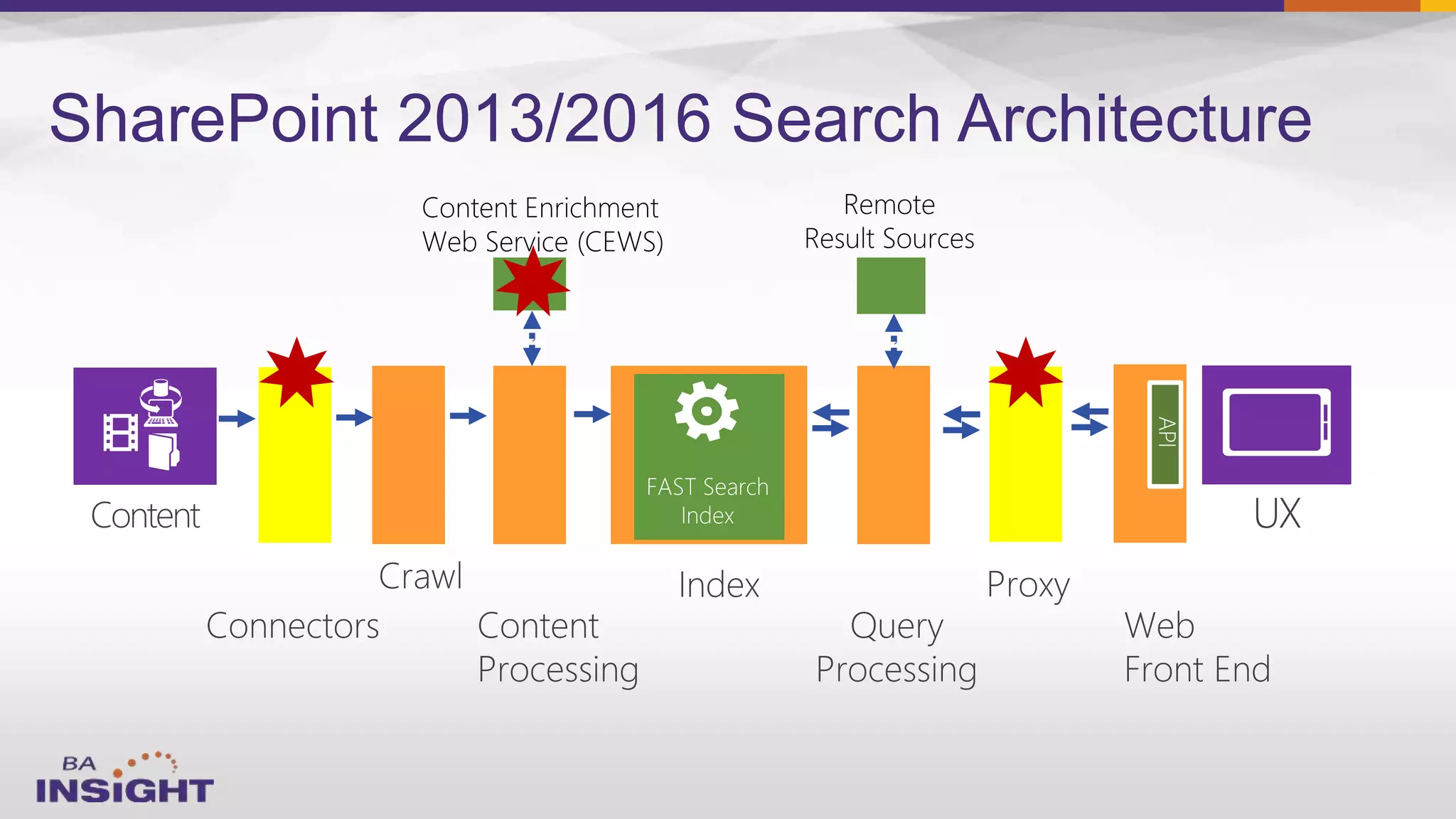
SharePoint 2013/2016 Search Architecture
Web Service (CEWS)
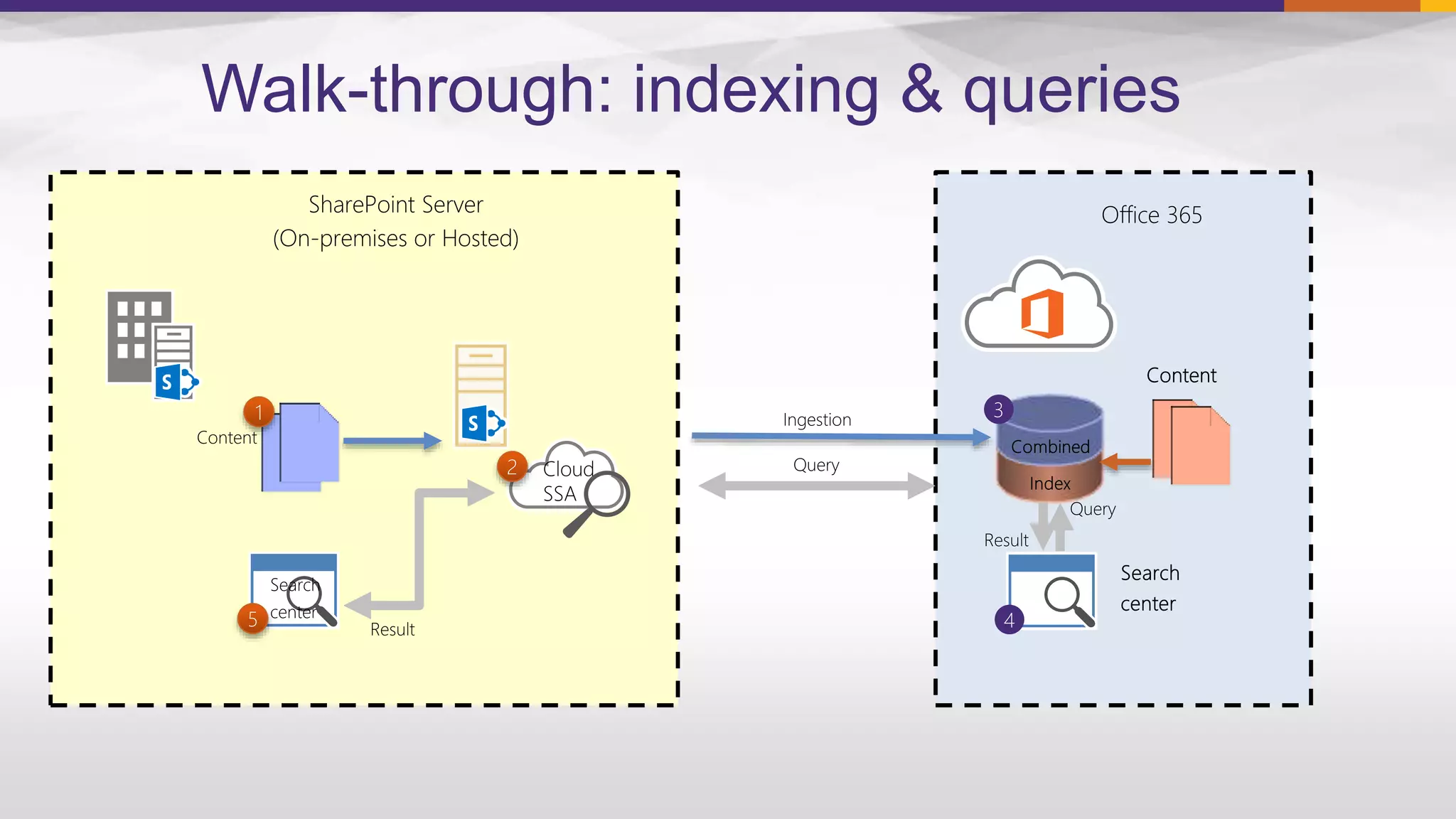
Walk-through: indexing & queries
SharePoint Server
(On-premises or Hosted)
Office 365
Today’s Session
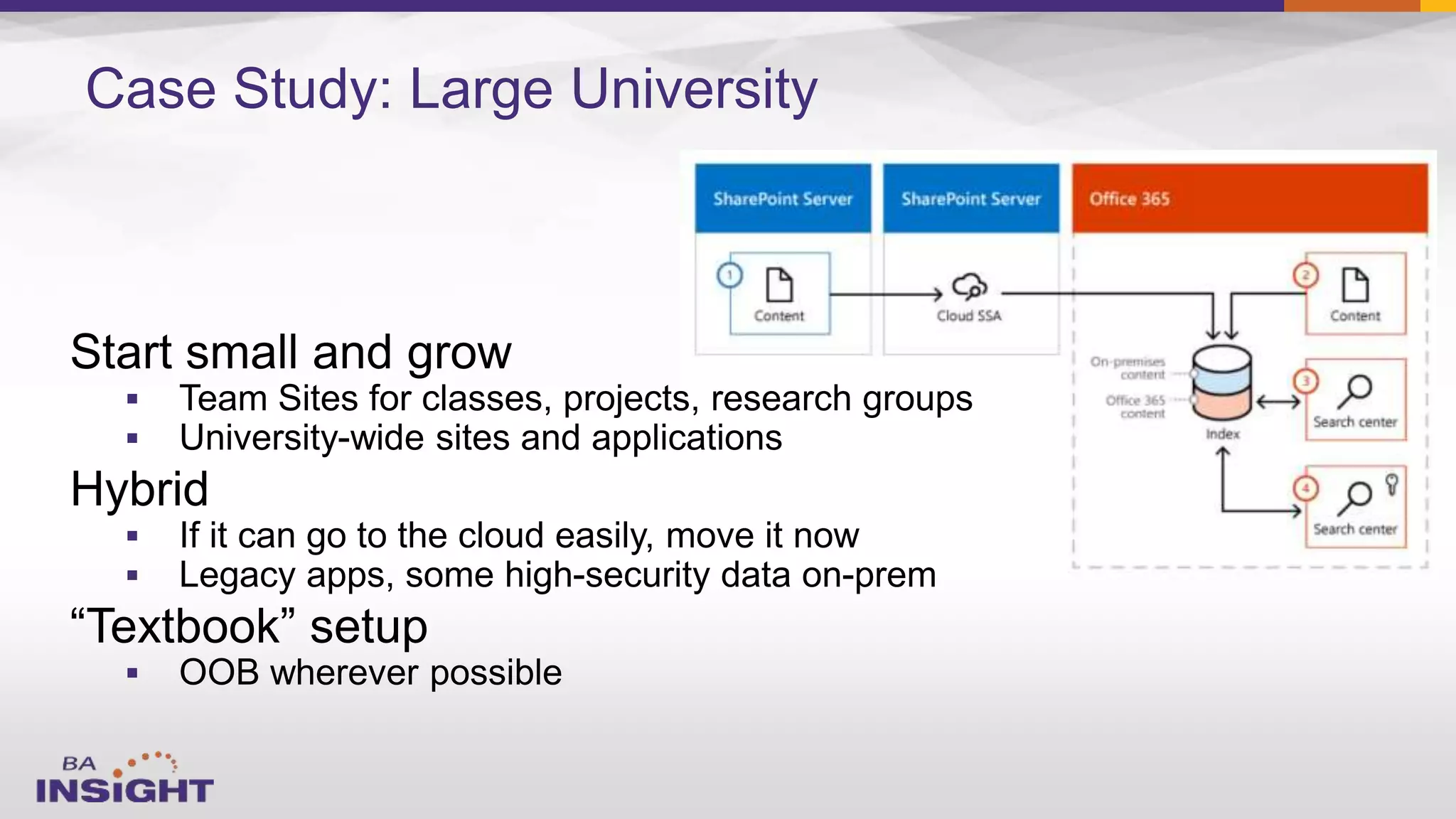
Case Study: Large University





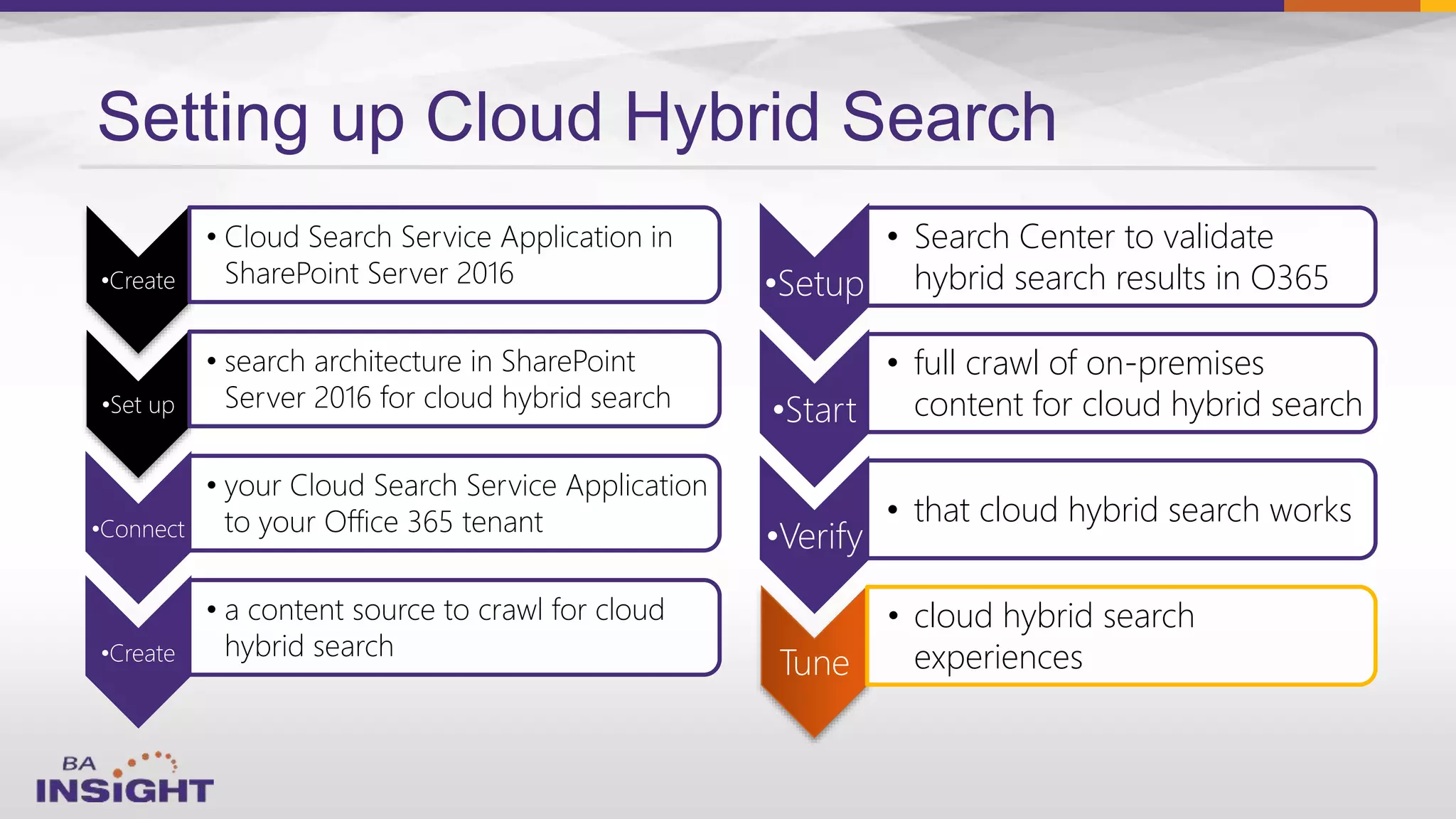
Setting up Cloud Hybrid Search
•Create
• Cloud Search Service Application in
SharePoint Server 2016
•Set up
• search architecture in SharePoint
Server 2016 for cloud hybrid search
•Connect
• your Cloud Search Service Application
to your Office 365 tenant
•Create
• a content source to crawl for cloud
hybrid search
•Setup
• Search Center to validate
hybrid search results in O365
•Start
• full crawl of on-premises
content for cloud hybrid search
•Verify
• that cloud hybrid search works
Tune
• cloud hybrid search
experiences
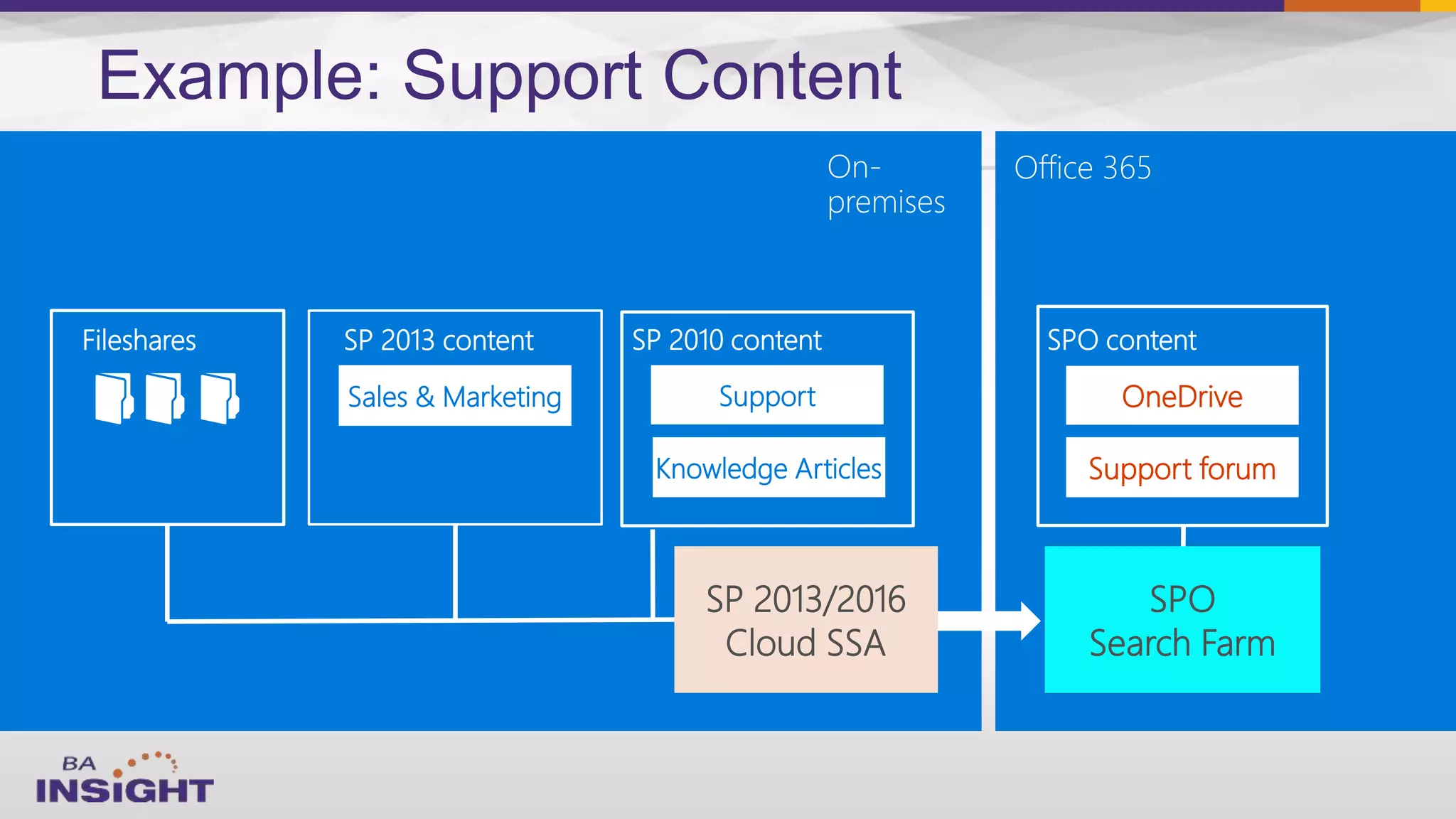
SupportSales & Marketing
Knowledge Articles
Fileshares
OneDrive
Support forum
SPO
Search Farm
SP 2013 content SP 2010 content
On-
premises
Office 365
SPO content
SP 2013/2016
Cloud SSA
Example: Support Content
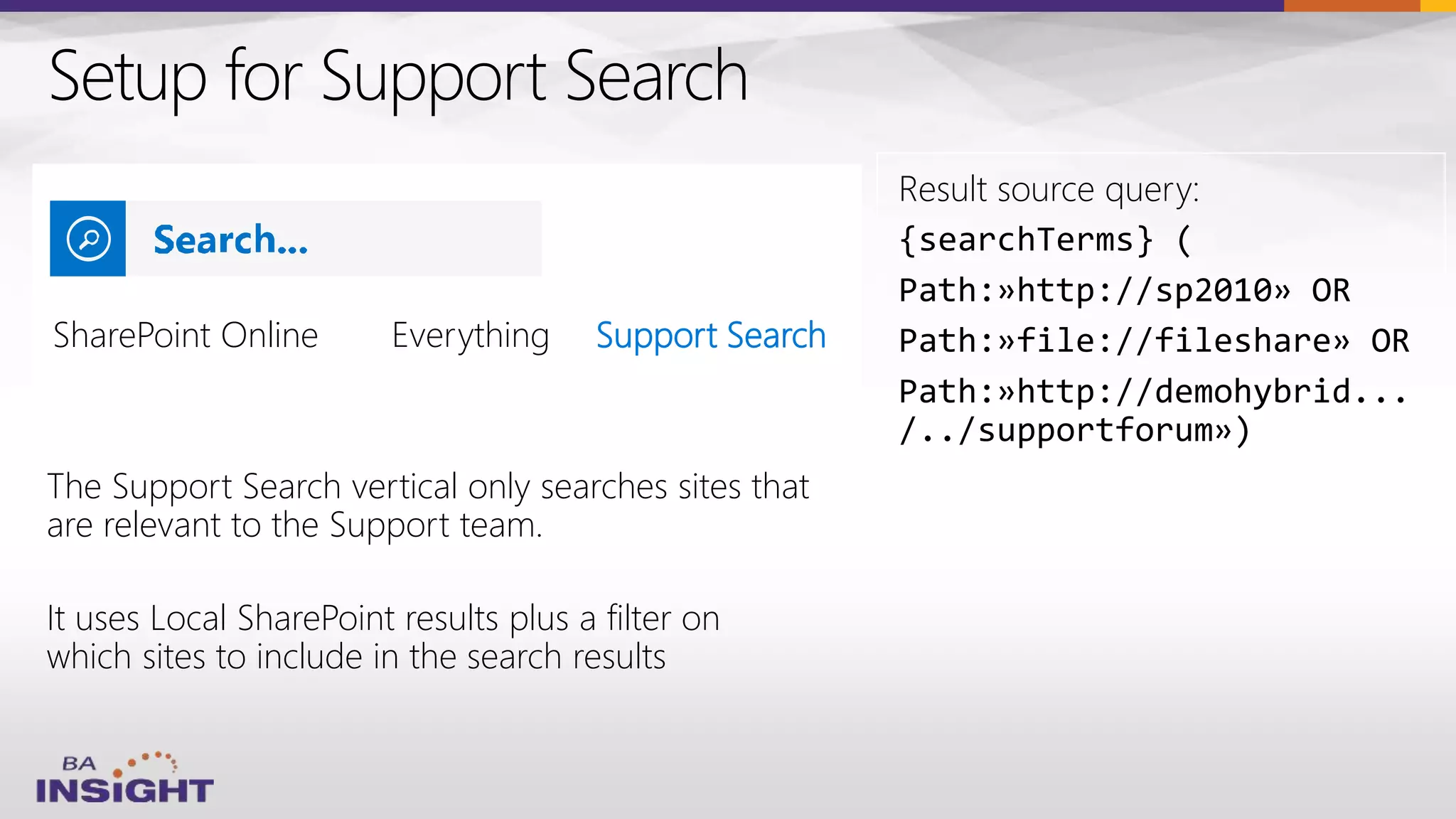
Setup for Support Search
The Support Search vertical only searches sites that
are relevant to the Support team.
It uses Local SharePoint results plus a filter on
which sites to include in the search results
Result source query:
{searchTerms} (
Path:»http://sp2010» OR
Path:»file://fileshare» OR
Path:»http://demohybrid...
/../supportforum»)
SharePoint Online Support Search
Demo
26
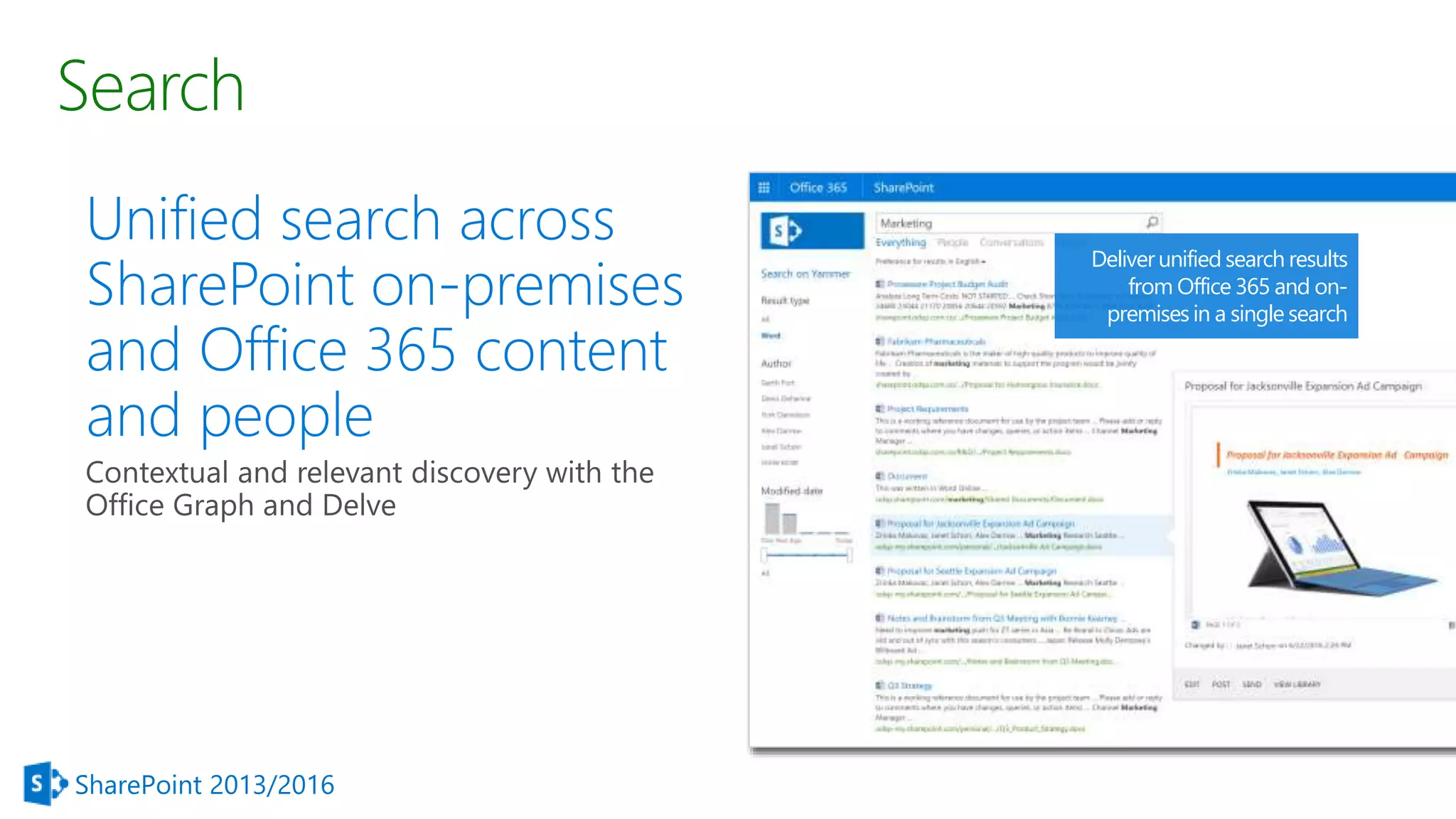
Search
Unified search across
SharePoint on-premises
and Office 365 content
and people
SharePoint 2013/2016
Deliverunified search results
from Office 365 and on-
premises in a single search
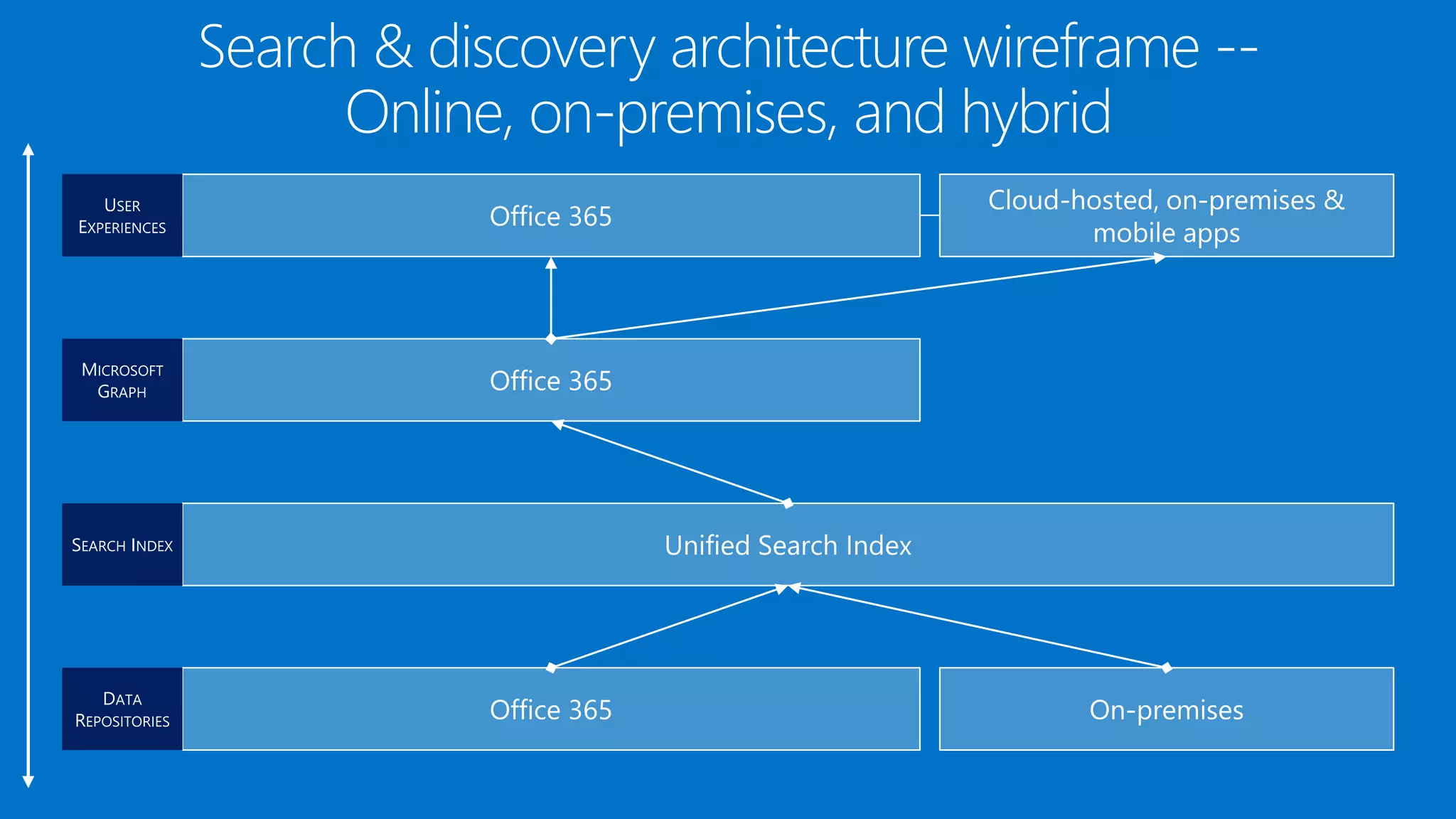
Search & discovery architecture wireframe --
Online, on-premises, and hybrid
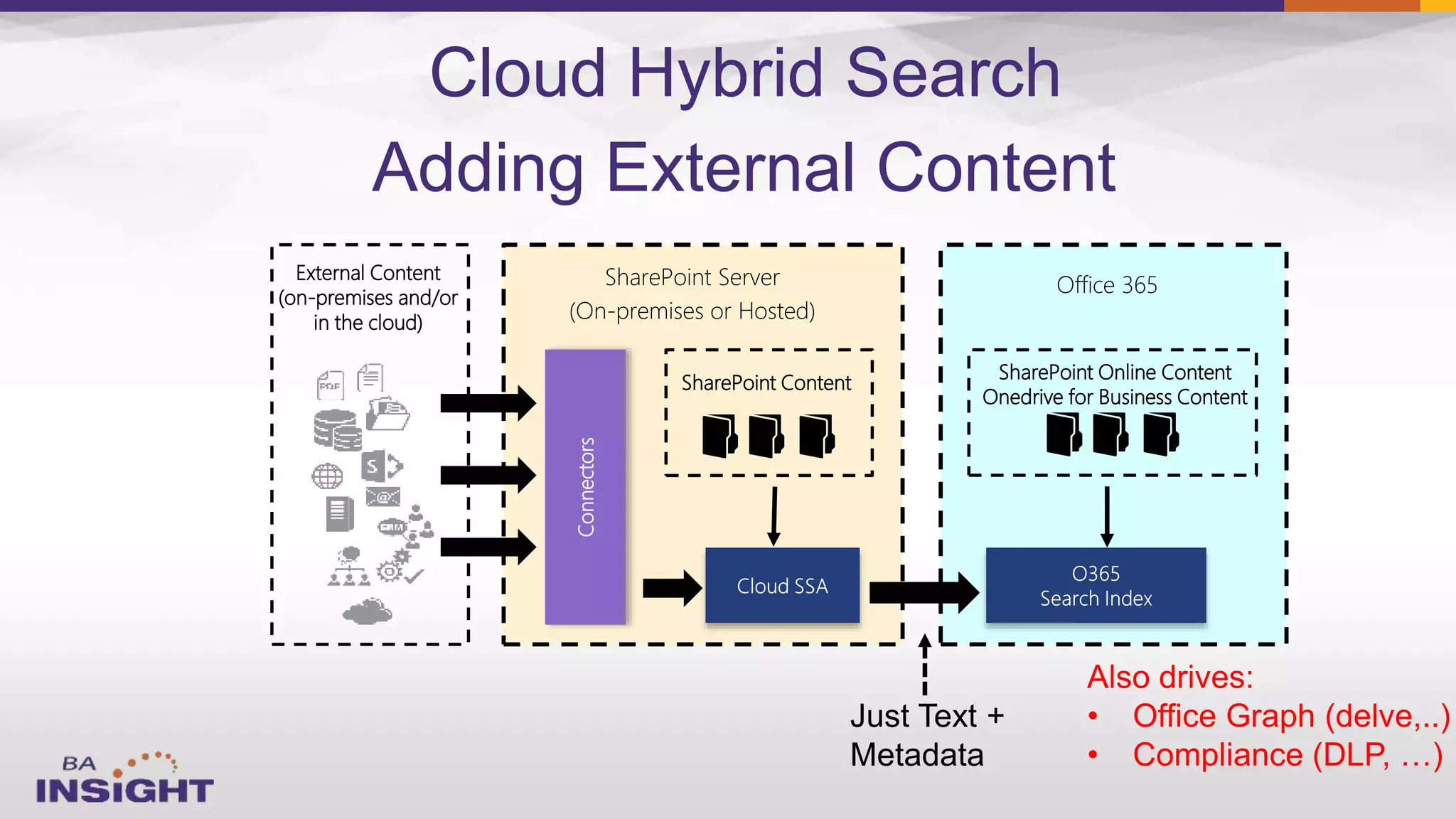
External Content
(on-premises and/or
in the cloud)
SharePoint Server
(On-premises or Hosted)
Office 365
SharePoint Online Content
Onedrive for Business Content
Connectors
SharePoint Content
Adding External Content
Cloud Hybrid Search
Also drives:
• Office Graph (delve,..)
• Compliance (DLP, …)
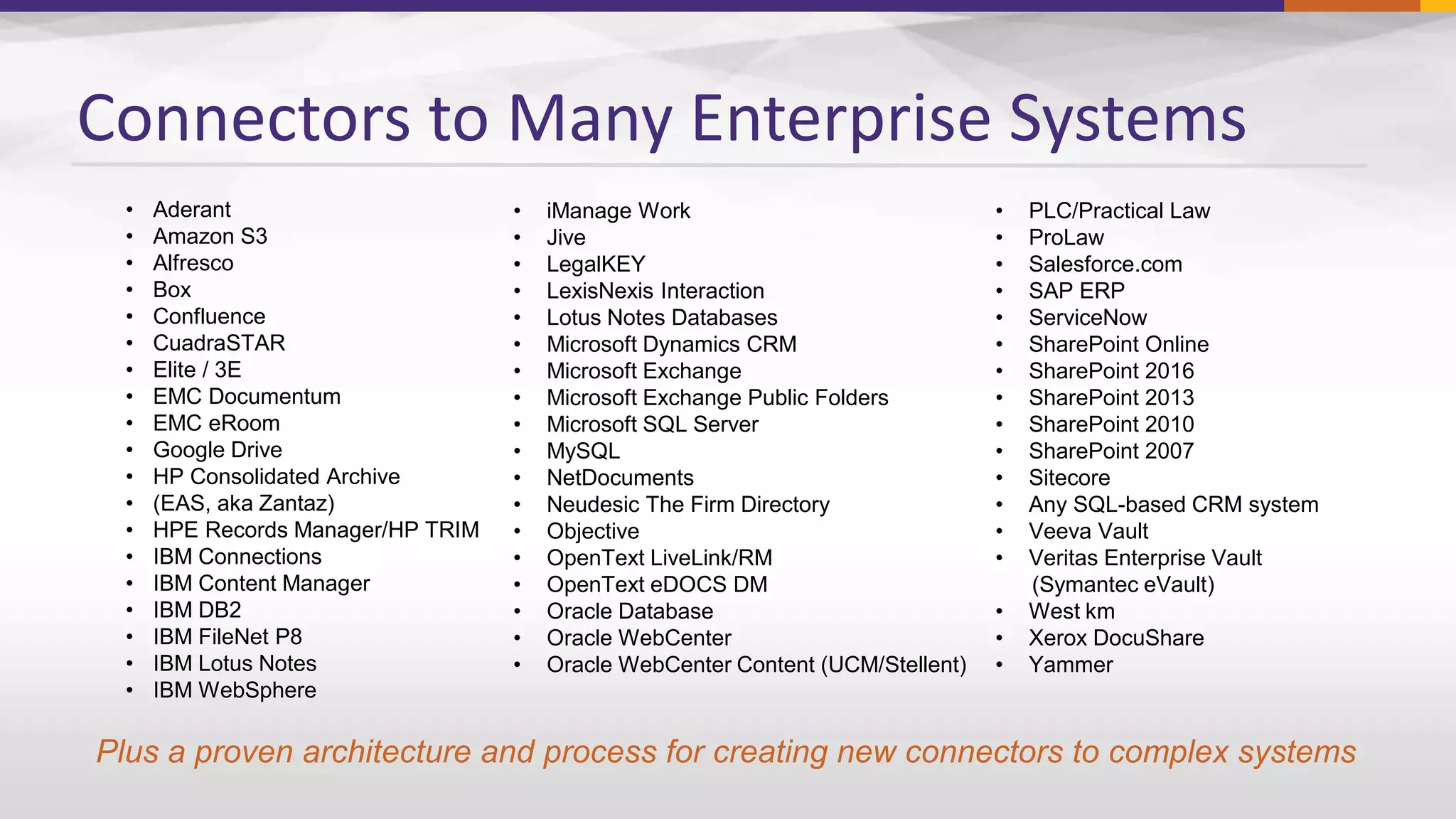
Connectors to Many Enterprise Systems
• Aderant
• Amazon S3
• Alfresco
• Box
• Confluence
• CuadraSTAR
• Elite / 3E
• EMC Documentum
• EMC eRoom
• Google Drive
• HP Consolidated Archive
• (EAS, aka Zantaz)
• HPE Records Manager/HP TRIM
• IBM Connections
• IBM Content Manager
• IBM DB2
• IBM FileNet P8
• IBM Lotus Notes
• IBM WebSphere
• iManage Work
• Jive
• LegalKEY
• LexisNexis Interaction
• Lotus Notes Databases
• Microsoft Dynamics CRM
• Microsoft Exchange
• Microsoft Exchange Public Folders
• Microsoft SQL Server
• MySQL
• NetDocuments
• Neudesic The Firm Directory
• Objective
• OpenText LiveLink/RM
• OpenText eDOCS DM
• Oracle Database
• Oracle WebCenter
• Oracle WebCenter Content (UCM/Stellent)
• PLC/Practical Law
• ProLaw
• Salesforce.com
• SAP ERP
• ServiceNow
• SharePoint Online
• SharePoint 2016
• SharePoint 2013
• SharePoint 2010
• SharePoint 2007
• Sitecore
• Any SQL-based CRM system
• Veeva Vault
• Veritas Enterprise Vault
(Symantec eVault)
• West km
• Xerox DocuShare
• Yammer
Plus a proven architecture and process for creating new connectors to complex systems


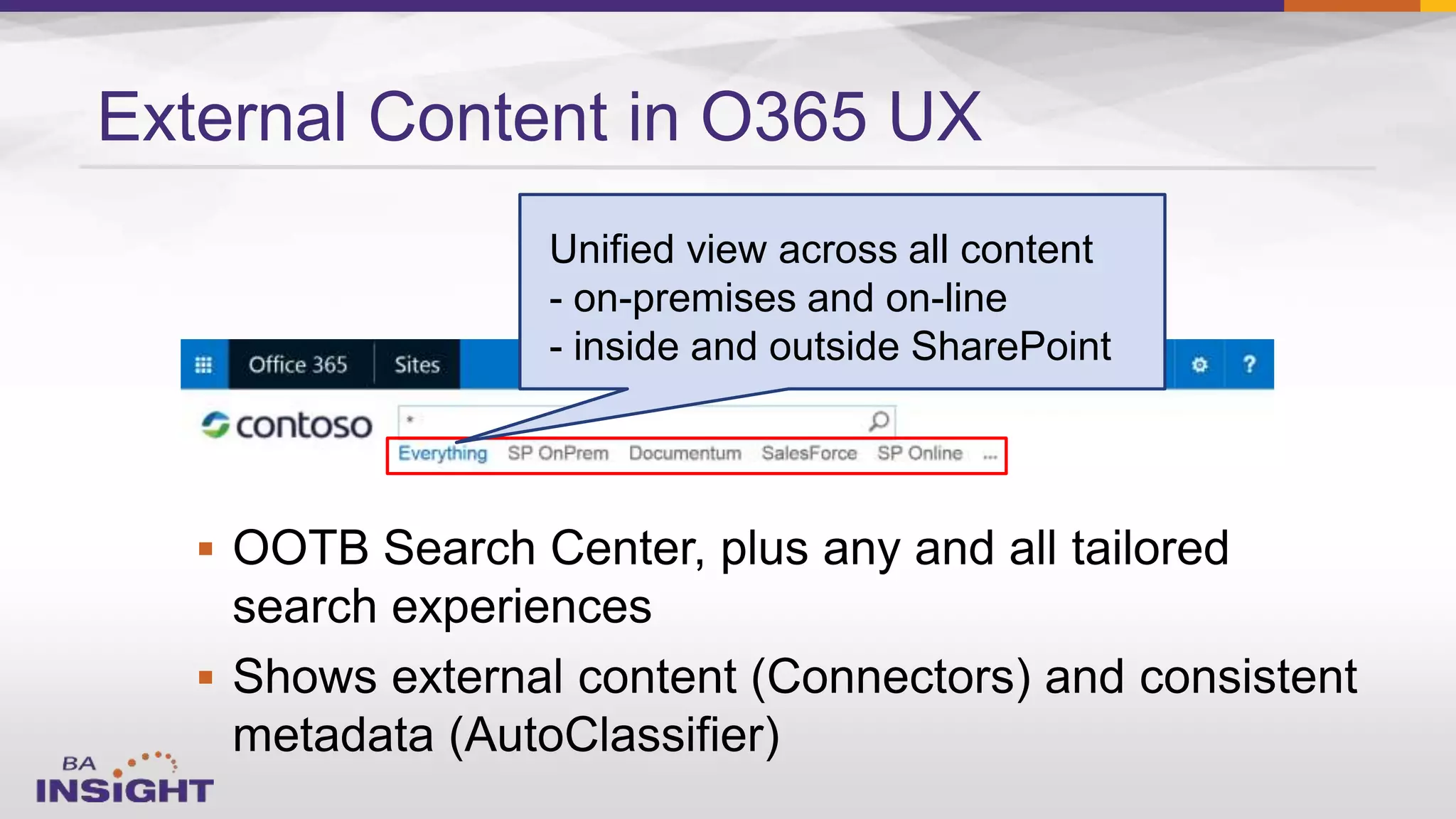
External Content in O365 UX
Unified view across all content
- on-premises and on-line
- inside and outside SharePoint
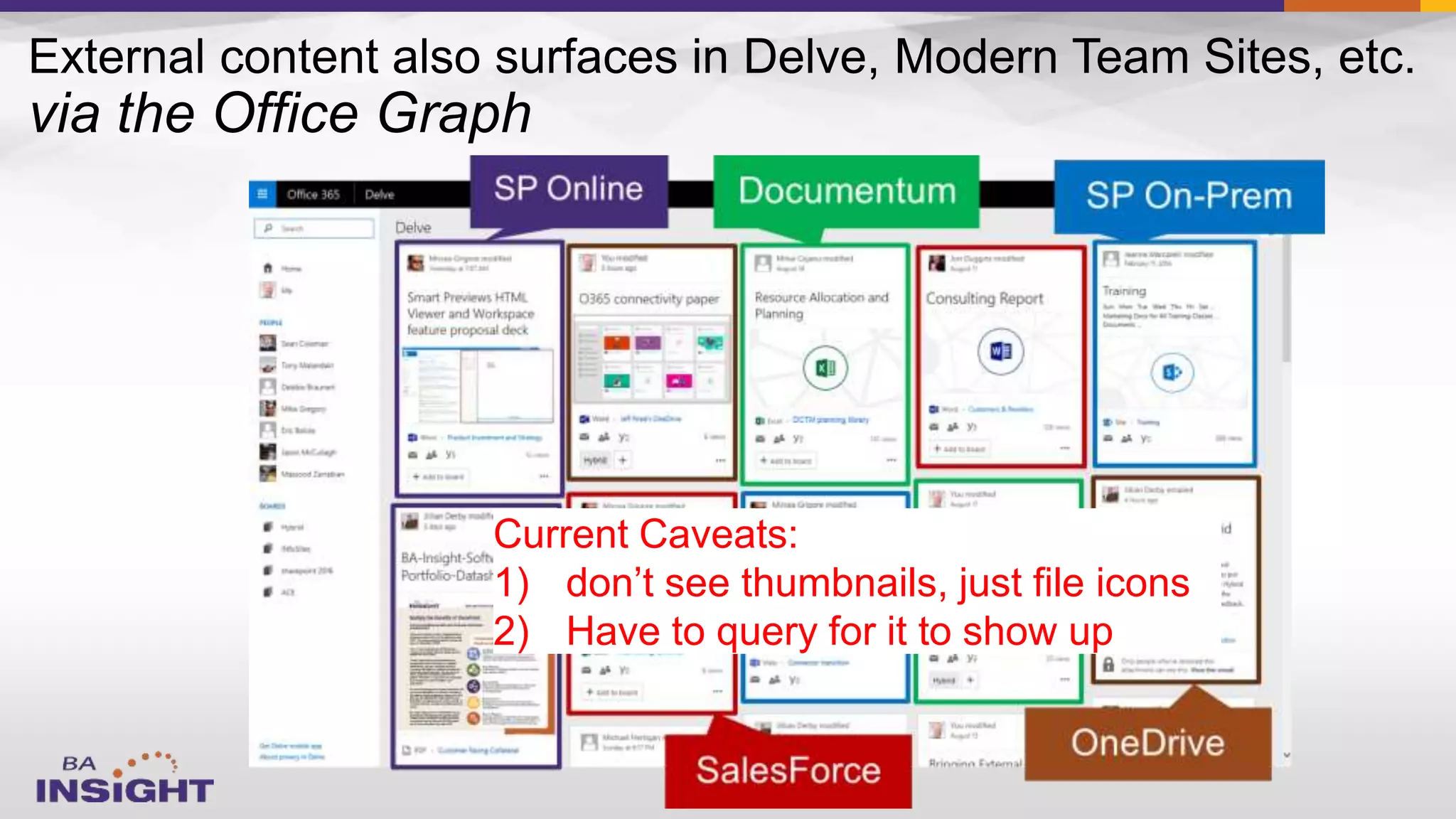
Current Caveats:
1) don’t see thumbnails, just file icons
2) Have to query for it to show up
External
blog
SP OnPrem Yamme
r
Yamme
r
OneDrive SP
Online
OneDrive

–
–

–

–
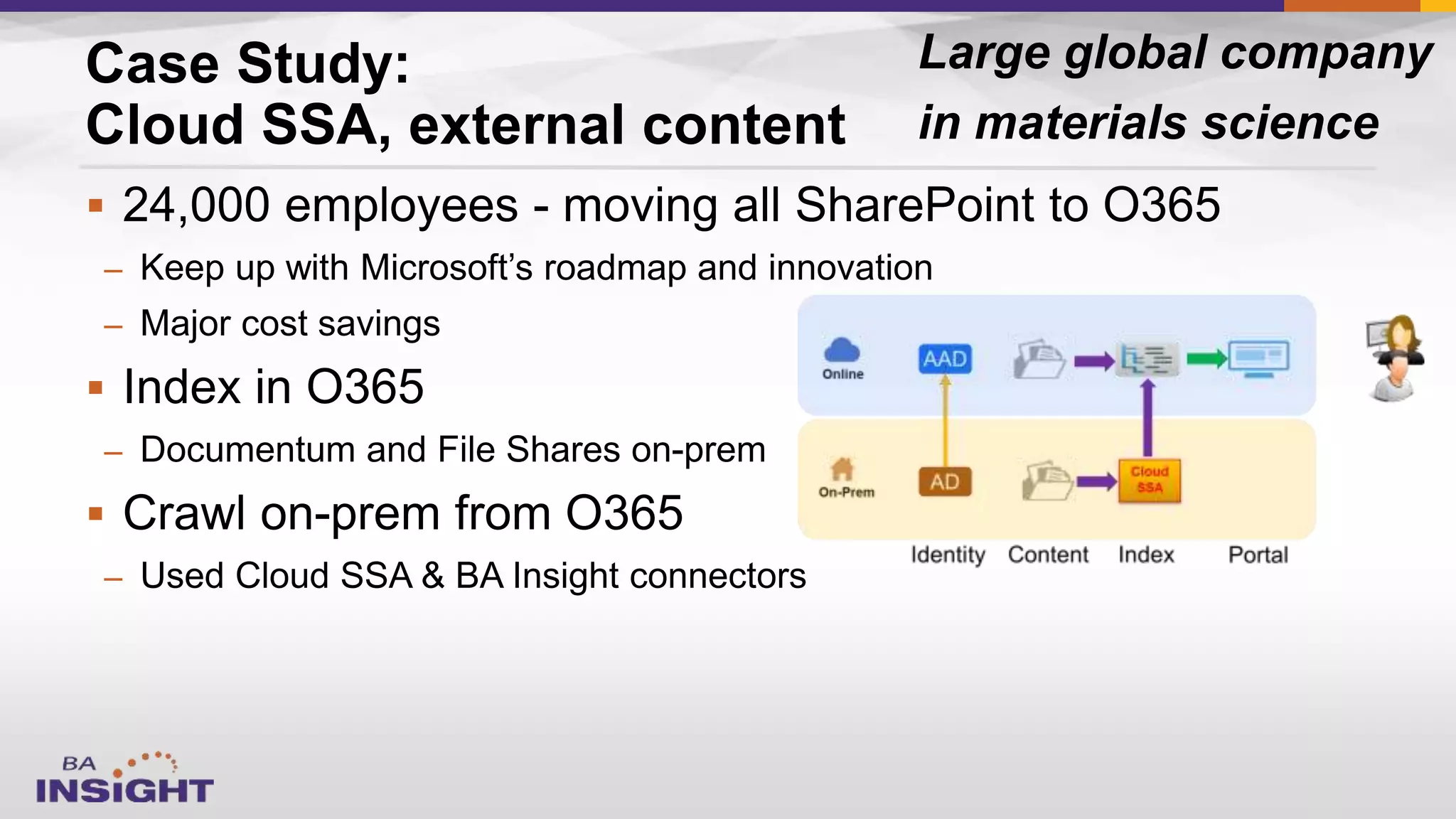
Case Study:
Cloud SSA, external content
Large global company
in materials science
Today’s Session
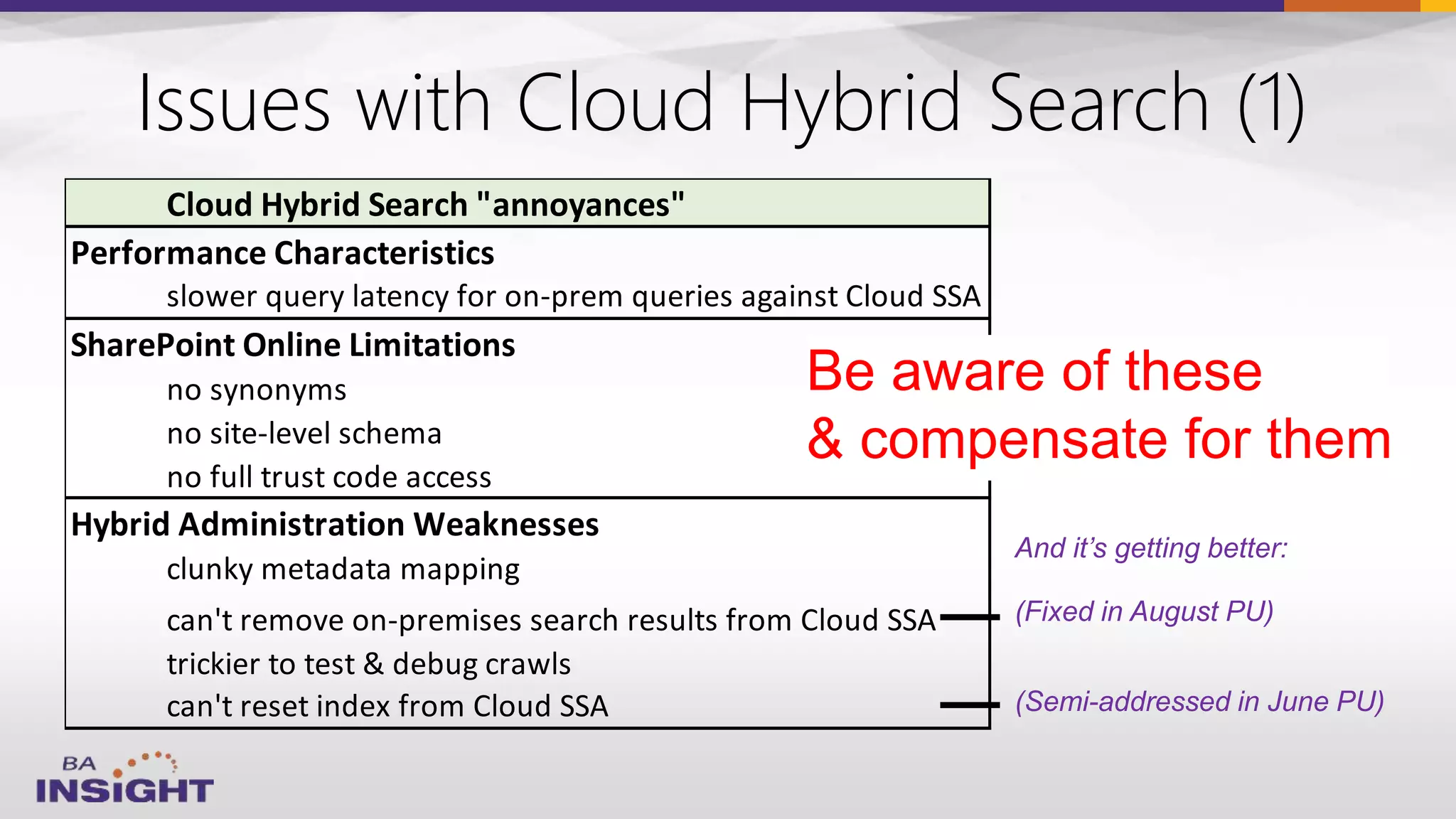
Issues with Cloud Hybrid Search (1)
Cloud Hybrid Search "annoyances"
Performance Characteristics
slower query latency for on-prem queries against Cloud SSA
SharePoint Online Limitations
no synonyms
no site-level schema
no full trust code access
Hybrid Administration Weaknesses
clunky metadata mapping
can't remove on-premises search results from Cloud SSA
trickier to test & debug crawls
can't reset index from Cloud SSA
Be aware of these
& compensate for them
(Fixed in August PU)
(Semi-addressed in June PU)
And it’s getting better:
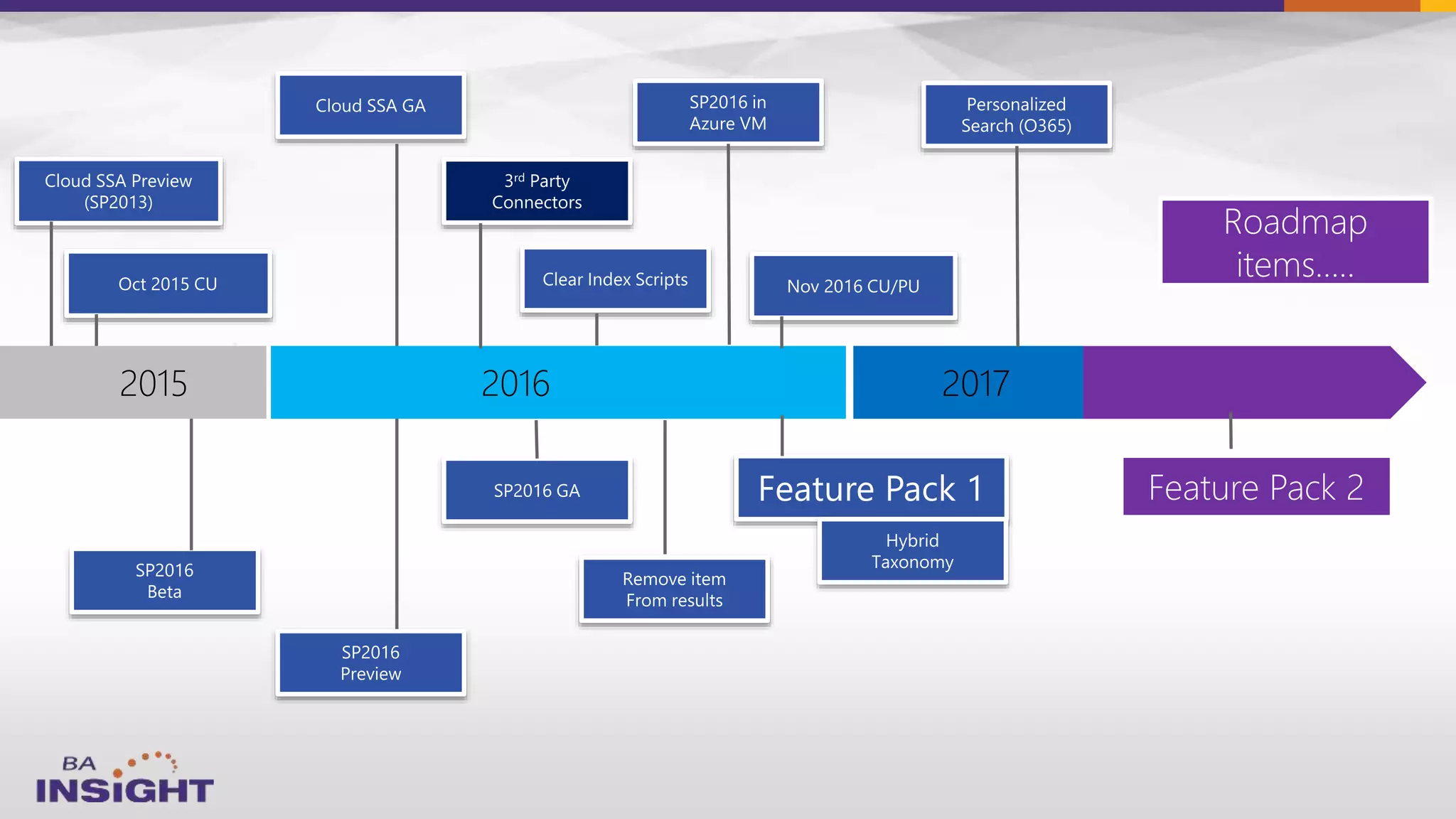
2017
38
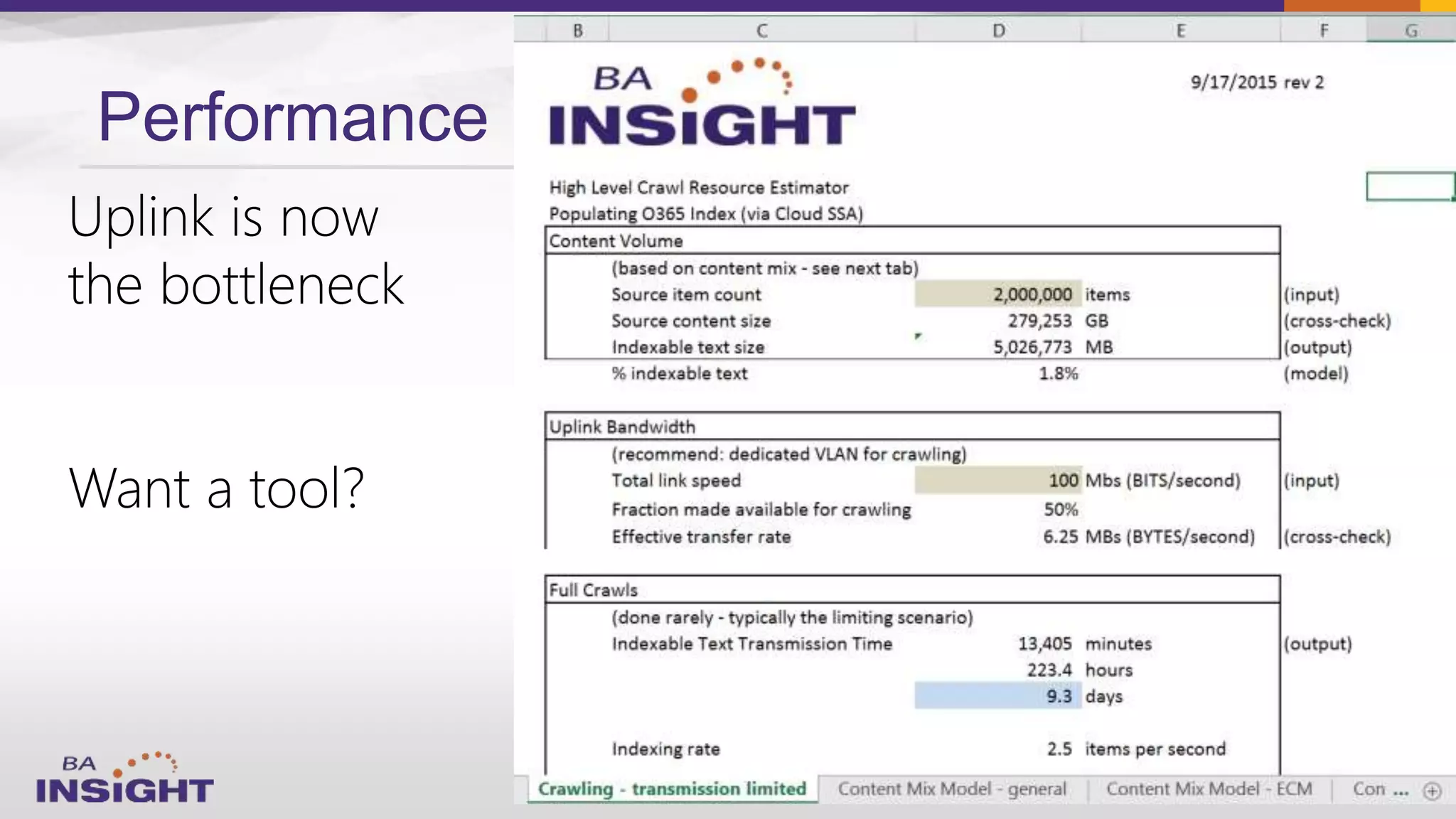
Performance






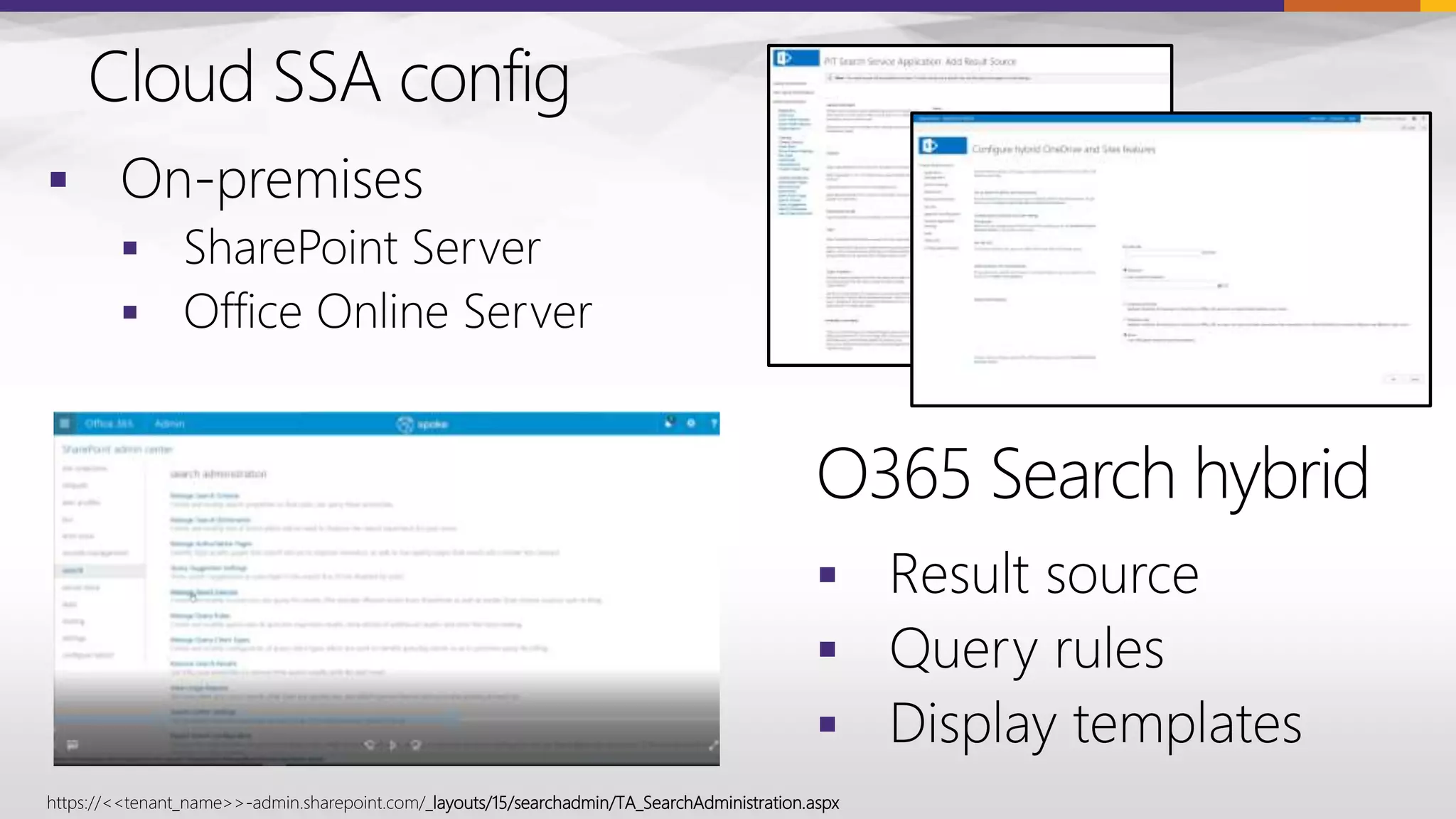
https://<<tenant_name>>-admin.sharepoint.com/_layouts/15/searchadmin/TA_SearchAdministration.aspx
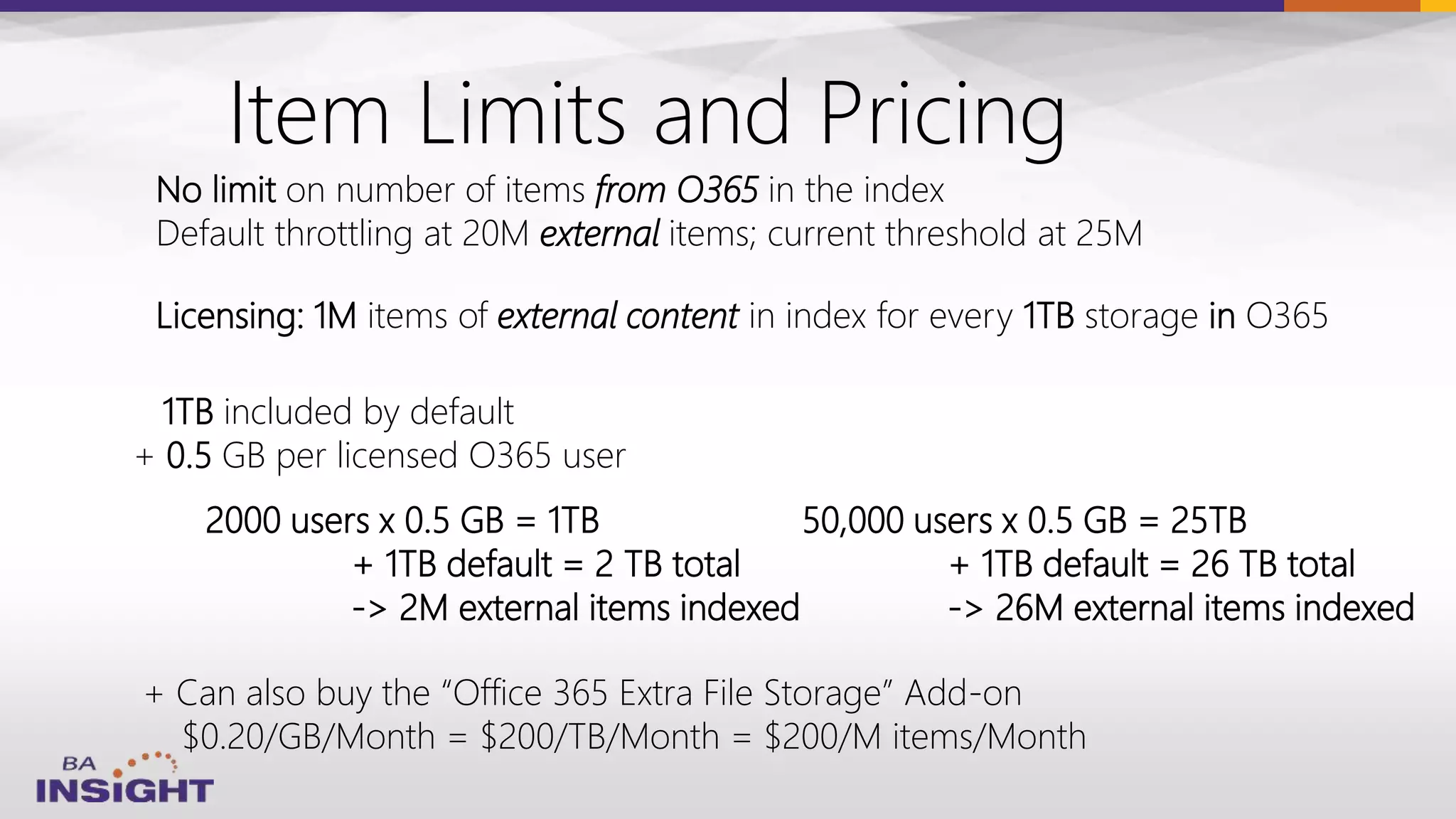
Item Limits and Pricing
Licensing: 1M items of external content in index for every 1TB storage in O365
1TB included by default
+ 0.5 GB per licensed O365 user
No limit on number of items from O365 in the index
Default throttling at 20M external items; current threshold at 25M
2000 users x 0.5 GB = 1TB
+ 1TB default = 2 TB total
-> 2M external items indexed
+ Can also buy the “Office 365 Extra File Storage” Add-on
$0.20/GB/Month = $200/TB/Month = $200/M items/Month
50,000 users x 0.5 GB = 25TB
+ 1TB default = 26 TB total
-> 26M external items indexed
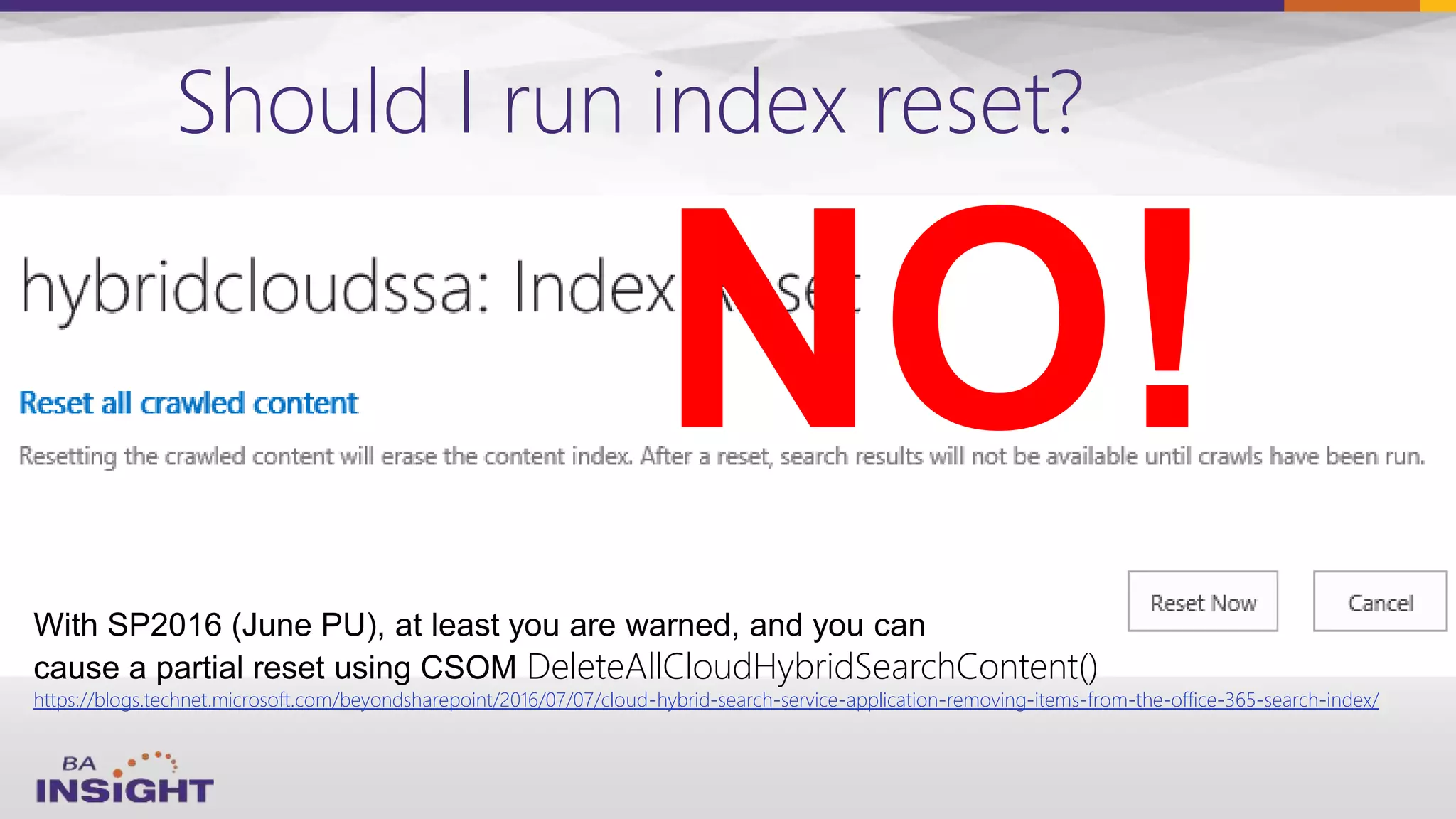
Should I run index reset?
NO!
DeleteAllCloudHybridSearchContent()
https://blogs.technet.microsoft.com/beyondsharepoint/2016/07/07/cloud-hybrid-search-service-application-removing-items-from-the-office-365-search-index/
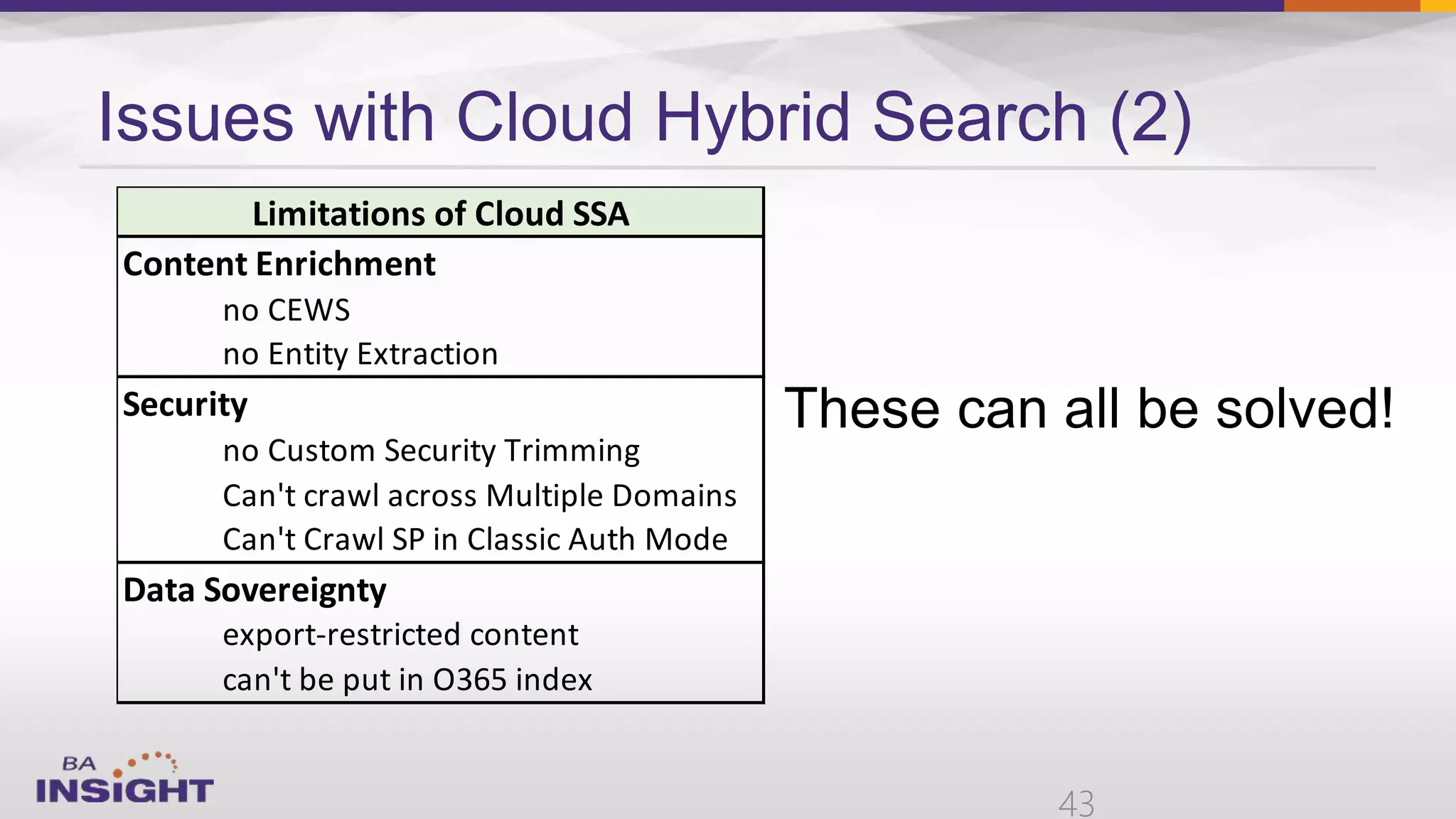
Issues with Cloud Hybrid Search (2)
43
Content Enrichment
no CEWS
no Entity Extraction
Security
no Custom Security Trimming
Can't crawl across Multiple Domains
Can't Crawl SP in Classic Auth Mode
Data Sovereignty
export-restricted content
can't be put in O365 index
Limitations of Cloud SSA
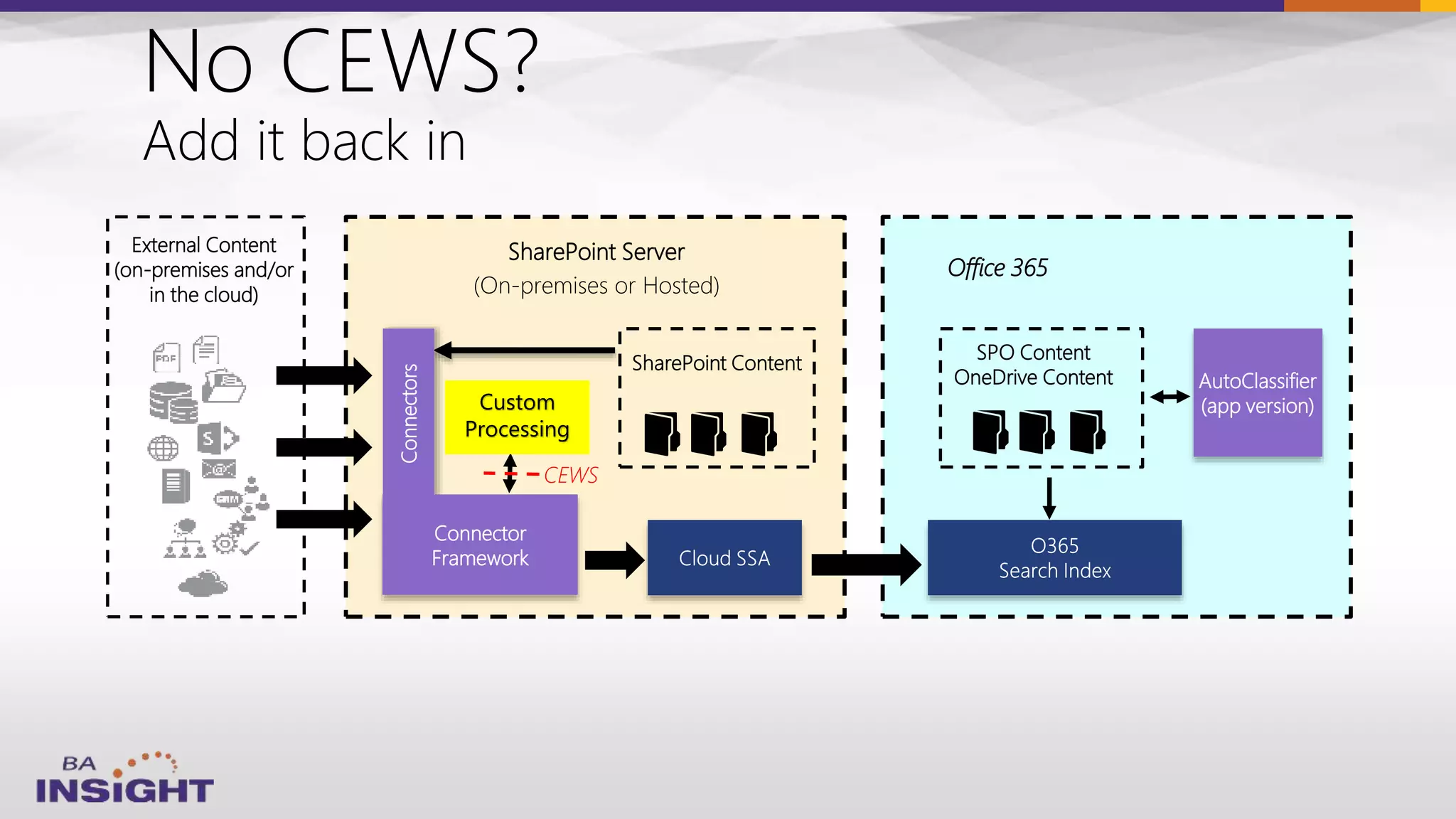
External Content
(on-premises and/or
in the cloud)
SharePoint Server
(On-premises or Hosted)
SPO Content
OneDrive Content
Connectors
SharePoint Content
Connector
Framework
Office 365
AutoClassifier
(app version)
CEWS
Custom
Processing
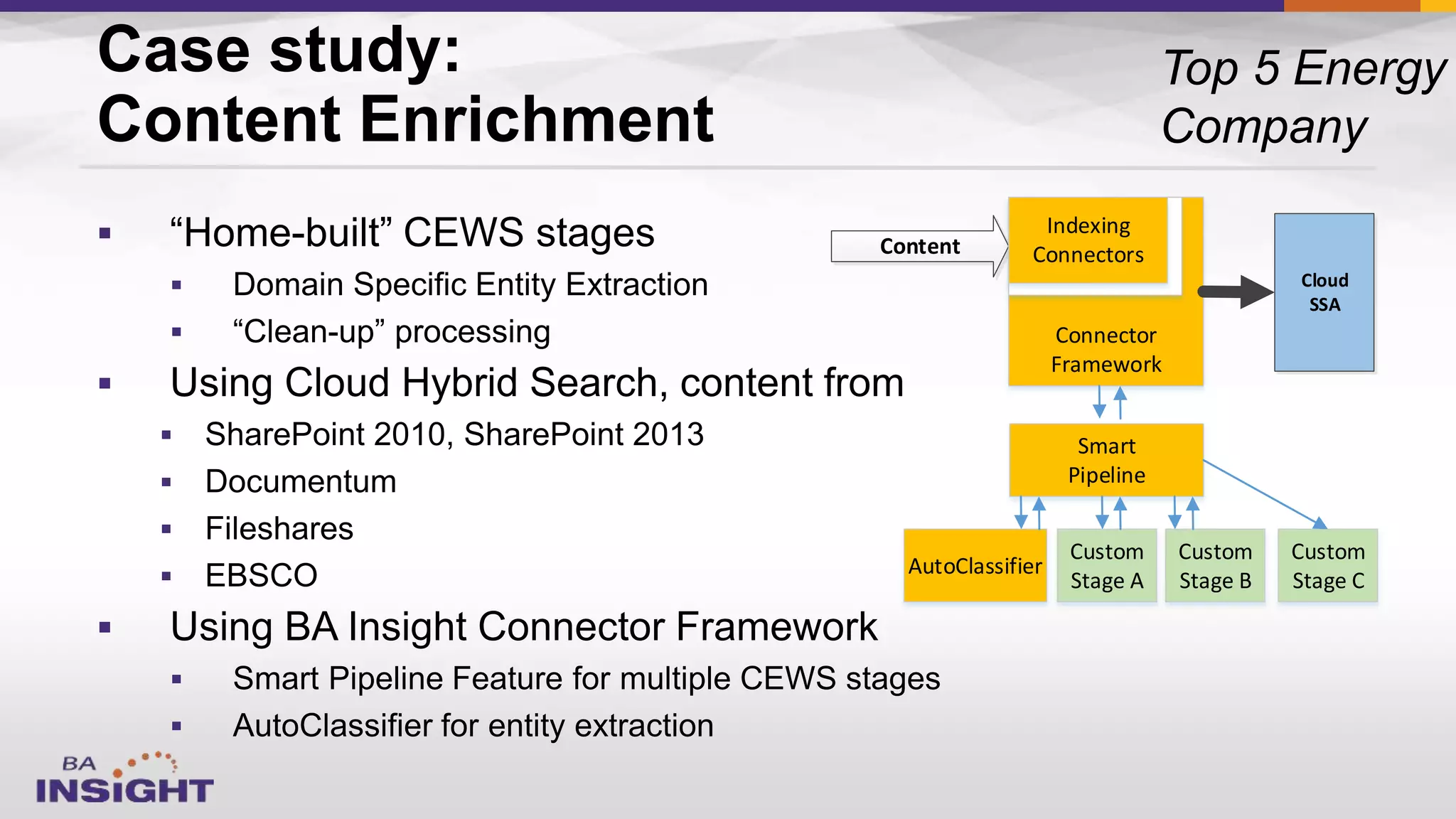
Case study:
Content Enrichment











Content
Cloud
SSA
Connector
Framework
Indexing
Connectors
Smart
Pipeline
AutoClassifier
Custom
Stage A
Custom
Stage C
Custom
Stage B
Online
On-Prem
Cloud Hybrid Search under the covers
Security = identity sync + ACL mapping
Cloud SSA
Cloud SSA
ParseCrawl
SCS
ACL Map Process
Blob
store
queue
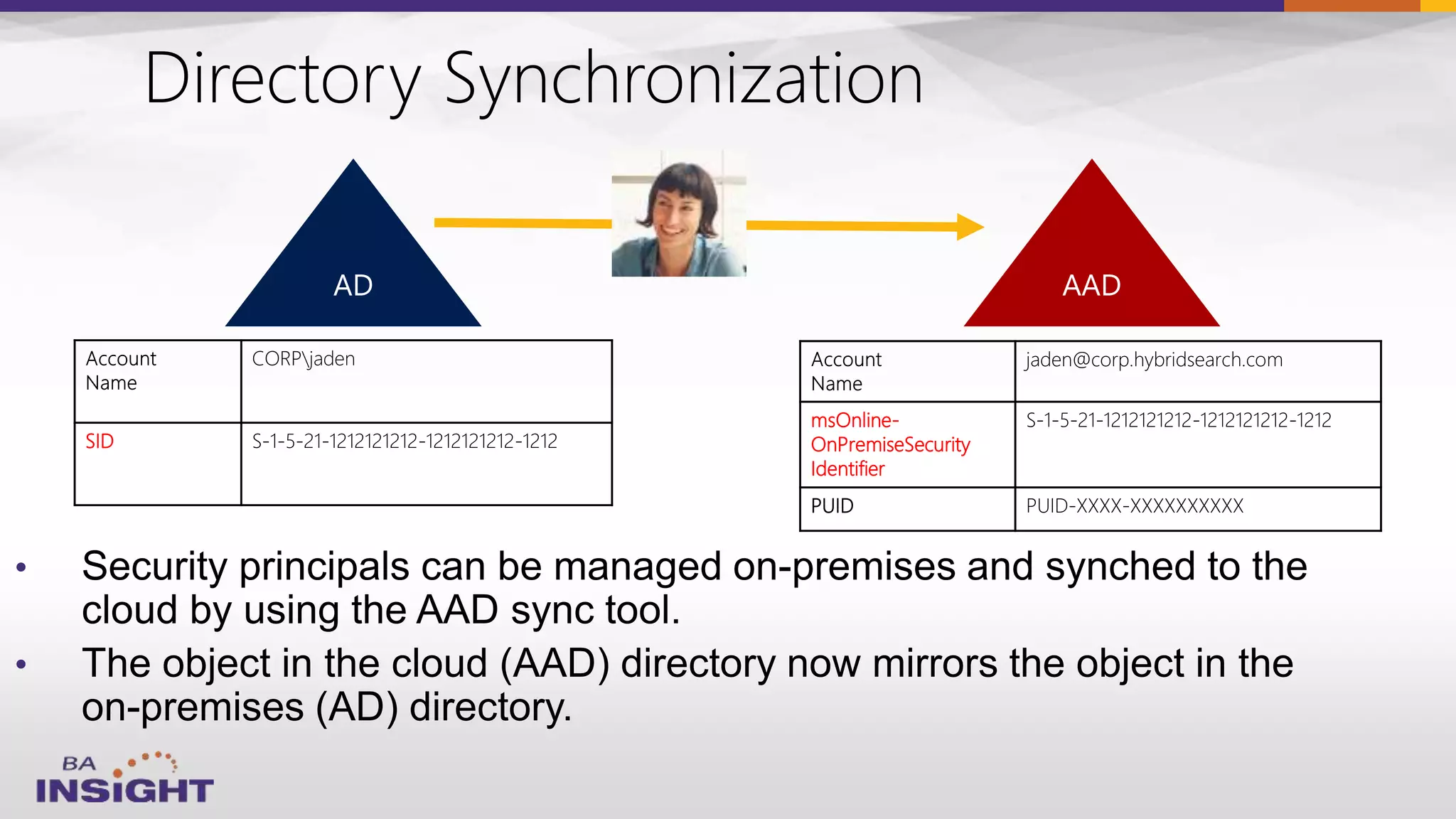
•
•
Directory Synchronization
SID S-1-5-21-1212121212-1212121212-1212
jaden@corp.hybridsearch.com
msOnline-
OnPremiseSecurity
Identifier
S-1-5-21-1212121212-1212121212-1212
PUID PUID-XXXX-XXXXXXXXXX
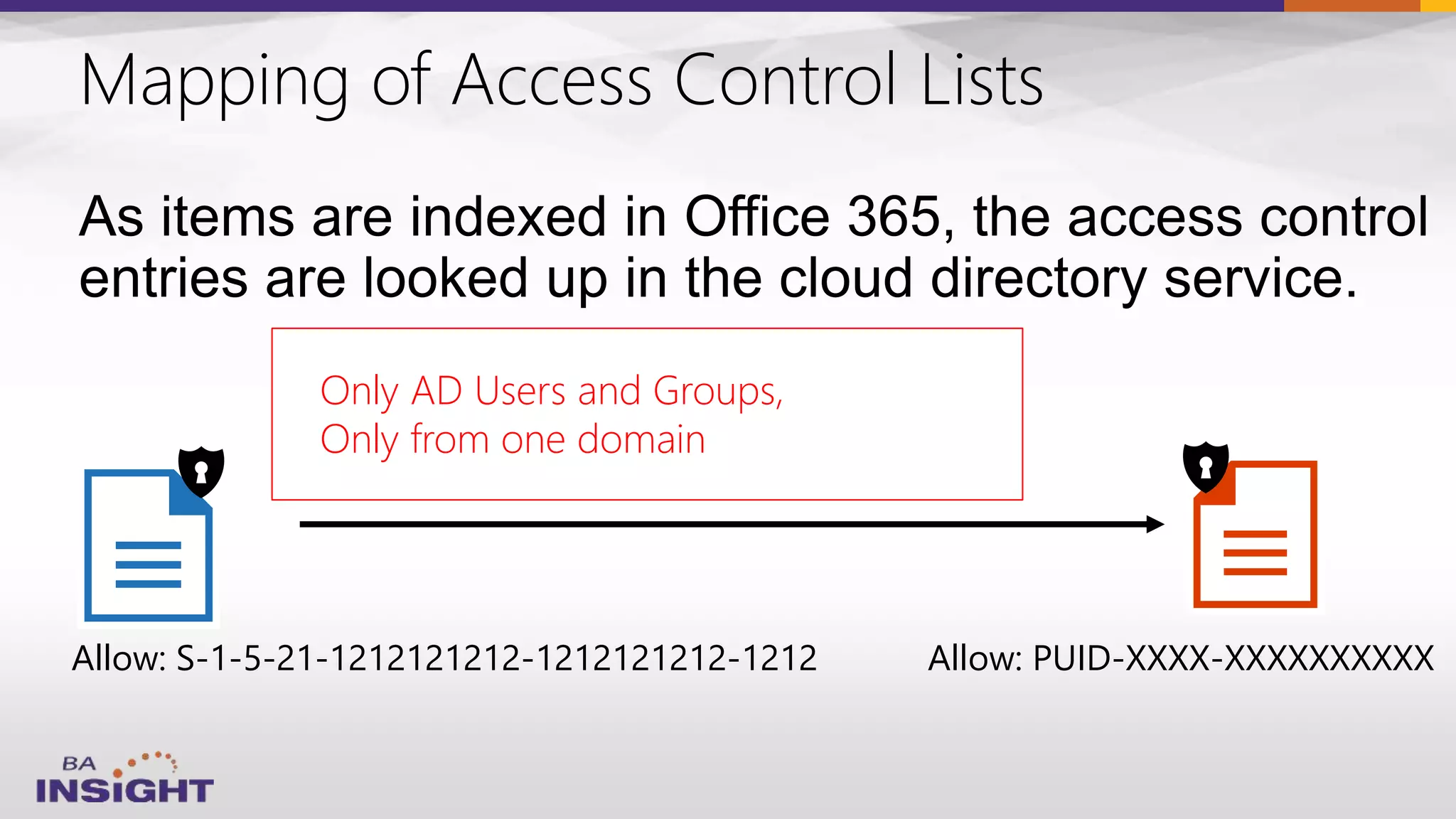
Mapping of Access Control Lists
Allow: S-1-5-21-1212121212-1212121212-1212 Allow: PUID-XXXX-XXXXXXXXXX
• User SIDs are mapped to PUIDs
• Group SIDs are mapped to Object IDs
• «Everyone» and «Authenticated users» are mapped to
«Everyone except external users»
Only AD Users and Groups,
Only from one domain







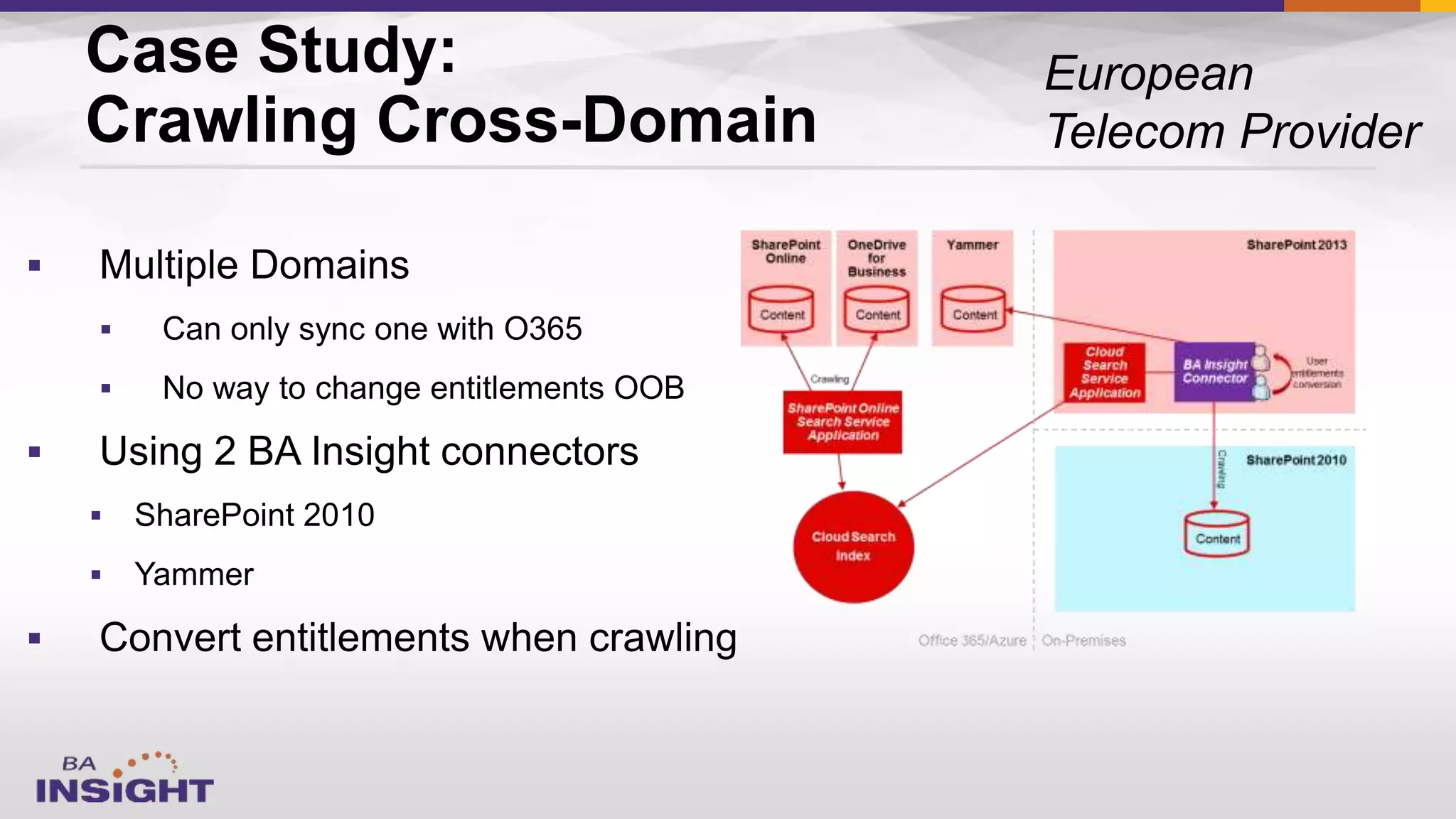
Case Study:
Crawling Cross-Domain
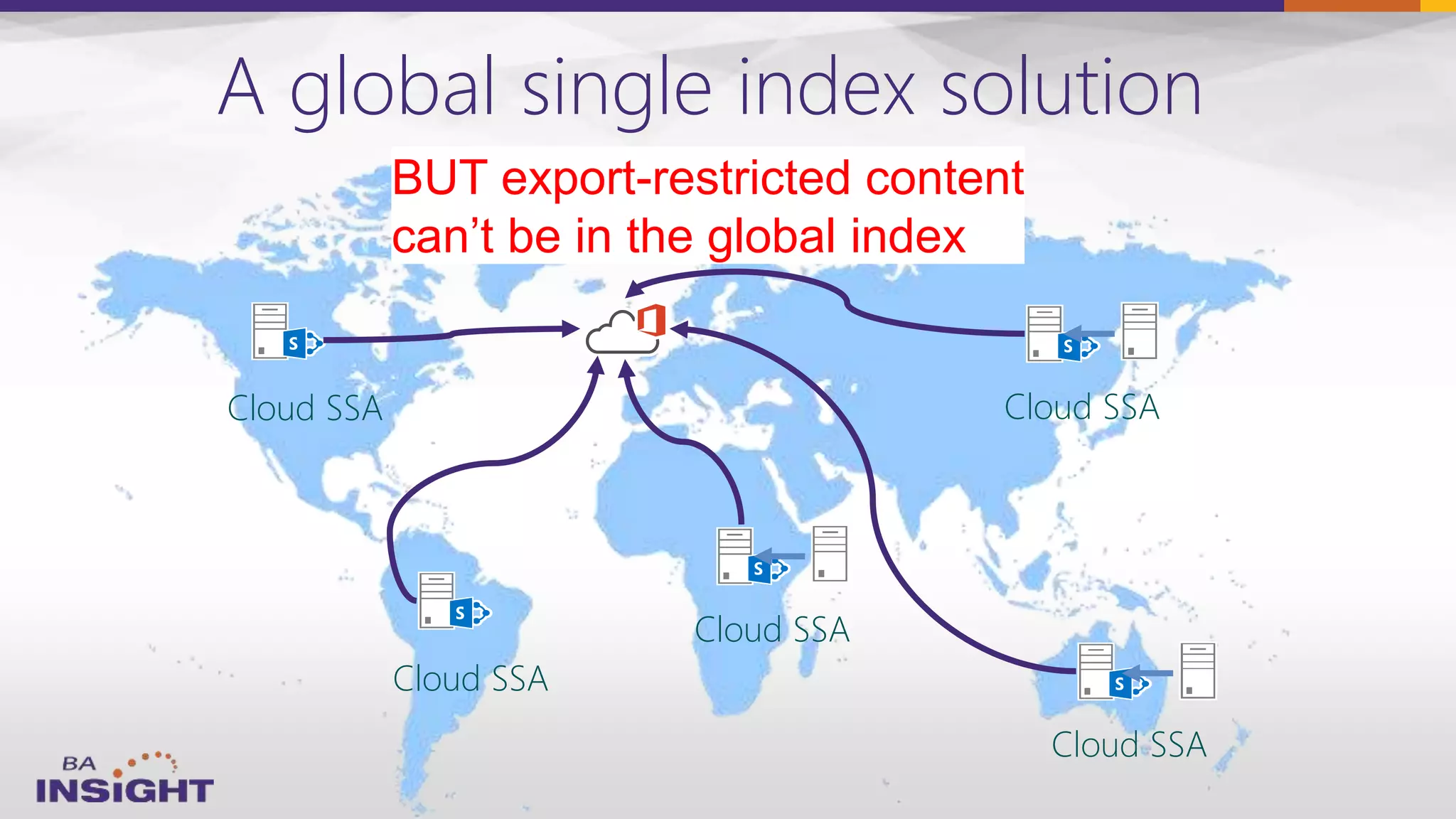
A global single index solution
Cloud SSA
Cloud SSA
Cloud SSA
Cloud SSA
Cloud SSA
BUT export-restricted content
can’t be in the global index
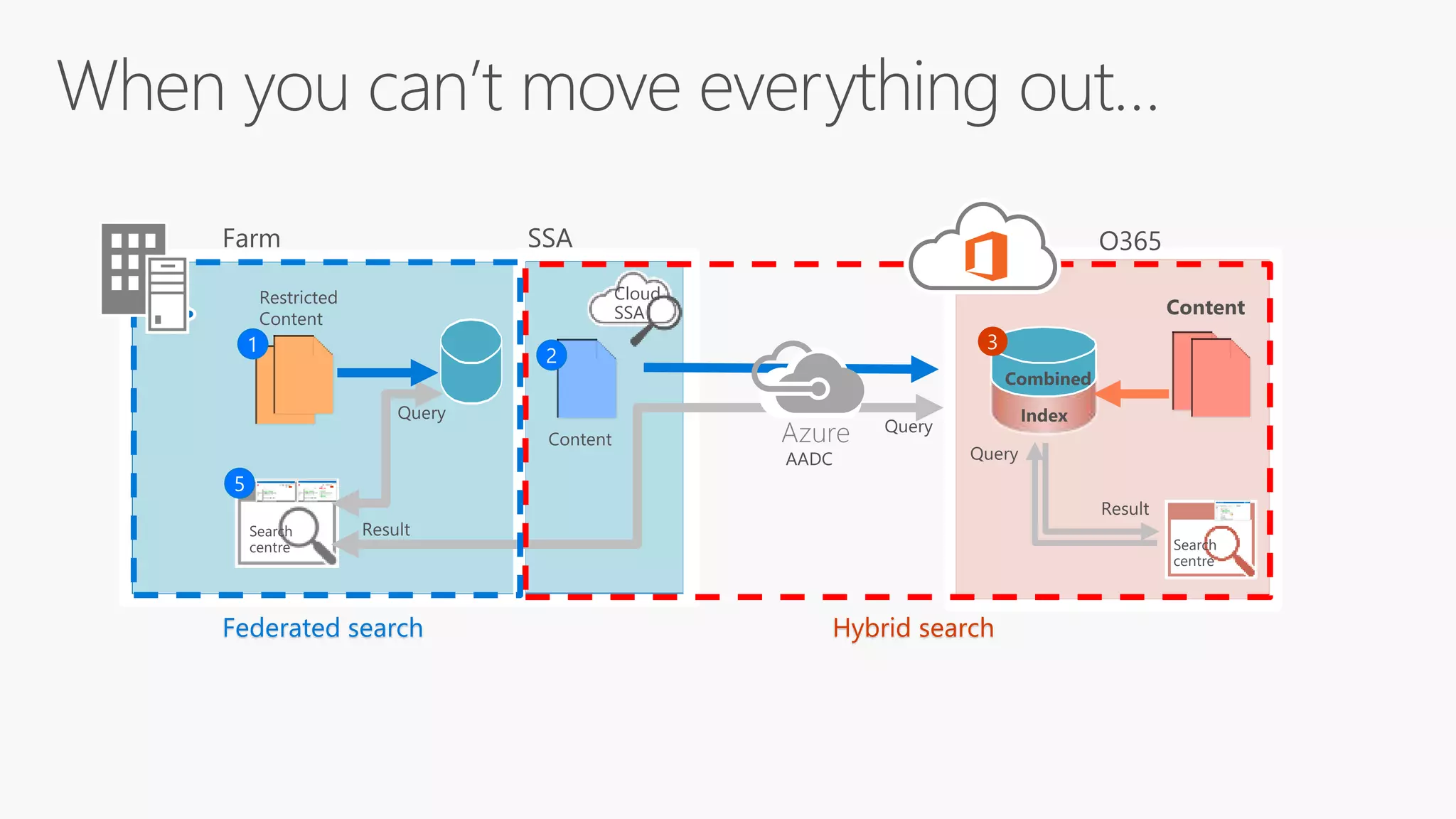
Hybrid searchFederated search
Azure
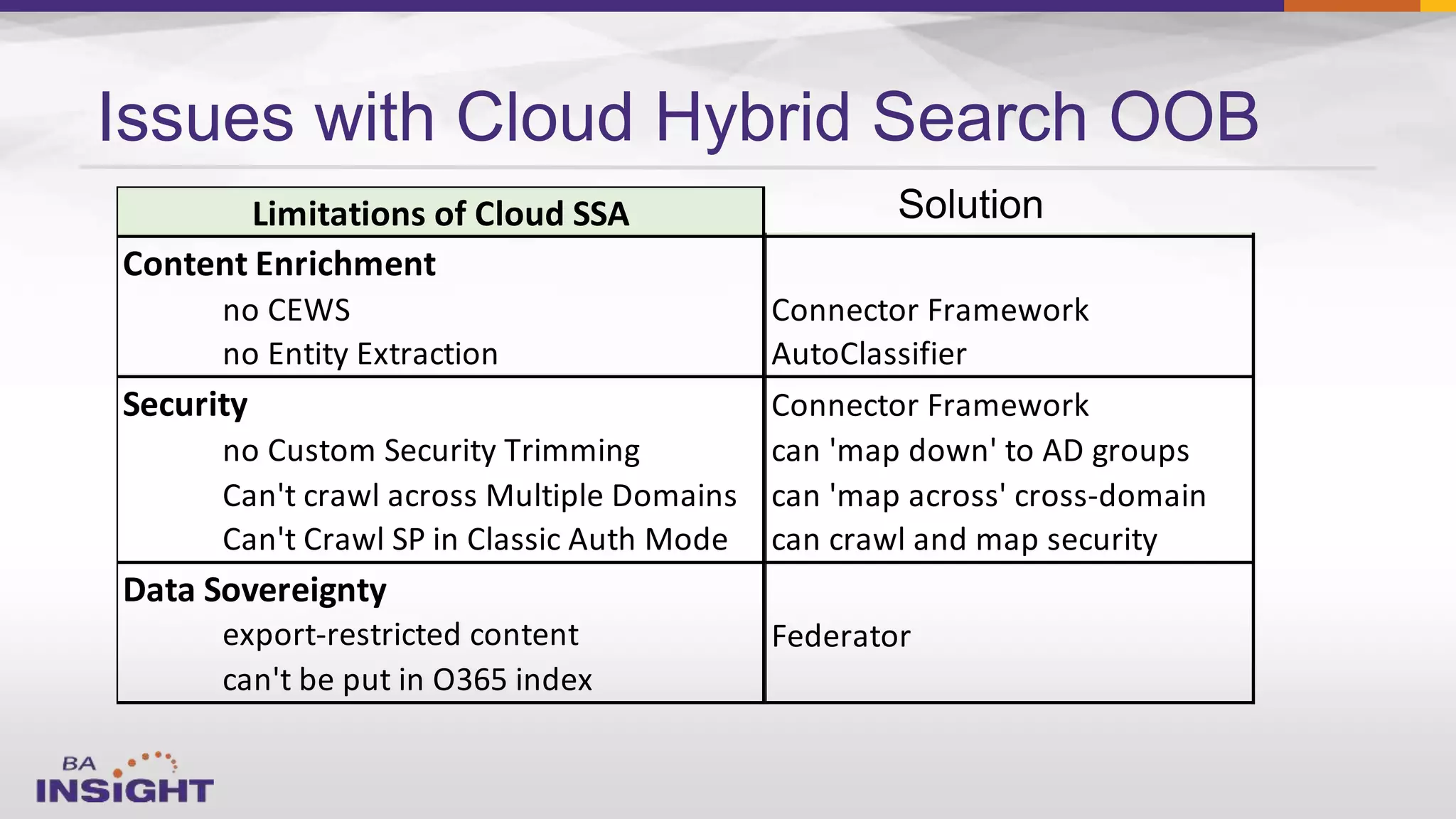
Issues with Cloud Hybrid Search OOB
Content Enrichment
no CEWS
no Entity Extraction
Security
no Custom Security Trimming
Can't crawl across Multiple Domains
Can't Crawl SP in Classic Auth Mode
Data Sovereignty
export-restricted content
can't be put in O365 index
Limitations of Cloud SSA BA Insight Solution
Connector Framework
AutoClassifier
Connector Framework
can 'map down' to AD groups
can 'map across' cross-domain
can crawl and map security
Federator
Today’s Session
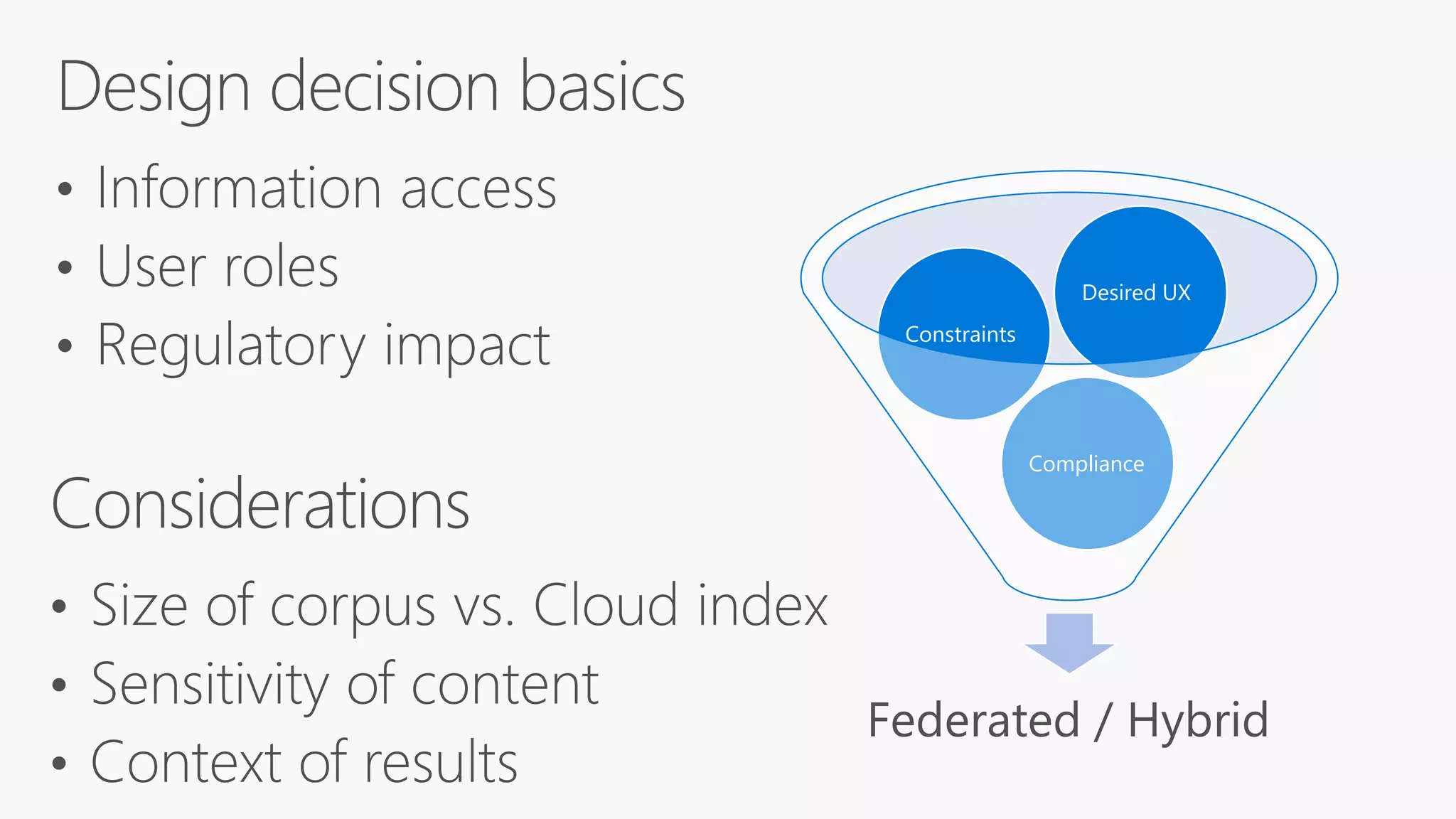
Federated / Hybrid
Compliance
Constraints
Desired UX
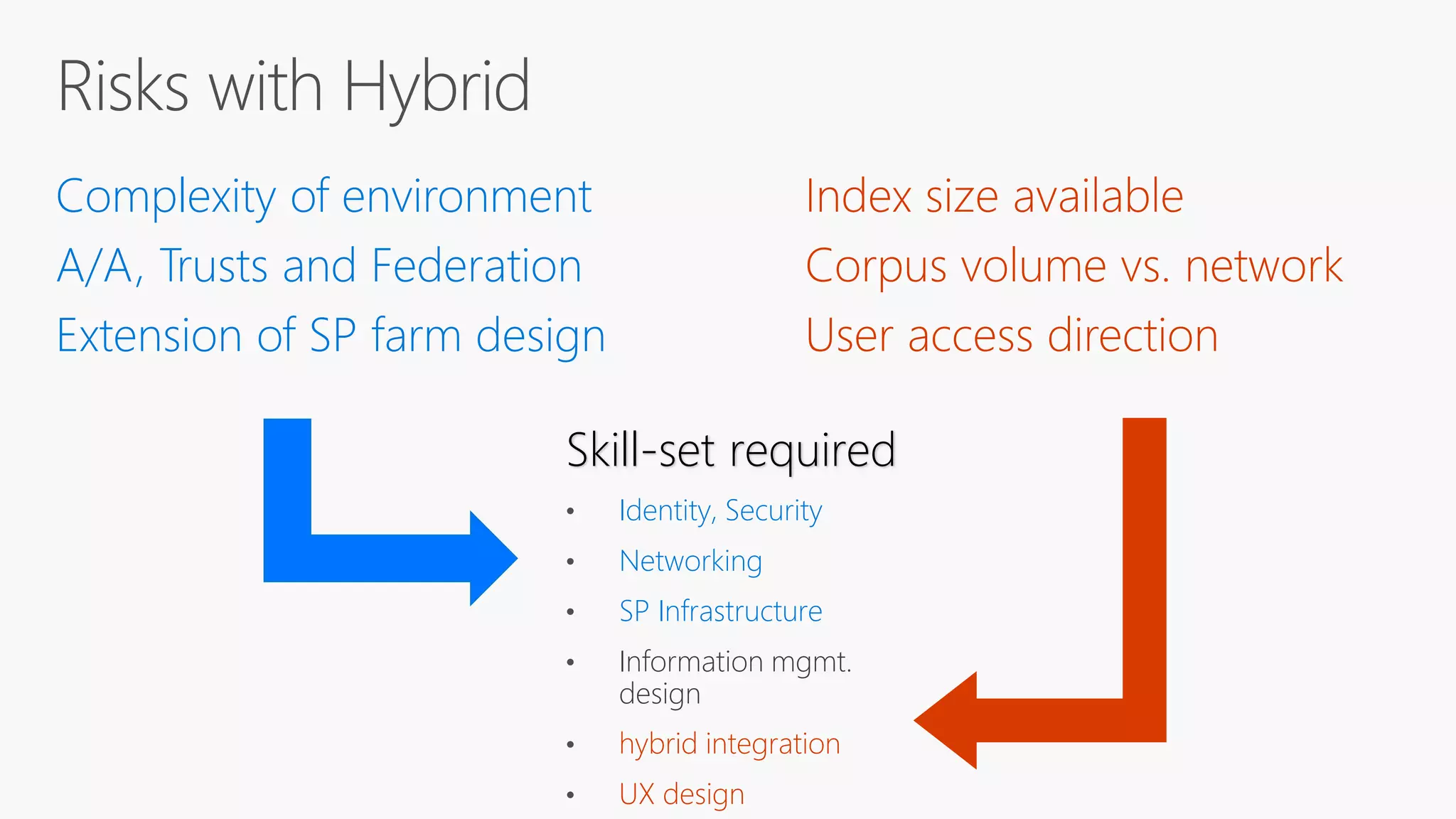
Complexity of environment
A/A, Trusts and Federation
Extension of SP farm design
Skill-set required
• Identity, Security
• Networking
• SP Infrastructure
• Information mgmt.
design
•
•
Contact:
Jeff.Fried@BAinsight.com
www.BAinsight.com
Questions

Cloud Hybrid Search with SharePoint

  • 1.
    Understanding and Applying CloudHybrid Search @jefffried Jeff Fried CTO, BA Insight
  • 2.
    we love hybridsearch - it's amazing how fast usage is growing Jeff Teper @jeffteper
  • 3.
  • 4.
    Focused on Searchand SharePoint since 2004 Longtime Search Nerd • CTO, BA Insight • Senior PM, Microsoft • VP, FAST • SVP, LingoMotors About Jeff Fried Passionate About • Search • SharePoint • Search-driven applications • Information Strategy Blog: BAinsight.com/blog Technet Column “A View from the Crawlspace” jeff.fried@bainsight.com
  • 5.
    About BA Insight   –Connectivity – Applications - – Classification - – Analytics 
  • 6.
  • 9.
  • 10.
    The Evolution of SharePoint: HYBRID ManagementExtensibilityExperiences | Server ExperiencesManagementExtensibility | Server | Server HYBRID Team Sites Portals Enterprise Content Mngt BI
  • 11.
  • 12.
    The Future ofSharePoint Search, with Expert Jeff Fried by Christian Buckley. March 23, 2015
  • 13.
  • 14.
    “Classic” Hybrid Searchis Federated not a single result set OOB
  • 15.
  • 16.
     Access anywhere Consistent user experience  Unified search results  No upgrades  No infrastructure mgt  Index storage scalable Benefits of Cloud Hybrid Search
  • 17.
    Reduce Your Footprint Servers Volumeof Content (indexable items) Pattern On-prem Search Farm Cloud Hybrid Search 0-10 million items Small 4 App + 2 DB 1 or 2 10-40 million items Medium 12 App + 2 DB 2 40-100 million items Large 28 App + 4 DB 2 400 million items XL example (SP2016) 86 App + 4DB 2 or 3
  • 18.
    SharePoint Server (On-premises orHosted) Office 365 SharePoint Online Content Onedrive for Business Content SharePoint Content Cloud Hybrid Search
  • 19.
    SharePoint 2013/2016 SearchArchitecture Web Service (CEWS)
  • 20.
    Walk-through: indexing &queries SharePoint Server (On-premises or Hosted) Office 365
  • 21.
  • 22.
    Case Study: LargeUniversity     
  • 23.
    Setting up CloudHybrid Search •Create • Cloud Search Service Application in SharePoint Server 2016 •Set up • search architecture in SharePoint Server 2016 for cloud hybrid search •Connect • your Cloud Search Service Application to your Office 365 tenant •Create • a content source to crawl for cloud hybrid search •Setup • Search Center to validate hybrid search results in O365 •Start • full crawl of on-premises content for cloud hybrid search •Verify • that cloud hybrid search works Tune • cloud hybrid search experiences
  • 24.
    SupportSales & Marketing KnowledgeArticles Fileshares OneDrive Support forum SPO Search Farm SP 2013 content SP 2010 content On- premises Office 365 SPO content SP 2013/2016 Cloud SSA Example: Support Content
  • 25.
    Setup for SupportSearch The Support Search vertical only searches sites that are relevant to the Support team. It uses Local SharePoint results plus a filter on which sites to include in the search results Result source query: {searchTerms} ( Path:»http://sp2010» OR Path:»file://fileshare» OR Path:»http://demohybrid... /../supportforum») SharePoint Online Support Search
  • 26.
  • 27.
    Search Unified search across SharePointon-premises and Office 365 content and people SharePoint 2013/2016 Deliverunified search results from Office 365 and on- premises in a single search
  • 28.
    Search & discoveryarchitecture wireframe -- Online, on-premises, and hybrid
  • 29.
    External Content (on-premises and/or inthe cloud) SharePoint Server (On-premises or Hosted) Office 365 SharePoint Online Content Onedrive for Business Content Connectors SharePoint Content Adding External Content Cloud Hybrid Search Also drives: • Office Graph (delve,..) • Compliance (DLP, …)
  • 30.
    Connectors to ManyEnterprise Systems • Aderant • Amazon S3 • Alfresco • Box • Confluence • CuadraSTAR • Elite / 3E • EMC Documentum • EMC eRoom • Google Drive • HP Consolidated Archive • (EAS, aka Zantaz) • HPE Records Manager/HP TRIM • IBM Connections • IBM Content Manager • IBM DB2 • IBM FileNet P8 • IBM Lotus Notes • IBM WebSphere • iManage Work • Jive • LegalKEY • LexisNexis Interaction • Lotus Notes Databases • Microsoft Dynamics CRM • Microsoft Exchange • Microsoft Exchange Public Folders • Microsoft SQL Server • MySQL • NetDocuments • Neudesic The Firm Directory • Objective • OpenText LiveLink/RM • OpenText eDOCS DM • Oracle Database • Oracle WebCenter • Oracle WebCenter Content (UCM/Stellent) • PLC/Practical Law • ProLaw • Salesforce.com • SAP ERP • ServiceNow • SharePoint Online • SharePoint 2016 • SharePoint 2013 • SharePoint 2010 • SharePoint 2007 • Sitecore • Any SQL-based CRM system • Veeva Vault • Veritas Enterprise Vault (Symantec eVault) • West km • Xerox DocuShare • Yammer Plus a proven architecture and process for creating new connectors to complex systems
  • 31.
      External Content inO365 UX Unified view across all content - on-premises and on-line - inside and outside SharePoint
  • 32.
    Current Caveats: 1) don’tsee thumbnails, just file icons 2) Have to query for it to show up
  • 33.
  • 34.
     – –  –  – Case Study: Cloud SSA,external content Large global company in materials science
  • 35.
  • 36.
    Issues with CloudHybrid Search (1) Cloud Hybrid Search "annoyances" Performance Characteristics slower query latency for on-prem queries against Cloud SSA SharePoint Online Limitations no synonyms no site-level schema no full trust code access Hybrid Administration Weaknesses clunky metadata mapping can't remove on-premises search results from Cloud SSA trickier to test & debug crawls can't reset index from Cloud SSA Be aware of these & compensate for them (Fixed in August PU) (Semi-addressed in June PU) And it’s getting better:
  • 37.
  • 38.
  • 40.
  • 41.
    Item Limits andPricing Licensing: 1M items of external content in index for every 1TB storage in O365 1TB included by default + 0.5 GB per licensed O365 user No limit on number of items from O365 in the index Default throttling at 20M external items; current threshold at 25M 2000 users x 0.5 GB = 1TB + 1TB default = 2 TB total -> 2M external items indexed + Can also buy the “Office 365 Extra File Storage” Add-on $0.20/GB/Month = $200/TB/Month = $200/M items/Month 50,000 users x 0.5 GB = 25TB + 1TB default = 26 TB total -> 26M external items indexed
  • 42.
    Should I runindex reset? NO! DeleteAllCloudHybridSearchContent() https://blogs.technet.microsoft.com/beyondsharepoint/2016/07/07/cloud-hybrid-search-service-application-removing-items-from-the-office-365-search-index/
  • 43.
    Issues with CloudHybrid Search (2) 43 Content Enrichment no CEWS no Entity Extraction Security no Custom Security Trimming Can't crawl across Multiple Domains Can't Crawl SP in Classic Auth Mode Data Sovereignty export-restricted content can't be put in O365 index Limitations of Cloud SSA
  • 44.
    External Content (on-premises and/or inthe cloud) SharePoint Server (On-premises or Hosted) SPO Content OneDrive Content Connectors SharePoint Content Connector Framework Office 365 AutoClassifier (app version) CEWS Custom Processing
  • 45.
  • 46.
    Online On-Prem Cloud Hybrid Searchunder the covers Security = identity sync + ACL mapping Cloud SSA Cloud SSA ParseCrawl SCS ACL Map Process Blob store queue
  • 47.
  • 48.
    Mapping of AccessControl Lists Allow: S-1-5-21-1212121212-1212121212-1212 Allow: PUID-XXXX-XXXXXXXXXX • User SIDs are mapped to PUIDs • Group SIDs are mapped to Object IDs • «Everyone» and «Authenticated users» are mapped to «Everyone except external users» Only AD Users and Groups, Only from one domain
  • 49.
  • 50.
    A global singleindex solution Cloud SSA Cloud SSA Cloud SSA Cloud SSA Cloud SSA BUT export-restricted content can’t be in the global index
  • 51.
  • 52.
    Issues with CloudHybrid Search OOB Content Enrichment no CEWS no Entity Extraction Security no Custom Security Trimming Can't crawl across Multiple Domains Can't Crawl SP in Classic Auth Mode Data Sovereignty export-restricted content can't be put in O365 index Limitations of Cloud SSA BA Insight Solution Connector Framework AutoClassifier Connector Framework can 'map down' to AD groups can 'map across' cross-domain can crawl and map security Federator
  • 53.
  • 55.
  • 56.
    Complexity of environment A/A,Trusts and Federation Extension of SP farm design Skill-set required • Identity, Security • Networking • SP Infrastructure • Information mgmt. design • •
  • 60.

Editor's Notes

  • #4 REMEMBER – An intranet project is not just a significant change project, it has the potential to be transformative to the way a company operates. Adoption is key to achieving this, so a clear plan for engagement and communication is crucial, based around your three areas of focus…
  • #14 REMEMBER – An intranet project is not just a significant change project, it has the potential to be transformative to the way a company operates. Adoption is key to achieving this, so a clear plan for engagement and communication is crucial, based around your three areas of focus…
  • #20 Remote Result Sources
  • #22 REMEMBER – An intranet project is not just a significant change project, it has the potential to be transformative to the way a company operates. Adoption is key to achieving this, so a clear plan for engagement and communication is crucial, based around your three areas of focus…
  • #28 SharePoint Server 2013 and SharePoint Server 2016 provide two individual hybrid search scenarios, Cloud Hybrid Search introduced in August 2015 to SharePoint Server 2016 IT Preview and SharePoint Server 2013, in addition to the classic federated hybrid search scenario, introduced in SharePoint Server 2013. Cloud Hybrid Search The Cloud Hybrid Search scenario represents the next generation in hybrid search and discovery. With the cloud hybrid search solution, both your on-premises and Office 365 crawled content is unified in a search index hosted in Office 365. When users query your search index in Office 365, they get search results from both on-premises and Office 365 content. The content metadata is encrypted when it’s transferred to the search index in Office 365, so the on-premises content remains secure. Federated Hybrid Search Federated hybrid search is a hybrid search scenario in which a query issued by a user is federated or distributed across on-premises and Office 365 returning a set of results from each location as discrete entities. In a federated hybrid search scenario on-premises crawled content is stored on-premises in the search index and Office 365 content in the search index in Office 365 with no affinity between the two data sets. Federated hybrid search can be configured in inbound, outbound, or bi-directional hybrid topologies. Outbound User searches from the SharePoint Server 2013 Search Center display hybrid results. This is called outbound hybrid search. Inbound User searches from the SharePoint Online Search Center display hybrid results. This is called inbound hybrid search.
  • #29 A SharePoint hybrid experience provides three layers of opportunity for customers of SharePoint Server 2016 that allow customers to take advantage of Office 365 innovation at their own pace, whether you are considering migrating to Office 365 or plan to maintain a hybrid model. App Launcher The App Launcher is a familiar feature in Office and it’s now been extended to SharePoint Server 2016. The App Launcher provides a common location to discover new apps and navigate SharePoint on-premises and Office 365. Apps The Apps represent the experiences a customer can implement and choose from with hybrid through the App Launcher. These are the core scenarios a customer can implement as part of their hybrid experience. Data Discovery To complete the hybrid scenarios, customers can choose to implement hybrid search that enables unified discovery of both content and people across SharePoint and Office 365 and enables the use of powerful capabilities such as the Office Graph.
  • #36 REMEMBER – An intranet project is not just a significant change project, it has the potential to be transformative to the way a company operates. Adoption is key to achieving this, so a clear plan for engagement and communication is crucial, based around your three areas of focus…
  • #51 Data Sovereignty Laws Safe Harbor agreement struck down this fall (US/EC) New Russian localization law (went into effect in September Currently 20+ countries also considering similar privacy laws
  • #54 REMEMBER – An intranet project is not just a significant change project, it has the potential to be transformative to the way a company operates. Adoption is key to achieving this, so a clear plan for engagement and communication is crucial, based around your three areas of focus…