Building the Digital Workplace
in Office 365
@jefffried
Jeff Fried
CTO, BA Insight
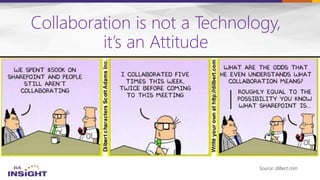
Collaboration is not a Technology,
it’s an Attitude
Source: dilbert.com
Focused on Search and
SharePoint since 2004
Longtime
Search Nerd
• CTO, BA Insight
• Senior PM, Microsoft
• VP, FAST
• SVP, LingoMotors
About Jeff Fried
Passionate About
• Search
• SharePoint
• Search-driven
applications
• Information Strategy
Blog:
BAinsight.com/blog
Technet Column
“A View from the
Crawlspace”
jeff.fried@bainsight.com
About BA Insight


– Connectivity
– Classification -
– Applications -
– Analytics

5
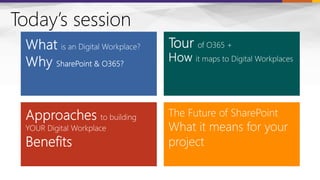
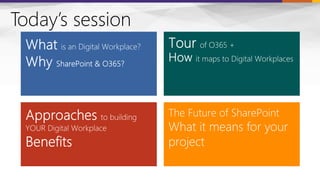
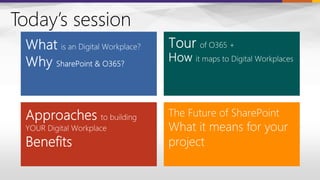
Today’s session
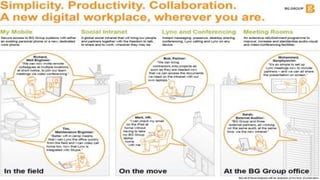
Work is what you do,
Not where you go
Photo Source: http://www.instagram.com/say_linds
8
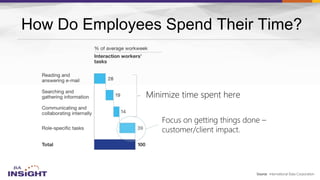
How Do Employees Spend Their Time?
Source: International Data Corporation
Minimize time spent here
Focus on getting things done –
customer/client impact.
11
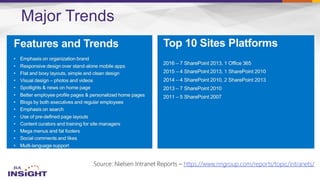
Major Trends
Source: Nielsen Intranet Reports – https://www.nngroup.com/reports/topic/intranets/
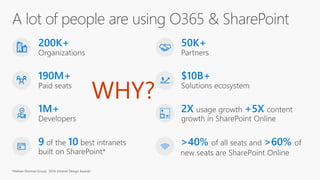
WHY?
 Bundled
 Broad Suite
 Pre-Integrated
 Modern
 Rapid Innovation
 Platform
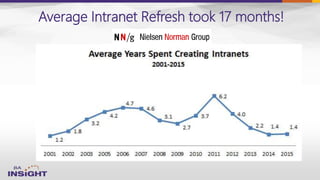
Average Intranet Refresh took 17 months!
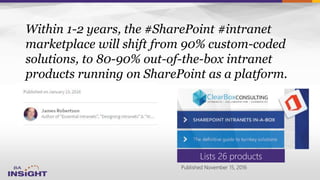
Within 1-2 years, the #SharePoint #intranet
marketplace will shift from 90% custom-coded
solutions, to 80-90% out-of-the-box intranet
products running on SharePoint as a platform.
Lists 26 products
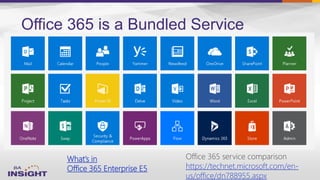
Office 365 is a Bundled Service
What’s in
Office 365 Enterprise E5
Office 365 service comparison
https://technet.microsoft.com/en-
us/office/dn788955.aspx


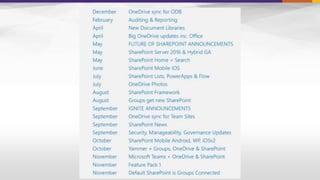
– https://fasttrack.microsoft.com/roadmap
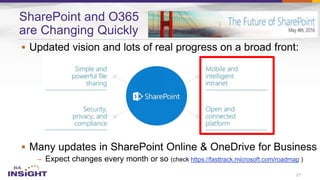
SharePoint and O365
are Changing Quickly
21
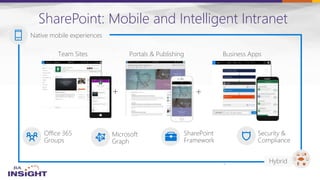
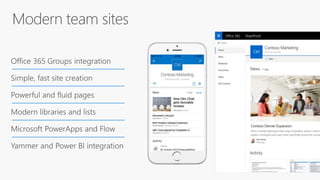
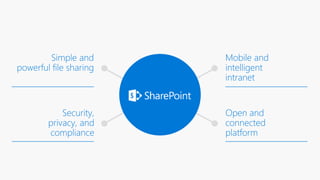
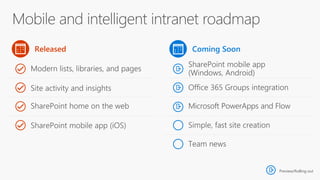
SharePoint: Mobile and Intelligent Intranet
24
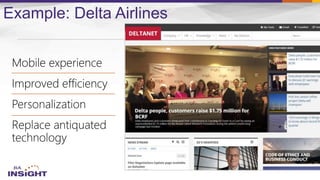
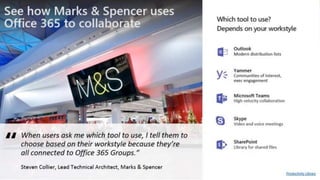
Example: Delta Airlines
Today’s session
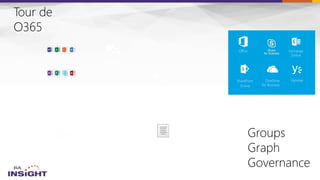
Exchange
Online
SharePoint
Online
YammerOneDrive
for Business
Office
Exchange
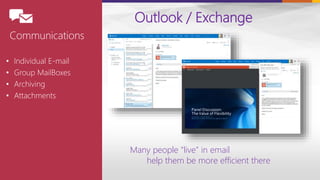
• Individual E-mail
• Group MailBoxes
• Archiving
• Attachments
Many people “live” in email
help them be more efficient there
Outlook / Exchange
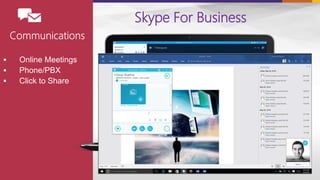
 Online Meetings
 Phone/PBX
 Click to Share
Skype For Business
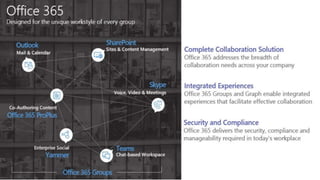
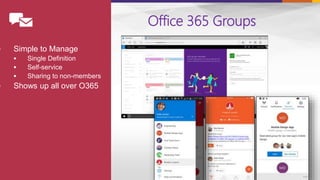
Office 365 Groups
 Simple to Manage
 Single Definition
 Self-service
 Sharing to non-members
 Shows up all over O365
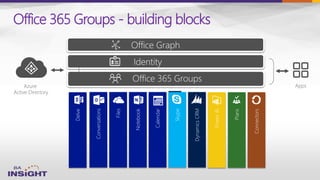
Azure
Active Directory
Apps
Office 365 Groups - building blocks
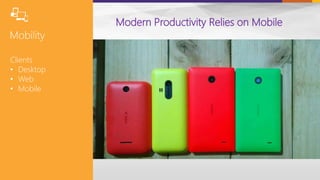
Modern Productivity Relies on Mobile
Clients
• Desktop
• Web
• Mobile
Desktop
Teams
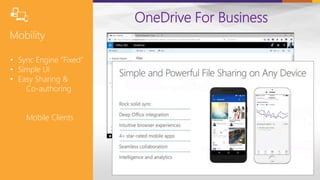
OneDrive For Business
• Sync Engine “Fixed”
• Simple UI
• Easy Sharing &
Co-authoring
Mobile Clients
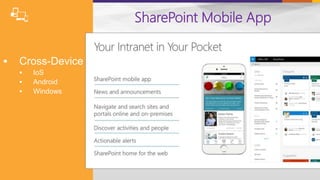
 Cross-Device
 IoS
 Android
 Windows
SharePoint Mobile App
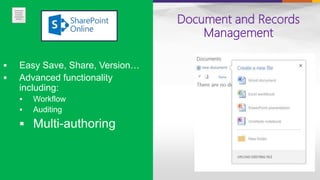
Document and Records
Management
 Easy Save, Share, Version…
 Advanced functionality
including:
 Workflow
 Auditing
 Multi-authoring
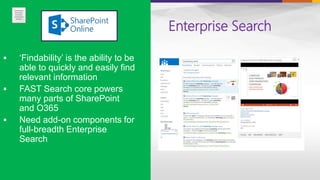
Enterprise Search
 ‘Findability’ is the ability to be
able to quickly and easily find
relevant information
 FAST Search core powers
many parts of SharePoint
and O365
 Need add-on components for
full-breadth Enterprise
Search
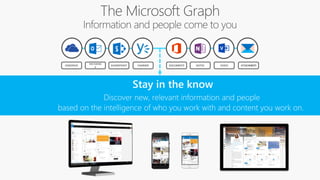
DOCUMENTS NOTES
EXCHANG
E
ONEDRIVE YAMMERSHAREPOINT VIDEO ATTACHMENTS
Why Can’t Everything in an
Intranet be Dynamic?
• News
• Forums
• Content
• Navigation
• Tools/Applets
• Analytics IT CAN
Exchange
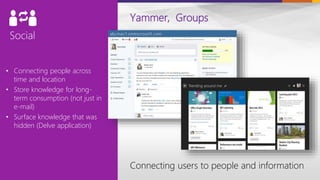
• Connecting people across
time and location
• Store knowledge for long-
term consumption (not just in
e-mail)
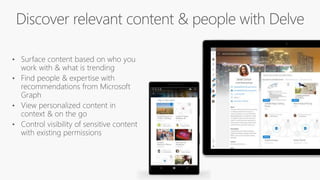
• Surface knowledge that was
hidden (Delve application)
Yammer, Groups
Connecting users to people and information
Exchange
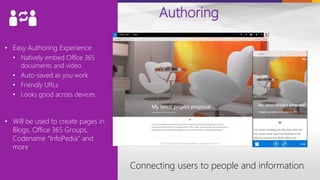
• Easy Authoring Experience
• Natively embed Office 365
documents and video
• Auto-saved as you work
• Friendly URLs
• Looks good across devices
• Will be used to create pages in
Blogs, Office 365 Groups,
Codename “InfoPedia” and
more
Authoring
Connecting users to people and information
Exchange
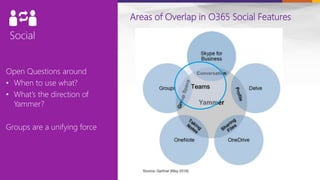
Open Questions around
• When to use what?
• What’s the direction of
Yammer?
Groups are a unifying force
Areas of Overlap in O365 Social Features
Teams
46
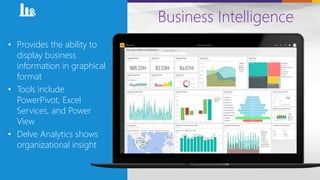
Business Intelligence
• Provides the ability to
display business
information in graphical
format
• Tools include
PowerPivot, Excel
Services, and Power
View
• Delve Analytics shows
organizational insight
50
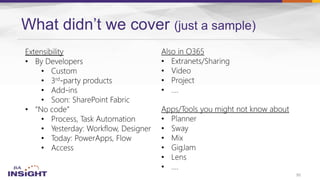
What didn’t we cover (just a sample)
Exchange
Online
SharePoint
Online
YammerOneDrive
for Business
Office
52
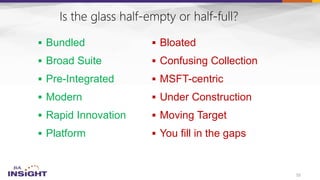
 Bundled
 Broad Suite
 Pre-Integrated
 Modern
 Rapid Innovation
 Platform
 Bloated
 Confusing Collection
 MSFT-centric
 Under Construction
 Moving Target
 You fill in the gaps
53
O365
Microsoft is
learning
new tricks
Today’s session
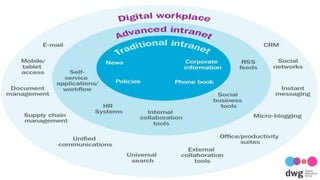
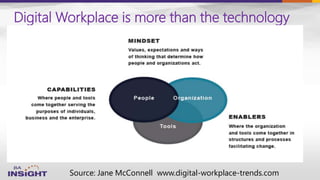
Digital Workplace is more than the technology
Source: Jane McConnell www.digital-workplace-trends.com
Keep your eye on the
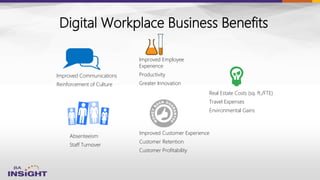
Digital Workplace Business Benefits
Real Estate Costs (sq. ft./FTE)
Travel Expenses
Environmental Gains
Absenteeism
Staff Turnover
Improved Communications
Reinforcement of Culture
Improved Employee
Experience
Productivity
Greater Innovation
Improved Customer Experience
Customer Retention
Customer Profitability
“Availability of resources to perform well”
“Freedom from obstacles to success at work”
“Ability to meet work challenges effectively”
“I have the materials and equipment I need to
do my work right”
“At work, my opinions seem to count”
“The mission or purpose of my company
makes me feel my job is important”
Digital Workplace Employee Benefits
Project Tips
• Engage leaders for executive and department buy-in.
• Use a project manager, process improvement.
• Create new content organization, discard ruthlessly.
• Establish local ownership contacts.
• Make friends with HR and IS.
• Get excited. It can transform your communications.
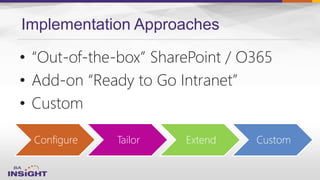
Implementation Approaches
Configure Tailor Extend Custom
• “Out-of-the-box” SharePoint / O365
• Add-on “Ready to Go Intranet”
• Custom
63
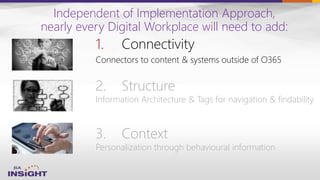
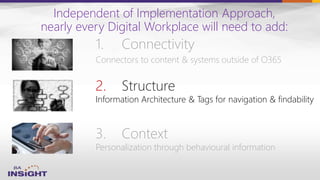
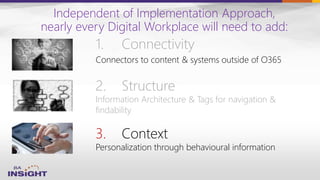
Independent of Implementation Approach,
nearly every Digital Workplace will need to add:
1. Connectivity
Connectors to content & systems outside of O365
3. Context
Personalization through behavioural information
2. Structure
Information Architecture & Tags for navigation & findability
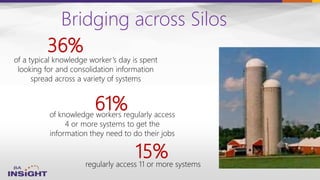
Bridging across Silos
of knowledge workers regularly access
4 or more systems to get the
information they need to do their jobs
61%
regularly access 11 or more systems
of a typical knowledge worker’s day is spent
looking for and consolidation information
spread across a variety of systems
36%
15%
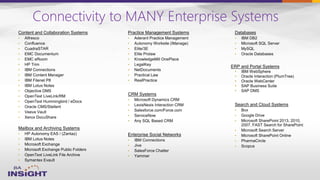
Connectivity to MANY Enterprise Systems
•
•
•
•
ERP and Portal Systems
•
•
•
•
•
•
•
•
•
•
•
•
•
•
•
•
•
•
•
•
•
•
•
•
•
•
•
•
•
•
•
•
•
•
•
•
•
•
•
•
•
•
•
•
•
•
•
•
•
•
•
•
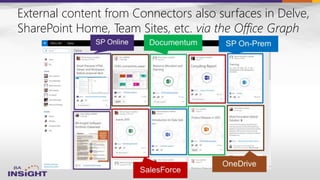
External content from Connectors also surfaces in Delve,
SharePoint Home, Team Sites, etc. via the Office Graph
1. Connectivity
Connectors to content & systems outside of O365
3. Context
Personalization through behavioural information
2. Structure
Information Architecture & Tags for navigation & findability
Independent of Implementation Approach,
nearly every Digital Workplace will need to add:
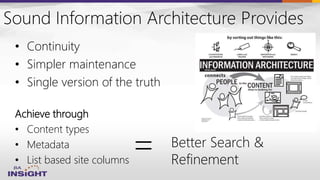
Sound Information Architecture Provides
• Continuity
• Simpler maintenance
• Single version of the truth
Achieve through
• Content types
• Metadata
• List based site columns
= Better Search &
Refinement
1. Connectivity
Connectors to content & systems outside of O365
3. Context
Personalization through behavioural information
2. Structure
Information Architecture & Tags for navigation &
findability
Independent of Implementation Approach,
nearly every Digital Workplace will need to add:
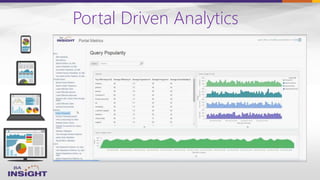
Portal Driven Analytics
Preview/Rolling out
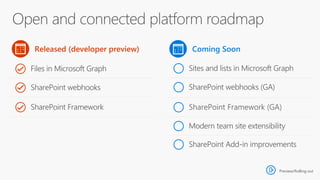
Preview/Rolling out
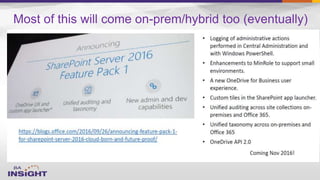
Most of this will come on-prem/hybrid too (eventually)
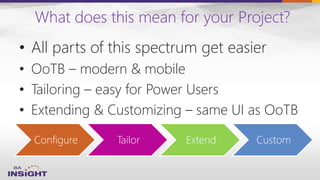
What does this mean for your Project?
Configure Tailor Extend Custom
• All parts of this spectrum get easier
• OoTB – modern & mobile
• Tailoring – easy for Power Users
• Extending & Customizing – same UI as OoTB
Today’s session
Resources
–
o fasttrack.office.com/
–
o fasttrack.office.com/roadmap
–
o blogs.office.com/
–
o yammer.com/itpronetwork
#DigitalWorkplace
–
o digitalworkplacegroup.com
–
o http://www.gartner.com/it-
glossary/digital-workplace/
–
o http://www.aiim.org/Resources/Toolkits
/How-to-Plan-Digital-Workplace
–
o
#Office365
Contact:
Jeff.Fried@BAinsight.com
www.BAinsight.com
Questions?

O365 Tools for Building a Digital Workplace

Editor's Notes

  • #8 Work in any location Use any device Share information
  • #11 Let’s start with how employees actually spend their time now. One clear takeaway here is that you would want folks to focus even more time on role-specific tasks and minimize all the emailing, searching, and collaborating necessary.
  • #14 Digital workplace is the concept that there is a virtual equivalent to the physical workplace, and that this needs to be planned and managed coherently because it is fundamental to people’s productivity, engagement and working health.
  • #15 Over the last 3-4 years
  • #18 Source: http://www.nngroup.com/articles/intranet-design/, retrieved 10/20/2015 8:00am
  • #30 Adam – Mention migration
  • #33 They are not a technology They are a solution that spans across office 365 and uses the strengths from different pillars and combines them into a collaboration solution
  • #34 Game changer for security Encryption in transit: across the board. SSL/TLS (our own not OSSL) In addition to the disk-level encryption with BitLocker, OneDrive for Business and SharePoint will provide per-file encryption. With this technology, every file stored in SharePoint Online and OneDrive for Business is encrypted with its own key, and subsequent updates to the file are each encrypted with their own unique key as well. In the case of large files, the files are split into chunks and each individual chunk has a separate encryption key. Your organization’s files will be distributed across multiple Microsoft Azure storage containers, each with separate credentials, rather than storing them all in a single database. Further, the encryption keys themselves are encrypted. By spreading encrypted files across storage locations and physically separating master encryption keys from both content and the file map, OneDrive for Business/SharePoint Online encryption provides a highly secure environment for your data.
  • #36 Game changer for security Encryption in transit: across the board. SSL/TLS (our own not OSSL) In addition to the disk-level encryption with BitLocker, OneDrive for Business and SharePoint will provide per-file encryption. With this technology, every file stored in SharePoint Online and OneDrive for Business is encrypted with its own key, and subsequent updates to the file are each encrypted with their own unique key as well. In the case of large files, the files are split into chunks and each individual chunk has a separate encryption key. Your organization’s files will be distributed across multiple Microsoft Azure storage containers, each with separate credentials, rather than storing them all in a single database. Further, the encryption keys themselves are encrypted. By spreading encrypted files across storage locations and physically separating master encryption keys from both content and the file map, OneDrive for Business/SharePoint Online encryption provides a highly secure environment for your data.
  • #42 REMEMBER – OoTB - Behaviour is how people are using SP not about the users themselves
  • #43 Mention our connector
  • #44 Mention our connector
  • #46 Adam – Mention migration
  • #63 REMEMBER – An intranet project is not just a significant change project, it has the potential to be transformative to the way a company operates. Adoption is key to achieving this, so a clear plan for engagement and communication is crucial, based around your three areas of focus…
  • #66 REMEMBER – OoTB - Behaviour is how people are using SP not about the users themselves
  • #79 REMEMBER – OoTB - Behaviour is how people are using SP not about the users themselves