











•
•
•
•
•
•
•
•
•
•
•
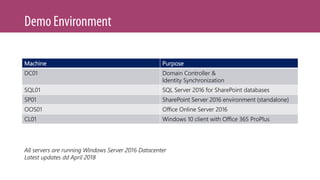
Machine Purpose
DC01 Domain Controller &
Identity Synchronization
SQL01 SQL Server 2016 for SharePoint databases
SP01 SharePoint Server 2016 environment (standalone)
OOS01 Office Online Server 2016
CL01 Windows 10 client with Office 365 ProPlus
All servers are running Windows Server 2016 Datacenter
Latest updates dd April 2018
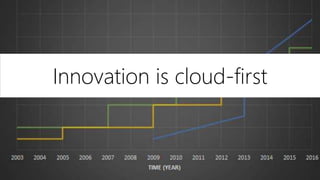
Innovation is cloud-first
•
•
•
•
•
•
•
•
•
•
•
•
•
•
•
•
•
•
•
•
•
•
•
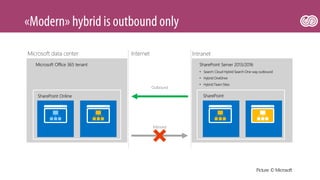
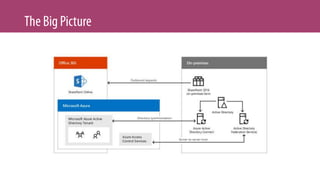
SharePoint Online
InternetMicrosoft data center Intranet
Microsoft Office 365 tenant
SharePoint
• Search: Cloud Hybrid Search One-way outbound
• Hybrid OneDrive
• Hybrid Team Sites
SharePoint Server 2013/2016
Outbound
Inbound
Picture: © Microsoft
•
•
•
•
•
•
•
•
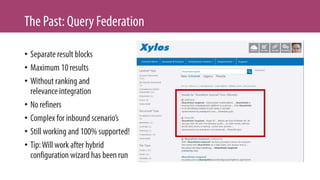
Local search results
onlyPrimary web app
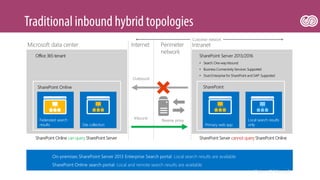
SharePoint Online
InternetMicrosoft data center Intranet
Federated search
results Site collection
Office 365 tenant
SharePoint
SharePoint Online can query SharePoint Server
• Search:One-wayinbound
• Business Connectivity Services: Supported
• Duet Enterprise for SharePoint and SAP: Supported
SharePoint Server 2013/2016
SharePoint Server cannot query SharePoint Online
Inbound
On-premises SharePoint Server 2013 Enterprise Search portal: Local search results are available
SharePoint Online search portal: Local and remote search results are available
Perimeter
network
Customer network
Outbound
Reverse proxy
•
•
•
•
•
•
•
•
•
•
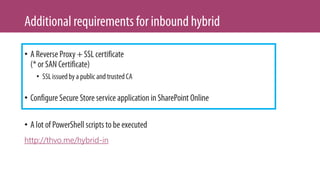
http://thvo.me/hybrid-in
•
•
•
•
•
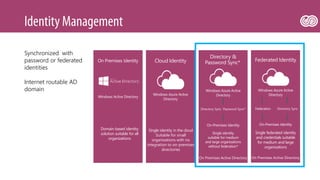
Cloud Identity
Single identity in the cloud
Suitable for small
organizations with no
integration to on-premises
directories
Directory &
Password Sync*
Single identity
suitable for medium
and large organizations
without federation*
Federated Identity
Single federated identity
and credentials suitable
for medium and large
organizations
On Premises Identity
Domain based identity
solution suitable for all
organizations
Synchronized with
password or federated
identities
Internet routable AD
domain
•
•
•
•
•
•
•
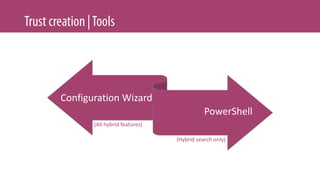
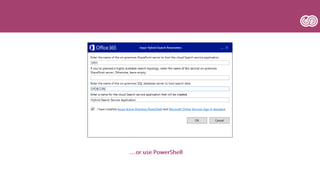
Configuration Wizard
PowerShell
(Hybrid search only)
(All hybrid features)
•
•
•
•
•
•
•
•
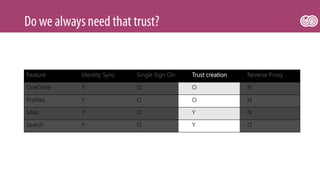
Feature Identity Sync Single Sign On Trust creation Reverse Proxy
OneDrive Y O O N
Profiles Y O O N
Sites Y O Y N
Search Y O Y O
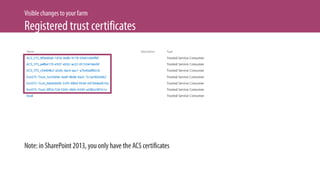
Trust is only needed for specific scenario’s
Table inspired by work by Nico Martens
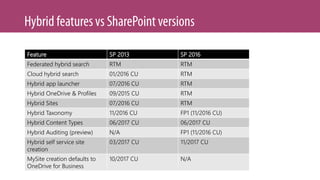
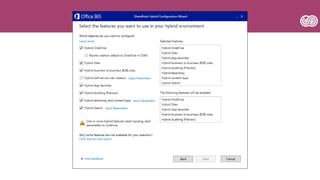
Feature SP 2013 SP 2016
Federated hybrid search RTM RTM
Cloud hybrid search 01/2016 CU RTM
Hybrid app launcher 07/2016 CU RTM
Hybrid OneDrive & Profiles 09/2015 CU RTM
Hybrid Sites 07/2016 CU RTM
Hybrid Taxonomy 11/2016 CU FP1 (11/2016 CU)
Hybrid Content Types 06/2017 CU 06/2017 CU
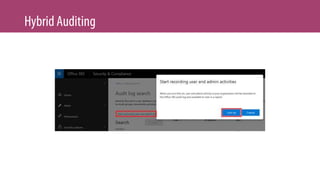
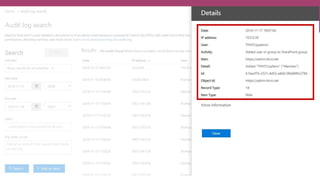
Hybrid Auditing (preview) N/A FP1 (11/2016 CU)
Hybrid self service site
creation
03/2017 CU 11/2017 CU
MySite creation defaults to
OneDrive for Business
10/2017 CU N/A
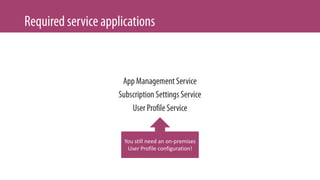
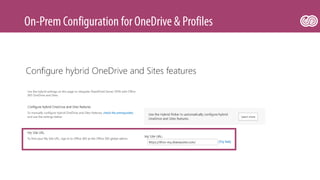
You still need an on-premises
User Profile configuration!
•
•
•
•
•
•
•
Disclaimer: I (still) prefer PowerShell to create the search service application
http://thvo.me/sphybridonboarding
•
•
•
•
•
•
•
•
•
•
•
•
•
•
•
•
•
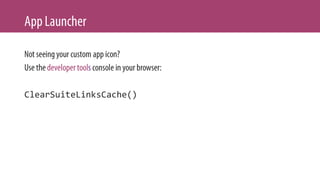
ClearSuiteLinksCache()
•
•
•
•
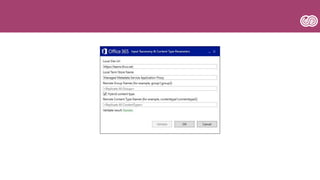
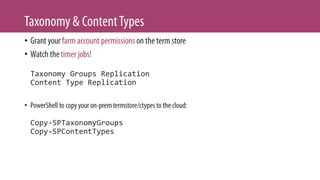
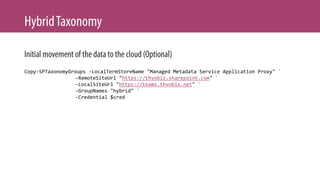
Taxonomy Groups Replication
Content Type Replication
•
Copy-SPTaxonomyGroups
Copy-SPContentTypes
Copy-SPTaxonomyGroups -LocalTermStoreName "Managed Metadata Service Application Proxy" `
-RemoteSiteUrl "https://thvobiz.sharepoint.com" `
-LocalSiteUrl "https://teams.thvobiz.net" `
-GroupNames "hybrid" `
-Credential $cred
•
•
•
•
•
•
•
•
•
•
•
•
•
•
•
•
•
•
•
•
New Cloud Hybrid SearchSP2013 Hybrid Search
•
•
•
•
•
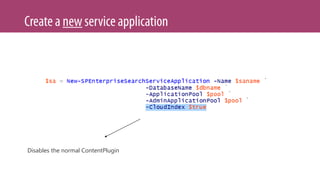
Disables the normal ContentPlugin
•
•
•
•
•
•
•
•
•
•
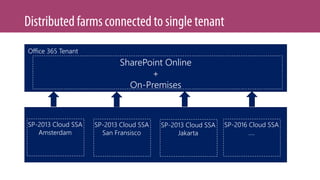
SharePoint Online
+
On-Premises
Office 365 Tenant
SP-2013 Cloud SSA
Amsterdam
SP-2013 Cloud SSA
San Fransisco
SP-2013 Cloud SSA
Jakarta
SP-2016 Cloud SSA
….
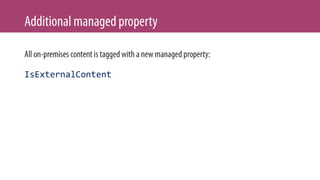
IsExternalContent
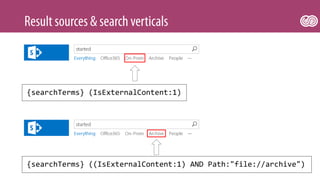
{searchTerms} (IsExternalContent:1)
{searchTerms} ((IsExternalContent:1) AND Path:"file://archive")
•
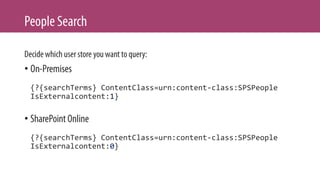
{?{searchTerms} ContentClass=urn:content-class:SPSPeople
IsExternalcontent:1}
•
{?{searchTerms} ContentClass=urn:content-class:SPSPeople
IsExternalcontent:0}
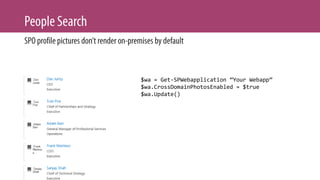
$wa = Get-SPWebapplication “Your Webapp”
$wa.CrossDomainPhotosEnabled = $true
$wa.Update()
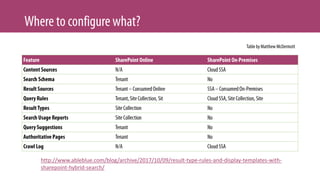
http://www.ableblue.com/blog/archive/2017/10/09/result-type-rules-and-display-templates-with-
sharepoint-hybrid-search/
•
•
•
SharePoint Server Search
Crawler:Azure Plugin
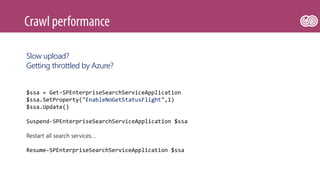
$ssa = Get-SPEnterpriseSearchServiceApplication
$ssa.SetProperty("EnableNoGetStatusFlight",1)
$ssa.Update()
Suspend-SPEnterpriseSearchServiceApplication $ssa
Restart all search services…
Resume-SPEnterpriseSearchServiceApplication $ssa
Slow upload?
Getting throttled by Azure?
•
•
http://thvo.me/srxcore
•
•
•
•
•
•
•
•
•
•
•
•
•
•
•
•
•
•
•
https://support.microsoft.com/kb/4010011
•
•
•
•
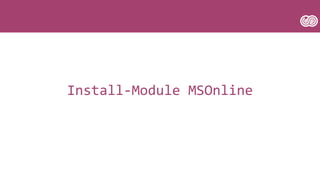
Install-Module MSOnline
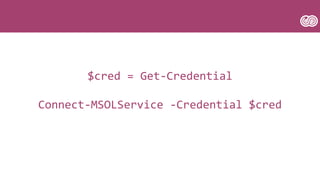
$cred = Get-Credential
Connect-MSOLService -Credential $cred
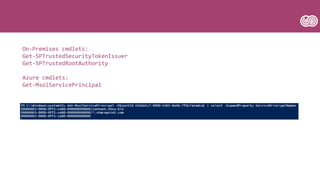
On-Premises cmdlets:
Get-SPTrustedSecurityTokenIssuer
Get-SPTrustedRootAuthority
Azure cmdlets:
Get-MsolServicePrincipal
•
•
•
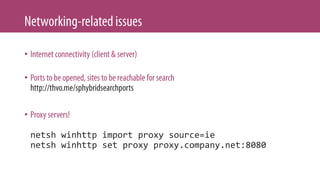
netsh winhttp import proxy source=ie
netsh winhttp set proxy proxy.company.net:8080
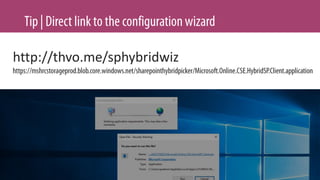
http://thvo.me/sphybridwiz
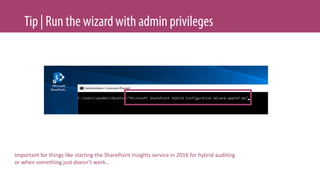
Important for things like starting the SharePoint Insights service in 2016 for hybrid auditing
or when something just doesn’t work…
[Vochten/Harbar] SharePoint Server On Premises & Hybrid PowerClass
[Vochten/Harbar] SharePoint Server On Premises & Hybrid PowerClass

[Vochten/Harbar] SharePoint Server On Premises & Hybrid PowerClass

Editor's Notes

  • #25 Register the domain in Office 365 Activate directory synchronization in the admin portal Install AAD Connect in on-premises Talk about the different options Talk about IdFix and common errors Talk about the tools AAD Connect installs and the PowerShell cmdlets Start a profile sync Assign licenses to your users Upload pictures
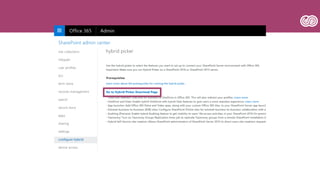
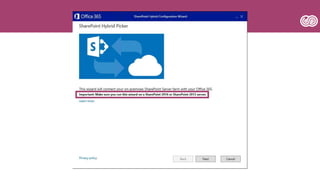
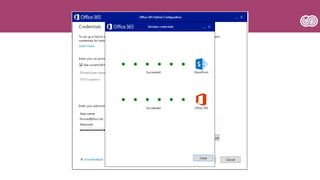
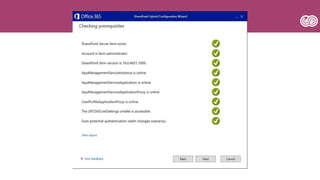
  • #56 Administrative privileges Running the wizard Logging Common problems
  • #76 Show timer job Create online items Start timerjob and watch sync in the logs Create on-premises items Copy items over for initial copy
  • #81 SharePoint Insights service reliance PowerShell commandlets
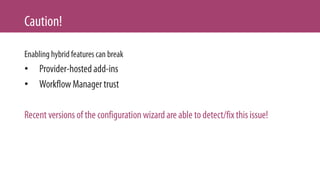
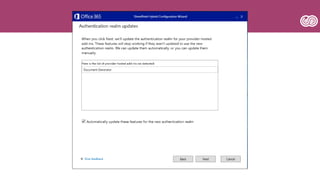
  • #120 Configuring SharePoint hybrid features for SharePoint 2013 or SharePoint 2016 disrupts server-to-server (S2S) trusts that are created before you configure hybrid features. When you try to establish an S2S trust by using the Cloud SSA on-boarding script or the Hybrid Picker, the on-premises farm's authentication realm is updated to match the Office 365 tenant context ID. The script sets the authentication realm by using the Set-SPAuthenticationRealm cmdlet. After the authentication realm is changed, existing SharePoint add-ins fail to authenticate.