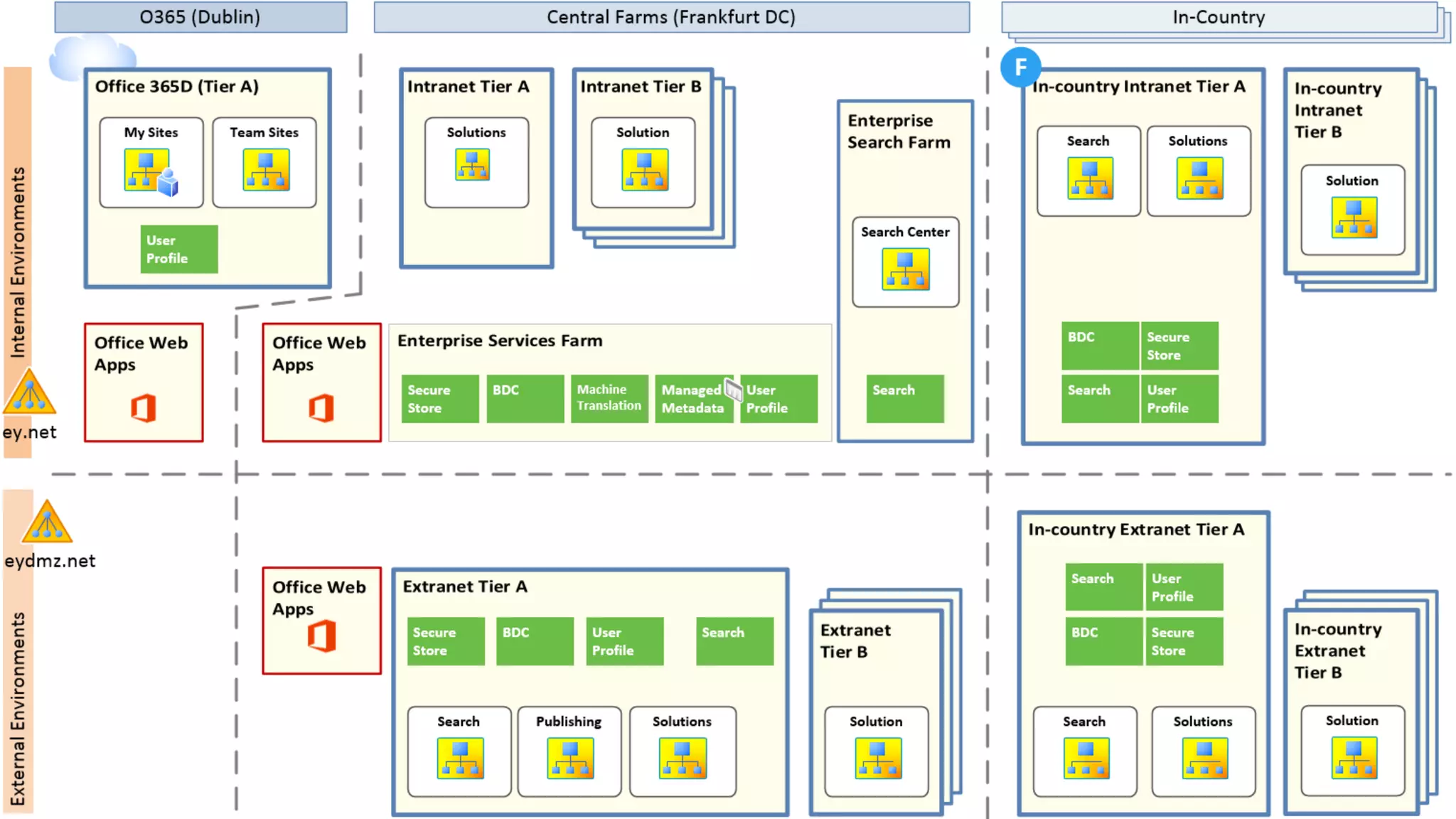




Succeeding with Hybrid SharePoint and Search:
Strategy and Implementation
Jeff Fried
CTO, BA Insight
SPS Toronto
September 2015
2
Focused on Search and
SharePoint since 2004
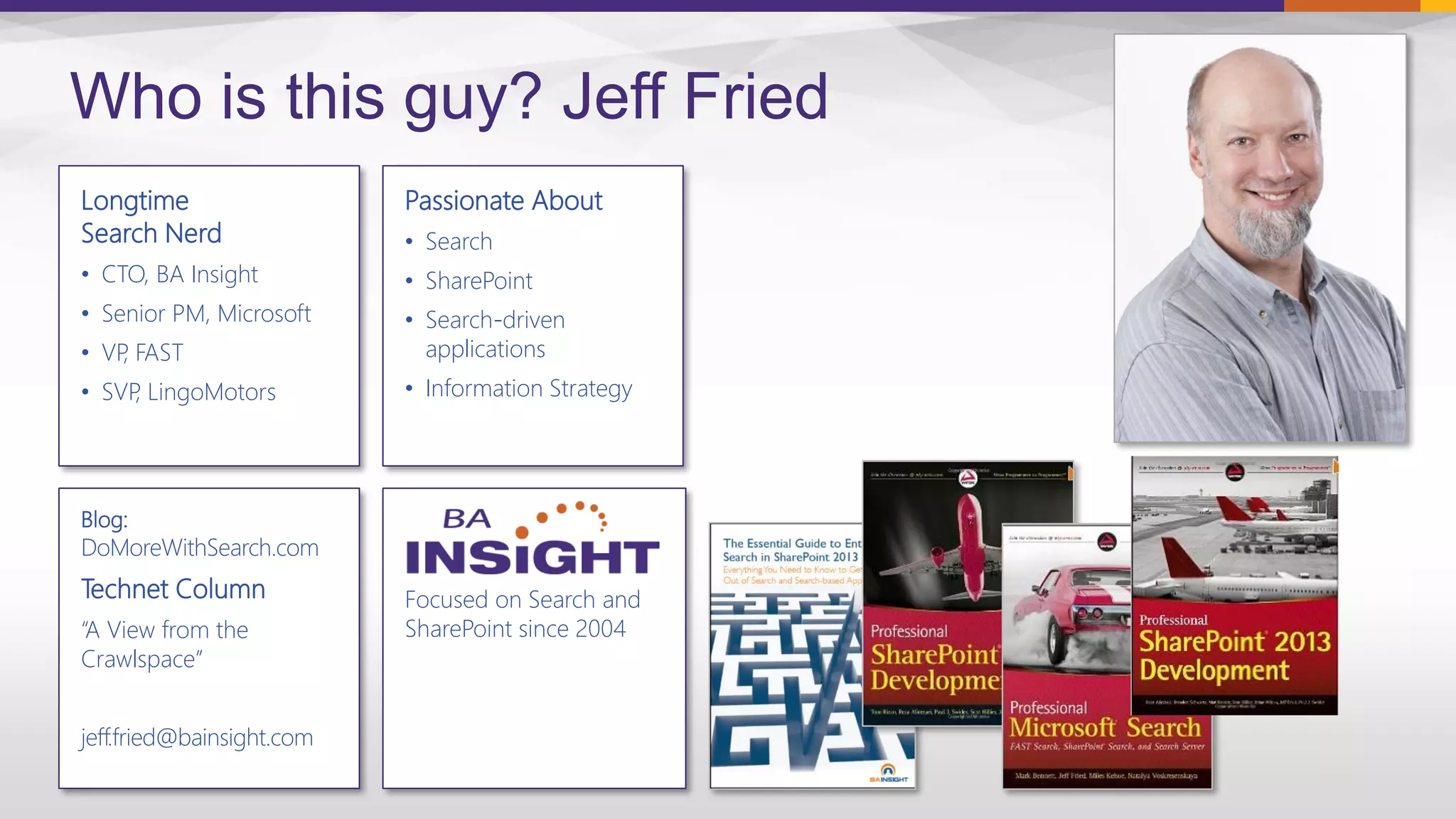
Longtime
Search Nerd
• CTO, BA Insight
• Senior PM, Microsoft
• VP, FAST
• SVP, LingoMotors
Who is this guy? Jeff Fried
Passionate About
• Search
• SharePoint
• Search-driven
applications
• Information Strategy
Blog:
DoMoreWithSearch.com
Technet Column
“A View from the
Crawlspace”
jeff.fried@bainsight.com
About BA Insight

– Secure connectivity
– Increased findability
– Applications and UI components

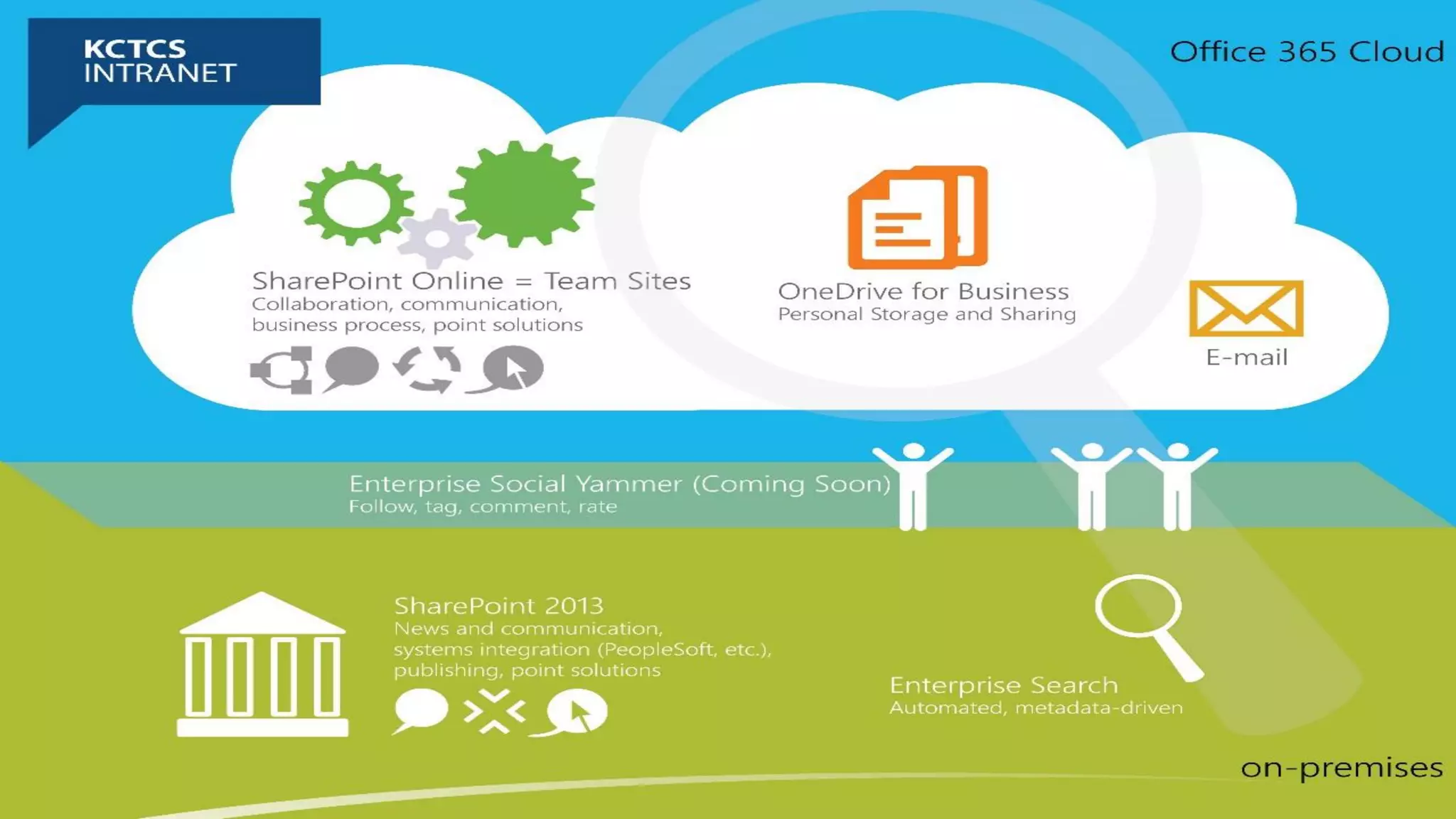
KCTCS (background)
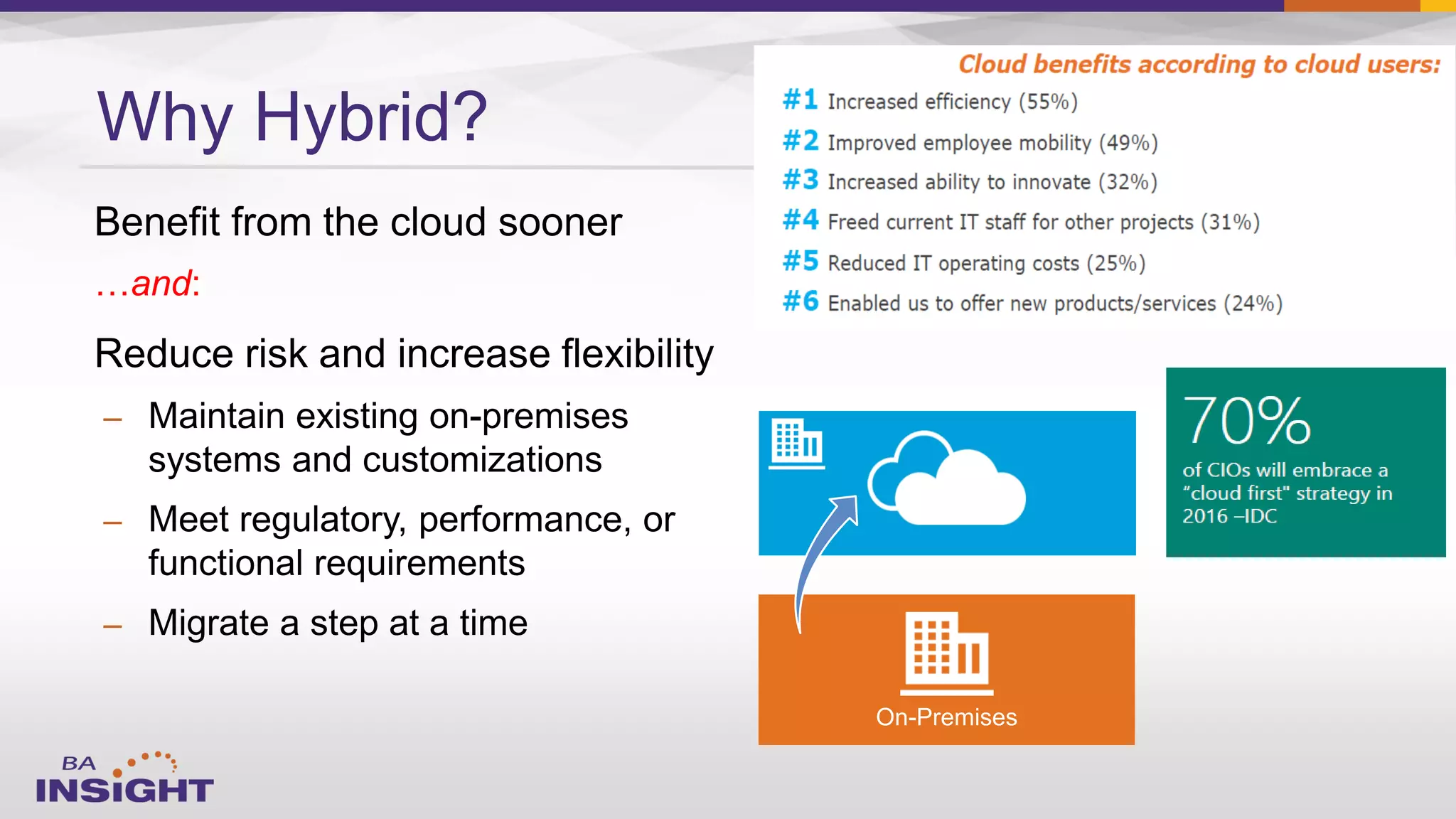
…and:
–
–
–
Why Hybrid?
On-Premises

–
–

–

–

–
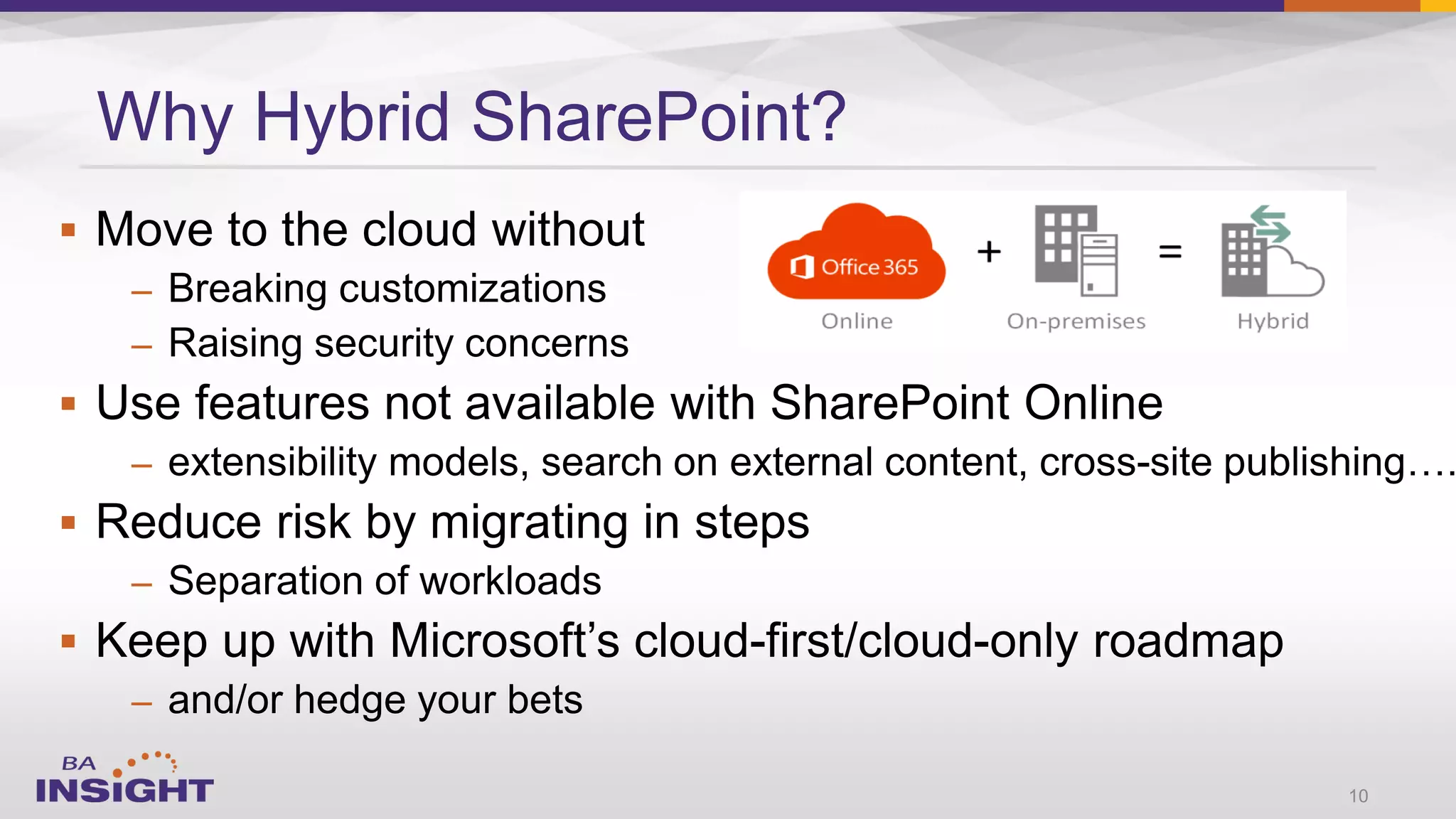
Why Hybrid SharePoint?
10
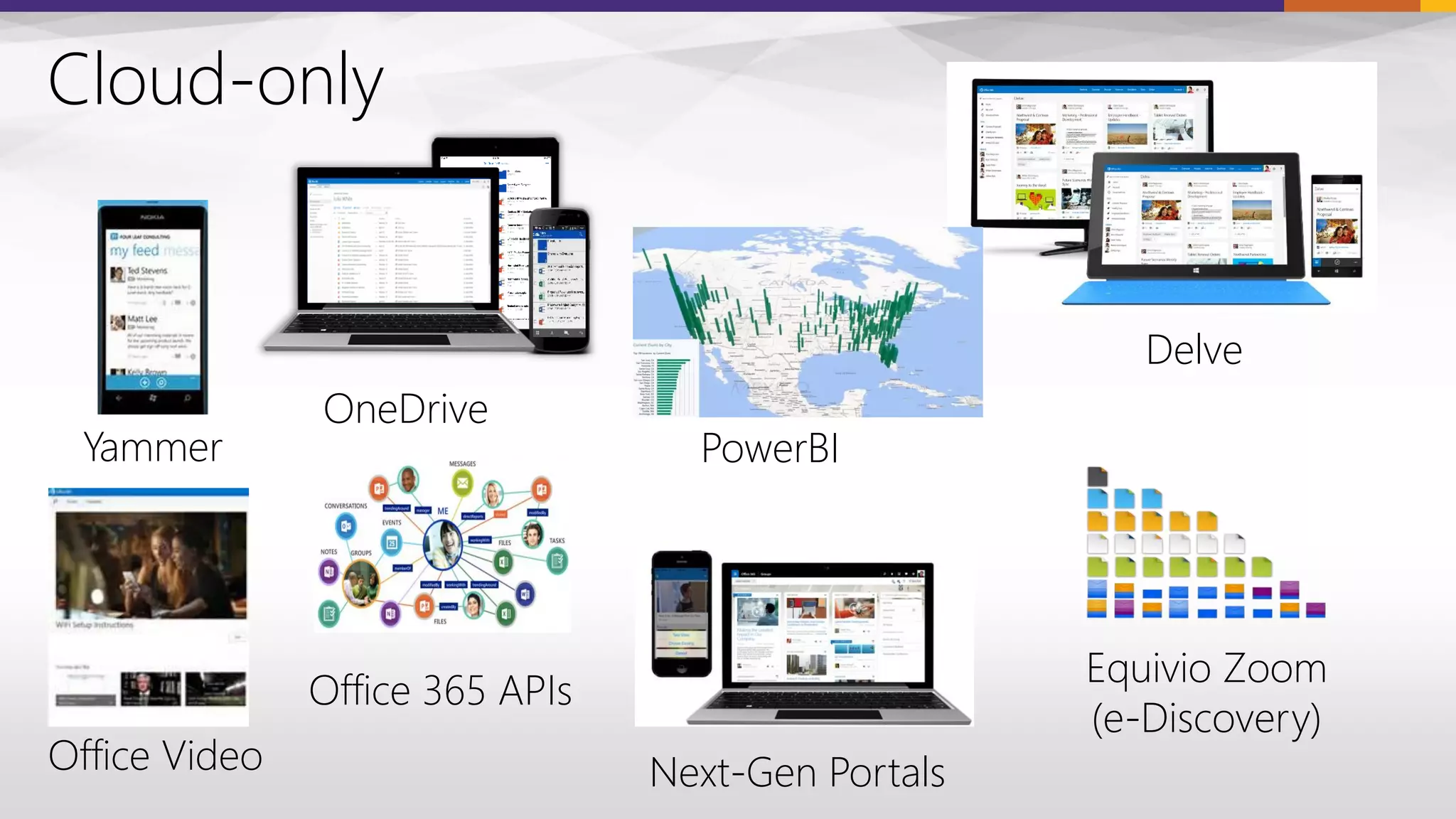
Delve
PowerBIYammer
Next-Gen Portals
Office 365 APIs
Cloud-only
OneDrive
Office Video
Equivio Zoom
(e-Discovery)
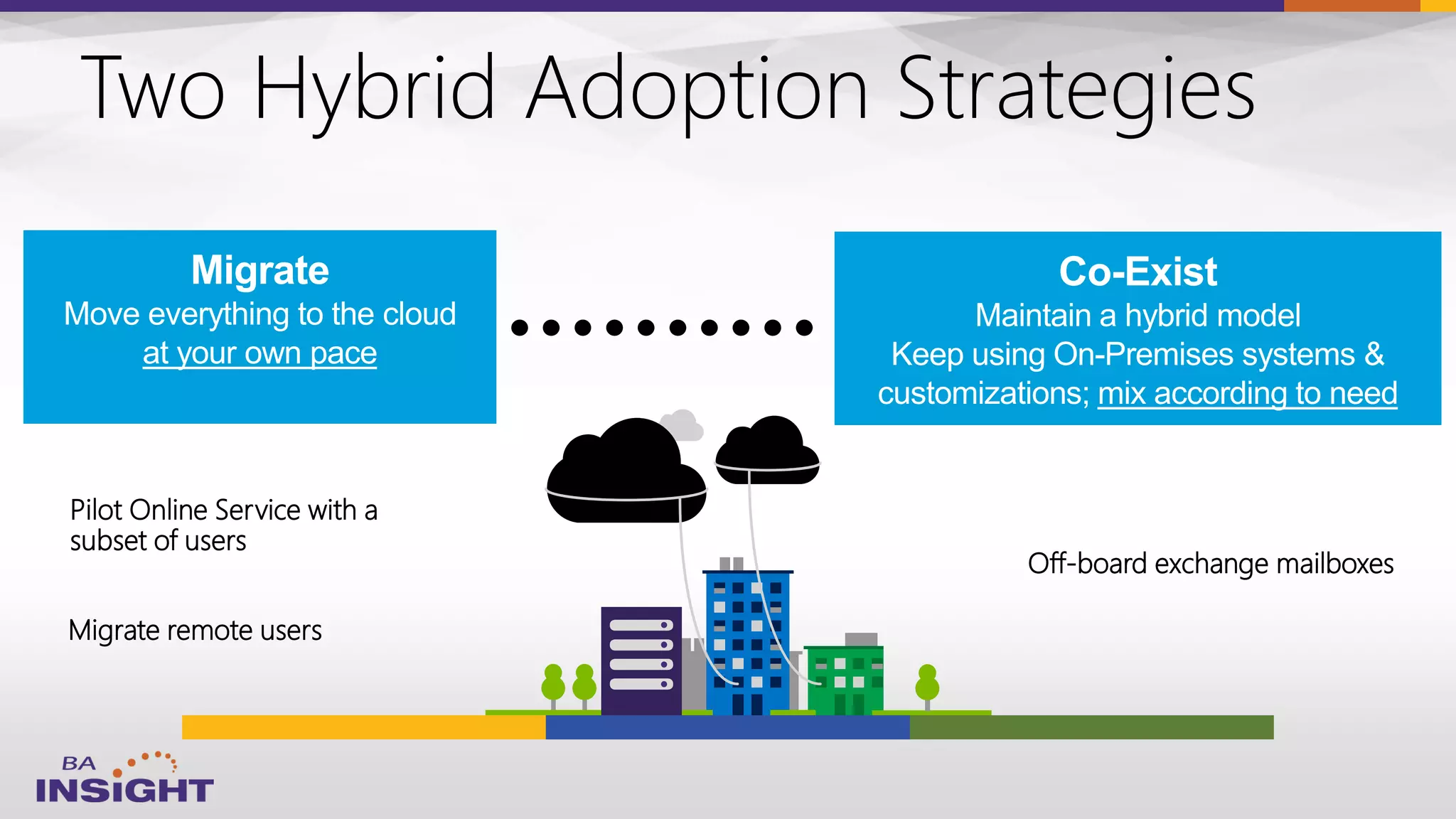
Migrate remote users
Two Hybrid Adoption Strategies
Pilot Online Service with a
subset of users
Off-board exchange mailboxes
Migrate
Move everything to the cloud
at your own pace
Co-Exist
Maintain a hybrid model
Keep using On-Premises systems &
customizations; mix according to need
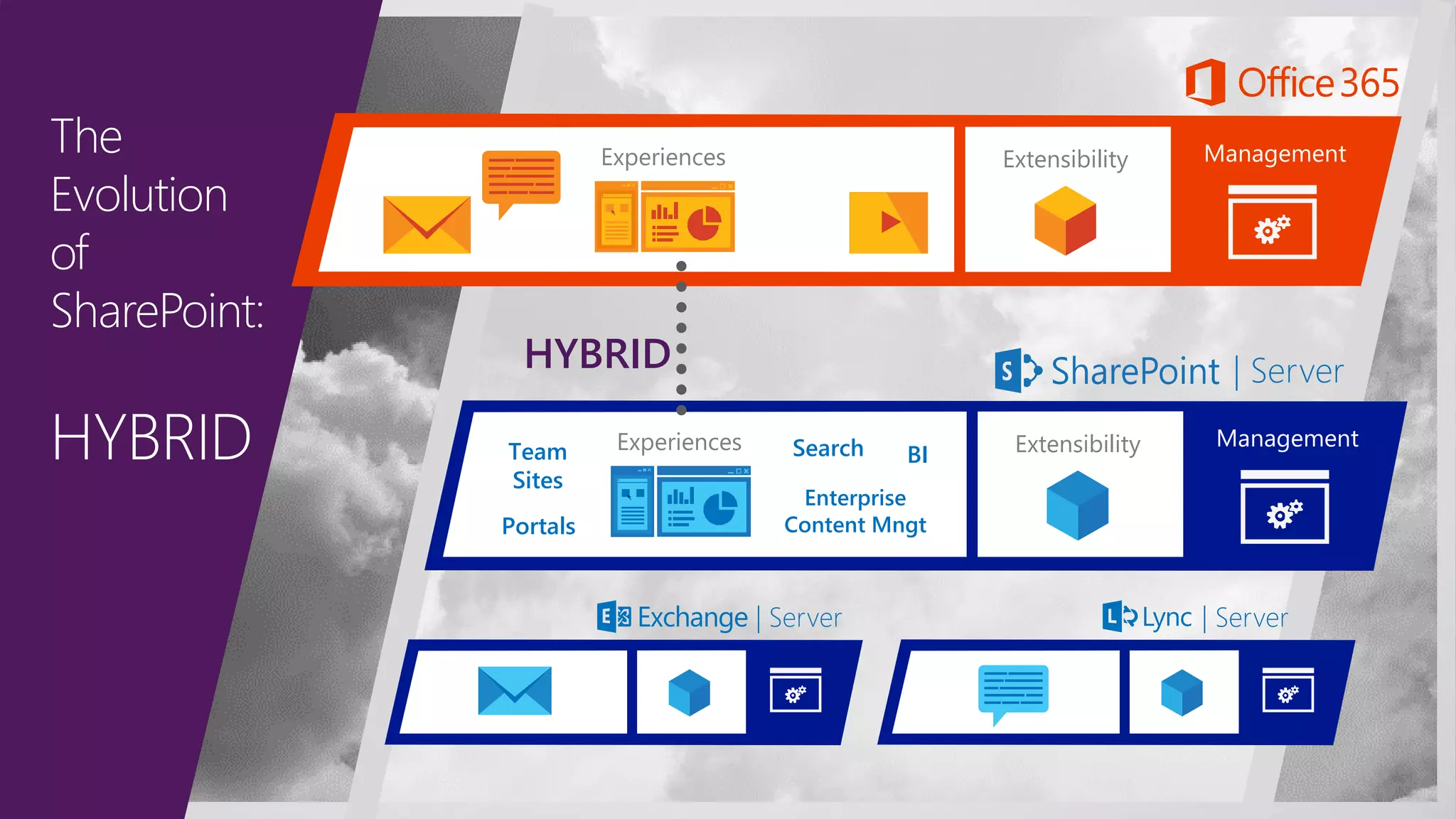
The
Evolution
of
SharePoint:
HYBRID ManagementExtensibilityExperiences
| Server
Experiences ManagementExtensibility
| Server | Server
HYBRID
Team
Sites
Portals
Search
Enterprise
Content Mngt
BI
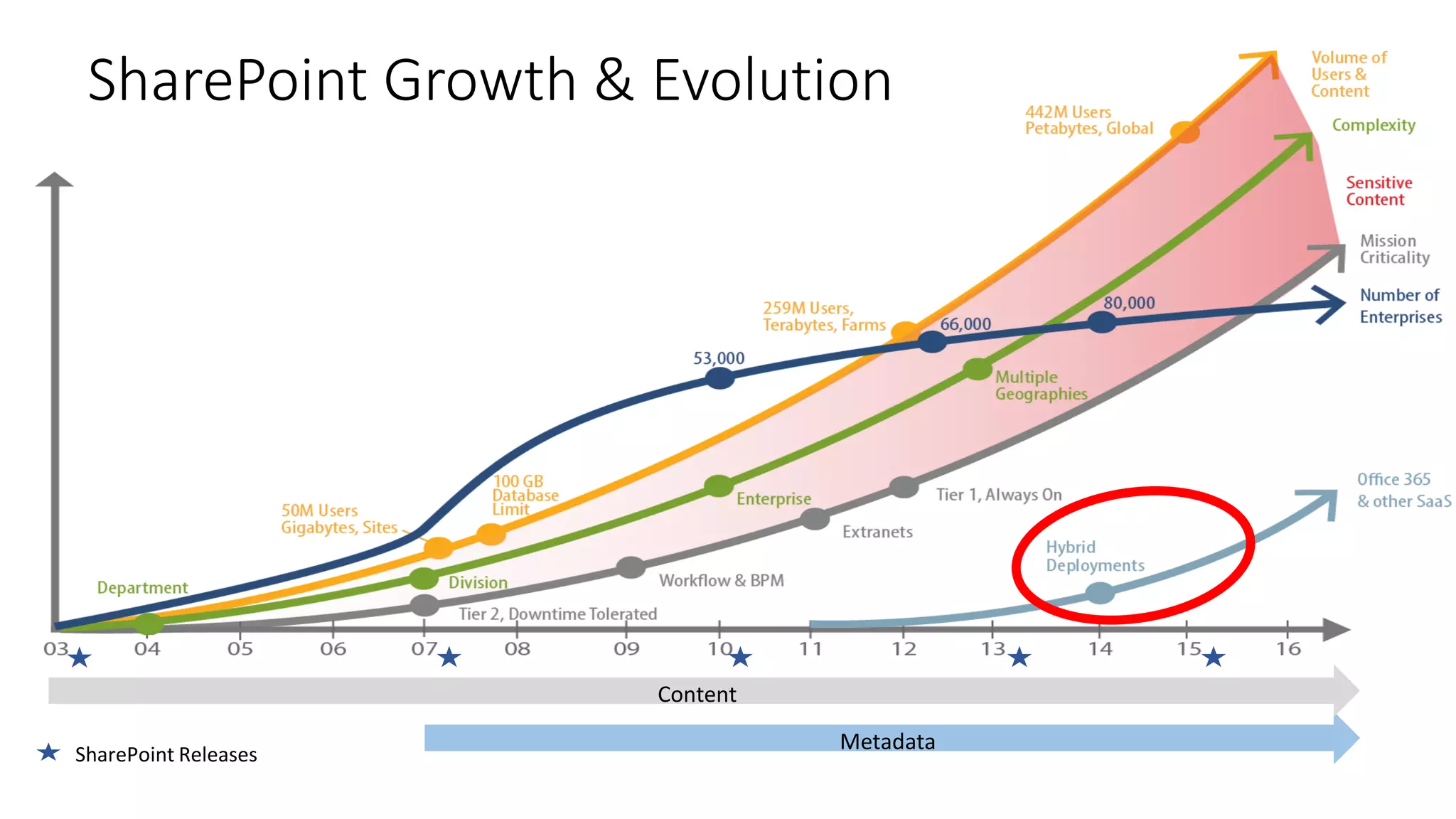
SharePoint Growth & Evolution
SharePoint Releases
Metadata
Content
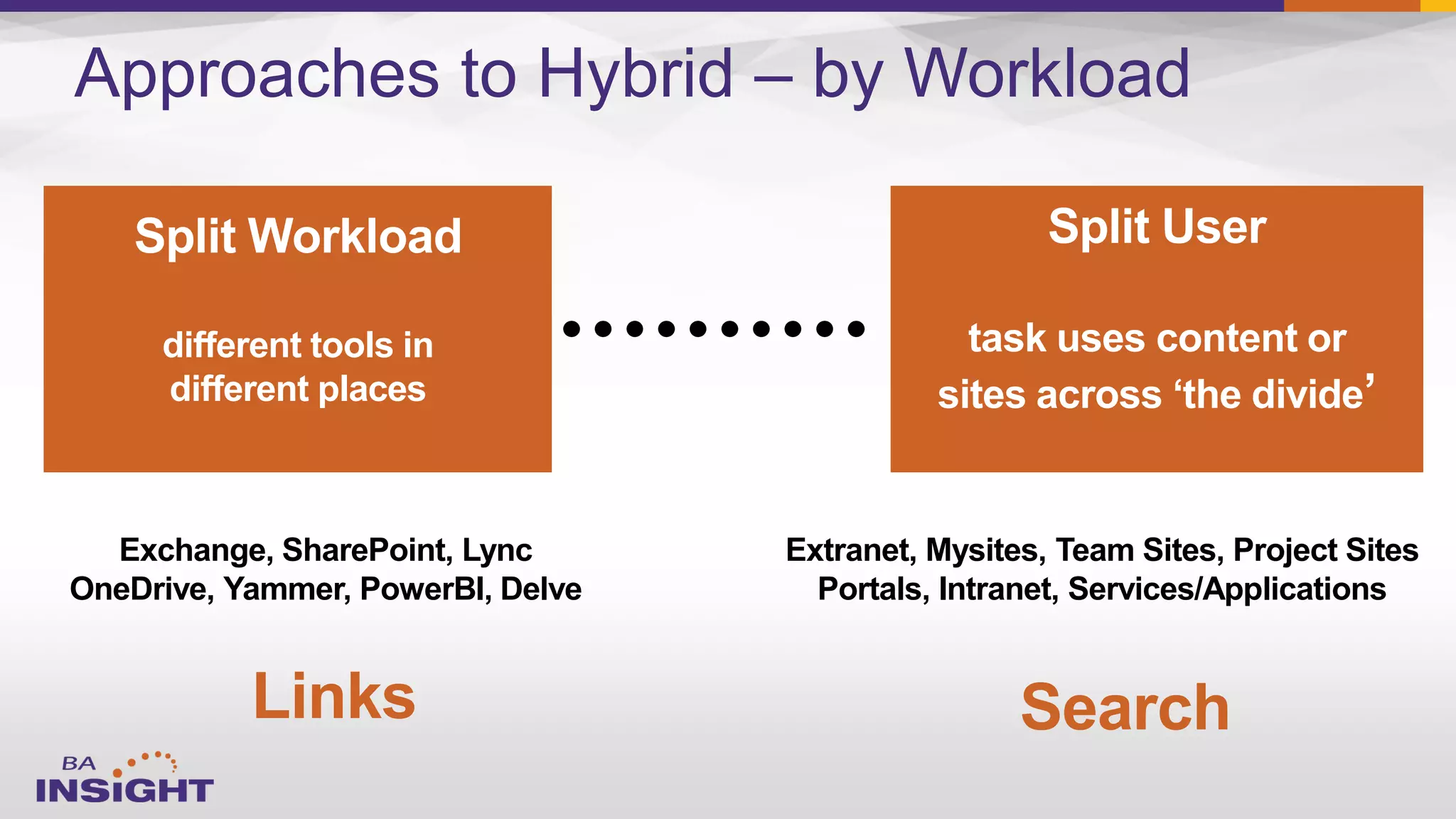
Approaches to Hybrid – by Workload
Split Workload
different tools in
different places
Split User
task uses content or
sites across ‘the divide’
Exchange, SharePoint, Lync
OneDrive, Yammer, PowerBI, Delve
Extranet, Mysites, Team Sites, Project Sites
Portals, Intranet, Services/Applications
Links Search
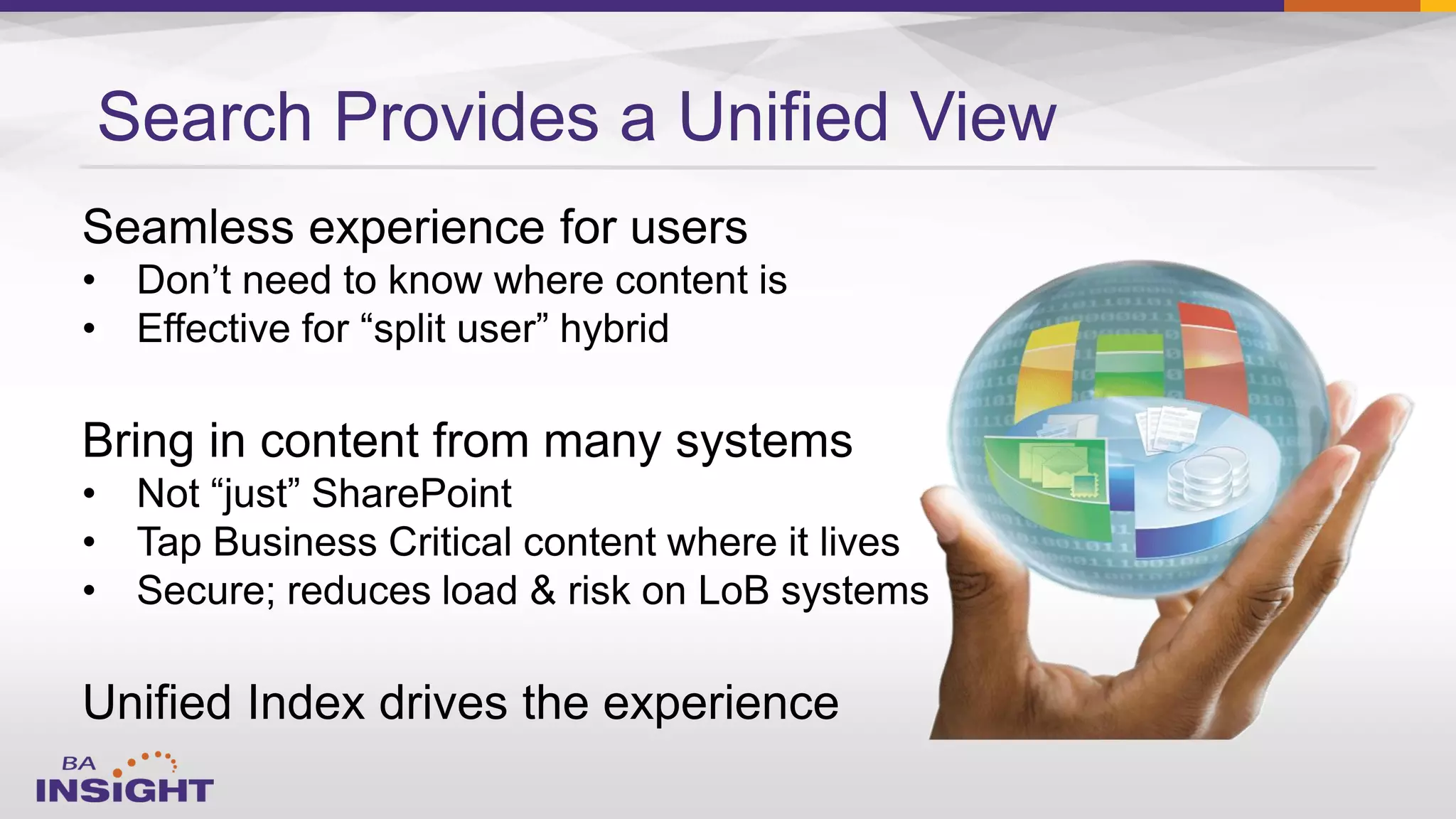
Search Provides a Unified View
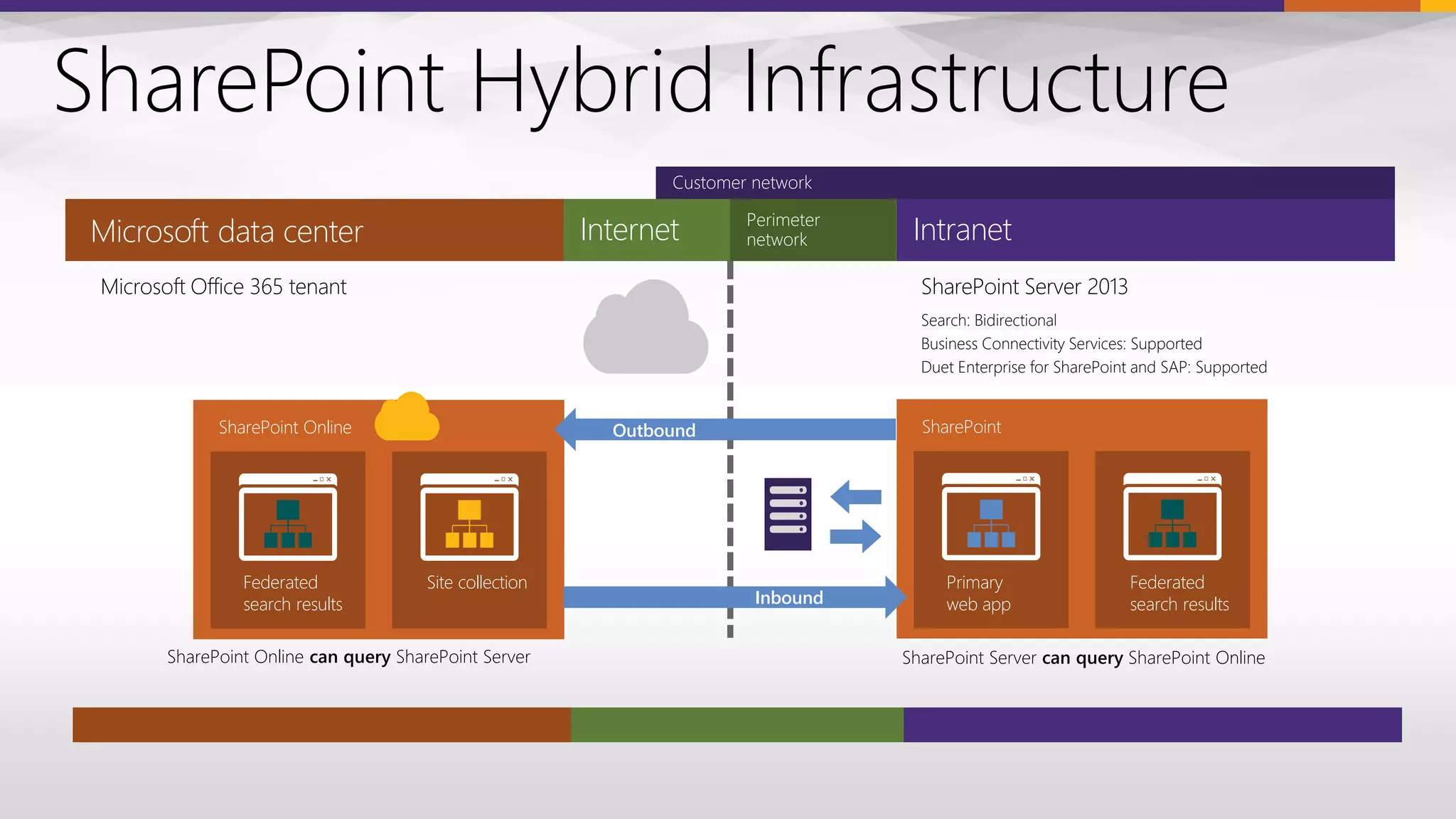
SharePoint Hybrid Infrastructure
Search: Bidirectional
Business Connectivity Services: Supported
Duet Enterprise for SharePoint and SAP: Supported
IntranetMicrosoft data center Internet
Microsoft Office 365 tenant
SharePoint Online
Federated
search results
Site collection
SharePoint Online can query SharePoint Server
SharePoint Server 2013
SharePoint
Primary
web app
Federated
search results
SharePoint Server can query SharePoint Online
Outbound
Inbound
Customer network
Perimeter
network
19
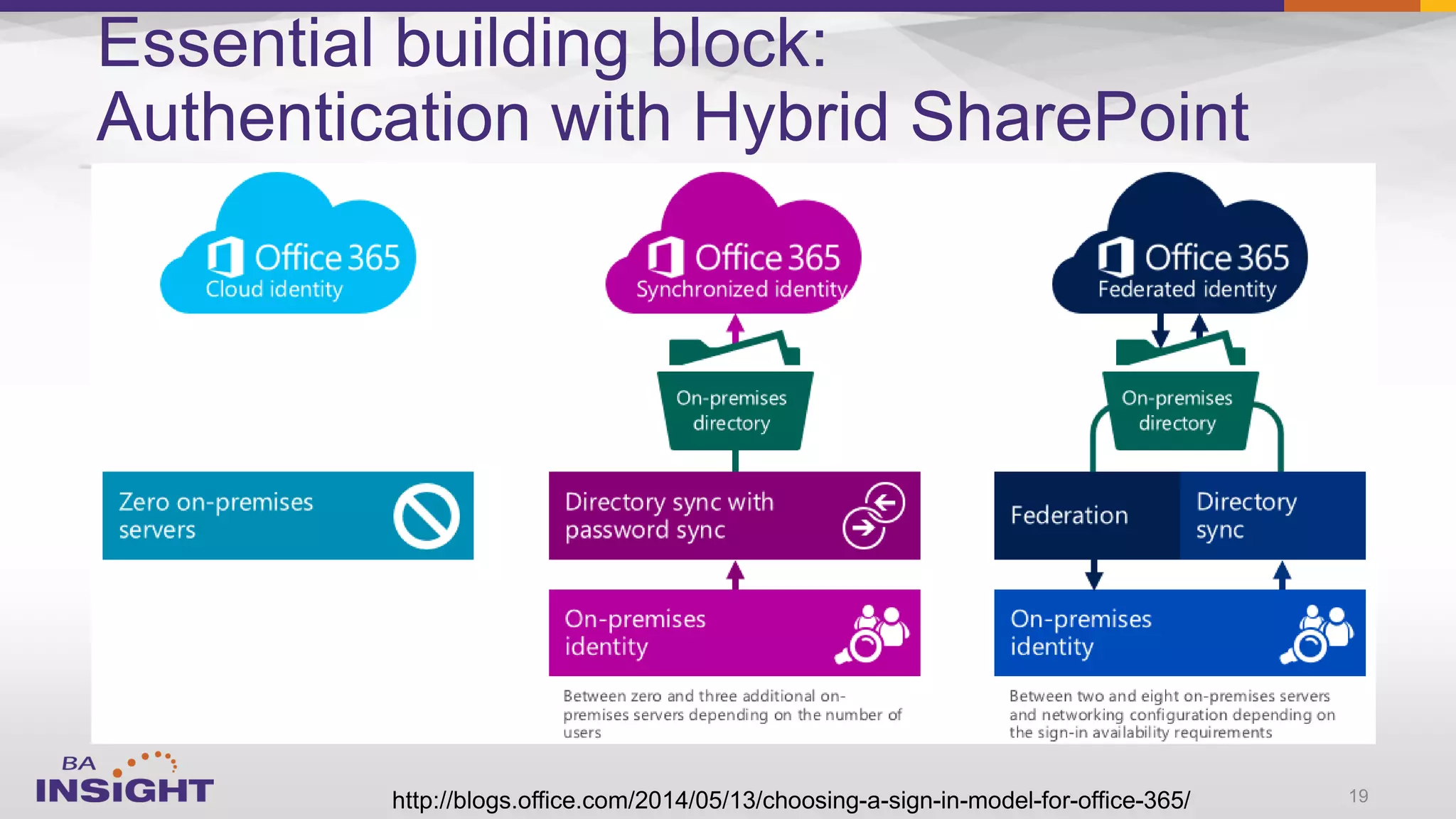
Essential building block:
Authentication with Hybrid SharePoint
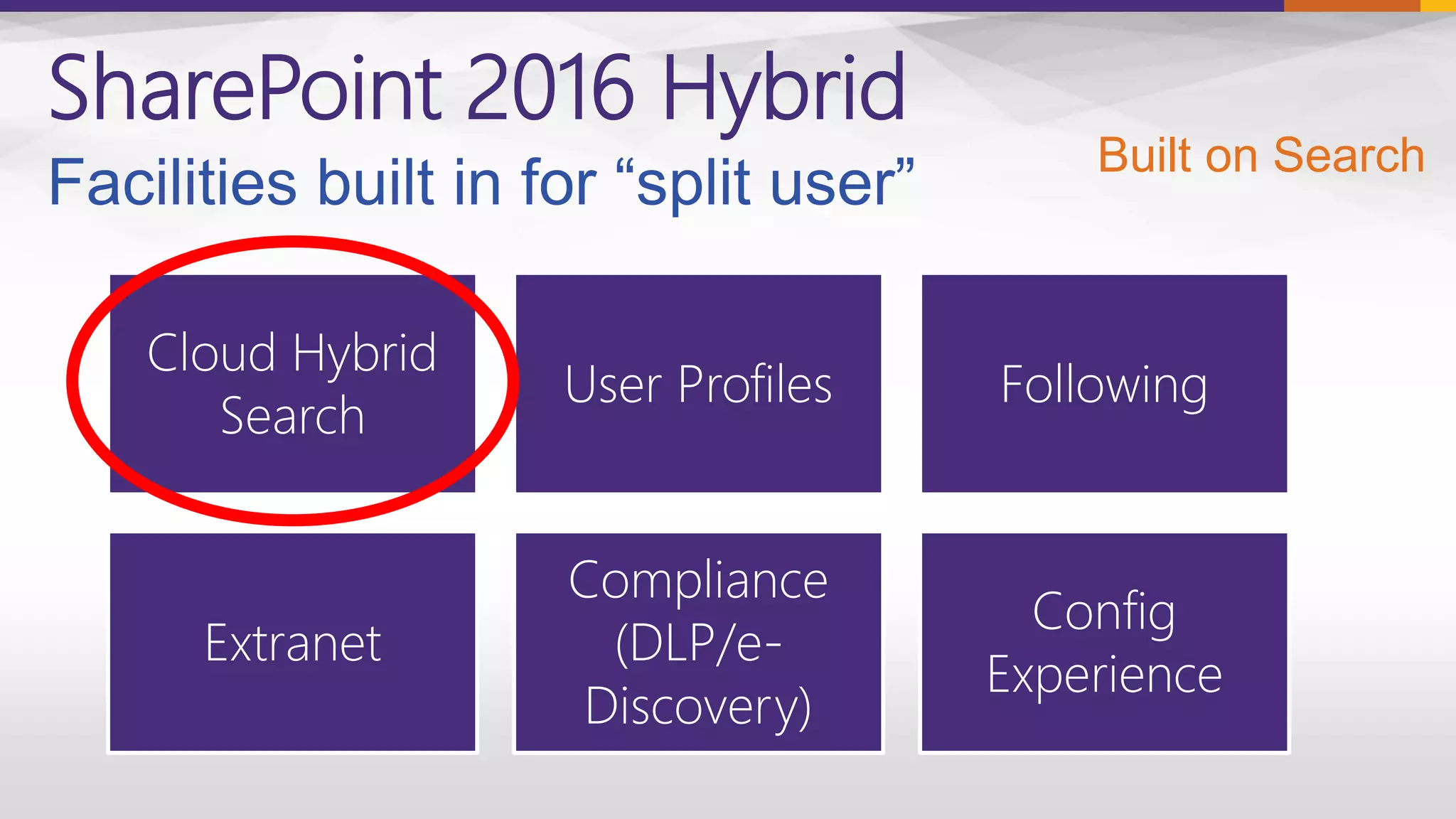
SharePoint 2016 Hybrid
Cloud Hybrid
Search
User Profiles Following
Extranet
Compliance
(DLP/e-
Discovery)
Config
Experience
Built on Search
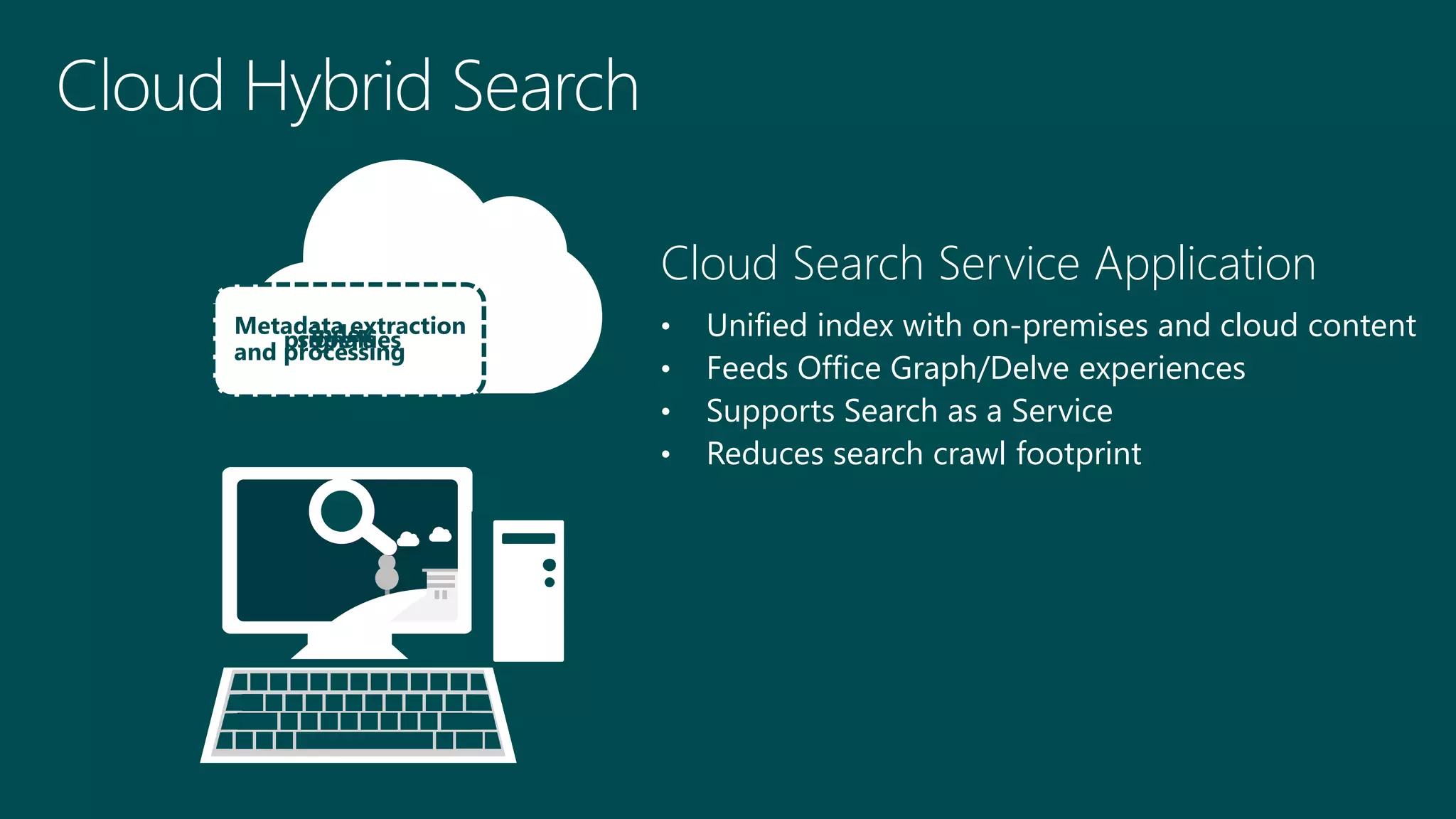
Cloud Search Service Application
• Unified index with on-premises and cloud content
• Feeds Office Graph/Delve experiences
• Supports Search as a Service
• Reduces search crawl footprint
Audio text
And search
indexpropertiessignals
Metadata extraction
and processing
Search Service
Application…
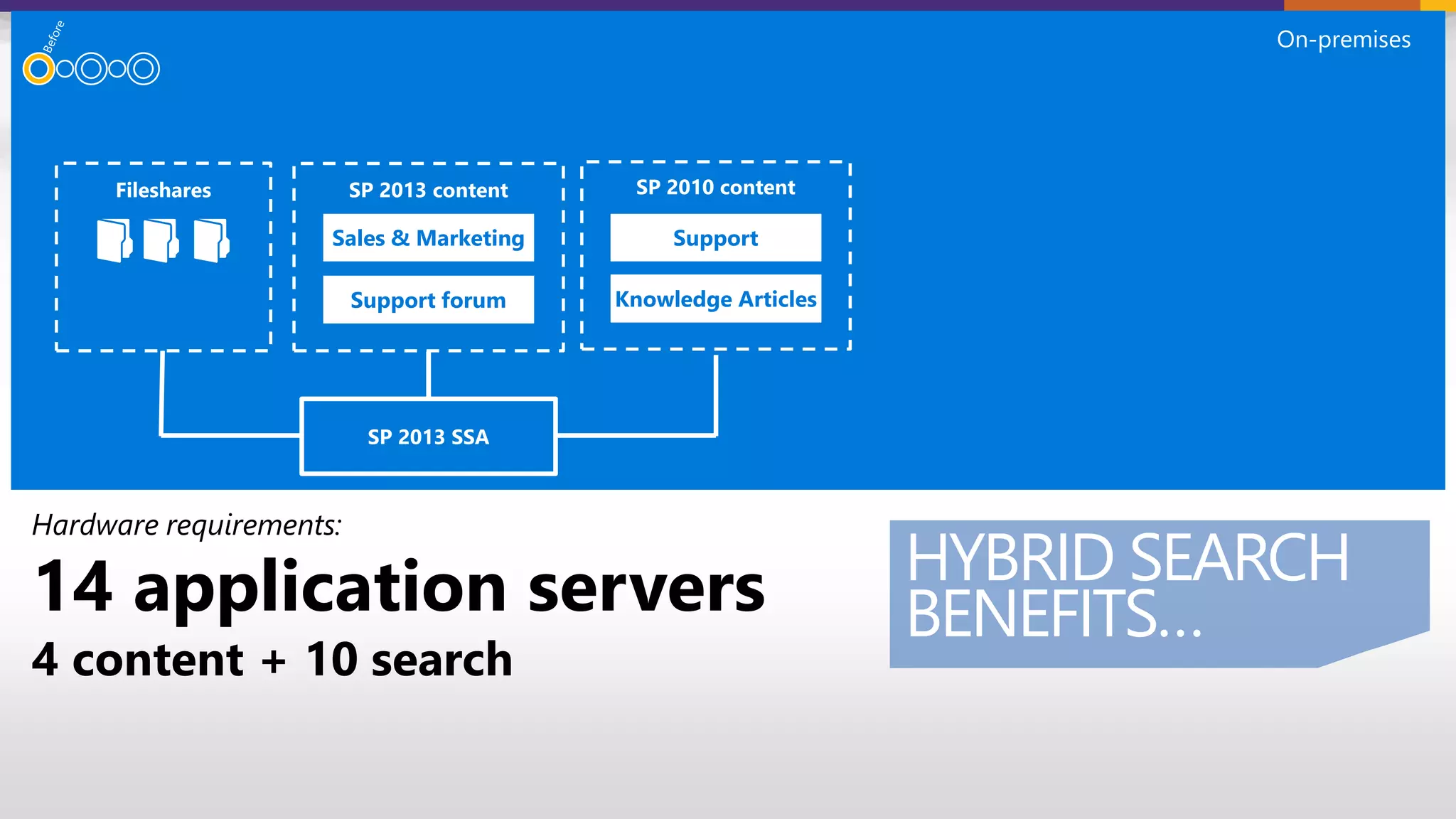
Support forum
SupportSales & Marketing
Knowledge Articles
Hardware requirements:
14 application servers
4 content + 10 search
On-premises
HYBRID SEARCH
BENEFITS…
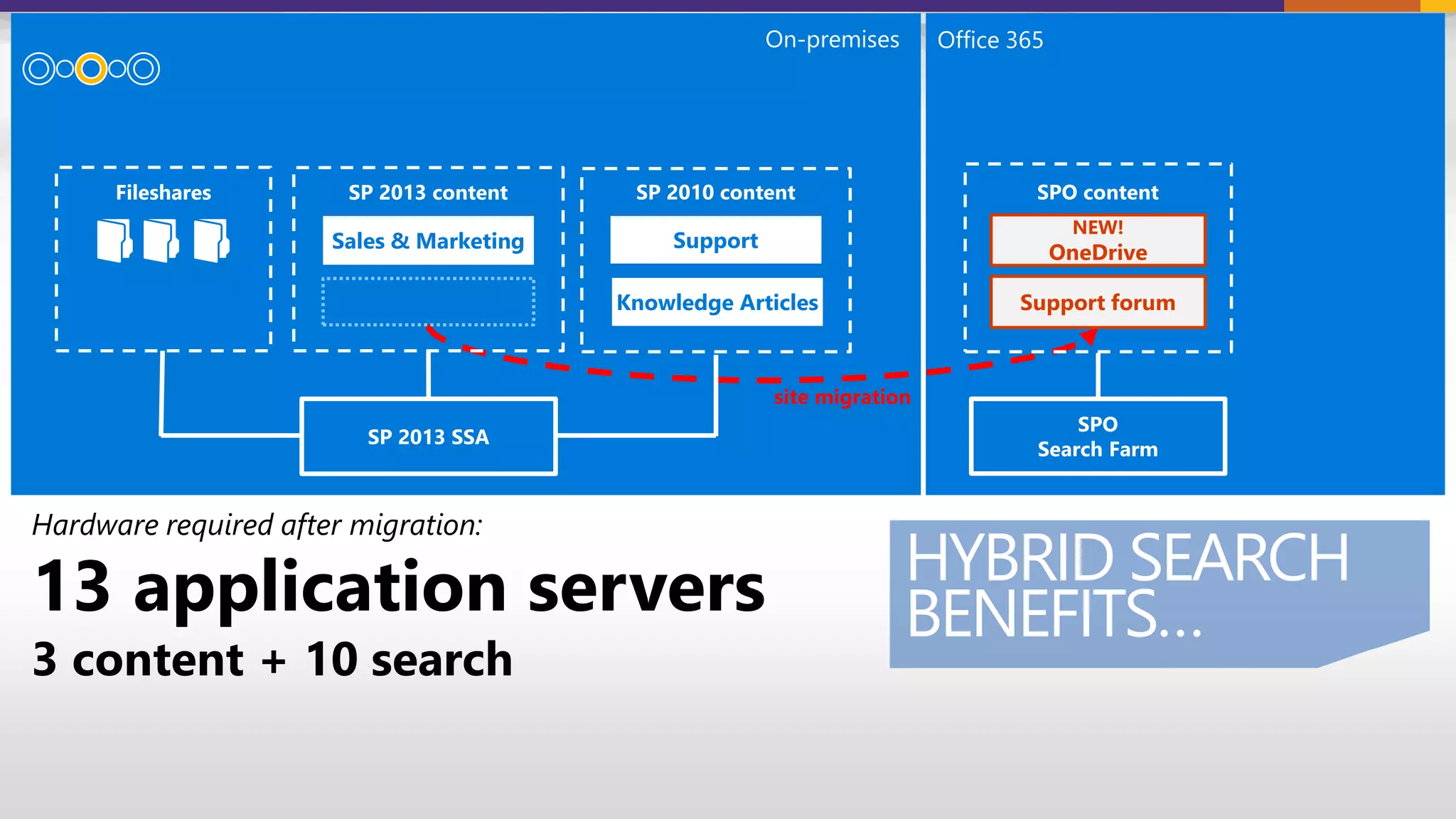
Hardware required after migration:
13 application servers
3 content + 10 search
site migration
On-premises Office 365
SupportSales & Marketing
Knowledge Articles
NEW!
OneDrive
Support forum
HYBRID SEARCH
BENEFITS…
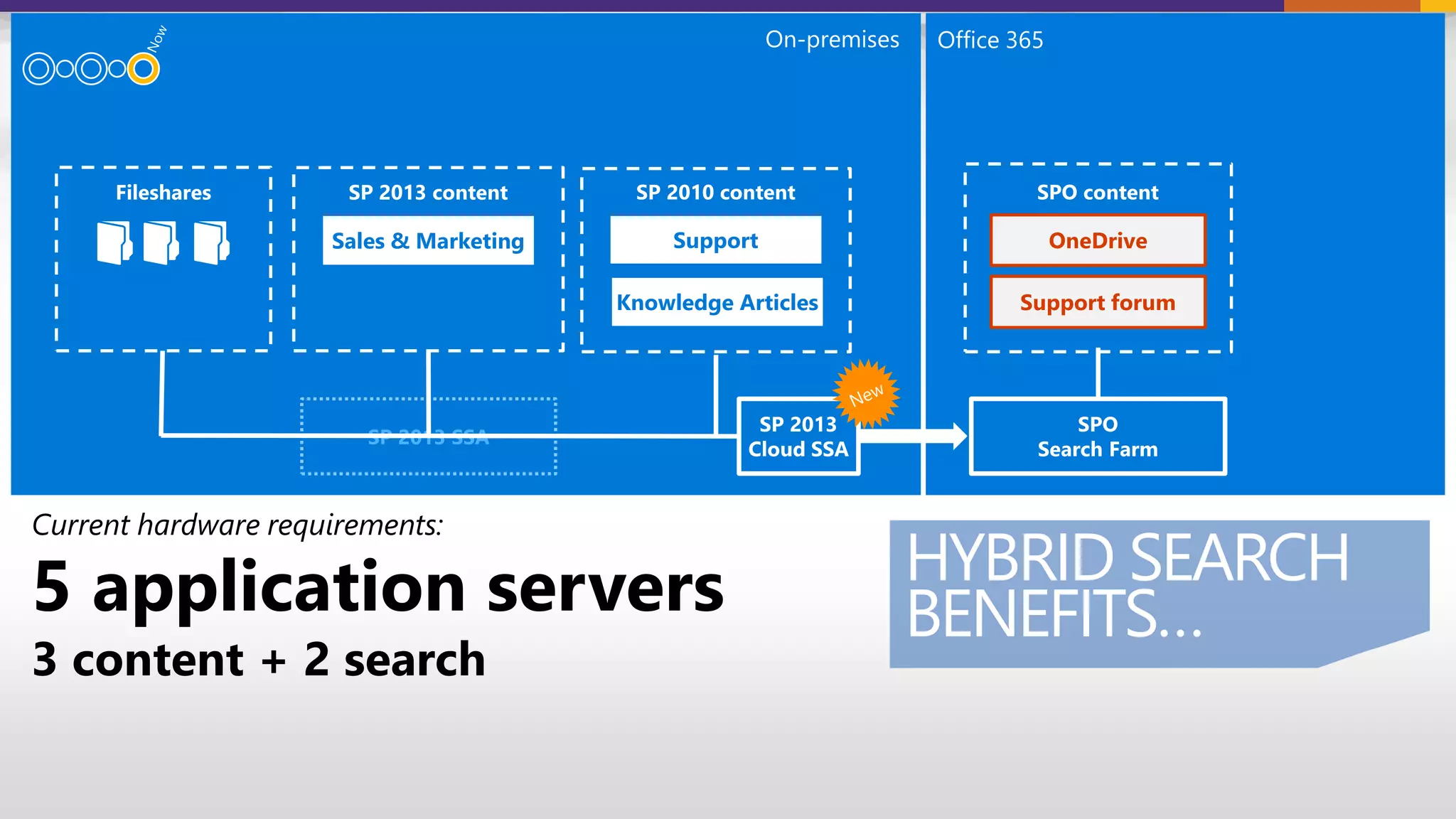
Current hardware requirements:
5 application servers
3 content + 2 search
HYBRID SEARCH
BENEFITS…
SupportSales & Marketing
Knowledge Articles
OneDrive
Support forum
On-premises Office 365
SP 2013 SSA
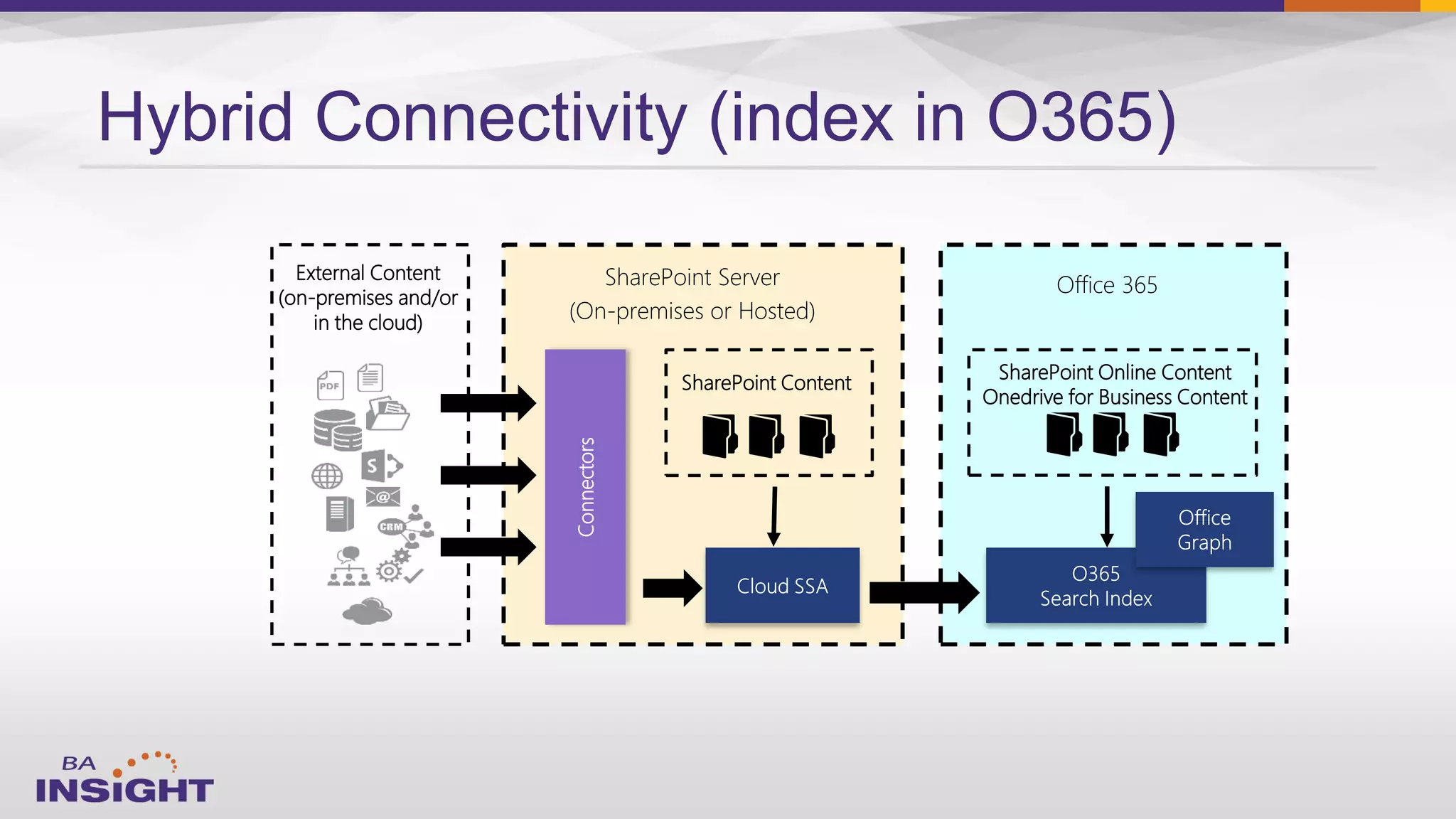
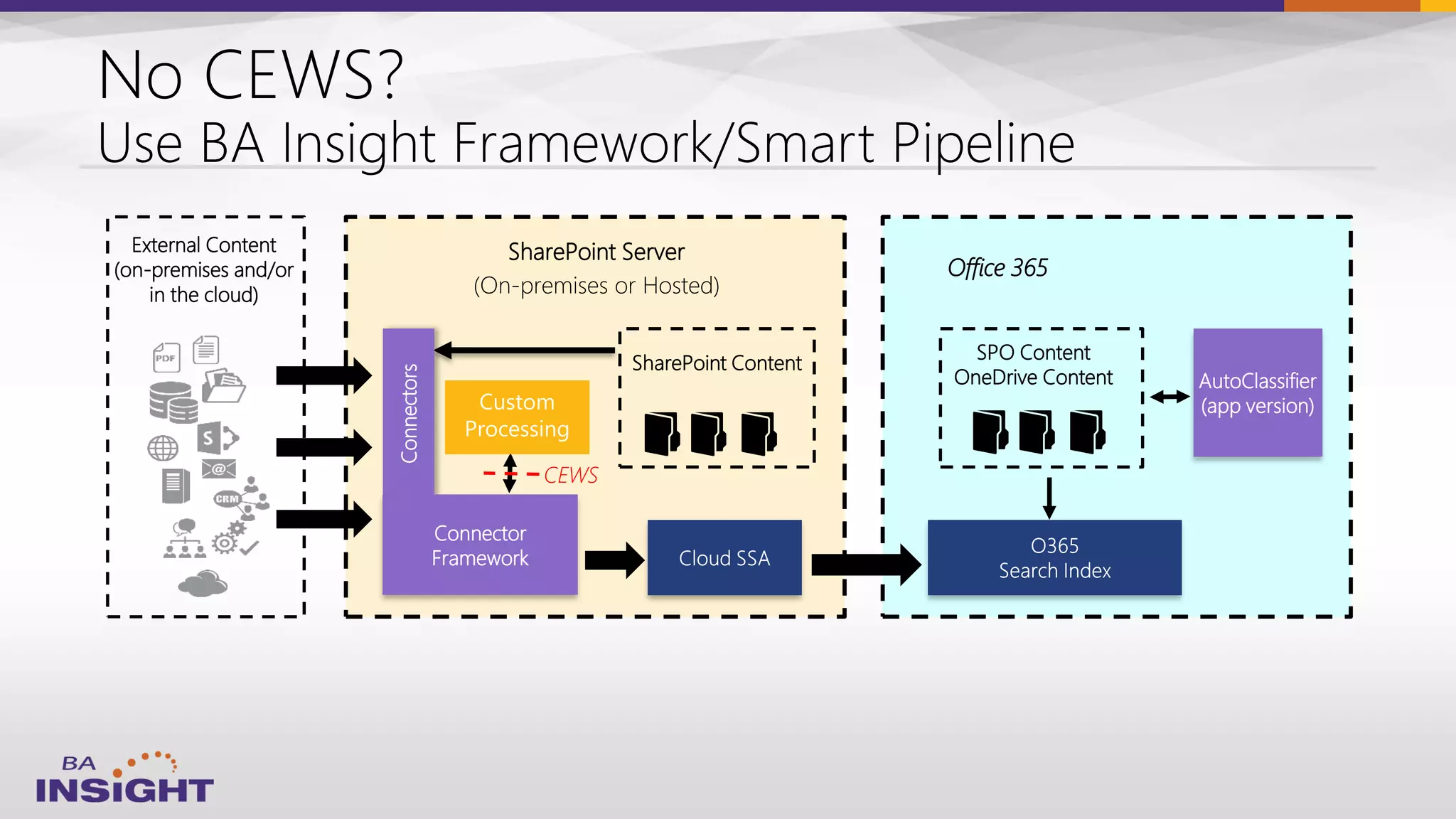
External Content
(on-premises and/or
in the cloud)
SharePoint Server
(On-premises or Hosted)
Office 365
SharePoint Online Content
Onedrive for Business Content
Connectors
SharePoint Content
Hybrid Connectivity (index in O365)
•
•
•
•
•
•
•
•
•
•
•
•
•
•
•
•
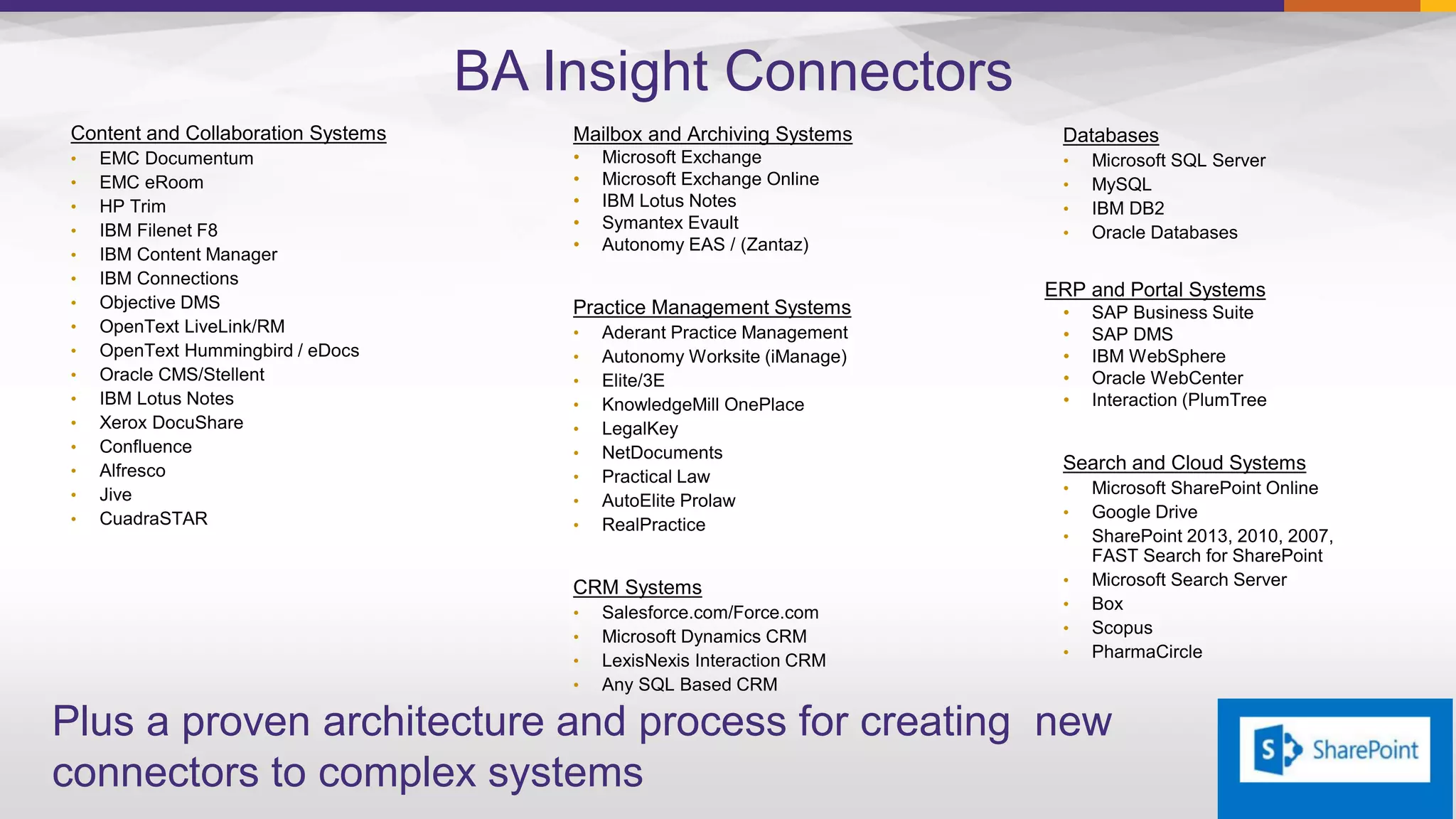
BA Insight Connectors
Mailbox and Archiving Systems
• Microsoft Exchange
• Microsoft Exchange Online
• IBM Lotus Notes
• Symantex Evault
• Autonomy EAS / (Zantaz)
•
•
•
•
•
•
•
•
•
•
•
•
•
•
•
•
•
ERP and Portal Systems
•
•
•
•
•
•
•
•
•
•
•
•
Plus a proven architecture and process for creating new
connectors to complex systems


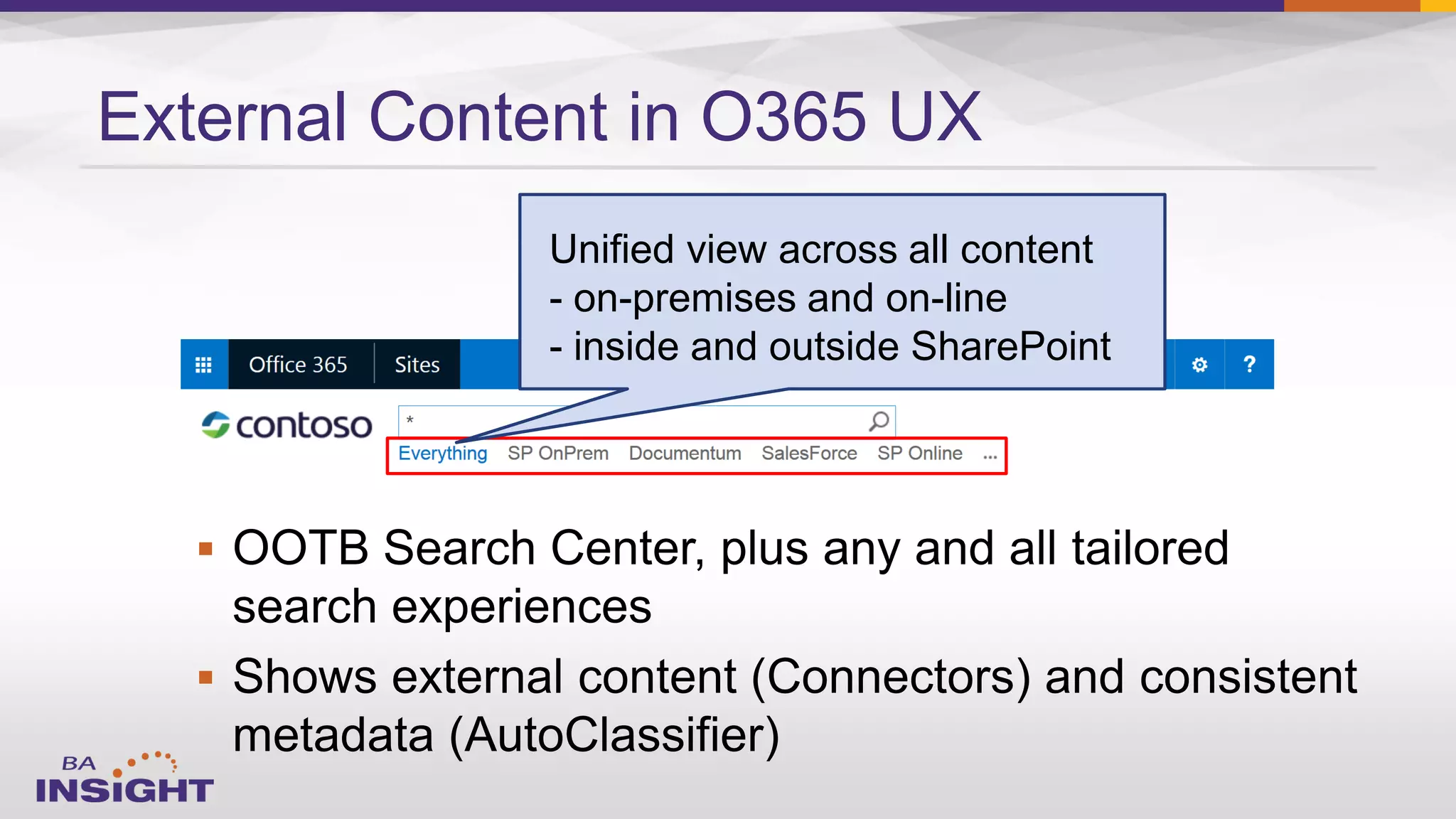
External Content in O365 UX
Unified view across all content
- on-premises and on-line
- inside and outside SharePoint
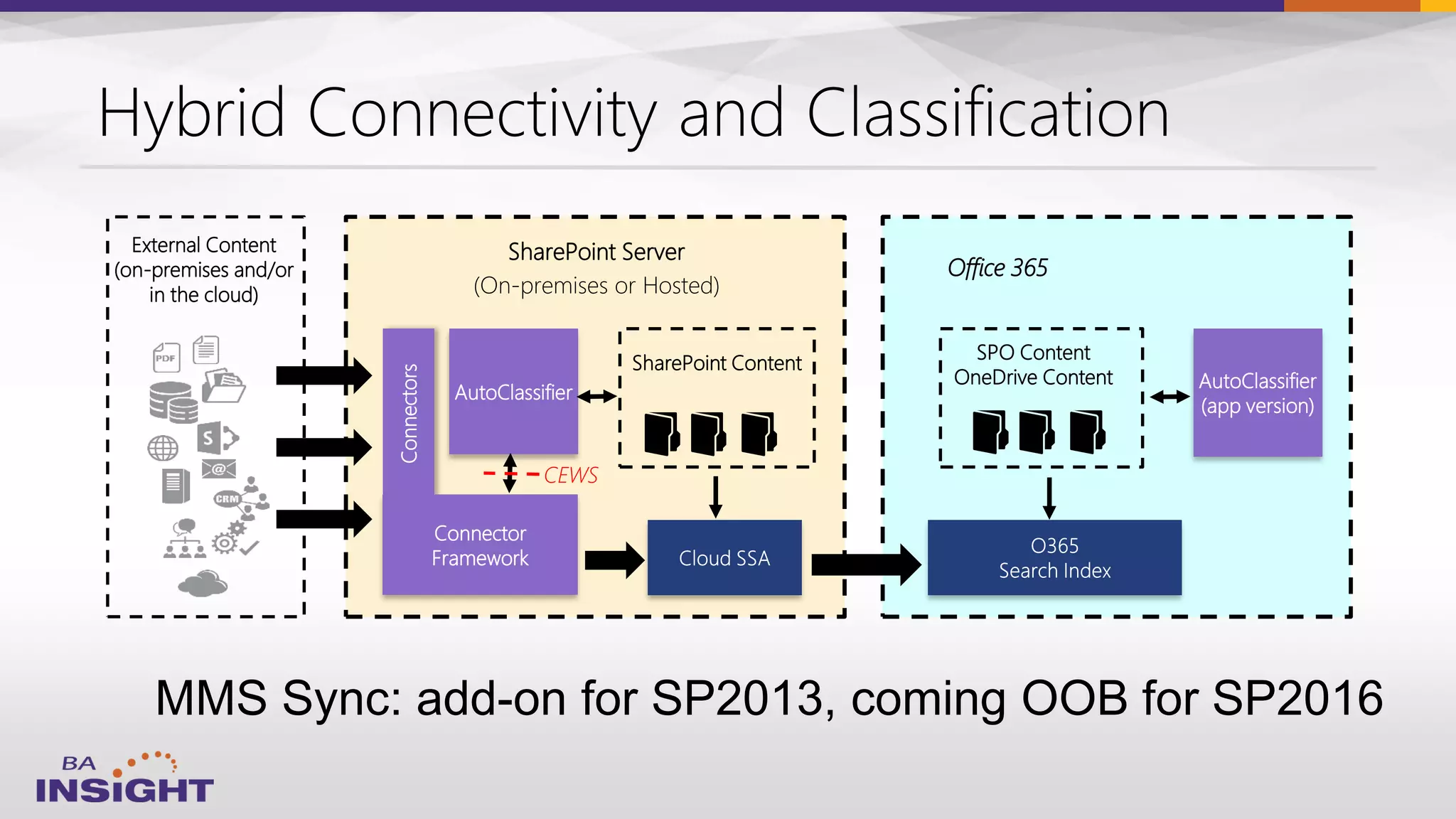
External Content
(on-premises and/or
in the cloud)
SharePoint Server
(On-premises or Hosted)
SPO Content
OneDrive Content
Connectors
SharePoint Content
Connector
Framework
AutoClassifier
Office 365
AutoClassifier
(app version)
CEWS
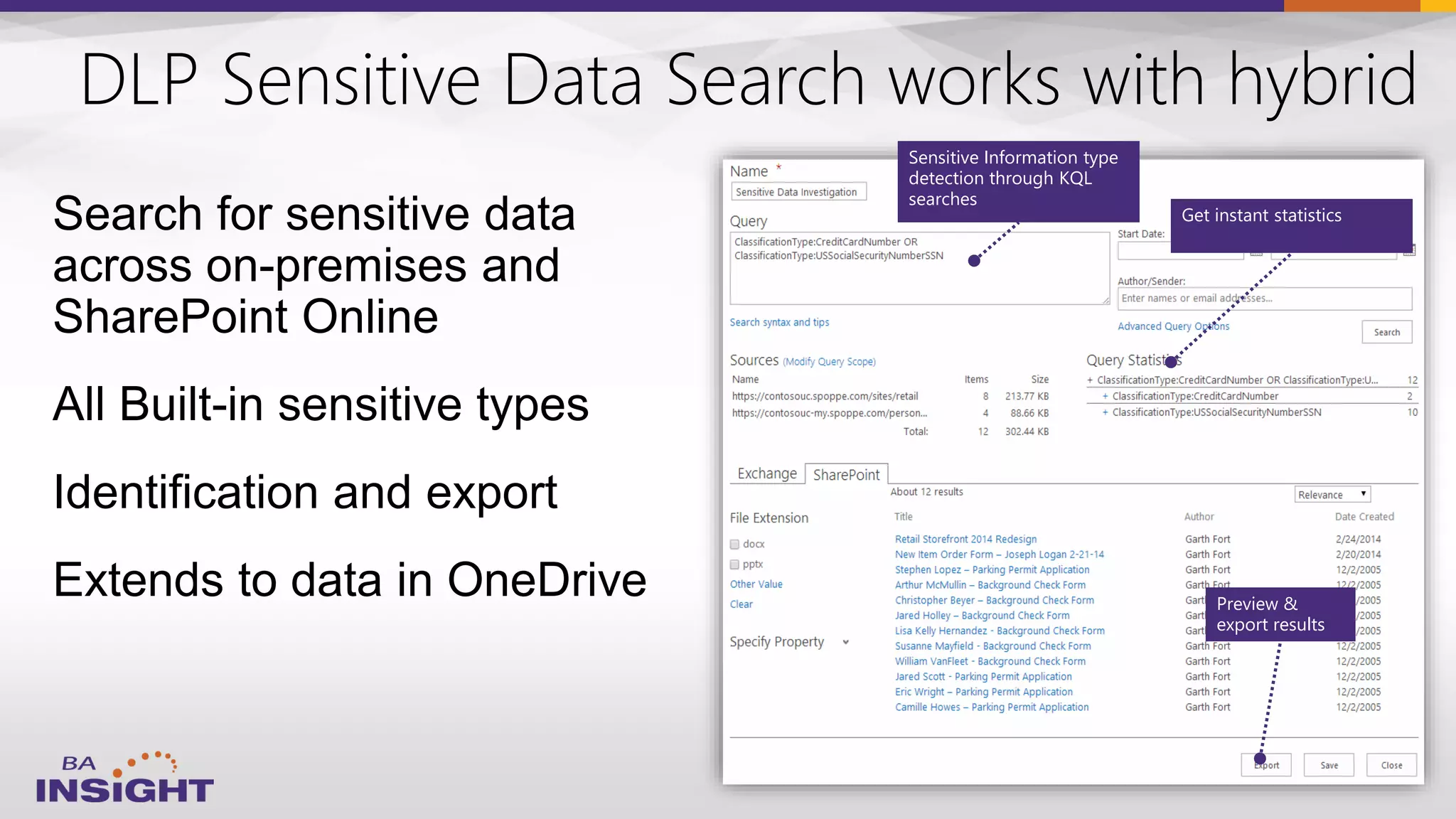
DLP Sensitive Data Search works with hybrid
Search for sensitive data
across on-premises and
SharePoint Online
All Built-in sensitive types
Identification and export
Extends to data in OneDrive
Sensitive Information type
detection through KQL
searches
Get instant statistics
Preview &
export results
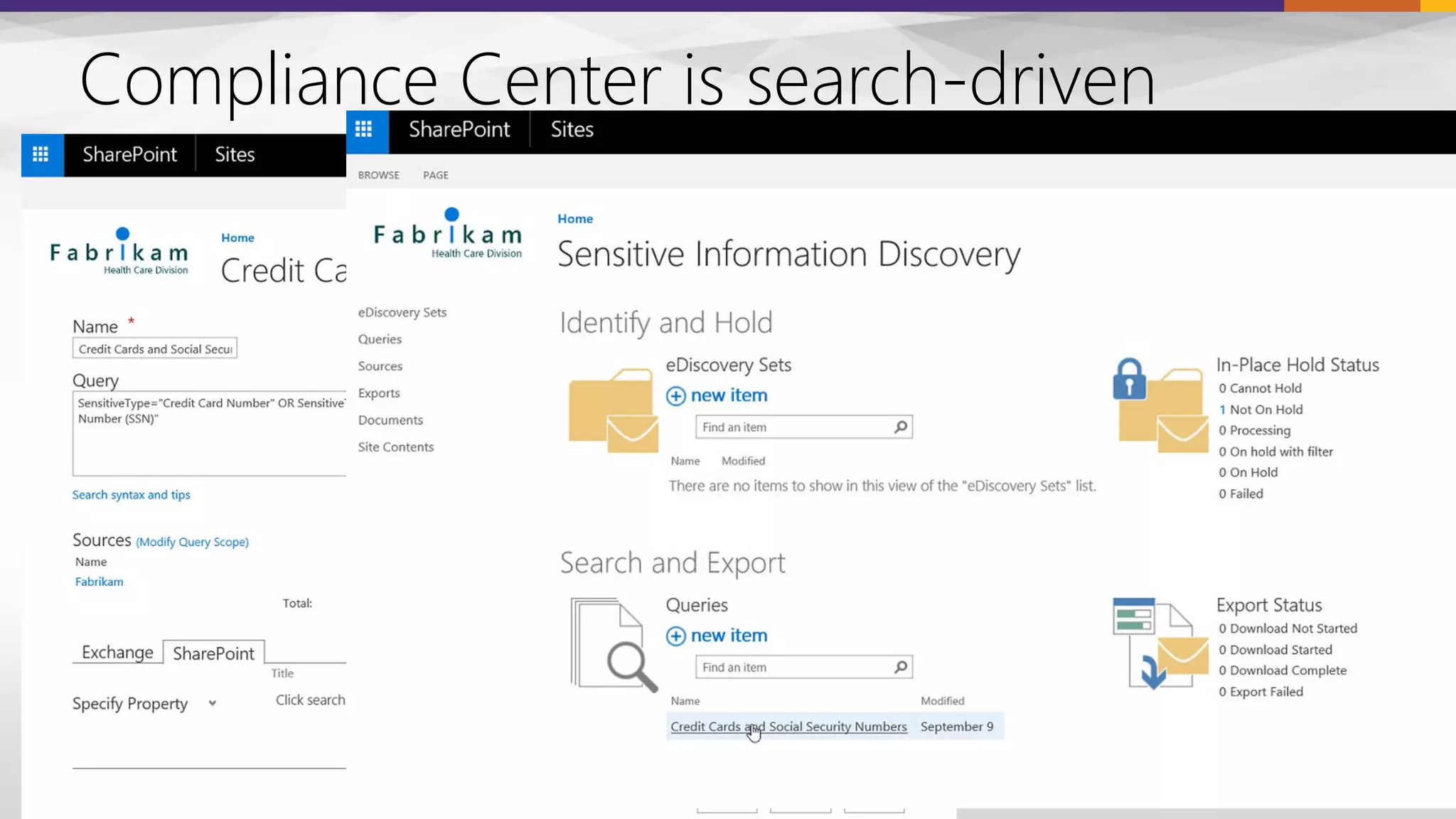
Compliance Center is search-driven
External Content
(on-premises and/or
in the cloud)
SharePoint Server
(On-premises or Hosted)
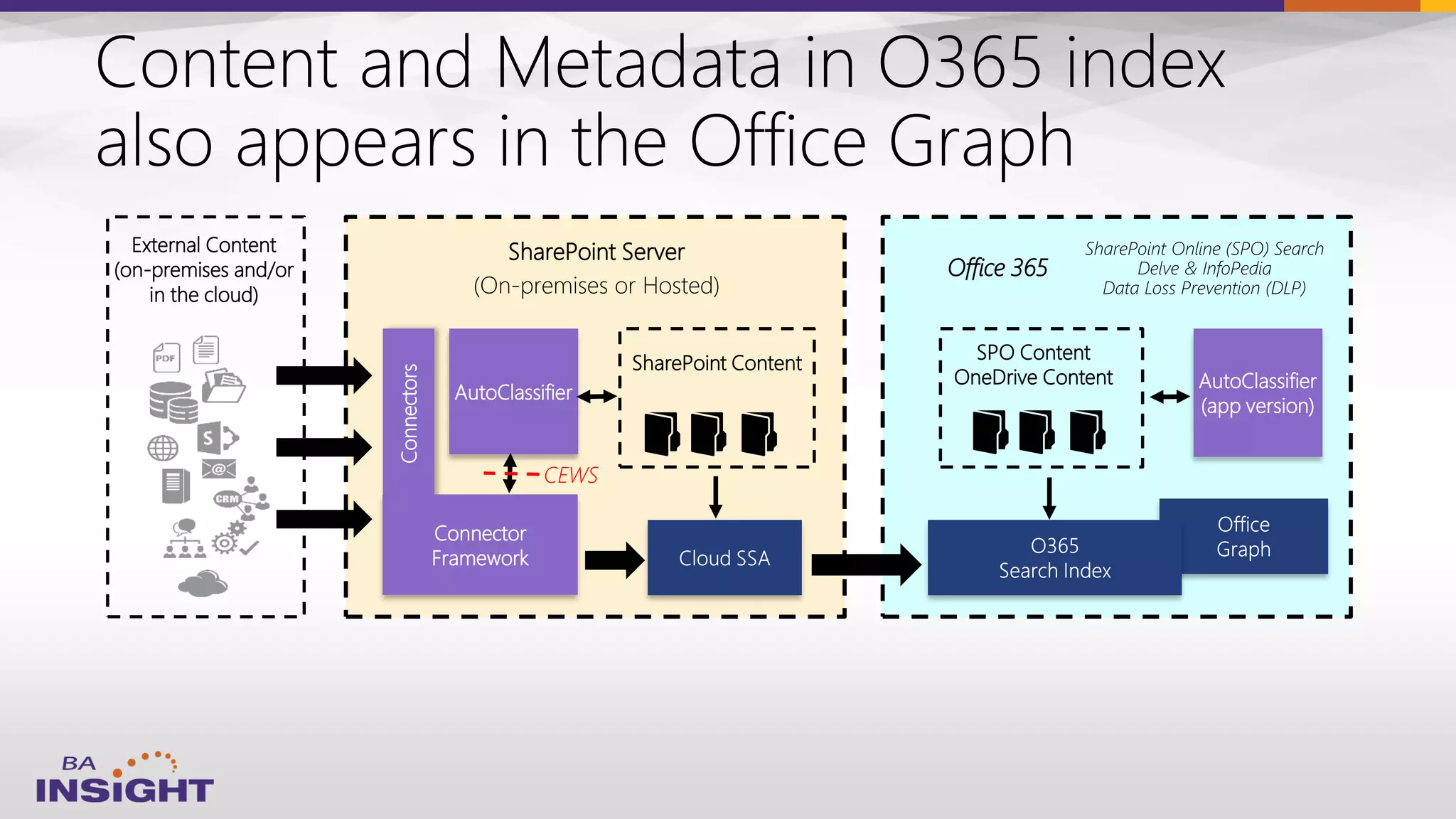
SharePoint Online (SPO) Search
Delve & InfoPedia
Data Loss Prevention (DLP)
SPO Content
OneDrive Content
Connectors
SharePoint Content
Connector
Framework
AutoClassifier
Office 365
AutoClassifier
(app version)
CEWS
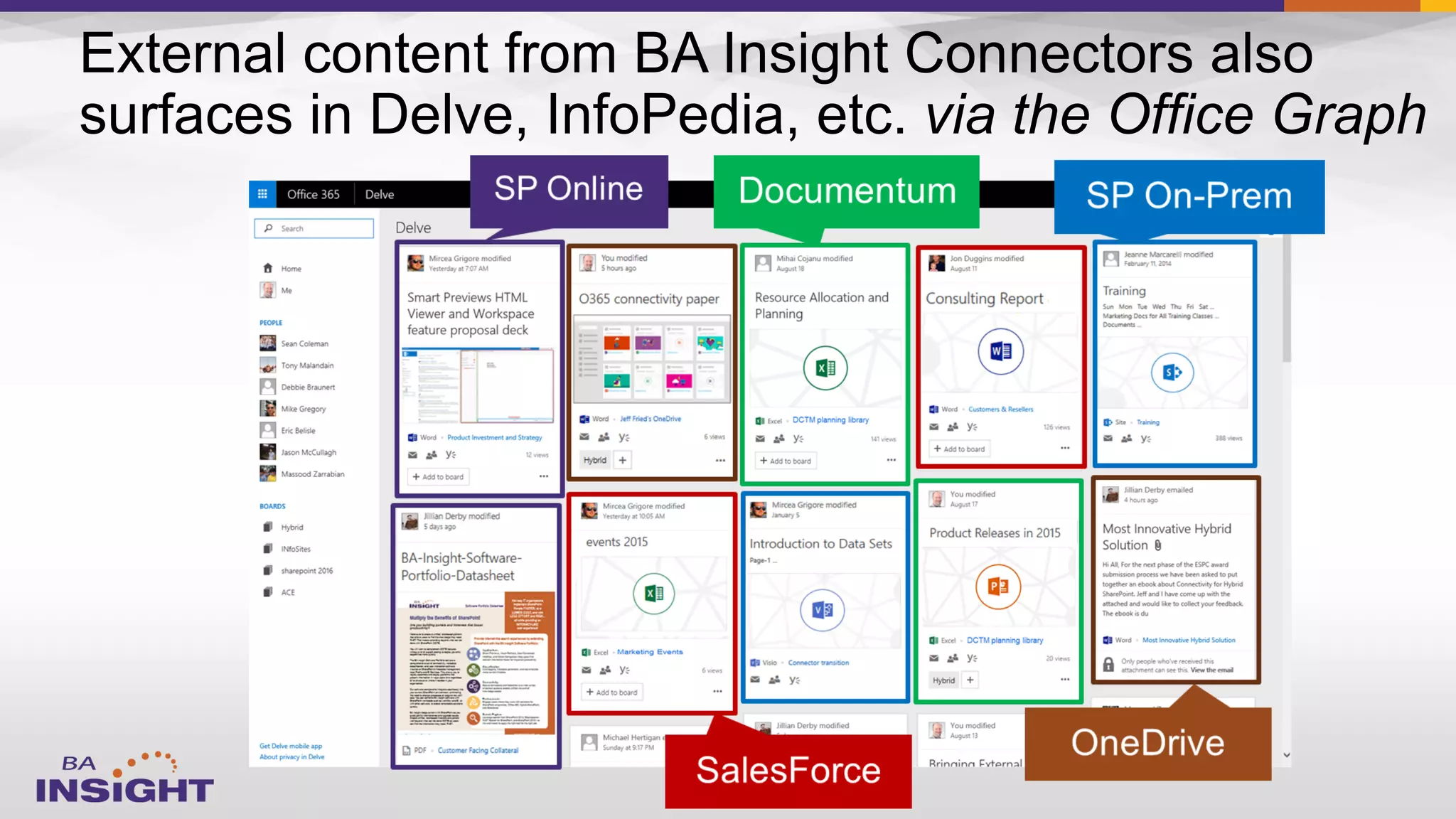
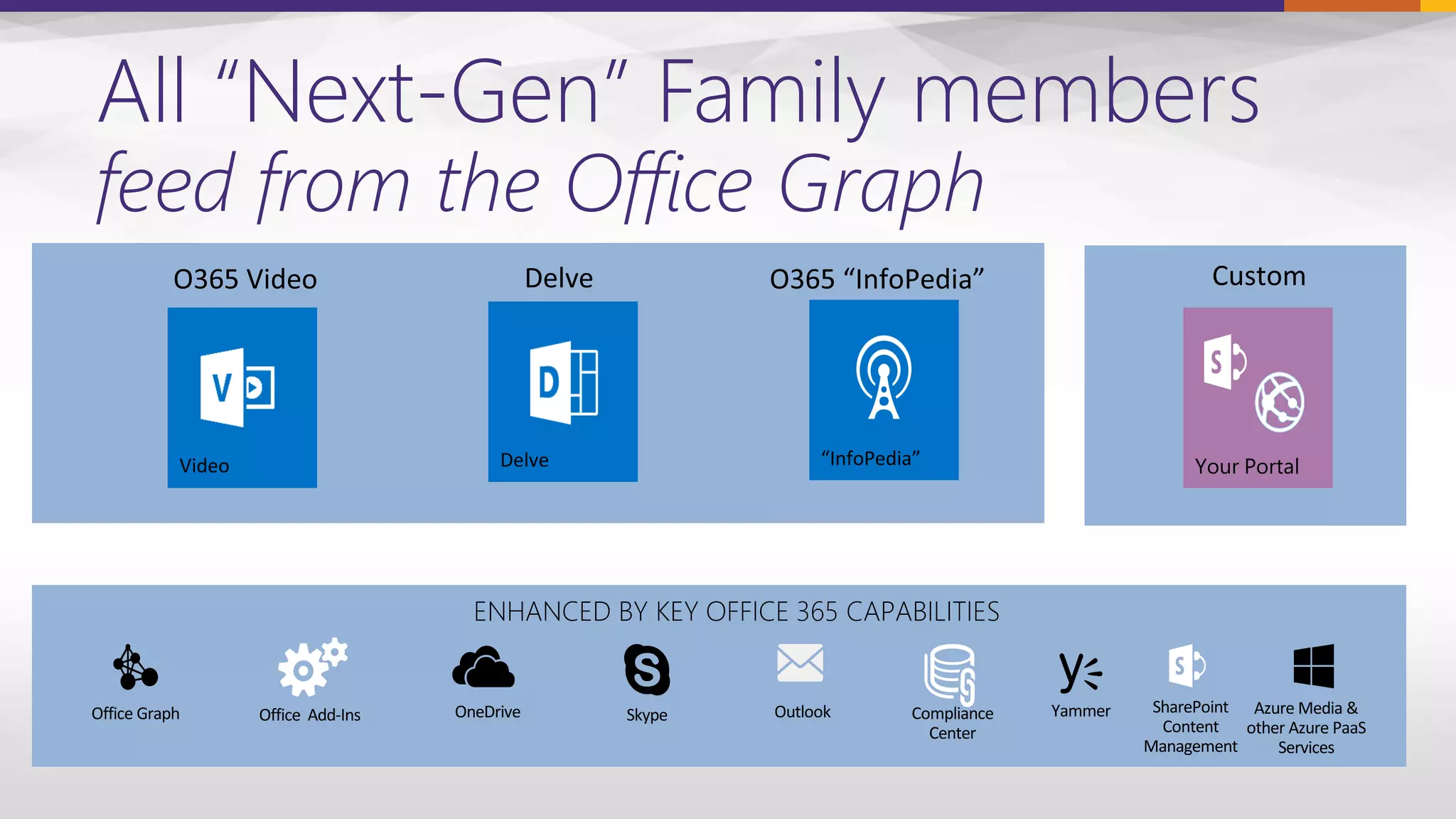
All “Next-Gen” Family members
feed from the Office Graph
Your Portal
ENHANCED BY KEY OFFICE 365 CAPABILITIES
Office Graph YammerOneDrive Skype Outlook SharePoint
Content
Management
Office Add-Ins Azure Media &
other Azure PaaS
Services
Compliance
Center
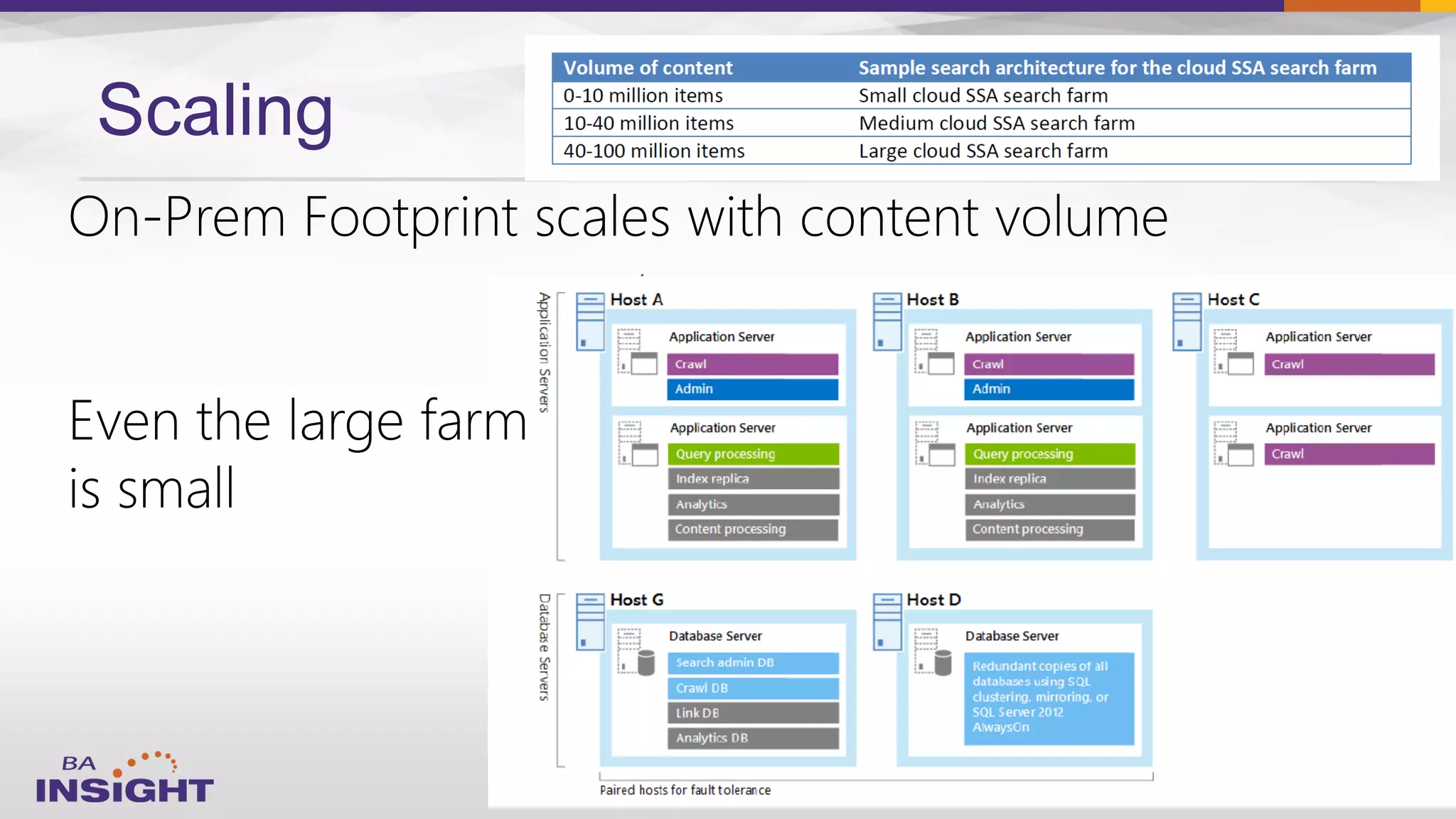
Scaling
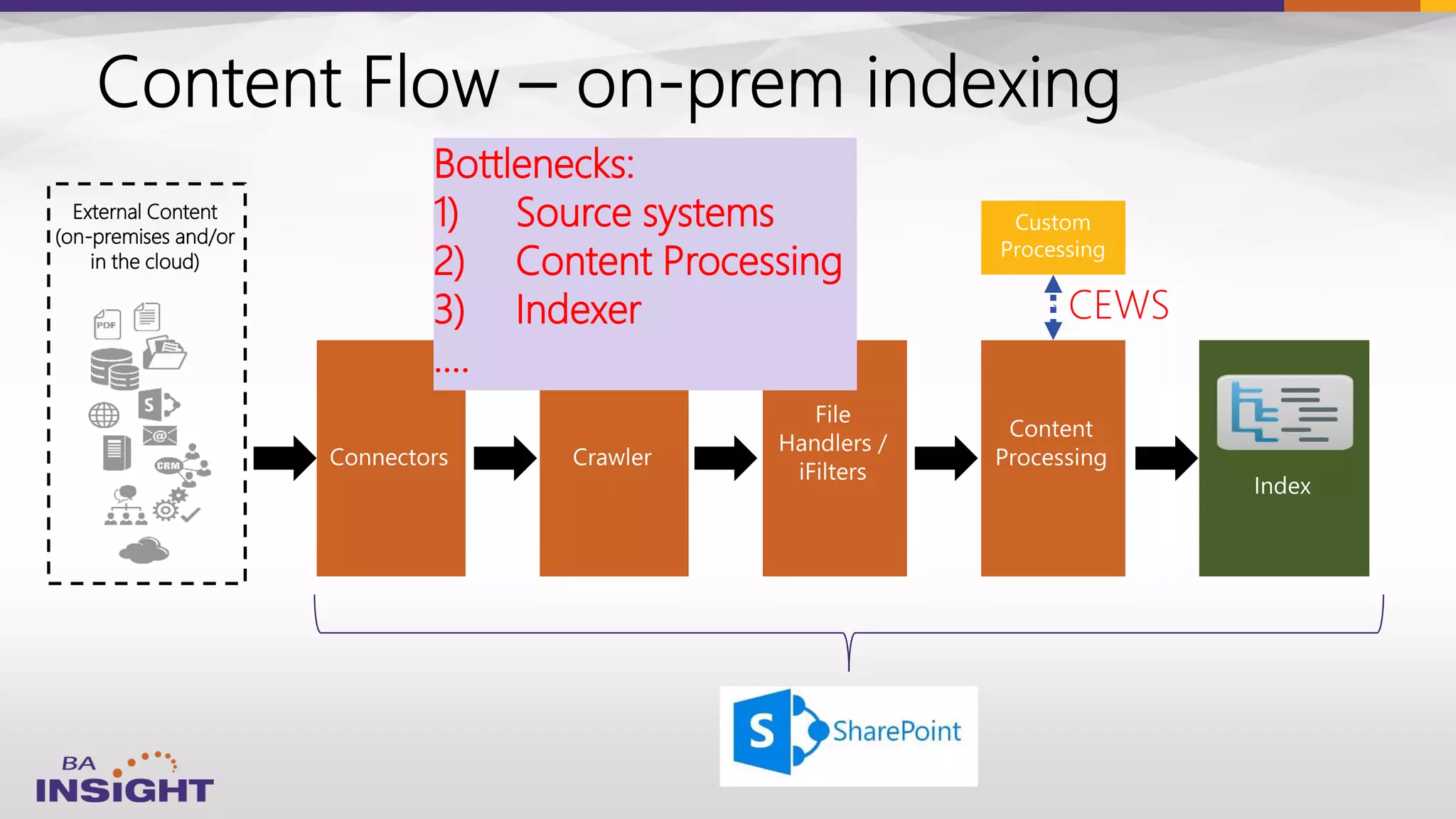
External Content
(on-premises and/or
in the cloud)
CEWS
Bottlenecks:
1) Source systems
2) Content Processing
3) Indexer
….
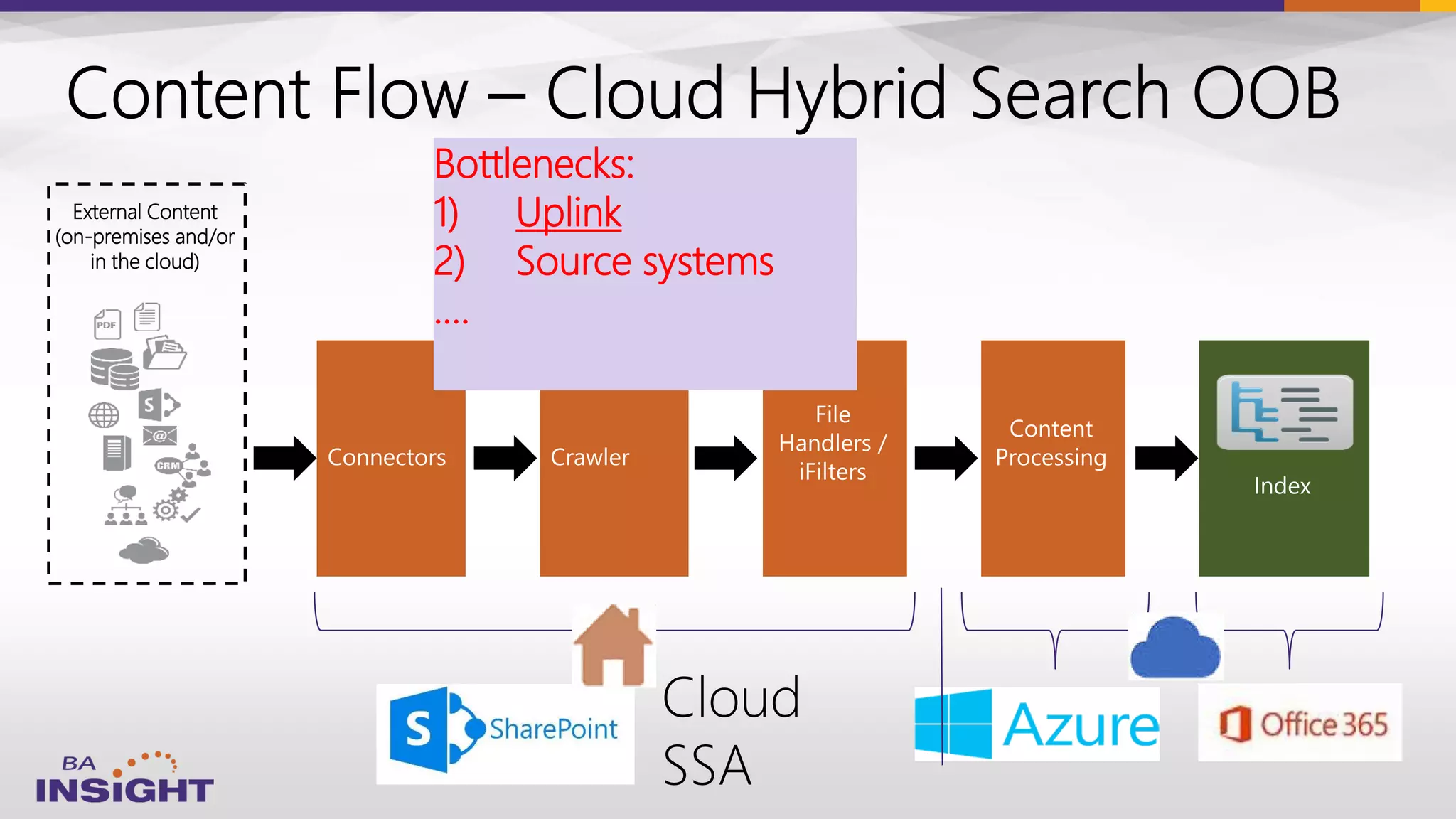
External Content
(on-premises and/or
in the cloud)
Bottlenecks:
1) Uplink
2) Source systems
….
38
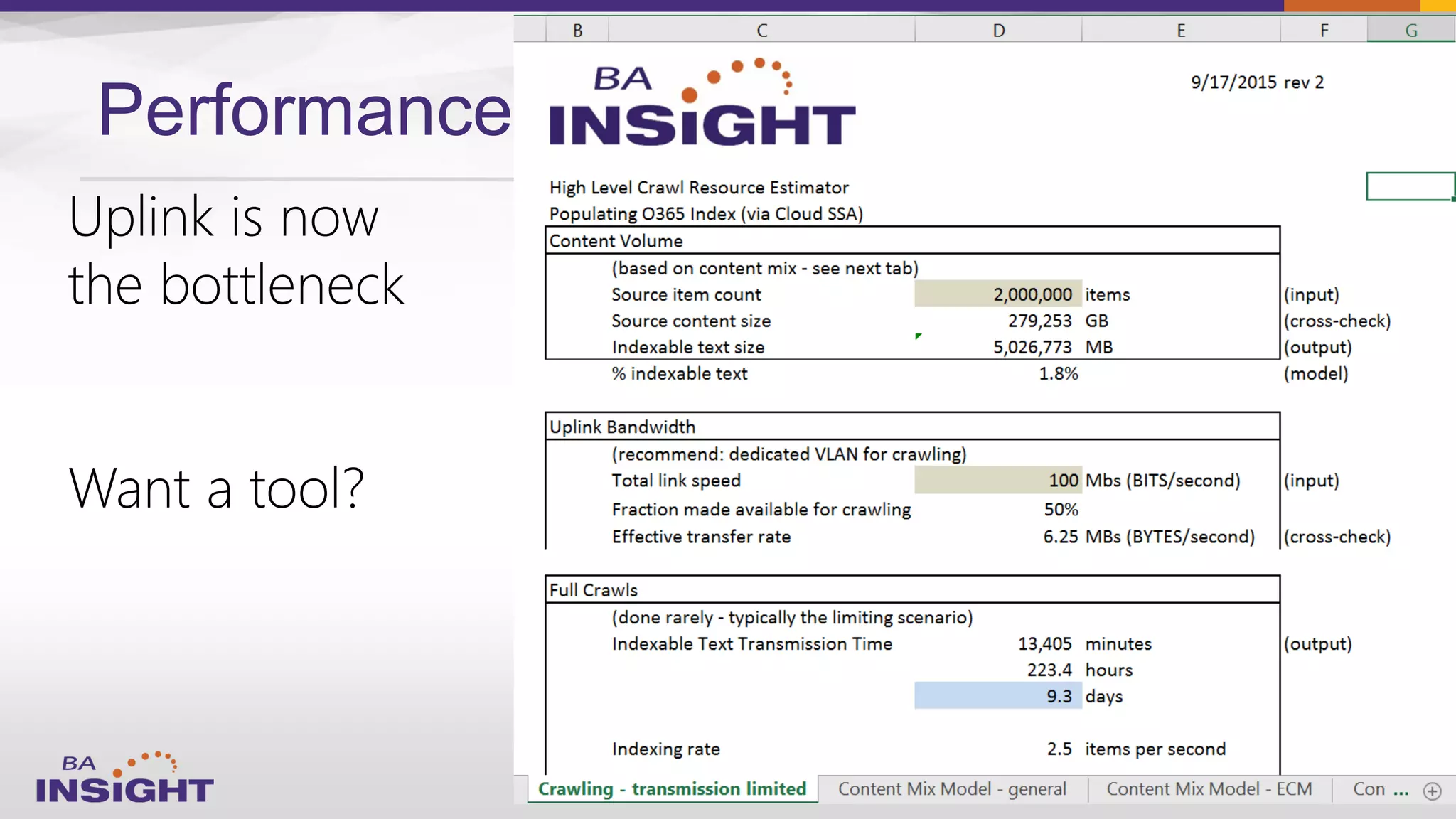
Performance
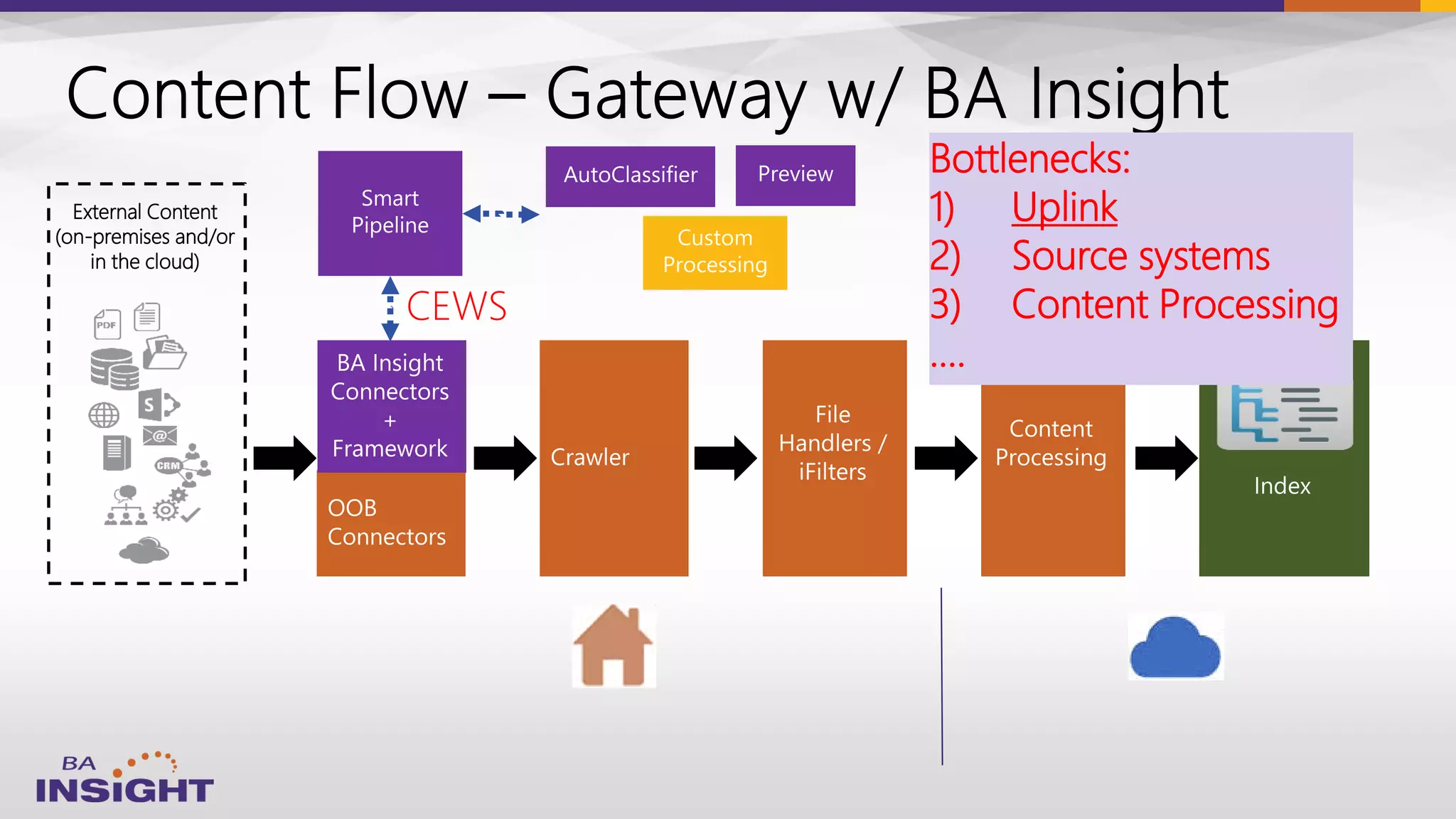
External Content
(on-premises and/or
in the cloud)
CEWS
Bottlenecks:
1) Uplink
2) Source systems
3) Content Processing
….
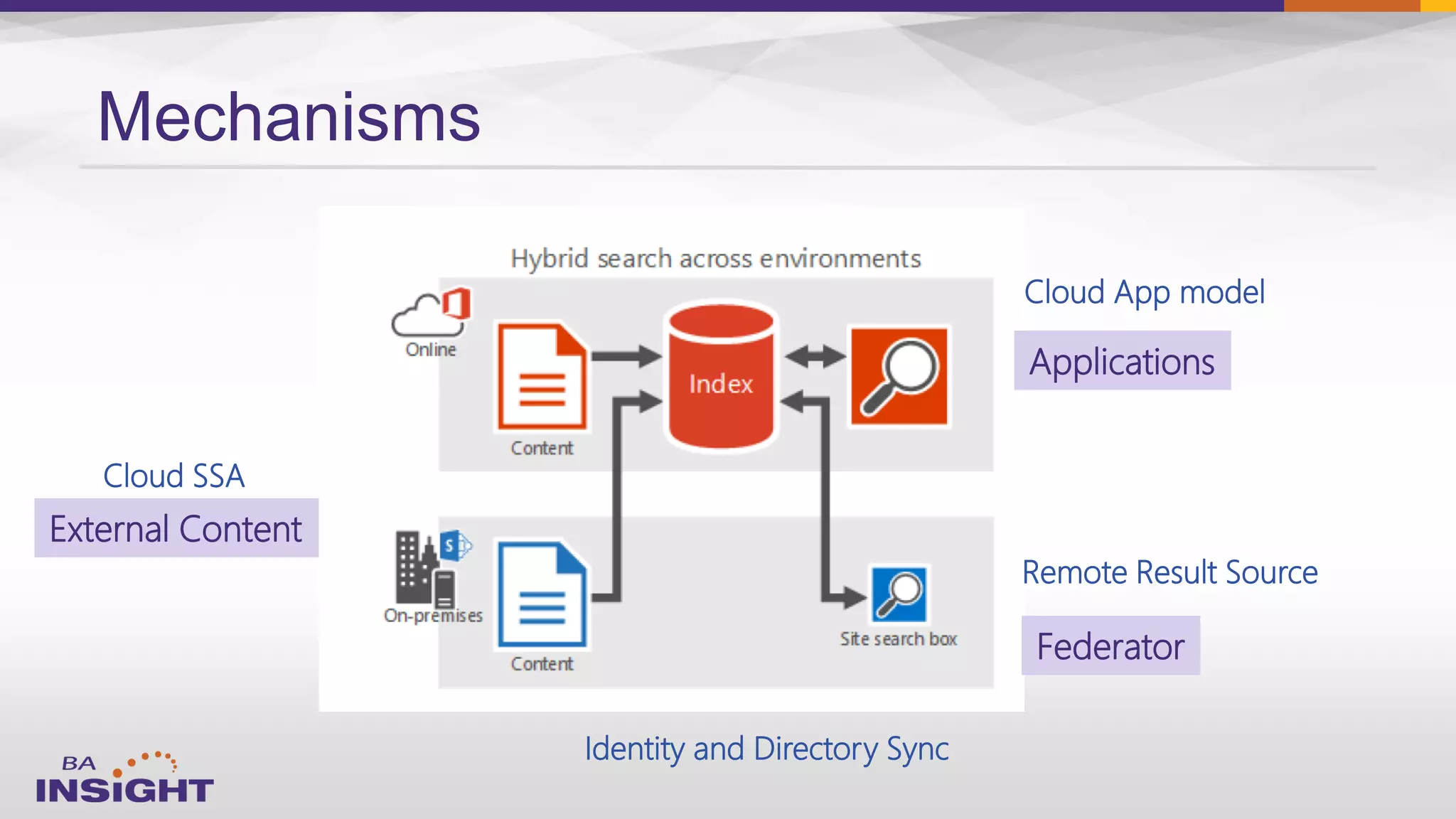
Mechanisms
Cloud SSA
Remote Result Source
Cloud App model
Applications
External Content
Federator
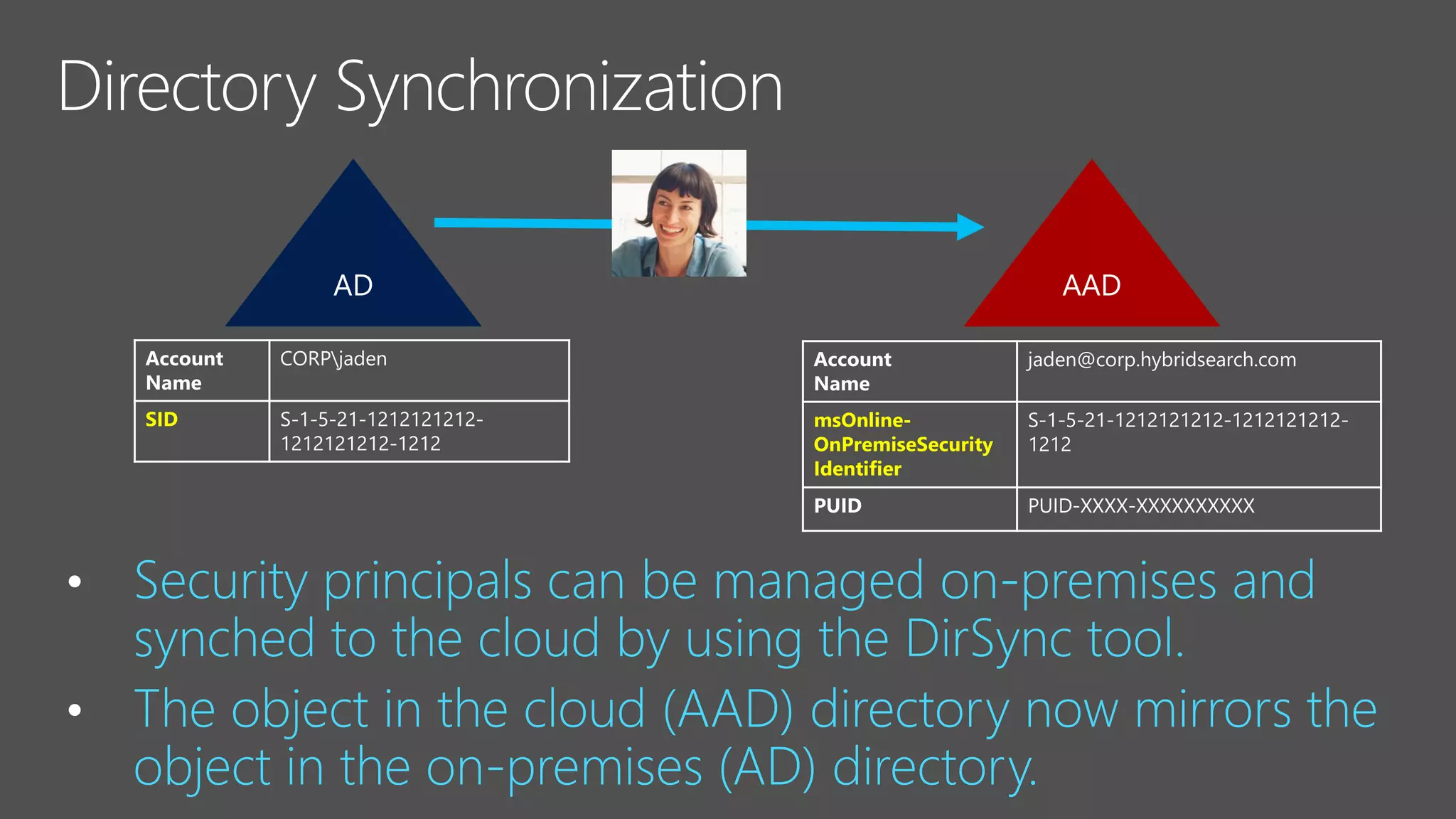
Identity and Directory Sync
•
•
SID S-1-5-21-1212121212-
1212121212-1212
jaden@corp.hybridsearch.com
msOnline-
OnPremiseSecurity
Identifier
S-1-5-21-1212121212-1212121212-
1212
PUID PUID-XXXX-XXXXXXXXXX
S-1-5-21-1212121212-
1212121212-1212
PUID-XXXX-XXXXXXXXXX
• User SIDs are mapped to PUIDs
• Group SIDs are mapped to Object IDs
• «Everyone» and «Authenticated users» are mapped to «Everyone except external
users»
1)
2)
3)
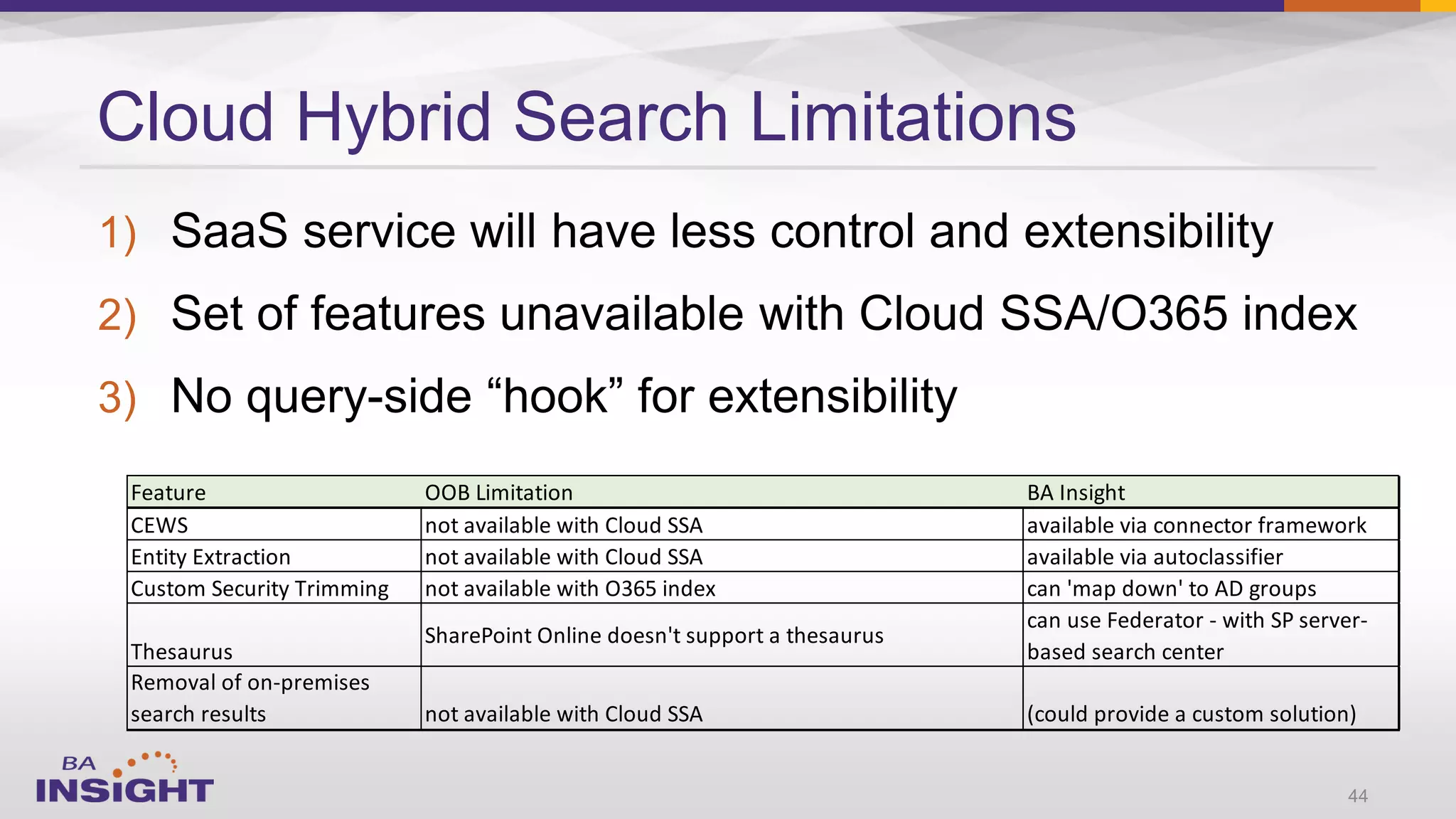
Cloud Hybrid Search Limitations
44
Feature OOB Limitation BA Insight
CEWS not available with Cloud SSA available via connector framework
Entity Extraction not available with Cloud SSA available via autoclassifier
Custom Security Trimming not available with O365 index can 'map down' to AD groups
Thesaurus
SharePoint Online doesn't support a thesaurus
can use Federator - with SP server-
based search center
Removal of on-premises
search results not available with Cloud SSA (could provide a custom solution)
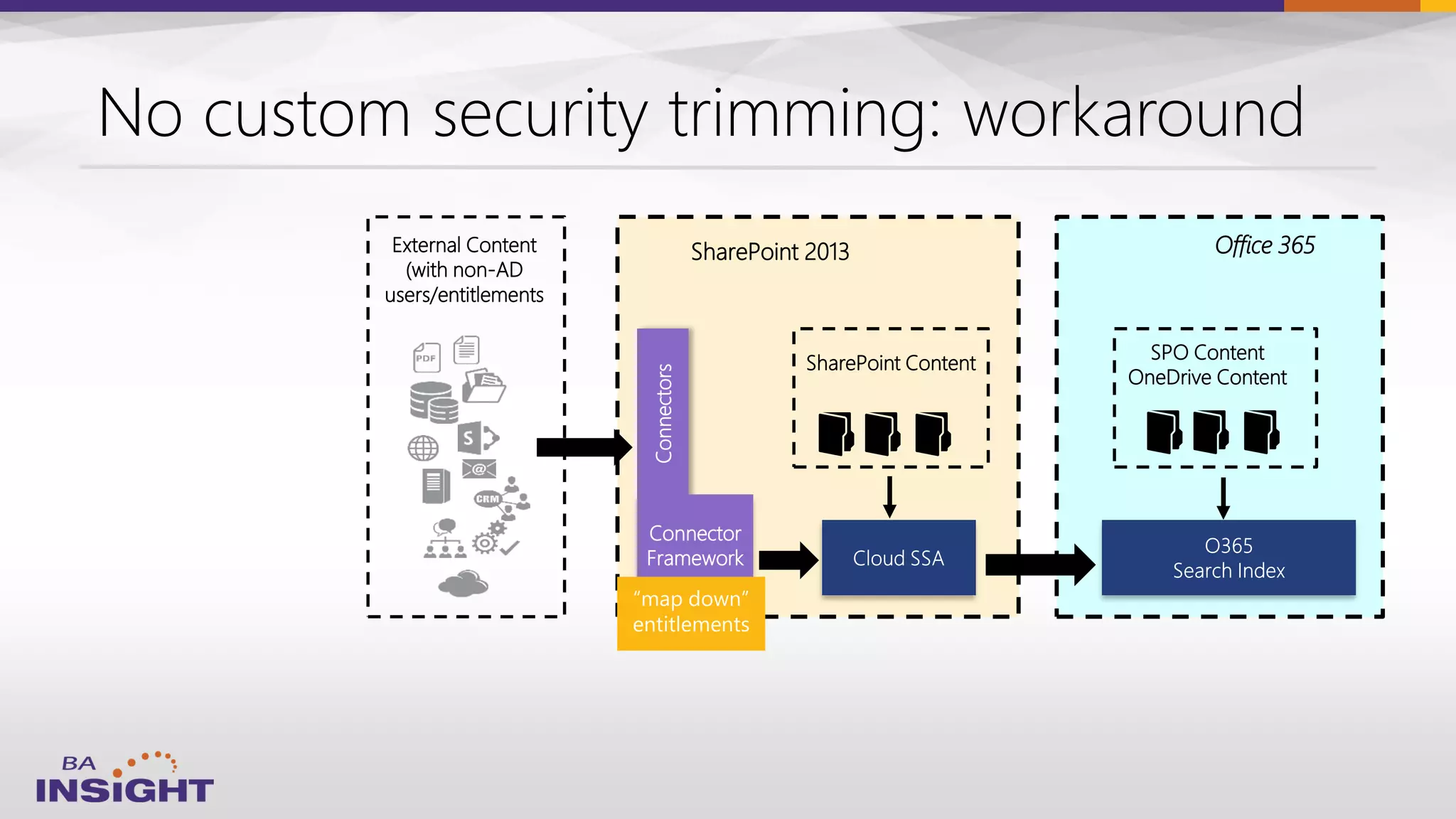
SharePoint 2013
SPO Content
OneDrive Content
Connectors
SharePoint Content
Connector
Framework
Office 365External Content
(with non-AD
users/entitlements
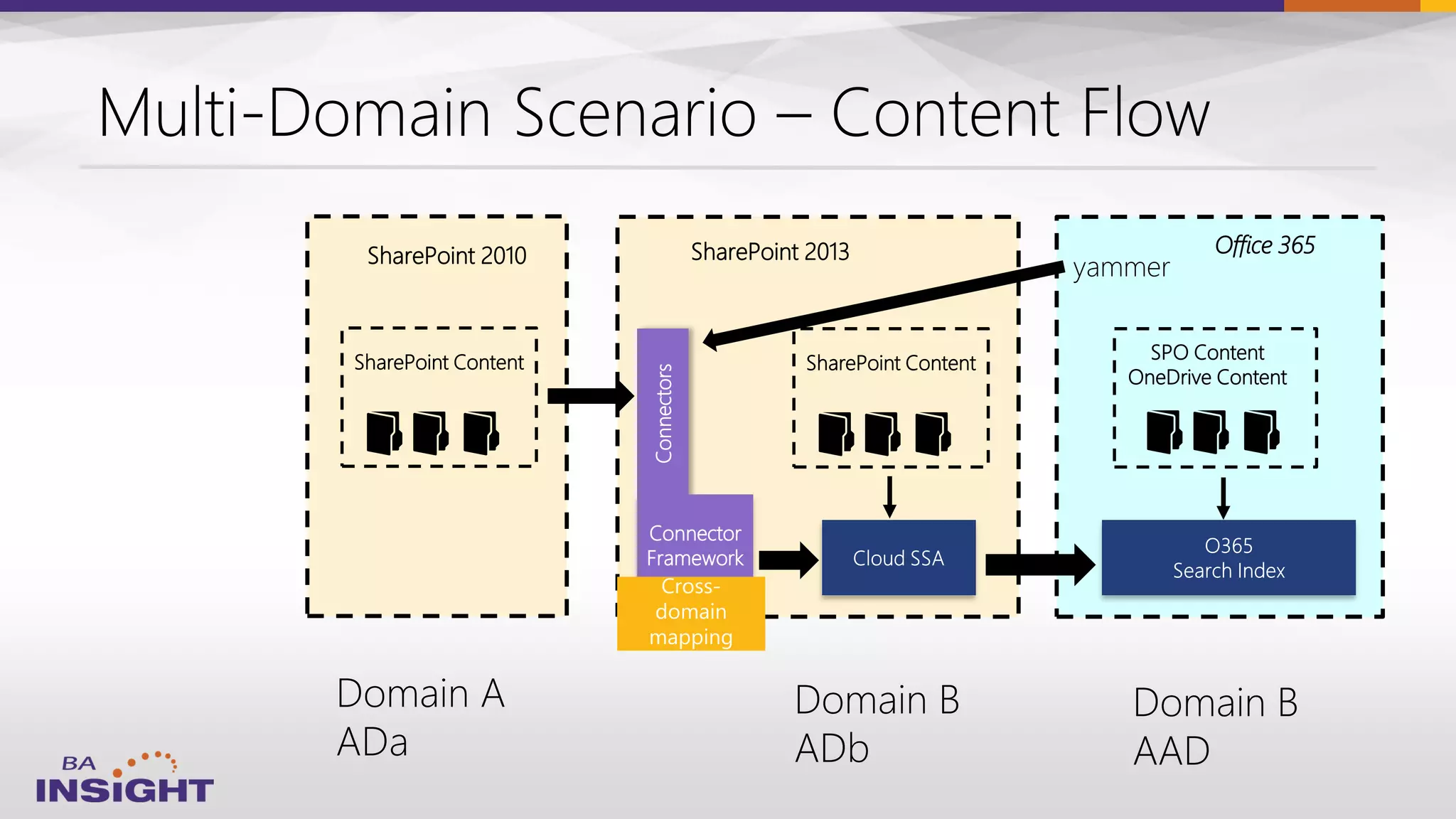
SharePoint 2013
SPO Content
OneDrive Content
Connectors
SharePoint Content
Connector
Framework
Office 365SharePoint 2010
SharePoint Content
External Content
(on-premises and/or
in the cloud)
SharePoint Server
(On-premises or Hosted)
SPO Content
OneDrive Content
Connectors
SharePoint Content
Connector
Framework
Office 365
AutoClassifier
(app version)
CEWS
SharePoint 2013
SPO Content
OneDrive Content
Connectors
SharePoint Content
Connector
Framework
Office 365SharePoint 2010
SharePoint Content
49
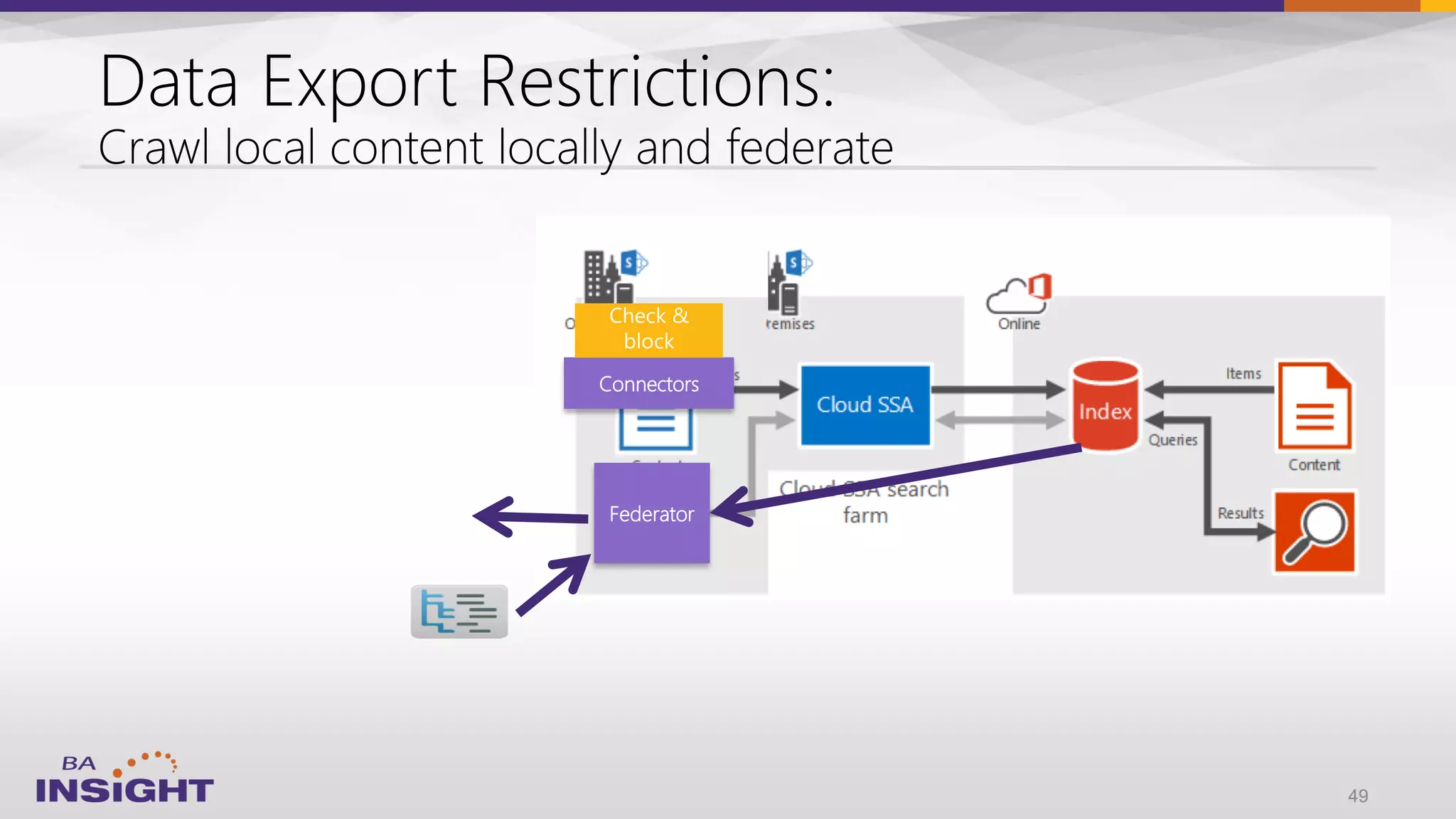
Connectors
Federator
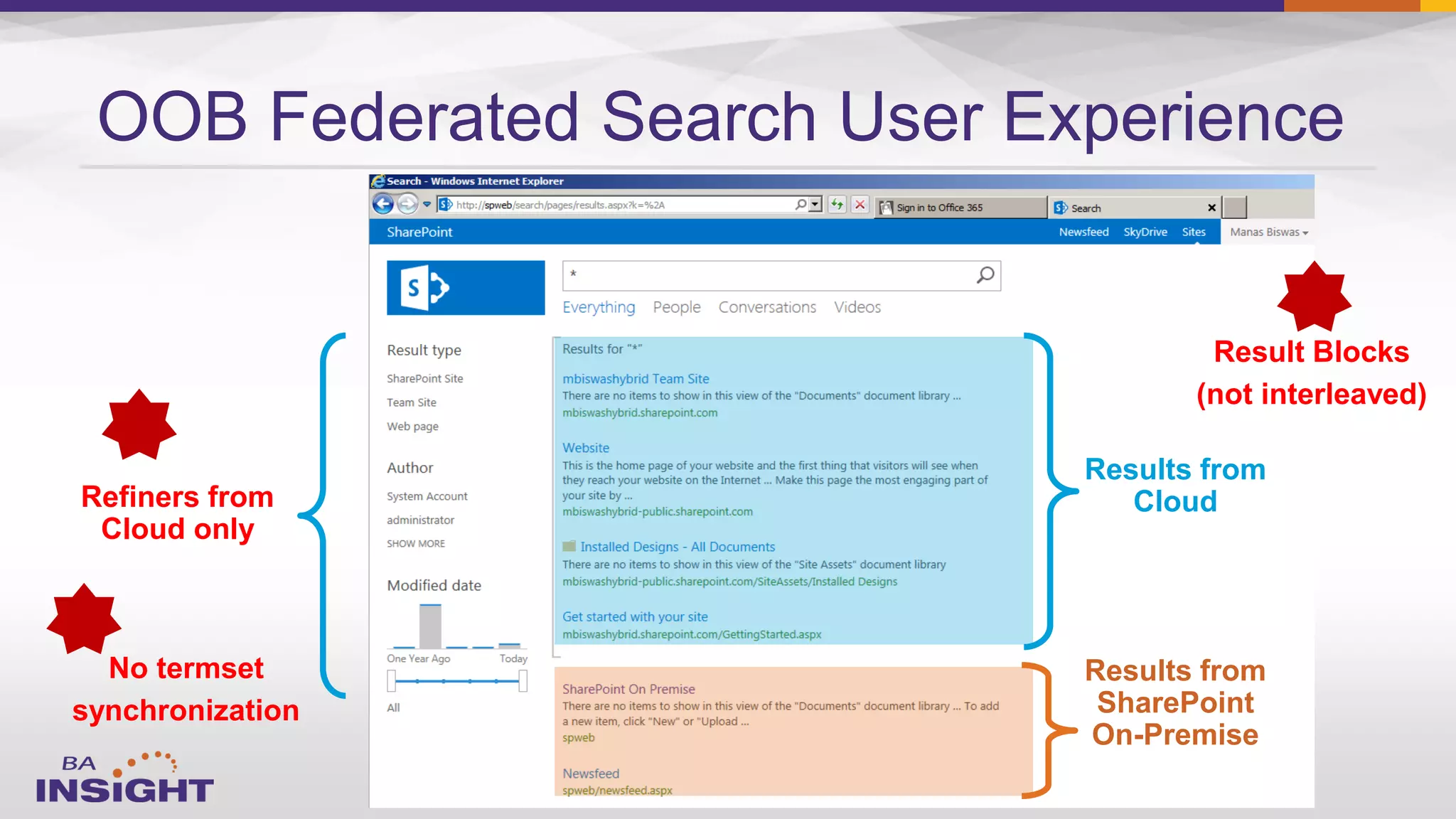
OOB Federated Search User Experience
Results from
Cloud
Results from
SharePoint
On-Premise
Refiners from
Cloud only
No termset
synchronization
Result Blocks
(not interleaved)
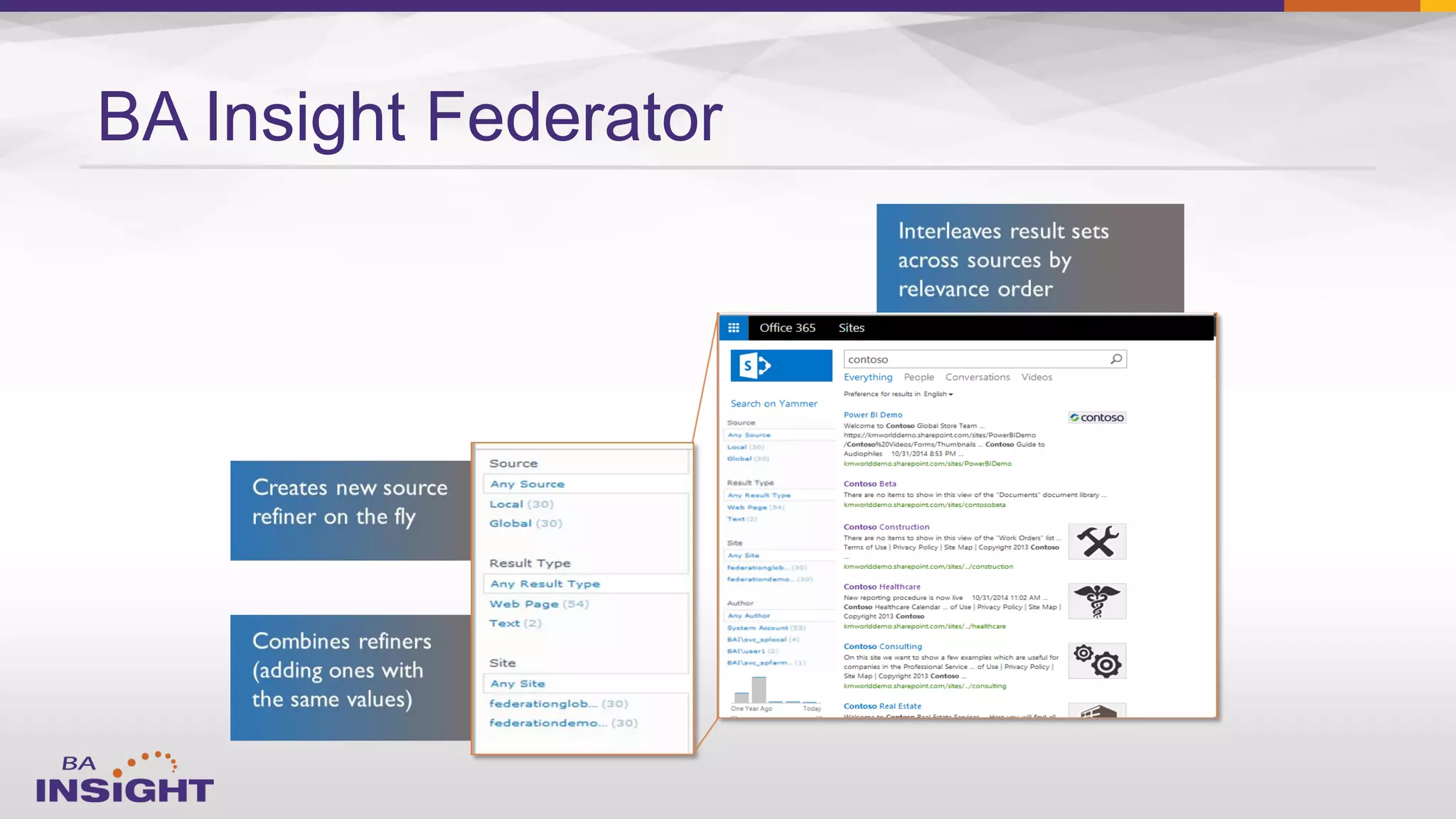
BA Insight Federator
53
Full Range of Hybrid Search Configurations
Scenario
Most systems and portals
hosted on-premises
Most systems and portals
hosted in the cloud
Must work across borders but
maintain data residency
Single Single MultiSearch
Search Index Search Index Across Multiple
in SP Server in SP Online * Search Indices
How it works
Crawls SP Online and
other sources from SP
Server
Crawls SP Server and other
sources from Cloud SSA, pushes
text & metadata to SP Online
Searches SP Online and SP
Server simultaneously;
combines the results
Advantages
Simplest approach;
best search experience
Low footprint on-premises;
can use online features
(Delve, DLP)
Only solution for some
scenarios
BA Insight
Improvement over OOB
no OOB solution
Adds content outside SP
Preview content outside SP2013
Supports content enrichment
Provides single interleaved
result set and refiners
* requires Microsoft Cloud SSA
Approaches for Hybrid SharePoint
Configuration
54
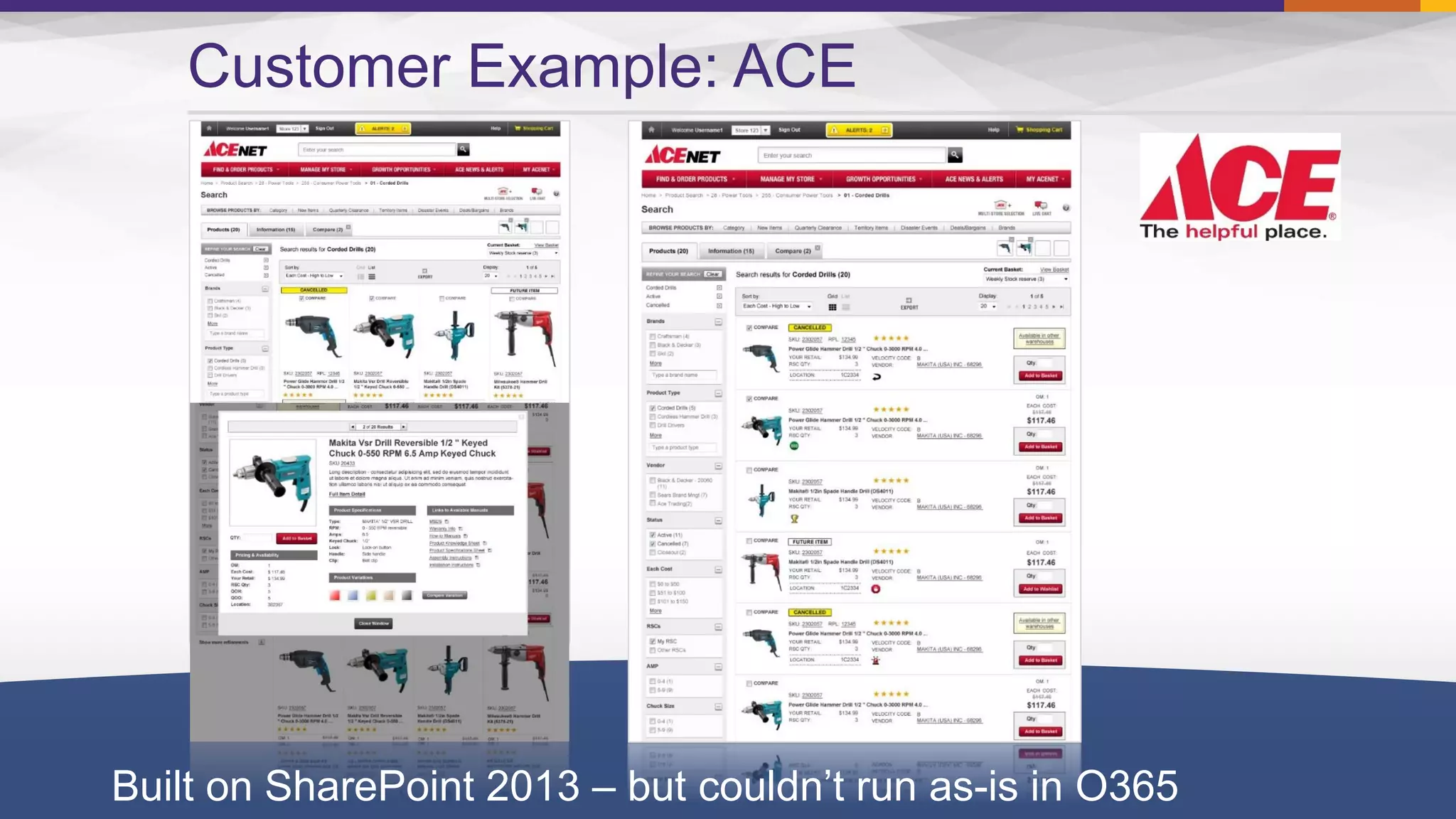
Customer Example: ACE
Built on SharePoint 2013 – but couldn’t run as-is in O365
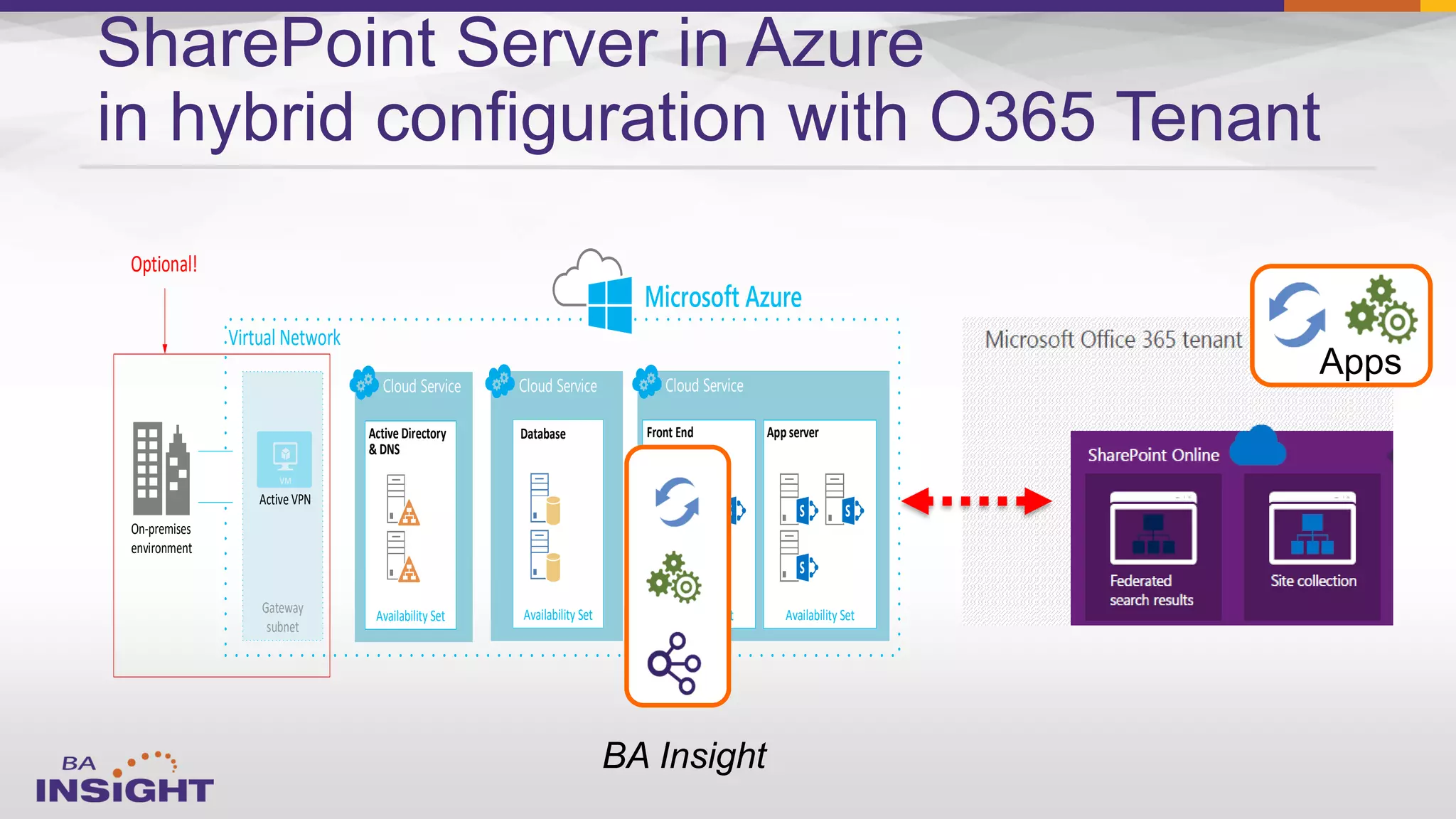
SharePoint Server in Azure
in hybrid configuration with O365 Tenant
Virtual Network
Cloud Service
Availability Set
Active Directory
& DNS
Cloud ServiceCloud Service
Availability Set
Front End
Availability Set
App server
Availability Set
Database
Microsoft Azure
Gateway
subnet
Active VPN
On-premises
environment
Optional!
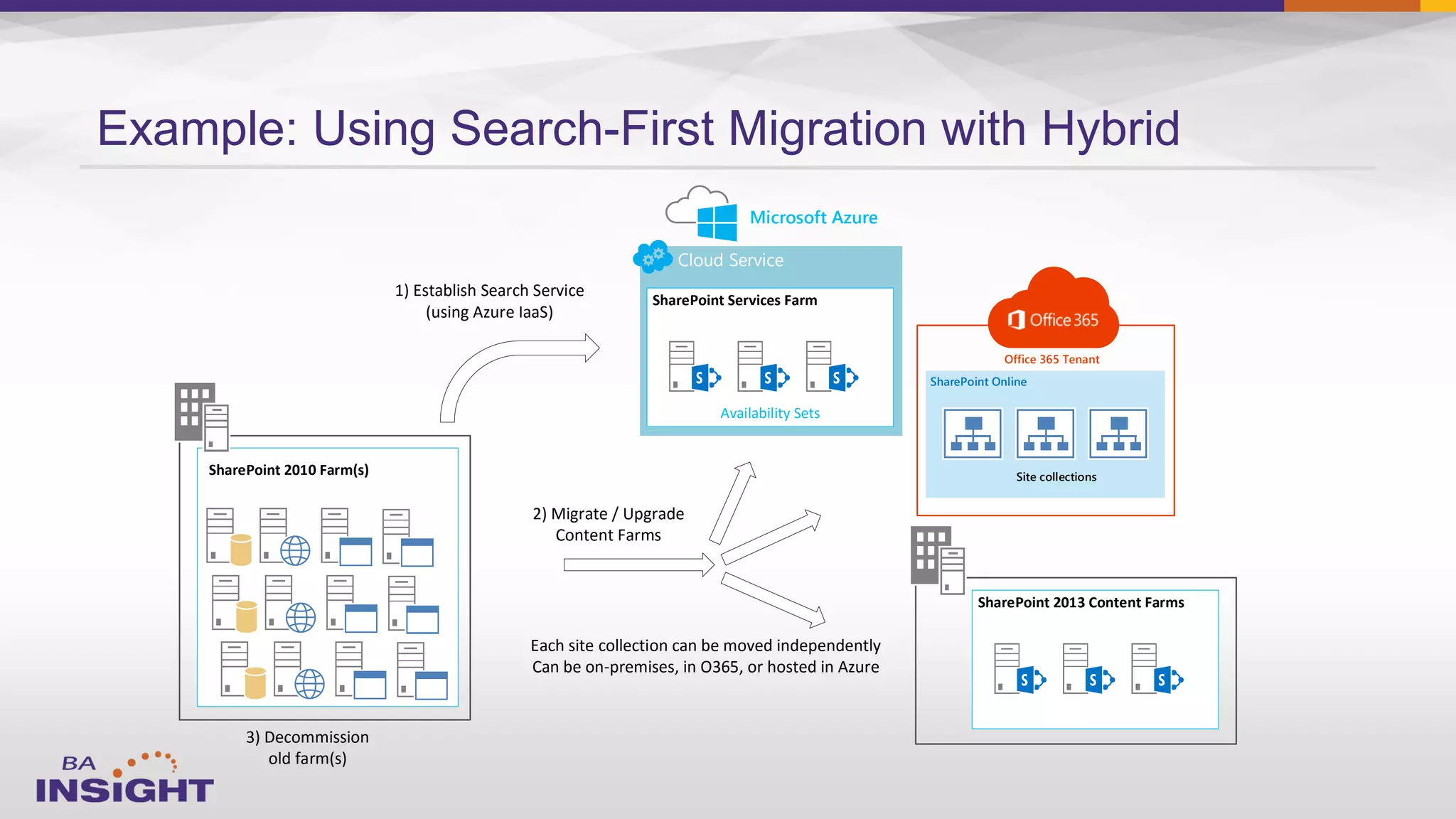
Example: Using Search-First Migration with Hybrid
Cloud Service
Availability Sets
SharePoint Services Farm
Microsoft Azure
SharePoint Online
Site collections
Office 365 Tenant
SharePoint 2013 Content Farms
SharePoint 2010 Farm(s)
2) Migrate / Upgrade
Content Farms
Each site collection can be moved independently
Can be on-premises, in O365, or hosted in Azure
3) Decommission
old farm(s)
1) Establish Search Service
(using Azure IaaS)

–

–

–

–
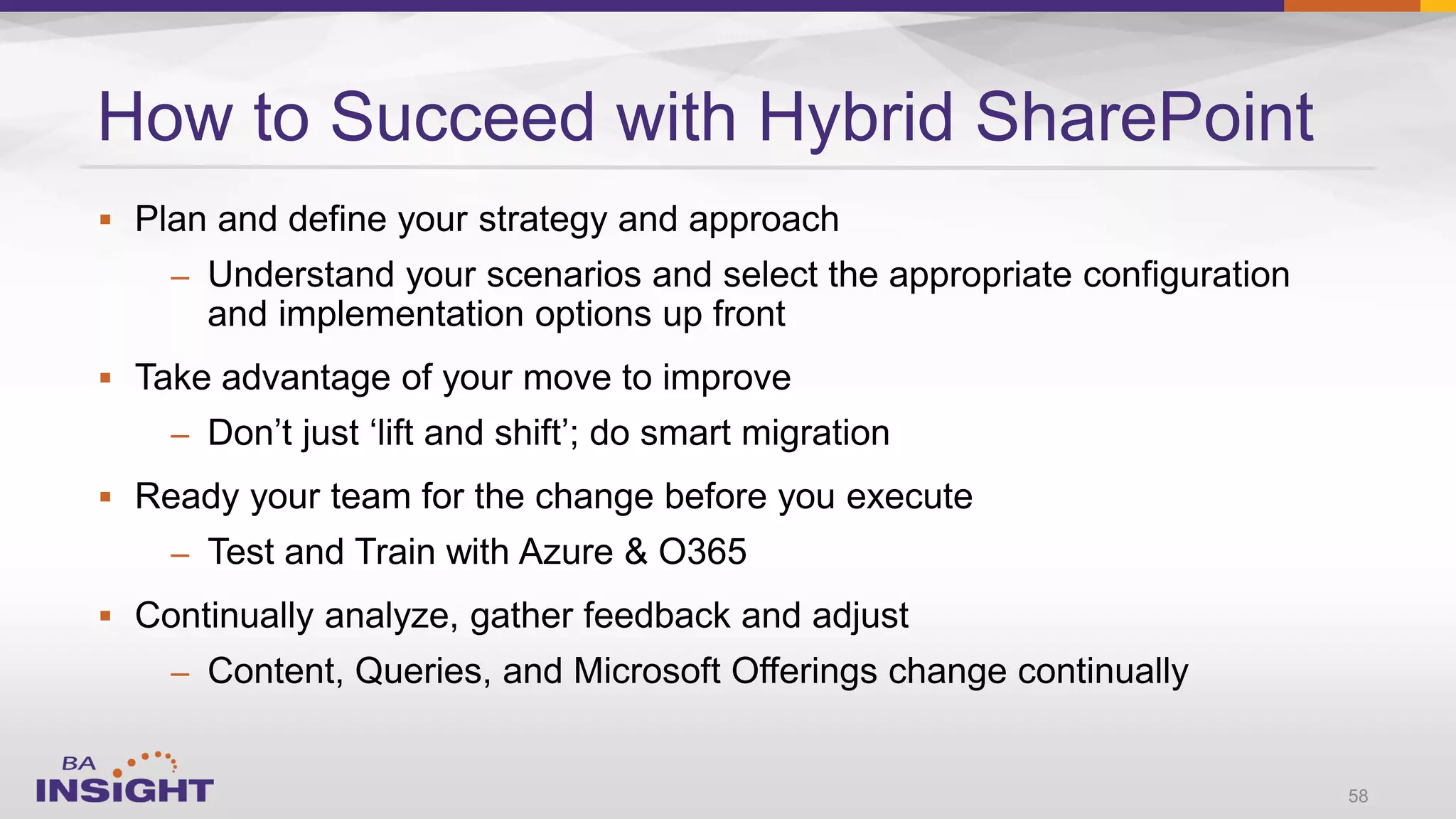
How to Succeed with Hybrid SharePoint
58
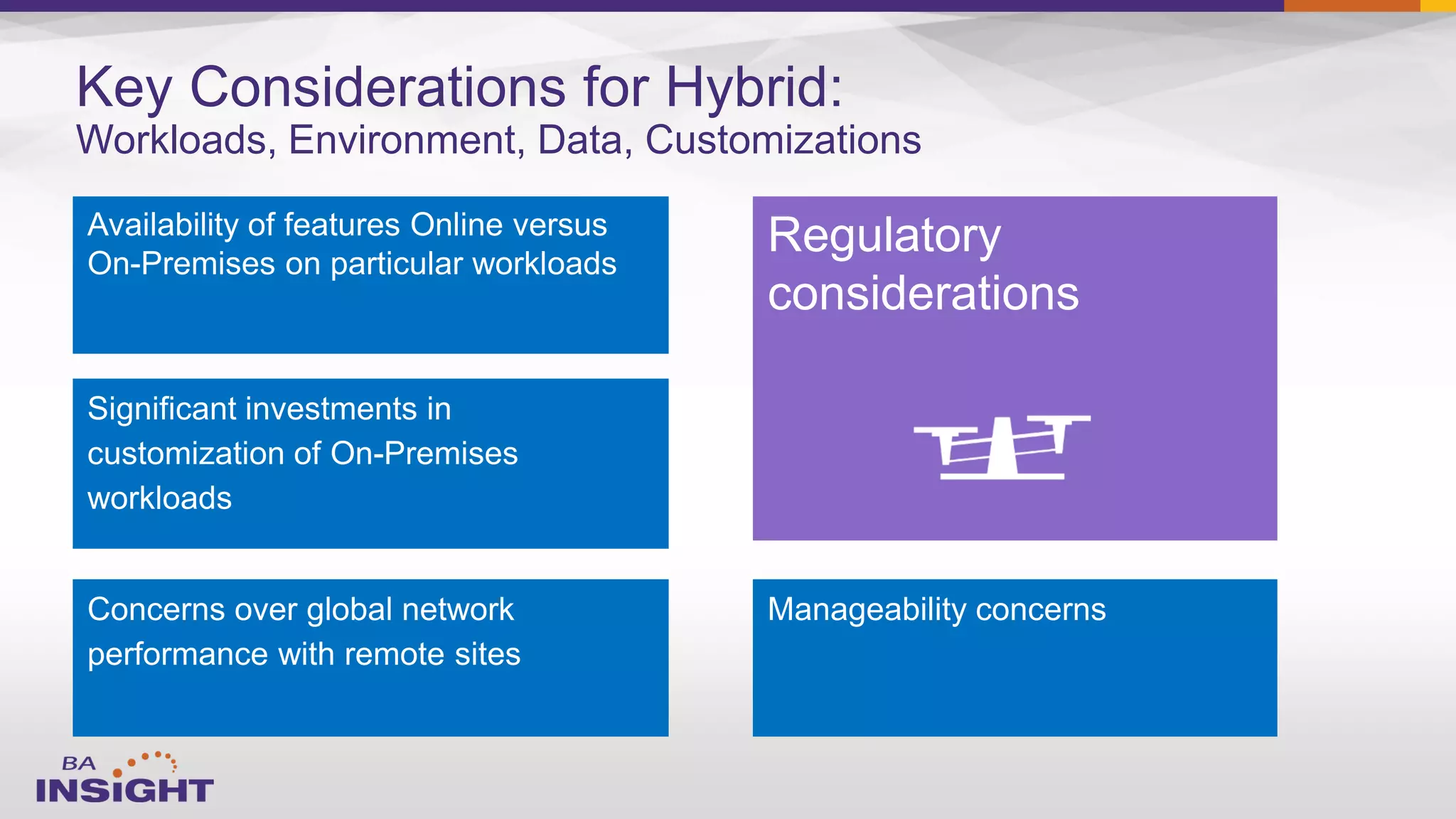
Key Considerations for Hybrid:
Workloads, Environment, Data, Customizations
Availability of features Online versus
On-Premises on particular workloads
Significant investments in
customization of On-Premises
workloads
Concerns over global network
performance with remote sites
Regulatory
considerations
Manageability concerns
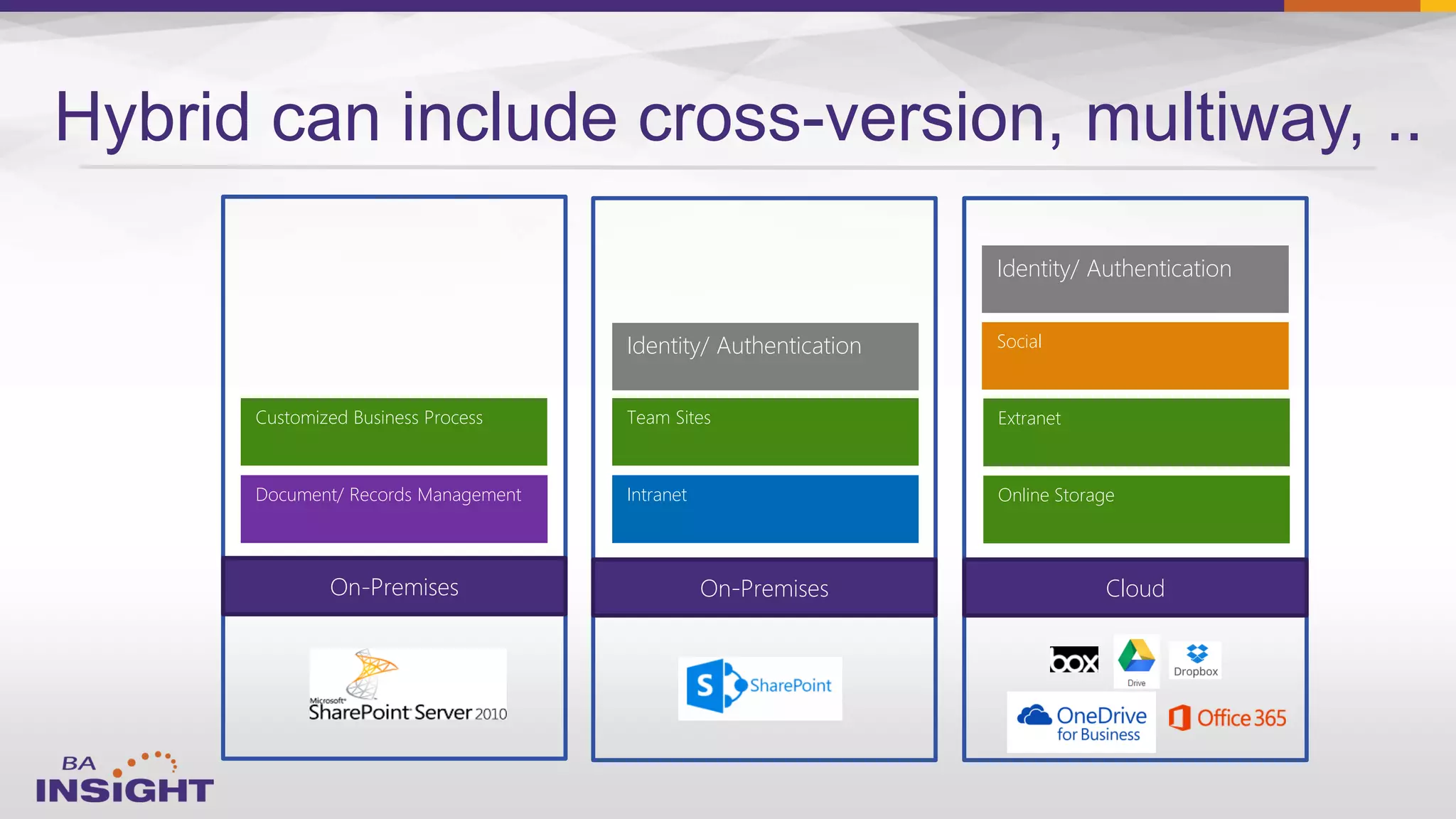
Hybrid can include cross-version, multiway, ..
On-Premises
Customized Business Process
Document/ Records Management
Cloud
Online Storage
Extranet
Social
Identity/ Authentication
On-Premises
Team Sites
Intranet
Identity/ Authentication
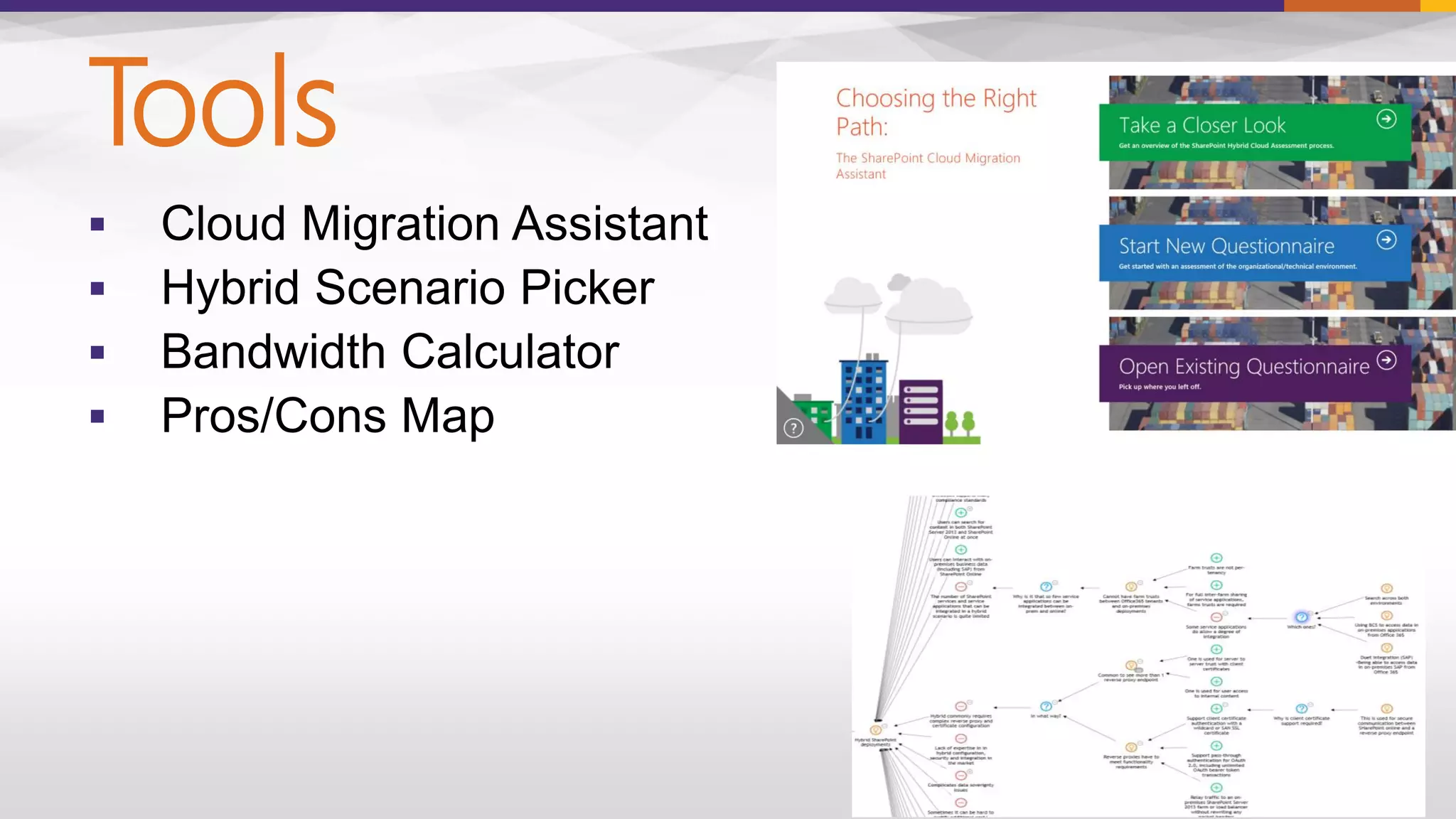
Tools




63
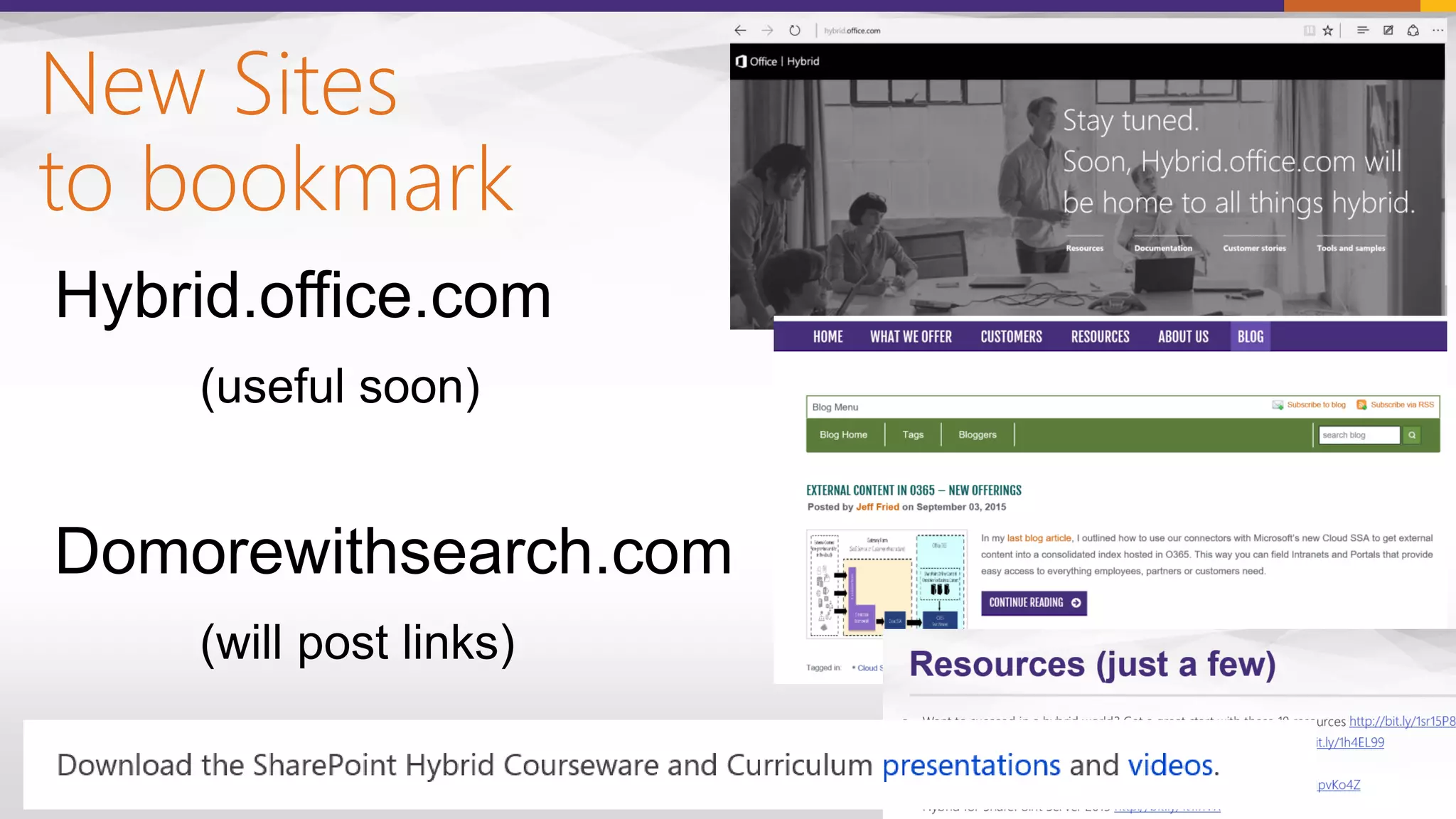
New Sites
to bookmark
64
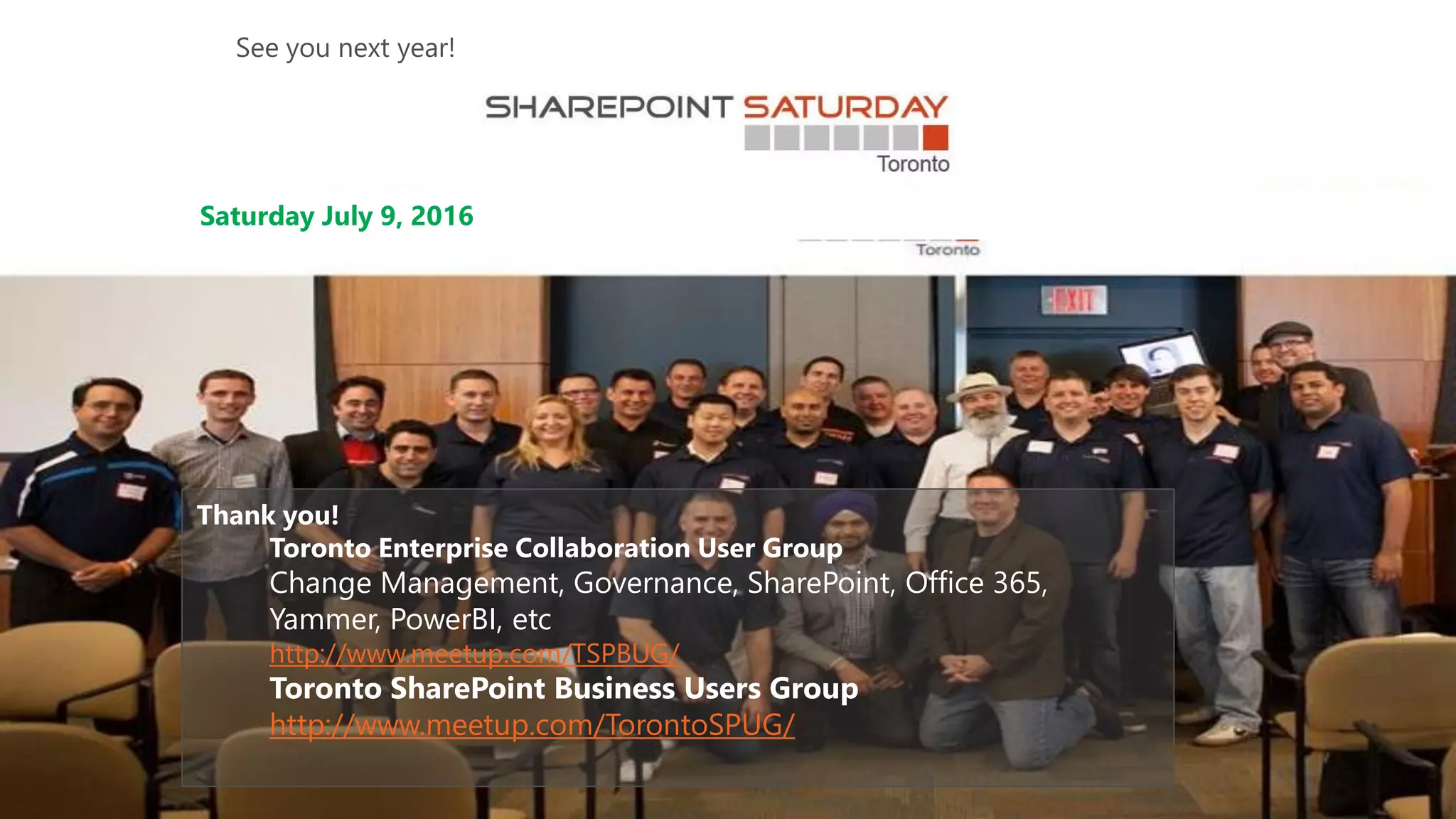
Thank you!
Toronto Enterprise Collaboration User Group
Change Management, Governance, SharePoint, Office 365,
Yammer, PowerBI, etc
http://www.meetup.com/TSPBUG/
Toronto SharePoint Business Users Group
http://www.meetup.com/TorontoSPUG/
Saturday July 9, 2016
See you next year!
Contact:
Jeff.Fried@BAinsight.com
www.BAinsight.com
Questions /
Discussion

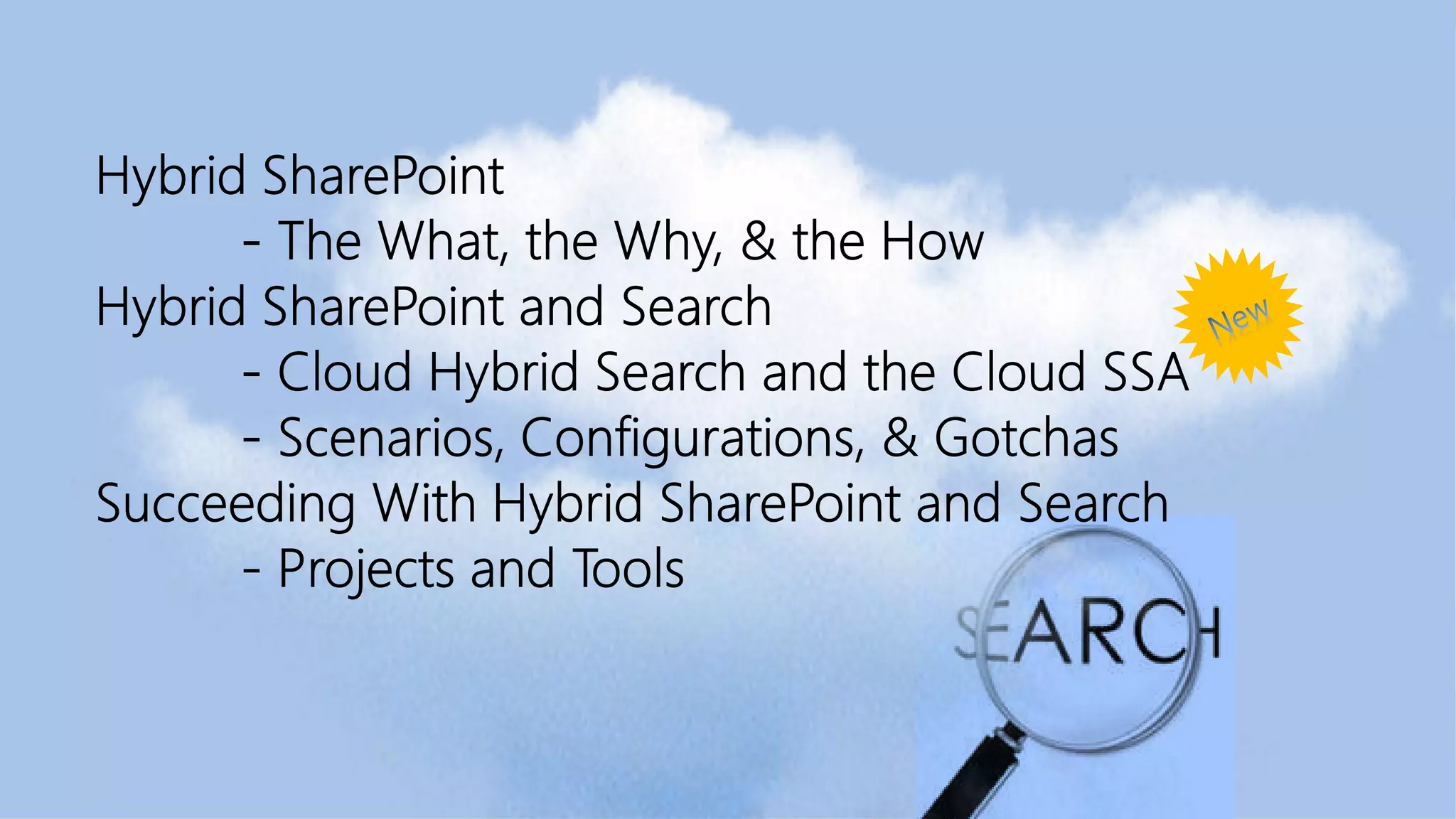
Succeeding with Hybrid SharePoint (includes new Cloud SSA material)

  • 1.
    Succeeding with HybridSharePoint and Search: Strategy and Implementation Jeff Fried CTO, BA Insight SPS Toronto September 2015
  • 2.
  • 5.
    Focused on Searchand SharePoint since 2004 Longtime Search Nerd • CTO, BA Insight • Senior PM, Microsoft • VP, FAST • SVP, LingoMotors Who is this guy? Jeff Fried Passionate About • Search • SharePoint • Search-driven applications • Information Strategy Blog: DoMoreWithSearch.com Technet Column “A View from the Crawlspace” jeff.fried@bainsight.com
  • 6.
    About BA Insight  –Secure connectivity – Increased findability – Applications and UI components 
  • 7.
  • 9.
  • 10.
  • 11.
    Delve PowerBIYammer Next-Gen Portals Office 365APIs Cloud-only OneDrive Office Video Equivio Zoom (e-Discovery)
  • 12.
    Migrate remote users TwoHybrid Adoption Strategies Pilot Online Service with a subset of users Off-board exchange mailboxes Migrate Move everything to the cloud at your own pace Co-Exist Maintain a hybrid model Keep using On-Premises systems & customizations; mix according to need
  • 13.
    The Evolution of SharePoint: HYBRID ManagementExtensibilityExperiences | Server ExperiencesManagementExtensibility | Server | Server HYBRID Team Sites Portals Search Enterprise Content Mngt BI
  • 14.
    SharePoint Growth &Evolution SharePoint Releases Metadata Content
  • 16.
    Approaches to Hybrid– by Workload Split Workload different tools in different places Split User task uses content or sites across ‘the divide’ Exchange, SharePoint, Lync OneDrive, Yammer, PowerBI, Delve Extranet, Mysites, Team Sites, Project Sites Portals, Intranet, Services/Applications Links Search
  • 17.
    Search Provides aUnified View
  • 18.
    SharePoint Hybrid Infrastructure Search:Bidirectional Business Connectivity Services: Supported Duet Enterprise for SharePoint and SAP: Supported IntranetMicrosoft data center Internet Microsoft Office 365 tenant SharePoint Online Federated search results Site collection SharePoint Online can query SharePoint Server SharePoint Server 2013 SharePoint Primary web app Federated search results SharePoint Server can query SharePoint Online Outbound Inbound Customer network Perimeter network
  • 19.
  • 20.
    SharePoint 2016 Hybrid CloudHybrid Search User Profiles Following Extranet Compliance (DLP/e- Discovery) Config Experience Built on Search
  • 21.
    Cloud Search ServiceApplication • Unified index with on-premises and cloud content • Feeds Office Graph/Delve experiences • Supports Search as a Service • Reduces search crawl footprint Audio text And search indexpropertiessignals Metadata extraction and processing
  • 22.
    Search Service Application… Support forum SupportSales& Marketing Knowledge Articles Hardware requirements: 14 application servers 4 content + 10 search On-premises HYBRID SEARCH BENEFITS…
  • 23.
    Hardware required aftermigration: 13 application servers 3 content + 10 search site migration On-premises Office 365 SupportSales & Marketing Knowledge Articles NEW! OneDrive Support forum HYBRID SEARCH BENEFITS…
  • 24.
    Current hardware requirements: 5application servers 3 content + 2 search HYBRID SEARCH BENEFITS… SupportSales & Marketing Knowledge Articles OneDrive Support forum On-premises Office 365 SP 2013 SSA
  • 25.
    External Content (on-premises and/or inthe cloud) SharePoint Server (On-premises or Hosted) Office 365 SharePoint Online Content Onedrive for Business Content Connectors SharePoint Content Hybrid Connectivity (index in O365)
  • 26.
    • • • • • • • • • • • • • • • • BA Insight Connectors Mailboxand Archiving Systems • Microsoft Exchange • Microsoft Exchange Online • IBM Lotus Notes • Symantex Evault • Autonomy EAS / (Zantaz) • • • • • • • • • • • • • • • • • ERP and Portal Systems • • • • • • • • • • • • Plus a proven architecture and process for creating new connectors to complex systems
  • 27.
      External Content inO365 UX Unified view across all content - on-premises and on-line - inside and outside SharePoint
  • 28.
    External Content (on-premises and/or inthe cloud) SharePoint Server (On-premises or Hosted) SPO Content OneDrive Content Connectors SharePoint Content Connector Framework AutoClassifier Office 365 AutoClassifier (app version) CEWS
  • 29.
    DLP Sensitive DataSearch works with hybrid Search for sensitive data across on-premises and SharePoint Online All Built-in sensitive types Identification and export Extends to data in OneDrive Sensitive Information type detection through KQL searches Get instant statistics Preview & export results
  • 30.
    Compliance Center issearch-driven
  • 31.
    External Content (on-premises and/or inthe cloud) SharePoint Server (On-premises or Hosted) SharePoint Online (SPO) Search Delve & InfoPedia Data Loss Prevention (DLP) SPO Content OneDrive Content Connectors SharePoint Content Connector Framework AutoClassifier Office 365 AutoClassifier (app version) CEWS
  • 33.
    All “Next-Gen” Familymembers feed from the Office Graph Your Portal ENHANCED BY KEY OFFICE 365 CAPABILITIES Office Graph YammerOneDrive Skype Outlook SharePoint Content Management Office Add-Ins Azure Media & other Azure PaaS Services Compliance Center
  • 34.
  • 35.
    External Content (on-premises and/or inthe cloud) CEWS Bottlenecks: 1) Source systems 2) Content Processing 3) Indexer ….
  • 36.
    External Content (on-premises and/or inthe cloud) Bottlenecks: 1) Uplink 2) Source systems ….
  • 37.
  • 38.
    External Content (on-premises and/or inthe cloud) CEWS Bottlenecks: 1) Uplink 2) Source systems 3) Content Processing ….
  • 40.
    Mechanisms Cloud SSA Remote ResultSource Cloud App model Applications External Content Federator Identity and Directory Sync
  • 41.
  • 42.
    S-1-5-21-1212121212- 1212121212-1212 PUID-XXXX-XXXXXXXXXX • User SIDsare mapped to PUIDs • Group SIDs are mapped to Object IDs • «Everyone» and «Authenticated users» are mapped to «Everyone except external users»
  • 43.
    1) 2) 3) Cloud Hybrid SearchLimitations 44 Feature OOB Limitation BA Insight CEWS not available with Cloud SSA available via connector framework Entity Extraction not available with Cloud SSA available via autoclassifier Custom Security Trimming not available with O365 index can 'map down' to AD groups Thesaurus SharePoint Online doesn't support a thesaurus can use Federator - with SP server- based search center Removal of on-premises search results not available with Cloud SSA (could provide a custom solution)
  • 44.
    SharePoint 2013 SPO Content OneDriveContent Connectors SharePoint Content Connector Framework Office 365External Content (with non-AD users/entitlements
  • 45.
    SharePoint 2013 SPO Content OneDriveContent Connectors SharePoint Content Connector Framework Office 365SharePoint 2010 SharePoint Content
  • 46.
    External Content (on-premises and/or inthe cloud) SharePoint Server (On-premises or Hosted) SPO Content OneDrive Content Connectors SharePoint Content Connector Framework Office 365 AutoClassifier (app version) CEWS
  • 47.
    SharePoint 2013 SPO Content OneDriveContent Connectors SharePoint Content Connector Framework Office 365SharePoint 2010 SharePoint Content
  • 48.
  • 49.
    OOB Federated SearchUser Experience Results from Cloud Results from SharePoint On-Premise Refiners from Cloud only No termset synchronization Result Blocks (not interleaved)
  • 50.
  • 52.
    53 Full Range ofHybrid Search Configurations Scenario Most systems and portals hosted on-premises Most systems and portals hosted in the cloud Must work across borders but maintain data residency Single Single MultiSearch Search Index Search Index Across Multiple in SP Server in SP Online * Search Indices How it works Crawls SP Online and other sources from SP Server Crawls SP Server and other sources from Cloud SSA, pushes text & metadata to SP Online Searches SP Online and SP Server simultaneously; combines the results Advantages Simplest approach; best search experience Low footprint on-premises; can use online features (Delve, DLP) Only solution for some scenarios BA Insight Improvement over OOB no OOB solution Adds content outside SP Preview content outside SP2013 Supports content enrichment Provides single interleaved result set and refiners * requires Microsoft Cloud SSA Approaches for Hybrid SharePoint Configuration
  • 53.
    54 Customer Example: ACE Builton SharePoint 2013 – but couldn’t run as-is in O365
  • 54.
    SharePoint Server inAzure in hybrid configuration with O365 Tenant Virtual Network Cloud Service Availability Set Active Directory & DNS Cloud ServiceCloud Service Availability Set Front End Availability Set App server Availability Set Database Microsoft Azure Gateway subnet Active VPN On-premises environment Optional!
  • 55.
    Example: Using Search-FirstMigration with Hybrid Cloud Service Availability Sets SharePoint Services Farm Microsoft Azure SharePoint Online Site collections Office 365 Tenant SharePoint 2013 Content Farms SharePoint 2010 Farm(s) 2) Migrate / Upgrade Content Farms Each site collection can be moved independently Can be on-premises, in O365, or hosted in Azure 3) Decommission old farm(s) 1) Establish Search Service (using Azure IaaS)
  • 57.
  • 58.
    Key Considerations forHybrid: Workloads, Environment, Data, Customizations Availability of features Online versus On-Premises on particular workloads Significant investments in customization of On-Premises workloads Concerns over global network performance with remote sites Regulatory considerations Manageability concerns
  • 59.
    Hybrid can includecross-version, multiway, .. On-Premises Customized Business Process Document/ Records Management Cloud Online Storage Extranet Social Identity/ Authentication On-Premises Team Sites Intranet Identity/ Authentication
  • 62.
  • 63.
  • 66.
    Thank you! Toronto EnterpriseCollaboration User Group Change Management, Governance, SharePoint, Office 365, Yammer, PowerBI, etc http://www.meetup.com/TSPBUG/ Toronto SharePoint Business Users Group http://www.meetup.com/TorontoSPUG/ Saturday July 9, 2016 See you next year!
  • 67.