Hybrid SharePoint Demystified
@thomasvochten
aOS Aachen 03/09/2018
IT PRO - Level 300
Thanks to the sponsors!
Platinum
Organizer
Diamond
Thomas Vochten
Microsoft MVP. Solution architect Office
365 & SharePoint. Technical Evangelist.
@thomasvochten
https://thomasvochten.com
mail@thomasvochten.com
Agenda
• Business drivers
• Prerequisites
• Capabilities walkthrough
• Configuration overview
• Limitations & considerations
Why Hybrid?
• Prepare their minds for the cloud (think culture shift)
• Take advantage of cloud offerings (think OneDrive)
• Take advantage of cloud innovations (think Delve)
• SharePoint on-premises is complicated (think Extranets)
• Keep special data and applications on-premises (think farm solutions)
Move to the cloud
at your own pace
Bridge the gap with hybrid
• Hybrid OneDrive
• Hybrid Profile Redirection
• Hybrid Sites
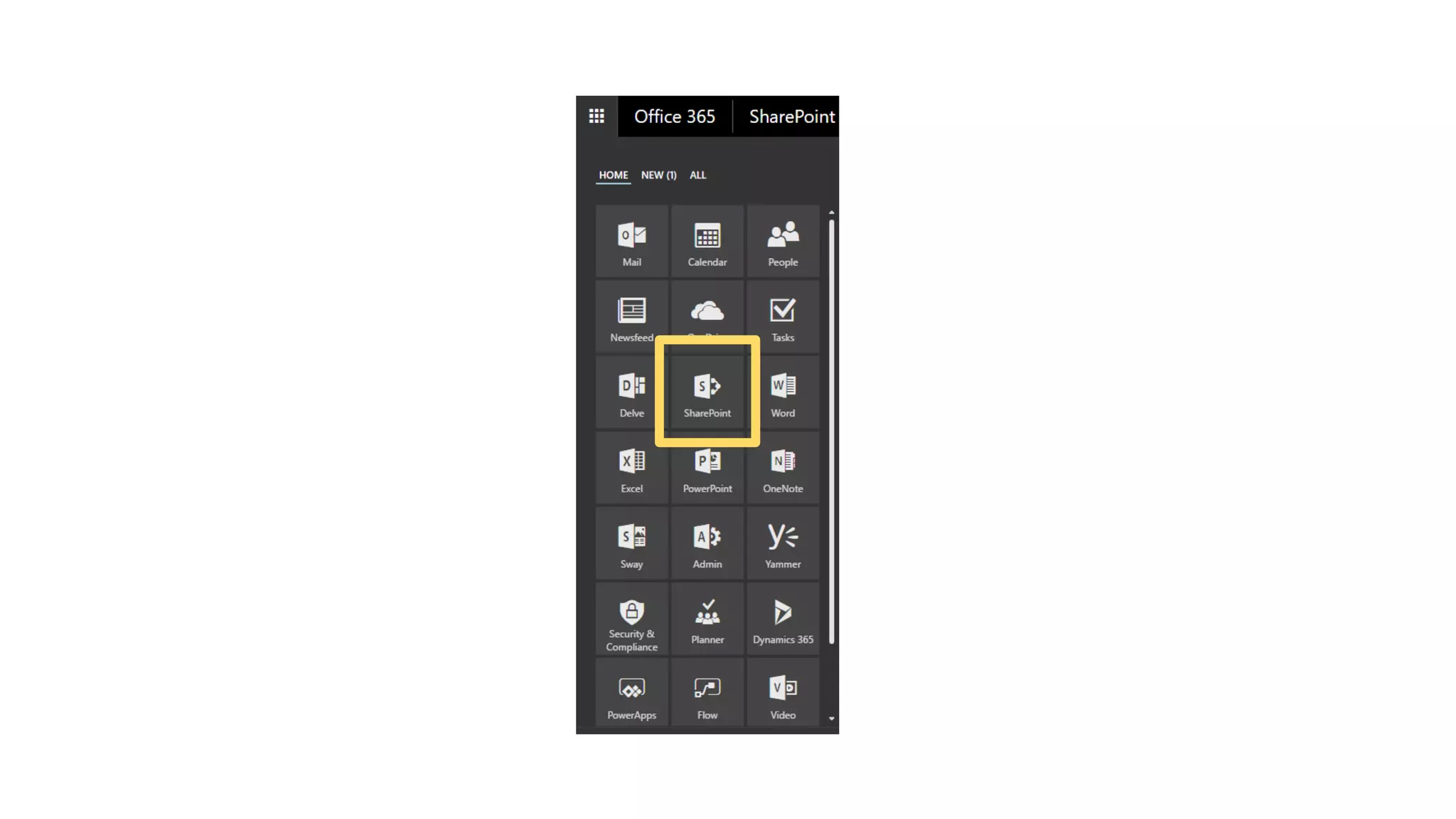
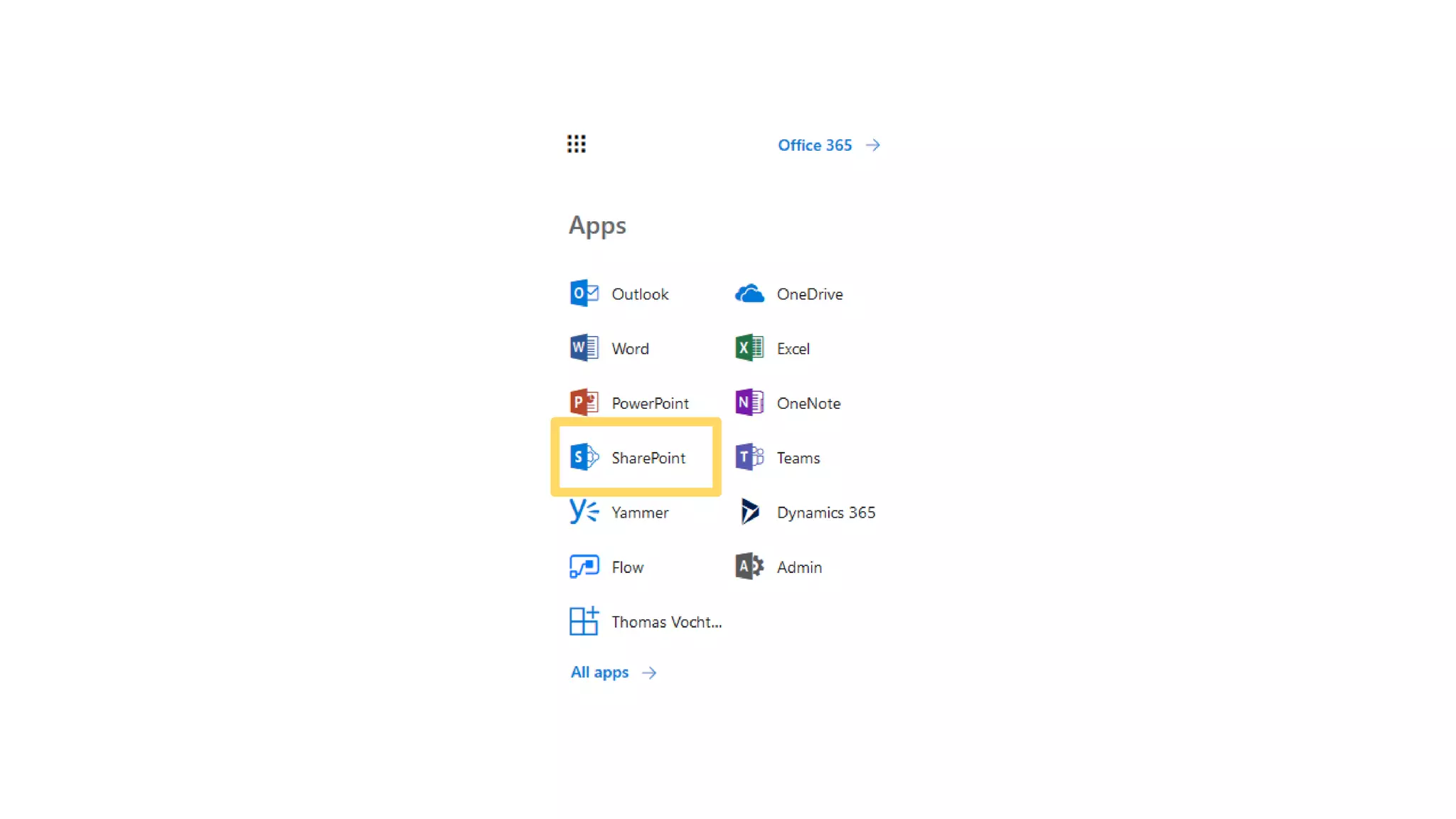
• Hybrid App Launcher
• Hybrid Taxonomy & Content Types
• Hybrid Auditing (Preview)
• Hybrid Extranet
• Hybrid Self Service Site Creation
• Hybrid Search
Prerequisites for hybrid
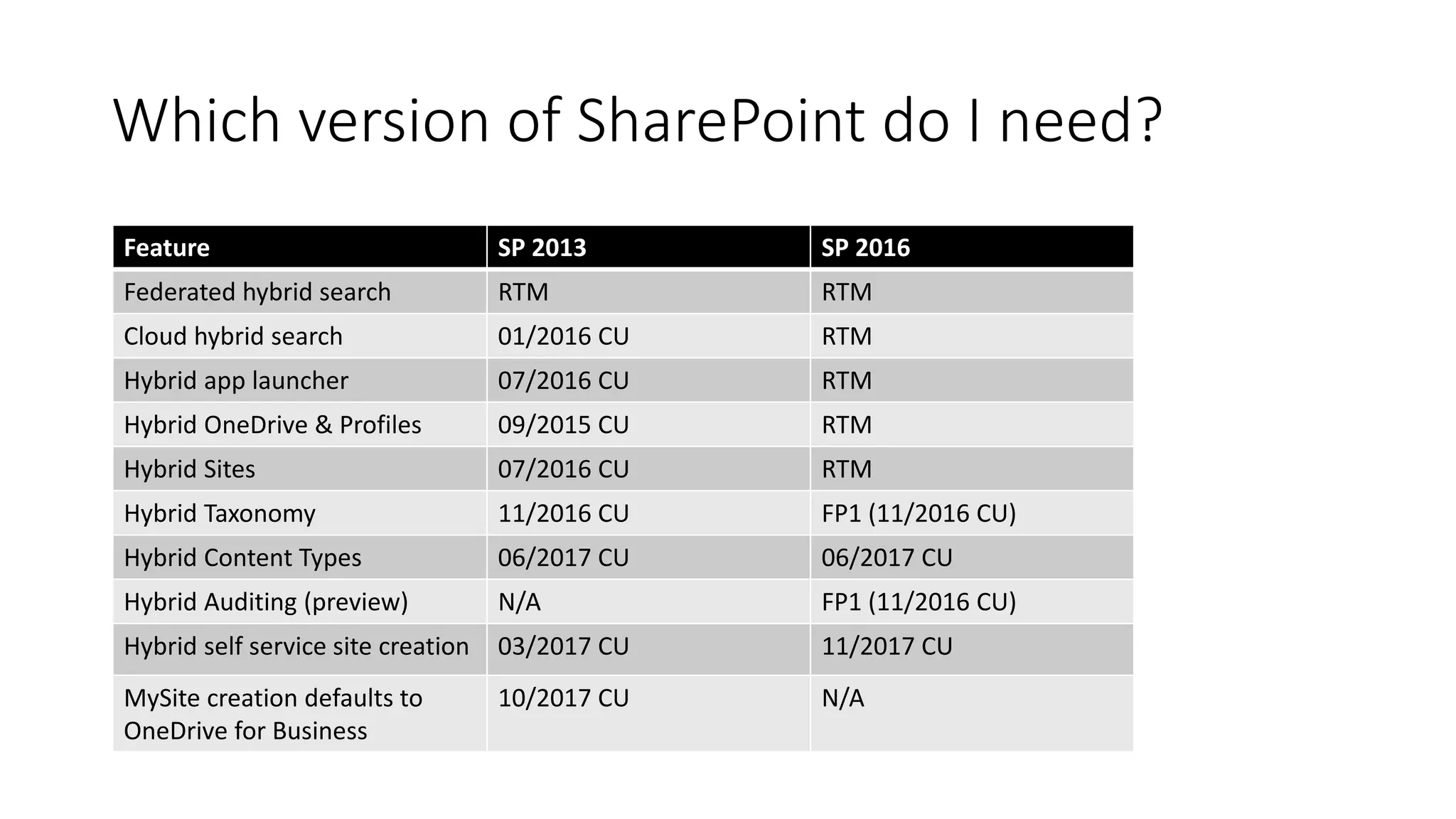
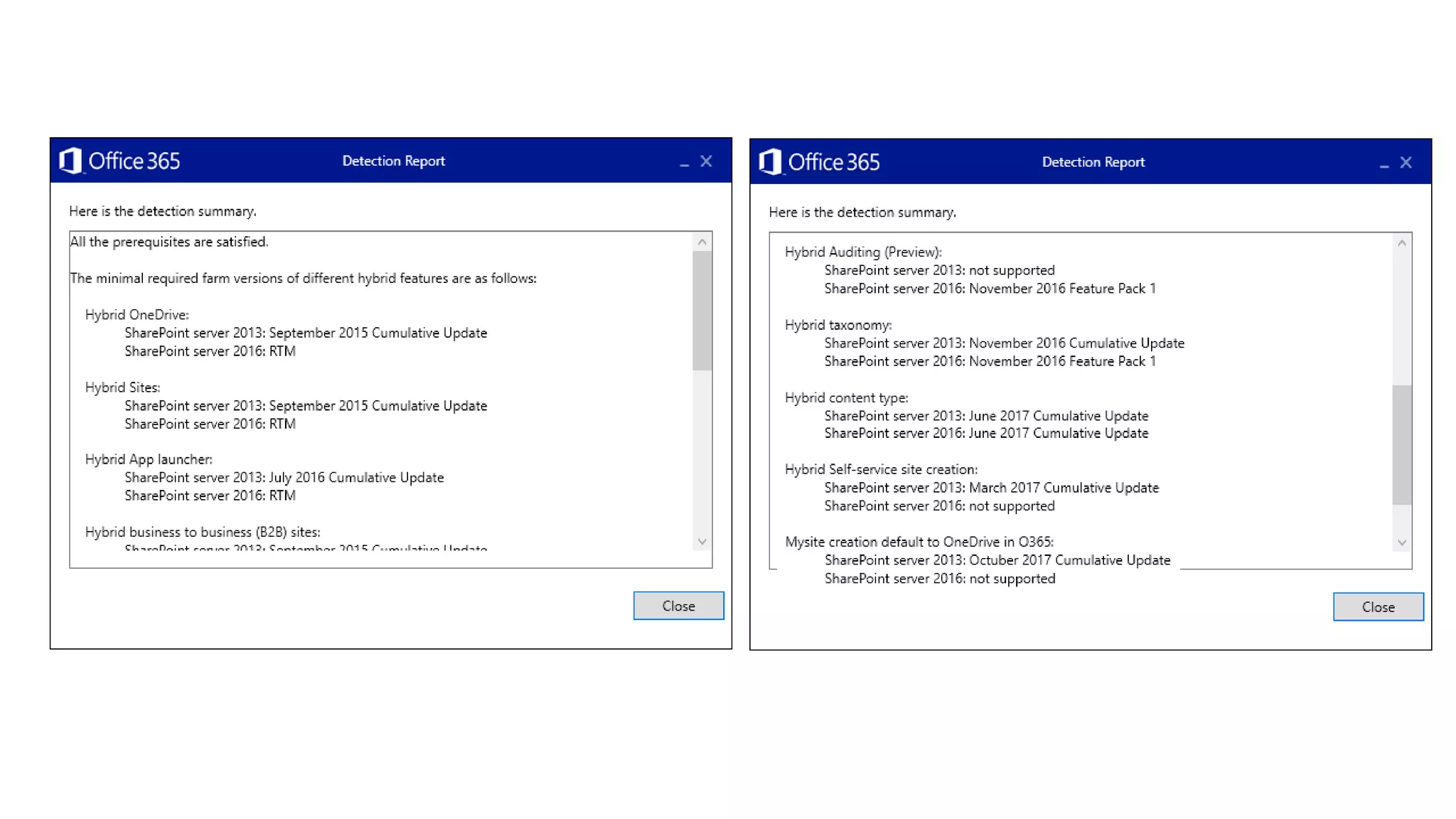
Which version of SharePoint do I need?
Feature SP 2013 SP 2016
Federated hybrid search RTM RTM
Cloud hybrid search 01/2016 CU RTM
Hybrid app launcher 07/2016 CU RTM
Hybrid OneDrive & Profiles 09/2015 CU RTM
Hybrid Sites 07/2016 CU RTM
Hybrid Taxonomy 11/2016 CU FP1 (11/2016 CU)
Hybrid Content Types 06/2017 CU 06/2017 CU
Hybrid Auditing (preview) N/A FP1 (11/2016 CU)
Hybrid self service site creation 03/2017 CU 11/2017 CU
MySite creation defaults to
OneDrive for Business
10/2017 CU N/A
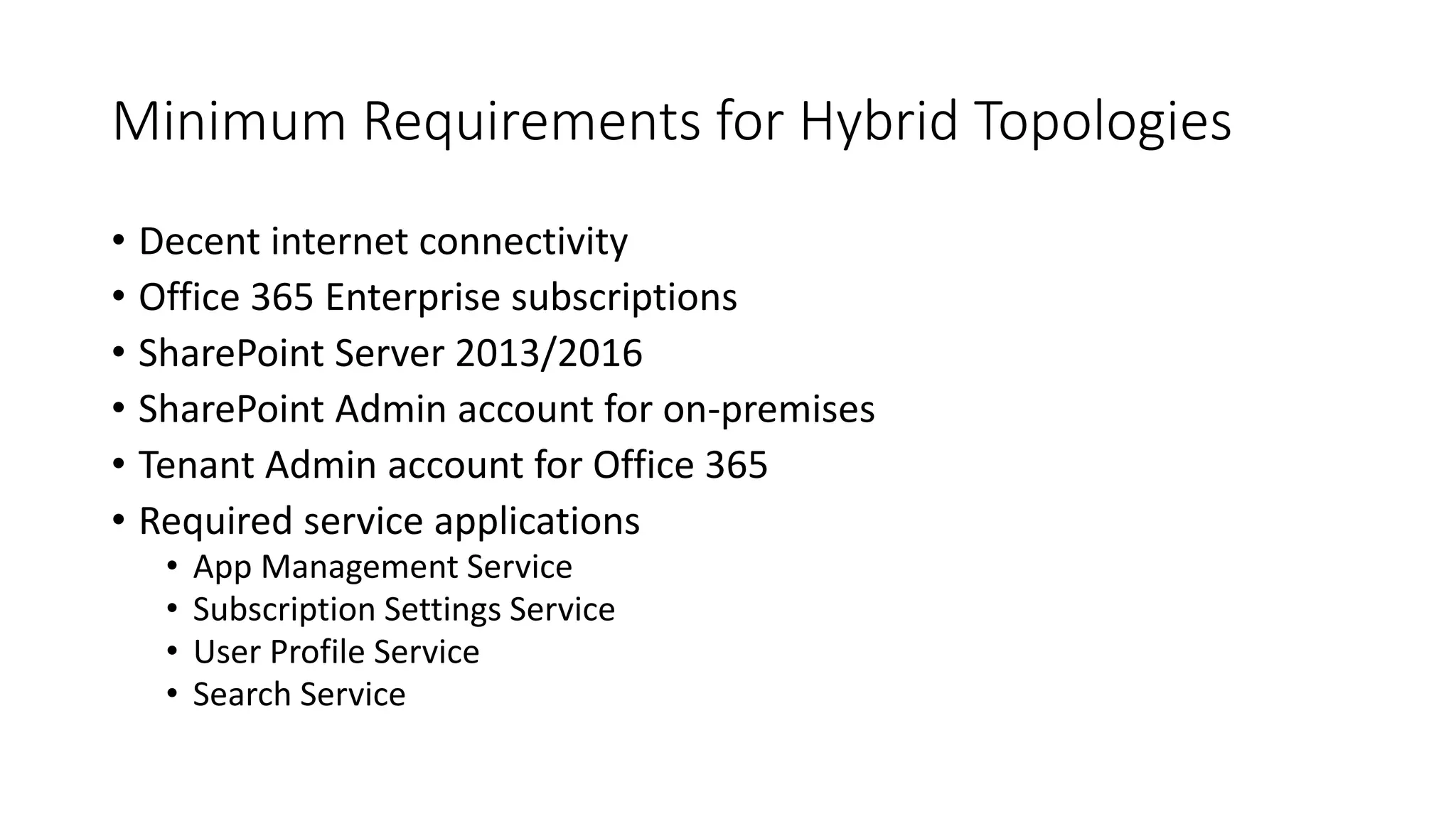
Minimum Requirements for Hybrid Topologies
• Decent internet connectivity
• Office 365 Enterprise subscriptions
• SharePoint Server 2013/2016
• SharePoint Admin account for on-premises
• Tenant Admin account for Office 365
• Required service applications
• App Management Service
• Subscription Settings Service
• User Profile Service
• Search Service
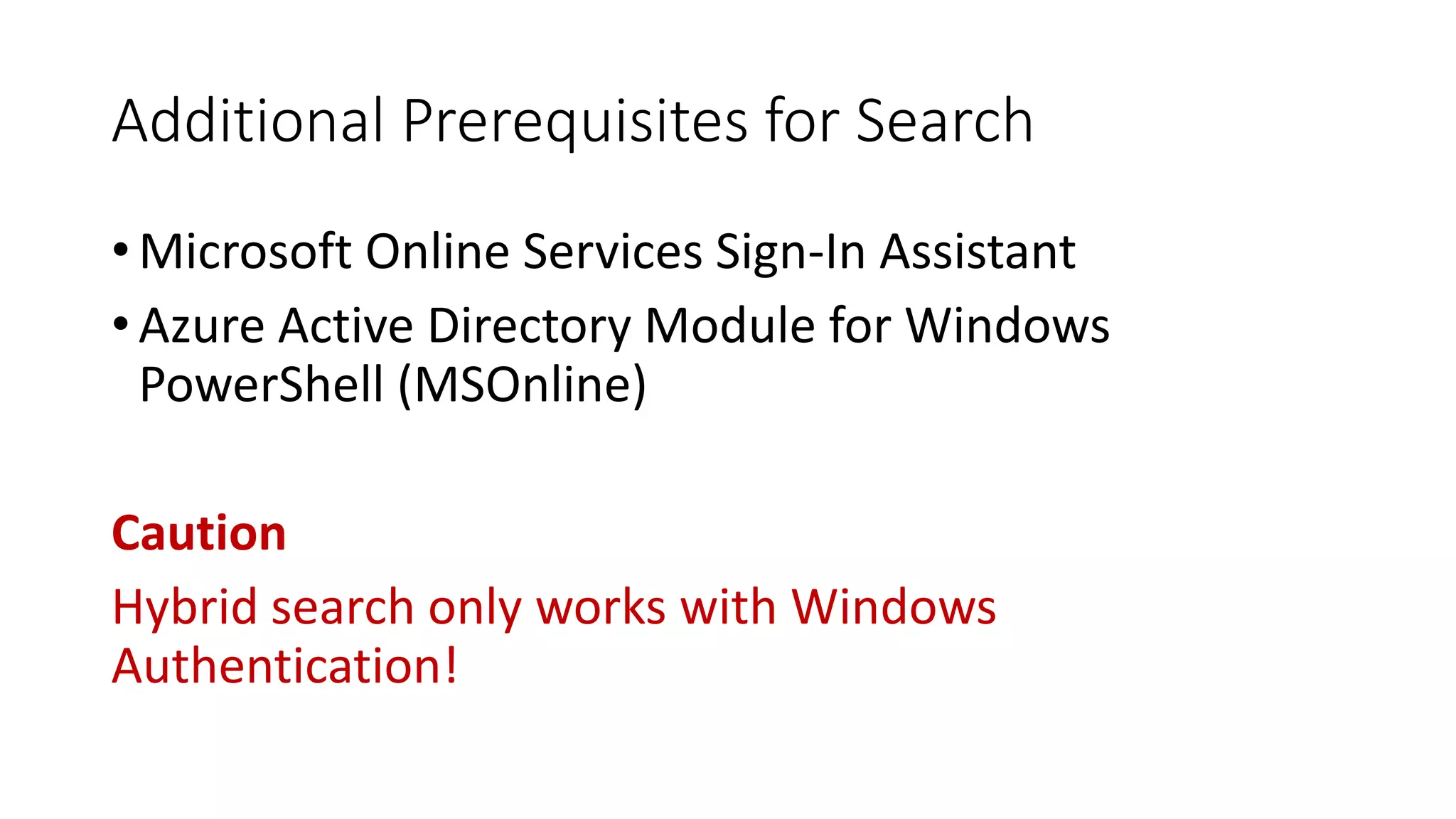
Additional Prerequisites for Search
• Microsoft Online Services Sign-In Assistant
• Azure Active Directory Module for Windows
PowerShell (MSOnline)
Caution
Hybrid search only works with Windows
Authentication!
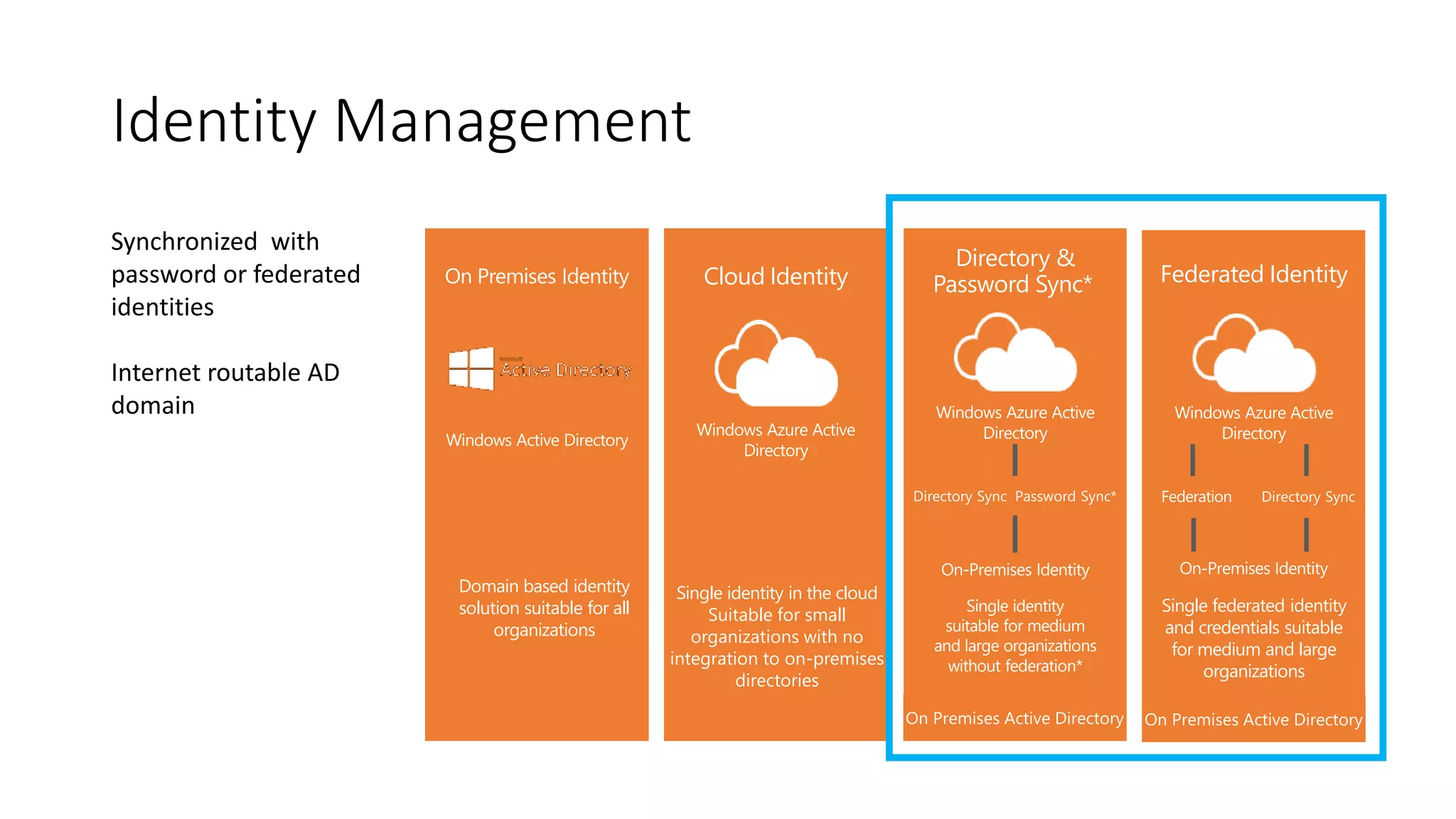
Identity Management
Cloud Identity
Single identity in the cloud
Suitable for small
organizations with no
integration to on-premises
directories
Directory &
Password Sync*
Single identity
suitable for medium
and large organizations
without federation*
Federated Identity
Single federated identity
and credentials suitable
for medium and large
organizations
On Premises Identity
Domain based identity
solution suitable for all
organizations
Synchronized with
password or federated
identities
Internet routable AD
domain
Hybrid OneDrive
Hybrid Profiles
What does it provide?
• OneDrive redirection
• User Profile Redirection
Demo
Hybrid OneDrive & Profiles
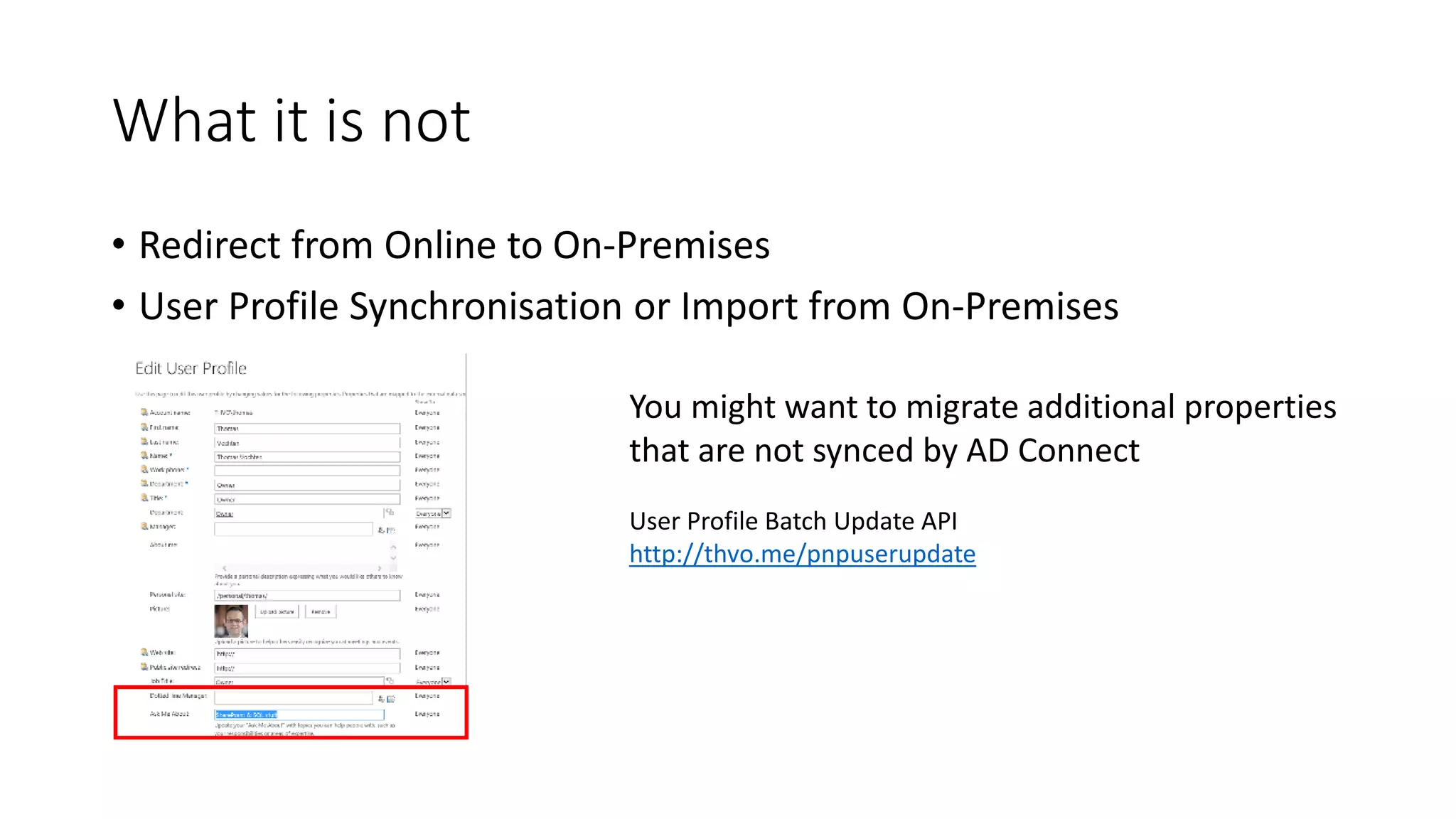
What it is not
• Redirect from Online to On-Premises
• User Profile Synchronisation or Import from On-Premises
You might want to migrate additional properties
that are not synced by AD Connect
User Profile Batch Update API
http://thvo.me/pnpuserupdate
Hybrid Sites
What does it provide?
• Hybrid OneDrive
• User Profile Redirect
+ Sites that you follow on-prem appear in Office 365
+ App Launcher integration
Demo
Hybrid Sites
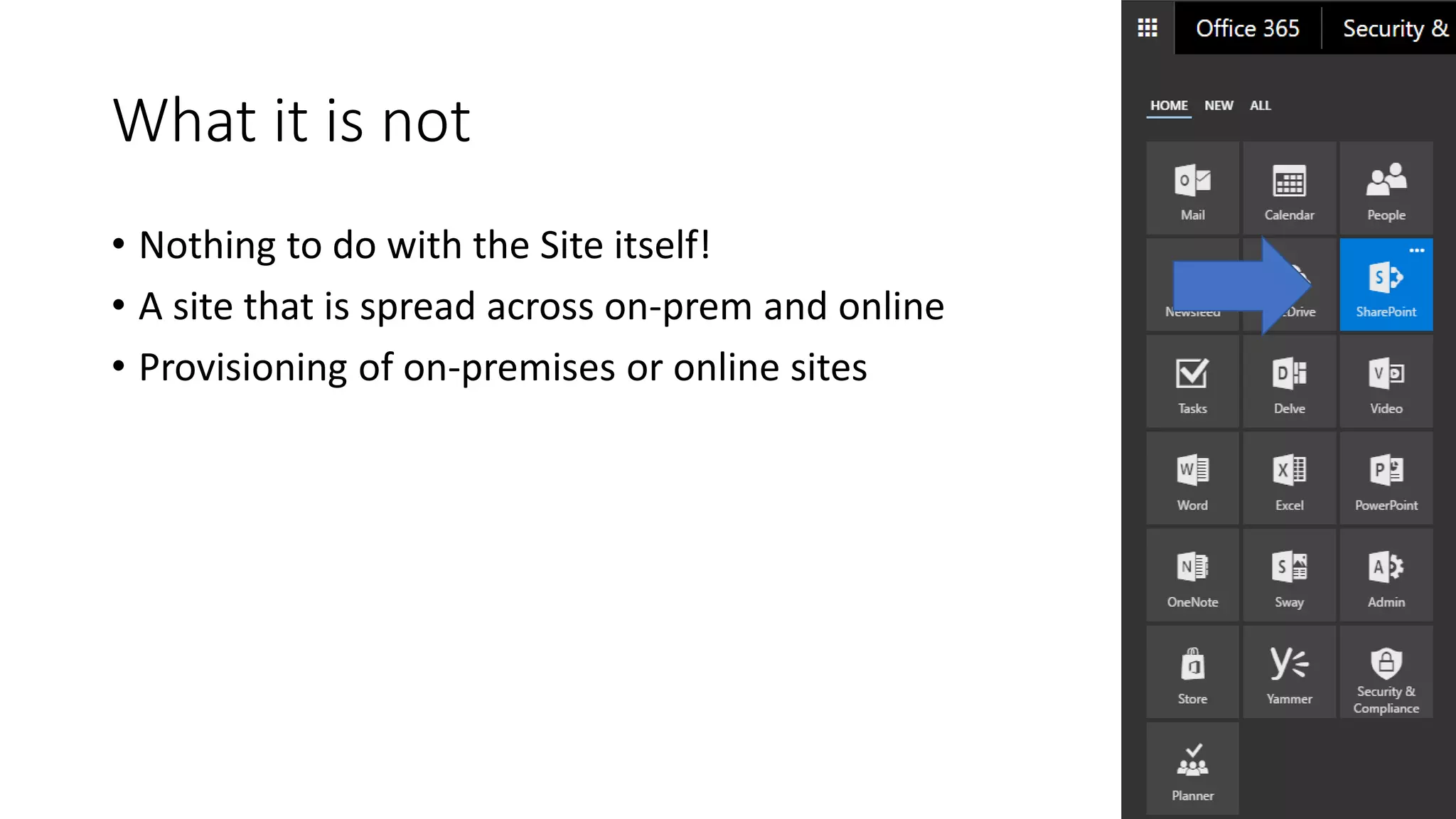
What it is not
• Nothing to do with the Site itself!
• A site that is spread across on-prem and online
• Provisioning of on-premises or online sites
Hybrid App Launcher
Hybrid App Launcher
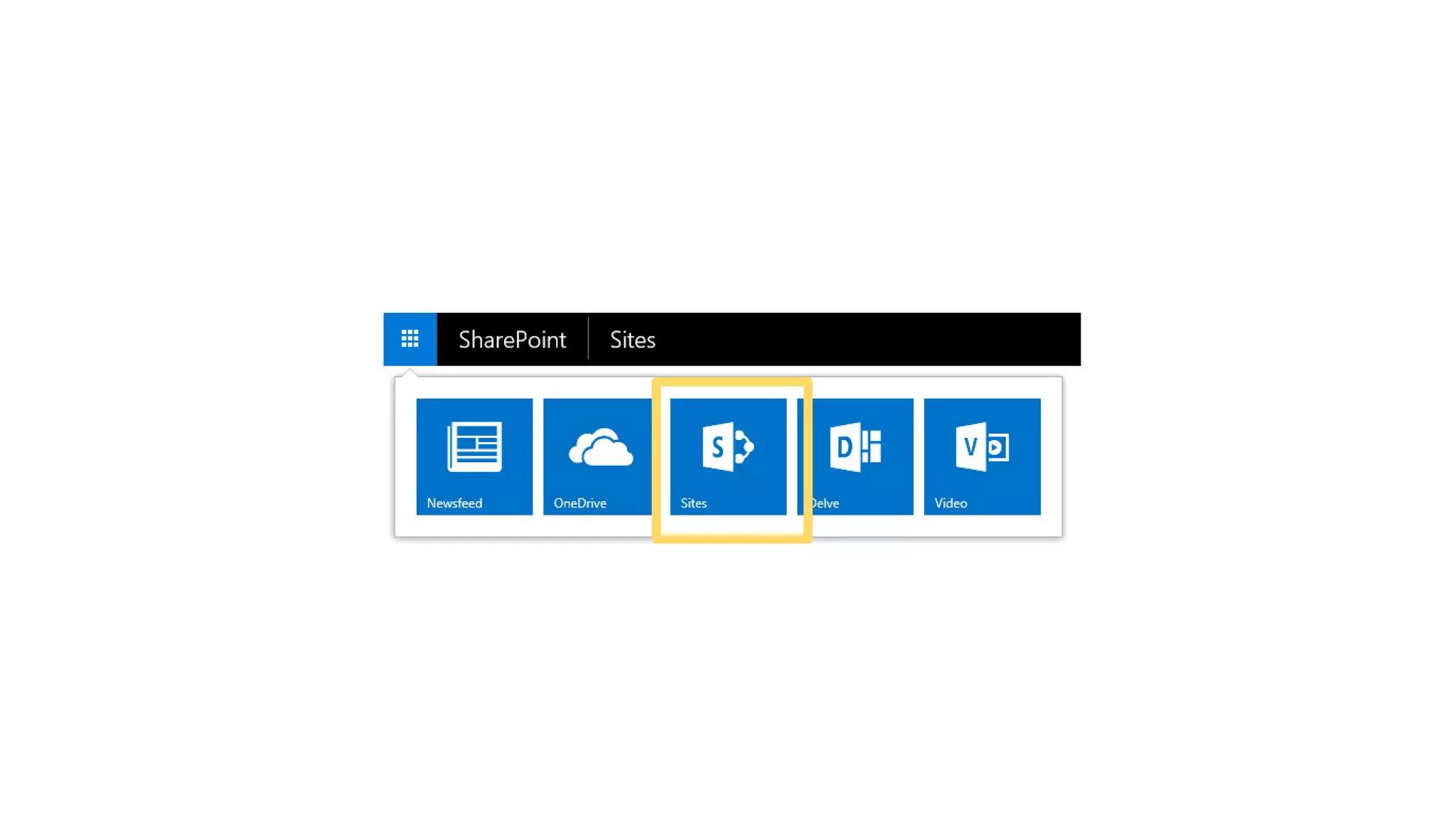
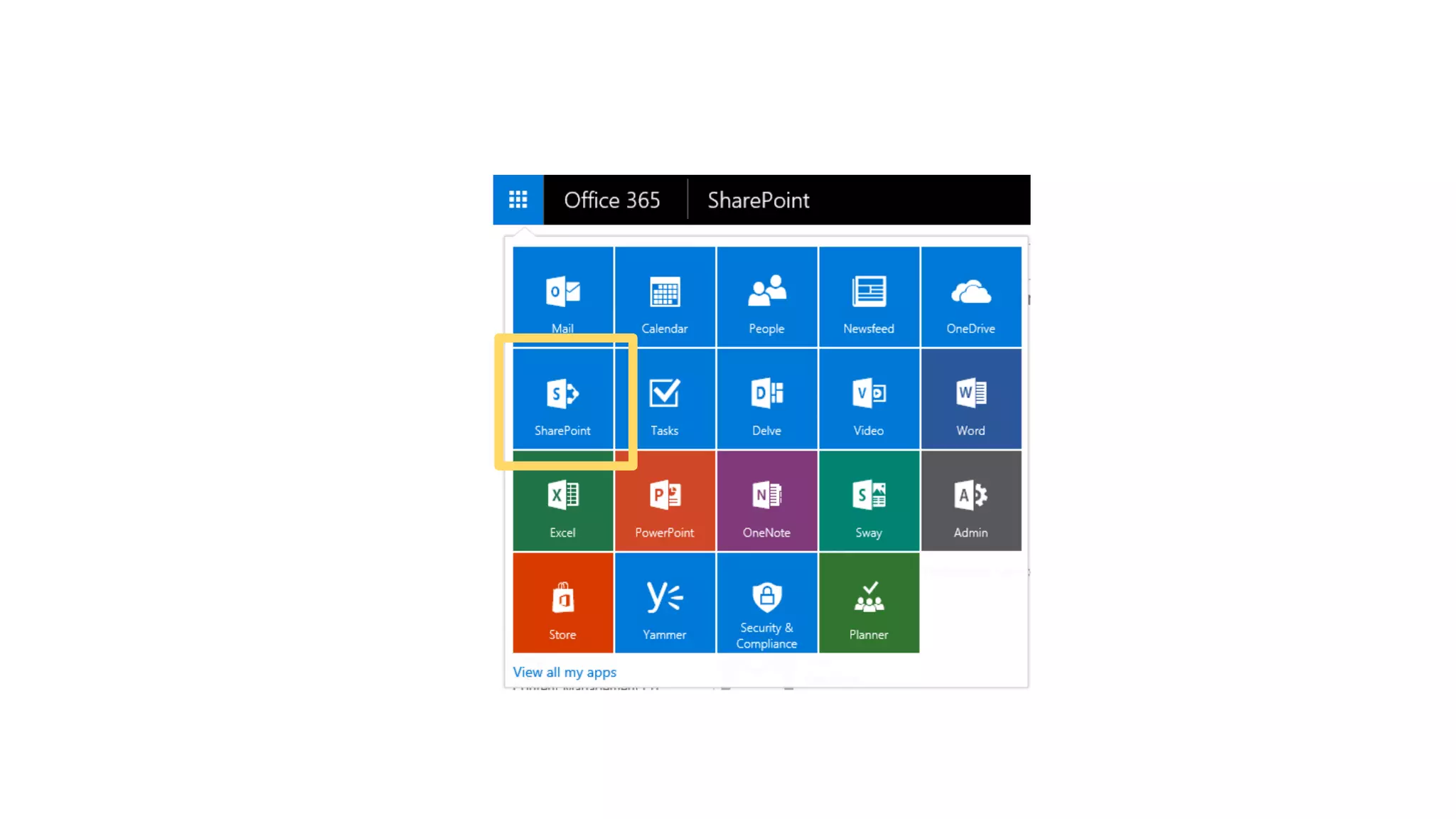
• Pin custom apps to the App Launcher in online
• See them appear in on-premises
Demo
Hybrid App Launcher
Hybrid
Taxonomy
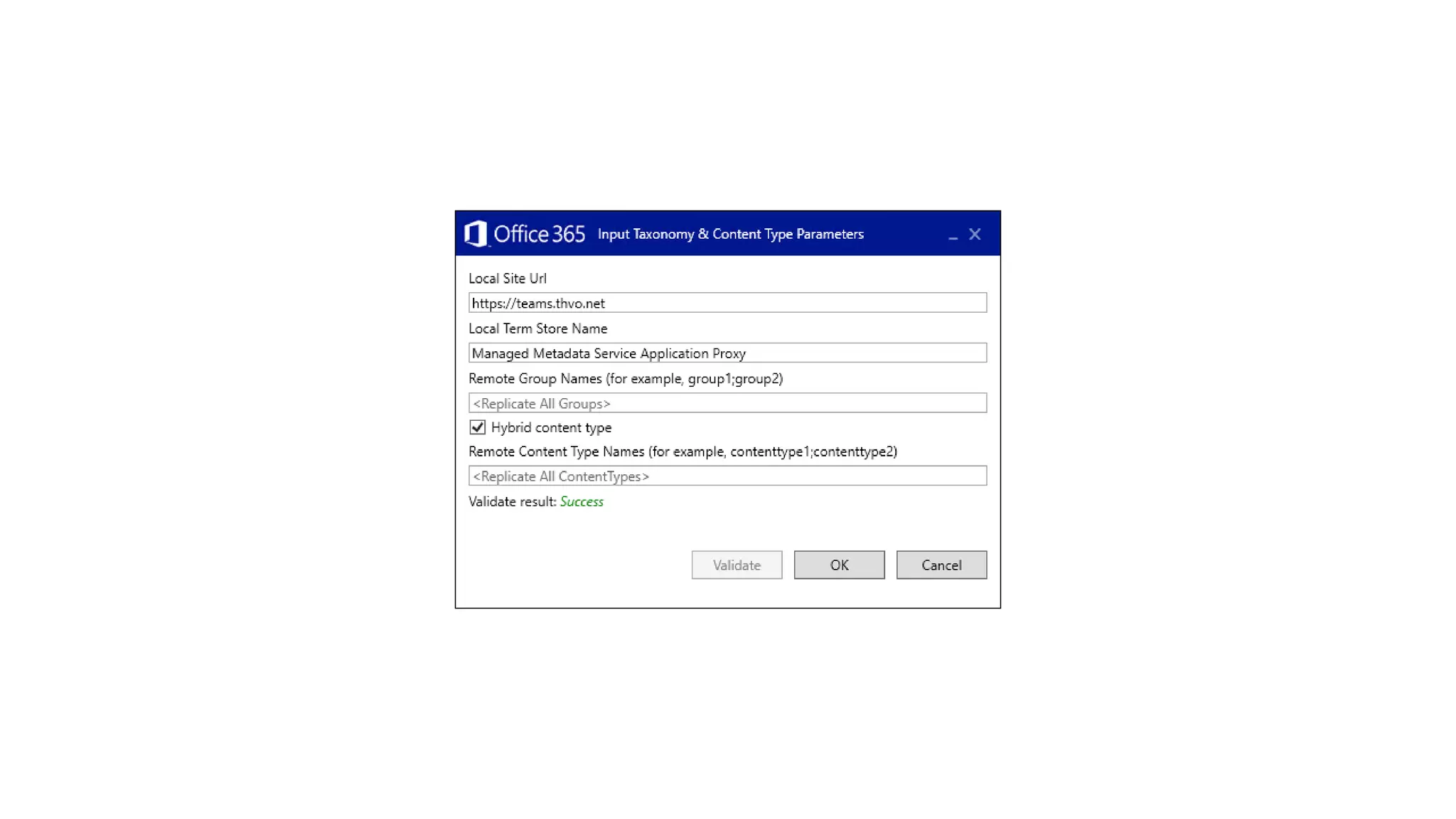
Hybrid Taxonomy (aka Metadata)
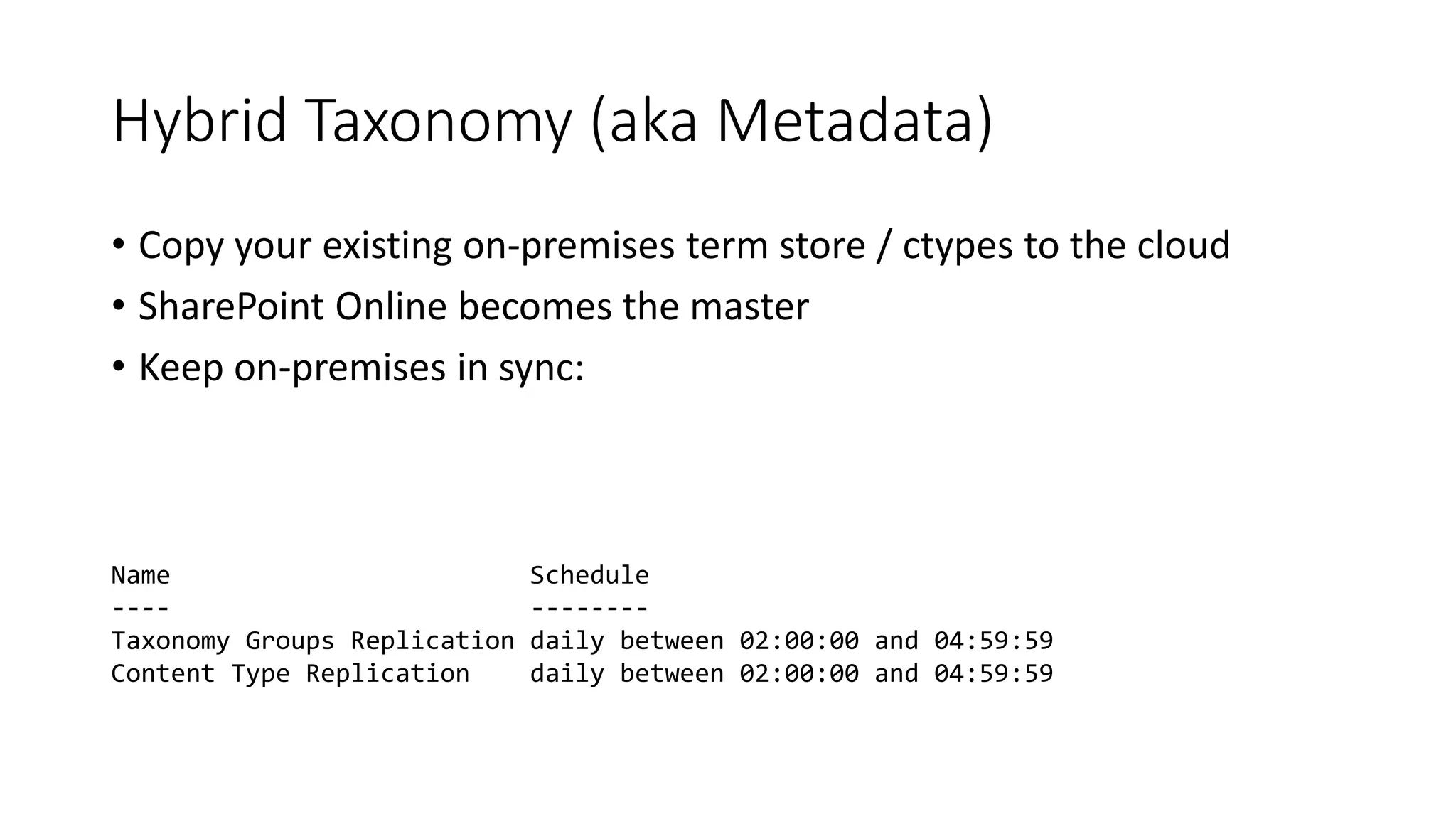
• Copy your existing on-premises term store / ctypes to the cloud
• SharePoint Online becomes the master
• Keep on-premises in sync:
Name Schedule
---- --------
Taxonomy Groups Replication daily between 02:00:00 and 04:59:59
Content Type Replication daily between 02:00:00 and 04:59:59
Demo
Hybrid Taxonomy
Hybrid Taxonomy
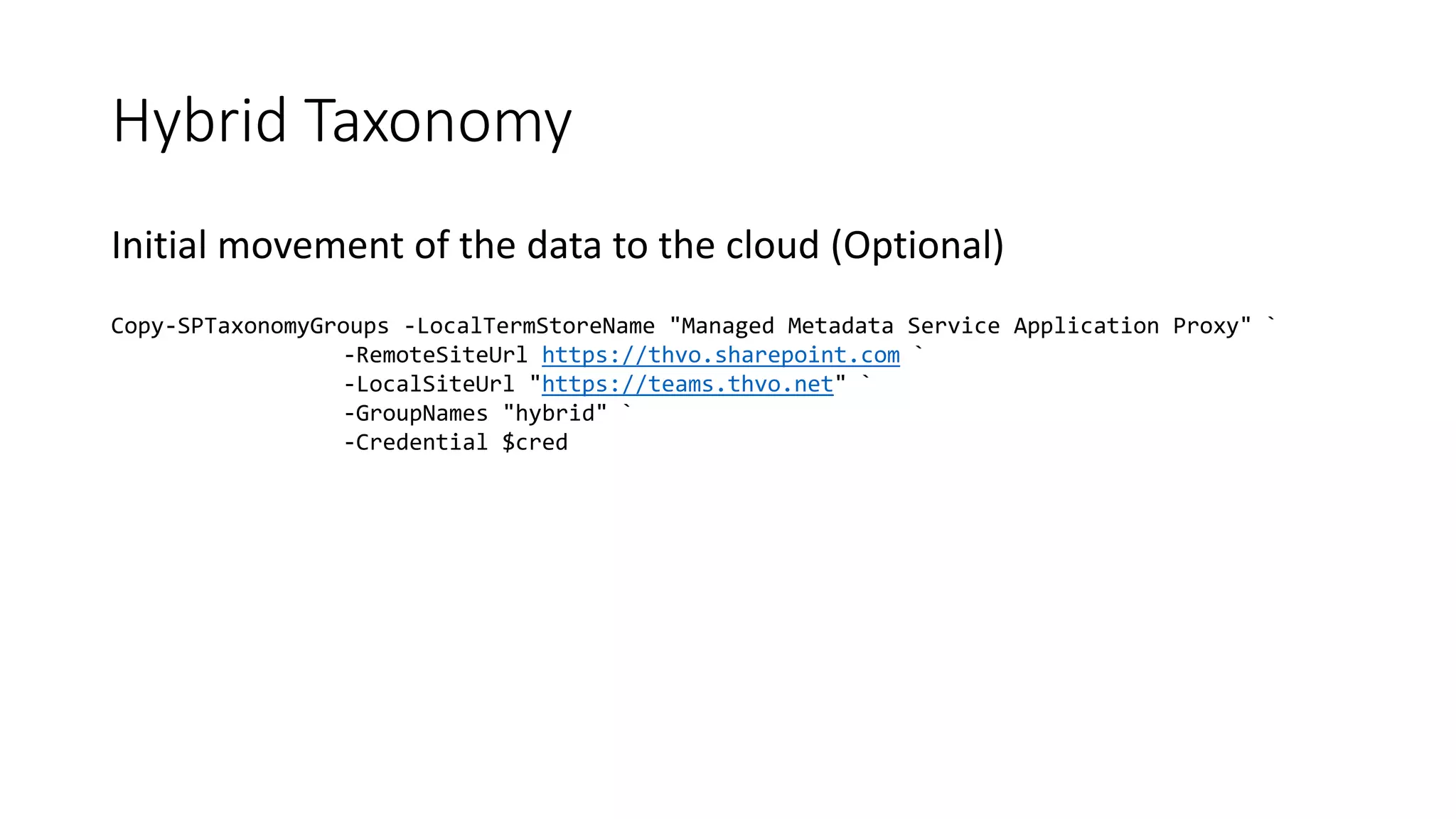
Initial movement of the data to the cloud (Optional)
Copy-SPTaxonomyGroups -LocalTermStoreName "Managed Metadata Service Application Proxy" `
-RemoteSiteUrl https://thvo.sharepoint.com `
-LocalSiteUrl "https://teams.thvo.net" `
-GroupNames "hybrid" `
-Credential $cred
Demo
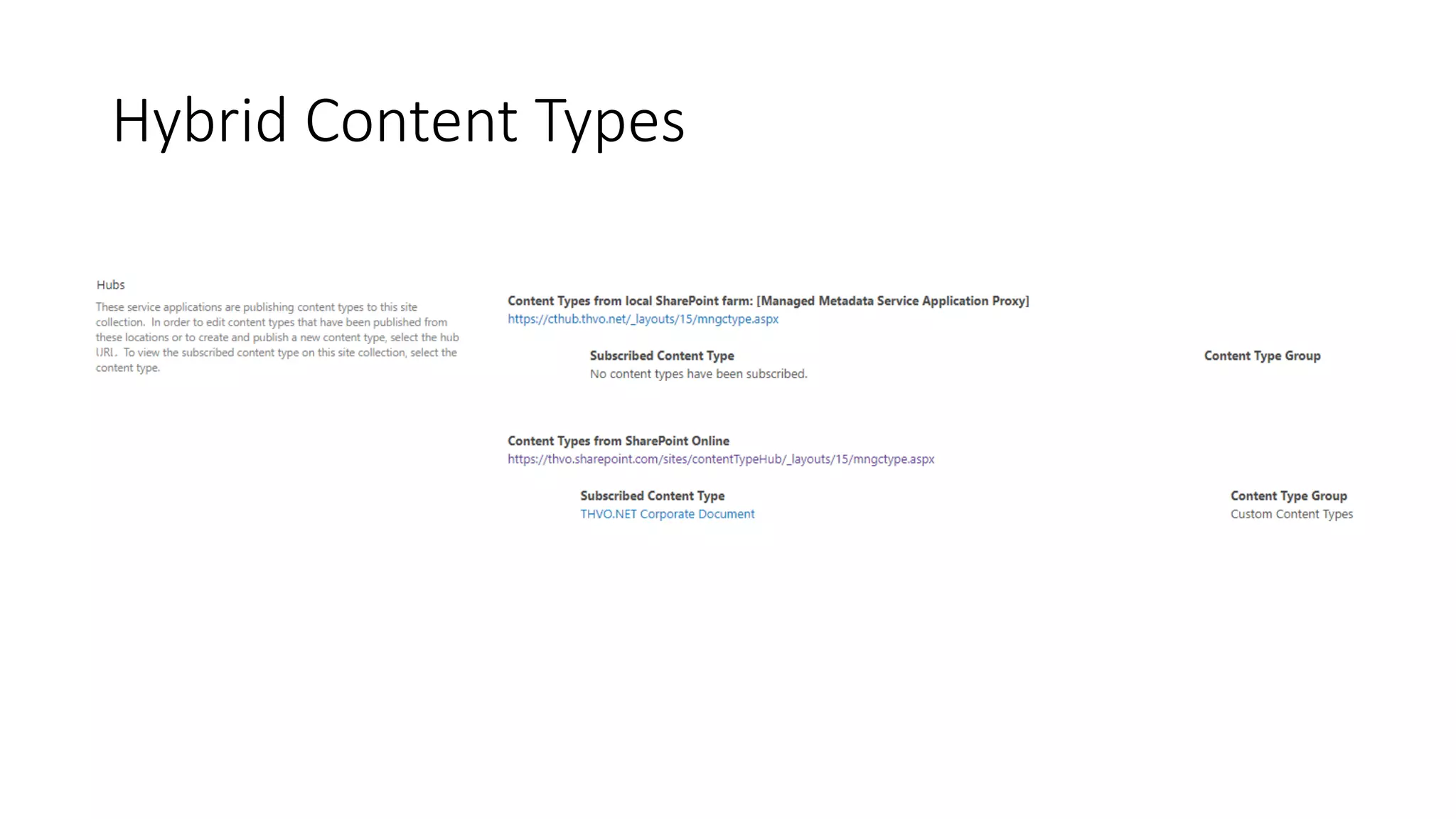
Hybrid Content Types
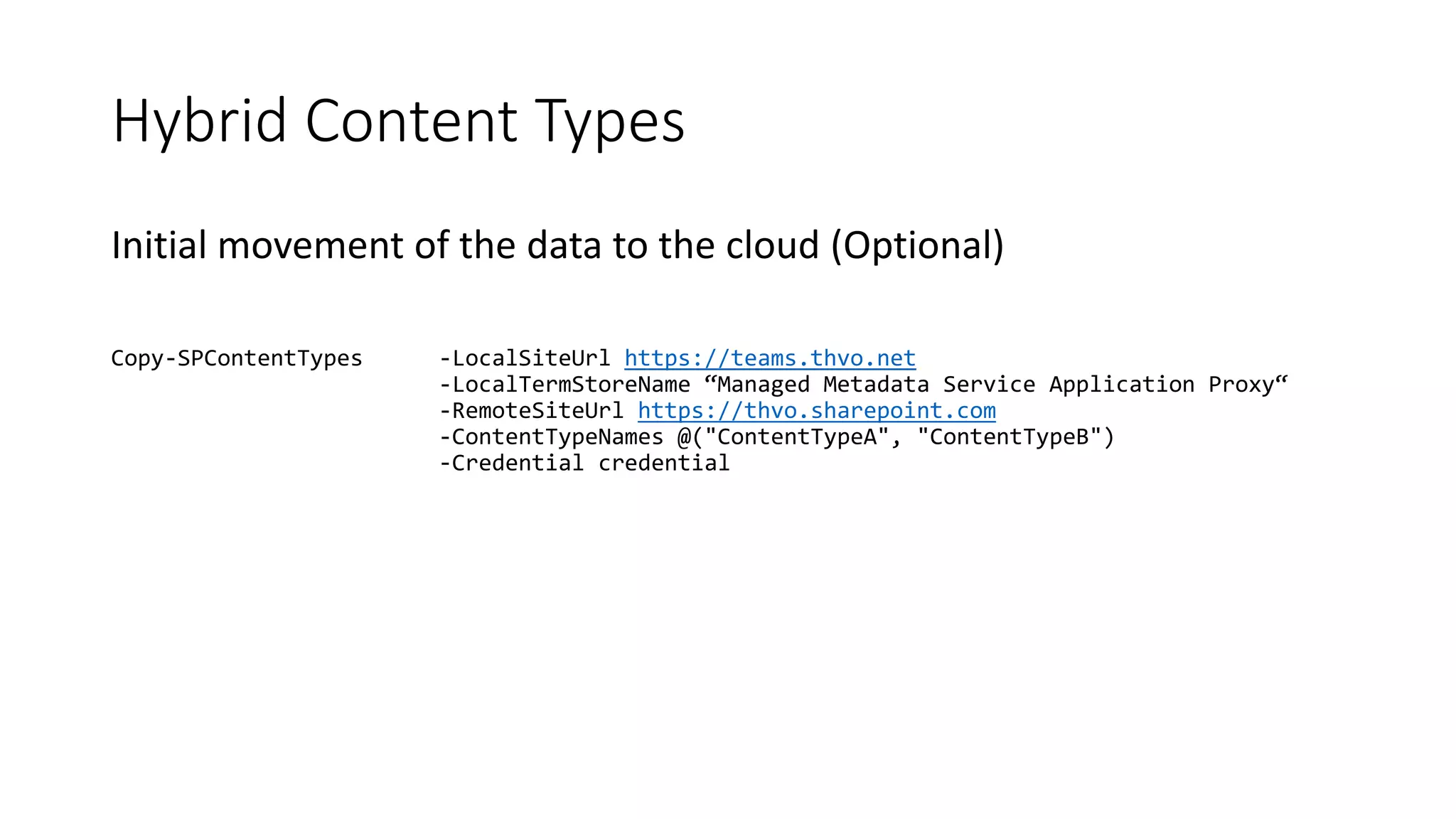
Initial movement of the data to the cloud (Optional)
Copy-SPContentTypes -LocalSiteUrl https://teams.thvo.net
-LocalTermStoreName “Managed Metadata Service Application Proxy“
-RemoteSiteUrl https://thvo.sharepoint.com
-ContentTypeNames @("ContentTypeA", "ContentTypeB")
-Credential credential
Hybrid Content Types
Hybrid Content Type Hubs
Hybrid Auditing
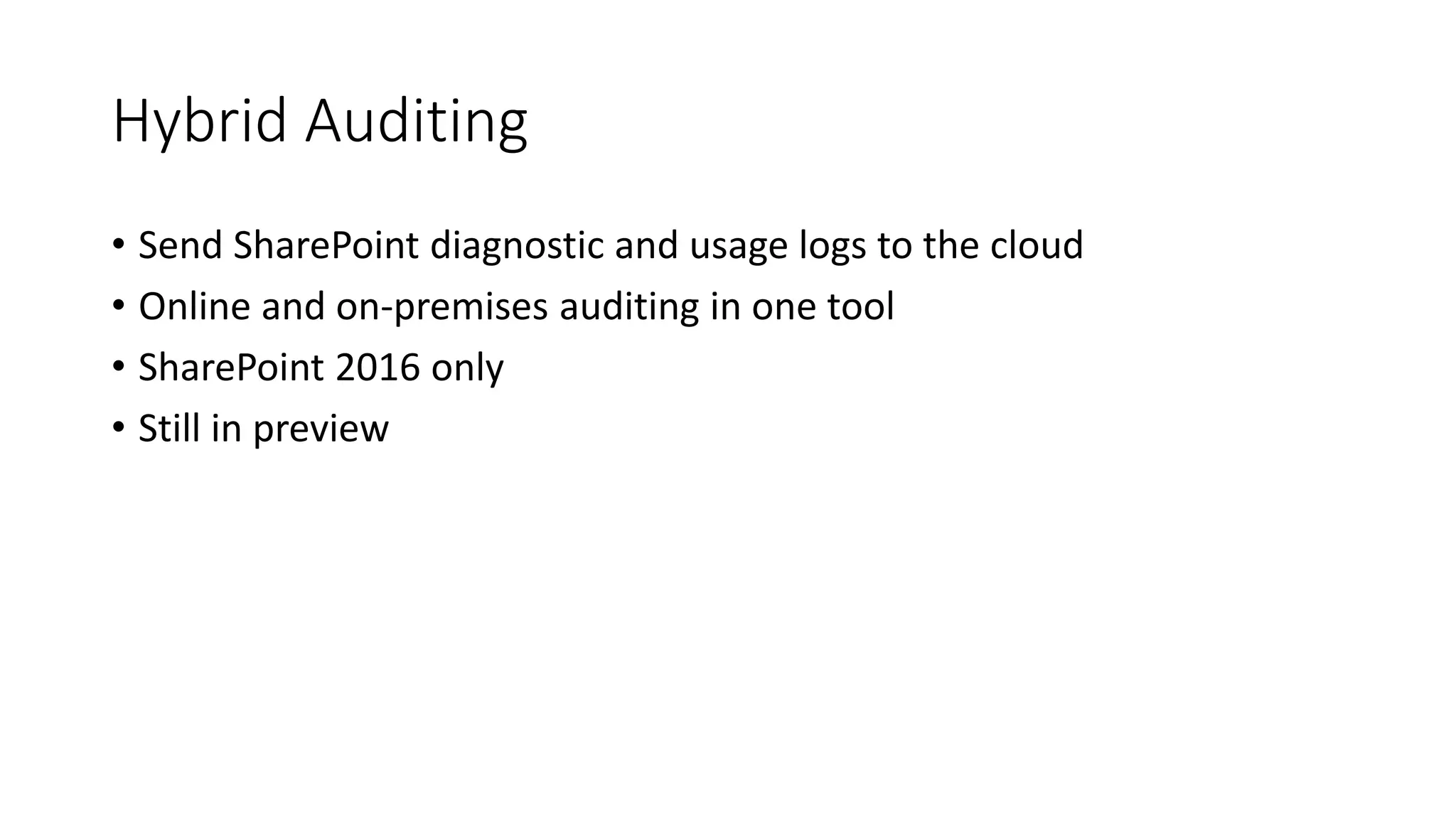
Hybrid Auditing
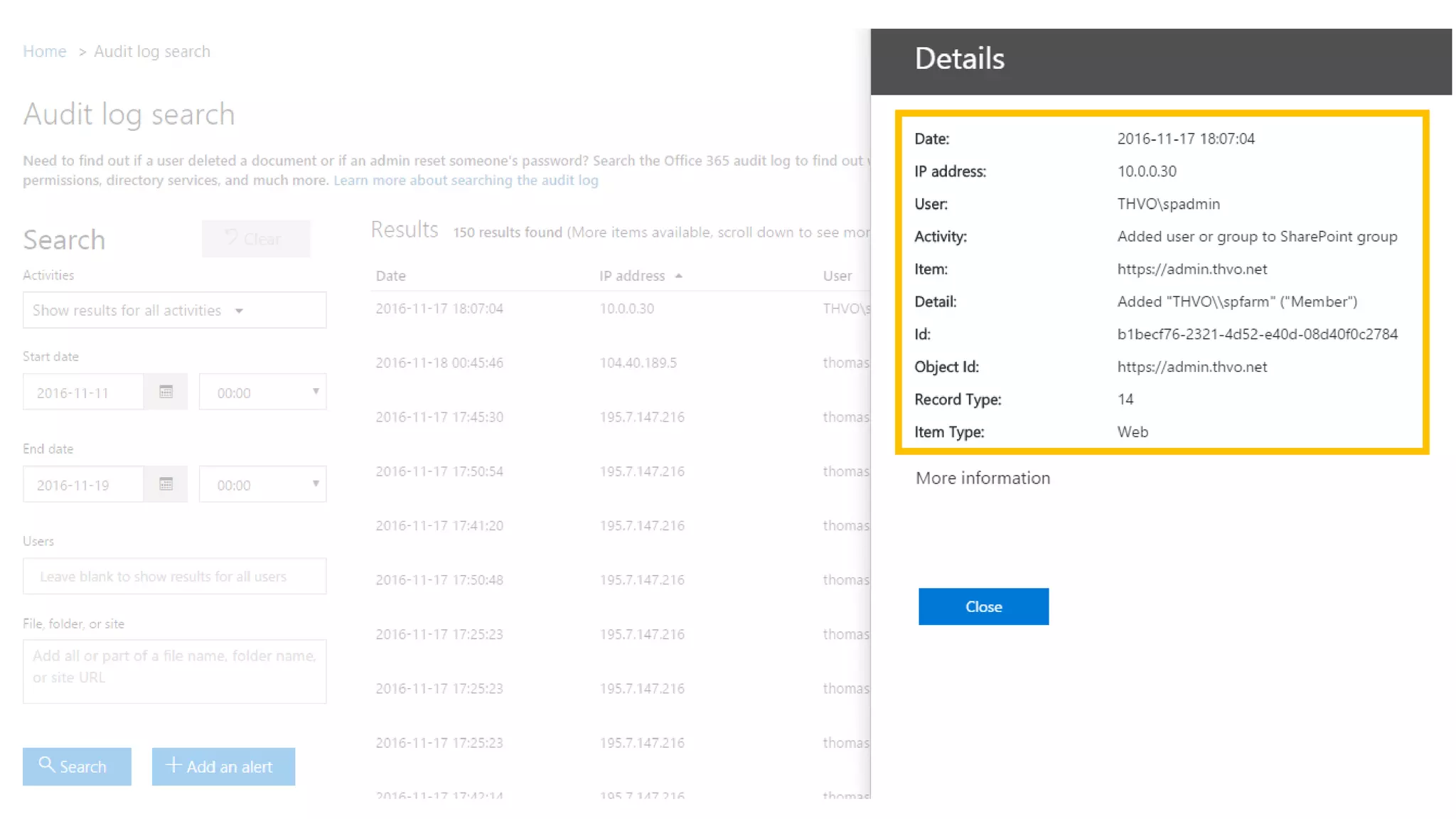
• Send SharePoint diagnostic and usage logs to the cloud
• Online and on-premises auditing in one tool
• SharePoint 2016 only
• Still in preview
Demo
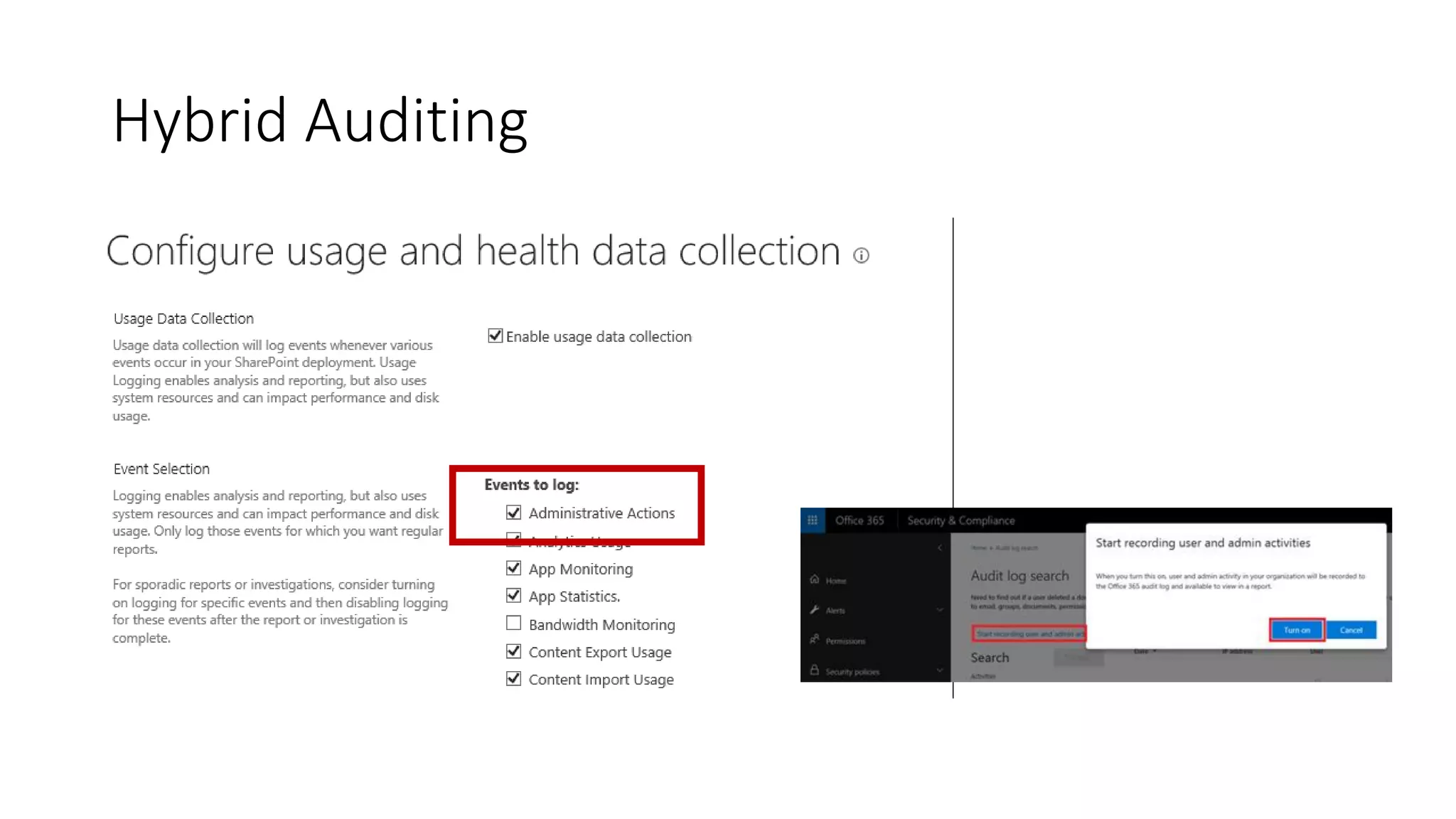
Hybrid Auditing
Hybrid Auditing
Hybrid Auditing
List administrative actions through PowerShell:
Merge-SPUsageLog -Identity "Administrative Actions"
Hybrid Search
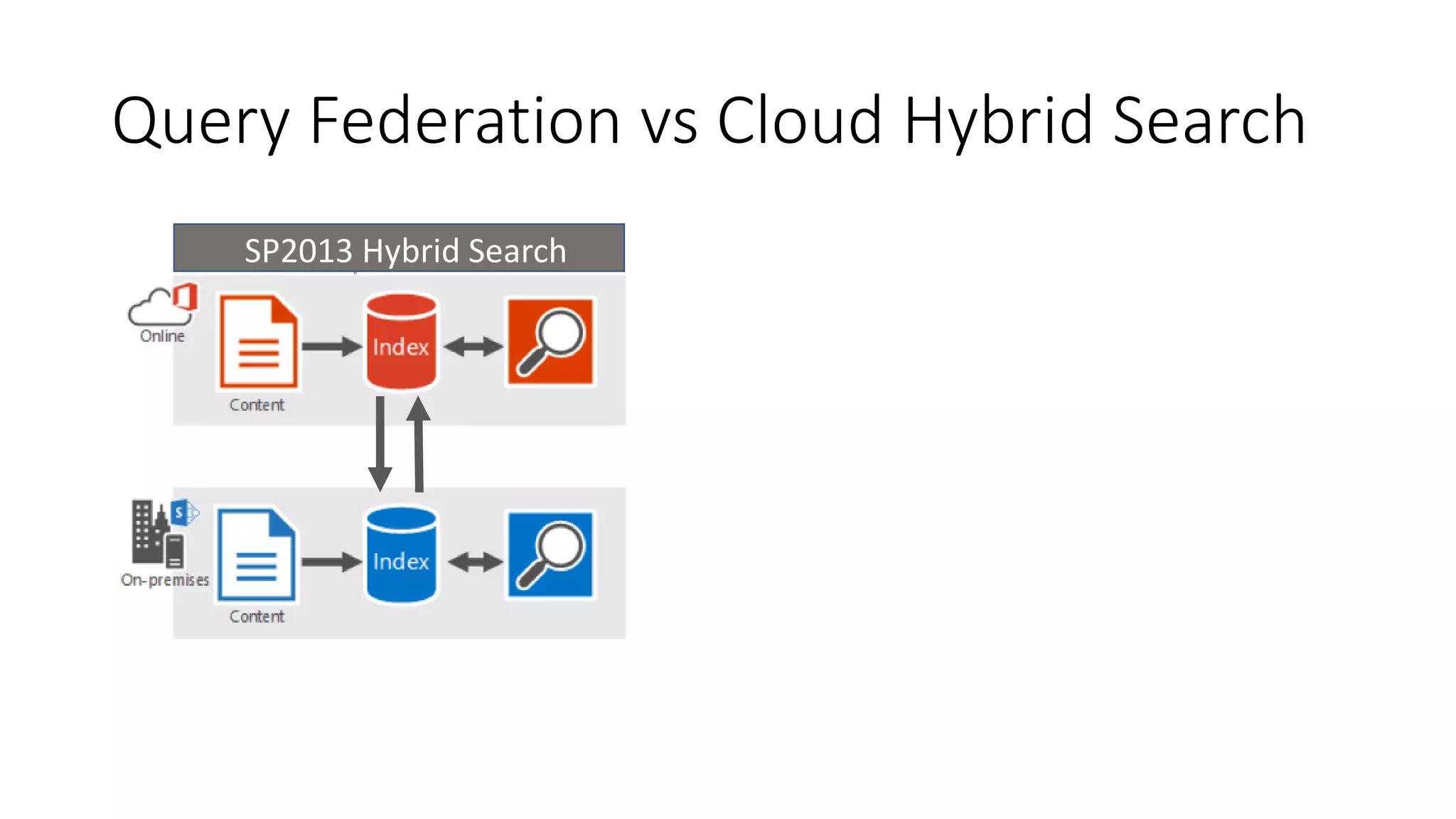
Query Federation
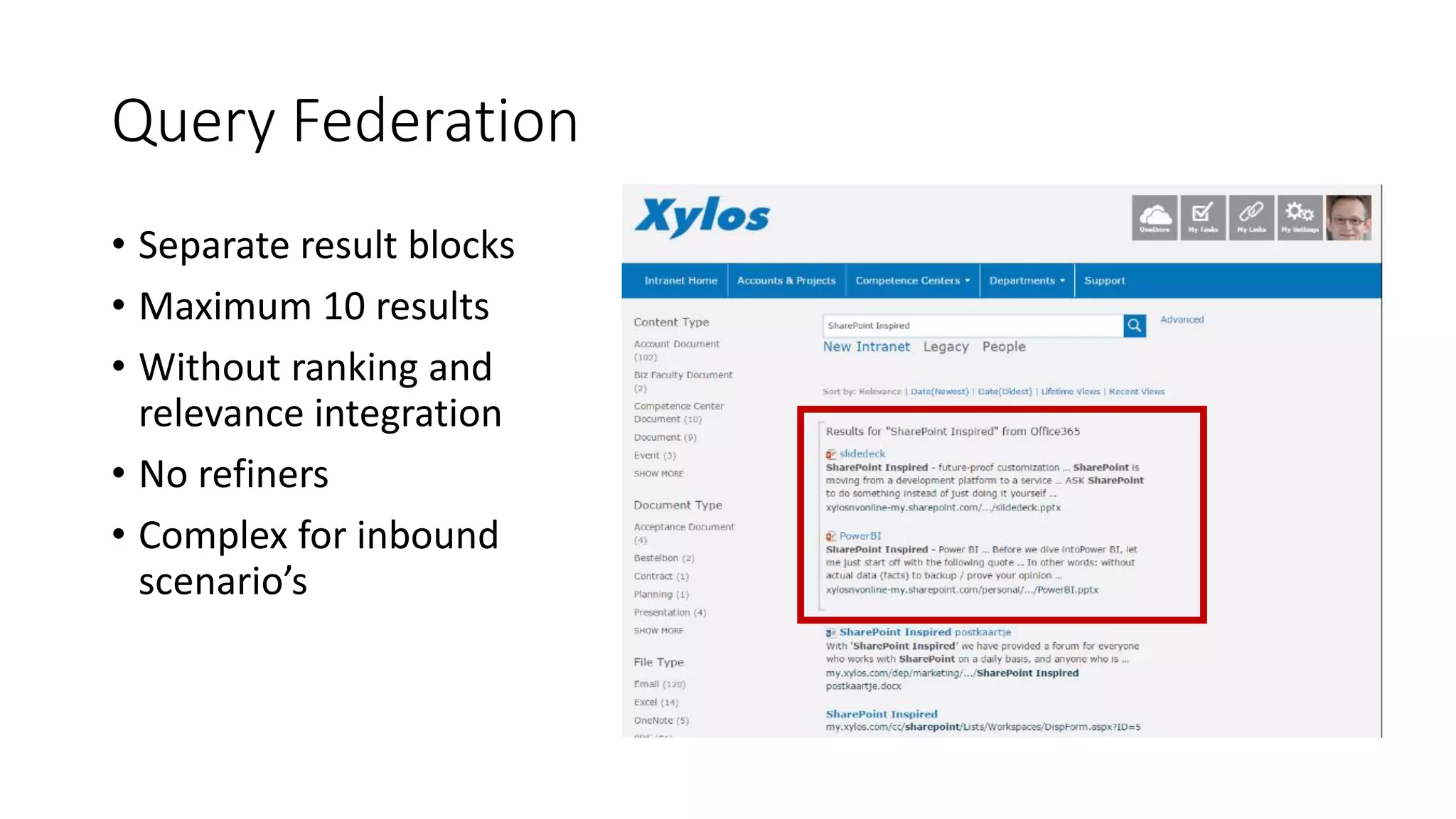
• Separate result blocks
• Maximum 10 results
• Without ranking and
relevance integration
• No refiners
• Complex for inbound
scenario’s
Cloud Hybrid Search
• Single unified index - in the cloud
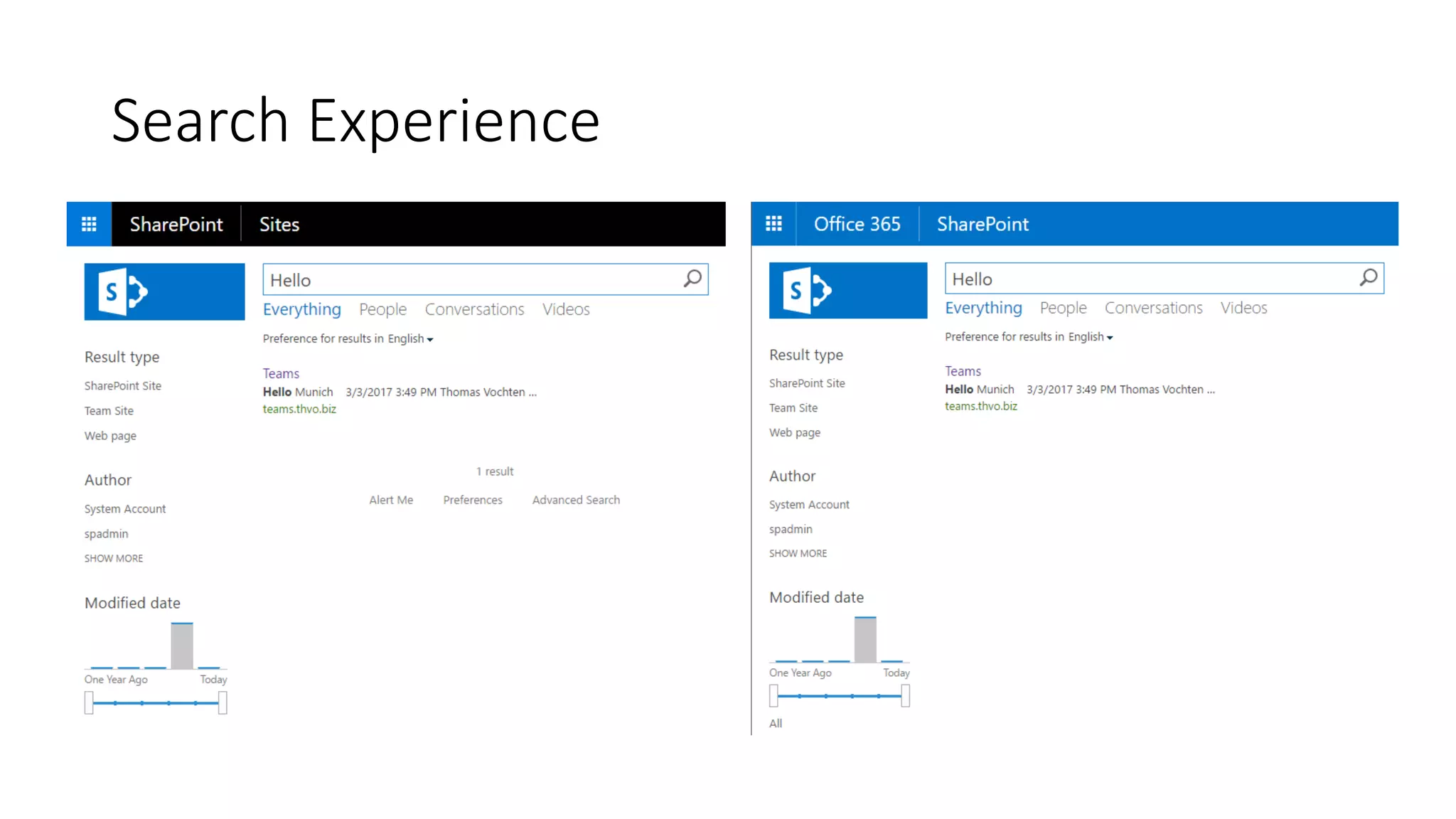
• True relevance ranking and refiners
• Supports all existing on-premises content sources
Query Federation vs Cloud Hybrid Search
New Cloud Hybrid SearchSP2013 Hybrid Search
Search Experience
Demo
Hybrid Search
Setup Approach
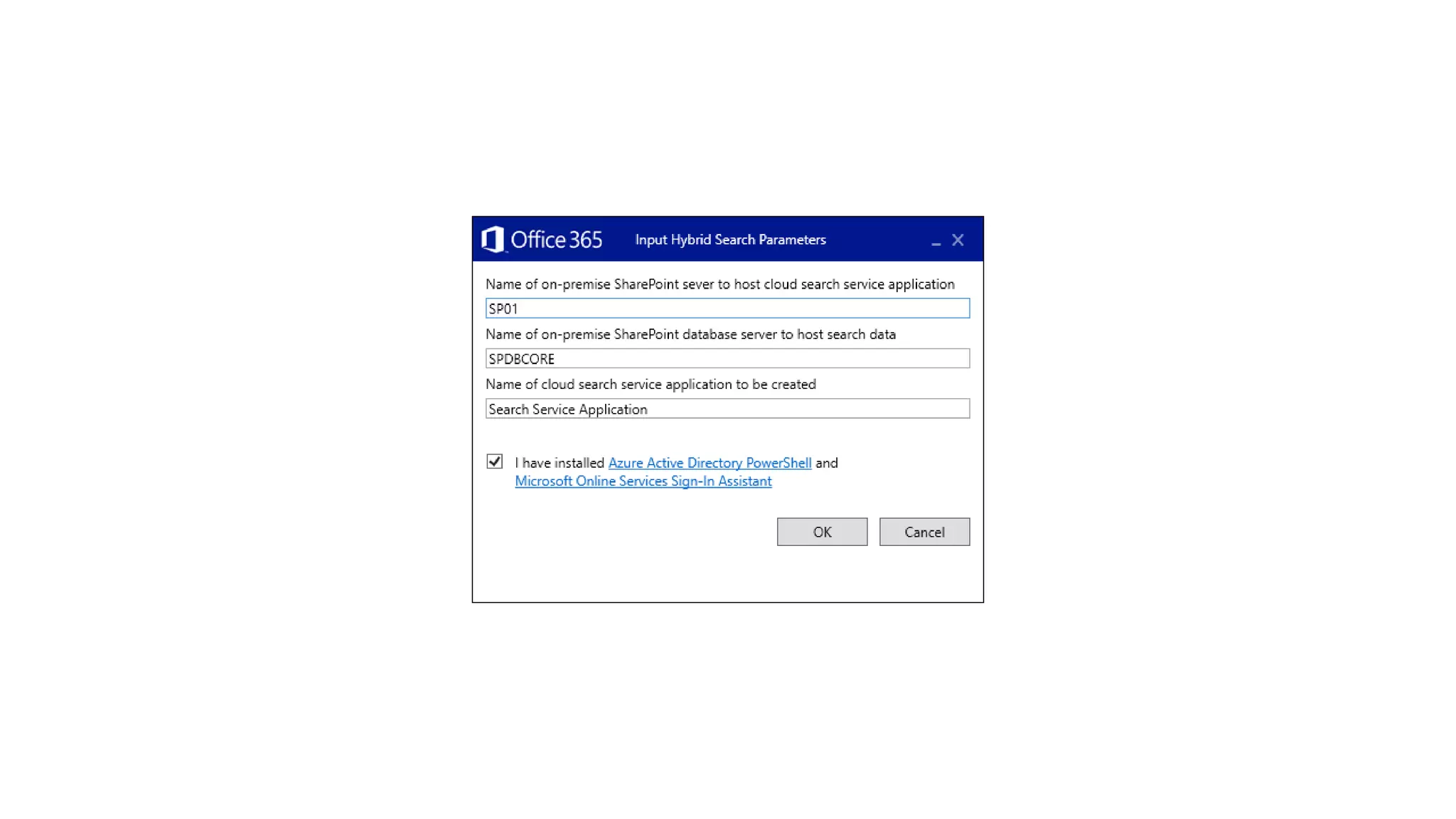
• Create a new cloud search service application
• Run the onboarding PowerShell script
• Start a crawl
• Test your search in online
• Create result source in on-premises
• Test your search in on-premises
NEW: Run the Hybrid Configuration Wizard
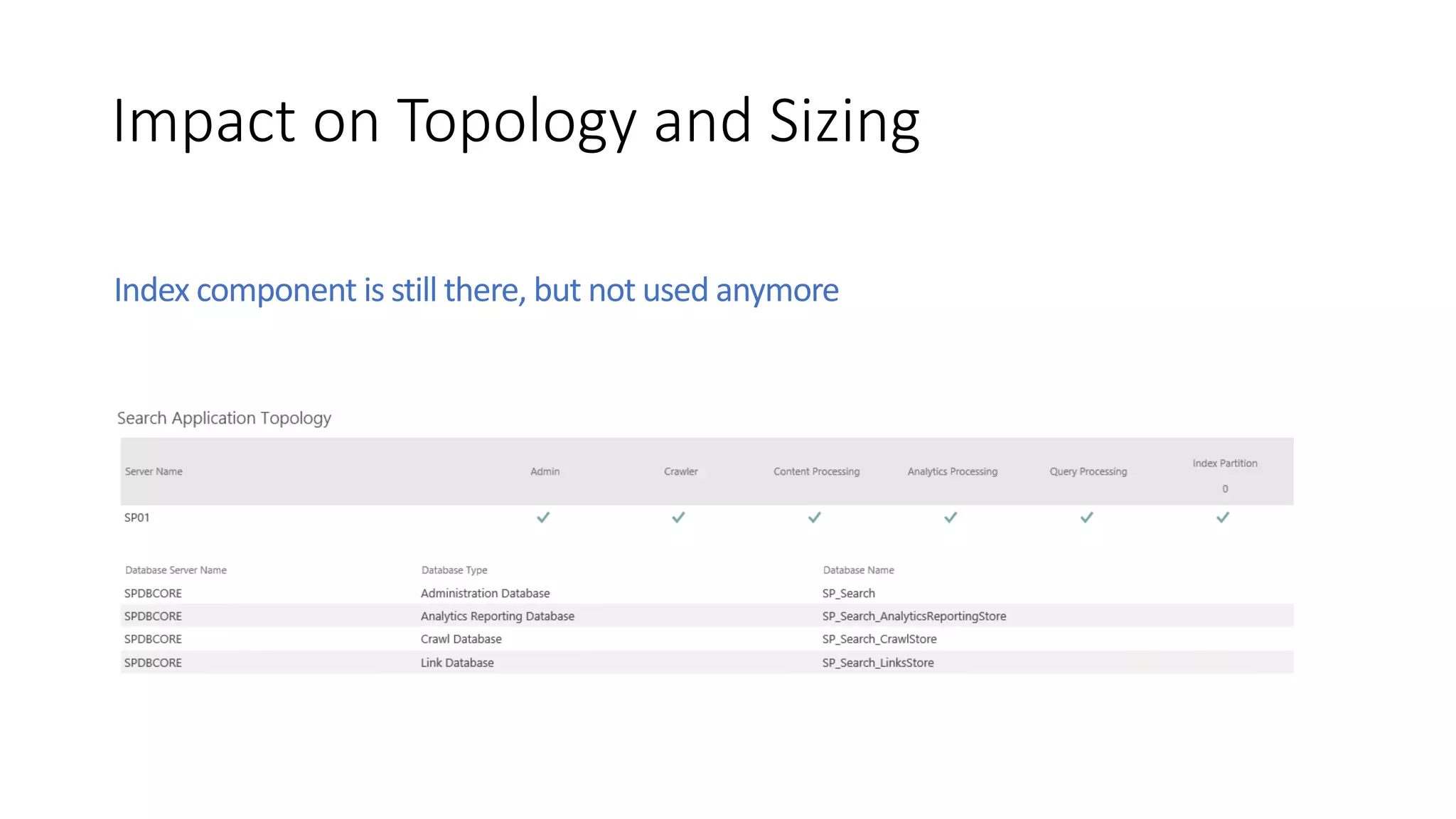
Impact on Topology and Sizing
Index component is still there, but not used anymore
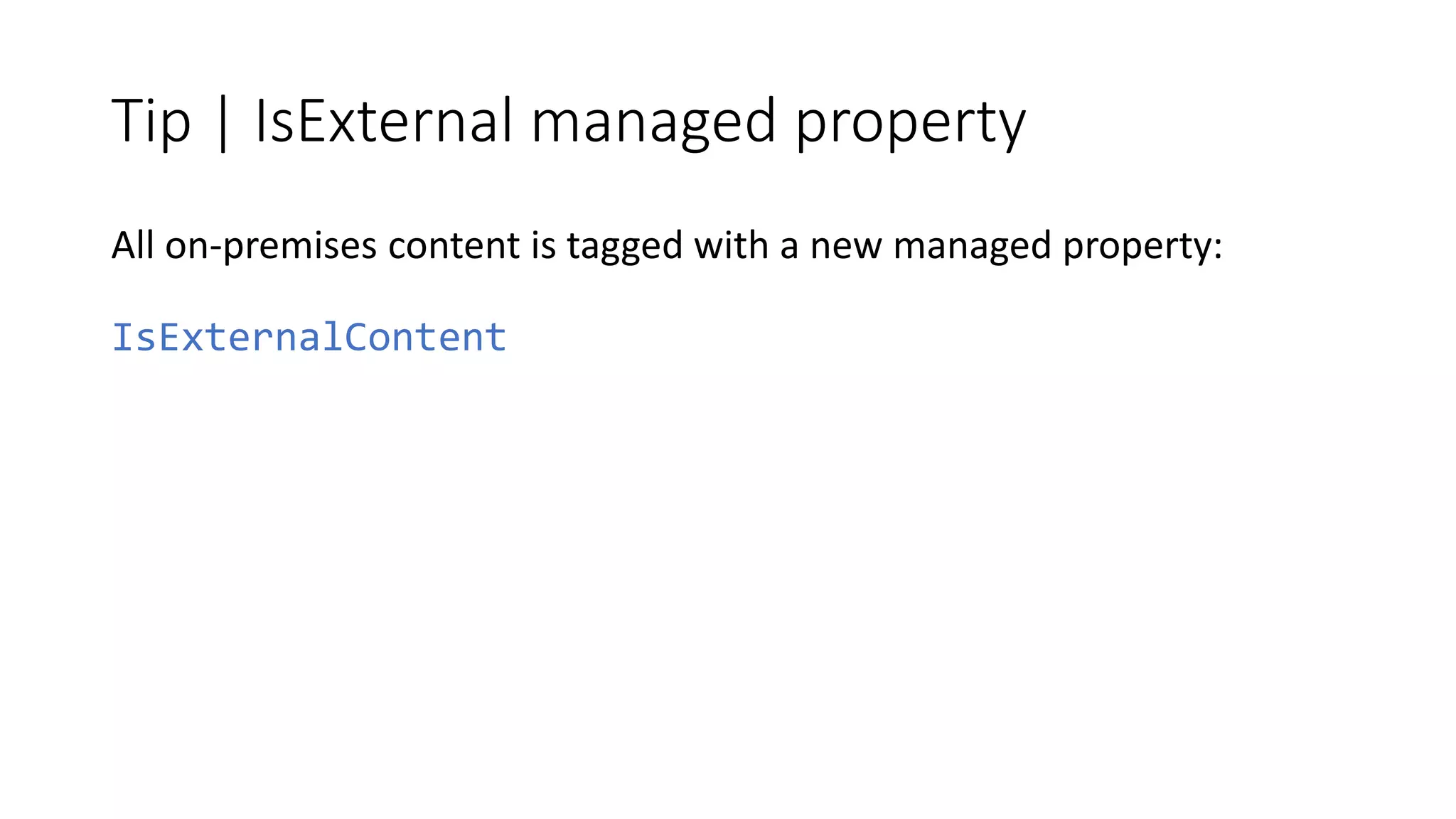
Tip | IsExternal managed property
All on-premises content is tagged with a new managed property:
IsExternalContent
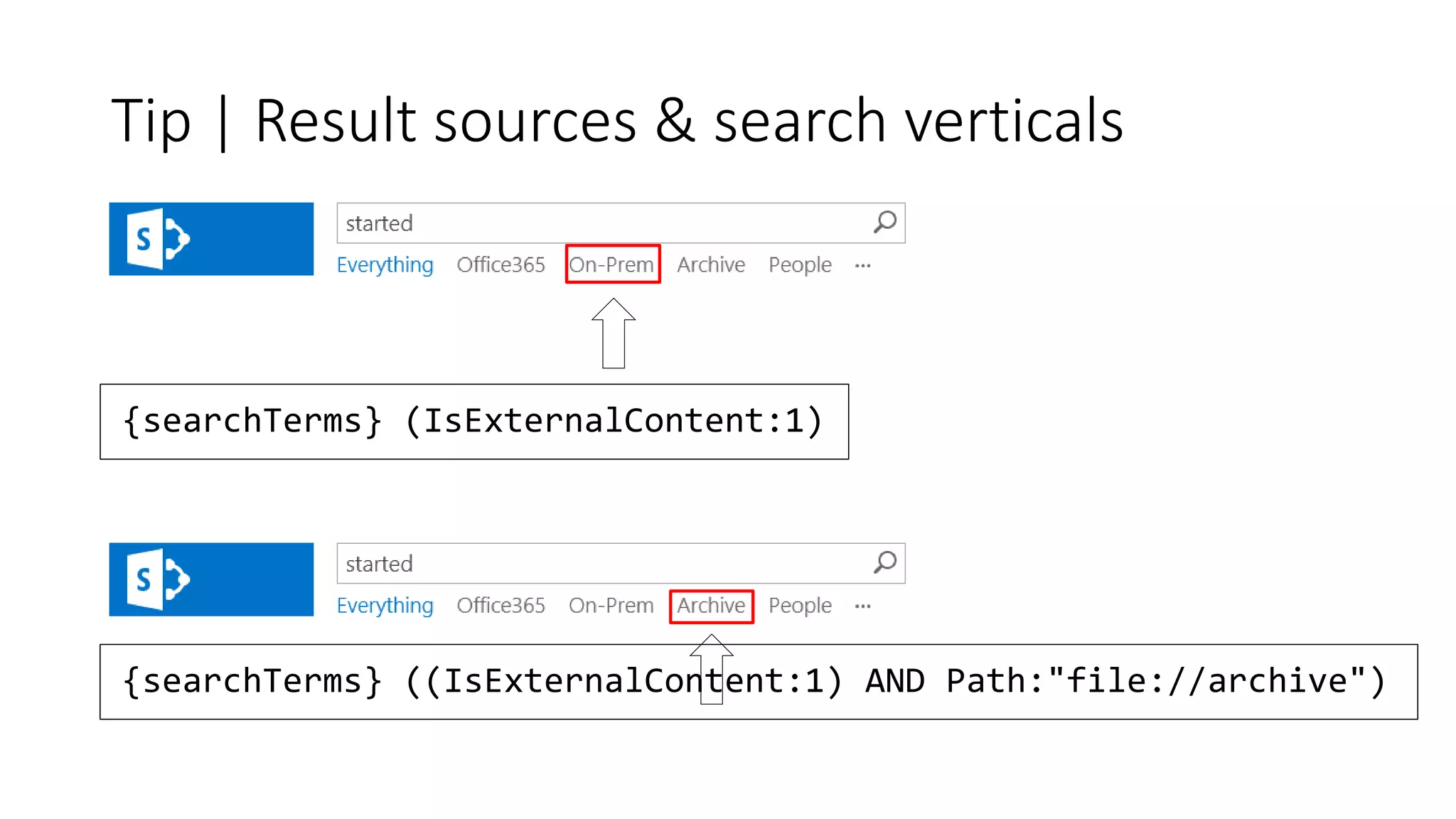
Tip | Result sources & search verticals
{searchTerms} (IsExternalContent:1)
{searchTerms} ((IsExternalContent:1) AND Path:"file://archive")
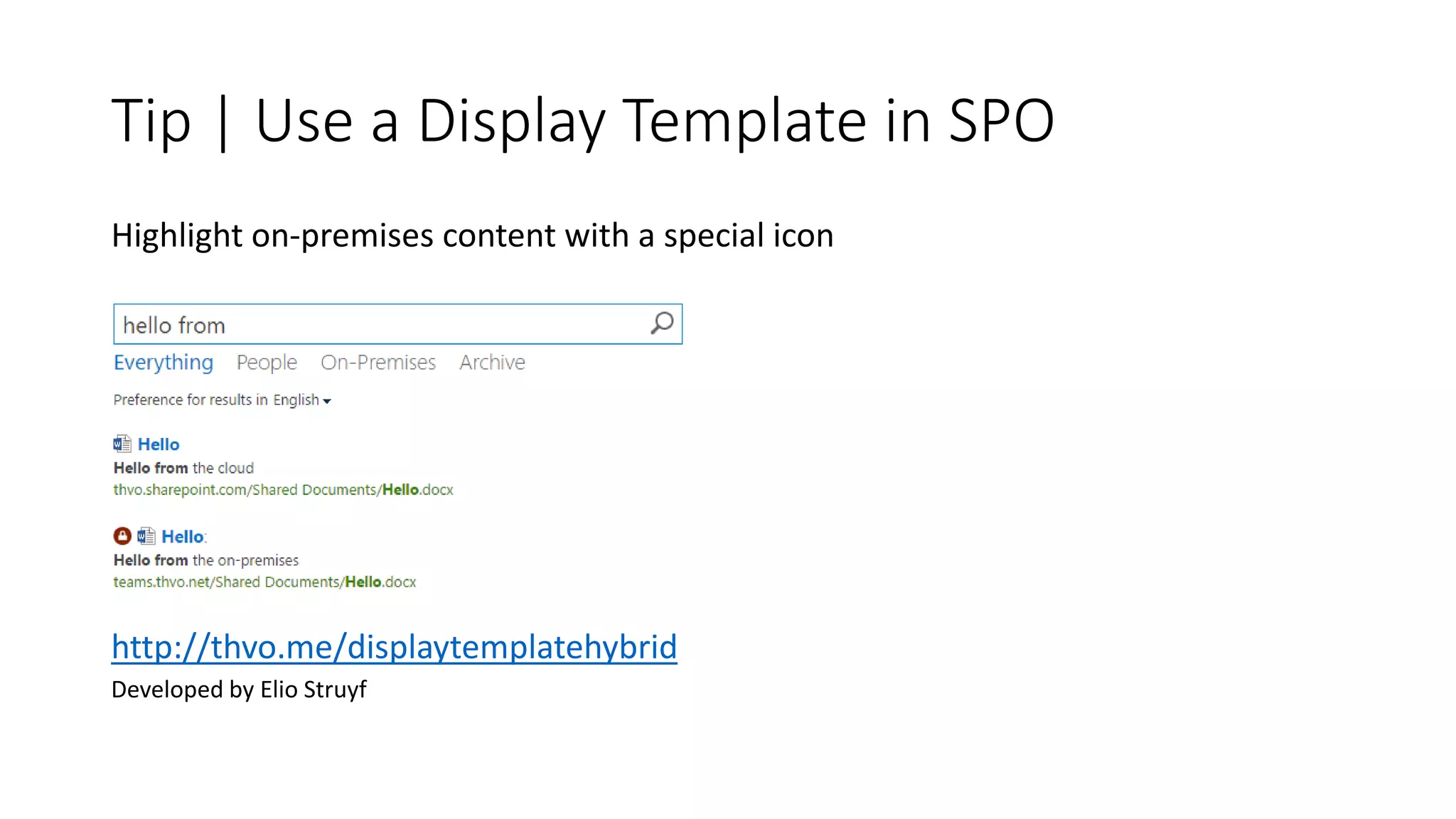
Tip | Use a Display Template in SPO
Highlight on-premises content with a special icon
http://thvo.me/displaytemplatehybrid
Developed by Elio Struyf
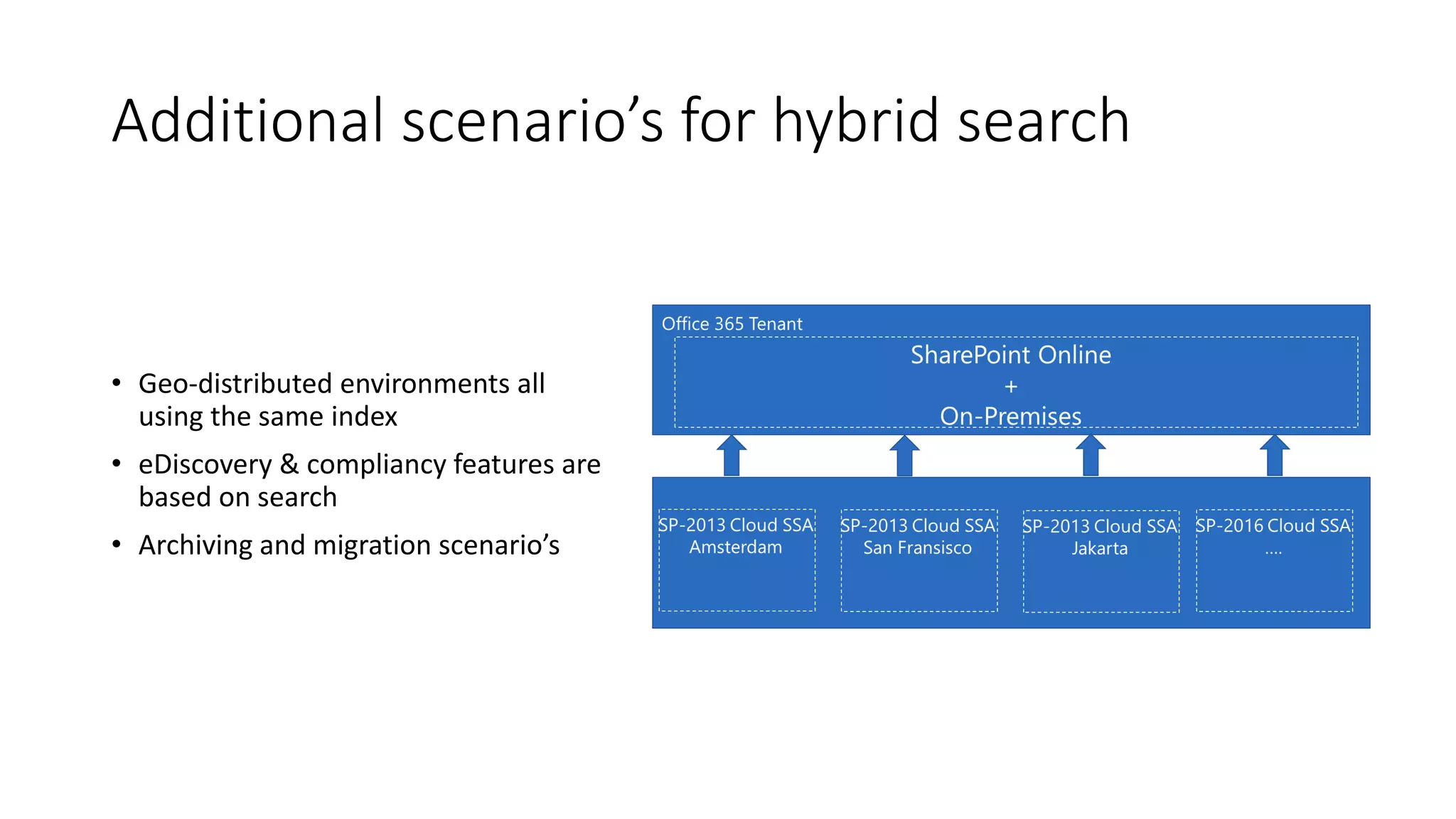
Additional scenario’s for hybrid search
• Geo-distributed environments all
using the same index
• eDiscovery & compliancy features are
based on search
• Archiving and migration scenario’s
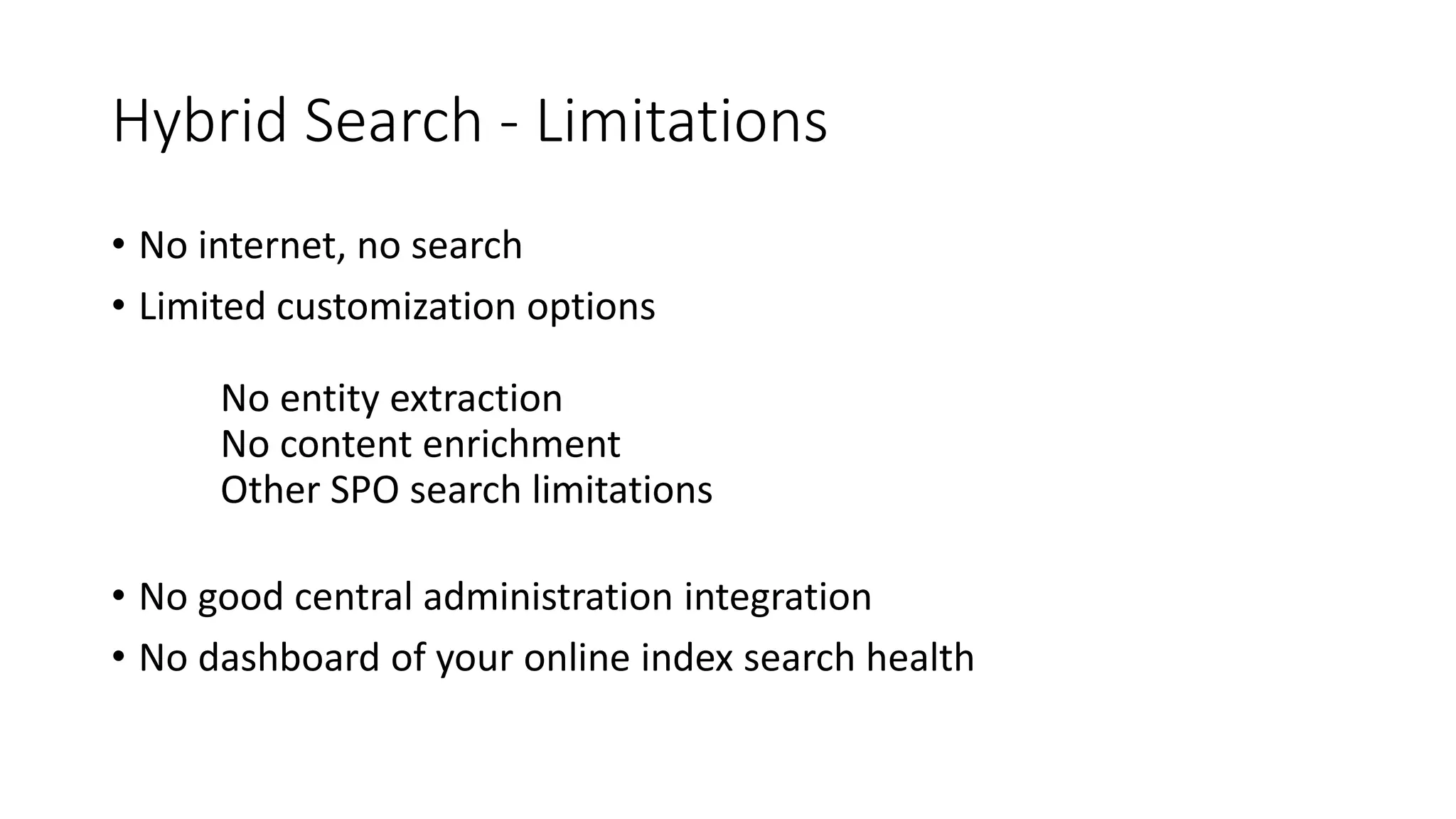
Hybrid Search - Limitations
• No internet, no search
• Limited customization options
No entity extraction
No content enrichment
Other SPO search limitations
• No good central administration integration
• No dashboard of your online index search health
Hybrid Search - The Cost
Hybrid search is free, …kind of
1 million on-premises items per 1 TB of
pooled storage in SPO
Configuration
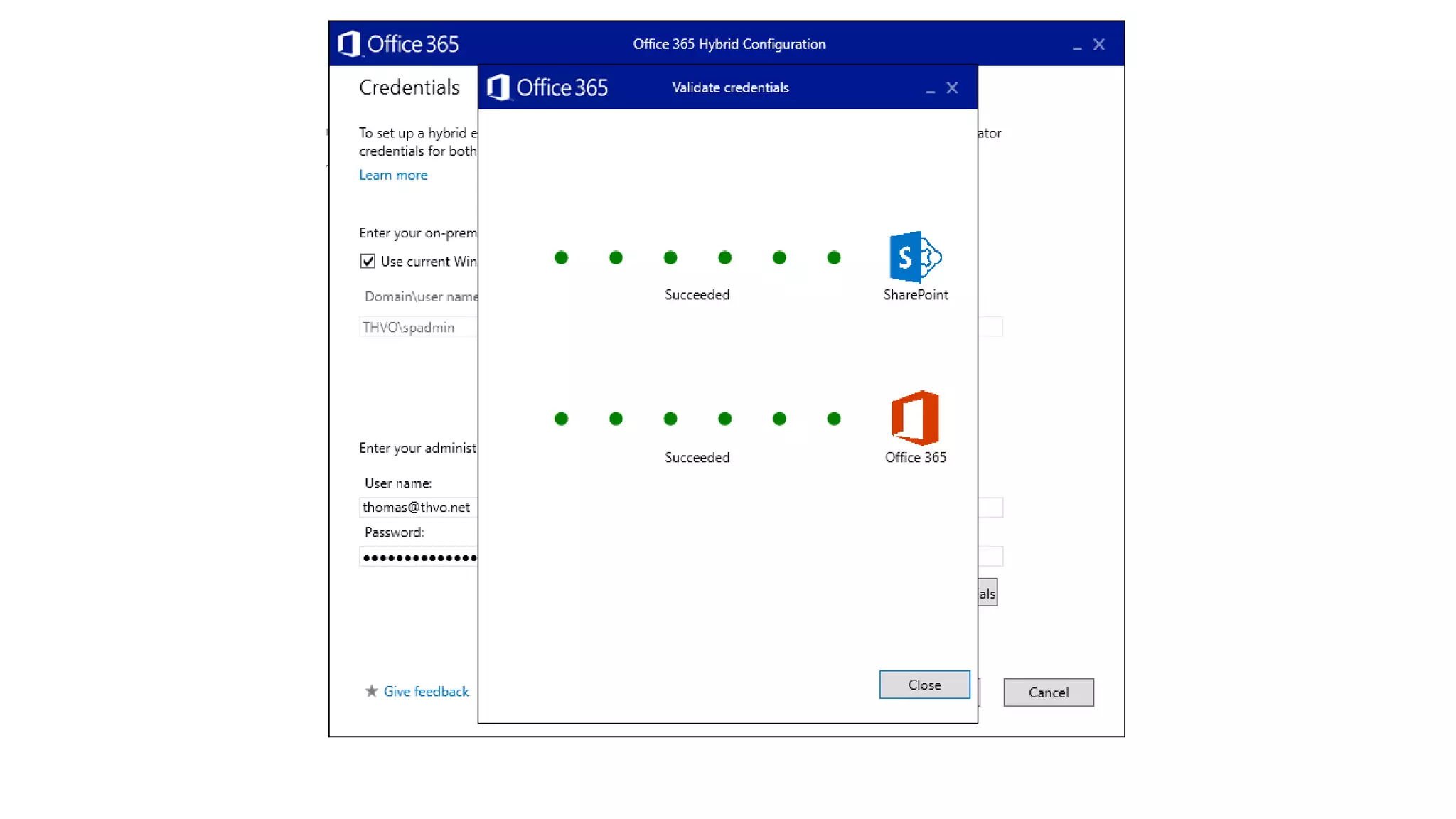
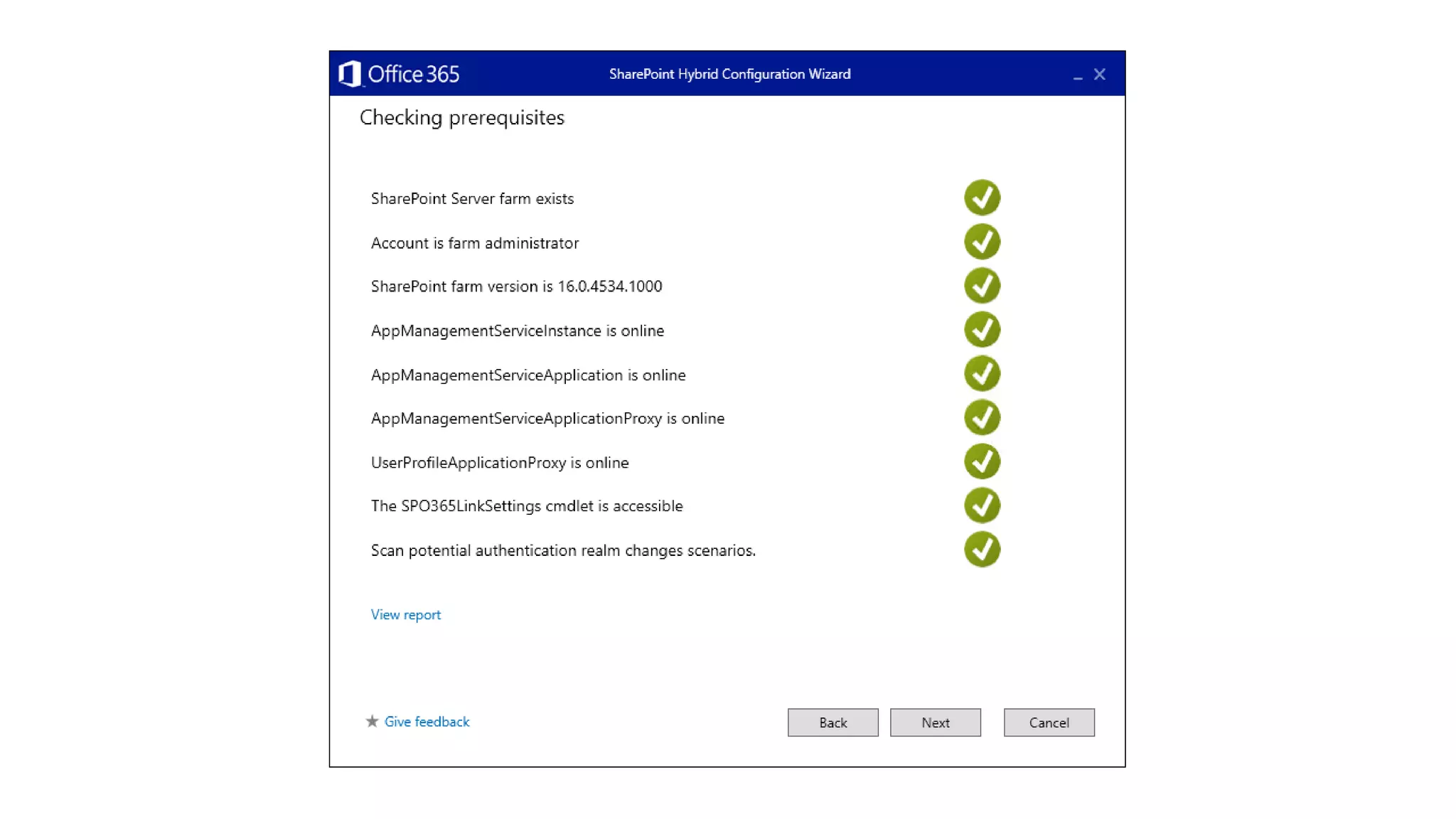
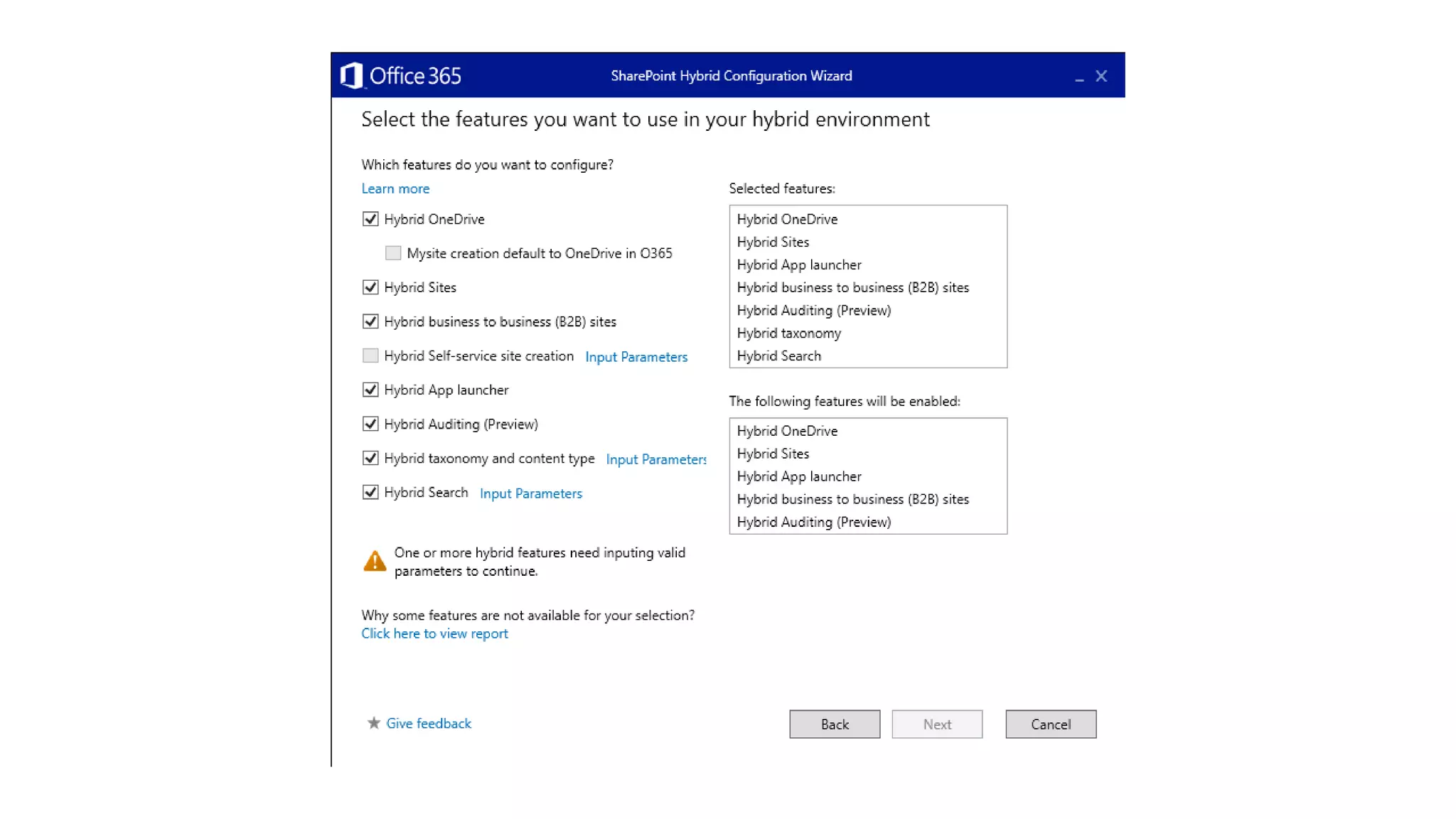
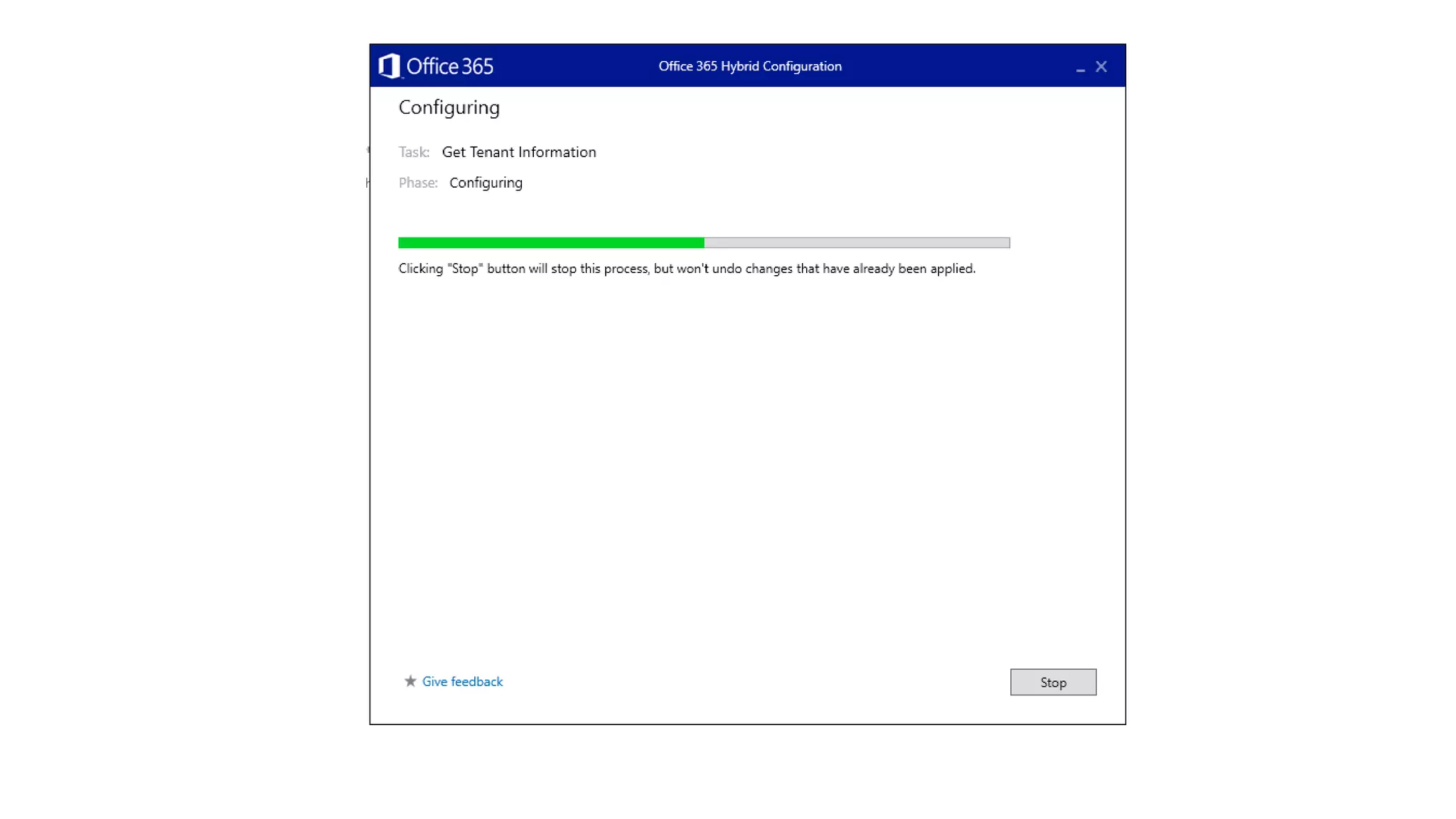
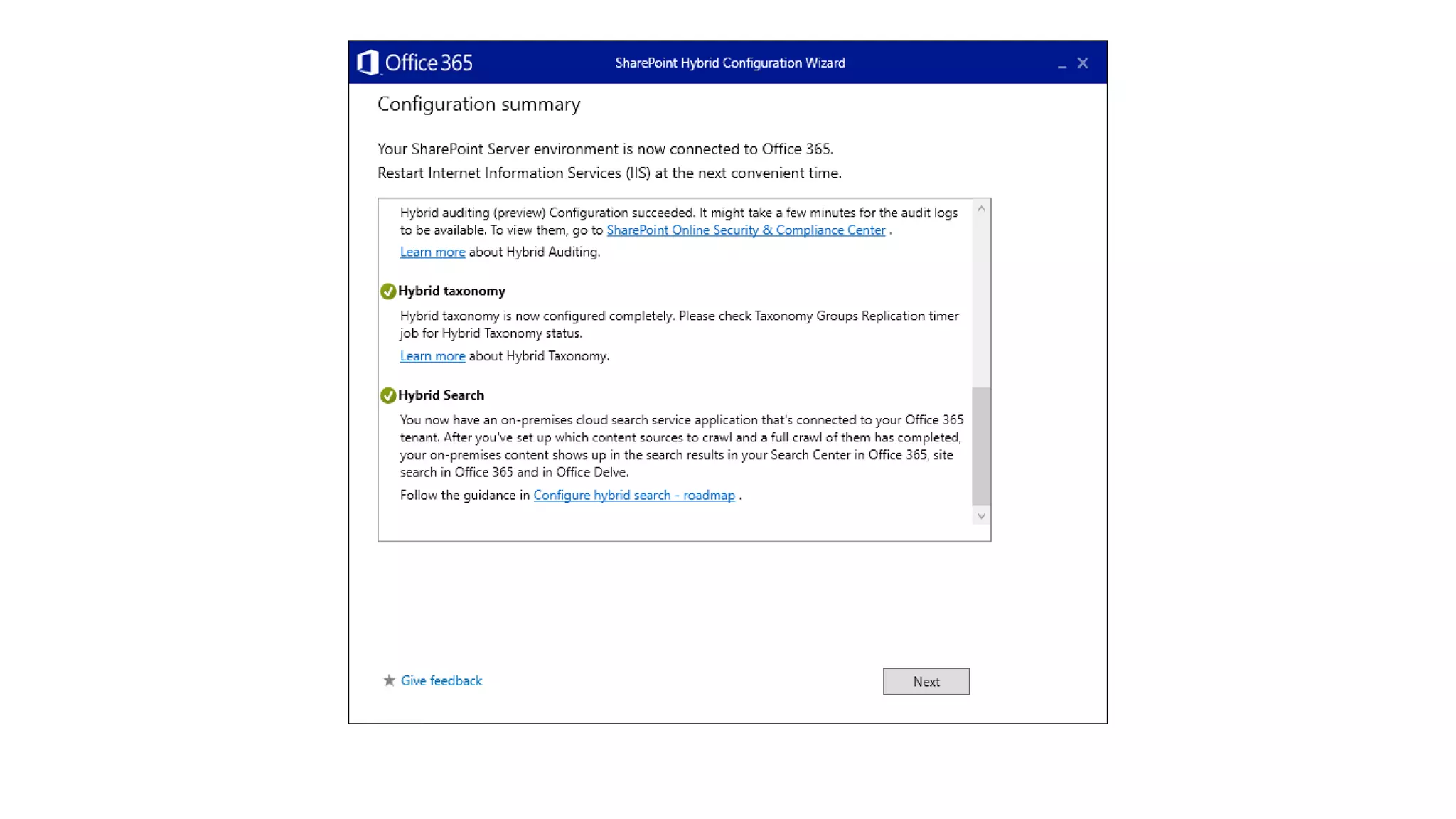
Introducing the SharePoint Hybrid Picker
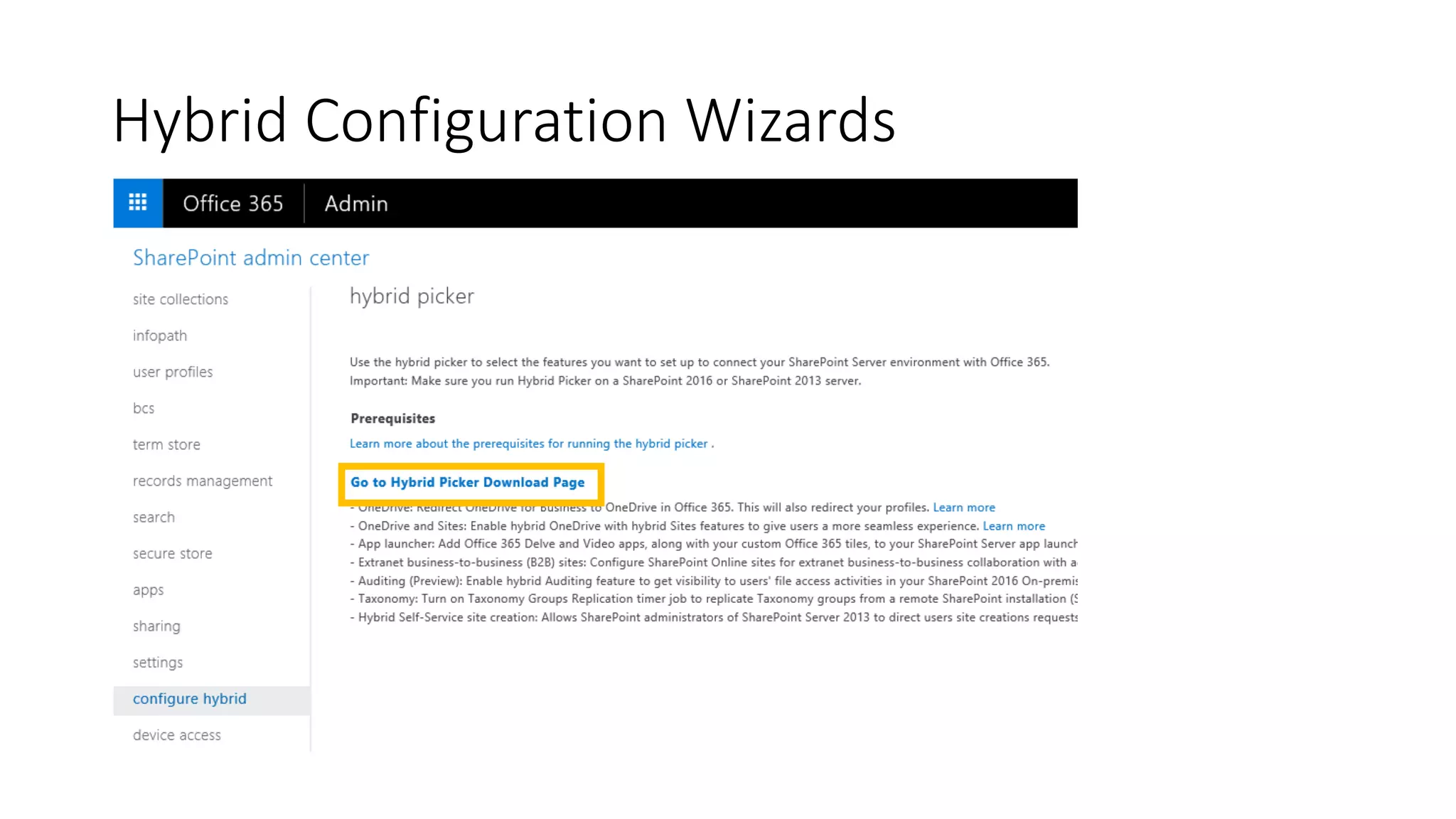
Hybrid Configuration Wizards
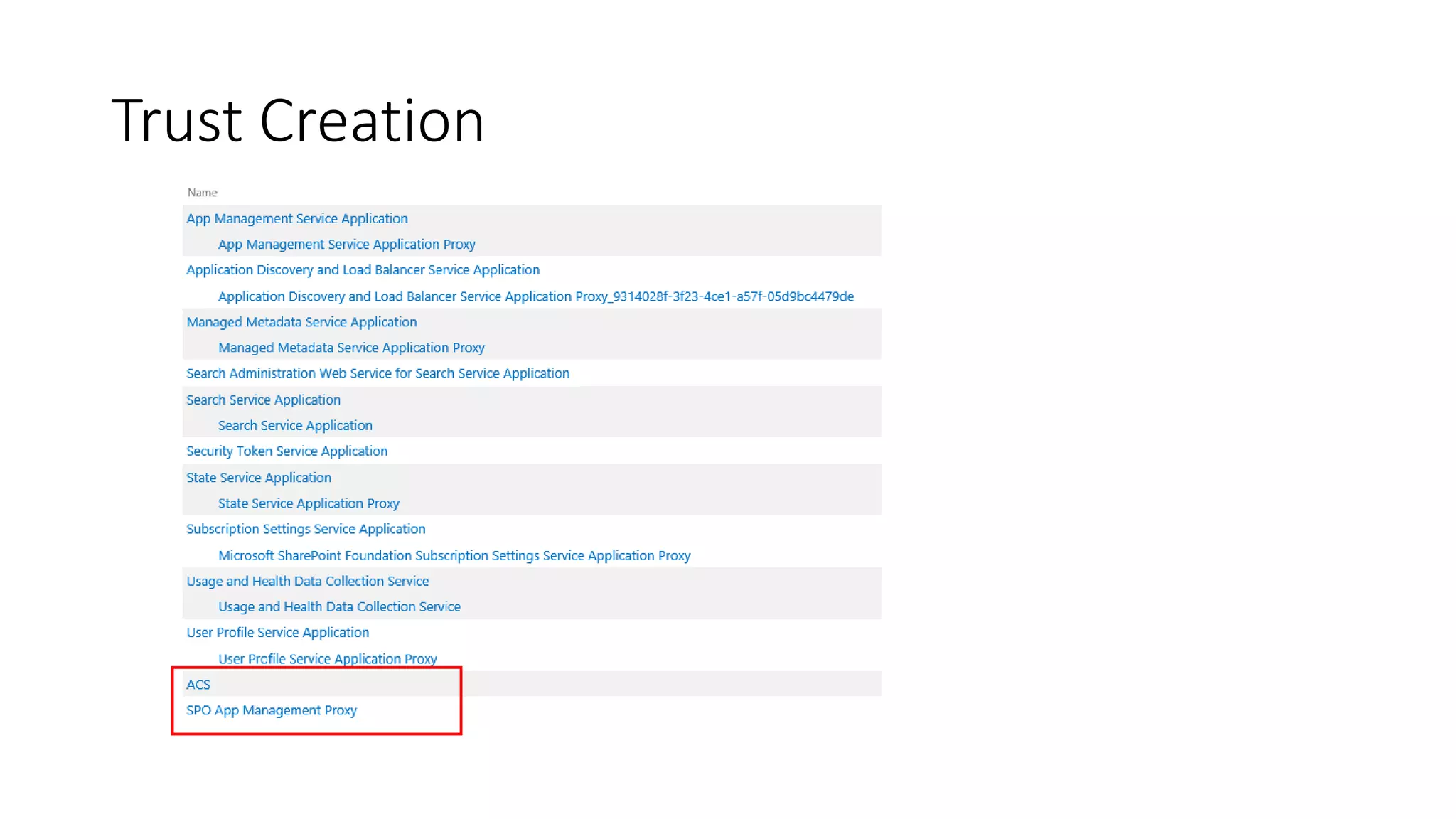
Trust Creation
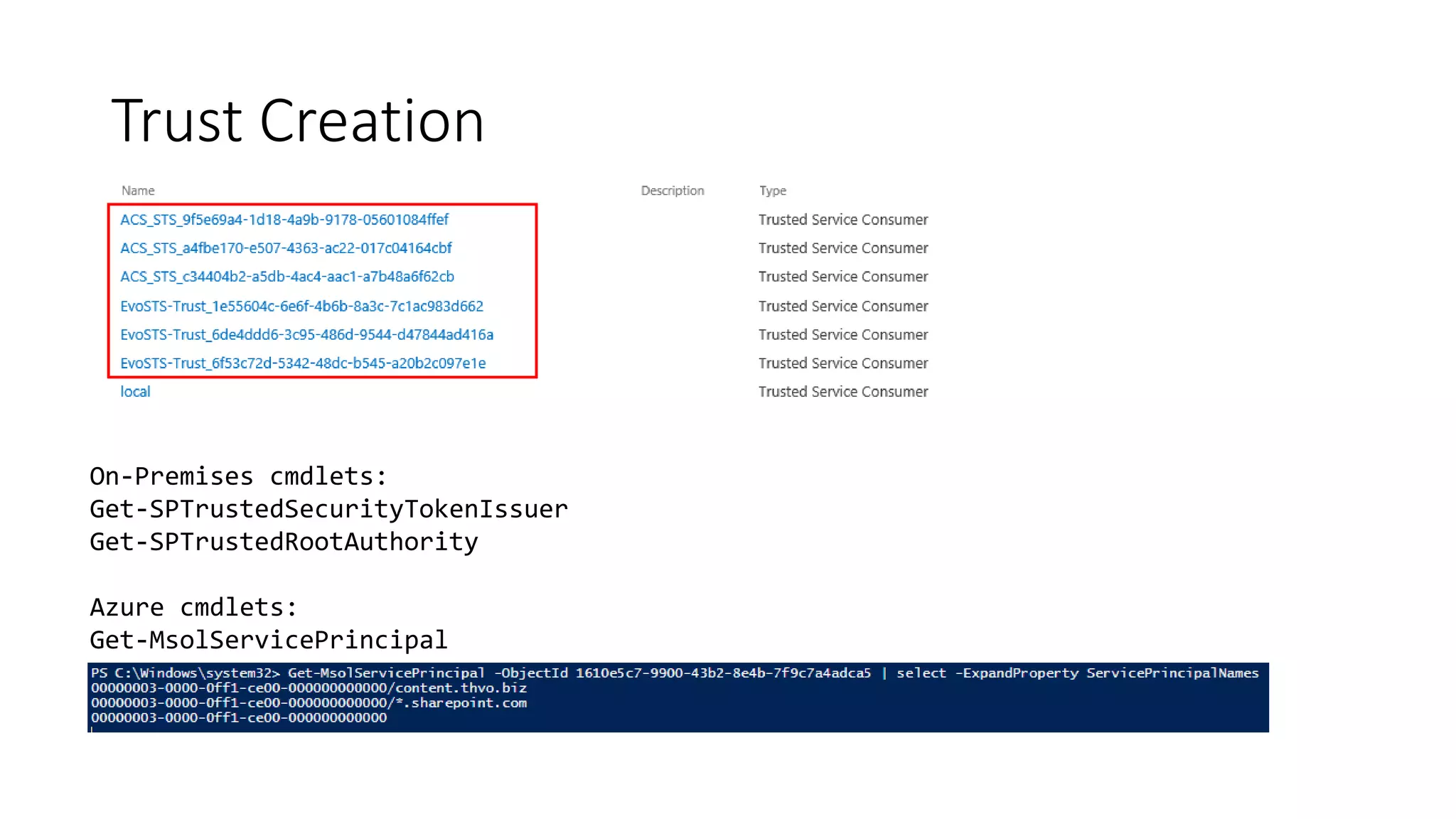
Trust Creation
On-Premises cmdlets:
Get-SPTrustedSecurityTokenIssuer
Get-SPTrustedRootAuthority
Azure cmdlets:
Get-MsolServicePrincipal
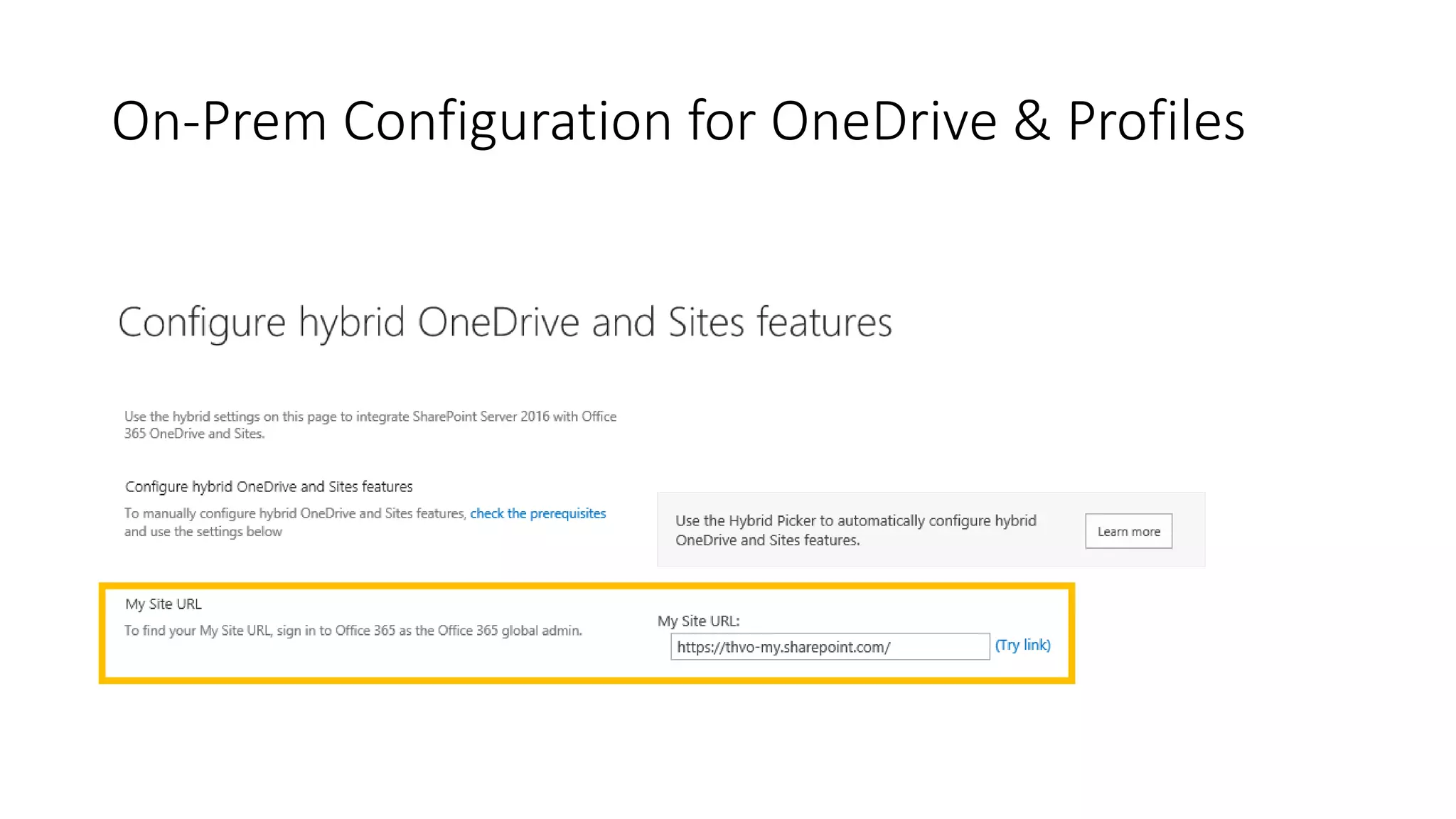
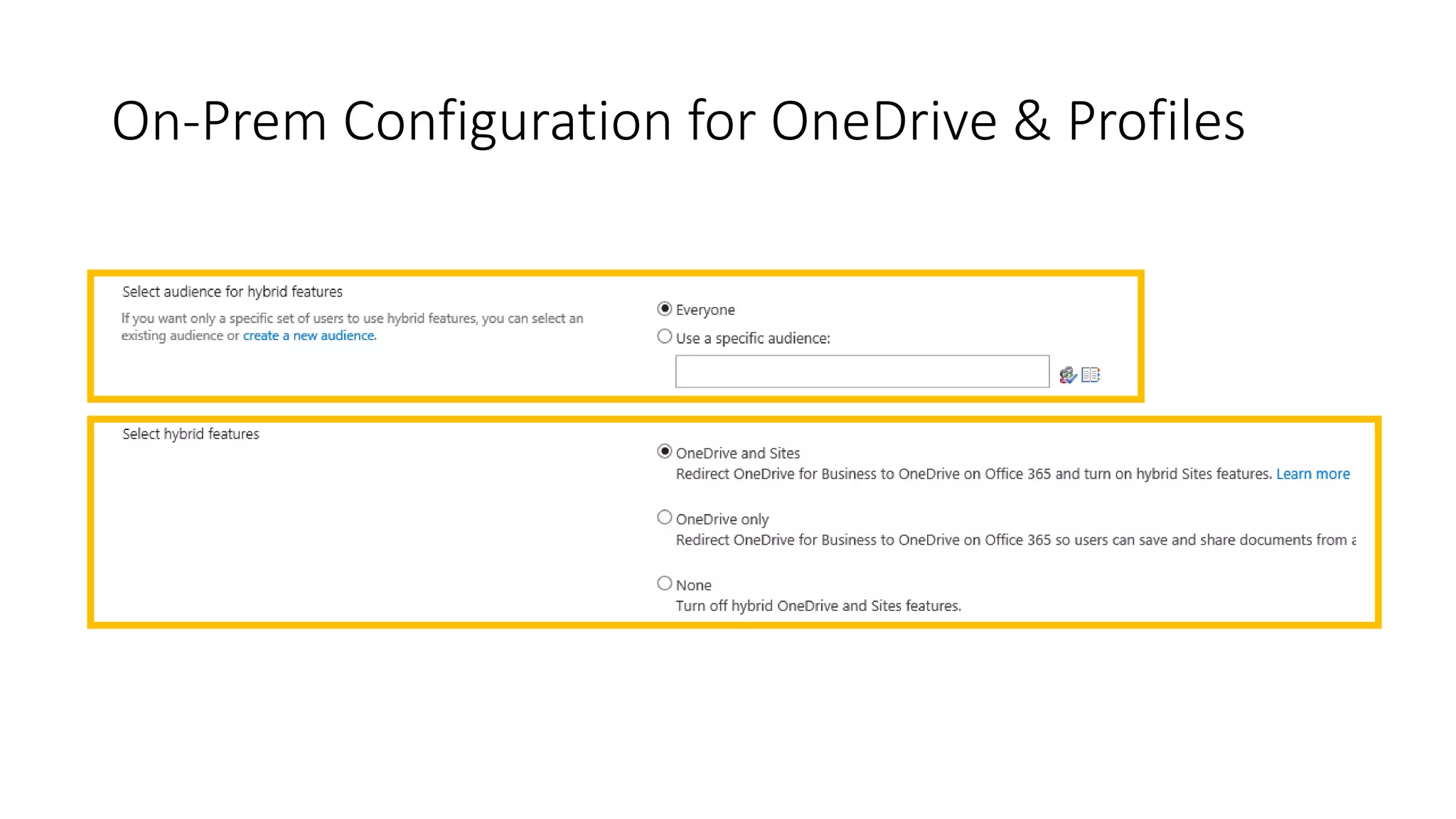
On-Prem Configuration for OneDrive & Profiles
Hybrid limitations &
considerations
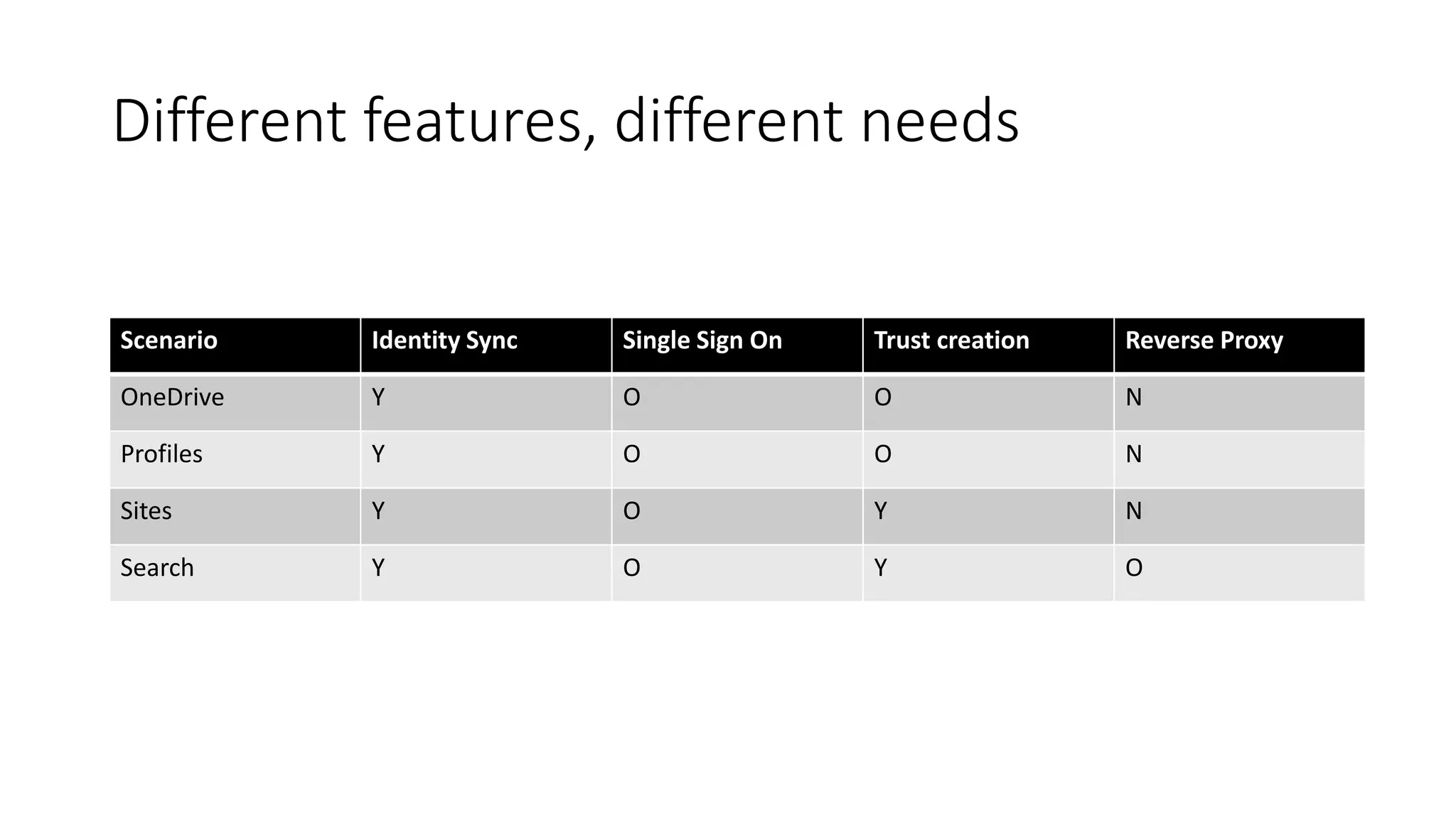
Different features, different needs
Scenario Identity Sync Single Sign On Trust creation Reverse Proxy
OneDrive Y O O N
Profiles Y O O N
Sites Y O Y N
Search Y O Y O
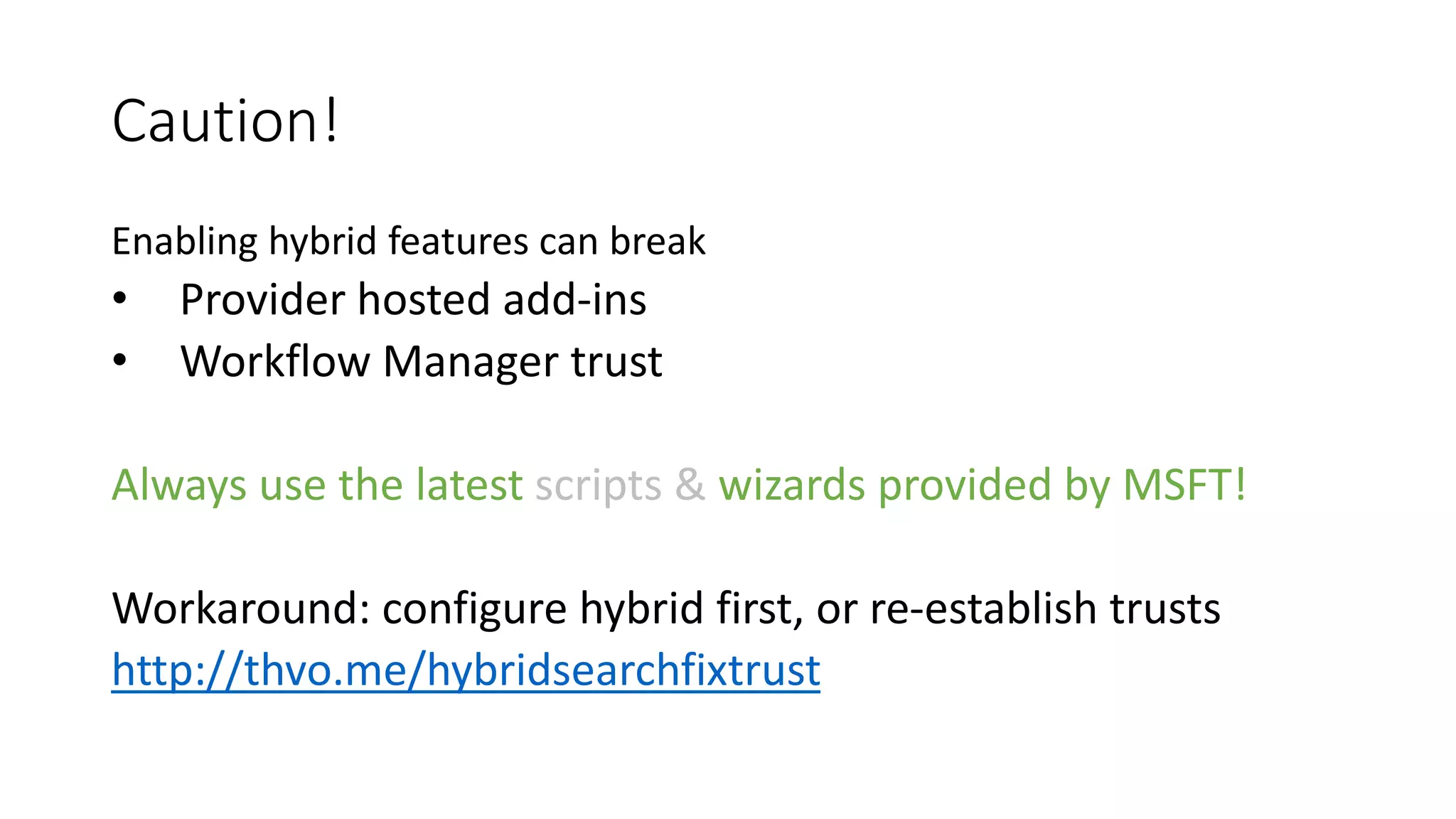
Caution!
Enabling hybrid features can break
• Provider hosted add-ins
• Workflow Manager trust
Always use the latest scripts & wizards provided by MSFT!
Workaround: configure hybrid first, or re-establish trusts
http://thvo.me/hybridsearchfixtrust
Questions?
@thomasvochten
Thanks to the sponsors!
Platinum
Organizer
Diamond

2018 09-03 aOS Aachen - SharePoint demystified - Thomas Vochten

  • 1.
    Hybrid SharePoint Demystified @thomasvochten aOSAachen 03/09/2018 IT PRO - Level 300
  • 2.
    Thanks to thesponsors! Platinum Organizer Diamond
  • 3.
    Thomas Vochten Microsoft MVP.Solution architect Office 365 & SharePoint. Technical Evangelist. @thomasvochten https://thomasvochten.com mail@thomasvochten.com
  • 5.
    Agenda • Business drivers •Prerequisites • Capabilities walkthrough • Configuration overview • Limitations & considerations
  • 6.
    Why Hybrid? • Preparetheir minds for the cloud (think culture shift) • Take advantage of cloud offerings (think OneDrive) • Take advantage of cloud innovations (think Delve) • SharePoint on-premises is complicated (think Extranets) • Keep special data and applications on-premises (think farm solutions)
  • 7.
    Move to thecloud at your own pace
  • 8.
    Bridge the gapwith hybrid • Hybrid OneDrive • Hybrid Profile Redirection • Hybrid Sites • Hybrid App Launcher • Hybrid Taxonomy & Content Types • Hybrid Auditing (Preview) • Hybrid Extranet • Hybrid Self Service Site Creation • Hybrid Search
  • 9.
  • 10.
    Which version ofSharePoint do I need? Feature SP 2013 SP 2016 Federated hybrid search RTM RTM Cloud hybrid search 01/2016 CU RTM Hybrid app launcher 07/2016 CU RTM Hybrid OneDrive & Profiles 09/2015 CU RTM Hybrid Sites 07/2016 CU RTM Hybrid Taxonomy 11/2016 CU FP1 (11/2016 CU) Hybrid Content Types 06/2017 CU 06/2017 CU Hybrid Auditing (preview) N/A FP1 (11/2016 CU) Hybrid self service site creation 03/2017 CU 11/2017 CU MySite creation defaults to OneDrive for Business 10/2017 CU N/A
  • 11.
    Minimum Requirements forHybrid Topologies • Decent internet connectivity • Office 365 Enterprise subscriptions • SharePoint Server 2013/2016 • SharePoint Admin account for on-premises • Tenant Admin account for Office 365 • Required service applications • App Management Service • Subscription Settings Service • User Profile Service • Search Service
  • 12.
    Additional Prerequisites forSearch • Microsoft Online Services Sign-In Assistant • Azure Active Directory Module for Windows PowerShell (MSOnline) Caution Hybrid search only works with Windows Authentication!
  • 13.
    Identity Management Cloud Identity Singleidentity in the cloud Suitable for small organizations with no integration to on-premises directories Directory & Password Sync* Single identity suitable for medium and large organizations without federation* Federated Identity Single federated identity and credentials suitable for medium and large organizations On Premises Identity Domain based identity solution suitable for all organizations Synchronized with password or federated identities Internet routable AD domain
  • 14.
  • 15.
    What does itprovide? • OneDrive redirection • User Profile Redirection
  • 16.
  • 17.
    What it isnot • Redirect from Online to On-Premises • User Profile Synchronisation or Import from On-Premises You might want to migrate additional properties that are not synced by AD Connect User Profile Batch Update API http://thvo.me/pnpuserupdate
  • 18.
  • 19.
    What does itprovide? • Hybrid OneDrive • User Profile Redirect + Sites that you follow on-prem appear in Office 365 + App Launcher integration
  • 20.
  • 21.
    What it isnot • Nothing to do with the Site itself! • A site that is spread across on-prem and online • Provisioning of on-premises or online sites
  • 22.
  • 23.
    Hybrid App Launcher •Pin custom apps to the App Launcher in online • See them appear in on-premises
  • 24.
  • 29.
  • 30.
    Hybrid Taxonomy (akaMetadata) • Copy your existing on-premises term store / ctypes to the cloud • SharePoint Online becomes the master • Keep on-premises in sync: Name Schedule ---- -------- Taxonomy Groups Replication daily between 02:00:00 and 04:59:59 Content Type Replication daily between 02:00:00 and 04:59:59
  • 31.
  • 32.
    Hybrid Taxonomy Initial movementof the data to the cloud (Optional) Copy-SPTaxonomyGroups -LocalTermStoreName "Managed Metadata Service Application Proxy" ` -RemoteSiteUrl https://thvo.sharepoint.com ` -LocalSiteUrl "https://teams.thvo.net" ` -GroupNames "hybrid" ` -Credential $cred
  • 33.
  • 34.
    Hybrid Content Types Initialmovement of the data to the cloud (Optional) Copy-SPContentTypes -LocalSiteUrl https://teams.thvo.net -LocalTermStoreName “Managed Metadata Service Application Proxy“ -RemoteSiteUrl https://thvo.sharepoint.com -ContentTypeNames @("ContentTypeA", "ContentTypeB") -Credential credential
  • 35.
  • 36.
  • 37.
  • 38.
    Hybrid Auditing • SendSharePoint diagnostic and usage logs to the cloud • Online and on-premises auditing in one tool • SharePoint 2016 only • Still in preview
  • 39.
  • 40.
  • 41.
    Hybrid Auditing List administrativeactions through PowerShell: Merge-SPUsageLog -Identity "Administrative Actions"
  • 43.
  • 44.
    Query Federation • Separateresult blocks • Maximum 10 results • Without ranking and relevance integration • No refiners • Complex for inbound scenario’s
  • 45.
    Cloud Hybrid Search •Single unified index - in the cloud • True relevance ranking and refiners • Supports all existing on-premises content sources
  • 46.
    Query Federation vsCloud Hybrid Search New Cloud Hybrid SearchSP2013 Hybrid Search
  • 47.
  • 48.
  • 49.
    Setup Approach • Createa new cloud search service application • Run the onboarding PowerShell script • Start a crawl • Test your search in online • Create result source in on-premises • Test your search in on-premises NEW: Run the Hybrid Configuration Wizard
  • 50.
    Impact on Topologyand Sizing Index component is still there, but not used anymore
  • 51.
    Tip | IsExternalmanaged property All on-premises content is tagged with a new managed property: IsExternalContent
  • 52.
    Tip | Resultsources & search verticals {searchTerms} (IsExternalContent:1) {searchTerms} ((IsExternalContent:1) AND Path:"file://archive")
  • 53.
    Tip | Usea Display Template in SPO Highlight on-premises content with a special icon http://thvo.me/displaytemplatehybrid Developed by Elio Struyf
  • 54.
    Additional scenario’s forhybrid search • Geo-distributed environments all using the same index • eDiscovery & compliancy features are based on search • Archiving and migration scenario’s
  • 55.
    Hybrid Search -Limitations • No internet, no search • Limited customization options No entity extraction No content enrichment Other SPO search limitations • No good central administration integration • No dashboard of your online index search health
  • 56.
    Hybrid Search -The Cost Hybrid search is free, …kind of 1 million on-premises items per 1 TB of pooled storage in SPO
  • 57.
  • 58.
  • 67.
  • 68.
  • 69.
    On-Prem Configuration forOneDrive & Profiles
  • 70.
    On-Prem Configuration forOneDrive & Profiles
  • 71.
  • 72.
    Different features, differentneeds Scenario Identity Sync Single Sign On Trust creation Reverse Proxy OneDrive Y O O N Profiles Y O O N Sites Y O Y N Search Y O Y O
  • 73.
    Caution! Enabling hybrid featurescan break • Provider hosted add-ins • Workflow Manager trust Always use the latest scripts & wizards provided by MSFT! Workaround: configure hybrid first, or re-establish trusts http://thvo.me/hybridsearchfixtrust
  • 74.
  • 75.
  • 76.
    Thanks to thesponsors! Platinum Organizer Diamond