

Online Conference
June 17th and 18th 2015
Jeff Fried
CTO, BA Insight
NH SPUG
Oct 2016
Search-driven Intranets
with SharePoint and O365
Jeff Fried
CTO, BA Insight
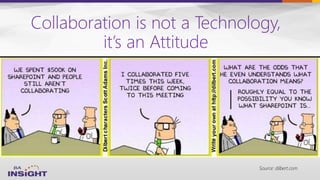
Collaboration is not a Technology,
it’s an Attitude
Source: dilbert.com
Today’s session
Online Conference
June 17th and 18th 2015
Focused on Search and
SharePoint since 2004
Longtime
Search Nerd
• CTO, BA Insight
• Senior PM, Microsoft
• VP, FAST
• SVP, LingoMotors
About Jeff Fried
Passionate About
• Search
• SharePoint & O365
• Search-driven
applications
• Information Strategy
Blog:
domorewithsearch.com
Technet Column:
“A View from the
Crawlspace”
@jefffried
jeff.fried@BAinsight.com
Online Conference
June 17th and 18th 2015
About BA Insight
•
•
– Connectivity
– Applications -
– Classification -
– Analytics
•
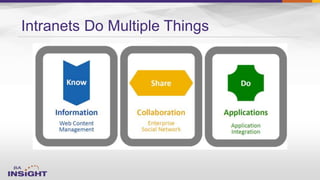
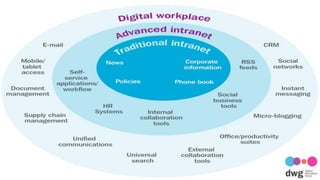
Intranets Do Multiple Things
Online Conference
June 17th and 18th 2015
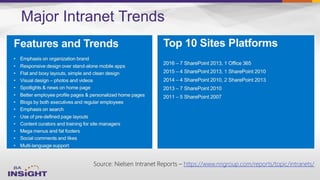
Major Intranet Trends
Source: Nielsen Intranet Reports – https://www.nngroup.com/reports/topic/intranets/
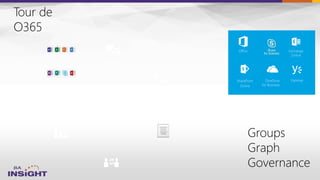
Exchange
Online
SharePoint
Online
YammerOneDrive
for Business
Office


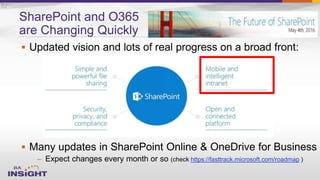
– https://fasttrack.microsoft.com/roadmap
SharePoint and O365
are Changing Quickly
10
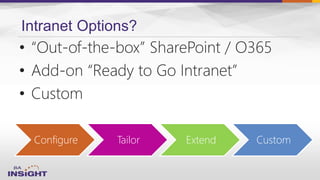
Intranet Options?
Configure Tailor Extend Custom
• “Out-of-the-box” SharePoint / O365
• Add-on “Ready to Go Intranet”
• Custom
The Internet Sets the Bar for Enterprise Search
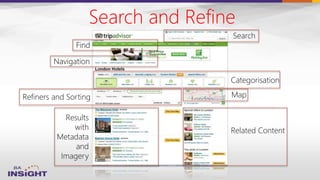
Search and Refine
Categorisation
Map
Related Content
Refiners and Sorting
Results
with
Metadata
and
Imagery
Search
Navigation
Find
Why Can’t Everything in an
Intranet be Dynamic?
• News
• Forums
• Content
• Navigation
• Tools/Applets
• Analytics
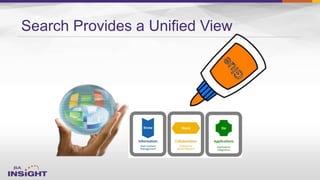
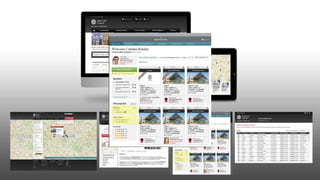
Search Provides a Unified View
Subsites / Portals with Search
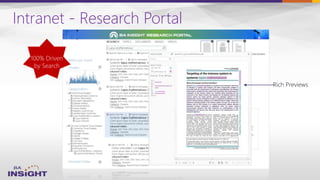
Intranet - Research Portal
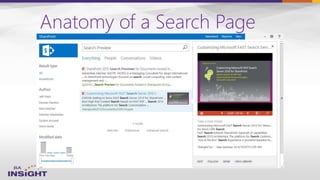
Anatomy of a Search Page
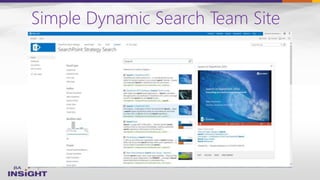
Simple Dynamic Search Team Site
Presentation of Dynamic Content
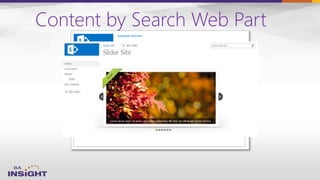
Content by Search Web Part
“Virtualised” Content
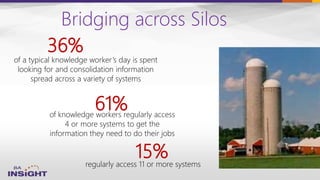
Bridging across Silos
of knowledge workers regularly access
4 or more systems to get the
information they need to do their jobs
61%
regularly access 11 or more systems
of a typical knowledge worker’s day is spent
looking for and consolidation information
spread across a variety of systems
36%
15%
Topical Navigation
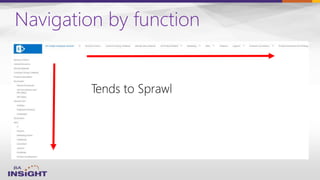
Navigation by function
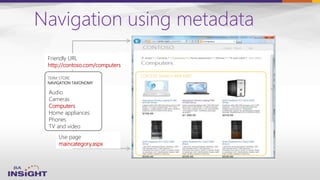
Navigation using metadata
Audio
Cameras
Computers
Home appliances
Phones
TV and video
TERM STORE
NAVIGATION TAXONOMY
Friendly URL
http://contoso.com/computers
Use page
maincategory.aspx
CONTENT SEARCH WEB PART
Information Push
Demo: InfoSites
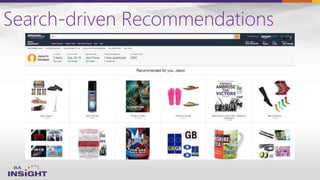
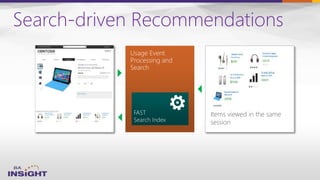
Search-driven Recommendations
Items viewed in the same
session
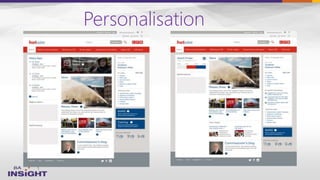
Personalisation
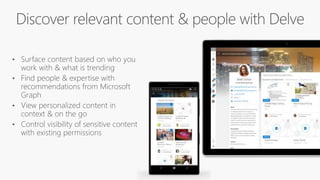
Finding/Connecting with People
Quickly Find the Right Experts
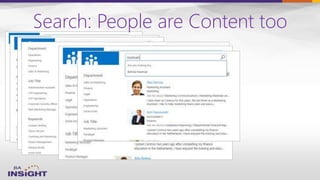
Search: People are Content too
Improve the People Search Experience
• Synchronise from Active Directory
• Incentivise your employees to update their profile
information
• Add custom fields/properties
• Display Templates
WWW.COLLAB365.EVENTS
Online Conference
June 17th and 18th 2015
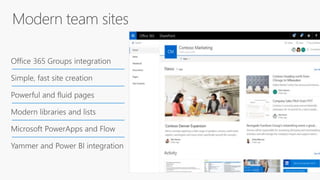
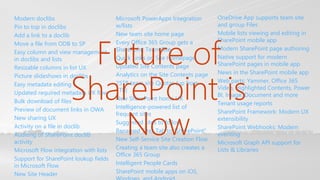
Modern doclibs
Pin to top in doclibs
Add a link to a doclib
Move a file from ODB to SP
Easy column and view management
in doclibs and lists
Resizable columns in list UX
Picture slideshows in doclibs
Easy metadata editing
Updated required metadata UX flow
Bulk download of files
Preview of document links in OWA
New sharing UX
Activity on a file in doclib
Auditing of SharePoint doclib
activity
Microsoft Flow integration with lists
Support for SharePoint lookup fields
in Microsoft Flow
New Site Header
Microsoft PowerApps Integration
w/lists
New team site home page
Every Office 365 Group gets a
SharePoint Team Site
Quick Links on Site Homepage
Updated Site Contents page
Analytics on the Site Contents page
25TB team site Quotas (up from
1TB)
New SharePoint home UX
Intelligence-powered list of
frequent sites
Suggested sites to follow
Renamed Sites Tab to “SharePoint”
New Self-Service Site Creation Flow
Creating a team site also creates a
Office 365 Group
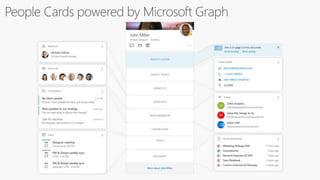
Intelligent People Cards
SharePoint mobile apps on iOS,
OneDrive App supports team site
and group Files
Mobile lists viewing and editing in
SharePoint mobile app
Modern SharePoint page authoring
Native support for modern
SharePoint pages in mobile app
News in the SharePoint mobile app
Web parts: Yammer, Office 365
Video, Highlighted Contents, Power
BI, Image, Document and more
Tenant usage reports
SharePoint Framework: Modern UX
extensibility
SharePoint Webhooks: Modern
eventing
Microsoft Graph API support for
Lists & Libraries
Future of
SharePoint is
Now
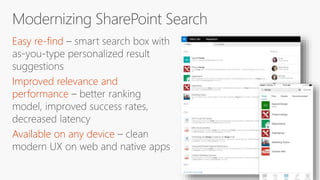
Easy re-find
Improved relevance and
performance
Available on any device
DOCUMENTS NOTES
EXCHANG
E
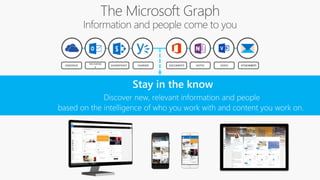
ONEDRIVE YAMMERSHAREPOINT VIDEO ATTACHMENTS
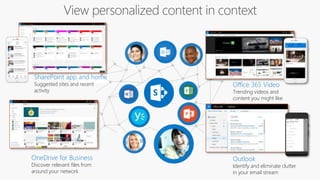
Outlook
Identify and eliminate clutter
in your email stream
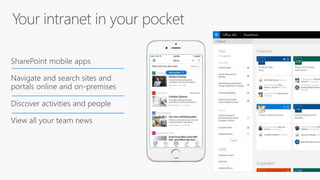
SharePoint app and home
Suggested sites and recent
activity
OneDrive for Business
Discover relevant files from
around your network
Office 365 Video
Trending videos and
content you might like
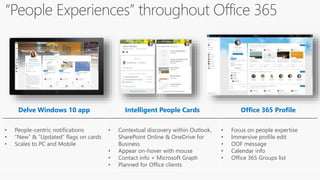
Delve Windows 10 app Intelligent People Cards Office 365 Profile
• People-centric notifications
• “New” & “Updated” flags on cards
• Scales to PC and Mobile
• Contextual discovery within Outlook,
SharePoint Online & OneDrive for
Business
• Appear on-hover with mouse
• Contact info + Microsoft Graph
• Planned for Office clients
• Focus on people expertise
• Immersive profile edit
• OOF message
• Calendar info
• Office 365 Groups list
CONTENT PANES
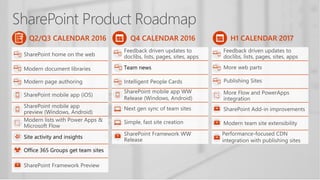
Q4 CALENDAR 2016
Team news
Q2/Q3 CALENDAR 2016
Site activity and insights
Office 365 Groups get team sites
H1 CALENDAR 2017
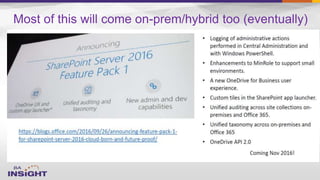
Most of this will come on-prem/hybrid too (eventually)
Microsoft is
learning
new tricks
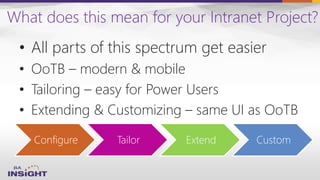
What does this mean for your Intranet Project?
Configure Tailor Extend Custom
• All parts of this spectrum get easier
• OoTB – modern & mobile
• Tailoring – easy for Power Users
• Extending & Customizing – same UI as OoTB
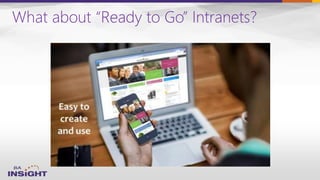
What about “Ready to Go” Intranets?
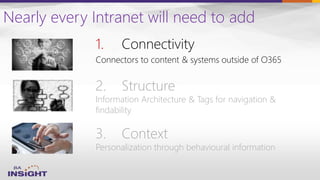
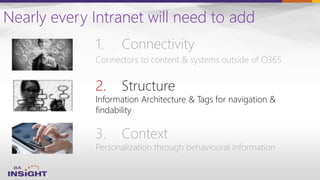
Nearly every Intranet will need to add
1. Connectivity
Connectors to content & systems outside of O365
3. Context
Personalization through behavioural information
2. Structure
Information Architecture & Tags for navigation &
findability
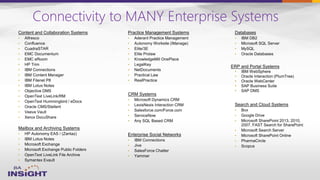
Connectivity to MANY Enterprise Systems
•
•
•
•
ERP and Portal Systems
•
•
•
•
•
•
•
•
•
•
•
•
•
•
•
•
•
•
•
•
•
•
•
•
•
•
•
•
•
•
•
•
•
•
•
•
•
•
•
•
•
•
•
•
•
•
•
•
•
•
•
•
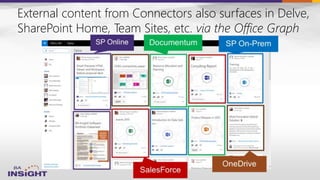
External content from Connectors also surfaces in Delve,
SharePoint Home, Team Sites, etc. via the Office Graph
Nearly every Intranet will need to add
1. Connectivity
Connectors to content & systems outside of O365
3. Context
Personalization through behavioural information
2. Structure
Information Architecture & Tags for navigation &
findability
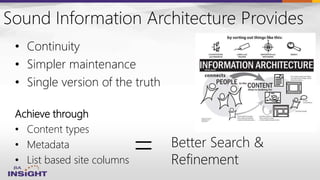
Sound Information Architecture Provides
• Continuity
• Simpler maintenance
• Single version of the truth
Achieve through
• Content types
• Metadata
• List based site columns
= Better Search &
Refinement
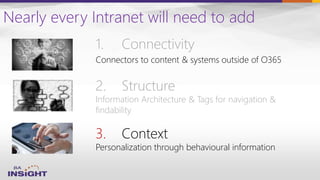
Nearly every Intranet will need to add
1. Connectivity
Connectors to content & systems outside of O365
3. Context
Personalization through behavioural information
2. Structure
Information Architecture & Tags for navigation &
findability
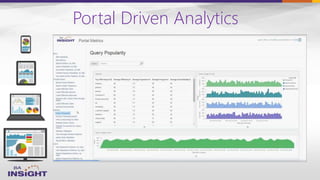
Portal Driven Analytics
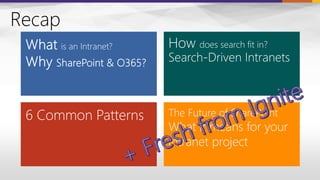
Recap
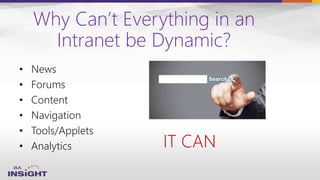
Why Can’t Everything in an
Intranet be Dynamic?
• News
• Forums
• Content
• Navigation
• Tools/Applets
• Analytics IT CAN
Questions? Comments?
• Check out our resources on: www.BAinsight.com
• Reach me via email at: Jeff.Fried@BAinsight.com
• Follow me on Twitter at: @jefffried

search driven intranets

  • 1.
    Online Conference June 17thand 18th 2015 Jeff Fried CTO, BA Insight NH SPUG Oct 2016 Search-driven Intranets with SharePoint and O365 Jeff Fried CTO, BA Insight
  • 2.
    Collaboration is nota Technology, it’s an Attitude Source: dilbert.com
  • 3.
  • 4.
    Online Conference June 17thand 18th 2015 Focused on Search and SharePoint since 2004 Longtime Search Nerd • CTO, BA Insight • Senior PM, Microsoft • VP, FAST • SVP, LingoMotors About Jeff Fried Passionate About • Search • SharePoint & O365 • Search-driven applications • Information Strategy Blog: domorewithsearch.com Technet Column: “A View from the Crawlspace” @jefffried jeff.fried@BAinsight.com
  • 5.
    Online Conference June 17thand 18th 2015 About BA Insight • • – Connectivity – Applications - – Classification - – Analytics •
  • 6.
  • 7.
  • 8.
    Major Intranet Trends Source:Nielsen Intranet Reports – https://www.nngroup.com/reports/topic/intranets/
  • 9.
  • 10.
  • 12.
    Intranet Options? Configure TailorExtend Custom • “Out-of-the-box” SharePoint / O365 • Add-on “Ready to Go Intranet” • Custom
  • 15.
    The Internet Setsthe Bar for Enterprise Search
  • 16.
    Search and Refine Categorisation Map RelatedContent Refiners and Sorting Results with Metadata and Imagery Search Navigation Find
  • 17.
    Why Can’t Everythingin an Intranet be Dynamic? • News • Forums • Content • Navigation • Tools/Applets • Analytics
  • 18.
    Search Provides aUnified View
  • 20.
    Subsites / Portalswith Search
  • 21.
  • 22.
    Anatomy of aSearch Page
  • 23.
  • 25.
  • 26.
  • 27.
  • 28.
    Bridging across Silos ofknowledge workers regularly access 4 or more systems to get the information they need to do their jobs 61% regularly access 11 or more systems of a typical knowledge worker’s day is spent looking for and consolidation information spread across a variety of systems 36% 15%
  • 29.
  • 30.
  • 31.
    Navigation using metadata Audio Cameras Computers Homeappliances Phones TV and video TERM STORE NAVIGATION TAXONOMY Friendly URL http://contoso.com/computers Use page maincategory.aspx CONTENT SEARCH WEB PART
  • 32.
  • 33.
  • 34.
  • 35.
  • 36.
  • 37.
  • 38.
    Quickly Find theRight Experts
  • 39.
    Search: People areContent too
  • 40.
    Improve the PeopleSearch Experience • Synchronise from Active Directory • Incentivise your employees to update their profile information • Add custom fields/properties • Display Templates
  • 41.
  • 43.
  • 44.
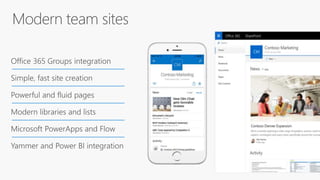
    Modern doclibs Pin totop in doclibs Add a link to a doclib Move a file from ODB to SP Easy column and view management in doclibs and lists Resizable columns in list UX Picture slideshows in doclibs Easy metadata editing Updated required metadata UX flow Bulk download of files Preview of document links in OWA New sharing UX Activity on a file in doclib Auditing of SharePoint doclib activity Microsoft Flow integration with lists Support for SharePoint lookup fields in Microsoft Flow New Site Header Microsoft PowerApps Integration w/lists New team site home page Every Office 365 Group gets a SharePoint Team Site Quick Links on Site Homepage Updated Site Contents page Analytics on the Site Contents page 25TB team site Quotas (up from 1TB) New SharePoint home UX Intelligence-powered list of frequent sites Suggested sites to follow Renamed Sites Tab to “SharePoint” New Self-Service Site Creation Flow Creating a team site also creates a Office 365 Group Intelligent People Cards SharePoint mobile apps on iOS, OneDrive App supports team site and group Files Mobile lists viewing and editing in SharePoint mobile app Modern SharePoint page authoring Native support for modern SharePoint pages in mobile app News in the SharePoint mobile app Web parts: Yammer, Office 365 Video, Highlighted Contents, Power BI, Image, Document and more Tenant usage reports SharePoint Framework: Modern UX extensibility SharePoint Webhooks: Modern eventing Microsoft Graph API support for Lists & Libraries Future of SharePoint is Now
  • 47.
    Easy re-find Improved relevanceand performance Available on any device
  • 48.
  • 49.
    Outlook Identify and eliminateclutter in your email stream SharePoint app and home Suggested sites and recent activity OneDrive for Business Discover relevant files from around your network Office 365 Video Trending videos and content you might like
  • 50.
    Delve Windows 10app Intelligent People Cards Office 365 Profile • People-centric notifications • “New” & “Updated” flags on cards • Scales to PC and Mobile • Contextual discovery within Outlook, SharePoint Online & OneDrive for Business • Appear on-hover with mouse • Contact info + Microsoft Graph • Planned for Office clients • Focus on people expertise • Immersive profile edit • OOF message • Calendar info • Office 365 Groups list
  • 51.
  • 52.
    Q4 CALENDAR 2016 Teamnews Q2/Q3 CALENDAR 2016 Site activity and insights Office 365 Groups get team sites H1 CALENDAR 2017
  • 53.
    Most of thiswill come on-prem/hybrid too (eventually)
  • 54.
  • 55.
    What does thismean for your Intranet Project? Configure Tailor Extend Custom • All parts of this spectrum get easier • OoTB – modern & mobile • Tailoring – easy for Power Users • Extending & Customizing – same UI as OoTB
  • 56.
    What about “Readyto Go” Intranets?
  • 57.
    Nearly every Intranetwill need to add 1. Connectivity Connectors to content & systems outside of O365 3. Context Personalization through behavioural information 2. Structure Information Architecture & Tags for navigation & findability
  • 58.
    Connectivity to MANYEnterprise Systems • • • • ERP and Portal Systems • • • • • • • • • • • • • • • • • • • • • • • • • • • • • • • • • • • • • • • • • • • • • • • • • • • •
  • 59.
    External content fromConnectors also surfaces in Delve, SharePoint Home, Team Sites, etc. via the Office Graph
  • 60.
    Nearly every Intranetwill need to add 1. Connectivity Connectors to content & systems outside of O365 3. Context Personalization through behavioural information 2. Structure Information Architecture & Tags for navigation & findability
  • 61.
    Sound Information ArchitectureProvides • Continuity • Simpler maintenance • Single version of the truth Achieve through • Content types • Metadata • List based site columns = Better Search & Refinement
  • 62.
    Nearly every Intranetwill need to add 1. Connectivity Connectors to content & systems outside of O365 3. Context Personalization through behavioural information 2. Structure Information Architecture & Tags for navigation & findability
  • 63.
  • 64.
  • 65.
    Why Can’t Everythingin an Intranet be Dynamic? • News • Forums • Content • Navigation • Tools/Applets • Analytics IT CAN
  • 66.
    Questions? Comments? • Checkout our resources on: www.BAinsight.com • Reach me via email at: Jeff.Fried@BAinsight.com • Follow me on Twitter at: @jefffried

Editor's Notes

  • #7 REMEMBER – OoTB - Behaviour is how people are using SP not about the users themselves
  • #9 Over the last 3-4 years
  • #13 REMEMBER – An intranet project is not just a significant change project, it has the potential to be transformative to the way a company operates. Adoption is key to achieving this, so a clear plan for engagement and communication is crucial, based around your three areas of focus…
  • #16 REMEMBER – OoTB - Behaviour is how people are using SP not about the users themselves
  • #17 REMEMBER – OoTB - Behaviour is how people are using SP not about the users themselves
  • #18 REMEMBER – OoTB - Behaviour is how people are using SP not about the users themselves
  • #19 REMEMBER – OoTB - Behaviour is how people are using SP not about the users themselves
  • #20 Subsite/Portals with Search Presentation of Dynamic Content “Virtualised Content” Topical Navigation Information Push Finding/Connecting with People
  • #21 REMEMBER – OoTB - Behaviour is how people are using SP not about the users themselves
  • #23 REMEMBER – OoTB - Behaviour is how people are using SP not about the users themselves
  • #24 REMEMBER – OoTB - Behaviour is how people are using SP not about the users themselves
  • #25 REMEMBER – OoTB - Behaviour is how people are using SP not about the users themselves
  • #27 REMEMBER – OoTB - Behaviour is how people are using SP not about the users themselves
  • #28 REMEMBER – OoTB - Behaviour is how people are using SP not about the users themselves
  • #30 REMEMBER – OoTB - Behaviour is how people are using SP not about the users themselves
  • #31 REMEMBER – OoTB - Behaviour is how people are using SP not about the users themselves
  • #33 REMEMBER – OoTB - Behaviour is how people are using SP not about the users themselves
  • #34 REMEMBER – OoTB - Behaviour is how people are using SP not about the users themselves
  • #35 REMEMBER – OoTB - Behaviour is how people are using SP not about the users themselves
  • #37 REMEMBER – OoTB - Behaviour is how people are using SP not about the users themselves
  • #39 REMEMBER – OoTB - Behaviour is how people are using SP not about the users themselves
  • #40 REMEMBER – OoTB - Behaviour is how people are using SP not about the users themselves
  • #41 REMEMBER – OoTB - Behaviour is how people are using SP not about the users themselves
  • #43 REMEMBER – OoTB - Behaviour is how people are using SP not about the users themselves
  • #62 REMEMBER – OoTB - Behaviour is how people are using SP not about the users themselves
  • #72 REMEMBER – OoTB - Behaviour is how people are using SP not about the users themselves