Dr B T Sampath Kumar
Professor
Department of Library and Information Science
Tumkur University, Tumakuru, INDIA
www.sampathkumar.info
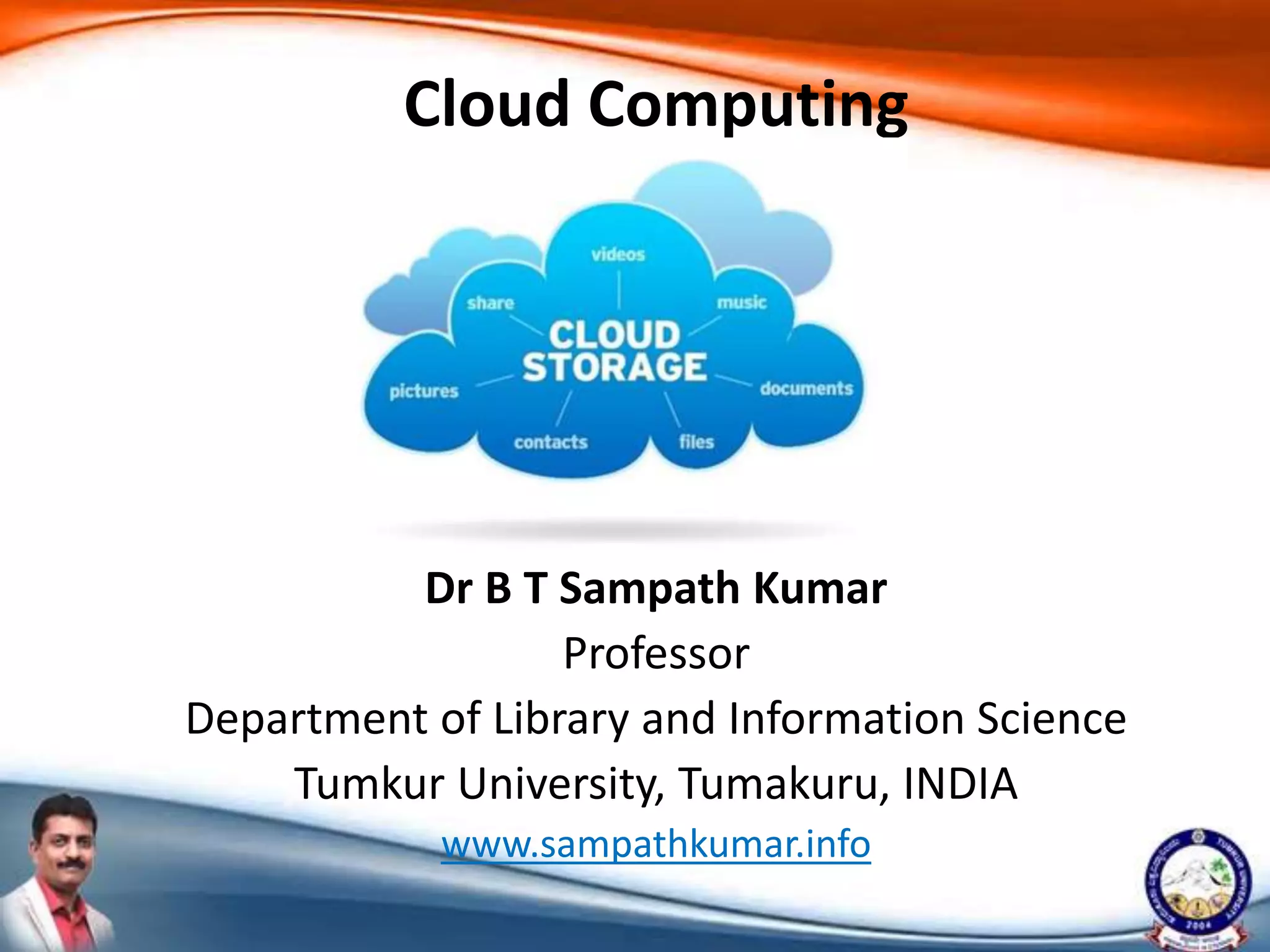
Cloud Computing
Cloud computing
• Use of remote servers hosted on the Internet
to:
– Store
– Manage and
– Process data, rather than using a local server
or a personal computer.
What is cloud?
• The term “Cloud” came from a network design
that was used by network engineers.
• It represents the location of various network
devices and their inter-connection.
Why cloud computing?
• Increased computer and mobile users.
• Data storage has become a priority in all
fields.
• Individuals/small scale businesses spent huge
amount of money to maintain their data.
• To store the data in local server, requires a
strong IT support and a storage devices/hubs.
• Cloud computing decreases the hardware and
software demand from the user’s side.
Architecture
• Cloud computing comprises of two
components: front end and back end.
• Front end consists client part of cloud
computing system.
• It comprises of interfaces and applications
that are required to access the cloud
computing platform.
Cont..
• While back end refers to the cloud itself.
• It comprises of the resources that are required
for cloud computing services.
• It consists of:
– Virtual machines
– Servers
– Data storage
– Security mechanism etc.
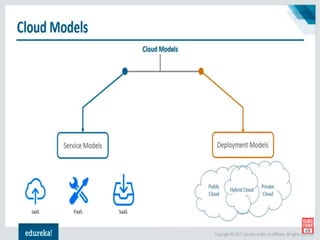
Cloud models
• Deployment model
– Public
– Private
– Community
– Hybrid
• Service model
– Infrastructure as a Service (IaaS)
– Platform as a Service (PaaS)
– Software as a service (SaaS)
Public cloud
• The public cloud is defined as computing
services offered by third-party providers over
the public Internet.
• It is available to anyone who wants to use or
purchase them.
• They may be free or sold on-demand.
Private cloud
• Computing resources are deployed for one
particular organization.
• This method is more used for intra-business
interactions.
• The computing resources can be governed,
owned and operated by the same
organization.
Hybrid cloud
• A hybrid cloud is a computing environment
that combines a public cloud and a
private cloud by allowing data and
applications to be shared between them.
Community cloud
• It is a collaborative effort.
• The infrastructure is shared between several
organizations from a specific community with
common concerns:
– Security
– Compliance
– Jurisdiction
Service model
• The three major cloud computing offerings
are:
– Software as a Service (SaaS)
– Platform as a Service (PaaS)
– Infrastructure as a Service (IaaS)
Software as a Service (SaaS)
• Software Applications are hosted by a vendor
or service provider and made available to
customers over a network.
• Traditionally, software application needed to
be purchased and then installed it onto your
computer.
• Instead of purchasing the software, SaaS users
can subscribe to it, usually on monthly basis
via internet.
Platform as a Service (PaaS)
• It provides a platform and environment to
allow developers to build applications and
services.
• This service is hosted in the cloud and
accessed by the users via Internet.
• It constantly updates & new features are
added.
• Software developers, web developers and
business can benefit from PaaS.
IaaS (Infrastructure as a Service)
• It provides computing infrastructure like
– Virtual server space
– Network connections
– Bandwidth
Cloud service providers
• Cloud service providers (CSP) are companies
that offer:
– Network services
– Infrastructure, or
– Business applications in the cloud.
Amazon Web Services (AWS)
• Amazon Web Services is a cloud computing
platform which provides services such as:
– Database storage
– Content delivery
Microsoft Azure
• Microsoft Azure is a cloud computing service
which is used for building, testing, deploying
and managing the application.
Google Cloud Platform
• The Google cloud platform is basically used for
Google search and YouTube.
• There are various services offered by Google
Cloud such as:
– Data analysis
– Machine learning, and
– Data storage.
IBM Cloud Services
• IBM Cloud computing services are also
helping:
– home appliance manufacturer
– retailer and
– medical supply businesses.
Adobe Creative Cloud
• It consists of many applications and services
that provide access to a collection of software
which can be used for:
– Video editing
– Web development
– Photography, and
– Graphic designs.
Onedrive
• It is Microsoft’s free online file storage service.
• It allows sharing individual files via email or on
social networks.
DropBox
• It is a very popular service for file storage and
sharing purposes.
• Any file you save to Dropbox is automatically
and instantly saved to your computer, phone,
and the Dropbox website.
• You can edit files in your Dropbox from your
phone and share them freely with anyone
when required.
Google drive
• Google Drive is a file storage developed
by Google.
• It allows users to store files on their servers,
synchronize files across devices, and share
files.
Benefits of cloud computing
• Lower IT infrastructure
• Improved performance
• Instant software updates
• Improved compatibility between Operating
systems
• Backup and recovery
• Performance and Scalability
• Increased storage capacity
• Increase data safety

Cloud computing

  • 1.
    Dr B TSampath Kumar Professor Department of Library and Information Science Tumkur University, Tumakuru, INDIA www.sampathkumar.info Cloud Computing
  • 2.
    Cloud computing • Useof remote servers hosted on the Internet to: – Store – Manage and – Process data, rather than using a local server or a personal computer.
  • 3.
    What is cloud? •The term “Cloud” came from a network design that was used by network engineers. • It represents the location of various network devices and their inter-connection.
  • 4.
    Why cloud computing? •Increased computer and mobile users. • Data storage has become a priority in all fields. • Individuals/small scale businesses spent huge amount of money to maintain their data. • To store the data in local server, requires a strong IT support and a storage devices/hubs. • Cloud computing decreases the hardware and software demand from the user’s side.
  • 5.
    Architecture • Cloud computingcomprises of two components: front end and back end. • Front end consists client part of cloud computing system. • It comprises of interfaces and applications that are required to access the cloud computing platform.
  • 6.
    Cont.. • While backend refers to the cloud itself. • It comprises of the resources that are required for cloud computing services. • It consists of: – Virtual machines – Servers – Data storage – Security mechanism etc.
  • 7.
    Cloud models • Deploymentmodel – Public – Private – Community – Hybrid • Service model – Infrastructure as a Service (IaaS) – Platform as a Service (PaaS) – Software as a service (SaaS)
  • 9.
    Public cloud • Thepublic cloud is defined as computing services offered by third-party providers over the public Internet. • It is available to anyone who wants to use or purchase them. • They may be free or sold on-demand.
  • 10.
    Private cloud • Computingresources are deployed for one particular organization. • This method is more used for intra-business interactions. • The computing resources can be governed, owned and operated by the same organization.
  • 11.
    Hybrid cloud • Ahybrid cloud is a computing environment that combines a public cloud and a private cloud by allowing data and applications to be shared between them.
  • 12.
    Community cloud • Itis a collaborative effort. • The infrastructure is shared between several organizations from a specific community with common concerns: – Security – Compliance – Jurisdiction
  • 13.
    Service model • Thethree major cloud computing offerings are: – Software as a Service (SaaS) – Platform as a Service (PaaS) – Infrastructure as a Service (IaaS)
  • 14.
    Software as aService (SaaS) • Software Applications are hosted by a vendor or service provider and made available to customers over a network. • Traditionally, software application needed to be purchased and then installed it onto your computer. • Instead of purchasing the software, SaaS users can subscribe to it, usually on monthly basis via internet.
  • 15.
    Platform as aService (PaaS) • It provides a platform and environment to allow developers to build applications and services. • This service is hosted in the cloud and accessed by the users via Internet. • It constantly updates & new features are added. • Software developers, web developers and business can benefit from PaaS.
  • 16.
    IaaS (Infrastructure asa Service) • It provides computing infrastructure like – Virtual server space – Network connections – Bandwidth
  • 17.
    Cloud service providers •Cloud service providers (CSP) are companies that offer: – Network services – Infrastructure, or – Business applications in the cloud.
  • 18.
    Amazon Web Services(AWS) • Amazon Web Services is a cloud computing platform which provides services such as: – Database storage – Content delivery
  • 19.
    Microsoft Azure • MicrosoftAzure is a cloud computing service which is used for building, testing, deploying and managing the application.
  • 20.
    Google Cloud Platform •The Google cloud platform is basically used for Google search and YouTube. • There are various services offered by Google Cloud such as: – Data analysis – Machine learning, and – Data storage.
  • 21.
    IBM Cloud Services •IBM Cloud computing services are also helping: – home appliance manufacturer – retailer and – medical supply businesses.
  • 22.
    Adobe Creative Cloud •It consists of many applications and services that provide access to a collection of software which can be used for: – Video editing – Web development – Photography, and – Graphic designs.
  • 23.
    Onedrive • It isMicrosoft’s free online file storage service. • It allows sharing individual files via email or on social networks.
  • 24.
    DropBox • It isa very popular service for file storage and sharing purposes. • Any file you save to Dropbox is automatically and instantly saved to your computer, phone, and the Dropbox website. • You can edit files in your Dropbox from your phone and share them freely with anyone when required.
  • 25.
    Google drive • GoogleDrive is a file storage developed by Google. • It allows users to store files on their servers, synchronize files across devices, and share files.
  • 26.
    Benefits of cloudcomputing • Lower IT infrastructure • Improved performance • Instant software updates • Improved compatibility between Operating systems • Backup and recovery • Performance and Scalability • Increased storage capacity • Increase data safety