INTERNET AND
INTERNET
APPLICATIONS
DEFINITION:
The Internet is the global system of
interconnected computer networks that use the Internet
protocol suite (TCP/IP) to link devices worldwide. It is
a network of networks that consists of private, public,
academic, business, and government networks of local
to global scope, linked by a broad array of electronic,
wireless, and optical networking technologies. The
Internet carries a vast range of information resources
and services, such as the inter-
linked hypertext documents and applications of
the World Wide Web (WWW), electronic mail, telephony,
and file sharing.
ADVANTAGES
 Easy and cheap
communication.
 Send Small or big
files with others
easily.
 Loads of
information.
 Entertainment
 Services
 Earn Money
 Promote the
product.
DISADVANTAGES
 Theft of personal
information.
 Spamming.
 Virus Threat
 Social
Disconnect
 Cyber crime
EVOLUTION OF INTERNET:
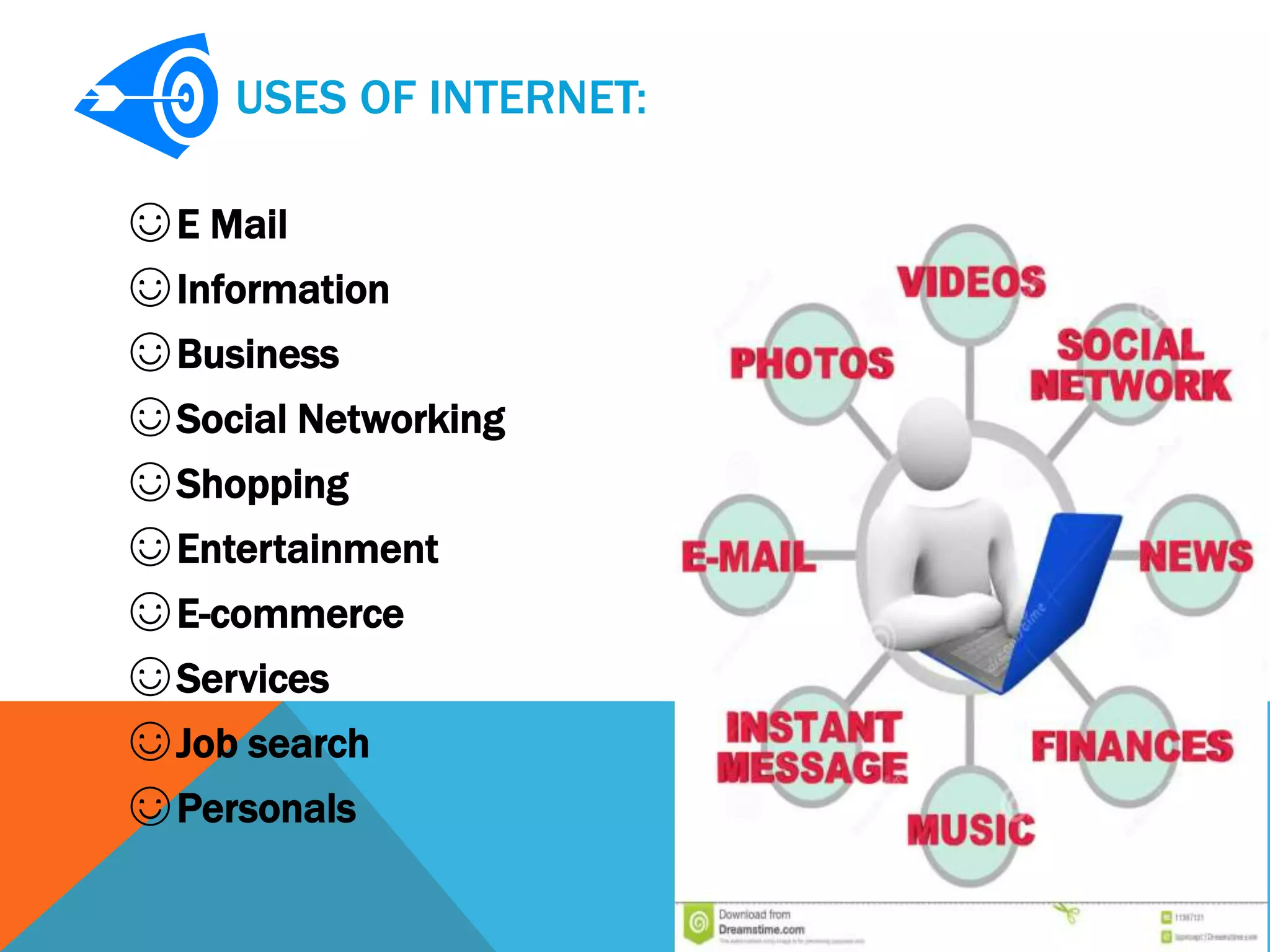
USES OF INTERNET:
☺E Mail
☺Information
☺Business
☺Social Networking
☺Shopping
☺Entertainment
☺E-commerce
☺Services
☺Job search
☺Personals
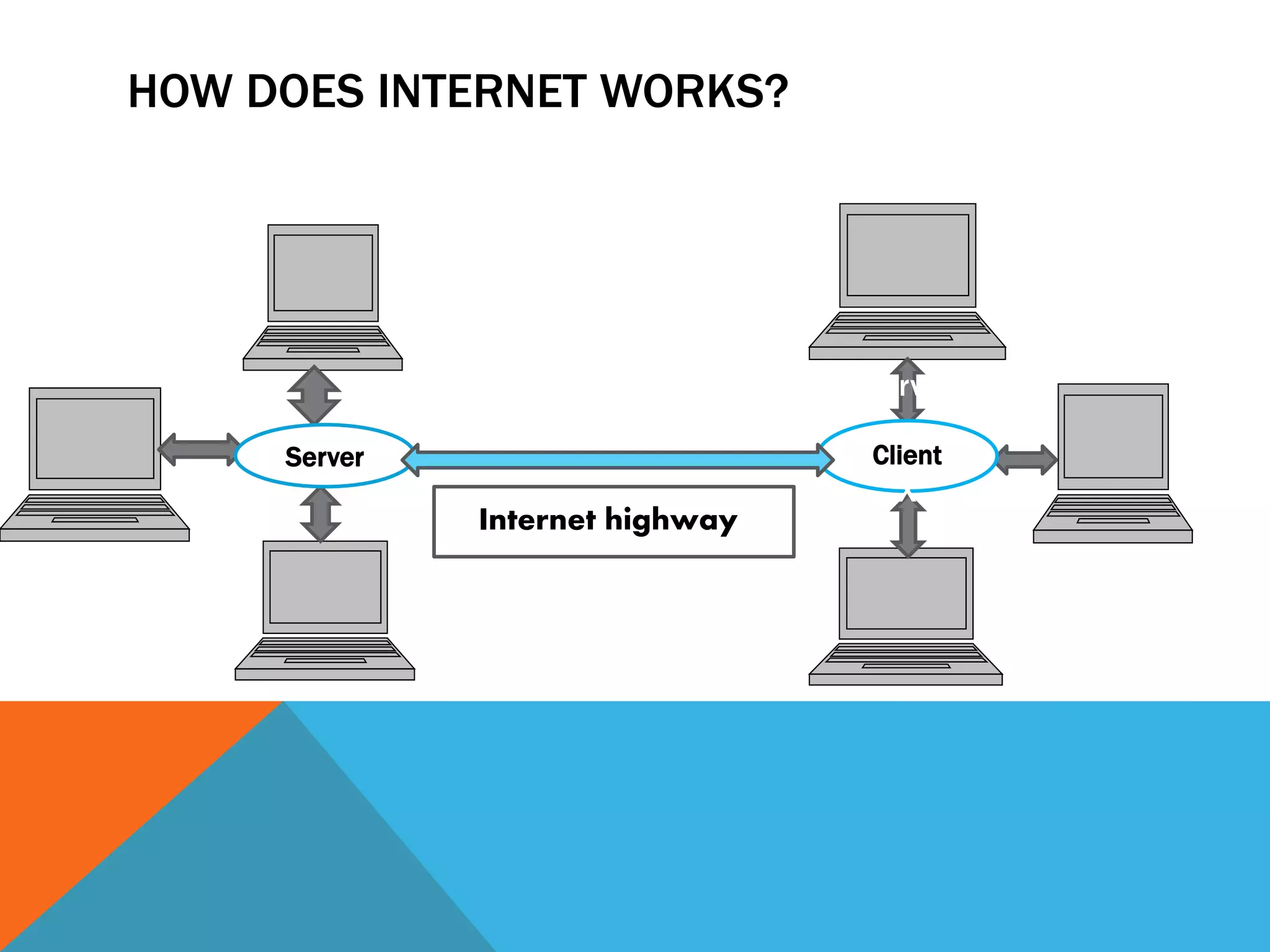
HOW DOES INTERNET WORKS?
Server
Server
Client
X
Internet highway
WORLD WIDE WEB:
• The World Wide
Web (abbreviated WWW or the
Web) is an information
space where documents and
other web resources are identified
by Uniform Resource
Locators (URLs), interlinked
by hypertext links, and can be
accessed via the Internet.
• English scientist Tim Berners-
Lee invented the World Wide Web
in 1989.
WEB SERVER:
♫ A server is a computer program that
provide services to other computer
programs and their users in the
same or other computers.
♫ A web server is a computer or
combination of computers , which is
connected through internet or
intranet to serve the client quests ,
coming from their web browser.
♫ Every web server has a unique IP
address and domain name which
identifies that machine on the
network.
♫ A server contains the server
software installed on it , which
manages the client request and
response them.
POPULAR CATEGORIES OF WEB SERVERS ARE:
 HTTP Server
 Application server
 FTP server
 Apache Tomcat
 Mail Server
CLIENT:
• Independent computers connected to a server are called
clients.
• A client is the requesting program or user in a client/server
relationship.
• Web client is the sending and receiving of information where
the webserver is storing the information, the web client can
be a number of methods of sending and receiving the data.
HOW DOES THE WWW WORK?
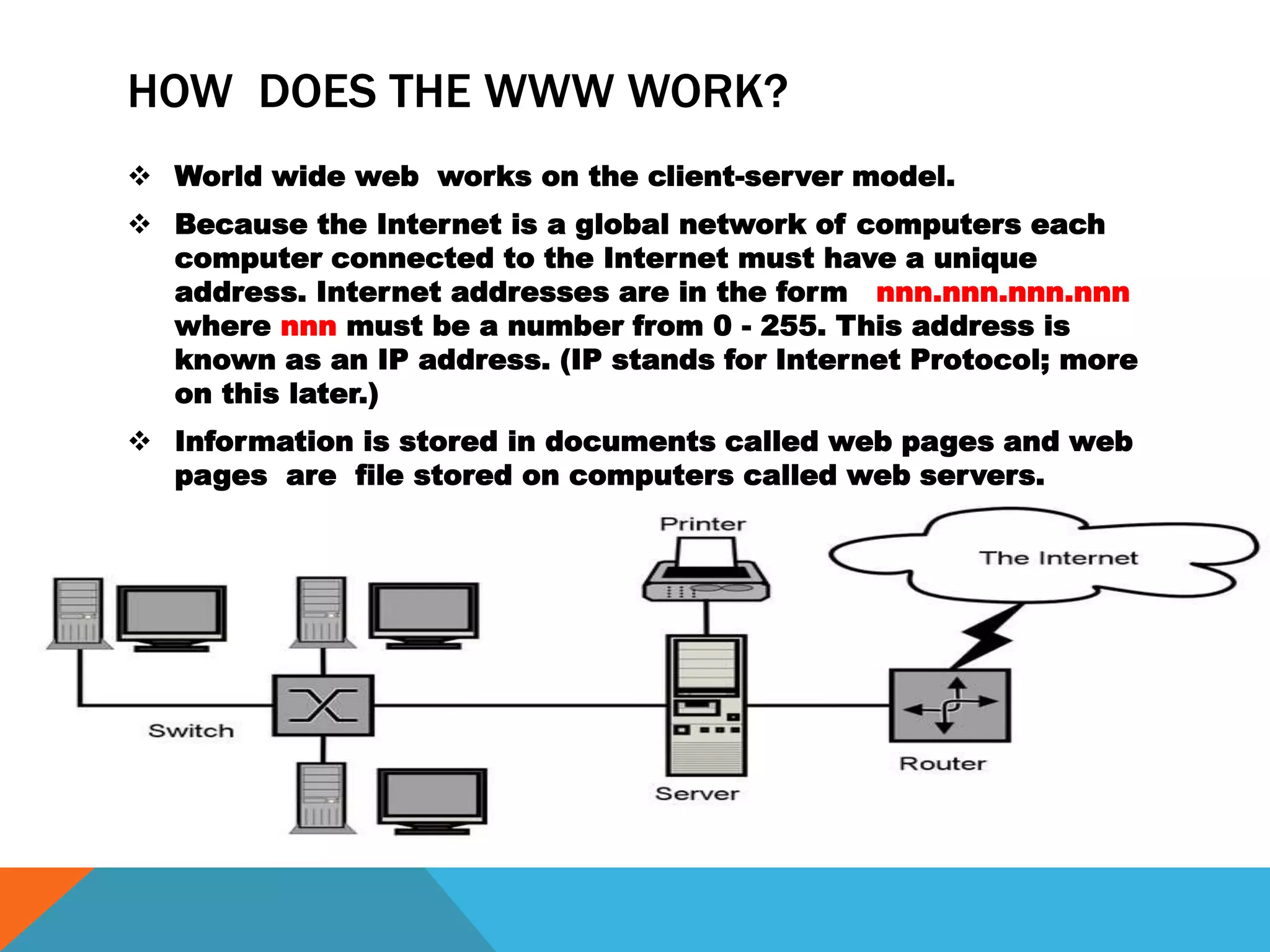
 World wide web works on the client-server model.
 Because the Internet is a global network of computers each
computer connected to the Internet must have a unique
address. Internet addresses are in the form nnn.nnn.nnn.nnn
where nnn must be a number from 0 - 255. This address is
known as an IP address. (IP stands for Internet Protocol; more
on this later.)
 Information is stored in documents called web pages and web
pages are file stored on computers called web servers.
CLASSES OF IP ADDRESS:
SEARCH ENGINES:
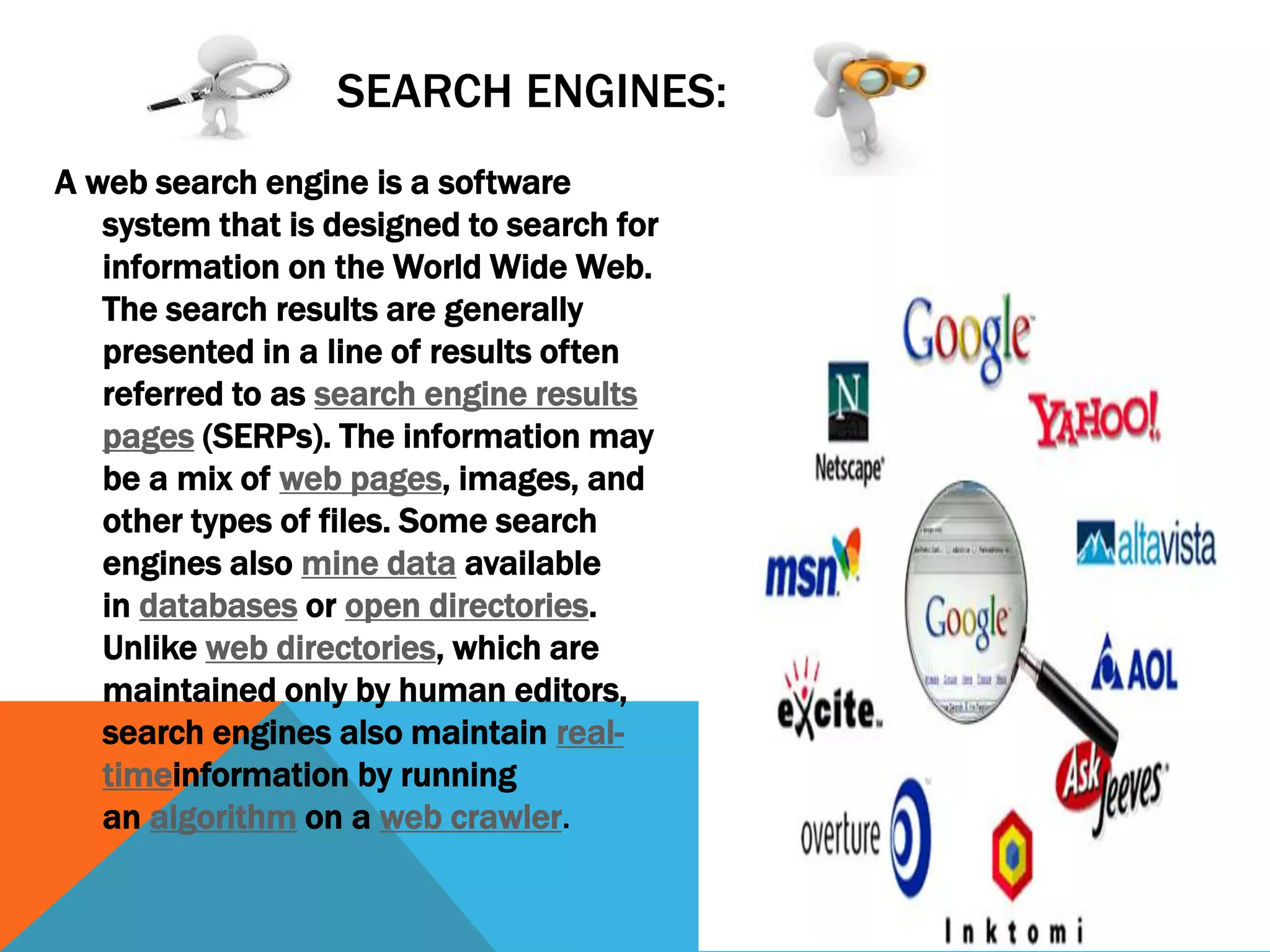
A web search engine is a software
system that is designed to search for
information on the World Wide Web.
The search results are generally
presented in a line of results often
referred to as search engine results
pages (SERPs). The information may
be a mix of web pages, images, and
other types of files. Some search
engines also mine data available
in databases or open directories.
Unlike web directories, which are
maintained only by human editors,
search engines also maintain real-
timeinformation by running
an algorithm on a web crawler.
HOW DOES SEARCH ENGINE WORKS?
A search engine maintains the following processes in near real time:
 Web crawling
 Indexing
 Searching
 A Web crawler, sometimes called a spider, is an Internet bot that systematically
browses the World Wide Web, typically for the purpose of Web indexing (web
spidering).
 Search engine indexing collects, parses, and stores data to facilitate fast and
accurate information retrieval. Index design incorporates interdisciplinary
concepts from linguistics, cognitive psychology, mathematics, informatics, and
computer science. An alternate name for the process in the context of search
engines designed to find web pages on the Internet is web indexing.
 A web search query is a query that a user enters into a web search
engine to satisfy his or her information needs. Web search queries are
distinctive in that they are often plain text or hypertext with optional
search-directives (such as "and"/"or" with "-" to exclude). They vary
greatly from standard query languages, which are governed by strict
syntax rules as command languages with keyword or
positional parameters.
POPULAR SEARCH ENGINES:
WEB BROWSER:
WEB BROWSER (commonly referred to as a browser) is a software
application for retrieving, presenting and traversing information
resources on the World Wide Web. An information resource is
identified by a Uniform Resource Identifier (URI/URL) that may be
a web page, image, video or other piece of
content.[1] Hyperlinks present in resources enable users easily to
navigate their browsers to related resources.
E MAIL
Electronic Mail (email or e-mail) is a method of exchanging messages
between people using electronic devices. Email first entered
substantial use in the 1960s and by the mid-1970s had taken the
form now recognized as email. Email operates across computer
networks, which today is primarily the Internet. Some early email
systems required the author and the recipient to both be online at
the same time, in common with instant messaging.

Internet

  • 1.
  • 2.
    DEFINITION: The Internet isthe global system of interconnected computer networks that use the Internet protocol suite (TCP/IP) to link devices worldwide. It is a network of networks that consists of private, public, academic, business, and government networks of local to global scope, linked by a broad array of electronic, wireless, and optical networking technologies. The Internet carries a vast range of information resources and services, such as the inter- linked hypertext documents and applications of the World Wide Web (WWW), electronic mail, telephony, and file sharing.
  • 3.
    ADVANTAGES  Easy andcheap communication.  Send Small or big files with others easily.  Loads of information.  Entertainment  Services  Earn Money  Promote the product. DISADVANTAGES  Theft of personal information.  Spamming.  Virus Threat  Social Disconnect  Cyber crime
  • 4.
  • 5.
    USES OF INTERNET: ☺EMail ☺Information ☺Business ☺Social Networking ☺Shopping ☺Entertainment ☺E-commerce ☺Services ☺Job search ☺Personals
  • 6.
    HOW DOES INTERNETWORKS? Server Server Client X Internet highway
  • 7.
    WORLD WIDE WEB: •The World Wide Web (abbreviated WWW or the Web) is an information space where documents and other web resources are identified by Uniform Resource Locators (URLs), interlinked by hypertext links, and can be accessed via the Internet. • English scientist Tim Berners- Lee invented the World Wide Web in 1989.
  • 8.
    WEB SERVER: ♫ Aserver is a computer program that provide services to other computer programs and their users in the same or other computers. ♫ A web server is a computer or combination of computers , which is connected through internet or intranet to serve the client quests , coming from their web browser. ♫ Every web server has a unique IP address and domain name which identifies that machine on the network. ♫ A server contains the server software installed on it , which manages the client request and response them.
  • 9.
    POPULAR CATEGORIES OFWEB SERVERS ARE:  HTTP Server  Application server  FTP server  Apache Tomcat  Mail Server
  • 10.
    CLIENT: • Independent computersconnected to a server are called clients. • A client is the requesting program or user in a client/server relationship. • Web client is the sending and receiving of information where the webserver is storing the information, the web client can be a number of methods of sending and receiving the data.
  • 11.
    HOW DOES THEWWW WORK?  World wide web works on the client-server model.  Because the Internet is a global network of computers each computer connected to the Internet must have a unique address. Internet addresses are in the form nnn.nnn.nnn.nnn where nnn must be a number from 0 - 255. This address is known as an IP address. (IP stands for Internet Protocol; more on this later.)  Information is stored in documents called web pages and web pages are file stored on computers called web servers.
  • 12.
    CLASSES OF IPADDRESS:
  • 13.
    SEARCH ENGINES: A websearch engine is a software system that is designed to search for information on the World Wide Web. The search results are generally presented in a line of results often referred to as search engine results pages (SERPs). The information may be a mix of web pages, images, and other types of files. Some search engines also mine data available in databases or open directories. Unlike web directories, which are maintained only by human editors, search engines also maintain real- timeinformation by running an algorithm on a web crawler.
  • 14.
    HOW DOES SEARCHENGINE WORKS? A search engine maintains the following processes in near real time:  Web crawling  Indexing  Searching  A Web crawler, sometimes called a spider, is an Internet bot that systematically browses the World Wide Web, typically for the purpose of Web indexing (web spidering).  Search engine indexing collects, parses, and stores data to facilitate fast and accurate information retrieval. Index design incorporates interdisciplinary concepts from linguistics, cognitive psychology, mathematics, informatics, and computer science. An alternate name for the process in the context of search engines designed to find web pages on the Internet is web indexing.  A web search query is a query that a user enters into a web search engine to satisfy his or her information needs. Web search queries are distinctive in that they are often plain text or hypertext with optional search-directives (such as "and"/"or" with "-" to exclude). They vary greatly from standard query languages, which are governed by strict syntax rules as command languages with keyword or positional parameters.
  • 15.
  • 16.
    WEB BROWSER: WEB BROWSER(commonly referred to as a browser) is a software application for retrieving, presenting and traversing information resources on the World Wide Web. An information resource is identified by a Uniform Resource Identifier (URI/URL) that may be a web page, image, video or other piece of content.[1] Hyperlinks present in resources enable users easily to navigate their browsers to related resources.
  • 17.
    E MAIL Electronic Mail(email or e-mail) is a method of exchanging messages between people using electronic devices. Email first entered substantial use in the 1960s and by the mid-1970s had taken the form now recognized as email. Email operates across computer networks, which today is primarily the Internet. Some early email systems required the author and the recipient to both be online at the same time, in common with instant messaging.