Chapter 9
Media Selection
Objectives
• All media can be divided in the follow components:
– Text
– Graphics
– Animation
– Audio
– Video
• The learner will be able to name the five types of
media examined in this chapter with 100% accuracy.
• Given an instructional situation, the learner will be
able to verbally and/or textually justify uses of the five
types of media examined in this chapter for the
situation.
Instructional Text
• Advanced Organizers
– A sentence that explains what the student will do.
• Titles
– Keep short and descriptive.
• Headings
– Use to break long passages of text into concept
chunks.
• Questions in Text
– Place at the end of a section to allow student
reflection.
Instructional Text (contd)
• Readability Level
– Match the level of your readers.
– Use Flesch Reading Ease or Flesch-Kincaid
formulas.
• Avoid Acronyms
• Sentences
– Avoid multiple subordinate clauses.
– Use active voice.
– Use positive terms.
Instructional Text (contd)
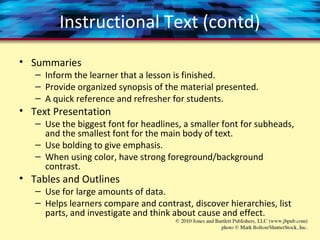
• Summaries
– Inform the learner that a lesson is finished.
– Provide organized synopsis of the material presented.
– A quick reference and refresher for students.
• Text Presentation
– Use the biggest font for headlines, a smaller font for subheads,
and the smallest font for the main body of text.
– Use bolding to give emphasis.
– When using color, have strong foreground/background
contrast.
• Tables and Outlines
– Use for large amounts of data.
– Helps learners compare and contrast, discover hierarchies, list
parts, and investigate and think about cause and effect.
Instructional Text (contd)
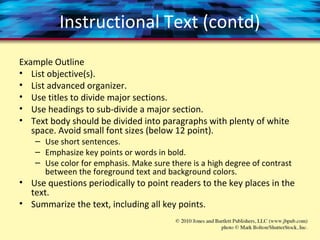
Example Outline
• List objective(s).
• List advanced organizer.
• Use titles to divide major sections.
• Use headings to sub-divide a major section.
• Text body should be divided into paragraphs with plenty of white
space. Avoid small font sizes (below 12 point).
– Use short sentences.
– Emphasize key points or words in bold.
– Use color for emphasis. Make sure there is a high degree of contrast
between the foreground text and background colors.
• Use questions periodically to point readers to the key places in the
text.
• Summarize the text, including all key points.
Instructional Graphics
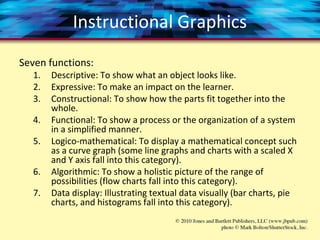
Seven functions:
1. Descriptive: To show what an object looks like.
2. Expressive: To make an impact on the learner.
3. Constructional: To show how the parts fit together into the
whole.
4. Functional: To show a process or the organization of a system
in a simplified manner.
5. Logico-mathematical: To display a mathematical concept such
as a curve graph (some line graphs and charts with a scaled X
and Y axis fall into this category).
6. Algorithmic: To show a holistic picture of the range of
possibilities (flow charts fall into this category).
7. Data display: Illustrating textual data visually (bar charts, pie
charts, and histograms fall into this category).
Instructional Graphics (contd)
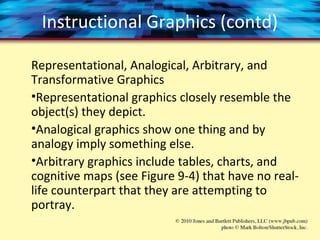
Representational, Analogical, Arbitrary, and
Transformative Graphics
•Representational graphics closely resemble the
object(s) they depict.
•Analogical graphics show one thing and by
analogy imply something else.
•Arbitrary graphics include tables, charts, and
cognitive maps (see Figure 9-4) that have no real-
life counterpart that they are attempting to
portray.
Instructional Graphics (contd)
When to Use Graphics
•Are there development resources available?
•Do you have legal rights to use the graphics?
•Are the planned images appropriate for the
targeted audience?
•Will the graphics assist students in meeting
identified learning objectives?
Instructional Graphics (contd)
Types of Online Images
•GIF (graphics interchange format)
– Can contain up to 256 colors.
– Best for graphics with lots of solid colors and those with
little color variation.
•JPEG (Joint Photographic Experts Group)
– Can contain millions of colors.
– Best for graphics where 256 colors are just not enough, or
color accuracy is very important.
•PNG (Portable Network Graphics)
– Combines some of best features of GIF and JPEG.
– Not a popular as GIF or JPEG formats.
Instructional Animation
Do you need animation?
1. Look at your learning objectives. Are animations needed?
2. If animation is needed, examine different animation types for
appropriate criteria.
3. Run your ideas by a graphics or animation expert.
4. Test out prototype animations with your target population of
learners.
5. Test out prototype animations on the complete range of target
delivery machines.
6. Keep in mind that complex animations may be better for learners
already familiar with the basics in a given topic.
7. Animation may work best when combined with some sort of
interaction or interactivity.
8. Use the same graphics and animations in testing situations as were
used in the instruction.
Instructional Audio
Sound can be used for:
• Direct information, like a spoken narrative.
• Direct playback, like providing audio of the
correct pronunciation of a medical term.
• Interrupts — sounds that tell the user something
happened, like a a buzzer when time is up.
• Drawing attention, like a ringing alarm clock.
• Showing relationships, such as a buzzing sounds
that accompanies a danger sign.
Instructional Video
Video can be used to:
• Show realistic motion. For example, you may
need to show how a pitcher throws a ball in slow
motion.
• Provide an accurate recreation of something. For
example, you may be training airplane pilots in a
cockpit simulator or you may want to show sign
language in action.
• Show human interaction. For example, you may
want to show group dynamics in action.
Summary
• All media can be divided in the follow
components:
– Text
– Graphics
– Animation
– Audio
– Video
• Media used should map to your learning
objectives.
• Always weigh the cost of media development
against the need for augmenting instruction.
Discussion Questions
• Find a “how-to” video on YouTube. Can you
think of other media you could use for this?
Would it be more or less effective? Why?
• Describe in text how to use a computer
mouse. What other media could you use here,
and why?
• When using instructional media, how do you
find the balance between instructional need
and just aesthetic enhancement of materials?

Chapter 9

  • 1.
  • 2.
    Objectives • All mediacan be divided in the follow components: – Text – Graphics – Animation – Audio – Video • The learner will be able to name the five types of media examined in this chapter with 100% accuracy. • Given an instructional situation, the learner will be able to verbally and/or textually justify uses of the five types of media examined in this chapter for the situation.
  • 3.
    Instructional Text • AdvancedOrganizers – A sentence that explains what the student will do. • Titles – Keep short and descriptive. • Headings – Use to break long passages of text into concept chunks. • Questions in Text – Place at the end of a section to allow student reflection.
  • 4.
    Instructional Text (contd) •Readability Level – Match the level of your readers. – Use Flesch Reading Ease or Flesch-Kincaid formulas. • Avoid Acronyms • Sentences – Avoid multiple subordinate clauses. – Use active voice. – Use positive terms.
  • 5.
    Instructional Text (contd) •Summaries – Inform the learner that a lesson is finished. – Provide organized synopsis of the material presented. – A quick reference and refresher for students. • Text Presentation – Use the biggest font for headlines, a smaller font for subheads, and the smallest font for the main body of text. – Use bolding to give emphasis. – When using color, have strong foreground/background contrast. • Tables and Outlines – Use for large amounts of data. – Helps learners compare and contrast, discover hierarchies, list parts, and investigate and think about cause and effect.
  • 6.
    Instructional Text (contd) ExampleOutline • List objective(s). • List advanced organizer. • Use titles to divide major sections. • Use headings to sub-divide a major section. • Text body should be divided into paragraphs with plenty of white space. Avoid small font sizes (below 12 point). – Use short sentences. – Emphasize key points or words in bold. – Use color for emphasis. Make sure there is a high degree of contrast between the foreground text and background colors. • Use questions periodically to point readers to the key places in the text. • Summarize the text, including all key points.
  • 7.
    Instructional Graphics Seven functions: 1.Descriptive: To show what an object looks like. 2. Expressive: To make an impact on the learner. 3. Constructional: To show how the parts fit together into the whole. 4. Functional: To show a process or the organization of a system in a simplified manner. 5. Logico-mathematical: To display a mathematical concept such as a curve graph (some line graphs and charts with a scaled X and Y axis fall into this category). 6. Algorithmic: To show a holistic picture of the range of possibilities (flow charts fall into this category). 7. Data display: Illustrating textual data visually (bar charts, pie charts, and histograms fall into this category).
  • 8.
    Instructional Graphics (contd) Representational,Analogical, Arbitrary, and Transformative Graphics •Representational graphics closely resemble the object(s) they depict. •Analogical graphics show one thing and by analogy imply something else. •Arbitrary graphics include tables, charts, and cognitive maps (see Figure 9-4) that have no real- life counterpart that they are attempting to portray.
  • 9.
    Instructional Graphics (contd) Whento Use Graphics •Are there development resources available? •Do you have legal rights to use the graphics? •Are the planned images appropriate for the targeted audience? •Will the graphics assist students in meeting identified learning objectives?
  • 10.
    Instructional Graphics (contd) Typesof Online Images •GIF (graphics interchange format) – Can contain up to 256 colors. – Best for graphics with lots of solid colors and those with little color variation. •JPEG (Joint Photographic Experts Group) – Can contain millions of colors. – Best for graphics where 256 colors are just not enough, or color accuracy is very important. •PNG (Portable Network Graphics) – Combines some of best features of GIF and JPEG. – Not a popular as GIF or JPEG formats.
  • 11.
    Instructional Animation Do youneed animation? 1. Look at your learning objectives. Are animations needed? 2. If animation is needed, examine different animation types for appropriate criteria. 3. Run your ideas by a graphics or animation expert. 4. Test out prototype animations with your target population of learners. 5. Test out prototype animations on the complete range of target delivery machines. 6. Keep in mind that complex animations may be better for learners already familiar with the basics in a given topic. 7. Animation may work best when combined with some sort of interaction or interactivity. 8. Use the same graphics and animations in testing situations as were used in the instruction.
  • 12.
    Instructional Audio Sound canbe used for: • Direct information, like a spoken narrative. • Direct playback, like providing audio of the correct pronunciation of a medical term. • Interrupts — sounds that tell the user something happened, like a a buzzer when time is up. • Drawing attention, like a ringing alarm clock. • Showing relationships, such as a buzzing sounds that accompanies a danger sign.
  • 13.
    Instructional Video Video canbe used to: • Show realistic motion. For example, you may need to show how a pitcher throws a ball in slow motion. • Provide an accurate recreation of something. For example, you may be training airplane pilots in a cockpit simulator or you may want to show sign language in action. • Show human interaction. For example, you may want to show group dynamics in action.
  • 14.
    Summary • All mediacan be divided in the follow components: – Text – Graphics – Animation – Audio – Video • Media used should map to your learning objectives. • Always weigh the cost of media development against the need for augmenting instruction.
  • 15.
    Discussion Questions • Finda “how-to” video on YouTube. Can you think of other media you could use for this? Would it be more or less effective? Why? • Describe in text how to use a computer mouse. What other media could you use here, and why? • When using instructional media, how do you find the balance between instructional need and just aesthetic enhancement of materials?