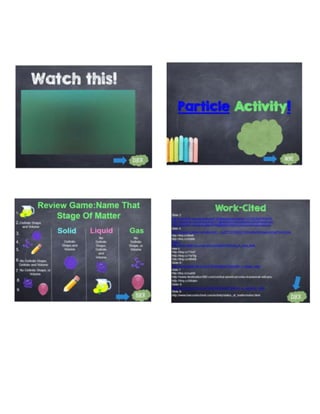
APPLY
Name: Timn Howard Lanuza Andrada Date: July 26, 2017
My Kiosk Presentation that Hosts Attention
This activity aims to bring out the creativity among the students in making his/her hand-
outs using MS Word and designing a kiosk using MS PowerPoint following the given
specifications. His/her work will be presented through a short demonstration.
Think of any topic of your field of specialization. Create a 3-pages hand-out that will be
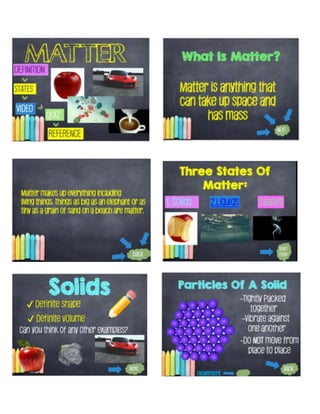
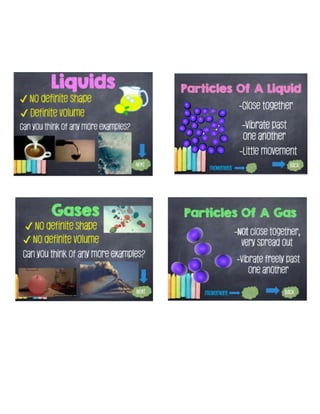
distributed to your teacher and classmates. Also, create a 10-slides kiosk which shows the
logical units of the lesson. The kiosk must consist of graphics, animation, video, music, and
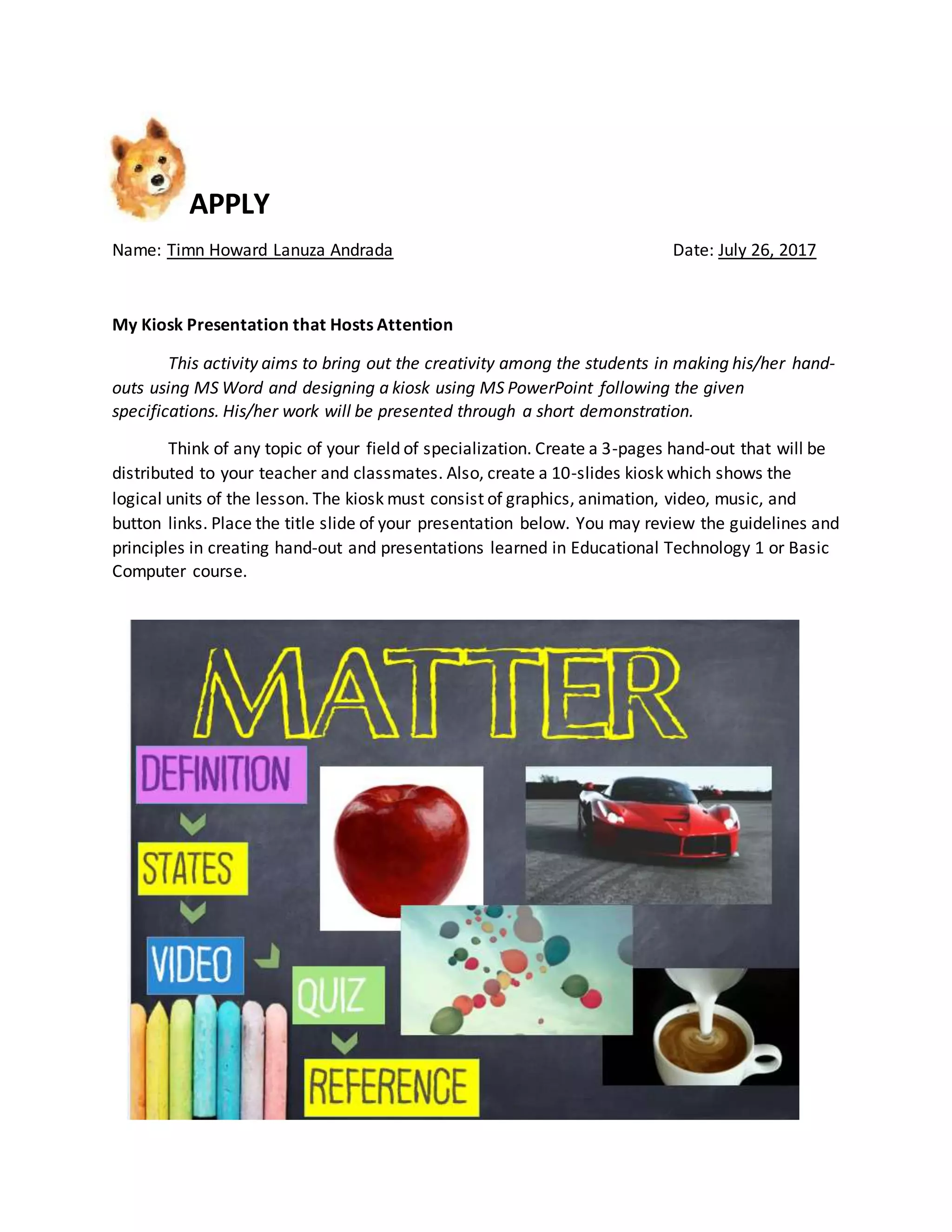
button links. Place the title slide of your presentation below. You may review the guidelines and
principles in creating hand-out and presentations learned in Educational Technology 1 or Basic
Computer course.
Assess
Name: Timn Howard Lanuza Andrada Date: July 25, 2017
Rating for Improving
This activity aims to teach students to constructively criticize someone else’s kiosk and
help his/her classmate in enhancing the product.
Your teacher will assign you to rate your classmate’s work. Using the rating scale below,
rate honestly the kiosk created by your classmate. Suggest ways to improve his/her work, then
discuss with your classmate the result.
3 – Agree 2 – Neutral 1 – Disagree
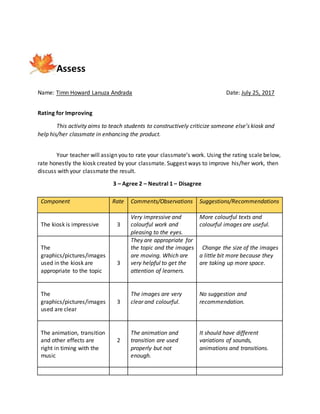
Component Rate Comments/Observations Suggestions/Recommendations
The kiosk is impressive 3
Very impressive and
colourful work and
pleasing to the eyes.
More colourful texts and
colourful images are useful.
The
graphics/pictures/images
used in the kiosk are
appropriate to the topic
3
They are appropriate for
the topic and the images
are moving. Which are
very helpful to get the
attention of learners.
Change the size of the images
a little bit more because they
are taking up more space.
The
graphics/pictures/images
used are clear
3
The images are very
clear and colourful.
No suggestion and
recommendation.
The animation, transition
and other effects are
right in timing with the
music
2
The animation and
transition are used
properly but not
enough.
It should have different
variations of sounds,
animations and transitions.
Evaluated by:
__________________________________
Elizabeth C. Buenconsejo BSED 4
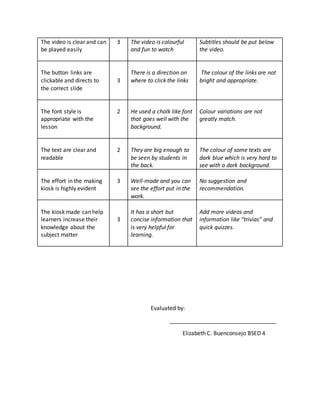
The video is clear and can
be played easily
3 The video is colourful
and fun to watch
Subtitles should be put below
the video.
The button links are
clickable and directs to
the correct slide
3
There is a direction on
where to click the links
The colour of the links are not
bright and appropriate.
The font style is
appropriate with the
lesson
2 He used a chalk like font
that goes well with the
background.
Colour variations are not
greatly match.
The text are clear and
readable
2 They are big enough to
be seen by students in
the back.
The colour of some texts are
dark blue which is very hard to
see with a dark background.
The effort in the making
kiosk is highly evident
3 Well-made and you can
see the effort put in the
work.
No suggestion and
recommendation.
The kiosk made can help
learners increase their
knowledge about the
subject matter
3
It has a short but
concise information that
is very helpful for
learning.
Add more videos and
information like “trivias” and
quick quizzes.
Assess
Name: Timn Howard Lanuza Andrada Date: July 26, 2017
I Can Make ET
This activity aims to develop one’s own evaluation tool in using and evaluating
educational software for classroom use.
This activity will be done by pair. Going back to the activities of the previous chapter,
create your own (original) evaluation tool to evaluate the kiosk earlier created. Consider, the
content, use of multimedia, presentation, delivery, message/content, effectiveness, and others.
Use any productivity tool in producing your evaluation tool. Print and paste your work below.
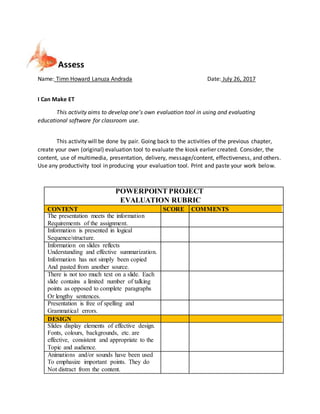
POWERPOINT PROJECT
EVALUATION RUBRIC
CONTENT SCORE COMMENTS
The presentation meets the information
Requirements of the assignment.
Information is presented in logical
Sequence/structure.
Information on slides reflects
Understanding and effective summarization.
Information has not simply been copied
And pasted from another source.
There is not too much text on a slide. Each
slide contains a limited number of talking
points as opposed to complete paragraphs
Or lengthy sentences.
Presentation is free of spelling and
Grammatical errors.
DESIGN
Slides display elements of effective design.
Fonts, colours, backgrounds, etc. are
effective, consistent and appropriate to the
Topic and audience.
Animations and/or sounds have been used
To emphasize important points. They do
Not distract from the content.
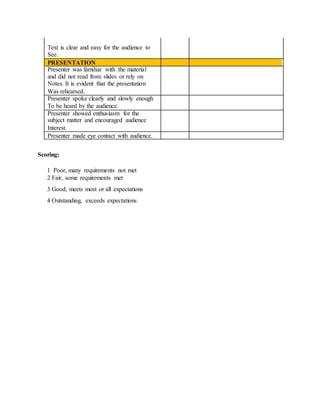
Text is clear and easy for the audience to
See.
PRESENTATION
Presenter was familiar with the material
and did not read from slides or rely on
Notes. It is evident that the presentation
Was rehearsed.
Presenter spoke clearly and slowly enough
To be heard by the audience.
Presenter showed enthusiasm for the
subject matter and encouraged audience
Interest.
Presenter made eye contact with audience.
Scoring:
1 Poor, many requirements not met
2 Fair, some requirements met
3 Good, meets most or all expectations
4 Outstanding, exceeds expectations
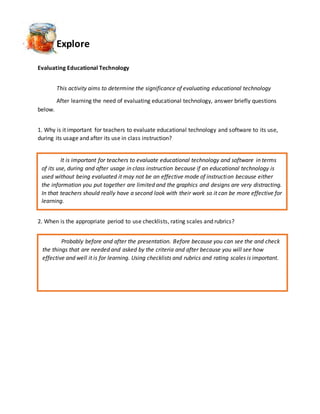
Explore
Evaluating Educational Technology
This activity aims to determine the significance of evaluating educational technology
After learning the need of evaluating educational technology, answer briefly questions
below.
1. Why is it important for teachers to evaluate educational technology and software to its use,
during its usage and after its use in class instruction?
2. When is the appropriate period to use checklists, rating scales and rubrics?
It is important for teachers to evaluate educational technology and software in terms
of its use, during and after usage in class instruction because if an educational technology is
used without being evaluated it may not be an effective mode of instruction because either
the information you put together are limited and the graphics and designs are very distracting.
In that teachers should really have a second look with their work so it can be more effective for
learning.
Probably before and after the presentation. Before because you can see the and check
the things that are needed and asked by the criteria and after because you will see how
effective and well it is for learning. Using checklists and rubrics and rating scales is important.

Chapter 4, 5, and 7 activity

  • 1.
    APPLY Name: Timn HowardLanuza Andrada Date: July 26, 2017 My Kiosk Presentation that Hosts Attention This activity aims to bring out the creativity among the students in making his/her hand- outs using MS Word and designing a kiosk using MS PowerPoint following the given specifications. His/her work will be presented through a short demonstration. Think of any topic of your field of specialization. Create a 3-pages hand-out that will be distributed to your teacher and classmates. Also, create a 10-slides kiosk which shows the logical units of the lesson. The kiosk must consist of graphics, animation, video, music, and button links. Place the title slide of your presentation below. You may review the guidelines and principles in creating hand-out and presentations learned in Educational Technology 1 or Basic Computer course.
  • 5.
    Assess Name: Timn HowardLanuza Andrada Date: July 25, 2017 Rating for Improving This activity aims to teach students to constructively criticize someone else’s kiosk and help his/her classmate in enhancing the product. Your teacher will assign you to rate your classmate’s work. Using the rating scale below, rate honestly the kiosk created by your classmate. Suggest ways to improve his/her work, then discuss with your classmate the result. 3 – Agree 2 – Neutral 1 – Disagree Component Rate Comments/Observations Suggestions/Recommendations The kiosk is impressive 3 Very impressive and colourful work and pleasing to the eyes. More colourful texts and colourful images are useful. The graphics/pictures/images used in the kiosk are appropriate to the topic 3 They are appropriate for the topic and the images are moving. Which are very helpful to get the attention of learners. Change the size of the images a little bit more because they are taking up more space. The graphics/pictures/images used are clear 3 The images are very clear and colourful. No suggestion and recommendation. The animation, transition and other effects are right in timing with the music 2 The animation and transition are used properly but not enough. It should have different variations of sounds, animations and transitions.
  • 6.
    Evaluated by: __________________________________ Elizabeth C.Buenconsejo BSED 4 The video is clear and can be played easily 3 The video is colourful and fun to watch Subtitles should be put below the video. The button links are clickable and directs to the correct slide 3 There is a direction on where to click the links The colour of the links are not bright and appropriate. The font style is appropriate with the lesson 2 He used a chalk like font that goes well with the background. Colour variations are not greatly match. The text are clear and readable 2 They are big enough to be seen by students in the back. The colour of some texts are dark blue which is very hard to see with a dark background. The effort in the making kiosk is highly evident 3 Well-made and you can see the effort put in the work. No suggestion and recommendation. The kiosk made can help learners increase their knowledge about the subject matter 3 It has a short but concise information that is very helpful for learning. Add more videos and information like “trivias” and quick quizzes.
  • 7.
    Assess Name: Timn HowardLanuza Andrada Date: July 26, 2017 I Can Make ET This activity aims to develop one’s own evaluation tool in using and evaluating educational software for classroom use. This activity will be done by pair. Going back to the activities of the previous chapter, create your own (original) evaluation tool to evaluate the kiosk earlier created. Consider, the content, use of multimedia, presentation, delivery, message/content, effectiveness, and others. Use any productivity tool in producing your evaluation tool. Print and paste your work below. POWERPOINT PROJECT EVALUATION RUBRIC CONTENT SCORE COMMENTS The presentation meets the information Requirements of the assignment. Information is presented in logical Sequence/structure. Information on slides reflects Understanding and effective summarization. Information has not simply been copied And pasted from another source. There is not too much text on a slide. Each slide contains a limited number of talking points as opposed to complete paragraphs Or lengthy sentences. Presentation is free of spelling and Grammatical errors. DESIGN Slides display elements of effective design. Fonts, colours, backgrounds, etc. are effective, consistent and appropriate to the Topic and audience. Animations and/or sounds have been used To emphasize important points. They do Not distract from the content.
  • 8.
    Text is clearand easy for the audience to See. PRESENTATION Presenter was familiar with the material and did not read from slides or rely on Notes. It is evident that the presentation Was rehearsed. Presenter spoke clearly and slowly enough To be heard by the audience. Presenter showed enthusiasm for the subject matter and encouraged audience Interest. Presenter made eye contact with audience. Scoring: 1 Poor, many requirements not met 2 Fair, some requirements met 3 Good, meets most or all expectations 4 Outstanding, exceeds expectations
  • 9.
    Explore Evaluating Educational Technology Thisactivity aims to determine the significance of evaluating educational technology After learning the need of evaluating educational technology, answer briefly questions below. 1. Why is it important for teachers to evaluate educational technology and software to its use, during its usage and after its use in class instruction? 2. When is the appropriate period to use checklists, rating scales and rubrics? It is important for teachers to evaluate educational technology and software in terms of its use, during and after usage in class instruction because if an educational technology is used without being evaluated it may not be an effective mode of instruction because either the information you put together are limited and the graphics and designs are very distracting. In that teachers should really have a second look with their work so it can be more effective for learning. Probably before and after the presentation. Before because you can see the and check the things that are needed and asked by the criteria and after because you will see how effective and well it is for learning. Using checklists and rubrics and rating scales is important.