Using Tech to “See” Understanding
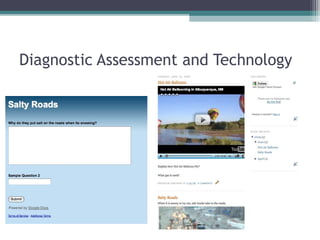
Diagnostic Assessment and Technology
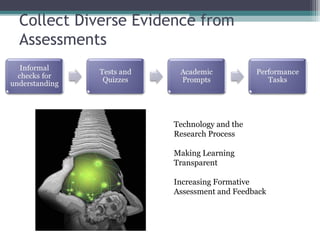
Collect Diverse Evidence from
Assessments


                    Technology and the
                    Research Process

                    Making Learning
                    Transparent

                    Increasing Formative
                    Assessment and Feedback
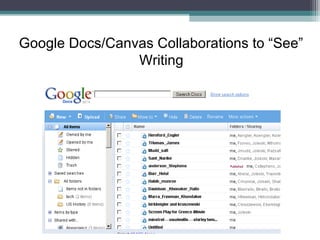
Google Docs/Canvas Collaborations to “See”
                Writing
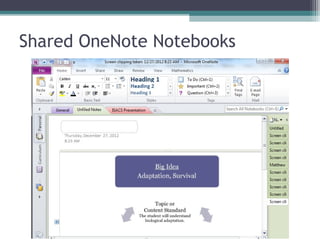
Shared OneNote Notebooks


               Exercise Workbook wih
               Audio and Video
               Ability to Share
               Also good for Research
               Notebook
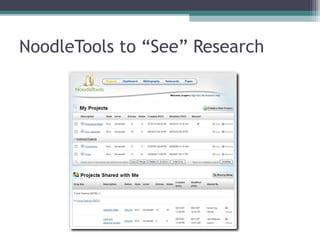
NoodleTools to “See” Research
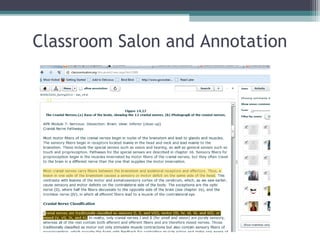
Classroom Salon and Annotation
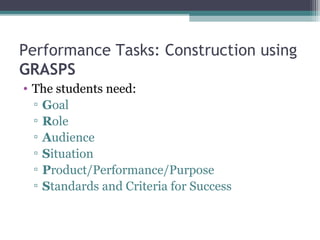
Performance Tasks: Construction using
GRASPS
• The students need:
  ▫ Goal
  ▫ Role
  ▫ Audience
  ▫ Situation
  ▫ Product/Performance/Purpose
  ▫ Standards and Criteria for Success
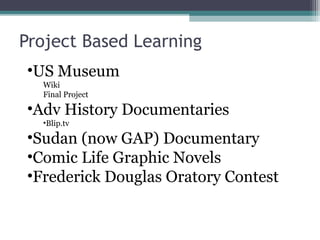
Project Based Learning
•US Museum
  Wiki
  Final Project

•Adv History Documentaries
  •Blip.tv

•Sudan (now GAP) Documentary
•Comic Life Graphic Novels
•Frederick Douglas Oratory Contest
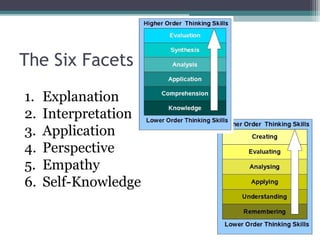
The Six Facets
1.   Explanation
2.   Interpretation
3.   Application
4.   Perspective
5.   Empathy
6.   Self-Knowledge
Reflection- The Sixth Facet
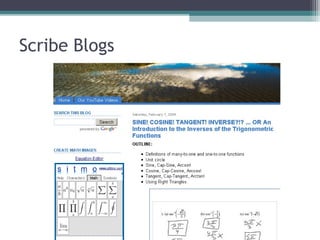
Scribe Blogs
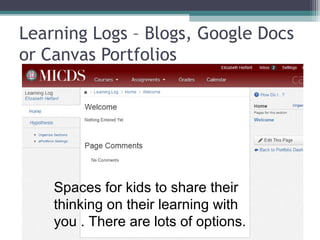
Learning Logs – Blogs, Google Docs
or Canvas Portfolios


    Spaces for kids to share their
    thinking on their learning with
    you . There are lots of options.
WHERETO [UbD Stage 3
 Creating the Learning
 ▫ Plan Where/Why/What -
 ▫ Hook
 ▫ Explore/Experience/Equip
 ▫ Rethink/Rehearse/Revise/Refine
 ▫ Evaluate
 ▫ Tailored
 ▫ Organized
WHERETO
 ▫ Plan Where/Why/What –
   Plan collectively with Google Docs or Wiki
   Post Expectations Clearly Online

 ▫ Hook
   Consider Multimedia as a hook
   Consider Nonfictions – guided annotation reading
     WebNotes or Diigo
WHERETO
 ▫ Explore/Experience/Equip
   Deliver information on Skills via Online Video-
     Lab Skills on Video or Voicethread

 ▫ Rethink/Rehearse/Revise/Refine
   Ustream Presentations for reflection and critique
   Use OneNote Tags as Reflection Study Tool
WHERETO
 ▫ Evaluate (self-Evaluation)
      DyKnow Polls
      PollEverywhere
      Blogs
      Google Forms
 ▫ Tailored
    Use Creative Tools – Vary Them
        Photostories, Graphic Novels, WikiBook, Mixbook
 ▫ Organized

Canvas ubd tech

  • 1.
    Using Tech to“See” Understanding
  • 2.
  • 3.
    Collect Diverse Evidencefrom Assessments Technology and the Research Process Making Learning Transparent Increasing Formative Assessment and Feedback
  • 4.
  • 5.
    Shared OneNote Notebooks Exercise Workbook wih Audio and Video Ability to Share Also good for Research Notebook
  • 6.
  • 7.
  • 8.
    Performance Tasks: Constructionusing GRASPS • The students need: ▫ Goal ▫ Role ▫ Audience ▫ Situation ▫ Product/Performance/Purpose ▫ Standards and Criteria for Success
  • 9.
    Project Based Learning •USMuseum Wiki Final Project •Adv History Documentaries •Blip.tv •Sudan (now GAP) Documentary •Comic Life Graphic Novels •Frederick Douglas Oratory Contest
  • 10.
    The Six Facets 1. Explanation 2. Interpretation 3. Application 4. Perspective 5. Empathy 6. Self-Knowledge
  • 11.
  • 12.
  • 13.
    Learning Logs –Blogs, Google Docs or Canvas Portfolios Spaces for kids to share their thinking on their learning with you . There are lots of options.
  • 14.
    WHERETO [UbD Stage3 Creating the Learning ▫ Plan Where/Why/What - ▫ Hook ▫ Explore/Experience/Equip ▫ Rethink/Rehearse/Revise/Refine ▫ Evaluate ▫ Tailored ▫ Organized
  • 15.
    WHERETO ▫ PlanWhere/Why/What –  Plan collectively with Google Docs or Wiki  Post Expectations Clearly Online ▫ Hook  Consider Multimedia as a hook  Consider Nonfictions – guided annotation reading  WebNotes or Diigo
  • 16.
    WHERETO ▫ Explore/Experience/Equip  Deliver information on Skills via Online Video-  Lab Skills on Video or Voicethread ▫ Rethink/Rehearse/Revise/Refine  Ustream Presentations for reflection and critique  Use OneNote Tags as Reflection Study Tool
  • 17.
    WHERETO ▫ Evaluate(self-Evaluation)  DyKnow Polls  PollEverywhere  Blogs  Google Forms ▫ Tailored  Use Creative Tools – Vary Them  Photostories, Graphic Novels, WikiBook, Mixbook ▫ Organized

Editor's Notes

  • #4 Prompts- essay, letter, journal entry, test, quiz, observations, dialogue, blog Handout pg 142 Google form p 143
  • #6 RSS with Feedbeater.com to follow Allows images, audio, video to be inserted Shared with teacher or with groups
  • #9 Handouts p 168-172
  • #13 Metacognitive, diagnostic, english questions