Bootstrap Workout
Rob Davarnia

@robdvr - robdvr@gmail.com - robdvr.com
About me
Senior Full Stack Developer at GigaSavvy
Passionate about Ruby on Rails, Node.js, and Angular
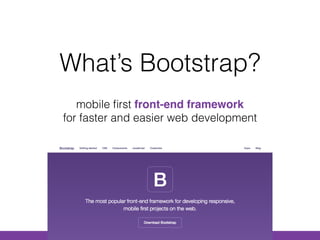
What’s Bootstrap?
mobile first front-end framework 

for faster and easier web development
Front-end Development
what users see (user interface)

HTML / CSS / JavaScript
What’s a Framework?
structure that includes libraries of code


1. Code and File Organization

2. Libraries & Extensions

3. Faster Development

4. Community

5. Updates

How it all started…
• Developed by Mark Otto @mdo and Jacob
Thornton @fat at Twitter
• Bootstrap was released in August 2011 by
Twitter
• They wanted to develop a front-end framework
with consistency across the board
• Github: Most Forked / Starred
• Joomla 3.0 uses Bootstrap
• Toyota
• NASA
• MSNBC
Bootstrap is popular!
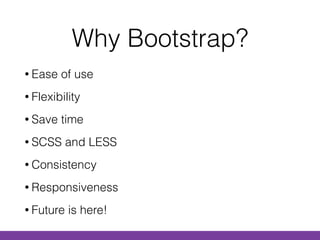
Why Bootstrap?
• Ease of use
• Flexibility
• Save time
• SCSS and LESS
• Consistency
• Responsiveness
• Future is here!
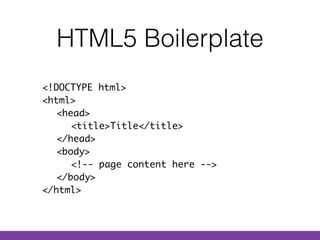
HTML5 Boilerplate
<!DOCTYPE html>

<html>

<head>

<title>Title</title>

</head>

<body>

<!-- page content here --> 

</body>

</html>
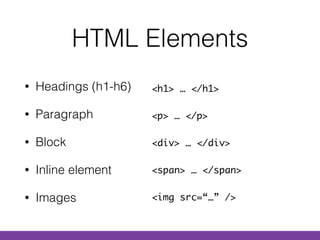
HTML Elements
• Headings (h1-h6)
• Paragraph
• Block
• Inline element
• Images
<h1> … </h1>
<p> … </p>
<div> … </div>
<span> … </span>
<img src=“…” />
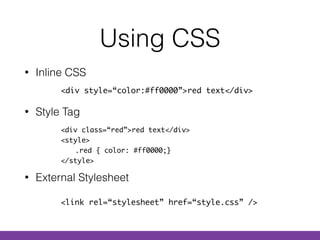
Using CSS
• Inline CSS

• Style Tag 


• External Stylesheet
<div style=“color:#ff0000”>red text</div>
<div class=“red”>red text</div>

<style>

.red { color: #ff0000;}

</style>
<link rel=“stylesheet” href=“style.css” />
Tools I use
Chrome Firefox Dev Tools Sublime Text
Setup Dev. Tools
(or Firebug)
Hands on
Getting Started

(getbootstrap.com)
Hands on
Tools I use
Chrome Firefox Dev Tools Sublime Text
What’s Less?
Less is a CSS Pre-Processor.
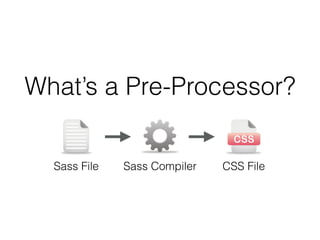
What’s a Pre-Processor?
Sass File Sass Compiler CSS File
Why Less?
CSS is simple, but simple is not necessarily scalable. 

Less teaches CSS new tricks.
Variables, Functions, and more…
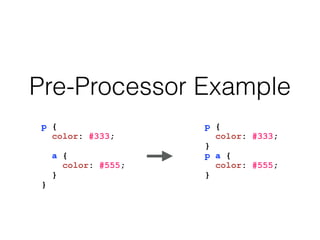
Pre-Processor Example
p {
color: #333;
a {
color: #555;
}
}
p {
color: #333;
}
p a {
color: #555;
}
What’s Grunt?
A JavaScript-based task runner to perform repetitive tasks.
Grunt + Less help us compile Less.
How does Grunt work?
Grunt performs tasks you create like compiling Less
or live refreshing browser
Grunt Settings
Gruntfile.js includes all the settings for grunt
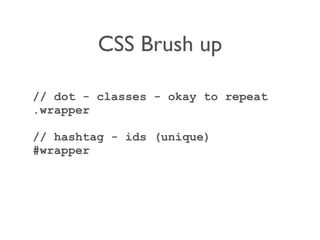
CSS Brush up
// dot - classes - okay to repeat
.wrapper
// hashtag - ids (unique)
#wrapper
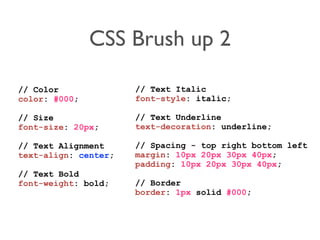
CSS Brush up 2
// Color
color: #000;
// Size
font-size: 20px;
// Text Alignment
text-align: center;
// Text Bold
font-weight: bold;
// Text Italic
font-style: italic;
// Text Underline
text-decoration: underline;
// Spacing - top right bottom left
margin: 10px 20px 30px 40px;
padding: 10px 20px 30px 40px;
// Border
border: 1px solid #000;
Layouts with Bootstrap
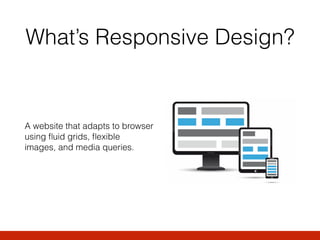
What’s Responsive Design?
A website that adapts to browser
using fluid grids, flexible
images, and media queries.

RWD: Grids
Uses proportion-based sizing instead of fixed width
using pixels/points
RWD: Flexible Images
Displaying an image proportional to the grid or
container
RWD: Media Queries
CSS3 Standard to determine the screen size and
adjust elements’ style
@media screen and (min-width:500px) { ... }
RWD: Screen Sizes
Extra Small

Small

Medium

Large
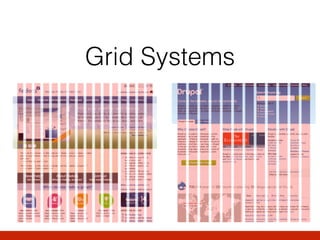
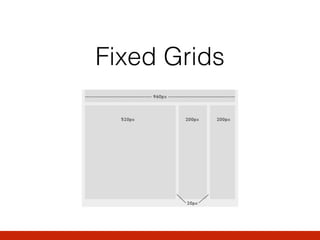
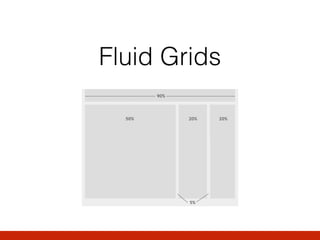
Grid Systems
Fixed Grids
Fluid Grids
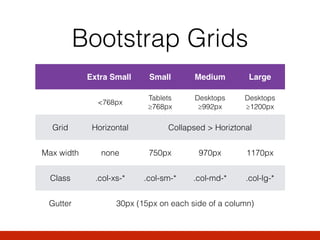
Bootstrap Grids
Extra Small Small Medium Large
<768px
Tablets

≥768px
Desktops

≥992px
Desktops

≥1200px
Grid Horizontal Collapsed > Horiztonal
Max width none 750px 970px 1170px
Class .col-xs-* .col-sm-* .col-md-* .col-lg-*
Gutter 30px (15px on each side of a column)
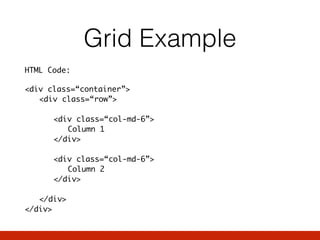
Grid Example
HTML Code:
<div class=“container”>

<div class=“row”>


<div class=“col-md-6”>

Column 1

</div>


<div class=“col-md-6”>

Column 2

</div>


</div>

</div>
Grid Demo
Hands on
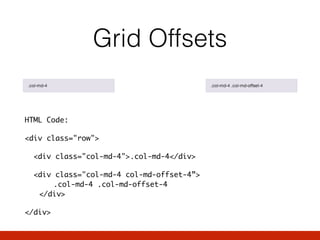
Grid Offsets
HTML Code:
<div class="row">
<div class="col-md-4">.col-md-4</div>
<div class="col-md-4 col-md-offset-4”>

.col-md-4 .col-md-offset-4

</div>
</div>
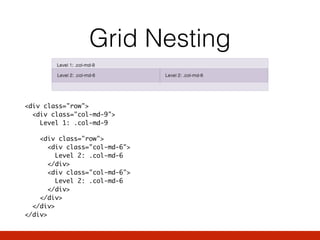
Grid Nesting


<div class="row">

<div class="col-md-9">

Level 1: .col-md-9
<div class="row">

<div class="col-md-6">

Level 2: .col-md-6

</div>

<div class="col-md-6">

Level 2: .col-md-6

</div>

</div>

</div>

</div>
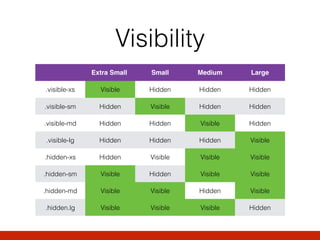
Visibility
Extra Small Small Medium Large
.visible-xs Visible Hidden Hidden Hidden
.visible-sm Hidden Visible Hidden Hidden
.visible-md Hidden Hidden Visible Hidden
.visible-lg Hidden Hidden Hidden Visible
.hidden-xs Hidden Visible Visible Visible
.hidden-sm Visible Hidden Visible Visible
.hidden-md Visible Visible Hidden Visible
.hidden.lg Visible Visible Visible Hidden
Visibility Demo
Hands on
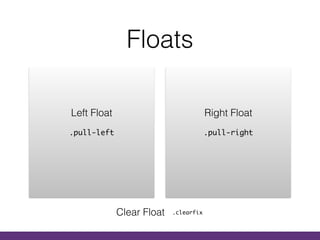
Floats
.pull-left
Left Float
.pull-right
Right Float
Clear Float .clearfix
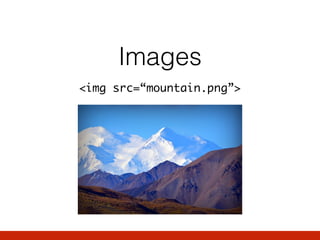
Images
<img src=“mountain.png”>
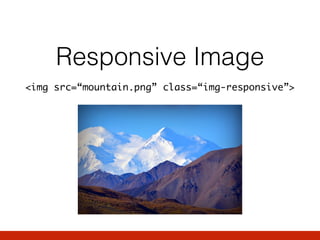
Responsive Image
<img src=“mountain.png” class=“img-responsive”>
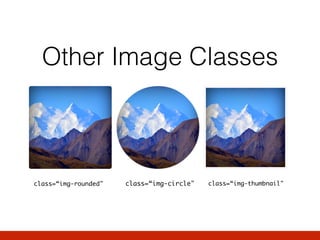
Other Image Classes
class=“img-rounded" class=“img-circle" class=“img-thumbnail"
Buttons
Buttons Types

Button Sizes

Inactive Buttons

Responsive Buttons

Button Tags

Button Icons
Hands on
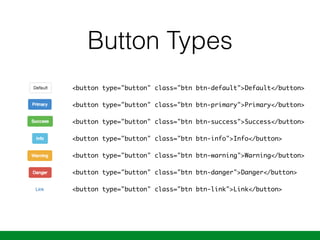
Button Types
<button type="button" class="btn btn-default">Default</button>


<button type="button" class="btn btn-primary">Primary</button>


<button type="button" class="btn btn-success">Success</button>


<button type="button" class="btn btn-info">Info</button>


<button type="button" class="btn btn-warning">Warning</button>


<button type="button" class="btn btn-danger">Danger</button>


<button type="button" class="btn btn-link">Link</button>
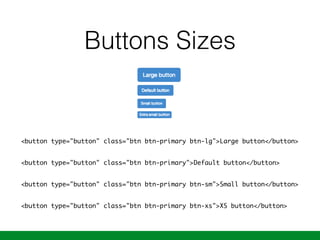
Buttons Sizes
<button type="button" class="btn btn-primary btn-lg">Large button</button>
<button type="button" class="btn btn-primary">Default button</button>
<button type="button" class="btn btn-primary btn-sm">Small button</button>
<button type="button" class="btn btn-primary btn-xs">XS button</button>
Typography
Headings

Lead

Bold / Italics

Alignments

…
Hands on
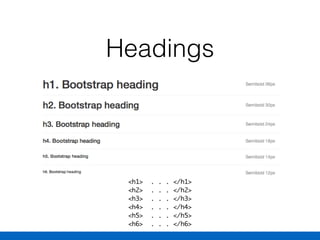
Headings
<h1> . . . </h1>

<h2> . . . </h2>

<h3> . . . </h3>

<h4> . . . </h4>

<h5> . . . </h5>

<h6> . . . </h6>
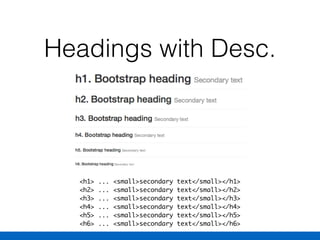
Headings with Desc.
<h1> ... <small>secondary text</small></h1>

<h2> ... <small>secondary text</small></h2>

<h3> ... <small>secondary text</small></h3>

<h4> ... <small>secondary text</small></h4>

<h5> ... <small>secondary text</small></h5>

<h6> ... <small>secondary text</small></h6>
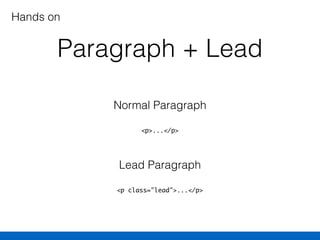
Paragraph + Lead
<p>...</p>
Normal Paragraph
<p class="lead">...</p>
Lead Paragraph
Hands on
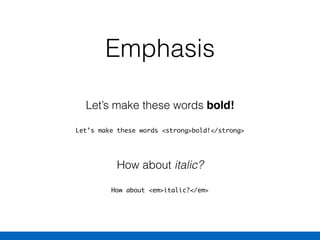
Emphasis
Let’s make these words <strong>bold!</strong>
Let’s make these words bold!
How about <em>italic?</em>
How about italic?
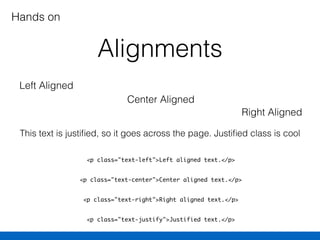
Alignments
<p class="text-left">Left aligned text.</p>
<p class="text-center">Center aligned text.</p>
<p class="text-right">Right aligned text.</p>
<p class="text-justify">Justified text.</p>
Left Aligned
Hands on
Center Aligned
Right Aligned
This text is justified, so it goes across the page. Justified class is cool
Questions / Comments / Suggestions

Bootstrap Workout 2015