BLUEJACKING
GROUP 4
LOADING
100%
90%
80%
70%
60%
50%
40%
30%
20%
10%
START SESSION
END SESSION
INTRODUCTION

BLUEJACKING
SOFTWARE

ORIGIN

USAGE OF
BLUEJACKING

HOW TO DO?

CONCLUSION
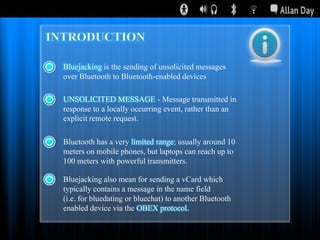
Bluejacking is the sending of unsolicited messages
over Bluetooth to Bluetooth-enabled devices
UNSOLICITED MESSAGE - Message transmitted in
response to a locally occurring event, rather than an
explicit remote request.
Bluetooth has a very limited range; usually around 10
meters on mobile phones, but laptops can reach up to
100 meters with powerful transmitters.
Bluejacking also mean for sending a vCard which
typically contains a message in the name field
(i.e. for bluedating or bluechat) to another Bluetooth
enabled device via the OBEX protocol.
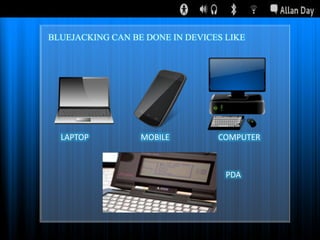
BLUEJACKING CAN BE DONE IN DEVICES LIKE

LAPTOP

MOBILE

COMPUTER

PDA
INTRODUCTION

BLUEJACKING
SOFTWARE

ORIGIN

USAGE OF
BLUEJACKING

HOW TO DO?

CONCLUSION
ORIGIN
This bluejack phenomenon started after a
Malaysian IT consultant named “Ajack” posted a
comment on a mobile phone forum.
Ajack told IT Web that he used his Ericsson cell phone
in a bank to send a message to someone with a Nokia
7650.
Ajack did a Bluetooth discovery to see if there was
another Bluetooth device around. Discovering a Nokia
7650 in the vicinity, he created a new contact and
filled in the first name with „Buy Ericsson! and sent a
business card to the Nokia phone.
INTRODUCTION

BLUEJACKING
SOFTWARE

ORIGIN

USAGE OF
BLUEJACKING

HOW TO DO?

CONCLUSION
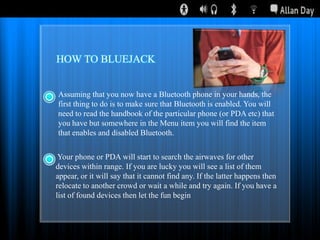
HOW TO BLUEJACK
Assuming that you now have a Bluetooth phone in your hands, the
first thing to do is to make sure that Bluetooth is enabled. You will
need to read the handbook of the particular phone (or PDA etc) that
you have but somewhere in the Menu item you will find the item
that enables and disabled Bluetooth.
Your phone or PDA will start to search the airwaves for other
devices within range. If you are lucky you will see a list of them
appear, or it will say that it cannot find any. If the latter happens then
relocate to another crowd or wait a while and try again. If you have a
list of found devices then let the fun begin
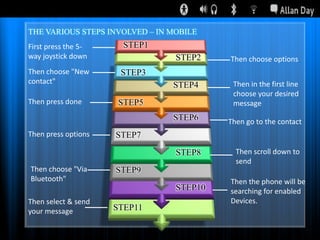
THE VARIOUS STEPS INVOLVED – IN MOBILE
First press the 5way joystick down
Then choose "New
contact"

STEP1

STEP2

Then choose options

STEP3

Then press options

Then in the first line
choose your desired
message

STEP6

Then press done

STEP4

Then go to the contact

STEP5

STEP7

STEP8

STEP10

Then choose "Via
Bluetooth"
Then select & send
your message

Then scroll down to
send
Then the phone will be
searching for enabled
Devices.

STEP9

STEP11
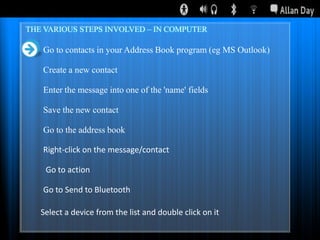
THE VARIOUS STEPS INVOLVED – IN COMPUTER

Go to contacts in your Address Book program (eg MS Outlook)
Create a new contact
Enter the message into one of the 'name' fields
Save the new contact
Go to the address book
Right-click on the message/contact

Go to action
Go to Send to Bluetooth
Select a device from the list and double click on it
INTRODUCTION

BLUEJACKING
SOFTWARE

ORIGIN

USAGE OF
BLUEJACKING

HOW TO DO?

CONCLUSION
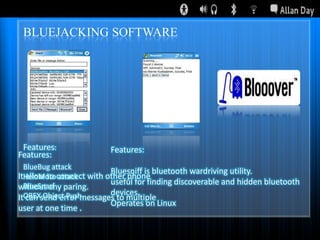
BLUEJACKING SOFTWARE

Features:
Features:

Features:

BlueBug attack
Bluesniff is bluetooth wardriving utility.
ItHeloMotoconnect with other phone
allow to attack
useful for finding discoverable and hidden bluetooth
BlueSnarf
without any paring.
devices.
ItOBEXsend error messages to multiple
can Object Push

user at one time .

Operates on Linux
INTRODUCTION

BLUEJACKING
SOFTWARE

ORIGIN

USAGE OF
BLUEJACKING

HOW TO DO?

CONCLUSION
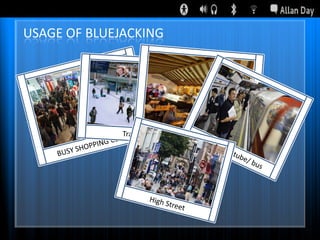
USAGE OF BLUEJACKING
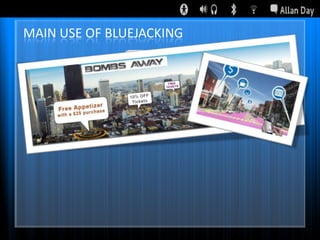
MAIN USE OF BLUEJACKING
INTRODUCTION

BLUEJACKING
SOFTWARE

ORIGIN

USAGE OF
BLUEJACKING

HOW TO DO?

CONCLUSION
Bluejacking is a technique by which we can
interact with new people and has ability to
revolutionaries market by sending advertisement
about the product,enterprise etc.
On the Bluetooth configured mobilephone so that
the people get aware about them byseeing them on
the phone
START SESSION
END SESSION
THANK YOU

Bluejacking