
FBW
             23-10-2012


Wim Van Criekinge
Programming


              • Variables
              • Flow control (if, regex …)
              • Loops

              • input/output
              • Subroutines/object
Three Basic Data Types


                  • Scalars - $
                  • Arrays of scalars - @
                  • Associative arrays of
                    scalers or Hashes - %
• [m]/PATTERN/[g][i][o]
• s/PATTERN/PATTERN/[g][i][e][o]
• tr/PATTERNLIST/PATTERNLIST/[c][d][s]
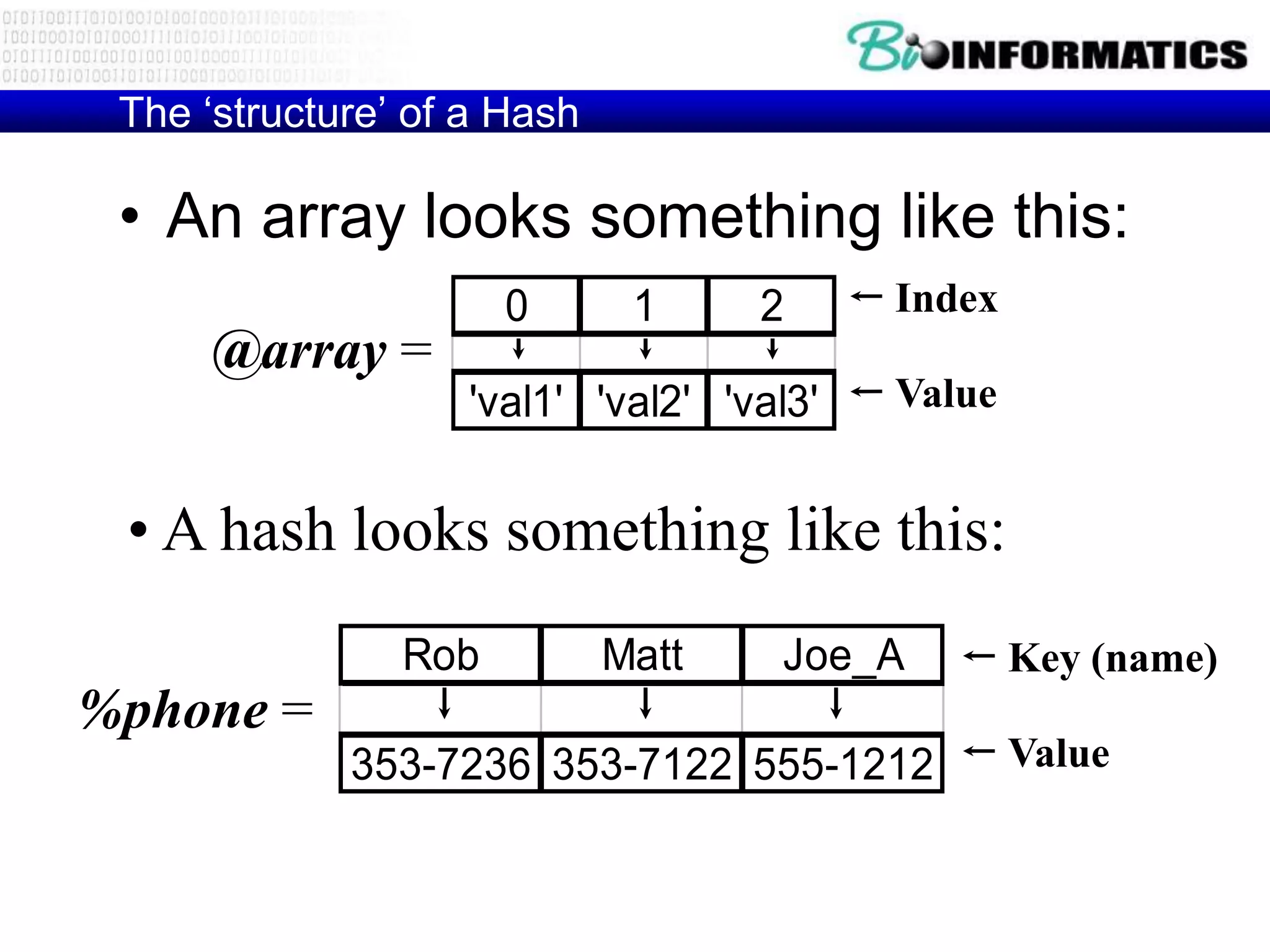
The „structure‟ of a Hash

 • An array looks something like this:
                      0       1     2      Index
      @array =
                    'val1' 'val2' 'val3'   Value


 • A hash looks something like this:
                Rob          Matt    Joe_A         Key (name)
%phone =
             353-7236 353-7122 555-1212            Value
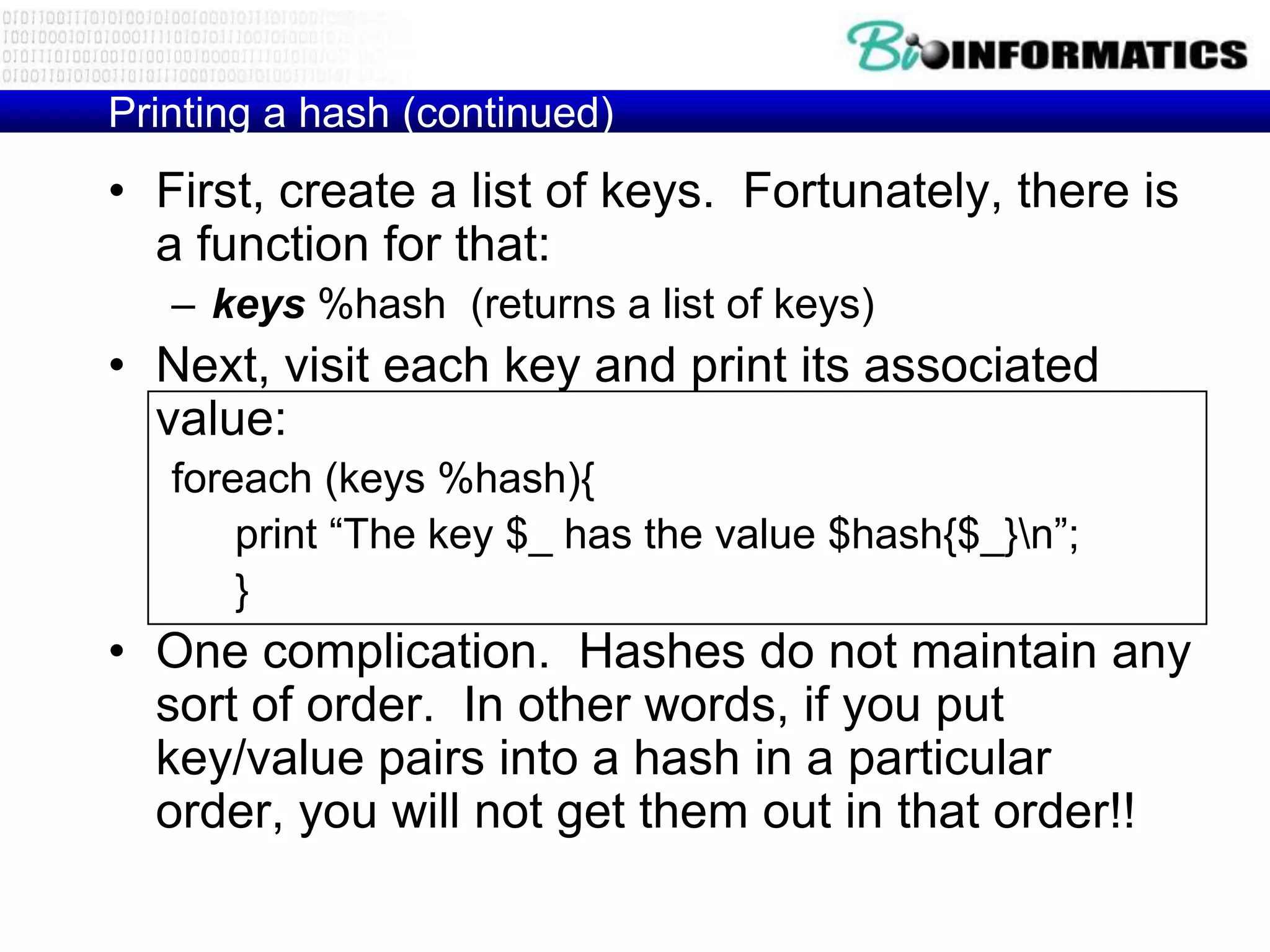
Printing a hash (continued)
• First, create a list of keys. Fortunately, there is
  a function for that:
   – keys %hash (returns a list of keys)
• Next, visit each key and print its associated
  value:
   foreach (keys %hash){
       print “The key $_ has the value $hash{$_}n”;
       }
• One complication. Hashes do not maintain any
  sort of order. In other words, if you put
  key/value pairs into a hash in a particular
  order, you will not get them out in that order!!
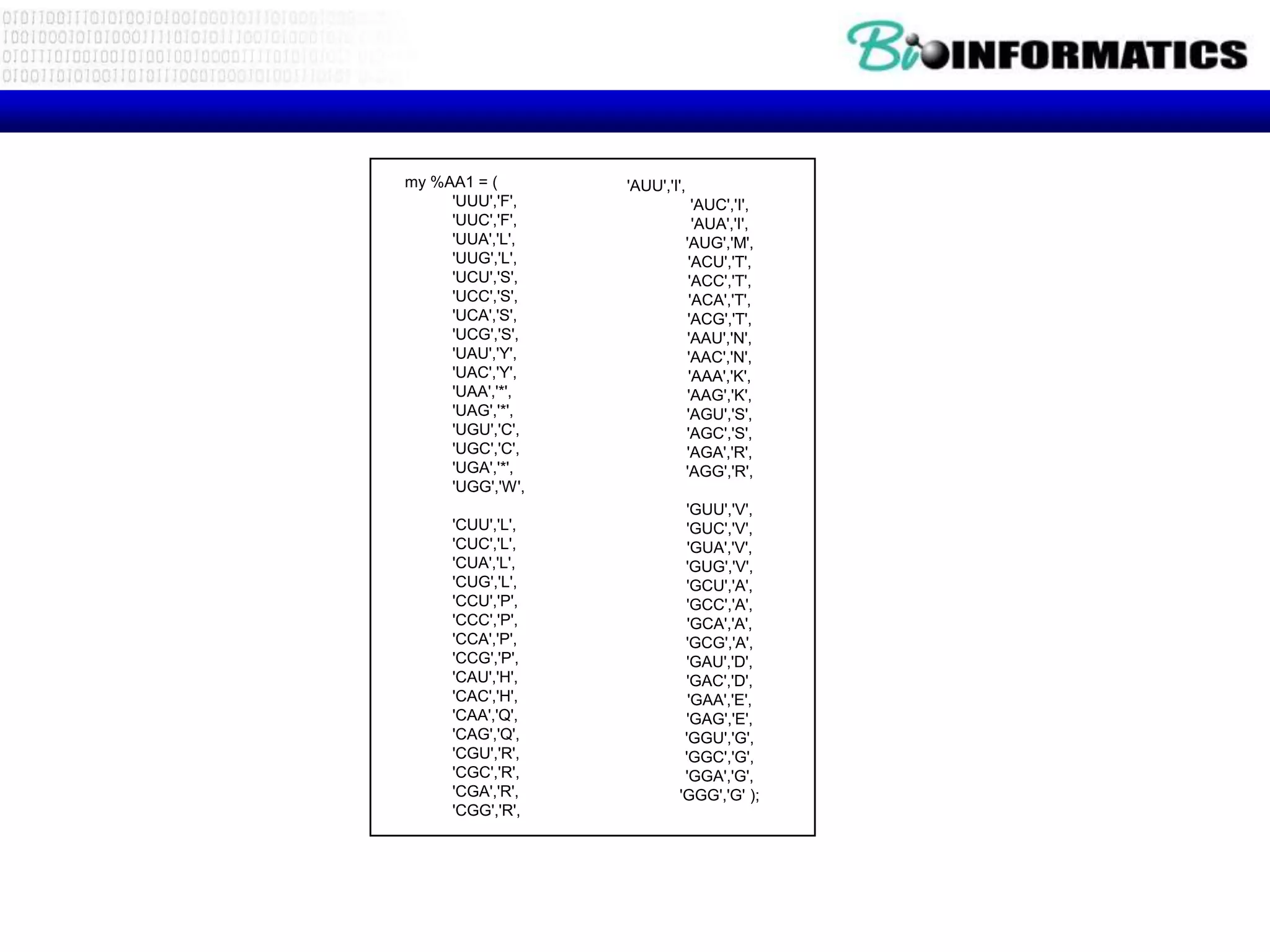
my %AA1 = (       'AUU','I',
     'UUU','F',                  'AUC','I',
     'UUC','F',                  'AUA','I',
     'UUA','L',                'AUG','M',
     'UUG','L',                 'ACU','T',
     'UCU','S',                 'ACC','T',
     'UCC','S',                 'ACA','T',
     'UCA','S',                 'ACG','T',
     'UCG','S',                'AAU','N',
     'UAU','Y',                'AAC','N',
     'UAC','Y',                 'AAA','K',
     'UAA','*',                'AAG','K',
     'UAG','*',                'AGU','S',
     'UGU','C',                'AGC','S',
     'UGC','C',                'AGA','R',
     'UGA','*',                'AGG','R',
     'UGG','W',
                           'GUU','V',
     'CUU','L',            'GUC','V',
     'CUC','L',             'GUA','V',
     'CUA','L',            'GUG','V',
     'CUG','L',            'GCU','A',
     'CCU','P',            'GCC','A',
     'CCC','P',             'GCA','A',
     'CCA','P',            'GCG','A',
     'CCG','P',            'GAU','D',
     'CAU','H',            'GAC','D',
     'CAC','H',             'GAA','E',
     'CAA','Q',            'GAG','E',
     'CAG','Q',            'GGU','G',
     'CGU','R',            'GGC','G',
     'CGC','R',            'GGA','G',
     'CGA','R',           'GGG','G' );
     'CGG','R',
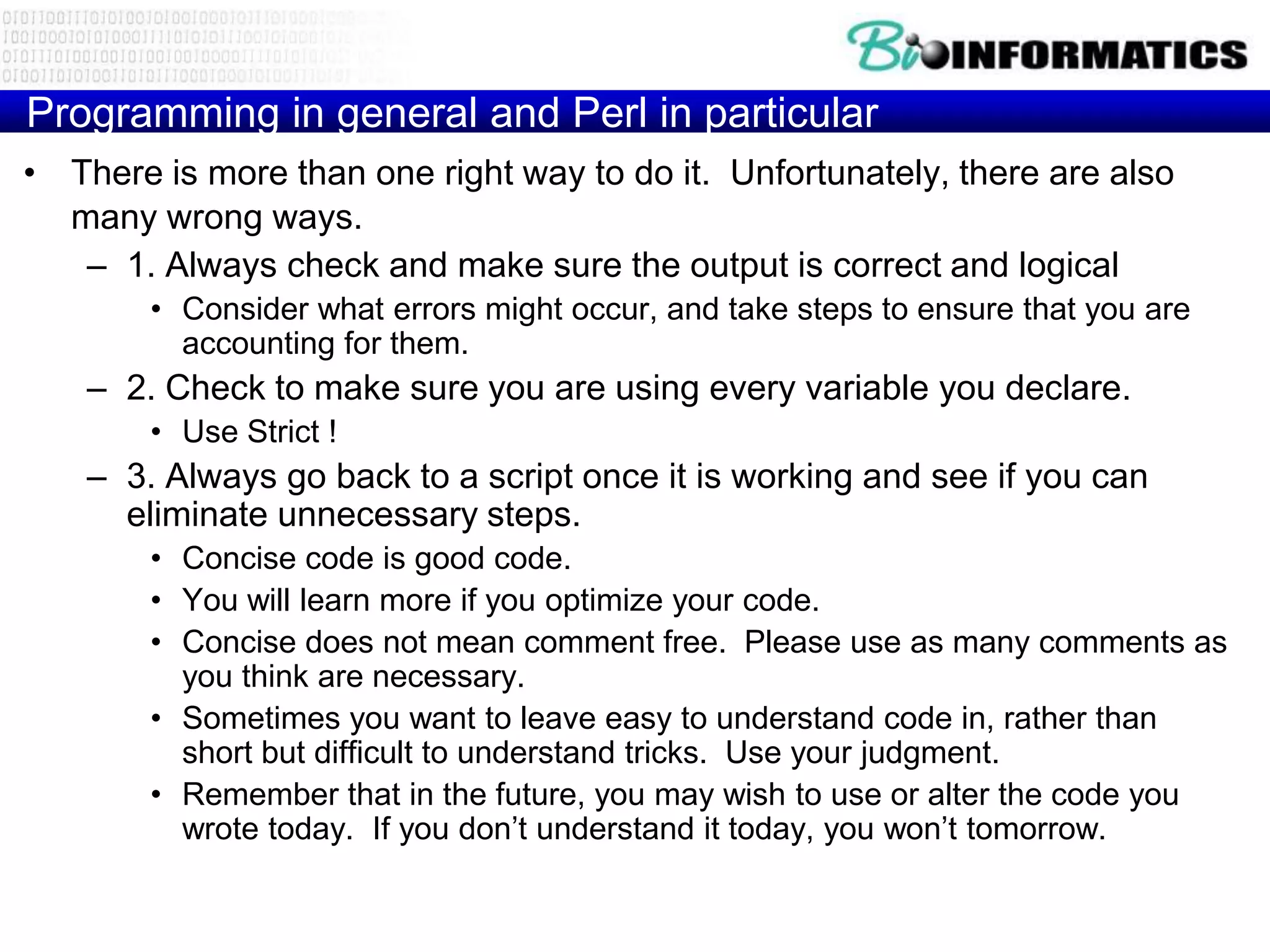
Programming in general and Perl in particular
• There is more than one right way to do it. Unfortunately, there are also
  many wrong ways.
   – 1. Always check and make sure the output is correct and logical
        • Consider what errors might occur, and take steps to ensure that you are
          accounting for them.
    – 2. Check to make sure you are using every variable you declare.
        • Use Strict !
    – 3. Always go back to a script once it is working and see if you can
      eliminate unnecessary steps.
        • Concise code is good code.
        • You will learn more if you optimize your code.
        • Concise does not mean comment free. Please use as many comments as
          you think are necessary.
        • Sometimes you want to leave easy to understand code in, rather than
          short but difficult to understand tricks. Use your judgment.
        • Remember that in the future, you may wish to use or alter the code you
          wrote today. If you don‟t understand it today, you won‟t tomorrow.
Programming in general and Perl in particular

Develop your program in stages. Once part of it works, save the
  working version to another file (or use a source code control
  system like RCS) before continuing to improve it.
When running interactively, show the user signs of activity.
  There is no need to dump everything to the screen (unless
  requested to), but a few words or a number change every few
  minutes will show that your program is doing something.
Comment your script. Any information on what it is doing or why
  might be useful to you a few months later.
Decide on a coding convention and stick to it. For example,
    – for variable names, begin globals with a capital letter and privates
      (my) with a lower case letter
    – indent new control structures with (say) 2 spaces
    – line up closing braces, as in: if (....) { ... ... }
    – Add blank lines between sections to improve readibility
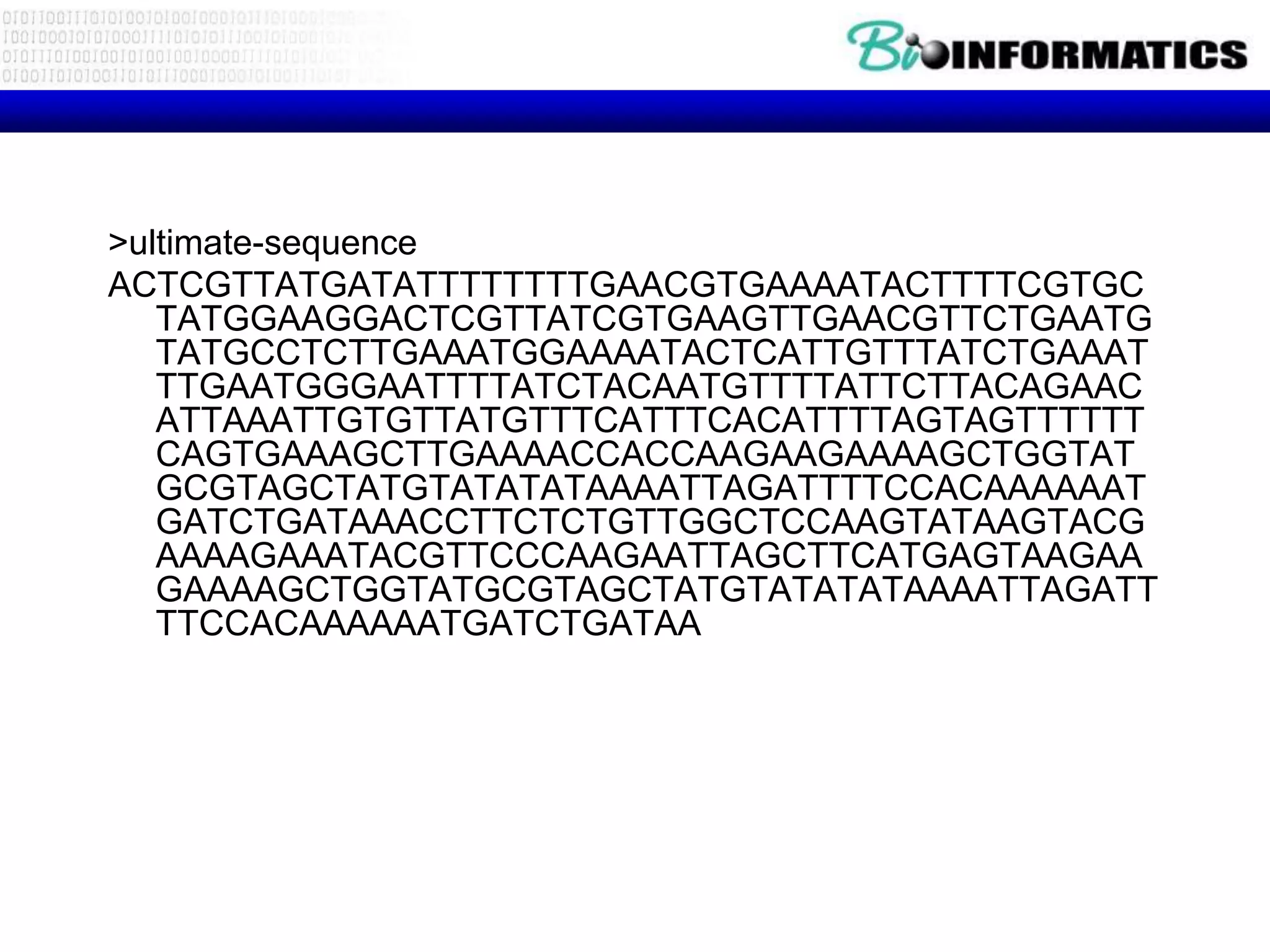
>ultimate-sequence
ACTCGTTATGATATTTTTTTTGAACGTGAAAATACTTTTCGTGC
   TATGGAAGGACTCGTTATCGTGAAGTTGAACGTTCTGAATG
   TATGCCTCTTGAAATGGAAAATACTCATTGTTTATCTGAAAT
   TTGAATGGGAATTTTATCTACAATGTTTTATTCTTACAGAAC
   ATTAAATTGTGTTATGTTTCATTTCACATTTTAGTAGTTTTTT
   CAGTGAAAGCTTGAAAACCACCAAGAAGAAAAGCTGGTAT
   GCGTAGCTATGTATATATAAAATTAGATTTTCCACAAAAAAT
   GATCTGATAAACCTTCTCTGTTGGCTCCAAGTATAAGTACG
   AAAAGAAATACGTTCCCAAGAATTAGCTTCATGAGTAAGAA
   GAAAAGCTGGTATGCGTAGCTATGTATATATAAAATTAGATT
   TTCCACAAAAAATGATCTGATAA
File input / output

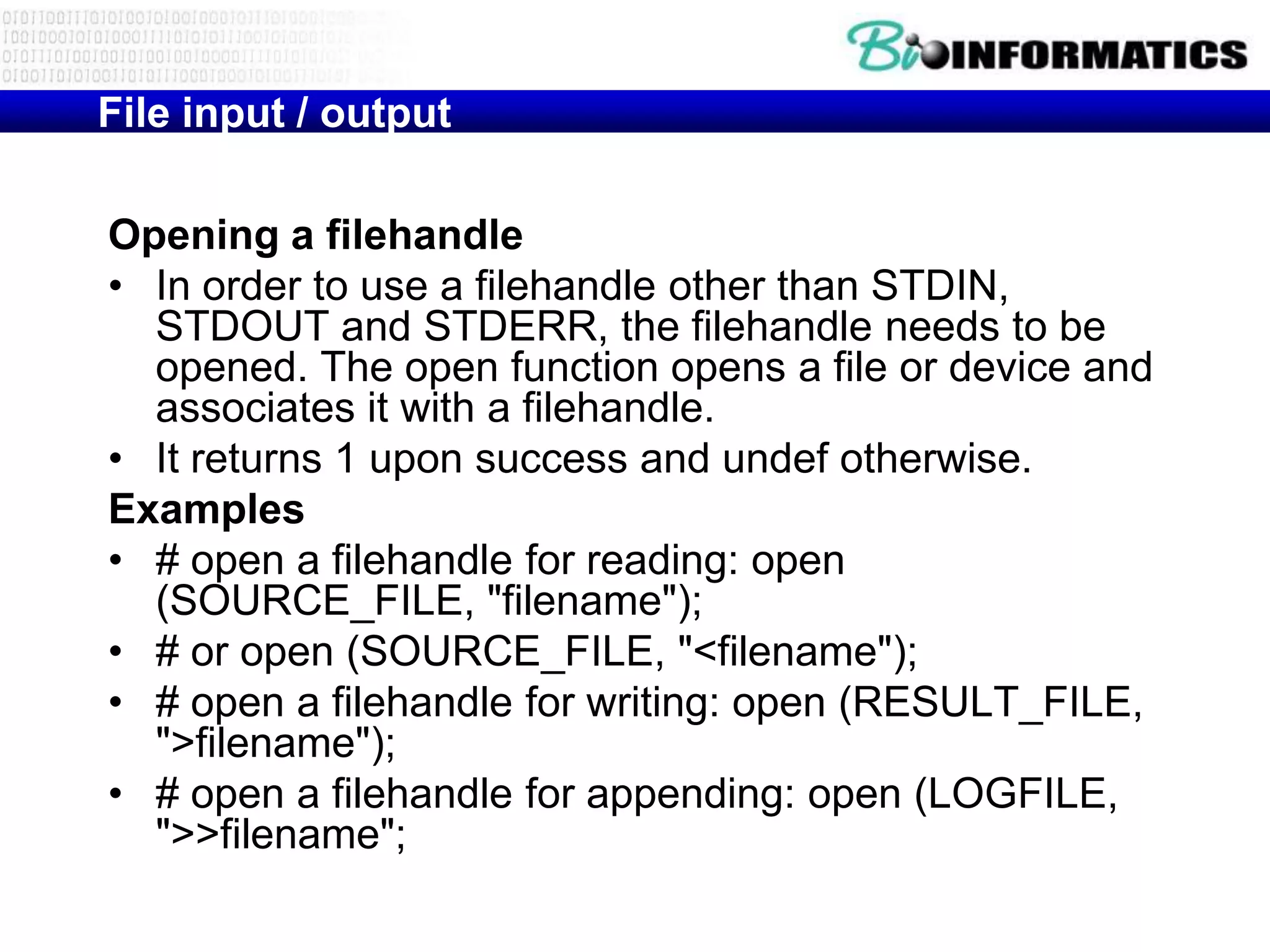
Opening a filehandle
• In order to use a filehandle other than STDIN,
  STDOUT and STDERR, the filehandle needs to be
  opened. The open function opens a file or device and
  associates it with a filehandle.
• It returns 1 upon success and undef otherwise.
Examples
• # open a filehandle for reading: open
  (SOURCE_FILE, "filename");
• # or open (SOURCE_FILE, "<filename");
• # open a filehandle for writing: open (RESULT_FILE,
  ">filename");
• # open a filehandle for appending: open (LOGFILE,
  ">>filename";
File input / output


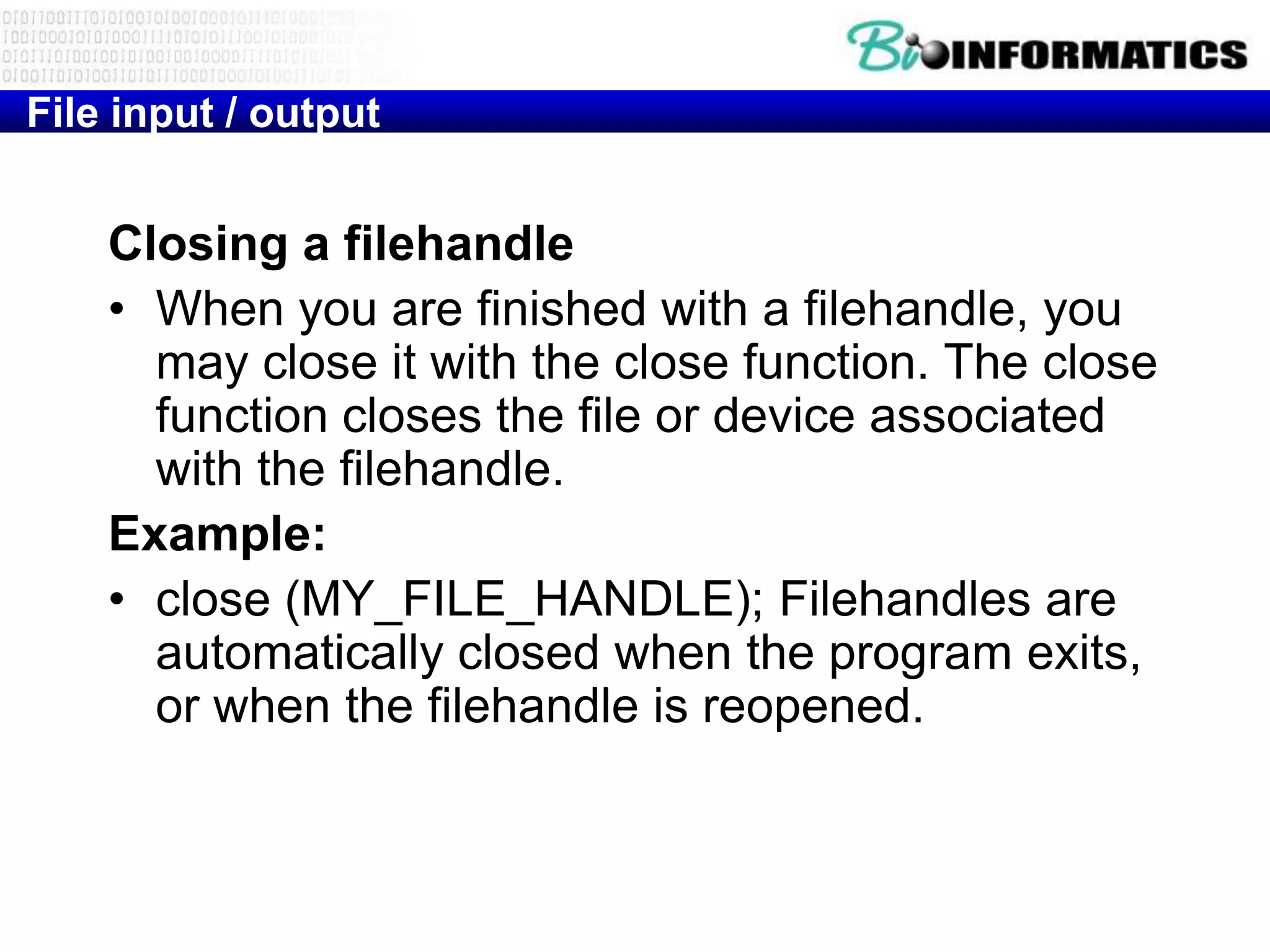
    Closing a filehandle
    • When you are finished with a filehandle, you
      may close it with the close function. The close
      function closes the file or device associated
      with the filehandle.
    Example:
    • close (MY_FILE_HANDLE); Filehandles are
      automatically closed when the program exits,
      or when the filehandle is reopened.
File input / output
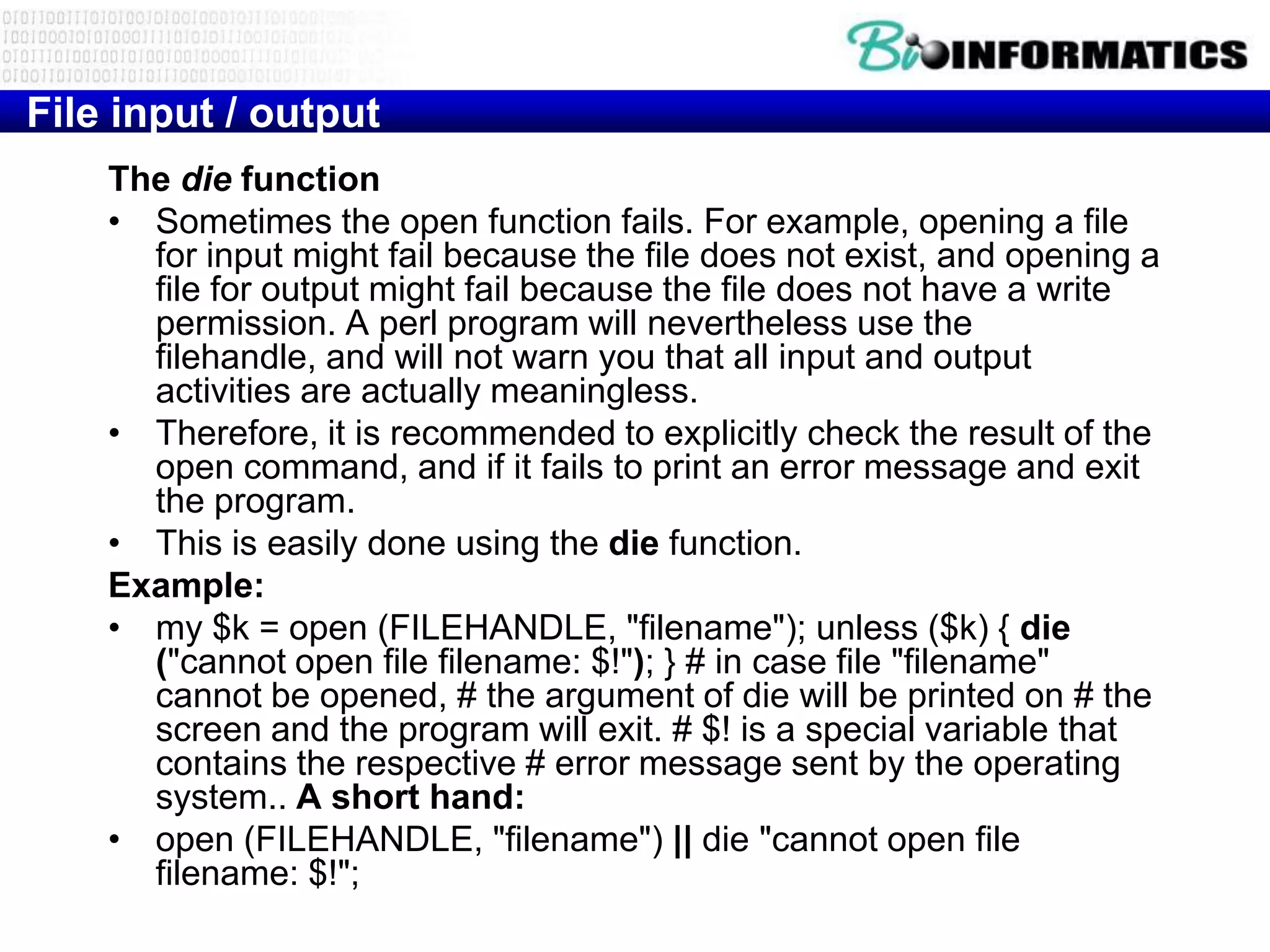
    The die function
    • Sometimes the open function fails. For example, opening a file
      for input might fail because the file does not exist, and opening a
      file for output might fail because the file does not have a write
      permission. A perl program will nevertheless use the
      filehandle, and will not warn you that all input and output
      activities are actually meaningless.
    • Therefore, it is recommended to explicitly check the result of the
      open command, and if it fails to print an error message and exit
      the program.
    • This is easily done using the die function.
    Example:
    • my $k = open (FILEHANDLE, "filename"); unless ($k) { die
      ("cannot open file filename: $!"); } # in case file "filename"
      cannot be opened, # the argument of die will be printed on # the
      screen and the program will exit. # $! is a special variable that
      contains the respective # error message sent by the operating
      system.. A short hand:
    • open (FILEHANDLE, "filename") || die "cannot open file
      filename: $!";
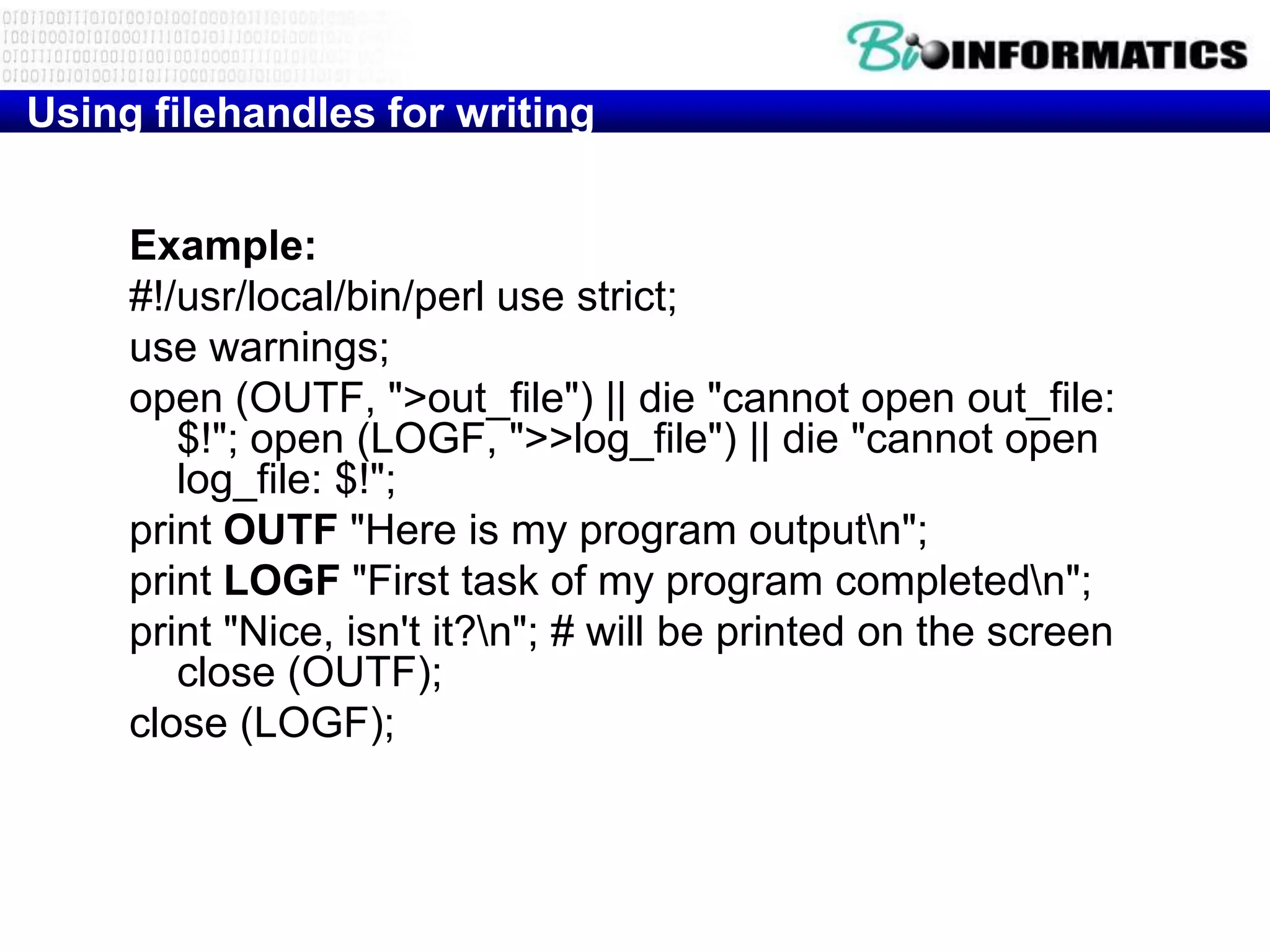
Using filehandles for writing


     Example:
     #!/usr/local/bin/perl use strict;
     use warnings;
     open (OUTF, ">out_file") || die "cannot open out_file:
        $!"; open (LOGF, ">>log_file") || die "cannot open
        log_file: $!";
     print OUTF "Here is my program outputn";
     print LOGF "First task of my program completedn";
     print "Nice, isn't it?n"; # will be printed on the screen
        close (OUTF);
     close (LOGF);
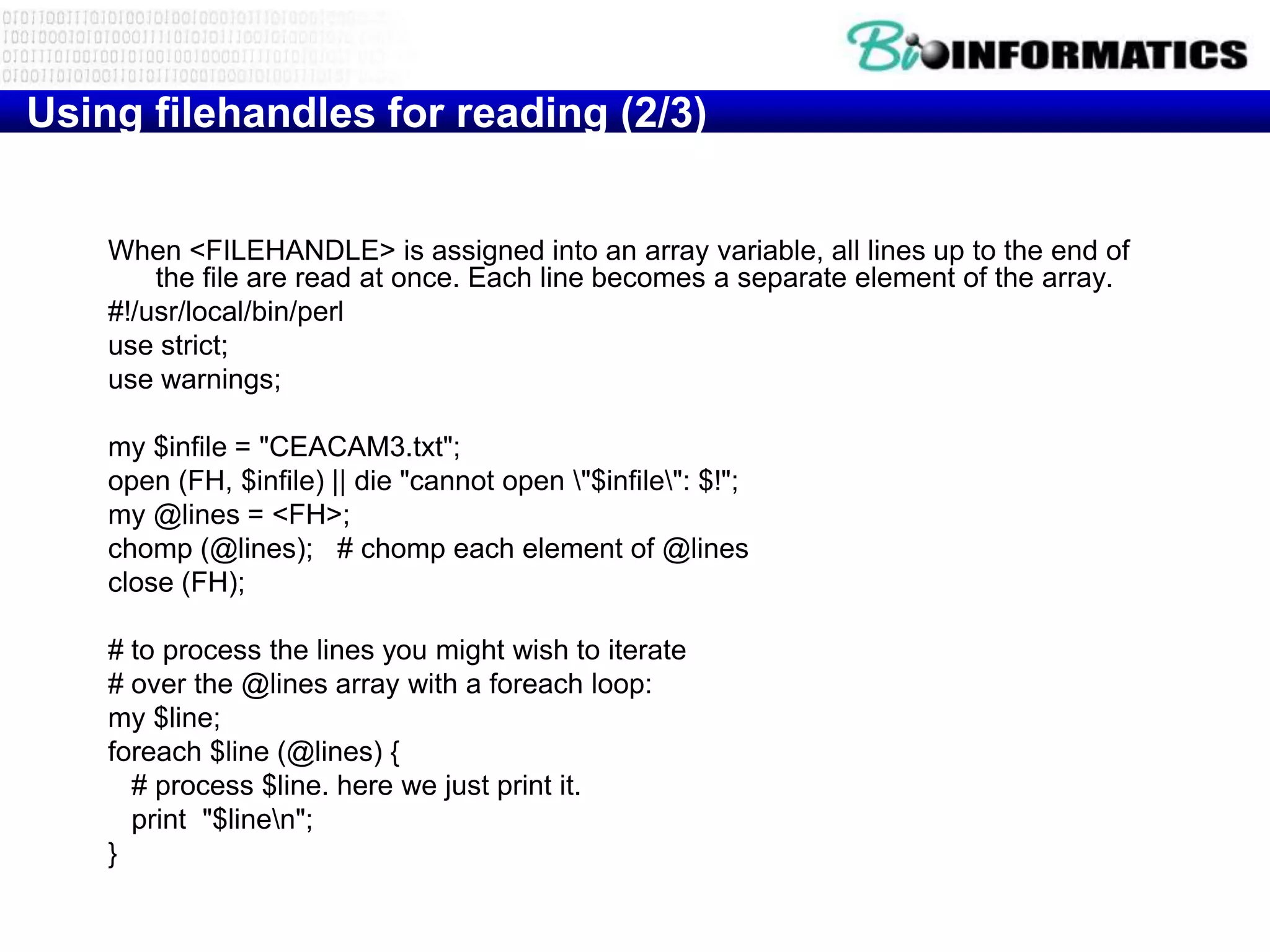
Using filehandles for reading (2/3)


    When <FILEHANDLE> is assigned into an array variable, all lines up to the end of
        the file are read at once. Each line becomes a separate element of the array.
    #!/usr/local/bin/perl
    use strict;
    use warnings;

    my $infile = "CEACAM3.txt";
    open (FH, $infile) || die "cannot open "$infile": $!";
    my @lines = <FH>;
    chomp (@lines); # chomp each element of @lines
    close (FH);

    # to process the lines you might wish to iterate
    # over the @lines array with a foreach loop:
    my $line;
    foreach $line (@lines) {
      # process $line. here we just print it.
      print "$linen";
    }
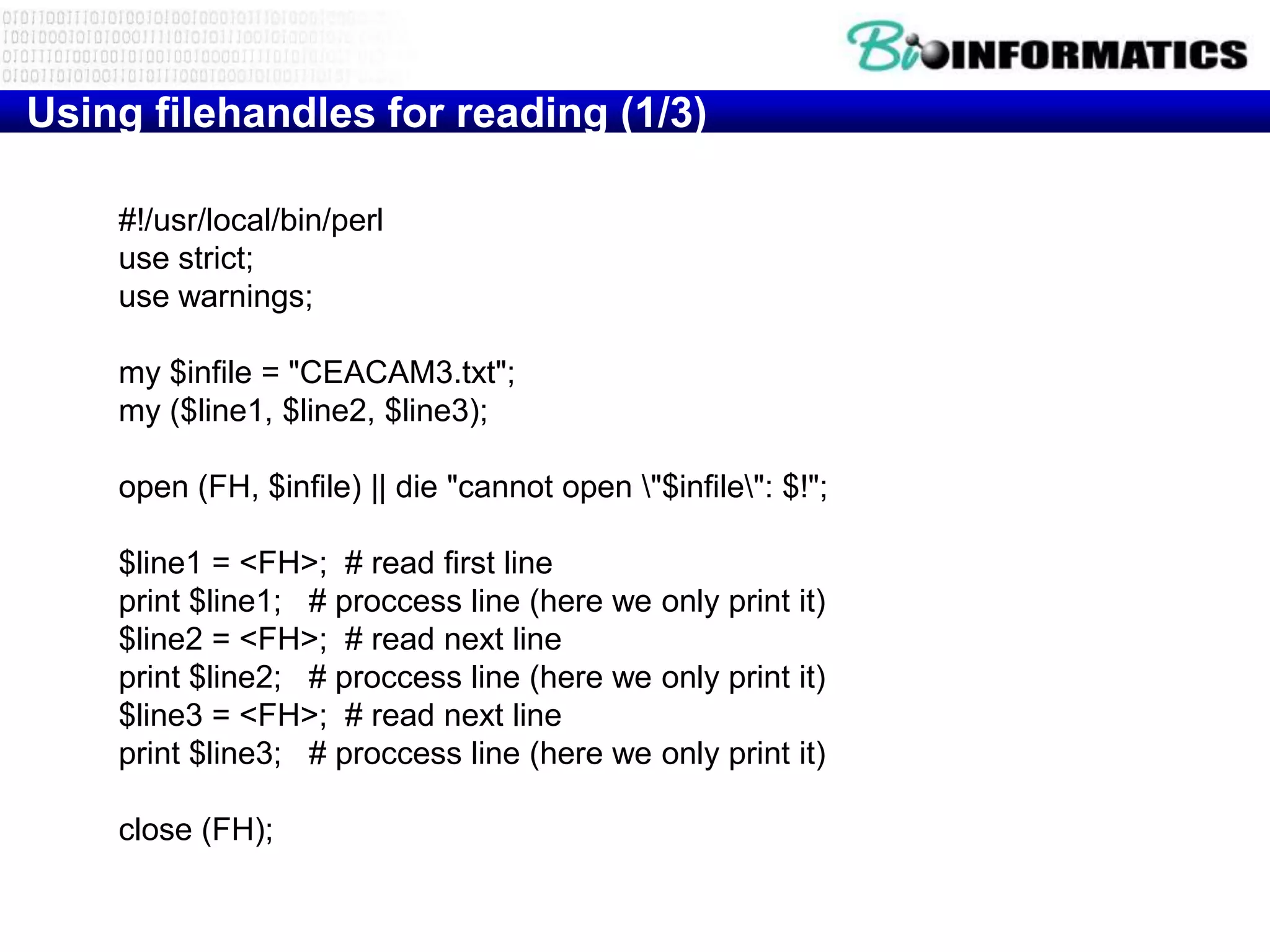
Using filehandles for reading (1/3)

    #!/usr/local/bin/perl
    use strict;
    use warnings;

    my $infile = "CEACAM3.txt";
    my ($line1, $line2, $line3);

    open (FH, $infile) || die "cannot open "$infile": $!";

    $line1 = <FH>; # read first line
    print $line1; # proccess line (here we only print it)
    $line2 = <FH>; # read next line
    print $line2; # proccess line (here we only print it)
    $line3 = <FH>; # read next line
    print $line3; # proccess line (here we only print it)

    close (FH);
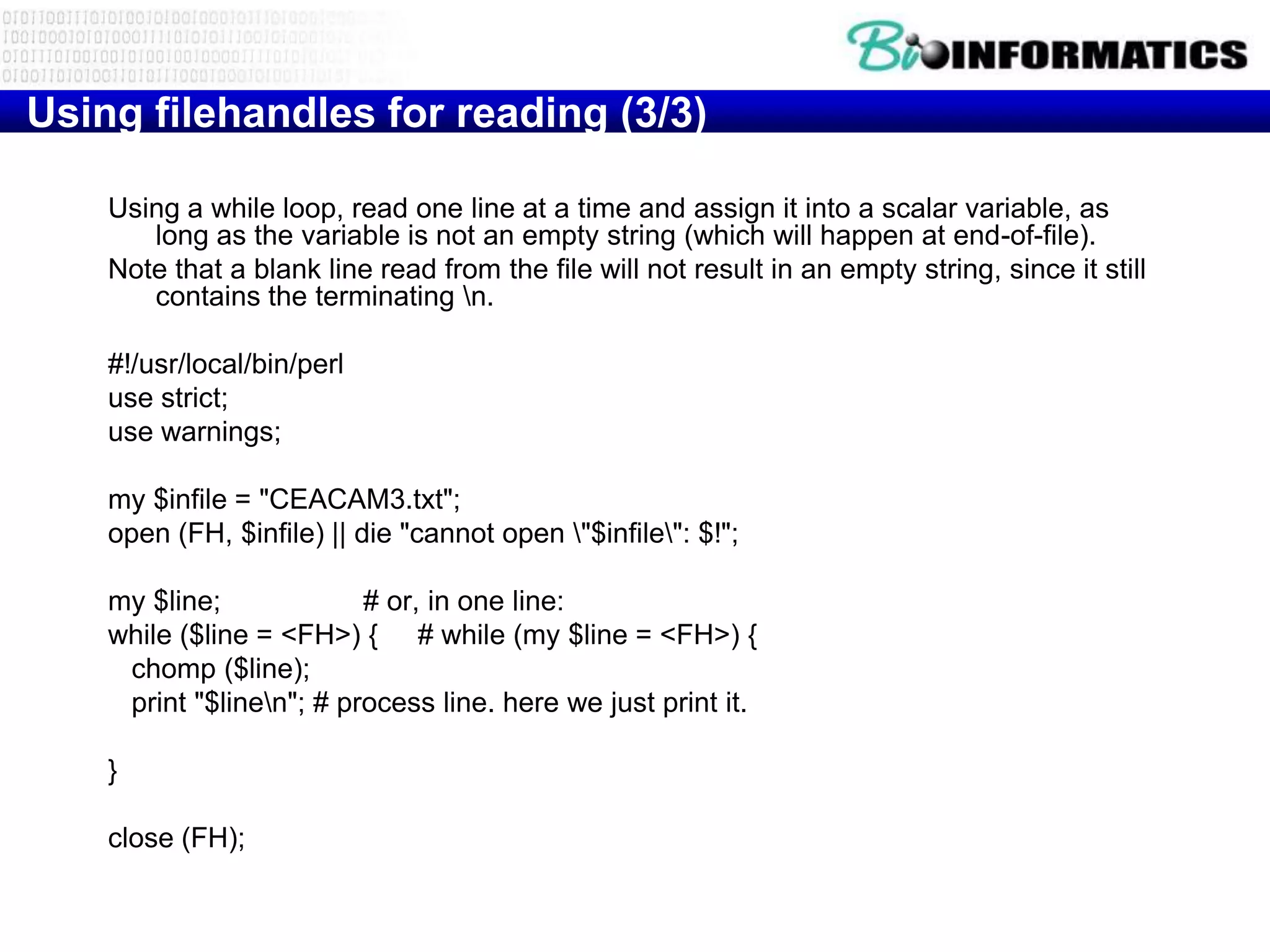
Using filehandles for reading (3/3)

    Using a while loop, read one line at a time and assign it into a scalar variable, as
       long as the variable is not an empty string (which will happen at end-of-file).
    Note that a blank line read from the file will not result in an empty string, since it still
       contains the terminating n.

    #!/usr/local/bin/perl
    use strict;
    use warnings;

    my $infile = "CEACAM3.txt";
    open (FH, $infile) || die "cannot open "$infile": $!";

    my $line;             # or, in one line:
    while ($line = <FH>) { # while (my $line = <FH>) {
     chomp ($line);
     print "$linen"; # process line. here we just print it.

    }

    close (FH);
• Demo: Prosite Parser
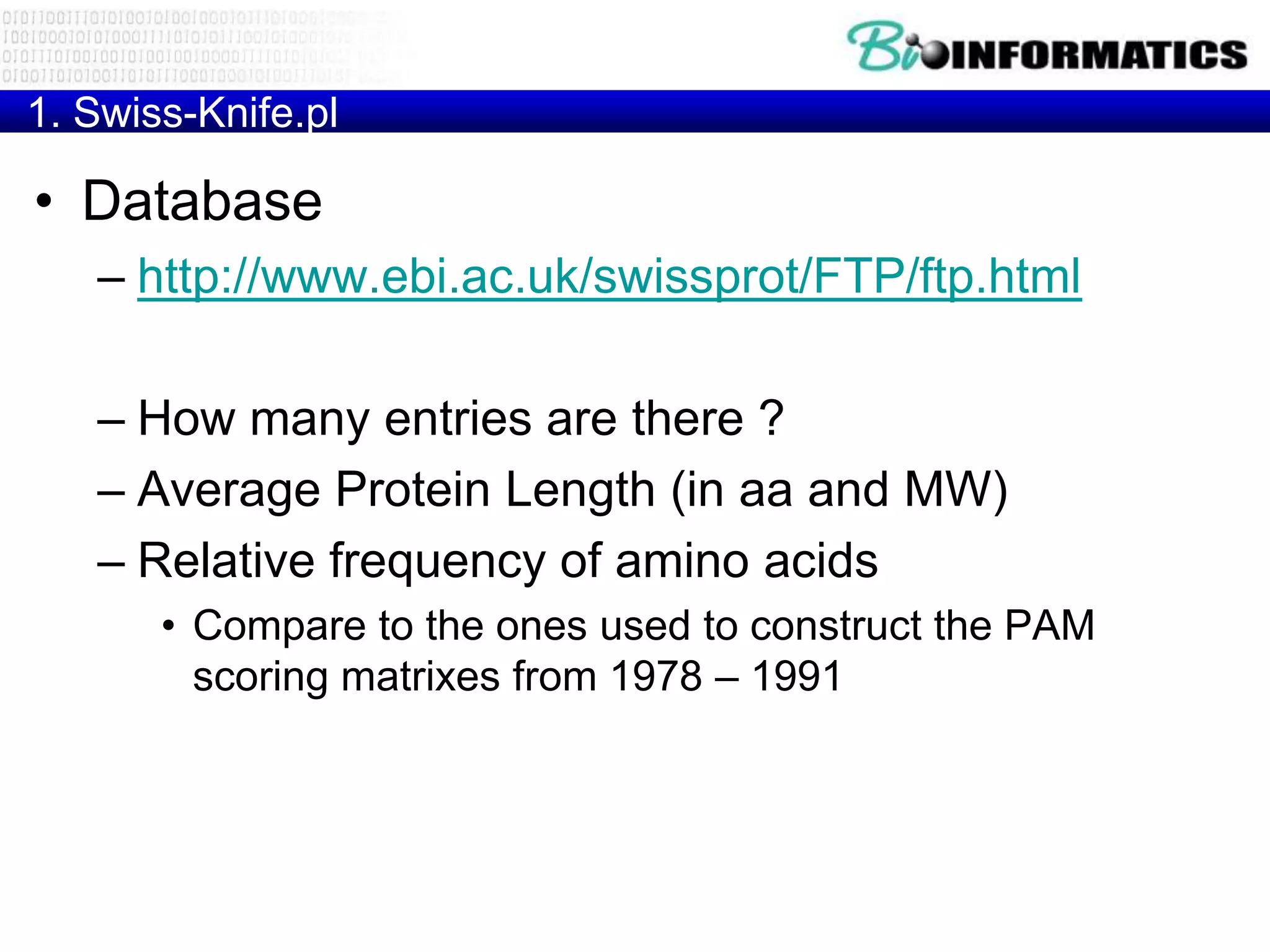
1. Swiss-Knife.pl

• Database
   – http://www.ebi.ac.uk/swissprot/FTP/ftp.html

   – How many entries are there ?
   – Average Protein Length (in aa and MW)
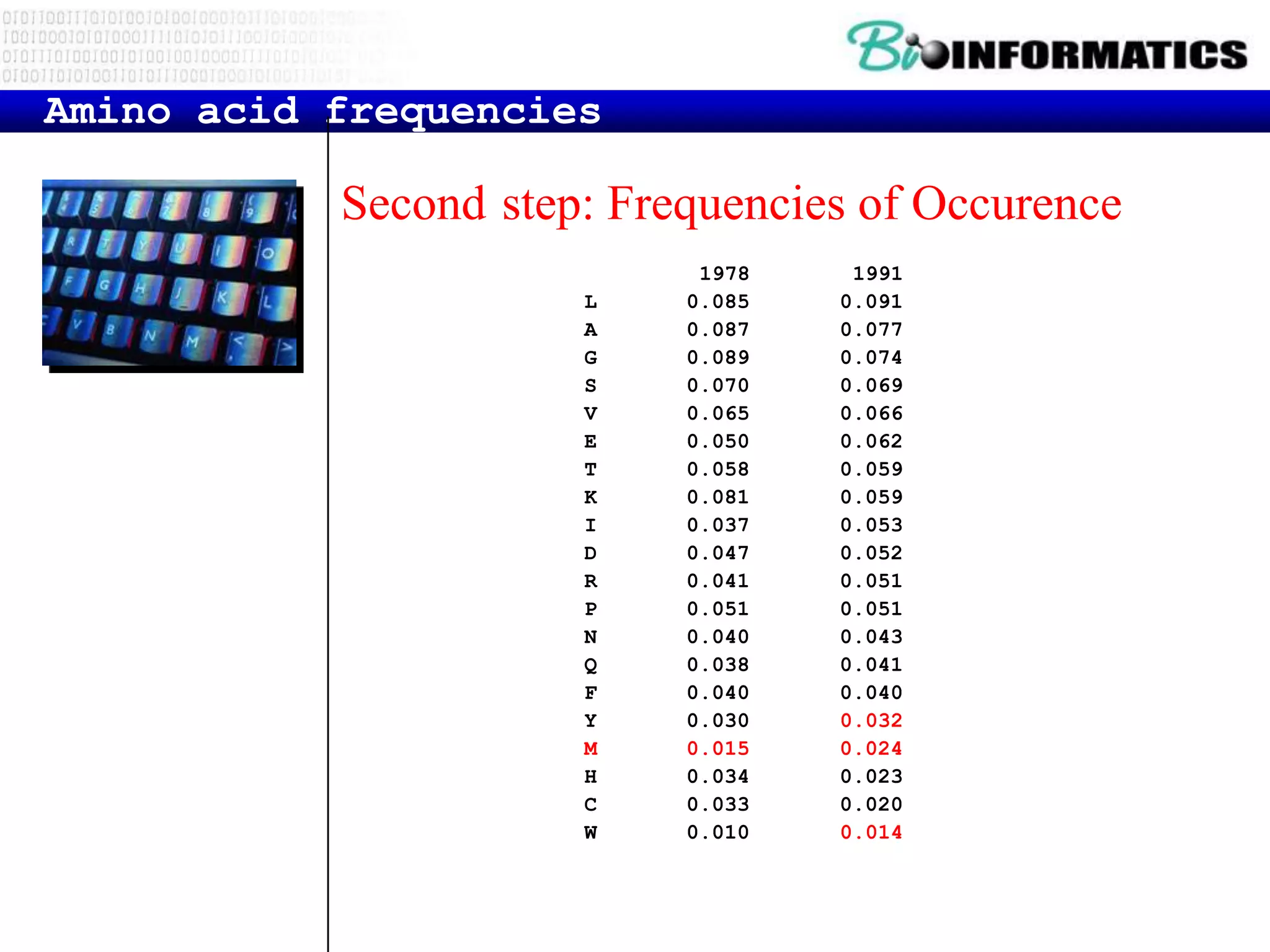
   – Relative frequency of amino acids
       • Compare to the ones used to construct the PAM
         scoring matrixes from 1978 – 1991
Amino acid frequencies

           Second step: Frequencies of Occurence
                            1978    1991
                      L    0.085   0.091
                      A    0.087   0.077
                      G    0.089   0.074
                      S    0.070   0.069
                      V    0.065   0.066
                      E    0.050   0.062
                      T    0.058   0.059
                      K    0.081   0.059
                      I    0.037   0.053
                      D    0.047   0.052
                      R    0.041   0.051
                      P    0.051   0.051
                      N    0.040   0.043
                      Q    0.038   0.041
                      F    0.040   0.040
                      Y    0.030   0.032
                      M    0.015   0.024
                      H    0.034   0.023
                      C    0.033   0.020
                      W    0.010   0.014
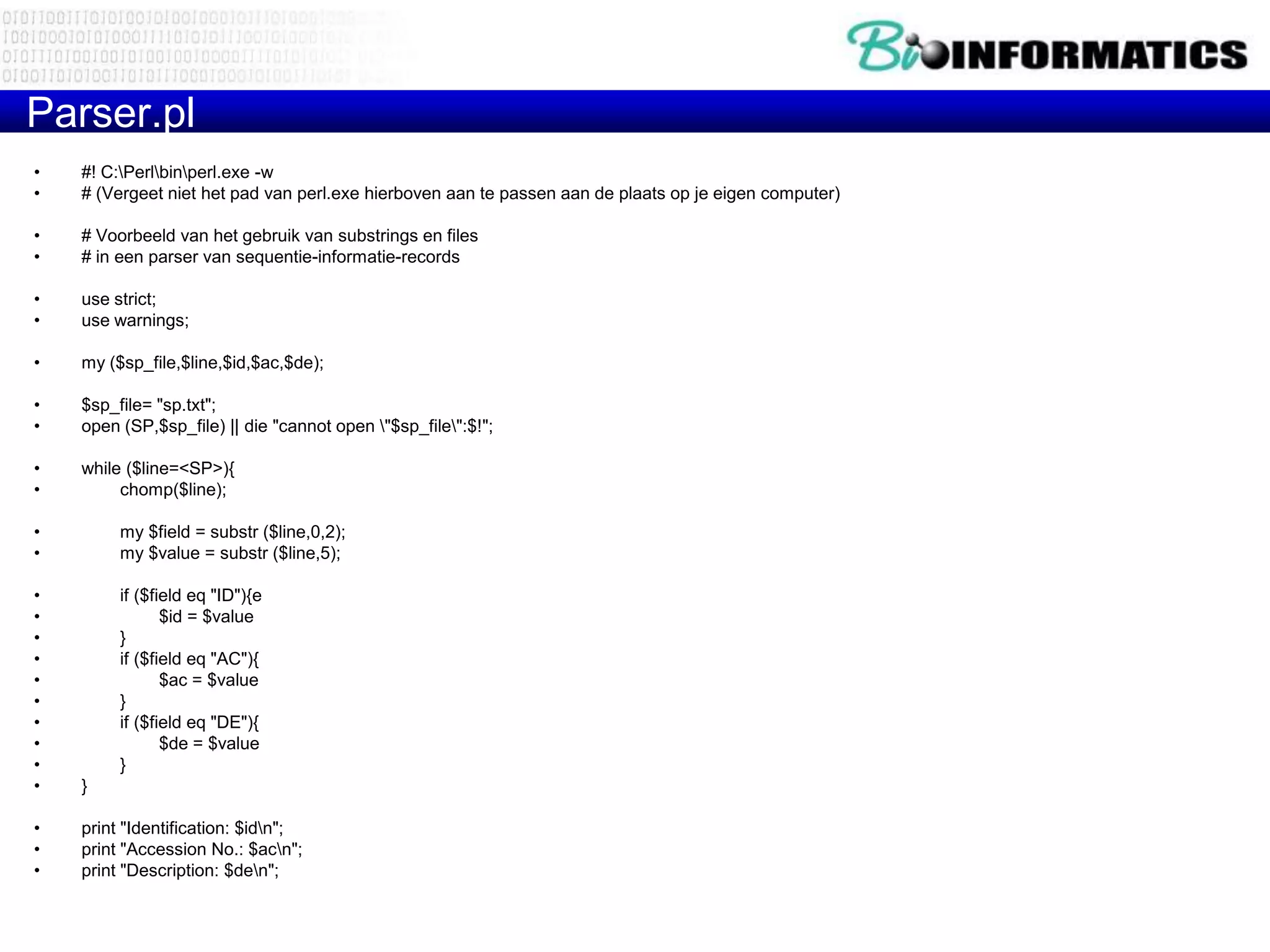
Parser.pl
•   #! C:Perlbinperl.exe -w
•   # (Vergeet niet het pad van perl.exe hierboven aan te passen aan de plaats op je eigen computer)

•   # Voorbeeld van het gebruik van substrings en files
•   # in een parser van sequentie-informatie-records

•   use strict;
•   use warnings;

•   my ($sp_file,$line,$id,$ac,$de);

•   $sp_file= "sp.txt";
•   open (SP,$sp_file) || die "cannot open "$sp_file":$!";

•   while ($line=<SP>){
•        chomp($line);

•        my $field = substr ($line,0,2);
•        my $value = substr ($line,5);

•        if ($field eq "ID"){e
•               $id = $value
•        }
•        if ($field eq "AC"){
•               $ac = $value
•        }
•        if ($field eq "DE"){
•               $de = $value
•        }
•   }

•   print "Identification: $idn";
•   print "Accession No.: $acn";
•   print "Description: $den";
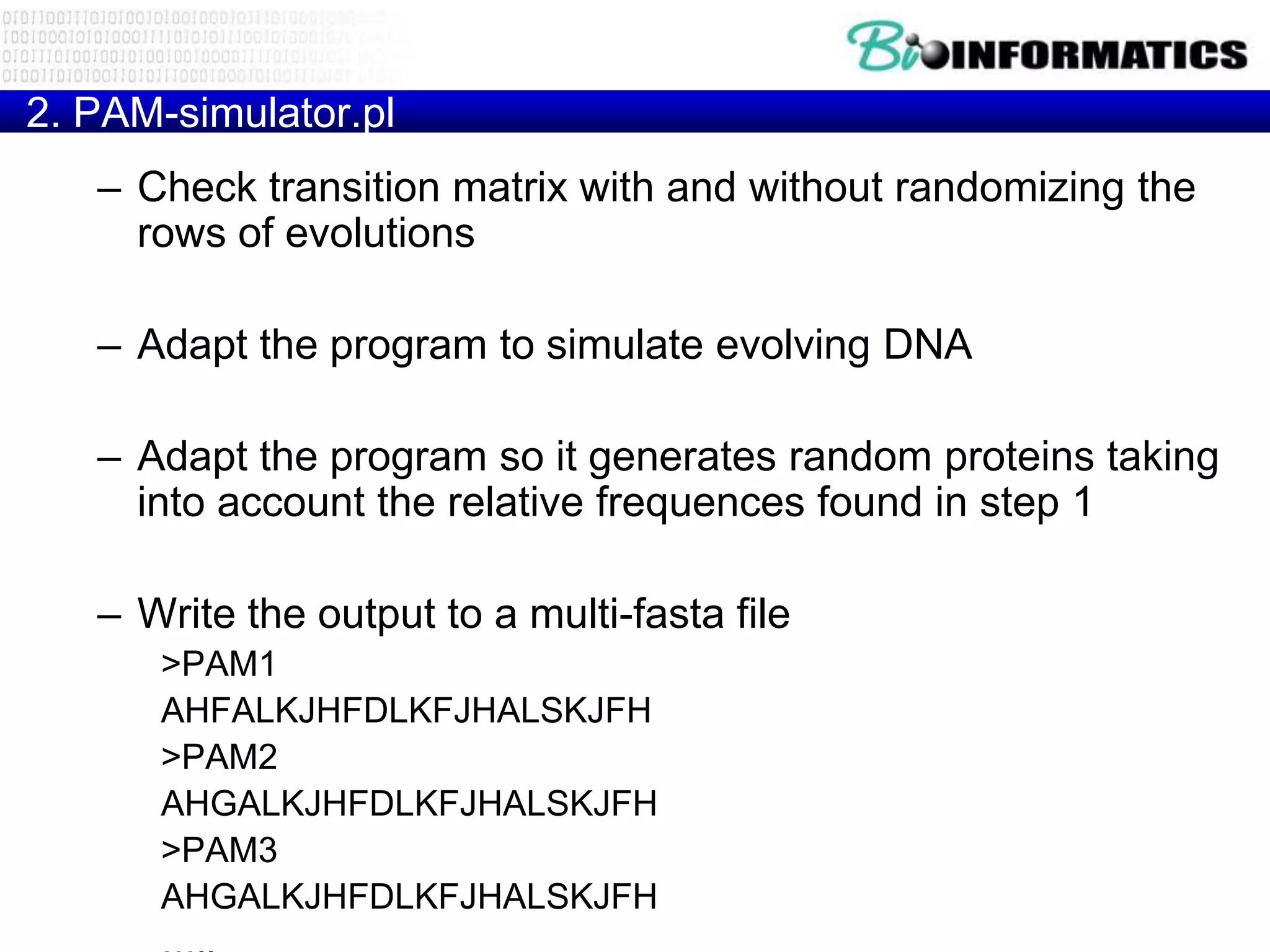
2. PAM-simulator.pl
   – Check transition matrix with and without randomizing the
     rows of evolutions

   – Adapt the program to simulate evolving DNA

   – Adapt the program so it generates random proteins taking
     into account the relative frequences found in step 1

   – Write the output to a multi-fasta file
      >PAM1
      AHFALKJHFDLKFJHALSKJFH
      >PAM2
      AHGALKJHFDLKFJHALSKJFH
      >PAM3
      AHGALKJHFDLKFJHALSKJFH
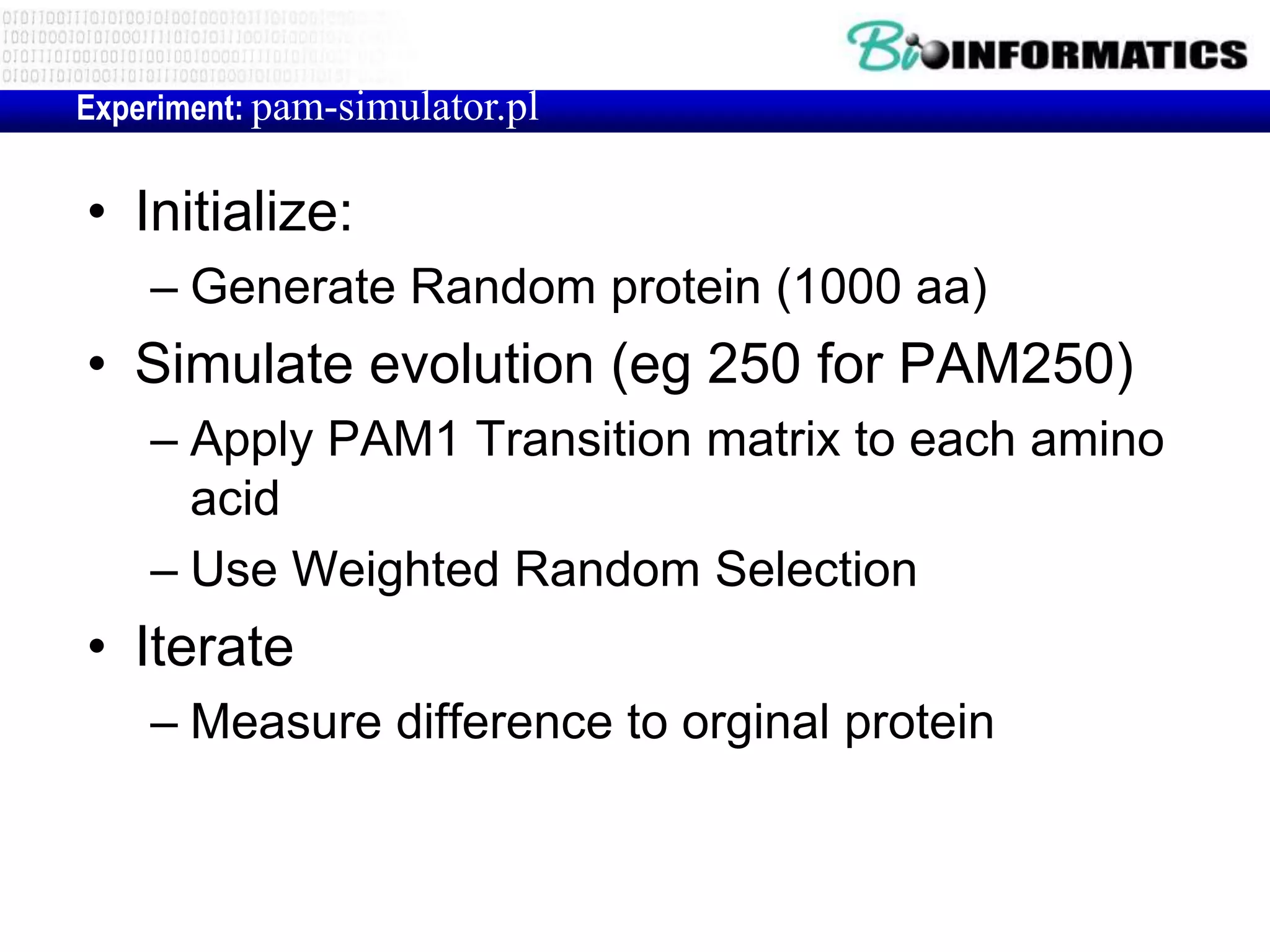
Experiment: pam-simulator.pl


• Initialize:
    – Generate Random protein (1000 aa)
• Simulate evolution (eg 250 for PAM250)
    – Apply PAM1 Transition matrix to each amino
      acid
    – Use Weighted Random Selection
• Iterate
    – Measure difference to orginal protein
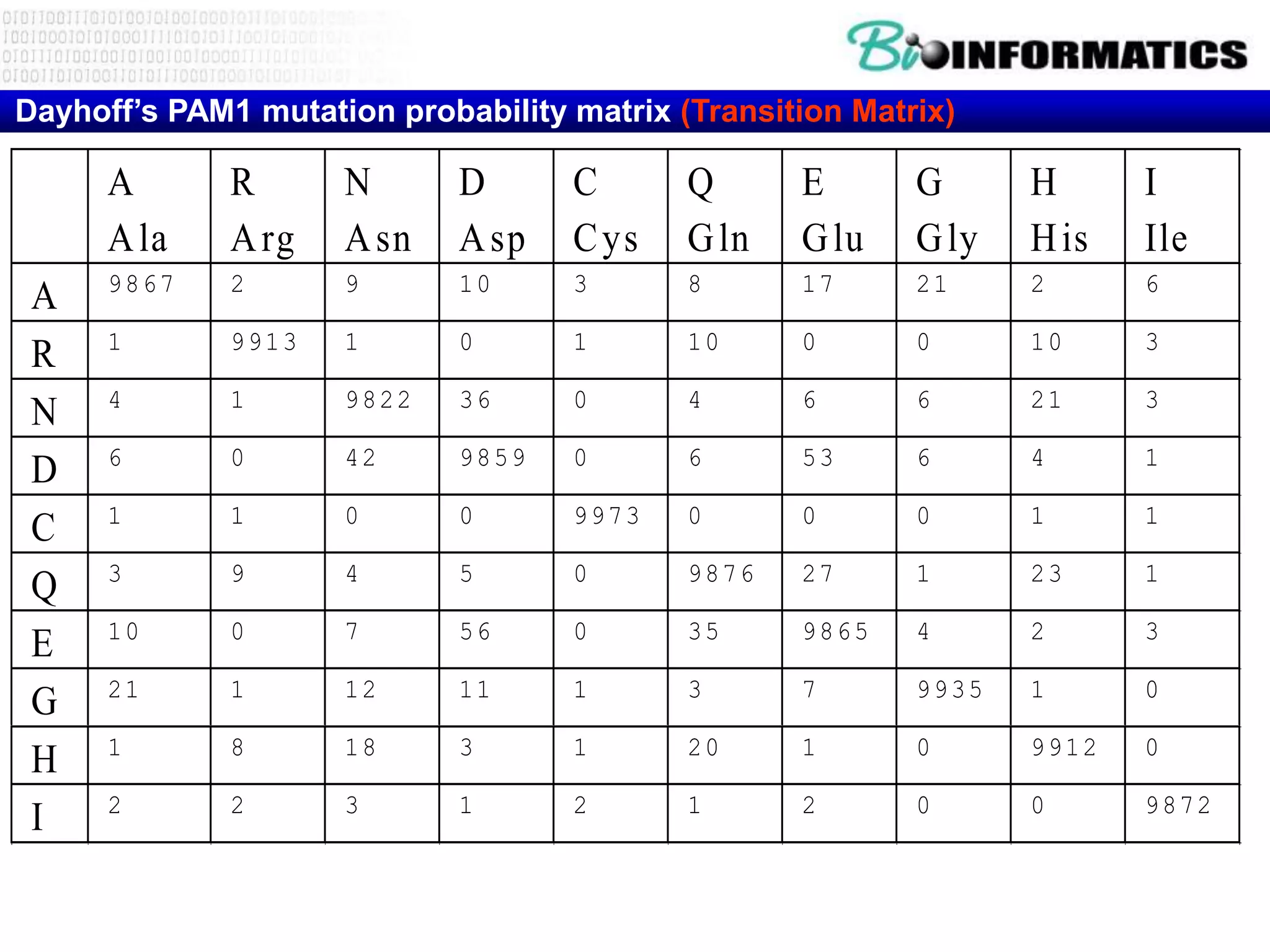
Dayhoff’s PAM1 mutation probability matrix (Transition Matrix)

      A       R      N       D      C       Q      E       G      H      I
      A la    A rg   A sn    A sp   C ys    G ln   G lu    G ly   H is   Ile
      9867    2      9       10     3       8      17      21     2      6
 A
      1       9913   1       0      1       10     0       0      10     3
 R
      4       1      9822    36     0       4      6       6      21     3
 N
      6       0      42      9859   0       6      53      6      4      1
 D
      1       1      0       0      9973    0      0       0      1      1
 C
      3       9      4       5      0       9876   27      1      23     1
 Q
      10      0      7       56     0       35     9865    4      2      3
 E
      21      1      12      11     1       3      7       9935   1      0
 G
      1       8      18      3      1       20     1       0      9912   0
 H
      2       2      3       1      2       1      2       0      0      9872
 I
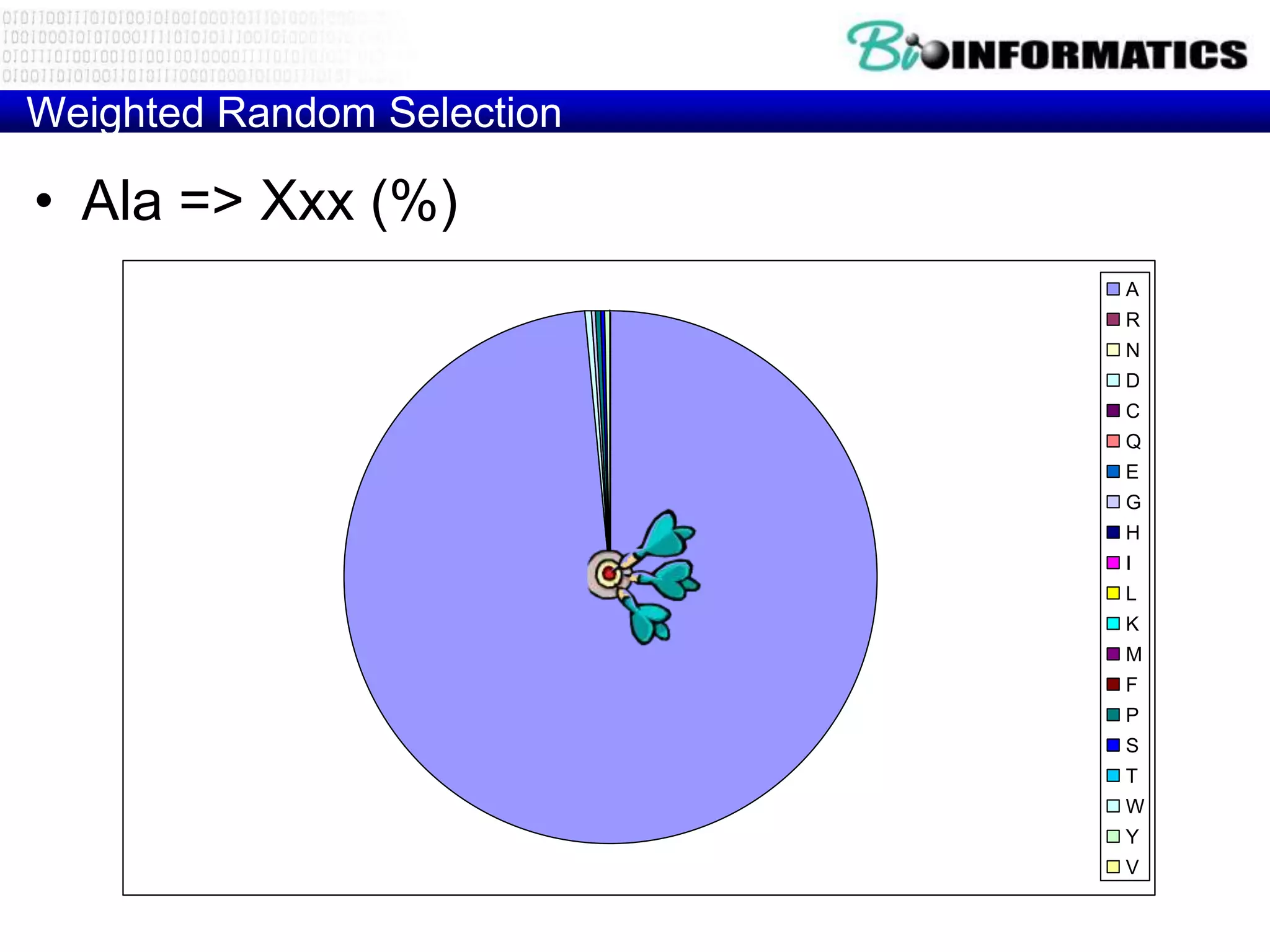
Weighted Random Selection

• Ala => Xxx (%)
                            A
                            R
                            N
                            D
                            C
                            Q
                            E
                            G
                            H
                            I
                            L
                            K
                            M
                            F
                            P
                            S
                            T
                            W
                            Y
                            V
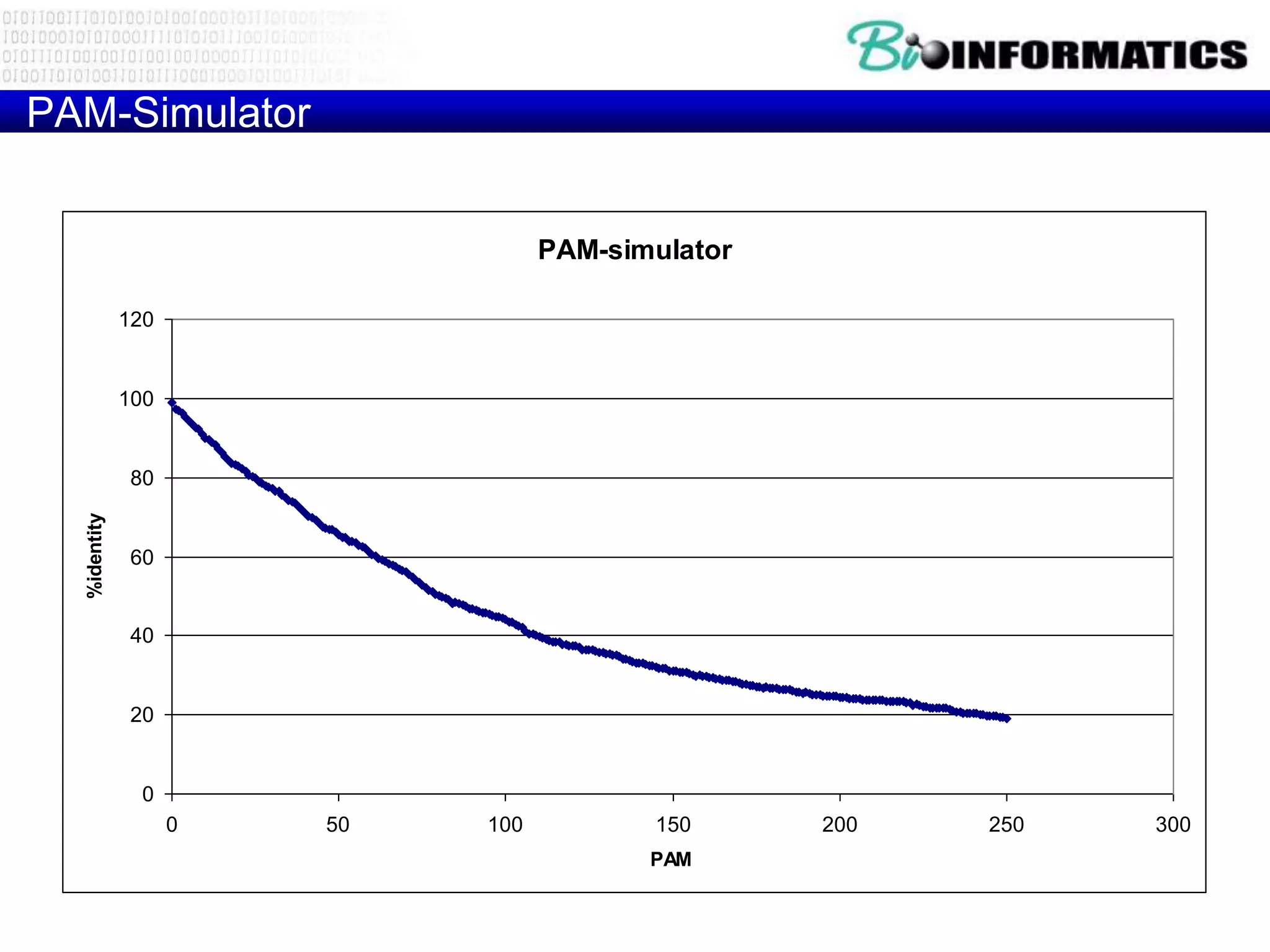
PAM-Simulator


                                   PAM-simulator

              120


              100


               80
  %identity


               60


               40


               20


                0
                    0   50   100          150      200   250   300
                                          PAM
3. Palindromes

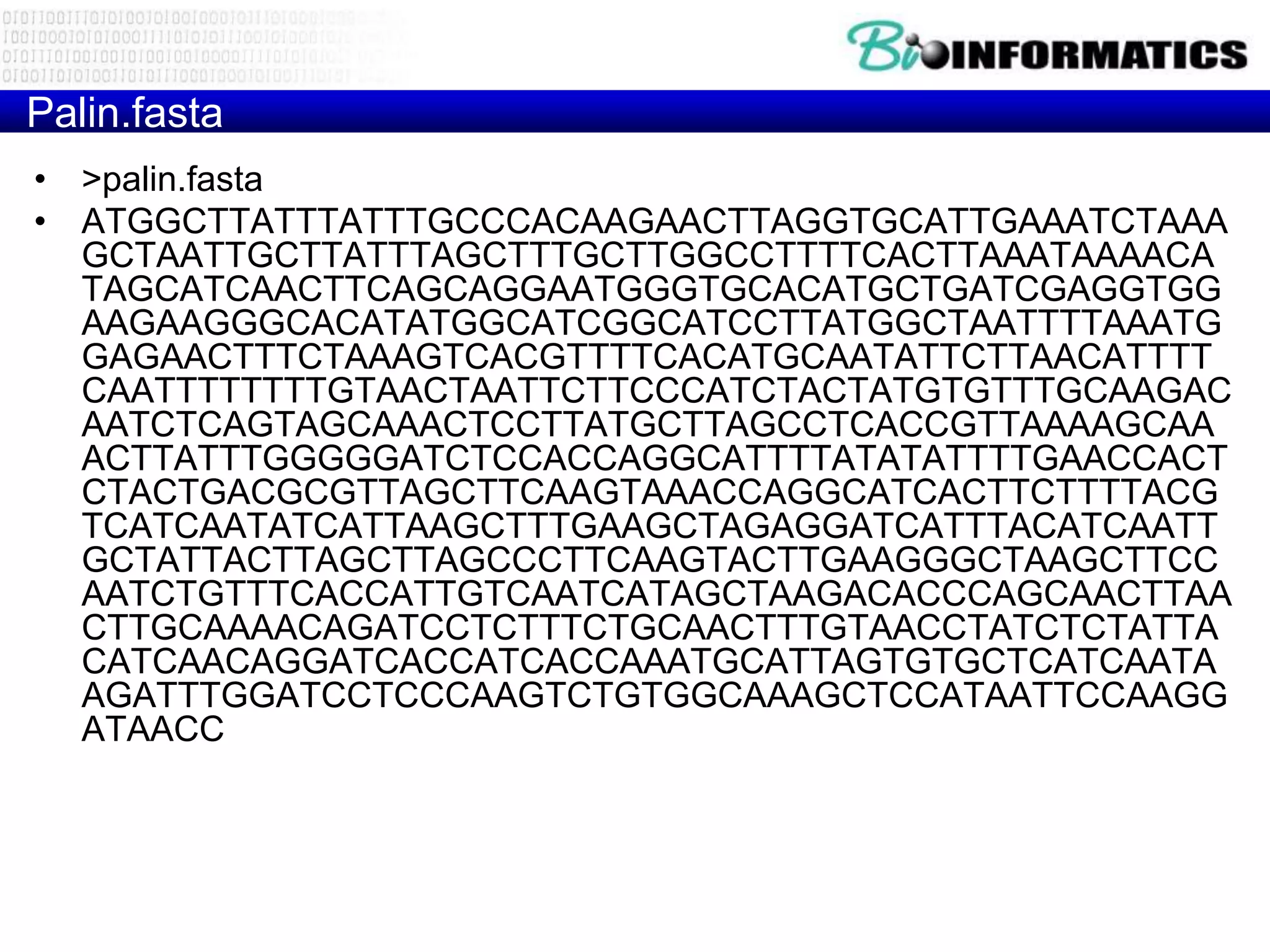
What is the longest palindroom in palin.fasta ?

Why are restriction sites palindromic ?
How long is the longest palindroom in the genome ?

Hints:
  http://www.man.poznan.pl/cmst/papers/5/art_2/vol5a
  rt2.html
  Palingram.pl
Palin.fasta
• >palin.fasta
• ATGGCTTATTTATTTGCCCACAAGAACTTAGGTGCATTGAAATCTAAA
  GCTAATTGCTTATTTAGCTTTGCTTGGCCTTTTCACTTAAATAAAACA
  TAGCATCAACTTCAGCAGGAATGGGTGCACATGCTGATCGAGGTGG
  AAGAAGGGCACATATGGCATCGGCATCCTTATGGCTAATTTTAAATG
  GAGAACTTTCTAAAGTCACGTTTTCACATGCAATATTCTTAACATTTT
  CAATTTTTTTTGTAACTAATTCTTCCCATCTACTATGTGTTTGCAAGAC
  AATCTCAGTAGCAAACTCCTTATGCTTAGCCTCACCGTTAAAAGCAA
  ACTTATTTGGGGGATCTCCACCAGGCATTTTATATATTTTGAACCACT
  CTACTGACGCGTTAGCTTCAAGTAAACCAGGCATCACTTCTTTTACG
  TCATCAATATCATTAAGCTTTGAAGCTAGAGGATCATTTACATCAATT
  GCTATTACTTAGCTTAGCCCTTCAAGTACTTGAAGGGCTAAGCTTCC
  AATCTGTTTCACCATTGTCAATCATAGCTAAGACACCCAGCAACTTAA
  CTTGCAAAACAGATCCTCTTTCTGCAACTTTGTAACCTATCTCTATTA
  CATCAACAGGATCACCATCACCAAATGCATTAGTGTGCTCATCAATA
  AGATTTGGATCCTCCCAAGTCTGTGGCAAAGCTCCATAATTCCAAGG
  ATAACC
Palingram.pl
 #!E:perlbinperl -w
 $line_input = "edellede parterretrap trap op sirenes en er is popart test";
 $line_input =~ s/s//g;
 $l = length($line_input);
 for ($m = 0;$m<=$l-1;$m++)
 {
 $line = substr($line_input,$m);
 print "length=$m:$lt".$line."n";
 for $n (8..25)
   {                                                                    print "Set van palingramn";
   $re = qr /[a-z]{$n}/;
   print "pattern ($n) = $ren";                                        while(($key, $value) = each    (%palhash))
   $regexes[$n-8] = $re;                                                   {
   }
 foreach (@regexes)                                                        print "$key => $valuen";
      {                                                                    }
      while ($line =~ m/$_/g)
        {
        $endline = $';
        $match = $&;
        $all = $match.$endline;
        $revmatch = reverse($match);
        if ($all =~ /^($revmatch)/)
                  {
                  $palindrome = $revmatch . "*" . $1 ;
                  $palhash{$palindrome}++;
                  }
        }
      }
 }

Bioinformatica p4-io

  • 2.
    FBW 23-10-2012 Wim Van Criekinge
  • 3.
    Programming • Variables • Flow control (if, regex …) • Loops • input/output • Subroutines/object
  • 4.
    Three Basic DataTypes • Scalars - $ • Arrays of scalars - @ • Associative arrays of scalers or Hashes - %
  • 5.
  • 6.
    The „structure‟ ofa Hash • An array looks something like this: 0 1 2 Index @array = 'val1' 'val2' 'val3' Value • A hash looks something like this: Rob Matt Joe_A Key (name) %phone = 353-7236 353-7122 555-1212 Value
  • 7.
    Printing a hash(continued) • First, create a list of keys. Fortunately, there is a function for that: – keys %hash (returns a list of keys) • Next, visit each key and print its associated value: foreach (keys %hash){ print “The key $_ has the value $hash{$_}n”; } • One complication. Hashes do not maintain any sort of order. In other words, if you put key/value pairs into a hash in a particular order, you will not get them out in that order!!
  • 8.
    my %AA1 =( 'AUU','I', 'UUU','F', 'AUC','I', 'UUC','F', 'AUA','I', 'UUA','L', 'AUG','M', 'UUG','L', 'ACU','T', 'UCU','S', 'ACC','T', 'UCC','S', 'ACA','T', 'UCA','S', 'ACG','T', 'UCG','S', 'AAU','N', 'UAU','Y', 'AAC','N', 'UAC','Y', 'AAA','K', 'UAA','*', 'AAG','K', 'UAG','*', 'AGU','S', 'UGU','C', 'AGC','S', 'UGC','C', 'AGA','R', 'UGA','*', 'AGG','R', 'UGG','W', 'GUU','V', 'CUU','L', 'GUC','V', 'CUC','L', 'GUA','V', 'CUA','L', 'GUG','V', 'CUG','L', 'GCU','A', 'CCU','P', 'GCC','A', 'CCC','P', 'GCA','A', 'CCA','P', 'GCG','A', 'CCG','P', 'GAU','D', 'CAU','H', 'GAC','D', 'CAC','H', 'GAA','E', 'CAA','Q', 'GAG','E', 'CAG','Q', 'GGU','G', 'CGU','R', 'GGC','G', 'CGC','R', 'GGA','G', 'CGA','R', 'GGG','G' ); 'CGG','R',
  • 9.
    Programming in generaland Perl in particular • There is more than one right way to do it. Unfortunately, there are also many wrong ways. – 1. Always check and make sure the output is correct and logical • Consider what errors might occur, and take steps to ensure that you are accounting for them. – 2. Check to make sure you are using every variable you declare. • Use Strict ! – 3. Always go back to a script once it is working and see if you can eliminate unnecessary steps. • Concise code is good code. • You will learn more if you optimize your code. • Concise does not mean comment free. Please use as many comments as you think are necessary. • Sometimes you want to leave easy to understand code in, rather than short but difficult to understand tricks. Use your judgment. • Remember that in the future, you may wish to use or alter the code you wrote today. If you don‟t understand it today, you won‟t tomorrow.
  • 10.
    Programming in generaland Perl in particular Develop your program in stages. Once part of it works, save the working version to another file (or use a source code control system like RCS) before continuing to improve it. When running interactively, show the user signs of activity. There is no need to dump everything to the screen (unless requested to), but a few words or a number change every few minutes will show that your program is doing something. Comment your script. Any information on what it is doing or why might be useful to you a few months later. Decide on a coding convention and stick to it. For example, – for variable names, begin globals with a capital letter and privates (my) with a lower case letter – indent new control structures with (say) 2 spaces – line up closing braces, as in: if (....) { ... ... } – Add blank lines between sections to improve readibility
  • 11.
    >ultimate-sequence ACTCGTTATGATATTTTTTTTGAACGTGAAAATACTTTTCGTGC TATGGAAGGACTCGTTATCGTGAAGTTGAACGTTCTGAATG TATGCCTCTTGAAATGGAAAATACTCATTGTTTATCTGAAAT TTGAATGGGAATTTTATCTACAATGTTTTATTCTTACAGAAC ATTAAATTGTGTTATGTTTCATTTCACATTTTAGTAGTTTTTT CAGTGAAAGCTTGAAAACCACCAAGAAGAAAAGCTGGTAT GCGTAGCTATGTATATATAAAATTAGATTTTCCACAAAAAAT GATCTGATAAACCTTCTCTGTTGGCTCCAAGTATAAGTACG AAAAGAAATACGTTCCCAAGAATTAGCTTCATGAGTAAGAA GAAAAGCTGGTATGCGTAGCTATGTATATATAAAATTAGATT TTCCACAAAAAATGATCTGATAA
  • 12.
    File input /output Opening a filehandle • In order to use a filehandle other than STDIN, STDOUT and STDERR, the filehandle needs to be opened. The open function opens a file or device and associates it with a filehandle. • It returns 1 upon success and undef otherwise. Examples • # open a filehandle for reading: open (SOURCE_FILE, "filename"); • # or open (SOURCE_FILE, "<filename"); • # open a filehandle for writing: open (RESULT_FILE, ">filename"); • # open a filehandle for appending: open (LOGFILE, ">>filename";
  • 13.
    File input /output Closing a filehandle • When you are finished with a filehandle, you may close it with the close function. The close function closes the file or device associated with the filehandle. Example: • close (MY_FILE_HANDLE); Filehandles are automatically closed when the program exits, or when the filehandle is reopened.
  • 14.
    File input /output The die function • Sometimes the open function fails. For example, opening a file for input might fail because the file does not exist, and opening a file for output might fail because the file does not have a write permission. A perl program will nevertheless use the filehandle, and will not warn you that all input and output activities are actually meaningless. • Therefore, it is recommended to explicitly check the result of the open command, and if it fails to print an error message and exit the program. • This is easily done using the die function. Example: • my $k = open (FILEHANDLE, "filename"); unless ($k) { die ("cannot open file filename: $!"); } # in case file "filename" cannot be opened, # the argument of die will be printed on # the screen and the program will exit. # $! is a special variable that contains the respective # error message sent by the operating system.. A short hand: • open (FILEHANDLE, "filename") || die "cannot open file filename: $!";
  • 15.
    Using filehandles forwriting Example: #!/usr/local/bin/perl use strict; use warnings; open (OUTF, ">out_file") || die "cannot open out_file: $!"; open (LOGF, ">>log_file") || die "cannot open log_file: $!"; print OUTF "Here is my program outputn"; print LOGF "First task of my program completedn"; print "Nice, isn't it?n"; # will be printed on the screen close (OUTF); close (LOGF);
  • 16.
    Using filehandles forreading (2/3) When <FILEHANDLE> is assigned into an array variable, all lines up to the end of the file are read at once. Each line becomes a separate element of the array. #!/usr/local/bin/perl use strict; use warnings; my $infile = "CEACAM3.txt"; open (FH, $infile) || die "cannot open "$infile": $!"; my @lines = <FH>; chomp (@lines); # chomp each element of @lines close (FH); # to process the lines you might wish to iterate # over the @lines array with a foreach loop: my $line; foreach $line (@lines) { # process $line. here we just print it. print "$linen"; }
  • 17.
    Using filehandles forreading (1/3) #!/usr/local/bin/perl use strict; use warnings; my $infile = "CEACAM3.txt"; my ($line1, $line2, $line3); open (FH, $infile) || die "cannot open "$infile": $!"; $line1 = <FH>; # read first line print $line1; # proccess line (here we only print it) $line2 = <FH>; # read next line print $line2; # proccess line (here we only print it) $line3 = <FH>; # read next line print $line3; # proccess line (here we only print it) close (FH);
  • 18.
    Using filehandles forreading (3/3) Using a while loop, read one line at a time and assign it into a scalar variable, as long as the variable is not an empty string (which will happen at end-of-file). Note that a blank line read from the file will not result in an empty string, since it still contains the terminating n. #!/usr/local/bin/perl use strict; use warnings; my $infile = "CEACAM3.txt"; open (FH, $infile) || die "cannot open "$infile": $!"; my $line; # or, in one line: while ($line = <FH>) { # while (my $line = <FH>) { chomp ($line); print "$linen"; # process line. here we just print it. } close (FH);
  • 19.
  • 20.
    1. Swiss-Knife.pl • Database – http://www.ebi.ac.uk/swissprot/FTP/ftp.html – How many entries are there ? – Average Protein Length (in aa and MW) – Relative frequency of amino acids • Compare to the ones used to construct the PAM scoring matrixes from 1978 – 1991
  • 21.
    Amino acid frequencies Second step: Frequencies of Occurence 1978 1991 L 0.085 0.091 A 0.087 0.077 G 0.089 0.074 S 0.070 0.069 V 0.065 0.066 E 0.050 0.062 T 0.058 0.059 K 0.081 0.059 I 0.037 0.053 D 0.047 0.052 R 0.041 0.051 P 0.051 0.051 N 0.040 0.043 Q 0.038 0.041 F 0.040 0.040 Y 0.030 0.032 M 0.015 0.024 H 0.034 0.023 C 0.033 0.020 W 0.010 0.014
  • 22.
    Parser.pl • #! C:Perlbinperl.exe -w • # (Vergeet niet het pad van perl.exe hierboven aan te passen aan de plaats op je eigen computer) • # Voorbeeld van het gebruik van substrings en files • # in een parser van sequentie-informatie-records • use strict; • use warnings; • my ($sp_file,$line,$id,$ac,$de); • $sp_file= "sp.txt"; • open (SP,$sp_file) || die "cannot open "$sp_file":$!"; • while ($line=<SP>){ • chomp($line); • my $field = substr ($line,0,2); • my $value = substr ($line,5); • if ($field eq "ID"){e • $id = $value • } • if ($field eq "AC"){ • $ac = $value • } • if ($field eq "DE"){ • $de = $value • } • } • print "Identification: $idn"; • print "Accession No.: $acn"; • print "Description: $den";
  • 23.
    2. PAM-simulator.pl – Check transition matrix with and without randomizing the rows of evolutions – Adapt the program to simulate evolving DNA – Adapt the program so it generates random proteins taking into account the relative frequences found in step 1 – Write the output to a multi-fasta file >PAM1 AHFALKJHFDLKFJHALSKJFH >PAM2 AHGALKJHFDLKFJHALSKJFH >PAM3 AHGALKJHFDLKFJHALSKJFH
  • 24.
    Experiment: pam-simulator.pl • Initialize: – Generate Random protein (1000 aa) • Simulate evolution (eg 250 for PAM250) – Apply PAM1 Transition matrix to each amino acid – Use Weighted Random Selection • Iterate – Measure difference to orginal protein
  • 25.
    Dayhoff’s PAM1 mutationprobability matrix (Transition Matrix) A R N D C Q E G H I A la A rg A sn A sp C ys G ln G lu G ly H is Ile 9867 2 9 10 3 8 17 21 2 6 A 1 9913 1 0 1 10 0 0 10 3 R 4 1 9822 36 0 4 6 6 21 3 N 6 0 42 9859 0 6 53 6 4 1 D 1 1 0 0 9973 0 0 0 1 1 C 3 9 4 5 0 9876 27 1 23 1 Q 10 0 7 56 0 35 9865 4 2 3 E 21 1 12 11 1 3 7 9935 1 0 G 1 8 18 3 1 20 1 0 9912 0 H 2 2 3 1 2 1 2 0 0 9872 I
  • 26.
    Weighted Random Selection •Ala => Xxx (%) A R N D C Q E G H I L K M F P S T W Y V
  • 27.
    PAM-Simulator PAM-simulator 120 100 80 %identity 60 40 20 0 0 50 100 150 200 250 300 PAM
  • 28.
    3. Palindromes What isthe longest palindroom in palin.fasta ? Why are restriction sites palindromic ? How long is the longest palindroom in the genome ? Hints: http://www.man.poznan.pl/cmst/papers/5/art_2/vol5a rt2.html Palingram.pl
  • 29.
    Palin.fasta • >palin.fasta • ATGGCTTATTTATTTGCCCACAAGAACTTAGGTGCATTGAAATCTAAA GCTAATTGCTTATTTAGCTTTGCTTGGCCTTTTCACTTAAATAAAACA TAGCATCAACTTCAGCAGGAATGGGTGCACATGCTGATCGAGGTGG AAGAAGGGCACATATGGCATCGGCATCCTTATGGCTAATTTTAAATG GAGAACTTTCTAAAGTCACGTTTTCACATGCAATATTCTTAACATTTT CAATTTTTTTTGTAACTAATTCTTCCCATCTACTATGTGTTTGCAAGAC AATCTCAGTAGCAAACTCCTTATGCTTAGCCTCACCGTTAAAAGCAA ACTTATTTGGGGGATCTCCACCAGGCATTTTATATATTTTGAACCACT CTACTGACGCGTTAGCTTCAAGTAAACCAGGCATCACTTCTTTTACG TCATCAATATCATTAAGCTTTGAAGCTAGAGGATCATTTACATCAATT GCTATTACTTAGCTTAGCCCTTCAAGTACTTGAAGGGCTAAGCTTCC AATCTGTTTCACCATTGTCAATCATAGCTAAGACACCCAGCAACTTAA CTTGCAAAACAGATCCTCTTTCTGCAACTTTGTAACCTATCTCTATTA CATCAACAGGATCACCATCACCAAATGCATTAGTGTGCTCATCAATA AGATTTGGATCCTCCCAAGTCTGTGGCAAAGCTCCATAATTCCAAGG ATAACC
  • 30.
    Palingram.pl #!E:perlbinperl -w $line_input = "edellede parterretrap trap op sirenes en er is popart test"; $line_input =~ s/s//g; $l = length($line_input); for ($m = 0;$m<=$l-1;$m++) { $line = substr($line_input,$m); print "length=$m:$lt".$line."n"; for $n (8..25) { print "Set van palingramn"; $re = qr /[a-z]{$n}/; print "pattern ($n) = $ren"; while(($key, $value) = each (%palhash)) $regexes[$n-8] = $re; { } foreach (@regexes) print "$key => $valuen"; { } while ($line =~ m/$_/g) { $endline = $'; $match = $&; $all = $match.$endline; $revmatch = reverse($match); if ($all =~ /^($revmatch)/) { $palindrome = $revmatch . "*" . $1 ; $palhash{$palindrome}++; } } } }