Best Practices of
Blended Learning
Tweet what you Learn!
• When you find
something new or
interesting, go ahead
and tweet it!
• Be sure to include the
hashtags
#ESC11 and
#TLNPLN
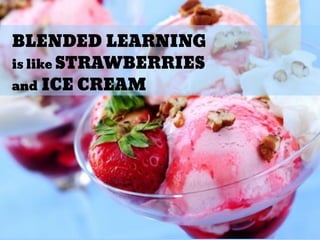
BLENDED LEARNING
is like STRAWBERRIES
and ICE CREAM
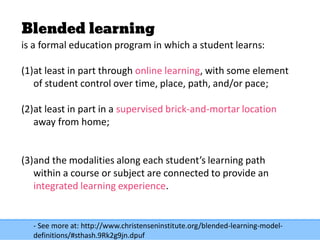
Blended learning
is a formal education program in which a student learns:
(1)at least in part through online learning, with some element
of student control over time, place, path, and/or pace;
(2)at least in part in a supervised brick-and-mortar location
away from home;
(3)and the modalities along each student’s learning path
within a course or subject are connected to provide an
integrated learning experience.
- See more at: http://www.christenseninstitute.org/blended-learning-model-
definitions/#sthash.9Rk2g9jn.dpuf
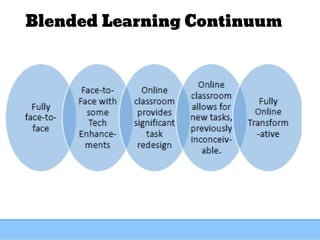
Blended Learning Continuum
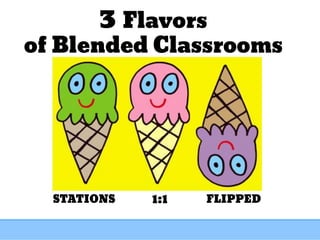
FLIPPEDSTATIONS 1:1
3 Flavors
of Blended Classrooms
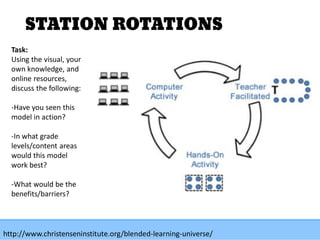
STATION ROTATIONS
Task:
Using the visual, your
own knowledge, and
online resources,
discuss the following:
-Have you seen this
model in action?
-In what grade
levels/content areas
would this model
work best?
-What would be the
benefits/barriers?
http://www.christenseninstitute.org/blended-learning-universe/
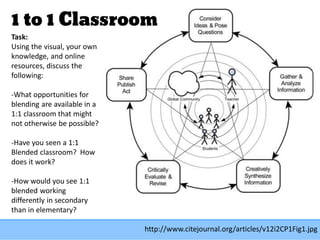
1 to 1 Classroom
http://www.citejournal.org/articles/v12i2CP1Fig1.jpg
Task:
Using the visual, your own
knowledge, and online
resources, discuss the
following:
-What opportunities for
blending are available in a
1:1 classroom that might
not otherwise be possible?
-Have you seen a 1:1
Blended classroom? How
does it work?
-How would you see 1:1
blended working
differently in secondary
than in elementary?
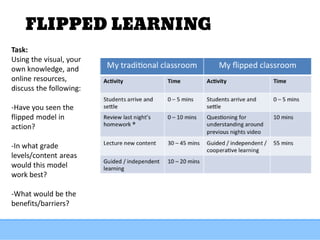
FLIPPED LEARNING
Task:
Using the visual, your
own knowledge, and
online resources,
discuss the following:
-Have you seen the
flipped model in
action?
-In what grade
levels/content areas
would this model
work best?
-What would be the
benefits/barriers?
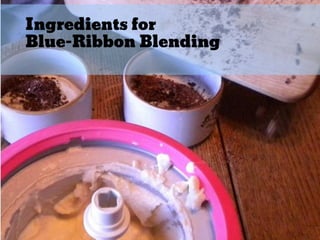
Ingredients for
Blue-Ribbon Blending
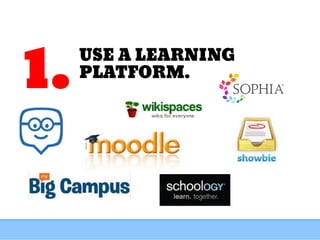
USE A LEARNING
PLATFORM.
1.
STRONG
CONNECTION
BETWEEN
ONLINE and OFFLINE
WORK
2.
If you share it
in the face-to-face classroom,
share it in the online
classroom.
Take pictures or use the TinyScan
app to convert analog papers to
digital.
Have students take turns posting a
picture of the whiteboard everyday.
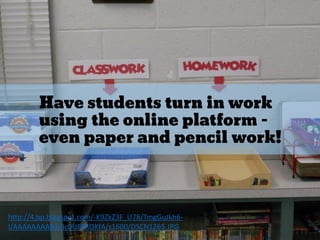
Have students turn in work
using the online platform -
even paper and pencil work!
http://4.bp.blogspot.com/-K9ZkZ3F_U78/TmgGuJkh6-
I/AAAAAAAABik/Ic0UF8ROKfA/s1600/DSCN1265.JPG
Use the online platform for
discussions and reflections.
http://desire.eun.org/image/image_gallery?uuid=9318e060-d83c-4c6e-90c3-
861b1b66697f&groupId=12834&t=1340093966371
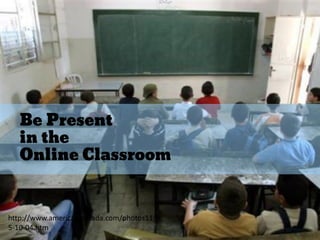
Be Present
in the
Online Classroom
http://www.americanintifada.com/photos11/0
5-10-04.htm
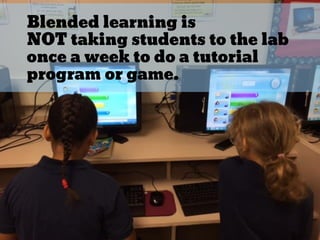
Blended learning is
NOT taking students to the lab
once a week to do a tutorial
program or game.
EMPOWER
STUDENTS
WITH
VOICE & CHOICE
3.
TEACH & PRACTICE
THE PROCEDURES!
5.
Procedures for Station
Rotation
Resources
Aspire Learning
Complete unit of lesson plans for preparing kids for Stations Page 20 – 68
Scholastic
How to Set Up Digital Workstations
Polk PowerPoint
Rotations in the Secondary Classroom
https://www.polk-
fl.net/staff/teachers/reading/documents/Read180Day2/Tuesday2/Differen
ti_Spooner/Differenti_Spooner%20[Compatibility%20Mode].pdf
Procedures for Flipping
Introducing the Flipped Classroom the First Days of School
http://www.sophia.org/school-of-thought/introducing-the-flipped-
classroom-in-the-first-day
Letters and procedures for Introducing the Flipped Class to Students and
Parents
https://docs.google.com/spreadsheet/ccc?key=0AoNSkh2FgPbXdGlsZ0ZOR
kRBbEdvWXM4cE1XeE1jdFE#gid=0
Procedures for 1:1
One to One Computing and Classroom Management
http://www.techlearning.com/from-the-classroom/0015/one-to-one-
computing-and-classroom-management/44472
Essential rules for effectively using iPads in middle school classrooms
http://isource.com/2013/03/12/essential-rules-for-effectively-using-
ipads-in-middle-school-classrooms/
Online Discussions
How to Write a Quality Comment
Online Discussion Guidelines from Catlin
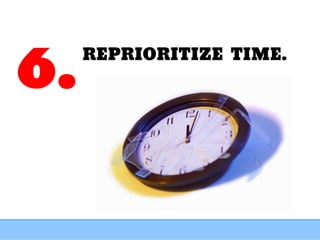
REPRIORITIZE TIME.
6.
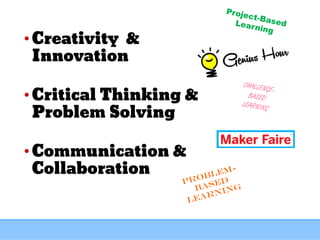
• Creativity &
Innovation
• Critical Thinking &
Problem Solving
• Communication &
Collaboration
EVERY CHILD
EVERY DAY

Best Practices for Blended Learning

  • 1.
  • 3.
    Tweet what youLearn! • When you find something new or interesting, go ahead and tweet it! • Be sure to include the hashtags #ESC11 and #TLNPLN
  • 4.
    BLENDED LEARNING is likeSTRAWBERRIES and ICE CREAM
  • 8.
    Blended learning is aformal education program in which a student learns: (1)at least in part through online learning, with some element of student control over time, place, path, and/or pace; (2)at least in part in a supervised brick-and-mortar location away from home; (3)and the modalities along each student’s learning path within a course or subject are connected to provide an integrated learning experience. - See more at: http://www.christenseninstitute.org/blended-learning-model- definitions/#sthash.9Rk2g9jn.dpuf
  • 9.
  • 10.
  • 11.
    STATION ROTATIONS Task: Using thevisual, your own knowledge, and online resources, discuss the following: -Have you seen this model in action? -In what grade levels/content areas would this model work best? -What would be the benefits/barriers? http://www.christenseninstitute.org/blended-learning-universe/
  • 12.
    1 to 1Classroom http://www.citejournal.org/articles/v12i2CP1Fig1.jpg Task: Using the visual, your own knowledge, and online resources, discuss the following: -What opportunities for blending are available in a 1:1 classroom that might not otherwise be possible? -Have you seen a 1:1 Blended classroom? How does it work? -How would you see 1:1 blended working differently in secondary than in elementary?
  • 13.
    FLIPPED LEARNING Task: Using thevisual, your own knowledge, and online resources, discuss the following: -Have you seen the flipped model in action? -In what grade levels/content areas would this model work best? -What would be the benefits/barriers?
  • 14.
  • 15.
  • 16.
  • 17.
    If you shareit in the face-to-face classroom, share it in the online classroom. Take pictures or use the TinyScan app to convert analog papers to digital. Have students take turns posting a picture of the whiteboard everyday.
  • 18.
    Have students turnin work using the online platform - even paper and pencil work! http://4.bp.blogspot.com/-K9ZkZ3F_U78/TmgGuJkh6- I/AAAAAAAABik/Ic0UF8ROKfA/s1600/DSCN1265.JPG
  • 19.
    Use the onlineplatform for discussions and reflections. http://desire.eun.org/image/image_gallery?uuid=9318e060-d83c-4c6e-90c3- 861b1b66697f&groupId=12834&t=1340093966371
  • 20.
    Be Present in the OnlineClassroom http://www.americanintifada.com/photos11/0 5-10-04.htm
  • 21.
    Blended learning is NOTtaking students to the lab once a week to do a tutorial program or game.
  • 22.
  • 24.
    TEACH & PRACTICE THEPROCEDURES! 5.
  • 25.
    Procedures for Station Rotation Resources AspireLearning Complete unit of lesson plans for preparing kids for Stations Page 20 – 68 Scholastic How to Set Up Digital Workstations Polk PowerPoint Rotations in the Secondary Classroom https://www.polk- fl.net/staff/teachers/reading/documents/Read180Day2/Tuesday2/Differen ti_Spooner/Differenti_Spooner%20[Compatibility%20Mode].pdf
  • 26.
    Procedures for Flipping Introducingthe Flipped Classroom the First Days of School http://www.sophia.org/school-of-thought/introducing-the-flipped- classroom-in-the-first-day Letters and procedures for Introducing the Flipped Class to Students and Parents https://docs.google.com/spreadsheet/ccc?key=0AoNSkh2FgPbXdGlsZ0ZOR kRBbEdvWXM4cE1XeE1jdFE#gid=0
  • 27.
    Procedures for 1:1 Oneto One Computing and Classroom Management http://www.techlearning.com/from-the-classroom/0015/one-to-one- computing-and-classroom-management/44472 Essential rules for effectively using iPads in middle school classrooms http://isource.com/2013/03/12/essential-rules-for-effectively-using- ipads-in-middle-school-classrooms/
  • 28.
    Online Discussions How toWrite a Quality Comment Online Discussion Guidelines from Catlin
  • 29.
  • 30.
    • Creativity & Innovation •Critical Thinking & Problem Solving • Communication & Collaboration
  • 31.