





EDTECH 
JUMPSTART 
MAY 2, 2014 
! 
IPADS IN 
EDUCATION
THE ESSENTIAL TOOLS 
FOR TEACHING 
• AV adaptor 
• Reflector 
http://www.airsquirrels.com/reflector/
SETTINGS 
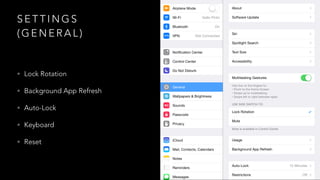
(GENERAL) 
• Lock Rotation 
• Background App Refresh 
• Auto-Lock 
• Keyboard 
• Reset
SETTINGS 
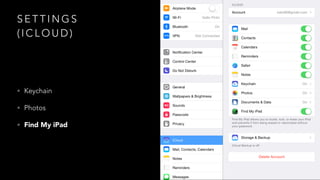
(ICLOUD) 
• Keychain 
• Photos 
• Find My iPad
LOCKSCREEN
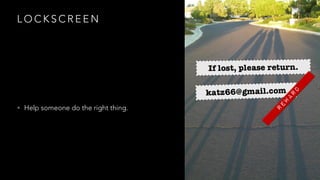
LOCKSCREEN 
• Help someone do the right thing.
SAFARI 
• Reader 
• Speak Text 
• Add to Home Screen
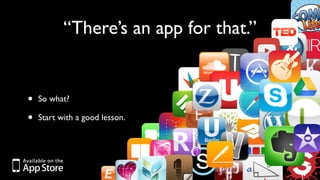
“There’s an app for that.” 
• So what? 
• Start with a good lesson.
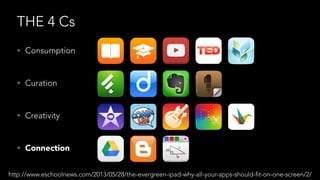
THE 4 Cs 
• Consumption 
• Curation 
• Creativity 
• Connection 
http://www.eschoolnews.com/2013/05/28/the-evergreen-ipad-why-all-your-apps-should-fit-on-one-screen/2/
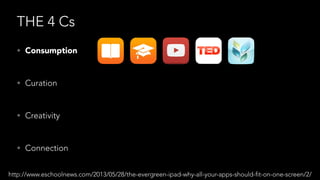
THE 4 Cs 
• Consumption 
• Curation 
• Creativity 
• Connection 
http://www.eschoolnews.com/2013/05/28/the-evergreen-ipad-why-all-your-apps-should-fit-on-one-screen/2/
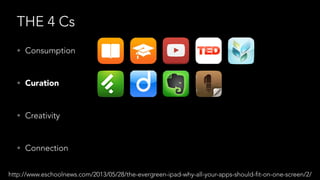
THE 4 Cs 
• Consumption 
• Curation 
• Creativity 
• Connection 
http://www.eschoolnews.com/2013/05/28/the-evergreen-ipad-why-all-your-apps-should-fit-on-one-screen/2/
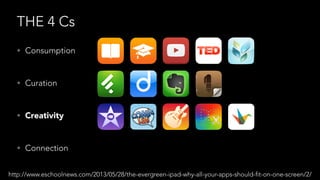
THE 4 Cs 
• Consumption 
• Curation 
• Creativity 
• Connection 
http://www.eschoolnews.com/2013/05/28/the-evergreen-ipad-why-all-your-apps-should-fit-on-one-screen/2/
THE 4 Cs 
• Consumption 
• Curation 
• Creativity 
• Connection 
http://www.eschoolnews.com/2013/05/28/the-evergreen-ipad-why-all-your-apps-should-fit-on-one-screen/2/
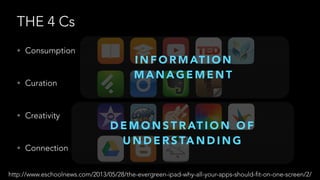
THE 4 Cs 
• Consumption 
• Curation 
• Creativity 
• Connection 
INFORMATION 
MANAGEMENT 
DEMONSTRATION OF 
UNDERSTANDING 
http://www.eschoolnews.com/2013/05/28/the-evergreen-ipad-why-all-your-apps-should-fit-on-one-screen/2/
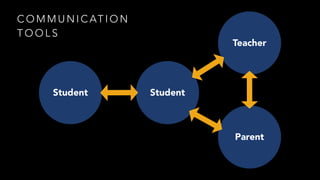
COMMUNICATION 
TOOLS 
Teacher 
Student 
Parent 
Student
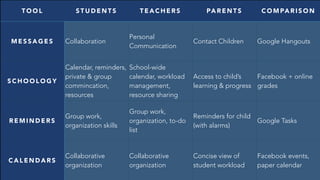
TOOL STUDENTS TEACHERS PARENTS COMPARISON 
MESSAGES Collaboration 
Personal 
Communication 
Contact Children Google Hangouts 
SCHOOLOGY 
Calendar, reminders, 
private & group 
commincation, 
resources 
School-wide 
calendar, workload 
management, 
resource sharing 
Access to child’s 
learning & progress 
Facebook + online 
grades 
REMINDERS Group work, 
organization skills 
Group work, 
organization, to-do 
list 
Reminders for child 
(with alarms) 
Google Tasks 
CALENDARS Collaborative 
organization 
Collaborative 
organization 
Concise view of 
student workload 
Facebook events, 
paper calendar
SCAVENGER HUNT
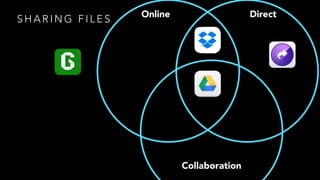
SHAR ING F I L E S Online Direct 
Collaboration
DIGGING DEEPER 
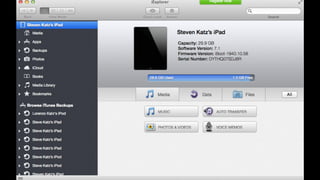
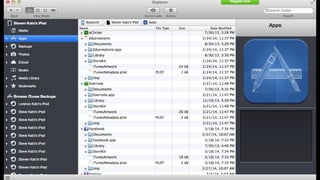
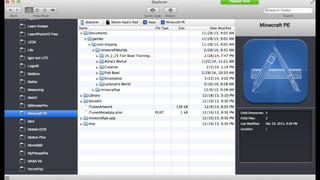
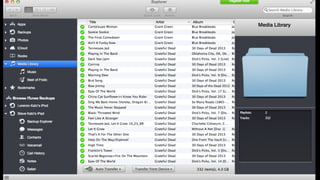
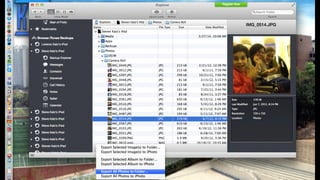
• iExplorer 
• App for your computer (Mac or PC) 
• http://www.macroplant.com/iexplorer/
Challenging Situations 
• On your index card, describe a challenge you have 
collaborating with your mentees.

iPads in Education

  • 1.
    EDTECH JUMPSTART MAY2, 2014 ! IPADS IN EDUCATION
  • 2.
    THE ESSENTIAL TOOLS FOR TEACHING • AV adaptor • Reflector http://www.airsquirrels.com/reflector/
  • 3.
    SETTINGS (GENERAL) •Lock Rotation • Background App Refresh • Auto-Lock • Keyboard • Reset
  • 4.
    SETTINGS (ICLOUD) •Keychain • Photos • Find My iPad
  • 5.
  • 6.
    LOCKSCREEN • Helpsomeone do the right thing.
  • 7.
    SAFARI • Reader • Speak Text • Add to Home Screen
  • 8.
    “There’s an appfor that.” • So what? • Start with a good lesson.
  • 9.
    THE 4 Cs • Consumption • Curation • Creativity • Connection http://www.eschoolnews.com/2013/05/28/the-evergreen-ipad-why-all-your-apps-should-fit-on-one-screen/2/
  • 10.
    THE 4 Cs • Consumption • Curation • Creativity • Connection http://www.eschoolnews.com/2013/05/28/the-evergreen-ipad-why-all-your-apps-should-fit-on-one-screen/2/
  • 11.
    THE 4 Cs • Consumption • Curation • Creativity • Connection http://www.eschoolnews.com/2013/05/28/the-evergreen-ipad-why-all-your-apps-should-fit-on-one-screen/2/
  • 12.
    THE 4 Cs • Consumption • Curation • Creativity • Connection http://www.eschoolnews.com/2013/05/28/the-evergreen-ipad-why-all-your-apps-should-fit-on-one-screen/2/
  • 13.
    THE 4 Cs • Consumption • Curation • Creativity • Connection http://www.eschoolnews.com/2013/05/28/the-evergreen-ipad-why-all-your-apps-should-fit-on-one-screen/2/
  • 14.
    THE 4 Cs • Consumption • Curation • Creativity • Connection INFORMATION MANAGEMENT DEMONSTRATION OF UNDERSTANDING http://www.eschoolnews.com/2013/05/28/the-evergreen-ipad-why-all-your-apps-should-fit-on-one-screen/2/
  • 15.
    COMMUNICATION TOOLS Teacher Student Parent Student
  • 16.
    TOOL STUDENTS TEACHERSPARENTS COMPARISON MESSAGES Collaboration Personal Communication Contact Children Google Hangouts SCHOOLOGY Calendar, reminders, private & group commincation, resources School-wide calendar, workload management, resource sharing Access to child’s learning & progress Facebook + online grades REMINDERS Group work, organization skills Group work, organization, to-do list Reminders for child (with alarms) Google Tasks CALENDARS Collaborative organization Collaborative organization Concise view of student workload Facebook events, paper calendar
  • 17.
  • 18.
    SHAR ING FI L E S Online Direct Collaboration
  • 19.
    DIGGING DEEPER •iExplorer • App for your computer (Mac or PC) • http://www.macroplant.com/iexplorer/
  • 25.
    Challenging Situations •On your index card, describe a challenge you have collaborating with your mentees.