How Can I Make My Life
Easier?
What are those options I
keep seeing on Blackboard?
Why should I care? What
can I do with them?
What is Panopto?
This is another program which allows you to
share notes and PowerPoint of your computer
screen with your students. You may also record a
class lecture or share a whiteboard with students.
http://www.panopto.com/
The VCCS has a contract so talk to your IT
individuals to find the address for your schools
connection.
Jazz up your PPT with Prezi
This is a fun program to use when you are
talking on screen--- but you can just create
for presentations.
http://prezi.com/
Here is my first attempt.
http://prezi.com/seteuj11qavt/?utm_campai
gn=share&utm_medium=copy&rc=ex0shar
e
What is Slideshare?
You will find it at :
http://www.slideshare.net/
This is a terrific free program which will
allow you to upload handouts using
PowerPoint, Open Office, PDF, or Keynote
and share presentations on the Internet.
This will allow you take your handouts and
move them to an easily accessible area.
What is Sophia?
This is a delightful site for teachers by
teachers and will allow you to find or create
lesson or quizzes or find some that have
already been created. There is an option to
get suggestions from other teachers about
your lesson if you wish.
http://www.sophia.org/
http://www.sophia.org/tutorials/transitional-
words
My group number is: 3935c6
What is ScreenCast-O-
Matic?
This is a simple free program which will
allow you to create an easy video lesson for
your students.
http://www.screencast-o-matic.com/
This is an extremely simple program to use;
all you need is a camera and a microphone.
Where can I keep the video?
You can save your video on the this free
program. http://www.screencast-o-
matic.com/
It is simple to save your work here and
allows you the option to copy/ embed your
work.
Jing will help you grade
papers
This is one of my favorite sites and has allowed me to
save a lot of time.
http://www.techsmith.com/jing.html
Jing is a free program which will allow you to save up to 5
minutes of video. That may not seem like a lot, but it
works well with our students’ attention span.
http://www.screencast.com/
http://www.screencast.com/t/R5dBaLJyIhE
This program is by the same company that created
Camtasia. Your school may be able to provide you with
Camtasia which allows you to edit and do other things.
You Tube
I have always found it amusing that it isn’t Utube--
- but there are a lot of excellent lessons to be
found here which can be added to your
Blackboard. https://www.youtube.com/
Once you are registered, you can join groups
which strike your interest, and these groups will
Lead you to other groups… Try Educator.com.
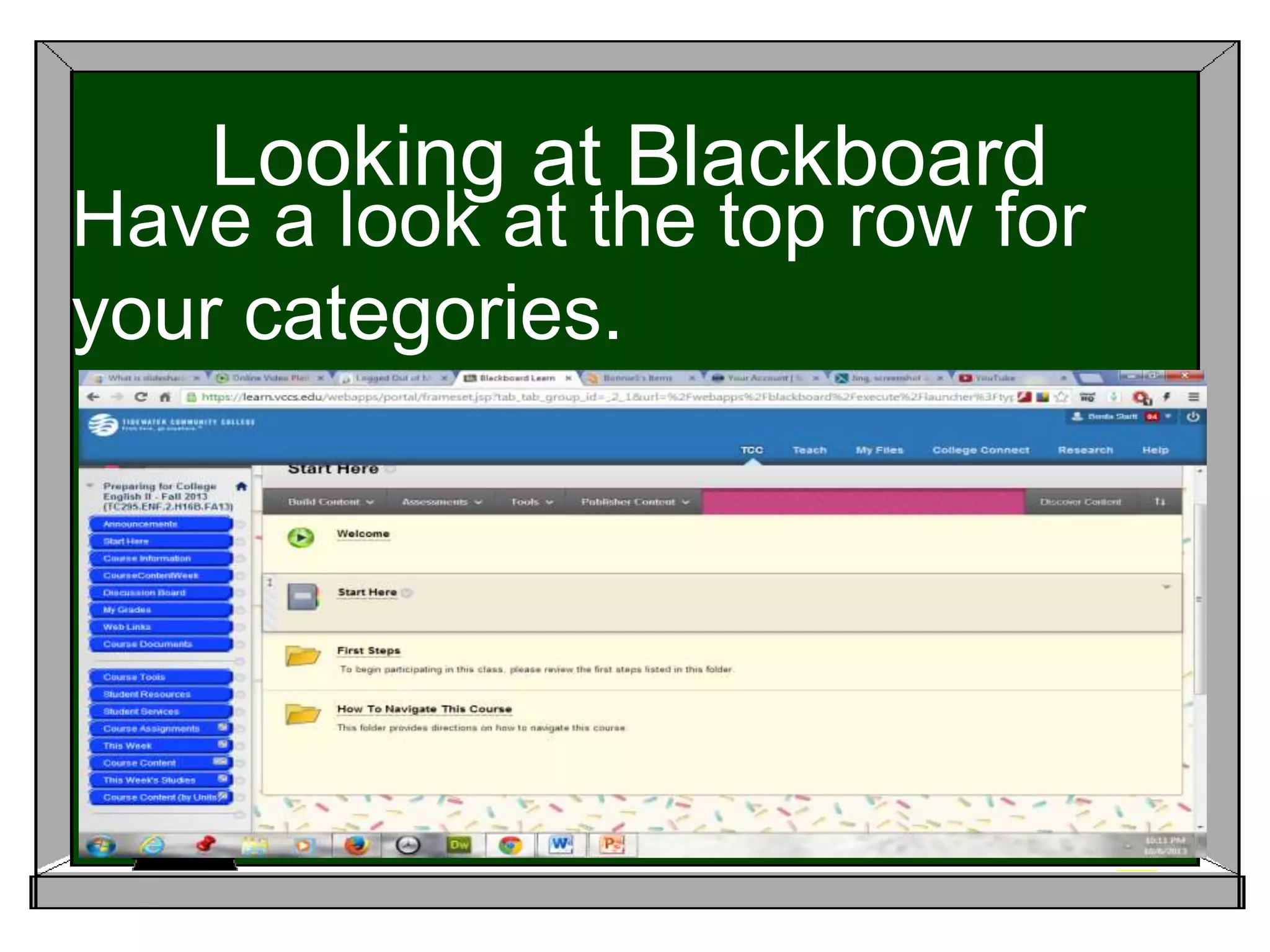
Looking at Blackboard
Have a look at the top row for
your categories.
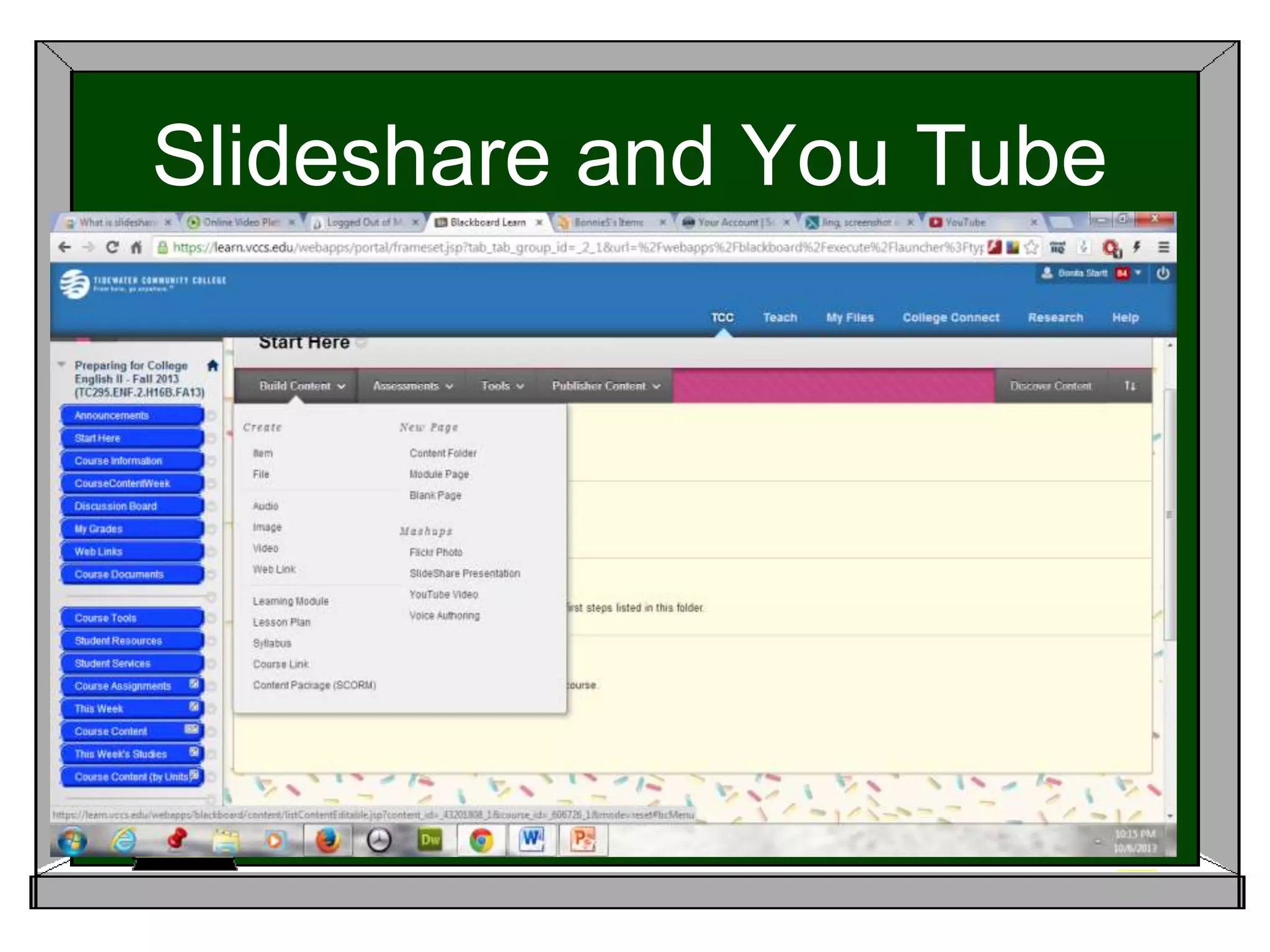
Slideshare and You Tube
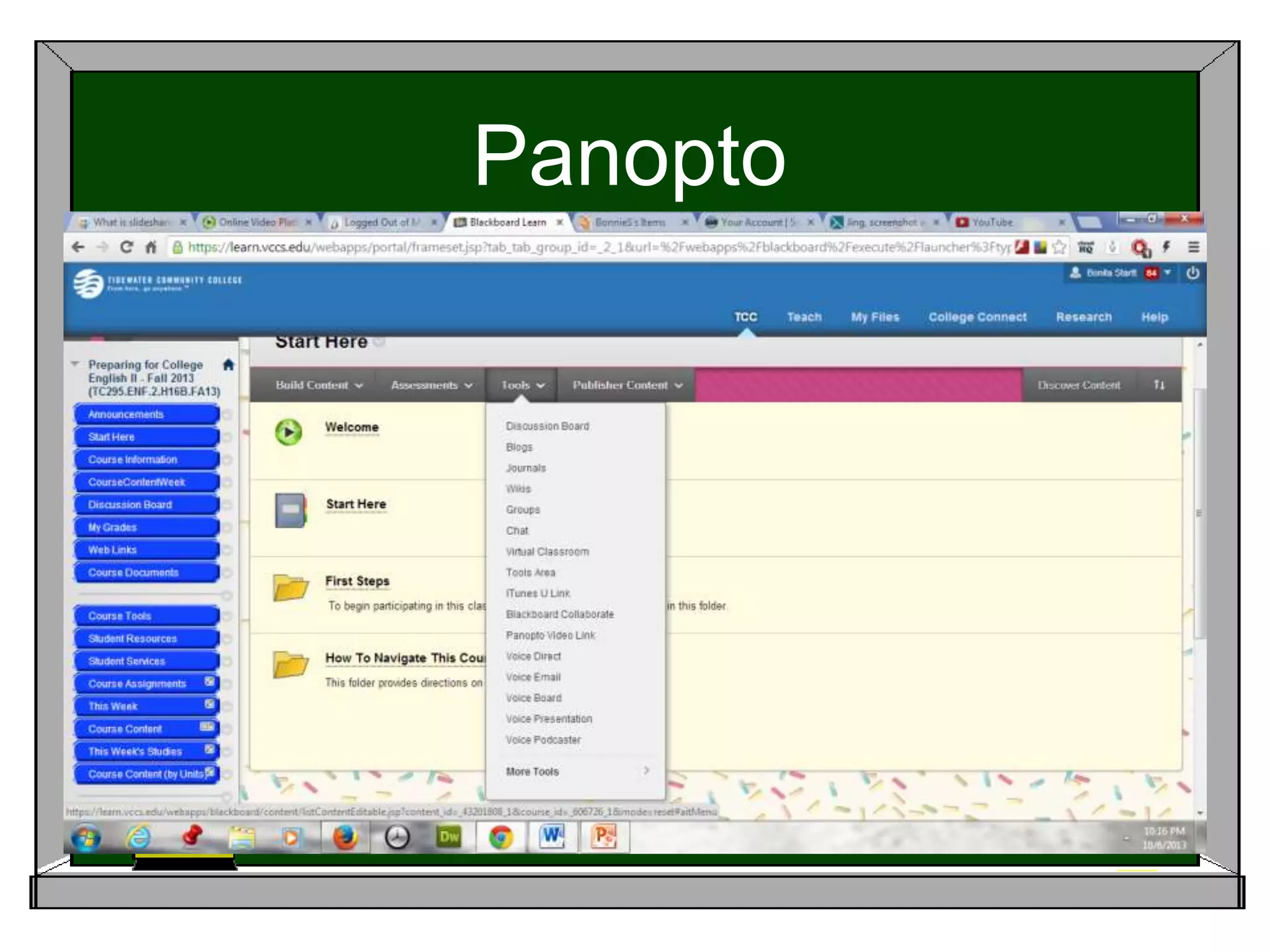
Panopto
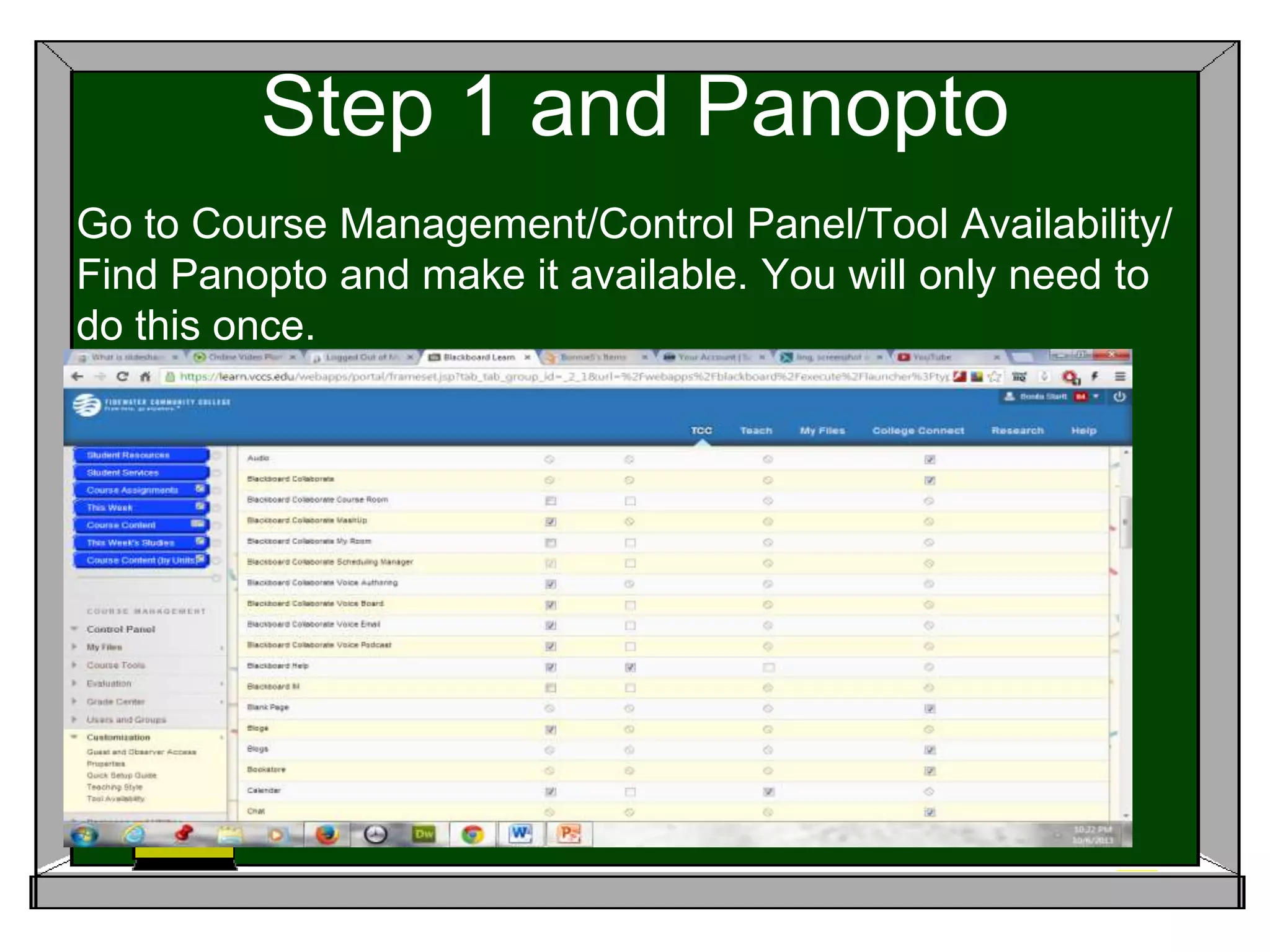
Step 1 and Panopto
Go to Course Management/Control Panel/Tool Availability/
Find Panopto and make it available. You will only need to
do this once.
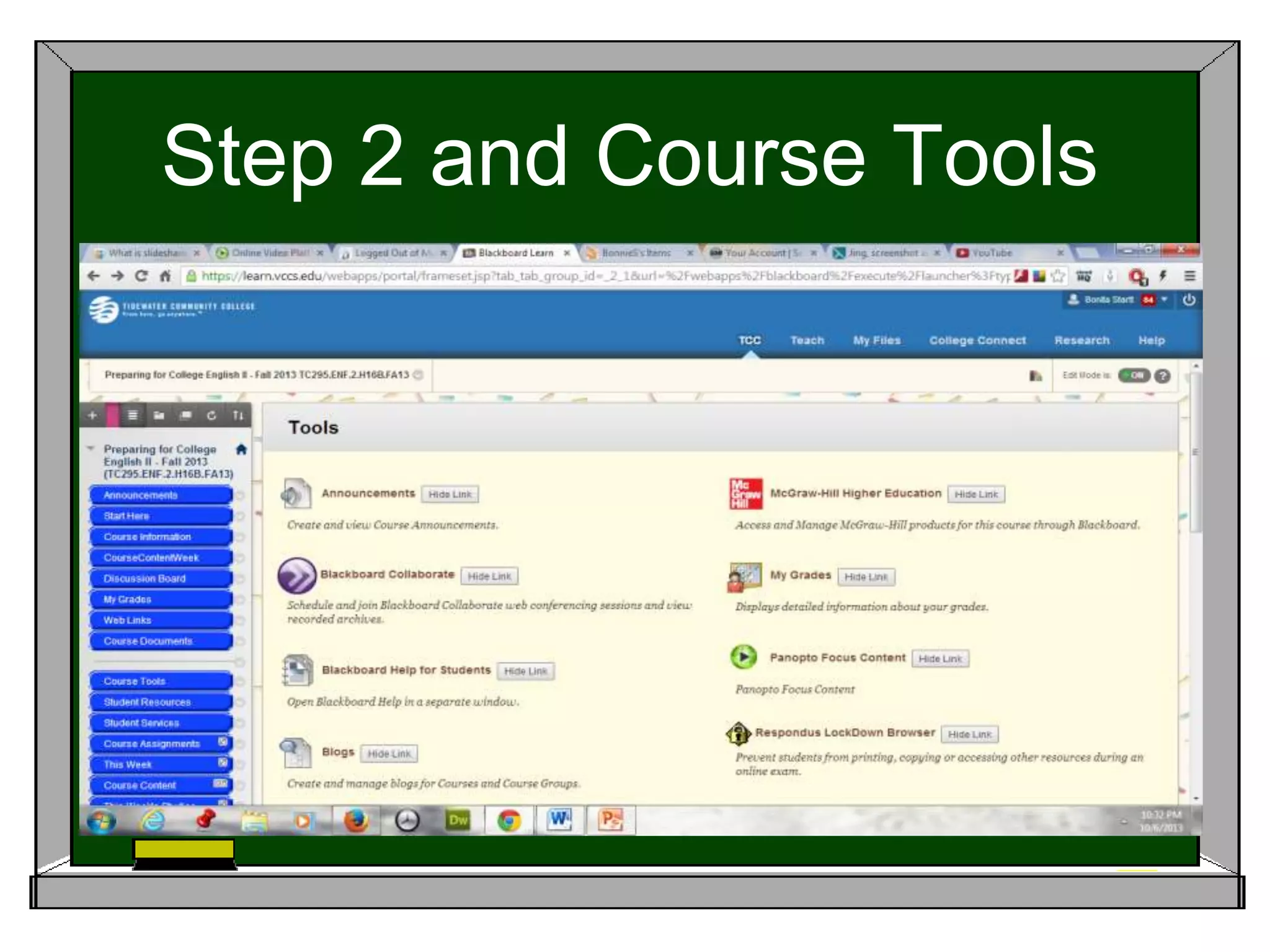
Step 2 and Course Tools
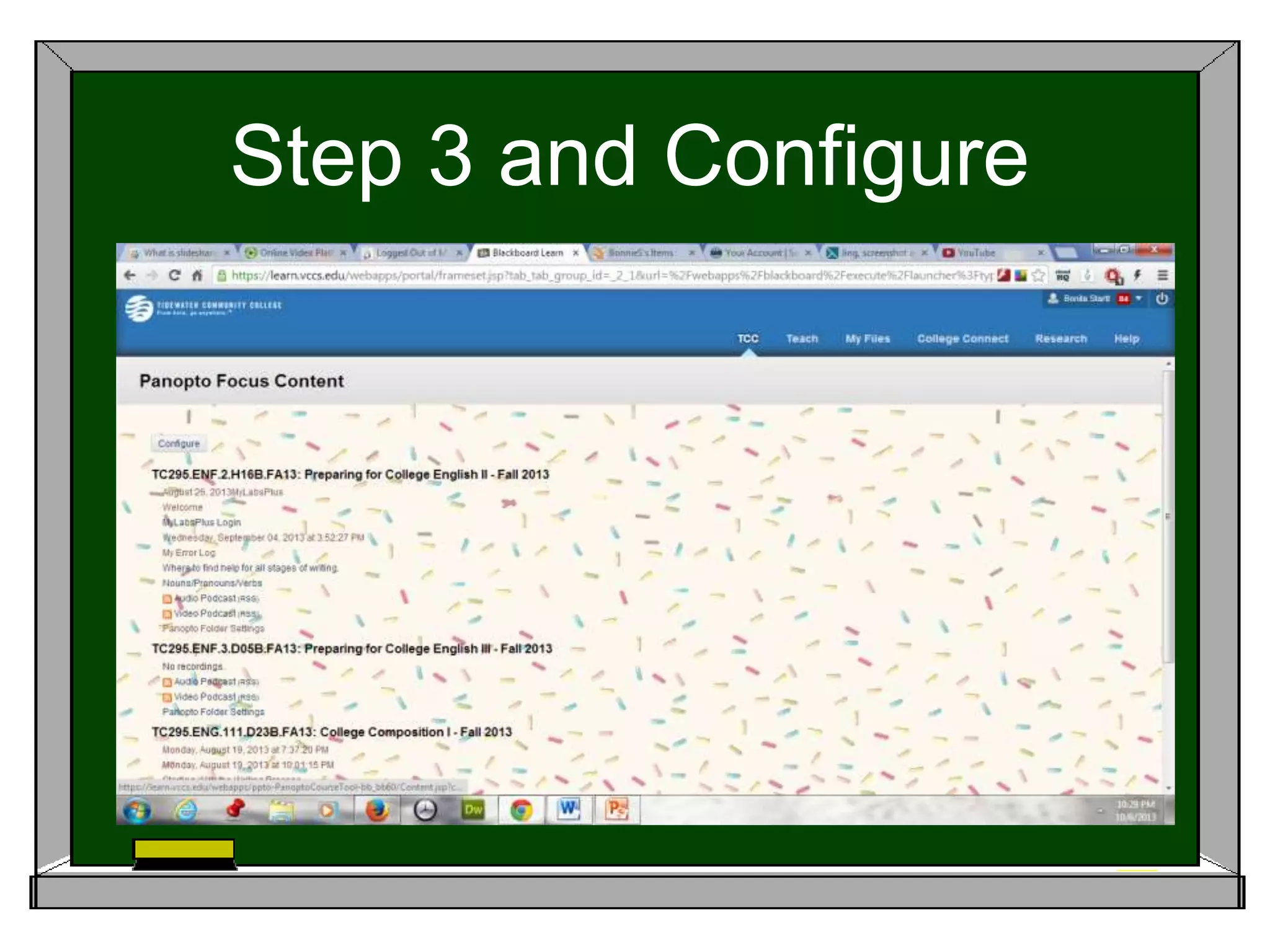
Step 3 and Configure
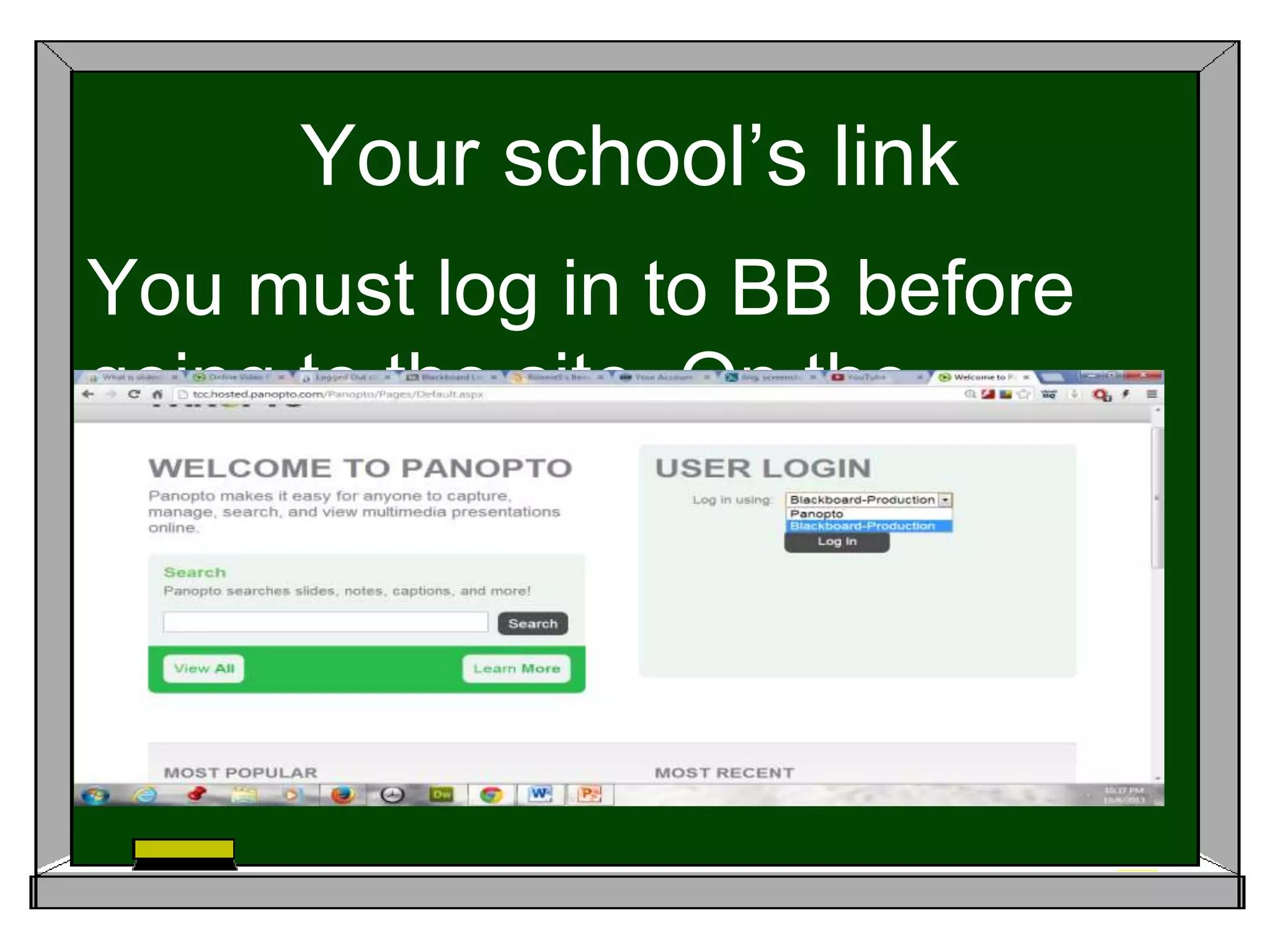
Your school’s link
You must log in to BB before
going to the site. On the
dropdown menu select BB
Production.
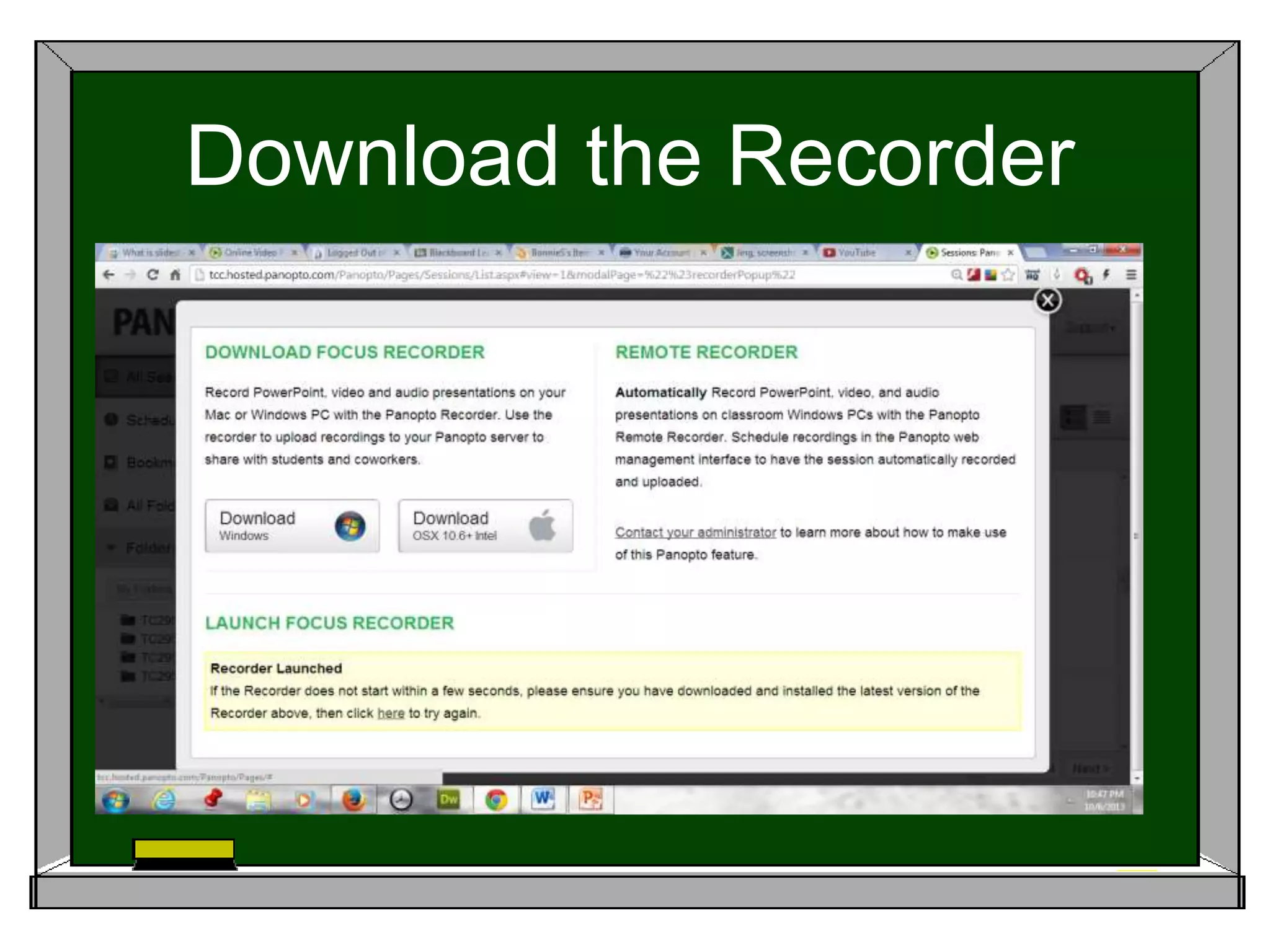
Download the Recorder
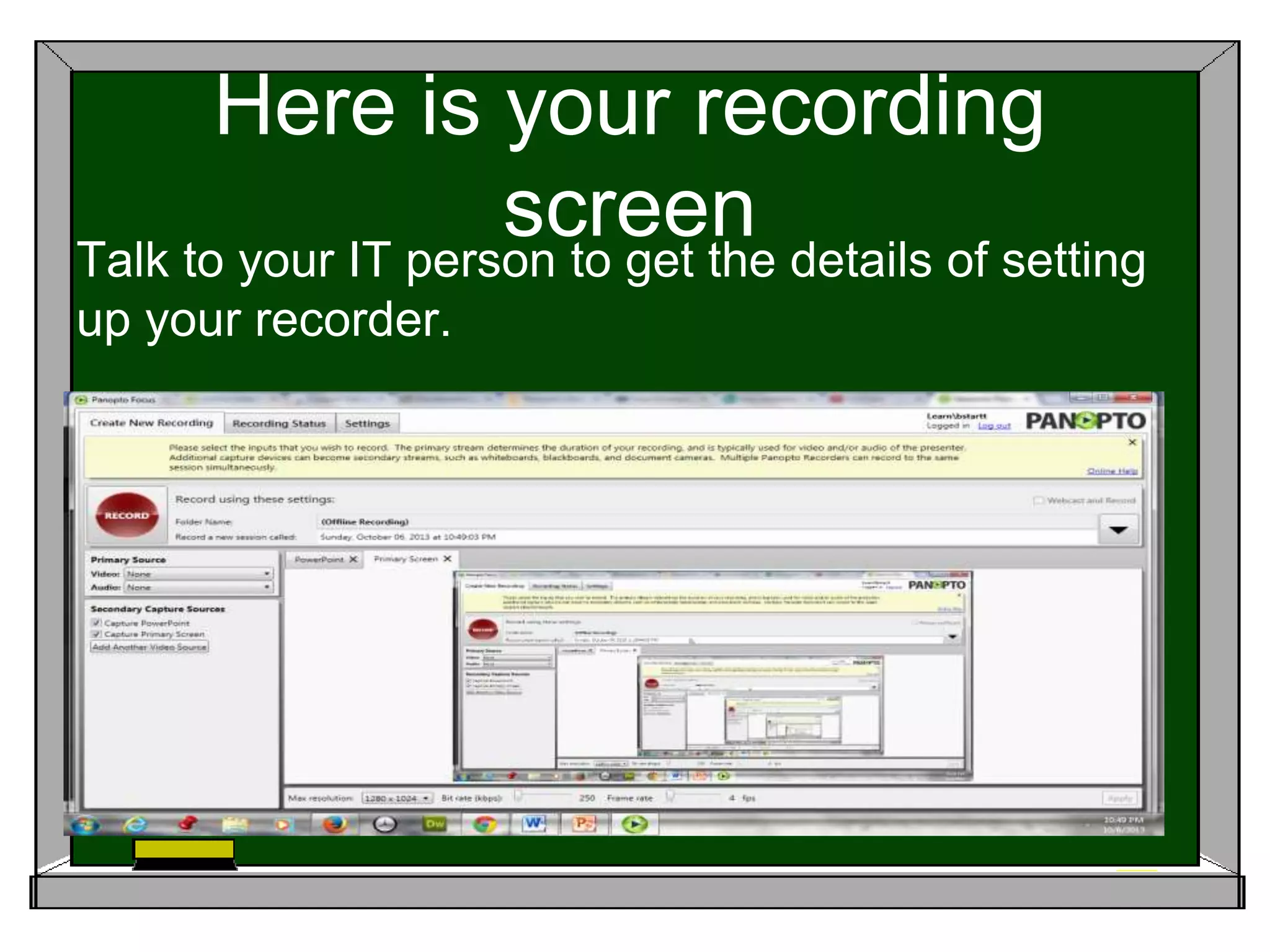
Here is your recording
screenTalk to your IT person to get the details of setting
up your recorder.
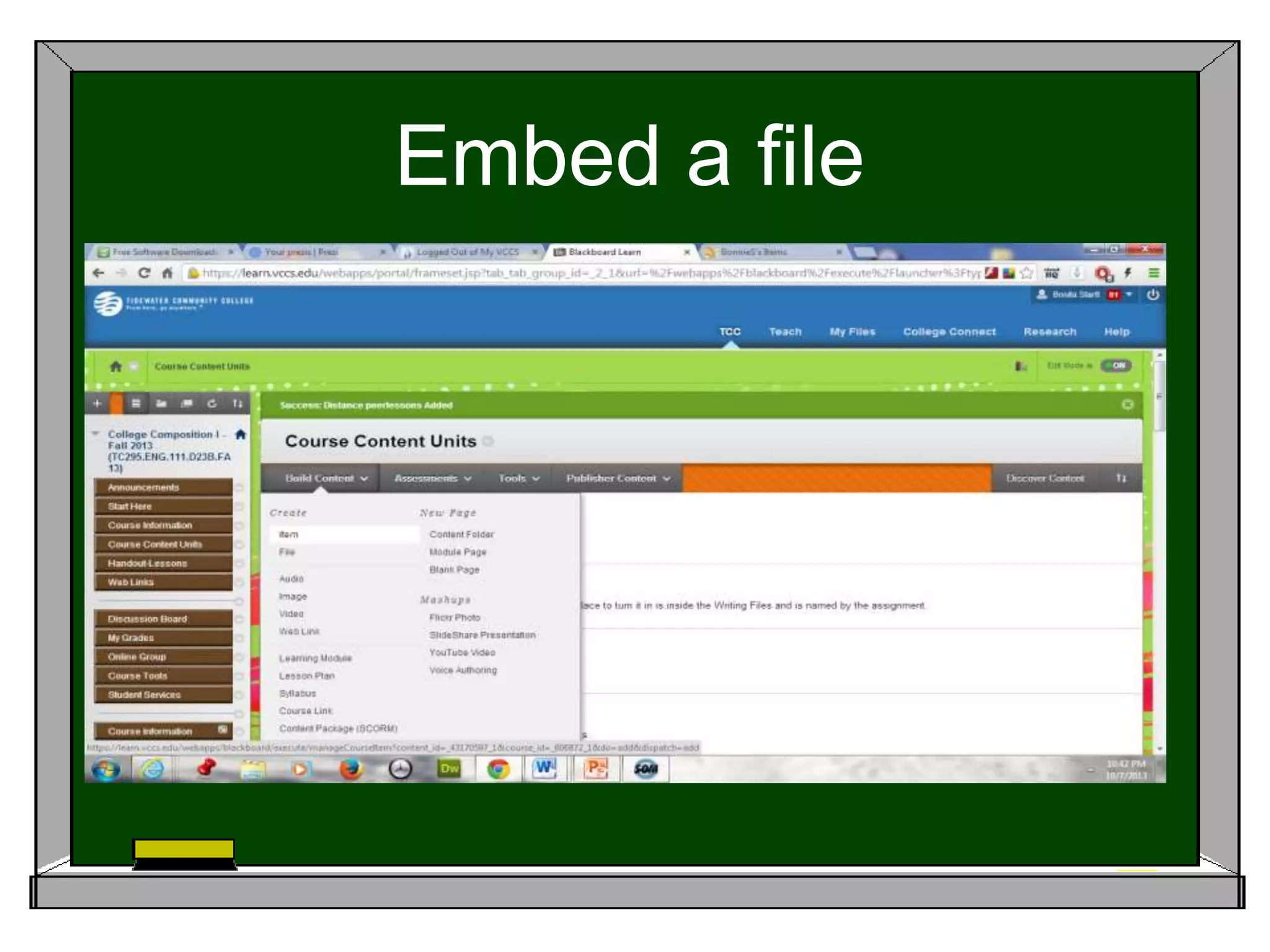
Embed a file
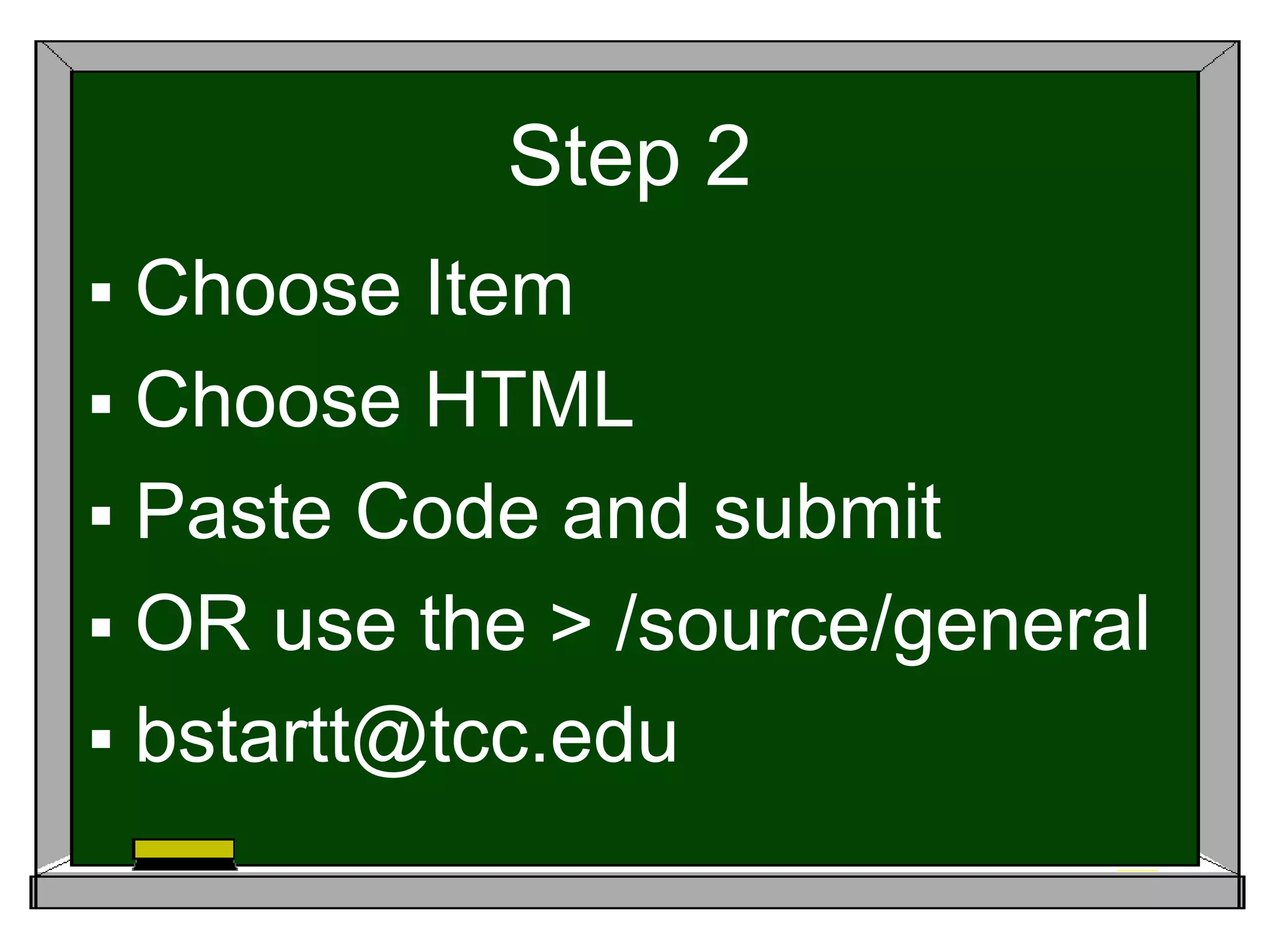
Step 2
 Choose Item
 Choose HTML
 Paste Code and submit
 OR use the > /source/general
 bstartt@tcc.edu
Check out the Lessons.
http://tcc.hosted.panopto.com/Panopto/Pages/Viewer/Def
ault.aspx?id=2f1574d1-9fbf-4043-b1ce-c0325e29e30c
http://www.slideshare.net/bonniestartt/distance-
peerlessons
https://www.youtube.com/watch?v=RTV7H2C3M80&featu
re=youtu.be
http://screencast-o-matic.com/watch/cI6jn7VdYk
Lessons # 2
http://www.screencast.com/t/fKwe8E9oGeqr

Distance peerlessons

  • 1.
    How Can IMake My Life Easier? What are those options I keep seeing on Blackboard? Why should I care? What can I do with them?
  • 2.
    What is Panopto? Thisis another program which allows you to share notes and PowerPoint of your computer screen with your students. You may also record a class lecture or share a whiteboard with students. http://www.panopto.com/ The VCCS has a contract so talk to your IT individuals to find the address for your schools connection.
  • 3.
    Jazz up yourPPT with Prezi This is a fun program to use when you are talking on screen--- but you can just create for presentations. http://prezi.com/ Here is my first attempt. http://prezi.com/seteuj11qavt/?utm_campai gn=share&utm_medium=copy&rc=ex0shar e
  • 4.
    What is Slideshare? Youwill find it at : http://www.slideshare.net/ This is a terrific free program which will allow you to upload handouts using PowerPoint, Open Office, PDF, or Keynote and share presentations on the Internet. This will allow you take your handouts and move them to an easily accessible area.
  • 5.
    What is Sophia? Thisis a delightful site for teachers by teachers and will allow you to find or create lesson or quizzes or find some that have already been created. There is an option to get suggestions from other teachers about your lesson if you wish. http://www.sophia.org/ http://www.sophia.org/tutorials/transitional- words My group number is: 3935c6
  • 6.
    What is ScreenCast-O- Matic? Thisis a simple free program which will allow you to create an easy video lesson for your students. http://www.screencast-o-matic.com/ This is an extremely simple program to use; all you need is a camera and a microphone.
  • 7.
    Where can Ikeep the video? You can save your video on the this free program. http://www.screencast-o- matic.com/ It is simple to save your work here and allows you the option to copy/ embed your work.
  • 8.
    Jing will helpyou grade papers This is one of my favorite sites and has allowed me to save a lot of time. http://www.techsmith.com/jing.html Jing is a free program which will allow you to save up to 5 minutes of video. That may not seem like a lot, but it works well with our students’ attention span. http://www.screencast.com/ http://www.screencast.com/t/R5dBaLJyIhE This program is by the same company that created Camtasia. Your school may be able to provide you with Camtasia which allows you to edit and do other things.
  • 9.
    You Tube I havealways found it amusing that it isn’t Utube-- - but there are a lot of excellent lessons to be found here which can be added to your Blackboard. https://www.youtube.com/ Once you are registered, you can join groups which strike your interest, and these groups will Lead you to other groups… Try Educator.com.
  • 10.
    Looking at Blackboard Havea look at the top row for your categories.
  • 11.
  • 12.
  • 13.
    Step 1 andPanopto Go to Course Management/Control Panel/Tool Availability/ Find Panopto and make it available. You will only need to do this once.
  • 14.
    Step 2 andCourse Tools
  • 15.
    Step 3 andConfigure
  • 16.
    Your school’s link Youmust log in to BB before going to the site. On the dropdown menu select BB Production.
  • 17.
  • 18.
    Here is yourrecording screenTalk to your IT person to get the details of setting up your recorder.
  • 19.
  • 20.
    Step 2  ChooseItem  Choose HTML  Paste Code and submit  OR use the > /source/general  bstartt@tcc.edu
  • 21.
    Check out theLessons. http://tcc.hosted.panopto.com/Panopto/Pages/Viewer/Def ault.aspx?id=2f1574d1-9fbf-4043-b1ce-c0325e29e30c http://www.slideshare.net/bonniestartt/distance- peerlessons https://www.youtube.com/watch?v=RTV7H2C3M80&featu re=youtu.be http://screencast-o-matic.com/watch/cI6jn7VdYk
  • 22.