Supported by:
Connected Brains 2019
Getting the most out of Office365!
Our Journey
• Pitfalls & challenges
• The O365 cloud platform today
• SharePoint Online
• O365 Apps
• Customer Immersion Experience
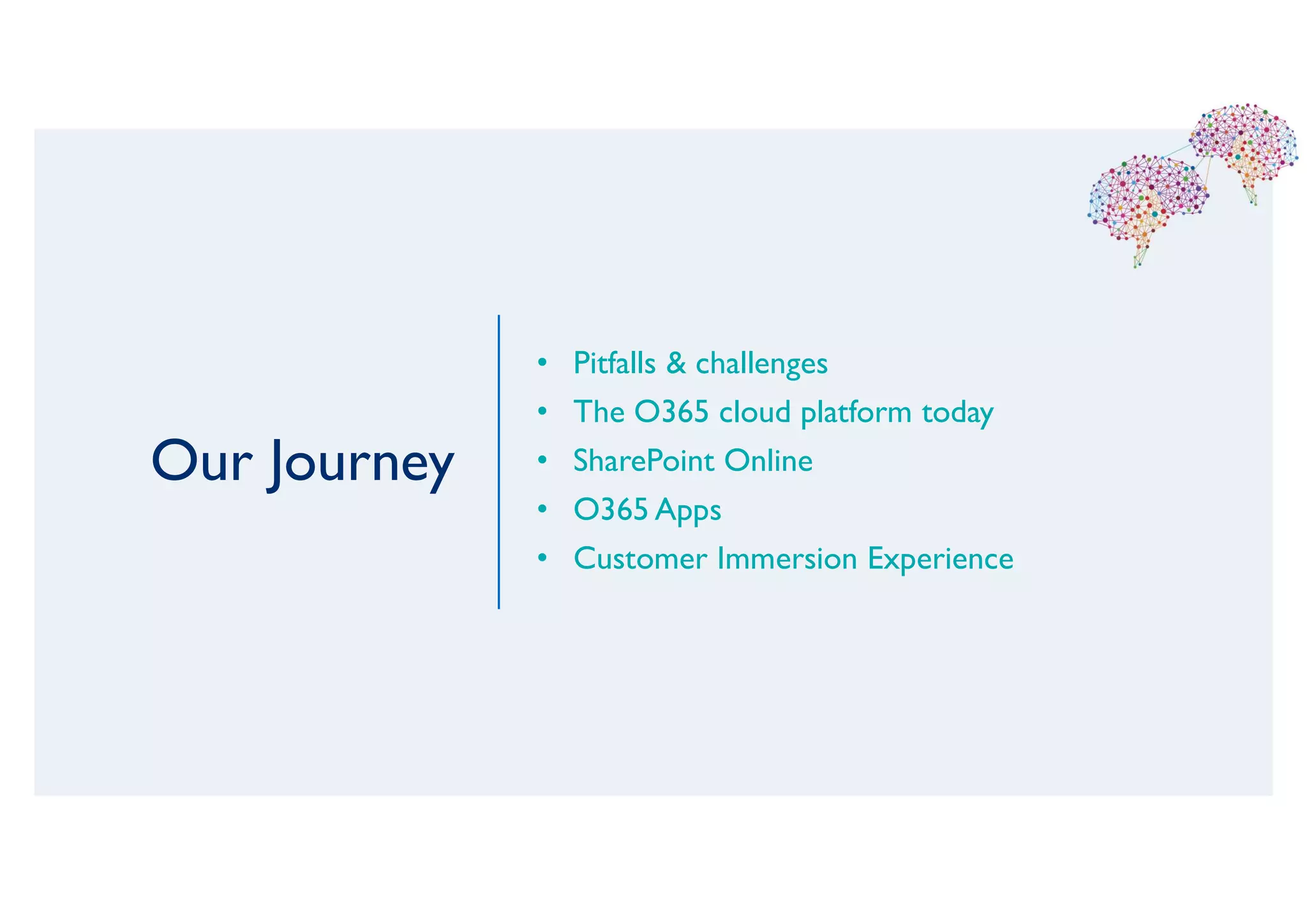
Pitfalls &
Challenges
INEFFECTIVE
COLLABORATION
INTERNAL COMMUNICATION
BARRIERS
CHANGE MANAGEMENT
Workplace productivity through digital collaboration as a solution!
Cloud PlatformToday
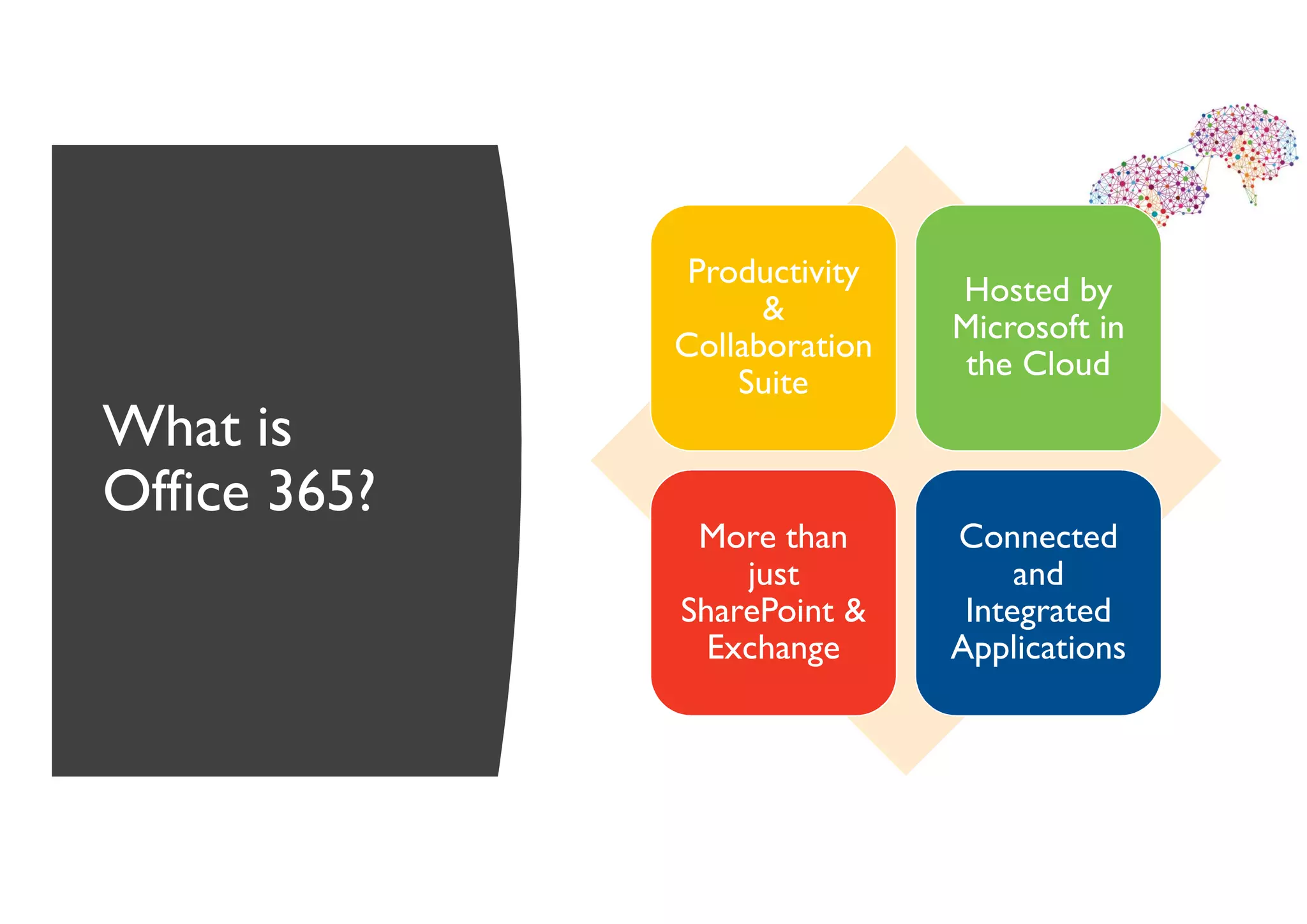
What is
Office 365?
Productivity
&
Collaboration
Suite
Hosted by
Microsoft in
the Cloud
More than
just
SharePoint &
Exchange
Connected
and
Integrated
Applications
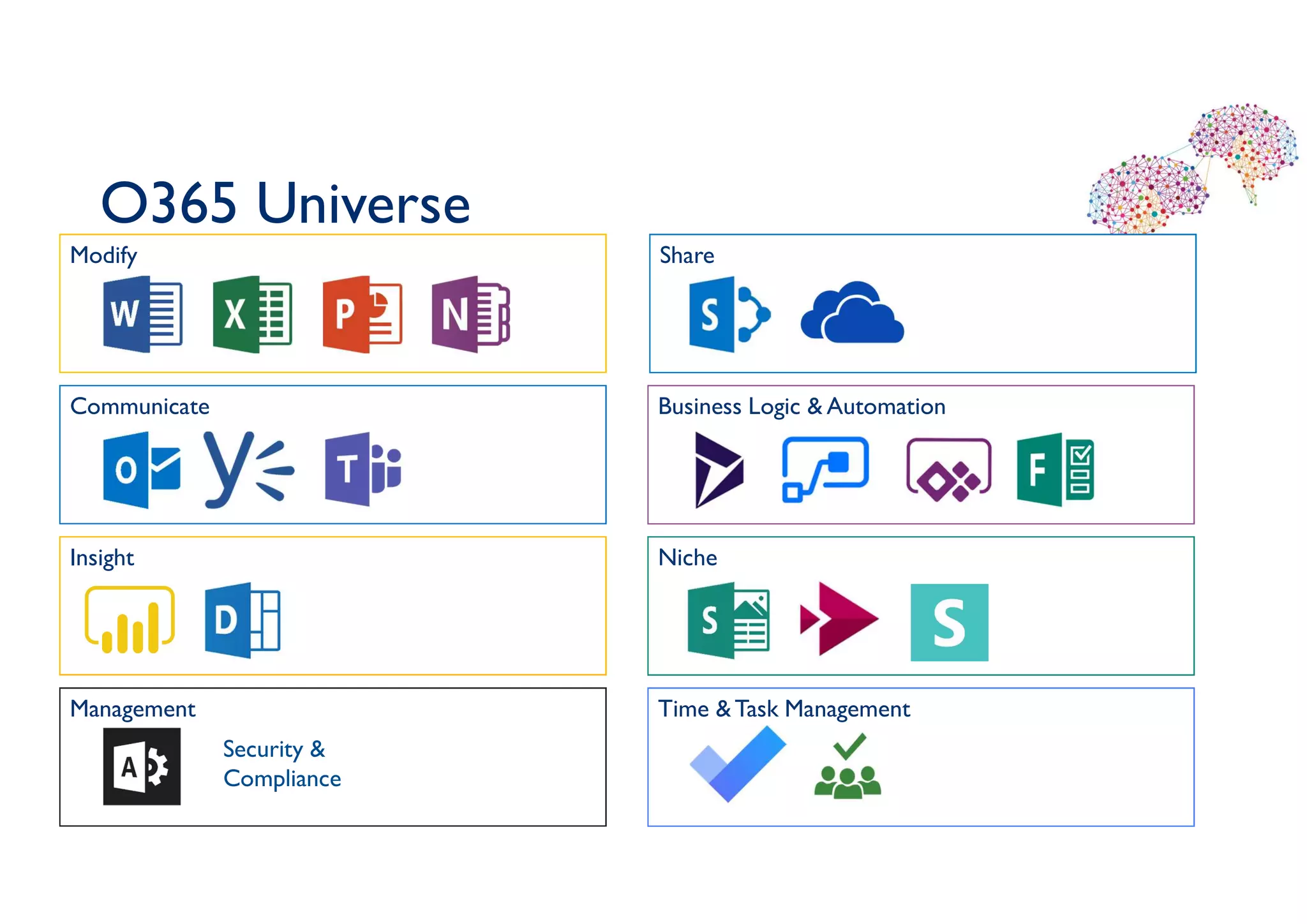
O365 Universe
Niche
Time &Task ManagementManagement
Insight
Business Logic & AutomationCommunicate
ShareModify
Security &
Compliance
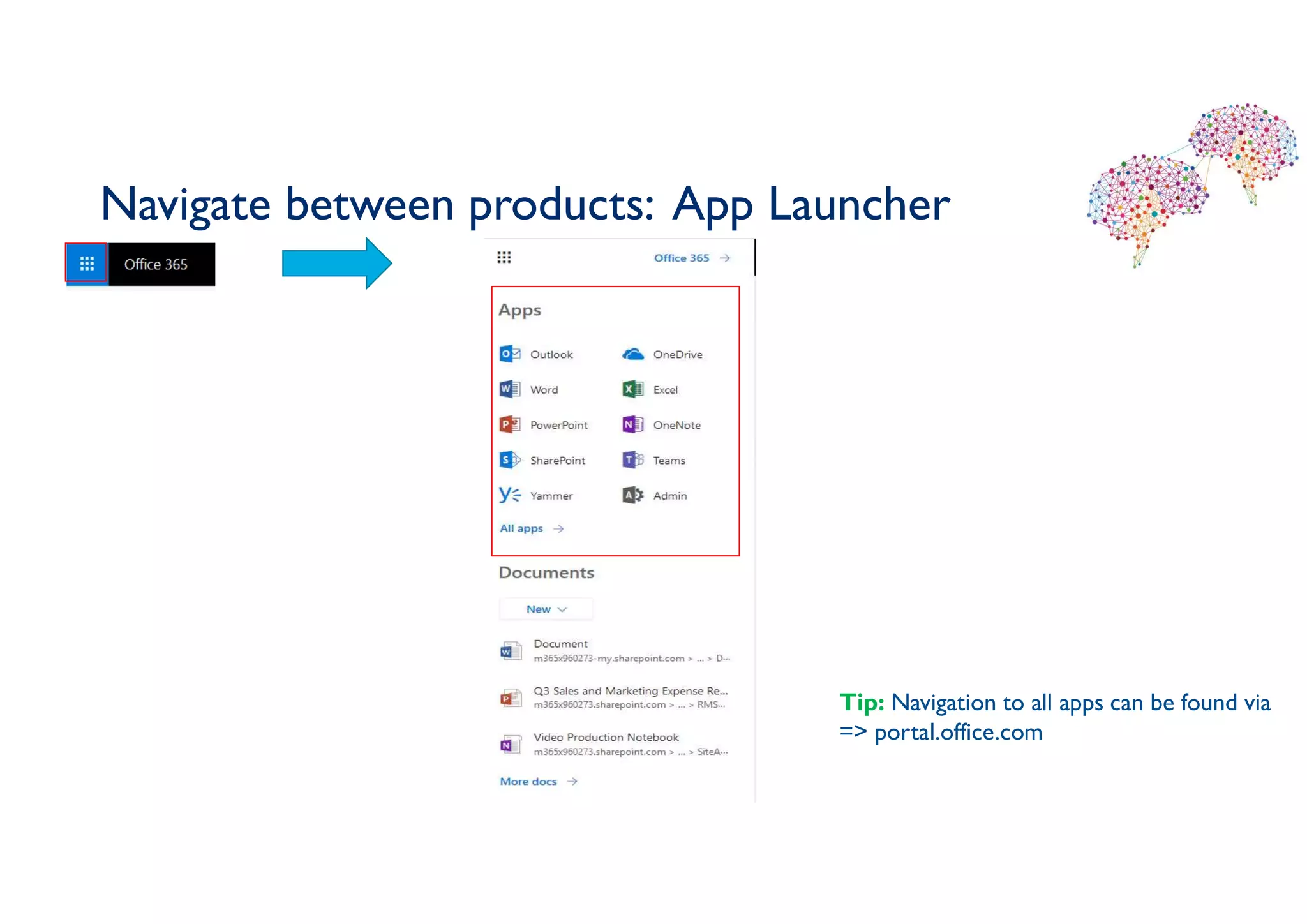
Navigate between products: App Launcher
Tip: Navigation to all apps can be found via
=> portal.office.com
SharePoint
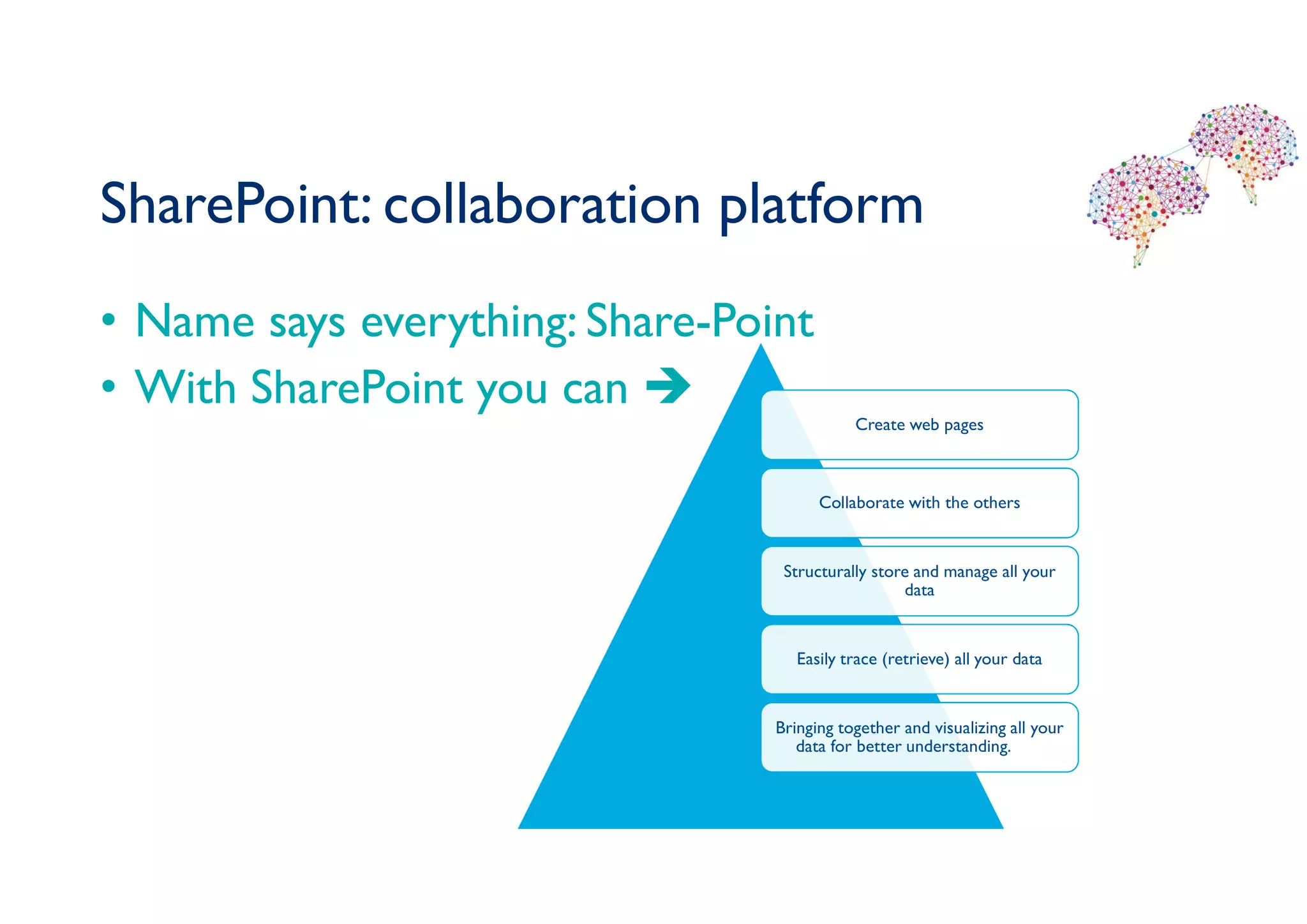
SharePoint: collaboration platform
• Name says everything: Share-Point
• With SharePoint you can 
Create web pages
Collaborate with the others
Structurally store and manage all your
data
Easily trace (retrieve) all your data
Bringing together and visualizing all your
data for better understanding.
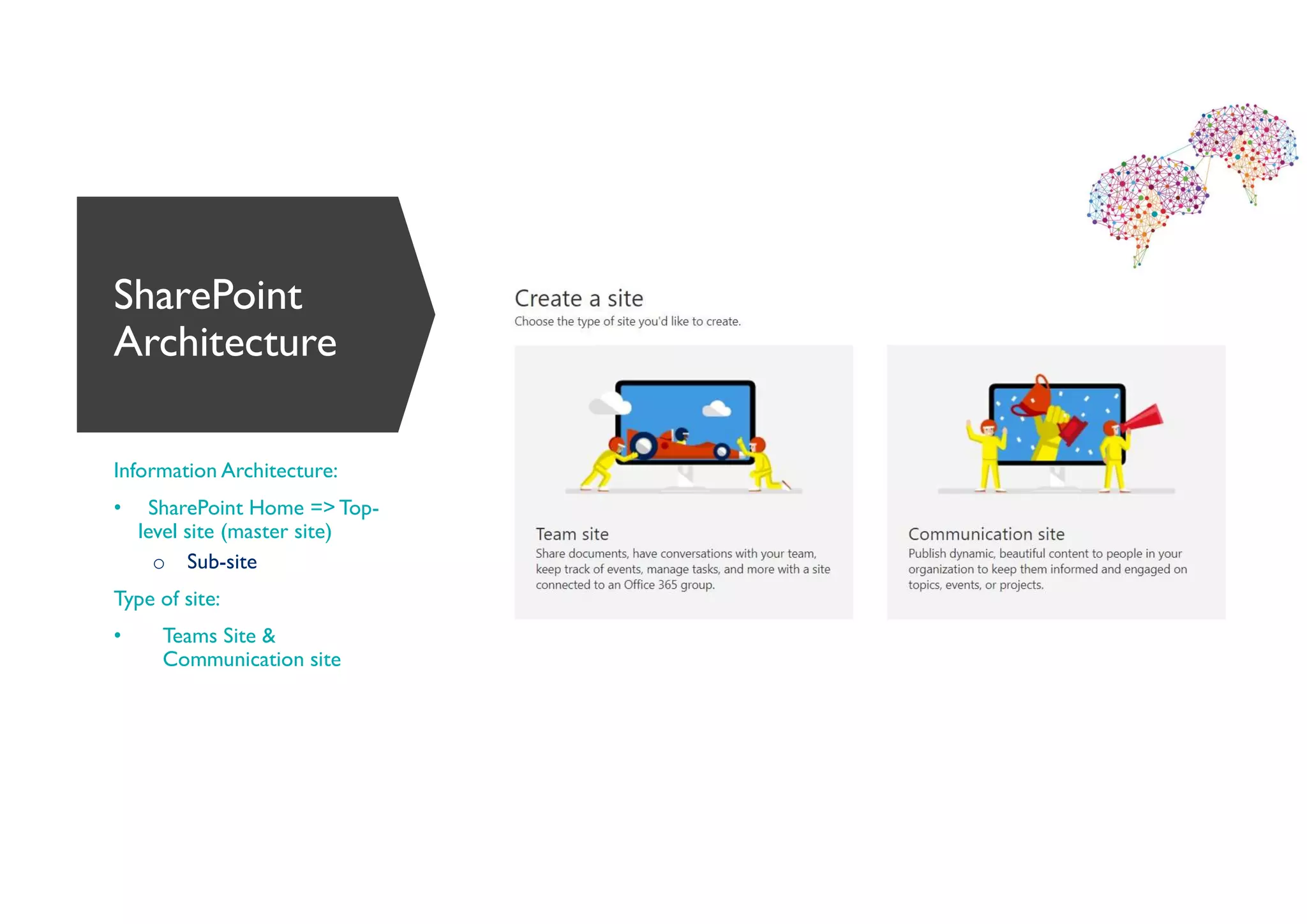
SharePoint
Architecture
Information Architecture:
• SharePoint Home => Top-
level site (master site)
o Sub-site
Type of site:
• Teams Site &
Communication site
SharePoint key
components
Key features:
• Document libraries
• Lists
• Metadata
• Navigation
Views:
• Classic
• Modern
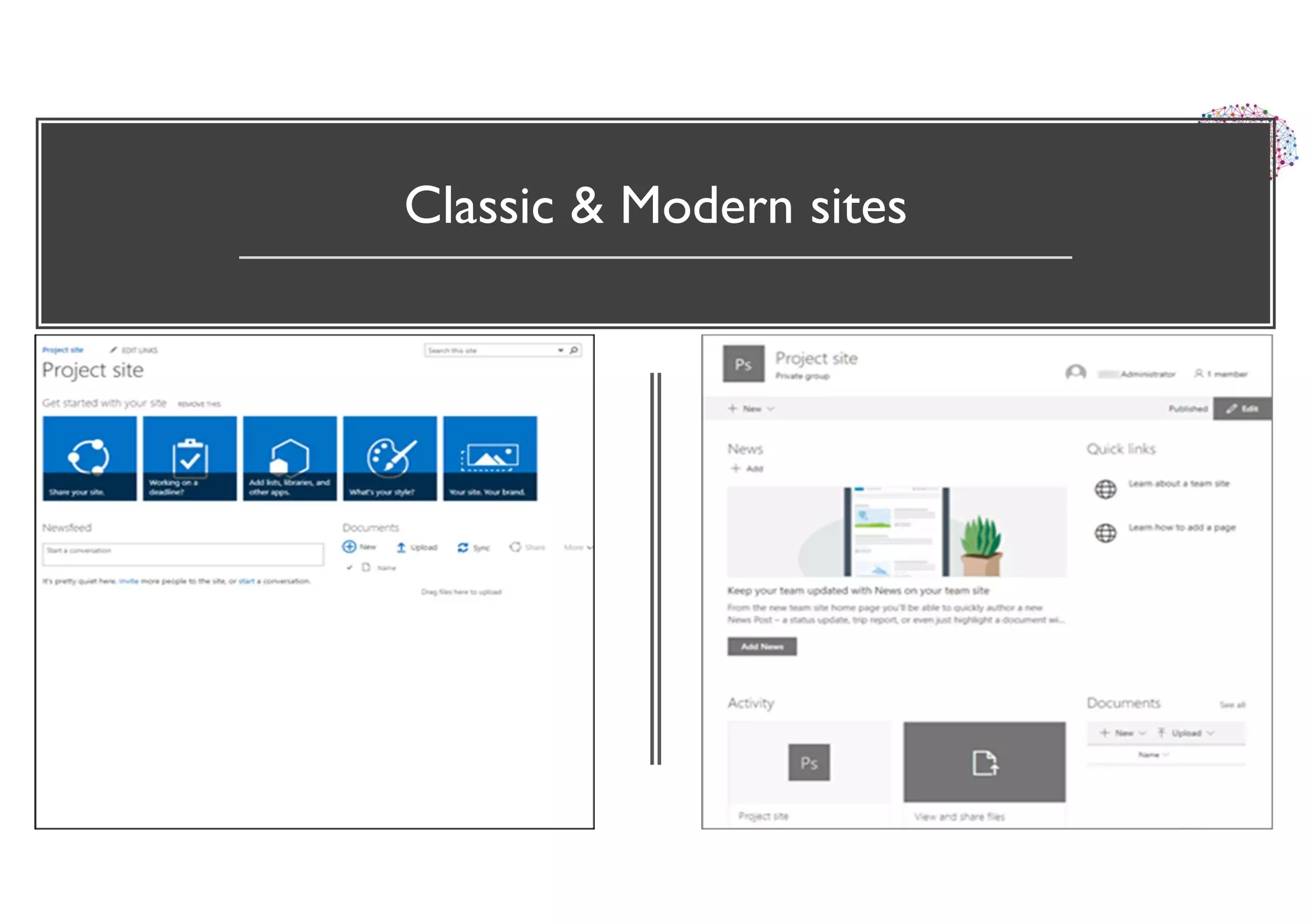
Classic & Modern sites
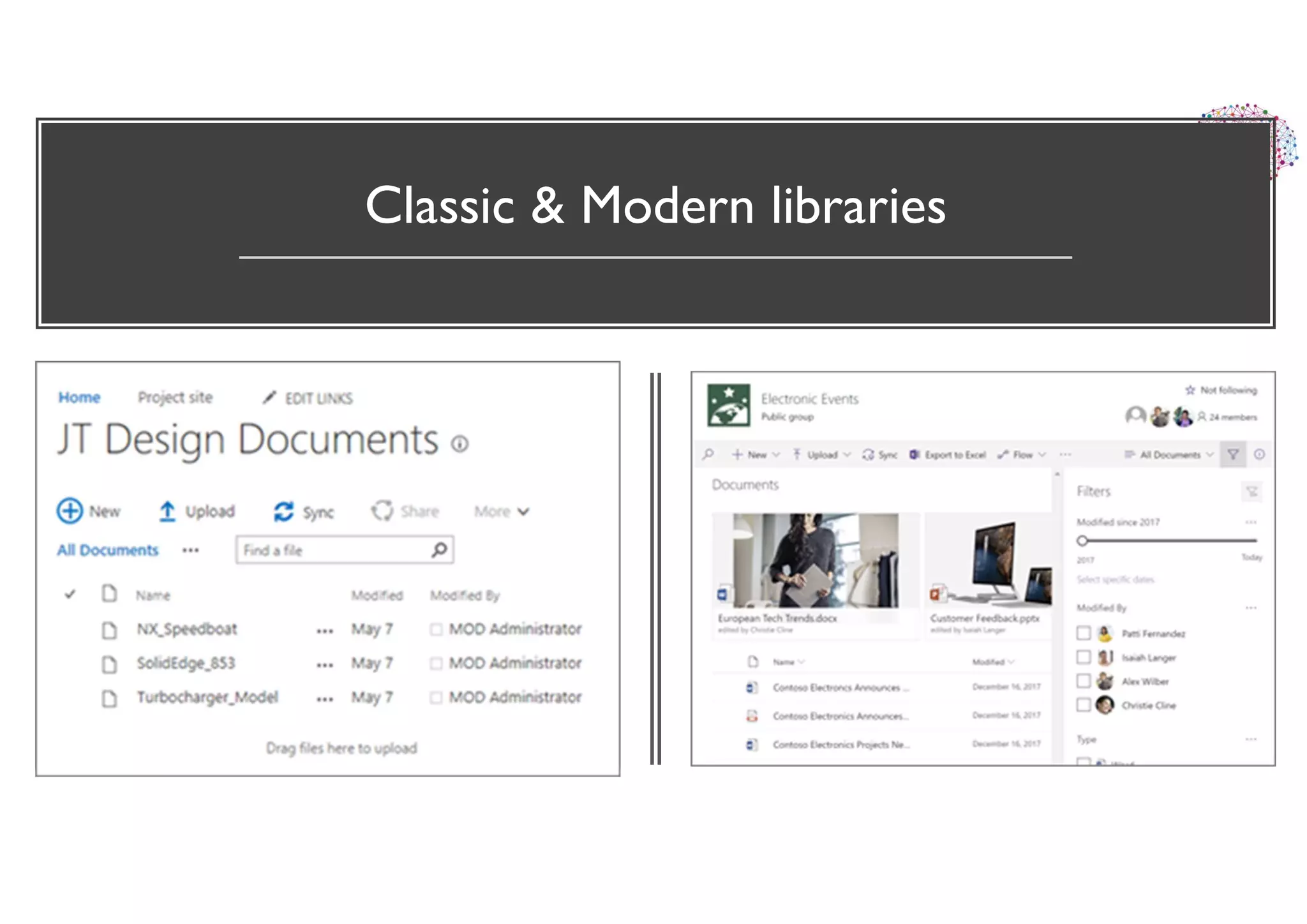
Classic & Modern libraries
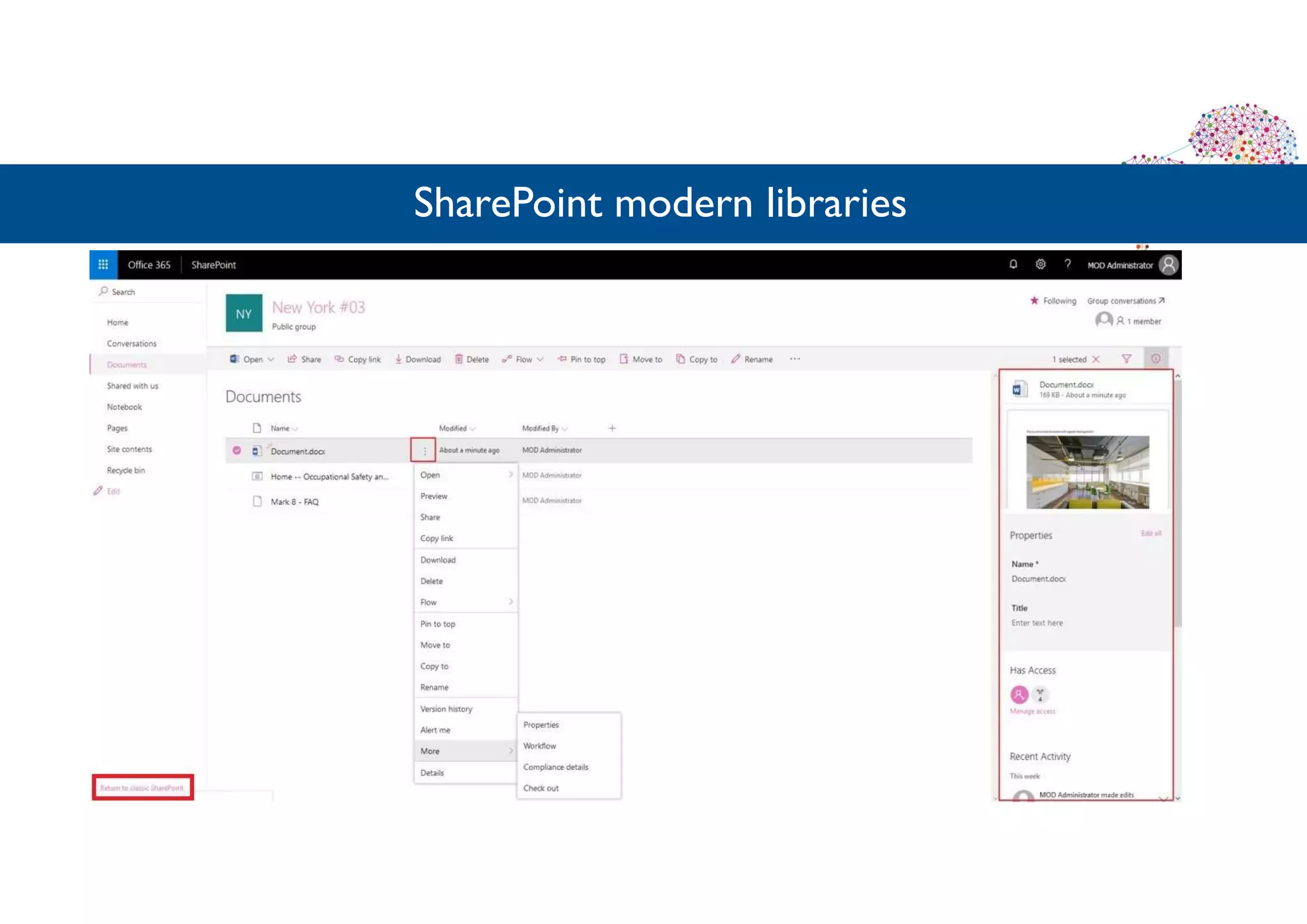
SharePoint modern libraries
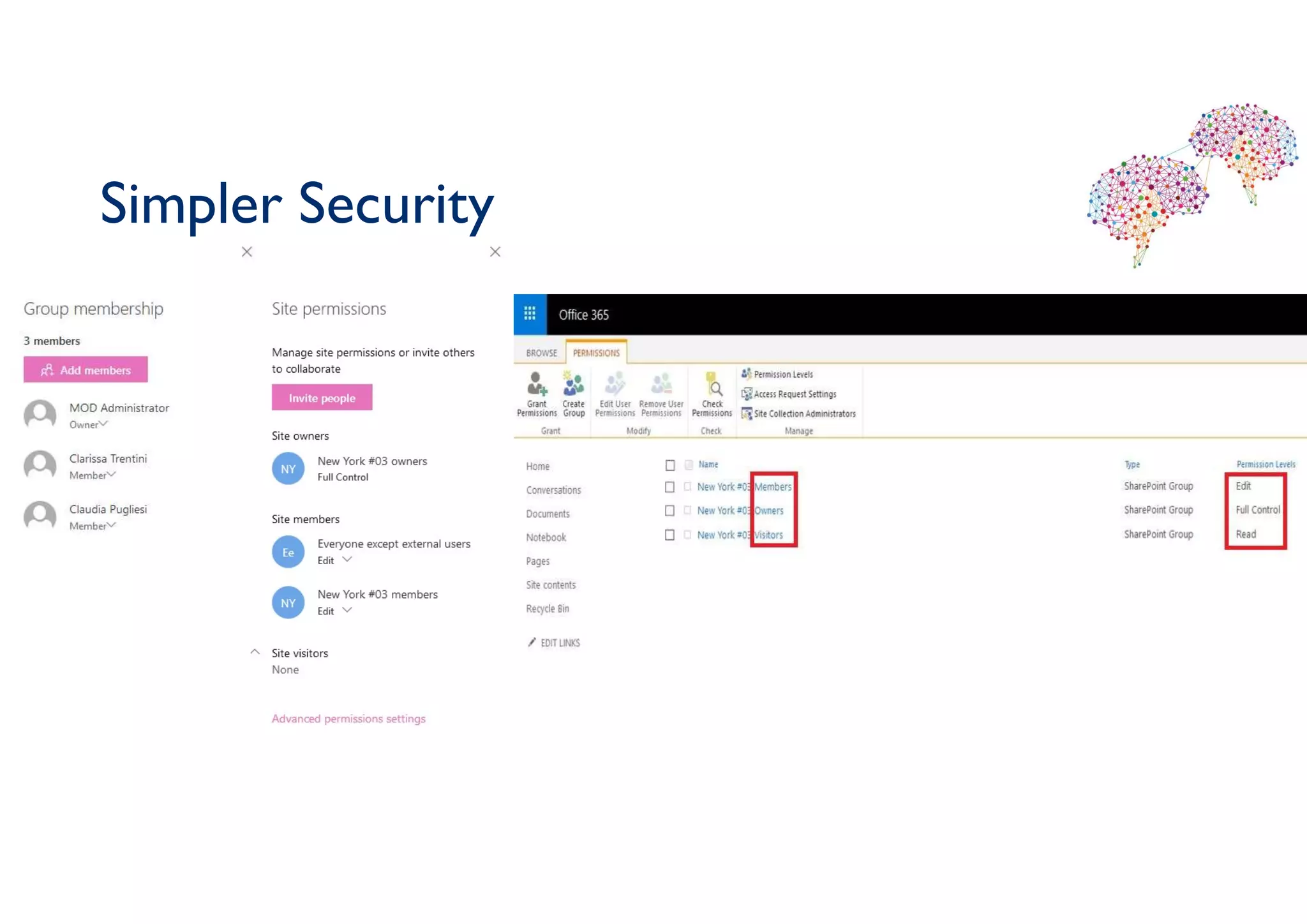
Simpler Security
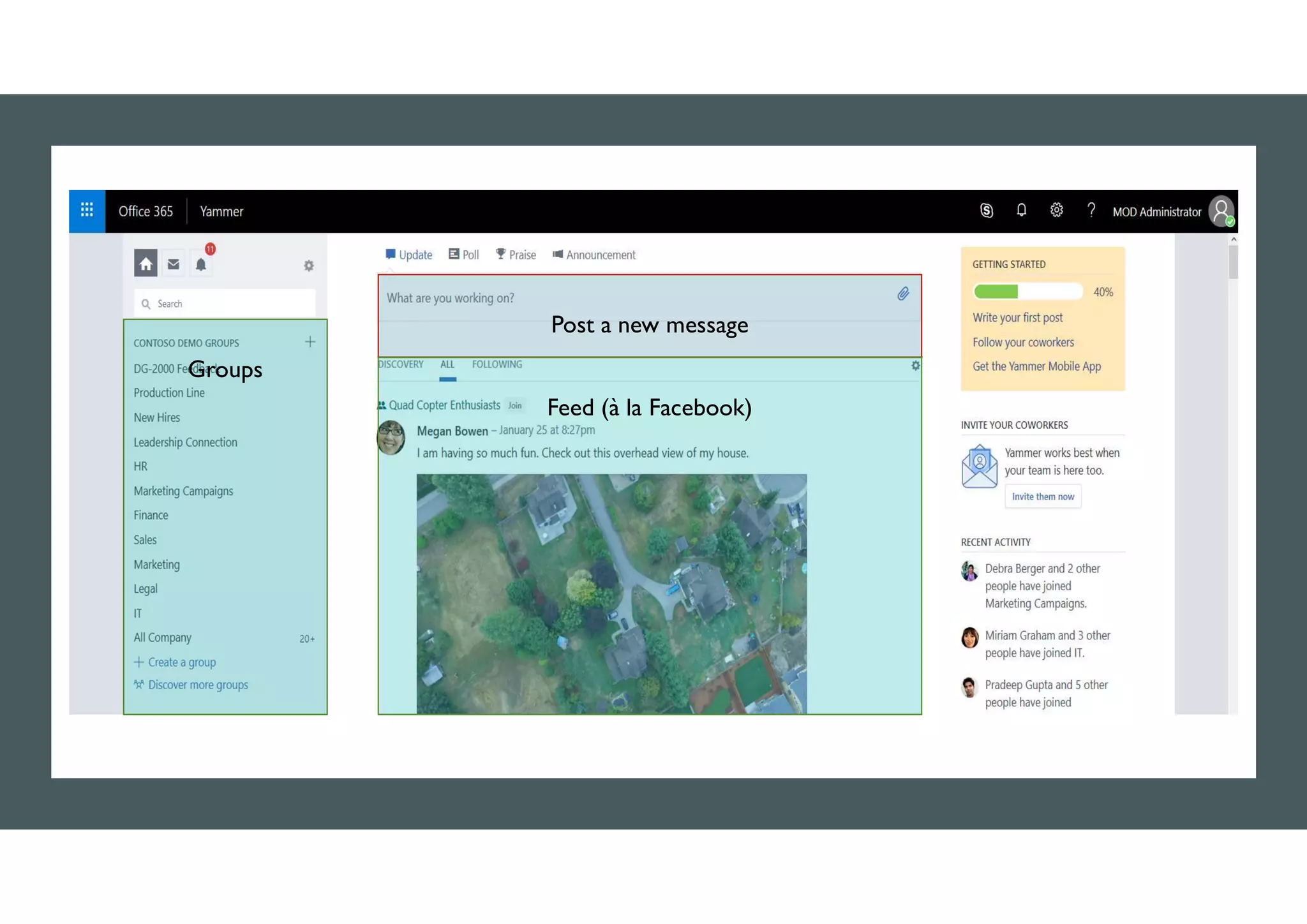
Yammer
Yammer: free-style conversations
• Corporate network
• Part of Office 365 suite
• Difference with Microsoft Teams
• Teams is for “static” teams,Yammer is organization-wide
Post a new message
Feed (à la Facebook)
Groups
Forms
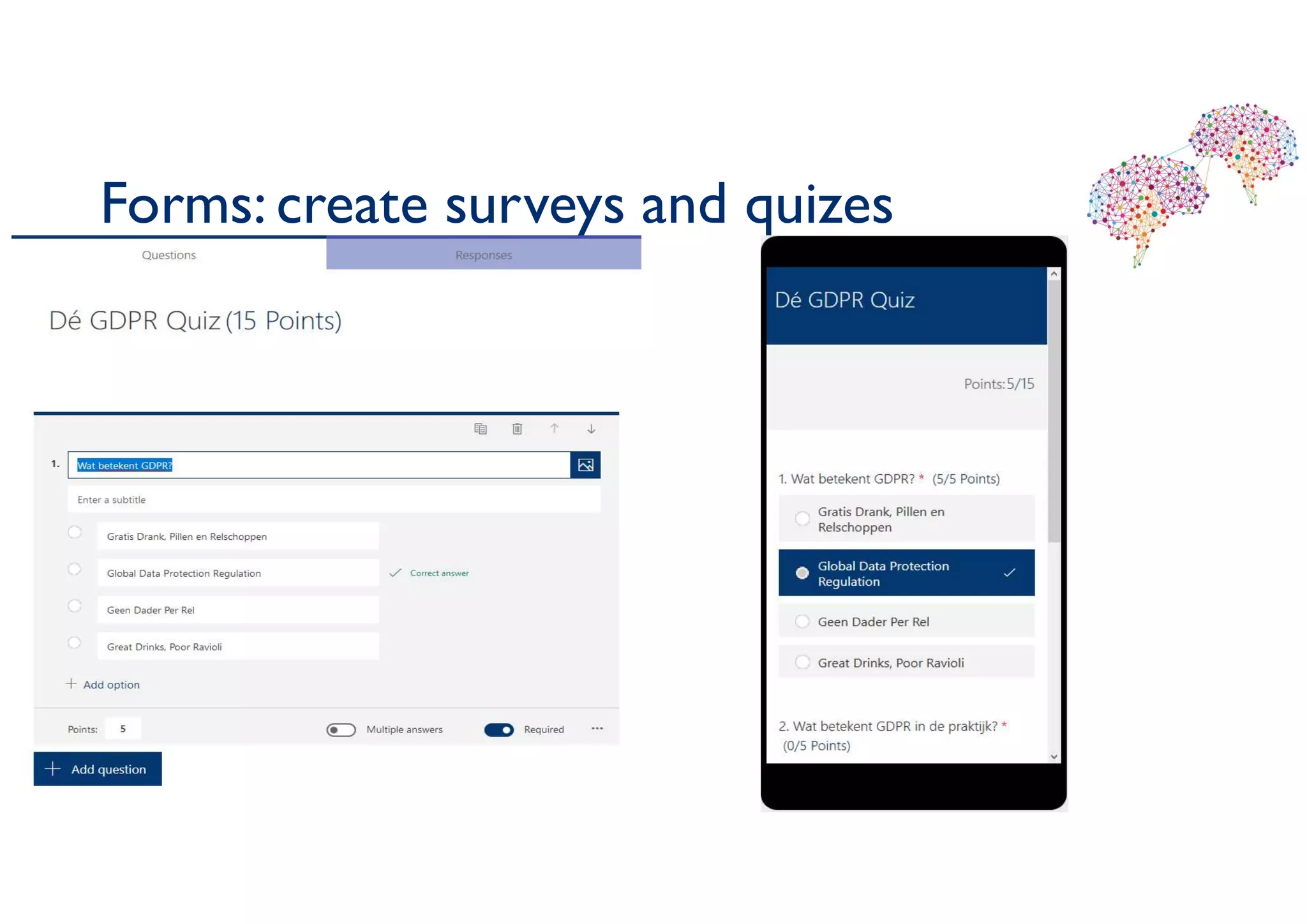
Forms: create surveys and quizes
Delve
Delve: insight &
relevance
• Instead of searching, Delve provides insights into
what you need
• Find out what your colleagues are up to
• Are my documents safe in Delve? (GDPR &
privacy in Delve)
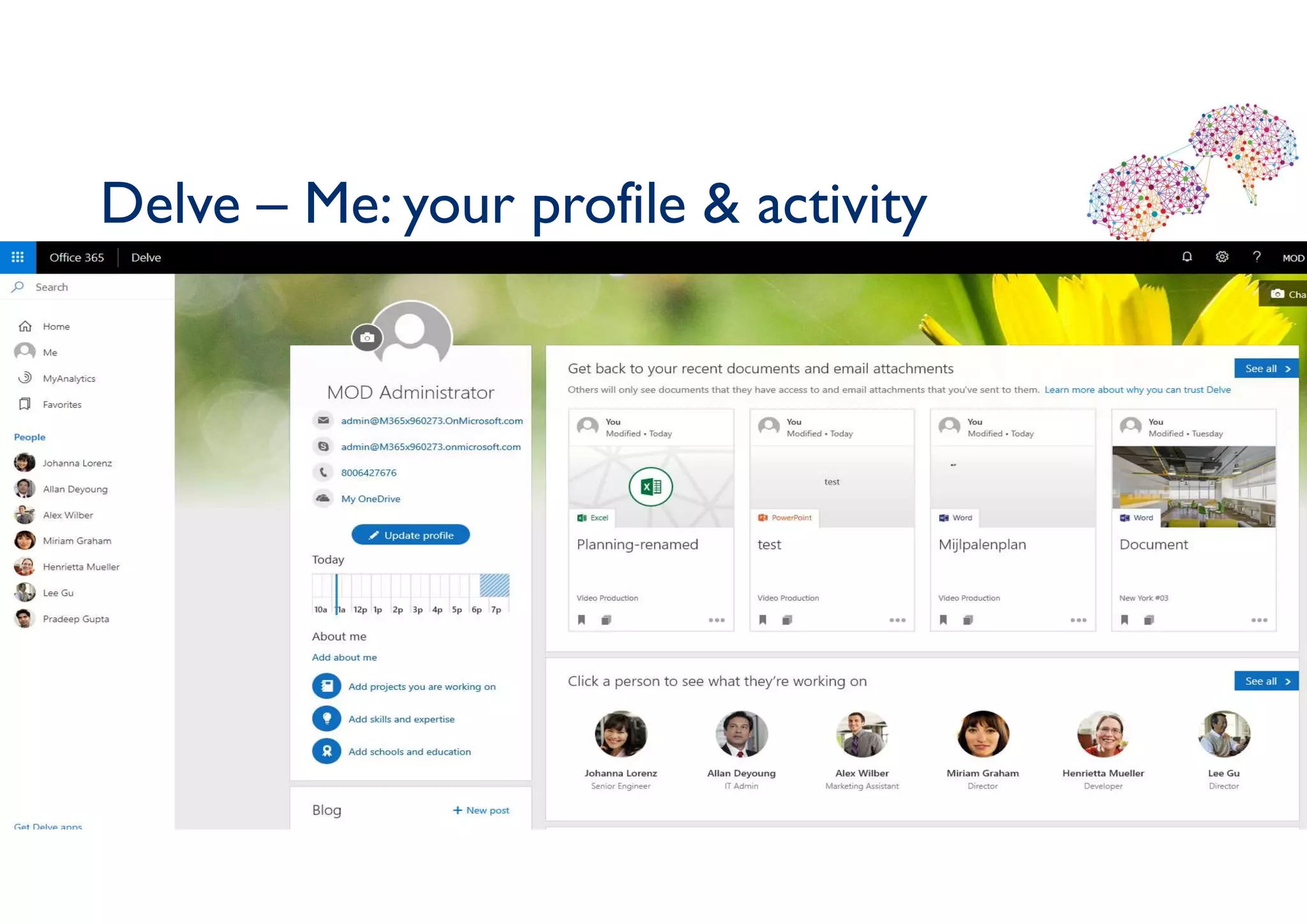
Delve – Me: your profile & activity
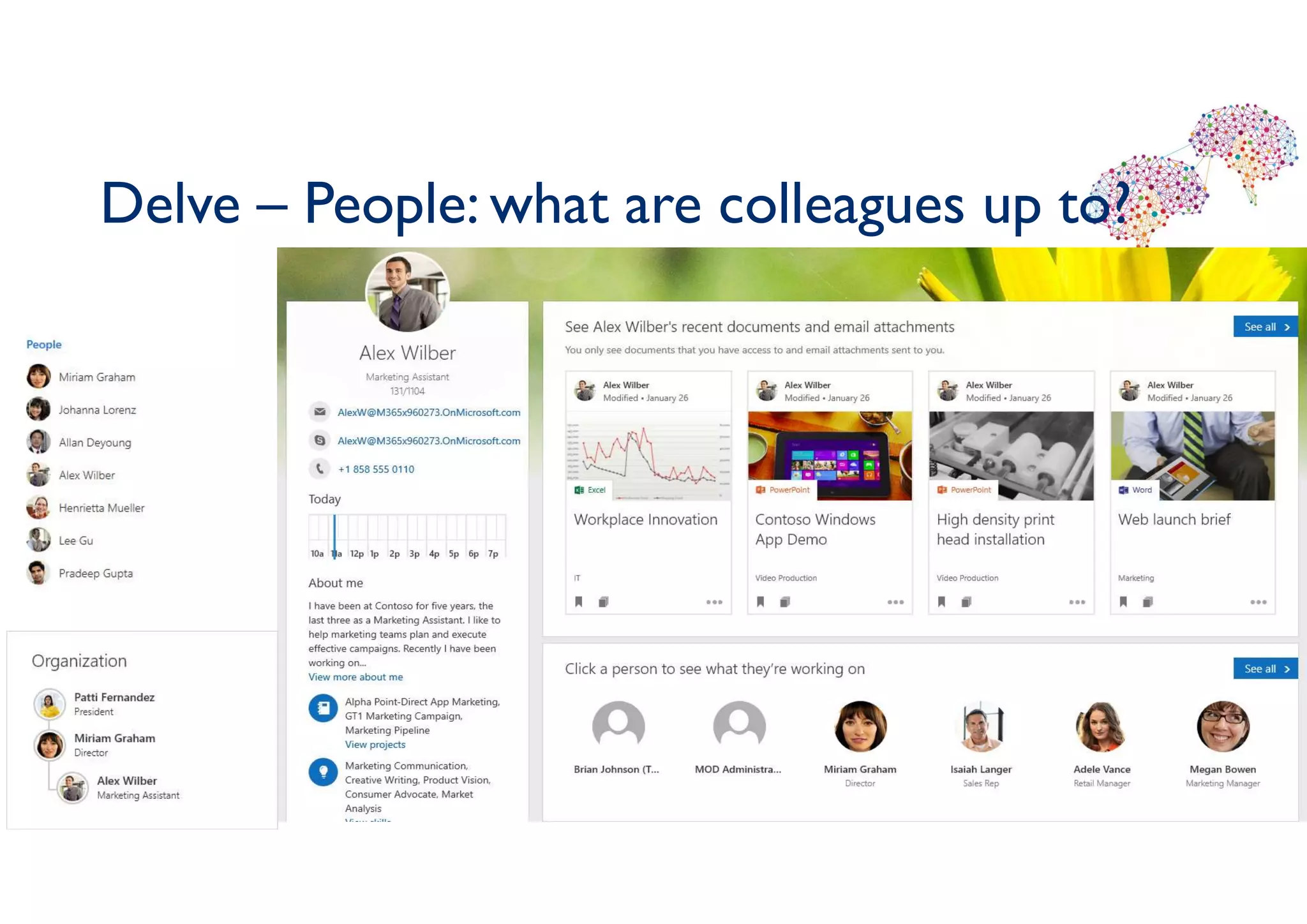
Delve – People: what are colleagues up to?
Power BI
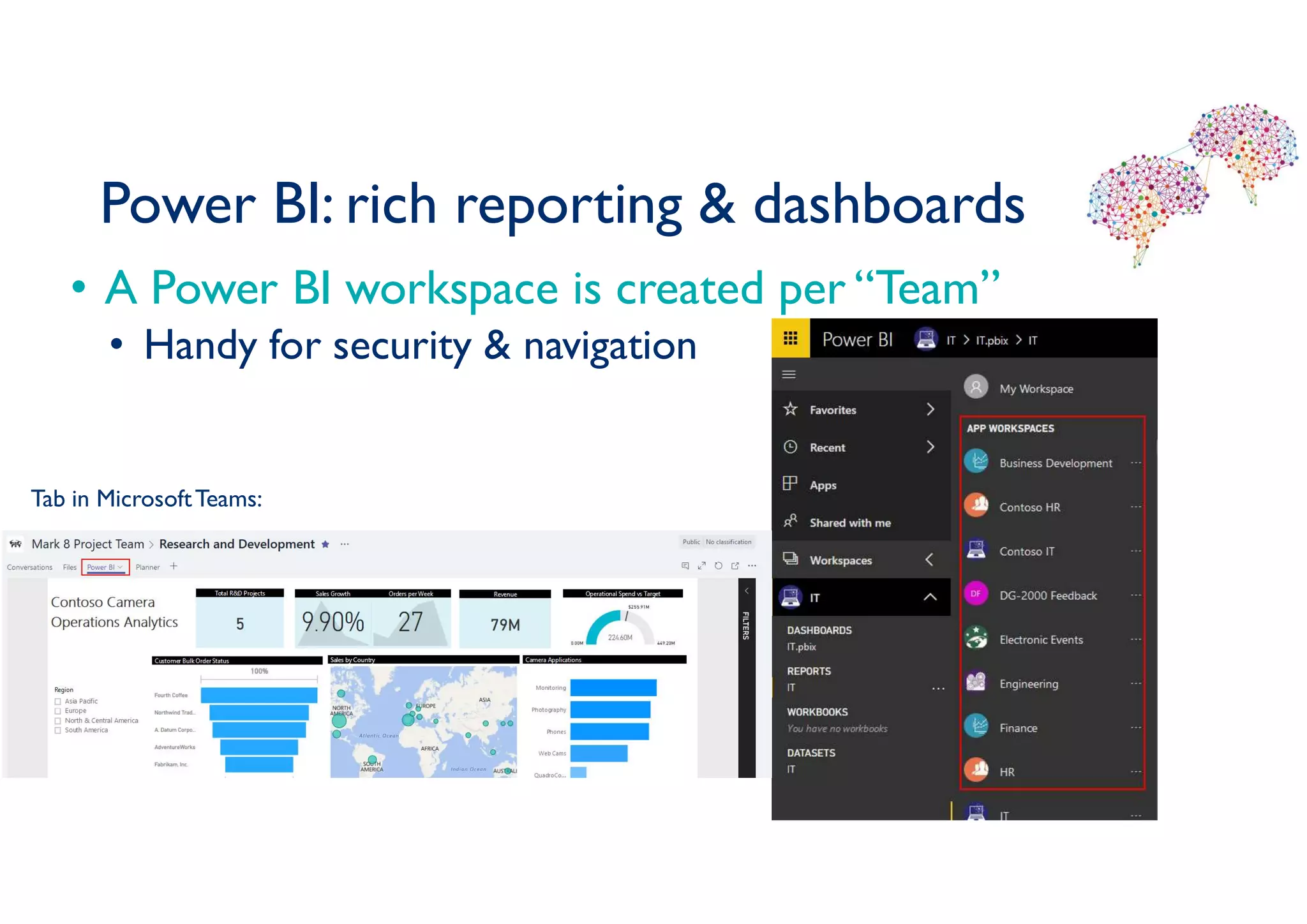
Power BI: rich reporting & dashboards
• A Power BI workspace is created per “Team”
• Handy for security & navigation
Tab in MicrosoftTeams:
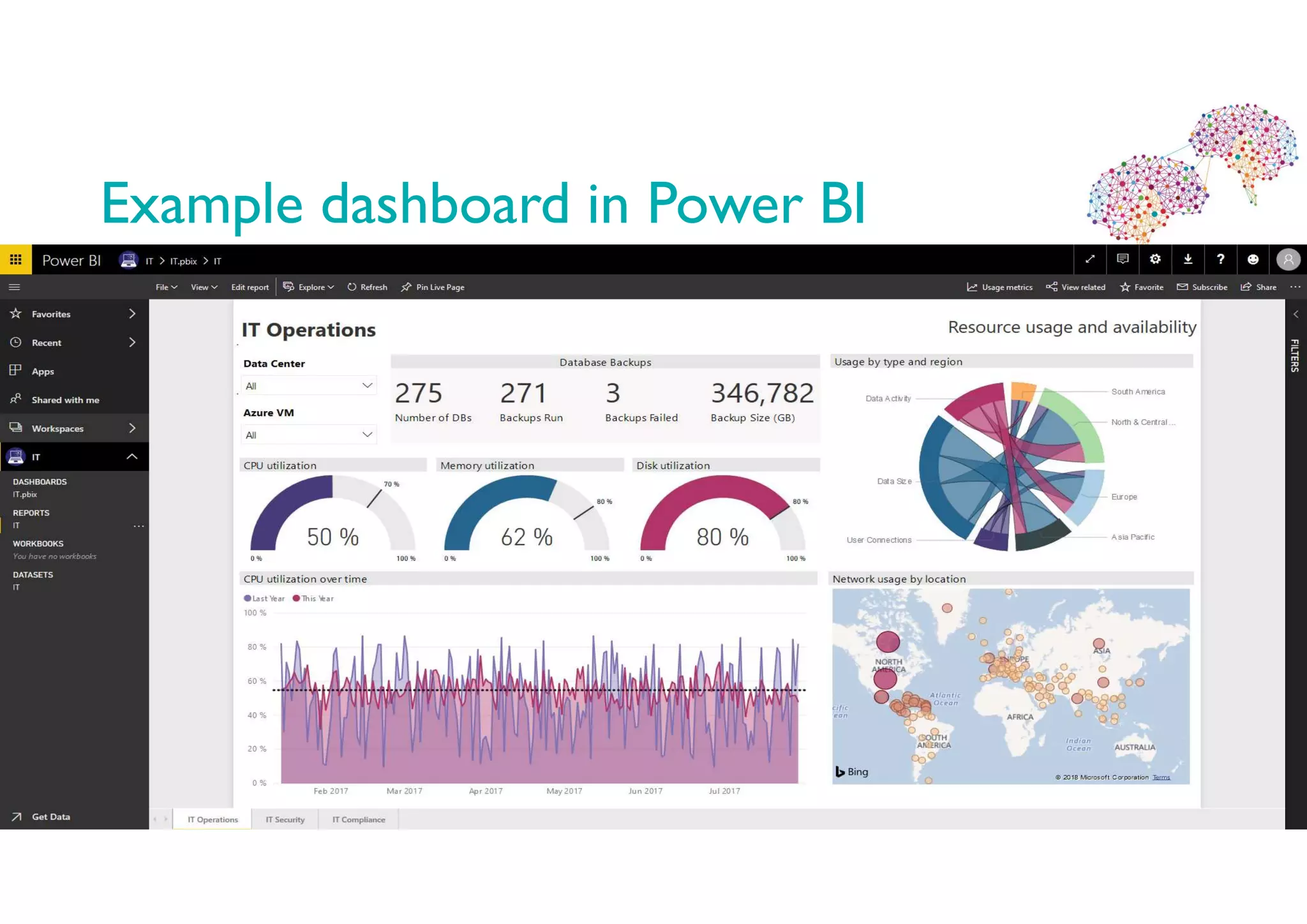
Example dashboard in Power BI
SharePoint Online : Lists & PowerApps
• Still using Excel to hold data?
• If you need condition based color-coding
• If you work with pivot tables and pivot charts
• If you’re working with HUGE amounts of data
• If you work with complicated formulas
• If you need to create nice charts
SharePoint Online : Lists & PowerApps
• Still using Excel to hold data?
• If you need condition based color-coding
• If you work with pivot tables and pivot charts
• If you’re working with HUGE amounts of data
• If you work with complicated formulas
• If you need to create nice charts
Nothing Beats MS Excel
SharePoint Online : Lists & PowerApps
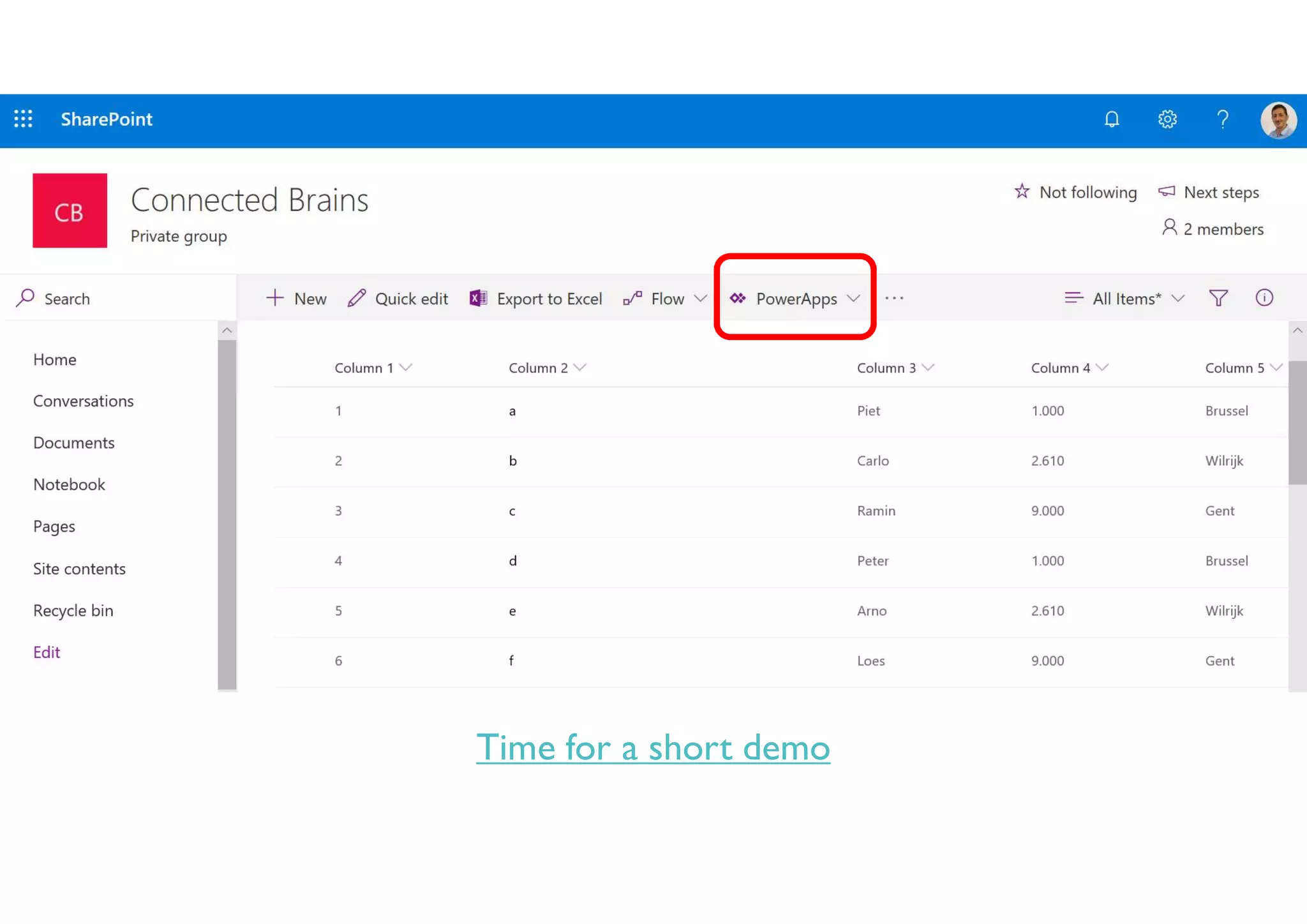
• Some advantages of SharePoint Lists
• Simultaneous editing
• Great filtering options
• Personalized views
• The ability to trigger workflows
• Create an app with a few clicks
• Export to Excel if you need to
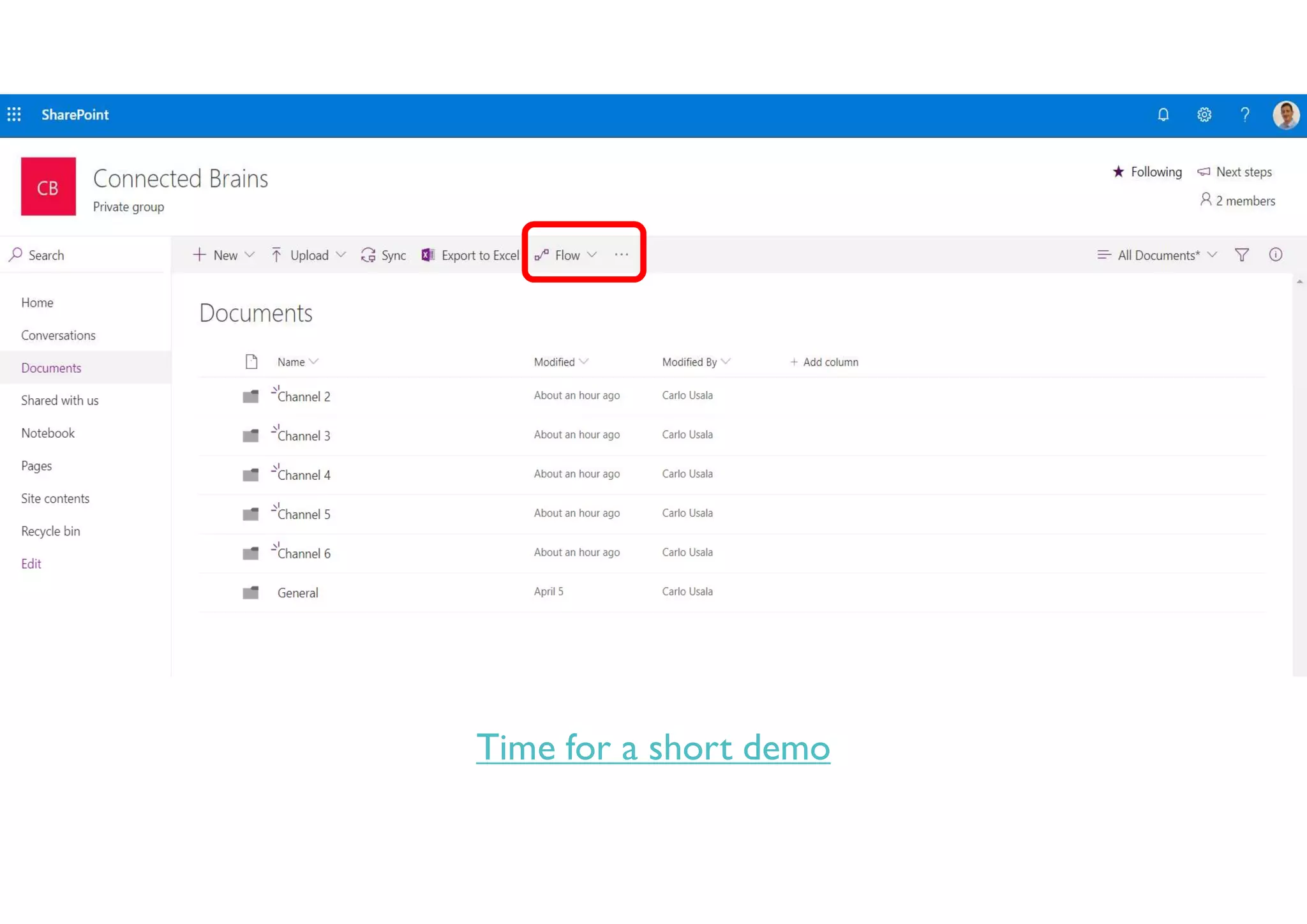
Time for a short demo
SharePoint Online : Document Libraries &
Flow
• Some advantages of document libraries
• Permission and access control
• Version history
• Co-authoring
• Metadata
• Notifications/Alerts
• Workflows
Time for a short demo
MicrosoftTeams
• What is Teams?
• The hub forTeamwork in O365
• Chat, calls & meetings
• Teams wil replace S4B
• Co-authoring
• Integrated O365 apps
• Actually, you could say it’s a SharePointTeam site with a
different interface and extended possibilities
MicrosoftTeams
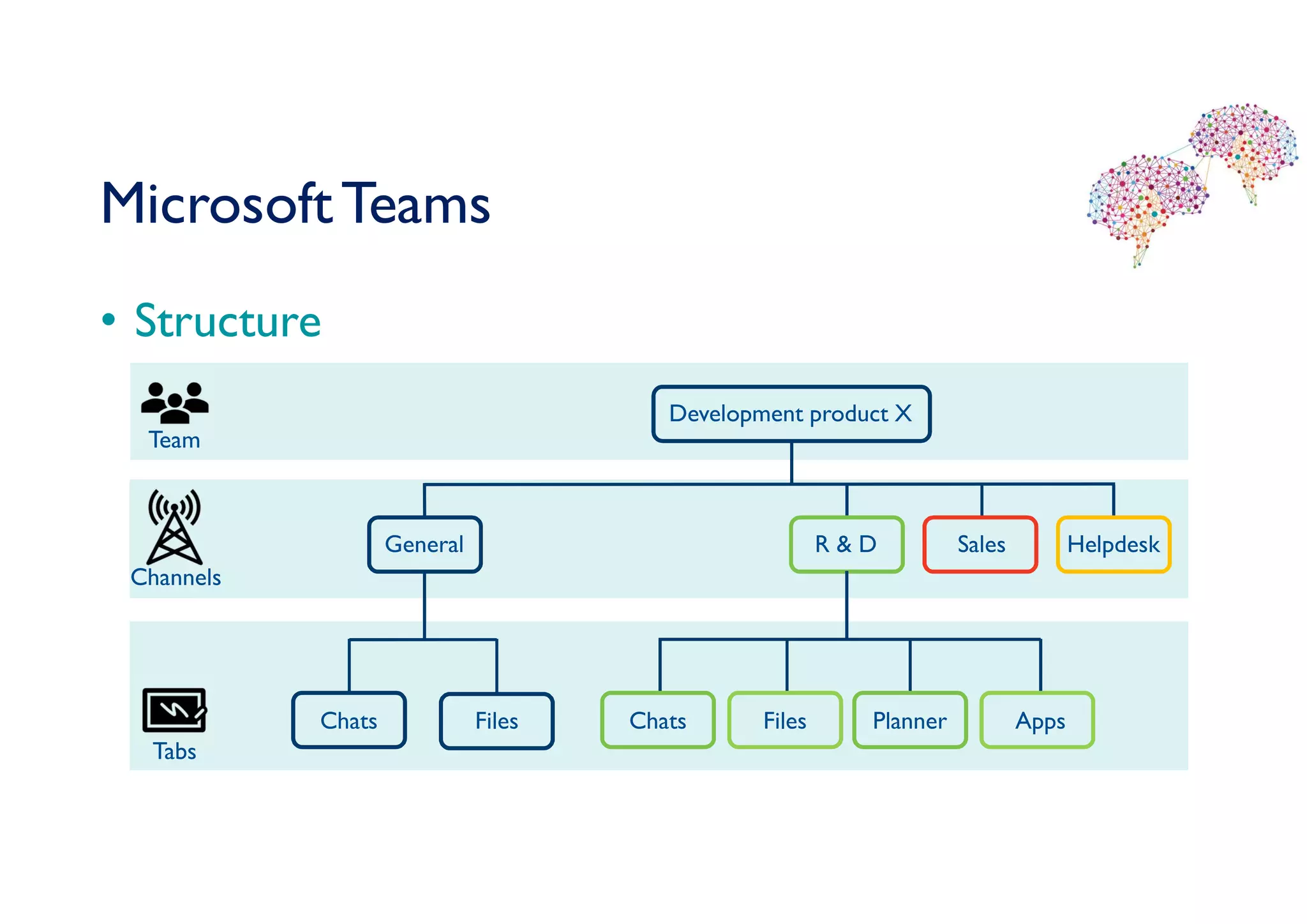
• Structure
Team
Tabs
Channels
Development product X
General
Chats Files
R & D Sales Helpdesk
Chats Files Planner Apps
MicrosoftTeams
• Demo using Connected Brains team :
• Conversation
• Files tab
• Make tab from file
• Syncing files
• Relation with SharePoint document library
• Integration with O365 apps
• Planner
• OneNote
Customer Immersion Experience
• @Microsoft Technology Center
• Hands-on interactive demo by certified CIE trainer in a
virtual environment
• For customers and prospects
• Introduction toWindows 10, Office 365 and Azure
• Based on common work-related scenarios
How can we assist?
• Journey to Digital Transformation
• Explore – Architect – Assist – Assure
• AXI365
• Managed services & support based on O/M365 platform
• Workshops
• Train the trainer / end-user / IT / custom workshop
• CIE
• Migration services
• Full cloud or hybrid, no problem for our system engineers
Ramin Shafagatov
Digital Analyst & O365 Consultant
LoQutus
Carlo Usala
Business Developer Public Cloud
AXI

AXI & LoQutus: Getting the most out of Office 365