


TRANSFORM YOUR BUSINESS
PRODUCTIVITY WITH MICROSOFT
OFFICE 365
Lunch & Learn
May 21, 2015
DIANA PHILLIPS
Email: Diana.Phillips@ITG-Mail.com
Twitter: @UtahITPro
LinkedIn: http://www.linkedin.com/in/utahitpro
ITG
http://www.ITGSharePoint.com
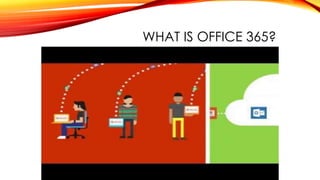
WHAT IS OFFICE 365?
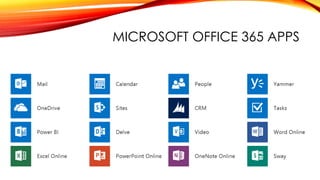
MICROSOFT OFFICE 365 APPS
10 STEPS:
TRANSFORM YOUR BUSINESS PRODUCTIVITY
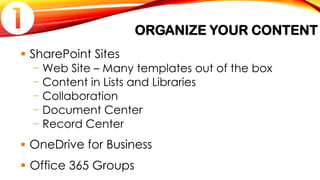
ORGANIZE YOUR CONTENT
 SharePoint Sites
− Web Site – Many templates out of the box
− Content in Lists and Libraries
− Collaboration
− Document Center
− Record Center
 OneDrive for Business
 Office 365 Groups

UNDERSTANDING SHAREPOINT
Learn about SharePoint: http://products.office.com/en-us/SharePoint/
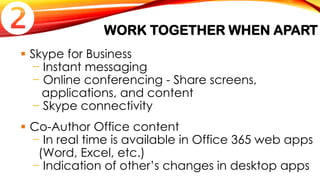
WORK TOGETHER WHEN APART
 Skype for Business
− Instant messaging
− Online conferencing - Share screens,
applications, and content
− Skype connectivity
 Co-Author Office content
− In real time is available in Office 365 web apps
(Word, Excel, etc.)
− Indication of other’s changes in desktop apps

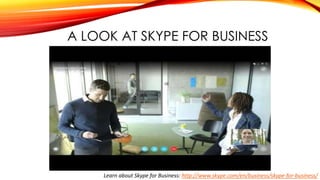
A LOOK AT SKYPE FOR BUSINESS
Learn about Skype for Business: http://www.skype.com/en/business/skype-for-business/
COLLABORATE WITH YOUR TEAM
 Yammer
− Enterprise social network
− Conversations
− Surveys
 SharePoint team sites
− Built-in site type
− Manage documents, tasks, events, and more

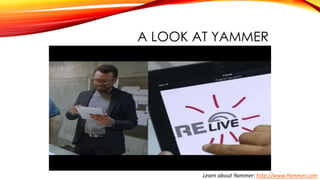
A LOOK AT YAMMER
Learn about Yammer: http://www.Yammer.com
SHARE KNOWLEDGE & EXPERTISE
 Create videos using PowerPoint + Office Mix
− Lunch & Learns, Show & Tell, How To’s
− Add quizzes and video
− See http://mix.office.com for video introduction
 Use OneNote
− Collect, organize and share information on
OneDrive for Business or SharePoint
− Identify standard naming and structure

IMPROVE CONTENT AWARENESS
 SharePoint Search
 Office Graph
− People to content mapping
− Machine learning
 Delve
− Content discovery
− Groups content based on activities

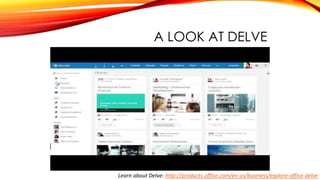
A LOOK AT DELVE
Learn about Delve: http://products.office.com/en-us/business/explore-office-delve
FOCUS ON WHAT’S IMPORTANT
 Outlook
− Utilize the Clutter feature
− Add rules to manage email
− Use categories to color code calendar events,
tasks, and email
− Flag for follow-up with reminders
 SharePoint
− Add alert notifications

UNDERSTAND YOUR DATA
 SharePoint Web Parts
 Excel Services
 PerformancePoint Dashboards
 Business Intelligence
− Power BI
− Power Pivot
− Power View
− Power Map

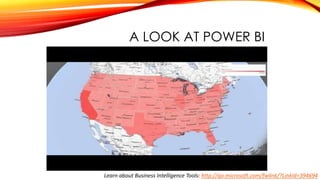
A LOOK AT POWER BI
Learn about Business Intelligence Tools: http://go.microsoft.com/fwlink/?LinkId=394694
LEVERAGE NEW FEATURES
 Office 365 continuous updates
− No need to coordinate complex upgrades
 NextGen Portals
− Video Portal
• Define channels
• Promote featured videos
− People Profile
− Knowledge Management Portal (Coming Soon)
− Boards and Microsites (Coming Soon)

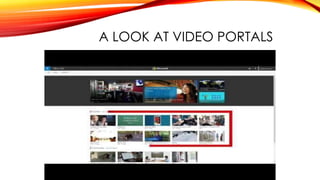
A LOOK AT VIDEO PORTALS
CONVEY YOUR VISION
 Sway
− Interactive web presentation
− Combine various types of documentation and
multimedia for comprehensive understanding
Tell your story…
− Share your vision or business plans
− Showcase a project
− Remember an event

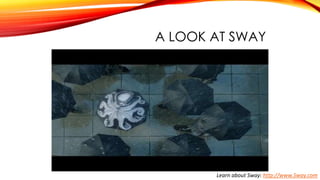
A LOOK AT SWAY
Learn about Sway: http://www.Sway.com
DEFINE GOVERNANCE
 Help users understand the best tool for the job
 Roles & Responsibilities
 Identify
− Standards - Naming conventions
− Best practices - Identify what to save where
− Policies & processes

QUESTIONS?
ST GEORGE MICROSOFT
CLOUD COMMUNITY
Meetings to be held 3rd Friday of each month
Next Meeting: June 19th
See http://www.ITGSharePoint.com/events for information
PRIZE GIVEAWAYS

Lunch and Learn: Transform Your Business Productivity with Microsoft Office 365

  • 1.
    TRANSFORM YOUR BUSINESS PRODUCTIVITYWITH MICROSOFT OFFICE 365 Lunch & Learn May 21, 2015
  • 2.
    DIANA PHILLIPS Email: Diana.Phillips@ITG-Mail.com Twitter:@UtahITPro LinkedIn: http://www.linkedin.com/in/utahitpro ITG http://www.ITGSharePoint.com
  • 3.
  • 4.
  • 5.
    10 STEPS: TRANSFORM YOURBUSINESS PRODUCTIVITY
  • 6.
    ORGANIZE YOUR CONTENT SharePoint Sites − Web Site – Many templates out of the box − Content in Lists and Libraries − Collaboration − Document Center − Record Center  OneDrive for Business  Office 365 Groups 
  • 7.
    UNDERSTANDING SHAREPOINT Learn aboutSharePoint: http://products.office.com/en-us/SharePoint/
  • 8.
    WORK TOGETHER WHENAPART  Skype for Business − Instant messaging − Online conferencing - Share screens, applications, and content − Skype connectivity  Co-Author Office content − In real time is available in Office 365 web apps (Word, Excel, etc.) − Indication of other’s changes in desktop apps 
  • 9.
    A LOOK ATSKYPE FOR BUSINESS Learn about Skype for Business: http://www.skype.com/en/business/skype-for-business/
  • 10.
    COLLABORATE WITH YOURTEAM  Yammer − Enterprise social network − Conversations − Surveys  SharePoint team sites − Built-in site type − Manage documents, tasks, events, and more 
  • 11.
    A LOOK ATYAMMER Learn about Yammer: http://www.Yammer.com
  • 12.
    SHARE KNOWLEDGE &EXPERTISE  Create videos using PowerPoint + Office Mix − Lunch & Learns, Show & Tell, How To’s − Add quizzes and video − See http://mix.office.com for video introduction  Use OneNote − Collect, organize and share information on OneDrive for Business or SharePoint − Identify standard naming and structure 
  • 13.
    IMPROVE CONTENT AWARENESS SharePoint Search  Office Graph − People to content mapping − Machine learning  Delve − Content discovery − Groups content based on activities 
  • 14.
    A LOOK ATDELVE Learn about Delve: http://products.office.com/en-us/business/explore-office-delve
  • 15.
    FOCUS ON WHAT’SIMPORTANT  Outlook − Utilize the Clutter feature − Add rules to manage email − Use categories to color code calendar events, tasks, and email − Flag for follow-up with reminders  SharePoint − Add alert notifications 
  • 16.
    UNDERSTAND YOUR DATA SharePoint Web Parts  Excel Services  PerformancePoint Dashboards  Business Intelligence − Power BI − Power Pivot − Power View − Power Map 
  • 17.
    A LOOK ATPOWER BI Learn about Business Intelligence Tools: http://go.microsoft.com/fwlink/?LinkId=394694
  • 18.
    LEVERAGE NEW FEATURES Office 365 continuous updates − No need to coordinate complex upgrades  NextGen Portals − Video Portal • Define channels • Promote featured videos − People Profile − Knowledge Management Portal (Coming Soon) − Boards and Microsites (Coming Soon) 
  • 19.
    A LOOK ATVIDEO PORTALS
  • 20.
    CONVEY YOUR VISION Sway − Interactive web presentation − Combine various types of documentation and multimedia for comprehensive understanding Tell your story… − Share your vision or business plans − Showcase a project − Remember an event 
  • 21.
    A LOOK ATSWAY Learn about Sway: http://www.Sway.com
  • 22.
    DEFINE GOVERNANCE  Helpusers understand the best tool for the job  Roles & Responsibilities  Identify − Standards - Naming conventions − Best practices - Identify what to save where − Policies & processes 
  • 23.
  • 24.
    ST GEORGE MICROSOFT CLOUDCOMMUNITY Meetings to be held 3rd Friday of each month Next Meeting: June 19th See http://www.ITGSharePoint.com/events for information
  • 25.