A Project on
PRESENTED BY


   Roll No.--509011


   Roll No.--509012


   Roll No.--509013
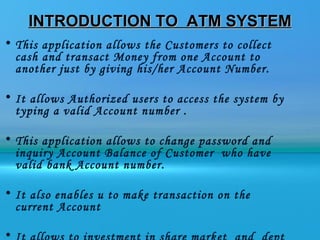
INTRODUCTION TO ATM SYSTEM
• This application allows the Customers to collect
  cash and transact Money from one Account to
  another just by giving his/her Account Number.

• It allows Authorized users to access the system by
  typing a valid Account number .

• This application allows to change password and
  inquiry Account Balance of Customer who have
  valid bank Account number.

• It also enables u to make transaction on the
  current Account

•
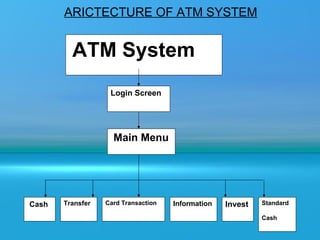
ARICTECTURE OF ATM SYSTEM


         ATM System
                   Login Screen


                    Main Menu


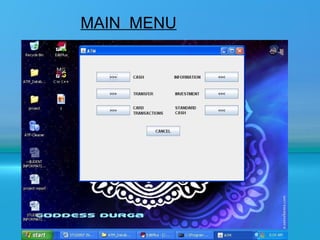
Cash   Transfer   Card Transaction   Information   Invest   Standard

                                                            Cash
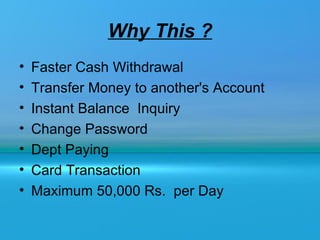
Why This ?
•   Faster Cash Withdrawal
•   Transfer Money to another's Account
•   Instant Balance Inquiry
•   Change Password
•   Dept Paying
•   Card Transaction
•   Maximum 50,000 Rs. per Day
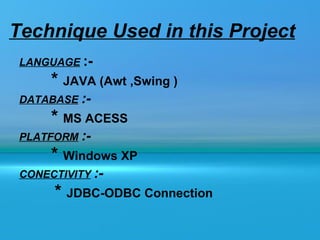
Technique Used in this Project
 LANGUAGE :-
      * JAVA (Awt ,Swing )
 DATABASE :-
      * MS ACESS
 PLATFORM :-
      * Windows XP
 CONECTIVITY :-
      * JDBC-ODBC Connection
Why JAVA ???
• It is a powerful language capable of handling database
  and can run on a network environment

•    It is Machine independent language which is run in any
    operating system with out modifying any code and
    Efficient in handling large volume of transaction
    processing.

•    It can run on a network environment and can be used
    for writing application program Only.

• JAVA is Simple, Secure, Portable, Object oriented,
  Robust, Multithreaded, Architecture neutral, Interpreted,
  High Performance, Distributed and Dynamic
HOW IT IS IMPLEMENTED ?
• The implementation of ATM System includes designing
  the user interface using Java Swing that uses different
  panels for placing various controls on it.The application
  maintains the connection with the database using
  JDBC.Various actions implements ATM DataBase
  System applications are:

   – Imports the built-in Java packages needed for
     running the application.
   – Includes declaration of all the variables that
     you use in the application
   – Includes designing of the class and its methods.
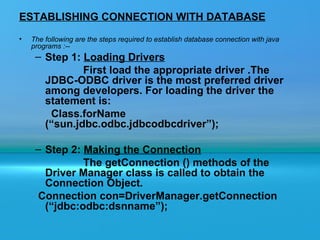
ESTABLISHING CONNECTION WITH DATABASE
•   The following are the steps required to establish database connection with java
    programs :--
     – Step 1: Loading Drivers
               First load the appropriate driver .The
       JDBC-ODBC driver is the most preferred driver
       among developers. For loading the driver the
       statement is:
        Class.forName
       (“sun.jdbc.odbc.jdbcodbcdriver”);

     – Step 2: Making the Connection
               The getConnection () methods of the
       Driver Manager class is called to obtain the
       Connection Object.
      Connection con=DriverManager.getConnection
       (“jdbc:odbc:dsnname”);
Continued………
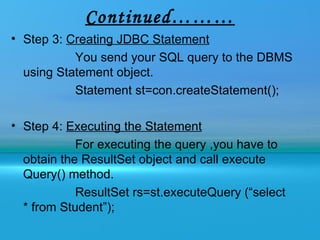
• Step 3: Creating JDBC Statement
           You send your SQL query to the DBMS
  using Statement object.
           Statement st=con.createStatement();

• Step 4: Executing the Statement
            For executing the query ,you have to
  obtain the ResultSet object and call execute
  Query() method.
            ResultSet rs=st.executeQuery (“select
  * from Student”);
Continued………
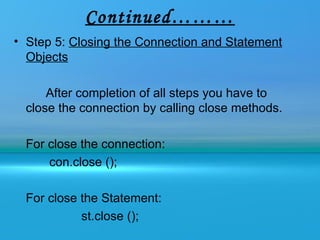
• Step 5: Closing the Connection and Statement
  Objects

      After completion of all steps you have to
  close the connection by calling close methods.

  For close the connection:
      con.close ();

  For close the Statement:
            st.close ();
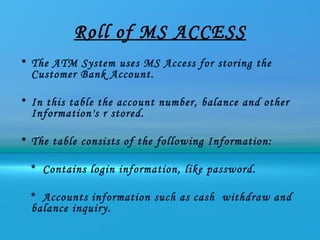
Roll of MS ACCESS
• The ATM System uses MS Access for storing the
  Customer Bank Account.

• In this table the account number, balance and other
  Information's r stored.

• The table consists of the following Information:

  * Contains login information, like password.

  * Accounts information such as cash withdraw and
  balance inquiry.
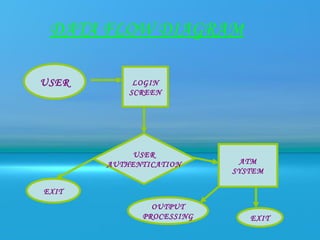
DATA FLOW DIAGRAM

USER        LOGIN
           SCREEN


            USER
       AUTHENTICATION      ATM
                          SYSTEM

EXIT
               OUTPUT
             PROCESSING      EXIT
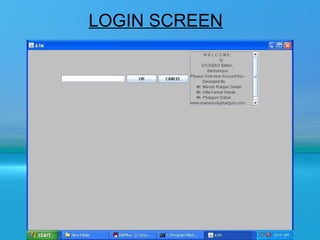
LOGIN SCREEN
MAIN MENU
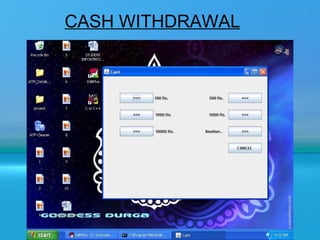
CASH WITHDRAWAL
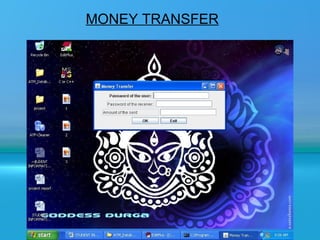
MONEY TRANSFER
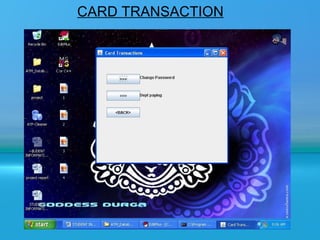
CARD TRANSACTION
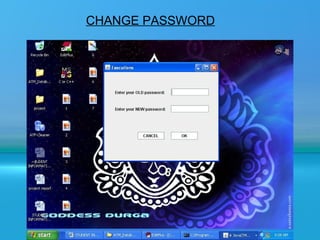
CHANGE PASSWORD
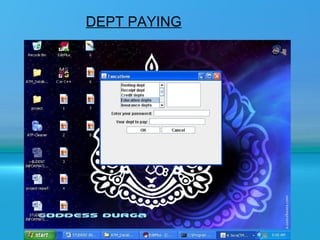
DEPT PAYING
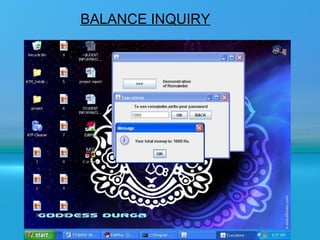
BALANCE INQUIRY
CONCLUSION
      The project on “ ATM SYSTEM "has been developed as the
best flexible and efficient project within the available resources
and time.

   In Future We r Planning to add new feature like Finger Print
Reader and Eye Detection System for Authentication of user
Security purpose

    •Care has been taken at each step to make it more user
friendly so that users can add new features where ever necessary
while using this automated system. It May be Enhanced for
Requirement of User.
www.manasniluphalguni.com
Wish u All

Atm System

  • 1.
  • 2.
    PRESENTED BY Roll No.--509011 Roll No.--509012 Roll No.--509013
  • 3.
    INTRODUCTION TO ATMSYSTEM • This application allows the Customers to collect cash and transact Money from one Account to another just by giving his/her Account Number. • It allows Authorized users to access the system by typing a valid Account number . • This application allows to change password and inquiry Account Balance of Customer who have valid bank Account number. • It also enables u to make transaction on the current Account •
  • 4.
    ARICTECTURE OF ATMSYSTEM ATM System Login Screen Main Menu Cash Transfer Card Transaction Information Invest Standard Cash
  • 5.
    Why This ? • Faster Cash Withdrawal • Transfer Money to another's Account • Instant Balance Inquiry • Change Password • Dept Paying • Card Transaction • Maximum 50,000 Rs. per Day
  • 6.
    Technique Used inthis Project LANGUAGE :- * JAVA (Awt ,Swing ) DATABASE :- * MS ACESS PLATFORM :- * Windows XP CONECTIVITY :- * JDBC-ODBC Connection
  • 7.
    Why JAVA ??? •It is a powerful language capable of handling database and can run on a network environment • It is Machine independent language which is run in any operating system with out modifying any code and Efficient in handling large volume of transaction processing. • It can run on a network environment and can be used for writing application program Only. • JAVA is Simple, Secure, Portable, Object oriented, Robust, Multithreaded, Architecture neutral, Interpreted, High Performance, Distributed and Dynamic
  • 8.
    HOW IT ISIMPLEMENTED ? • The implementation of ATM System includes designing the user interface using Java Swing that uses different panels for placing various controls on it.The application maintains the connection with the database using JDBC.Various actions implements ATM DataBase System applications are: – Imports the built-in Java packages needed for running the application. – Includes declaration of all the variables that you use in the application – Includes designing of the class and its methods.
  • 9.
    ESTABLISHING CONNECTION WITHDATABASE • The following are the steps required to establish database connection with java programs :-- – Step 1: Loading Drivers First load the appropriate driver .The JDBC-ODBC driver is the most preferred driver among developers. For loading the driver the statement is: Class.forName (“sun.jdbc.odbc.jdbcodbcdriver”); – Step 2: Making the Connection The getConnection () methods of the Driver Manager class is called to obtain the Connection Object. Connection con=DriverManager.getConnection (“jdbc:odbc:dsnname”);
  • 10.
    Continued……… • Step 3:Creating JDBC Statement You send your SQL query to the DBMS using Statement object. Statement st=con.createStatement(); • Step 4: Executing the Statement For executing the query ,you have to obtain the ResultSet object and call execute Query() method. ResultSet rs=st.executeQuery (“select * from Student”);
  • 11.
    Continued……… • Step 5:Closing the Connection and Statement Objects After completion of all steps you have to close the connection by calling close methods. For close the connection: con.close (); For close the Statement: st.close ();
  • 12.
    Roll of MSACCESS • The ATM System uses MS Access for storing the Customer Bank Account. • In this table the account number, balance and other Information's r stored. • The table consists of the following Information: * Contains login information, like password. * Accounts information such as cash withdraw and balance inquiry.
  • 13.
    DATA FLOW DIAGRAM USER LOGIN SCREEN USER AUTHENTICATION ATM SYSTEM EXIT OUTPUT PROCESSING EXIT
  • 14.
  • 15.
  • 16.
  • 17.
  • 18.
  • 19.
  • 20.
  • 21.
  • 22.
    CONCLUSION The project on “ ATM SYSTEM "has been developed as the best flexible and efficient project within the available resources and time. In Future We r Planning to add new feature like Finger Print Reader and Eye Detection System for Authentication of user Security purpose •Care has been taken at each step to make it more user friendly so that users can add new features where ever necessary while using this automated system. It May be Enhanced for Requirement of User.
  • 23.
  • 24.