1
1.PROJECT ABSTRACT
2
1. PROJECT ABSTRACT
1.1.INTRODUCTION:
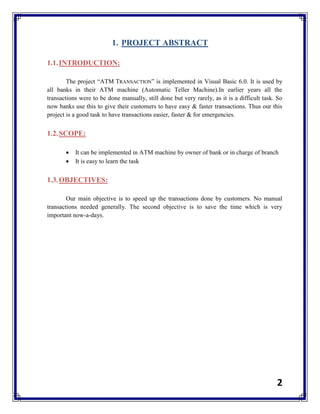
The project “ATM TRANSACTION” is implemented in Visual Basic 6.0. It is used by
all banks in their ATM machine (Automatic Teller Machine).In earlier years all the
transactions were to be done manually, still done but very rarely, as it is a difficult task. So
now banks use this to give their customers to have easy & faster transactions. Thus our this
project is a good task to have transactions easier, faster & for emergencies.
1.2.SCOPE:
 It can be implemented in ATM machine by owner of bank or in charge of branch
 It is easy to learn the task
1.3.OBJECTIVES:
Our main objective is to speed up the transactions done by customers. No manual
transactions needed generally. The second objective is to save the time which is very
important now-a-days.
3
2.TOOLS / PLATFORM / LANGUAGES
4
2. TOOLS / PLATFORM / LANGUAGES
2.1.TOOLS:
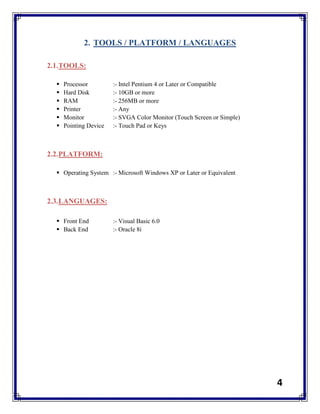
 Processor :- Intel Pentium 4 or Later or Compatible
 Hard Disk :- 10GB or more
 RAM :- 256MB or more
 Printer :- Any
 Monitor :- SVGA Color Monitor (Touch Screen or Simple)
 Pointing Device :- Touch Pad or Keys
2.2.PLATFORM:
 Operating System :- Microsoft Windows XP or Later or Equivalent
2.3.LANGUAGES:
 Front End :- Visual Basic 6.0
 Back End :- Oracle 8i
5
3.PROJECT PLANNING / SCHEDULING
6
3. PROJECT PLANNING / SCHEDULING
Project
Planning
Project
Abstract
Project
Design
Design
Database
Use Case &
Activity Diagram
Seq & Coll
Diagram
State Chart &
Activity Diagram
Recheck
Availability
Create Toll
in VB
0
2
4
6
8
10
12
14
16
18
20
lab1 lab2 lab3 lab4 lab5 lab6 lab7 lab8 lab9
7
4.SYSTEM ANALYSIS
8
4. SYSTEM ANALYSIS
4.1.STUDY OF CURRENT / EXISTING SYSTEM:
In the manual system, firstly the bank manager and its staff have to manage
information regarding the accounts and transaction of all the customers manually. Doing
this manual transaction was really tedious job. Secondly information regarding accounts
and transactions of customers were to be maintained. This process is time consuming and
it requires a great manual effort.
Disadvantages:
 More time is consumed.
 More hard work to maintain all records.
 Bulk of paper is to be searched for a single search.
4.2.FEASIBILITY STUDY:
4.2.1.TECHNICAL FEASIBILITY:
The system is being developed in Visual Basic 6.0. It provides comprehensive
function to make it user friendly. The data entry and report generation is also made
easy. Backup and restore of the database facility are also provided. It also provides
easy retrieval of data. The machine configuration also supports this software.
4.2.2. SOCIAL FEASIBILITY:
As this system is user friendly and flexible some problems will also be solved
which employee may be facing when using existing system. So we can say that
system is socially feasible.
9
4.2.3. ECONOMICAL FEASIBILITY:
The cost of converting from manual system to new automatic computerized
system is not probably more. For construction of the new system, the rooms and its
facilities are available so it does not require any extra resource, only the software
requirement is there.
4.2.4. OPERATION FEASIBILITY:
Since the system is being in user friendly way, the new customers within a few
time can master it.
4.3.DESIGN OF NEW PROPOSED SYSTEM (UML):
This system provides paperless maintenance. Initially a cashier or an clerk can be
appointed to do all the transaction and update and maintain records. In the new system the
customer himself can do all the transaction and the computerized system automatically
updates and maintains the records.
Advantages:
 Less effort to complete transaction.
 Less time required.
 No need to maintain the bulk of papers.
10
5.SYSTEM DESIGN
11
5. SYSTEM DESIGN
5.1.DATA DICTONARY:
Table Name: customer
Column Name Data Type
cust_id varchar2
cust_name varchar2
Dob date
contact_no number
cust_add varchar2
a_c_no varchar2
a_c_type varchar2
Bal number
card_no number
card_pin number
b_branch_id varchar2
Table Name: bank
Column Name Data Type
b_branch_id varchar2
b_branch_name varchar2
b_branch_add varchar2
b_admin_id varchar2
Table Name: b_admin
Column Name Data Type
b_admin_id varchar2
b_admin_name varchar2
b_admin_pin number
b_admin_rights varchar2
12
Table Name: atm
Column Name Data Type
a_branch_id varchar2
a_branch_name varchar2
a_branch_add varchar2
a_admin_id varchar2
available_cash number
b_branch_id varchar2
Table Name: a_atm
Column Name Data Type
a_admin_id varchar2
a_admin_name varchar2
a_admin_pin number
a_admin_rights varchar2
a_branch_id varchar2
5.2.DIAGRAM DESIGN (UML):
5.2.1.USE CASE DIAGRAM:
atm
branch_name branch_id available_cash
customer
card_no
cust_name type of a/c
pin_no
balance
saving
current
<<extend>>
ATM Customer
13
5.2.2.ACTIVITY DIAGRAM:
14
5.2.3.SEQUENCE DIAGRAM:
user atm bank
1: card
2: req pin
3: enter pin
4: proccesing
7: option
5: verify
6: valid
8: transaction
9: transaction complete
10: collect reciept
15
5.2.4.COLLABORATION DIAGRAM:
5.2.5.CLASS DIAGRAM:
user atm
bank
1: card
3: enter pin
8: transaction
2: req pin
4: proccesing
7: option
9: transaction complete
10: collect reciept
5: verify6: valid
16
5.2.6.STATE CHART DIAGRAM:

54039271 atm-project-report

  • 1.
  • 2.
    2 1. PROJECT ABSTRACT 1.1.INTRODUCTION: Theproject “ATM TRANSACTION” is implemented in Visual Basic 6.0. It is used by all banks in their ATM machine (Automatic Teller Machine).In earlier years all the transactions were to be done manually, still done but very rarely, as it is a difficult task. So now banks use this to give their customers to have easy & faster transactions. Thus our this project is a good task to have transactions easier, faster & for emergencies. 1.2.SCOPE:  It can be implemented in ATM machine by owner of bank or in charge of branch  It is easy to learn the task 1.3.OBJECTIVES: Our main objective is to speed up the transactions done by customers. No manual transactions needed generally. The second objective is to save the time which is very important now-a-days.
  • 3.
  • 4.
    4 2. TOOLS /PLATFORM / LANGUAGES 2.1.TOOLS:  Processor :- Intel Pentium 4 or Later or Compatible  Hard Disk :- 10GB or more  RAM :- 256MB or more  Printer :- Any  Monitor :- SVGA Color Monitor (Touch Screen or Simple)  Pointing Device :- Touch Pad or Keys 2.2.PLATFORM:  Operating System :- Microsoft Windows XP or Later or Equivalent 2.3.LANGUAGES:  Front End :- Visual Basic 6.0  Back End :- Oracle 8i
  • 5.
  • 6.
    6 3. PROJECT PLANNING/ SCHEDULING Project Planning Project Abstract Project Design Design Database Use Case & Activity Diagram Seq & Coll Diagram State Chart & Activity Diagram Recheck Availability Create Toll in VB 0 2 4 6 8 10 12 14 16 18 20 lab1 lab2 lab3 lab4 lab5 lab6 lab7 lab8 lab9
  • 7.
  • 8.
    8 4. SYSTEM ANALYSIS 4.1.STUDYOF CURRENT / EXISTING SYSTEM: In the manual system, firstly the bank manager and its staff have to manage information regarding the accounts and transaction of all the customers manually. Doing this manual transaction was really tedious job. Secondly information regarding accounts and transactions of customers were to be maintained. This process is time consuming and it requires a great manual effort. Disadvantages:  More time is consumed.  More hard work to maintain all records.  Bulk of paper is to be searched for a single search. 4.2.FEASIBILITY STUDY: 4.2.1.TECHNICAL FEASIBILITY: The system is being developed in Visual Basic 6.0. It provides comprehensive function to make it user friendly. The data entry and report generation is also made easy. Backup and restore of the database facility are also provided. It also provides easy retrieval of data. The machine configuration also supports this software. 4.2.2. SOCIAL FEASIBILITY: As this system is user friendly and flexible some problems will also be solved which employee may be facing when using existing system. So we can say that system is socially feasible.
  • 9.
    9 4.2.3. ECONOMICAL FEASIBILITY: Thecost of converting from manual system to new automatic computerized system is not probably more. For construction of the new system, the rooms and its facilities are available so it does not require any extra resource, only the software requirement is there. 4.2.4. OPERATION FEASIBILITY: Since the system is being in user friendly way, the new customers within a few time can master it. 4.3.DESIGN OF NEW PROPOSED SYSTEM (UML): This system provides paperless maintenance. Initially a cashier or an clerk can be appointed to do all the transaction and update and maintain records. In the new system the customer himself can do all the transaction and the computerized system automatically updates and maintains the records. Advantages:  Less effort to complete transaction.  Less time required.  No need to maintain the bulk of papers.
  • 10.
  • 11.
    11 5. SYSTEM DESIGN 5.1.DATADICTONARY: Table Name: customer Column Name Data Type cust_id varchar2 cust_name varchar2 Dob date contact_no number cust_add varchar2 a_c_no varchar2 a_c_type varchar2 Bal number card_no number card_pin number b_branch_id varchar2 Table Name: bank Column Name Data Type b_branch_id varchar2 b_branch_name varchar2 b_branch_add varchar2 b_admin_id varchar2 Table Name: b_admin Column Name Data Type b_admin_id varchar2 b_admin_name varchar2 b_admin_pin number b_admin_rights varchar2
  • 12.
    12 Table Name: atm ColumnName Data Type a_branch_id varchar2 a_branch_name varchar2 a_branch_add varchar2 a_admin_id varchar2 available_cash number b_branch_id varchar2 Table Name: a_atm Column Name Data Type a_admin_id varchar2 a_admin_name varchar2 a_admin_pin number a_admin_rights varchar2 a_branch_id varchar2 5.2.DIAGRAM DESIGN (UML): 5.2.1.USE CASE DIAGRAM: atm branch_name branch_id available_cash customer card_no cust_name type of a/c pin_no balance saving current <<extend>> ATM Customer
  • 13.
  • 14.
    14 5.2.3.SEQUENCE DIAGRAM: user atmbank 1: card 2: req pin 3: enter pin 4: proccesing 7: option 5: verify 6: valid 8: transaction 9: transaction complete 10: collect reciept
  • 15.
    15 5.2.4.COLLABORATION DIAGRAM: 5.2.5.CLASS DIAGRAM: useratm bank 1: card 3: enter pin 8: transaction 2: req pin 4: proccesing 7: option 9: transaction complete 10: collect reciept 5: verify6: valid
  • 16.