Library Resources for
Athletic Training
LINDA GALLOWAY LGALLOWA@CHAPMAN.EDU
HEALTH SCIENCES LIBRARIAN, RINKER HEALTH SCIENCE CAMPUS
Evidence-Based Practice in Athletic
Training
• Developing Clinical Questions
• Literature Searching
• Types of Research
• Levels of Evidence and Strength Recommendation
• Appraisal Scales
• Statistics Terminology
• Reliability Coefficients
• Critically Appraised Papers & Topics
• Patient Reported Outcomes
• Disablement Models
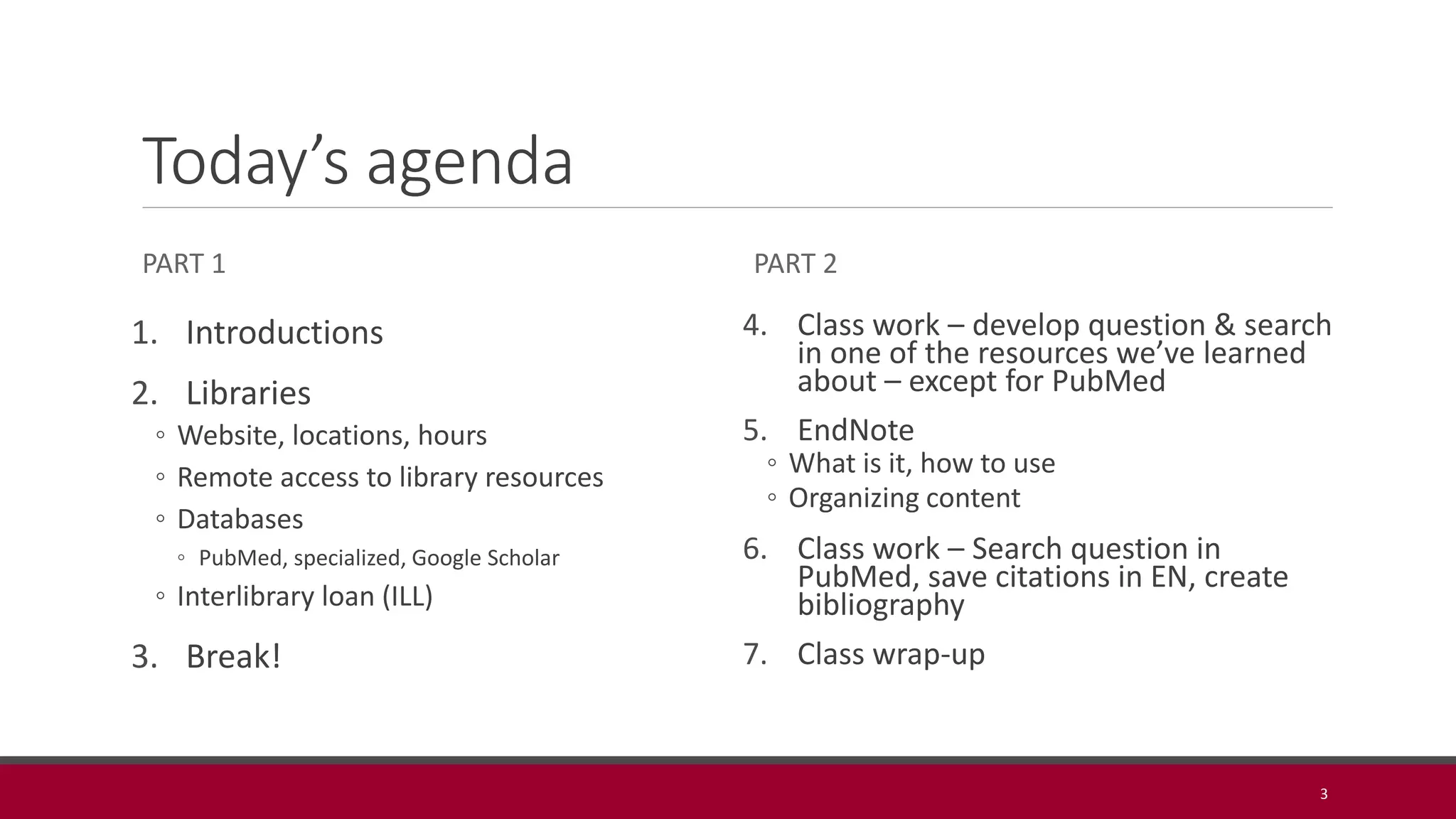
Today’s agenda
PART 1
1. Introductions
2. Libraries
◦ Website, locations, hours
◦ Remote access to library resources
◦ Databases
◦ PubMed, specialized, Google Scholar
◦ Interlibrary loan (ILL)
3. Break!
PART 2
4. Class work – develop question & search
in one of the resources we’ve learned
about – except for PubMed
5. EndNote
◦ What is it, how to use
◦ Organizing content
6. Class work – Search question in
PubMed, save citations in EN, create
bibliography
7. Class wrap-up
3
http://chapman.libguides.com/athletic
Physical Spaces
Leatherby Libraries – Orange
Campus – check out books, reserve
rooms, borrow technology, study,
socialize, librarian help/assistance,
etc.
Rinker Health Science Study
Commons – reference books (in
library use only), group and
individual study rooms (9), librarian
help/assistance
5
Remote Access to Library Resources
Almost all electronic resources are available off
campus via our proxy server
Log on once and until you close your browser are
recognized as Chapman student
Navigate to databases/resources via the Libraries
website or the Research Guide so you are
recognized as an affiliated person
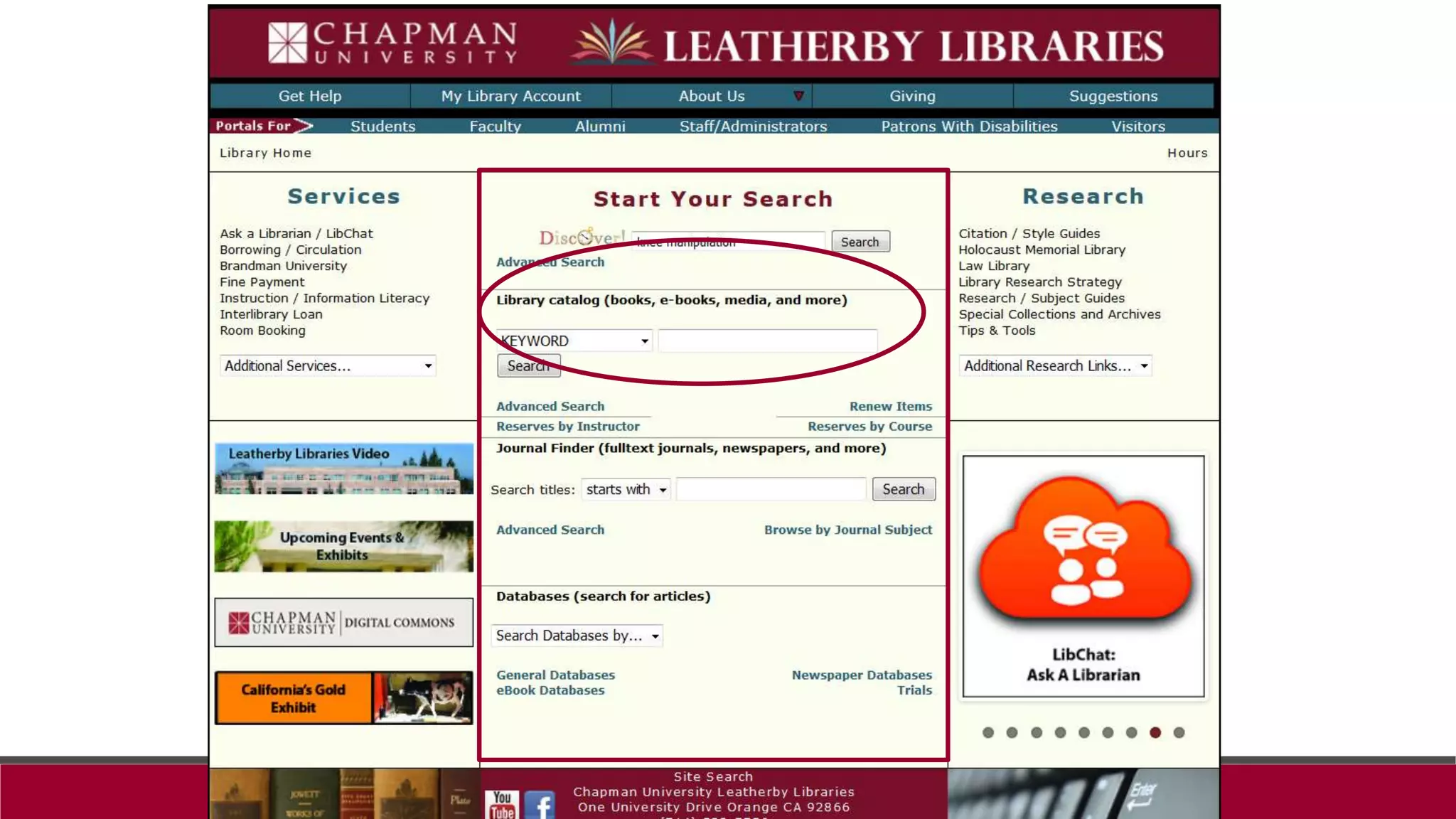
Collections
Finding books
10
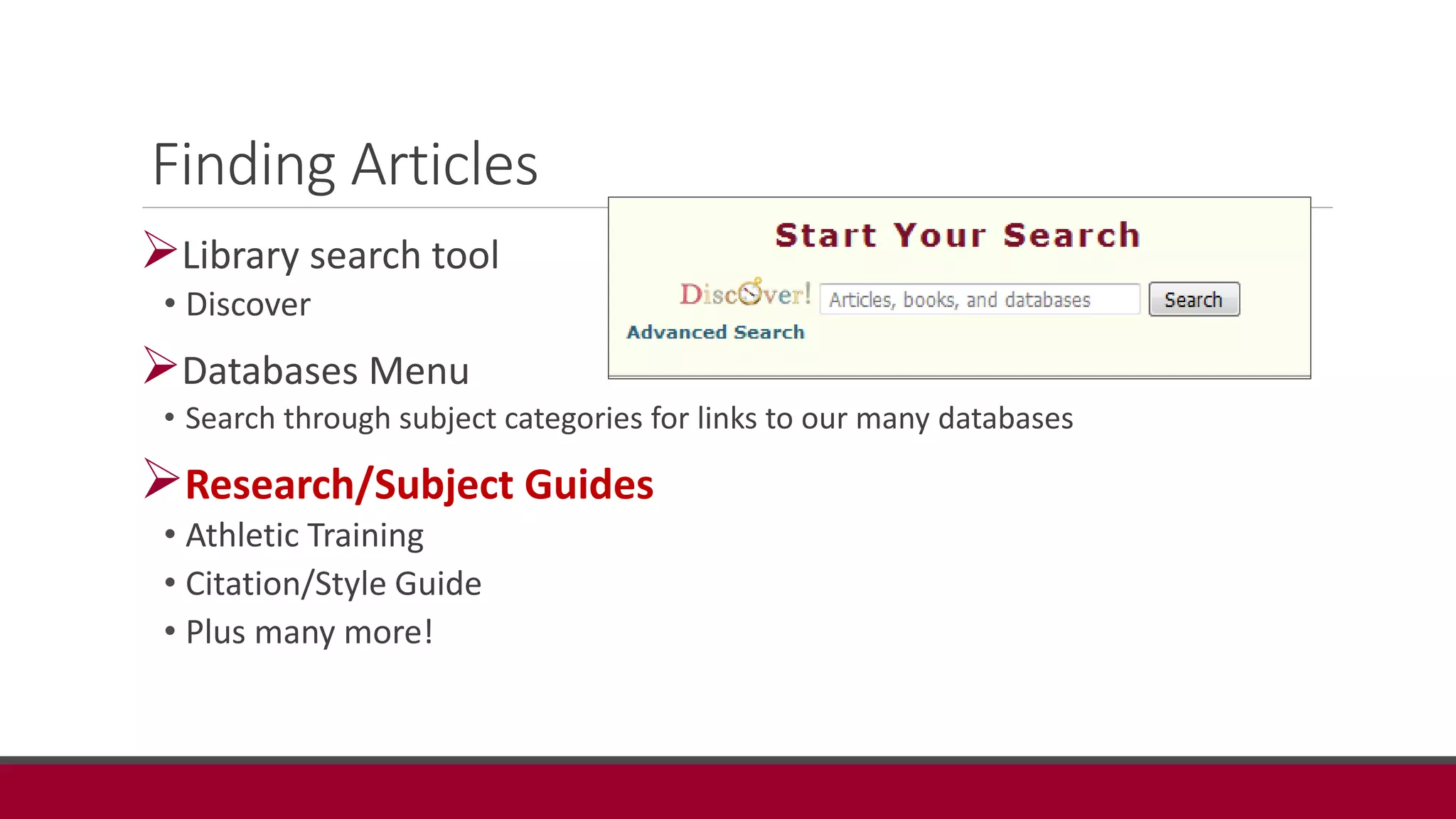
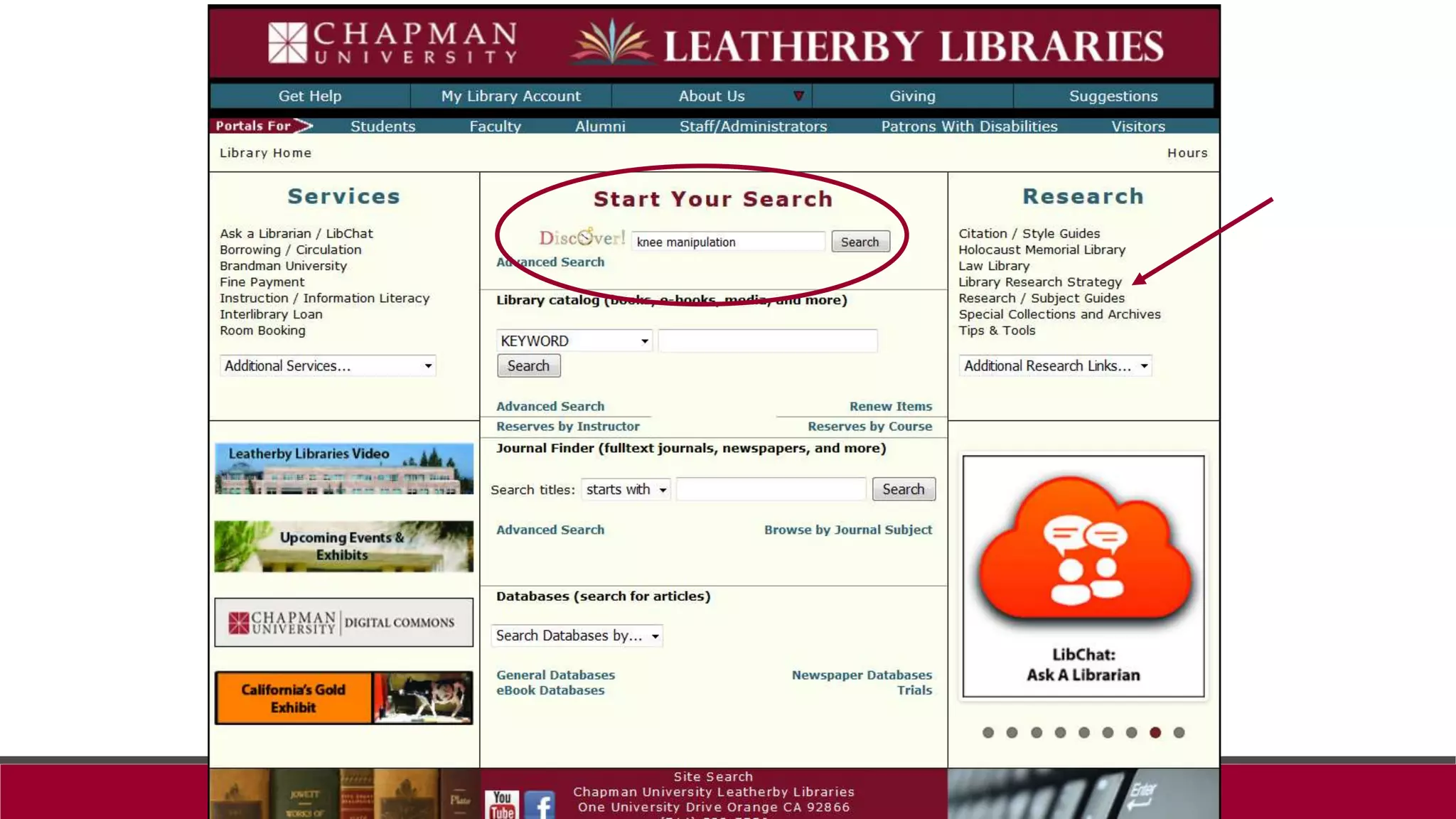
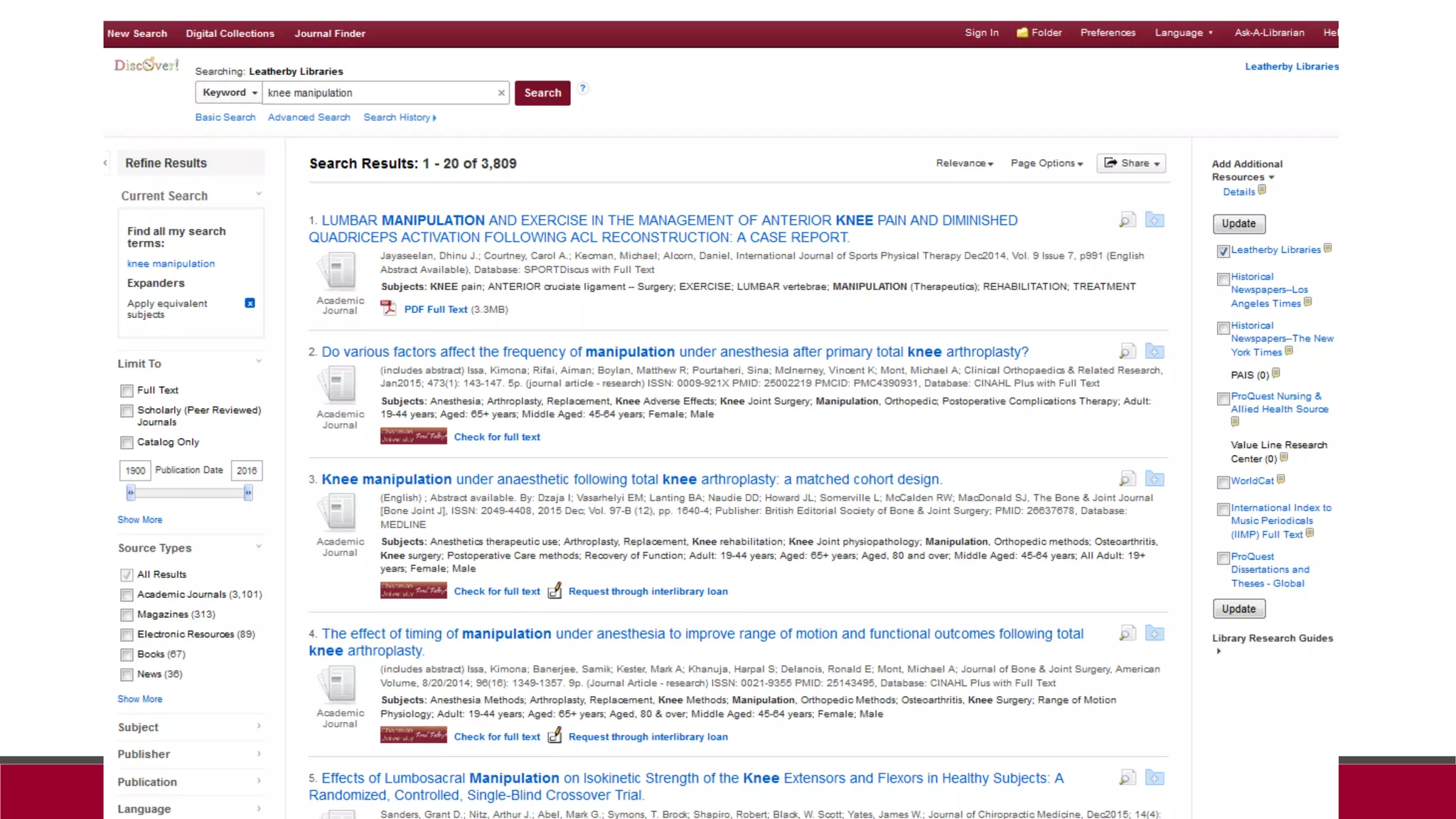
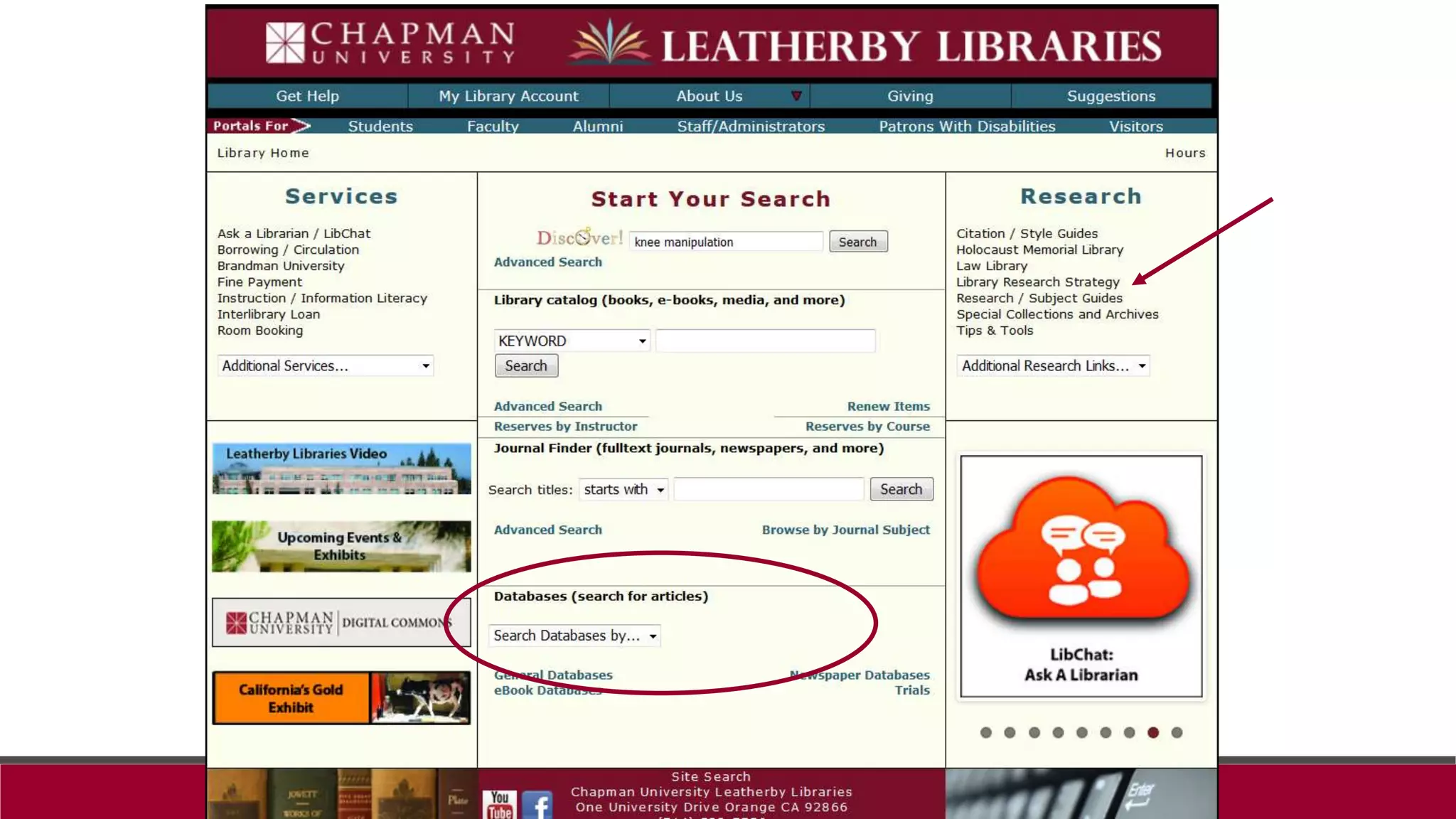
Finding Articles
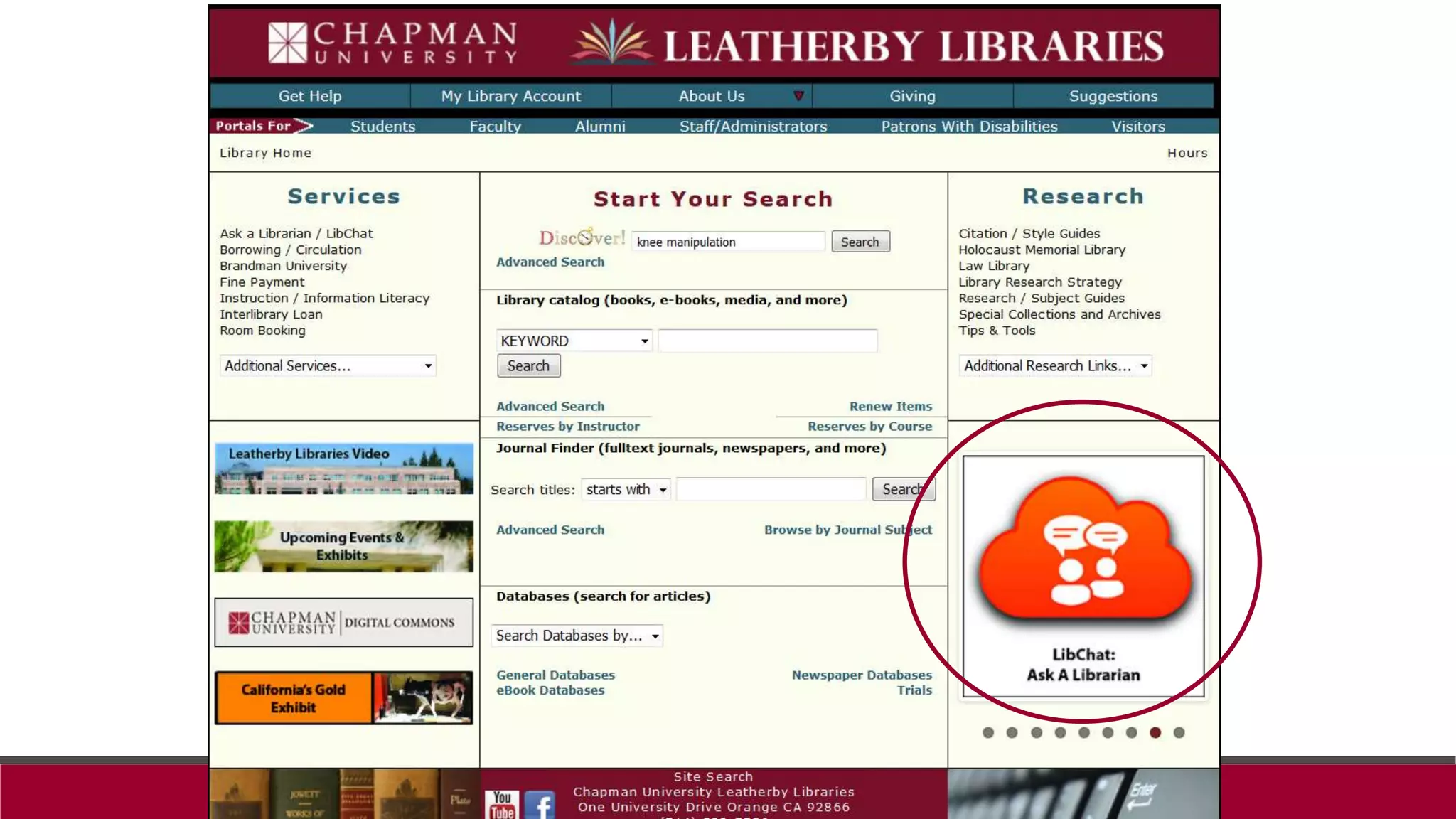
Library search tool
• Discover
Databases Menu
• Search through subject categories for links to our many databases
Research/Subject Guides
• Athletic Training
• Citation/Style Guide
• Plus many more!
It doesn't matter if a cat is black or white, as
long as it can catch mice, it's a good cat.
http://chapman.libguides.com/athletic
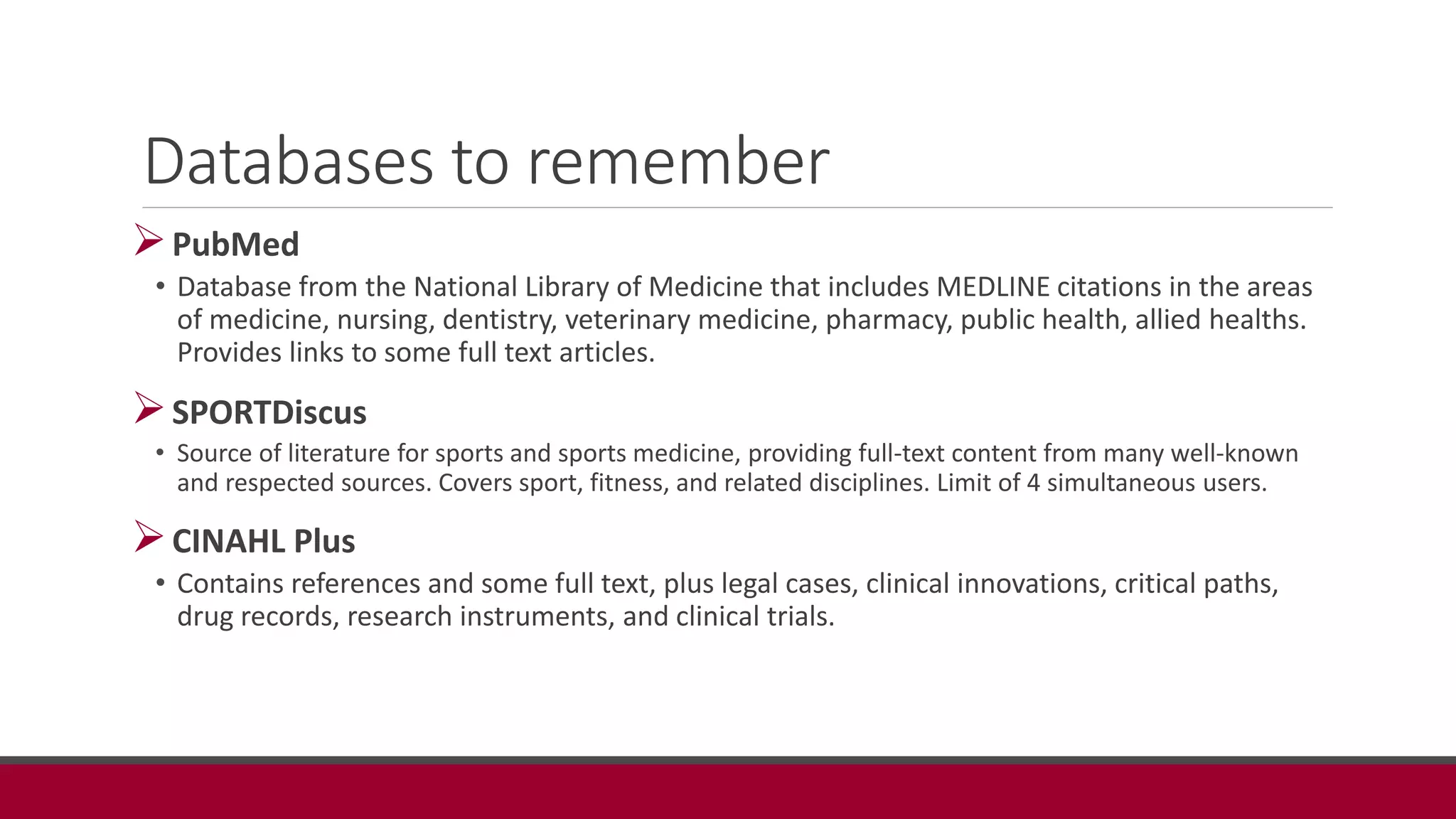
Databases to remember
PubMed
• Database from the National Library of Medicine that includes MEDLINE citations in the areas
of medicine, nursing, dentistry, veterinary medicine, pharmacy, public health, allied healths.
Provides links to some full text articles.
SPORTDiscus
• Source of literature for sports and sports medicine, providing full-text content from many well-known
and respected sources. Covers sport, fitness, and related disciplines. Limit of 4 simultaneous users.
CINAHL Plus
• Contains references and some full text, plus legal cases, clinical innovations, critical paths,
drug records, research instruments, and clinical trials.
When searching databases…
Remember: RATS
Key words
Synonyms
Subjects
Suggested topics
Types of materials
• Scholarly Journals, Magazines, etc.
Read All The Screens!
Finding full text
Sometimes a challenge!
Searching the Literature
MICHELLE A. CLEARY PHD, ATC
LINDA GALLOWAY, MSLIS
Purpose
Review the steps of evidence-based practice
Describe the process of literature searching
Evidence-Based Practice
STEP PROCESS
1. Developing an answerable
clinical question
Define the problem you wish to investigate
Establish the goals and values of the
patient
2. Search for the best evidence
Search literature and other resources for
information relating to your clinical question
3. Appraise the evidence
Determine the quality and applicability of
what you find in your search
4. Application of the best
evidence
Combine evidence with clinical
experiences and expertise while paying
attention to the patient’s values
5. Evaluate the outcomes
Assessment of the effectiveness of the
application
Sackett et al 1996; Wanvarie et al 2006; Fonteyn 2005, Burns & Foley 2005
Literature Searching
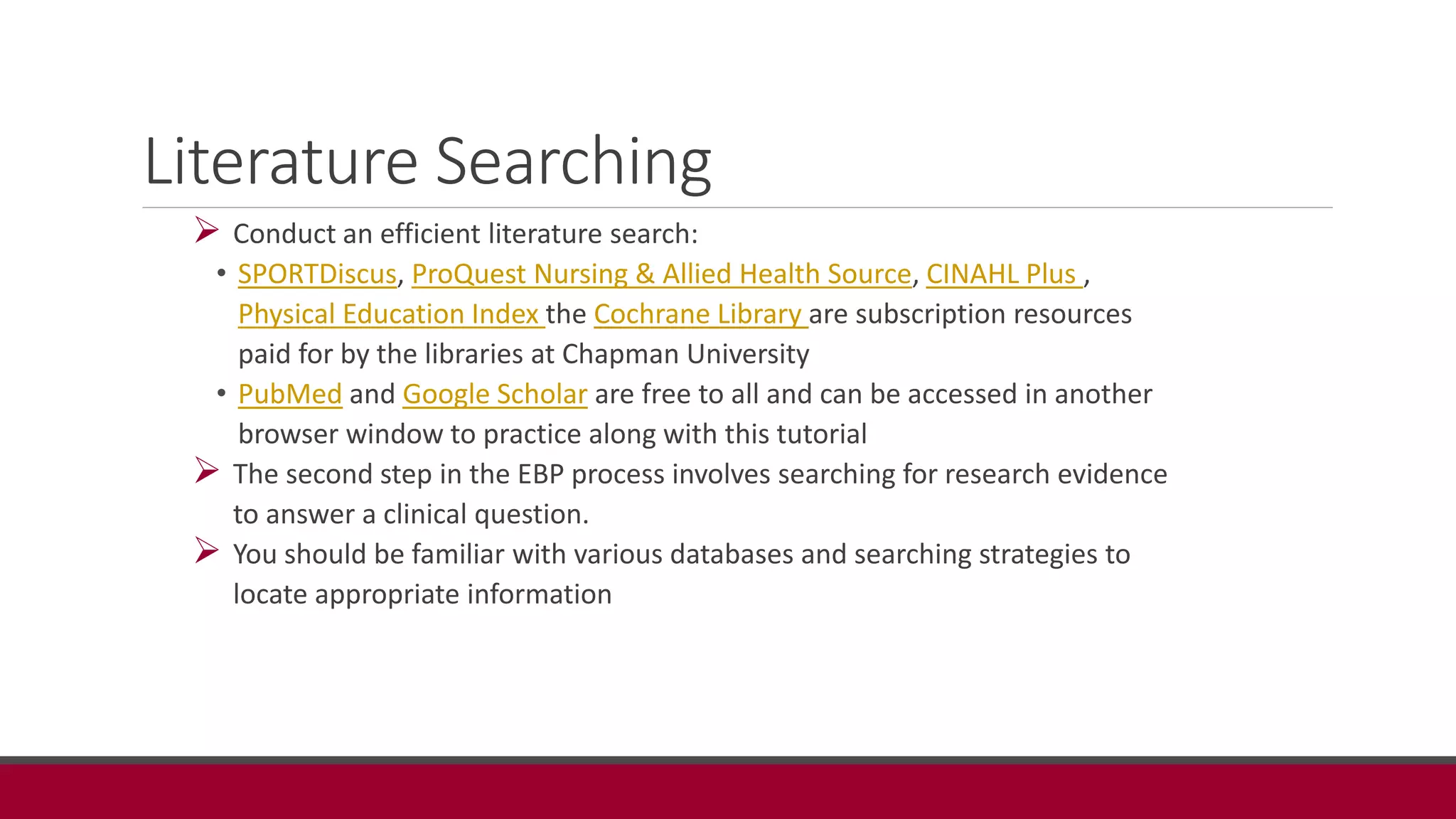
 Conduct an efficient literature search:
• SPORTDiscus, ProQuest Nursing & Allied Health Source, CINAHL Plus ,
Physical Education Index the Cochrane Library are subscription resources
paid for by the libraries at Chapman University
• PubMed and Google Scholar are free to all and can be accessed in another
browser window to practice along with this tutorial
 The second step in the EBP process involves searching for research evidence
to answer a clinical question.
 You should be familiar with various databases and searching strategies to
locate appropriate information
Journal Articles
 Primary Source –
• Original document containing firsthand information
• Lab notebooks, interviews
• Original research including journal articles and preprints
 Secondary Source –
• Publications about the significance of research or experiments
• Analysis of a clinical trial
• Review article
• Systematic review
A peer reviewed primary source is a work that is evaluated by experts in
the field of study prior to publication. Serves as a measure of quality
control.
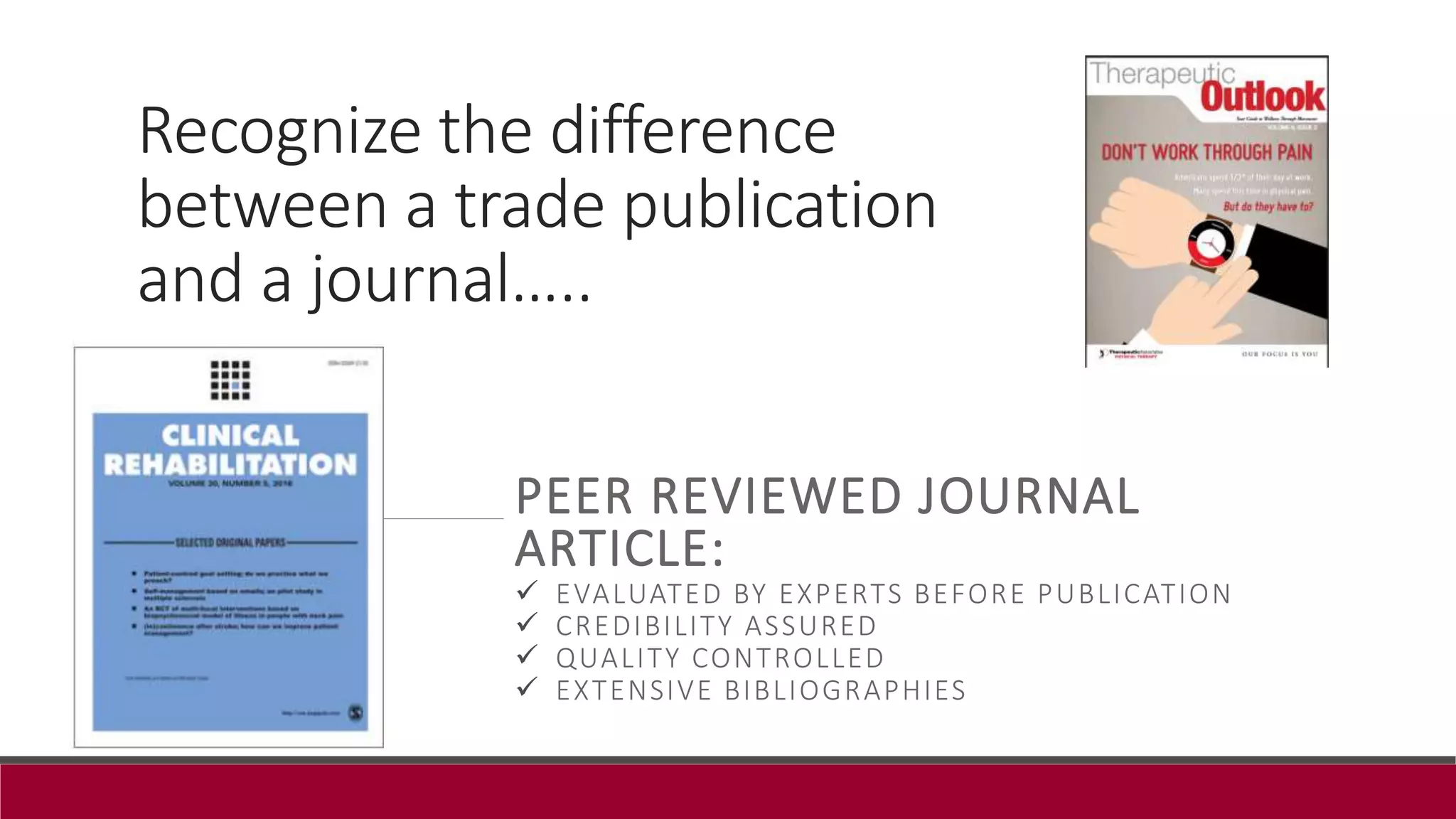
Recognize the difference
between a trade publication
and a journal…..
PEER REVIEWED JOURNAL
ARTICLE:
 EVALUATED BY EXPERTS BEFORE PUBLICATION
 CREDIBILITY ASSURED
 QUALITY CONTROLLED
 EXTENSIVE BIBLIOGRAPHIES
Databases
Organized online collections of scholarly articles from journals,
periodicals, or books.
Invaluable when searching for evidence to answer a clinical
question.
Find citations, abstracts, and sometimes free full text articles or
links to full text articles for purchase.
Require a subscription must log into library site to access
Keywords
 Determining your key words will provide you with a starting point for your literature
search.
 Main concepts of the clinical question with search term or terms
 Example. Is therapeutic ultrasound more effective than electrical stimulation in reducing
swelling and increasing tissue extensibility for athletes with posterior-lateral ankle sprains?
 The clinical question can then be broken down into conceptual terms
• Therapeutic ultrasound
• Electrical stimulation
• Swelling
• Tissue extensibility
• Athletes
• Lateral ankle sprain
 Broaden search such as ankle, tissue, sprain, and ultrasound.
Definitions
 MeSH (medical subject headings) terms
• National Library of Medicine’s controlled vocabulary of biomedical terms Used to
describe each journal article in MEDLINE
• Example: “ankle” and “tarsal bones”
 Mapping
• Process in which the database will match the keyword you enter to a subject heading
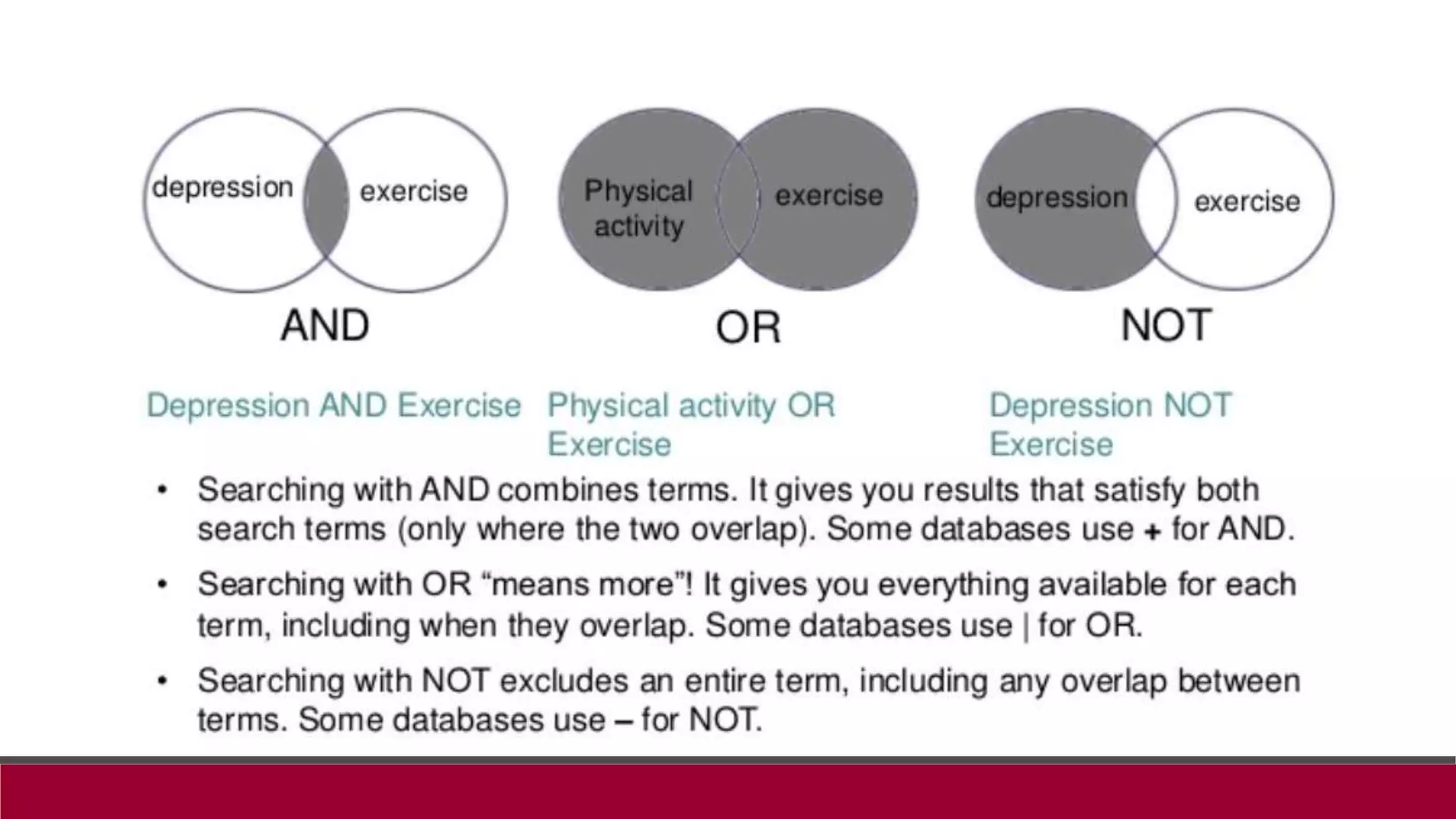
 Boolean operators
• Used when combing search terms.
• The operator term “AND” retrieves results that include all search terms, the operator
term “OR” retrieves results that includes at least one of the search terms, and the
operator term “NOT” can be used to exclude terms from the search.
• When searching for information on ankle sprains, type into the search box, “ankle
AND sprain” or “talocrural NOT subtalar.”
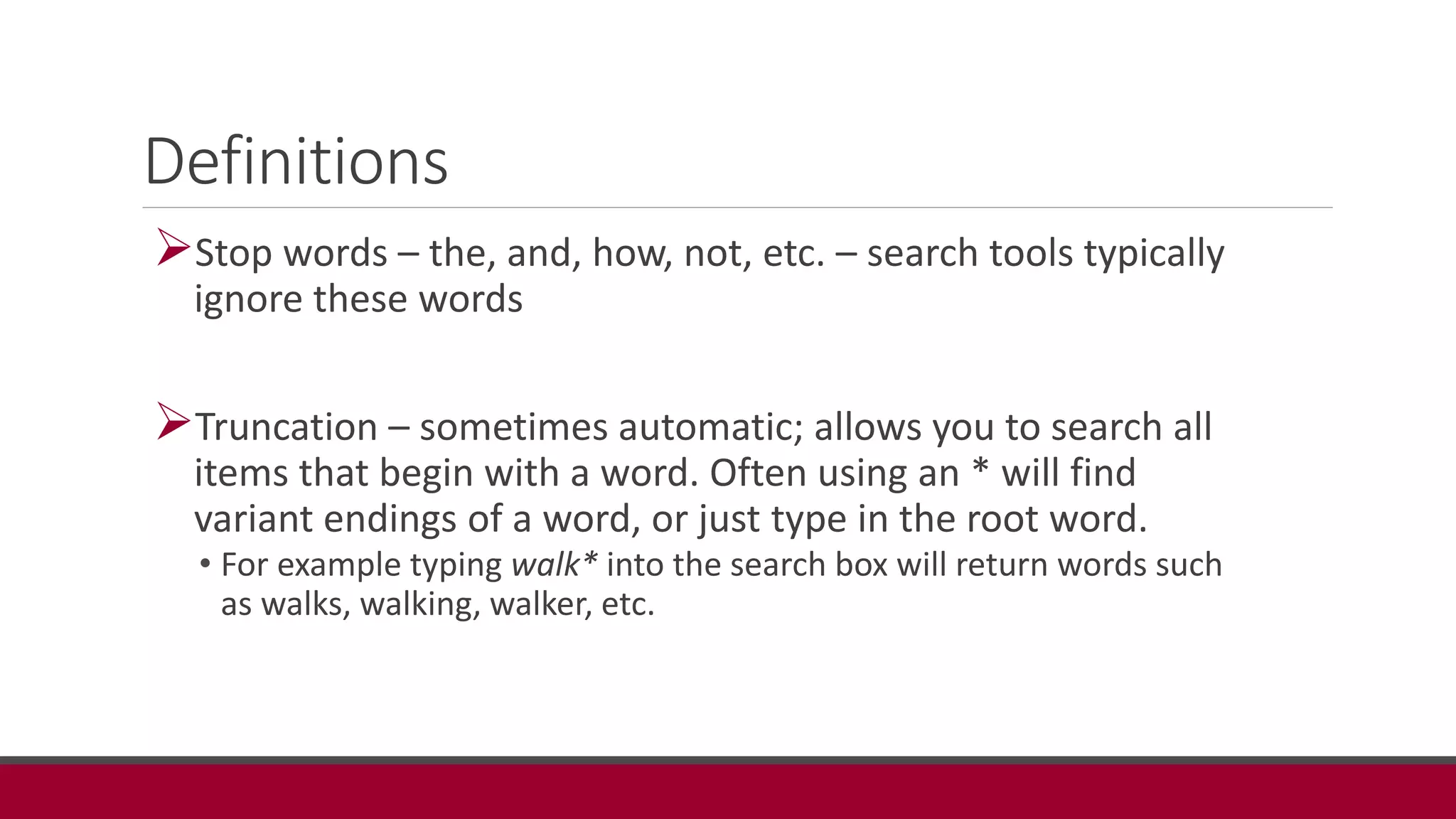
Definitions
Stop words – the, and, how, not, etc. – search tools typically
ignore these words
Truncation – sometimes automatic; allows you to search all
items that begin with a word. Often using an * will find
variant endings of a word, or just type in the root word.
• For example typing walk* into the search box will return words such
as walks, walking, walker, etc.
Databases
 CINAHL Plus: http://cufts2.lib.sfu.ca/CRDB/COU/resource/1430/goto
 SPORTDiscus: http://cufts2.lib.sfu.ca/CRDB/COU/resource/6803/goto
 ProQuest Nursing & Allied Health Source:
http://cufts2.lib.sfu.ca/CRDB/COU/resource/6790/goto
 Physical Education Index : http://cufts2.lib.sfu.ca/CRDB/COU/resource/6787/goto
 Cochrane Library: http://cufts2.lib.sfu.ca/CRDB/COU/resource/1432/goto
 PubMed: http://cufts2.lib.sfu.ca/CRDB/COU/resource/6794/goto
 PEDro: www.pedro.org.au
 Google Scholar: http://scholar.google.com
CINAHL Plus
Comprehensive resource for nursing and allied
health. Contains references and some full text,
plus legal cases, clinical innovations, critical
paths, drug records, research instruments, and
clinical trials.
CINAHL Plus:
http://cufts2.lib.sfu.ca/CRDB/COU/resource/1430/goto
SPORTDiscus
Source of literature for sports and sports medicine, providing full-text content
from many well-known and respected sources. Covers sport, fitness, and
related disciplines. Limit of 4 simultaneous users.
SPORTDiscus:
http://cufts2.lib.sfu.ca/CRDB/COU/resource/6803/goto
ProQuest Nursing & Allied Health Source
Covers nursing; allied health; alternative and complementary
medicine designed to meet the needs of researchers and students.
ProQuest Nursing & Allied Health Source:
http://cufts2.lib.sfu.ca/CRDB/COU/resource/6790/goto
Physical Education Index
Index to scholarly and trade literature in subjects ranging from
physical education curricula to sports medicine; dance and much
more.
Physical Education Index :
http://cufts2.lib.sfu.ca/CRDB/COU/resource/6787/goto
Cochrane Library
 Regularly updated systematic reviews
 A systematic review is a compilation of
several articles on a particular topic;
systematic reviews of randomized controlled
trials are considered the highest level of
evidence.
Systematic
reviews
Randomizd
controlled
trials
Cohort studies
Case-control studies
Case series/reports
Expert opinion, Ideas, editorials
Cochrane Library:
http://cufts2.lib.sfu.ca/CRDB/COU/resource/1432/goto
PEDro (Physiotherapy Evidence Database)
Free database managed by the Centre for Evidence-Based Physiotherapy
PEDro is a free database of over 33,000 randomised trials, systematic reviews
and clinical practice guidelines in physiotherapy.
May need to access another database to obtain the article
Hint: put “article title” in quotation marks and search in Google Scholar to
locate full text
www.pedro.org.au
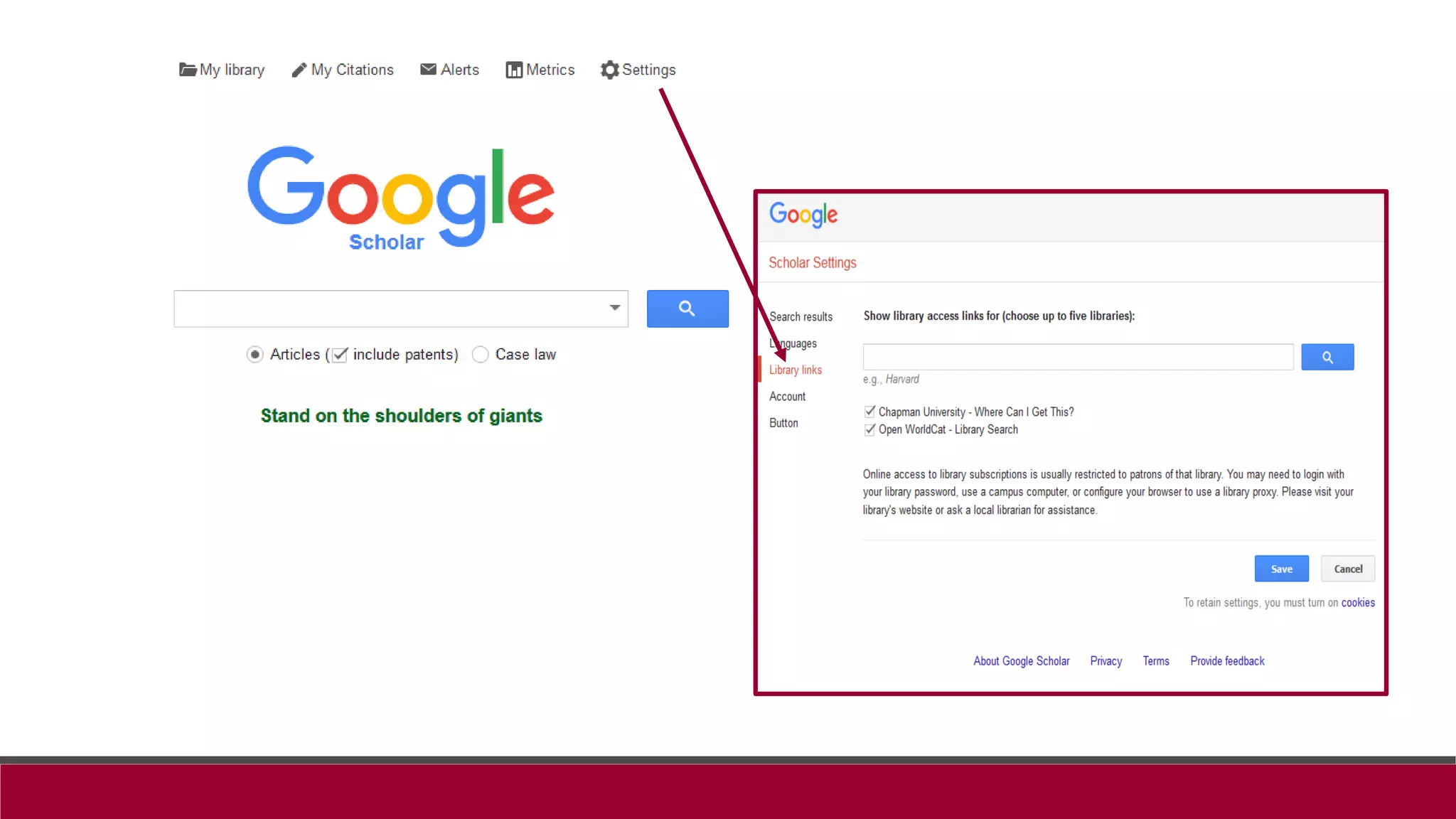
Google Scholar
Free access search engine
Searchable by date, relevant term
Set up to work with Library Links to access full text
http://scholar.google.com
Strategies for Searching Databases
Keywords vs controlled vocabulary
Boolean operators
Exploding and truncation
Filters
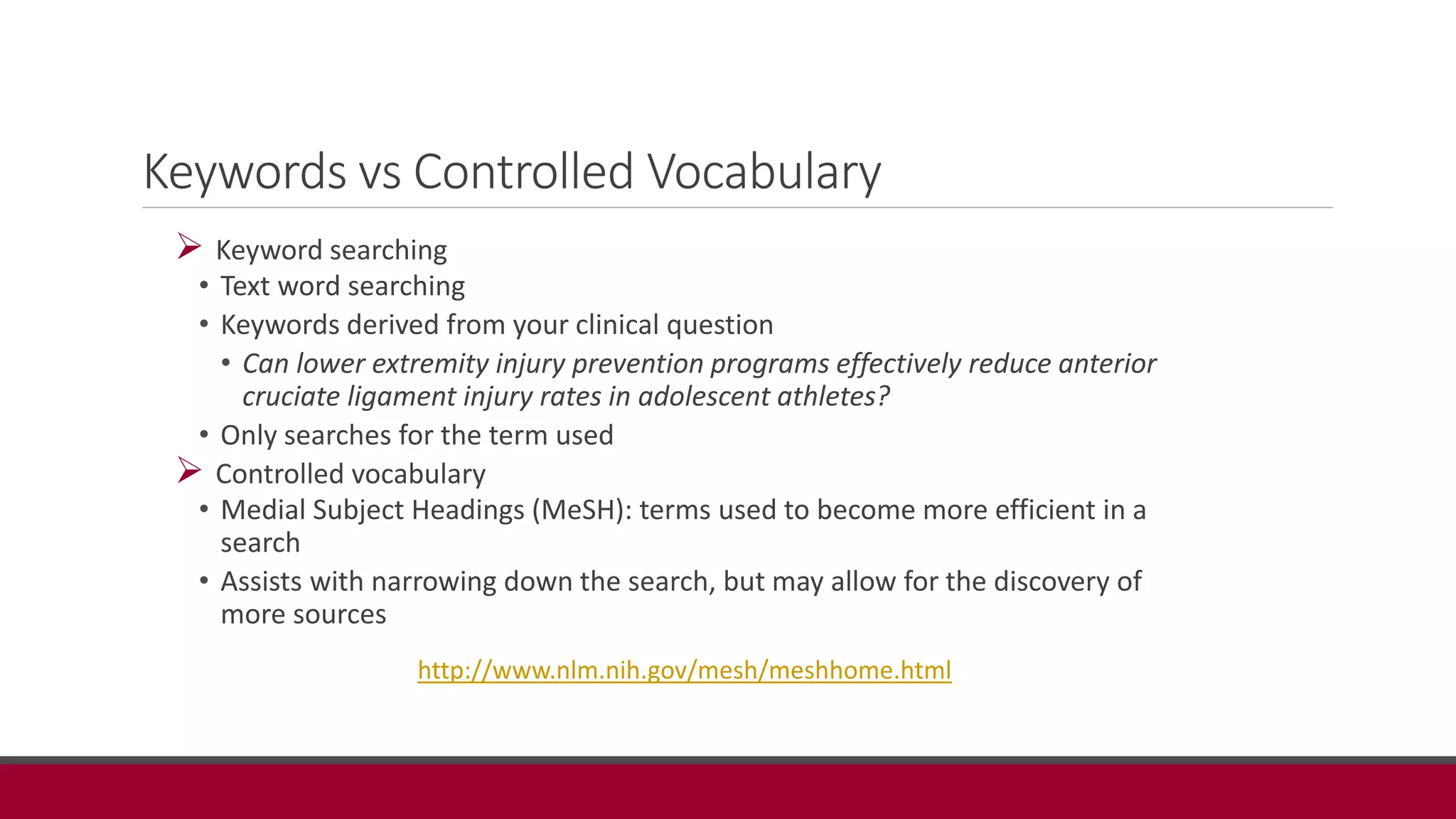
Keywords vs Controlled Vocabulary
 Keyword searching
• Text word searching
• Keywords derived from your clinical question
• Can lower extremity injury prevention programs effectively reduce anterior
cruciate ligament injury rates in adolescent athletes?
• Only searches for the term used
 Controlled vocabulary
• Medial Subject Headings (MeSH): terms used to become more efficient in a
search
• Assists with narrowing down the search, but may allow for the discovery of
more sources
http://www.nlm.nih.gov/mesh/meshhome.html
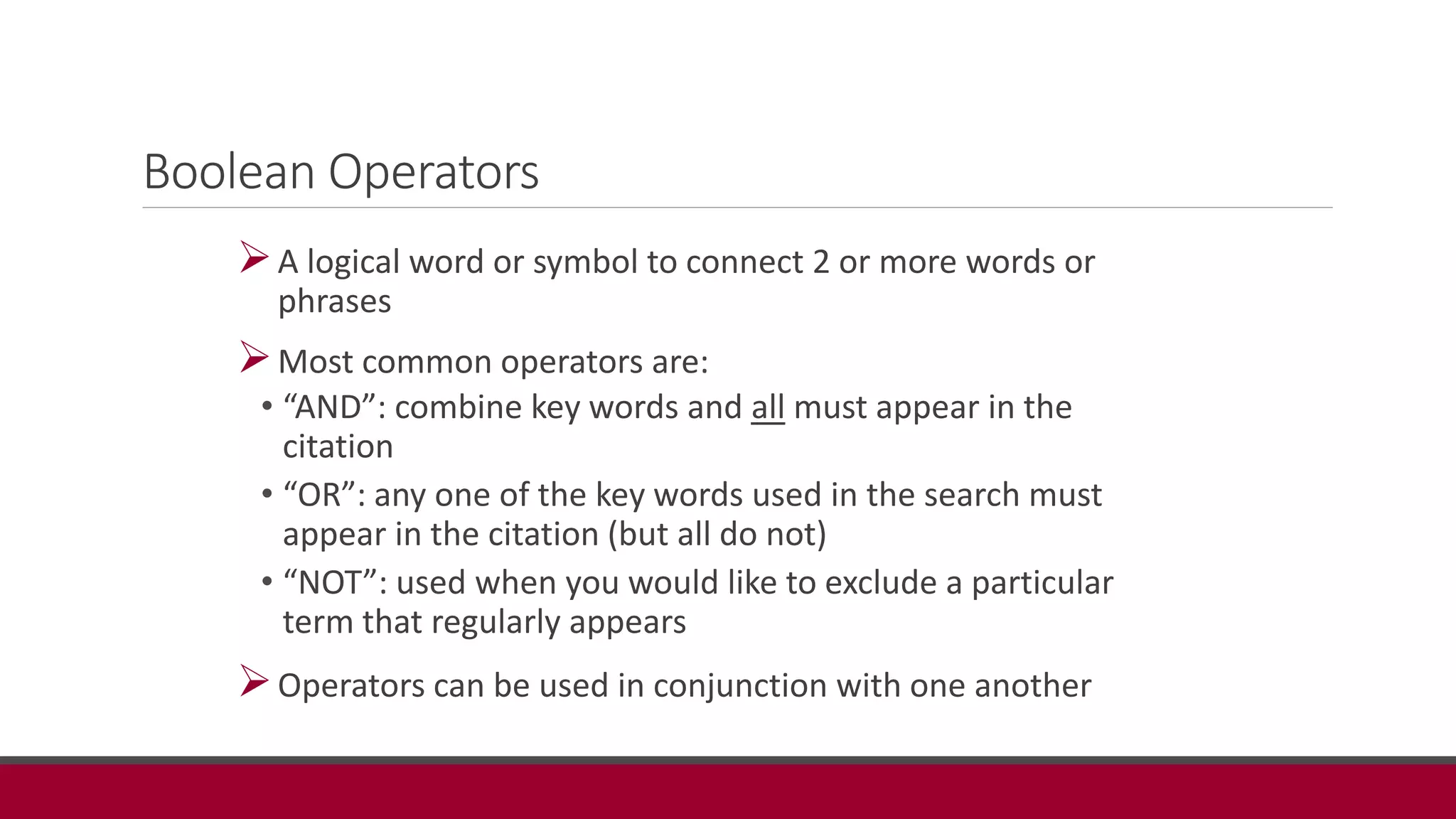
Boolean Operators
A logical word or symbol to connect 2 or more words or
phrases
Most common operators are:
• “AND”: combine key words and all must appear in the
citation
• “OR”: any one of the key words used in the search must
appear in the citation (but all do not)
• “NOT”: used when you would like to exclude a particular
term that regularly appears
Operators can be used in conjunction with one another
Managing Your Literature Search
Create NCBI account (http://www.ncbi.nlm.nih.gov/pubmed)
Saving literature searches
Setting up automatic alerts
Using citation management software
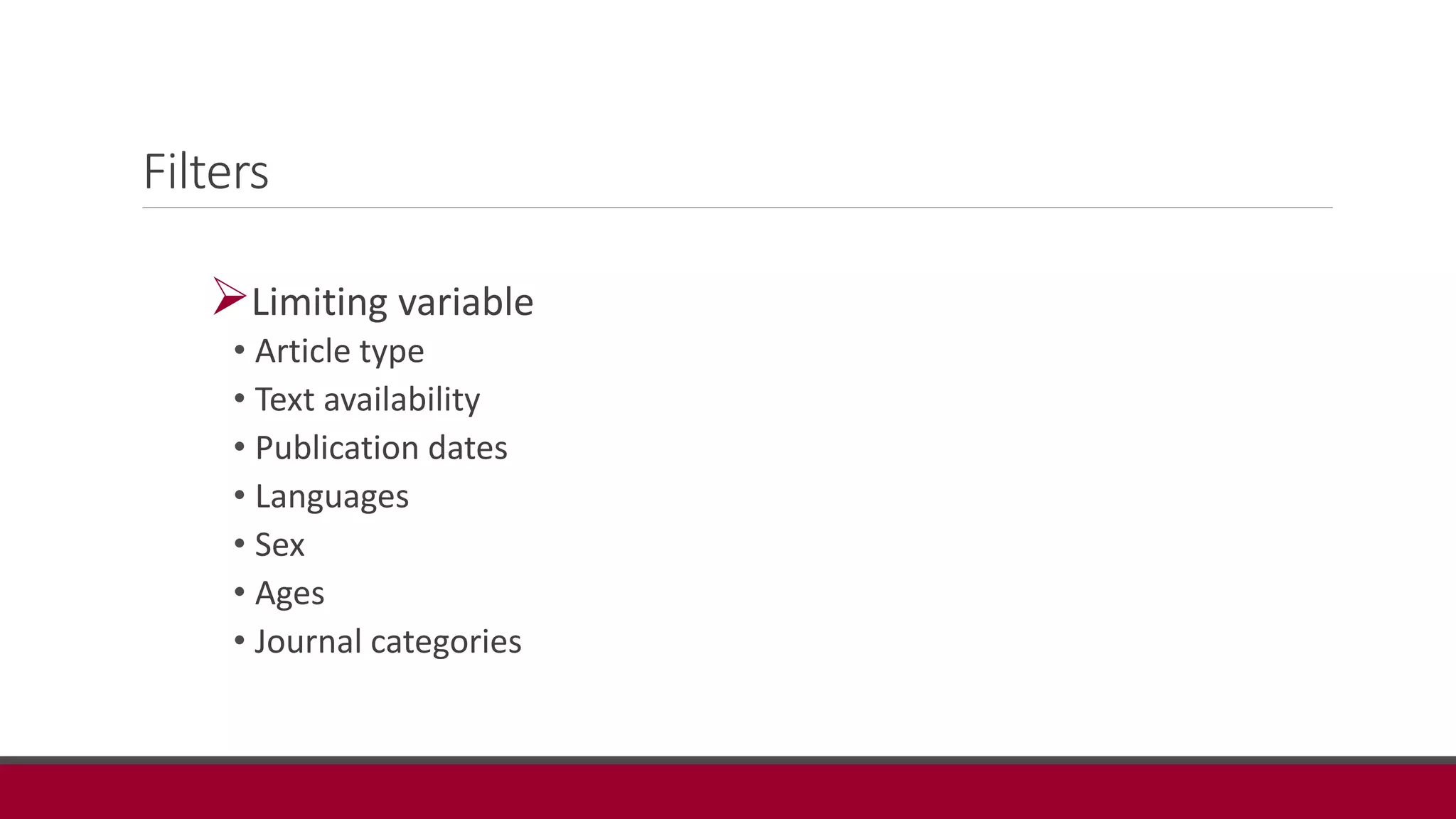
Filters
Limiting variable
• Article type
• Text availability
• Publication dates
• Languages
• Sex
• Ages
• Journal categories
Conclusion
• Literature searching is important to answer questions that arise in clinical
practice.
• The search strategies can be used across all databases.
• It may be easier to start a broad search to retrieve many articles on the
topic then narrow your search with limitations to get to the heart of your
clinical question.
• If you have additional questions about searching a particular database you
can access the database’s help feature.
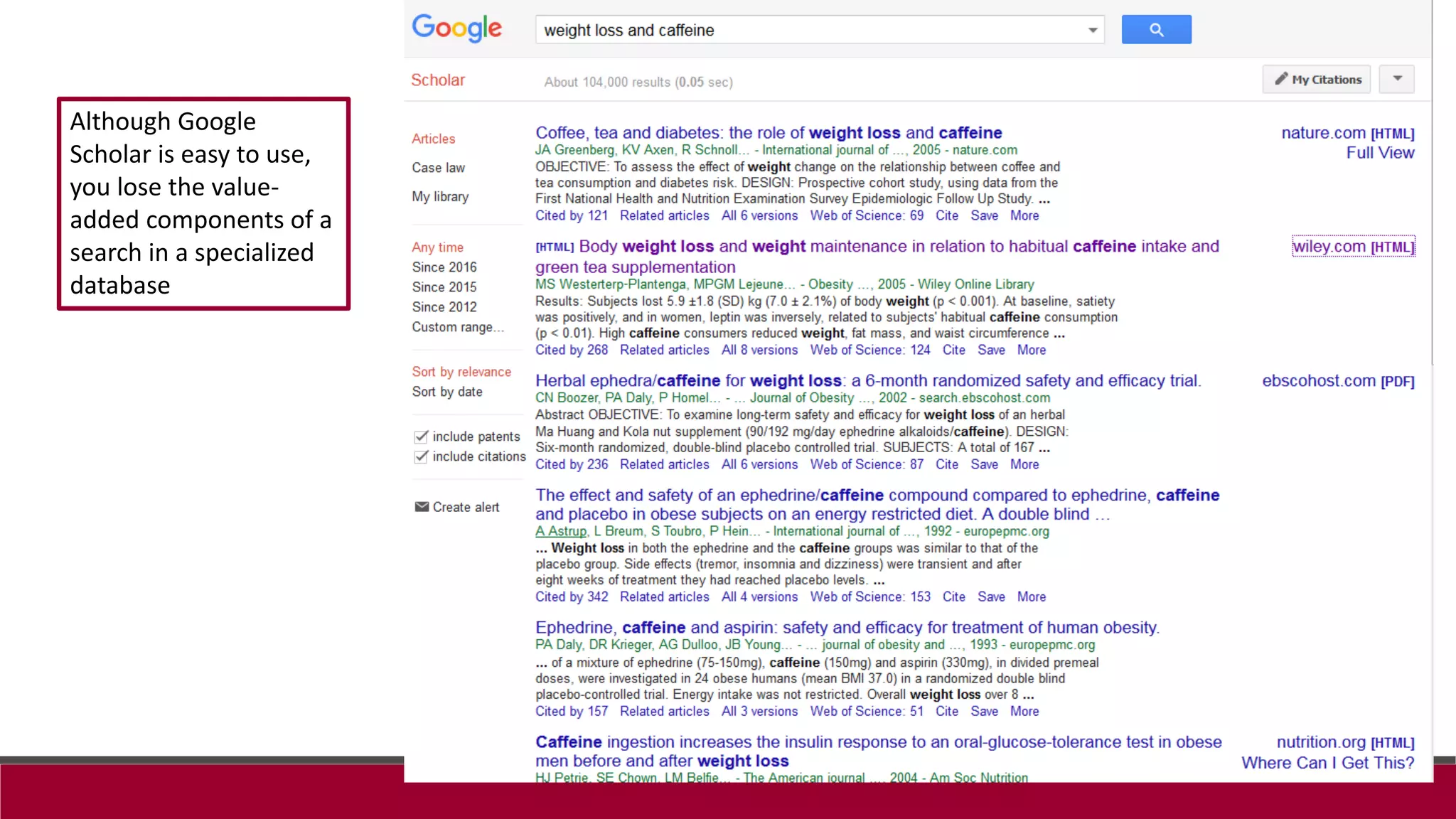
Although Google
Scholar is easy to use,
you lose the value-
added components of a
search in a specialized
database
PubMed
 National Library of Medicine database that includes MEDLINE citations in the areas of
medicine, nursing, dentistry, veterinary medicine, pharmacy, public health, allied healths.
Provides links to some full text articles.
 PubMed Central is a repository of freely accessible articles
 Publications resulting from research funded by most federal agencies must be made open
access after a reasonable amount of time
 Best database biomedical literature
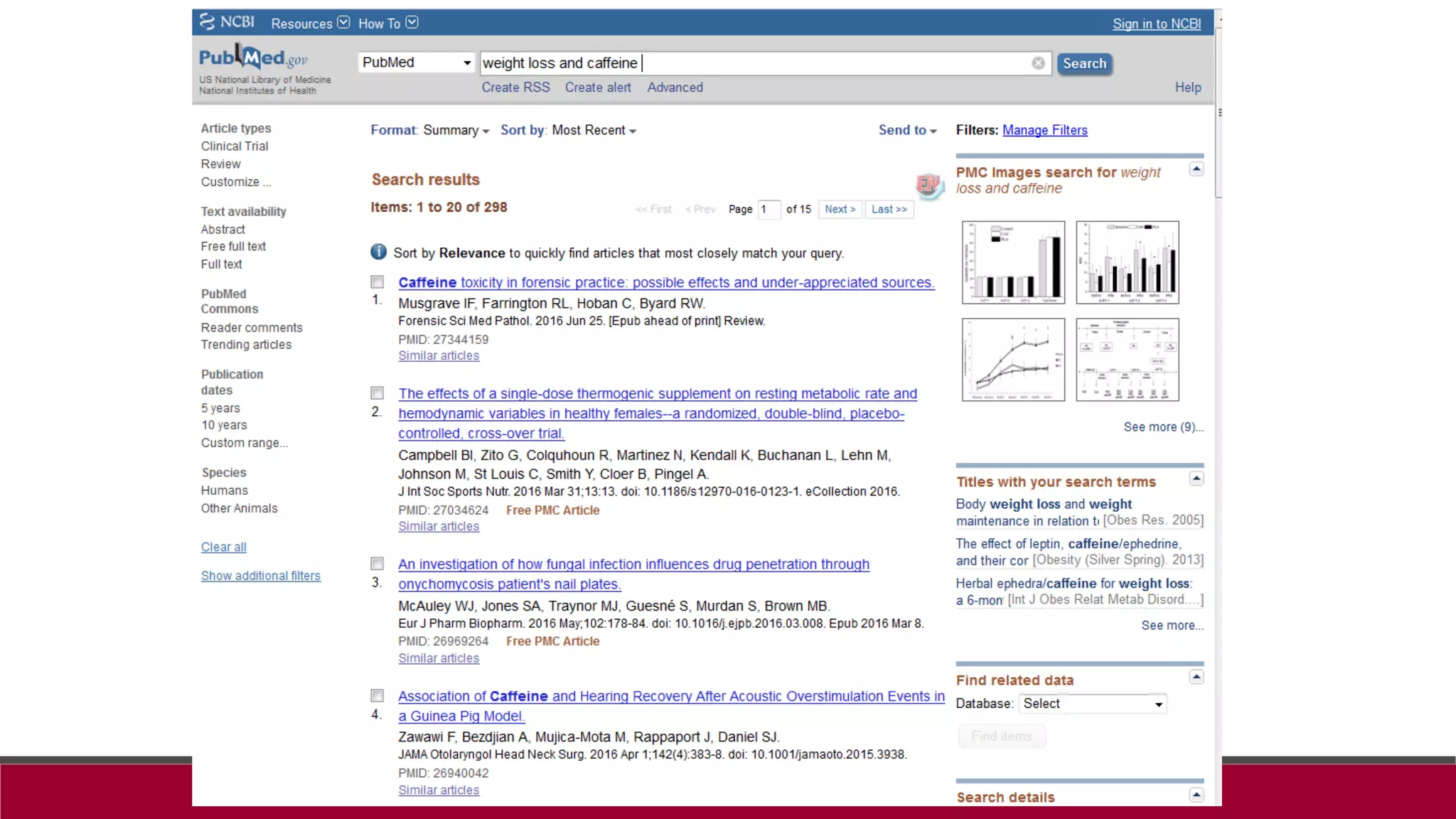
Entering search terms in PubMed
Don’t use any punctuation until you have tried your search first
PubMed inserts AND between all terms
The more terms you enter, the more specific your search will be
Search term hierarchy (Automatic Term Mapping):
• Subjects (using the Medical Subject Headings)
• Journals
• Authors
PubMed automatically searches for phrases during Automatic Term Mapping
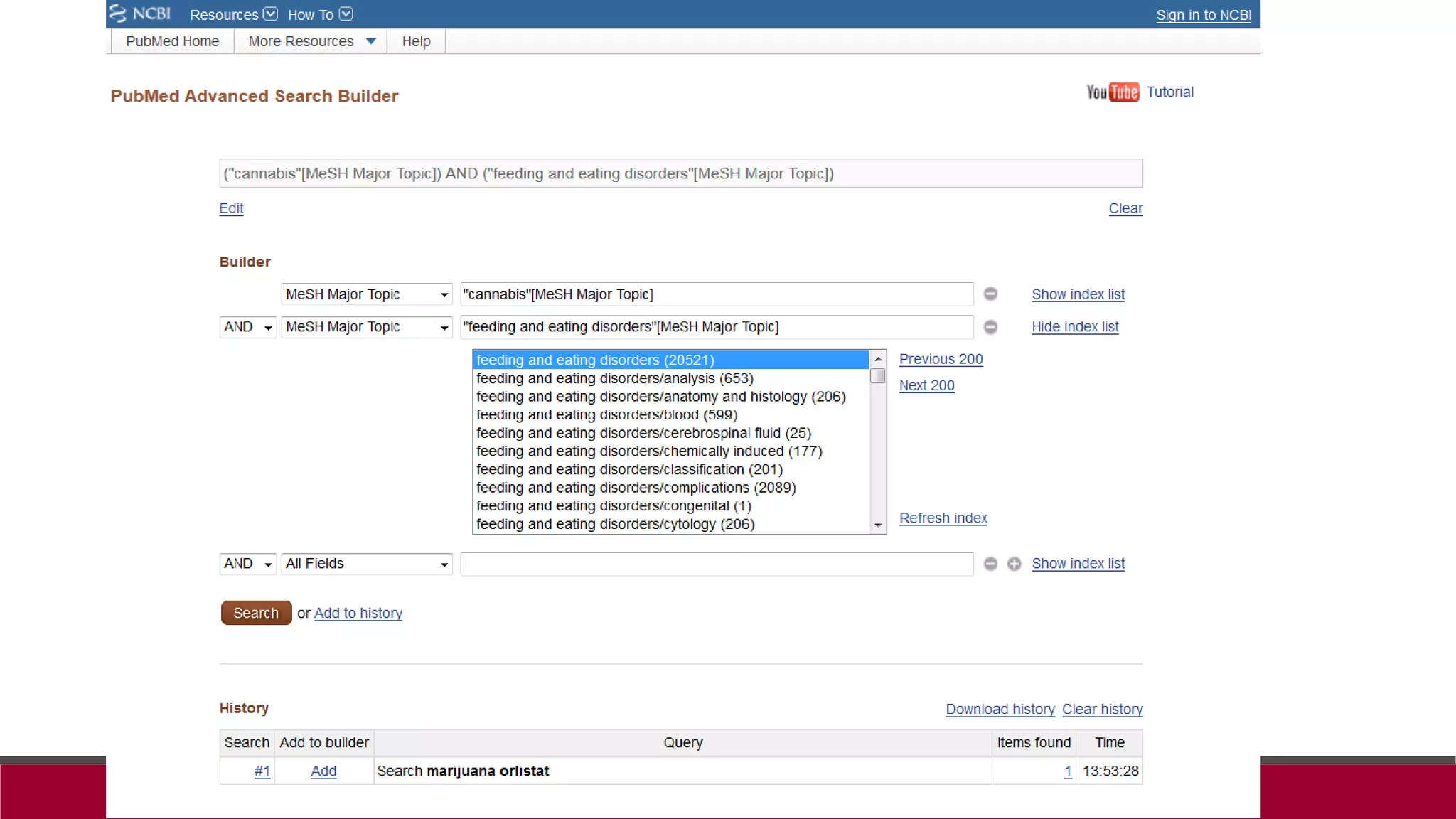
How does marijuana ingestion interact with orlistat taken for weight loss?
How did PubMed interpret my
search??
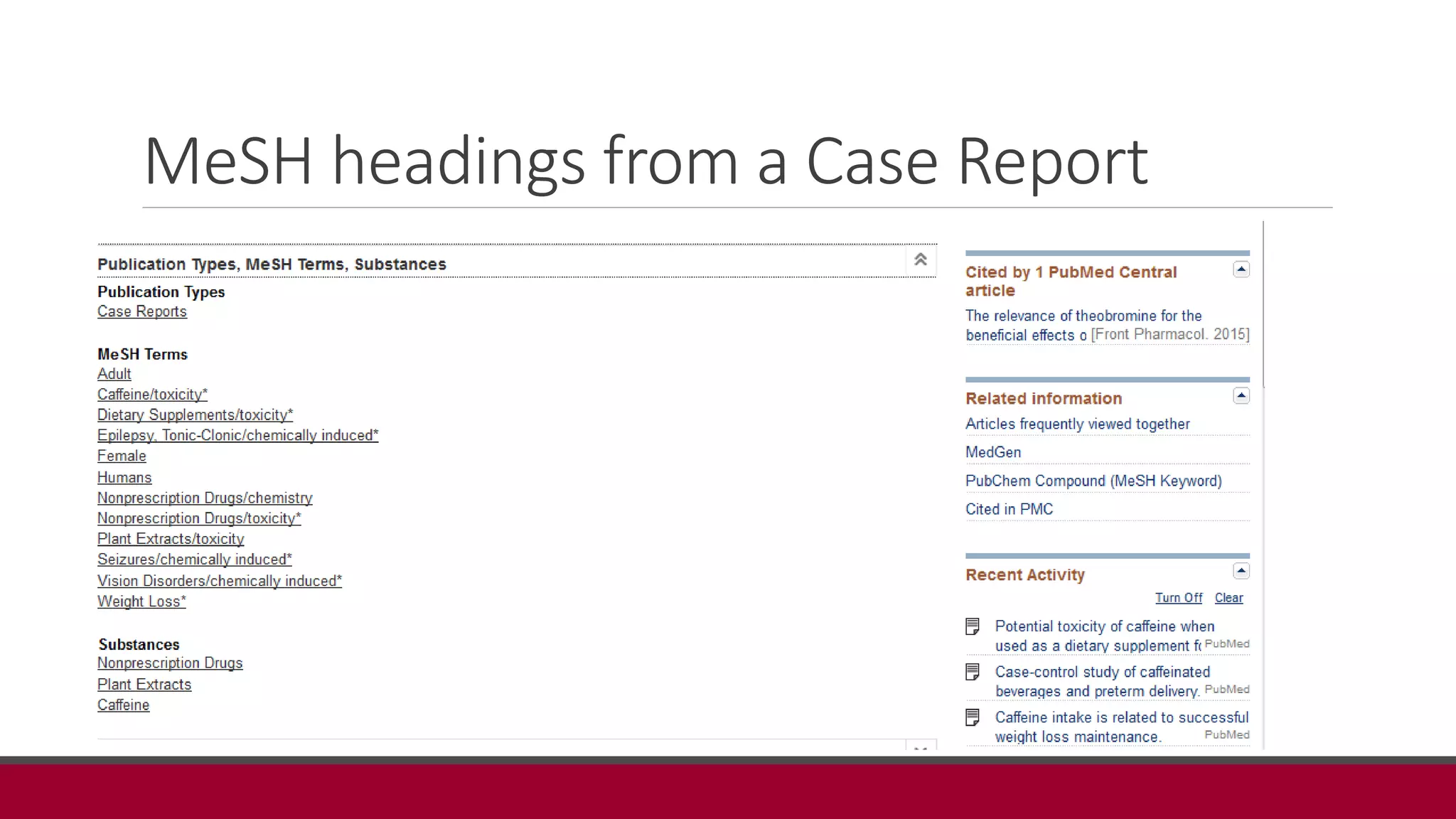
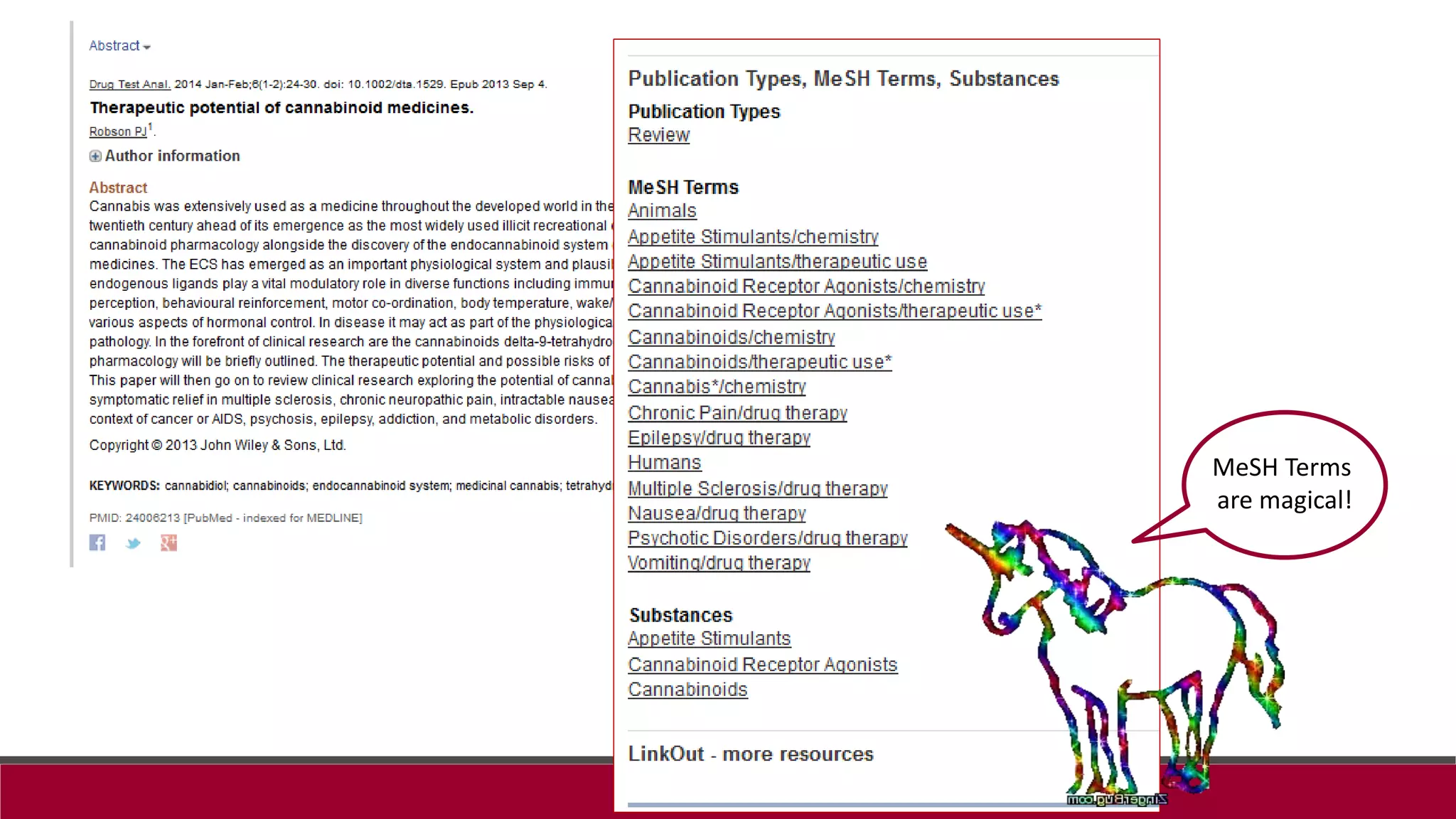
MeSH headings from a Case Report
MeSH Terms
are magical!
Full text of PubMed articles
Services
Interlibrary loan (ILL) and book delivery
Research & Reference help
Avoiding plagiarism & citing sources
Interlibrary Loan
Allows us to acquire items we don’t own, or are not on the Rinker Campus
Free to students
Used for delivery of materials (books and articles) to Rinker Campus students,
includes return mailing envelope
You must create an ILL account before using this service
Research Assistance
Reference Help
• Help defining a topic for research
• Finding articles, evaluating sources
• Email, text, chat, phone, in person
Citation Management Tools
• EndNote, RefWorks, Zotero, Mendeley
Keeping up with the Literature
65
Break!!!!!!!!
Class activity
 Use the worksheet to develop your clinical question
 Conduct a search in one or more of the databases described (not PubMed)
 Modify your search as you use the tools provided in the resource
 Find two good articles on your topic
 Can you access full text of the articles??
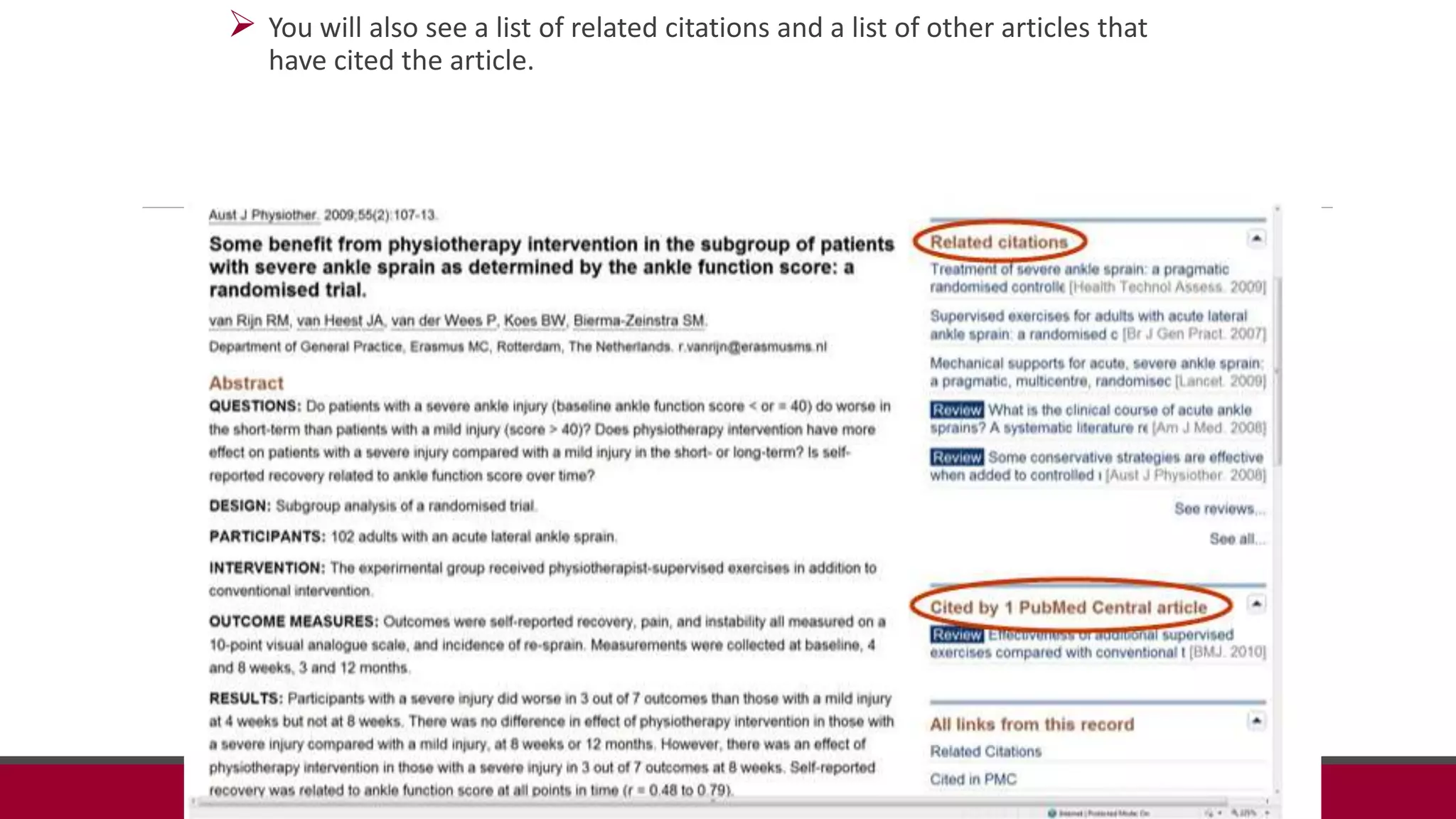
 You will also see a list of related citations and a list of other articles that
have cited the article.
Searching Multiple Databases
 Keep in mind that not all databases are the same, nor are they all inclusive.
 Some databases have a specific date range of articles that can be found in
the database.
 Also, not all journals can be found in every database.
 Utilize multiple databases in your literature search in order to thoroughly
investigate a clinical question.
Managing your literature search:
introduction to citation managers
WHAT THEY ARE, WHAT THEY DO
CREATE YOUR ENDNOTE LIBRARY
SAVE CITATIONS
Citation Management Tools
Ask your professor, advisor or lab director which tool they prefer…
EndNote – Web version (lite) free & available through Web of
Science
Zotero – open source citation manager
Mendeley – open source citation manager and discovery tool
http://chapman.libguides.com/citations
72
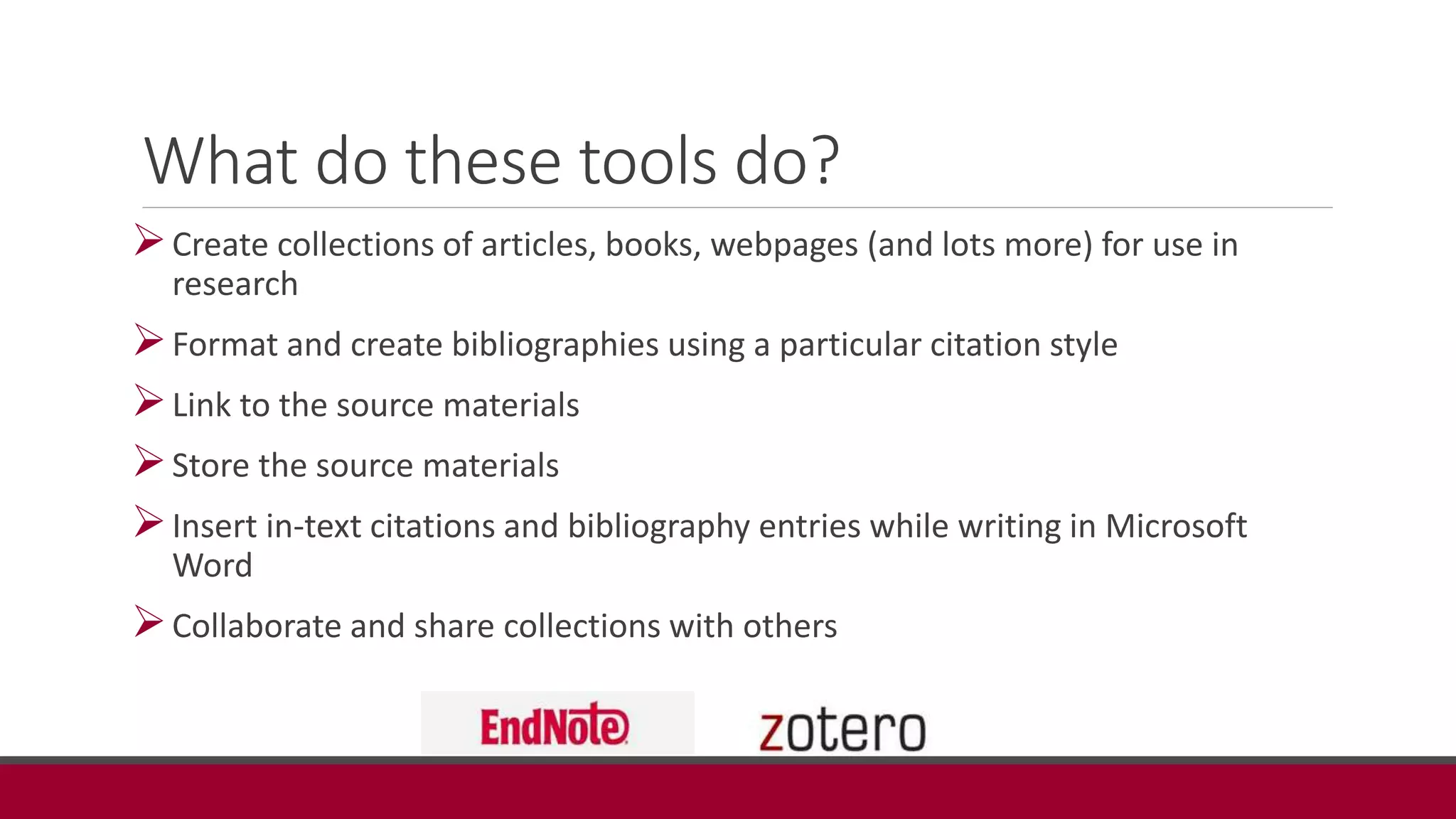
What do these tools do?
Create collections of articles, books, webpages (and lots more) for use in
research
Format and create bibliographies using a particular citation style
Link to the source materials
Store the source materials
Insert in-text citations and bibliography entries while writing in Microsoft
Word
Collaborate and share collections with others
Add citations from PubMed to your
EndNote Library
 Open up your EndNote library by logging in via this link EndNote OR by accessing via the
research guide: http://chapman.libguides.com/endnote
 Conduct your search in PubMed and save citations of interest to your ‘Clipboard’
 Export the clipboard to your EndNote library by following directions on the next few slides
 Check that your citations have correctly imported and create a ‘Group’ (folder, or collection)
of these citations
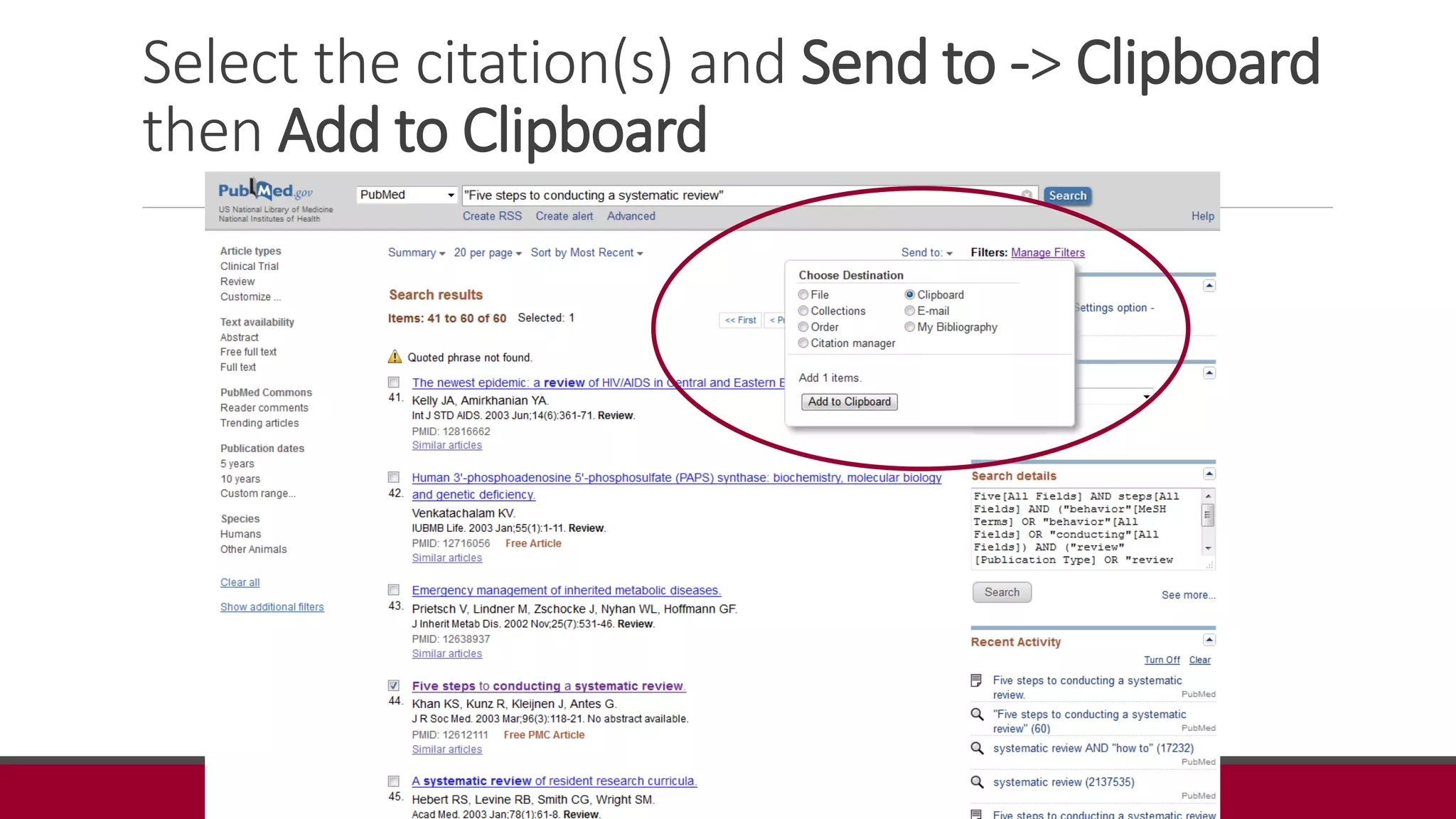
Select the citation(s) and Send to -> Clipboard
then Add to Clipboard
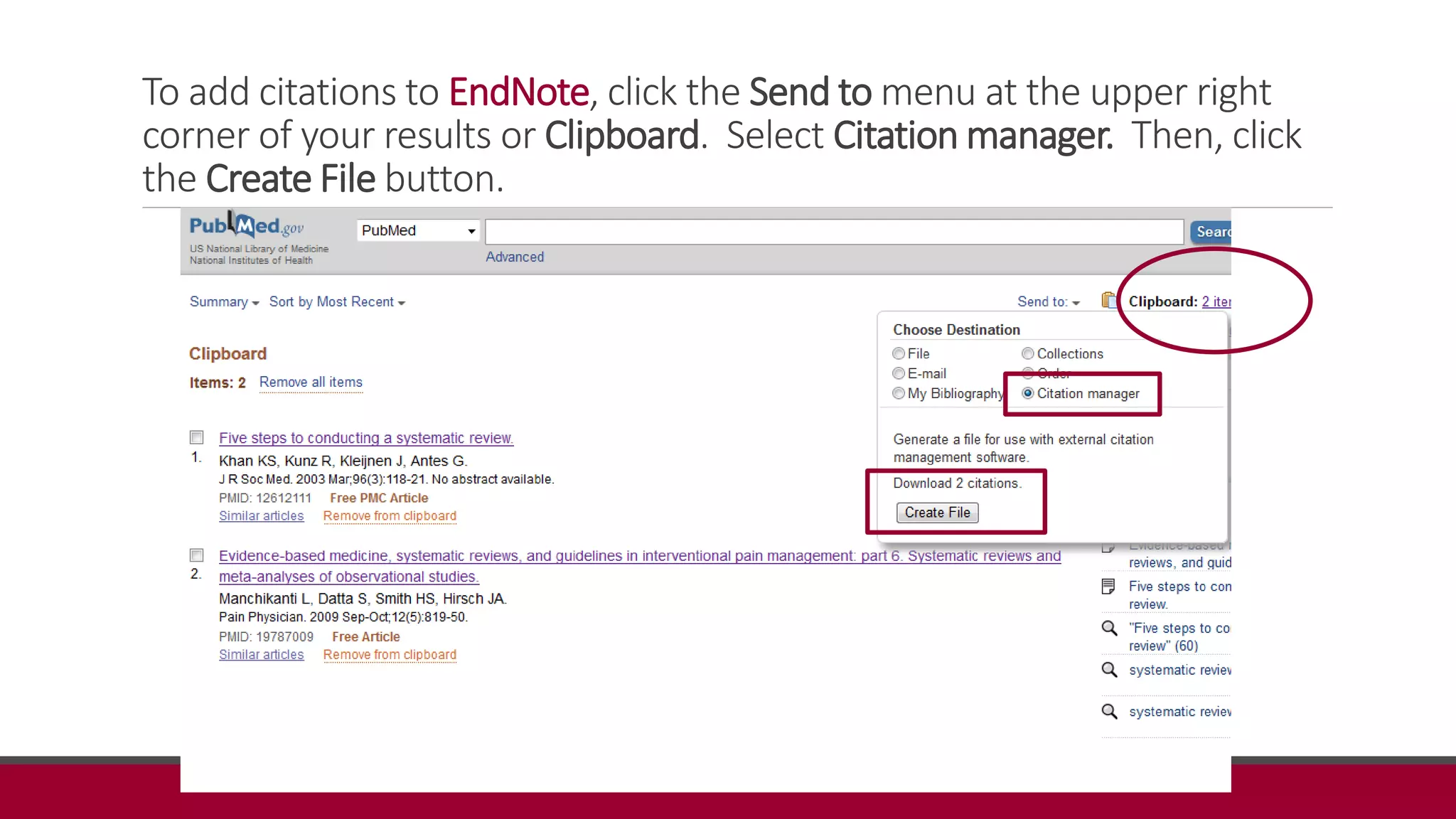
To add citations to EndNote, click the Send to menu at the upper right
corner of your results or Clipboard. Select Citation manager. Then, click
the Create File button.
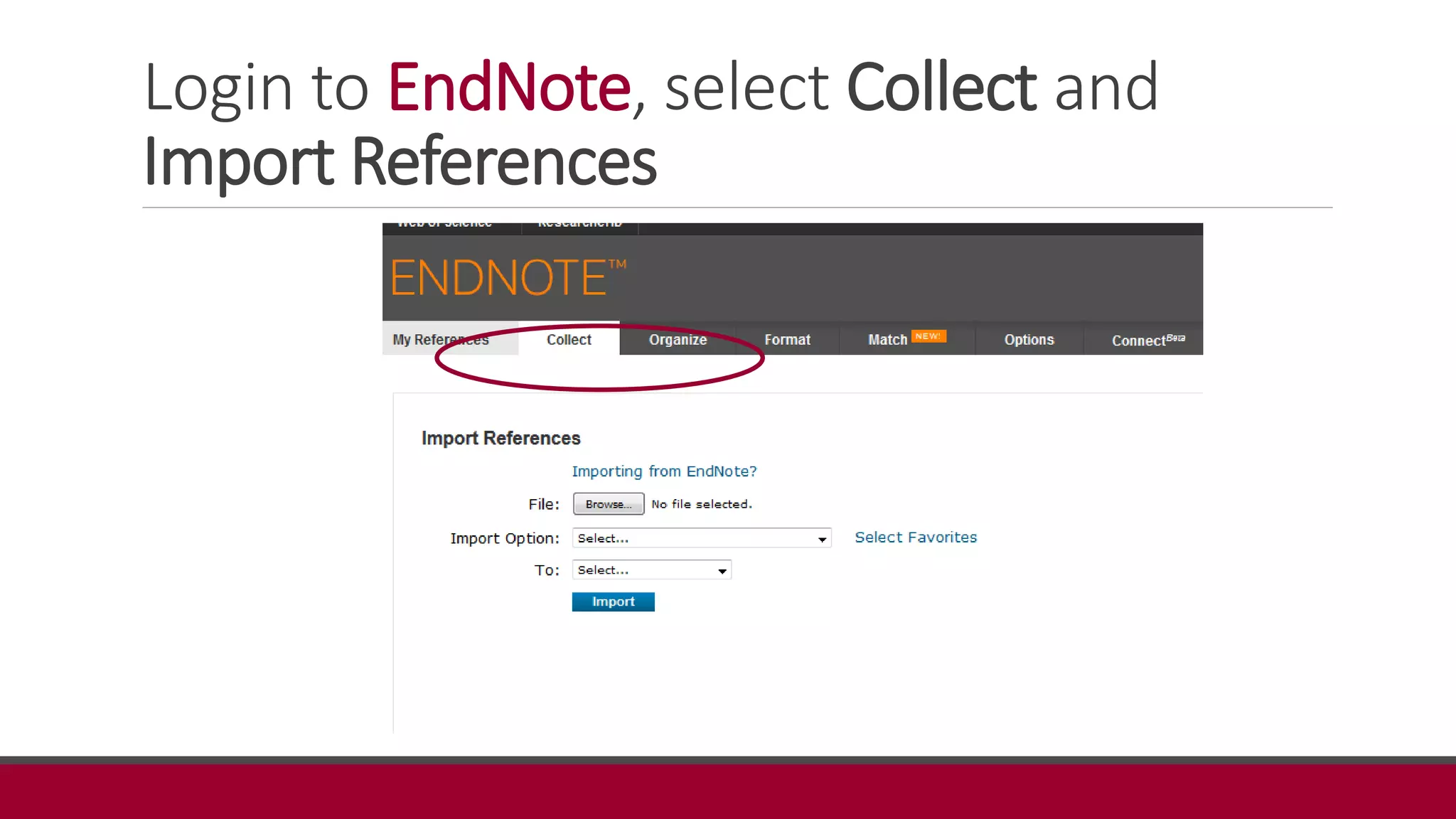
Login to EndNote, select Collect and
Import References
Browse for the file, Import Option is
PubMed and choose destination folder
Reference(s) should import smoothly
EndNote works differently on
computers with various software
versions and operating systems.
Consult this guide for help with
EndNote:
http://chapman.libguides.com/endno
te
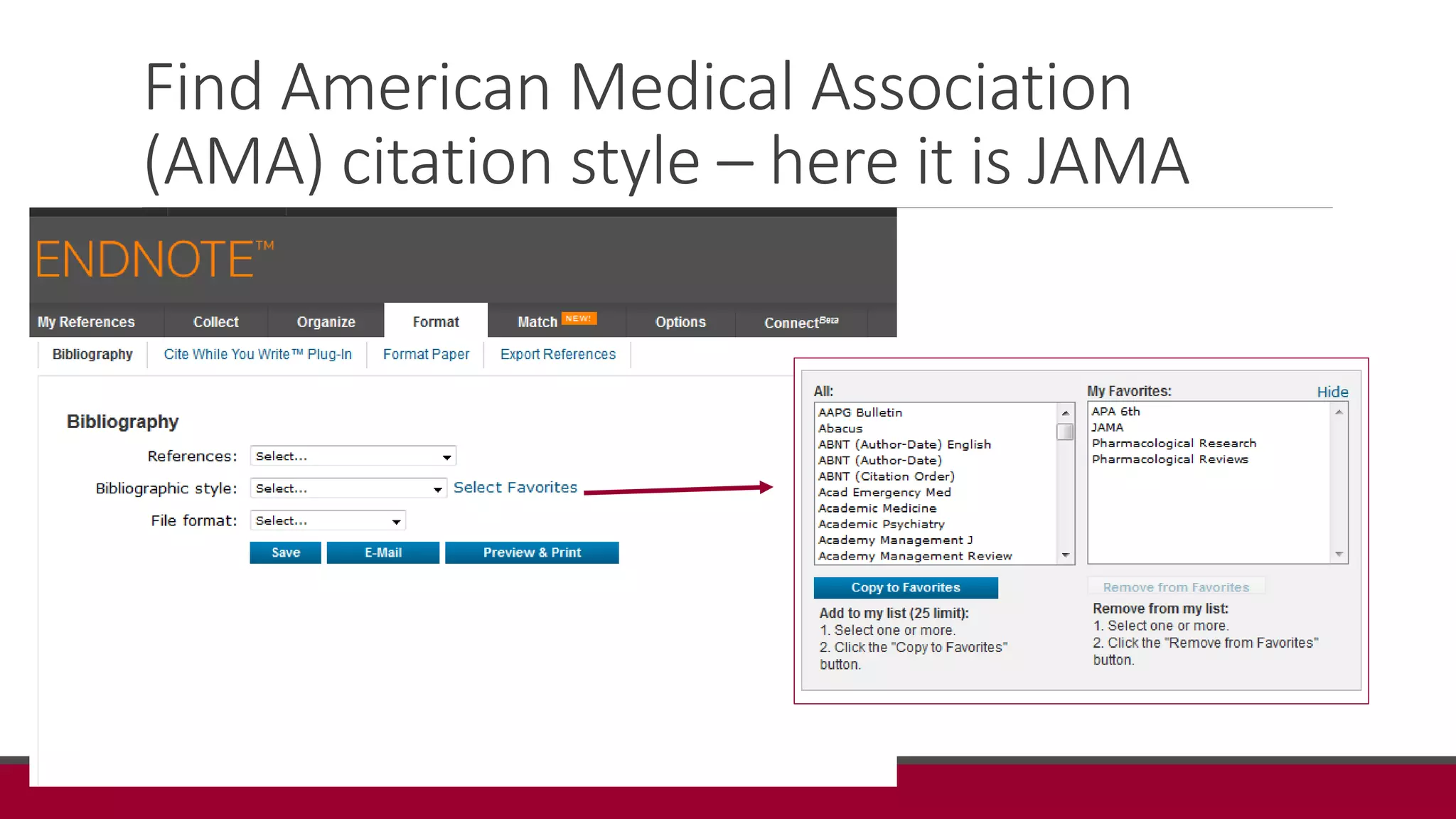
Find American Medical Association
(AMA) citation style – here it is JAMA
Create your bibliography in JAMA style
1. Brooks SV, Bigelow S. Preparing students for research:
faculty/librarian collaboration in a pre-doctoral physical
therapy research course. Health Info Libr J.
2015;32(4):332-338.
2. Devraj R, Butler LM, Gupchup GV, Poirier TI. Active-
Learning Strategies to Develop Health Literacy Knowledge
and Skills. American Journal of Pharmaceutical Education.
2010;74(8).
Always check your citations to make sure they
are correct – JAMA style requires abbreviated
journal titles….
2. Devraj R, Butler LM, Gupchup GV, Poirier TI. Active-Learning
Strategies to Develop Health Literacy Knowledge and Skills.
American Journal of Pharmaceutical Education. 2010;74(8).
In this case, the journal title was not properly abbreviated. I need to check the correct
abbreviation using JOURNALS IN NCBI DATABASES website in PubMed;
http://www.ncbi.nlm.nih.gov/nlmcatalog/journals
2. Devraj R, Butler LM, Gupchup GV, Poirier TI. Active-Learning
Strategies to Develop Health Literacy Knowledge and Skills. Am
J Pharm Educ. 2010;74(8).
My NCBI
 Save searches
 Receive email when new articles matching search are indexed in PubMed
 Many more features!
All students search for articles in
PubMed, populate your EndNote
Library and create a bibliography of
at least 5 articles.
Questions?
What is Plagiarism?
Copy from published sources without adequate
documentation.
Paraphrase from a written source without giving
credit to the author.
Paraphrase from the web without giving credit.
How do you avoid plagiarism?
Paraphrase and give credit to source.
Use quotation marks and give credit to
source.
Compose your own work and give credit to
sources used.
Questions and class
wrap up
HAPPY FRIDAY!!

AT 501 7 8 2016

  • 1.
    Library Resources for AthleticTraining LINDA GALLOWAY LGALLOWA@CHAPMAN.EDU HEALTH SCIENCES LIBRARIAN, RINKER HEALTH SCIENCE CAMPUS
  • 2.
    Evidence-Based Practice inAthletic Training • Developing Clinical Questions • Literature Searching • Types of Research • Levels of Evidence and Strength Recommendation • Appraisal Scales • Statistics Terminology • Reliability Coefficients • Critically Appraised Papers & Topics • Patient Reported Outcomes • Disablement Models
  • 3.
    Today’s agenda PART 1 1.Introductions 2. Libraries ◦ Website, locations, hours ◦ Remote access to library resources ◦ Databases ◦ PubMed, specialized, Google Scholar ◦ Interlibrary loan (ILL) 3. Break! PART 2 4. Class work – develop question & search in one of the resources we’ve learned about – except for PubMed 5. EndNote ◦ What is it, how to use ◦ Organizing content 6. Class work – Search question in PubMed, save citations in EN, create bibliography 7. Class wrap-up 3
  • 4.
  • 5.
    Physical Spaces Leatherby Libraries– Orange Campus – check out books, reserve rooms, borrow technology, study, socialize, librarian help/assistance, etc. Rinker Health Science Study Commons – reference books (in library use only), group and individual study rooms (9), librarian help/assistance 5
  • 7.
    Remote Access toLibrary Resources Almost all electronic resources are available off campus via our proxy server Log on once and until you close your browser are recognized as Chapman student Navigate to databases/resources via the Libraries website or the Research Guide so you are recognized as an affiliated person
  • 8.
  • 10.
  • 11.
    Finding Articles Library searchtool • Discover Databases Menu • Search through subject categories for links to our many databases Research/Subject Guides • Athletic Training • Citation/Style Guide • Plus many more!
  • 12.
    It doesn't matterif a cat is black or white, as long as it can catch mice, it's a good cat.
  • 16.
  • 17.
    Databases to remember PubMed •Database from the National Library of Medicine that includes MEDLINE citations in the areas of medicine, nursing, dentistry, veterinary medicine, pharmacy, public health, allied healths. Provides links to some full text articles. SPORTDiscus • Source of literature for sports and sports medicine, providing full-text content from many well-known and respected sources. Covers sport, fitness, and related disciplines. Limit of 4 simultaneous users. CINAHL Plus • Contains references and some full text, plus legal cases, clinical innovations, critical paths, drug records, research instruments, and clinical trials.
  • 18.
    When searching databases… Remember:RATS Key words Synonyms Subjects Suggested topics Types of materials • Scholarly Journals, Magazines, etc. Read All The Screens!
  • 19.
  • 21.
    Searching the Literature MICHELLEA. CLEARY PHD, ATC LINDA GALLOWAY, MSLIS
  • 22.
    Purpose Review the stepsof evidence-based practice Describe the process of literature searching
  • 23.
    Evidence-Based Practice STEP PROCESS 1.Developing an answerable clinical question Define the problem you wish to investigate Establish the goals and values of the patient 2. Search for the best evidence Search literature and other resources for information relating to your clinical question 3. Appraise the evidence Determine the quality and applicability of what you find in your search 4. Application of the best evidence Combine evidence with clinical experiences and expertise while paying attention to the patient’s values 5. Evaluate the outcomes Assessment of the effectiveness of the application Sackett et al 1996; Wanvarie et al 2006; Fonteyn 2005, Burns & Foley 2005
  • 24.
    Literature Searching  Conductan efficient literature search: • SPORTDiscus, ProQuest Nursing & Allied Health Source, CINAHL Plus , Physical Education Index the Cochrane Library are subscription resources paid for by the libraries at Chapman University • PubMed and Google Scholar are free to all and can be accessed in another browser window to practice along with this tutorial  The second step in the EBP process involves searching for research evidence to answer a clinical question.  You should be familiar with various databases and searching strategies to locate appropriate information
  • 25.
    Journal Articles  PrimarySource – • Original document containing firsthand information • Lab notebooks, interviews • Original research including journal articles and preprints  Secondary Source – • Publications about the significance of research or experiments • Analysis of a clinical trial • Review article • Systematic review A peer reviewed primary source is a work that is evaluated by experts in the field of study prior to publication. Serves as a measure of quality control.
  • 26.
    Recognize the difference betweena trade publication and a journal….. PEER REVIEWED JOURNAL ARTICLE:  EVALUATED BY EXPERTS BEFORE PUBLICATION  CREDIBILITY ASSURED  QUALITY CONTROLLED  EXTENSIVE BIBLIOGRAPHIES
  • 27.
    Databases Organized online collectionsof scholarly articles from journals, periodicals, or books. Invaluable when searching for evidence to answer a clinical question. Find citations, abstracts, and sometimes free full text articles or links to full text articles for purchase. Require a subscription must log into library site to access
  • 28.
    Keywords  Determining yourkey words will provide you with a starting point for your literature search.  Main concepts of the clinical question with search term or terms  Example. Is therapeutic ultrasound more effective than electrical stimulation in reducing swelling and increasing tissue extensibility for athletes with posterior-lateral ankle sprains?  The clinical question can then be broken down into conceptual terms • Therapeutic ultrasound • Electrical stimulation • Swelling • Tissue extensibility • Athletes • Lateral ankle sprain  Broaden search such as ankle, tissue, sprain, and ultrasound.
  • 29.
    Definitions  MeSH (medicalsubject headings) terms • National Library of Medicine’s controlled vocabulary of biomedical terms Used to describe each journal article in MEDLINE • Example: “ankle” and “tarsal bones”  Mapping • Process in which the database will match the keyword you enter to a subject heading  Boolean operators • Used when combing search terms. • The operator term “AND” retrieves results that include all search terms, the operator term “OR” retrieves results that includes at least one of the search terms, and the operator term “NOT” can be used to exclude terms from the search. • When searching for information on ankle sprains, type into the search box, “ankle AND sprain” or “talocrural NOT subtalar.”
  • 31.
    Definitions Stop words –the, and, how, not, etc. – search tools typically ignore these words Truncation – sometimes automatic; allows you to search all items that begin with a word. Often using an * will find variant endings of a word, or just type in the root word. • For example typing walk* into the search box will return words such as walks, walking, walker, etc.
  • 32.
    Databases  CINAHL Plus:http://cufts2.lib.sfu.ca/CRDB/COU/resource/1430/goto  SPORTDiscus: http://cufts2.lib.sfu.ca/CRDB/COU/resource/6803/goto  ProQuest Nursing & Allied Health Source: http://cufts2.lib.sfu.ca/CRDB/COU/resource/6790/goto  Physical Education Index : http://cufts2.lib.sfu.ca/CRDB/COU/resource/6787/goto  Cochrane Library: http://cufts2.lib.sfu.ca/CRDB/COU/resource/1432/goto  PubMed: http://cufts2.lib.sfu.ca/CRDB/COU/resource/6794/goto  PEDro: www.pedro.org.au  Google Scholar: http://scholar.google.com
  • 33.
    CINAHL Plus Comprehensive resourcefor nursing and allied health. Contains references and some full text, plus legal cases, clinical innovations, critical paths, drug records, research instruments, and clinical trials. CINAHL Plus: http://cufts2.lib.sfu.ca/CRDB/COU/resource/1430/goto
  • 34.
    SPORTDiscus Source of literaturefor sports and sports medicine, providing full-text content from many well-known and respected sources. Covers sport, fitness, and related disciplines. Limit of 4 simultaneous users. SPORTDiscus: http://cufts2.lib.sfu.ca/CRDB/COU/resource/6803/goto
  • 35.
    ProQuest Nursing &Allied Health Source Covers nursing; allied health; alternative and complementary medicine designed to meet the needs of researchers and students. ProQuest Nursing & Allied Health Source: http://cufts2.lib.sfu.ca/CRDB/COU/resource/6790/goto
  • 36.
    Physical Education Index Indexto scholarly and trade literature in subjects ranging from physical education curricula to sports medicine; dance and much more. Physical Education Index : http://cufts2.lib.sfu.ca/CRDB/COU/resource/6787/goto
  • 37.
    Cochrane Library  Regularlyupdated systematic reviews  A systematic review is a compilation of several articles on a particular topic; systematic reviews of randomized controlled trials are considered the highest level of evidence. Systematic reviews Randomizd controlled trials Cohort studies Case-control studies Case series/reports Expert opinion, Ideas, editorials Cochrane Library: http://cufts2.lib.sfu.ca/CRDB/COU/resource/1432/goto
  • 38.
    PEDro (Physiotherapy EvidenceDatabase) Free database managed by the Centre for Evidence-Based Physiotherapy PEDro is a free database of over 33,000 randomised trials, systematic reviews and clinical practice guidelines in physiotherapy. May need to access another database to obtain the article Hint: put “article title” in quotation marks and search in Google Scholar to locate full text www.pedro.org.au
  • 39.
    Google Scholar Free accesssearch engine Searchable by date, relevant term Set up to work with Library Links to access full text http://scholar.google.com
  • 41.
    Strategies for SearchingDatabases Keywords vs controlled vocabulary Boolean operators Exploding and truncation Filters
  • 42.
    Keywords vs ControlledVocabulary  Keyword searching • Text word searching • Keywords derived from your clinical question • Can lower extremity injury prevention programs effectively reduce anterior cruciate ligament injury rates in adolescent athletes? • Only searches for the term used  Controlled vocabulary • Medial Subject Headings (MeSH): terms used to become more efficient in a search • Assists with narrowing down the search, but may allow for the discovery of more sources http://www.nlm.nih.gov/mesh/meshhome.html
  • 43.
    Boolean Operators A logicalword or symbol to connect 2 or more words or phrases Most common operators are: • “AND”: combine key words and all must appear in the citation • “OR”: any one of the key words used in the search must appear in the citation (but all do not) • “NOT”: used when you would like to exclude a particular term that regularly appears Operators can be used in conjunction with one another
  • 44.
    Managing Your LiteratureSearch Create NCBI account (http://www.ncbi.nlm.nih.gov/pubmed) Saving literature searches Setting up automatic alerts Using citation management software
  • 45.
    Filters Limiting variable • Articletype • Text availability • Publication dates • Languages • Sex • Ages • Journal categories
  • 46.
    Conclusion • Literature searchingis important to answer questions that arise in clinical practice. • The search strategies can be used across all databases. • It may be easier to start a broad search to retrieve many articles on the topic then narrow your search with limitations to get to the heart of your clinical question. • If you have additional questions about searching a particular database you can access the database’s help feature.
  • 48.
    Although Google Scholar iseasy to use, you lose the value- added components of a search in a specialized database
  • 49.
    PubMed  National Libraryof Medicine database that includes MEDLINE citations in the areas of medicine, nursing, dentistry, veterinary medicine, pharmacy, public health, allied healths. Provides links to some full text articles.  PubMed Central is a repository of freely accessible articles  Publications resulting from research funded by most federal agencies must be made open access after a reasonable amount of time  Best database biomedical literature
  • 50.
    Entering search termsin PubMed Don’t use any punctuation until you have tried your search first PubMed inserts AND between all terms The more terms you enter, the more specific your search will be Search term hierarchy (Automatic Term Mapping): • Subjects (using the Medical Subject Headings) • Journals • Authors PubMed automatically searches for phrases during Automatic Term Mapping
  • 51.
    How does marijuanaingestion interact with orlistat taken for weight loss? How did PubMed interpret my search??
  • 54.
    MeSH headings froma Case Report
  • 57.
  • 58.
    Full text ofPubMed articles
  • 62.
    Services Interlibrary loan (ILL)and book delivery Research & Reference help Avoiding plagiarism & citing sources
  • 64.
    Interlibrary Loan Allows usto acquire items we don’t own, or are not on the Rinker Campus Free to students Used for delivery of materials (books and articles) to Rinker Campus students, includes return mailing envelope You must create an ILL account before using this service
  • 65.
    Research Assistance Reference Help •Help defining a topic for research • Finding articles, evaluating sources • Email, text, chat, phone, in person Citation Management Tools • EndNote, RefWorks, Zotero, Mendeley Keeping up with the Literature 65
  • 67.
  • 68.
    Class activity  Usethe worksheet to develop your clinical question  Conduct a search in one or more of the databases described (not PubMed)  Modify your search as you use the tools provided in the resource  Find two good articles on your topic  Can you access full text of the articles??
  • 69.
     You willalso see a list of related citations and a list of other articles that have cited the article.
  • 70.
    Searching Multiple Databases Keep in mind that not all databases are the same, nor are they all inclusive.  Some databases have a specific date range of articles that can be found in the database.  Also, not all journals can be found in every database.  Utilize multiple databases in your literature search in order to thoroughly investigate a clinical question.
  • 71.
    Managing your literaturesearch: introduction to citation managers WHAT THEY ARE, WHAT THEY DO CREATE YOUR ENDNOTE LIBRARY SAVE CITATIONS
  • 72.
    Citation Management Tools Askyour professor, advisor or lab director which tool they prefer… EndNote – Web version (lite) free & available through Web of Science Zotero – open source citation manager Mendeley – open source citation manager and discovery tool http://chapman.libguides.com/citations 72
  • 73.
    What do thesetools do? Create collections of articles, books, webpages (and lots more) for use in research Format and create bibliographies using a particular citation style Link to the source materials Store the source materials Insert in-text citations and bibliography entries while writing in Microsoft Word Collaborate and share collections with others
  • 75.
    Add citations fromPubMed to your EndNote Library  Open up your EndNote library by logging in via this link EndNote OR by accessing via the research guide: http://chapman.libguides.com/endnote  Conduct your search in PubMed and save citations of interest to your ‘Clipboard’  Export the clipboard to your EndNote library by following directions on the next few slides  Check that your citations have correctly imported and create a ‘Group’ (folder, or collection) of these citations
  • 76.
    Select the citation(s)and Send to -> Clipboard then Add to Clipboard
  • 77.
    To add citationsto EndNote, click the Send to menu at the upper right corner of your results or Clipboard. Select Citation manager. Then, click the Create File button.
  • 78.
    Login to EndNote,select Collect and Import References
  • 79.
    Browse for thefile, Import Option is PubMed and choose destination folder
  • 80.
    Reference(s) should importsmoothly EndNote works differently on computers with various software versions and operating systems. Consult this guide for help with EndNote: http://chapman.libguides.com/endno te
  • 81.
    Find American MedicalAssociation (AMA) citation style – here it is JAMA
  • 82.
    Create your bibliographyin JAMA style 1. Brooks SV, Bigelow S. Preparing students for research: faculty/librarian collaboration in a pre-doctoral physical therapy research course. Health Info Libr J. 2015;32(4):332-338. 2. Devraj R, Butler LM, Gupchup GV, Poirier TI. Active- Learning Strategies to Develop Health Literacy Knowledge and Skills. American Journal of Pharmaceutical Education. 2010;74(8).
  • 83.
    Always check yourcitations to make sure they are correct – JAMA style requires abbreviated journal titles…. 2. Devraj R, Butler LM, Gupchup GV, Poirier TI. Active-Learning Strategies to Develop Health Literacy Knowledge and Skills. American Journal of Pharmaceutical Education. 2010;74(8). In this case, the journal title was not properly abbreviated. I need to check the correct abbreviation using JOURNALS IN NCBI DATABASES website in PubMed; http://www.ncbi.nlm.nih.gov/nlmcatalog/journals 2. Devraj R, Butler LM, Gupchup GV, Poirier TI. Active-Learning Strategies to Develop Health Literacy Knowledge and Skills. Am J Pharm Educ. 2010;74(8).
  • 84.
    My NCBI  Savesearches  Receive email when new articles matching search are indexed in PubMed  Many more features!
  • 85.
    All students searchfor articles in PubMed, populate your EndNote Library and create a bibliography of at least 5 articles.
  • 86.
  • 88.
    What is Plagiarism? Copyfrom published sources without adequate documentation. Paraphrase from a written source without giving credit to the author. Paraphrase from the web without giving credit.
  • 89.
    How do youavoid plagiarism? Paraphrase and give credit to source. Use quotation marks and give credit to source. Compose your own work and give credit to sources used.
  • 90.
    Questions and class wrapup HAPPY FRIDAY!!

Editor's Notes

  • #3 0%   Module 1: Developing Clinical Questions 0%   Module 2: Literature Searching 0%   Module 3: Types of Research 0%   Module 4: Levels of Evidence and Strength Recommendation 0%   Module 5: Appraisal Scales 0%   Module 6: Statistics Terminology 0%   Module 7: Reliability Coefficients 0%   Module 8: Critically Appraised Papers & Topics 0%   Module 9: Patient Reported Outcomes 0%   Module 10: Disablement Models
  • #6 Hours on web site – Leatherby Libraries open late, sometimes 24 hours Can reserve study rooms Rinker building has key card access for study and reading room access Cannot reserve study rooms
  • #10 Lets talk about the middle of the screen – accessing our collections We have books in print and ebooks, many online journal and magazine articles and other resources that help you study and conduct research.
  • #11 Mention that reading room books don’t circulate
  • #22 The purpose of this module is to review the steps of evidence-based practice and present the PICO format for developing a clinical question. Evidence-based practice (EBP) promotes the combined use of best evidence, patient values and preferences, clinician expertise, and circumstances related to the clinical environment setting. This process enhances reasoning and decision making in clinical practice, and subsequently can improve patient care outcomes and result in more cost-effective patient care. As you are determining the appropriate treatment for your patient, one may ask, "Why should I use evidence-based practice?" Most simply, all clinical decisions should be supported. This support should be more concrete than, "That's what I was taught." Clinical decisions are influenced by professional experience, and what was learned as a student, but they should also be consistent with current research and clinical practice, and what the patient needs are. As an example, in the early 1980's it was rare that a torn anterior cruciate ligament (ACL) was surgically repaired, while it is currently common practice. Additionally, ACL reconstruction has been well documented over the years as to different surgical techniques, rehabilitation programs, and return to play criteria. Today, if one were to use a rehabilitation protocol from 1992 it would likely look very different from one published in 2009, and would certainly run the risk of not being the best treatment plan for the patient. It is necessary to think critically, beyond the typical “tool box”, and provide the best, most current care for the patient.
  • #23 The purpose of this module is to review the steps of evidence-based practice and present the PICO format for developing a clinical question. Evidence-based practice (EBP) promotes the combined use of best evidence, patient values and preferences, clinician expertise, and circumstances related to the clinical environment setting. This process enhances reasoning and decision making in clinical practice, and subsequently can improve patient care outcomes and result in more cost-effective patient care. As you are determining the appropriate treatment for your patient, one may ask, "Why should I use evidence-based practice?" Most simply, all clinical decisions should be supported. This support should be more concrete than, "That's what I was taught." Clinical decisions are influenced by professional experience, and what was learned as a student, but they should also be consistent with current research and clinical practice, and what the patient needs are. As an example, in the early 1980's it was rare that a torn anterior cruciate ligament (ACL) was surgically repaired, while it is currently common practice. Additionally, ACL reconstruction has been well documented over the years as to different surgical techniques, rehabilitation programs, and return to play criteria. Today, if one were to use a rehabilitation protocol from 1992 it would likely look very different from one published in 2009, and would certainly run the risk of not being the best treatment plan for the patient. It is necessary to think critically, beyond the typical “tool box”, and provide the best, most current care for the patient.
  • #24 In order to address the clinical question of interest, one should progress through a logical process in order to determine the best course of treatment. The five-step EBP process involves addressing a clinical question through examination, appraisal, application and evaluation of the applied evidence. The chart below assists the clinician in providing a clear, concise breakdown of the topics involved. STEP PROCESS Developing an answerable clinical questionDefine the problem you wish to investigate  Establish the goals and values of the patient Search for the best evidence Search literature and other resources for information relating to your clinical question Appraise the evidence Determine the quality and applicability of what you find in your search Application of the best evidenceCombine evidence with clinical experiences and expertise while paying attention to the patient’s values Evaluate the outcomes Assessment of the effectiveness of the application
  • #25 Literature Searching The purpose of this module is to discuss different techniques for conducting an efficient literature search using PubMed, Google Scholar, EBSCOhost, and Cochrane Database of Systematic Reviews These databases are just a few of the numerous databases available for literature searching. PubMed and Google Scholar are free to the public and can be accessed in another browser window to practice along with this tutorial. EBSCOhost and Cochrane Database of Systematic Reviews require a membership to access. Colleges and universities often purchase subscriptions to several databases for faculty and student use. The second step in the EBP process involves searching for research evidence to answer a clinical question. By the end of this module you should be familiar with various databases and searching strategies to locate appropriate information. All of the searches conducted in this module occurred in December 2010. Searches occurring at a later date are likely to return different results than what appear in this module.
  • #28 Databases Databases are organized online collections of scholarly articles from journals, periodicals, or books. These databases are invaluable when searching for evidence to answer a clinical question. Within these databases you can find citations, abstracts, and sometimes free full text articles or links to full text articles for purchase. Most of these databases require a subscription to access them. You should check with your employer or public library to determine if you access to any databases. Some examples of databases in the health sciences area are CINAHL, Cochrane Database of Systematic Reviews, Health Source: Nursing/Academic Edition, MEDLINE, PubMed, ScienceDirect, and SPORTDiscus. Although this module will demonstrate searching techniques within a few databases, similar search strategies can be used regardless of the database you choose.
  • #29 Keywords After creating a clinical question, keywords should be derived from the main concepts of the clinical question. The keyword is the term or terms entered into the search screen that you wish to obtain information about. We will use the clinical question developed in the Clinical Questions Module as an example.  Is therapeutic ultrasound more effective than electrical stimulation in reducing swelling and increasing tissue extensibility for athletes with posterior-lateral ankle sprains?  The clinical question can then be broken down into conceptual terms. In the clinical question above, we may use key words such as:  Therapeutic ultrasound Electrical stimulation Swelling Tissue extensibility Athletes Lateral ankle sprain The key words can be further delineated to produce a broader search such as ankle, tissue, sprain, and ultrasound. Determining your key words will provide you with a starting point for your literature search.
  • #30 Definitions Before continuing, you should familiarize yourself with the terms listed below. These terms will help you better understand the literature searching process.  MeSH (medical subject headings) terms: MeSH terms are the National Library of Medicine’s controlled vocabulary of biomedical terms. These terms are used to describe each journal article in MEDLINE. A few examples of MeSH terms are “ankle” and “tarsal bones.” Mapping: Mapping is a process in which the database will match the keyword you enter to a subject heading.  Boolean operators: Boolean operators are used when combing search terms. The operator term “AND” retrieves results that include all search terms, the operator term “OR” retrieves results that includes at least one of the search terms, and the operator term “NOT” can be used to exclude terms from the search. When searching for information on ankle sprains, you may type into the search box, “ankle AND sprain” or “talocrural NOT subtalar.”  Stop words: Stop words are frequently occurring words that have little meaning and cannot be used alone in a search. Using stop words would retrieve nearly all articles in the database. Some examples of stop words are “A”, “ALWAYS”, “EITHER”, etc.  Truncating: Truncating a term allows you to search all items that begin with a word. In order to truncate a term, type a root word into the search box followed by an asterisk (*). For example typing walk* into the search box will return words such as walks, walking, walker, etc.  Exploding: Exploding a term during the mapping process will retrieve not only the subject heading, but the subheadings under that subject heading. For example, the subject heading ankle joint will also have the subheadings abnormalities, analysis, pathology, and radiography to name a few.
  • #33 http://cufts2.lib.sfu.ca/CRDB/COU/resource/6794/goto
  • #38 Cochrane Database of Systematic Reviews The Cochrane Database of Systematic Reviews is another database that you may have access to through your employer, school, or public library system. The Cochrane Database of Systematic Reviews has regularly updated systematic reviews that are part of Ovid’s Evidence Based Medicine Reviews Collection. A systematic review is a compilation of several articles on a particular topic; systematic reviews of randomized controlled trials are considered the highest level of evidence. Different types of research will be discussed in the Types of Research Module and levels of evidence will be discussed in the Level of Evidence Module. Systematic reviews and randomized controlled trials will be covered in depth in types of research module.  Under the advanced search option of the Cochrane Database of Systematic Reviews there are several options for limitations. Selecting “full systematic reviews” will retrieve only full systematic reviews and protocols will be eliminated. When “protocol” is selected, only protocols and not systematic reviews will be retrieved. Protocols are areas that are under development for the creation of systematic reviews. Their purpose is to summarize the rationale of the review. The “recently updated reviews” limit will retrieve only those systematic reviews and protocols that have been significantly modified since the last database update. “New reviews” limit retrieval to those reviews and protocols that have been added since the last database update. For the purpose of this module, “chronic ankle instability” will be entered into the search bar with no limits checked. Once you have entered your search terms and selected the limits, click on the “search” button.
  • #47 Conclusion Literature searching is important to answer questions that arise in clinical practice. The search strategies used in this module can be used across all databases. You may find it easier to start a broad search to retrieve many articles on the topic then narrow your search with limitations to get to the heart of your clinical question. If you have additional questions about searching a particular database you can access the database’s help feature.
  • #67 Or, come visit me or the Leatherby Libraries
  • #71 Searching Multiple Databases The clinician should keep in mind that not all databases are the same, nor are they all inclusive. Some databases have a specific date range of articles that can be found in the database. Also, not all journals can be found in every database. Therefore, clinicians should utilize multiple databases in their literature search in order to thoroughly investigate a clinical question.