Overview of Welch Library Resources
and Literature Searching Skills
Carrie Price, Clinical Informationist
cprice17@jhmi.edu
Welch Medical Library
http://welch.jhmi.edu/
You have access to over 1.8 million online
resources—including databases, e-journals,
e-books—so how can you possibly navigate
them all?
• Over 7,000 journals
• More than 400 databases
• 12,000 e-books and growing every day
• 2,000 videos
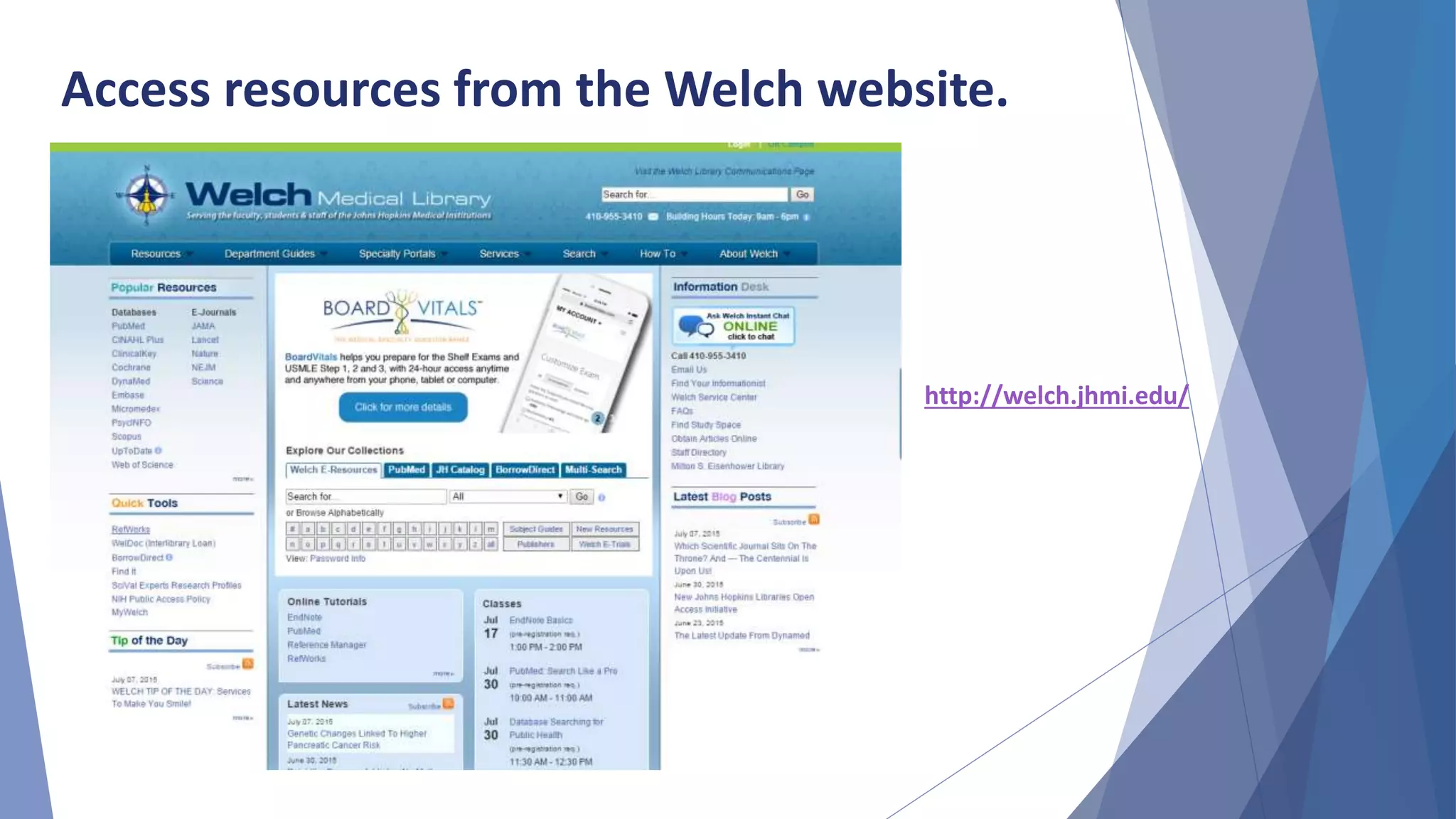
Access resources from the Welch website.
http://welch.jhmi.edu/
PubMed
• PubMed is comprised of over 24 million
citations from approximately 5,500 journals
• Coverage is 1940s to the present, with a
small amount of older literature
• The Controlled Vocabulary is called MeSH
(Medical Subject Headings)
• Topical coverage in the fields of medicine,
nursing, dentistry, veterinary medicine, the
health care system, and preclinical sciences
• Bulk of content is from MEDLINE
Embase
• Comprised of over 24 millions citations from
approximately 7,500 journals
• Includes 2,000 titles not indexed in MEDLINE
• Includes all of the articles indexed in MEDLINE
• The controlled vocabulary is called Emtree
• Emtree is larger than MeSH, which allows for
finer indexing
• Drug terms and device names are far better
indexed in Embase than in PubMed
• Covers roughly 800 conferences
The Cochrane Library
• The Cochrane Database of Systematic Reviews is
considered the gold standard for systematic
reviews
• The reviews are compiled through rigorous
methodological standards
• Because of these standards, the total number of
records in the database is fairly small
• The Cochrane Library also searches CENTRAL
(clinical trials), Methods Studies, Technology
Assessments and Economic Evaluations
CINAHL
• Cumulative Index for Nursing and Allied
Health
• Records dating back to 1937
• Indexes over 5,000 journals
• Controlled Vocabulary – CINAHL Headings
• Searchable cited references for some
content
PsycINFO
• More than 3 million records
• Covers behavioral and social sciences
• Hosted by EBSCO, so it is similar to CINAHL
• Contains journal articles, book chapters,
book reviews, and editorials
• Health and Psychosocial Instruments
• Checklists, coding schemes, interview schedules
• Behavioral measurement instruments, including
those from IOBE
• Includes information on questionnaires, tests,
projective techniques, and more
HaPI
Scopus
• Covers Health Sciences, Social Sciences, Physical Sciences and
Life Sciences
• Includes resources not covered by PubMed including:
o author homepages and university websites
o historic material from various journals dating back to 1823
o patents and trademarks
• Covers more than 15,000 international journals,
books/proceedings, patents, web pages
• Has no Controlled Vocabulary
• Features advanced tools for:
o locating specific authors by name and institution
o determining h-index with graphs
o track from primary research to patents
o track research impact
o Journal comparisons
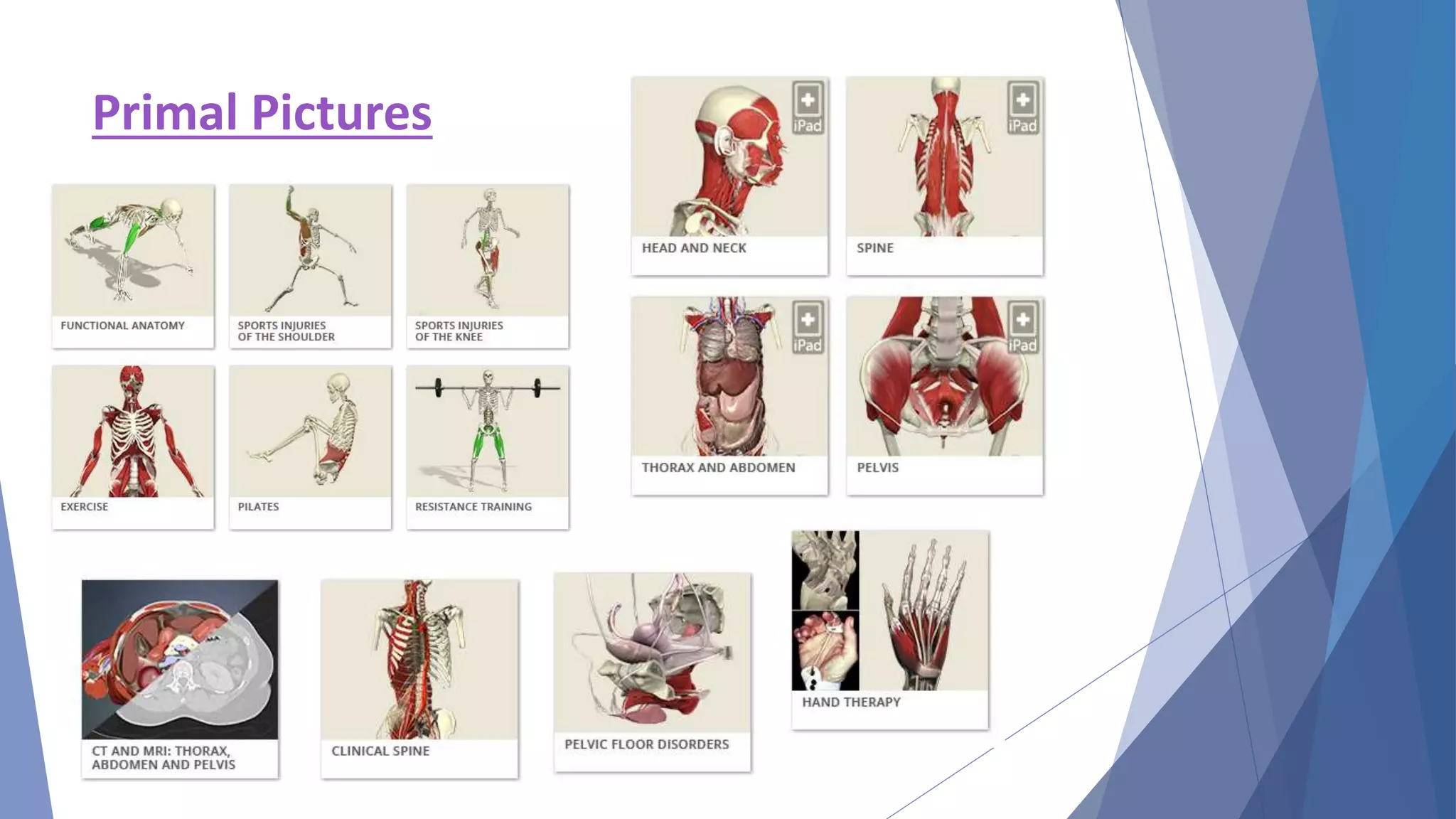
Primal Pictures
Google Scholar
• Google Scholar provides a simple way to
search the scholarly literature broadly
• Allows search across multiple sources and
disciplines from one place
• Cannot reproduce search results
Why should I use Google Scholar?
o To find incomplete citations
o To find a couple of articles on topics difficult to search
o To quickly look for mysterious citations
o To import difficult records into RefWorks
Point-of-Care Evidence-Based Databases
 UpToDate
• Evidence summaries written by subject experts
 DynaMed
• Critically appraised evidence-based summaries
 Micromedex
• Comprehensive drug reference tool
 AccessMedicine
• Harrison’s, dx tools, images, video, book chapters,
drug info
Useful Resources for Allied Health Professions
• HaPI (subscription) – Health and Psychosocial Instruments
• PEDRO (free) – The Physiotherapy Evidence Database
• OTSeeker (free) – resources for OT interventions
• NeuroPT (free) – StrokEdge, outcome measures, patient
education, and more – from APTA
• US DHHS Administration for Community Living (free) – focus on
supporting persons with disabilities
• Rehab Measures (free) – screening tests and measures
Databases for Special Information Needs
 Clinical Key, UpToDate, Primal Pictures have exportable
images and/or video
 AccessMedicine, ClinicalKey have e-books and book
chapters
 Patient Education
• Hopkins Health Library, MedlinePlus, UpToDate,
PubMed Health
Effective Literature Searching:
The Steps
Identify your topic and write
it down.
Writing down your question helps you identify
important concepts. Use a PICO format for
guidance.
Identify the databases you
want to search.
Why search more than one database? Because
different databases have different subject areas and
different journal coverage.
Pro Tip: Create an account in databases you use
often to save searches and receive updates!
Controlled Vocabulary – MeSH, Emtree, etc.
• Controlled Vocabulary provides a consistent, precise way
to retrieve information when different natural language
words are used for the same concept, or when the same
natural language is used for different concepts
• Controlled Vocabulary terms control for spelling variations
(think British vs. American English), plurals, acronyms
• Only articles indexed with that vocabulary term are
retrieved
• Select the most specific Controlled Vocabulary term
available for your concept
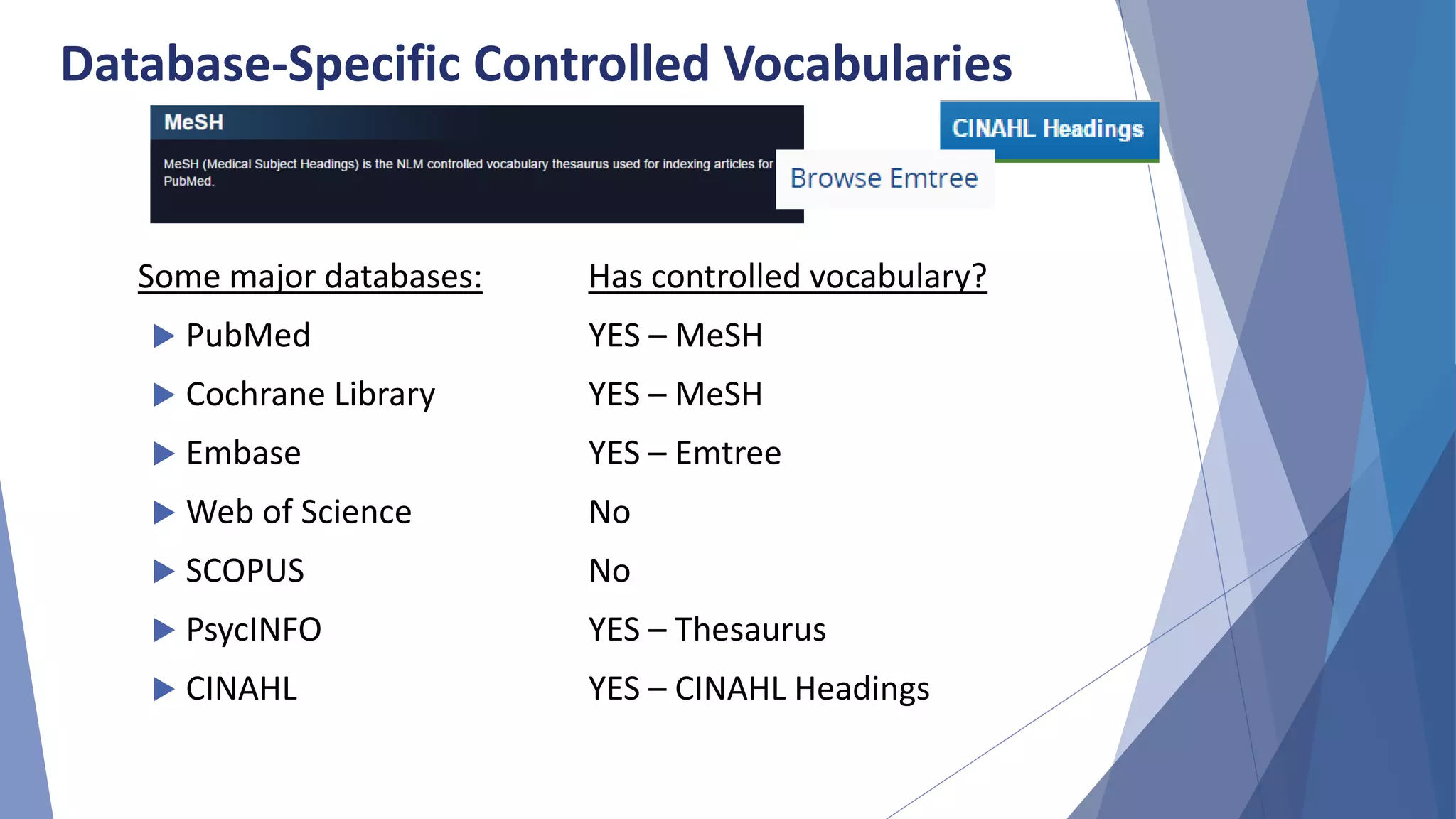
Database-Specific Controlled Vocabularies
Some major databases: Has controlled vocabulary?
 PubMed YES – MeSH
 Cochrane Library YES – MeSH
 Embase YES – Emtree
 Web of Science No
 SCOPUS No
 PsycINFO YES – Thesaurus
 CINAHL YES – CINAHL Headings
Sample Question
What are the effects of
exercise therapy for patients
with knee osteoarthritis?
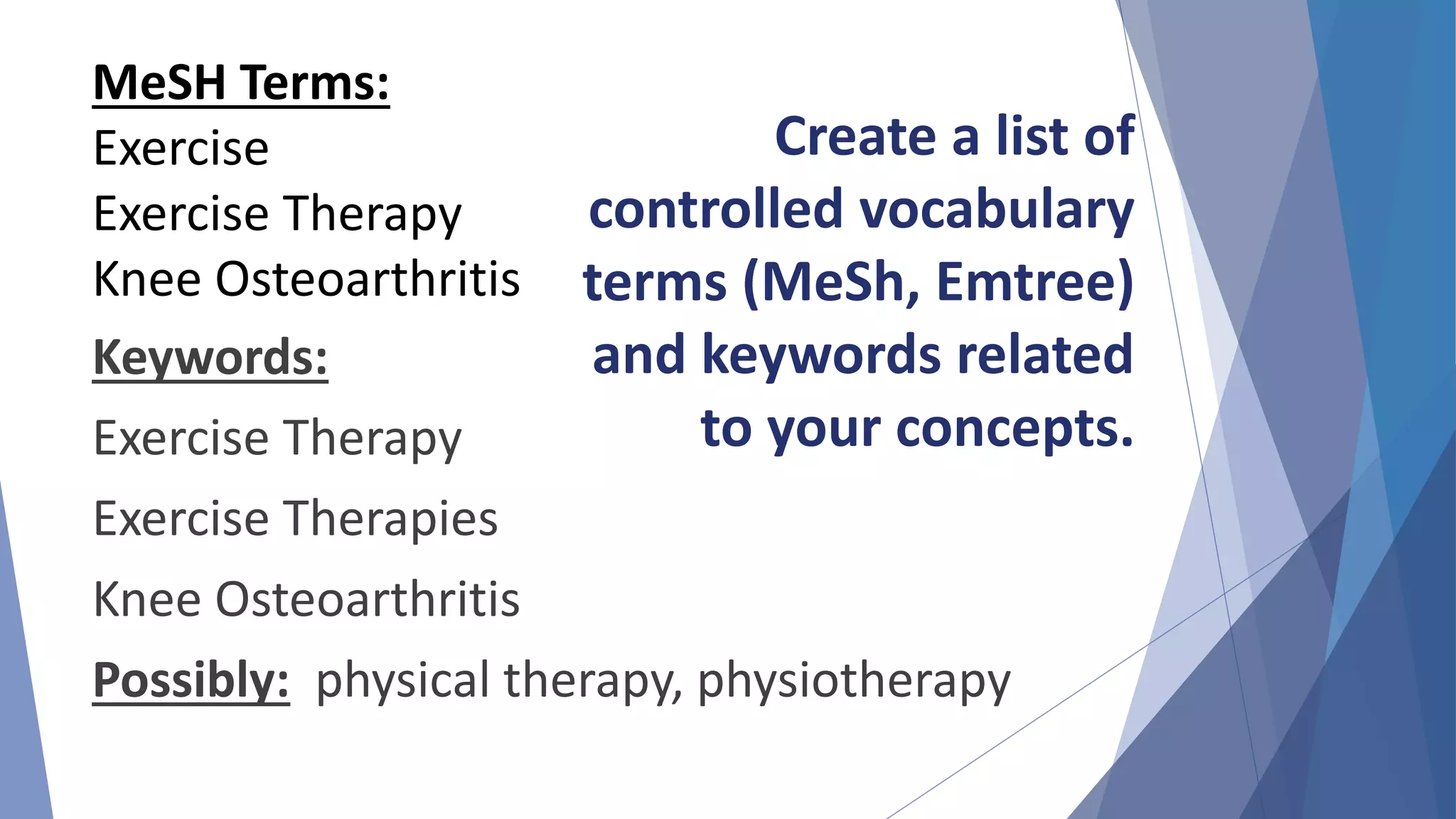
Keywords:
Exercise Therapy
Exercise Therapies
Knee Osteoarthritis
Possibly: physical therapy, physiotherapy
MeSH Terms:
Exercise
Exercise Therapy
Knee Osteoarthritis
Create a list of
controlled vocabulary
terms (MeSh, Emtree)
and keywords related
to your concepts.
Exercise
Therapy
Knee
OA
MeSH Terms:
"Exercise Therapy"[MeSH]
Keywords:
"exercise therapy"
"exercise therapies"
MeSH Terms:
"Knee Osteoarthritis"[MeSH]
Keywords:
"knee osteoarthritis"
"knee osteoarthritides"
Sort your terms into concepts.
• OR makes your search broader – use to assemble single
concepts.
• AND makes your search narrower – use to pair concepts
together.
Assemble your concepts using
Boolean Operators.
("Exercise Therapy"[MeSH] OR "exercise
therapy" OR "exercise therapies")
AND
("Knee Osteoarthritis"[MeSH] OR "knee
osteoarthritis" OR "knee osteoarthritides")
Pro Tip: Enclose multi-word
phrases in quotes.
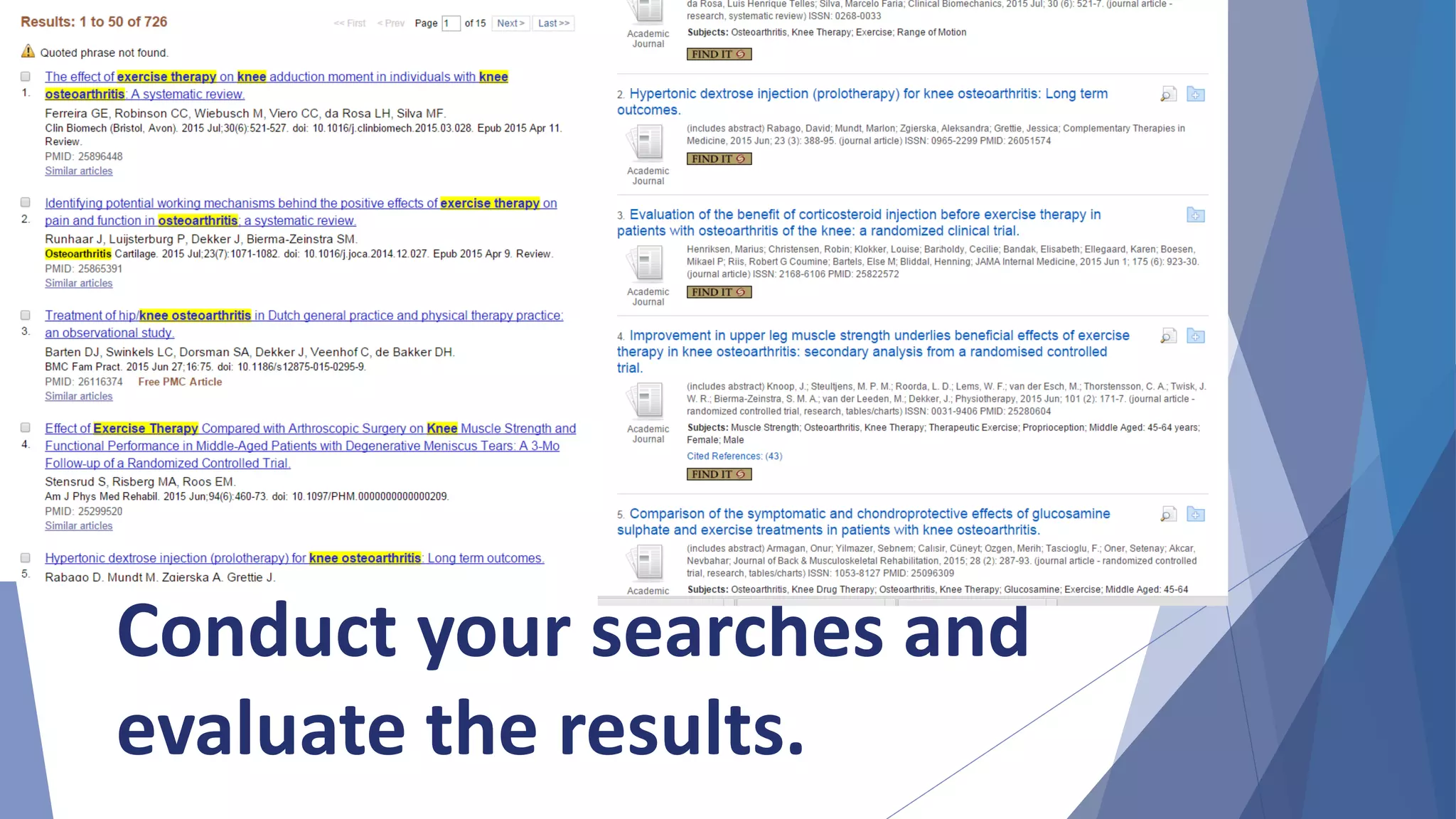
Conduct your searches and
evaluate the results.
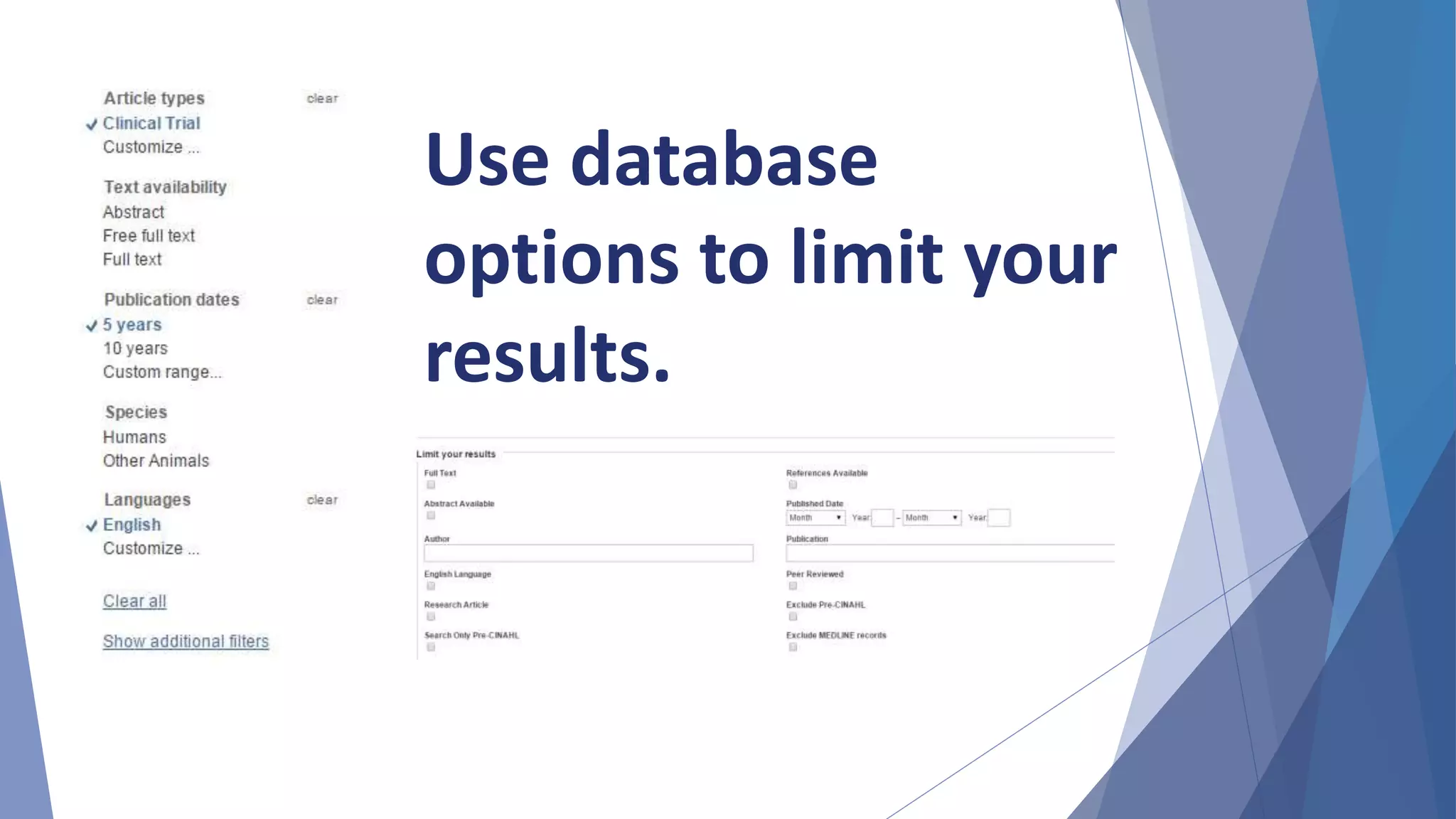
Use database
options to limit your
results.
Pro Tip: Save your search in a document.
Your search will be reproducible and saves you time later.
PubMed Search
("Exercise Therapy"[mesh] OR "exercise
therapy" OR "exercise therapies") AND
("Knee Osteoarthritis"[mesh] OR "knee
osteoarthritis" OR "knee osteoarthritides")
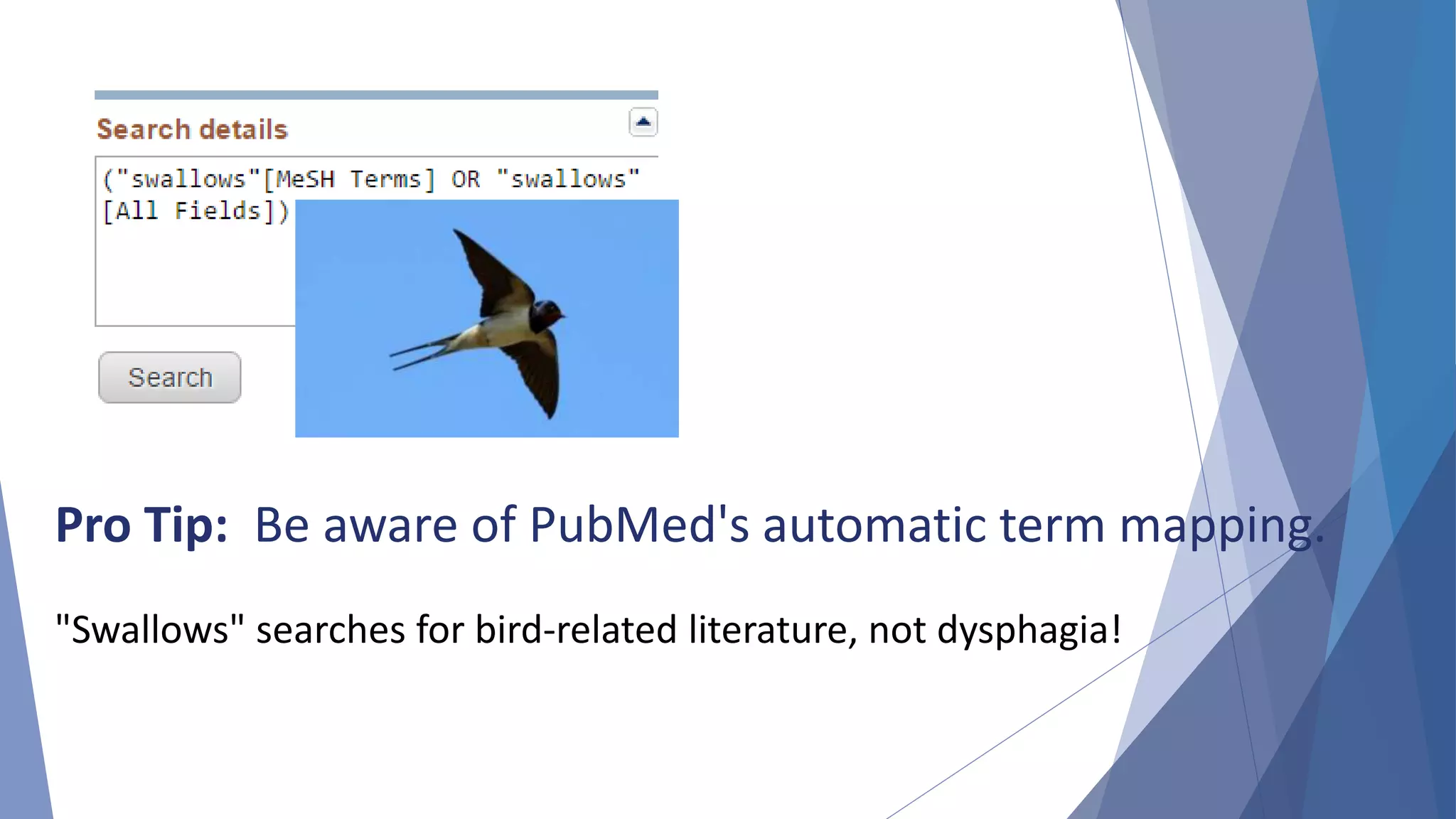
Pro Tip: Be aware of PubMed's automatic term mapping.
"Swallows" searches for bird-related literature, not dysphagia!
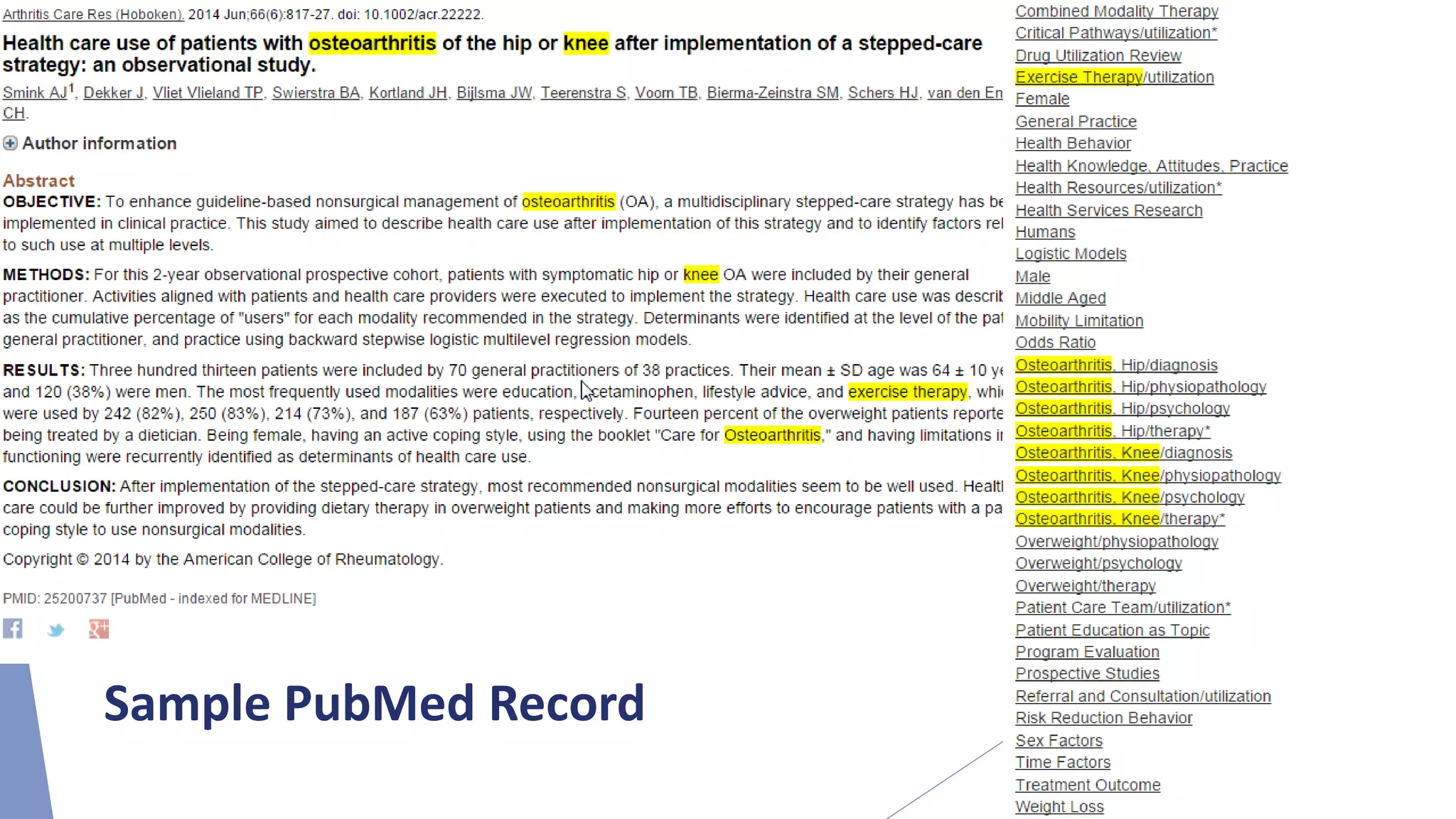
Identify relevant articles to see
what terms have been applied.
Revise your search by adding more relevant terms
or eliminating unimportant terms.
Pro Tip:
Sample PubMed Record
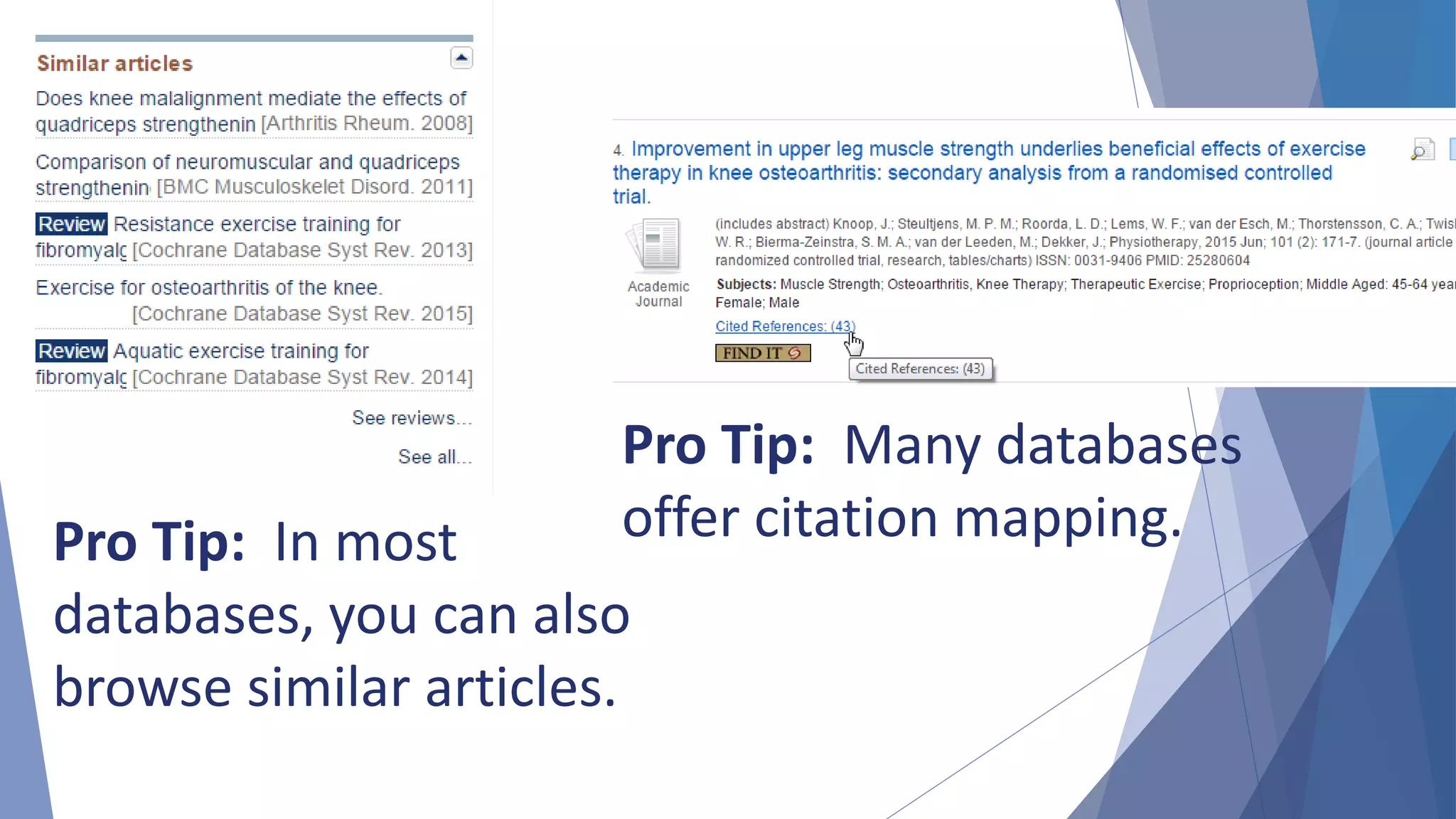
Pro Tip: In most
databases, you can also
browse similar articles.
Pro Tip: Many databases
offer citation mapping.
Remember that searching is
an iterative process.
Revise and optimize your search.
1. Identify your topic and write it down.
2. Identify the databases you want to search.
3. Create a list of controlled vocabulary terms (MeSH,
Emtree, CINAHL Headings), synonyms and related
terms.
4. Sort your terms into concepts. Assemble your
concepts with OR. Combine your concepts with
AND.
5. Run and revise your search.
6. Record your findings.
7. Critically evaluate the information.
Effective Literature Searching: The Steps
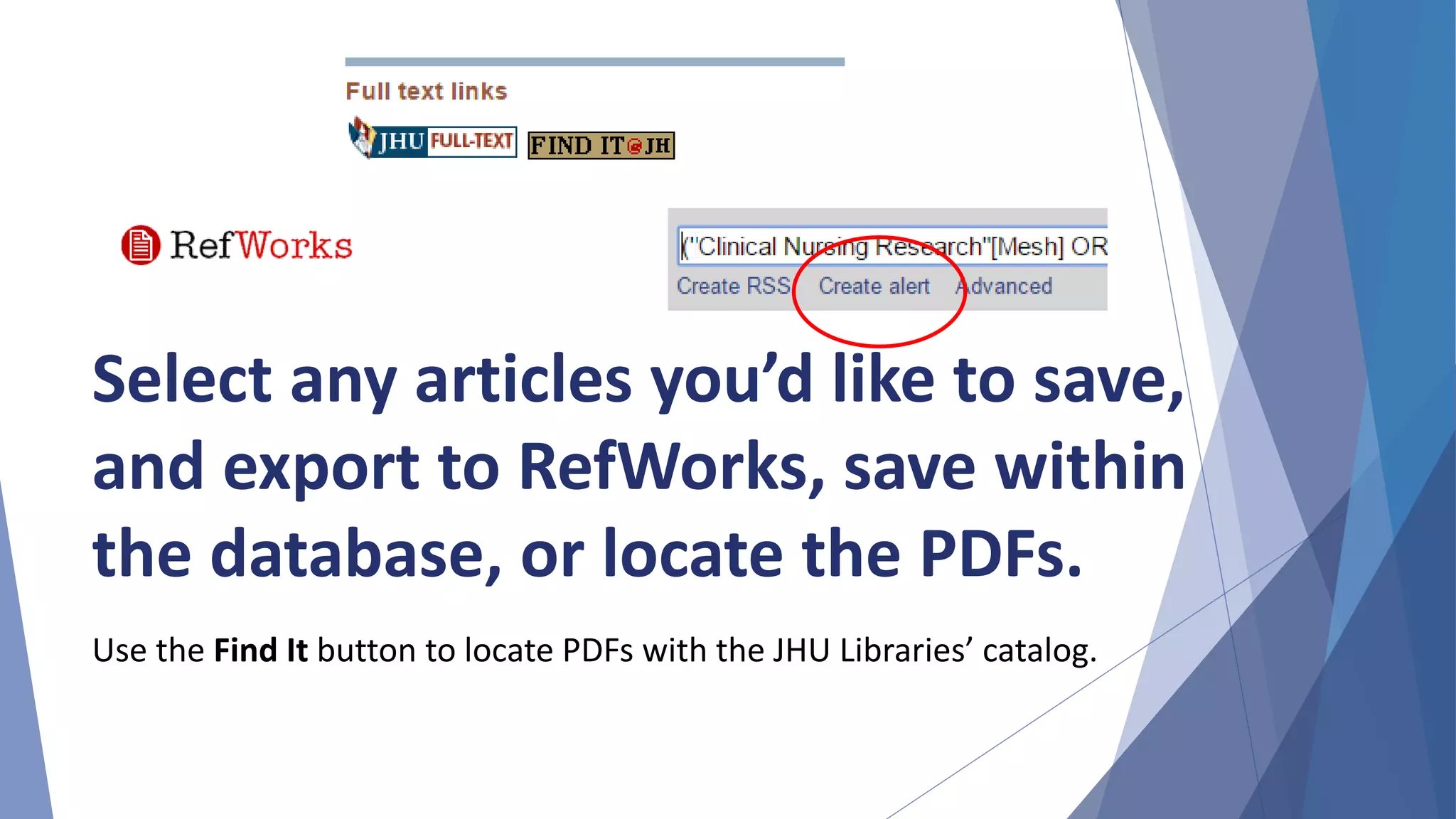
Select any articles you’d like to save,
and export to RefWorks, save within
the database, or locate the PDFs.
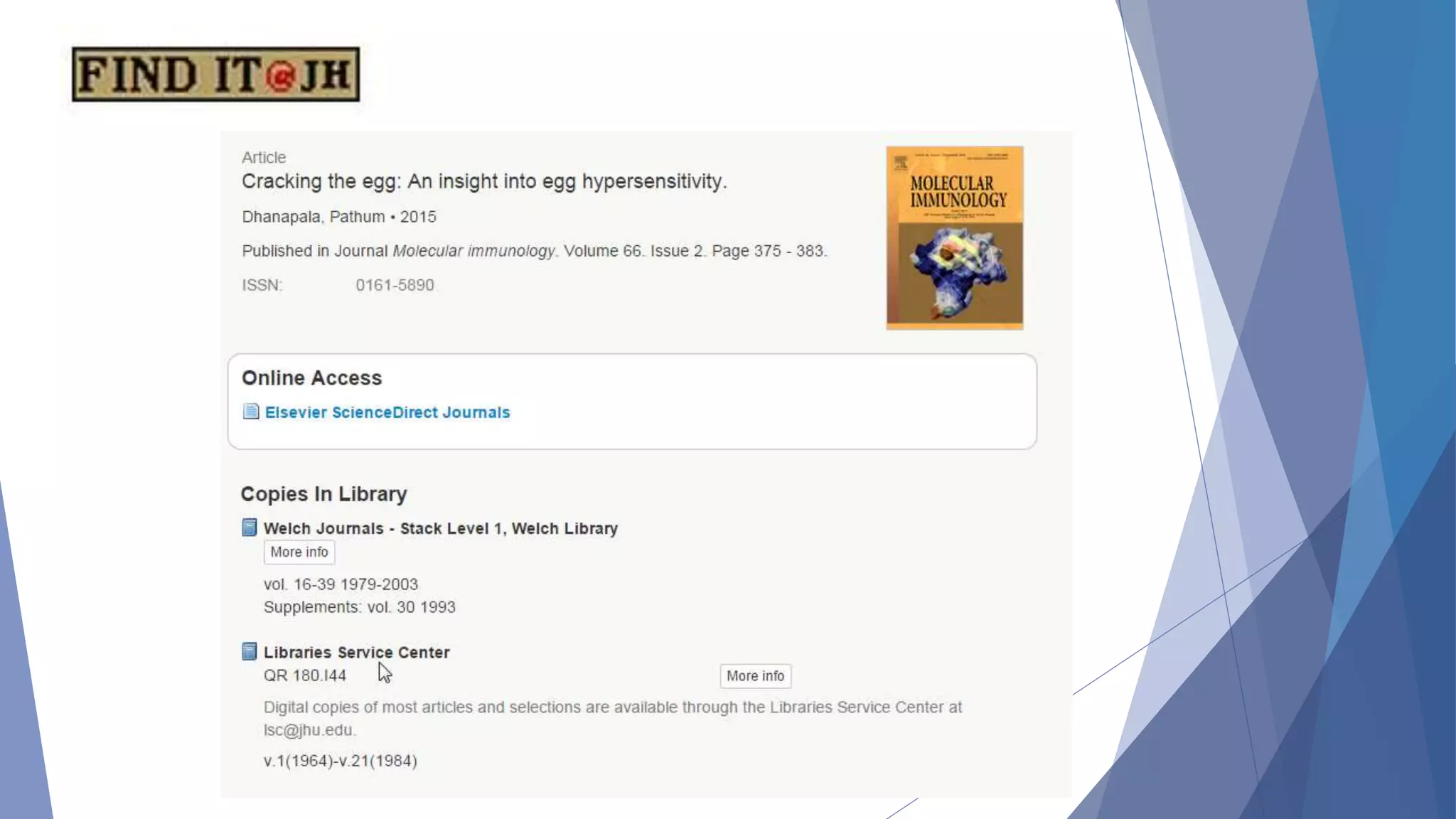
Use the Find It button to locate PDFs with the JHU Libraries’ catalog.
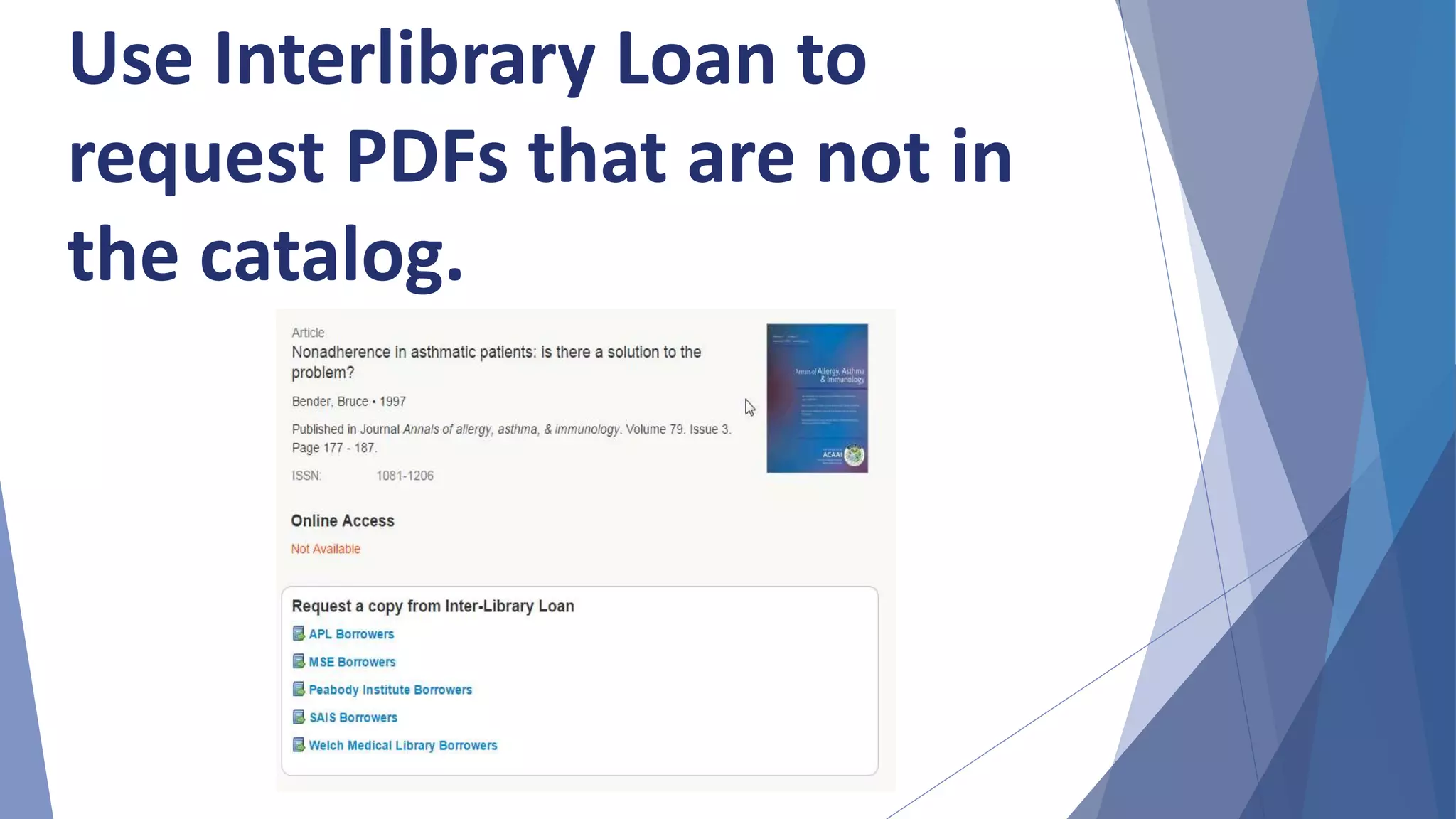
Use Interlibrary Loan to
request PDFs that are not in
the catalog.
RefWorks
• RefWorks is an online, web-based bibliographic
management tool that allows you to create your
own personal database of references
• You can automatically import references from a
search performed in an electronic database or
enter references manually
• RefWorks is free to all members of the Hopkins
community
• Use the Write-N-Cite tool download to format
bibliographies and insert citations
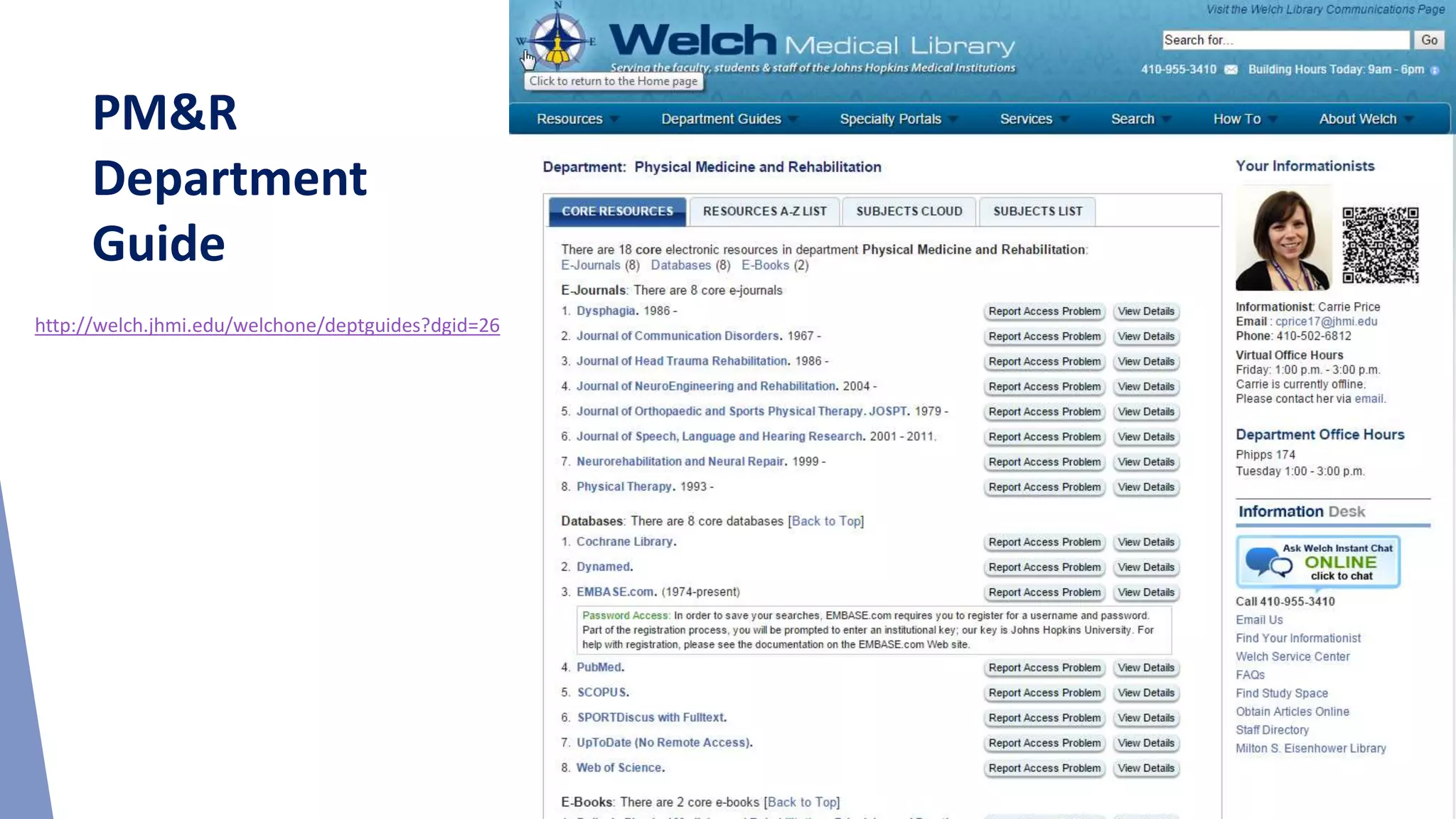
PM&R
Department
Guide
http://welch.jhmi.edu/welchone/deptguides?dgid=26
Carrie Price, MLS
Clinical Informationist
cprice17@jhmi.edu
Welch Medical Library
http://welch.jhmi.edu/

Overview of Welch Library Resources and Literature Searching Skills

  • 1.
    Overview of WelchLibrary Resources and Literature Searching Skills Carrie Price, Clinical Informationist cprice17@jhmi.edu Welch Medical Library http://welch.jhmi.edu/
  • 2.
    You have accessto over 1.8 million online resources—including databases, e-journals, e-books—so how can you possibly navigate them all? • Over 7,000 journals • More than 400 databases • 12,000 e-books and growing every day • 2,000 videos
  • 3.
    Access resources fromthe Welch website. http://welch.jhmi.edu/
  • 4.
    PubMed • PubMed iscomprised of over 24 million citations from approximately 5,500 journals • Coverage is 1940s to the present, with a small amount of older literature • The Controlled Vocabulary is called MeSH (Medical Subject Headings) • Topical coverage in the fields of medicine, nursing, dentistry, veterinary medicine, the health care system, and preclinical sciences • Bulk of content is from MEDLINE
  • 5.
    Embase • Comprised ofover 24 millions citations from approximately 7,500 journals • Includes 2,000 titles not indexed in MEDLINE • Includes all of the articles indexed in MEDLINE • The controlled vocabulary is called Emtree • Emtree is larger than MeSH, which allows for finer indexing • Drug terms and device names are far better indexed in Embase than in PubMed • Covers roughly 800 conferences
  • 6.
    The Cochrane Library •The Cochrane Database of Systematic Reviews is considered the gold standard for systematic reviews • The reviews are compiled through rigorous methodological standards • Because of these standards, the total number of records in the database is fairly small • The Cochrane Library also searches CENTRAL (clinical trials), Methods Studies, Technology Assessments and Economic Evaluations
  • 7.
    CINAHL • Cumulative Indexfor Nursing and Allied Health • Records dating back to 1937 • Indexes over 5,000 journals • Controlled Vocabulary – CINAHL Headings • Searchable cited references for some content
  • 8.
    PsycINFO • More than3 million records • Covers behavioral and social sciences • Hosted by EBSCO, so it is similar to CINAHL • Contains journal articles, book chapters, book reviews, and editorials
  • 9.
    • Health andPsychosocial Instruments • Checklists, coding schemes, interview schedules • Behavioral measurement instruments, including those from IOBE • Includes information on questionnaires, tests, projective techniques, and more HaPI
  • 10.
    Scopus • Covers HealthSciences, Social Sciences, Physical Sciences and Life Sciences • Includes resources not covered by PubMed including: o author homepages and university websites o historic material from various journals dating back to 1823 o patents and trademarks • Covers more than 15,000 international journals, books/proceedings, patents, web pages • Has no Controlled Vocabulary • Features advanced tools for: o locating specific authors by name and institution o determining h-index with graphs o track from primary research to patents o track research impact o Journal comparisons
  • 11.
  • 12.
    Google Scholar • GoogleScholar provides a simple way to search the scholarly literature broadly • Allows search across multiple sources and disciplines from one place • Cannot reproduce search results Why should I use Google Scholar? o To find incomplete citations o To find a couple of articles on topics difficult to search o To quickly look for mysterious citations o To import difficult records into RefWorks
  • 13.
    Point-of-Care Evidence-Based Databases UpToDate • Evidence summaries written by subject experts  DynaMed • Critically appraised evidence-based summaries  Micromedex • Comprehensive drug reference tool  AccessMedicine • Harrison’s, dx tools, images, video, book chapters, drug info
  • 14.
    Useful Resources forAllied Health Professions • HaPI (subscription) – Health and Psychosocial Instruments • PEDRO (free) – The Physiotherapy Evidence Database • OTSeeker (free) – resources for OT interventions • NeuroPT (free) – StrokEdge, outcome measures, patient education, and more – from APTA • US DHHS Administration for Community Living (free) – focus on supporting persons with disabilities • Rehab Measures (free) – screening tests and measures
  • 15.
    Databases for SpecialInformation Needs  Clinical Key, UpToDate, Primal Pictures have exportable images and/or video  AccessMedicine, ClinicalKey have e-books and book chapters  Patient Education • Hopkins Health Library, MedlinePlus, UpToDate, PubMed Health
  • 16.
  • 17.
    Identify your topicand write it down. Writing down your question helps you identify important concepts. Use a PICO format for guidance.
  • 18.
    Identify the databasesyou want to search. Why search more than one database? Because different databases have different subject areas and different journal coverage. Pro Tip: Create an account in databases you use often to save searches and receive updates!
  • 19.
    Controlled Vocabulary –MeSH, Emtree, etc. • Controlled Vocabulary provides a consistent, precise way to retrieve information when different natural language words are used for the same concept, or when the same natural language is used for different concepts • Controlled Vocabulary terms control for spelling variations (think British vs. American English), plurals, acronyms • Only articles indexed with that vocabulary term are retrieved • Select the most specific Controlled Vocabulary term available for your concept
  • 20.
    Database-Specific Controlled Vocabularies Somemajor databases: Has controlled vocabulary?  PubMed YES – MeSH  Cochrane Library YES – MeSH  Embase YES – Emtree  Web of Science No  SCOPUS No  PsycINFO YES – Thesaurus  CINAHL YES – CINAHL Headings
  • 21.
    Sample Question What arethe effects of exercise therapy for patients with knee osteoarthritis?
  • 22.
    Keywords: Exercise Therapy Exercise Therapies KneeOsteoarthritis Possibly: physical therapy, physiotherapy MeSH Terms: Exercise Exercise Therapy Knee Osteoarthritis Create a list of controlled vocabulary terms (MeSh, Emtree) and keywords related to your concepts.
  • 23.
    Exercise Therapy Knee OA MeSH Terms: "Exercise Therapy"[MeSH] Keywords: "exercisetherapy" "exercise therapies" MeSH Terms: "Knee Osteoarthritis"[MeSH] Keywords: "knee osteoarthritis" "knee osteoarthritides" Sort your terms into concepts.
  • 24.
    • OR makesyour search broader – use to assemble single concepts. • AND makes your search narrower – use to pair concepts together. Assemble your concepts using Boolean Operators.
  • 25.
    ("Exercise Therapy"[MeSH] OR"exercise therapy" OR "exercise therapies") AND ("Knee Osteoarthritis"[MeSH] OR "knee osteoarthritis" OR "knee osteoarthritides") Pro Tip: Enclose multi-word phrases in quotes.
  • 26.
    Conduct your searchesand evaluate the results.
  • 27.
    Use database options tolimit your results.
  • 28.
    Pro Tip: Saveyour search in a document. Your search will be reproducible and saves you time later. PubMed Search ("Exercise Therapy"[mesh] OR "exercise therapy" OR "exercise therapies") AND ("Knee Osteoarthritis"[mesh] OR "knee osteoarthritis" OR "knee osteoarthritides")
  • 29.
    Pro Tip: Beaware of PubMed's automatic term mapping. "Swallows" searches for bird-related literature, not dysphagia!
  • 30.
    Identify relevant articlesto see what terms have been applied. Revise your search by adding more relevant terms or eliminating unimportant terms. Pro Tip:
  • 31.
  • 32.
    Pro Tip: Inmost databases, you can also browse similar articles. Pro Tip: Many databases offer citation mapping.
  • 33.
    Remember that searchingis an iterative process. Revise and optimize your search.
  • 34.
    1. Identify yourtopic and write it down. 2. Identify the databases you want to search. 3. Create a list of controlled vocabulary terms (MeSH, Emtree, CINAHL Headings), synonyms and related terms. 4. Sort your terms into concepts. Assemble your concepts with OR. Combine your concepts with AND. 5. Run and revise your search. 6. Record your findings. 7. Critically evaluate the information. Effective Literature Searching: The Steps
  • 35.
    Select any articlesyou’d like to save, and export to RefWorks, save within the database, or locate the PDFs. Use the Find It button to locate PDFs with the JHU Libraries’ catalog.
  • 37.
    Use Interlibrary Loanto request PDFs that are not in the catalog.
  • 38.
    RefWorks • RefWorks isan online, web-based bibliographic management tool that allows you to create your own personal database of references • You can automatically import references from a search performed in an electronic database or enter references manually • RefWorks is free to all members of the Hopkins community • Use the Write-N-Cite tool download to format bibliographies and insert citations
  • 39.
  • 40.
    Carrie Price, MLS ClinicalInformationist cprice17@jhmi.edu Welch Medical Library http://welch.jhmi.edu/