ASSEMBLY BASICS
SUBMITTED BY :
SHILPA B G
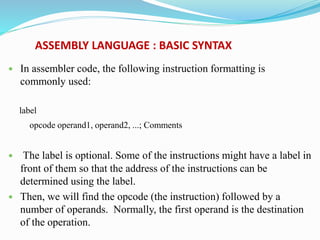
ASSEMBLY LANGUAGE : BASIC SYNTAX
 In assembler code, the following instruction formatting is
commonly used:
label
opcode operand1, operand2, ...; Comments
 The label is optional. Some of the instructions might have a label in
front of them so that the address of the instructions can be
determined using the label.
 Then, we will find the opcode (the instruction) followed by a
number of operands. Normally, the first operand is the destination
of the operation.
 The number of operands in an instruction depends on the type
of instruction.
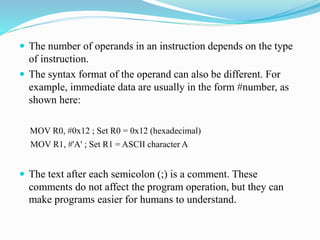
 The syntax format of the operand can also be different. For
example, immediate data are usually in the form #number, as
shown here:
MOV R0, #0x12 ; Set R0 = 0x12 (hexadecimal)
MOV R1, #'A' ; Set R1 = ASCII character A
 The text after each semicolon (;) is a comment. These
comments do not affect the program operation, but they can
make programs easier for humans to understand.
 We can define constants using EQU, and then use them inside your
program code. For example,
NVIC_IRQ_SETEN0 EQU 0xE000E100
NVIC_IRQ0_ENABLE EQU 0x1
...
LDR R0,=NVIC_IRQ_SETEN0; ; LDR here is a pseudo-instruction that
; convert to a PC relative load by
; assembler.
MOV R1,#NVIC_IRQ0_ENABLE ; Move immediate data to register
STR R1,[R0] ; Enable IRQ 0 by writing R1 to address
; in R0
 A number of data definition directives are available for insertion of
constants inside assembly code.
 For example, DCI (Define Constant Instruction) can be used to code
an instruction if your assembler cannot generate the exact instruction
that we want and if we know the binary code for the instruction.
DCI 0xBE00 ; Breakpoint (BKPT 0), a 16-bit instruction
 We can use DCB (Define Constant Byte) for byte size constant values,
such as characters, and Define Constant Data (DCD) for word size
constant values to define binary data in your code.
LDR R3,=MY_NUMBER ; Get the memory address value of MY_NUMBER
LDR R4,[R3] ; Get the value code 0x12345678 in R4
...
LDR R0,=HELLO_TXT ; Get the starting memory address of
; HELLO_TXT
BL PrintText ; Call a function called PrintText to
; display string
...
MY_NUMBER
DCD 0x12345678
HELLO_TXT
DCB "Hellon",0 ; null terminated string
ASSEMBLER LANGUAGE : USE OF SUFFIXES
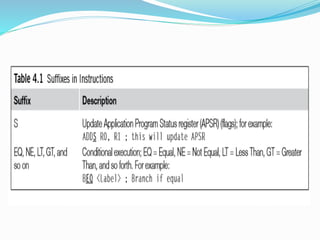
 For the Cortex-M3, the conditional execution suffixes are usually
used for branch instructions.
 However, other instructions can also be used with the conditional
execution suffixes if they are inside an IF-THEN instruction
block.
 In this cases, the S suffix and the conditional execution
suffixes can be used at the same time.
ASSEMBLER LANGUAGE : UNIFIED
ASSEMBLER LANGUAGE
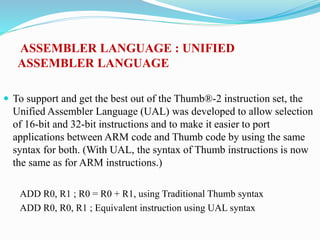
 To support and get the best out of the Thumb®-2 instruction set, the
Unified Assembler Language (UAL) was developed to allow selection
of 16-bit and 32-bit instructions and to make it easier to port
applications between ARM code and Thumb code by using the same
syntax for both. (With UAL, the syntax of Thumb instructions is now
the same as for ARM instructions.)
ADD R0, R1 ; R0 = R0 + R1, using Traditional Thumb syntax
ADD R0, R0, R1 ; Equivalent instruction using UAL syntax
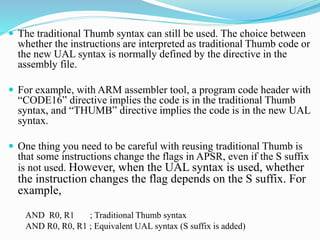
 The traditional Thumb syntax can still be used. The choice between
whether the instructions are interpreted as traditional Thumb code or
the new UAL syntax is normally defined by the directive in the
assembly file.
 For example, with ARM assembler tool, a program code header with
“CODE16” directive implies the code is in the traditional Thumb
syntax, and “THUMB” directive implies the code is in the new UAL
syntax.
 One thing you need to be careful with reusing traditional Thumb is
that some instructions change the flags in APSR, even if the S suffix
is not used. However, when the UAL syntax is used, whether
the instruction changes the flag depends on the S suffix. For
example,
AND R0, R1 ; Traditional Thumb syntax
AND R0, R0, R1 ; Equivalent UAL syntax (S suffix is added)
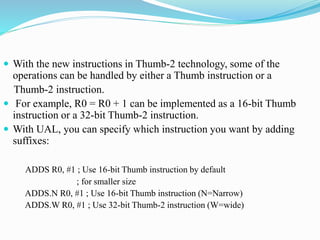
 With the new instructions in Thumb-2 technology, some of the
operations can be handled by either a Thumb instruction or a
Thumb-2 instruction.
 For example, R0 = R0 + 1 can be implemented as a 16-bit Thumb
instruction or a 32-bit Thumb-2 instruction.
 With UAL, you can specify which instruction you want by adding
suffixes:
ADDS R0, #1 ; Use 16-bit Thumb instruction by default
; for smaller size
ADDS.N R0, #1 ; Use 16-bit Thumb instruction (N=Narrow)
ADDS.W R0, #1 ; Use 32-bit Thumb-2 instruction (W=wide)
 The .W (wide) suffix specifies a 32-bit instruction. If no suffix is
given, the assembler tool can choose either instruction but usually
defaults to 16-bit Thumb code to get a smaller size.
 Depending on tool support, you may also use the .N (narrow)
suffix to specify a 16-bit Thumb instruction.
 Again, this syntax is for ARM assembler tools. Other assemblers
might have slightly different syntax.
 If no suffix is given, the assembler might choose the instruction for
you, with the minimum code size In most cases, applications will be
coded in C, and the C compilers will use 16-bit instructions if
possible due to smaller code size. However, when the immediate
data exceed a certain range or when the operation can be better
handled with a 32-bit Thumb-2 instruction, the 32-bit instruction
will be used.
 The 32-bit Thumb-2 instructions can be half word aligned. For
example, you can have a 32-bit instruction located in a half word
location.
0x1000 : LDR r0,[r1] ;a 16-bit instructions (occupy 0x10000x1001)
0x1002 : RBIT.W r0 ;a 32-bit Thumb-2 instruction (occupy
; 0x1002-0x1005)
 Most of the 16-bit instructions can only access registers R0–R7;
32-bit Thumb-2 instructions do not have this limitation.
 However, use of PC (R15) might not be allowed in some of the
instructions. Refer to the ARM v7-M Architecture Application
Level Reference Manual [Ref. 2] (section A4.6) if you need to
find out more detail in this area.
Assembly basics

Assembly basics

  • 1.
  • 2.
    ASSEMBLY LANGUAGE :BASIC SYNTAX  In assembler code, the following instruction formatting is commonly used: label opcode operand1, operand2, ...; Comments  The label is optional. Some of the instructions might have a label in front of them so that the address of the instructions can be determined using the label.  Then, we will find the opcode (the instruction) followed by a number of operands. Normally, the first operand is the destination of the operation.
  • 3.
     The numberof operands in an instruction depends on the type of instruction.  The syntax format of the operand can also be different. For example, immediate data are usually in the form #number, as shown here: MOV R0, #0x12 ; Set R0 = 0x12 (hexadecimal) MOV R1, #'A' ; Set R1 = ASCII character A  The text after each semicolon (;) is a comment. These comments do not affect the program operation, but they can make programs easier for humans to understand.
  • 4.
     We candefine constants using EQU, and then use them inside your program code. For example, NVIC_IRQ_SETEN0 EQU 0xE000E100 NVIC_IRQ0_ENABLE EQU 0x1 ... LDR R0,=NVIC_IRQ_SETEN0; ; LDR here is a pseudo-instruction that ; convert to a PC relative load by ; assembler. MOV R1,#NVIC_IRQ0_ENABLE ; Move immediate data to register STR R1,[R0] ; Enable IRQ 0 by writing R1 to address ; in R0  A number of data definition directives are available for insertion of constants inside assembly code.  For example, DCI (Define Constant Instruction) can be used to code an instruction if your assembler cannot generate the exact instruction that we want and if we know the binary code for the instruction. DCI 0xBE00 ; Breakpoint (BKPT 0), a 16-bit instruction
  • 5.
     We canuse DCB (Define Constant Byte) for byte size constant values, such as characters, and Define Constant Data (DCD) for word size constant values to define binary data in your code. LDR R3,=MY_NUMBER ; Get the memory address value of MY_NUMBER LDR R4,[R3] ; Get the value code 0x12345678 in R4 ... LDR R0,=HELLO_TXT ; Get the starting memory address of ; HELLO_TXT BL PrintText ; Call a function called PrintText to ; display string ... MY_NUMBER DCD 0x12345678 HELLO_TXT DCB "Hellon",0 ; null terminated string
  • 6.
    ASSEMBLER LANGUAGE :USE OF SUFFIXES  For the Cortex-M3, the conditional execution suffixes are usually used for branch instructions.  However, other instructions can also be used with the conditional execution suffixes if they are inside an IF-THEN instruction block.  In this cases, the S suffix and the conditional execution suffixes can be used at the same time.
  • 8.
    ASSEMBLER LANGUAGE :UNIFIED ASSEMBLER LANGUAGE  To support and get the best out of the Thumb®-2 instruction set, the Unified Assembler Language (UAL) was developed to allow selection of 16-bit and 32-bit instructions and to make it easier to port applications between ARM code and Thumb code by using the same syntax for both. (With UAL, the syntax of Thumb instructions is now the same as for ARM instructions.) ADD R0, R1 ; R0 = R0 + R1, using Traditional Thumb syntax ADD R0, R0, R1 ; Equivalent instruction using UAL syntax
  • 9.
     The traditionalThumb syntax can still be used. The choice between whether the instructions are interpreted as traditional Thumb code or the new UAL syntax is normally defined by the directive in the assembly file.  For example, with ARM assembler tool, a program code header with “CODE16” directive implies the code is in the traditional Thumb syntax, and “THUMB” directive implies the code is in the new UAL syntax.  One thing you need to be careful with reusing traditional Thumb is that some instructions change the flags in APSR, even if the S suffix is not used. However, when the UAL syntax is used, whether the instruction changes the flag depends on the S suffix. For example, AND R0, R1 ; Traditional Thumb syntax AND R0, R0, R1 ; Equivalent UAL syntax (S suffix is added)
  • 10.
     With thenew instructions in Thumb-2 technology, some of the operations can be handled by either a Thumb instruction or a Thumb-2 instruction.  For example, R0 = R0 + 1 can be implemented as a 16-bit Thumb instruction or a 32-bit Thumb-2 instruction.  With UAL, you can specify which instruction you want by adding suffixes: ADDS R0, #1 ; Use 16-bit Thumb instruction by default ; for smaller size ADDS.N R0, #1 ; Use 16-bit Thumb instruction (N=Narrow) ADDS.W R0, #1 ; Use 32-bit Thumb-2 instruction (W=wide)
  • 11.
     The .W(wide) suffix specifies a 32-bit instruction. If no suffix is given, the assembler tool can choose either instruction but usually defaults to 16-bit Thumb code to get a smaller size.  Depending on tool support, you may also use the .N (narrow) suffix to specify a 16-bit Thumb instruction.  Again, this syntax is for ARM assembler tools. Other assemblers might have slightly different syntax.  If no suffix is given, the assembler might choose the instruction for you, with the minimum code size In most cases, applications will be coded in C, and the C compilers will use 16-bit instructions if possible due to smaller code size. However, when the immediate data exceed a certain range or when the operation can be better handled with a 32-bit Thumb-2 instruction, the 32-bit instruction will be used.
  • 12.
     The 32-bitThumb-2 instructions can be half word aligned. For example, you can have a 32-bit instruction located in a half word location. 0x1000 : LDR r0,[r1] ;a 16-bit instructions (occupy 0x10000x1001) 0x1002 : RBIT.W r0 ;a 32-bit Thumb-2 instruction (occupy ; 0x1002-0x1005)  Most of the 16-bit instructions can only access registers R0–R7; 32-bit Thumb-2 instructions do not have this limitation.  However, use of PC (R15) might not be allowed in some of the instructions. Refer to the ARM v7-M Architecture Application Level Reference Manual [Ref. 2] (section A4.6) if you need to find out more detail in this area.