Ansible:
Automation to Rule
them ALL!
//live event Mar 1, 2017
//today’s expedition
Introductions
Ansible - What is it?
Orchestration/Integration Demo
Ansible Tower
Tower and Lifecycle Demo
Ansible + Windows
Ansible for Networks
What’s Next?
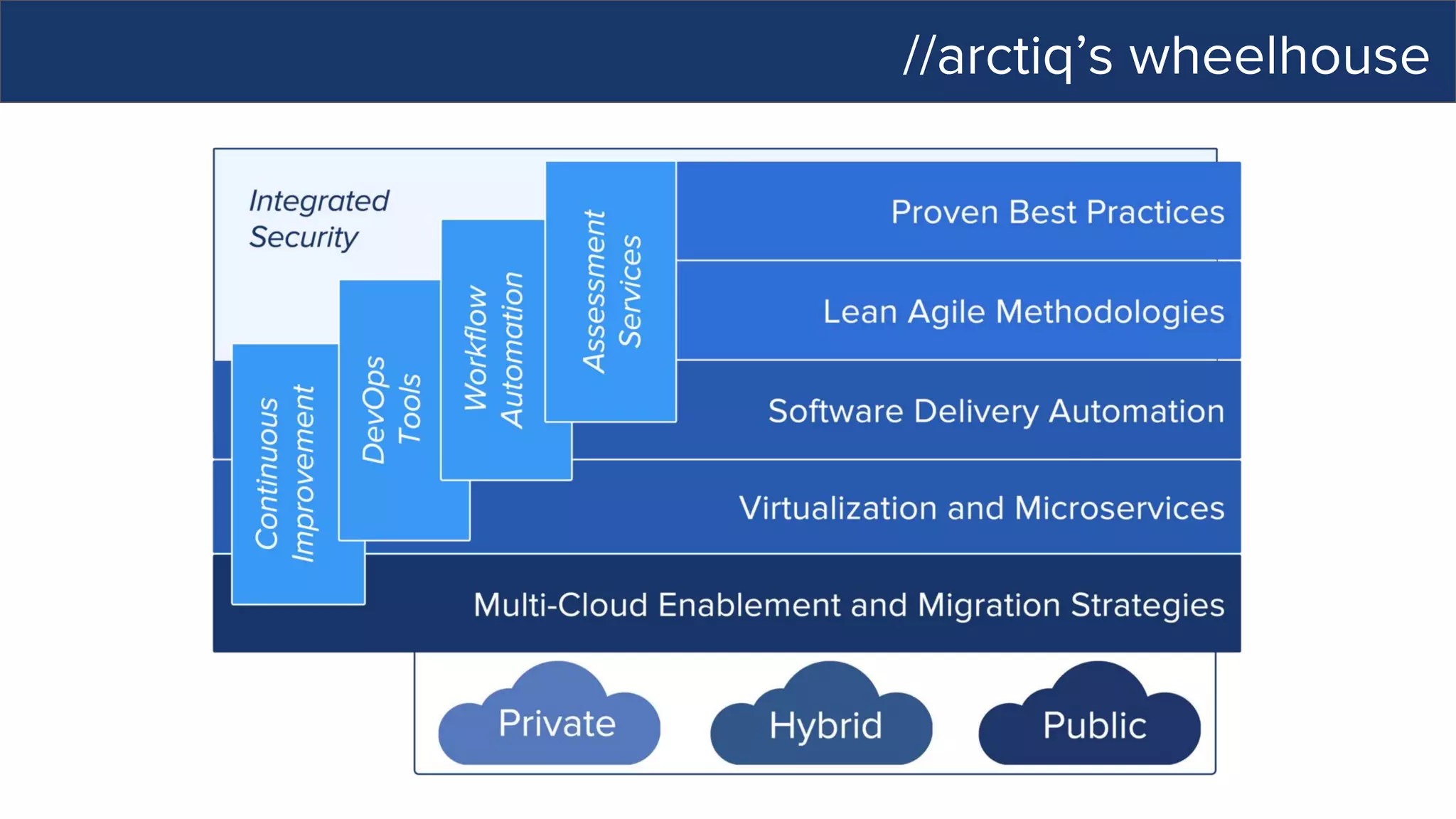
//arctiq’s wheelhouse
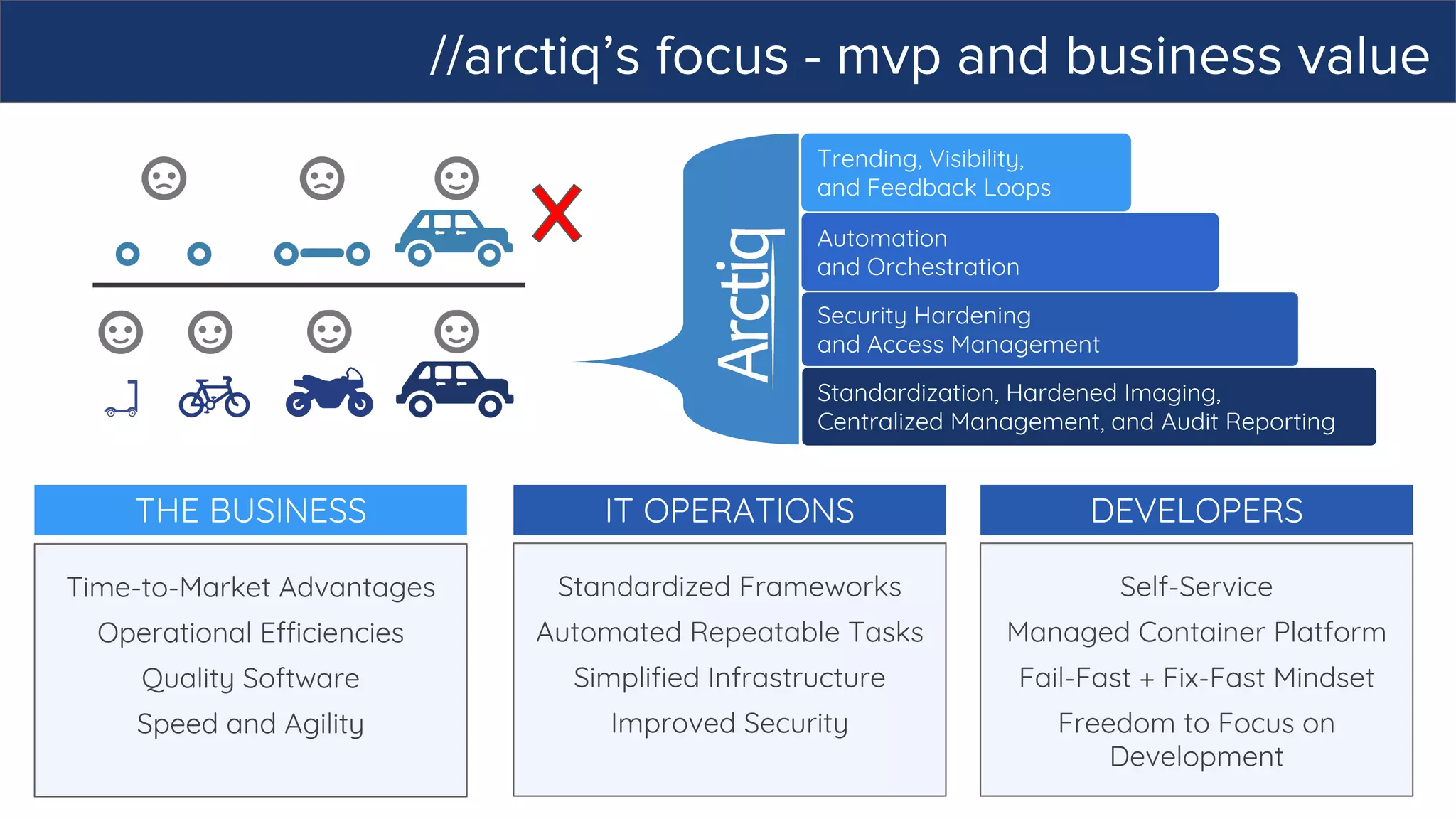
//arctiq’s focus - mvp and business value
Trending, Visibility,
and Feedback Loops
Security Hardening
and Access Management
Automation
and Orchestration
Standardization, Hardened Imaging,
Centralized Management, and Audit Reporting
DEVELOPERS
Self-Service
Managed Container Platform
Fail-Fast + Fix-Fast Mindset
Freedom to Focus on
Development
THE BUSINESS
Time-to-Market Advantages
Operational Efficiencies
Quality Software
Speed and Agility
IT OPERATIONS
Standardized Frameworks
Automated Repeatable Tasks
Simplified Infrastructure
Improved Security
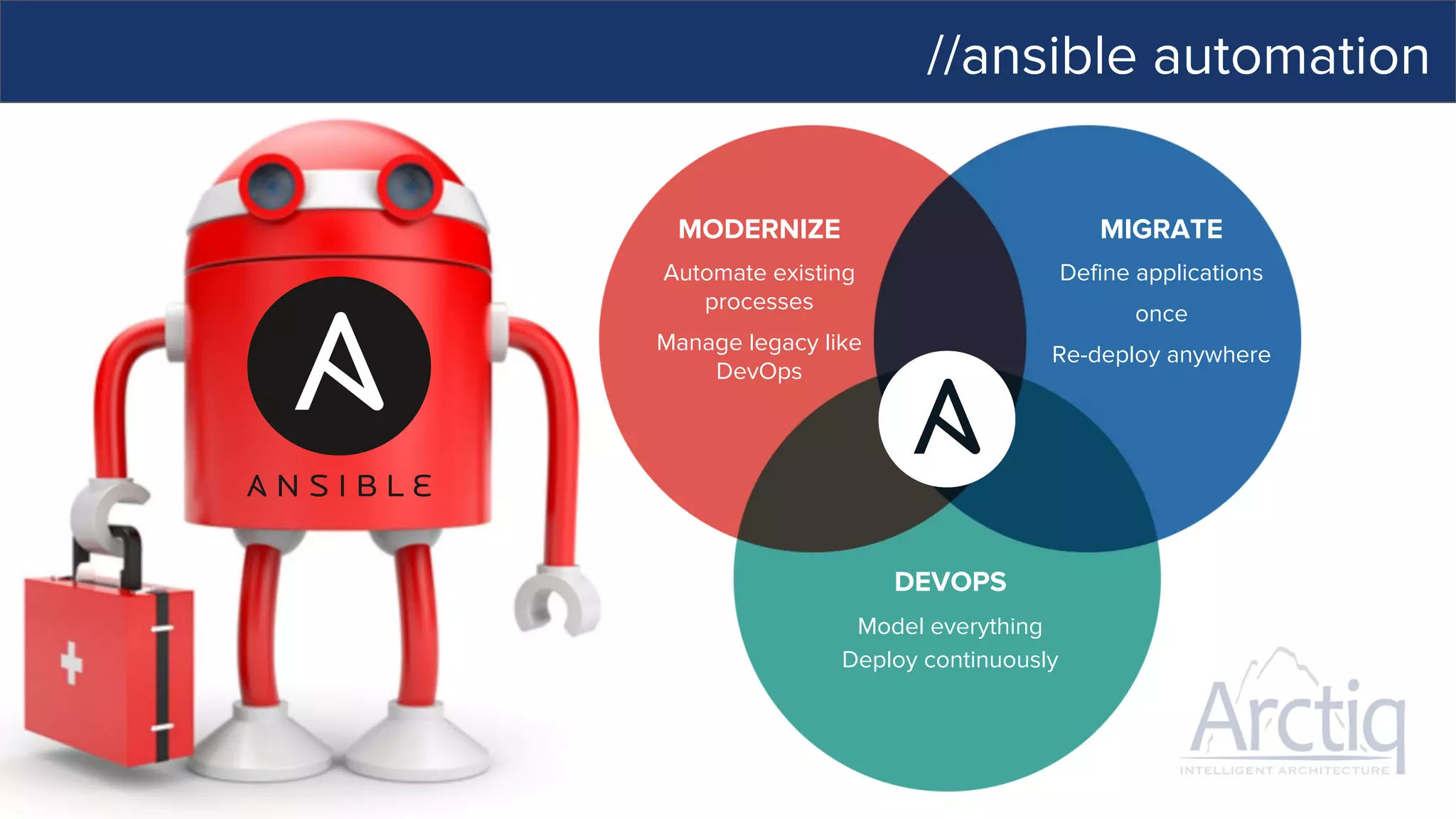
//ansible automation
MODERNIZE
DEVOPS
MIGRATE
Automate existing
processes
Manage legacy like
DevOps
Model everything
Deploy continuously
Define applications
once
Re-deploy anywhere
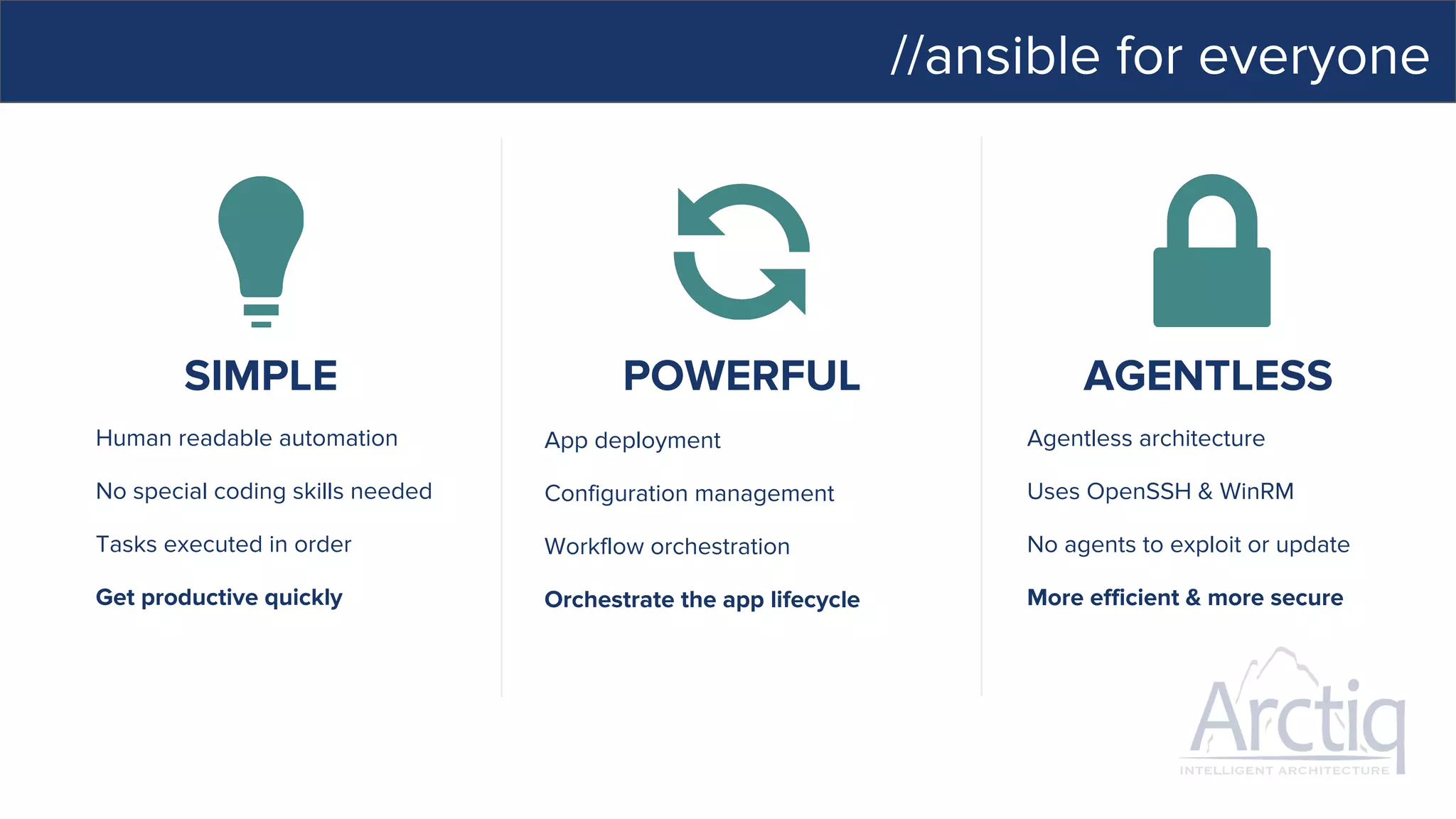
//ansible for everyone
SIMPLE POWERFUL AGENTLESS
App deployment
Configuration management
Workflow orchestration
Orchestrate the app lifecycle
Human readable automation
No special coding skills needed
Tasks executed in order
Get productive quickly
Agentless architecture
Uses OpenSSH & WinRM
No agents to exploit or update
More efficient & more secure
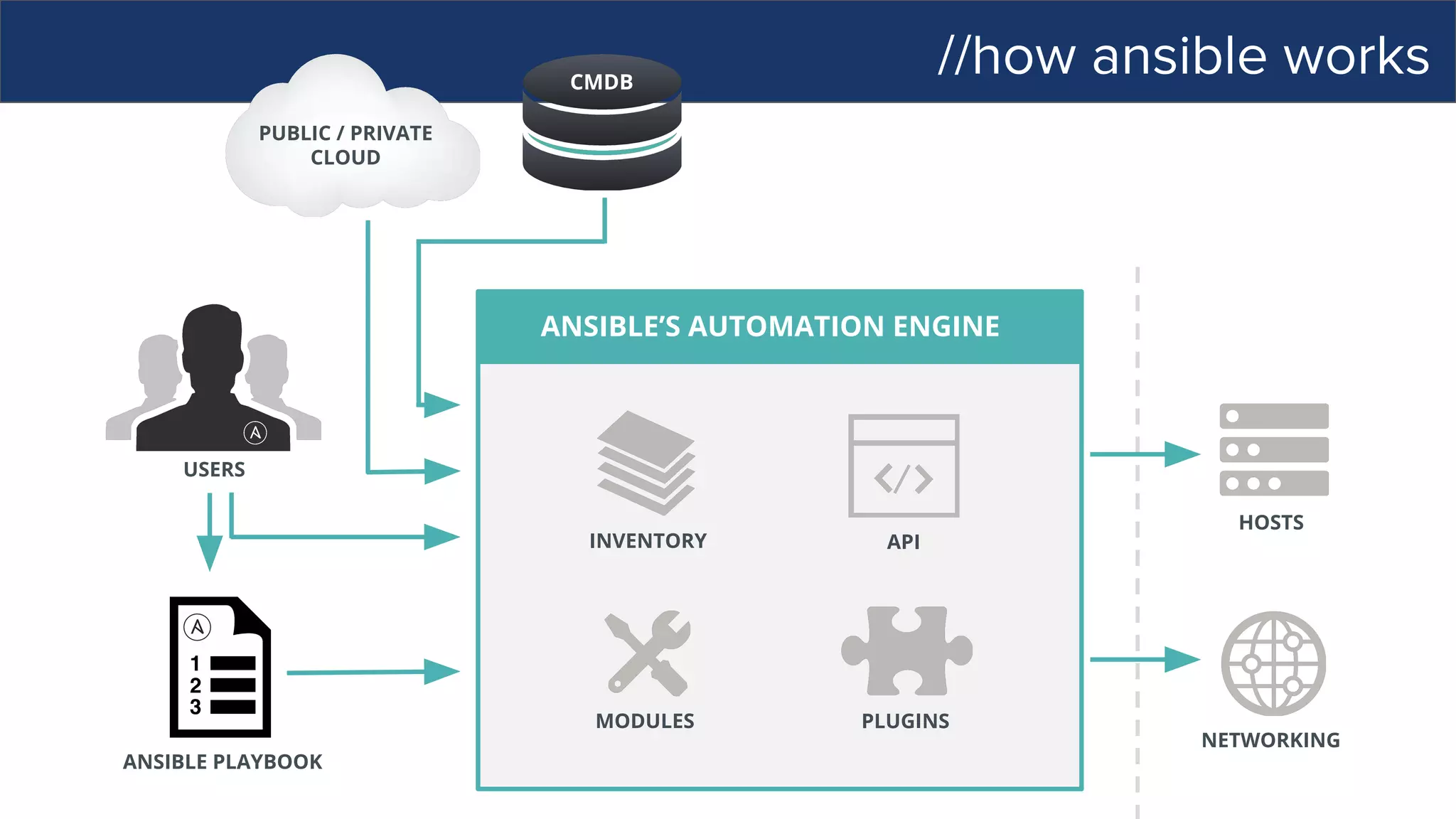
//how ansible works
ANSIBLE’S AUTOMATION ENGINE
ANSIBLE PLAYBOOK
PUBLIC / PRIVATE
CLOUD
CMDB
USERS
INVENTORY
HOSTS
NETWORKING
PLUGINS
API
MODULES
//how ansible works
PUBLIC / PRIVATE
CLOUD
CMDB
USERS
INVENTORY
HOSTS
NETWORKING
PLUGINS
API
MODULES
ANSIBLE’S AUTOMATION ENGINE
ANSIBLE PLAYBOOK
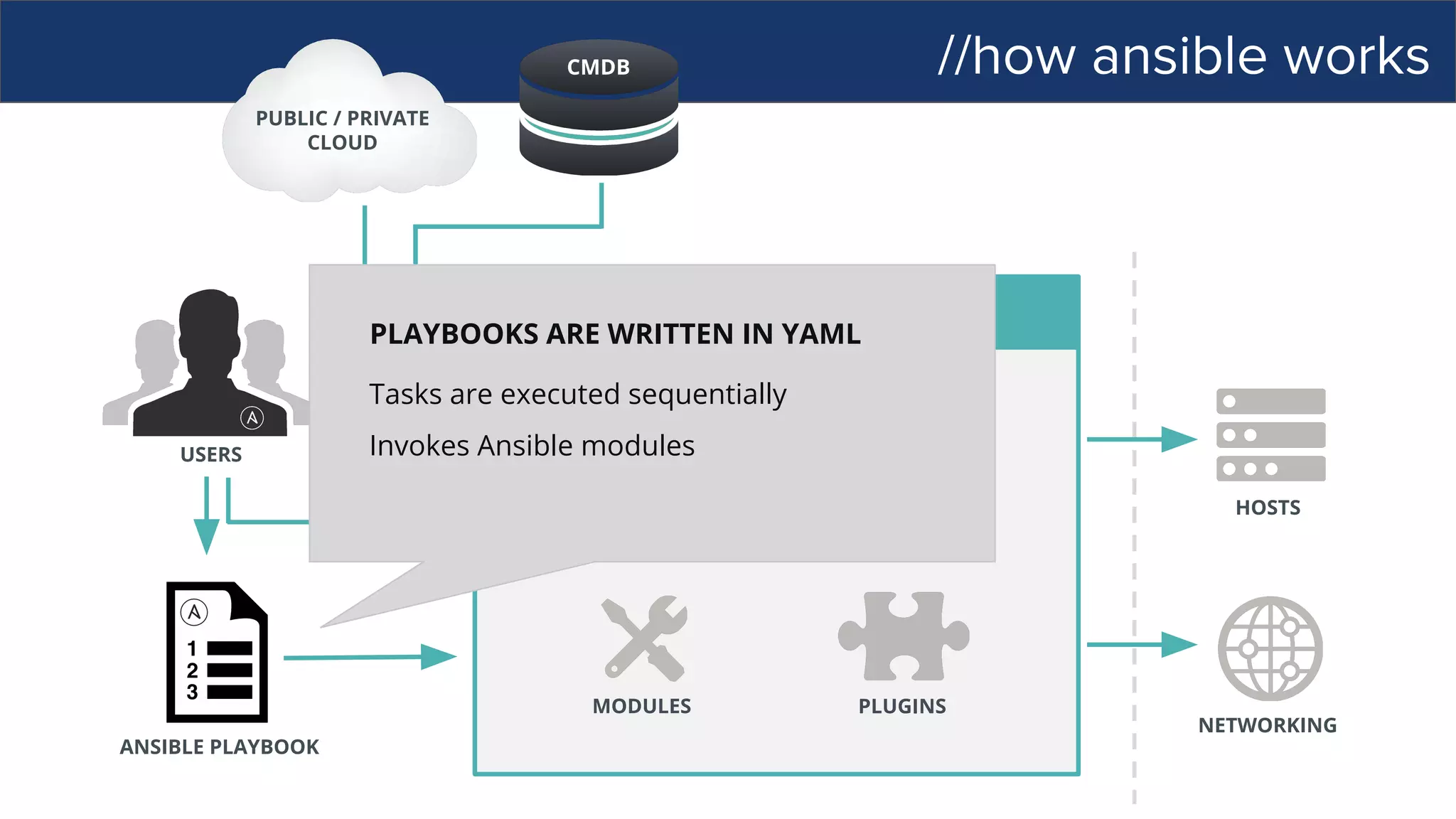
PLAYBOOKS ARE WRITTEN IN YAML
Tasks are executed sequentially
Invokes Ansible modules
//how ansible works
PUBLIC / PRIVATE
CLOUD
CMDB
USERS
INVENTORY
HOSTS
NETWORKING
PLUGINS
API
ANSIBLE’S AUTOMATION ENGINE
ANSIBLE PLAYBOOK
MODULES
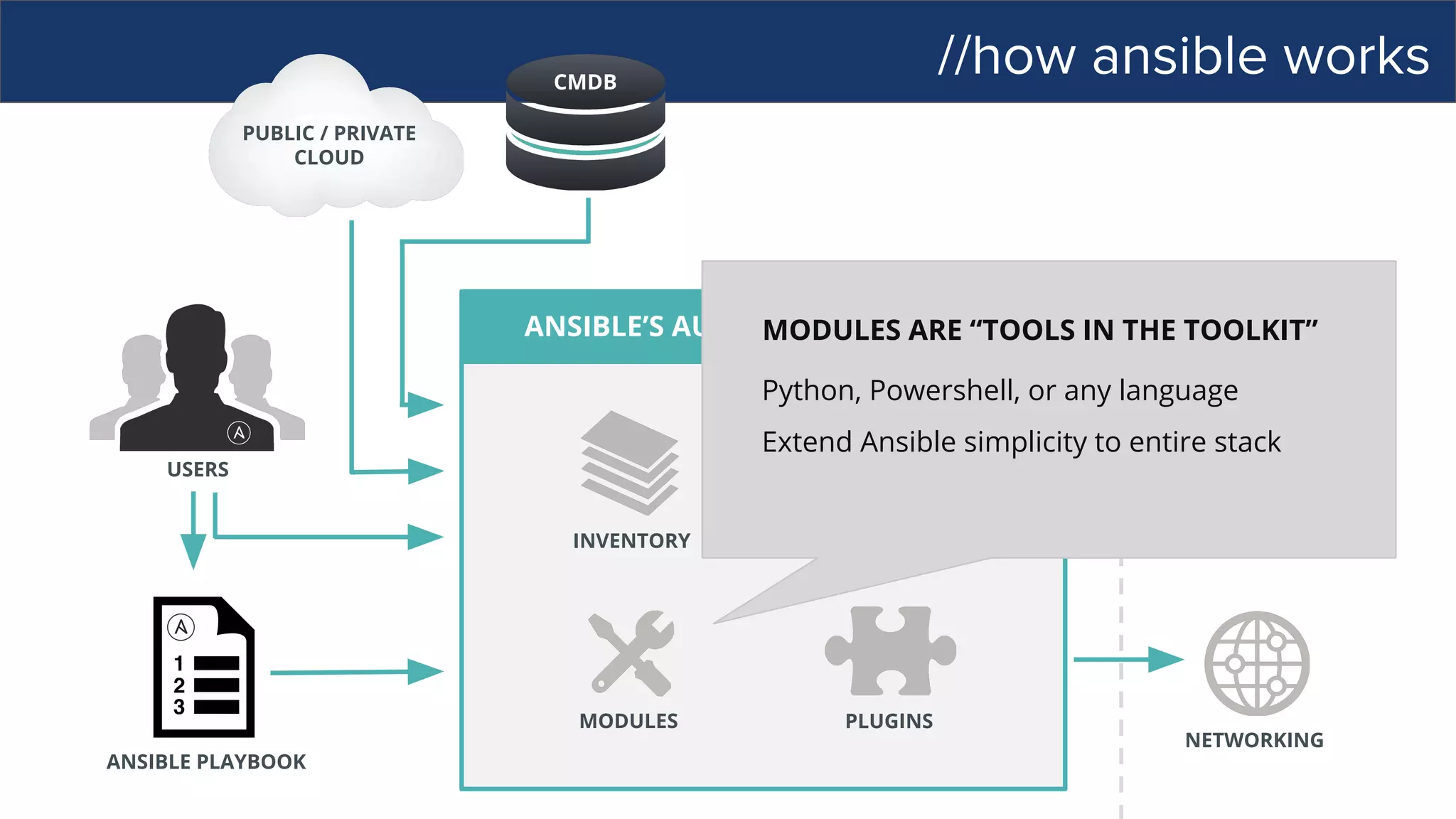
MODULES ARE “TOOLS IN THE TOOLKIT”
Python, Powershell, or any language
Extend Ansible simplicity to entire stack
//how ansible works
ANSIBLE’S AUTOMATION ENGINE
ANSIBLE PLAYBOOK
PUBLIC / PRIVATE
CLOUD
CMDB
USERS
HOSTS
NETWORKING
PLUGINS
API
MODULES
INVENTORY
[web]
webserver1.example.com
webserver2.example.com
[db]
dbserver1.example.com
//how ansible works
ANSIBLE’S AUTOMATION ENGINE
ANSIBLE PLAYBOOK
PUBLIC / PRIVATE
CLOUD
USERS
INVENTORY
HOSTS
NETWORKING
PLUGINS
API
MODULES
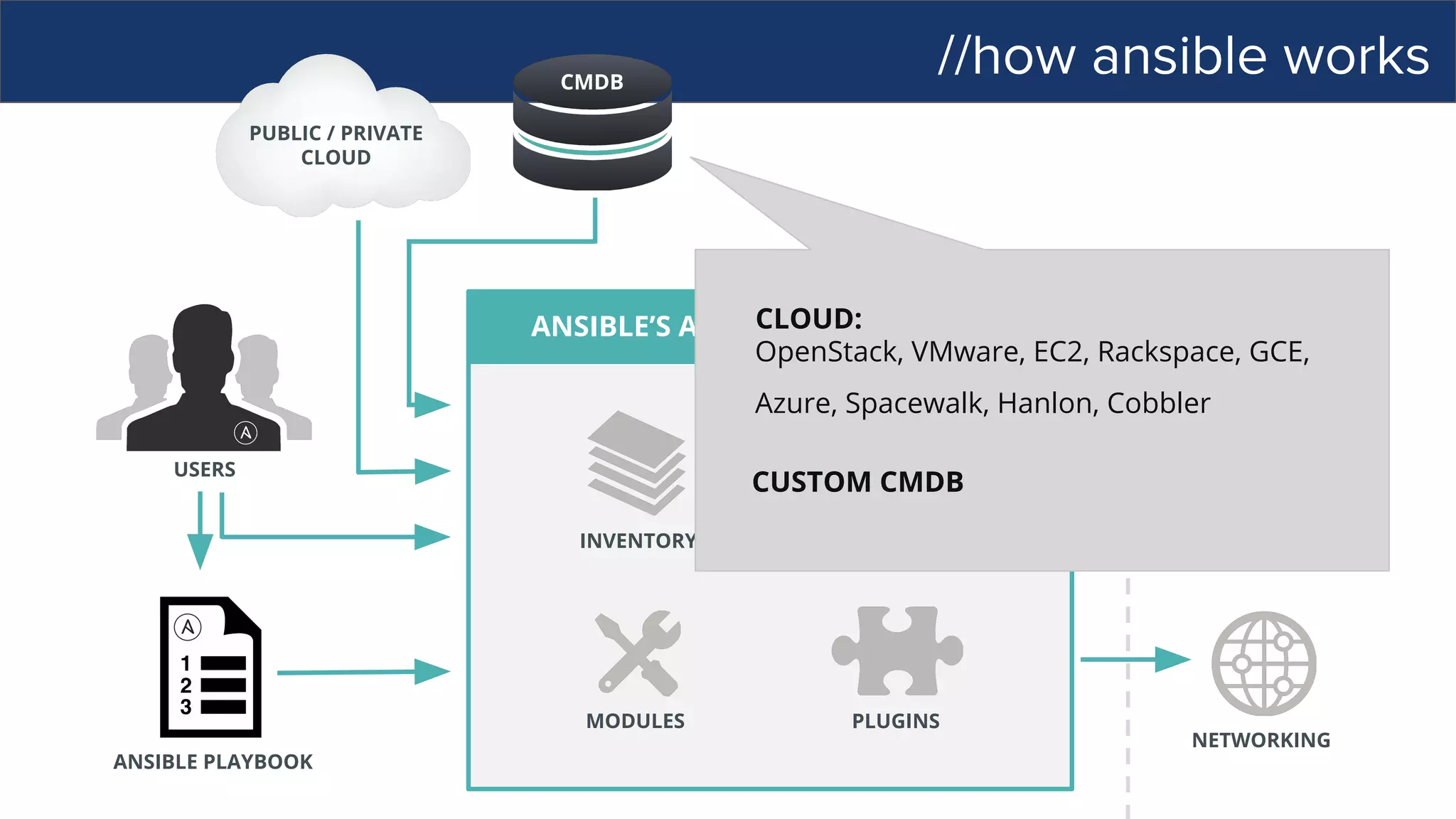
CMDB
CLOUD:
OpenStack, VMware, EC2, Rackspace, GCE,
Azure, Spacewalk, Hanlon, Cobbler
CUSTOM CMDB
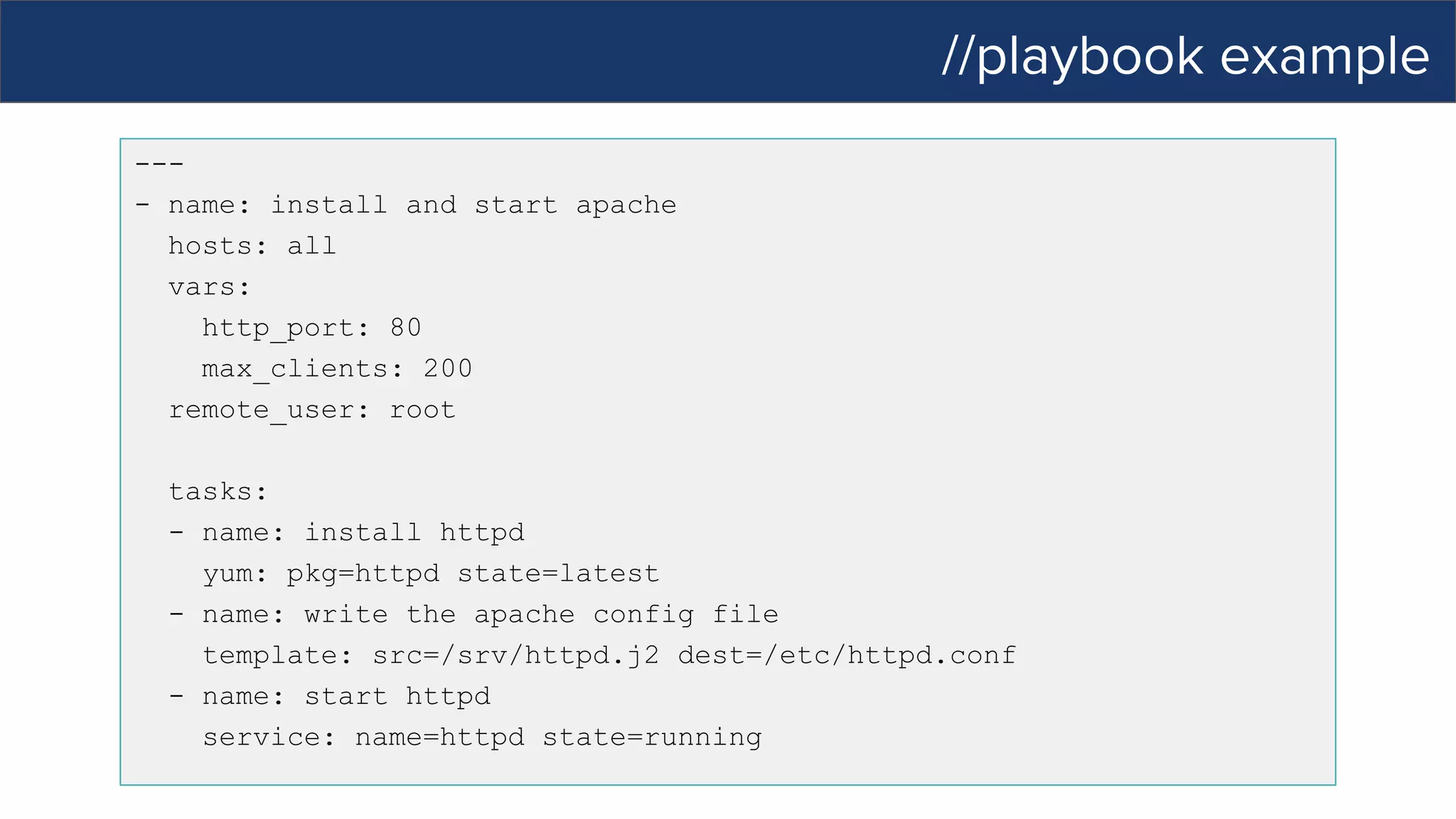
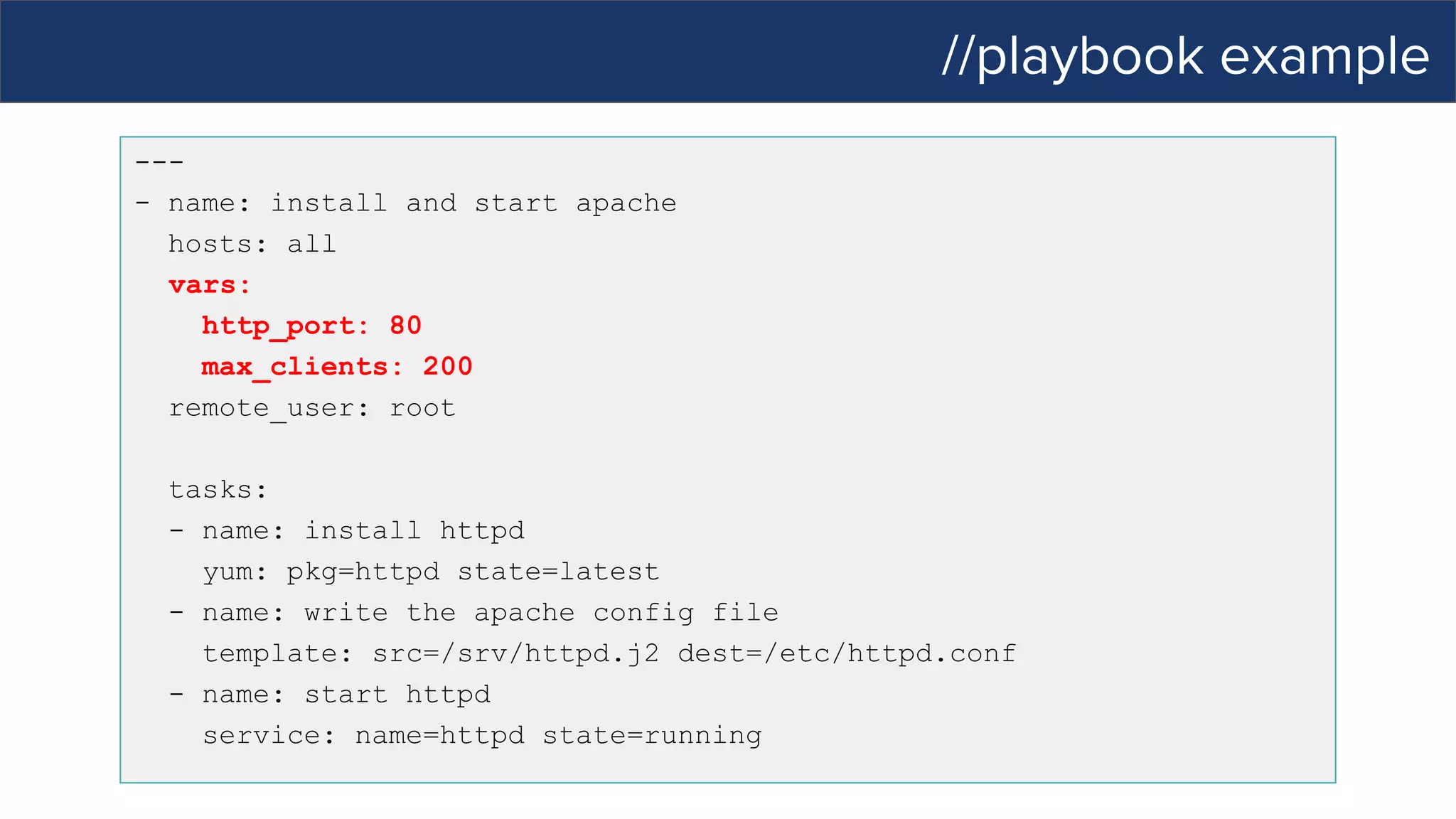
//playbook example
---
- name: install and start apache
hosts: all
vars:
http_port: 80
max_clients: 200
remote_user: root
tasks:
- name: install httpd
yum: pkg=httpd state=latest
- name: write the apache config file
template: src=/srv/httpd.j2 dest=/etc/httpd.conf
- name: start httpd
service: name=httpd state=running
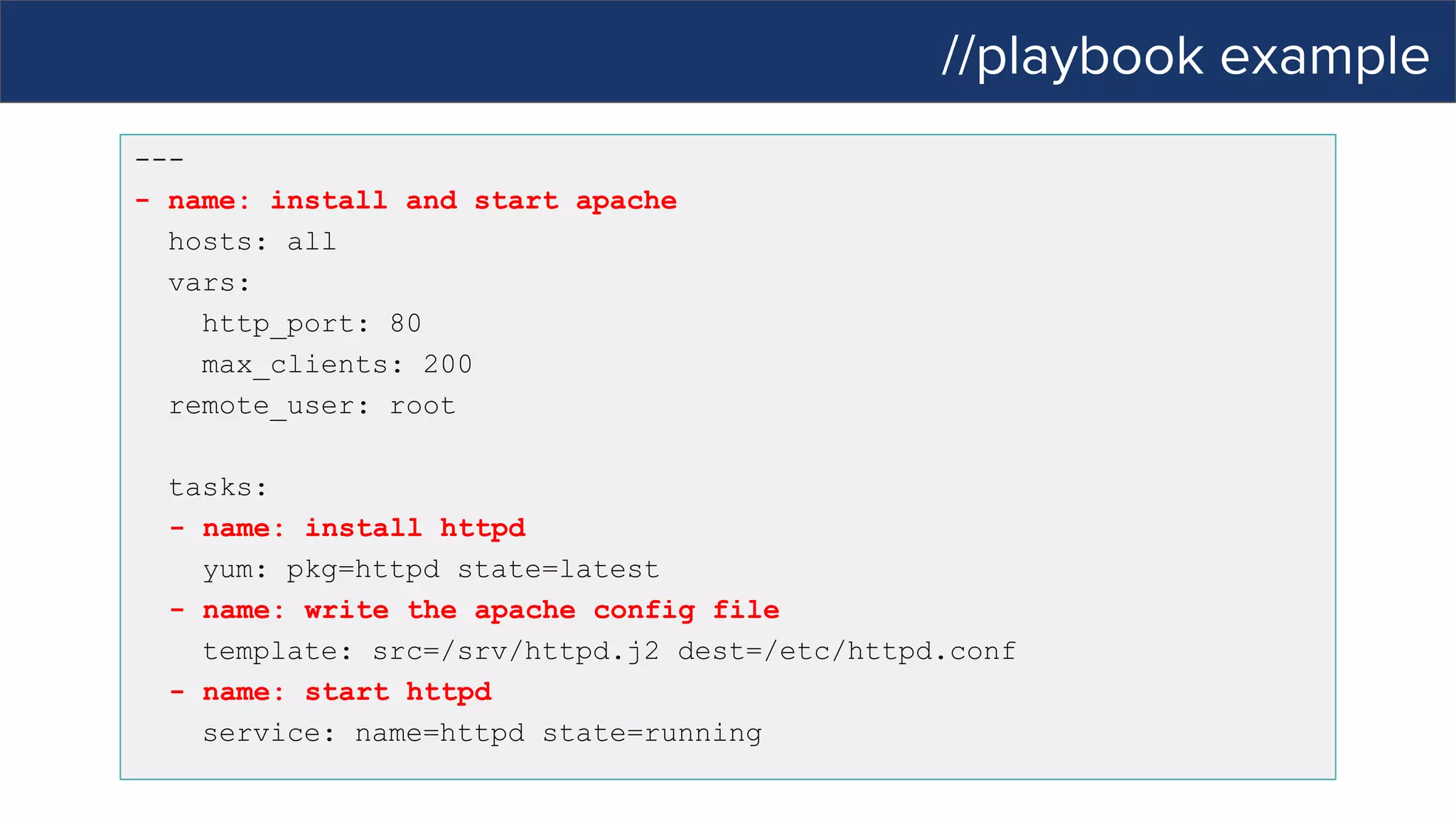
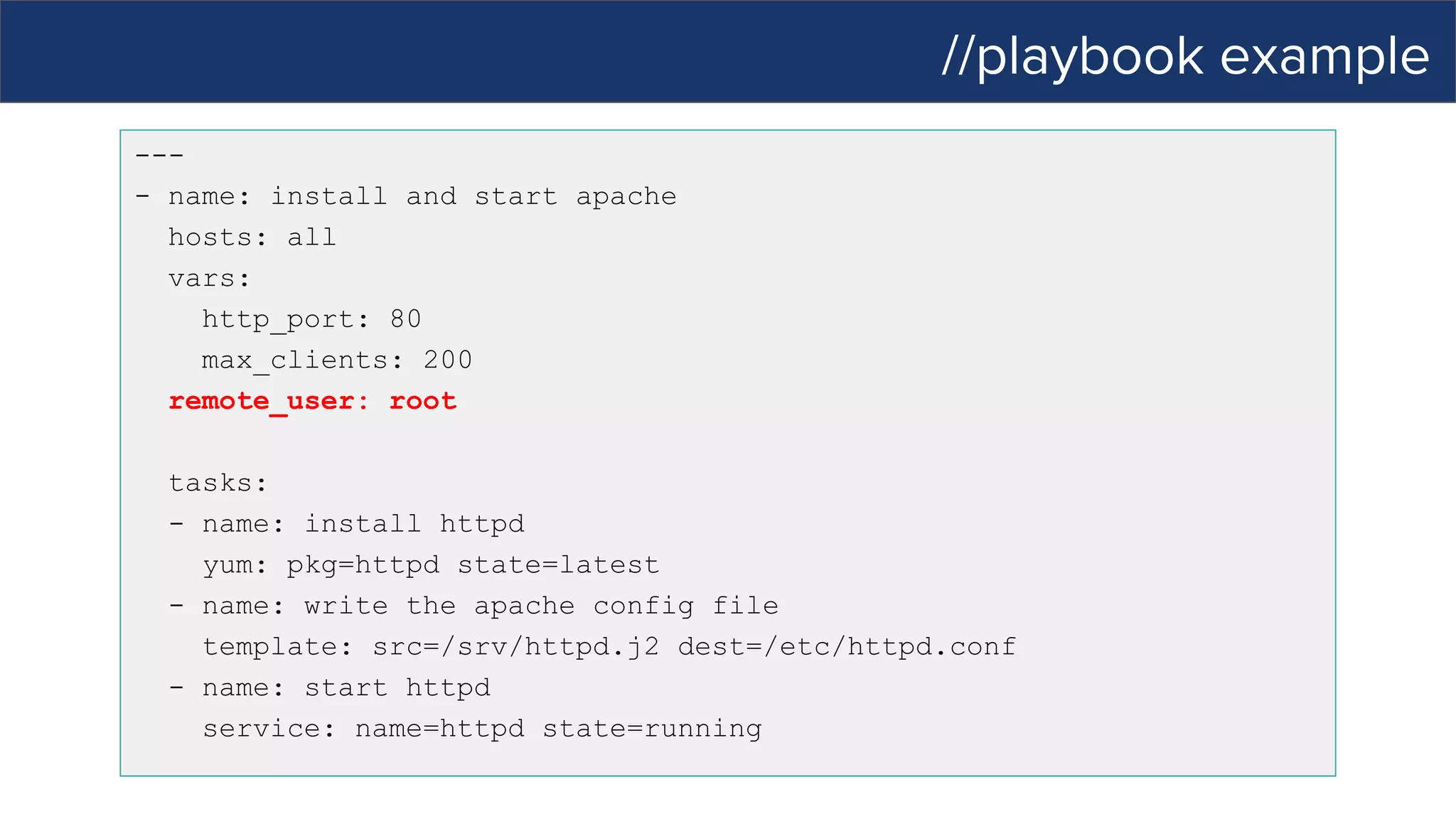
//playbook example
---
- name: install and start apache
hosts: all
vars:
http_port: 80
max_clients: 200
remote_user: root
tasks:
- name: install httpd
yum: pkg=httpd state=latest
- name: write the apache config file
template: src=/srv/httpd.j2 dest=/etc/httpd.conf
- name: start httpd
service: name=httpd state=running
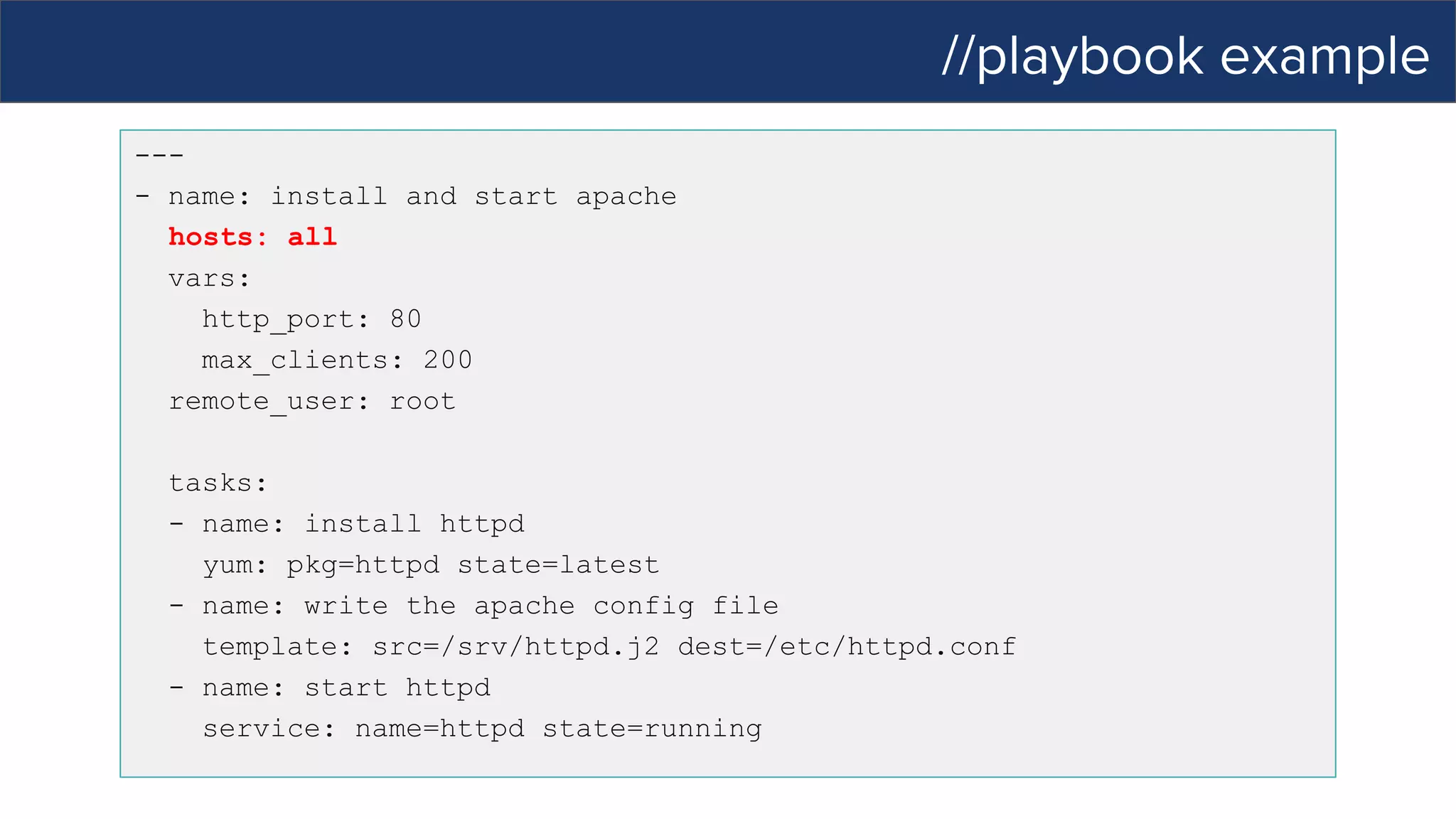
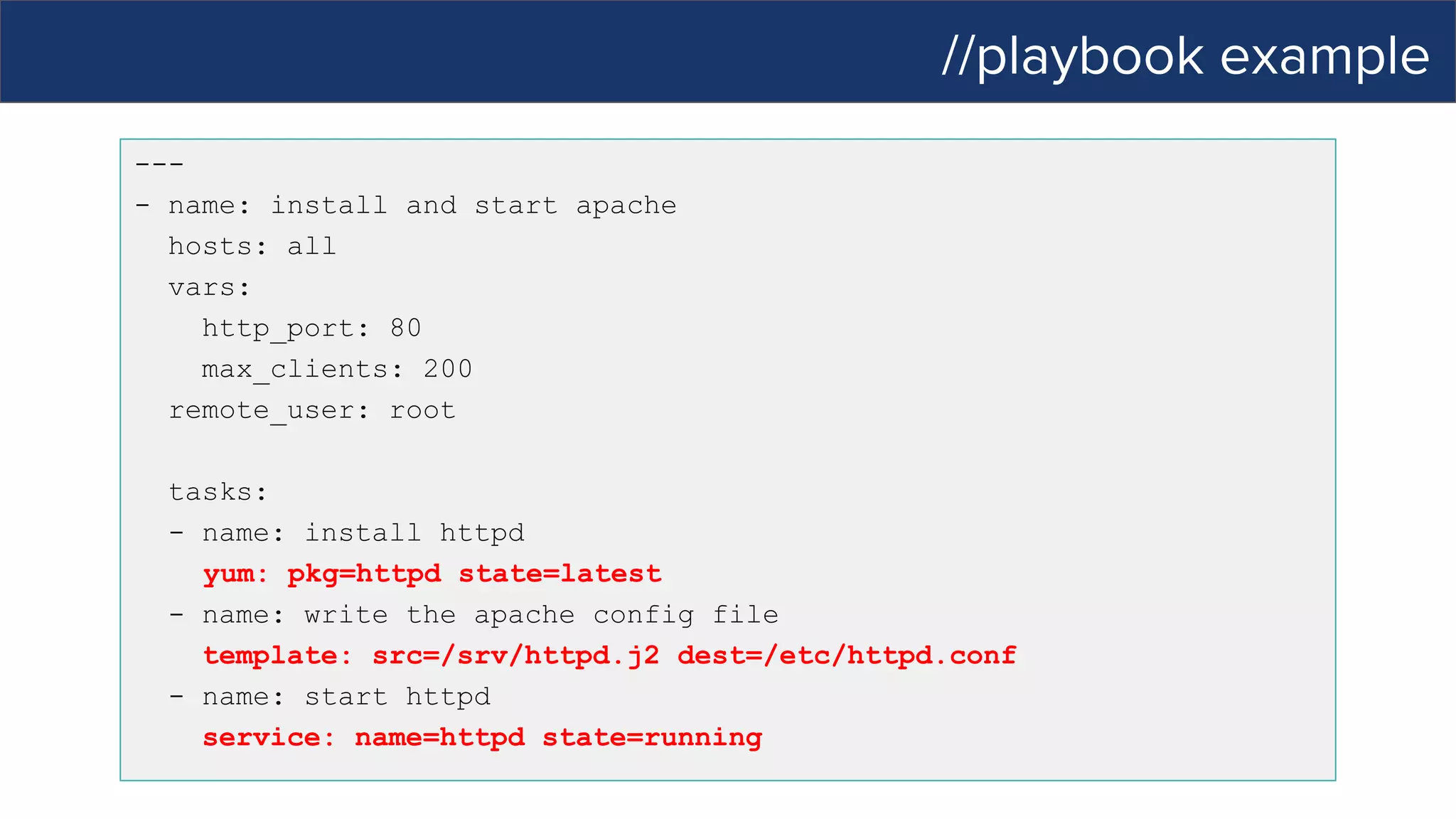
//playbook example
---
- name: install and start apache
hosts: all
vars:
http_port: 80
max_clients: 200
remote_user: root
tasks:
- name: install httpd
yum: pkg=httpd state=latest
- name: write the apache config file
template: src=/srv/httpd.j2 dest=/etc/httpd.conf
- name: start httpd
service: name=httpd state=running
//playbook example
---
- name: install and start apache
hosts: all
vars:
http_port: 80
max_clients: 200
remote_user: root
tasks:
- name: install httpd
yum: pkg=httpd state=latest
- name: write the apache config file
template: src=/srv/httpd.j2 dest=/etc/httpd.conf
- name: start httpd
service: name=httpd state=running
//playbook example
---
- name: install and start apache
hosts: all
vars:
http_port: 80
max_clients: 200
remote_user: root
tasks:
- name: install httpd
yum: pkg=httpd state=latest
- name: write the apache config file
template: src=/srv/httpd.j2 dest=/etc/httpd.conf
- name: start httpd
service: name=httpd state=running
//playbook example
---
- name: install and start apache
hosts: all
vars:
http_port: 80
max_clients: 200
remote_user: root
tasks:
- name: install httpd
yum: pkg=httpd state=latest
- name: write the apache config file
template: src=/srv/httpd.j2 dest=/etc/httpd.conf
- name: start httpd
service: name=httpd state=running
//demo
//automation for everyone …
what’s new in Tower 3.1?
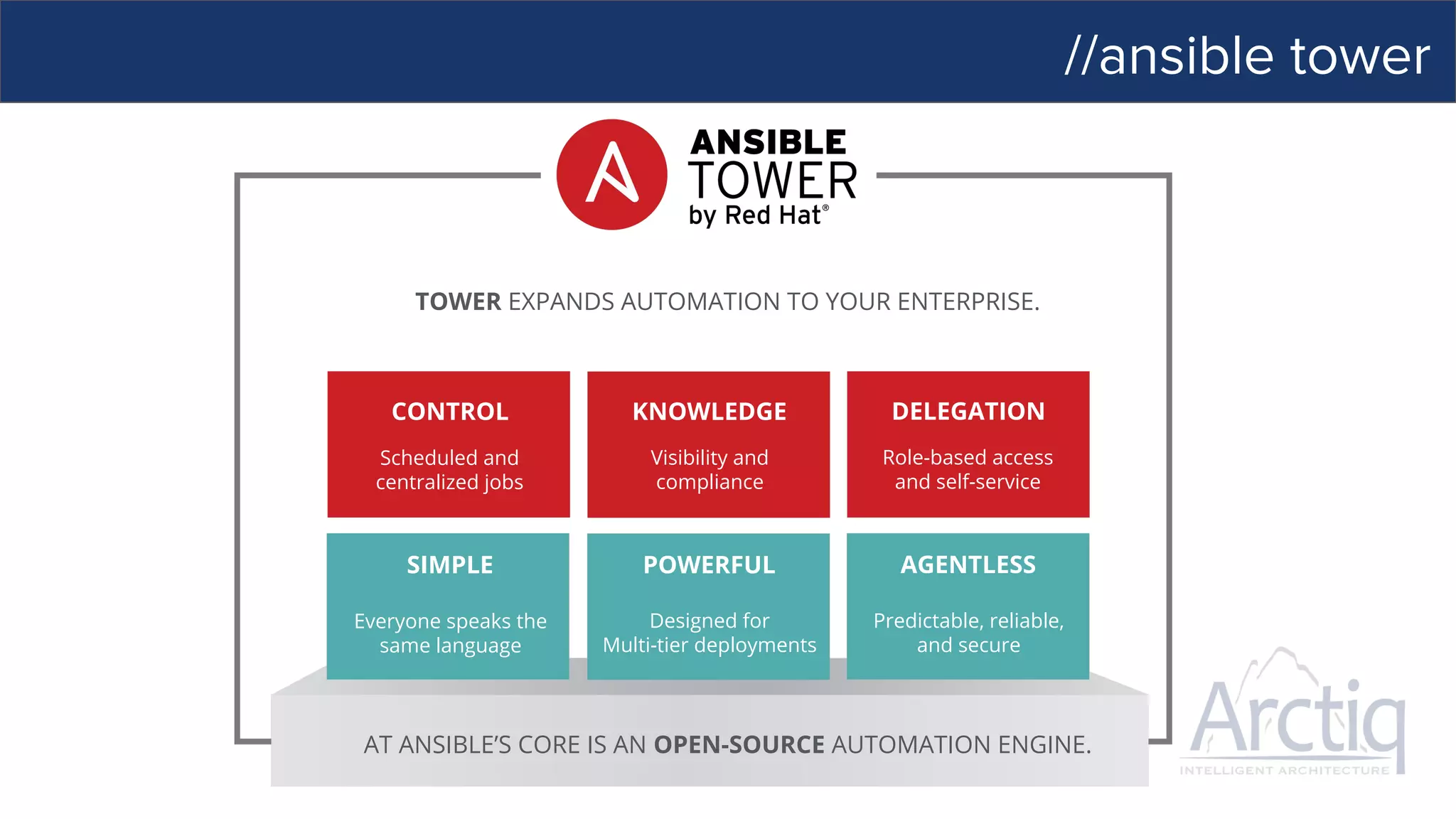
//ansible tower
CONTROL
SIMPLE POWERFUL AGENTLESS
KNOWLEDGE DELEGATION
TOWER EXPANDS AUTOMATION TO YOUR ENTERPRISE.
AT ANSIBLE’S CORE IS AN OPEN-SOURCE AUTOMATION ENGINE.
Scheduled and
centralized jobs
Visibility and
compliance
Role-based access
and self-service
Everyone speaks the
same language
Designed for
Multi-tier deployments
Predictable, reliable,
and secure
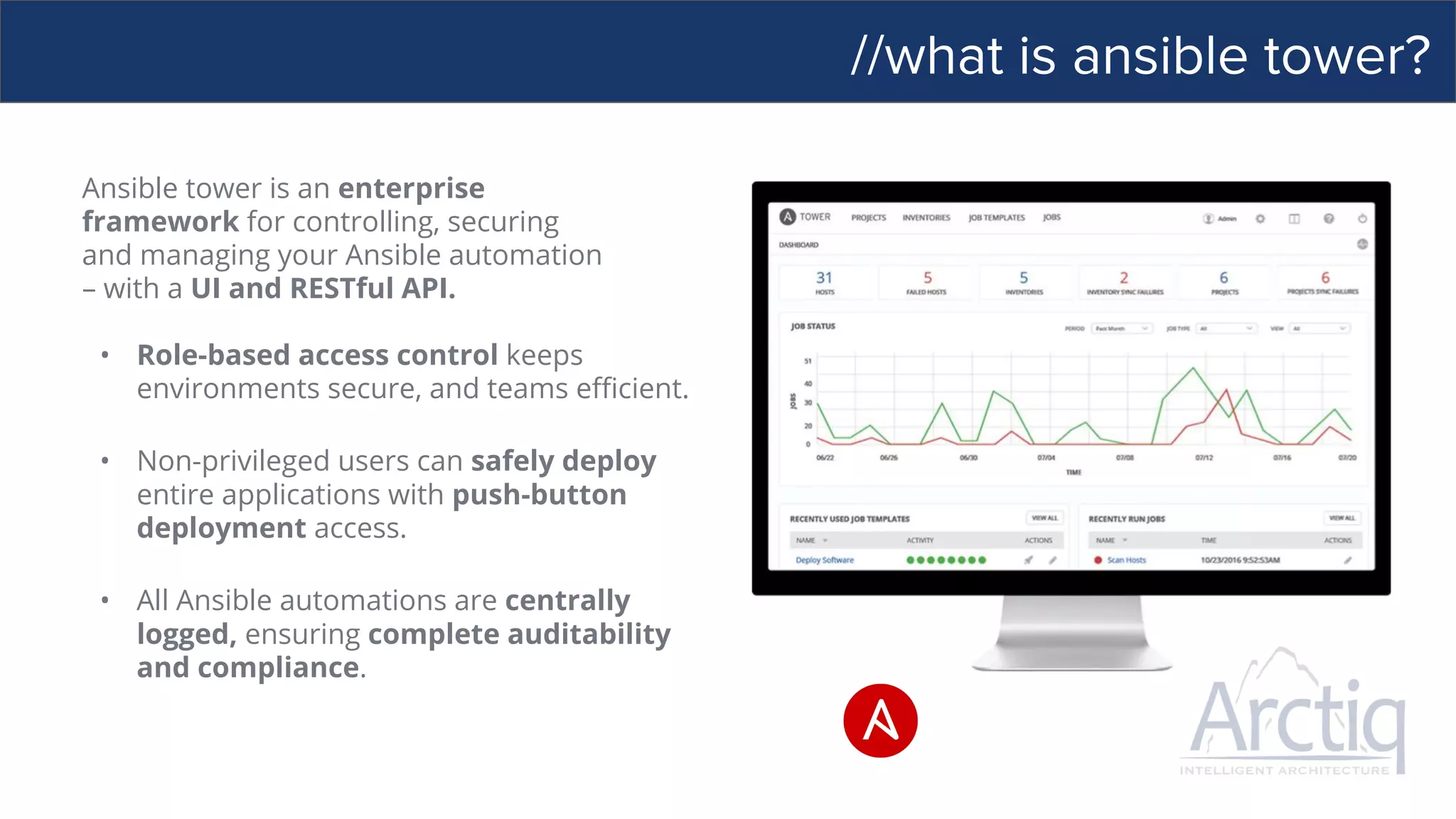
//what is ansible tower?
Ansible tower is an enterprise
framework for controlling, securing
and managing your Ansible automation
– with a UI and RESTful API.
• Role-based access control keeps
environments secure, and teams efficient.
• Non-privileged users can safely deploy
entire applications with push-button
deployment access.
• All Ansible automations are centrally
logged, ensuring complete auditability
and compliance.
//control your ansible deployment
SITUATIONAL AWARENESS IS THE KEY TO DEVOPS
● Dashboard and real-time automation updates
● Integrated RBAC with credential management
● Job scheduling
● Graphical inventory management
● Built-in notifications to keep teams informed
● Stabilized API to plumb into existing tooling and processes
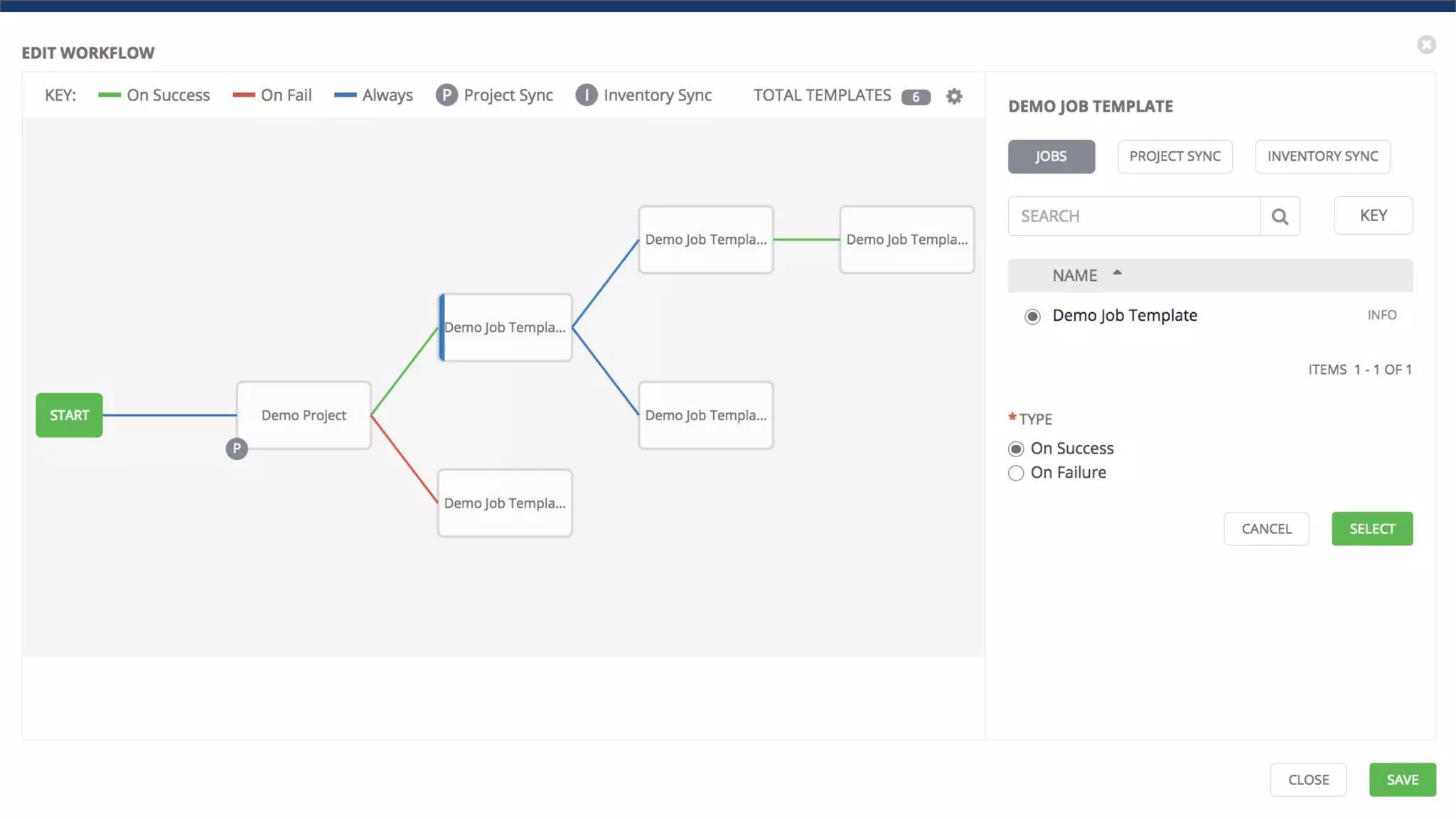
● Model entire processes with new Workflows
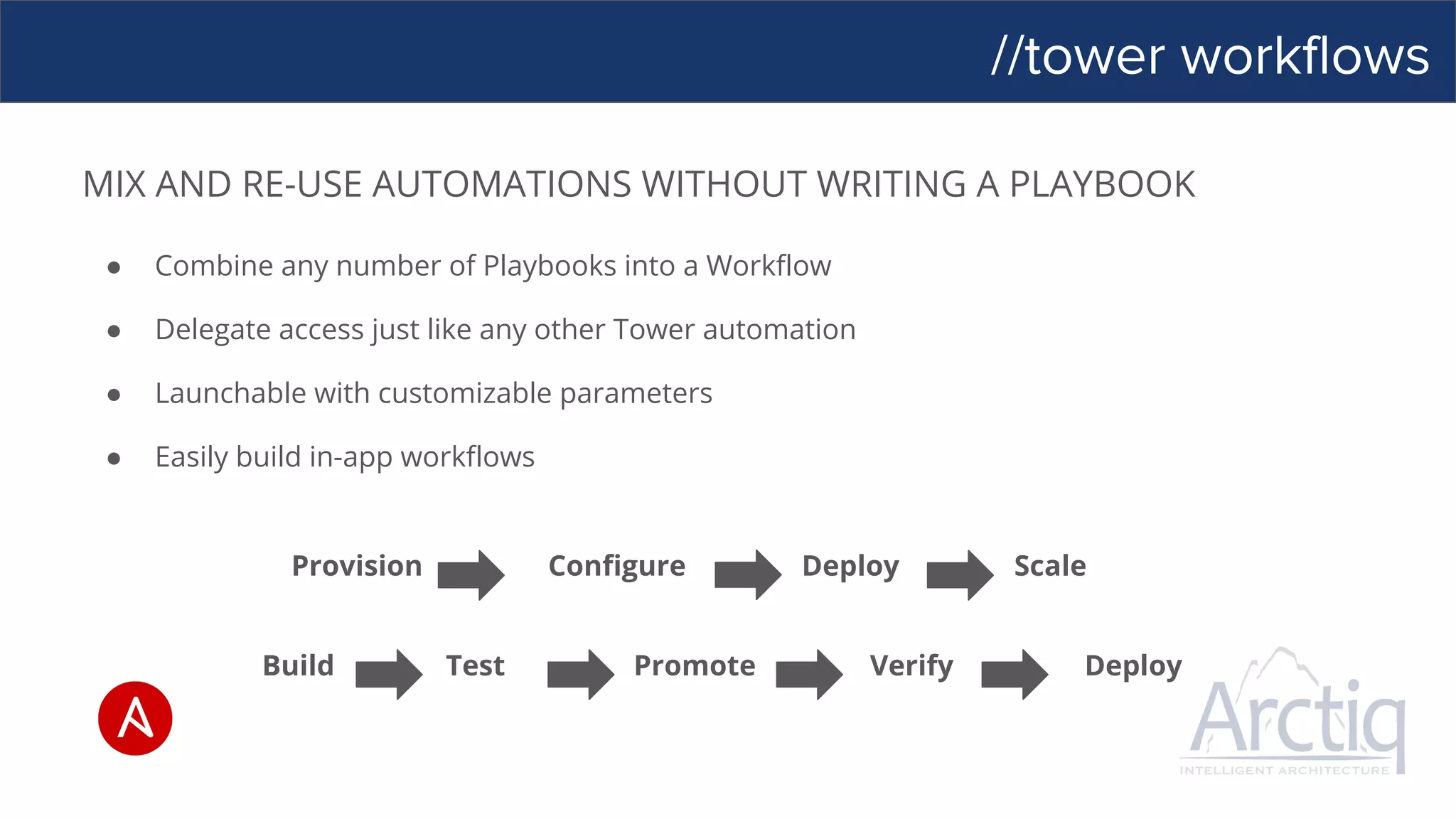
//tower workflows
MIX AND RE-USE AUTOMATIONS WITHOUT WRITING A PLAYBOOK
● Combine any number of Playbooks into a Workflow
● Delegate access just like any other Tower automation
● Launchable with customizable parameters
● Easily build in-app workflows
Provision Configure Deploy Scale
Build Test Promote Verify Deploy
//delegation
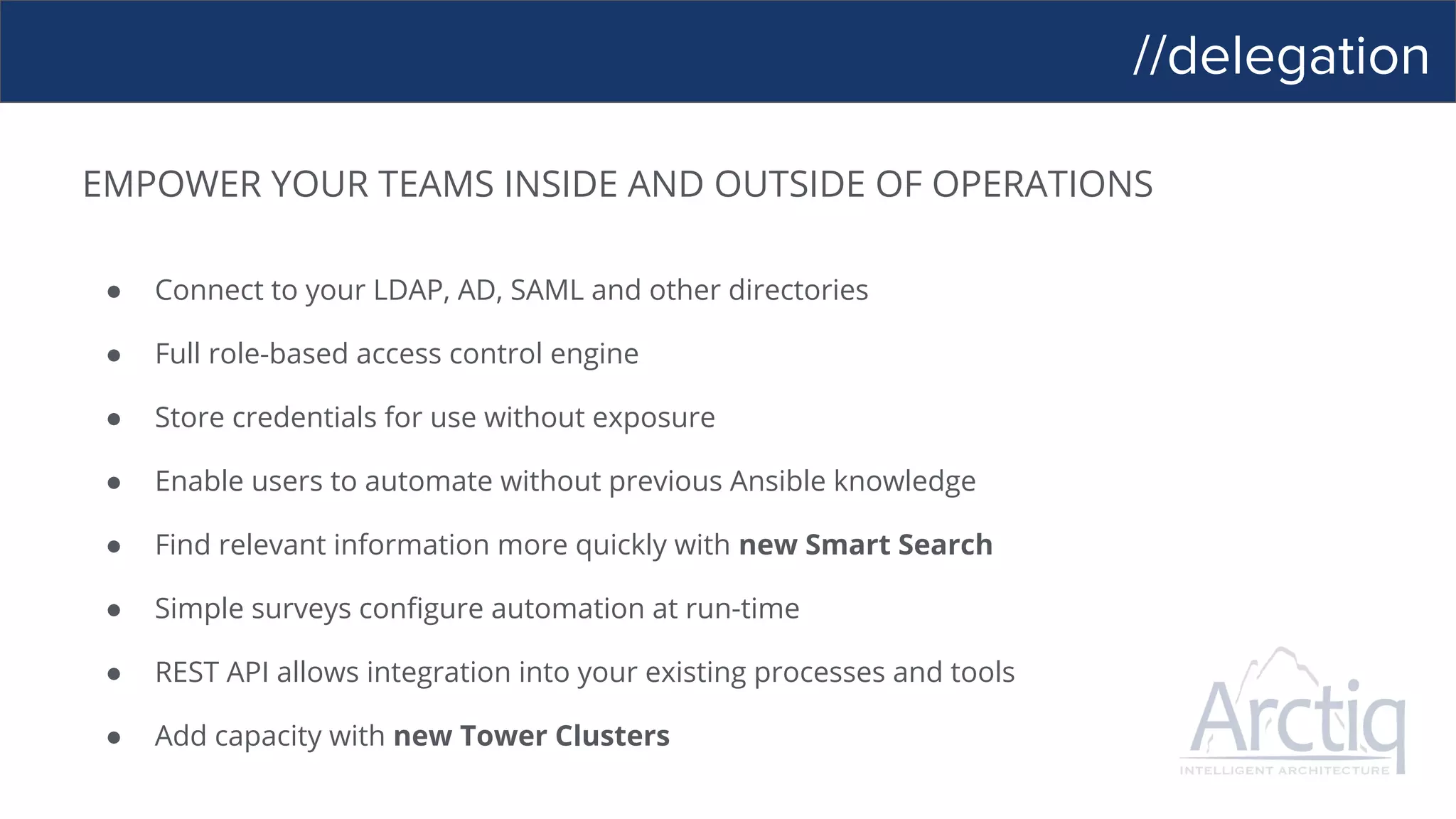
EMPOWER YOUR TEAMS INSIDE AND OUTSIDE OF OPERATIONS
● Connect to your LDAP, AD, SAML and other directories
● Full role-based access control engine
● Store credentials for use without exposure
● Enable users to automate without previous Ansible knowledge
● Find relevant information more quickly with new Smart Search
● Simple surveys configure automation at run-time
● REST API allows integration into your existing processes and tools
● Add capacity with new Tower Clusters
//tower clusters
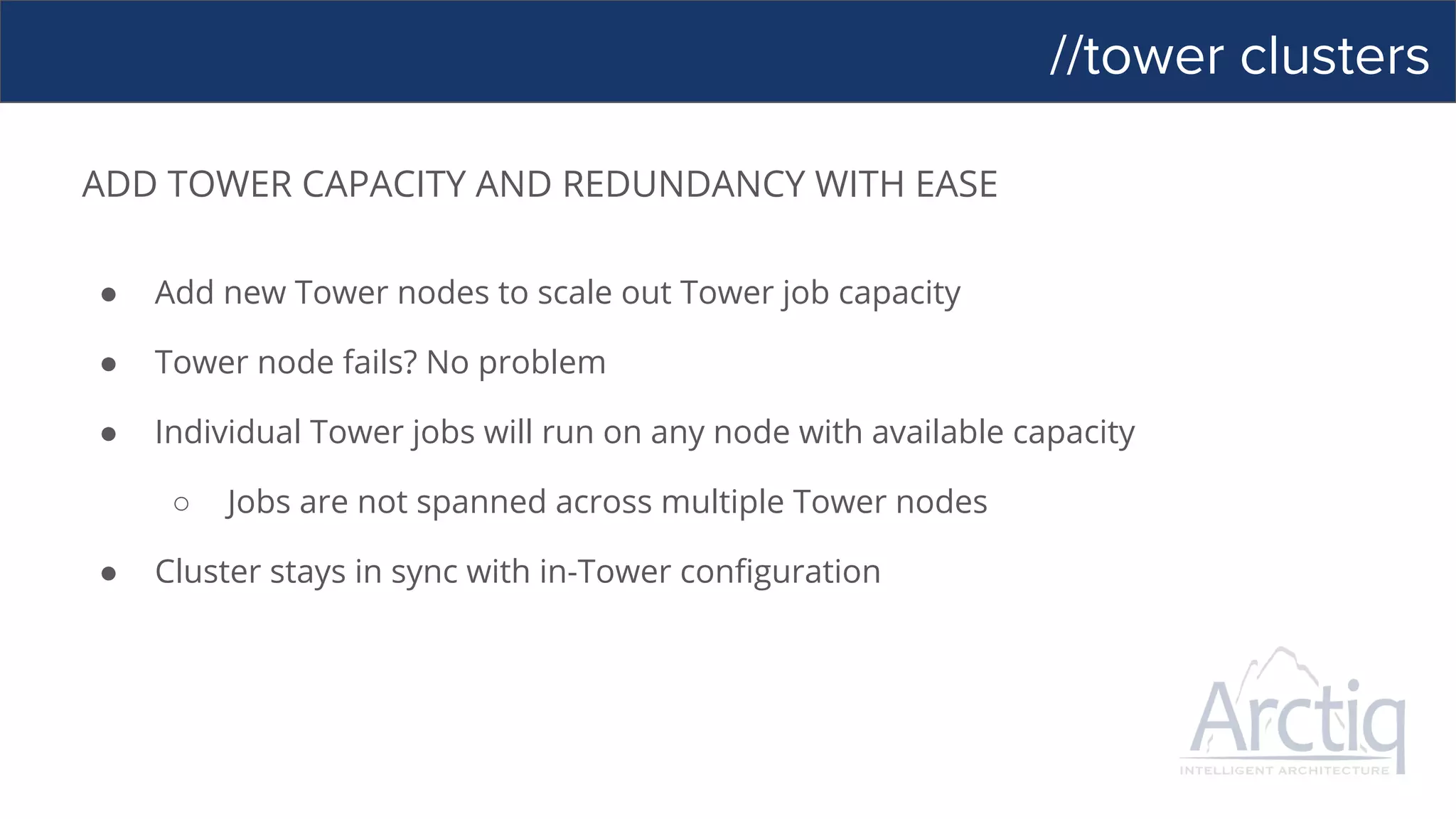
ADD TOWER CAPACITY AND REDUNDANCY WITH EASE
● Add new Tower nodes to scale out Tower job capacity
● Tower node fails? No problem
● Individual Tower jobs will run on any node with available capacity
○ Jobs are not spanned across multiple Tower nodes
● Cluster stays in sync with in-Tower configuration
//enterprise log integration
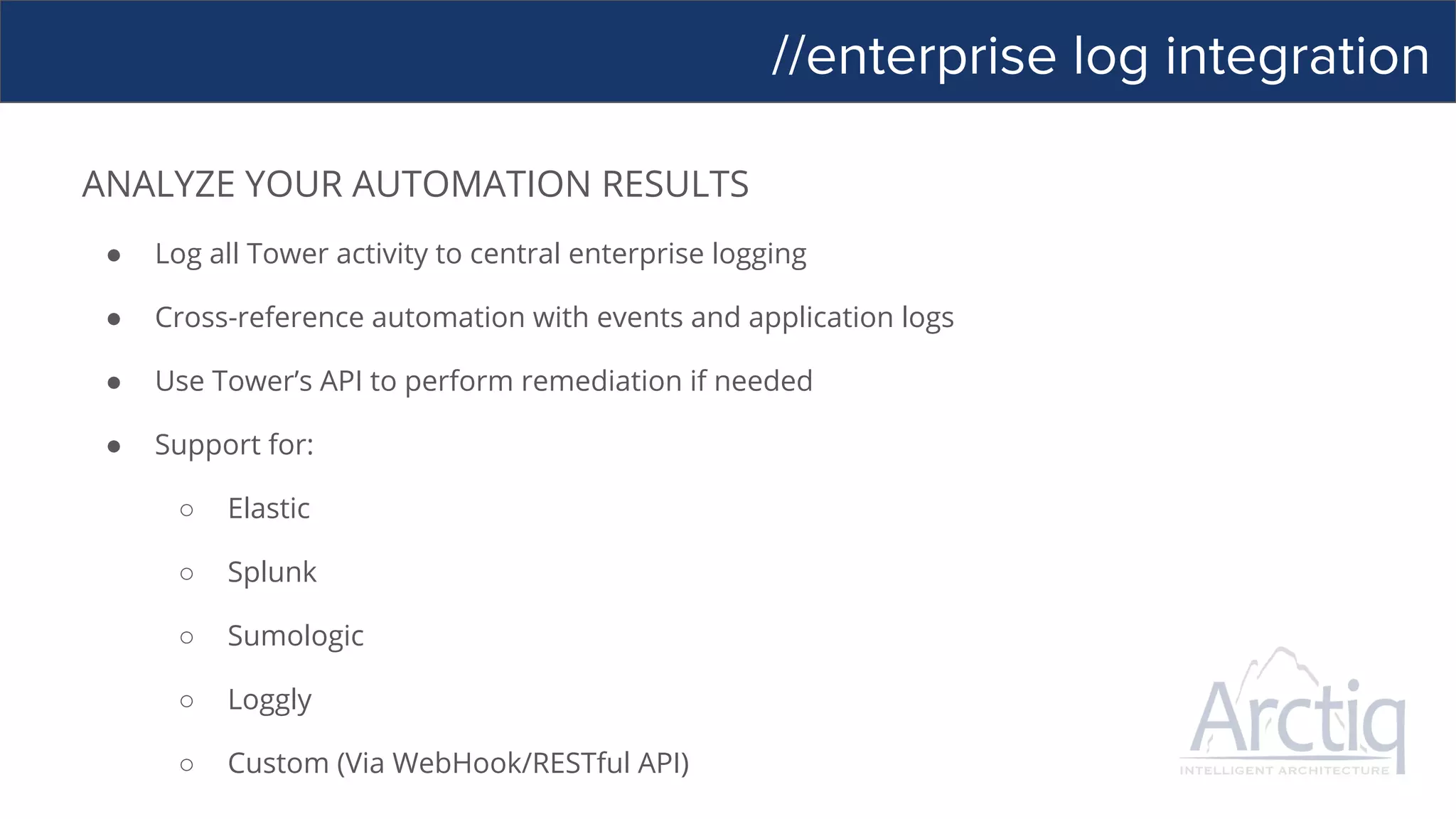
ANALYZE YOUR AUTOMATION RESULTS
● Log all Tower activity to central enterprise logging
● Cross-reference automation with events and application logs
● Use Tower’s API to perform remediation if needed
● Support for:
○ Elastic
○ Splunk
○ Sumologic
○ Loggly
○ Custom (Via WebHook/RESTful API)
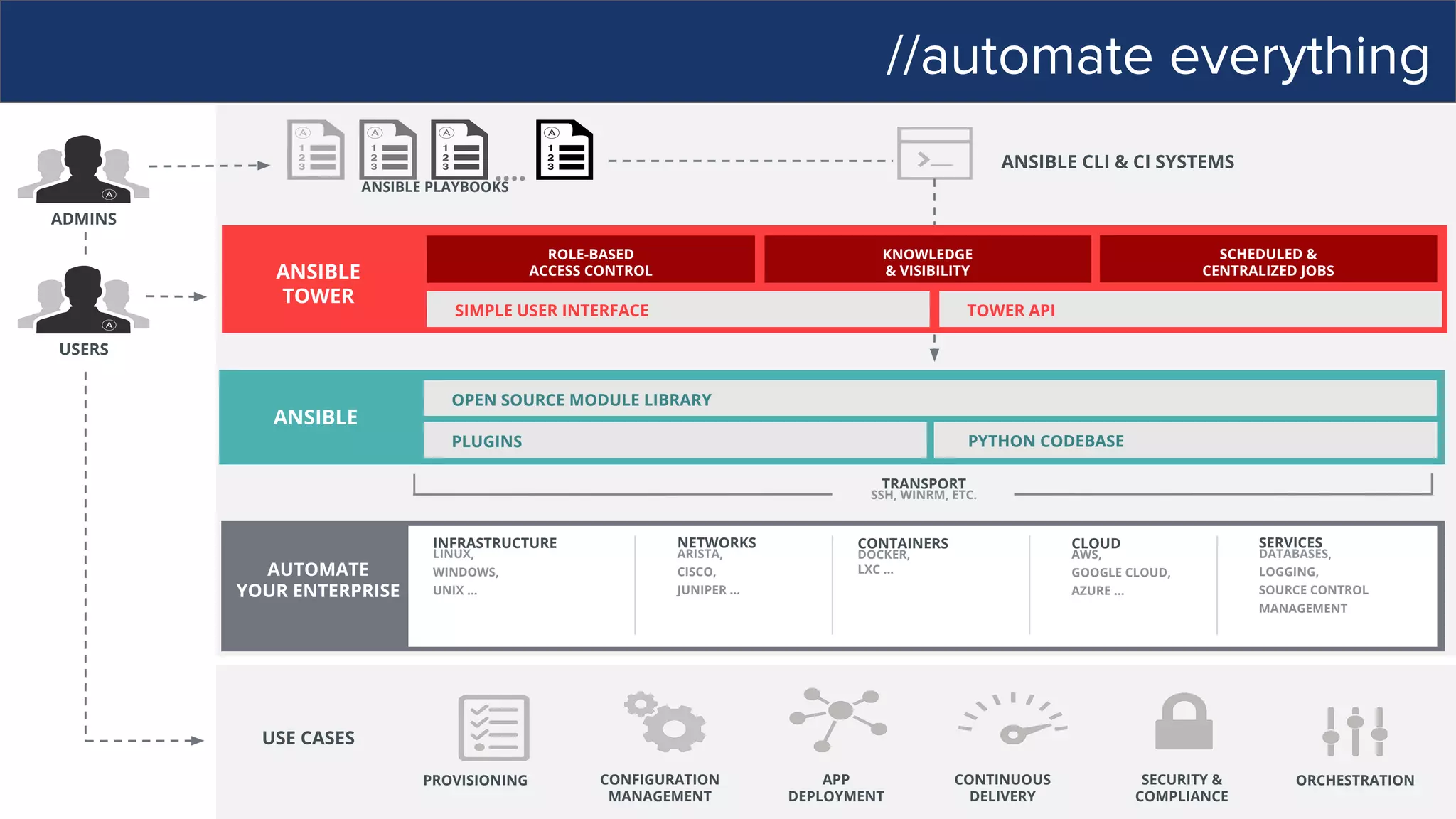
//automate everything
USE CASES
USERS
ANSIBLE
PYTHON CODEBASE
OPEN SOURCE MODULE LIBRARY
PLUGINS
CLOUD
AWS,
GOOGLE CLOUD,
AZURE …
INFRASTRUCTURE
LINUX,
WINDOWS,
UNIX …
NETWORKS
ARISTA,
CISCO,
JUNIPER …
CONTAINERS
DOCKER,
LXC …
SERVICES
DATABASES,
LOGGING,
SOURCE CONTROL
MANAGEMENT
TRANSPORT
SSH, WINRM, ETC.
AUTOMATE
YOUR ENTERPRISE
ADMINS
ANSIBLE CLI & CI SYSTEMS
ANSIBLE PLAYBOOKS
….
ANSIBLE
TOWER
SIMPLE USER INTERFACE TOWER API
ROLE-BASED
ACCESS CONTROL
KNOWLEDGE
& VISIBILITY
SCHEDULED &
CENTRALIZED JOBS
CONFIGURATION
MANAGEMENT
APP
DEPLOYMENT
CONTINUOUS
DELIVERY
SECURITY &
COMPLIANCE
ORCHESTRATIONPROVISIONING
//demo
//ansible and windows
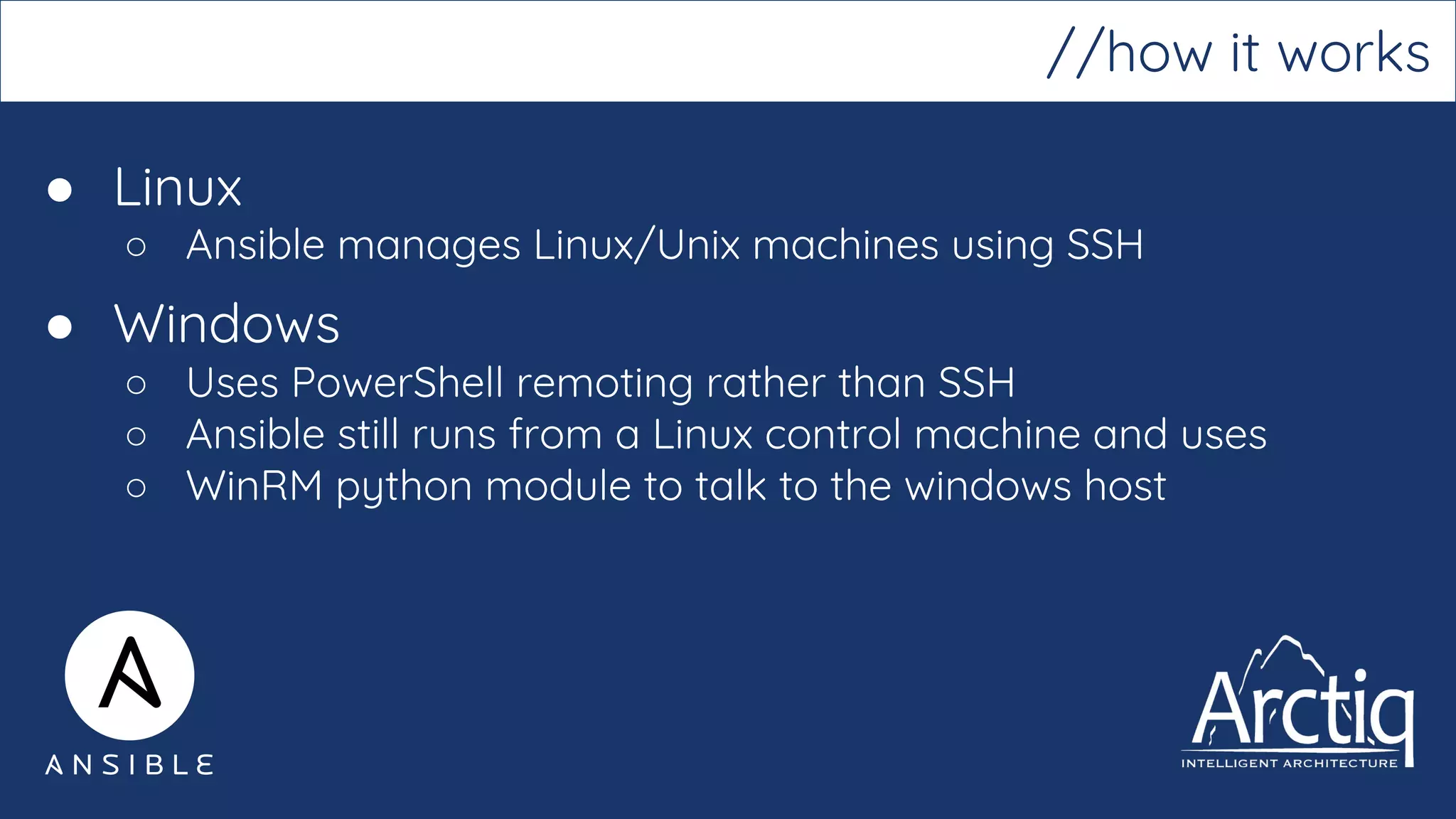
● Linux
○ Ansible manages Linux/Unix machines using SSH
● Windows
○ Uses PowerShell remoting rather than SSH
○ Ansible still runs from a Linux control machine and uses
○ WinRM python module to talk to the windows host
//how it works
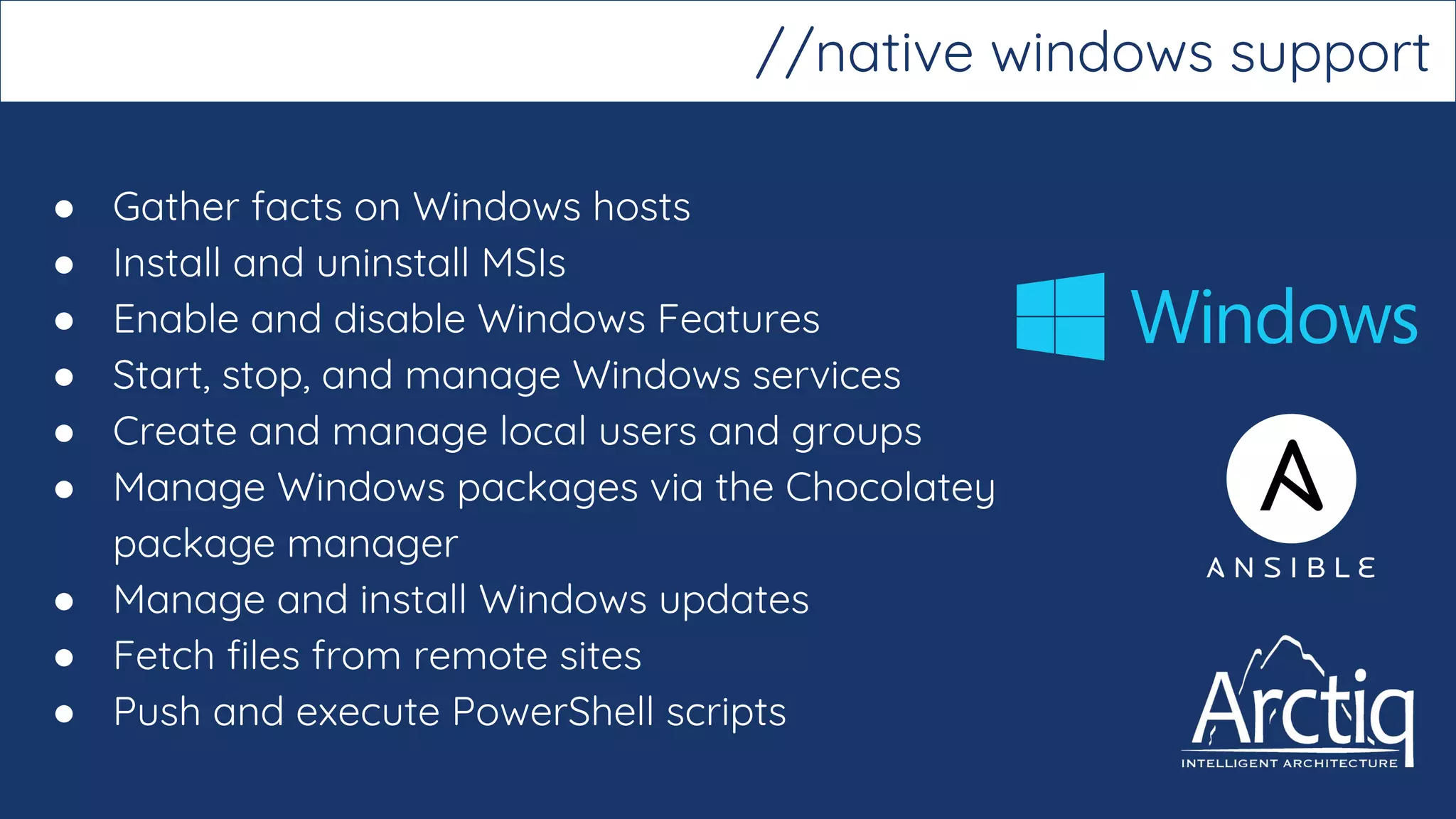
● Gather facts on Windows hosts
● Install and uninstall MSIs
● Enable and disable Windows Features
● Start, stop, and manage Windows services
● Create and manage local users and groups
● Manage Windows packages via the Chocolatey
package manager
● Manage and install Windows updates
● Fetch files from remote sites
● Push and execute PowerShell scripts
//native windows support
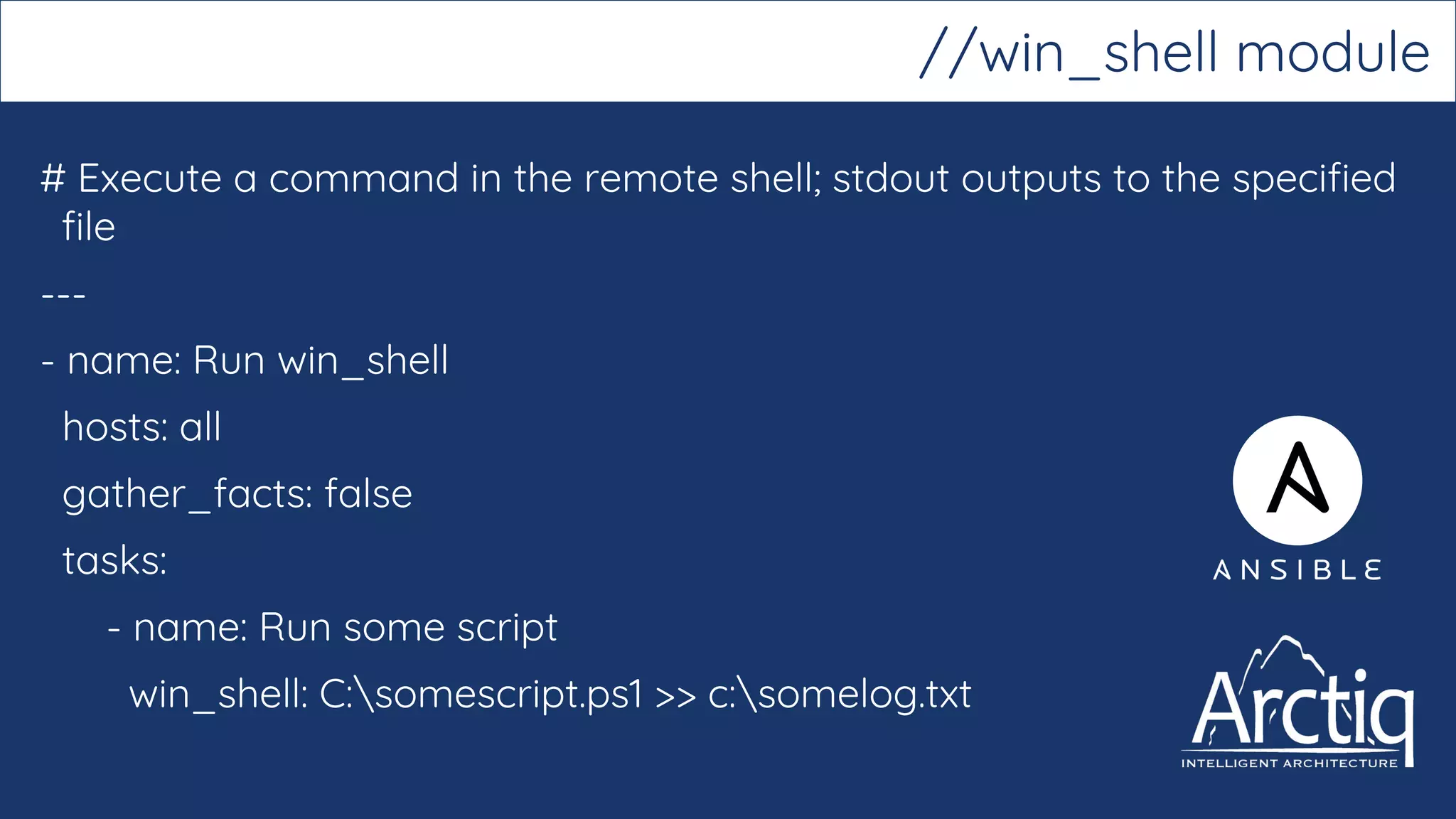
# Execute a command in the remote shell; stdout outputs to the specified
file
---
- name: Run win_shell
hosts: all
gather_facts: false
tasks:
- name: Run some script
win_shell: C:somescript.ps1 >> c:somelog.txt
//win_shell module
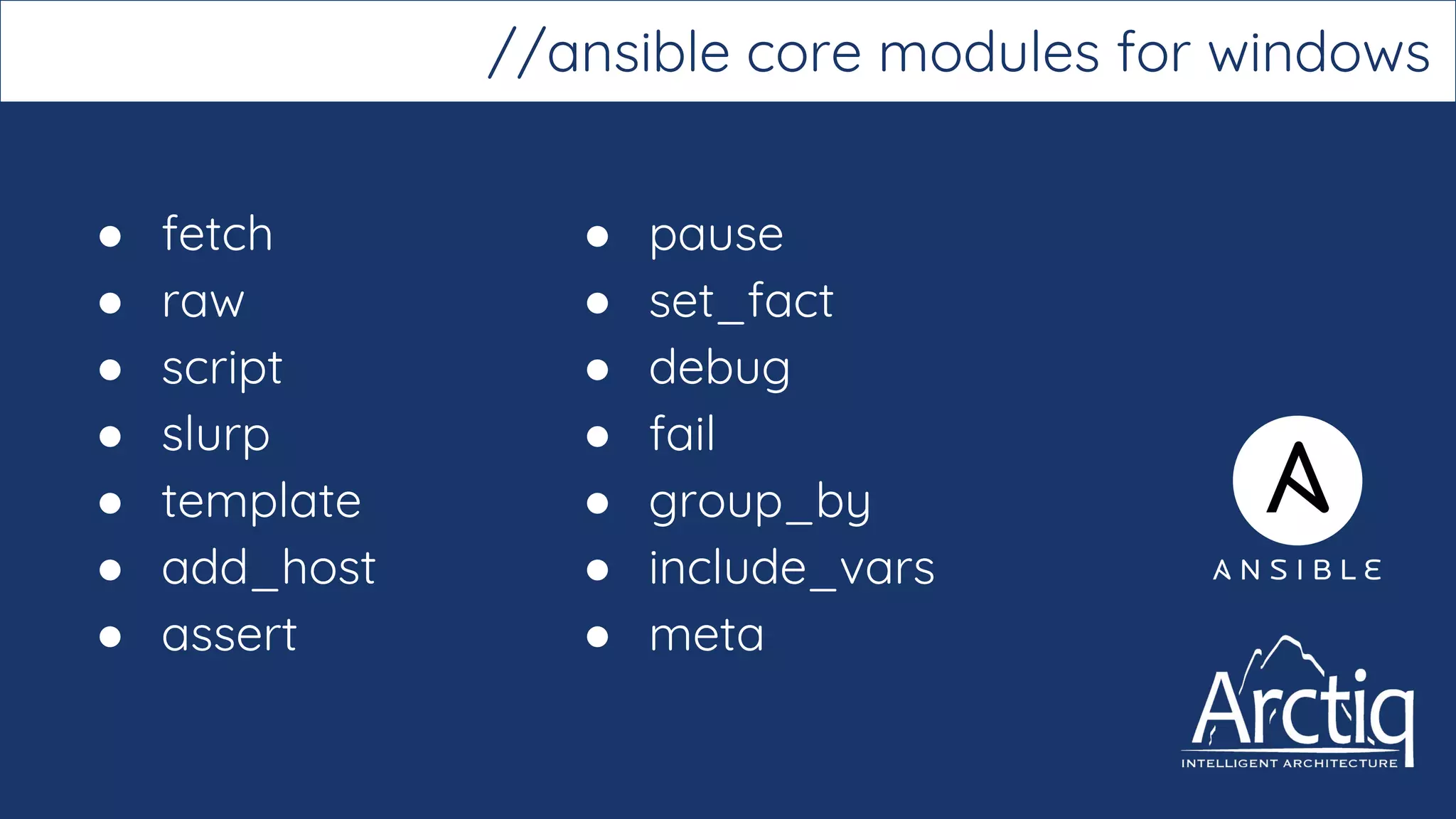
● fetch
● raw
● script
● slurp
● template
● add_host
● assert
//ansible core modules for windows
● pause
● set_fact
● debug
● fail
● group_by
● include_vars
● meta
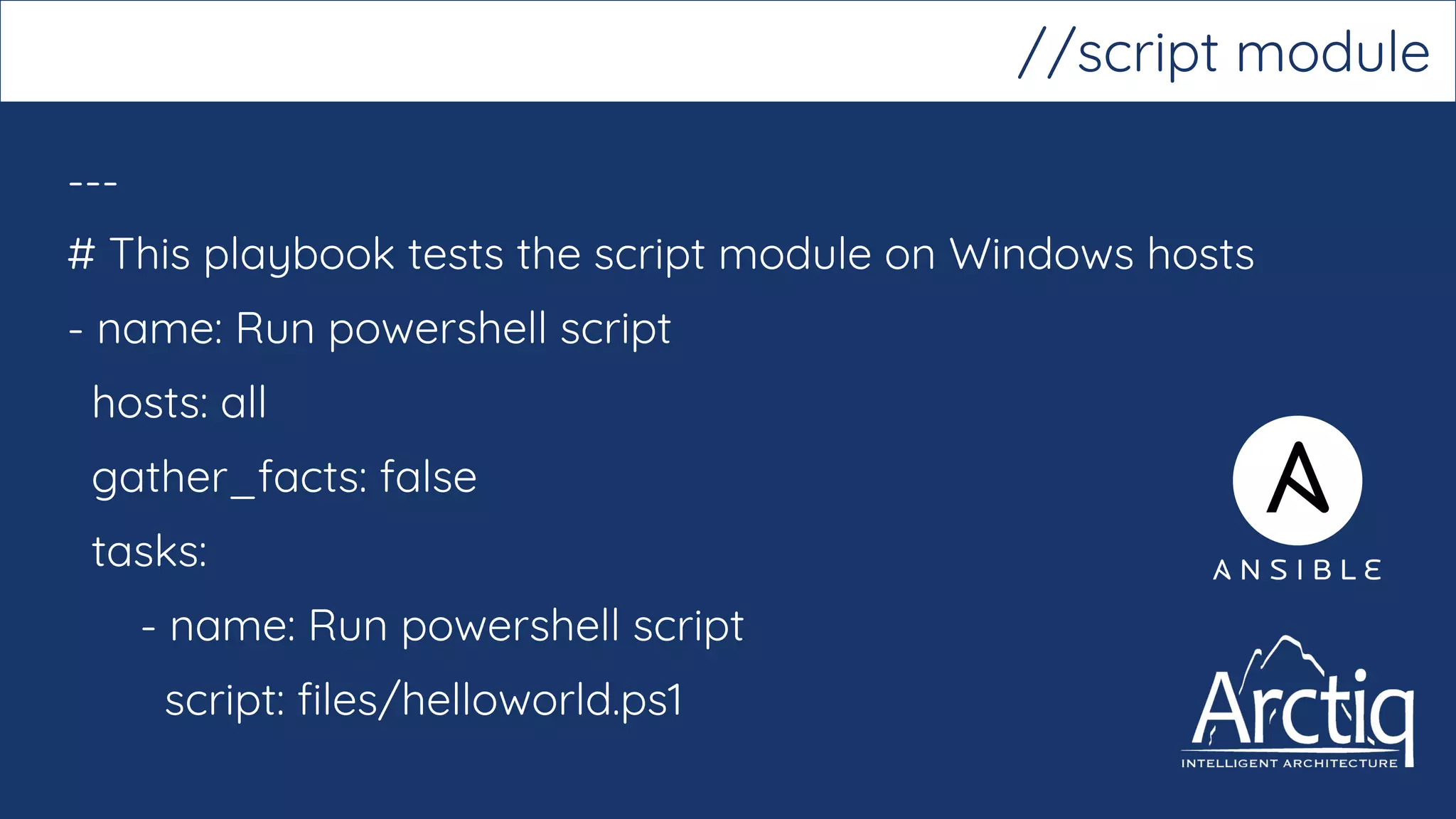
---
# This playbook tests the script module on Windows hosts
- name: Run powershell script
hosts: all
gather_facts: false
tasks:
- name: Run powershell script
script: files/helloworld.ps1
//script module
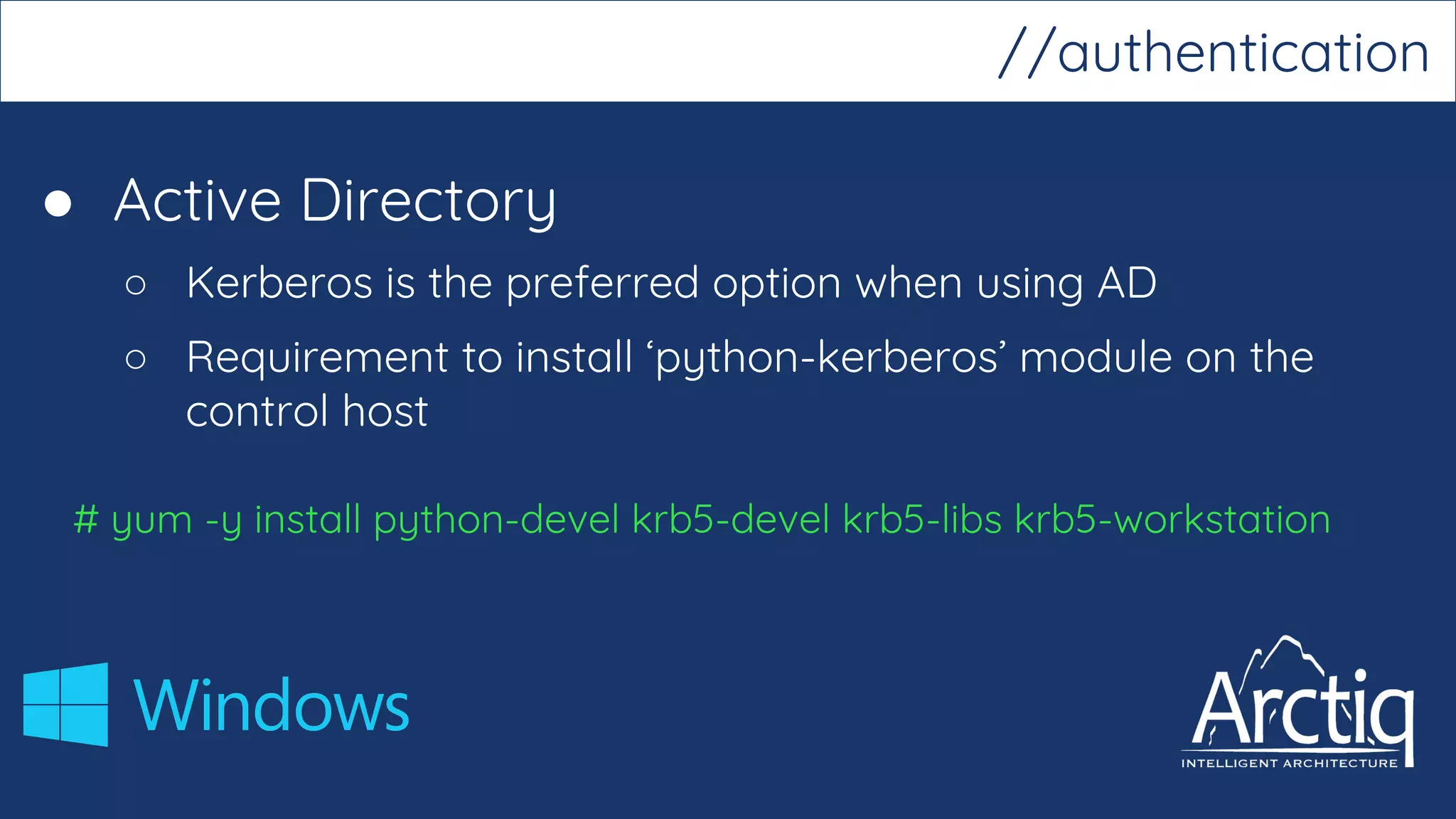
● Active Directory
○ Kerberos is the preferred option when using AD
○ Requirement to install ‘python-kerberos’ module on the
control host
# yum -y install python-devel krb5-devel krb5-libs krb5-workstation
//authentication
● Configure Kerberos
# vi /etc/krb5.conf
[realms]
MY.DOMAIN.COM = {
kdc = domain-controller1.my.domain.com
kdc = domain-controller2.my.domain.com
}
[domain_realm]
.my.domain.com = MY.DOMAIN.COM
//authentication
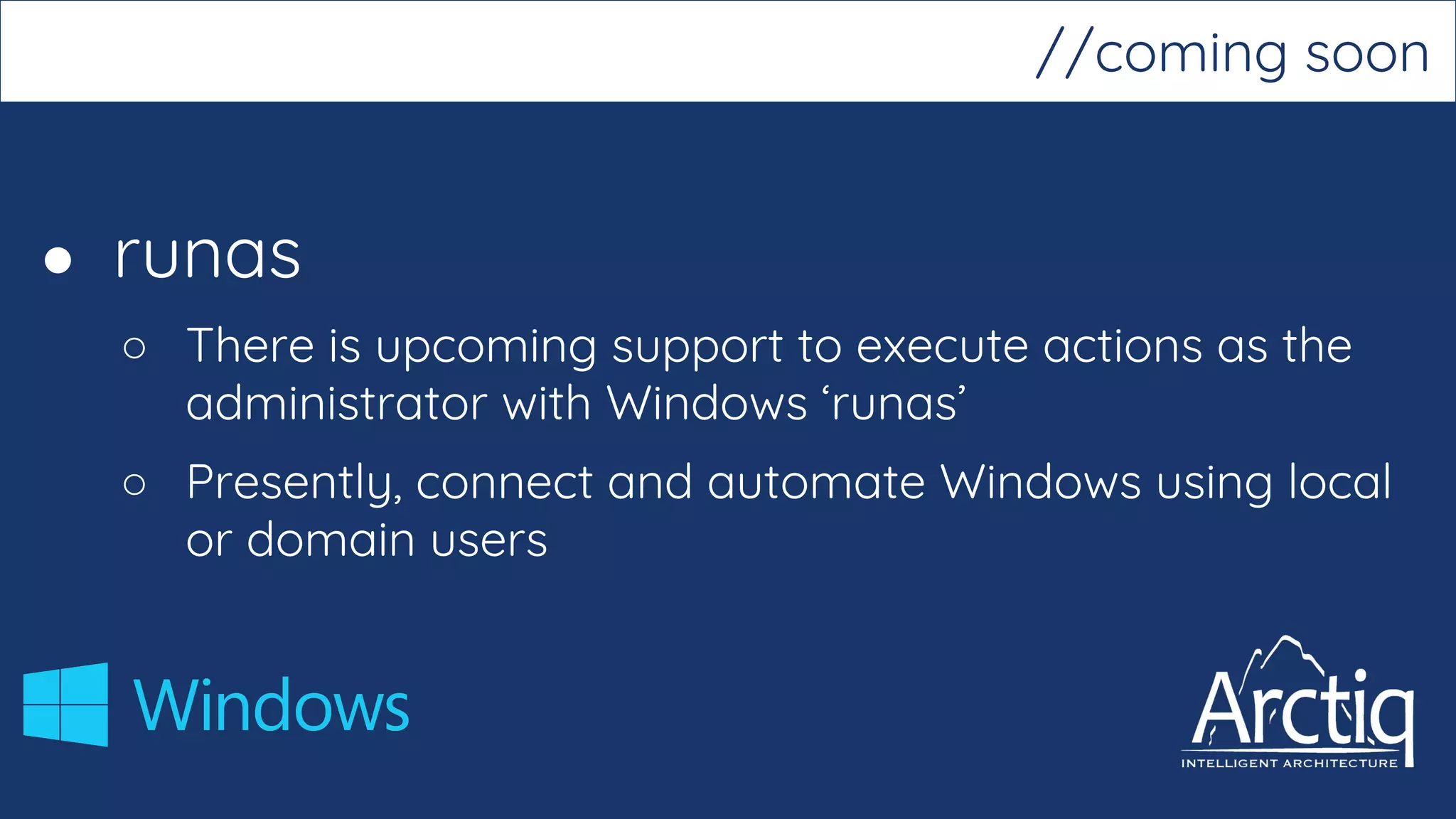
● runas
○ There is upcoming support to execute actions as the
administrator with Windows ‘runas’
○ Presently, connect and automate Windows using local
or domain users
//coming soon
//demo
//ansible for network
automation
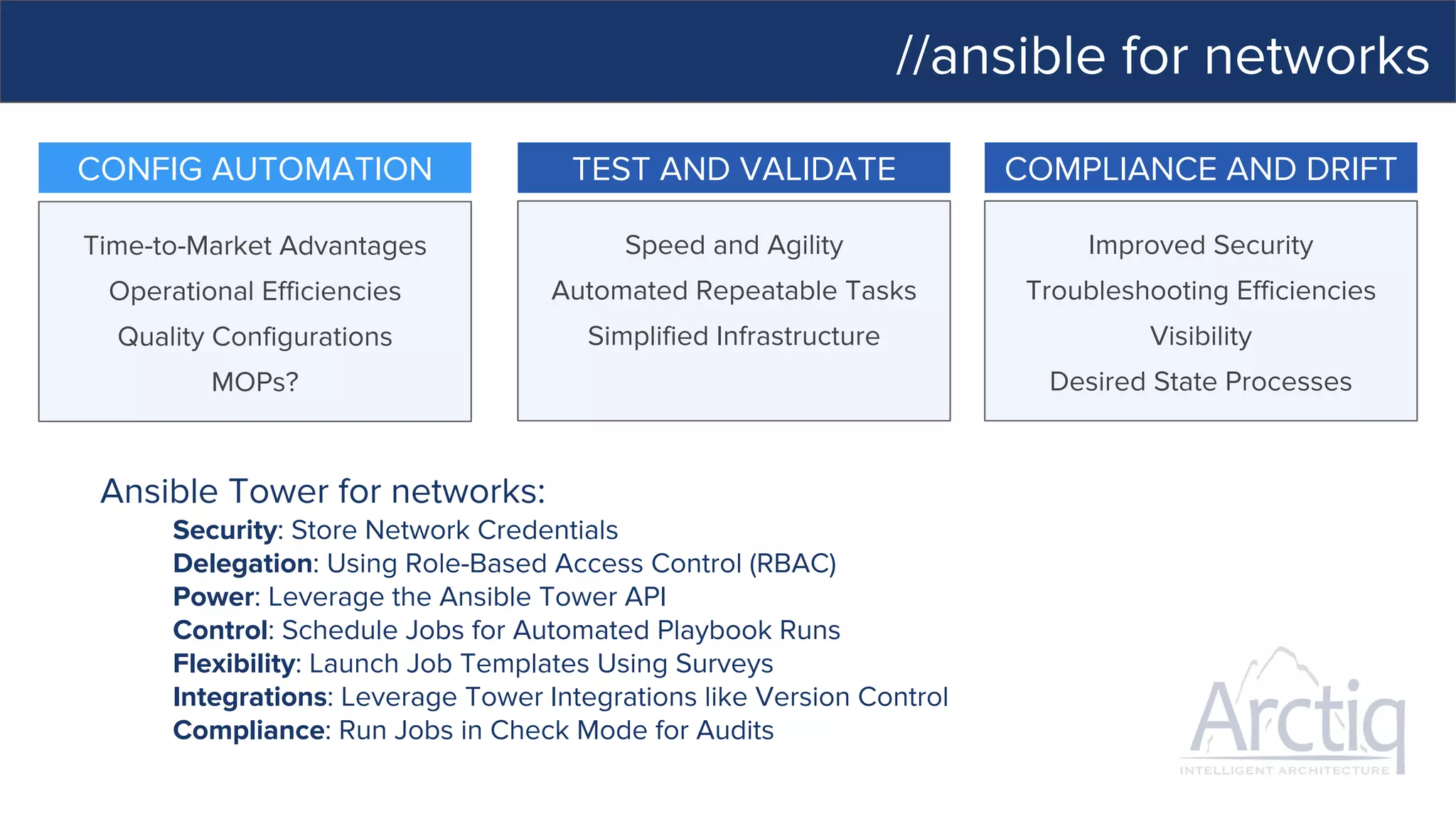
//ansible for networks
COMPLIANCE AND DRIFT
Improved Security
Troubleshooting Efficiencies
Visibility
Desired State Processes
CONFIG AUTOMATION
Time-to-Market Advantages
Operational Efficiencies
Quality Configurations
MOPs?
TEST AND VALIDATE
Speed and Agility
Automated Repeatable Tasks
Simplified Infrastructure
Ansible Tower for networks:
Security: Store Network Credentials
Delegation: Using Role-Based Access Control (RBAC)
Power: Leverage the Ansible Tower API
Control: Schedule Jobs for Automated Playbook Runs
Flexibility: Launch Job Templates Using Surveys
Integrations: Leverage Tower Integrations like Version Control
Compliance: Run Jobs in Check Mode for Audits
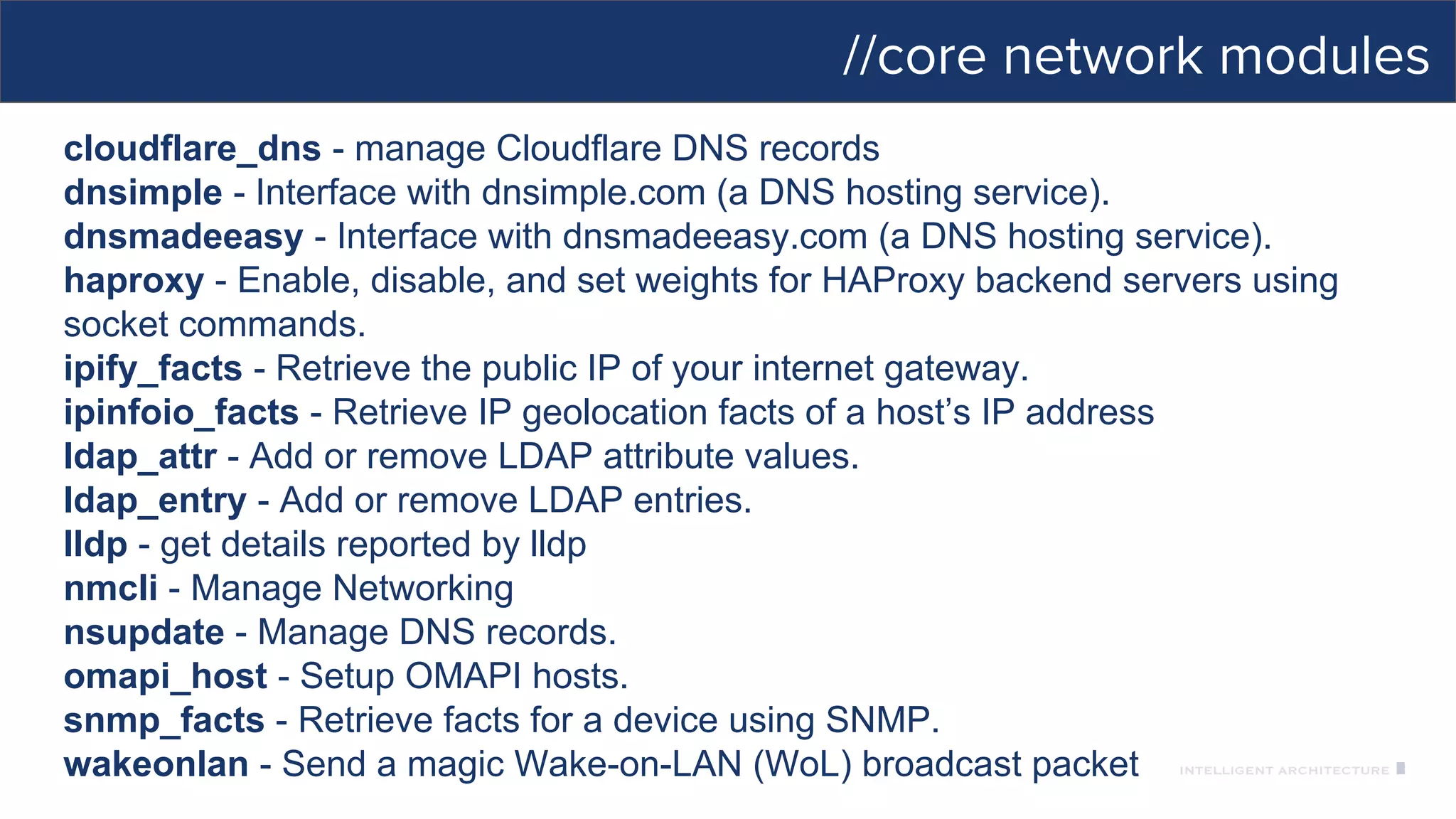
//core network modules
cloudflare_dns - manage Cloudflare DNS records
dnsimple - Interface with dnsimple.com (a DNS hosting service).
dnsmadeeasy - Interface with dnsmadeeasy.com (a DNS hosting service).
haproxy - Enable, disable, and set weights for HAProxy backend servers using
socket commands.
ipify_facts - Retrieve the public IP of your internet gateway.
ipinfoio_facts - Retrieve IP geolocation facts of a host’s IP address
ldap_attr - Add or remove LDAP attribute values.
ldap_entry - Add or remove LDAP entries.
lldp - get details reported by lldp
nmcli - Manage Networking
nsupdate - Manage DNS records.
omapi_host - Setup OMAPI hosts.
snmp_facts - Retrieve facts for a device using SNMP.
wakeonlan - Send a magic Wake-on-LAN (WoL) broadcast packet
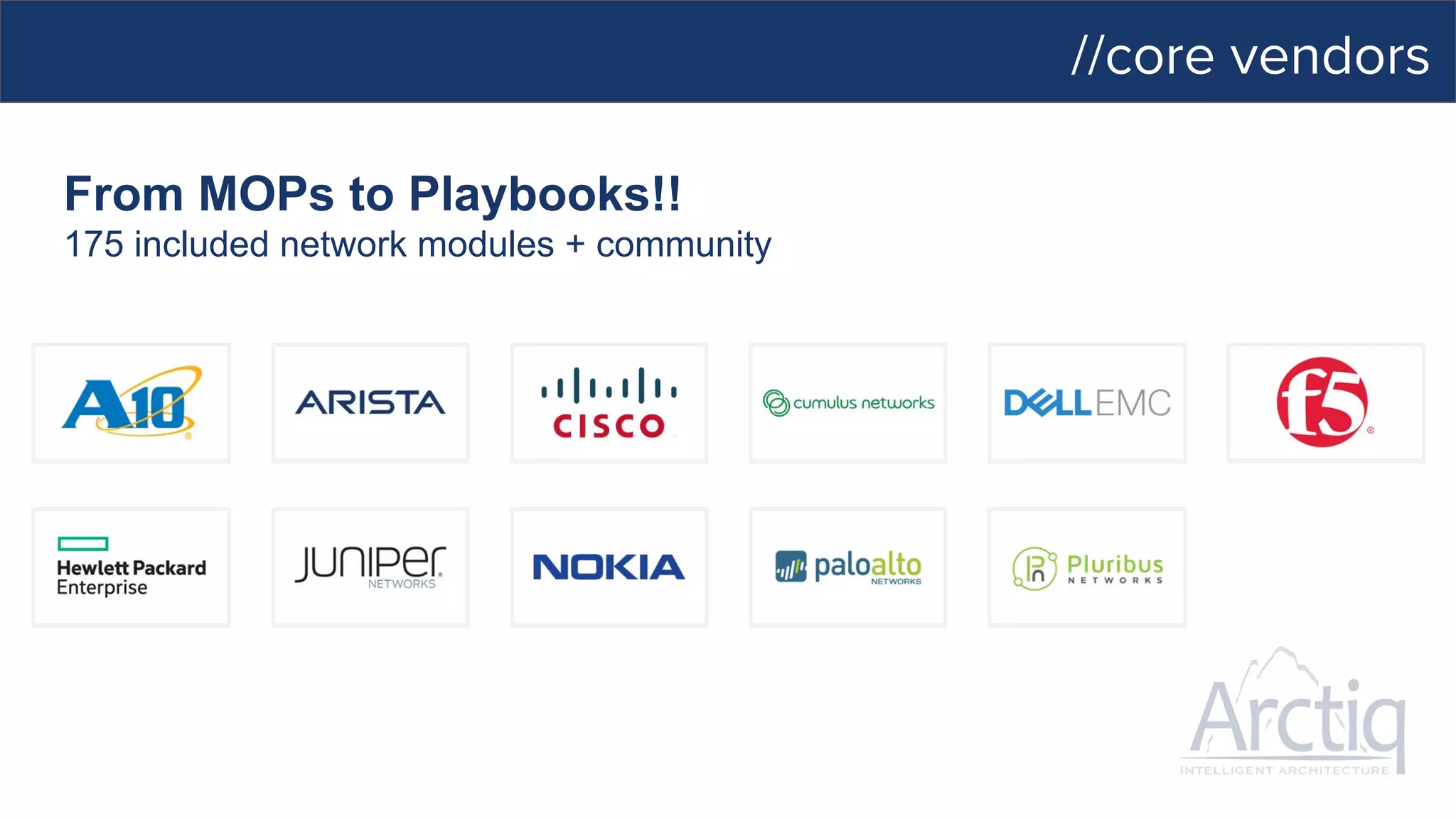
//core vendors
From MOPs to Playbooks!!
175 included network modules + community
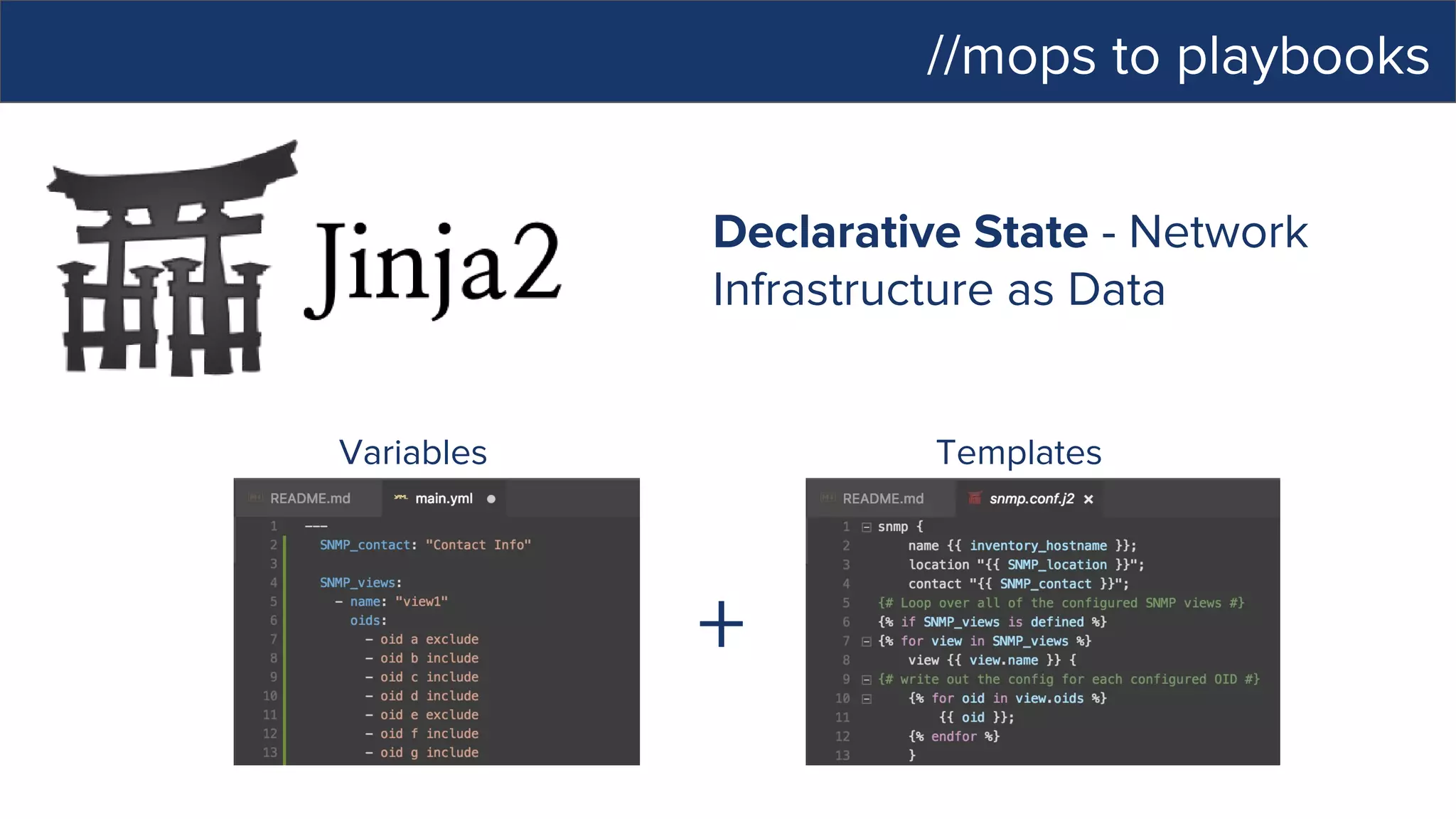
//mops to playbooks
Variables Templates
+
Declarative State - Network
Infrastructure as Data
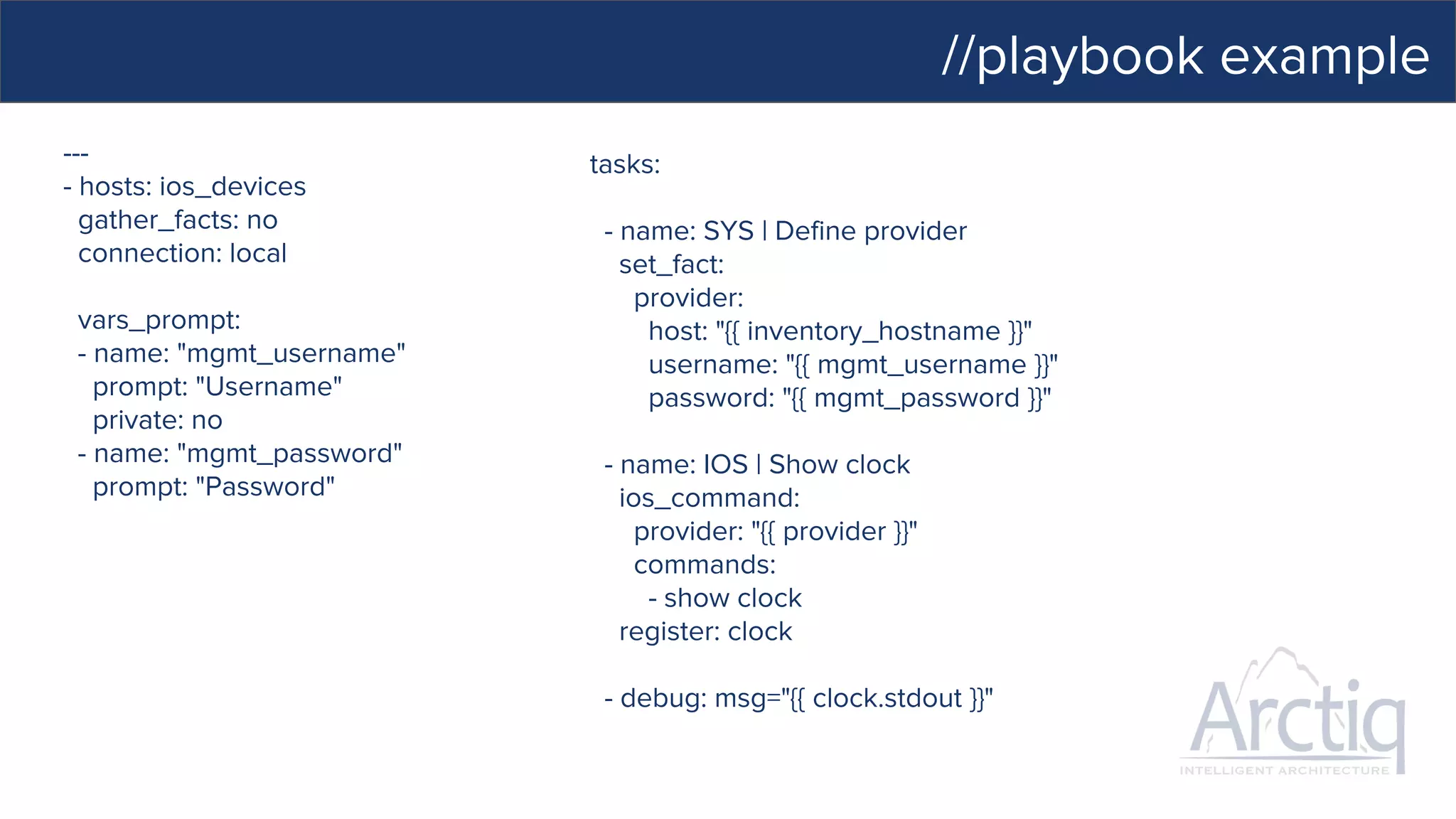
//playbook example
---
- hosts: ios_devices
gather_facts: no
connection: local
vars_prompt:
- name: "mgmt_username"
prompt: "Username"
private: no
- name: "mgmt_password"
prompt: "Password"
tasks:
- name: SYS | Define provider
set_fact:
provider:
host: "{{ inventory_hostname }}"
username: "{{ mgmt_username }}"
password: "{{ mgmt_password }}"
- name: IOS | Show clock
ios_command:
provider: "{{ provider }}"
commands:
- show clock
register: clock
- debug: msg="{{ clock.stdout }}"
//what’s next?
POCs
Upcoming Arctiq-run demos and Blogs
Use-case workshops and consulting
Training Workshops
We are HIRING
//take the first step - www.arctiq.ca

Ansible Automation to Rule Them All

  • 1.
    Ansible: Automation to Rule themALL! //live event Mar 1, 2017
  • 2.
    //today’s expedition Introductions Ansible -What is it? Orchestration/Integration Demo Ansible Tower Tower and Lifecycle Demo Ansible + Windows Ansible for Networks What’s Next?
  • 3.
  • 4.
    //arctiq’s focus -mvp and business value Trending, Visibility, and Feedback Loops Security Hardening and Access Management Automation and Orchestration Standardization, Hardened Imaging, Centralized Management, and Audit Reporting DEVELOPERS Self-Service Managed Container Platform Fail-Fast + Fix-Fast Mindset Freedom to Focus on Development THE BUSINESS Time-to-Market Advantages Operational Efficiencies Quality Software Speed and Agility IT OPERATIONS Standardized Frameworks Automated Repeatable Tasks Simplified Infrastructure Improved Security
  • 5.
    //ansible automation MODERNIZE DEVOPS MIGRATE Automate existing processes Managelegacy like DevOps Model everything Deploy continuously Define applications once Re-deploy anywhere
  • 6.
    //ansible for everyone SIMPLEPOWERFUL AGENTLESS App deployment Configuration management Workflow orchestration Orchestrate the app lifecycle Human readable automation No special coding skills needed Tasks executed in order Get productive quickly Agentless architecture Uses OpenSSH & WinRM No agents to exploit or update More efficient & more secure
  • 7.
    //how ansible works ANSIBLE’SAUTOMATION ENGINE ANSIBLE PLAYBOOK PUBLIC / PRIVATE CLOUD CMDB USERS INVENTORY HOSTS NETWORKING PLUGINS API MODULES
  • 8.
    //how ansible works PUBLIC/ PRIVATE CLOUD CMDB USERS INVENTORY HOSTS NETWORKING PLUGINS API MODULES ANSIBLE’S AUTOMATION ENGINE ANSIBLE PLAYBOOK PLAYBOOKS ARE WRITTEN IN YAML Tasks are executed sequentially Invokes Ansible modules
  • 9.
    //how ansible works PUBLIC/ PRIVATE CLOUD CMDB USERS INVENTORY HOSTS NETWORKING PLUGINS API ANSIBLE’S AUTOMATION ENGINE ANSIBLE PLAYBOOK MODULES MODULES ARE “TOOLS IN THE TOOLKIT” Python, Powershell, or any language Extend Ansible simplicity to entire stack
  • 10.
    //how ansible works ANSIBLE’SAUTOMATION ENGINE ANSIBLE PLAYBOOK PUBLIC / PRIVATE CLOUD CMDB USERS HOSTS NETWORKING PLUGINS API MODULES INVENTORY [web] webserver1.example.com webserver2.example.com [db] dbserver1.example.com
  • 11.
    //how ansible works ANSIBLE’SAUTOMATION ENGINE ANSIBLE PLAYBOOK PUBLIC / PRIVATE CLOUD USERS INVENTORY HOSTS NETWORKING PLUGINS API MODULES CMDB CLOUD: OpenStack, VMware, EC2, Rackspace, GCE, Azure, Spacewalk, Hanlon, Cobbler CUSTOM CMDB
  • 12.
    //playbook example --- - name:install and start apache hosts: all vars: http_port: 80 max_clients: 200 remote_user: root tasks: - name: install httpd yum: pkg=httpd state=latest - name: write the apache config file template: src=/srv/httpd.j2 dest=/etc/httpd.conf - name: start httpd service: name=httpd state=running
  • 13.
    //playbook example --- - name:install and start apache hosts: all vars: http_port: 80 max_clients: 200 remote_user: root tasks: - name: install httpd yum: pkg=httpd state=latest - name: write the apache config file template: src=/srv/httpd.j2 dest=/etc/httpd.conf - name: start httpd service: name=httpd state=running
  • 14.
    //playbook example --- - name:install and start apache hosts: all vars: http_port: 80 max_clients: 200 remote_user: root tasks: - name: install httpd yum: pkg=httpd state=latest - name: write the apache config file template: src=/srv/httpd.j2 dest=/etc/httpd.conf - name: start httpd service: name=httpd state=running
  • 15.
    //playbook example --- - name:install and start apache hosts: all vars: http_port: 80 max_clients: 200 remote_user: root tasks: - name: install httpd yum: pkg=httpd state=latest - name: write the apache config file template: src=/srv/httpd.j2 dest=/etc/httpd.conf - name: start httpd service: name=httpd state=running
  • 16.
    //playbook example --- - name:install and start apache hosts: all vars: http_port: 80 max_clients: 200 remote_user: root tasks: - name: install httpd yum: pkg=httpd state=latest - name: write the apache config file template: src=/srv/httpd.j2 dest=/etc/httpd.conf - name: start httpd service: name=httpd state=running
  • 17.
    //playbook example --- - name:install and start apache hosts: all vars: http_port: 80 max_clients: 200 remote_user: root tasks: - name: install httpd yum: pkg=httpd state=latest - name: write the apache config file template: src=/srv/httpd.j2 dest=/etc/httpd.conf - name: start httpd service: name=httpd state=running
  • 18.
  • 19.
    //automation for everyone… what’s new in Tower 3.1?
  • 20.
    //ansible tower CONTROL SIMPLE POWERFULAGENTLESS KNOWLEDGE DELEGATION TOWER EXPANDS AUTOMATION TO YOUR ENTERPRISE. AT ANSIBLE’S CORE IS AN OPEN-SOURCE AUTOMATION ENGINE. Scheduled and centralized jobs Visibility and compliance Role-based access and self-service Everyone speaks the same language Designed for Multi-tier deployments Predictable, reliable, and secure
  • 21.
    //what is ansibletower? Ansible tower is an enterprise framework for controlling, securing and managing your Ansible automation – with a UI and RESTful API. • Role-based access control keeps environments secure, and teams efficient. • Non-privileged users can safely deploy entire applications with push-button deployment access. • All Ansible automations are centrally logged, ensuring complete auditability and compliance.
  • 22.
    //control your ansibledeployment SITUATIONAL AWARENESS IS THE KEY TO DEVOPS ● Dashboard and real-time automation updates ● Integrated RBAC with credential management ● Job scheduling ● Graphical inventory management ● Built-in notifications to keep teams informed ● Stabilized API to plumb into existing tooling and processes ● Model entire processes with new Workflows
  • 23.
    //tower workflows MIX ANDRE-USE AUTOMATIONS WITHOUT WRITING A PLAYBOOK ● Combine any number of Playbooks into a Workflow ● Delegate access just like any other Tower automation ● Launchable with customizable parameters ● Easily build in-app workflows Provision Configure Deploy Scale Build Test Promote Verify Deploy
  • 25.
    //delegation EMPOWER YOUR TEAMSINSIDE AND OUTSIDE OF OPERATIONS ● Connect to your LDAP, AD, SAML and other directories ● Full role-based access control engine ● Store credentials for use without exposure ● Enable users to automate without previous Ansible knowledge ● Find relevant information more quickly with new Smart Search ● Simple surveys configure automation at run-time ● REST API allows integration into your existing processes and tools ● Add capacity with new Tower Clusters
  • 26.
    //tower clusters ADD TOWERCAPACITY AND REDUNDANCY WITH EASE ● Add new Tower nodes to scale out Tower job capacity ● Tower node fails? No problem ● Individual Tower jobs will run on any node with available capacity ○ Jobs are not spanned across multiple Tower nodes ● Cluster stays in sync with in-Tower configuration
  • 27.
    //enterprise log integration ANALYZEYOUR AUTOMATION RESULTS ● Log all Tower activity to central enterprise logging ● Cross-reference automation with events and application logs ● Use Tower’s API to perform remediation if needed ● Support for: ○ Elastic ○ Splunk ○ Sumologic ○ Loggly ○ Custom (Via WebHook/RESTful API)
  • 28.
    //automate everything USE CASES USERS ANSIBLE PYTHONCODEBASE OPEN SOURCE MODULE LIBRARY PLUGINS CLOUD AWS, GOOGLE CLOUD, AZURE … INFRASTRUCTURE LINUX, WINDOWS, UNIX … NETWORKS ARISTA, CISCO, JUNIPER … CONTAINERS DOCKER, LXC … SERVICES DATABASES, LOGGING, SOURCE CONTROL MANAGEMENT TRANSPORT SSH, WINRM, ETC. AUTOMATE YOUR ENTERPRISE ADMINS ANSIBLE CLI & CI SYSTEMS ANSIBLE PLAYBOOKS …. ANSIBLE TOWER SIMPLE USER INTERFACE TOWER API ROLE-BASED ACCESS CONTROL KNOWLEDGE & VISIBILITY SCHEDULED & CENTRALIZED JOBS CONFIGURATION MANAGEMENT APP DEPLOYMENT CONTINUOUS DELIVERY SECURITY & COMPLIANCE ORCHESTRATIONPROVISIONING
  • 29.
  • 30.
  • 31.
    ● Linux ○ Ansiblemanages Linux/Unix machines using SSH ● Windows ○ Uses PowerShell remoting rather than SSH ○ Ansible still runs from a Linux control machine and uses ○ WinRM python module to talk to the windows host //how it works
  • 32.
    ● Gather factson Windows hosts ● Install and uninstall MSIs ● Enable and disable Windows Features ● Start, stop, and manage Windows services ● Create and manage local users and groups ● Manage Windows packages via the Chocolatey package manager ● Manage and install Windows updates ● Fetch files from remote sites ● Push and execute PowerShell scripts //native windows support
  • 33.
    # Execute acommand in the remote shell; stdout outputs to the specified file --- - name: Run win_shell hosts: all gather_facts: false tasks: - name: Run some script win_shell: C:somescript.ps1 >> c:somelog.txt //win_shell module
  • 34.
    ● fetch ● raw ●script ● slurp ● template ● add_host ● assert //ansible core modules for windows ● pause ● set_fact ● debug ● fail ● group_by ● include_vars ● meta
  • 35.
    --- # This playbooktests the script module on Windows hosts - name: Run powershell script hosts: all gather_facts: false tasks: - name: Run powershell script script: files/helloworld.ps1 //script module
  • 36.
    ● Active Directory ○Kerberos is the preferred option when using AD ○ Requirement to install ‘python-kerberos’ module on the control host # yum -y install python-devel krb5-devel krb5-libs krb5-workstation //authentication
  • 37.
    ● Configure Kerberos #vi /etc/krb5.conf [realms] MY.DOMAIN.COM = { kdc = domain-controller1.my.domain.com kdc = domain-controller2.my.domain.com } [domain_realm] .my.domain.com = MY.DOMAIN.COM //authentication
  • 38.
    ● runas ○ Thereis upcoming support to execute actions as the administrator with Windows ‘runas’ ○ Presently, connect and automate Windows using local or domain users //coming soon
  • 39.
  • 40.
  • 41.
    //ansible for networks COMPLIANCEAND DRIFT Improved Security Troubleshooting Efficiencies Visibility Desired State Processes CONFIG AUTOMATION Time-to-Market Advantages Operational Efficiencies Quality Configurations MOPs? TEST AND VALIDATE Speed and Agility Automated Repeatable Tasks Simplified Infrastructure Ansible Tower for networks: Security: Store Network Credentials Delegation: Using Role-Based Access Control (RBAC) Power: Leverage the Ansible Tower API Control: Schedule Jobs for Automated Playbook Runs Flexibility: Launch Job Templates Using Surveys Integrations: Leverage Tower Integrations like Version Control Compliance: Run Jobs in Check Mode for Audits
  • 42.
    //core network modules cloudflare_dns- manage Cloudflare DNS records dnsimple - Interface with dnsimple.com (a DNS hosting service). dnsmadeeasy - Interface with dnsmadeeasy.com (a DNS hosting service). haproxy - Enable, disable, and set weights for HAProxy backend servers using socket commands. ipify_facts - Retrieve the public IP of your internet gateway. ipinfoio_facts - Retrieve IP geolocation facts of a host’s IP address ldap_attr - Add or remove LDAP attribute values. ldap_entry - Add or remove LDAP entries. lldp - get details reported by lldp nmcli - Manage Networking nsupdate - Manage DNS records. omapi_host - Setup OMAPI hosts. snmp_facts - Retrieve facts for a device using SNMP. wakeonlan - Send a magic Wake-on-LAN (WoL) broadcast packet
  • 43.
    //core vendors From MOPsto Playbooks!! 175 included network modules + community
  • 44.
    //mops to playbooks VariablesTemplates + Declarative State - Network Infrastructure as Data
  • 45.
    //playbook example --- - hosts:ios_devices gather_facts: no connection: local vars_prompt: - name: "mgmt_username" prompt: "Username" private: no - name: "mgmt_password" prompt: "Password" tasks: - name: SYS | Define provider set_fact: provider: host: "{{ inventory_hostname }}" username: "{{ mgmt_username }}" password: "{{ mgmt_password }}" - name: IOS | Show clock ios_command: provider: "{{ provider }}" commands: - show clock register: clock - debug: msg="{{ clock.stdout }}"
  • 46.
    //what’s next? POCs Upcoming Arctiq-rundemos and Blogs Use-case workshops and consulting Training Workshops We are HIRING //take the first step - www.arctiq.ca