



Intro to Ansible
Dharmit Shah
@dharm1t
Who am I?
➔Co-organizer of Ansible Ahmedabad & Docker Ahmedabad
➔Software Engineer @ Red Hat
➔Work on Ansible, CentOS, Docker, Vagrant, Jenkins, etc.
➔I ❤ automation
Agenda
➔What’s the problem?
➔What is Ansible?
➔How does Ansible try to solve it?
➔How is it different from tools in same domain?
➔How to install and use it?
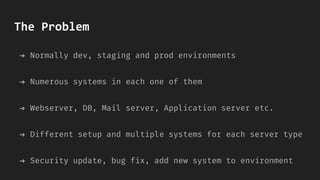
The Problem
➔ Normally dev, staging and prod environments
➔ Numerous systems in each one of them
➔ Webserver, DB, Mail server, Application server etc.
➔ Different setup and multiple systems for each server type
➔ Security update, bug fix, add new system to environment
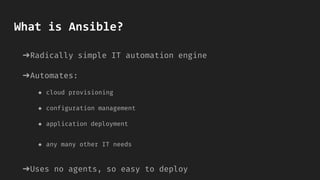
What is Ansible?
➔Radically simple IT automation engine
➔Automates:
◆ cloud provisioning
◆ configuration management
◆ application deployment
◆ any many other IT needs
➔Uses no agents, so easy to deploy
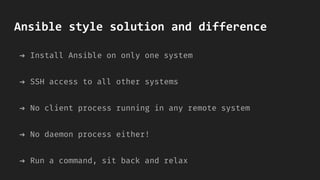
Ansible style solution and difference
➔ Install Ansible on only one system
➔ SSH access to all other systems
➔ No client process running in any remote system
➔ No daemon process either!
➔ Run a command, sit back and relax
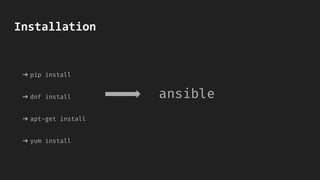
Installation
➔ pip install
➔ dnf install
➔ apt-get install
➔ yum install
ansible
Using Ansible
➔Modify /etc/ansible/hosts (aka Inventory file)
➔Put one or more remote systems in the file
➔Public SSH key must exist in authorized_keys on that
system
➔Run ansible; it’s that easy!
➔Modules for almost all OSes
➔Supports Docker, Kubernetes, AWS, Azure, Google Cloud,
OpenStack, Rackspace, VMware
➔ansible-vault to store secrets
➔Blue-Green deployment
Features
DEMO
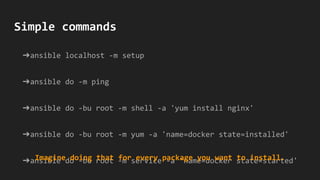
➔ansible localhost -m setup
➔ansible do -m ping
➔ansible do -bu root -m shell -a 'yum install nginx'
➔ansible do -bu root -m yum -a 'name=docker state=installed'
➔ansible do -bu root -m service -a 'name=docker state=started'
Simple commands
Imagine doing that for every package you want to install.
Ansible Playbooks
➔Configuration, deployment and orchestration language
➔Manage configurations and deployments of remote sys
➔Rolling updates, delegate to other host, interact with
monitoring servers and load balancers!
➔Still human readable!
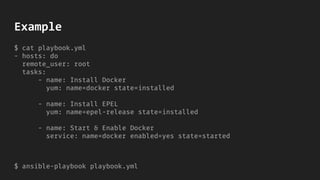
Example
$ cat playbook.yml
- hosts: do
remote_user: root
tasks:
- name: Install Docker
yum: name=docker state=installed
- name: Install EPEL
yum: name=epel-release state=installed
- name: Start & Enable Docker
service: name=docker enabled=yes state=started
$ ansible-playbook playbook.yml
Thank you!

Introduction to ansible

  • 1.
  • 2.
    Who am I? ➔Co-organizerof Ansible Ahmedabad & Docker Ahmedabad ➔Software Engineer @ Red Hat ➔Work on Ansible, CentOS, Docker, Vagrant, Jenkins, etc. ➔I ❤ automation
  • 3.
    Agenda ➔What’s the problem? ➔Whatis Ansible? ➔How does Ansible try to solve it? ➔How is it different from tools in same domain? ➔How to install and use it?
  • 4.
    The Problem ➔ Normallydev, staging and prod environments ➔ Numerous systems in each one of them ➔ Webserver, DB, Mail server, Application server etc. ➔ Different setup and multiple systems for each server type ➔ Security update, bug fix, add new system to environment
  • 6.
    What is Ansible? ➔Radicallysimple IT automation engine ➔Automates: ◆ cloud provisioning ◆ configuration management ◆ application deployment ◆ any many other IT needs ➔Uses no agents, so easy to deploy
  • 7.
    Ansible style solutionand difference ➔ Install Ansible on only one system ➔ SSH access to all other systems ➔ No client process running in any remote system ➔ No daemon process either! ➔ Run a command, sit back and relax
  • 8.
    Installation ➔ pip install ➔dnf install ➔ apt-get install ➔ yum install ansible
  • 9.
    Using Ansible ➔Modify /etc/ansible/hosts(aka Inventory file) ➔Put one or more remote systems in the file ➔Public SSH key must exist in authorized_keys on that system ➔Run ansible; it’s that easy!
  • 10.
    ➔Modules for almostall OSes ➔Supports Docker, Kubernetes, AWS, Azure, Google Cloud, OpenStack, Rackspace, VMware ➔ansible-vault to store secrets ➔Blue-Green deployment Features
  • 11.
  • 12.
    ➔ansible localhost -msetup ➔ansible do -m ping ➔ansible do -bu root -m shell -a 'yum install nginx' ➔ansible do -bu root -m yum -a 'name=docker state=installed' ➔ansible do -bu root -m service -a 'name=docker state=started' Simple commands Imagine doing that for every package you want to install.
  • 14.
    Ansible Playbooks ➔Configuration, deploymentand orchestration language ➔Manage configurations and deployments of remote sys ➔Rolling updates, delegate to other host, interact with monitoring servers and load balancers! ➔Still human readable!
  • 15.
    Example $ cat playbook.yml -hosts: do remote_user: root tasks: - name: Install Docker yum: name=docker state=installed - name: Install EPEL yum: name=epel-release state=installed - name: Start & Enable Docker service: name=docker enabled=yes state=started $ ansible-playbook playbook.yml
  • 16.