Android	
  Essen+al	
  Tools	
  
      Version	
  2012-­‐08-­‐19	
  (Android	
  4.1)	
  

            Jussi	
  Pohjolainen	
  
Tampere	
  University	
  of	
  Applied	
  Sciences	
  
Essen+al	
  Tools	
  
•  android
     –  To	
  create/update	
  Android	
  projects	
  and	
  modify	
  Android	
  
        Virtual	
  Devices	
  
•  Android	
  Emulator	
  
     –  To	
  run	
  your	
  app	
  
•  adb	
  (Android	
  Debug	
  Bridge)	
  
     –  Interface	
  between	
  emulator	
  or	
  device.	
  Install	
  apps,	
  shell	
  
        the	
  device,	
  issue	
  commands	
  
•  Ant	
  
     –  To	
  compile	
  and	
  build	
  your	
  apps	
  
•  Keytool	
  and	
  Jarsigner	
  
     –  To	
  sign	
  your	
  .apk	
  package	
  
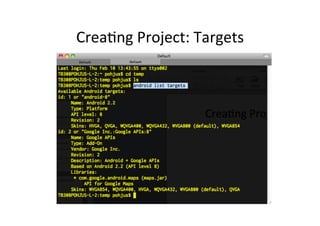
Crea+ng	
  Project:	
  Targets	
  
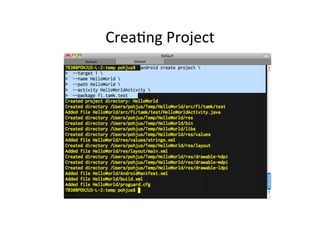
Crea+ng	
  Project	
  
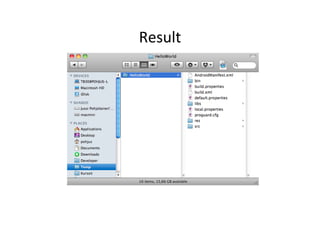
Result	
  
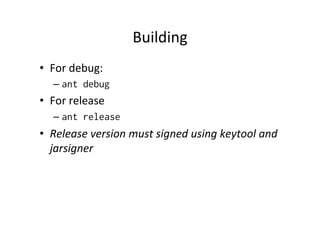
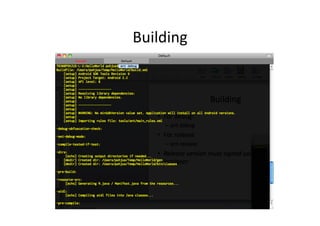
Building	
  
•  For	
  debug:	
  
    –  ant debug
•  For	
  release	
  
    –  ant release
•  Release	
  version	
  must	
  signed	
  using	
  keytool	
  and	
  
   jarsigner	
  
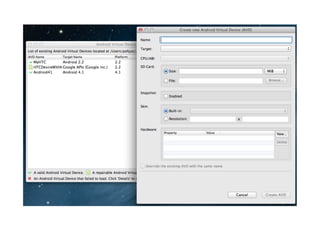
Building	
  
Android	
  Virtual	
  Devices	
  
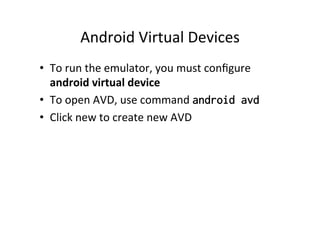
•  To	
  run	
  the	
  emulator,	
  you	
  must	
  configure	
  
   android	
  virtual	
  device	
  
•  To	
  open	
  AVD,	
  use	
  command	
  android avd
•  Click	
  new	
  to	
  create	
  new	
  AVD	
  
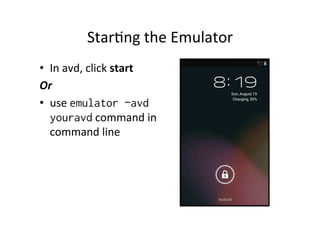
Star+ng	
  the	
  Emulator	
  
•  In	
  avd,	
  click	
  start	
  
Or	
  	
  
•  use	
  emulator –avd
   youravd	
  command	
  in	
  
   command	
  line	
  
Installing	
  App	
  
•  The	
  compiled	
  and	
  packaged	
  applica+on	
  can	
  be	
  
   found	
  in	
  the	
  bin/	
  directory	
  
•  In	
  debug	
  –	
  mode,	
  the	
  app	
  cannot	
  be	
  distributed	
  
   in	
  Google	
  Play,	
  but	
  it	
  can	
  be	
  installed	
  on	
  device	
  
   or	
  emulator	
  
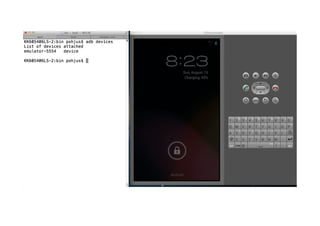
•  To	
  see	
  list	
  of	
  devices	
  a9ached	
  to	
  your	
  computer	
  
   (devices,	
  emulators),	
  use	
  command	
  adb devices
•  adb? =	
  Android	
  Debug	
  Bridge,	
  command	
  line	
  tol	
  
   for	
  communica+ng	
  between	
  devices	
  and	
  
   emulators	
  
Installing	
  
•  You	
  need	
  to	
  use	
  the	
  adb	
  app	
  to	
  install	
  the	
  app	
  
•  If	
  you	
  have	
  only	
  one	
  device	
  aZached,	
  the	
  
   following	
  command	
  is	
  enough:	
  
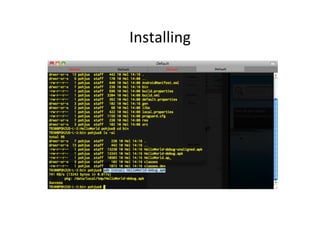
    –  adb install HelloWorld-debug.apk
•  If	
  you	
  have	
  several	
  devices	
  aZached,	
  then	
  you	
  
   must	
  specify	
  the	
  target	
  
    –  adb –s emulator-5554 install HelloWorld-
         debug.apk
    	
  
Installing	
  
Android Essential Tools

Android Essential Tools

  • 1.
      Android  Essen+al  Tools   Version  2012-­‐08-­‐19  (Android  4.1)   Jussi  Pohjolainen   Tampere  University  of  Applied  Sciences  
  • 2.
    Essen+al  Tools   • android –  To  create/update  Android  projects  and  modify  Android   Virtual  Devices   •  Android  Emulator   –  To  run  your  app   •  adb  (Android  Debug  Bridge)   –  Interface  between  emulator  or  device.  Install  apps,  shell   the  device,  issue  commands   •  Ant   –  To  compile  and  build  your  apps   •  Keytool  and  Jarsigner   –  To  sign  your  .apk  package  
  • 3.
  • 4.
  • 5.
  • 6.
    Building   •  For  debug:   –  ant debug •  For  release   –  ant release •  Release  version  must  signed  using  keytool  and   jarsigner  
  • 7.
  • 8.
    Android  Virtual  Devices   •  To  run  the  emulator,  you  must  configure   android  virtual  device   •  To  open  AVD,  use  command  android avd •  Click  new  to  create  new  AVD  
  • 10.
    Star+ng  the  Emulator   •  In  avd,  click  start   Or     •  use  emulator –avd youravd  command  in   command  line  
  • 11.
    Installing  App   • The  compiled  and  packaged  applica+on  can  be   found  in  the  bin/  directory   •  In  debug  –  mode,  the  app  cannot  be  distributed   in  Google  Play,  but  it  can  be  installed  on  device   or  emulator   •  To  see  list  of  devices  a9ached  to  your  computer   (devices,  emulators),  use  command  adb devices •  adb? =  Android  Debug  Bridge,  command  line  tol   for  communica+ng  between  devices  and   emulators  
  • 13.
    Installing   •  You  need  to  use  the  adb  app  to  install  the  app   •  If  you  have  only  one  device  aZached,  the   following  command  is  enough:   –  adb install HelloWorld-debug.apk •  If  you  have  several  devices  aZached,  then  you   must  specify  the  target   –  adb –s emulator-5554 install HelloWorld- debug.apk  
  • 14.