Cordova / Phonegap
Packaged apps for iOS, Android & more
Rob just got tickets to see Star Wars at
Leicester Square on the opening night.
He had to work very hard to resist the temptation
to fill this presentation with Star Wars references.
You’re welcome…
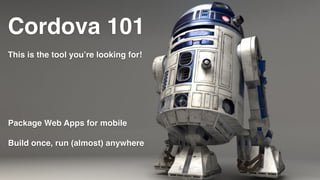
Cordova 101
This is the tool you’re looking for!
Package Web Apps for mobile
Build once, run (almost) anywhere
Terms
• Native
• Packaged
• Hybrid
• Web
• Package
• Device
• Emulator
• APK
What is it?
• PhoneGap == Cordova
• PhoneGap Build is a whole different thing
• Open Source Apache Project
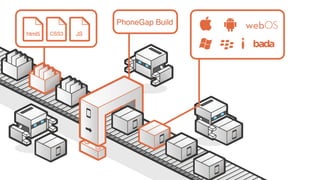
• Builds apps from the same* code for different platforms
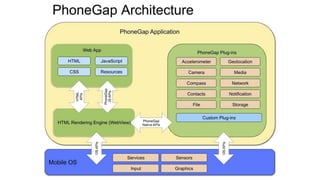
How it works
• Packaged HTML, CSS & JavaScript
• Interface APIs for native functionality
• Compiled using mobile dev tools du platform
• Rendered in WebView on mobile
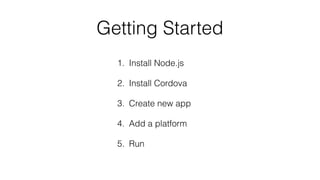
Getting Started
1. Install Node.js
2. Install Cordova
3. Create new app
4. Add a platform
5. Run
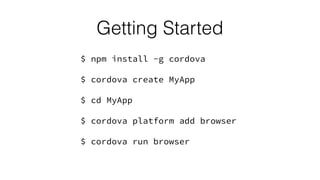
$ npm install -g cordova
$ cordova create MyApp
$ cd MyApp
$ cordova platform add browser
$ cordova run browser
Getting Started
Wait … browser?
WTF???
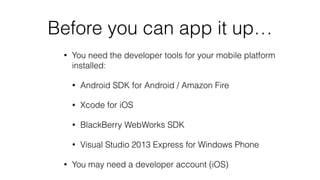
Before you can app it up…
• You need the developer tools for your mobile platform
installed:
• Android SDK for Android / Amazon Fire
• Xcode for iOS
• BlackBerry WebWorks SDK
• Visual Studio 2013 Express for Windows Phone
• You may need a developer account (iOS)
$ cordova platform add android
$ cordova run android
Getting Started with Android
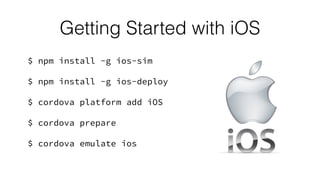
$ npm install -g ios-sim
$ npm install -g ios-deploy
$ cordova platform add iOS
$ cordova prepare
$ cordova emulate ios
Getting Started with iOS
… seriously … ?
Getting Started with Blackberry
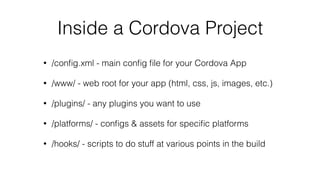
Inside a Cordova Project
• /config.xml - main config file for your Cordova App
• /www/ - web root for your app (html, css, js, images, etc.)
• /plugins/ - any plugins you want to use
• /platforms/ - configs & assets for specific platforms
• /hooks/ - scripts to do stuff at various points in the build
Plugins!
• All device APIs are plugins
• Disabled by default
• Install using the CLI for cross platform apps


or
• Install using Plugman for single platform apps
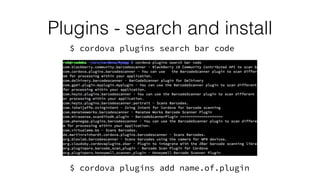
Plugins - search and install
$ cordova plugins search bar code
$ cordova plugins add name.of.plugin
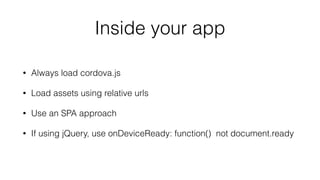
Inside your app
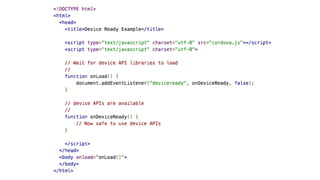
• Always load cordova.js
• Load assets using relative urls
• Use an SPA approach
• If using jQuery, use onDeviceReady: function() not document.ready
–Rob Dudley, just a second ago
“Talk is cheap, let’s code.”

Cordova 101

  • 1.
    Cordova / Phonegap Packagedapps for iOS, Android & more
  • 2.
    Rob just gottickets to see Star Wars at Leicester Square on the opening night.
  • 3.
    He had towork very hard to resist the temptation to fill this presentation with Star Wars references.
  • 4.
  • 5.
    Cordova 101 This isthe tool you’re looking for! Package Web Apps for mobile Build once, run (almost) anywhere
  • 6.
    Terms • Native • Packaged •Hybrid • Web • Package • Device • Emulator • APK
  • 7.
    What is it? •PhoneGap == Cordova • PhoneGap Build is a whole different thing • Open Source Apache Project • Builds apps from the same* code for different platforms
  • 9.
    How it works •Packaged HTML, CSS & JavaScript • Interface APIs for native functionality • Compiled using mobile dev tools du platform • Rendered in WebView on mobile
  • 11.
    Getting Started 1. InstallNode.js 2. Install Cordova 3. Create new app 4. Add a platform 5. Run
  • 12.
    $ npm install-g cordova $ cordova create MyApp $ cd MyApp $ cordova platform add browser $ cordova run browser Getting Started
  • 13.
  • 14.
    Before you canapp it up… • You need the developer tools for your mobile platform installed: • Android SDK for Android / Amazon Fire • Xcode for iOS • BlackBerry WebWorks SDK • Visual Studio 2013 Express for Windows Phone • You may need a developer account (iOS)
  • 15.
    $ cordova platformadd android $ cordova run android Getting Started with Android
  • 16.
    $ npm install-g ios-sim $ npm install -g ios-deploy $ cordova platform add iOS $ cordova prepare $ cordova emulate ios Getting Started with iOS
  • 17.
    … seriously …? Getting Started with Blackberry
  • 18.
    Inside a CordovaProject • /config.xml - main config file for your Cordova App • /www/ - web root for your app (html, css, js, images, etc.) • /plugins/ - any plugins you want to use • /platforms/ - configs & assets for specific platforms • /hooks/ - scripts to do stuff at various points in the build
  • 19.
    Plugins! • All deviceAPIs are plugins • Disabled by default • Install using the CLI for cross platform apps
 
 or • Install using Plugman for single platform apps
  • 20.
    Plugins - searchand install $ cordova plugins search bar code $ cordova plugins add name.of.plugin
  • 21.
    Inside your app •Always load cordova.js • Load assets using relative urls • Use an SPA approach • If using jQuery, use onDeviceReady: function() not document.ready
  • 23.
    –Rob Dudley, justa second ago “Talk is cheap, let’s code.”